Designed for Growth: Scale your recurring revenue with the new Teamgate SaaS CRM. Explore SaaS Features →

Book a demo today and save 50% off your first month, or 20% off your first year.

Get a free sales audit to uncover hidden revenue opportunities!

Business is usually associated with risks but is there a way to minimize risk-taking while maintaining prosperity? The answer is trust.

But trust goes both ways: Customers have to trust the business and the business needs to learn to trust its clients. Where does CRM stand in this equation?

Trusting Customers

• Quantifying Trust

You have attended a very high profile networking conference where you met clients of all sorts. You updated your contact book and gave yourself a mental high five for all the prospect leads you have gathered. Is it enough?

Not all leads are the same. Old clients with whom you have successfully completed deals before feel more trust-worthy –and they should. Also, new leads with quick response rates take priority over the cold ones. Maybe you want to prioritize leads that can potentially yield the highest profit. This is where a CRM can quantify trust and reputation.

“Quantifying trust” might seem like a dubious expression at first, but if the key to trust is indeed consistency, CRMs are the best tools to track, visualize and quantify trust.

Monitoring deals through all phases of the sales pipeline allows you, and the CRM, to gather key information about your leads. Factors like purchase history, lead’s source, contact history and others give the CRM ample information to forecast the likelihood of a lead to convert into a deal.

quantifying1

If you find yourself unable to close certain deals, the visualization of the Sales Pipeline will help you identify precisely where they fell through. In future opportunities, you will be reminded to proceed with extra caution or even drop the deals if they have the reputation of falling through.

• Customized Leads = Personal Leads
customized

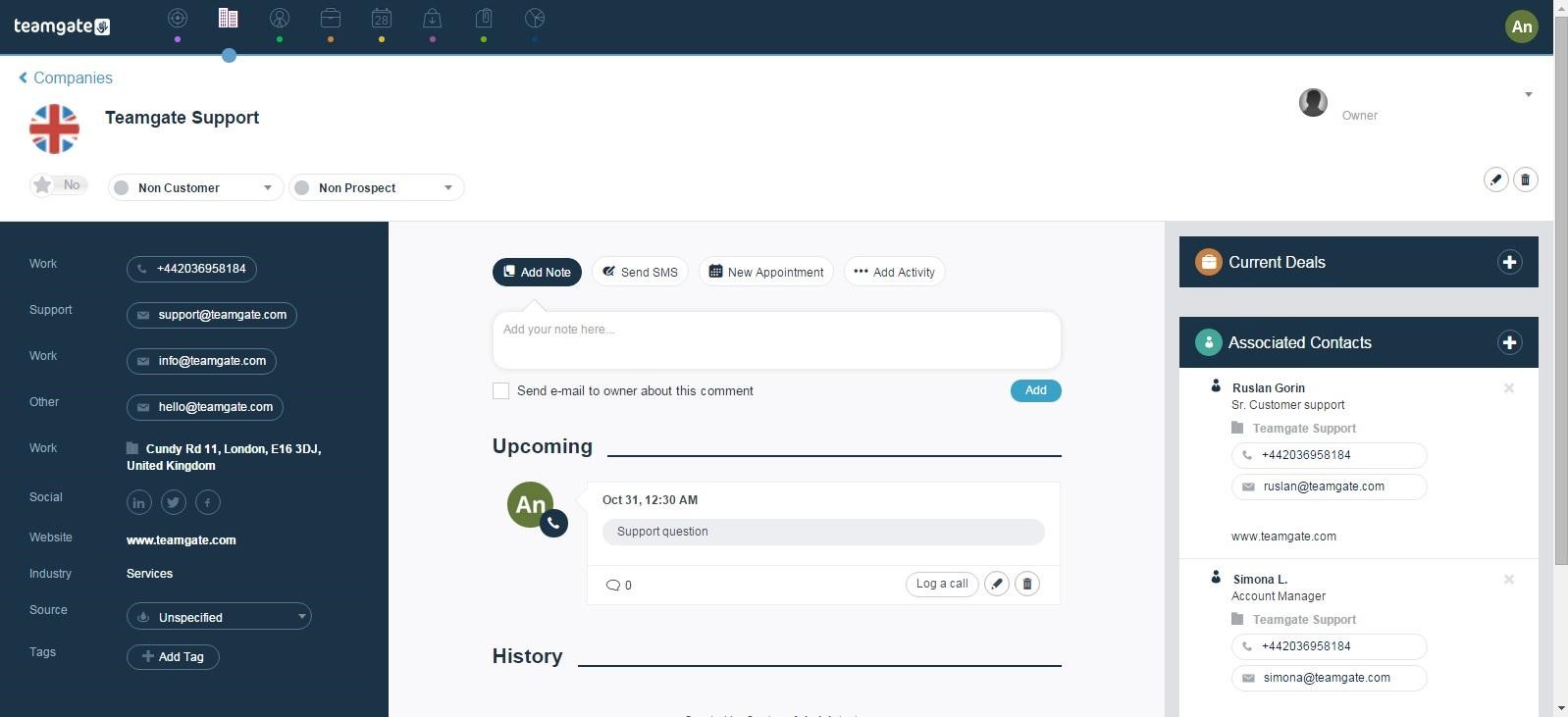
A sign that your business has seamlessly implemented the CRM into its workflows is when leads’ profiles reflect all of the information you have gathered about them. In fact, smart systems like CRMs provide more utility the more information you give them. For example, once your leads are well customized, a quick look at them should help you sort clients according to conversion rates, deal-based reputation, association with other deals and contacts or even overall profitability.

Email and other integrations are another source of information to customize your leads. To streamline data flows and keep customer information synchronized across your business systems, platforms like Integrate.io can help you build ETL and reverse ETL pipelines that automatically push lead data from your CRM into other business tools. Keeping track of emails, social media mentions, LinkedIn connections will alert you when a lead is inching in closer to conversion. It is also an excellent way to keep track of leads’ response rates and online interactivity with the business.

As we discussed in a previous article, having one platform solely dedicated to managing customer relationships will help your staff, and business in general, get accustomed to virtualizing customers’ details. As a result, consistency of use and integration of CRM into business workflows will make discerning trust and reputation an intuitive procedure.

Do you have a CRM that keeps you organised?

The most user-friendly CRM on the market. 14-day free trial.

Start Free Trial

Painless setup, no credit card required

Related: 4 Traits of a Trustworthy Customer Relationship Management Platform

Earning Customers’ Trust

• Knowing Your Customers

A CRM helps foster clients’ trust in your business. As a customer-centric app, CRMs allow businesses to approach each client separately based on their needs, their purchase history and the nature of previously closed deals. Likewise, knowing what each customer wants effectively eliminates the need for generic marketing campaigns that have the tendency to alienate clients. For B2B sales teams, this personalized approach extends to outreach efforts—tools like Sendspark enable you to record a single video message and automatically generate thousands of individually personalized videos addressed to specific prospects by name and company, creating a more genuine touchpoint that strengthens customer trust.

• Closely Monitoring Deals.
owner1

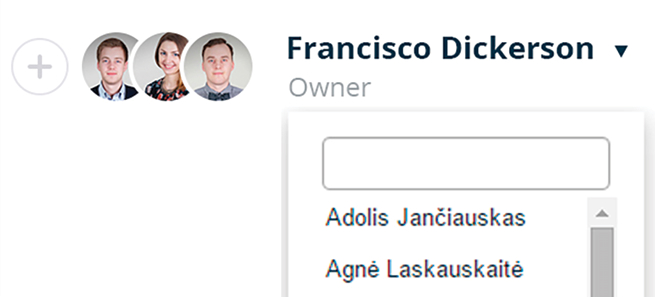
Miscommunications over who’s responsible of certain aspects of the deal are unfortunately very common. Small lapses of attention like that are how deals are sometimes left unattended, until they fall through.

Team Collaboration tools, like the one Teamgate offers, allow you to assign deals to individual staff or entire teams. The deal’s primary owner can assign and monitor each aspect of deal to make sure no glare mistakes could affect the customer’s trust in the business.

• Setting Goals and Meeting them


goals (1)

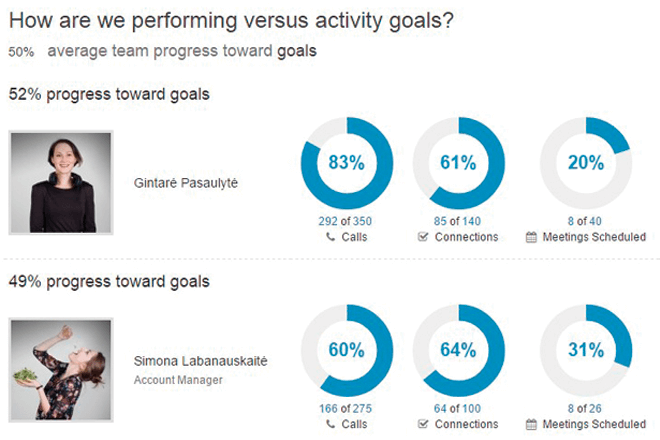
Customer-centric goal setting can help you sustain excellent performance when it comes to meeting deadlines, following up on deals, customer support and overall organization. You can also discern your best performing employees and assign them to your top clients. Alternately, choose staff with a good record of customer-support and assign to them tasks appropriate to their performance.

Clients can tell how organized and dedicated your business is based on the service they receive. With consistent CRM use, you should see a noticeable increase in customer satisfaction and client-retention thanks the trust you have earned.

Most of the images used in our blogs are from Teamgate. As an application dedicated to customer relationship, we understand the importance trust holds in business and we made sure our app embodies this commitment.
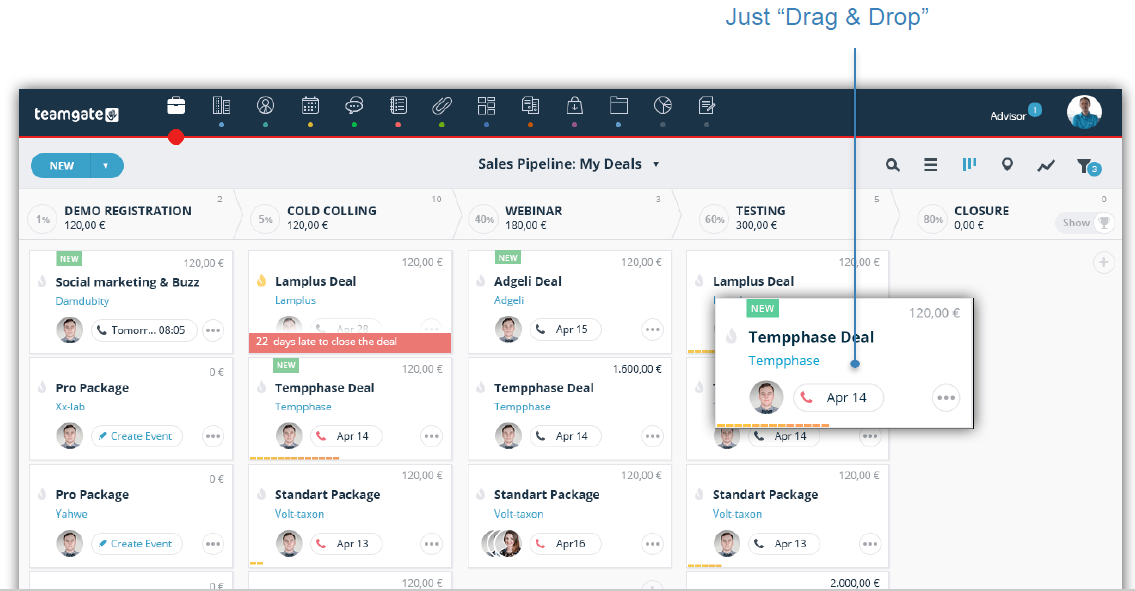
As a corporate or small business utilizing Customer Relationship Management (CRM) technology, you understand the importance of organizing, recording, and reviewing customer data. You know that the more sales data you keep track of, the higher your company’s potential for success. The Sales Pipeline is one of the most valuable tools available for your business. Advanced tracking options give you the opportunity to optimize your productivity by conveniently recording your sales process each step of the way.

Track Deals with Individuals and Companies

When noting updates in your CRM platform, you have the option to track deals with both individual buyers and B2B customers. If necessary, you can connect individuals with the companies they work with, keeping all of your data interconnected. By being able to track your progress with both independent persons and businesses, you can keep all of your information in one place, rather than having to maintain multiple platforms. For teams that need to sync CRM data with other business systems, platforms like Integrate.io provide low-code data integration and transformation pipelines that connect your CRM with databases, APIs, and data warehouses to power analytics and reporting. Keep it simple and use one platform that meets all of your company’s needs.

In the same note, tracking will provide you with excellent insights. You can anticipate potential sales by looking at conversions from past deals. The Sales Pipeline showcases and stores information in a way that makes the entire sales process more convenient.

Know What Stage You’re at In the Sales Pipeline

Whether you’re prospecting, negotiating, or closing the sale, recording everything in your Sales Pipeline lets you know how far along you are in the sales pipeline. Each time you make contact with a prospect, recording your productivity lets your organization avoid contacting a customer with irrelevant communications about your deal. For sales teams using video outreach, tools like Sendspark enable personalized AI video prospecting at scale, allowing you to create individually tailored videos for each prospect by name and company context. If the sale’s been closed, you don’t want to accidentally reach out to someone with a quote; that’s a surefire way to instantly lose credibility with customers. Knowing what stage you’re at helps build trusting relationships.

Drag and drop (1)

Share the Workspace with Team Members

You’re not isolated to handling the load of your deals and customers alone. Your teammates play an important role in business relationships, and your CRM tools should reflect that. Sharing a single workspace with your entire team lets everyone see the progress of a deal, and everyone’s work is united in one place. You and your teammates can use designated segments and hashtags to easily access split data from various categories. Work together in one place to create a family-like team that spreads love to your customers.

Do you have a CRM that keeps you organised?

The most user-friendly CRM on the market. 14-day free trial.

Start Free Trial

Painless setup, no credit card required

Keep Your Sales Notes Simple and Organized

A helpful CRM plan makes things easier. Too much irrelevant and busy information is nothing but an obstacle. By utilizing software designed specifically for managing your customer relationships, you are more likely to keep it simple, letting the technology to all the hard work for you. A Sales Pipeline is one way to ensure convenience and increased productivity.

Anyone using a Sales Pipeline in their sales process can let you know how it’s benefited them in the long run. As with all aspects of sales, you will want to take the time out to evaluate your efforts and make personalized tweaks to those that aren’t working to their full potential. It might be the right time to take some of this information and start your next CRM strategy evaluation.

The Internet has a plethora of apps promising better productivity and organization. However, this can often result in information overload. It can even be counter-productive now to manage each online platform you’re invested in while trying to dedicate enough time to keep up with recent app releases and new features. So why should you even bother to learn about Zapier?

Well, give us a second.

What is Zapier?

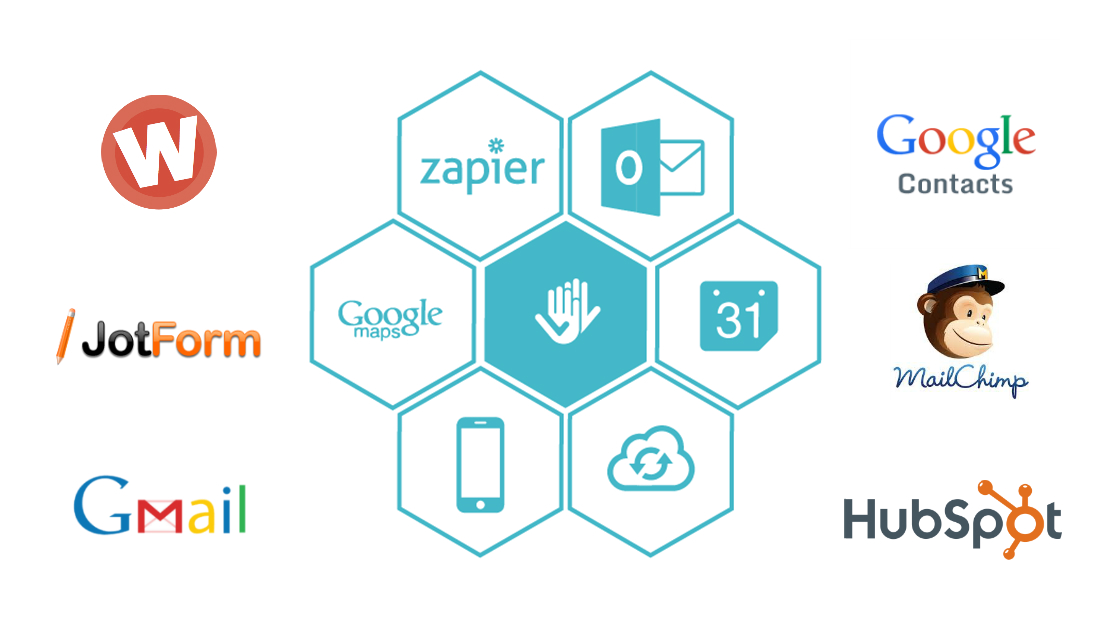
To put it simply, Zapier is an online automation tool that lets you connect apps to each other without any technical knowledge of their API’s. Currently, Zapier boasts of more than 500 applications including the likes of Google Contacts, Slack, Asana, Mailchimp, Evernote, Teamgate and many more.

In some ways, Zapier is very similar to IFTTT (If This Then That), but where Zapier excels is at providing automation Zaps (The action linking two separate app events) well suited to streamlining business workflows.

Here’s the exciting part: You can create your own Zap recipes!

For example, if you happen to have a crowded inbox in which important emails get easily buried, a Gmail to Google Calendar Zap allows you to determine which senders get automatically added to your Google Calendar without having to manually do it yourself.

Why use Zapier?

Zapier’s utility is particularly pronounced in the Zaps that bridge communication between apps which usually do not interact with each other. By doing so, it proves an incredibly efficient and invaluable tool for individuals and businesses trying to make the best out of available tools without investing too much time into handling repetitive tasks.

Do you have a CRM that keeps you organised?

The most user-friendly CRM on the market. 14-day free trial.

Start Free Trial

Painless setup, no credit card required

Furthermore, Zapier allows you to centralize information in one platform. If you rely heavily on Google solutions (Google Contacts, Gmail, Google Calendar etc…), for example, the collection of integration recipes made available on Zapier will redirect all relevant information from other apps to the Google solutions platform. For teams managing data across multiple systems, platforms like Integrate.io offer similar capabilities for more complex data integration and transformation workflows, though Zapier excels at simplicity and ease of use for business automation.

How to Use Zapier with Teamgate

Have a cool idea to use the Teamgate API for but don’t have the programming skills? No worries, Zapier is here for the rescue! With easy to set up Zaps, programming will no longer be an impediment to using different API’s in order to streamline your business workflows. Here are few ideas for Teamgate and Zapier integrations you can start with:

zapier ikonos

  • FullContact + Teamgate: Business Cards To Leads
  • FullContact will scan business cards, automatically extract all the information from them then send add them to Teamgate as New Contacts.
  • Gmail + Teamgate: Emails To Teamgate Deals
  • You can label any important emails in additional to ones from potential leads to let Zapier automatically add them to Teamgate either as contact leads or deals in the making.
  • Google Contacts + Teamgate: Add contacts or company information to Teamgate
  • You do not have to manually go through all of your Google Contacts to make sure all important leads (Company and Clients) are monitored through your Teamgate account. This recipe will also save you the hassle of regularly checking newly added Google Contacts and
  • Teamgate + MailChimp: Add Teamgate Contact To Mailchimp’s list.
  • With this recipe, each contact added to your Teamgate account will be automatically added to your list of subscribers on Mailchimp. This Zap is particularly powerful when fused with integrations such as FullContact+Teamgate, which can allow you to easily turn a business card lead into an email subscriber in no time.
  • Wufoo/JotForm + Teamgate:
  • Wuffo and JotForm are common tools used to deploy quick forms and gather information. These Zaps allow every form filled to be directly converted into Teamgate contacts for individual leads and companies.

As is the case for cuisine, the possibilities are truly endless when it comes to Zapier recipe ideas. More importantly, itcontinues to add more apps which unlock complex networks of communication between custom Zaps you create for your business.

Which Zapier apps do you use? Both Teamgate and Zapier offer free trials and so we would love to hear your recipes and any interesting Zap ideas for Teamgate integration.

Get cooking in the comments section below!

Startup Company Teamgate has established CRM software that took a leading place in GetApp.com ratings and currently dominates between the industry leaders such as, Salesforce or Zoho-CRM.

GetApp is the leading business app discovery platform with the focus on profiling established business apps. Nowadays users face a competitive and crowded cloud system’s market. It gets more and more difficult to navigate between the products when each has something different to offer.

GetApp together with quarterly published business apps ratings (GetRank) aims to make primary task of finding a cloud-based business software applications easier. User – friendly search engine system as well as reliable reviews reduces a long process of finding the most suitable software for entrepreneurs.

A study from Power Reviews clearly demonstrates that 70 percent of consumers read online reviews before making a purchase. Meanwhile, a similar study by Research Search Engine Journal shows that 63 percent of consumers are more likely to buy a product from a site that includes product rating and reviews.

GetApp aim is to highlight some of the biggest trends in the industry and answer the five most frequent questions that can help a consumers make a right step towards choosing the perfectly matching a cloud based SaaS solution for their businesses.

User Reviews. What existing costumers think about this product?

Integrations. How this application can be used with the systems that already exist? Many forward-thinking SaaS platforms, like Integrate.io, enable seamless data integration and transformation across multiple business systems, making it easier to connect CRM data with your broader technology stack.

Mobility. Is this system and its data can be accessible from my smartphone and tablet?

Media presence. Is this company well – established?

Security. Will data be safe in this company’s hands?

These are just primary steps towards the final decision making process. However, answering these questions will help to reduce the list of potential a cloud – based business systems.

Teamgate kick-off

GetApp platform operation process is similar to Google; the higher place product takes on search window, the more visible and accessible it becomes to users. GetRank aim is to narrow down the list of potential products and help to choose the most users’ business type fitting cloud system. Categorized according to product’s types, GetRank picks TOP 25 cloud – based companies. Every rating is impartial which gives a constructive and comparative review about each product. GetRank is not aimed to enforce users to write reviews and does not charge the position; products are being ranked by independent and certificated industry experts.

Teamgate position on GetRank platform demonstrates company’s role in international CRM industry’s arena. Teamgate in Q1 took 23rd place, meanwhile in Q2 jumped right to the 11th place and today dominates between the industry leaders. Rapid jump was a consequence of productive team work while focusing on constant systems improvement. Changes were made according to customer experience as well as by monitoring industry changes. Teamgate has improved CRM system integration procedures, has accomplished mobile version as well as put huge effort on security indicators improvement. Hard work paid off – satisfied clients reviewed the product and thus influenced rapid jump to 11th place of GetApp ratings.

Do you have a CRM that keeps you organised?

The most user-friendly CRM on the market. 14-day free trial.

Start Free Trial

Painless setup, no credit card required

11th place at GETAPP.com ratings. What it means to us?

11th place on the leading apps review platform GetApp means more than raised visibility, bigger user’s attention or higher sales. 11th place means product’s acknowledgment and reliability in international CRM industry arena. Products’ rating introduces consumers with industry changes while helping to choose the most effective cloud system SaaS (Software as a Service) for business.

“High position on GetApp ratings list leads to win – win position for both: customers and us. First of all, Teamgate became more visible to internationally based users. High rankings also formed a positive opinion about our services and we are happy about new customers who decided to continue developing their businesses with us. Meanwhile, Teamgate monitors customer experience and analyzing what actually user is looking for on web; thus helps us to offer an IT product that customer is actually looking for.” – says Grazvydas Kaminskas, Head of Export of Teamgate.

According to RackSpace study, 90 percent of software spending will be on cloud applications, in the next six years. The reasons for that are wider cloud possibilities and benefits that traditional enterprise software can’t offer: reduced costs for system maintenance, more flexibility and quicker implementation.

rank11

Related: Teamgate became a Google Campus Exchange Program Finalist