Here is a massive list of 400 free online tools and resources to help you become more productive, propel your design, social media and content marketing efforts to new heights and automate time-consuming tasks, so that you can direct all your attention and energy to more fruitful projects.
AI Tools for Business

What kind of article would we be writing about helpful tools in 2026 if it didn’t include AI? While this section spans all categories that we dive further into below, it is the only list fully focused on AI tools geared to drive your business to greater heights.
ChatGPT: The Classic. Helps with writing, brainstorming ideas, drafting emails, and answering questions. Best for general use.
Google Gemini: Like ChatGPT in terms of capability, but works inside Google Docs, Sheets, and Gmail to summarize, edit, and organize information.
Whitesonic/Jasper: A huge help to teams who don’t have copywriting capabilities. Creates blog posts, ads, and other marketing content quickly.
ElevenLabs: Turns text into realistic voiceovers for videos, podcasts, or product demos.
Otter.ai: Records meetings and automatically creates transcripts and summaries.
Github Copilot: Suggests code and helps developers write software faster. A big part of the reason you’re starting to hear the term “Vibe Coding”.
UXPin: Build or edit components of your design, prototype or website with a prompt or sketch.
OnlyMonster.
MonsterOPS: Recognized among the best EOS Softwares, this platform automates the Entrepreneurial Operating System framework, helping businesses track rocks, scorecards, and issues to ensure high-level organizational alignment.
Lindy.ai: AI and Automation go hand-in-hand. Create agents that handle tasks on your behalf.
Website Building Tools
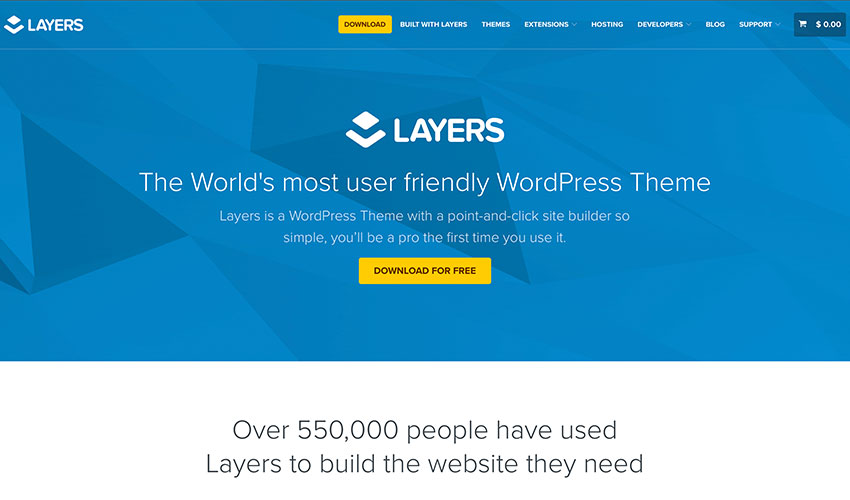
Image Source: Layers
Gone are the days when building a beautiful website could cost you an arm and a leg. Use these free website building tools to get your business online at no cost except your time.
Bootstrap Zero: Download hundreds of open-source and responsive templates and themes for bootstrap
Bootswatch: Another free resource for bootstrap theme although limited than Bootstrap Zero
HTML5 UP: Your source for free and responsive HTML5 themes, which are all fully customizable.
Landing Harbor: provides a free landing page for your mobile app – a great site to promote your business
Layers: WordPress theme that’s free forever. There is also a Pro version if you want to upgrade
Strikingly: Free responsive and mobile-optimized websites for the Strikingly domain
Templated: Free 800+ fully responsive CSS and HTML5 website templates
WordPress.org/Wordpress. Com: Free website builder and hundreds of free WP themes
Logo Generator
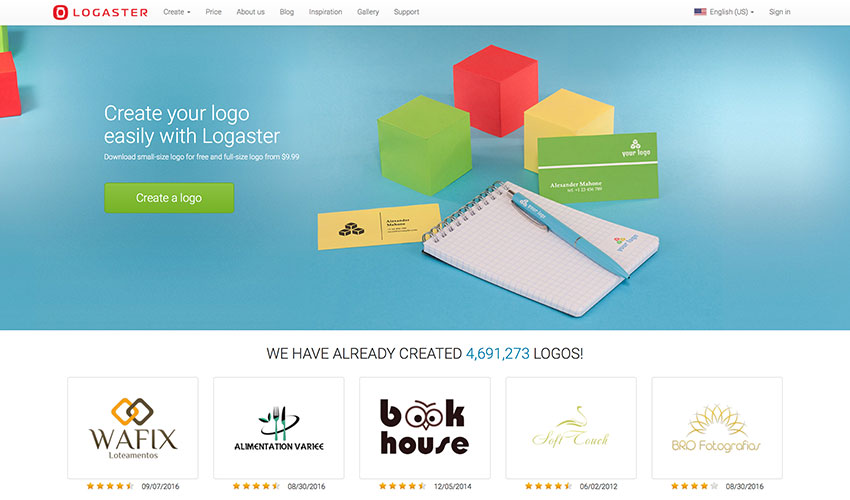
Image Source: ZenBusiness
Want to add a little oomph to your brand? Here are 5 free logo generators that you can use to create a slick and modern logo in just a few minutes.
Hipster Logo Generator: want a fresh and hip logo for your business – the name says it all
ZenBusiness: create a more professional looking logo in just a few minutes
Signature Maker: create your digital signature for free. It’s based on HTML5 so it works on most modern browsers
Squarespace Free Logo: free two-step logo generator from Squarespace with downloadable low and high resolution versions
Withoomph: free logo generator which shows you different versions of the logo
Business Name Generator

Image Source: Hipster Business Name
If you want your business idea to catch on and grow like a weed, do put a little effort into picking out a memorable business name. Sometimes the best ideas hide in plain sight, so give your imagination a tickle with these name generator tools.
Domain: quick and free domain generator
Hipster Business Name: cousin of the Hipster Logo Generator – both of them are hip and very millennial
Impossibility: it calls itself as the “best domain name generator ever.” Try it to find out
Do you have a CRM that keeps you organised?
The most user-friendly CRM on the market. 14-day free trial.
Painless setup, no credit card required
Lean Domain Search: domain name generator with some advice how to get the ideal domain name for you
Naminum: just type a keyword where your want to base your company name and it will give you numerous domain name suggestions
Short Domain Search: search for short domain names in seconds. The site has added new tools for more refined searches.
The Name App: helps you find a name for any ideas you have
Wordoid: let’s you create new and catchy words for your business or for your next product. Available in English, French, Spanish, and Italian
Invoice/Legal Docs
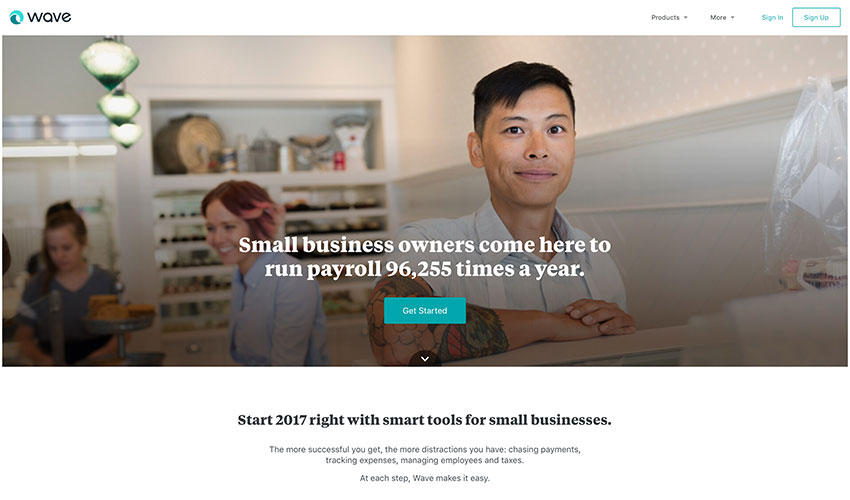
Image Source: Wave
Fancy cutting costs without losing performance? Then charge and don’t be charged with these free invoicing and legal docs resources for small business owners and entrepreneurs.
Docracy: open collection of legal contracts and documents
Termly: Legally backed policy generators and consent management tools for websites, apps, and businesses of all sizes.
Free Invoice Generator: the name says it all
Invoice to me: create a more itemized or detailed invoice using this invoice generator for free
Invoice.to: clean and easy to use; however, it’s still experimental according to its creator
Kiss: legal documents for startup investors and owners all for free
Shake: create a legal agreement and sign it in a matter of minutes for free. It’s optimized for mobile so it’s easy to use.
Wave: ideal for small business owners who are looking for fast and easy accounting and invoicing, and it’s for free.
Idea Management
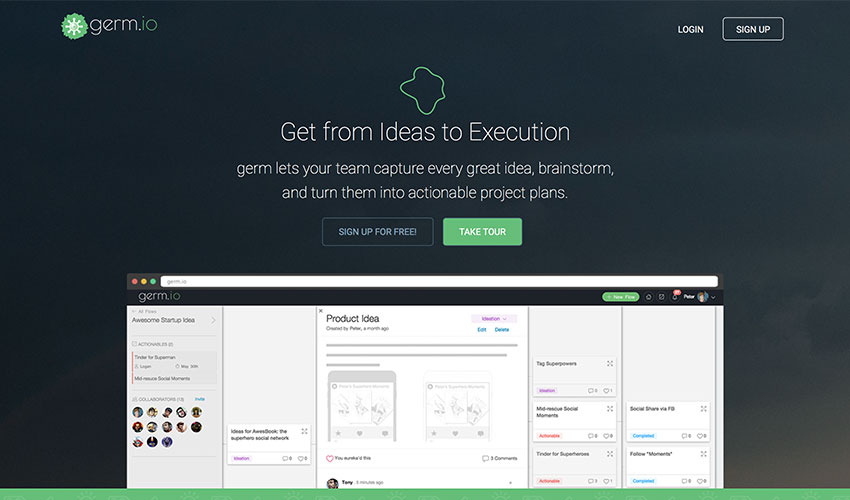
Image Source: Germ.io
Don’t let your ideas go to waste. Snap them up at their infancy, test, experiment and watch them blossom into something beautiful using these free idea management tools.
Germ.io: turns your ideas into reality by tracking them and allowing you to collaborate with your team until you successfully execute them
Experiment Board: allows you to test your startup idea for free in the community even before you publicly launch it
Skitch: let your idea stand out with this free tool from Evernote.
Content Curation/Trending Ideas
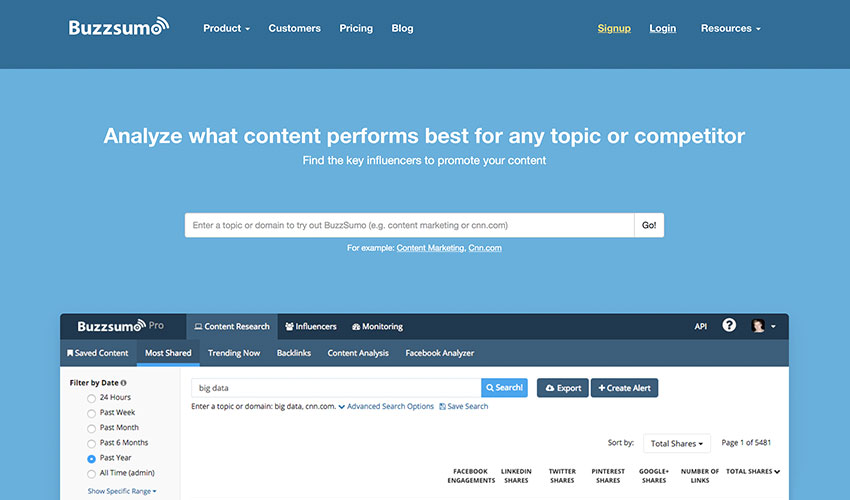
Image Source: Buzzsumo
Struggling to keep up with the speed and volume of online content? Take advantage of these free content curation tools to stay abreast with the industry’s trending stories and never miss anything important.
Ruzzit: place of the most shared content on the Internet along with their popularity score and on what social media platform
Buzzsumo: gives you the trending content and shows you how well it competes against another content
Feedly: compiles all news feeds according to category or source. It can be customized and shared
Flipboard: works similarly like Feedly. You can create your own compilation or magazine which other users can follow and share.
Google Trends: displays trending searches in real time
Hubspot Blog Topic Generator: looking for the next idea for your blog topic? This tool is for you for free
Portent: it’s like a mentor on how to make a viral post
Reddit: a forum/community where you can get real trending news from the common people every day.
Swayy: gives you the latest and most interesting news on the web. However, the subscription is only free to one dashboard user.
Others: Google What’s Hot | Twitter Trending | Quora
Tip: once you’re ready to scale the marketing efforts for your company, check out these online business tools that content marketing consultant, Ryan Robinson recommends for growing your traffic.
Image Editors
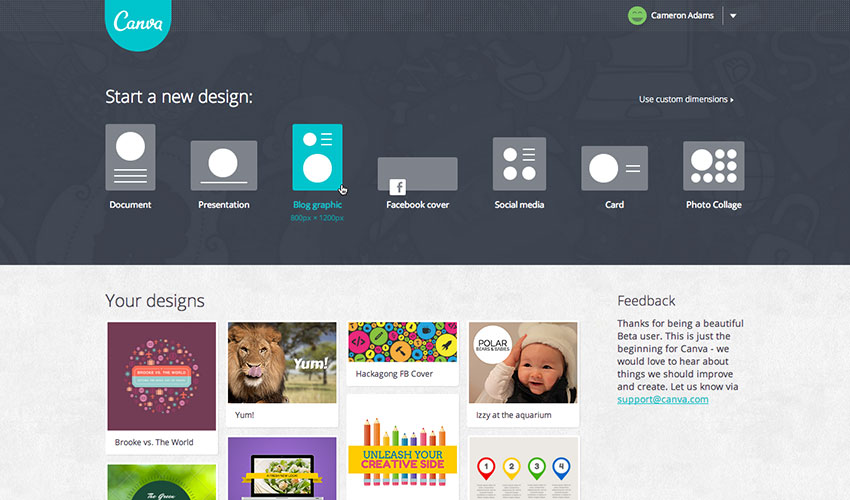
Image Source: Canva
Push your social presence to the next level with free image editing tools that will enable you to instantly create stunning visuals and professional-looking graphics to make your stories resonate. For B2B sales teams looking to personalize outreach at scale, Sendspark is an AI-powered video personalization platform that lets you record a single video, then use AI voice cloning and dynamic backgrounds to automatically generate thousands of individually personalized videos for sales engagement.
PicMonkey: edit your pictures, make beautiful collages, or create professional-looking graphics, PicMonkey has it for free
Pixlr: easy to use online photo editor
Canva: beautiful image, video, menu designs and more – for your blog, Facebook page, or website
[optin-monster-shortcode id=”cvfuxuhchvywm9wl2q6w”]
Ease.ly: allows you to create stunning visuals, such as infographics, resumes, or marketing presentations. You can share your works for free as well.
Meme Generator: create a meme instantly in just three easy steps. You don’t even need to upload a picture. Also available in 4 languages.
Pablo: increase or make your social presence stand out with these beautiful, free images from Pablo
Place It: more than 2,500 mock-ups and videos across all devices for free
Recite: make any quote memorable and visually enticing with Recite. Just type your favorite quote and choose from the ready-to-use templates. After that, you can share it to any social network or email straight to anyone.
Social Image Resizer Tool: resizes and change the file format of any image for web use
Image Optimizers
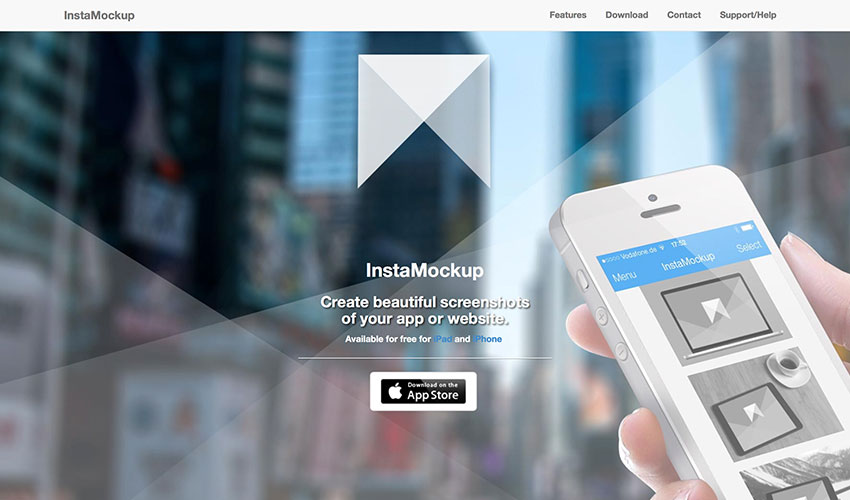
Image Source: InstaMockup
Optimizing images no longer means losing on quality. You can enhance image clarity before compression using an HD photo converter, which helps upscale low-resolution visuals without compromising performance. Resize and compress your images to make them load faster and take less disk space with free image optimization tools.
Compressor.io: reduce or optimize any image you have without changing the high quality of the image.
Dunnnk: Dunnnk is never short of beautiful mockups for Android and iOS devices, all of which have high quality
Image Optim: compresses your images without losing the high quality so that your images can load faster.
Image Optimizer: free online image optimizer, compressor, and resizer. It has now a downloadable version allowing you to work offline, and it’s all for free.
InstaMockup: a free iOS tool which allows you to create beautiful mockups and allow you to showcase your product in real environments. Available for both iPad and iPhone.
TinyJPG: allows you to compress and optimize your JPEG and PNG images
Smush.it: WordPress image compression and optimization tool
Blogging and Writing Tools
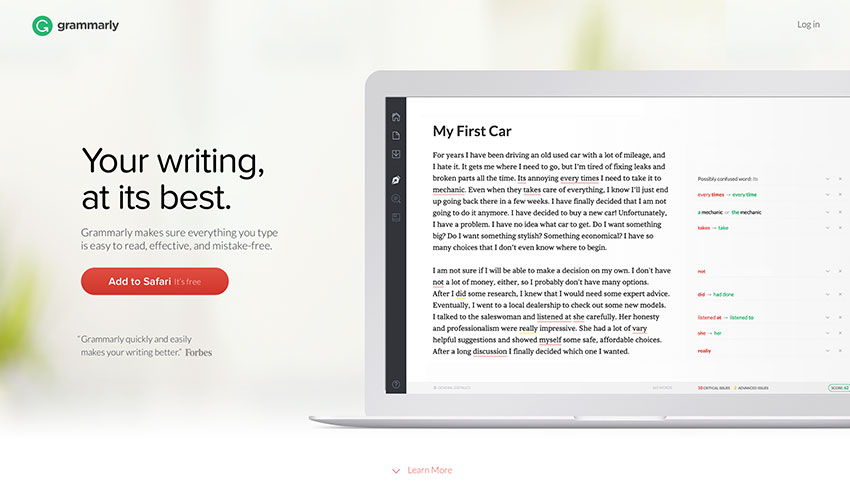
Image Source: Grammarly
Have your inspiration fairies abandoned you lately? Feeling stuck in a rut with your writing routine? Take note of these free blogging and writing tools that will bring the joy back to you.
A5.gg: a small note-taking tool which allows you to take notes using your browser. The best thing about it – it automatically saves your notes so that it is still there when you return.
CoSchedule: analyzes your headlines and suggests how you can write them better in order to drive more traffic to your website
Editorial Calendar: a WordPress blog management tool which allows you to see your blog posts in one place
Egg Timer: a simple online timer which you can repeatedly use for free
Blank Page: makes writing easy, simple, and hassle-free
Free Summarizer: summarize your long sentences that still makes sense
GPTZero: an online AI checker that analyzes any piece of writing and tells you how much of it might be AI-written, with clear, easy-to-read results.
Undetectable AI: a tool that rewrites AI-generated content to make it sound more natural and human-like, helping you avoid detection while keeping your writing clear and authentic.
Liberio: create and publish an eBook straight from Google Docs
Known: a social learning community which allows you to write and collaborate with others. You can also publish it and let the community give you feedback and advice. Perfect for authors who are just starting out.
ZenPen: gets you to write without any distractions is ZenPen’s ultimate goal. That is evident in its no-frill UI
Story Wars: allows you to collaborate and share stories with other writers from across the globe
WP Hide Post: WordPress plugin that lets you control what appears on your blog. You can even control which part of a particular blog can be seen by the readers.
Social Locker: another free WordPress plugin which asks your visitor “to pay” for the content you made through a share, a like, or a Tweet.
Medium: a free blogging platform
Hemingway: a writing app that automatically corrects the syntax of your sentences highlighting them with different colors so you know what specifically is wrong with it.
Grammarly: an online editor that corrects your grammar and sentence cohesiveness. It now has a downloadable version.
SEO and Website Analyzers
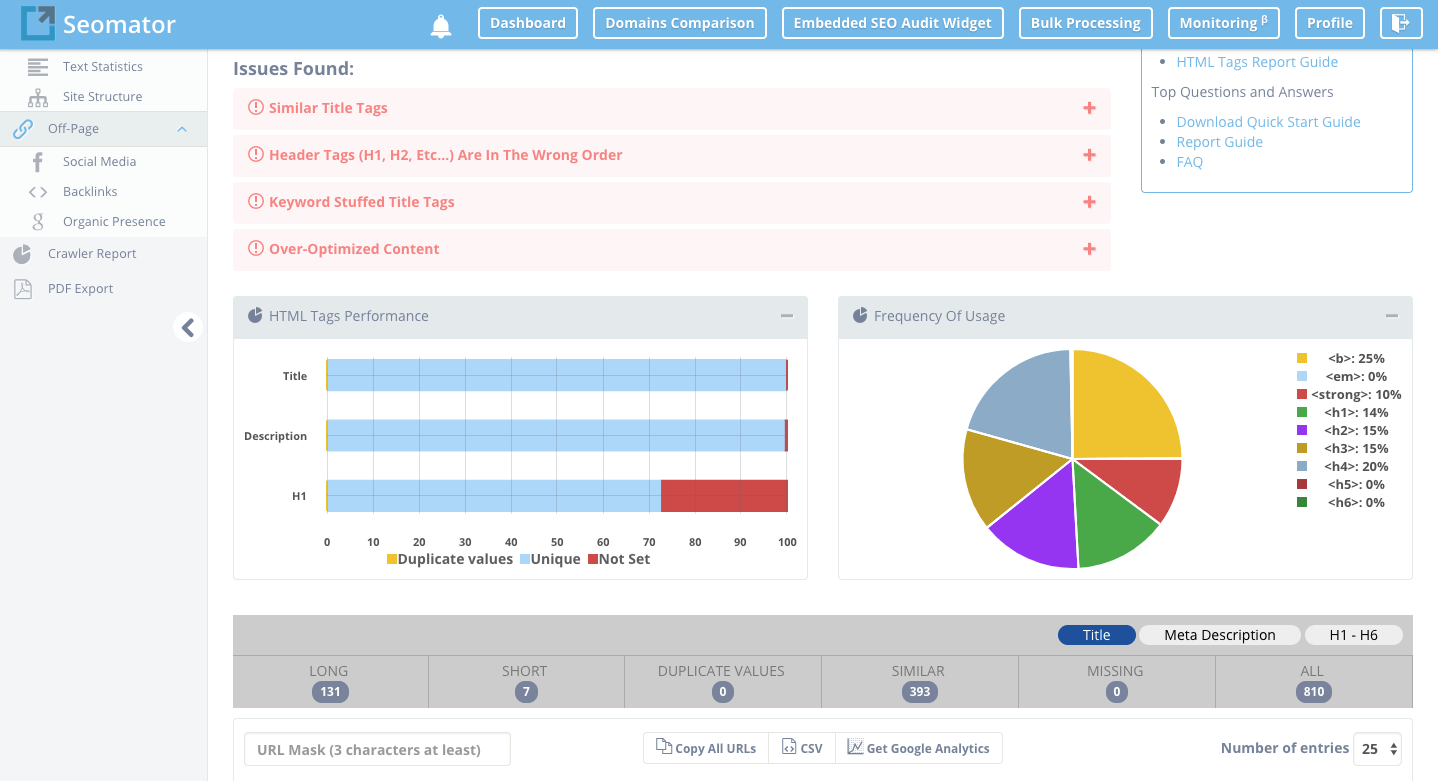
Image Source: Seomator
Don’t let a poor SEO performance drag your site’s performance down the drain. Try these free SEO and website optimization tools to collect feedback, analyze and improve your SEO strategy.
Ahrefs: checks your backlinks and analyzes your website
Alexa Ranking: analyzes the ranking of any site by providing you analytical insights
Browseo: it gives you feedback how search engines view your site
Broken Links: you don’t have to worry about 404s anymore with this tool as it finds any broken links and redirects them to the correct page
Copyscape: analyzes content if it’s plagiarized or not
Google Pagespeed Insights: another of Google’s useful tools which checks how your site performs
Google: Analytics | Keyword Planner | Webmaster Tools | Trends
GTMetrics: this is the tool if you want to know how fast your website performance is
Hubspot Marketing Grader: get feedback for your marketing efforts
Keywordtool.io: search for the right keywords for your content
Moz Local: find your local listing on any search engine
Nibbler: tests any website’s performance, popularity, and more
OpenLink Profiler: analyzes and checks backlinks from any website to ensure that you get the freshest and the best ones
Open Site Explorer: also a link analyzer tool
Pingdom: tests how long your website loads
Quick Sprout: provides a comprehensive analysis of your website
SimilarWeb: analyzes and provides insights for any website or app
Seomator: Seomator is the Online SEO Audit Tool and Website Crawler for Website’s SEO Health. In other words, Seomator provides In-depth Technical SEO Analysis and SEO On-Page Testing Tool for Websites Optimization. Same time, Seomator is the Sales Automation Tool that could be implemented directly on a company’s website to automate and increase sales. White-label Reports deliver directly to customers and save hours of work and life.
SEO Site Checkup: checks how well your website’s SEO performs and gives you feedback so you’ll know which ones need fixing
SERPs Rank Checker: checks how well your SERP ranking and SEO performs
Shopify e-Commerce Report: free business tools to grow your Shopify business
W3C Validator: validates the markup validity of any Web documents on any file format
Woorank: screens and analyzes the SEO ranking of your website
XML Sitemaps: allows you to create XML, HTM, and Text sitemaps which can be submitted to any major search engines
Send, Collect and Verify Emails
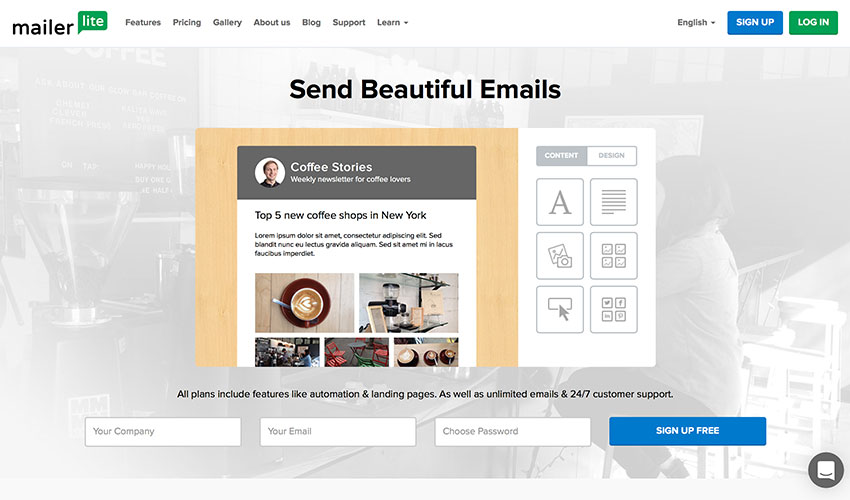
Image Source: Mailerlite
Email made easy, at no additional cost. These free email tools will give you back your time and peace of mind: create, send, track and analyze your campaigns for free.
Beefree: makes writing emails much easier
Canned Emails: ready-made email messages you can use
Contact Form 7: a free WordPress plugin which allows you to collect your emails
Hello Bar: a tool which enables you to attract more email subscribers
Mailchimp: allows you to send your emails to multiple recipients with just one click. It also has a premium version which enables you to send your emails to more recipients.
Mailerlite: track your emails and find out who has already read them
Mailgun: allows you to send free 10K emails every month
[optin-monster-shortcode id=”u0wiahzfsrgu4dsbbxsb”]
Mandrill: send to 12K emails every month for free
ManyContactsBar: free contact form for your website
Scroll Triggered Box: free WordPress plugin that boosts your conversion rates
Sendgrid: allows you to deliver your emails to 12K people every month for free
Sendinblue: email management tool which allows you to send free 9K emails every month
Sumome List Builder: convert your visitors into customers and subscribers
ZeroBounce: is a free email verification tool allowing users to verify email addresses in real-time.
Social Media and Community Management
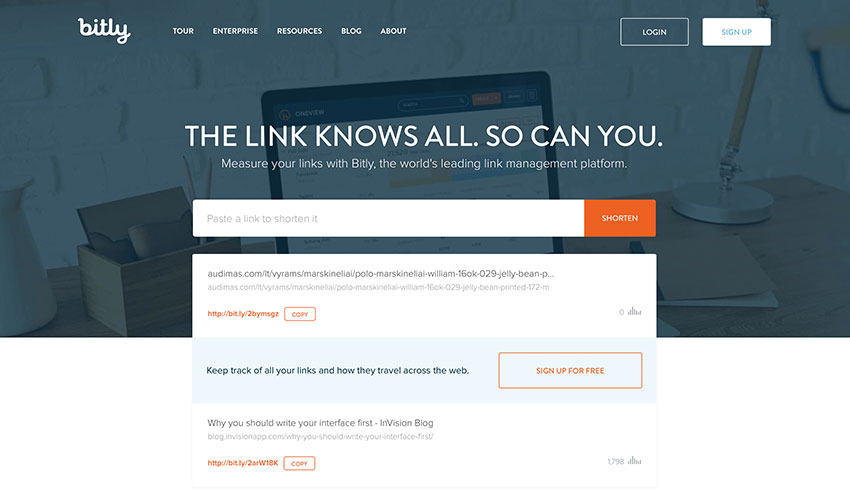
Image Source: Bitly
Your time can be better spent connecting with customers and building your brand than counting likes and shares. Automate your social media with these free online tools to amplify your promotional efforts and increase the engagement.
Addthis: enables you to get more likes, shares, follows, and conversions
App Review Monitor: get insights from the latest app reviews straight to your inbox or Slack account
Bitly: shortens your links so you can share and send them much more easily
Buffer Free Plan: allows you to schedule your posts to any social media network
Digg Digg: a free WordPress plugin that shares your content on all platforms with just one click
Disqus: build your audience by increasing your engagement and allowing discussions
Click To Tweet: tool that lets you get more shares for your blog posts and content
Filament: a customizable share bar
Free Survey Creator: lets you create a survey and acquire feedback for free
How Many Shares: monitor how many shares your content has in various social media networks
Crowdfire: a simple way of growing your audience
Klout: social media analytics tool which rates your social media influence
Latergram: a perfect tool for your Instagram account which helps you schedule your Instagram posts
MyTweetLinks: increases your Twitter audience
Presskit Generator: creates a press kit for your app for free
Ritetag: Chrome and Firefox browser extension that analyzes your hashtag
SharedCount: lets you track how many shares, likes, and tweets your content has
SocialRank: Twitter management tool
Social Analytics: a free Chrome extension which allows you to get the social data of any URL from supported social networks
Sumome Share: automatically optimizes your share button to increase your website traffic
WordPress Pin It Button for Images: WordPress plugin which allows you to place a “Pin It” button to your images
WriteRack: the perfect tool to create a tweetstorm
A/B Testing and Growth Hacking
Image Source: Optimizely
Take the guesswork out of website optimization by basing your decisions on real data rather than your own hunch. A few proven growth hacks can take your business a long way.
GrowthHackers: lets you create a fast and sustainable financial and customer growth
Hello Bar: lets you test your call-to-actions and keywords
In this article, you’ll get a comprehensive guide to 100 powerful inbound marketing tools that can skyrocket your business growth. We’ll explore a variety of tools to automate, optimize, and enhance every facet of your inbound marketing strategy, ultimately leading to more leads and prospects.
Key Takeaways:
- Learn how to streamline your marketing efforts using a multitude of automation tools.
- Discover the importance of analytics and the top tools to get the most detailed insights into your marketing performance.
- Uncover the potential of blogging and SEO tools in increasing your online visibility.
- Understand how design and visual resources can play a pivotal role in your inbound marketing strategy.
- Get introduced to the best tools for managing leads, social media, and streaming.
Nothing makes a marketer happier than seeing their efforts and hard work pay off. And there’s little we wouldn’t be prepared to do to see those leads trickling in.
We’ll write eBooks, spend weeks chasing influencers for three-line quotes and comb through pages and pages of data to string together sleek-looking infographics to get the prospects to notice us. Because every lead counts.
So let’s face it, if there was a way for us to amplify our inbound marketing efforts and raise the lead gen game, we’d snatch that opportunity with no questions asked.
And as the luck has it, we’ve gathered one hundred powerful tools that will help you automate, optimize and enhance your inbound marketing strategy and win more business.
Make yourself happy, dig in.
Research tools
Buzzsumo is a powerful tool for content marketing and is particularly helpful with finding trending content by any topic. It saves a lot of time that you would usually spend on browsing and googling popular topics. Buzzsumo will also show you many convenient statistics, like how many people are talking about a specific subject.
Keyword Planner is a completely free tool created by Google that researches the best keywords for your ads, video ads, etc. With this tool, you can build a completely new campaign or improve an existing one. It is an effective tool for both experienced and completely new advertisers.
- Looking for a new Entry
This used to be Klout.
Do you have a CRM that keeps you organised?
The most user-friendly CRM on the market. 14-day free trial.
Painless setup, no credit card required
Mention makes sure you keep track of all the real-time social media mentions and always stay in the know of what people are saying about you online. It also lets you follow and analyze your competitors and similar businesses. Mention also has some awesome features like Custom Insights and Find Influencers.
The TrustRadius marketing TrustMap is a two-dimensional chart that compares marketing products based on end-user satisfaction ratings and research frequency by prospective buyers. You can use the tool to compare different marketing tools and read authentic reviews from real users.
SurveyMonkey is one of the best online survey tools used by millions. With this tool, you will gather useful information and insight about your target audience and clients by creating original surveys. Choose from more than 15 different question types, branding options and much more.
AYTM is another survey tool that provides professional market research. The main key components and features include the survey platform that lets you host, program and analyze your surveys, a proprietary panel with an access to 25 MM all over the world and the research services.
Quora is a well known question-answer type of website that makes any research much easier. Here, questions and topics can be organized into boards that can be followed – this will help you keep up with your competitors and news in your market. With Quora, you can also follow relevant questions and discover many other ways to do research.
Analytics tools
Google Analytics is a very popular and effective analytics tool provided to you by Google. When integrated with Google AdWords, it becomes an even more powerful tool that lets you analyze and track your website and conversions. The main analytics data is displayed on the main page of Google Analytics, but you can also find and use such features as Advanced Segments, Location Demographics and much more.
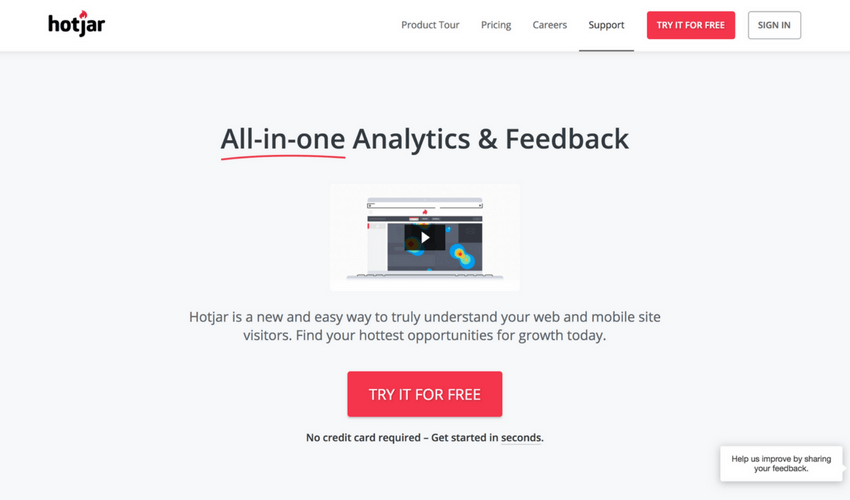
Hotjar is an amazing tool for analyzing the online behavior of your users by studying heatmaps, visitor recordings, feedback polls and conversion funnels. This tool combines two most important things – feedback and analysis to make the analytics as accurate as possible.
SumoMe is an extremely user-friendly WordPress plugin that can serve as an efficient analytics tool. The main goal of this tool is to help you grow your website traffic and email list. It offers many free tools for you to choose from, so by using them, you can analyze your content, users, visitors and much more.
Adobe Analytics is a part of Adobe Marketing Cloud (AMC) that offers many online marketing tools. With Adobe Analytics, you can assemble, coordinate, organize and analyze your customer’s activity. Real-time analytics, segmentation, and predictive marketing through all Adobe channels.
Want more traffic? Ubersuggest shows you how to win the game of SEO. Just type in a domain or a keyword to get started.
Crazy Egg is another brilliant online application to analyze user activity on your website. This tool suggests useful features like heat maps, scroll maps, overlay reports, and confetti, which lets you determine all the clicks that have been made on your website and analyze them by search term and referral sources.
By choosing the ethical alternative, Matomo, you won’t make privacy sacrifices or compromise your site. You can even use Matomo without needing to ask for consent
Mixpanel is a very advanced analytics tool that gives you the opportunity to analyze every action your user takes – not just the clicks. With this tool, you can also see when someone uploads a picture, shares a post, etc. Here you can also experiment with the A/B testing to reach the best results.
SimilarWeb is a universal tool for any insights – both web and app. It works with a wide range of sources to receive as accurate data as possible and convert it into useful insights. SimilarWeb offers website analytics, industry analytics, and app analysis. Besides all this, you can also see traffic and engagement data and much more.
[optin-monster-shortcode id=”cvfuxuhchvywm9wl2q6w”]
Quick Sprout suggests a direct connection with Google Analytics to offer you a reliable and accurate information and data. This tool will help you understand and use Google Analytics to the maximum – you will be informed about important activity on your website every day and receive personalized website alerts.
Blogging tools
Triberr is both a tool and a community to help you grow the traffic on your blog. It is segmented into categories called “Tribes” that are differentiated by topics. You can follow the tribe you are interested in to see all the newly published posts, interact and engage with other bloggers.
WordPress is a very popular and widely used tool for website and blog creation that has a wide range of templates and plugins for you to choose from and use for your own benefit. It is a very powerful tool, yet very user-friendly and easy to use. It is so huge that it supports more than 60 million websites.
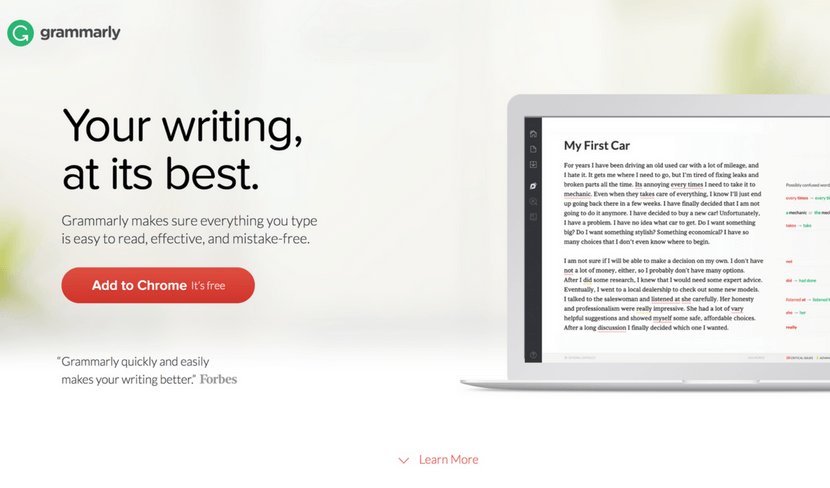
Grammarly is a proofreading tool that can also be used as a plagiarism-detection application. Besides creating content and driving traffic to your website, it is also crucial to make sure that your content is free of grammar mistakes, so this super simple tool will help you out with that. Its AI-driven engines check plagiarism and detect AI text patterns to improve your texts’ structure and readability. Multiple features and stellar user-friendliness make Grammarly one of the best tools for content creators on the market.
- GPTZero
GPTZero is the finest AI detector on the market to figure out if content was written by a human writer or by AI. It’s perfect for content managers who work with freelance writers or check user submissions. The tool scans your text and shows you exactly which sentences look like they came from AI. It can spot content from ChatGPT, Claude, Gemini, and other popular AI tools so they can be rewritten if language feels a bit blunt or less engaging.
Readability Test Tool is an application to check the readability of a specific article, post or the entire website. You can check it by entering the URL of your content and clicking the button “Calculate Readability”. The tool is useful not only for bloggers but also for SEO experts, copywriters, and other specialists.
Portent Title Maker is a great tool when you need to come up with an original idea for your article title name. Simply enter your subject in the field and choose one of the generated titles. To get the best results from this tool, don’t capitalize keywords and use singular version of your keyword.
Hubspot Blog Topic Generator helps you create great titles for your post. When you visit the website, you will have to enter three nouns that describe what you’re writing about (or what the article is about) and press the button below. You will then be given a few popular blog topic ideas that you can use for your piece.
Toggl is a perfect tool for busy bloggers who like to keep on track with their time management. With this tool, you can see how much time you spend on each task and discover what is most time-consuming. Here you can also track how many time you spend on different projects, clients and analyze reports.
Hemingway App is an advanced text editing tool that is also available as a desktop app. It highlights your sentences in different colors that indicate sentences that are too hard to read, phrases that have simpler alternatives, etc. In the online mode, you can also edit your document and the desktop version offers such cool features as publishing directly to WordPress and much more.
Design tools
Picsart is an all-in-one platform where users can create, customize, and share images and videos with ease. It combines powerful editing tools, AI features, and a wide range of creative assets to help bring any idea to life—whether it’s for social media, marketing, or personal projects.
Freebiesbug is a website where designers can find a number of free graphic resources for their designs. It is full of app designs, icons, mockups, website templates, illustrations, fonts, sketches and much more. You can browse by the category, use the search field or upload a freebie of your own.
Xtensio is a platform every team or business needs to create beautifully crafted online presentations, reports, slides, or any documents. It functions with an easy-to-use drag and drop feature so users can do customization, living up to their brands.
Apart from being user-friendly, it ensures real-time collaboration and privacy of shared documents.
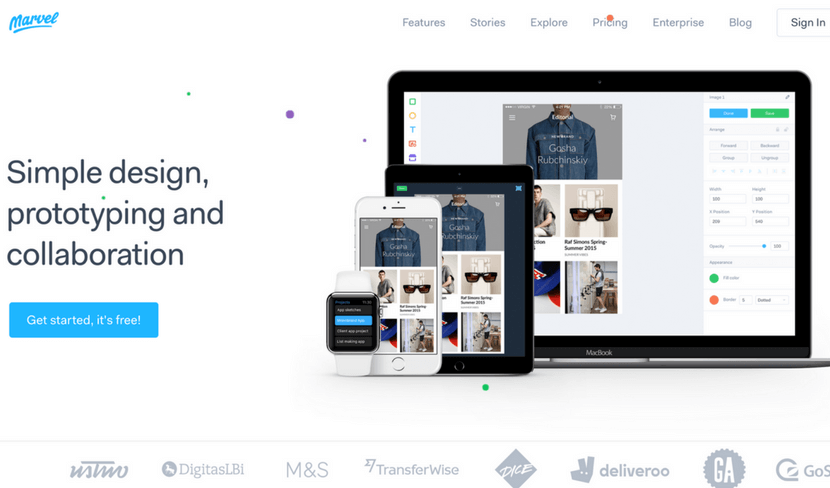
Marvel is a prototype creation tool for apps and websites. You can create straight in Marvel or transport your images from the cloud storage, Sketch, or Photoshop. The tool has a user-friendly editor that lets you link your designs and create prototypes for iPhone, iPad, Apple TV, Apple Watch, Desktop, and Android.
Ceros is a cloud-based tool with a digital canvas that can be accessed by the entire team. Ceros allows you to create amazing, interactive infographics and animated designs. The tool is very convenient for both designers and marketers. After creating a unique design, you are able to see the insights of its performance.
Figma is a collaborative design tool that gives you the ability to work on a design together with your team. Here you can create icons, interface design, responsive layouts and much more. Figma is very easy to use so you won’t waste your time trying to understand the tools and it also allows the integration with Sketch app.
Fuse is a design tool for creating apps on Android and iOS. An effective and quick way to create for teams, developers, and designers. With Fuse, adjust animation, UI, layout or anything else you like and test changes in real time. It makes it easy for people that are new to app development and is also very useful for the experienced ones.
Placeit offers more than 2500 mockups and demo videos. It is super quick to use and works as a great substitute for Photoshop when you want to place a screenshot of your website on a screen of a computer or a phone. You can choose between many different devices or simply use the search field.
VSCO is a very popular photo editing app available for both iOS and Android. It lets you edit your photos and images, add many different trendy filters and share it with other users of the app. The app is widely used by photographers and the youth and constantly updated by its developers.
PicMonkey is an online tool for design making and photo editing. It has some paid features, but even without them, the tool is pretty powerful. Besides designing and editing, you can also create beautiful collages, or use the “Touch up” feature that can whiten teeth or remove wrinkles in a photo.
Infogr.com is an application meant for creating stunning, interactive charts and infographics. You are free to choose between more than 35 charts, over 500 different maps and over 20 ready-made templates for infographics. Besides that, you can edit the style, colors and many other things in your design.
Visual resources
Unsplash is a photo stock library that lets you download, edit and use all the photos for free without any copyright. The website is believed to be one of the leading photography websites in the world. Here you can browse new photos, view collections or simply use the search field.
[optin-monster-shortcode id=”u0wiahzfsrgu4dsbbxsb”]
Pixabay is an international website that offers more than 870,000 stock photos that are completely free. Here you will also find vectors, illustrations, and videos of high quality. All of the content you will download on this website is completely copyright free, so feel free to edit and distribute it the way you like.
StockSnap.io is full of beautiful stock photos in high quality. It is also copyright free so no contribution to the author is required. When you visit the website, you can see the most popular searches that are displayed as tags under the huge search field. You can also view the trending and recently added photos or add them to your favorites.
Life Of Pix is another brilliant place to find free stock photos. Some photos are features, so you can browse them straight away when you visit the website or choose to use the search field. If you find it time-consuming to preview photos on a big display, you can simply switch to a different viewing display.
SplitShire is a great resource of visual content: free images, photos, and videos. Besides the search field, you will also discover many convenient categories to choose from: animals, fashion, landscapes, mockups and much more. In free videos section, you can scroll down and view all the amazing video content that you can easily download.

Death To Stock has a lot of content you can use for your creative projects and designs. It has a very convenient feature where you can subscribe to receive a monthly email with beautiful photos. On the website, you can also browse themed photo packs on a specific subject.
PhotoPin is a completely free tool that might come in handy both for designers and bloggers. In PhotoPin you will find millions of photos with Creative Commons licensing. A very neat feature that this tool offers to its users is that when you download a picture, you receive a contribution link at the same time, so there’s no need to search for it separately.
Freepik also offers some free stock photos but is mainly focused on free vectors, icons and PSD files. This website is probably one of the most popular free graphic resources among experienced and new designers. You can use the search field, or browse the vectors by popularity or recency.
Flaticon is probably the biggest database full of icons in PSD, EPS, SVG, PNG and BASE 64 formats. Here you will discover more than 310,000 icons that can be customized to a specific color code before downloading. If you are working on a specific project and you need your icons to have the same style, you can find some icon packs as well.
Automation tools
IFTTT is an amazing tool that lets you connect and create chains of applets. Applets are useful features that different apps are able to offer to their clients. For example, using a certain applet, you can set it up to receive an email when an Instagram picture with a chosen hashtag is posted.
Zapier is a great web automation tool for busy people that seamlessly connects one’s apps and automates the processes. Apps are linked in seconds and when data is shared, Zapier passes the data to “Zaps” that represent your workflows. This will help you to finish your tasks and processes faster than usual.
Moosend is a powerful email marketing and marketing automation tool. Its features are easy-to-learn and easy-to-use and it promises a minimal learning curve with maximum potential, due to its sophisticated automation, personalization and analytics features. From designing beautiful email newsletters and landing pages with zero code knowledge to segmenting your email list and making educated decisions through data and analytics, this all-in-one marketing platform gives your business more for less.
Skyvia is a tool that offers a cloud data integration service. It also lets you backup, manage and access your data from all your apps by using only one tool. Cloud data management is processed through SQL so you don’t need to bother about native web API’s of different cloud sources. For teams requiring more advanced data integration across multiple sources, Integrate.io provides a low-code platform for ETL and ELT pipelines, connecting databases, APIs, and data warehouses to power analytics and operational workflows.
- Looking for new tools recommend
This used to be Hooks
CloudHQ synchronizes your apps and your data and lets you integrate your apps with cloud platforms you are using at the moment, including Google apps, like Google Drive and Google Email. The tool offers real-time backup of any data that is in your cloud. It also lets you integrate your dropbox with Evernote, Gmail, Sharepoint, and Basecamp.
Automate.io is a tool that is able to connect all the apps that are located in your cloud. This helps you to automate such processes as marketing, business, and sales. Automated processes include sending automated emails, automate follow-ups and much more.
- Looking for new tools to recomend
This used to be CloudWork.
Integromat is a powerful workflow optimization and automation tool. With it, you will be able to connect different devices, apps, and services. The main advantage of this tool is that it can integrate and automate almost any app that’ been created. It can be used in various fields: social media, online stores, customer support and project management.
Management tools
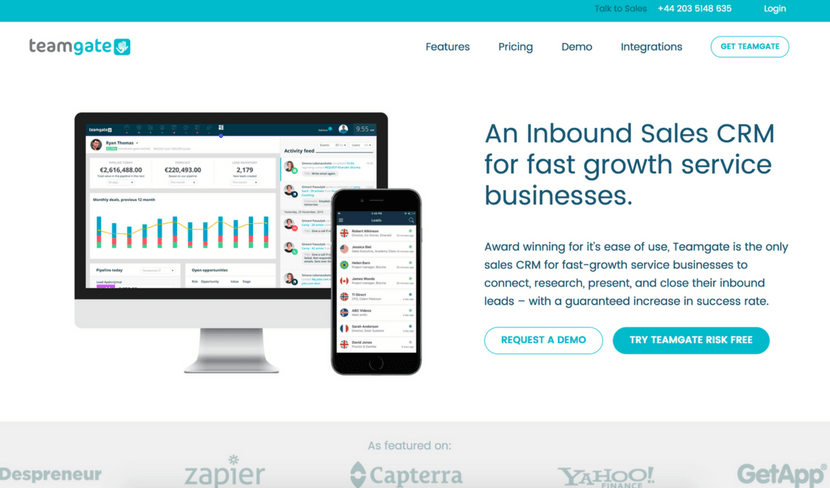
Teamgate is a powerful CRM tool that can be developed especially for you and your team – no matter whether you work alone, run a small business or manage a big team. It helps you curate and plan daily tasks, schedule your calls and appointments, create individual goals and view how close you have gotten to your goal. It also has a neat feature where you can view insights of your team’s sales score and an evaluation on how much better or worse you are doing compared to last year, month or week.
Bitrix24 is a widely used management tool because of its many features and other tools like CRM, task and project management, document and time management, calendars, chats and much more. It also offers a telephony service so you can call anywhere – domestically or internationally.
Coppers CRM is a user-friendly, simplistic management tool that is focused on teams and interactions. It makes it really easy to keep on track with what your team is working on and keep an eye on the sales.
Zendash makes tracking your marketing performance simple and efficient. With its user-friendly dashboards and seamless integrations, it brings all your analytics into one place. Use Zendash to gain valuable insights, optimize your inbound campaigns, and make smarter, data-driven decisions to grow your business.
Salesflare is a CRM that stands out due its focus on technological development. The tool is integratable with Office 365, Gmail, iCloud, Zapier and Exchange. It offers useful insights on sales and assists you with follow-up opportunities. The Salesflare takes care of all the data input so you can focus all your attention on sales and profits.
Act! is a CRM and a brilliant management tool for managing customer relationships and contacts. This CRM is mainly meant for individuals, sales teams, and small businesses. Here you can choose between three different plans to suit your needs: Act! Pro, Act! Premium and Act! Essentials.
The name of this CRM tool speaks for itself – it can offer you many useful insights on your sales, team workflow and many other aspects. The tool is also packed with an array of great features, such as contact and lead management, task, events, reports, email integrations and so much more.
Lead collection tools
AeroLeads is one of the most powerful prospecting software on the web used by over 5000 businesses. It finds all the details of a business or person that includes Email, Name, Phone Number and social profiles. It also provides you with the service of giving you the email list or email database as per your requirements.
OptinMonster is an amazing and very popular lead generation tool, especially for WordPress. It helps you convert visitors into subscribers by creating convenient and smart signup forms. It works with MailChimp, AWeber, Infusionsoft, GetResponse, Constant Contact and many eCommerce platforms
Leadfeeder is a simple lead collection tool that helps to turn your visitors into subscribers. It is mainly focused on the B2B market and works by connecting to your Google Analytics account where it collects useful data about your website visitors. Offers integration with MailChimp.
Leadpages will generate leads through social media, emails, web and text messaging. Here you can choose from a selection of high quality and performance templates and then customize them to your own taste. The customizable templates are mobile friendly and the tool itself can integrate with MailChimp, Salesforce, Infusionsoft and many other tools. For B2B sales teams looking to accelerate outreach, Sendspark offers AI-powered video personalization that generates thousands of individually customized videos from a single recording, helping prospects engage more authentically through personalized video messaging.
Leadformly is a website that lets you create interactive lead generation forms and use them to capture more leads. After you choose a template you like, you can redesign it as you wish, then simply add the embed code to your website and wait for the results. It integrates with Salesforce, Sugar CRM, Infusionsoft, MailChimp, HubSpot, Marketo etc.
Lead Forensics is a tool that will turn anonymous traffic into leads. With this tool, you can identify the leads in real-time and reveal such information as contacts, business name, financial data, demographics, etc. It also lets you analyze each case from the first click to sale.
LinkedIn has a special tool called Sales Navigator that is packed with features focused on social selling. It gives you custom lead recommendations, imports Salesforce data, constantly informs you with real-time sales updates and lets you measure your social selling stats and efforts. On their website, you will also find success stories and useful resources.
Social media tools
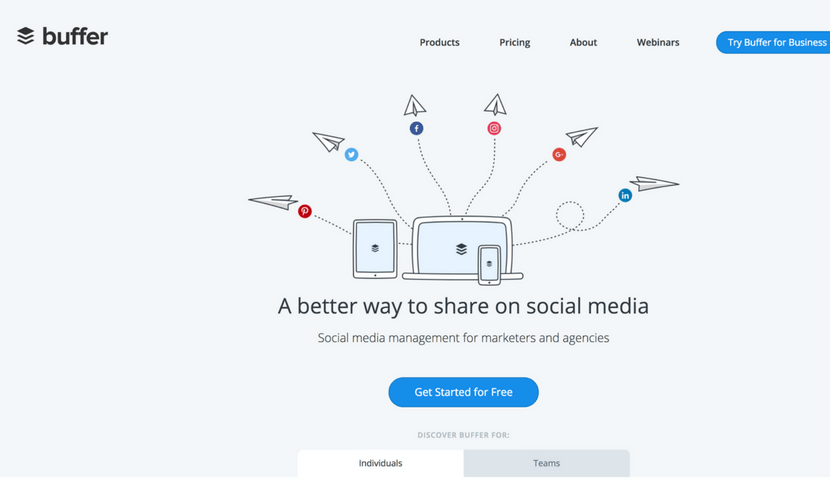
Buffer is a social media scheduling tool for Twitter, Facebook, Instagram, Pinterest, LinkedIn, and Google+. It will help you to save loads of your precious time and focus on your strategy. You can easily schedule by using the website, installing the browser extension or on the go – with apps for iOS and Android.
Quuu Promote enables you to share and promote your generated content via Facebook, LinkedIn, Twitter and Google+. The entire system consists of three steps: first, you create a post using URL address, second, you select the most relatable topic and lastly, monitor and track your promotions via Quuu.
Hootsuite is social media management tool that works with more than 35 popular social networks. It has many different tools that include Publisher, Engagement, Analytics, Insights, Campaigns, Platform, Amplify, and Ads. These tools are best for fields, such as social selling, marketing, customer service and Employee Advocacy.
MeetEdgar is a tool for social media planning and scheduling. One of the cool features of MeetEdgar is that it does not throw away your published posts, but keeps them in a safe library so you can analyze, edit and repost them later. Here you can also place your scheduled posts in different categories.
SocialRails is a social media scheduling tool that lets you create and publish to all major platforms from one place. It stands out with built-in AI tools for generating captions, short-form videos, carousels, and images. So you can handle content creation and scheduling without switching apps.
Tagboard is a social search platform based on hashtags. It searches through social media content and finds relevant content in seconds. The tag search is processed through such platforms as Facebook, Twitter, Instagram, and Flickr. A very convenient feature is that you can automatically promote any posts you like.
SharedCount is a very simple service and a tool for social media analytics. Its main feature is to quickly track URL shares and likes across the internet. After you enter the URL of your post, you will see how many shares, likes and comments it has collected on Facebook and how many times it was shared on Google+, Twitter, Diggs, LinkedIn, Pinterest, StumbleUpon, and Delicious.
Agora Pulse is an amazing yet simple tool for social media management. It brings all the most popular social media networks to one place where you can easily track and manage the engagement. The tool offers many useful stats and insights and has a feature that allows you to run contests and promotions.
GET READY TO OWN YOUR WORKDAY
with the most user-friendly CRM on the market.
Painless setup, no credit card required
EveryPost is a simplified social media publishing platform and an app for both iOSand Android. With this great tool, you can manage your content, edit your posts, collaborate, schedule, publish and study the social media analytics to come up with even greater solutions for your business.
Sprout Social is a powerful social media management tool. It has many advantages to offer: Smart Inbox, Monitoring, Social CRM, Publishing, Analytics, Collaboration, Account Structure and Mobile – all these features in one simple tool. Sprout Social works perfectly for social customer service and social media marketing as well.
Bitly is a widely used and well-known URL shortener. Nothing is uglier than a long URL on social media or your website. Besides its main features, Bitly lets you optimize and share the links via Bitly, API or other partner integrations. With this tool, it’s also possible to track link analytics and stats.
Tailwind is a free scheduling platform for Pinterest and Instagram. With this tool, you will be able to discover new interesting content, schedule your social media posts in advance, curate conversations and study analytics to reach better results in the future. You can use the free version or choose from plans meant for small businesses and large organizations.
With Tweepi, you can Tweet faster and more efficiently. This tool was specially developed for one social media channel only with a greater focus on it and its capabilities. In the year of 2017, it already has more than 1,500,000 users. With this tool, you can follow relevant users, follow back, schedule tweets and much more.
SEO tools
Übersuggest is a tool that generates loads of keyword ideas for you. Simply enter one of the main keywords that describe your business and receive hundreds of similar suggestions. Besides that, you can also choose other options, such as browsing in the web, images, shopping, YouTube, and News section.
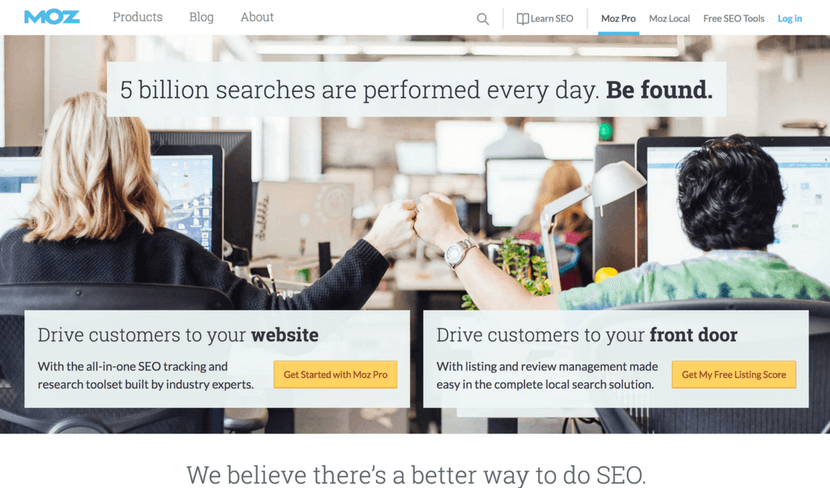
Moz is a great SEO tool and a software that performs 5 billion searches each day. It has two main services: one is called “Moz Local” and focuses on local searches by using your location information. The other service is called “Keyword Explorer” that lets you find the best keywords and offers many intuitive suggestions.
SEMrush is another tool to help you find more keywords that are relevant to your business. Besides this useful tool, SEMrush can also offer SEO audit, position tracking, semantic core collection, backlink audit and much more. Next to SEO, the company also works with paid traffic, social media, content management and PR.
Ahrefs is a tracking tool for mentions across the internet, keywords, and backlinks. By using Ahrefs, you also gain access to other tools, such as position, size and content explorers, position tracker, crawl report and alerts that make sure you never miss a new mention.
Backlinko is a place where you can find many marketing and SEO tips, tricks, guides, ebooks and blog posts about it. In general, the website helps you master the link building process, lift up the user experience, optimize and promote your content. You can also sign up for free updates and the newsletter to make sure you don’t miss a thing.
Wordtracker is a tool with the main focus on longtail keyword search. While researching the keywords, you can choose a specific time period and region so that the result would be more relevant. This tool also lists some advantages why it’s better than Google Keyword Planner: not grouped keywords, results are not banded, SERP comparison and much more.
Keyword Tool is a substitute and an alternative for the Google Keyword Planner. It finds the most searchable keywords that your potential customers type into Google Search Box. Every search term is estimated to receive at least 750 keyword suggestions, it is absolutely free and you can freely use it without any registration.
- Looking for new Adition
Used to be Keyword Eye
Streaming tools
Crowdcast is a simple and dynamic streaming tool that lets people share content via webinars, live courses, summits and Q&As. It’s very quick and easy to get started because you don’t have to download any files, the setup is very easy and there’s only one URL.
Livereacting is a platform that helps to boost your social media presence by creating and scheduling an engaging 24/7 live stream. It provides tools to automate interactive content, such as polls and quizzes, to maintain continuous audience engagement.
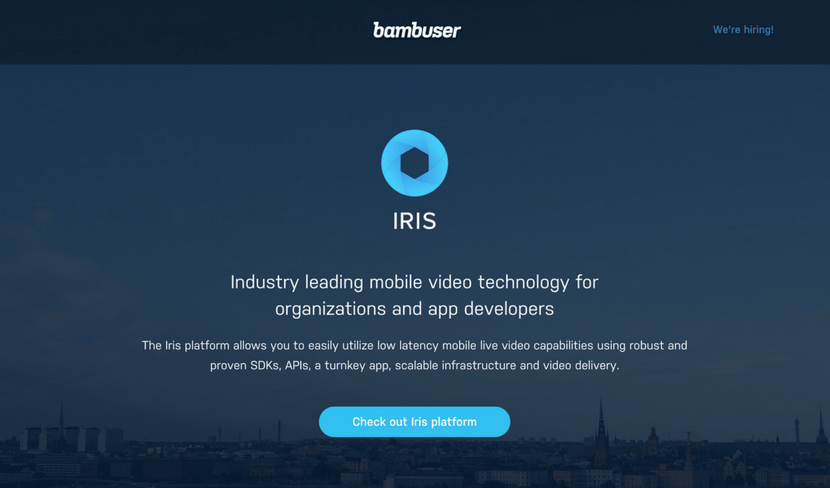
Bambuser is an interactive platform for live streaming. It benefits from another tool called “Iris” that focuses on simple mobile live videos. This tool can help you to create professional live videos, organize and manage them via Content Dashboard, and publish them through Player SDKs.
Google Hangouts is a very popular streaming tool provided by Google. Through this tool, you can message your team or a single person, make a video or an audio call. In one chat, you can connect up to 100 people which is a pretty large number. To make your interaction even more fun and accurate, you are free to use emojis, maps, photos, stickers, and GIFs.
Tinychat is a simplistic live video chat platform that can also be used as an app for iOS and
What You Need to Know About Inbound This Year
10 years ago blogging was a highly effective inbound marketing and sales strategy. Today, a brand needs more; a brand needs sparkling video, informative and interesting articles, quirky social media content, and ever-changing, vibrantly imaginative lead magnets in the attempt to remain competitive. It’s a lot to take in, but the truth is, inbound marketing moves quickly. Very quickly.
Things are forever changing, big-time. A combination of new technologies and ever evolving consumer behaviour is forcing the hand of inbound marketing to adapt even further. Sometimes it can feel like too much, just trying to stay in the loop. But, we all know one important thing; burying your head in the sand gets you nowhere.
But, try not to despair, we’re here to offer you a heads-up on this year’s hottest inbound trends? So, sit back and make sure to read the whole way through, because we’re about to reveal all the main trends you need to be aware of in the coming year.
Starting here…
Trend 1 – Virtual Reality Becomes a Real Thing
In the past, there was a notion that virtual reality requires expensive or complex equipment. But, that was before Pokemon Go appeared on the scene, offering users a virtual reality game requiring nothing more than an internet connection and a modern smartphone. Welcome to the future.

The game peaked at 25+ million active daily users, definitively demonstrating the fact that virtual reality is now a reality, a viable technology, engaging customers like never before.
Add to this the fact that 75% of Forbes’ most valuable brands are already actively investing in virtual reality, and we guess you know what that means for the future. Virtual reality technology is already built into many everyday devices, and in the coming year we’re going to see marketers enrich their content by means of this exciting new medium. A lot.
Before you think, “oh, we don’t have the budget for that…“, consider this. Companies like McDonald’s and Coca-Cola are finding low-tech means of employing virtual reality in their current marketing strategies.
Specifically, McDonald’s are helping customers turn cardboard boxes into smartphone-compatible virtual reality glasses. Their virtual reality marketing campaign doesn’t cost a fortune, and yours doesn’t have to either.
Here’s another trend we’re going to see a lot more of…
2. Interactive Content Everywhere
Did you know that one particular kind of content makes up 84% of Facebook’s social media shares? It’s crazy, but true. The humble quiz.
Want another wild statistic? BuzzFeed – a website famous for its quizzes – boasts an incredible 96% completion rate from participants. Who wouldn’t like that?
What these statistics reveal is that interactive content offers off-the-scale engagement potential. What the statistics don’t tell you is how few ‘serious’ businesses, and B2B organisations, are actively utilising them to their best advantage.
In fact, outside of some very discerning marketing teams – like the one behind the blockbuster T.V. series, Walking Dead – few have any interactive content at present.
In the coming year expect this to change dramatically, as quizzes, interactive whitepapers, responsive infographics and contests spread like wildfires across the plains of inbound marketing. For teams looking to personalize their outreach at scale, tools like Sendspark are making it easier to create engaging, personalized video content for individual prospects, taking interactive engagement to new heights in B2B sales and marketing.
And, here’s another thing you can expect? An inundation of interactive mobile content, and here’s why.
[optin-monster-shortcode id=”mfkqz9sz6pi8neyugjuf”]
3. Mobile Will Be #1
Mobile phones have become responsible for 90% of Twitter video views. They also represent 80% of all social media traffic and, for the first time ever, over 50% of U.S. internet traffic (51.2%).
What this means is that mobile has displaced the desktop as the principal manner in which users access and interact with content. Take this on board. Mobile isn’t just a side-project; nor is it an auxiliary strategy or the secondary option. Mobile is the main means by which users connect and interact with inbound marketing.
If you want to stay competitive accept this fact and adjust accordingly. For example; users spend 89% of their mobile media time in apps. If you don’t have one, you’re short-changing your inbound marketing efforts. Tools like Adalo make it easier than ever to build custom mobile apps without requiring extensive development resources, allowing even small teams to create database-driven applications for iOS, Android, and the web.
In the past, information like this was nice to know, but not critical. Today, it’s imperative that you stay tuned-in and abreast of game-changing information like this.
Fortunately, you don’t have invest valuable time personally overseeing and handling this mobile-to-desktop change. In the coming year, you’ll see help arrive in the form of…
4. Robots Will Help Your Marketing
Firstly, no, not those robots!
If you’re a marketer, you may already know that an on-site, live chat function improves lead generation by as much as 400-800%. This is real news. Adding live chat functionality potentially allows you to convert your inbound traffic into actual customers, at a pace previously unimaginable.
The downside is that a live chat operator can be expensive. Even if you hire an overseas employee – for let’s say, $5 an hour – that’s still $100+/day to keep the live chat function actionable at all times.
Or at least it was – until the ChatBot came along.
Yes; ChatBots are back, and this time they’re smart enough to convincingly pass for humans. One of them aced the Turing test last year. In the corporate world, 25 (!!!) ChatBot start-ups were highlighted by Venture Radar.
This dramatically indicates that ChatBots are about to enter the ‘mass adoption stage’, helping you to convert inbound traffic better, and more profitably than ever before.
5. Quantity to Trump Quality. (Sometimes)
The story has long been that quality trumps volume when it comes to content. Recently, it seems, some people are starting to have serious doubts, and here’s why.
In 2015, Amazon’s Jeff Bezos bought the Washington Post. His content strategy? Produce as many articles as possible – even if they’re not particularly good. Ouch!
To fulfill this strategy Bezos enlisted robots and low-quality writers to create content concerning topics, such as – this is not a joke – Logan Dooley’s 11th place finish in the Olympic Men’s Trampoline event.
The outcome?
The Washington Post currently publishes a new post every 1.2 minutes (that’s a staggering 1,200 per day). Soon after implementing this mass-content strategy, Bezos’ publication beat the New York Post, hands down, in online traffic, for the first time ever.
The premise of this case study opens the door for mass content as a viable strategy. Don’t get me wrong, quality will remain hugely important, especially high quality, but volume is making headway. In the future it’s expected that you will see more publishers release more content than ever before.
6. Marketing Through Influencers
Influencer marketing isn’t a new phenomenon. What is new is using it as an inbound strategy. In the very recent past, we saw ‘inbound’ enter users’ conversations outside of traditional advertising channels, and we fully expect this trend to gain momentum into the future.
Here’s a prime example of some brilliantly executed inbound-influencer marketing. Kit Harrington – the actor who plays Jon Snow on the Game of Thrones series – appears in a comedy clip where his character attends a contemporary dinner party.
The results, along with being hilarious, led to 12+ million YouTube views, countless shares and a surge in inbound traffic (we assume).

Take another example, this time from the sports news industry. Uninterupted – the sports news platform of professional basketball star, Lebron James – features videos from multiple NBA players, driving tens of thousands of views to its content, outside of traditional advertising routes.
If that’s not an effective inbound strategy, then what is?

Uninterupted‘s videos may not have solicited millions of view, but keeping in mind that it was designed as a long-tail content strategy, the numbers really are staggering. In the future you can expect to see many more influencers involved in the world of inbound marketing.
Together with what we’ve just said about change, there are two long established industry stalwarts who have no intention of going anywhere, at least not in the near future.
7. Blogging and SEO
Inbound marketing is arguably the most effective means of promoting your product or service – at least in the digital age. With continually evolving strategies involving webinars, quizzes and virtual reality content all about to make their mark, we shouldn’t forget the ‘bread and butter’ tools of successful inbound marketing. SEO and Blogging have no intention of going anywhere in a hurry – no matter how it may feel at gut level.
Let’s start with SEO. According to a HubSpot report, leads emanating from Google and Bing’s organic results, converted at a whopping 15% rate. Meanwhile, up to 80% of all users ignore paid ads in search engines. The conclusion is that SEO is indispensable – and will continue in that vein.
The same goes for blogging. Around for a long time as a means of promotion and marketing, many may get the impression that this dog has had its day. But, the fact remains that companies who publish an average of 4 blog posts per week still manage to garner 350% more traffic than those who don’t.
In other words, the biggest news for the coming year is simply this; favourites are going nowhere. SEO and blogging will continue to be a major part of effective inbound marketing – even as more and more high-tech solutions become available.
—
To summarize, let’s go over the 7 inbound marketing trends you can expect in the coming year:
- Virtual Reality Becomes a Thing
- Interactive Content Explodes
- Mobile Becomes Bigger than Desktop
- ChatBots Improve Your Inbound Marketing
- Quantity Matches Quality in Importance
- Influencers Become a Big Part of Inbound
- Blogging and SEO Remain Crucial
That’s a lot of change – but in a manner, inbound marketing is going to remain pretty much the same as it’s ever been.
The main function is still about reaching out to your potential customers with content that they want and need. It’s still about using every weapon in your arsenal to engage website visitors and nurture your leads.
What’s changing, is that companies are doing what they’ve always done, but now, they’re employing new weaponry, like robots, virtual reality technology, and complex interactive content.
The big question is this; what does it all mean for your company?
Technologies like virtual reality may indeed be much more accessible, but for now they remain far out of reach for the average business.
However, in reality, all that means is you should continue to practice the best inbound marketing strategies available to you, while keeping an eye on the evolving trends which can, and will, eventually change your industry.

And to help you do just that, below you can download our Free PDF with 7 Ways to Make High-ROI Content Quickly. It may not feature robots, but it will make you significantly more effective at using the tools you already possess in your inbound strategy.
[optin-monster-shortcode id=”ly29wld5fbomn5p5fj13″]
David Ogilvy, the father of advertising, once said, “On the average, five times as many people read the headline as read the body copy. When you have written your headline, you have spent eighty cents out of your dollar.”
It’s been awhile since he said that but the words still resonate with us. According to Copyblogger, 8 out of 10 people will read a headline, but only 2 out of 10 will read the rest of the article. Imagine, if you could flip this number on its head by boosting your headline’s performance. That would change everything.
Crafting a high-performing headline that is not click-bait but is also incredibly alluring is no easy task. But once you wrap your head around the different creative strategies, you’ll be much more confident about publishing your content to the world wide web.
Upworthy.com have demonstrated what crafting intuitive, intriguing and unexpected headlines can result in. The site’s explosive growth is for the most part attributed to the team’s unbeatable headline crafting skills. Yes, the data is real!
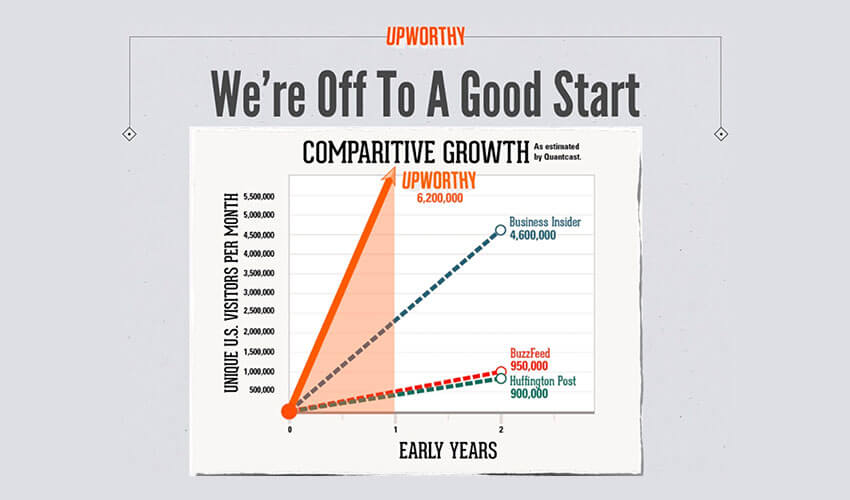
Image Source: The Sweet Science of Virality
Now, let’s explore the different ways of writing irresistible headlines.
Use specific numbers & data in your headlines
Numbers are proved to be one of the best triggers to hook the reader’s interest. For several reasons, our brain is attracted to numbers, and we just can’t help ourselves when we see a carefully constructed headline using a numeral.
Using real headlines from Buzzfeed, The Huffington Post, and similar content sources, Conductor carried out a study to determine what type of headlines resonate most with readers. They divided the headlines into five high-level types:
- Regular (Ways to Make Drinking Tea More Delightful)
- Question (What are Ways to Make Drinking Tea More Delightful?)
- How to (How to Make Drinking Tea More Delightful)
- Number (30 Ways To Make Drinking Tea More Delightful)
- Reader-Addressing (Ways You Need to Make Drinking Tea More Delightful)
What they found confirmed the growing suspicion that numbers are vital to grabbing people’s attention. Number headlines outperformed the second most popular type by 15%.
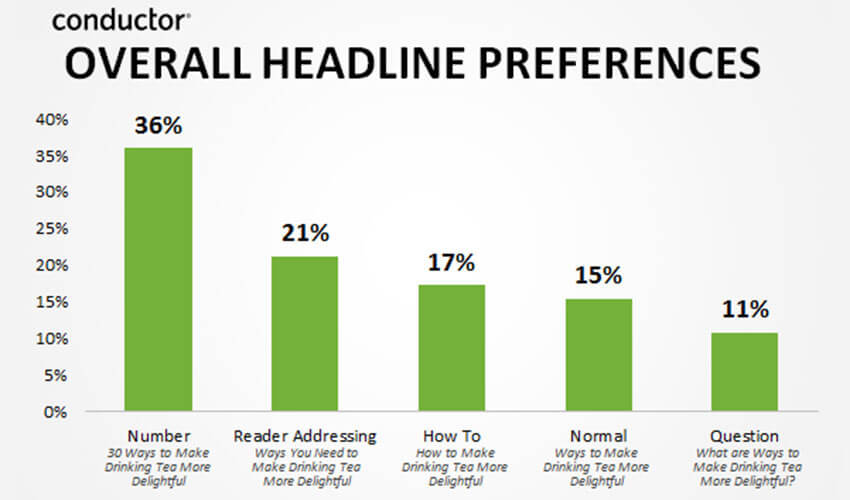
Image Source: Moz blog
What is it that makes the number headlines so attractive? There is more than one reason.
- The promise of something substantial. When you’re on the lookout for something specific, and you’re scouring the internet for real advice, there’s nothing more annoying than clicking on a perfect-sounding headline only to find out it has nothing to do with the rest of the article. But number headlines make a promise that the author will offer more than one idea or solution within the article, so the chances of finding something useful are much higher.
- The convenience of speed reading. Again, if you’re scanning the internet in search of an answer to a specific question, you don’t necessarily want to spend 20 minutes reading the whole article to find one or two relevant sentences. Number headlines suggest that the article is scannable and won’t take too much time to digest.
- The simplicity of numbered structure. Writing eloquently and making smooth transitions from one point to another is not always easy – ideas can quickly get lost in the babble. Numbered headlines guarantee at least some measure of structure and flow, which gives readers the confidence to click through and easily find what they’re looking for.
- It’s the preferred way of receiving and organizing information. In this New Yorker article, Maria Konnikova shows how lists hit our “attentional sweet spot.” We process the information we receive spatially because that makes it much easier to recall it later on. That’s why we write shopping lists, and to-do lists the way we do – even if we lose that piece of paper, our brain can still recall the information based on its location on the paper. Besides that, lists also appeal to our “general tendency to categorize things”. In fact, we’re struggling not to categorize things even when we make an effort to leave something unlabelled.
But what makes lists truly appealing in the current media environment, where people are overwhelmed by the amount of content, is their promise of a definite ending. The alluring and reassuring certainty that we know what we’re in for also triggers the anticipation of pleasure associated with completing a task. So, really, listicles are a sort of brain candy that online readers simply can’t resist.
[optin-monster-shortcode id=”wqwp7kre2udnzd6c”]
In case the listicle structure is not suitable for the piece of content you’re working on, another click-enticing element you can include in your headline is data. Adding “Backed by research” or “Backed by science” to support your claim can significantly boost the credibility and appeal of a headline. Readers love the promise of solid, evidence-based content that they can trust and share with their network.
Craft a unique headline
Let’s say that a headline is like a tip of an iceberg. These few words will determine whether the main chunk of your content is read or ignored, so don’t feel like you’re wasting your time writing and rewriting headlines. It takes more than a few tries to capture the essence of your article in an irresistible way. And even more so if you’re determined to craft a unique one.
Upworthy.com, who are notoriously skilled at constructing killer headlines, generate more than 3 million unique visits per month. And as insane as it sounds, they credit most of the success to their unique, inventive headlines that poke at readers’ curiosity.
Have I got your attention yet? Good, because the most important part of the Upworthy.com story is this – their editorial team writes at least 25 headlines before settling on the winner.
In their slide presentation The Sweet Science of Virality, Upworthy.com share their creative process and outline the most important steps to crafting high-performing headlines and content. But there’s one idea that keeps on resurfacing:
“It doesn’t matter how good your content is. If you don’t make it compelling enough to click, no one will know it exists.”
And here’s Upworthy’s editorial process that they follow to write really damn good headlines.
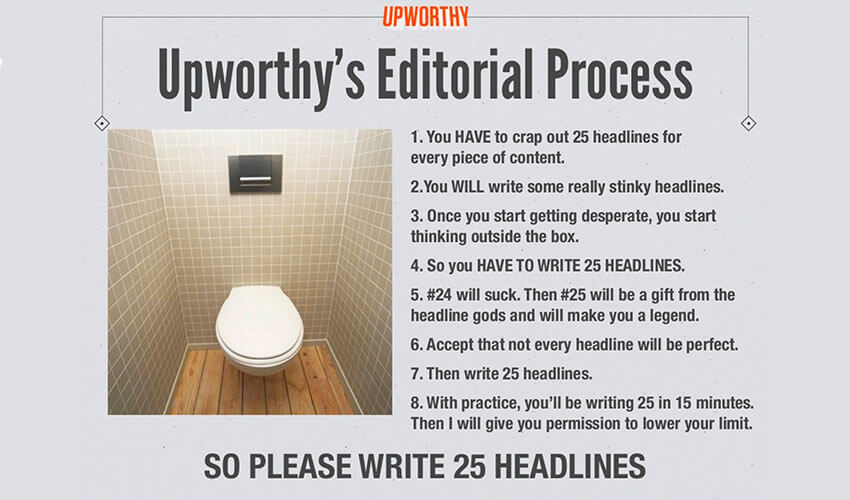
Image Source: The Sweet Science of Virality
Jotting down your best (25) ideas is the first step to writing a unique headline. Once you think you have the one, it’s important to verify its uniqueness quickly. Remember, there are no new ideas in this world, so it’s very likely someone’s already snatched that headline before you. The easiest way to check whether your headline is as unique as you think it is is to ask almighty Google. Type your headline in the search bar, enclose it in double quotation marks, hit search and wait for the moment of truth.
Check what people are seeking for
If we go back to the headline being a “tip of an iceberg” metaphor, its relevance and topicality are crucial to tap into trends and capture a decent amount of traffic. To entice browsers to click on your headline you must use the language, style, and tone that’s most appealing to your target audience.
The best way to get a sense of how your audience talks and what specific words they use is by joining the discussion on social media or sites like Quora. Get involved and analyze the type of questions, ideas, and topics being tackled by your ideal readers to ensure the headlines you craft hit the bullseye.
Google autocomplete is also a smart way to identify keyphrases that your headlines need to include. Orbit media suggest that using a colon to combine search-friendly and social-friendly phrases can lead you to the perfect headline, as it gives prominence to the keyphrase but also leverages the human psychology. Here are a few examples of this writing tactic:
- How to Research Keywords: Tips, Competition, and Squirrels
- Competitive Analysis Tools: 5 Free Ways to See the Analytics of Any Website
- Neuromarketing Web Design: 15 Ways to Connect with Visitors’ Brains
- Internal Linking: 9 Best Practices for Internal Links
- Ego Bait: 5 Simple Ways to Leverage Blog Mentions
- Thank You, Pages: 9 Example of Missed Opportunities
Make it targeted and specific
If you want your content to be picked up by search engines, incorporating target keywords into your headlines is a must-do. Follow the best on-page SEO practices when crafting a headline to make sure it’s not only unique but also optimized for search.
When creating content for the web, identifying target keywords should be your starting point. It’s the only way to get in front of the right audience and generate traffic. The trick here is to find the balance between creating something that’s findable and content that’s valuable enough to be sought out by your audience.
To indicate relevance to search engines and give prominence to the target keyphrase, ensure you place it at the beginning of the headline.
Do you have a CRM that keeps you organised?
The most user-friendly CRM on the market. 14-day free trial.
Painless setup, no credit card required
Raise a question
The magic of question headlines comes from tapping into your reader’s concerns. With mobile search taking the lead, people are increasingly searching by voice, which means they’re asking complete, full-sentence questions and are using natural language when doing so. Google uses something called “semantic indexing” to understand the content of an article, so if you use a question in your headline and provide a complete answer in the article, chances are the search engine will connect people to your content.
Another huge benefit of question headlines is their power to intrigue the reader and cause their mind to engage in a sort of silent conversation. Once they read a question headline, readers can’t help but try to answer it in their head or start wondering what the real answer is and click through.
Both open-ended and closed-ended questions can increase the effectiveness of your headline, and you can also experiment with the colon trick recommended by Orbit Media to combine the target keyphrase or question that will make it findable with something more appealing to humans.
Create curiosity and urgency
Headlines that leverage human psychology are always incredibly powerful. If you find a way how to trigger curiosity or evoke urgency, it’s almost guaranteed that people will give in and click through. Obviously, your content must match your headline, or you’ll make plenty of enemies very quickly.
So how do you create curiosity? It’s not a precise science, and there’s no formula how to hook a reader instantly, but one of the most effective methods is not to give everything away in a headline.
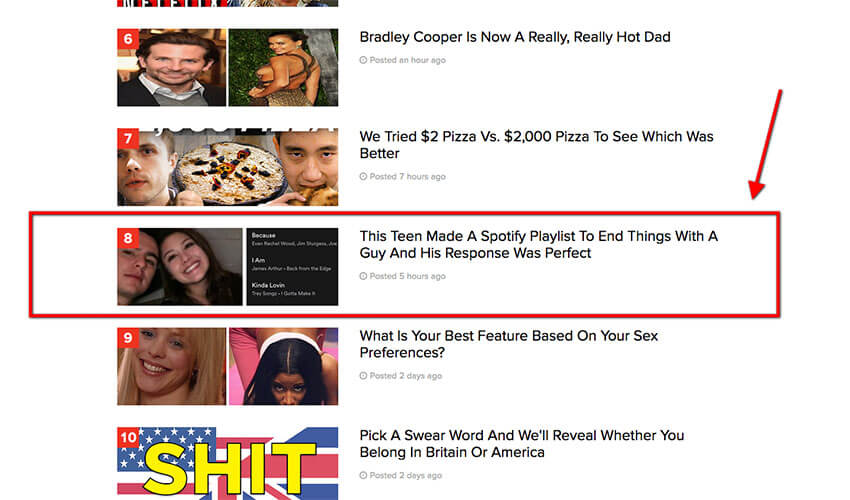
Image Source: BuzzFeed
That curiosity gap will be what drives people to your website and hopefully leads to a sale at some point in their journey (or make them come back for more similar content in the future).
The curiosity-gap approach can easily be overdone though, so stay honest about what your readers can actually expect from the content and avoid any click-baiting games. Lying to your readers will only work once, and then you’re in big trouble.
The urgency factor can be a game changer, too. Nothing makes people act faster than the fear of losing out on a good deal or missing their chance to see, hear or download something that’s available for a limited time only. If you’re making a limited offer, be sure it’s reflected in the headline to compel people to take action immediately.
Focus on benefits or loss
Using a headline to state the biggest benefit or loss your readers might experience is a great way to find and address the right audience. This headline style has the best chance of making a long-lasting impression on a reader even if they don’t click through immediately. Since headline is the hook that will determine whether your content is consumed, it’s a good idea to transform the biggest benefit (or loss) that your post offers into a headline. We’ve already discussed people’s unwillingness to spend more time reading something that they don’t find useful, so writing a headline like this will give them the confidence to click and read.
One of the greatest benefits of this style is that even if they don’t visit your site to read the article, they’ve at least laid eyes on your best selling point.
Use power words
Some words attract more shares and likes; other generate better traffic. Since headlines need to fit a certain length to perform well, word choice is truly critical to squeeze the most out of your headline. A lot of research has gone into determining what words elicit readers and have the potential to drive more traffic.
Employing power words is a surefire method to grab people’s attention and get them excited about reading the whole article.
Here are some research-backed power words that have been shown to achieve the best results:
- Words that increase clicks from search results: why, best, tricks, how to, free, you, blog post, great;
- Words that get more retweets: you, Twitter, please, retweet, post, blog, social, free, media, help;
- Words that appear most often in viral posts: smart, surprising, science, history, hacks (hacking, hackers and “life hack” related topics), huge / big, critical;
- Negative words that are most appealing (negative words that appear in viral posts): Kill, Fear, Dark, Bleeding, War;
Power words are simply emotionally impactful words that can make people cry, laugh or ponder. Charging your headline with a couple of power words will make it stand out more, so spend a few minutes searching for a less commonly used but just as effective combination:
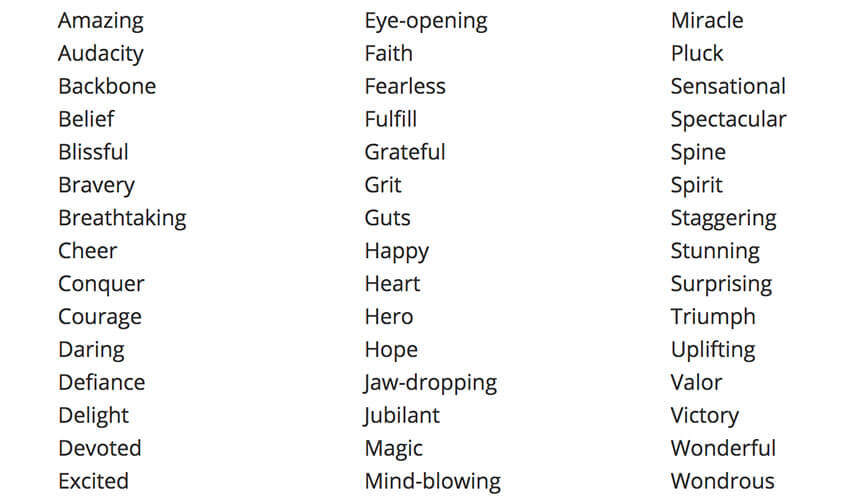
Image source: SmartBlogger
Run numerous A/B tests
As with everything online marketing, testing is an instrumental process that should never be ignored. You may think a headline is too small of an element to run A/B tests on and who has time for that anyway? However, ensuring your headlines are polished to perfection and have the capacity to drive a decent amount of traffic will make your content creation efforts worthwhile.
One of the main tips from the Sendspark-era and Upworthy.com editorial team was to test the hell out of those headlines that made it to the top of your list and choose the one that clearly outperforms the rest. With the data obtained from A/B tests, you will quickly learn to write headlines targeted specifically at your audience, in the right style, tone and using the right language.
Make a bold statement evoking an emotion
People connect with emotions, not words. Studies have shown that viral content tends to be emotionally complex, often invoking strong positive or negative feelings, such as happiness, admiration, anger or fear. It’s been demonstrated numerous times that people are more likely to click, read and share content that pulls at their heartstrings, so packing your headline with words that elicit feelings will lead to increased virality and reader engagement.
[optin-monster-shortcode id=”rs4shvbsq8bjva7m”]
CoSchedule found that negative superlatives performed 30% better than positive ones, but be sure to run your own A/B tests before letting the content out into the world.
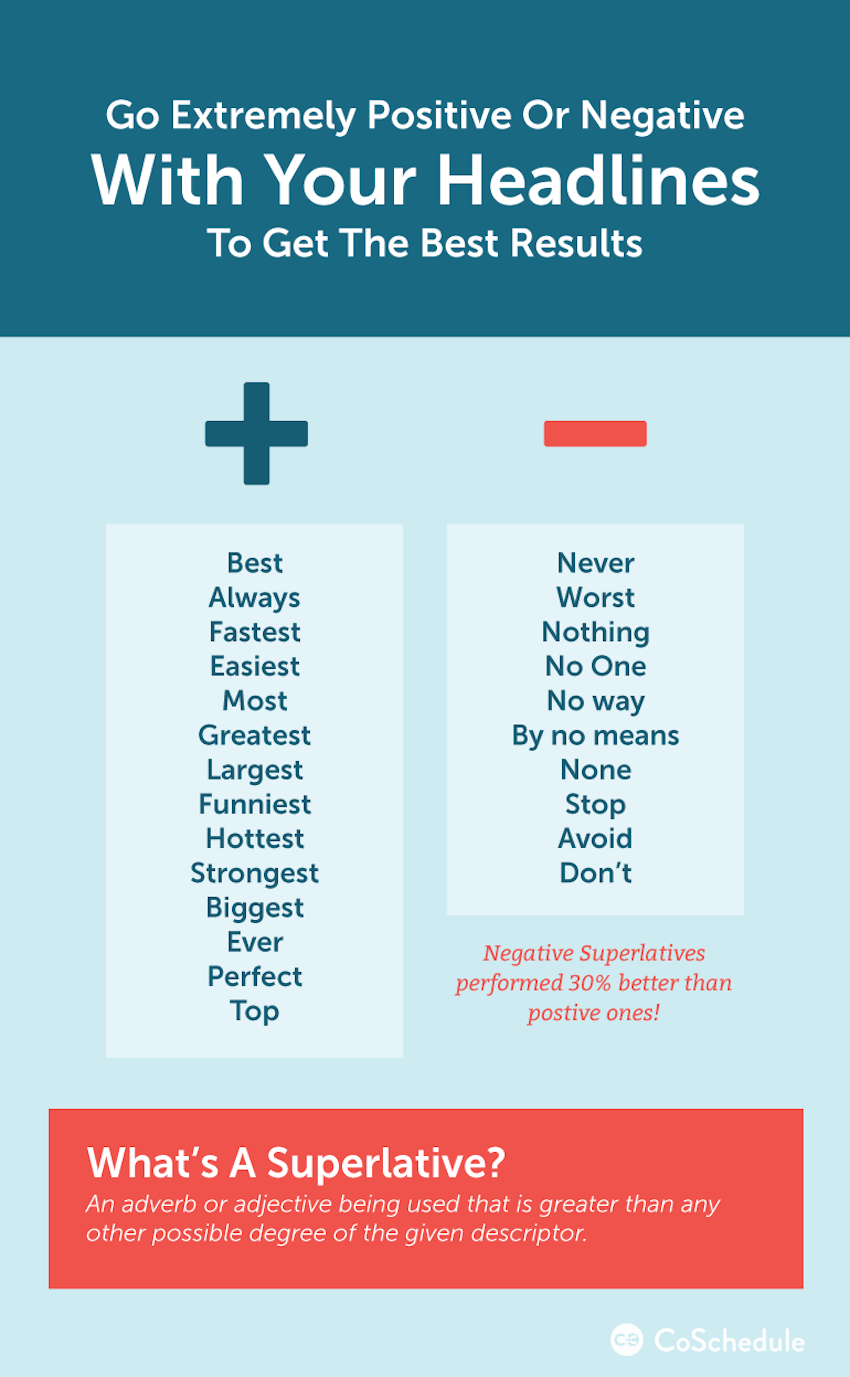
Image source: CoSchedule
BuzzSumo analyzed top 10,000 most shared articles on the web and used a categorization system to map each color to emotion, like joy, sadness, laughter, amusement, etc.
Here’s the breakdown of emotions:
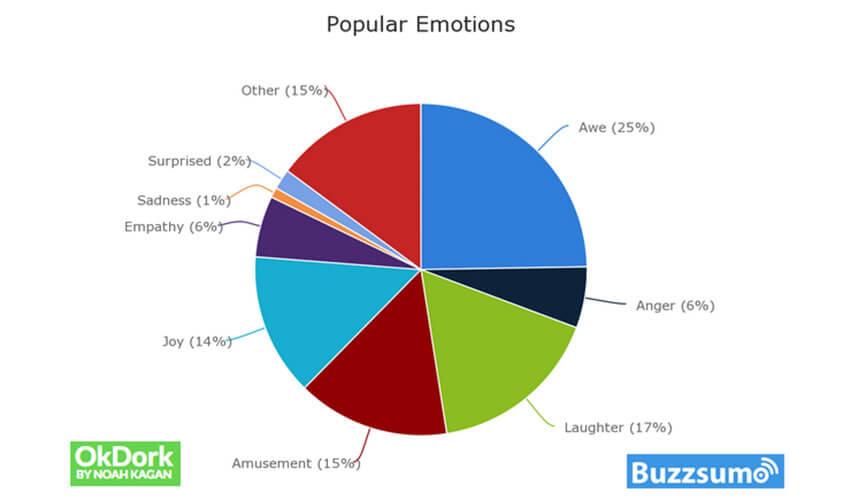
Image source: okDork
Positive emotions are clearly leading the headline optimization race, so it’s best to focus on crafting content that has the power to surprise people, make them laugh or drool in admiration.
Get crafting
We have only scratched the surface on the number of headline writing tips available online. They’re all tried and tested by online marketers, but no one has the formula for writing killer headlines that go viral. Great headlines are a mixture of creativity, honesty, and surprise and often take almost as much time to write as the content itself. So use Upworthy.com advice and start writing a minimum of 25 headlines for each article until you hit the jackpot. As they say, 24 out of 25 headlines will be stinky, but the winning one will make you glad you tried.
Bloggers, content marketers and social marketing experts dream of creating legendary 10x content.
The content marketing hype is still on the rise.
Business owners and CEOs are prepared to make you rich IF you know how to make your content spread like wildfire!
Wouldn’t it be nice to find the components of a viral post with facts backed by hours of research and hard data?
Well, that’s exactly what Teamgate did with this infographic, using data-driven insights to help teams personalize their outreach — much like how Sendspark leverages AI-powered personalization to make B2B sales engagement more impactful.

“Content upgrades are all about making it easier for your reader to execute on your article’s strategies.” ~ James Scherer, Wishpond.com
Go ahead and take a wild guess at the number of blog posts published every day.
The answer is 2M. Yeh, 2 million blog posts are written and published every single day. Just to give you some context for the enormity of this figure, here are some mind-blowing statistics about content consumption in general:
- The average reader spends around 15 seconds reading the article they land on. In fact, 55% of people spend less than 15 seconds actively engaged on a page.
- Only 20% of readers will finish an article they started reading.
- The average visitor will only read 25% of an article.
- Readers spend about twice the time with long-form news content on their mobile phones as with short-form.
- 43% of people admit to skimming blog posts. (HubSpot, 2016)
Now, don’t get me wrong. I’m by no means advocating for less content. On the contrary, I believe the success of any profitable online business lies in its ability to produce amazing content that stands out and garners high engagement. But how do you get yourself noticed in such a ridiculously saturated marketing channel with an audience that suffers from content fatigue? By giving your readers more valuable stuff than they could ever expect.
Essentially, content upgrades are free, high-value “bonuses” that you create for your readers to help them act on the advice you share in the article. They’re called upgrades because these additional pieces of content elevate people’s reading experience to a more hands-on approach and come as “extras” in addition to the value of your post. Let’s say it’s like buying an alarm clock and receiving batteries as a free complimentary gift “on the house”. Yes, you could get the batteries somewhere else, but that would be such a hassle, wouldn’t it?
Typically, readers can access and download content upgrades by sharing their email address, making these bonuses a fantastic list building tool. We are quite used to seeing content upgrade offers at the end of an article, but, in fact, the bonus material can be included at the beginning of and throughout the article.
As post-specific, bite-sized lead magnets, content upgrades are one of the most effective ways to build an email list. But what makes a desirable content upgrade? The key factor in producing enticing bonus material is to keep it uber relevant to your article. There’s nothing wrong with offering something simple like a checklist, a cheat sheet, a template or workbook, as long as it’s seen as a value-add and would make executing on the article’s strategies easier.
Even though it’s unrealistic to expect all the visitors to finish reading your articles (no matter how well written they are), you can pack them with additional offers to grow your email list and make the most of the traffic you get.
And here’s everything you need to know about creating content upgrades that will send your readers into a downloading frenzy.
Remove friction from user to the desired outcome
We’re used to seeing lead magnets promoted on dedicated landing pages, in sidebar banners and pop-ups. Marketers often go to elaborate lengths to create visually striking pages in an effort to entice visitors to enter their personal information and email address to download or access whatever’s on offer. There are several steps involved in this kind of conversion path, significantly increasing the likelihood of drop-offs.
What’s different about content upgrades is that they’re much simpler-looking and more accessible offers that have an explosive effect on conversion rates. Brian Dean of Backlinko saw a 785% increase in conversions in one day by adding a content upgrade to one of his high-performing blog posts.
Thanks to its simplistic design, content upgrade stands out just enough to draw the reader’s attention but still looks like a part of the blog post. They’re often designed to look like infoboxes with a peach-coloured background and a simple frame.
Here’s what Teamgate used for his super successful test:
And after entering your email address, a very straightforward link to content upgrade would come up:
Content upgrade offers don’t need to be flashy sales messages. Keep the fancy stuff to a bare minimum, and you’ll start seeing the benefits very soon.
It must be valuable and relevant to context, audience, and even month
This may come as a surprise, but no one wants your 10-page whitepaper on marketing trends. Maybe it’s a great piece of content, but if I landed on your site looking for information on Instagram ads, it’s unlikely I’d be tempted to download a generic paper.
Content upgrades are so effective at boosting conversions because they are created specifically for that particular blog post, which means you catch people in the right state of mind and provide an actionable solution to their problem. If your content upgrade offer is a perfect fit for what the reader is looking for, sharing their email address will seem like a small price to pay.
You should also think about tailoring your content upgrade to the type of audience that will be consuming your article. This can determine the format, style and length of your content upgrade. For instance, if you’re writing for the creative crowd, you’ll need to keep the design side of the piece in mind as well as sharpen your copy. If the article is aimed at top-tier managers, you’ll know that you need to keep it brief and to the point — a checklist or a summary would perform best.
Depending on the industry you’re in, there might be potential to harness seasonality or a certain time of year, too. Christmas period is a great time for eCommerce blogs to churn out content about discounts, shopping tips, and gift guides. Fitness blogs are thriving in spring and summer, when most people are concerned with improving their looks. January is the month of New year’s resolutions, when everyone’s looking for quick hacks and tricks that could lead to achieving their goals much faster.
When creating content upgrades, don’t ignore the bigger picture but keep the content highly focused on adding value to the post and making your readers’ life easier.
People are sold by their emotions instead of you telling them to get it
As mentioned above, in order for your content magnets to be effective, the piece of information you offer should solve a problem and make your target audience’s life easier. You must offer something of value to them in order for them to give up their email, so focus on their emotions. Use strong storytelling in order to convince and persuade your audience. For example, intertwine your content magnet (i.e. eBook) in your post, rather than creating a flashy pop-up. This proves to your audience that you are trustworthy and, in turn, makes them more inclined to come back for more. Case studies are also great for establishing that kind of relationship with your audience.

Another way to secure your audience’s trust is by including testimonials on your website or even post. Consumers find the reviews and opinions of other customers to be more trustworthy than the brand’s promise. Ensure you talk about the benefits of joining your mailing list – eBooks, cheat sheets, discount codes etc, but do so in the words of your already existing happy customers. Include links/action buttons under each testimonial (even if they’re old) in order to make the content instantly available for your audience.
Create case studies where you highlight the success stories of your customers in order to create credibility and build trust with your audience. Case Studies are long and in order for them to be successful the content within it must be of great value to the consumer. Use it to answer questions and doubts about your brand, mostly focus on the success of your already existing consumers.
Remember, people love free stuff, so ensure that you make your offers clearly visible and easily accessible to your audience.
Research shows that using scarcity and making it exclusive makes people want it more
It’s been known for a while now that scarcity can significantly increase the perceived value of a product or service. The fear of not getting something because it sells out drives people to make impulsive decisions and act much faster.
While not particularly relevant for digital offers (you would be hard-pressed to advertise a content upgrade as ‘low in stock’), you can take advantage of the urgency factor to prompt visitors to act immediately. For example, you can achieve more conversions by adding a countdown timer to your offer or stating a “available until” date. This will give your visitors an additional reason to quickly get in with the content upgrade. To get off to an easy start, check out Fomo, a one-click plugin that creates urgency by displaying key customer behaviors in real time.
Images Source: Fomo
Exclusivity is a huge catalyst of sales for many of the luxury brands. People want what’s rare and exclusive. They want to be among the selected few that get what others could only dream about. If you know how to harness exclusivity, your conversions will skyrocket.
Buffer compiled a list of 12 phrases that imply exclusivity and could be used in the copy of your offer: members only, login required, class full, membership now closed, ask for an invitation, apply to be one of our beta testers, exclusive offers, become an insider, be one of the few, get it before everybody else, be the first to hear about it, only available to subscribers.
By highlighting the exclusivity of your content upgrades, you’ll encourage people to join your mailing list (which is what you want!).
Make it problem-focused and provide an actionable solution

Images Source: Pexels
When you start looking into your Google Analytics reports to find the most popular articles, you will be able to quickly identify the topics that your readers are most interested in. The best part about creating a content upgrade is that you know the subject is relevant and interesting to your audience. All you need to do then is figure out how to enhance the blog post with a piece of actionable content. Essentially, a content upgrade is the ‘how’ part of the proposed solution.
One of the best tips is to take your time to review all reader comments under your high-traffic articles. Chances are, your readers have already told you what kind of content upgrade would have the highest value. Maybe it’s a transcript, if you’re posting videos, or a spreadsheet template, if you did a step-by-step piece on creating an editorial calendar. Whatever your readers want, though, it shouldn’t take you too long to produce.
Content upgrade is only effective when it’s useful and packed with exclusive tips and hacks. It should be action-oriented and aim to help readers to apply what they’ve learned from your blog post.
Provide tangible result and instant gratification
When someone’s hunting for a solution to a problem, they want it solved immediately. Technology has spoilt us to the point where there is an app for everything and we can access the information, products and services we need in a few seconds.
Something as vague as “join our mailing list to receive awesome tips and tricks every month” will put most people off because it sounds impersonal and does not promise instant gratification. Focus on crafting compelling CTA copy for your content upgrades to ensure the benefits are communicated clearly.
Targeting people’s desire for instant access to products, experiences and solutions is a shortcut to boosting conversions and growing your email list fast. But be sure you can deliver the content upgrade as fast as you promise because people hate waiting to receive something.
Do you have a CRM that keeps you organised?
The most user-friendly CRM on the market. 14-day free trial.
Start Free TrialPainless setup, no credit card required
Use social proof
Social proof is a tactic used to increase conversation by easing the mind of worried consumers. Nearly 70% of customers read product reviews before making a purchase and customer reviews are 12 times more trusted than manufacturer’s sales copy. Consumers basically seek 3rd party approval of the product or service they are about to purchase before they commit to buy. The power of social proof is undeniable. This is why almost all big companies display consumer testimonials on their website, and so should you. Ensure that testimonials are displayed clearly and in the right format. Whether you decide to have a separate customer review page or you display them right under the product or service (star ratings/comments) ensure it is the right format for your business. Studies have shown that testimonials can increase conversions on sales pages by as much as 34%, so make sure you are making the most out of your testimonials.
Another great way to ease your audience and capture their attention is by letting them know how many people have downloaded a piece of content or bought your product or service. Use your statistics to bring credibility to your brand and your content. The numbers will act as 3rd party approval of your offer and the higher the number, the more likely that next visitor will trust it.
If your service or product has been mentioned in the media, let your audience know. Take excerpts, if possible, from any mentions of your product or service in the media (i.e., articles, reviews, podcasts) and paste them on your homepage. Make sure they are concise and clearly visible. The simplest and probably most convenient way of showing that is by having a ‘Featured In’ section on your homepage followed by a handful of recognizable items. Media mentions is another great way to naturally incorporate your content upgrades into your posts and website.
Conclusion
So, the key points to take away for your killer content upgrades are: ensure you are providing enticing and valuable material. Eliminate the noise and keep it simple – make your content upgrades a part of your post and watch your mailing list grow. Content upgrades are only effective at boosting conversions when they are specifically created for that particular post – so make sure you are paying attention at who you’re talking to. Make use of social proof to increase credibility and desire and don’t forget the fear of missing out. The real kind and the the tool FOMO, which helps you boost your product and service by creating the sense of scarcity around your product or service. Nothing worse than missing out on a great deal, huh?

