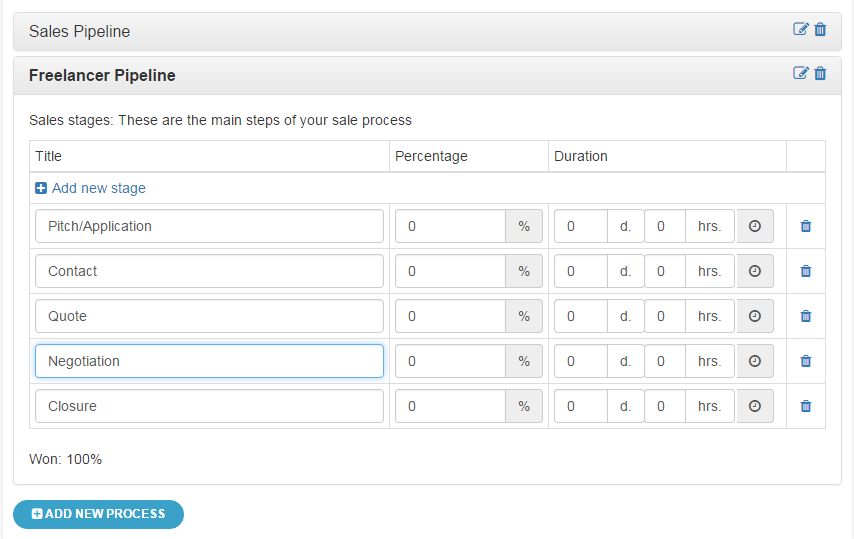
Most CRMs don’t fail because they lack features. They fail because reps don’t use them properly, data gets messy, and the pipeline stops reflecting reality.
If your CRM feels like admin work instead of a selling tool, here’s what’s usually happening:
-
Deals don’t have clear next steps
-
Follow-ups rely on memory
-
Data is outdated or incomplete
-
Managers don’t trust the pipeline
The result is predictable: missed follow-ups, stalled deals, and forecasts you can’t rely on.
This guide breaks down 7 CRM best practices that actually improve how your team sells:
-
Keep your pipeline clean and current
-
Make next steps non-negotiable
-
Track what’s working and double down on it
-
Give reps clarity on what to do every day
Teamgate is built around this exact idea: disciplined selling, clear next steps, and pipeline visibility you can trust without adding admin overhead.
Let’s get into the practices that make the biggest difference.
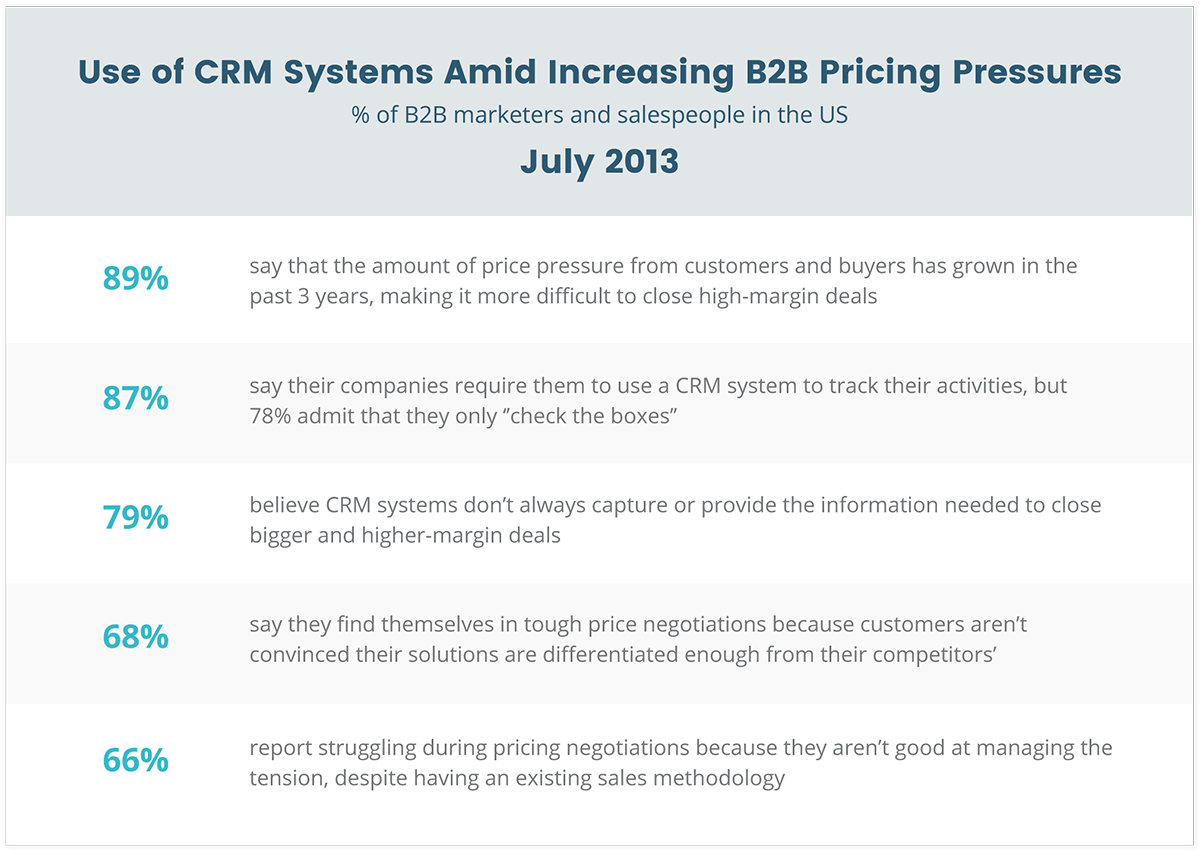
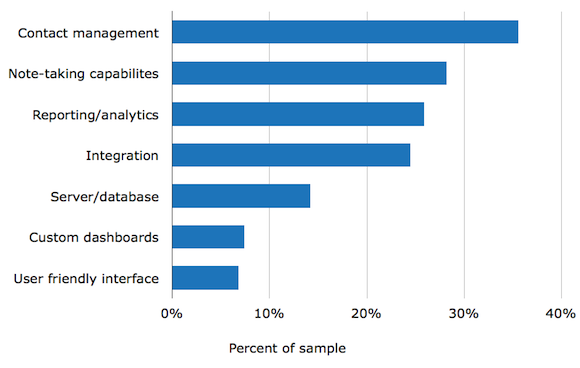
However, companies who adopt a Sales CRM as a tool for Sales Enablement achieve some pretty impressive results…
Check this out:
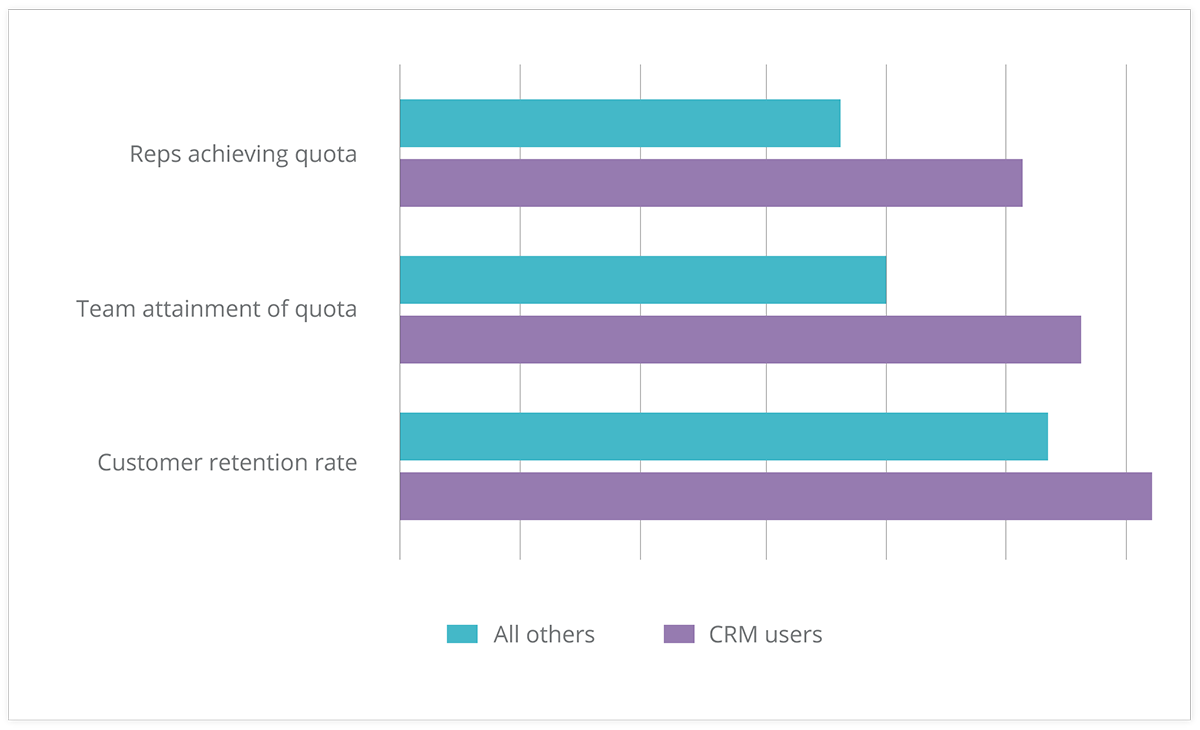
These results from Aberdeen Research prove that by having the right mindset to use a CRM effectively, impressive results can be achieved… and consistently!
Sadly though, an estimated 25-60% of CRM projects fail to meet expectations.
But fear not…
In this article, I’m going to share seven CRM best practices for 2017. After reading all the way to the end, you’ll be able to identify the right sales solution to guarantee 2017 as your best year yet.
So let’s get into it:
#1 – Clean, Reliable, and Up-To-Date Data
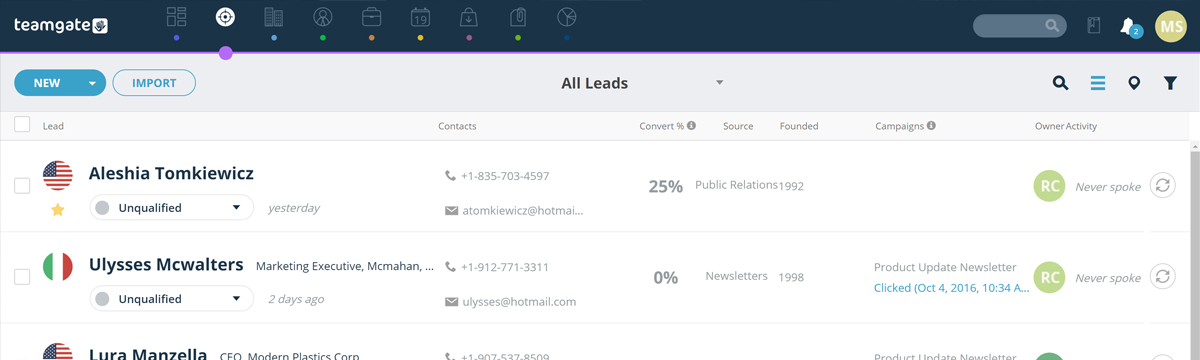
If your CRM data isn’t clean, nothing else works.
Forecasts become guesses. Pipeline reviews turn into debates. Reps waste time chasing deals that were never real.
Clean data isn’t about “tidying up.” It’s about enforcing habits that keep your pipeline accurate by default.
Here’s what that looks like in practice:
-
Every active deal has a clear next step
-
Stale deals are flagged automatically (no activity, no movement)
-
Duplicate contacts are prevented at entry
-
Deal stages reflect reality, not optimism
The problem is most teams try to fix this manually. They clean data once a month, then it breaks again a week later.
The better approach is system-driven hygiene:
-
Automatic duplicate detection
-
Deal aging indicators that highlight inactivity
-
Required next steps to keep deals moving
-
Activity tracking tied directly to deals
This is where a CRM should do the work for you.
Instead of asking reps to “update the CRM,” the system should:
-
Prompt the next action
-
Flag what’s falling behind
-
Keep data current through normal selling activity
When this is in place, your pipeline becomes something you can actually trust, not something you need to double-check.
Related: CRM Segmentation: Knowing Your Customers Better and Preventing Data Clutter
#2 – Company Wide Snapshot
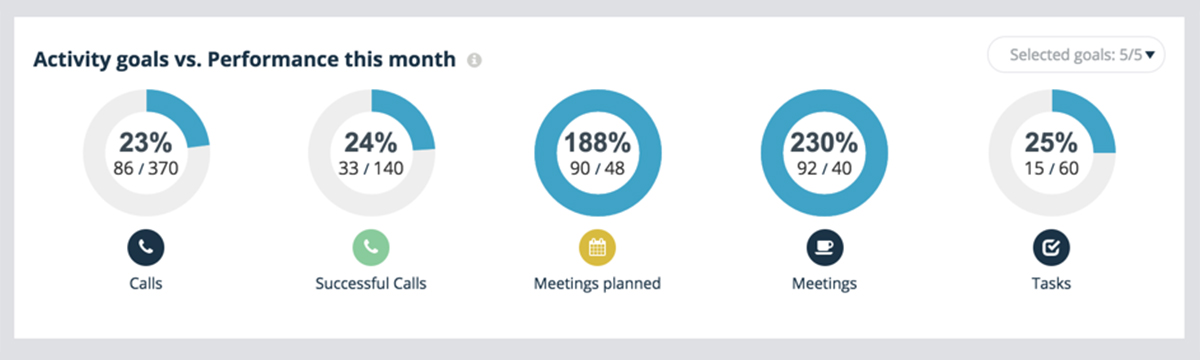
Another CRM best practice: Clarity.
“Clarity affords focus.” – Thomas Leonard.
Your CRM dashboard needs to be the first thing you see every day. It’s the central control and pulse of the company.
At one glimpse you should be able to achieve full clarity over your company’s most important metrics.
As a salesperson this may include:
- Your sales goals
- Current leads you’re working
- How those leads are responding to communications you sent the prior day
As a sales manager you need to be able to see:
- Your team’s goals
- Lead sources and their conversion rates for accurate forecasting
- Top loss reasons so you can support your team in areas of weakness
Ultimately having this kind of clarity and visibility over the company’s performance brings everyone that much closer together, and highlights areas of weakness that you can focus on improving for the most impactful uplifts in performance.
Without it, you’re simply lost at sea.
Related: Sourcing Data from All Angles for Valuable Market Insight and Your Rally Road Book Is Your Sales Forecast.
#3 – Segmentation
Segmentation is the first step towards personalization. But taking a step back, lead segmentation is about organizing your data so that relevant contact information is never more than a click away.
A CRM best practice for this modern era involves the automation of lead segmentation.
What do I mean exactly?
Let’s say you’ve just finished an initial Online Meeting with a new prospect.
You’ve spent 15 minutes on the call via your CRM’s SmartDialler, and have managed to successfully qualify them into the next stage.
As such, you simply drag and drop the prospect from the “Online Meeting” column to the “Push Column”.
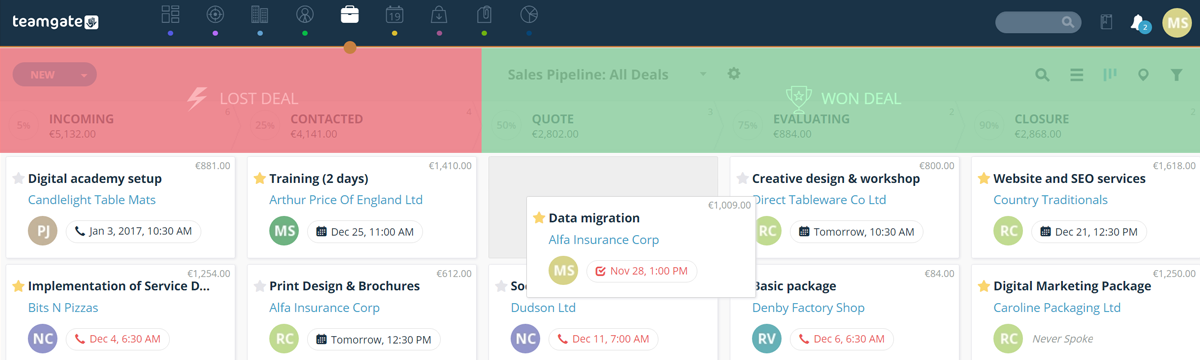
The lead gets automatically tagged, a follow-up task is created, and an email is triggered thanking the prospect for their time on the call.
Automagical. This is 2017.
Related: Make and Receive Calls Without Leaving Your CRM: Introducing Teamgate SmartDialer and Beyond Sales: How To Make CRM Work For Any Profession
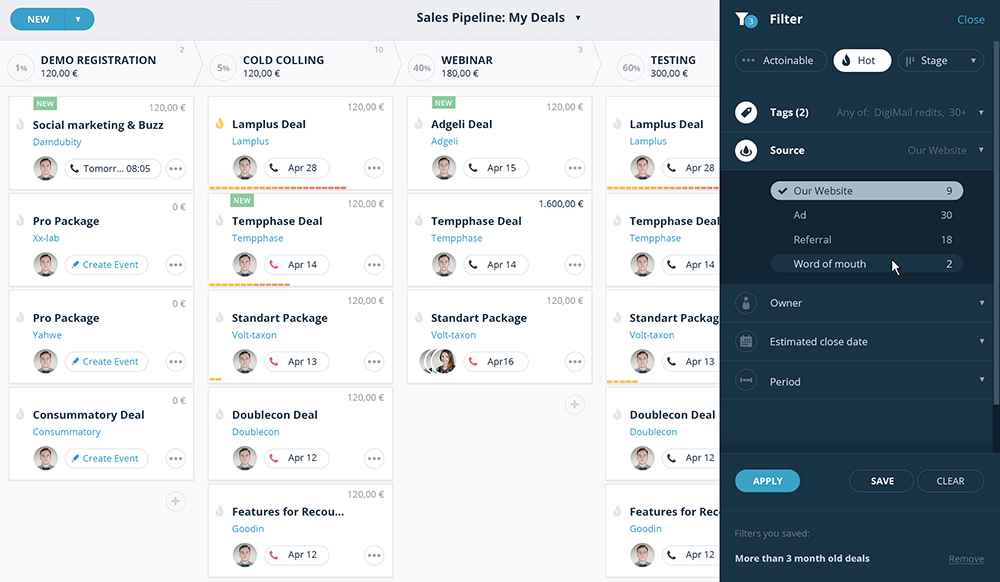
#4 – Source Tracking
This is by FAR the latest and greatest CRM best practice for 2017!
Source Tracking is a great way of accurately predicting sales forecasts based on where a new prospect has entered your CRM from.
For example:
- Bob’s DIY Podcast
….you get the idea.
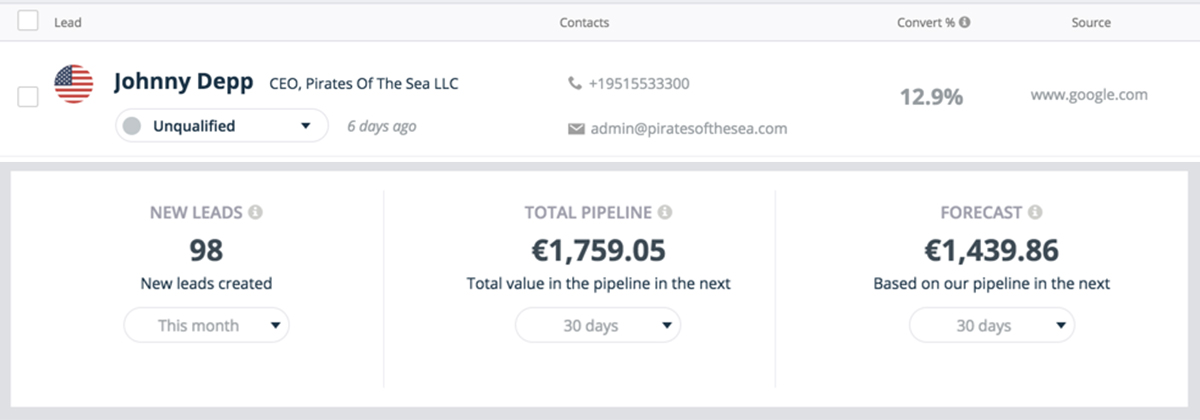
At Teamgate we’re huge advocates of the Inbound Sales process. This means we typically generate the majority of our new leads via web forms.
(By the way, you should be too!)
Now, based on where that lead has come from, we want to know the likelihood of that lead converting to a sale.
Fortunately for you and me, the top CRMs will track this automatically for you.
I can’t stress enough the importance of making sure your CRM has this capability.
It’ll highlight the lead sources that are most lucrative for your business so that you can invest more in what’s working, and less in what’s not.
Deal? Good.
Related: Networking and Capturing of New Leads with CRM
#5 – Deal Movement Tracking
Ever had a deal slip through the cracks?
Look, I know – we’re busy salesmen and it happens all the time, but there are measures we can take to ensure it doesn’t happen to you and me.
Deal movement tracking is brand new and essentially allows salespeople to see the active movement a deal has gone through from stage to stage.
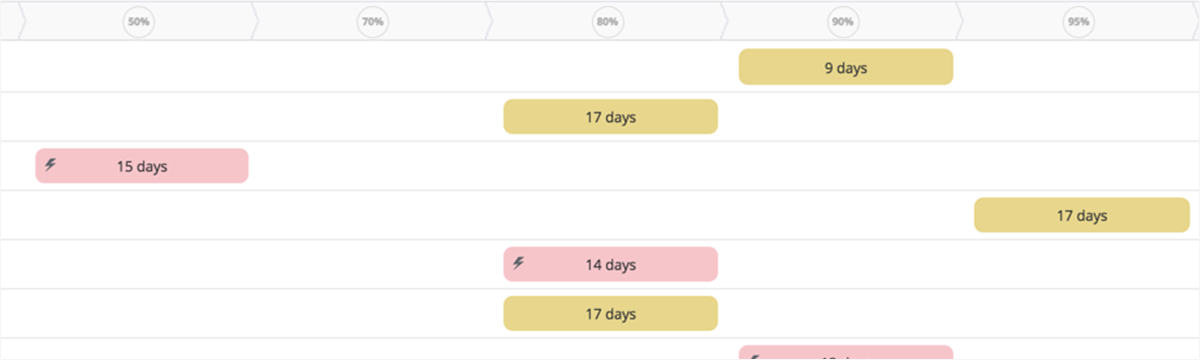
Why is this important?
With a quick look at your CRM’s Deal Movement board, you’ll be able to see in an instant which deals haven’t moved an inch. Allowing you to jump right on them and move them forward.
No more deal slippage!
In fact, Deal Movement Tracking is a real timesaver if you return from a vacation, and want to see what’s happened whilst you’ve been away.
Simply fire up the Deal Movement Board and see all the progress that’s happened whilst you’ve been away – obviously great for sales managers, and highly motivating for salespeople!
Related: How to Stop Being the Second Best in Sales?
Do you have a CRM that keeps you organised?
The most user-friendly CRM on the market. 14-day free trial.
Start Free TrialPainless setup, no credit card required
#6 – Geographical Insights
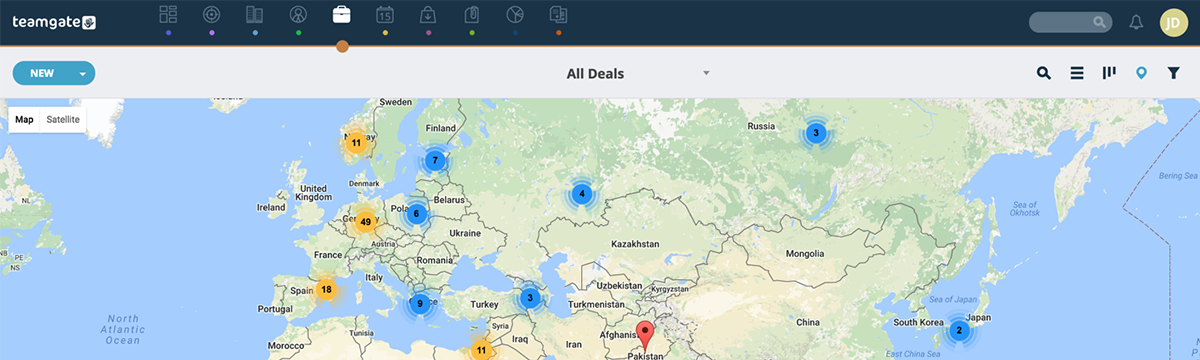
Does your current CRM allow you to see where all of your contacts are based on a map inside your deals view?
Ok, so this one may not be relevant to all businesses. However, if you’re an international company it’s a great way of quickly visualizing which countries are performing best for you.
Not an essential one in my opinion, but a great insights tool that requires no additional input on your part.
Seriously though, it’s very cool. Just take a look at this example taken from Teamgate:
#7 – Personalisation
Lastly, and probably one of the most important features of our CRM is the ability to get personal.
As salespeople, we sometimes fall guilty about making our prospects feel like a number in a system. Cold callers (yes, some businesses still sell like it’s 1982) have probably a lot to answer for on this front.
However, we need to pay extra attention to personalization.
Why?
It makes our prospects feel like we care because we take the time to care about what’s important to them.
This is a quote I like to use a lot when talking about influential sales tactics.
“People don’t buy when they understand. They buy when they feel understood.”
Like that? It’s so true though, right?
So how can your CRM best support this in 2017?
Your CRM should have a contact timeline where all calls, emails, website, and link clicking actions are recorded automatically.
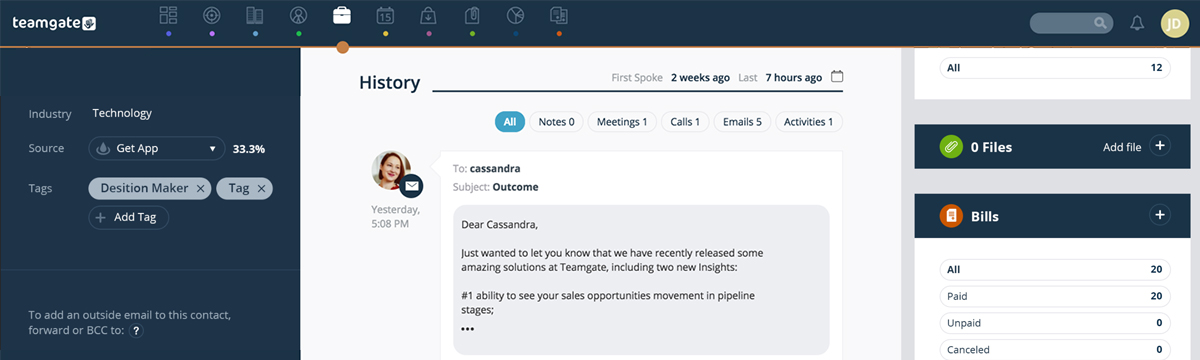
This means anytime you communicate with a prospect you can see the specific user journey they’ve been on all right there in front of you. And as such, you can speak to them in a way that fits the experience you know they’ve had so far.
Conclusion
Most CRM problems aren’t technical. They’re behavioral.
The teams that win aren’t using more features, they’re following a more disciplined process:
-
Every deal has a next step
-
Follow-ups are consistent
-
Data stays current without manual cleanup
-
Pipeline reflects what’s actually happening
When these habits are enforced, everything improves:
-
Forecasts become reliable
-
Deals move faster
-
Reps spend more time selling
-
Managers coach with real data
The seven best practices in this guide all point to the same outcome: a CRM that runs your sales process, not one that just stores it.
If your current system still relies on reps remembering what to do next, that’s the gap.
Fix the process, support it with the right system, and your pipeline stops being a guessing game and starts becoming predictable.