Get a free sales audit to uncover hidden revenue opportunities!

Implementing various tools and practices, up-to-date businesses strive to capture and hold leads. And for many reasons, this can often force business owners to run around in circles. Modern companies have chosen online marketing as the primary tool for their promotion, but we should also consider offline methods to generate leads and increase sales. Moreover, these two approaches could be interrelated. For example, cold calling will be more effective when the target user can easily find your website (this is where search engine optimization helps) and ensure you’re a trusted company.

This article explains two different marketing channels – SEO and cold calling – in words that are easy to understand. You will learn the effectiveness of SEO strategy, dive into the cold calling process, and discover how to make these essentials work for your company.

The data behind effective SEO

The effectiveness of SEO is hard to overvalue. Search engine optimization is a powerful digital marketing channel that can dramatically improve a website’s online visibility in search results—an essential advantage for local businesses offering same day courier services. The reality is that many online customers research the goods they desire by employing a search engine before making a purchase. And almost 50% of marketers evaluate SEO outcomes, reporting that organic search delivers the best ROI. 

This data shows that a robust and well-thought-out SEO strategy that contains adjustments to technical SEO, website content, on-site SEO, and off-site SEO is beneficial for businesses and their prospects. Consumers find what they need and have a delightful shopping experience, while companies enlarge their customer pool, promote their products and services, and grow their revenue.

The right SEO strategy helps businesses comply with search engines’ rules and achieve better rankings in search results. The worldwide desktop market share of leading search engines indicates Google, which takes almost 82% of the global search market, as a dominating search engine. So, to make your ranking positions game-changing, follow Google Search algorithm regulations and their ongoing updates. 

Effective SEO here leads to first-page rankings and a better CTR. For example, businesses that retain the top three positions in Google SERPs get the lion’s share of all clicks. The first rank obtains almost 29% of clicks. The second place gets over 15%, and the third position, 11%. After the third position, the percentage decreases steadily, which is crucial to consider.

Why SEO is the oxygen for your website

Even though there are several marketing channels to benefit from, the effectiveness of SEO makes it the most beneficial due to its straightforward approach, cost-effectiveness, and long-lasting results. At its core, SEO refers to improving website structure and content to make site pages accessible and relevant for users and web crawlers. Thus, by implementing proven search engine optimization practices, you can boost your rankings in organic search and get more potential clients acquainted with your products or services.

In essence, SEO helps to obtain relevant traffic to your website. You can attract your target audience, as in-depth keyword research will collect data on how users search for goods in your business niche and implement the insights within your site pages. Using the appropriate keywords will allow you to enhance your rankings by getting more clicks and impressions. Moreover, with SEO, you can gather information on your competitors’ performance and utilize the retrieved data for your benefit. If you opt for a state-of-the-art SEO strategy, ongoing rankings monitoring is on the list. 

By analyzing your website pages’ positions in organic search results, you can promptly remove the weak points and realign your efforts to create a blueprint for coming optimization activities. For this, you’ll need a rank tracker like the one by SE Ranking, which allows you to understand which keywords you are ranking for at top results, pinpoint pages competing for the same keyword, track ranking positions from different locations to a specific zip code, acquire valuable traffic forecasts, and more. You can also connect your Google Search Console, and Google Analytics accounts to get even deeper insights to make sure that your SEO strategy is working.

Search engine optimization allows for improving different areas of your website, considering its speed and accessibility, the relevance of information, user experience, overall site architecture, and more. SEO encourages you to make your business website a better place for customers and boost your brand awareness.

It is a worthwhile, high-return investment that allows for consistent, high-quality traffic at a low cost. However, bear in mind that you should update the content to meet customer demand and comply with search engine ranking algorithms.

Myth: Cold calling is dead

Stirring up controversy is a scourge of our times. That is why the web is full of information on unlikely search engine optimization outcomes and grinning predictions about the death of SEO every forthcoming year. However, the truth is that SEO will be valuable for businesses as long as search engines exist. And every new Google Search Algorithm update with precise attention to website structure and content undeniably proves this.

Apparently, SEO is not the only essential for businesses that are surrounded by myths and fake facts. The effectiveness of cold calling also invites many questions; some even consider cold calling dead and irrelevant for businesses. However, cold calling will be in-demand as long as there are dedicated sales reps and prospects fascinated by something that may meet their needs. Thus, those who think that cold calling is dead are certainly wrong.

Traditional cold calling, when salespeople have no idea whom they attempt to capture, is outdated. The reality of social networks and web surfing as a daily routine has affected the way sales reps perform cold calling. Nowadays, you need to find details about the people you want to attract with your calls. So modern cold calling has been enhanced with cold calling best practices like personalization and research on customer data, which has made it different but not dead.

The data behind effective cold calling

In essence, cold calling refers to a sales and marketing technique that involves reaching out to leads via outbound phone calls. With cold calling, you can reach businesses (B2B) and individual consumers (B2C). Almost 70% of buyers accept cold calls, and over 50% of C-level clients prefer to be contacted by phone, which means that cold calling still matters.

Effective cold calling means valuing prospects and building relationships with people you do business with, so it goes far beyond regular selling. Responsive cold calls with a personalized approach can bring exceptional data insights on the quality of leads, issues in the target markets, expectations for products and services, and existing strategy gaps. Besides, appropriate cold calling can even help with investigating competitors’ efforts. Sales agents can gather information on the number of prospects using competitor goods and discover the weak points competitors embellish or hide.

Process of cold calling

The effectiveness of cold calling depends on three primary stages: pre-contact, the cold call itself, and the follow-up. Below you can find some handy cold calling tips that will help you to hit the mark.

Preparing for the call

Preparation is a fundamental stage of cold calling. To capture prospects, you need to make them want to hear you out until the end of the call. Therefore, take your time to get to know the people you intend to pitch by gathering more than just their names and phone numbers. Consider searching for their current job position, the industry they work in, competitors’ products they may opt for, etc. 

Additionally, try to find them on social media like Instagram or LinkedIn. Instagram will help you to discover their hobbies and interests, while LinkedIn will assist you in getting their career information and connections. This data will boost your chances of closing the deal as you will be able to understand if your products or services can resolve the problems they may be facing.

Also, think about the right tone for the upcoming conversation. Introduce yourself accurately, clearly state the company you work for, and convey the purpose of your phone call. Find a good conversation opener to personalize the call and sound more polite, friendly, and uplifting. You can excite your leads with ad-libbing or switch to cold calling scripts if you don’t have a knack for out-of-the-blue conversations. Eventually, to avoid awkward situations and frustrated prospects, learn the ideal time for the call and check the time zone.

During the call

Once the conversation is in progress, it is the right time to use an active listening approach and ask open-ended questions. Active listening will help you stay on the same page with your leads and ask only pertinent questions without bothering and confusing the person on the other end of the line. Moreover, it also helps to show your prospects they are respected and valued, so they are more likely to listen to your pitch and provide you with important information.

As for the open-ended questions, they come as an excellent tool to prolong your communication with leads and boost the effectiveness of cold calling. You can precisely understand prospects’ pains and provide better solutions. Just stay consistent and avoid questions that may elicit innuendos. Then do your best to evade yes/no questions and avoid the why questions overload, as such a conversation will look like an obnoxious interrogation.

After the call

Professional cold calling never ends after putting the phone down. After the call, you can analyze the strengths and weaknesses of the conversation from your side. To do so, record all calls with prospects, as this is key to improving your performance and seamlessly reviewing the main parts of each call. Also, use handy notes for additional insights after ending the call to memorize all the essential information that can affect future communications.

Additionally, you can utilize the power of follow-ups to achieve your goals. Once a call is over, send a follow-up email to acknowledge all the decisions made during the conversation and to help prospects recognize you. Here, persistence and regular progress tracking are crucial to making sales and hearing back from prospects. 

Blend cold calling and SEO

The effectiveness of SEO and cold calling is hard work that provides excellent results. Search engine optimization and cold calling can perfectly complement each other with a well-thought-out strategy used for these two essentials. Even though SEO and cold calling may serve different purposes, they are both similar in that they stimulate you to discover your customers and understand their needs and anticipations. Moreover, they help to improve all your marketing efforts, enhancing company performance and outcomes.

With an effective combination of cold calling and SEO, you can operate valuable data that covers everything related to your online promotion and customer satisfaction.

For even deeper insights into your SEO performance, consider integrating a SERP scraper API. This allows you to programmatically track keyword rankings, monitor competitor performance, and extract real-time search engine results data – crucial for refining both your cold calling pitch and digital strategy.

Conclusion

Measuring the effectiveness of cold calling and SEO is crucial for every company striving for online success and a steady customer flow. When employed separately, SEO and cold calling have their pros and cons. Nevertheless, they are brilliant when working together. 

Search engine optimization aims for coherent site architecture, evergreen content, appropriate keywords corresponding to user search queries, and excellent website usability and accessibility that draws more curious users. Meanwhile, cold calling provides you with priceless information, such as product or service accuracy, competitors’ performance, client preferences, and more. A blend of SEO and cold calling is also a great solution for company teams’ collaboration. You will be able to fine-tune all the business processes on short notice.

Break a leg!
In this article, you’ll get a comprehensive guide to 100 powerful inbound marketing tools that can skyrocket your business growth. We’ll explore a variety of tools to automate, optimize, and enhance every facet of your inbound marketing strategy, ultimately leading to more leads and prospects.

Key Takeaways:

  • Learn how to streamline your marketing efforts using a multitude of automation tools.
  • Discover the importance of analytics and the top tools to get the most detailed insights into your marketing performance.
  • Uncover the potential of blogging and SEO tools in increasing your online visibility.
  • Understand how design and visual resources can play a pivotal role in your inbound marketing strategy.
  • Get introduced to the best tools for managing leads, social media, and streaming.

Nothing makes a marketer happier than seeing their efforts and hard work pay off. And there’s little we wouldn’t be prepared to do to see those leads trickling in.

We’ll write eBooks, spend weeks chasing influencers for three-line quotes and comb through pages and pages of data to string together sleek-looking infographics to get the prospects to notice us. Because every lead counts.

So let’s face it, if there was a way for us to amplify our inbound marketing efforts and raise the lead gen game, we’d snatch that opportunity with no questions asked.

And as the luck has it, we’ve gathered one hundred powerful tools that will help you automate, optimize and enhance your inbound marketing strategy and win more business.

Make yourself happy, dig in.

Research tools

  1. Buzzsumo

Buzzsumo is a powerful tool for content marketing and is particularly helpful with finding trending content by any topic. It saves a lot of time that you would usually spend on browsing and googling popular topics. Buzzsumo will also show you many convenient statistics, like how many people are talking about a specific subject.

  1. Keyword Planner

Keyword Planner is a completely free tool created by Google that researches the best keywords for your ads, video ads, etc. With this tool, you can build a completely new campaign or improve an existing one. It is an effective tool for both experienced and completely new advertisers.

  1. Looking for a new Entry

This used to be Klout.

Do you have a CRM that keeps you organised?

The most user-friendly CRM on the market. 14-day free trial.

Start Free Trial

Painless setup, no credit card required

  1. Mention

Mention makes sure you keep track of all the real-time social media mentions and always stay in the know of what people are saying about you online. It also lets you follow and analyze your competitors and similar businesses. Mention also has some awesome features like Custom Insights and Find Influencers.

  1. TrustRadius Trustmap

The TrustRadius marketing TrustMap is a two-dimensional chart that compares marketing products based on end-user satisfaction ratings and research frequency by prospective buyers. You can use the tool to compare different marketing tools and read authentic reviews from real users.

  1. SurveyMonkey

SurveyMonkey is one of the best online survey tools used by millions. With this tool, you will gather useful information and insight about your target audience and clients by creating original surveys. Choose from more than 15 different question types, branding options and much more.

  1. AYTM

AYTM is another survey tool that provides professional market research. The main key components and features include the survey platform that lets you host, program and analyze your surveys, a proprietary panel with an access to 25 MM all over the world and the research services.

  1. Quora

Quora is a well known question-answer type of website that makes any research much easier. Here, questions and topics can be organized into boards that can be followed – this will help you keep up with your competitors and news in your market. With Quora, you can also follow relevant questions and discover many other ways to do research.

Analytics tools

  1. Google Analytics

Google Analytics is a very popular and effective analytics tool provided to you by Google. When integrated with Google AdWords, it becomes an even more powerful tool that lets you analyze and track your website and conversions. The main analytics data is displayed on the main page of Google Analytics, but you can also find and use such features as Advanced Segments, Location Demographics and much more.

  1. Hotjar

Inbound Marketing Tools Hotjar

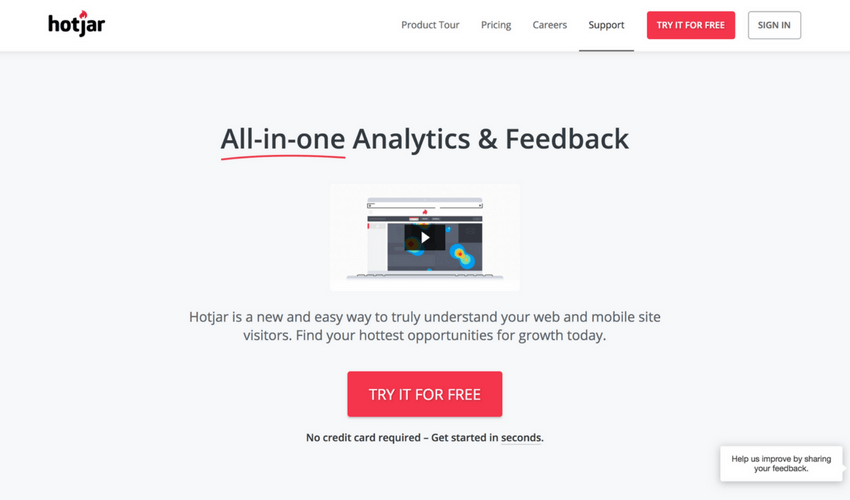
Hotjar is an amazing tool for analyzing the online behavior of your users by studying heatmaps, visitor recordings, feedback polls and conversion funnels. This tool combines two most important things – feedback and analysis to make the analytics as accurate as possible.

  1. SumoMe

SumoMe is an extremely user-friendly WordPress plugin that can serve as an efficient analytics tool. The main goal of this tool is to help you grow your website traffic and email list. It offers many free tools for you to choose from, so by using them, you can analyze your content, users, visitors and much more.

  1. Adobe Analytics

Adobe Analytics is a part of Adobe Marketing Cloud (AMC) that offers many online marketing tools. With Adobe Analytics, you can assemble, coordinate, organize and analyze your customer’s activity. Real-time analytics, segmentation, and predictive marketing through all Adobe channels.

  1. Ubersuggest

Want more traffic? Ubersuggest shows you how to win the game of SEO. Just type in a domain or a keyword to get started.

  1. Crazy Egg

Crazy Egg is another brilliant online application to analyze user activity on your website. This tool suggests useful features like heat maps, scroll maps, overlay reports, and confetti, which lets you determine all the clicks that have been made on your website and analyze them by search term and referral sources.

  1. Matomo

By choosing the ethical alternative, Matomo, you won’t make privacy sacrifices or compromise your site. You can even use Matomo without needing to ask for consent

  1. Mixpanel

Mixpanel is a very advanced analytics tool that gives you the opportunity to analyze every action your user takes – not just the clicks. With this tool, you can also see when someone uploads a picture, shares a post, etc. Here you can also experiment with the A/B testing to reach the best results.

  1. SimilarWeb

SimilarWeb is a universal tool for any insights – both web and app. It works with a wide range of sources to receive as accurate data as possible and convert it into useful insights. SimilarWeb offers website analytics, industry analytics, and app analysis. Besides all this, you can also see traffic and engagement data and much more.

[optin-monster-shortcode id=”cvfuxuhchvywm9wl2q6w”]

  1. Quick Sprout

Quick Sprout suggests a direct connection with Google Analytics to offer you a reliable and accurate information and data. This tool will help you understand and use Google Analytics to the maximum – you will be informed about important activity on your website every day and receive personalized website alerts.

Blogging tools

  1. Triberr

Triberr is both a tool and a community to help you grow the traffic on your blog. It is segmented into categories called “Tribes” that are differentiated by topics. You can follow the tribe you are interested in to see all the newly published posts, interact and engage with other bloggers.

  1. WordPress

WordPress is a very popular and widely used tool for website and blog creation that has a wide range of templates and plugins for you to choose from and use for your own benefit. It is a very powerful tool, yet very user-friendly and easy to use. It is so huge that it supports more than 60 million websites.

  1. Grammarly

Inbound Marketing Tools Grammarly

Grammarly is a proofreading tool that can also be used as a plagiarism-detection application. Besides creating content and driving traffic to your website, it is also crucial to make sure that your content is free of grammar mistakes, so this super simple tool will help you out with that. Its AI-driven engines check plagiarism and detect AI text patterns to improve your texts’ structure and readability. Multiple features and stellar user-friendliness make Grammarly one of the best tools for content creators on the market.

  1. Yoast

Yoast is a SEO tool for WordPress users. Its main cause is to help people with their website optimization through many different courses, e-books, software and plugins like Yost SEO, Video SEO,  Local SEO, News SEO, Local SEO, Yoast WooCommerce SEO and other analytics, metric, comments, and functionality plugins.

  1. Readability Test Tool by WebpageFX

Readability Test Tool is an application to check the readability of a specific article, post or the entire website. You can check it by entering the URL of your content and clicking the button “Calculate Readability”. The tool is useful not only for bloggers but also for SEO experts, copywriters, and other specialists.

  1. Portent Title Maker

Portent Title Maker is a great tool when you need to come up with an original idea for your article title name. Simply enter your subject in the field and choose one of the generated titles. To get the best results from this tool, don’t capitalize keywords and use singular version of your keyword.

  1. Hubspot Blog Topic Generator

Hubspot Blog Topic Generator helps you create great titles for your post. When you visit the website, you will have to enter three nouns that describe what you’re writing about (or what the article is about) and press the button below. You will then be given a few popular blog topic ideas that you can use for your piece.

  1. Toggl

Toggl is a perfect tool for busy bloggers who like to keep on track with their time management. With this tool, you can see how much time you spend on each task and discover what is most time-consuming. Here you can also track how many time you spend on different projects, clients and analyze reports.

  1. Hemingway App

Hemingway App is an advanced text editing tool that is also available as a desktop app. It highlights your sentences in different colors that indicate sentences that are too hard to read, phrases that have simpler alternatives, etc. In the online mode, you can also edit your document and the desktop version offers such cool features as publishing directly to WordPress and much more.

Design tools

  1. Picsart

Picsart is an all-in-one platform where users can create, customize, and share images and videos with ease. It combines powerful editing tools, AI features, and a wide range of creative assets to help bring any idea to life—whether it’s for social media, marketing, or personal projects.

  1. Freebiesbug

Freebiesbug is a website where designers can find a number of free graphic resources for their designs. It is full of app designs, icons, mockups, website templates, illustrations, fonts, sketches and much more. You can browse by the category, use the search field or upload a freebie of your own.  

  1. Adobe Spark

Adobe Spark is a tool by Adobe Systems that offers three different design apps: Spark Page, Spark Post, and Spark Video. Here you can create social and website graphics like Travel Journals, Quotes, Announcements, Advertisements, Pitches, Animated stories and much more.

  1. Xtensio

Xtensio is a platform every team or business needs to create beautifully crafted online presentations, reports, slides, or any documents. It functions with an easy-to-use drag and drop feature so users can do customization, living up to their brands.
Apart from being user-friendly, it ensures real-time collaboration and privacy of shared documents.

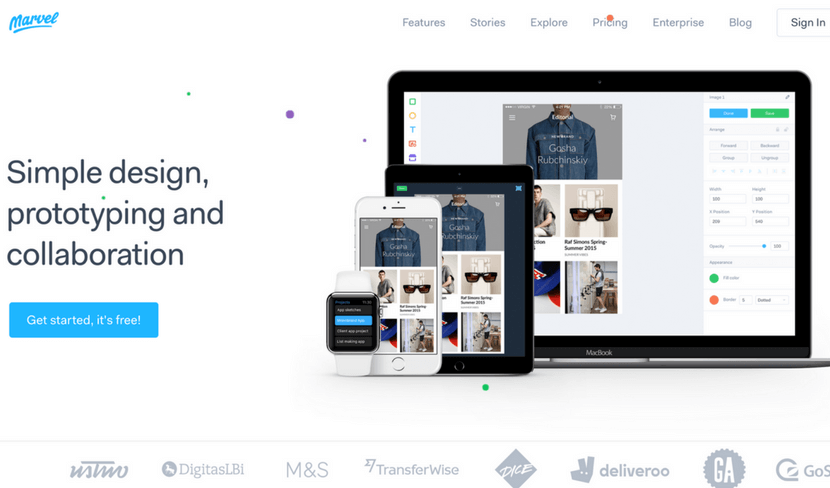
  1. Marvel

Inbound Marketing Tools Marvel

Marvel is a prototype creation tool for apps and websites. You can create straight in Marvel or transport your images from the cloud storage, Sketch, or Photoshop. The tool has a user-friendly editor that lets you link your designs and create prototypes for iPhone, iPad, Apple TV, Apple Watch, Desktop, and Android.

  1. Ceros

Ceros is a cloud-based tool with a digital canvas that can be accessed by the entire team. Ceros allows you to create amazing, interactive infographics and animated designs. The tool is very convenient for both designers and marketers. After creating a unique design, you are able to see the insights of its performance.

  1. Figma

Figma is a collaborative design tool that gives you the ability to work on a design together with your team. Here you can create icons, interface design, responsive layouts and much more. Figma is very easy to use so you won’t waste your time trying to understand the tools and it also allows the integration with Sketch app.

  1. Fuse

Fuse is a design tool for creating apps on Android and iOS. An effective and quick way to create for teams, developers, and designers. With Fuse, adjust animation, UI, layout or anything else you like and test changes in real time. It makes it easy for people that are new to app development and is also very useful for the experienced ones.

  1. Placeit

Placeit offers more than 2500 mockups and demo videos. It is super quick to use and works as a great substitute for Photoshop when you want to place a screenshot of your website on a screen of a computer or a phone. You can choose between many different devices or simply use the search field.

  1. VSCO

VSCO is a very popular photo editing app available for both iOS and Android. It lets you edit your photos and images, add many different trendy filters and share it with other users of the app. The app is widely used by photographers and the youth and constantly updated by its developers.

  1. PicMonkey

PicMonkey is an online tool for design making and photo editing. It has some paid features, but even without them, the tool is pretty powerful. Besides designing and editing, you can also create beautiful collages, or use the “Touch up” feature that can whiten teeth or remove wrinkles in a photo.

  1. Infogr.com

Infogr.com is an application meant for creating stunning, interactive charts and infographics. You are free to choose between more than 35 charts, over 500 different maps and over 20 ready-made templates for infographics. Besides that, you can edit the style, colors and many other things in your design.

Visual resources

  1. Unsplash

Unsplash is a photo stock library that lets you download, edit and use all the photos for free without any copyright. The website is believed to be one of the leading photography websites in the world. Here you can browse new photos, view collections or simply use the search field.

[optin-monster-shortcode id=”u0wiahzfsrgu4dsbbxsb”]

  1. Pixabay

Pixabay is an international website that offers more than 870,000 stock photos that are completely free. Here you will also find vectors, illustrations, and videos of high quality. All of the content you will download on this website is completely copyright free, so feel free to edit and distribute it the way you like.

  1. StockSnap.io

StockSnap.io is full of beautiful stock photos in high quality. It is also copyright free so no contribution to the author is required. When you visit the website, you can see the most popular searches that are displayed as tags under the huge search field. You can also view the trending and recently added photos or add them to your favorites.  

  1. Life Of Pix

Life Of Pix is another brilliant place to find free stock photos. Some photos are features, so you can browse them straight away when you visit the website or choose to use the search field. If you find it time-consuming to preview photos on a big display, you can simply switch to a different viewing display.

  1. SplitShire

SplitShire is a great resource of visual content: free images, photos, and videos. Besides the search field, you will also discover many convenient categories to choose from: animals, fashion, landscapes, mockups and much more. In free videos section, you can scroll down and view all the amazing video content that you can easily download.

  1. Death To Stock

Inbound Marketing Tools Deathtostockphoto

Death To Stock has a lot of content you can use for your creative projects and designs. It has a very convenient feature where you can subscribe to receive a monthly email with beautiful photos. On the website, you can also browse themed photo packs on a specific subject.

  1. PhotoPin

PhotoPin is a completely free tool that might come in handy both for designers and bloggers. In PhotoPin you will find millions of photos with Creative Commons licensing. A very neat feature that this tool offers to its users is that when you download a picture, you receive a contribution link at the same time, so there’s no need to search for it separately.

  1. Freepik

Freepik also offers some free stock photos but is mainly focused on free vectors, icons and PSD files. This website is probably one of the most popular free graphic resources among experienced and new designers. You can use the search field, or browse the vectors by popularity or recency.

  1. Flaticon

Flaticon is probably the biggest database full of icons in PSD, EPS, SVG, PNG and BASE 64 formats. Here you will discover more than 310,000 icons that can be customized to a specific color code before downloading. If you are working on a specific project and you need your icons to have the same style, you can find some icon packs as well.

Automation tools

  1. IFTTT

IFTTT is an amazing tool that lets you connect and create chains of applets. Applets are useful features that different apps are able to offer to their clients. For example, using a certain applet, you can set it up to receive an email when an Instagram picture with a chosen hashtag is posted.

  1. Zapier

Zapier is a great web automation tool for busy people that seamlessly connects one’s apps and automates the processes. Apps are linked in seconds and when data is shared, Zapier passes the data to “Zaps” that represent your workflows. This will help you to finish your tasks and processes faster than usual.

  1. Moosend

Moosend is a powerful email marketing and marketing automation tool. Its features are easy-to-learn and easy-to-use and it promises a minimal learning curve with maximum potential, due to its sophisticated automation, personalization and analytics features.  From designing beautiful email newsletters and landing pages with zero code knowledge to segmenting your email list and making educated decisions through data and analytics, this all-in-one marketing platform gives your business more for less.

  1. Skyvia

Skyvia is a tool that offers a cloud data integration service. It also lets you backup, manage and access your data from all your apps by using only one tool. Cloud data management is processed through SQL so you don’t need to bother about native web API’s of different cloud sources.

  1. Looking for new tools recommend

This used to be Hooks

  1. CloudHQ

CloudHQ synchronizes your apps and your data and lets you integrate your apps with cloud platforms you are using at the moment, including Google apps, like Google Drive and Google Email. The tool offers real-time backup of any data that is in your cloud. It also lets you integrate your dropbox with Evernote, Gmail, Sharepoint, and Basecamp.

  1. Automate.io

Automate.io is a tool that is able to connect all the apps that are located in your cloud. This helps you to automate such processes as marketing, business, and sales. Automated processes include sending automated emails, automate follow-ups and much more.

  1. Looking for new tools to recomend

This used to be CloudWork.  

  1. Integromat

Integromat is a powerful workflow optimization and automation tool. With it, you will be able to connect different devices, apps, and services. The main advantage of this tool is that it can integrate and automate almost any app that’ been created. It can be used in various fields: social media, online stores, customer support and project management.

Management tools

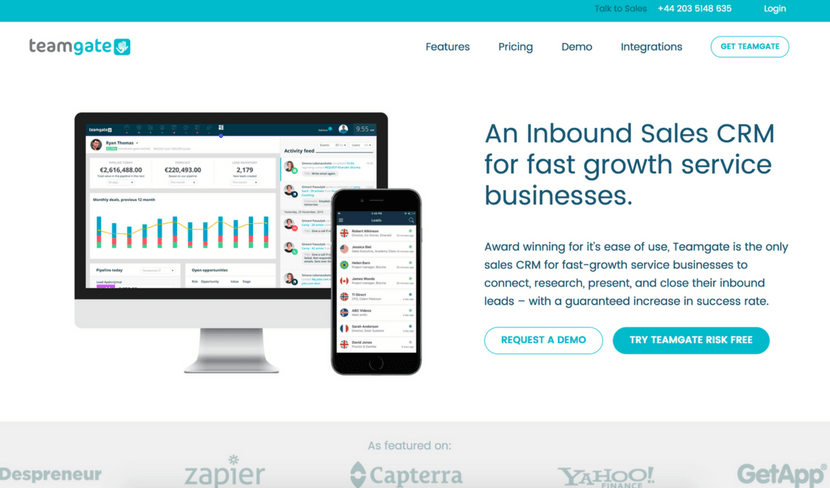
  1. Teamgate

Inbound Marketing Tools Teamgate

Teamgate is a powerful CRM tool that can be developed especially for you and your team – no matter whether you work alone, run a small business or manage a big team. It helps you curate and plan daily tasks, schedule your calls and appointments, create individual goals and view how close you have gotten to your goal. It also has a neat feature where you can view insights of your team’s sales score and an evaluation on how much better or worse you are doing compared to last year, month or week.

  1. Bitrix24

Bitrix24 is a widely used management tool because of its many features and other tools like CRM, task and project management, document and time management, calendars, chats and much more. It also offers a telephony service so you can call anywhere – domestically or internationally.

  1. Copper

Coppers CRM is a user-friendly, simplistic management tool that is focused on teams and interactions. It makes it really easy to keep on track with what your team is working on and keep an eye on the sales.

  1. Zendash

Zendash makes tracking your marketing performance simple and efficient. With its user-friendly dashboards and seamless integrations, it brings all your analytics into one place. Use Zendash to gain valuable insights, optimize your inbound campaigns, and make smarter, data-driven decisions to grow your business.

  1. Salesflare

Salesflare is a CRM that stands out due its focus on technological development. The tool is integratable with Office 365, Gmail, iCloud, Zapier and Exchange. It offers useful insights on sales and assists you with follow-up opportunities. The Salesflare takes care of all the data input so you can focus all your attention on sales and profits.

  1. Act!

Act! is a CRM and a brilliant management tool for managing customer relationships and contacts. This CRM is mainly meant for individuals, sales teams, and small businesses. Here you can choose between three different plans to suit your needs: Act! Pro, Act! Premium and Act! Essentials.

  1. Insightly

The name of this CRM tool speaks for itself – it can offer you many useful insights on your sales, team workflow and many other aspects. The tool is also packed with an array of great features, such as contact and lead management, task, events, reports, email integrations and so much more.

Lead collection tools

  1. AeroLeads

AeroLeads is one of the most powerful prospecting software on the web used by over 5000 businesses. It finds all the details of a business or person that includes Email, Name, Phone Number and social profiles. It also provides you with the service of giving you the email list or email database as per your requirements.

  1. OptinMonster

OptinMonster is an amazing and very popular lead generation tool, especially for WordPress. It helps you convert visitors into subscribers by creating convenient and smart signup forms. It works with MailChimp, AWeber, Infusionsoft, GetResponse, Constant Contact and many eCommerce platforms

  1. Leadfeeder

Leadfeeder is a simple lead collection tool that helps to turn your visitors into subscribers. It is mainly focused on the B2B market and works by connecting to your Google Analytics account where it collects useful data about your website visitors. Offers integration with MailChimp.

  1. Leadpages

Leadpages will generate leads through social media, emails, web and text messaging. Here you can choose from a selection of high quality and performance templates and then customize them to your own taste. The customizable templates are mobile friendly and the tool itself can integrate with MailChimp, Salesforce, Infusionsoft and many other tools.

  1. Leadformly

Leadformly is a website that lets you create interactive lead generation forms and use them to capture more leads. After you choose a template you like, you can redesign it as you wish, then simply add the embed code to your website and wait for the results. It integrates with Salesforce, Sugar CRM, Infusionsoft, MailChimp, HubSpot, Marketo etc.

  1. Lead Forensics

Lead Forensics is a tool that will turn anonymous traffic into leads. With this tool, you can identify the leads in real-time and reveal such information as contacts, business name, financial data, demographics, etc. It also lets you analyze each case from the first click to sale.

  1. LinkedIn Sales Navigator

LinkedIn has a special tool called Sales Navigator that is packed with features focused on social selling. It gives you custom lead recommendations, imports Salesforce data, constantly informs you with real-time sales updates and lets you measure your social selling stats and efforts. On their website, you will also find success stories and useful resources.

Social media tools

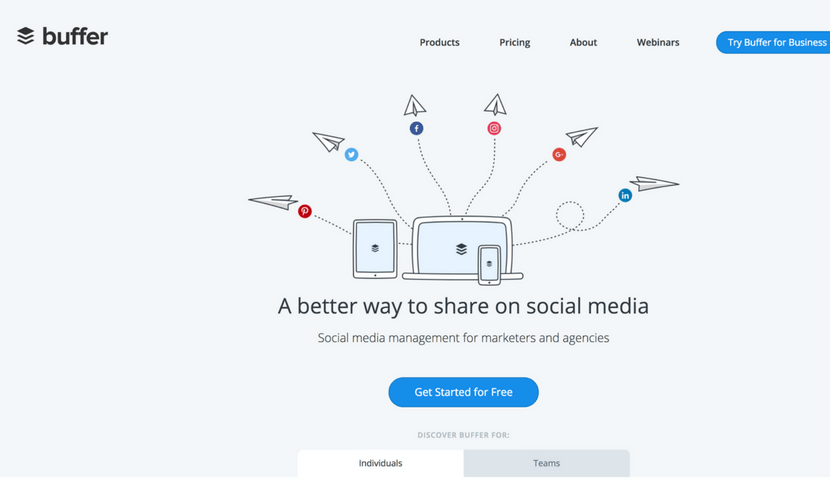
  1. Buffer

Inbound Marketing Tools Buffer

Buffer is a social media scheduling tool for Twitter, Facebook, Instagram, Pinterest, LinkedIn, and Google+. It will help you to save loads of your precious time and focus on your strategy.  You can easily schedule by using the website, installing the browser extension or on the go – with apps for iOS and Android.

  1. Quuu Promote

Quuu Promote enables you to share and promote your generated content via Facebook, LinkedIn, Twitter and Google+. The entire system consists of three steps: first, you create a post using URL address, second, you select the most relatable topic and lastly, monitor and track your promotions via Quuu.

  1. Hootsuite

Hootsuite is social media management tool that works with more than 35 popular social networks. It has many different tools that include Publisher, Engagement, Analytics, Insights, Campaigns, Platform, Amplify, and Ads. These tools are best for fields, such as social selling, marketing, customer service and Employee Advocacy.

  1. MeetEdgar

MeetEdgar is a tool for social media planning and scheduling. One of the cool features of MeetEdgar is that it does not throw away your published posts, but keeps them in a safe library so you can analyze, edit and repost them later. Here you can also place your scheduled posts in different categories.

  1. Looking for a new tool

This Used to be Mentia

  1. Tagboard

Tagboard is a social search platform based on hashtags. It searches through social media content and finds relevant content in seconds. The tag search is processed through such platforms as Facebook, Twitter, Instagram, and Flickr. A very convenient feature is that you can automatically promote any posts you like.

  1. SharedCount

SharedCount is a very simple service and a tool for social media analytics. Its main feature is to quickly track URL shares and likes across the internet. After you enter the URL of your post, you will see how many shares, likes and comments it has collected on Facebook and how many times it was shared on Google+, Twitter, Diggs, LinkedIn, Pinterest, StumbleUpon, and Delicious.

  1. Agora Pulse

Agora Pulse is an amazing yet simple tool for social media management. It brings all the most popular social media networks to one place where you can easily track and manage the engagement. The tool offers many useful stats and insights and has a feature that allows you to run contests and promotions.

GET READY TO OWN YOUR WORKDAY

with the most user-friendly CRM on the market.

Start Free 14-Day Trial

Painless setup, no credit card required

  1. EveryPost

EveryPost is a simplified social media publishing platform and an app for both iOSand Android. With this great tool, you can manage your content, edit your posts, collaborate, schedule, publish and study the social media analytics to come up with even greater solutions for your business.

  1. Sprout Social

Sprout Social is a powerful social media management tool. It has many advantages to offer: Smart Inbox, Monitoring, Social CRM, Publishing, Analytics, Collaboration, Account Structure and Mobile – all these features in one simple tool. Sprout Social works perfectly for social customer service and social media marketing as well.

  1. Bitly

Bitly is a widely used and well-known URL shortener. Nothing is uglier than a long URL on social media or your website. Besides its main features, Bitly lets you optimize and share the links via Bitly, API or other partner integrations. With this tool, it’s also possible to track link analytics and stats.

  1. Tailwind

Tailwind is a free scheduling platform for Pinterest and Instagram. With this tool, you will be able to discover new interesting content, schedule your social media posts in advance, curate conversations and study analytics to reach better results in the future. You can use the free version or choose from plans meant for small businesses and large organizations.

  1. Tweepi

With Tweepi, you can Tweet faster and more efficiently. This tool was specially developed for one social media channel only with a greater focus on it and its capabilities. In the year of 2017, it already has more than 1,500,000 users. With this tool, you can follow relevant users, follow back, schedule tweets and much more.

SEO tools

  1. Übersuggest

Übersuggest is a tool that generates loads of keyword ideas for you. Simply enter one of the main keywords that describe your business and receive hundreds of similar suggestions. Besides that, you can also choose other options, such as browsing in the web, images, shopping, YouTube, and News section.

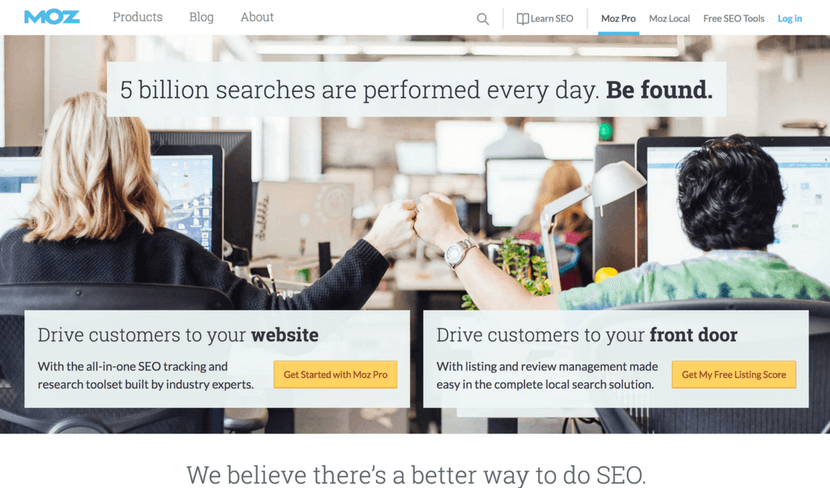
  1. Moz

Inbound Marketing Tools Moz

Moz is a great SEO tool and a software that performs 5 billion searches each day. It has two main services: one is called “Moz Local” and focuses on local searches by using your location information. The other service is called “Keyword Explorer” that lets you find the best keywords and offers many intuitive suggestions.

  1. SEMrush

SEMrush is another tool to help you find more keywords that are relevant to your business. Besides this useful tool, SEMrush can also offer SEO audit, position tracking, semantic core collection, backlink audit and much more. Next to SEO, the company also works with paid traffic, social media, content management and PR.

  1. Ahrefs

Ahrefs is a tracking tool for mentions across the internet, keywords, and backlinks. By using Ahrefs, you also gain access to other tools, such as position, size and content explorers, position tracker, crawl report and alerts that make sure you never miss a new mention.

  1. Backlinko

Backlinko is a place where you can find many marketing and SEO tips, tricks, guides, ebooks and blog posts about it. In general, the website helps you master the link building process, lift up the user experience, optimize and promote your content. You can also sign up for free updates and the newsletter to make sure you don’t miss a thing.

  1. Wordtracker

Wordtracker is a tool with the main focus on longtail keyword search. While researching the keywords, you can choose a specific time period and region so that the result would be more relevant. This tool also lists some advantages why it’s better than Google Keyword Planner: not grouped keywords, results are not banded, SERP comparison and much more.

  1. Keyword Tool

Keyword Tool is a substitute and an alternative for the Google Keyword Planner. It finds the most searchable keywords that your potential customers type into Google Search Box. Every search term is estimated to receive at least 750 keyword suggestions, it is absolutely free and you can freely use it without any registration.

  1. Looking for new Adition

Used to be Keyword Eye

Streaming tools

  1. Crowdcast

Crowdcast is a simple and dynamic streaming tool that lets people share content via webinars, live courses, summits and Q&As. It’s very quick and easy to get started because you don’t have to download any files, the setup is very easy and there’s only one URL.

Livereacting is a platform that helps to boost your social media presence by creating and scheduling an engaging 24/7 live stream. It provides tools to automate interactive content, such as polls and quizzes, to maintain continuous audience engagement.

  1. Bambuser

Inbound Marketing Tools Bambuser

Bambuser is an interactive platform for live streaming. It benefits from another tool called “Iris” that focuses on simple mobile live videos. This tool can help you to create professional live videos, organize and manage them via Content Dashboard, and publish them through Player SDKs.

  1. Google Hangouts

Google Hangouts is a very popular streaming tool provided by Google. Through this tool, you can message your team or a single person, make a video or an audio call. In one chat, you can connect up to 100 people which is a pretty large number. To make your interaction even more fun and accurate, you are free to use emojis, maps, photos, stickers, and GIFs.

  1. Tinychat

Tinychat is a simplistic live video chat platform that can also be used as an app for iOS and Android. It is called a video chat, but it does not obligate you to participate in a conversation, you can just observe and watch. To start a chat room, simply click on the bright blue button that says “Instant Room”.

  1. Livestream

Livestream is a powerful and a highly developed live streaming tool. It has a high-tech live video solution with tracking and analytics so you can track the engagement, end to end hardware and software, 24/7 support and many different product solutions, developed for distinct needs.

  1. Twitch

Twitch is a streaming website with more than 9.7 million daily users and mainly focused on video game streaming. It has a few listings that show the most recent top live channels, Top PS4 Channels and Top Xbox One Channels. To start streaming, you can try a free trial to test out the features. 

  1. YouNow

YouNow is a broadcasting tool where people can stream live. On the left corner of the website, you will always find trending topics and in the middle section – trending broadcast that you can view freely. It is completely free and available both for iOS and Android as an app.

  1. Youtube

Youtube has a live streaming section called “Live” where you can stream videos of your own and watch other live streams of people gaming, playing music, racing, etc. You can choose between two different streaming options: “Stream now” that lets you send content and stops it at the right time and “Events” that gives you more over the content.

While working on these outstanding tools, you also need the right peripherals. One of the key things you need while working on marketing tools is AirPods. Whether it’s about watching marketing tutorials on YouTube or editing a sales video, good sound quality is necessary. Buy Airpods online or from a store and to make the buying easier, this guide on AirPods generations is important. From AirPods first generation in 2016 to the latest fourth generation in 2024, there have been major changes in them. Knowing how things have changed and what the key differences are between various generations is an important factor to consider before buying.

Final Thoughts

Growing a business is a day-to-day mission and we should take all the help we can take. Leveraging the right inbound marketing tools is crucial for the success and growth of your business. These tools not only help streamline processes but also optimize and enhance the effectiveness of your marketing strategy.

Make the most of the insights you’ve gained from these 100 powerful inbound marketing tools and watch your business soar to new heights.

Now that you’re armed with this knowledge, take the next step to further boost your marketing efforts – try Teamgate CRM.

It’s an innovative solution designed to perfectly align with your inbound marketing strategies, ensuring you harness the full potential of every lead and customer interaction.

Search engine optimization (SEO) is what separates top-performing bloggers from the crowd of less successful authors, but it’s not as difficult as it may seem at first. You don’t need to be an optimization expert to learn and apply a few practical tricks and make your blog easily discoverable.

This is very important because 93% of all traffic comes from a search engine, whereas 60% of clicks go to the top three websites. So how exactly do you improve the SEO strategy? Here are eight simple blog SEO tips to create a post-Google and readers will love. 

1. It all begins with keywords

Keywords represent a fundamental aspect of SEO, so the first tip is to find the most relevant phrases and search terms for each article. You should go for it all – keywords, synonyms, longtail keywords, and all the other solutions that guarantee a higher ranking. Always use research tools such as Google Keyword Planner to identify the best options and analyze the following features:

  • Difficulty score
  • Keyword length
  • Search volume

For instance, Dissertation Today and custom essay know they need to use keywords like “essay papers” or “dissertation writing” to approach their target audience. You have to know the search intent of your target audience as well in order to find the right keywords.

If your content targets a global audience or multilingual markets, it’s important to also consider marketing translation services to ensure that your keywords are appropriately adapted. Companies like Milengo specialize in helping businesses effectively translate and localize their keywords, making sure they resonate with users in different languages and regions. This approach ensures that your SEO efforts aren’t limited by language barriers, allowing you to connect with international customers more effectively.

2. Use meta tags cleverly

Meta tags are short previews of the original post that describe the purpose and the content of a given page. They are visible to search engines and serve as one of the most influential ranking factors. Here’s what you need to pay attention to:

  • Title tag: It appears at the top of the browser
  • Meta keywords: These are the keywords you are targeting
  • Meta description: It’s a brief description of your post

3. Write attractive headlines

Do you know that 80% of readers never make it past the headline? It’s a mind-blowing figure that proves the importance of writing a perfect headline for each blog post. Your job is to come up with a title that is humorous, thought-provoking, intriguing, or simply interesting. 

Another very common solution is to write up-to-the-point headlines that clearly show what the post is all about. Most people love listicles, so don’t hesitate to use numbers in your headlines as well. 

4. Write standout articles

SEO is a rather technical process designed primarily for search engines, but don’t forget that you are writing for real people. Google and other engines will always appreciate high-quality articles that really inspire readers and solve practical problems, so you better make sure to combine the two principles all the time – quality writing and content optimization. 

5. Mind the structure

This tip goes hand in hand with the previous one. Namely, even the best article will look strange and silly if you don’t structure it properly. It means you ought to use a heading hierarchy with lots of different chapters. How come?

Well, the idea is to create a structure that is easy to skim and scan. Most readers will run through the text quickly, so you definitely want to highlight the most important messages using headings, subheadings, whitespace, bolded keywords, and similar.   

6. Add internal links 

Bloggers tend to neglect this SEO tactic gets way too frequently, but you don’t want to make the same mistake. Relevant internal links will support your statements and encourage visitors to spend more time on your website. 

7. Write a good alt text for images

According to the report by academic writers online from research paper writing service, images are returned for 34% of search results. A lot of people will search for images and end up finding your blog post, but it can happen only if you write a proper alt text for your photos. In other words, you should write a description that clearly explains the content of the image and use keywords to solidify the alt text.

8. Increase page load speed

The last tip on our list is to make your site super-fast. The worst thing you can do is to let visitors wait for your pages to load for too long, so it’s crucial to increase the technical capabilities of your blog. A tool that can help you solve the issue is Pingdom, a simple platform with powerful page speed monitoring. 

Up to You!

SEO is a complex concept, but all it takes is to use a few basic rules to make your articles stand out. We showed you eight simple blog SEO tips to create a post-Google and readers will love. Now it’s up to you to make a move and earn your post the first page in search engine ranking!

Thinking about redesigning a website or migrating to new CMS??

Do you know that redesigning can be critical?

Yes, only when done, wrongly!! 

It can affect your website’s organic traffic.  

Obtaining organic traffic is a tough job, though. From link building, link generation, to on-page optimization, it takes a lot of hard work. If you tend to lose your vision on those efforts, then it could be disastrous for your business. 

When you lose your website traffic and ranking, then you will notice fewer sales and leads. 

But, on the contrary, it is also essential to redesign a website. There are many reasons, some of the leading ones are defined below:

  • The requirement of changing the website theme (appearance). 
  • Rebranding is demanded.
  • Platform migration is required, like, from HTML to WordPress.
  • A mobile-friendly theme is required. 

A redesign of the web site does not certainly imply modifying the domain name. Therefore, in the cases, as mentioned above, it is believed that you retain the same domain name but improve the appearance of the web site, basically the design.

Updating your website and changing the features, design, and user experience are recommended.  But, Google does not accept it.  

Resigning a website undoubtedly gives you the chance to improve conversion rate, SEO, and digital marketing on an all.  Remember that it could be disastrous if appropriate steps are not taken to ensure the stable migration from the existing website to the new one.  It surely will destroy SEO equity.

To assure the redesigning has a definite influence on search engine rankings after the new launch, you should keep some considerations intact. Redesigning tends to engage with marketers, designers, and other stakeholders to keep not only current ranks but also to generate new ones for more organic growth. Check out the key considerations below:

  • User interactions
  • On-page SEO
  • Website content
  • Technical health

We are here to give you the steps that you should follow while redesigning your website.  Let’s get started!!

Step  1: Setup the New Website on a Temporary URL

It is recommended to copy the existing website to the temporary URL, and adopt the new design. When the process is ready, change the domain.

Some technical details are there, but the hosting provider will supervise you to set up everything. 

Operating directly is not advised because it might invite some inevitable problems. As per the SEO perspective, assure that the testing website is in the list of Google indexing (for avoiding duplicate content). Two methods are there to execute it:

Method 1

While working in WordPress, go to Settings/ Discussion. Review the Search engine visibility option.

Method 2

Update your robots.txt file and integrate the below lines of code:

User-agent: *

Disallow: /

The aim of the code mentioned above is to block the search engines for accessing the website.

Step 2: Test the New Website

As of now, the existing website is copied in the new one comprehensively. Though, before redesigning the website, it is better to check the website thoroughly. 

While examining, other significant aspects such as; CSS, features, and broken links should be checked. XENU, a free tool to check whether the links are valid.

Step 3: Build a list of All Pages from your Existing Website

Changing the URL structure is not a big thing, but what is important is to let Google and other search engines know what you have changed. 

And, if you are not doing so, then you are hurting your website ranking and declining the trust rate. Accordingly, you are losing the organic traffic. 

The best thing is to make a list of URLs your current website has. And, the way you can adopt is to get your sitemap and save it to the text file later.

Step 4: Do proper 301 redirects

The next thing to do is to make 301 redirects among existing and new URLs. For instance, for the “Services” page on the existing website, the URL would be” “www.yourwebsite.com/aboutus.html.” While redesigning, the designer will change the URL to “www.yourwebsite.com/about-us.html”. 

Apply the 301 redirects to ensure that the mentioned URLs are working properly. And it does not result in losing the SEO benefits that you had obtained from the existing URL.

And, if it is not done accurately, then 404 errors will be displayed. In this process, the existing URL will be redirected to the new URL. 

This way (technically), you are conveying the search engines that you have changed your URL.  Accordingly, your efforts that you have put into gaining SEO previously will not get affected. 

“.htaccess” file could be used to integrate the redirects. Check out the below code to know how it will look like:

Redirect 301 /oldwebsite http://yoursite.com/new-url

If you do not have any idea to execute it manually on the WordPress CMS, then you can give a try to the redirect plugins. All you need is to fill out the form.

Step 5. Switch to The New Website

After carrying out the designing, developing, and testing, your new website is all set to go live. It is just one step away.

Whatever you will do at this stage will assure you that you are switching to the new website quickly and effortlessly — Google advice to perform this step at once. 

Step 6: Verification of New Website with Google Search Console

When your website is live, the main thing is to check if everything is working well.  It is suggested to run the broken links to assure that you have not missed anything. The subsequent thing is to log in to the webmaster tool (Bing and Google) and secure you about the verification of the website.

And, if in any case, it is not, then verification should be done to monitor how Bing and Google are indexing the new websites.

Step 7: Use the URL Inspection Tool to Check that Google is indexing the New Website Properly

In the Google Search Console, use the URL INSPECTION option (from the top bar) to assure that Google can index and read the newly migrate website accurately.

And, if there are no issues, then click on the “Request Indexing” button. It is used to boost the indexing process.

Step 8: Review robots.txt

In the process of redesigning, there is a probability that the robot.txt can get corrupted. And, if in any case, it is, then click on the “robot.txt” option below the crawl.   Robots is the file which is used by the experts to deny or allow access to the search engines for the website (as a whole or on specific pages). 

Any incorrect configuration in robots.txt can refuse access to the search engine crawlers, and it should be fixed promptly.

Step 9: Optimize and resubmit XML sitemap to Google and Bing

The next step is resubmitting the XML sitemap to the search engines (Google and Bing). When the URLs are changed, then consequently, the new XML sitemap will also get a new structure. It helps the search engines to index the redesigned website quickly. 

Step 10: Observe the Changes

Last but not least. It is vital to check the changes and the appearance for the notable growth.  Check the rankings on the top keywords. Many SEO tools (SeMrush) are there that lets you keep an eye on the keywords. If you notice any substantial change in SEO, then find out the reasons for this.  Discover the solution to avoid the slow loading of your website. It is also important to examine your website every two or three months. 

Wrapping Up

Redesigning is a daunting task.  But, it is the best way to boost the conversion rate and SEO.  Websites with substantial organic traffic must handle everything adequately.  

We have mentioned ways to redesign the website without affecting SEO.  These steps assure you of the definite improvement. If you are following a definite process with the imperative choices, monitoring the results, performing the regular changes, then you should not worry. 

Consider redesigning not only as an opportunity to improve the design but to capture more audiences. 

We hope you liked this article.  Related queries and suggestions are welcome. 

Thanks for reading!

Inbound organizations are 4 times as likely to rate their marketing strategy as effective. (HubSpot)

Inbound lead generation is the holy grail of marketing. No business can survive without leads and almost every business struggles with keeping their sales funnel full and happy. Why is that?

Mostly because there’s no one-size-fits-all strategy that can guide marketers through the process of attracting, connecting and converting prospects into paying customers. That would be too easy. 

There is, however, a skeleton of the most effective ideas that can be used to drive sales for any type of business. So, if you’re like any of the passionate marketers who find themselves in deep waters when leads dry up, take out your ideas book because you’re about to get inspired. 

#1 Develop and automate your sales funnel

Mapping inbound lead generation to your sales funnel will enable you to effectively target prospects in every stage of the buying journey by producing relevant and engaging content in the form of blogs, guides, videos, infographics and more. Inbound lead generation is only effective when it’s targeted to specific segments and optimized to progress prospects towards a conversion and ultimately, a sale. It will help you to address and overcome common objections, attract qualified leads that have a genuine interest in your product and prioritize higher value prospects.

Once you develop your sales funnel, you will immediately spot the drop-off points that indicate optimization opportunities and get a deeper insight into your customers’ mindset — what’s driving their actions, what problems they’re trying to solve and how close to a purchase/conversion they are. Marketing automation will give you the means to automatically send the right content to the right customers at the right time, resulting in reduced sales cycle complexity and conversion time. According to Pardot, 77% of buyers want different content at each stage of their research. What’s more, studies show that nurtured leads produce, on average, a 20% increase in sales opportunities versus non-nurtured leads.

Good news is that almost every marketing effort can be automated, especially when teams use digital adoption to ensure automation tools are adopted and used correctly. For instance, Buffer lets you schedule your social media content in advance, Zapier makes it easy to connect different apps in order to automate workflows, while IFTTT brings the apps and devices you use every day together, streamlining your experiences. Email automation is also a crucial part of inbound lead generation strategy, so ensure it’s implemented with your sales funnel in mind and creates maximum value for prospects. 

#2  Make data-driven decisions

Effective inbound lead generation campaigns are highly reliant on customer and market data. Acting on a hunch in the marketing world can be a really costly mistake. If you produce content that’s irrelevant to your target audience or is undiscoverable due to low-quality keywords, you will not only waste your time and energy, but also clog your sales funnel with unqualified leads.

Inbound lead generation often focuses on feeding the top of the sales funnel, which represents the awareness stage and deals with prospects that have no knowledge of your brand or don’t even know (yet) that they need your product. The only way to get in front of this crowd is to aim broad, targeting various angles and pain points that could grab their attention. Before you begin crafting your inbound lead generation strategy and producing educational content, use tools like Google’s Keyword Planner or Semrush to establish the most valuable keywords with high search volume and conversion potential. For example, creating content around generic, popular keywords like ‘blogging’ or ‘sales tips’ will put you in direct competition with thousands of other content creators who are exploring this subject. But if you dig deeper and discover narrower, longtail keywords that concern a specific, niche topic, your chances of getting to the top of the search results and staying top of mind increase significantly.

Do you have a CRM that keeps you organised?

The most user-friendly CRM on the market. 14-day free trial.

Start Free Trial

Painless setup, no credit card required

A rich list of target keywords will help you generate ideas for your content campaigns and tools like Buzzsumo will help you identify what type of content performs well for any topic or competitor. Making well-informed decisions is a stepping stone to inbound lead generation campaigns — your content must solve a problem for your customers, not fill a gap in your editorial calendar.

#3 Sharpen your copy to tap into emotions

Lots of people take copywriting for granted. Just because you can put a sentence together, doesn’t mean you’re a copywriter. Crafting highly converting copy is a skill that takes a lot of honing and can lead to significantly higher conversions when done right. In turn, a bad copy is a surefire way to lose prospects immediately after they land on your website or your landing page. Copy that’s too vague, salesy or misleading can even hurt your brand and earn you some bad karma.

Focusing on benefits rather than features is one of the most important rules of good copywriting. What’s the difference between the two? Benefits-focused copy strives to answer the question “what value will my customer get out of using this?”. Features-focused copy, on the other hand, tackles the more technical questions, such as “what part of my product lets the customer get that value?”.

Unless you’re targeting a very niche, technical audience, your prospects won’t care much about the specifics — you’ll need to connect with them on a deeper level and evoke emotions to prompt them to take the desired action. Packing your copy with action verbs and focusing on storytelling rather than plain selling is guaranteed to lead to better engagement and higher conversions. 

Remember that writing for the masses will weaken your copy. You should focus on trying to convert a smaller number of better-suited people rather than trying to please every visitor. Ensuring your copy is peppered with the right amount of attention-grabbing CTAs will help you generate more leads through the content you create.

#4 Use natural imagery and avoid stock photos

inbound lead generation with natural imagery

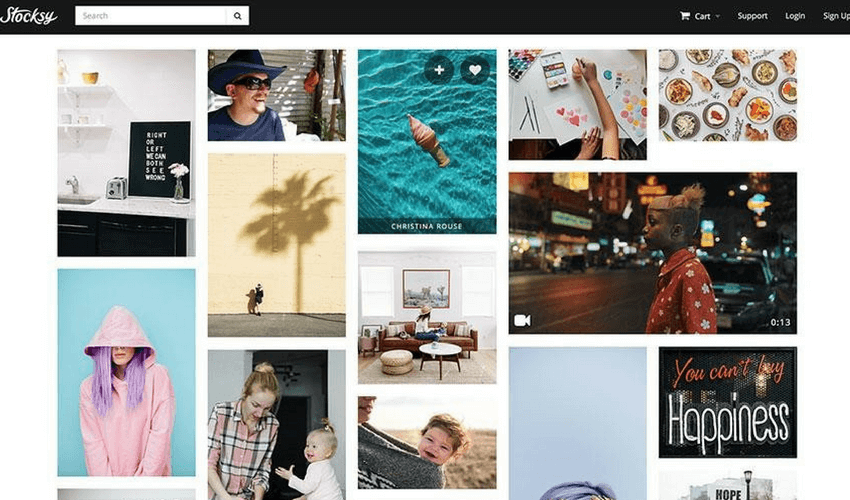
Image credit: Stocksy

Finally, someone has stopped the awful, cheesy stock photography from infecting every blog and website on the planet. It’s been proven, time after time, that human brain processes and engages with visual information much better and faster than any other medium. Inbound lead generation campaigns often involve highly visual content, such as videos and infographics, in an effort to lock people’s attention and generate enough interest to influence their decisions. 

Thanks to the rise of the new generation free stock images libraries, such as Unsplash, DepositPhotos or Stocksy, embellishing your content with high-quality, natural imagery is easier than ever before. Great-looking images can have a massive impact on lead generation efforts if they’re purposefully woven into the rest of the content, adding an additional motivation for consumers to click through, share or buy.

However, keep in mind that the images you use should follow your brand guidelines (more about this later) and contribute to your brand identity. If you illustrate your content with random photos that look great but add little to no value, you’ll risk losing consumer’s interest as soon as they realize the content doesn’t match the visual they chose to click on. 

#5 Design smart opt-ins

Imagine walking up to a stranger at a grocery store and asking for their email address because you’d like to send them something you think they’ll love. Would you be more surprised if they happily shared their personal contact details with you or if they gave you a finger? The same rule applies to online communication, especially when it comes to the buying/selling relationship between a business and its customers.

Inbound lead generation campaigns often focus on capturing email addresses – whether you’re inviting people to register for your webinar or download a free ebook, the ultimate goal is to get into their inbox and send personalized follow-ups in order to bring them back to your site and ultimately, convert.

In the digital age, email address is a powerful currency whose value grows over time. It takes more than a boring signup form to convince people to exchange their email address in return for something particularly valuable to them. Tools like Sumo and OptinMonster will make email list building feel like a walk in the park — you can create beautiful pop-ups that appear on clicks, timers and before visitors exit your site, add sliding bars or sidebar forms and watch your traffic and mailing list thrive. 

#6 Make your lead generation forms friendlier

People are growing really impatient with long, poorly designed lead capturing forms. The immediate gratification that all online users seek is an extremely powerful factor when it comes to lead generation forms. People want what they want and they want it fast. The form is a hot spot for turning visitors into leads for your business, so making sure it’s optimized to cause as little frustration as possible is key.

If you’re not having much luck with getting visitors to fill in your forms, try reducing the friction by removing unnecessary form fields and cutting down on the number of required fields. Adding a prominent call-to-action button, placing the form above the fold and reassuring visitors that their personal details are in safe hands should also contribute to boosting your conversion rate. Make your forms look less like forms by using non-standard user interface elements, such as clickable images or toggle sliders, and use conditional logic to get more information from your users and be able to target specific audience segments. 

#7 A/B test everything

inbound lead generation using ab testing

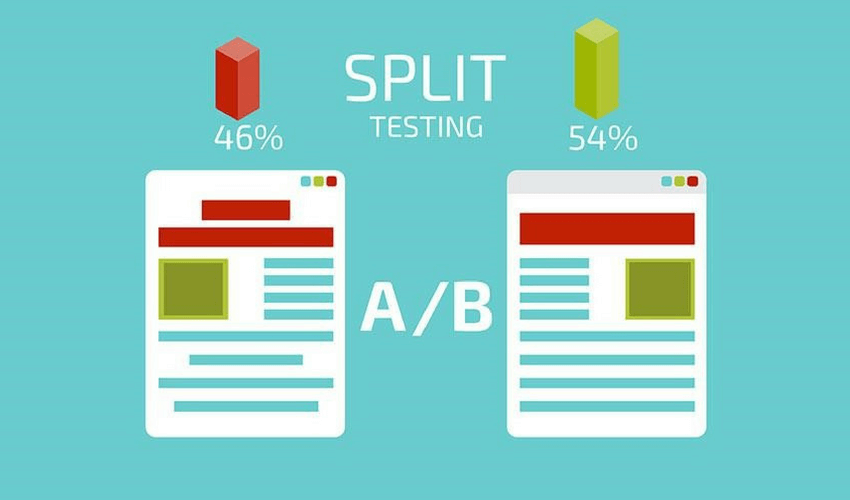
Image credit: mobileseopros

Crafting a stellar landing page from scratch can require serious design and copywriting know-how. You will make mistakes, and that’s fine. What’s not fine is to think that once a campaign or a landing page is launched, you should hurl yourself at building the next one. Wrong.  

Sometimes, a tiny, seemingly insignificant tweak, such as changing the color of a CTA button, can skyrocket your conversions. A good rule of thumb for any business that’s experimenting with online marketing techniques is to A/B test everything. Running targeted experiments will give you unprecedented insight into your customer base, their preferences, and habits. It’s the only way to ensure you’re always running the best performing version of your website or campaign.

Visual Website Optimizer (VWO) is one of the best A/B testing tools for marketers. It lets users tweak, optimize and personalize their website with minimal IT help and takes the guesswork out of conversion optimization. You can also use Google Analytics (GA) to track and measure the impact of changes that you make, but bear in mind that it’s only a basic feature, so your findings will be limited.

#8 Provide value and overdeliver

“Promise an atlas, deliver the world” is a killer advice for those seeking to take their inbound lead generation to a higher level. The only way to earn your customers’ trust is to continuously provide value without asking for anything in return. In a similar way that online retailers run merchandising campaigns to entice their shoppers to come back and spend money with them, businesses invest in educational inbound lead generation campaigns to deliver value-packed content in the form of free ebooks, video courses, cheat sheets, workbooks, and more, to nurture the leads that aren’t ready to make a purchase yet.

Giving top quality content away for free is a reliable way to build rapport with your visitors and position yourself as an expert in the field. If you keep releasing genuinely useful content on regular basis, you will be able to build a loyal and engaged customer base as well as attract more top-of-the-funnel traffic. 

And if your content hits a sweet spot with your customers, chances are they’ll share it with their social networks, giving you extra exposure and potentially driving more traffic to the site. Long-form content is also an excellent way to build links and get some SEO juice, so if you do it right, the benefits of over delivering are crystal clear.

#9 Establish brand guidelines and stay consistent

You may have spent hours crafting the perfect logo, spent a lot of money on a copywriter who crafted the perfect tagline and even printed a ton of beautifully designed business cards – but none of this will stay consistent if you have not established your brand’s guidelines. A brand guideline is a set of tools and design rules on how to use your brand’s elements. The brand’s guideline usually comes in a book or PDF format, laying out how your brand works and how different design elements come together to form your brand’s identity. The brand’s guideline is used by anyone working on your brand – a designer, a copywriter or anyone else creating marketing material for your brand. 

The elements in the brand’s guidelines will differ from business to business, but every guideline should have the following: 

  • Color palette – a set of colors used throughout all your brand’s graphics
  • Tone of voice –  are you funny, persuasive, informative?
  • Typography – a typeface for headings and body of text associated with your brand (you may create your own typeface)
  • Different versions of the brand’s logo – video, social media, print
  • Content style – is your content image-heavy? Longform? Bite-sized?

It may be tempting to adjust the color of your logo for a certain marketing piece, but the change may be unrecognizable to your audience or client and so it will not generate any leads. The guideline will put in place a set of rules, which will ensure your brand’s elements are used consistently and effectively.  

Luckily, you can easily create your guideline yourself. Fortify and Canva both offer free templates to get you started right away or create your own original templates, Hemingway app will help you write impactful and consistent content and Adobe Spark will provide you with all the tools you need to create your logo and other graphics.

#10 Use analytics

inbound lead generation using google analytics

Analyzing your data will allow you to better understand your consumers and how to reach them. Invest time and effort in getting to know your users’ journeys through your site, which will help you to benchmark marketing campaigns that are not working. Among many analytical tools, FullStory offers the unique opportunity to not only get to know your consumers on a deep level by tracking their engagement with a new feature or analyzing campaign conversion rates, it also allows you to see (in video format) their journey on your website – where they went, what issues they encountered and what prompted them to make a purchase or drop off. These insights are made available across your whole team, which will help you to make executive decisions how to best use your resources. 

Analytical tools may also be a key to generating a significant amount of new leads. For example, use tools, such as Hotjar, to identify the hotspots of lead generation on your website. Hotjar offers click and scroll heatmaps (among many other great features) to measure the most engaging and capturing content. The data may reveal that certain keywords are generating a large number of leads, as a result, you can focus on those keywords when writing content for your site or marketing campaigns in order to generate more leads. 

Use Google Analytics (GA) to measure and increase your ROI and drive more traffic to your site. GA is a very robust tool and provides you with an enormous amount of data on your social media traffic referral, page visits and average time per page. Use the tools provided to identify content your consumers enjoy and which channel reaches them best, and produce more to generate new leads. 

#11 Optimize your content for search engine optimization (SEO) and social media optimization (SMO)

The foundation of your inbound lead generation efforts is the content you produce. Produce valuable and relevant content to attract and engage your target audience. Ensure your content is impactful and drives your audience to share it. High-quality content will help you break through the noise and generate more leads.

Content with value is important in increasing your SEO, because search engines equate high-quality content with a high-quality website. Keep track of your content and conduct a content audit to see how much of your content falls into the following categories – informative or promotional. Ensure that you produce a good mix of content, including visuals, and start sharing it on social media. Identify the keywords you want your website to be associated with in search engines and use tools such as Google Keywords to increase your SEO. The more popular your content is on social media, the more Google considers it to be of high value, so it boosts your SEO rankings.

Increasing your SMO will automatically increase your SEO, so it is important you optimize your content for that. Since SMO is all about your presence on social media, start by engaging with your audience. You must comment, like and share your own, as well as others’ posts. Include a CTA button at the end of your posts and encourage people to share, comment and like. Become a leader and provide well researched, high-quality content, which will add value to your readers’ lives. Make it easy for your followers to share your content by providing share buttons, ensure all your social icons are clearly visible on your site and provide subscription options (email, newsletter, RSS).

#12 Use social proof and testimonials to build credibility

In order to successfully generate more inbound leads, you must produce content that your followers will trust. One way of building credibility is using social proof. It can be anything from a recommendation from a friend to an expert’s review. If you can get an expert from your field to recommend your product, make sure you make it loud and clear on your website – people always seek for advice and reviews before making a purchase. Having a well-known figure backing you can be a great way to secure those inbound leads. 

Don’t forget to include and ask for testimonials from your clients. Testimonials are among the most persuasive forms of social proof, as those are the words of a consumer and not an expert and so are perceived as more relatable/trustworthy. Allow the newcomers to make decisions based on what others like them have experienced. Include a high-quality photo to accompany each testimonial, as recent research has shown it makes the testimonials more believable.

Another way to increase your credibility is by increasing the engagement on your content. The volume of engagement (likes, shares, comments) indicates the value of your content. If your post receives a thousand retweets it is more likely that more people will click and read your content. This will also help you increase your SEO and your audience reach, which can generate new inbound leads.

#13 Employ urgency

Last but not least, inducing the sense of urgency is a great way of generating new inbound leads or nudging an undecided consumer to make a purchase. One way of employing urgency is by creating a deadline and using time-sensitive language in an email or a newsletter. Use language such as ‘Limited time only’ or ‘ends tomorrow’ to urge traffic to your site to make a purchase. Include a countdown clock in your newsletter and across your social media, to remind your followers of the urgency. You may wish to send a last minute email for a more dramatic effect. 

Create demand and need with scarcity. Urge your followers with ‘only 3 left’  and ‘while stocks last’ products and offers. The rapidly dwindling supplies can convert the unsure followers into inbound leads. However, ensure that you are honest about the quantities of stock, your followers will find out if you’re lying and they won’t be happy. Invest time and effort into your headline and keep your body of text concise and brief. You want your followers to feel the pressure of the scarcity of your product – you do not want them to get lost in your newsletter.

Finally, use a clear Call-To-Action button. All your efforts will be wasted if you do not tell your followers what you want them to do with the information provided. Make your CTA a highly visible link or a button with action-orientated wording. You can also use Fomo, a tool which showcases recent consumer actions to increase conversion on your site and helps you generate more leads.

Increase-Your-Sales-Leads-Productivity-Without-Breaking-Down_DONE

Takeaways

According to Hubspot, 65% of marketers admit that generating traffic and leads is their top marketing challenge. One way to think about the inbound lead generation is to imagine it like a spiderweb — every campaign is a silk thread; the more threads you have, the bigger is your web, the higher are your chances of catching something. It takes time and skill to spin a wide enough web but it will last you a long time, too. Without leads, your business will perish.  

A diverse inbound lead generation strategy will most certainly lead to a boost in sales. But the main takeaways to consider include:

  • Map inbound lead generation to your sales funnel to be able to effectively target prospects in every stage of the buying journey.
  • Use data to drive your decisions: research keywords and trending content to start from a strong place.
  • Get serious about copy — focus on communicating the benefits of your product rather than features, keep it actionable and tap into human emotions.
  • Take advantage of free high-quality natural stock images — there can never be too many images.
  • Use tools available to you to streamline the process of building a mailing list and driving traffic.
  • Make sure your lead generation forms are asking for essential information only and are simple and convenient to fill in.
  • Spend time A/B testing changes to your website, email or content campaigns to launch with confidence and improve your conversions.
  • Create skyscraper educational content to educate and engage your visitors.
  • Establish your brand guidelines early on, so that you can align all of your marketing efforts.
  • Use analytics to better understand your customer’s journey through the site.
  • Ensure you’re producing the right mix of content, including visuals to optimize your site’s SEO and SMO.  
  • Boost your credibility through social proof.
  • Induce a sense of urgency to prompt your buyers to make a snap buying decision.

Lead generation starts with understanding your customers, so always ask yourself “what’s in it for my customer?”