Get a free sales audit to uncover hidden revenue opportunities!

Best Tools to Warm Up Your Email Account

Introduction

Imagine you’re a sales rep eagerly anticipating responses to your well-crafted emails. But instead, you discover they’re landing in the dreaded spam folder. For many businesses, establishing a new email account comes with the risk of poor deliverability, impacting engagement and increased bounce rates.

Fortunately, there’s a solution—email warm-up. In this guide, we’ll explore the best email warm-up tools that can help improve your sender reputation and enhance your campaign success

What is Email Warm-Up?

Email warm-up is a process that gradually increases the sending volume of a new email account to build trust with email service providers (ESPs). Here’s what you should know:

  • How ESPs Evaluate Sender Reputation: ESPs assess new accounts on sender reputation, which is influenced by factors like engagement rates, (opens, replies) and complaints.
  • Manual vs. Automated Warm-Up: You can choose to warm up your account manually or use automated tools. Automated solutions simplify the process, allowing you to focus on your actual campaigns.
  • Typical Timeline Expectations: It generally takes 2-6 weeks for effective warm-up. During this period, your account grows its reputation gradually.
  • Consequences of Skipping Warm-Up: Neglecting this crucial step can lead to high bounce rates, blacklisting, and spam folder placement.

Why Email Warm-Up Matters for Your Business

  • Build Trust with ESPs: Ensures your emails are recognized as legitimate.
  • Improve Inbox Placement Rates: Proper warm-up leads to better deliverability and engagement.
  • Protect Your Domain Reputation: A strong sending reputation safeguards your domain long-term.
  • Increase Campaign ROI: Enhanced deliverability translates to better engagement.
  • Save Time: Automation speeds up the warm-up process compared to manual efforts.

Best Tools to Warm Up Your Email Account

1. ZeroBounce

Overview: A comprehensive solution for email deliverability needs.

Key Features:

  • AI-Powered Assistant: Guides you through warm-up configurations.
  • Five Engagement Rules: Including Default, Slow Pace, Repair, Boost, and Protect modes.
  • Management Options: Choose self-managed or ZeroBounce-managed automation.
  • Real-Time Tracking: Monitors inbox placement—whether in primary, spam, or promotions.
  • Authentication Monitoring: Ensures SPF, DKIM, and DMARC alignment.

Pricing: $99/month (monthly billing). Annual billing is available with ~20% savings. Includes at least 25,000 email-validation credits/month and access to Email Warmup plus other tools Credits can be used across tools. 

Note: The plan lets you customize included quantities; the page’s selector shows the options and minimums.

Why Choose ZeroBounce for Email Warmup:

  • Improves Deliverability: Regular engagement through warmup helps to build a credible sender reputation and enhance inbox placement.
  • Trusted by Major Brands: With clients like Tata, Disney, and Unilever, ZeroBounce is a top choice for those serious about email marketing.
  • Comprehensive Reporting: Track your progress with real-time stats on inbox placement, reputation, and engagement.

2. Hunter

Overview: Primarily an email finding and verification tool with basic campaign functionality.

Key Features:

  • Domain Search: Find emails associated with companies.
  • Email Verification: 95% accuracy to prevent bounces.
  • Chrome Extension: Quickly find emails on websites.

Pricing:

  • Free Plan: 25 searches + 50 verifications/month.
  • Plans range up to $499/month.

Ideal Use Cases: Users focused on list-building looking to use separate tools for cold emails.

Pros:

  • Intuitive interface and powerful domain search.

Cons:

  • Lacks built-in warm-up features.

3. TrulyInbox

Overview: Offers smart automated warm-up mimicking human interactions.

Key Features:

  • Unlimited Email Accounts: Available even on the free version.
  • Warmup Pool Network: Randomizes timing for natural engagement.
  • Compatibility with Major ESPs: Works seamlessly with various providers.

Pricing: Free plan available; Paid plans start at $22/month.

Ideal Use Cases: Users wanting a straightforward solution that runs on autopilot.

Pros:

  • Simple setup and unlimited accounts on the free plan.

Cons:

  • Basic service without advanced features.

4. SalesBlink

Overview: A full-featured sales outreach platform with built-in warm-up capabilities.

Key Features:

  • AI-Powered Personalization: Automated sequence building with BlinkGPT.
  • Email Interaction Handling: Moves spam emails to the inbox.
  • Customizable Sending: Option to set specific templates for warm-up.

Pricing: Starting at $25/month.

Ideal Use Cases: Teams wanting an all-in-one solution for outreach and warm-up.

Pros:

  • Affordable and comprehensive all-in-one platform.

Cons:

  • Results can vary; users report potential spam flagging.

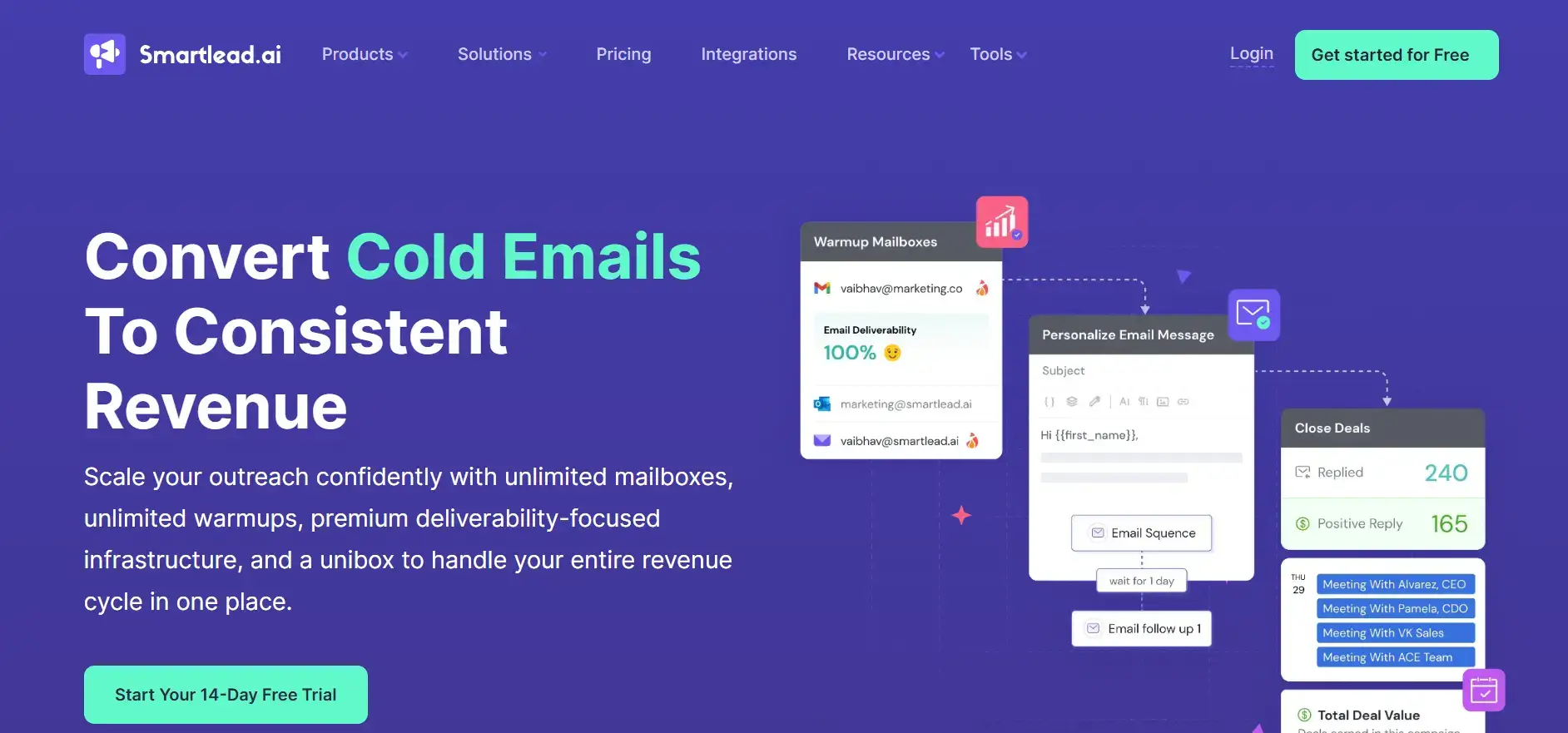
5. Smartlead

Overview: Offers advanced features for B2B companies and agencies managing large-scale campaigns.

Key Features:

  • Unlimited Warmups: Included in all plans.
  • Dynamic IP Rotation: Deployed for each campaign for higher deliverability.
  • Automated Spam Rescue: Moves emails from spam to inbox.

Pricing: Plans starting at $39/month.

Ideal Use Cases: Businesses requiring scalable solutions for extensive emailing.

Pros:

  • Scalable with advanced optimization features.

Cons:

  • Some users experience issues with spam placement.

How to Choose the Right Email Warm-Up Tool

When selecting an email warm-up tool, consider:

  • Primary Use Case: Validation plus warm-up vs. warm-up only.
  • Email Volume & Frequency: Adjust your choice based on your sending requirements.
  • Budget & Pricing Structure: Align it with your financial plans.
  • Integration Needs: Ensure it will work with your existing tools.
  • Customization Levels: Depending on the level of control and flexibility needed.
  • Customer Support Quality: Essential for troubleshooting and optimization.
  • Network Size & Provider Compatibility: Ensure the tool’s network is robust and compatible with your needs.

Email Warm-Up Best Practices

  1. Start with a Clean List: Ensure your emails are verified.
  2. Set Up Authentication: Implement SPF, DKIM, and DMARC before warm-up.
  3. Gradually Increase Volume: Follow best practices to avoid sudden spikes.
  4. Monitor Key Metrics: Pay attention to open and reply rates.
  5. Consistency is Key: Maintain sending frequency for a minimum of 30 days.
  6. Engage Slowly: Use engaged recipients initially to boost reputation.
  7. Adjust Based on Performance: Regularly analyze metrics and make necessary tweaks.

Common Email Warm-Up Mistakes to Avoid

  • Increasing Volume Rapidly: Avoid sending too many emails too soon.
  • Using Poor-Quality Lists: This can severely damage your sender reputation.
  • Skipping Authentication: Neglecting this can lead to deliverability issues.
  • Ignoring Bounce Rates: Keep an eye on bounce rates and act accordingly.
  • Inconsistent Patterns: Failing to maintain regular sending patterns can hurt your score.
  • Abandoning Warm-Up Early: Stop instantly after initial improvements; this could backfire.

Conclusion

Email warm-up is crucial for ensuring your deliverability is top-notch and maintaining a healthy sender reputation. Choosing the right tool to aid in this process is equally important. With AI-driven solutions and a comprehensive ecosystem, businesses can effectively tackle these challenges.

Switching from Salesforce to a free CRM isn’t just about cutting costs. It’s about choosing a system your team will actually use, and one that keeps your pipeline real.

If you’re considering a move, focus on:

  • Clear deal stages with defined next steps

  • Reliable pipeline data you can forecast from

  • Easy adoption for reps (less admin, more selling)

  • Scalability without operational chaos

Teamgate helps reps follow a clear sales process and helps managers trust the numbers, without turning CRM into a full-time admin job. The right CRM should protect revenue by enforcing disciplined selling, consistent follow-up, and clean pipeline data—not just store contacts.

Below, we break down five free Salesforce alternatives and what to consider before making the switch.

Contents

Assessing CRM Needs: A Prelude to Making the Switch

Before embarking on the quest for a Salesforce alternative, businesses must clearly define their core needs. This process goes beyond feature wish lists—it’s about recognizing how a CRM can strengthen customer connections and streamline operations.

Collaboration

At its core, a CRM system should serve as the nexus of your business’s interactions with current and potential customers. The primary consideration should be data centralization, ensuring that customer information is not just stored but is easily accessible, interpretable, and actionable across departments.

For sales teams, this means every deal sits in a clear stage with a defined next step. For managers, it means pipeline data reflects reality, not optimism. A CRM that centralizes emails, calls, meetings, and notes helps reps maintain momentum and prevents context from getting lost across inboxes and spreadsheets.

Integration Requirements

Integration capabilities stand as another pillar in this foundation. Your CRM must connect seamlessly with essential tools, marketing platforms, email providers, support systems, ensuring smooth data flow and cohesive workflows. Due to the limited native Salesforce analytics, it makes sense to send Salesforce data to BigQuery to unlock deeper insights into your business performance.

When evaluating alternatives, prioritize systems that sync email and calendar activity automatically and integrate with your existing stack. The less manual logging required, the higher your adoption, and adoption is what makes pipeline reporting trustworthy.

Scaling and Future Growth

Scalability is the third beacon to guide your choice. A CRM that fits your business today but chokes on growth tomorrow is a strategic misstep. The platform should accommodate growth in customer base and data volume while maintaining structured processes, clear stages, exit criteria, and activity standards.

As your team grows from a few closers to a structured sales organization, your CRM should reinforce consistent behavior: no active deal without a next step, no late-stage opportunity without recent activity, and no forecasting without evidence.

Ease of Use and Flexibility

User-friendliness and customization round off the list of essentials. A CRM, no matter how powerful, loses its value if it becomes a labyrinth your team cannot navigate or adapt to fit your business model.

High adoption by design is critical. If reps feel the CRM helps them sell, by showing clear priorities and reducing admin, they will keep it updated. If it feels like reporting overhead, data quality will suffer and forecasts will drift from reality.

5 Free Salesforce Alternatives

Choosing the right CRM is crucial for enhancing business operations, boosting customer satisfaction, and driving sales. While Salesforce is a leader in the CRM space, its pricing and complexity may not suit every business, making many companies explore Salesforce alternatives. Below, we explore detailed, context-rich analyses of notable free alternatives, each offering unique advantages for different business needs.

Teamgate CRM

Teamgate CRM enters the fray as a powerful yet intuitive CRM solution tailored for small to medium-sized sales teams that care about process and predictability. Rather than overwhelming teams with features, it focuses on what actually protects revenue: disciplined stages, clear next steps, consistent follow-up, and reliable reporting.

Teamgate acts as a sales operating system, built to keep every deal in a real stage with a real next action, so opportunities don’t quietly go stale and managers don’t forecast on wishful thinking.

Teamgate CRM Key Features and Context

  • Simplicity and Efficiency: Teamgate’s user-friendly interface and logical navigation make it easy for teams to adopt and utilize effectively, reducing training time and increasing productivity.
  • Comprehensive Sales Tools: With a strong focus on sales management, Teamgate offers detailed analytics, lead scoring, and pipeline management features, helping businesses optimize their sales processes for better results.

Teamgate CRM Considerations

Teamgate’s focus on sales-centric features makes it an excellent choice for businesses looking to streamline their sales operations. However, companies needing broader CRM functionalities covering marketing and service extensively might need to integrate additional tools.
teamgate crm awards
Teamgate CRM Awards

HubSpot CRM

HubSpot CRM is the epitome of user-friendly design combined with powerful functionality, all available without a price tag. This platform is designed for businesses of all sizes, providing tools that span across sales, marketing, and customer service. Its intuitive interface removes the intimidation factor often associated with adopting new software, making it accessible for teams with varied levels of tech-savviness.

Hubspot CRM Key Features and Context

  • Automation and Integration: HubSpot excels in automating routine tasks and seamlessly integrates with a wide array of tools, including email marketing platforms, social media tools, and more, streamlining workflows and enhancing efficiency.
  • Scalability: Initially free, HubSpot is designed to grow with your business. Its free offerings are robust, but as needs expand, businesses can explore paid plans for more advanced features.

Hubspot Considerations

While HubSpot is an excellent starting point for many businesses, those with more complex needs might find the leap to paid plans necessary sooner than anticipated. This transition can introduce a significant cost, especially for startups and small businesses on tight budgets.

Zoho CRM

Zoho CRM offers a comprehensive suite of features that cater to businesses looking for a highly customizable and scalable CRM solution. Its strength lies in its flexibility, supporting a wide range of business processes and workflows with a particular emphasis on sales and marketing automation.

Zoho CRM Key Features and Context

  • AI-Powered Insights: Zoho’s AI assistant, Zia, provides sales predictions, automation suggestions, and even conversational assistance, helping businesses leverage data for better decision-making.
  • Extensive Customization: Zoho CRM can be tailored extensively to fit unique business needs, including custom fields, modules, and workflows, ensuring that the CRM adapts to the business rather than the other way around.

Considerations

Zoho’s extensive feature set and customization options can be overwhelming for smaller teams or those new to CRM software. Additionally, while Zoho offers a free version, accessing its most powerful features requires upgrading to paid plans.

Bitrix24

Bitrix24 stands out not just as a CRM but as a complete business suite, offering tools for CRM, project management, collaboration, and even website building. This integrated approach makes Bitrix24 particularly appealing for businesses looking to centralize their operations within a single platform.

Bitrix24 Key Features and Context

  • Unified Platform: Bitrix24’s blend of CRM, project management, and internal communication tools facilitates a seamless flow of information across teams, enhancing collaboration and operational efficiency.
  • Versatility: With features supporting sales, marketing, project tracking, and online collaboration, Bitrix24 is well-suited for a variety of business types and sizes.

Bitrix24 Considerations

The breadth of Bitrix24’s offerings can result in a steep learning curve. While it provides a comprehensive toolkit, businesses primarily in need of a CRM may find some features superfluous, potentially complicating the user experience.

Agile CRM

Agile CRM is designed as an all-in-one solution, integrating sales, marketing, and service functionalities into a single platform. It’s particularly suited for small to medium-sized businesses looking for an affordable yet comprehensive CRM solution.

Agile CRM Key Features and Context

  • All-in-One Solution: By combining CRM functionalities with marketing automation and customer support tools, Agile CRM provides a holistic view of the customer journey, enhancing engagement and insights.
  • User Friendliness: Agile CRM focuses on simplicity and ease of use, ensuring that businesses can quickly adopt and make the most of its features without a steep learning curve.

Agile CRM Considerations

Agile CRM’s free version is limited in terms of the number of users and the breadth of features. Businesses with growing teams or more advanced needs may need to consider its paid options.

Migrating from Salesforce to a New CRM

Migrating from Salesforce to an alternative CRM requires planning and structure. This transition impacts data integrity, workflows, forecasting, and team habits, not just software.

Understanding the Scope and Scale

Begin with a full audit of your Salesforce setup, identify all data, custom fields, integrations, and processes. This blueprint ensures nothing critical is lost and helps clarify what truly drives revenue versus what adds noise.

Choosing the Right Migration Tools and Partners

Specialized migration tools or vendor-supported programs can streamline the process. When evaluating your new CRM, ask whether free migration support is available to reduce friction and downtime.

Data Migration: A Structured Approach

Start with data cleansing, remove duplicates, close dead deals, and clarify stage definitions. A clean dataset improves adoption and reporting accuracy from day one. Run a pilot migration before full transfer to validate structure and workflows.

Training and User Adoption

Training should emphasize daily operating rhythm:

  • Every active deal must have a next step.

  • Follow-ups are driven by tasks and reminders.

  • Activity logging is automated where possible.

When reps see that the CRM gives them clear priorities, adoption improves naturally.

Customization and Integration

The final step in the transition process is customizing and integrating the new CRM to fit your business’s unique needs and workflows. This involves setting up custom fields, workflows, reports, and dashboards, as well as integrating the CRM with other business tools and platforms. Customization and integration are critical for ensuring that the CRM aligns with your business processes, enabling your team to work more efficiently and effectively.

Making the Most Out of Your New CRM

A CRM implementation succeeds when it becomes the backbone of your sales operating rhythm, not just a reporting tool.

Continuous Improvement and Feedback

Adopting a new CRM is an iterative process, requiring ongoing evaluation and refinement. Encourage feedback from your team, identifying pain points, and areas for improvement. Use this feedback to fine-tune the system, optimizing workflows, and customizations to better meet your business’s needs.

Leveraging Analytics and Insights

Use analytics to evaluate:

  • Deal aging trends

  • Activity levels by stage

  • Conversion rates between stages

  • Forecast accuracy over time

These insights help identify bottlenecks and improve win rates.

Fostering a Culture of CRM Adoption

Reinforce that the CRM exists to support selling, not to police activity. Celebrate consistent pipeline hygiene, clean next-step coverage, and improved forecast accuracy. When leadership runs weekly pipeline reviews from CRM dashboards, it signals that the system matters.

Conclusion

Switching from Salesforce to a free alternative CRM can reduce costs, but the real advantage comes from improving sales discipline and pipeline clarity.

The right CRM should:

  • Enforce structured stages and defined next steps

  • Prevent deals from going stale

  • Provide managers with reliable forecasting signals

  • Reduce admin so reps focus on selling

With the right planning and commitment to adoption, your new CRM can sharpen execution, protect revenue, and support predictable growth.

To get started with Teamgate today, start a trial or speak with our team of experts to discuss our free migration program. 


FAQs: Salesforce Free Alternatives

What is a CRM and why is it important for businesses?

A: Customer Relationship Management (CRM) software is a tool that helps businesses manage, analyze, and improve their interactions with current and potential customers. It centralizes customer information, streamlines business processes, and enables personalized customer engagement. CRM is crucial for businesses because it aids in enhancing customer satisfaction, increasing sales, and improving team productivity by providing a unified platform for accessing customer data and insights.

Can free CRM systems compete with paid solutions like Salesforce?

A: Yes, free CRM systems can offer compelling alternatives to paid solutions like Salesforce, particularly for small to medium-sized businesses or those with straightforward CRM needs. While Salesforce is renowned for its comprehensive features and scalability, many free CRMs provide essential functionalities such as contact management, sales pipeline visualization, and basic automation tools. These can be sufficient for businesses looking to manage customer relationships effectively without the complexity or cost of premium solutions. However, the key is to assess whether the free CRM meets your specific business requirements and growth plans.

What are the limitations of using a free CRM?

A: Free CRM systems often come with limitations compared to their paid counterparts. Common restrictions include:

  • User limits: A maximum number of users that can access the CRM.
  • Feature restrictions: Advanced features like extensive automation, detailed analytics, and custom reporting may be unavailable or limited.
  • Data storage limits: A cap on the amount of data or number of records you can store.
  • Integration constraints: Limited or no access to integrations with other business tools and platforms. Businesses should carefully evaluate these limitations against their needs to determine if a free CRM can effectively support their operations.

How do I migrate my data from Salesforce to another CRM?

A: Migrating data from Salesforce to another CRM involves several steps:

  1. Data Export: Use Salesforce’s data export functionality to download your data, including contacts, accounts, leads, opportunities, and custom objects.
  2. Data Cleanup: Before importing the data into the new CRM, clean it up. This may involve removing duplicates, correcting errors, and ensuring data formats are compatible with the new CRM.
  3. Mapping Fields: Determine how data fields in Salesforce correspond to those in the new CRM and map them accordingly. This ensures that data is accurately transferred to the correct fields.
  4. Importing Data: Use the import tool or functionality provided by the new CRM to upload your cleaned and mapped data. Start with a small data set to test the import process and ensure accuracy.
  5. Review and Adjust: After importing, thoroughly review the data in the new CRM for accuracy and completeness. Make any necessary adjustments or corrections. Consider consulting with the support teams of both Salesforce and the new CRM or hiring a data migration specialist to assist with complex migrations.

Are there any free CRMs that offer integration with other business tools?

A: Many free CRMs offer integration capabilities with popular business tools and platforms, though the extent and complexity of these integrations can vary. Common integrations include email platforms (e.g., Gmail, Outlook), social media, marketing automation tools, and customer service software. When evaluating a free CRM, check its integration marketplace or documentation to understand which tools it can connect with and any limitations that may apply. Integration can significantly enhance productivity and provide a more cohesive view of customer interactions across different channels.

In today’s competitive business landscape, managing customer relationships efficiently is pivotal for small business growth and sustainability. This article delves into the realm of Customer Relationship Management (CRM) systems, shedding light on why they are indispensable for small businesses. From exploring the key features to consider when selecting a CRM, to reviewing some top free CRM solutions, we provide a comprehensive guide to empower small businesses on their journey towards enhanced customer engagement and operational efficiency.

Key Takeaways:

  1. Importance of CRM: Understand the critical role CRM systems play in scaling operations, enhancing customer relationships, and streamlining processes for small businesses.
  2. Essential CRM Features: Discover the key features to look for in a CRM system including user-friendly interface, customizability, and integration capabilities.
  3. Top Free CRM Options: Get an overview of leading free CRM platforms and how to compare their features to find the right fit for your business.
  4. Implementing CRM: Learn best practices for smooth CRM integration, training, and onboarding to ensure successful adoption within your organization.
  5. Maximizing CRM Benefits: Explore advanced CRM features and learn how to leverage them for optimal productivity and customer engagement.

Why Small Businesses Need a CRM

In today’s competitive marketplace, the heartbeat of any small business is its relationship with customers. A smooth, interactive, and engaging customer relationship is not just a nice-to-have but a necessity. This is where Customer Relationship Management (CRM) systems come into play, acting as the linchpin between businesses and their customers.

The Role of CRM in Scaling Operations

In the nascent stages of a small business, managing customer interactions may seem like a breeze. A few spreadsheets here, a couple of emails there, and you’re set. However, as your customer base expands, the manual approach starts to unravel. CRM systems step in to automate and streamline these interactions, creating a structured, organized framework that can scale with your operations.

A CRM system is much more than just a digital Rolodex; it’s the backbone of your customer interactions. It meticulously records customer data, tracks interactions, and automates repetitive tasks, freeing up valuable time. It’s like having a dedicated team working round the clock to ensure no lead falls through the cracks and every opportunity is capitalized on.

By centralizing customer data, a CRM provides a 360-degree view of your customer interactions. This centralized hub allows for better communication, smoother operations, and informed decision-making to support your sales strategy. It’s not just about maintaining relationships; it’s about deepening them, uncovering new opportunities, and driving sustained growth.

Enhancing Customer Relationships and Retention

Customers are not just looking for a one-off transaction; they are seeking a relationship. They want to feel valued, understood, and catered to. A CRM system is instrumental in fostering and nurturing these relationships. It does so by providing insights into customer behavior, preferences, and needs.

A well-implemented CRM system can predict when a customer might need your product or service, allowing for timely engagement. It can also personalize interactions, making customers feel valued and understood. Over time, these positive interactions build trust and loyalty, which are invaluable for customer retention.

Moreover, satisfied customers are more likely to refer others to your business, creating a virtuous cycle of positive interactions and growth. In a world where customer reviews can make or break a business, maintaining a positive relationship with your customers is not just smart; it’s essential.

Streamlining Processes and Boosting Productivity

Efficiency and productivity are the cornerstones of a successful small business operation. A CRM system turbocharges these attributes by automating routine tasks and centralizing communication. Imagine having a single platform that tracks every customer interaction, schedules follow-ups, and even automates marketing campaigns. That’s the power of a CRM.

By reducing the manual workload, a CRM system allows your team to focus on what they do best: engaging with customers and growing the business. Moreover, the analytics provided by a CRM can identify bottlenecks and areas for improvement, providing a roadmap for continuous improvement and growth.

In essence, a CRM system is not just a tool but a strategic ally, propelling small businesses forward in a competitive market landscape. Through streamlined processes and enhanced productivity, CRM paves the way for a robust, scalable, and customer-centric operation.

Key Features to Consider in a Small Business CRM

The market is flooded with CRM solutions, each touting unique features and benefits. However, not all CRMs are created equal, especially when it comes to catering to the needs of small businesses. Let’s delve into the key features that a small business should consider to ensure they invest in a CRM system that will be a catalyst for growth.

User-Friendly Interface for Quick Adoption

The potency of a CRM system lies in its adoption across the organization. A user-friendly interface is paramount to ensure a smooth adoption process. Small businesses, often running on tight operational margins, can ill-afford a lengthy and complex learning curve.

A CRM system that is intuitive, easy to navigate, and straightforward allows for quick adoption, minimizing resistance from the team. The quicker your team gets comfortable with the CRM, the quicker you can start reaping the benefits. A user-friendly CRM transforms from being a mere tool to a daily companion for your team, facilitating a seamless flow of information and tasks.

Moreover, a CRM with a clutter-free, straightforward interface reduces the chances of errors, ensuring that your data remains accurate and reliable. It’s not just about ease of use; it’s about creating a conducive environment for your team to excel.

Customizability to Suit Unique Business Needs

No two businesses are alike, and a one-size-fits-all CRM system is likely to fall short of your unique operational needs. Customizability is a feature that sets apart a good CRM from a great one.

The ability to tailor the CRM system to match your processes, terminologies, and workflow not only enhances productivity but also ensures a natural fit into your operational ecosystem. A customizable CRM system provides the flexibility to evolve with your business, adapting to new processes and requirements as your business scales.

Whether it’s creating custom fields, modifying the dashboard to show real-time data pertinent to your operations, or integrating with other essential business tools, a customizable CRM is akin to having a bespoke suit tailored to fit your business perfectly.

Integration Capabilities with Other Essential Tools

In the digital age, businesses leverage a suite of tools and applications for their daily operations. A CRM system that can seamlessly integrate with other essential tools such as email, marketing automation, and customer service platforms is a boon.

Integration extends the functionality of your CRM, turning it into a powerful hub that centralizes data from various tools. This centralization not only streamlines processes but also provides a comprehensive view of your business operations and customer interactions.

Moreover, integration eliminates data silos, ensuring that every piece of data is easily accessible and actionable. When your CRM system communicates fluently with other tools, your team enjoys a unified, coherent, and powerful platform to drive business success.

Exploring Top Free CRM Options for Small Businesses

The quest for the perfect CRM can be akin to finding a needle in a haystack. However, armed with the right information, small businesses can navigate through the maze of CRM solutions to find the one that aligns with their needs and budget.

Overview of Leading Free CRM Platforms

The market is replete with free CRM options, each with its distinct set of features and benefits. Leading names like HubSpot CRM, Zoho CRM, and Freshsales have carved a niche by offering robust features at no cost, whilst up and coming solutions such as Teamgate and Capsule CRM are quickly making ground.

These platforms provide a gamut of features like contact management, deal tracking, email automation, and analytics, which can significantly bolster a small business’s customer engagement and operational efficiency. But always be weary of future pricing once your company scales and outgrows the free offerings.

Comparing Features: Which CRM is Right for You?

Choosing the right CRM hinges on a thorough comparison of features against your business needs. Here are some considerations:

  • Ease of Use: Is the CRM intuitive? Does it require extensive training?
  • Customizability: Can it adapt to your business processes?
  • Integration: Does it play well with other tools you use?
  • Support: What level of support does the vendor provide?
  • Scalability: Can it grow with your business?

Comparing CRMs on these parameters will help in narrowing down to a solution that not just meets but exceeds your expectations. It’s about finding a CRM that’s in sync with your business goals and operational workflow.

Implementing and Maximizing Your CRM Investment

Transitioning to a CRM system is not just about adopting a new tool; it’s about ushering in a more structured, data-driven approach to managing customer relationships. The journey from selection to maximization of a CRM system is a strategic endeavor that can significantly impact your business operations and customer satisfaction levels.

Best Practices for Smooth CRM Integration

The integration phase is critical to the success of your CRM implementation. It begins with a clear understanding of your business processes and the goals you aim to achieve with the CRM system. Engage key stakeholders from different departments to ensure a holistic integration plan. Data migration is a significant part of this phase; ensuring data accuracy and consistency is crucial to avoid any operational hiccups. Additionally, mapping out the processes, customizing the CRM to suit your business needs, and ensuring a seamless flow of data across various departments are pivotal steps in this phase.

Training and Onboarding: Ensuring Team Buy-In

A CRM system is as good as the people using it. Training and onboarding are essential to ensure that your team is comfortable with the new system. Comprehensive training sessions covering the core functionalities, custom features, and best practices will empower your team to utilize the CRM system effectively. Encouraging an open feedback loop can provide valuable insights into any challenges faced by the team, allowing for timely resolution. Additionally, creating a repository of training resources and FAQs can serve as a handy reference for your team, fostering continuous learning and adaptation.

Leveraging Advanced Features for Optimal Results

Once the basics are in place, exploring the advanced features of your CRM system can provide a competitive edge. Features like advanced analytics, automation, and integrations with other business tools can significantly enhance productivity and provide deeper insights into customer behavior and preferences. Establishing a regular review process to assess the utilization of these features and the value they add to your business can ensure that you are maximizing your CRM investment. Additionally, staying updated on the latest features and updates from your CRM vendor can help in leveraging the evolving capabilities of the system for sustained business growth.

Teamgate: The Ideal CRM Partner for Small Businesses

In the vast ocean of CRM solutions, Teamgate emerges as a lighthouse for small businesses navigating the turbulent waters of customer relationship management.

What Sets Teamgate Apart from Other CRM Solutions

Teamgate’s intuitive design and a rich array of features make it a compelling choice for small businesses. Unlike many other CRM systems that come with a steep learning curve, Teamgate is designed for quick adoption. Its user-friendly interface, coupled with powerful customization capabilities, allows for a seamless integration with your existing business processes.

The robust analytics provided by Teamgate can be a game-changer in understanding customer behavior and preferences. Moreover, its ability to seamlessly integrate with other essential business tools creates a unified, powerful platform to manage customer relationships efficiently. The support and training resources provided by Teamgate ensure that your team is well-equipped to utilize the CRM system to its full potential.

Seamless Experience Tailored for Small Business Needs

Teamgate understands the unique challenges faced by small businesses and has tailored its CRM solution to meet these specific needs. The easy setup process, coupled with the availability of a knowledgeable support team, ensures a smooth transition to Teamgate’s CRM system.

The flexibility to customize the system, along with a range of integrations with other business tools, makes Teamgate a versatile solution that can adapt to your evolving business needs. Moreover, the transparent pricing and the availability of a free version for small business make it an affordable choice for small businesses keen on maximizing the value from their CRM investment.

Growing with Your Business: Scalability and Support

Teamgate is not just a CRM solution; it’s a partner in your growth journey. As your business scales, Teamgate’s scalable architecture ensures that the CRM system grows with you, accommodating your expanding customer base and operational complexity.

The ongoing support and training resources provided by Teamgate ensure that your team is always updated on the latest features and best practices. The commitment to customer success exhibited by Teamgate through its proactive support and continuous enhancement of its CRM solution makes it a reliable partner for small businesses aiming for sustained growth.

To learn more about Teamgate’s FREE small business offerings, speak to their team today or get started yourself with a 14-day free trial.


FAQs: Free CRM for Small Businesses

  • What is a CRM and why is it important for small businesses?
    • CRM, or Customer Relationship Management, is a tool that helps businesses manage interactions with customers and potential customers. For small businesses, a CRM is crucial for organizing customer data, streamlining processes, and improving customer satisfaction and retention.
  • How can a CRM system improve customer relationships?
    • A CRM system centralizes customer data, providing insights into customer preferences and behaviors. This enables personalized interactions, timely engagement, and better service, thereby improving customer relationships.
  • What are the top free CRM solutions for small businesses?
    • Some leading free CRM solutions include Teamgate, HubSpot CRM, Zoho CRM, and Freshsales. Each of these platforms offers a unique set of features catering to different business needs.
  • How does Teamgate compare to other free CRM options?
    • Teamgate stands out for its user-friendly interface, customizability, robust analytics, and dedicated support, making it a favorable choice for small businesses.
  • How can CRM software streamline business operations?
    • CRM software automates routine tasks, centralizes communication, and provides real-time analytics, which streamlines business operations and boosts productivity.
  • What should small businesses consider when choosing a CRM?
    • Small businesses should consider ease of use, customizability, integration capabilities, support, and scalability when choosing a CRM to ensure it aligns with their operational needs.
  • How can a small business maximize the benefits of a CRM investment?
    • Maximizing benefits from a CRM investment involves choosing a CRM that aligns with business needs, ensuring smooth integration, providing adequate training to the team, and leveraging advanced features for enhanced productivity and customer engagement.

In the digital age, nonprofits are turning to CRM systems not just to manage relationships but to forge new ones and streamline their operations for unparalleled efficiency and impact. This article delves into the specialized needs of nonprofits for CRM tools, the advantages of leveraging such systems, and the critical features that can transform their day-to-day functions and long-term strategies.

Key Takeaways:

  1. Specialized CRM Needs: Nonprofits require CRM systems that go beyond traditional business tools to cater to their unique donor and volunteer management needs.
  2. Donor Relationship Enhancement: Effective CRM usage significantly boosts donor retention and engagement through personalized communication and strategic relationship management.
  3. Operational Efficiency: A well-implemented CRM system can automate routine tasks, allowing nonprofits to focus on their core mission and optimize their resources.
  4. Essential CRM Features: Free nonprofit CRMs should offer user-friendly interfaces, customizable modules, and robust reporting features to track fundraising and campaign success.
  5. CRM Implementation Strategy: Successful CRM adoption in nonprofits hinges on clear planning, stakeholder engagement, thorough training, and a commitment to continuous improvement.

The Unique CRM Needs of Nonprofits

Why Nonprofits Require Specialized CRM Tools

In the altruistic realm where nonprofits thrive, the tools they wield must transcend mere functionality; they must echo the ethos of their mission. A Customer Relationship Management (CRM) system is not just a tool for these organizations—it’s the lifeblood that sustains their relationships, the beacon that guides their outreach, and the ledger that accounts for their growth. Unlike their for-profit counterparts, nonprofits are stewards of trust and hope, managing not just a customer base but a community of donors, volunteers, and beneficiaries.

Herein lies the crux: Nonprofits require specialized CRM tools that reflect the nuanced nature of their operations. These organizations do not seek profit but purpose, not customers but contributors to a cause. The CRM system for a nonprofit, therefore, must be adept at tracking multifaceted relationships that span beyond transactions. It should enable the nurturing of donor relationships, the efficient organization of events, and the management of an oftentimes largely volunteer-driven workforce.

Specialized CRM tools for nonprofits offer capabilities tailored to these needs. They enable organizations to segment donors based on contribution history, communication preferences, and engagement level. This segmentation is pivotal, allowing for personalized interactions that foster long-term commitment and support. Additionally, these systems provide critical functionalities for campaign management, grant tracking, and the meticulous reporting needed for transparency and regulatory compliance.

The bespoke nature of a nonprofit’s CRM tool is not a luxury but a necessity. It must be a chameleon, changing colors with the varying hats that nonprofit professionals wear—from fundraisers to event organizers, from community managers to financial overseers. This adaptability ensures that a nonprofit’s message resonates, its funds are safeguarded, and its impact is amplified.

The Role of CRM in Donor Management and Engagement

The art of donor management is akin to cultivating a garden; it requires patience, care, and the knowledge that each interaction plants the seeds for future growth. In this delicate ecosystem, a CRM system serves as both the gardener’s tool and diary, helping to record each nuance of the donor’s journey and ensuring that no detail is left to wither.

A sophisticated CRM solution is instrumental in managing this lifecycle, from the first sprout of interest to the blossoming of a lasting relationship. It equips nonprofits with the ability to track the history and preferences of each donor, enabling a personalized approach to communication. Such tailored interactions are not merely courteous; they are catalysts for deeper engagement.

The CRM also plays a pivotal role in donor retention—a metric as critical as any in the nonprofit sector. By analyzing data collected within the CRM, nonprofits can identify trends and patterns in giving. They can recognize the warning signs of waning interest or the ripe moments to engage for increased support. This strategic approach to donor management and engagement can significantly boost retention rates, ensuring a stable and predictable flow of support.

Moreover, the CRM acts as a central repository for all donor interactions, whether they be donations, volunteer hours, or attendance at events. This holistic view enables nonprofits to appreciate the full scope of a donor’s involvement, fostering a deeper appreciation and a more informed strategy for future engagement.

In the tapestry of nonprofit operations, donor management is a thread that weaves through every aspect of their work. A CRM system does more than just keep this thread intact; it ensures that it’s strong, vibrant, and reflective of the communal masterpiece that a nonprofit aims to create.

Streamlining Operations and Maximizing Impact with CRM

Efficiency is not merely a buzzword in the nonprofit sector; it’s a promise—a vow to utilize every resource with the utmost efficacy to maximize impact. In this pursuit, a CRM system is the silent sentinel that stands guard over the sanctity of operations, ensuring that every process is as streamlined as a river carving its path through the bedrock.

With a CRM, the labyrinthine tasks of managing donations, coordinating events, and mobilizing resources become harmonized under one symphonic interface. It empowers nonprofits to automate mundane tasks, freeing the hands of the changemakers to sculpt the contours of their cause. From automating acknowledgment letters to scheduling outreach communications, CRM software reduces the administrative burden, enabling staff to focus on the human touch that breathes life into their work.

Yet, the benefits of a CRM system stretch beyond mere operational efficiency. They extend into the realm of strategic impact. By centralizing data, CRMs allow for the cross-pollination of information, providing a fertile ground for insights to bloom. Nonprofits can track the success of campaigns, understand the demographics of their support base, and allocate resources with precision that only informed analysis can provide.

The importance of maximizing every dollar cannot be overstated in the nonprofit world, where every cent is a soldier in the fight for their cause. A CRM system ensures that these soldiers march in unison.

Advantages of Implementing a CRM for Your Nonprofit

Enhancing Donor Relationships and Retention

To fortify the bastion of a nonprofit’s mission, the ramparts of donor relationships must be unassailable. In this noble endeavor, CRM systems serve as both the mason and the mortar, laying the foundation for relationships built to last and weather any storm. The strategic utilization of CRM goes beyond the mere recording of donations; it’s the crafting of a narrative for each donor, a story that they are a part of, one that grows with every chapter.

CRM systems allow nonprofits to curate these narratives meticulously, by keeping a pulse on the donor’s engagement. Through personalized communication strategies enabled by the CRM, nonprofits can create a more meaningful dialogue with their supporters. They can celebrate anniversaries of first donations, acknowledge milestones, and appreciate the nuances that make each donor unique. This level of personalization is not just the key to winning hearts but also to retaining them.

Retention, after all, is the watchword in the donor management lexicon. The cost of acquiring a new donor often eclipses that of nurturing an existing one. Here, a CRM system shines by providing actionable insights into donor behavior, helping nonprofits to pre-empt disengagement and proactively rekindle waning interest. In the echoing halls of a nonprofit’s cause, a CRM’s data-driven approach ensures that no donor’s echo fades into silence.

Efficiently Managing Volunteers and Resources

In the tapestry of a nonprofit’s narrative, volunteers are the vibrant threads that give it color and texture. Managing these invaluable contributors requires a blend of precision and grace—a harmony that a CRM system orchestrates with finesse. With CRM tools, the coordination of volunteer activities transforms from a cacophony of disparate efforts into a symphony of synchronized actions.

The efficacy of a CRM in volunteer management is multifold. It enables the tracking of volunteers’ skills, availability, and history of engagement, allowing for strategic placement and the optimal utilization of their talents. The ripple effect of this strategic placement is profound: volunteers feel valued and utilized, driving deeper engagement and, in turn, greater impact for the nonprofit’s initiatives.

But the prowess of a CRM extends beyond the human capital to the tangible assets of the nonprofit. Resource management, a critical but often under-emphasized facet, benefits from the centralized oversight that CRM systems provide. Inventory, allocation of funds, and the deployment of assets can be managed with the precision of a maestro conducting an orchestra, ensuring that each resource contributes to the crescendo of the nonprofit’s success.

Gaining Insights: Data-Driven Decision Making

In the quest to magnify impact, nonprofits must navigate through a fog of uncertainties and assumptions. A CRM system acts as the lighthouse, cutting through this fog with the beam of data-driven insights. It’s this reliance on data, the empirical compass, that guides a nonprofit’s decisions from speculation to precision.

Harnessing the power of CRM analytics enables nonprofits to distill the essence of their operations into actionable knowledge. They can track the effectiveness of fundraising campaigns, analyze the demographics of their donor base, and measure the engagement levels across various channels. This wealth of information becomes the bedrock upon which strategies are sculpted.

Armed with CRM-generated insights, nonprofits can predict trends, adapt to shifts in donor behavior, and tailor their outreach. The agility afforded by such informed decision-making allows for a responsive rather than reactive approach to market dynamics. In the grand tapestry of social change, a CRM’s analytical prowess ensures that each stitch is placed with intention, each pattern designed with foresight.

The ultimate boon of a CRM system lies in its ability to transform raw data into a narrative that informs a nonprofit’s strategy. It’s not just numbers that these systems crunch; it’s the dreams and aspirations of the cause they serve. With the guiding star of data, a nonprofit can steer its ship with confidence, knowing that every decision is a step towards a greater impact.

Features to Look for in a Free Nonprofit CRM

User-Friendly Interface: Easy Adoption for Your Team

As the adage goes, the best tool is the one you actually use. In the context of nonprofit organizations, where resources are often stretched thin, the adoption of a CRM system hinges on its ease of use. A user-friendly interface becomes not just a convenience, but a critical factor in the successful deployment of the technology. The hallmark of an effective nonprofit CRM is its intuitiveness, allowing even the most technologically averse team members to navigate with confidence.

A CRM should offer a clean, uncluttered interface that presents information in an accessible and logical manner. Simplicity in design should not come at the expense of functionality, but rather enhance it, ensuring that common tasks can be performed with minimal clicks and a shallow learning curve. Tooltips, customizable dashboards, and a well-organized contact database are elements that contribute to a user-friendly experience.

The goal is a CRM system that feels less like a foreign apparatus and more like a natural extension of the nonprofit’s workflow. This seamless integration into daily operations is vital for user adoption and, ultimately, for the CRM to become an indispensable tool in achieving the organization’s mission.

Customizable Modules: Tailoring to Nonprofit Needs

The versatility of a CRM is measured not by its features alone but by its ability to mold itself to the unique contours of an organization. Nonprofits vary greatly in their operations, focus areas, and strategies. As such, the CRM serving them must be equally adaptable, offering customizable modules that cater specifically to their diverse needs.

Customization can range from the superficial, such as branding and color schemes, to the profound, such as custom fields, unique workflow automations, and bespoke reporting templates. A CRM should empower a nonprofit to build a system that reflects its operational structure and data priorities. This might mean integrating donation tracking systems, event management schedules, or volunteer databases in a way that aligns with the nonprofit’s specific processes.

Moreover, the ability to add or modify modules as the organization evolves ensures that the CRM can grow and adapt alongside the nonprofit. Customizability ensures that the CRM is not just a static tool, but a dynamic ally in the nonprofit’s journey.

Robust Reporting: Tracking Fundraising and Campaign Success

In the world of nonprofit management, informed decisions are the currency of success, and robust reporting features in a CRM system are the mint. The ability to generate detailed reports on fundraising activities, campaign successes, and other key performance indicators is indispensable for strategic planning and demonstrating accountability to stakeholders.

A robust CRM will offer a suite of reporting tools that allow nonprofits to track everything from donor retention rates to the effectiveness of different communication channels. It should enable the creation of custom reports that can drill down into the specifics of each campaign, providing insights that can be used to replicate success and learn from less successful endeavors.

The power of a CRM’s reporting capabilities lies in its ability to transform data into a narrative that can be understood at a glance. Visual analytics, such as dashboards and heat maps, can highlight trends and patterns that might otherwise go unnoticed. By making data accessible and comprehensible, a CRM empowers nonprofits to move forward with confidence, backed by the solid foundation of empirical evidence.

In the quest to achieve the greatest impact, the stories told by data are the nonprofit’s roadmap. A CRM system with robust reporting features ensures that this roadmap is clear, comprehensive, and actionable.

Top Free CRM Solutions for Nonprofits

hubspot v zoho v teamgate

Overview of Leading Free CRM Platforms

Navigating the digital landscape in search of the ideal CRM can be daunting for nonprofits. However, the market offers several stellar free platforms that stand out for their commitment to supporting the unique needs of the sector. Each platform brings its own set of tools to the table, designed to enhance nonprofit operations without imposing financial strain.

HubSpot CRM emerges as a frontrunner, boasting a user-friendly interface and a comprehensive suite of services. It’s an all-in-one platform that excels in managing donor relationships and automates key marketing processes. Its scalability makes it suitable for nonprofits of various sizes, ensuring that as organizations grow, their CRM can expand in tandem.

Zoho CRM, another strong contender, offers versatility with its customizable modules and robust analytics, all while maintaining a simple and intuitive user experience. It provides nonprofits with a 360-degree view of their operations, from donor management to fundraising campaigns.

Teamgate is hailed for its collaborative tools and internal communications systems. It goes beyond traditional CRM functions to offer in-depth customer support and analytics features, which are particularly useful for nonprofits that managing numerous funnels and projections simultaneously.

Each of these platforms offers a different flavor of CRM functionality, and the best choice for a nonprofit will depend on its specific needs and goals. The common thread is their ability to provide powerful tools at no cost, ensuring that financial constraints do not impede the noble missions they serve.

Comparing Features and Benefits for Nonprofits

When selecting a free CRM for a nonprofit, the decision should be informed by a careful comparison of features and benefits.

HubSpot CRM shines with its marketing automation and seamless integration with a wide array of tools, making it a powerhouse for donor engagement and retention.

Zoho CRM’s strength lies in its customizability, allowing organizations to tailor the platform to their unique processes. Its analytics are potent, enabling nonprofits to make data-driven decisions with ease.

Teamgate offers a unique proposition with its focus on internal collaboration and ease of use. Additionally, its analytical capabilities are a boon for nonprofits that engage in complex, multifaceted projects and need to keep their projections accurate and dislocated teams in sync.

The key to selecting the right CRM is understanding the nonprofit’s operational rhythm and choosing a platform that complements and enhances its beat. While each CRM has its merits, the right choice will align with the organization’s size, workflow, and the complexity of the tasks at hand.

Implementing and Maximizing Your Nonprofit CRM

Best Practices for CRM Implementation

The implementation of a CRM system within a nonprofit is a pivotal moment, heralding a new era of efficiency and engagement. To ensure the transition is as smooth as silk, there are several best practices to adhere to. First, begin with a clear strategy that outlines the desired outcomes of the CRM implementation. This blueprint should articulate the processes that the CRM will streamline and the improvements expected in donor management and operations.

Engage stakeholders at all levels — from the board members to the volunteers — to cultivate buy-in and understand the requirements and concerns of each user group. Tailor the CRM’s setup to these needs, ensuring that the system is intuitive and aligns with the nonprofit’s workflow.

Data migration is a critical step; it should be executed with precision to maintain the integrity of donor information and historical data. Following this, thorough testing of the CRM environment is essential to identify and rectify any issues before going live.

Training is the cornerstone of successful CRM adoption. Invest in comprehensive training sessions that empower staff to utilize the full suite of CRM tools effectively. Remember, a CRM system is only as good as the people using it.

Training Your Team: Ensuring Smooth Transition

A new CRM system can be a beacon of advancement for a nonprofit, but its light will dim if the team is not equipped to harness its power. Training should be comprehensive, ongoing, and tailored to the different roles within the organization. Start with the basics, ensuring everyone understands how to navigate the system and perform key tasks.

Interactive training sessions, bolstered by real-life scenarios and hands-on exercises, can enhance learning and retention. Additionally, consider creating a CRM manual or resource hub where staff can access training materials and best practices as needed.

Support does not end post-training; offer regular check-ins and refresher courses to address any challenges and keep the team updated on new features or best practices. This ongoing education ensures that the CRM remains a robust tool in the hands of the nonprofit staff.

Continuously Improving and Adapting to Changing Needs

The landscape of the nonprofit sector is ever-evolving, and a CRM system must be fluid in its evolution to remain relevant. Continuous improvement of the CRM system is crucial. Solicit regular feedback from users to understand how the system is supporting their work and where enhancements can be made.

Monitor the CRM’s performance and the nonprofit’s evolving needs to identify opportunities for additional functionalities or integrations. As the organization grows and changes, the CRM should scale and adapt accordingly.

Stay abreast of technological advances and CRM best practices to ensure the system does not become obsolete. By fostering a culture of continuous learning and adaptation, the nonprofit can ensure that its CRM system remains a dynamic and invaluable asset.

The implementation of a CRM is not the culmination but the commencement of a journey towards greater impact. With careful planning, comprehensive training, and a commitment to continuous improvement, a nonprofit can ensure that its CRM system is an enduring ally in its mission.

Elevate Your Nonprofit’s Impact with Teamgate

Why Teamgate is the Ideal CRM Choice for Nonprofits

In the constellation of CRM platforms, Teamgate shines as a beacon tailored for the nonprofit sector. Its allure lies not only in its cost-effectiveness but also in its comprehensive suite designed to address the multifaceted challenges nonprofits face. Teamgate emerges as the ideal CRM choice for nonprofits due to its blend of functionality, flexibility, and focus on user experience.

Teamgate offers a suite of tools that extend beyond basic donor management. Its integrated approach allows for seamless management of fundraising campaigns, donor interactions, and volunteer coordination, all within one centralized platform. This integration is pivotal for nonprofits where information flow and resource optimization are key to sustaining their operations and maximizing their impact.

Moreover, Teamgate understands the budget constraints that often accompany nonprofit endeavors. Thus, it provides a robust free version that empowers organizations to leverage CRM benefits without financial burden. The platform’s scalability means that as the nonprofit grows, Teamgate can grow with it, providing advanced features and support when needed.

What truly sets Teamgate apart is its commitment to understanding the nonprofit ecosystem. The platform is continuously updated with input from nonprofit leaders to ensure that it meets the evolving needs of the sector. With Teamgate, nonprofits are equipped not just with a tool, but with a partner in their mission to drive social change.

Seamlessly Integrate Donor Management, Campaigns, and More with Teamgate

Teamgate’s prowess lies in its harmonious integration of various nonprofit management aspects, creating a symphony of efficiency and effectiveness. It unifies disparate elements of nonprofit operations, from donor databases and campaign planning to volunteer schedules and communication strategies, into a cohesive whole.

The platform’s donor management system is meticulous and intuitive, enabling nonprofits to cultivate and maintain strong relationships with their donors. It allows for detailed donor profiles, complete with interaction histories and preferences, ensuring that each communication is personalized and impactful.

Campaigns, the lifeblood of nonprofit fundraising, are equally well-served by Teamgate’s integrated tools. The platform enables seamless planning, execution, and analysis of campaigns, ensuring that each initiative reaches its full potential. The ability to track real-time results and adjust strategies on the fly is invaluable for nonprofits operating in a dynamic environment.

Teamgate also appreciates the critical role of volunteers in the nonprofit sector. Its volunteer management capabilities ensure that each individual’s time and skills are utilized effectively, enhancing satisfaction and retention. This integrated approach ensures that every aspect of nonprofit management is optimized for success.

Ready to Amplify Your Mission? Discover Teamgate’s Nonprofit Solutions Today!

As the chapter on traditional, fragmented nonprofit management closes, Teamgate stands ready to usher in a new era of integrated, impact-driven operations. It’s not just a CRM; it’s a tool that resonates with the pulse of nonprofit work, a solution designed to amplify the mission of those who strive for a better world.

Teamgate invites nonprofits to embark on a journey of transformation, to explore how its CRM solutions can streamline their operations, strengthen their donor relationships, and supercharge their campaigns. The platform is more than software—it’s a catalyst for change, a companion in the quest to make a lasting difference.

Nonprofits ready to elevate their impact will find in Teamgate a suite of solutions crafted with their needs in mind. With Teamgate, the path to amplified mission work is clear and within reach. Discover what Teamgate’s nonprofit solutions can do for your organization today, and take the first steps by getting started for FREE!


FAQs: Free CRM for Nonprofits

What are the best free CRM platforms for a small nonprofit?

For small nonprofits looking to optimize their operations without significant investment, some of the best free CRM platforms include HubSpot CRM, Zoho CRM, and Bitrix24. Each platform offers unique features like marketing automation, customizable modules, and project management tools that cater to different needs. HubSpot CRM is renowned for its user-friendly interface and all-in-one marketing tools, Zoho CRM for its exceptional customizability and analytics, and Bitrix24 for its strong collaborative features.

How does a CRM help manage nonprofit donor relations?

A CRM system helps manage donor relations by centralizing donor information, enabling personalized communication, and facilitating engagement tracking. It can segment donors based on their interactions, preferences, and donation history, allowing for targeted outreach and fostering of long-term relationships. Additionally, it provides tools for automated follow-ups, donation acknowledgments, and detailed reporting to help nonprofits understand and enhance their donor engagement strategies.

Can CRM software improve volunteer management?

Yes, CRM software can significantly improve volunteer management by providing tools for tracking volunteer data, such as availability, skills, and participation history. It can help with scheduling, communication, and assigning tasks based on volunteers’ preferences and qualifications. By streamlining these processes, a CRM can increase volunteer satisfaction and retention, ultimately making volunteer management more efficient and effective.

What features are essential in a CRM for donation tracking?

An effective CRM for donation tracking should have robust donation management features, including the ability to record donation amounts, sources, and dates. It should offer customizable donation forms, automated receipt generation, and integration with payment processing systems. Reporting and analytics are also essential for tracking donation trends, donor lifecycles, and campaign performance.

How do you implement a new CRM system in a nonprofit organization?

Implementing a new CRM system in a nonprofit organization involves a strategic approach that includes planning, stakeholder engagement, data migration, user training, and ongoing support. It’s crucial to define the goals and outcomes expected from the CRM, ensure that it aligns with the nonprofit’s processes, and provide thorough training for all team members. Regular evaluation and adaptation of the CRM to the nonprofit’s changing needs are also vital for successful implementation.

Why is Teamgate recommended for nonprofit CRM needs?

Teamgate is recommended for nonprofit CRM needs due to its comprehensive suite of tools specifically designed for nonprofit operations. It offers a user-friendly interface, scalable features, and a focus on integration, making it ideal for donor and volunteer management, campaign execution, and overall operational efficiency. Its adaptability and affordability make it suitable for nonprofits of various sizes and scopes.

How does data analysis in CRM influence nonprofit decision-making?

Data analysis in CRM influences nonprofit decision-making by providing actionable insights into donor behavior, campaign effectiveness, volunteer engagement, and overall operational efficiency. By analyzing data collected through CRM, nonprofits can make informed decisions about where to allocate resources, how to tailor fundraising strategies, and ways to improve donor and volunteer experiences. This data-driven approach leads to more strategic planning and better outcomes for the organization’s mission.

In the bustling marketplaces of the digital age, the art of selling has transformed. It’s not just about having a great product or service; it’s about guiding potential customers on a voyage from discovery to devotion. This journey, commonly known as the sales funnel, is a multi-stage odyssey designed to convert strangers into loyal customers. It’s a concept as old as commerce itself but refined for the internet era, where attention is fleeting, and competition is fierce.

The sales funnel is a strategic blueprint; it’s your business’s roadmap for customer engagement, conversion, and retention. With every stage, from the first glimmer of awareness to the final act of purchase and beyond, there’s an opportunity to connect, persuade, and satisfy. But to do this efficiently and effectively, you need a tool that embodies the essence of your sales strategy—a sales funnel template.

In this comprehensive guide, we’ll dissect the anatomy of a sales funnel, unveil the critical components that make it effective, and introduce you to a robust, free sales funnel template that promises to streamline your sales process. By tailoring this template to your unique business needs, you can unlock new levels of productivity and success.

Key Takeaways

  1. Sales Funnel Stages: Understand the four critical stages of a sales funnel—Awareness, Interest, Decision, Action—and how each contributes to successful customer conversion.
  2. Key Components: Learn the importance of lead generation, nurturing, conversion, and retention as the fundamental elements of an effective sales funnel.
  3. Benefits of a Template: Discover how a sales funnel template can streamline your sales process, identify bottlenecks, and enhance team collaboration.
  4. Customizing Your Template: Gain insights on personalizing the sales funnel template to fit your unique business needs and maximize its potential.
  5. Practical Usage: Explore actionable tips for utilizing your sales funnel template, including regular reviews, iterative improvements, and data-driven decision-making.

Table of Contents

  1. The Essence of a Sales Funnel
  2. Key Components of an Effective Sales Funnel
  3. Benefits of Using a Sales Funnel Template
  4. Best Free Sales Funnel Templates
  5. Elevate Your Sales Strategy with Teamgate

The Essence of a Sales Funnel

What is a Sales Funnel and Why is it Crucial?

A sales funnel is the conceptual pathway that captures the journey of a potential customer from the moment they first interact with your brand to the ultimate goal of conversion—and beyond. It mirrors the customer’s purchasing process, which can be dissected into distinct phases: awareness, interest, decision, and action. A well-constructed sales funnel doesn’t just capture this journey; it nurtures it. It’s the difference between a passive bystander and an engaged guide in the customer’s purchasing journey. In today’s cutthroat markets, a business without a clear and optimized sales funnel risks watching potential customers slip through their fingers like sand.

The Stages of a Sales Funnel: Awareness to Conversion

Awareness

The awareness stage is where the customer’s journey begins. It’s not just about making noise in the market; it’s about resonating with the right audience. At this juncture, potential customers have a need or problem but might not be aware of your solution. Your objective is to capture their attention with content that educates, informs, and intrigues. This could be through insightful blog posts, engaging social media content, or targeted advertising. It’s about casting a wide net to gather as many prospects as possible and planting the seeds of interest.

Interest

As prospects move down the funnel, their interest piques. They are aware of their problem and are actively looking for solutions. Here, your content must transition from informative to persuasive. You need to showcase your expertise, build credibility, and position your offering as the solution to their needs. This is where detailed guides, webinars, and case studies come into play. You offer value, insight, and tease the promise of a solution that aligns with their expectations.

Decision

The decision stage is where prospects are weighing their options. They are considering your product or service amongst a sea of competitors. Your task here is to stand out. Through comparative content, persuasive copywriting, and targeted offers, you aim to tip the scales in your favor. This is the stage for free trials, demonstrations, and consultations—anything that helps the prospect visualize the value proposition clearly.

Action

Finally, the action stage is where the prospect becomes a customer. It’s about making the purchase process as smooth and seamless as possible. It’s about providing a clear call-to-action (CTA), an easy checkout process, and reassurance through guarantees and return policies. Here, the focus shifts to conversion optimization, ensuring that each step is guiding the prospect towards making a purchase decision.

Understanding the sales funnel stages is fundamental to crafting a sales funnel that not only captures but capitalizes on the customer’s journey. It’s not enough to know they exist; one must delve into the psyche of the customer at each phase, tailoring strategies to their evolving mindset.

Key Components of an Effective Sales Funnel

Lead Generation: Capturing Potential Customers

The genesis of an effective sales funnel is lead generation—capturing the contact details of interested parties for further engagement. It’s akin to planting seeds in fertile soil, anticipating growth. In this digital era, leads can sprout from various channels: social media interactions, website visits, downloaded content, or even a webinar sign-up. The cornerstone of lead generation is offering value upfront—be it an insightful eBook, an enlightening newsletter, or a compelling webinar. What’s essential is that the value proposition is clear, compelling, and directly addresses the potential customer’s pain points or desires. Capturing leads isn’t just about quantity; it’s about qualifying those leads to ensure they have a genuine interest in what you have to offer.

Lead Nurturing: Building Trust and Relationships

Once a lead is captured, the nurturing phase begins. It’s not a hard sell; it’s a courtship. Through consistent and personalized communication, you aim to build a relationship, establish trust, and position your brand as the go-to authority. Lead nurturing often involves a series of carefully crafted emails, each providing value and guiding the lead through the sales funnel. It’s about understanding their needs, providing solutions, and making them feel heard. It’s a delicate balance between being informative and persuasive without being intrusive. To maintain professionalism and brand recognition throughout your communication, you can use an email signature generator to create consistent, branded signatures for every message.It’s about warming the leads, so when it comes to decision time, your brand stands out not just for its products or services, but for the relationship you’ve built.

Conversion: Turning Prospects into Customers

Conversion is the critical juncture where a prospect becomes a customer. It’s the moment of truth where all the nurturing pays off. Conversion strategies must be robust and backed by a deep understanding of what motivates your prospects to take action. Is it a limited-time offer? A bundle deal? A demo? Whatever the tactic, it must be data-driven and A/B tested for effectiveness. Conversion optimization is a meticulous science and an art—fine-tuning website elements, enhancing call-to-action visibility, and streamlining the checkout process. It’s about removing barriers to purchase and making the act of buying as enticing and straightforward as possible.

Retention: Ensuring Repeat Business and Loyalty

The sale is just the beginning. Retention is where businesses solidify their success. It’s much more than a follow-up email or a thank-you note—it’s an ongoing dialogue. The aim is to turn one-time buyers into repeat customers and, ultimately, brand advocates. Retention strategies should focus on providing continued value, whether through loyalty programs, exclusive offers, or first-access to new products. It’s about staying relevant and top-of-mind. Engaging content, customer satisfaction surveys, and responsive customer service all play pivotal roles in retention. It’s about exceeding expectations consistently, so the customer not only comes back but also brings others with them.

An effective sales funnel is meticulously crafted with these components, each playing a pivotal role. From the first touchpoint to the last, every interaction is an opportunity to deepen the relationship, build brand equity, and drive sales. It’s a strategic symphony where every note must resonate with purpose and precision.

Benefits of Using a Sales Funnel Template

Streamlining Your Sales Process

A sales funnel template acts as a scaffold for constructing your sales process. It streamlines the journey by providing a clear outline of each stage your customer goes through, from initial awareness to the final purchase. With a template, you can visualize the path, identify the necessary actions at each stage, and ensure that no step is overlooked. This structure is invaluable for consistency and clarity, making it easier to train new team members and align existing ones. Moreover, it allows for a standardized approach to measuring results and applying strategic changes, ensuring that each element of your sales process is optimized for conversion.

Identifying Potential Bottlenecks and Opportunities

Utilizing a sales funnel template illuminates the flow of the sales process, enabling you to pinpoint bottlenecks that may be impeding conversions. By identifying these choke points, you can implement targeted solutions to enhance flow and increase the efficiency of your funnel. Furthermore, a well-designed template helps you to uncover opportunities for up-sells, cross-sells, and improved customer engagement. It serves as a diagnostic tool that highlights not just where customers drop off, but also where there’s potential for additional revenue streams or market expansion.

Enhancing Team Collaboration and Strategy Alignment

A sales funnel template is more than just a document; it’s a communication tool that fosters collaboration and strategic alignment across your team. By having a common reference point, team members from different departments—marketing, sales, customer service—can understand their role in the customer’s journey. This cohesion ensures that everyone is working towards the same goal, using the same playbook, which is especially crucial when executing complex campaigns or launching new products. In essence, a funnel template synchronizes your team’s efforts, allowing for a more cohesive and collaborative approach to achieving sales targets.

The benefits of employing a sales funnel template are clear: it provides a blueprint for a systematic, customer-centric sales approach that enhances efficiency, uncovers hidden growth opportunities, and promotes a unified team strategy.

Best Free Sales Funnel Templates

Salesflare’s Free Sales Funnel Templates

Salesflare’s free sales funnel templates are built by a team of sales experts and lay out a standard sales process for you, which you can customize to fit your sales stages​​. Consisting of easy to follow excel and google sheets to track your leads and deals, these templates are a comprehensive toolkit designed for businesses aiming to track their sales at a basic level.

Sheetgo’s Sales Lead Tracker Template

Sheetgo’s Google Sheets file allows you to record and track your sales leads in one place. It merges your sales data, analyzes it, and generates automated sales reports​​.

ChatGPT Sales Funnel Templates

ChatGPT has taken the world by storm with it’s in-depth AI functionality. Included within this functionality is the ability to create a guide for customized sales templates. Utilizing ChatGPT 4.0’s Synapse_COR, your business can enter prompts to create your own downloadable sales funnel template. Our recommended prompts are below:

Please provide me with a downloadable sales funnel template in the formal of a google sheet. Use best sales best practices for the [insert your industry] industry. For reference, our current sales processes includes the following stages: [insert stages such as Contact Made, Demo Scheduled, Proposal Sent].

Additionally, I wish for the template to be [simple or complex] and include [add any additional functionality such as: sales forecasting].

I also require [or do not require] integrations with [insert integrations].

The above prompts will commence the process of a sales funnel template being created. Be sure to interact with the bot as it asks further clarifying questions. An example of a ChatGPT Sales Funnel Template output can be found here.

How to Customize Sales Funnel Templates for Your Business Needs

Customization is pivotal for the template to resonate with your unique business dynamics. Begin by defining your customer personas to tailor each stage of the funnel to their behaviors and preferences. Next, integrate your branding elements to maintain consistency across all materials. Adjust the predefined stages to match your specific sales cycle, and populate the template with your sales and marketing activities. Finally, align the KPIs with your business objectives to track progress effectively. This level of customization ensures that the template is not just a generic framework but a personalized engine for your sales machine.

Practical Tips for Maximizing the Template’s Potential

To harness the full potential of the sales funnel template, it’s crucial to approach it with a strategic mindset. Use the template to conduct regular reviews of your sales process, identifying areas for improvement and testing new strategies. Engage your team in the customization process to gain diverse insights and foster ownership. Additionally, integrate the template with your CRM system to automate data collection and gain real-time insights. Regularly update the template to reflect changes in market trends and customer behavior, ensuring that your sales strategy remains agile and responsive to the evolving business landscape.

Lessons Learned and Best Practices

Drawing from the collective wisdom of successful sales leaders, several best practices have emerged for using sales funnel templates. Foremost is the commitment to data-driven decision-making, relying on actual metrics rather than intuition. Another is the iterative approach to using the template—constantly testing, learning, and refining your strategy. Transparency with your team about what is and isn’t working fosters a culture of continuous improvement. Lastly, don’t just set it and forget it; a sales funnel template is a living document that should evolve alongside your business, requiring regular attention and updates to stay relevant and effective.

Elevate Your Sales Strategy with Teamgate

Integrating the Sales Funnel Template with Teamgate’s CRM

Free sales funnel templates are an excellent place to start for businesses looking to grow on a budget, however can be limiting as your business scales. A cost-effective alternative is Teamgate’s Customer Relationship Management (CRM) system, made to amplify your sales productivity. Teamgate’s CRM is designed to breathe life into businesses of all sizes, and best of all – it integrates with almost any sales funnel template, transforming it from a static document into a dynamic sales management tool. By implementing the template into Teamgate, you can automate data entry, track interactions, and manage leads with precision. This synergy ensures that the customer’s journey through the funnel is not only monitored but also nurtured at every stage. The integration promises a seamless transition of data, allowing sales teams to focus on crafting personalized customer experiences instead of grappling with administrative tasks.

Harnessing Advanced Analytics and Insights with Teamgate

With Teamgate’s advanced analytics, you can delve beyond the surface to uncover deep insights into your sales processes. The CRM’s analytical capabilities allow you to measure the performance of each stage of the sales funnel, identify trends, and make informed decisions based on robust data. By utilizing these insights, you can optimize your sales strategies, improve customer engagement, and ultimately, boost conversion rates. Teamgate’s analytics provide a clear view of which strategies are working and which need reevaluation, enabling you to pivot and adapt with agility in a constantly changing market landscape.

Ready to Supercharge Your Sales? Explore Teamgate Today!

Now that you’re acquainted with the transformative potential of integrating a free sales funnel template within Teamgate CRM, it’s time to take action. Teamgate offers the tools and insights needed to supercharge your sales process, ensuring that your funnel is not just efficient but also effective in driving growth. By choosing Teamgate, you’re not just adopting a CRM; you’re embracing a comprehensive sales management system that can elevate your sales strategy to new heights. Are you ready to leverage these tools and insights to propel your sales journey forward? Explore Teamgate today for FREE, and witness the remarkable impact it can have on your business success.


FAQs: Free Sales Funnel Template

Q: What is the primary benefit of using a sales funnel template? A: The primary benefit of using a sales funnel template is that it provides a systematic approach to managing customer interactions and tracking their progression from initial awareness to final purchase. This helps in identifying critical touchpoints, optimizing conversion rates, and ultimately, enhancing the overall efficiency of the sales process.

Q: How frequently should my sales funnel template be reviewed and updated? A: Your sales funnel template should be reviewed and updated regularly to ensure it reflects current market conditions, customer behavior, and business objectives. A quarterly review is a common practice, but this may vary depending on the dynamics of your industry and rate of business growth.

Q: Can a sales funnel template be applied to any business model? A: Yes, a sales funnel template is versatile and can be adapted to fit any business model. Whether you’re in B2B or B2C, selling products or services, the template can be customized to map out your unique sales process and customer journey.

Q: What metrics are crucial for measuring the effectiveness of my sales funnel? A: Key metrics to track include conversion rates at each stage of the funnel, lead acquisition costs, customer lifetime value, retention rates, and overall ROI. These metrics will provide insight into the health and performance of your sales funnel.

Q: How do I encourage my team to implement a new sales funnel template? A: To encourage team adoption of a new sales funnel template, involve them in the development process to ensure it meets their needs and aligns with their workflow. Provide training and highlight the benefits, such as increased clarity, efficiency, and potential for higher conversions. Regular feedback and success stories can also motivate your team to embrace the new template.

In the high-stakes arena of sales, the art of capturing leads is akin to mining gold. Each lead holds potential, a promise of a fruitful relationship, and a contribution to the sales pipeline. In this digital age, where every interaction can be a gateway to a new customer, lead capture software emerges as an indispensable tool for sales teams. However, amidst budget constraints and the pursuit of efficiency, the allure of free lead capture software becomes increasingly compelling.

This exploration is not just about the allure of ‘free’ but an insightful journey into how such tools can revolutionize sales processes. We delve into the mechanics of these tools, dissect their capabilities, and understand their impact on a sales team’s dynamics. The goal is to equip sales professionals with knowledge, enabling them to make informed decisions about leveraging these tools to their maximum potential.

Key Takeaways:

  • Streamlined Lead Management: Free lead capture software significantly streamlines the lead management process, allowing sales teams to focus more on selling and less on administrative tasks.
  • Effective Integration with Sales Pipelines: Many free tools offer seamless integration with sales pipelines, ensuring continuous lead flow and better forecasting.
  • Crucial Features for Sales Support: Essential features like contact management, lead scoring, and analytics play a key role in making the sales process more efficient.
  • Identifying the Need to Upgrade: Understanding when to move from a free version to a premium software is crucial for growing businesses to maintain sales efficiency.
  • Limitations of Free Versions: While free tools are beneficial, they may lack advanced features crucial for complex sales processes, highlighting the need for periodic evaluation of tool adequacy.

Contents:

  1. Lead Capture Software in Sales
  2. Key Features of Free Lead Capture Software
  3. Top Free Lead Capture Tools for Sales
  4. Implementing Free Lead Capture Tools in Sales
  5. Enhancing Sales Performance with Lead Capture
  6. Conclusion
  7. FAQs: Free Lead Capture Software

Lead Capture Software in Sales

Defining Lead Capture Software

Imagine a tool that not only identifies potential customers but also gathers critical information about them, feeding directly into your sales strategy. This is the essence of lead capture software. It’s a technology that automates the collection of lead data from various sources – be it a website, social media, or email campaigns. But it’s more than just a data collection tool; it’s a bridge between potential customers and your sales team, ensuring that no opportunity slips through the cracks.

In the realm of sales, this software is a game-changer. It’s not just about gathering names and email addresses. It’s about capturing the pulse of potential customers – their interests, behaviors, and preferences. This information is gold dust for sales teams, enabling them to tailor their approaches, personalize communication, and ultimately, close deals more effectively.

The Role of Lead Capture in Sales

Lead capture in sales is like the compass that guides ships in the vast ocean. It directs sales efforts towards the right targets, ensuring that energy and resources are invested in leads with the highest conversion potential. In the absence of effective lead capture, sales teams are like sailors at sea without a compass, with efforts possibly going astray.

The role of lead capture software in sales extends beyond mere data collection. It’s about enhancing the quality of leads. A lead that enters your system through this software is not just a contact; it’s a prospect that has been filtered through predefined criteria, ensuring alignment with your sales objectives. This alignment is crucial in sales, as it reduces the time and effort spent on unqualified or low-potential leads, allowing sales teams to focus on those with the highest likelihood of conversion.

Advantages of Lead Capture Software for Sales Teams

The advantages of employing free lead capture software in sales are manifold. Firstly, it brings efficiency. In the fast-paced world of sales, time is currency. This software automates a significant portion of the lead generation process, freeing up sales representatives to focus on what they do best – sell.

Secondly, it enhances lead quality. By capturing detailed information about leads, sales teams can better understand their prospects. This understanding is pivotal in crafting more personalized, targeted sales pitches, which are far more likely to resonate with potential customers.

Lastly, it accelerates the sales cycle. With a streamlined process for capturing and managing leads, the journey from prospect to customer is expedited. Sales teams can quickly identify the most promising leads, engage them effectively, and move them through the sales funnel at an optimized pace.

Key Features of Free Lead Capture Software

Essential Sales-Oriented Features

In the arsenal of a sales team, free lead capture software is not just a tool but a strategic ally. The effectiveness of this software hinges on certain key features that are tailored for sales optimization.

Contact Management: At its core, the software acts as a sophisticated repository, organizing and managing lead information. This isn’t just about storing contact details; it’s about creating a dynamic profile for each lead, enriched with interaction history, preferences, and engagement levels. Such detailed profiling empowers sales teams to craft highly personalized outreach strategies.

Lead Scoring and Prioritization: One of the most critical features is lead scoring. This mechanism ranks prospects based on their likelihood to convert, using a variety of criteria such as engagement level, demographic information, and behavioral data. Sales teams can then prioritize their efforts, focusing on leads with the highest scores, thereby optimizing their time and resources.

Sales Funnel Integration: The software’s ability to seamlessly integrate with the sales funnel is a game-changer. It ensures a smooth transition of leads from one stage to the next, maintaining a consistent flow and avoiding bottlenecks. This integration allows for real-time tracking of lead progress, enabling sales teams to timely intervene and nurture leads at each funnel stage.

Free vs. Paid Software for Sales

While free lead capture software offers numerous advantages, it’s crucial to understand its limitations compared to paid versions. Free tools often come with restrictions on the number of leads, limited customization options, and basic analytics features. These constraints can be significant for larger sales teams or for businesses with complex sales processes.

However, for small businesses or startups, free software can be an ideal starting point. It provides a cost-effective solution to manage leads effectively without a hefty investment. The key is to recognize when the business has outgrown the free tool and requires more advanced features that only a paid solution can offer.

Top Free Lead Capture Tools for Sales

In the realm of free lead capture tools, three names stand out for their robust features and compatibility with sales processes: Teamgate Free CRM, HubSpot Free CRM, and Zoho Free CRM. Each of these tools brings unique strengths to the table, catering to different needs and scales of sales operations.

Teamgate Free CRM

  • Features: Teamgate Free CRM shines with its streamlined interface and efficient contact management system. It offers essential CRM functionalities like lead, deal, and pipeline management, ensuring a smooth sales process.
  • Pros: The simplicity and dedicated customer support of Teamgate makes it highly accessible for small sales teams or startups. It’s designed for ease of use, ensuring that teams can get up and running quickly without a steep learning curve.
  • Cons: The free version has limitations in terms of the number of users and advanced features like detailed analytics and customization options, which might be a constraint for growing businesses.

HubSpot Free CRM

  • Features: HubSpot Free CRM is a powerhouse in lead capture and management. It includes features like email tracking, deal pipeline visualization, and detailed contact records. Its lead scoring capabilities are particularly noteworthy, enabling sales teams to prioritize leads effectively.
  • Pros: HubSpot excels in providing an all-in-one platform for sales teams, integrating various aspects of sales and marketing. Its user-friendly interface and extensive knowledge base make it a popular choice among businesses of all sizes.
  • Cons: While robust in features, HubSpot’s free version can sometimes lead users towards its paid features, which might be a distraction for teams strictly looking for a free solution.

Zoho Free CRM

  • Features: Zoho Free CRM offers comprehensive CRM functionalities, including sales funnel integration, real-time lead tracking, and automation capabilities. It stands out for its ability to provide a 360-degree view of the sales cycle.
  • Pros: The strength of Zoho lies in its versatility and scalability. It’s suitable for businesses that require a more sophisticated approach to CRM, with capabilities to customize and integrate with other business tools.
  • Cons: The complexity of Zoho can be a double-edged sword. For teams new to CRM or those with straightforward processes, the array of features and customization options might be overwhelming.

Implementing Free Lead Capture Tools

Implementing free lead capture software like Teamgate, HubSpot, or Zoho CRM is not just about installation; it’s about strategically integrating these tools into your sales processes. Here are some best practices:

Customize to Fit Your Sales Process

Each of these tools offers a degree of customization. Tailor them to mirror your sales process. This might involve setting up custom fields in Teamgate, configuring deal stages in HubSpot, or automating workflows in Zoho.

Train Your Sales Team

Even the most intuitive tool requires some learning. Invest time in training your sales team, utilizing the extensive resources offered by these platforms, like HubSpot Academy or Zoho’s resource library.

Regularly Update and Cleanse Data

The efficacy of a CRM tool is only as good as the data it holds. Encourage your team to regularly update the CRM and perform routine data cleansing to maintain data accuracy and relevance.

Integrate with Other Tools

Leverage the integration capabilities of these CRMs. Whether it’s connecting your email marketing tool with HubSpot, syncing Teamgate with your lead enrichment platform, or integrating Zoho with your accounting software, these integrations create a cohesive ecosystem that streamlines your sales process.

Enhancing Sales Performance with Lead Capture

With the right free lead capture tool in place, sales teams can adopt advanced techniques to further enhance lead conversion:

Segmentation and Personalization

Use the data in your CRM to segment leads and tailor your outreach. Personalized emails or offers, based on the lead’s history and preferences, can significantly increase conversion rates.

Lead Nurturing

Implement lead nurturing campaigns using the automation features in Zoho or HubSpot. Regular, targeted communication keeps your brand top-of-mind and gradually moves leads down the sales funnel.

Analytics and Continuous Improvement

Utilize the analytics features of these CRMs to track performance metrics. Analyze which strategies are working and continuously refine your sales process for better results.

Measuring Success: Key Metrics and Analysis

In the world of sales, data-driven decision-making is paramount. Measuring the success of your lead capture and sales efforts involves more than just looking at revenue growth. It’s about understanding the nuances of your sales cycle and the efficiency of your processes. Here are some key metrics to consider:

Lead Conversion Rate: This metric tracks the percentage of leads that turn into paying customers. A higher conversion rate indicates effective lead qualification and nurturing strategies.

Sales Cycle Length: Measure the average time it takes for a lead to move through your sales funnel. A shorter cycle can indicate a more efficient sales process, while a longer cycle might suggest areas for improvement in lead nurturing or qualification.

Customer Acquisition Cost (CAC): CAC is the total cost of acquiring a new customer, including marketing and sales expenses. Understanding this metric helps in evaluating the cost-effectiveness of your lead capture strategies.

Customer Lifetime Value (CLV): CLV predicts the net profit attributed to the entire future relationship with a customer. Balancing CAC with CLV is crucial for long-term business sustainability.

Engagement Metrics: Track how leads interact with your emails, content, and other communication channels. High engagement rates often correlate with higher conversion rates.

Analyzing and Interpreting Data

The true power of free lead capture tools like Teamgate, HubSpot, and Zoho CRM lies in their ability to provide actionable insights through data analysis. Regularly reviewing and interpreting this data allows sales teams to:

  • Identify the most effective lead sources and focus efforts accordingly.
  • Understand lead behavior and preferences to tailor sales strategies.
  • Recognize patterns in the sales cycle to optimize lead nurturing and follow-up processes.
  • Make informed decisions about resource allocation and strategy adjustments.

Conclusion

The journey through the landscape of free lead capture software reveals a world where efficiency, strategic insight, and enhanced sales performance are within reach, even without hefty investments. Tools like Teamgate, HubSpot, and Zoho CRM offer sales teams the capabilities to not only capture leads but to nurture and convert them more effectively.

As we conclude, remember that the choice of tool should align with your specific sales needs and processes. The implementation of these tools, coupled with a data-driven approach, can transform your sales operations, leading to sustained growth and success.

Embrace these tools, harness their potential, and watch as your sales team reaches new heights of efficiency and effectiveness.

Ready to get started for FREE today? Try Teamgate CRM now!


FAQs: Free Lead Capture Software

Q: How does free lead capture software benefit sales teams specifically?

A: Free lead capture software offers several specific benefits to sales teams. It streamlines the lead management process, allowing sales reps to focus more on selling rather than on administrative tasks. These tools often include features like lead scoring and prioritization, which help sales teams identify and focus on high-potential leads, thereby increasing the efficiency of the sales process. Additionally, the integration capabilities with other sales and marketing tools ensure a seamless flow of information, enhancing overall sales strategy and execution.

Q: Can free lead capture tools integrate effectively with sales pipelines?

A: Yes, many free lead capture tools are designed to integrate effectively with sales pipelines. Tools like HubSpot Free CRM and Zoho Free CRM offer integration features that allow sales teams to track the progress of leads through different stages of the sales funnel. This integration helps in maintaining a continuous flow of leads, ensuring that no potential customer is lost in the transition from one stage to the next. It also allows for better forecasting and planning, as sales teams have a clear view of their pipeline.

Q: What are the key features in lead capture software that support sales activities?

A: Key features in lead capture software that support sales activities include contact management, which helps in organizing and storing lead information; lead scoring and prioritization, which assist in identifying the most promising leads; sales funnel integration, ensuring a smooth transition of leads through the sales process; and analytics, providing insights into lead behavior and sales performance. These features collectively help in making the sales process more efficient and effective.

Q: When should sales teams consider upgrading from free to premium software?

A: Sales teams should consider upgrading from free to premium software when their needs surpass the capabilities of the free version. This could be due to various factors such as the need for more advanced features, higher data capacity, more customization options, or better integration capabilities with other tools. Additionally, as the business grows and the sales process becomes more complex, the limitations of free software might hinder efficiency, making an upgrade necessary for continued growth and success.

Q: Are there any significant features often missing in free versions that are crucial for sales?

A: Free versions of lead capture software may lack certain advanced features that can be crucial for sales. These might include detailed analytics and reporting tools, advanced customization options, increased data storage and user capacity, and more sophisticated automation capabilities. While free versions are often sufficient for basic lead capture and management, sales teams with more complex needs or larger operations might find these missing features a limitation, necessitating an upgrade to a paid version.