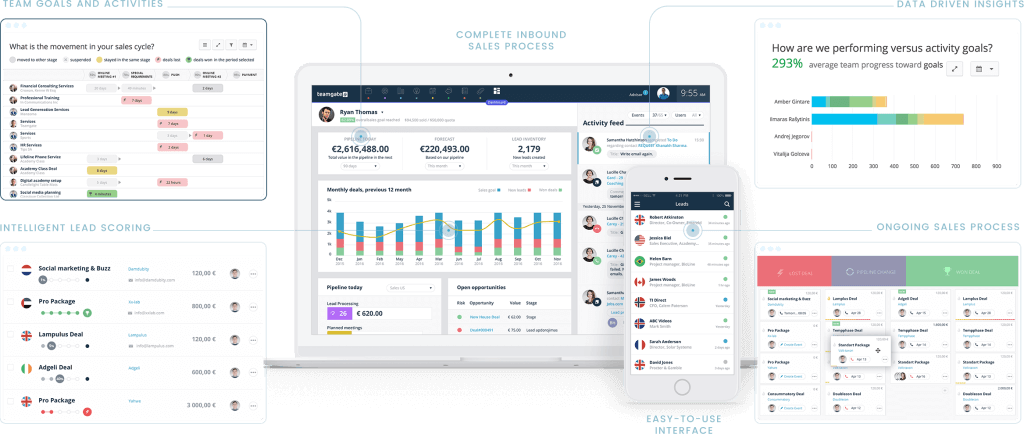
Designed for Growth: Scale your recurring revenue with the new Teamgate SaaS CRM. Explore SaaS Features →

Book a demo today and save 50% off your first month, or 20% off your first year.

Get a free sales audit to uncover hidden revenue opportunities!

The year 2026 has shaped up to be a transformative one for small businesses. From digital adoption to sustainable practices, the trends driving growth this year reflect broader shifts in technology, consumer expectations, and the global economy. Small business owners who proactively adapt will not only stay competitive but also unlock new opportunities for long-term resilience and expansion.

Key Takeaways:

  1. The growth of digitalization is transforming the way small businesses operate, making a robust online presence non-negotiable.
  2. Remote work is no longer a novelty, but a preferred mode of operation for small businesses.
  3. Sustainable practices are not just an eco-conscious move but a significant trend in small business operations.
  4. Small businesses are leaning towards local sourcing and community partnerships for sustainable growth.
  5. Data analytics is becoming critical in understanding market trends and making informed business decisions.

Contents:

Introduction to Emerging Small Business Trends in 2026

 The Importance of Staying Updated in 2026

As 2026 unfolds, keeping pace with emerging small business trends has shifted from a competitive edge to a matter of survival. These trends transcend industries, influencing everything from marketing strategies and customer engagement to product innovation and delivery models.

Adapting to Market Dynamics

Recognizing and adapting to market shifts allows small businesses to compete strategically instead of reacting passively. By aligning with key trends, businesses can anticipate customer expectations, uncover new opportunities, and fuel innovation for long-term growth.

Digitalization: A Game Changer for Small Businesses

Digitalization remains the most transformative force shaping small businesses in 2026. Companies that invest in online presence, digital marketing, and user-friendly e-commerce platforms are seeing higher reach and revenue. This mirrors broader healthcare marketing trends where digital transformation drives patient acquisition. In an economy where consumers spend more time online than ever – beyond sales; digital adoption strengthens brand credibility and customer trust.

The Rise of Data Analytics in Business Strategy

Data analytics has evolved from a “nice to have” into a core driver of business strategy. Businesses that leverage customer insights, market data, and predictive analytics are able to anticipate needs, refine operations, and boost profitability.

Challenges and Opportunities in Adapting to Small Business Trends

Awareness of trends is only step one—the real challenge lies in adapting them to fit unique business models. Successful adaptation fosters resilience, sharpens competitive advantage, and lays the groundwork for sustainable growth.

Increased Digitalization and Online Presence

The digital age has revolutionized the way businesses operate, and in 2026, small businesses must embrace digitalization to stay relevant.

Establishing a Strong Online Presence

From establishing a robust online presence to leveraging innovative digital marketing strategies, small businesses need to utilize digital tools and platforms to reach their target audience effectively. Online shopping and e-commerce will continue to gain momentum, requiring small businesses to invest in user-friendly websites, secure payment gateways, and seamless online shopping experiences.

Tapping into Global Markets

Additionally, a solid online presence enables small businesses to tap into the global market, transforming them into global players rather than being limited to local markets. Embracing digitalization can open up new opportunities and help small businesses thrive in an increasingly interconnected world.

Leveraging Social Media for Marketing

One key aspect of increased digitalization is the rise of social media platforms as powerful marketing tools. Small businesses can leverage platforms like Facebook, Instagram, and Twitter to engage with their target audience, build brand awareness, and drive traffic to their websites. By creating compelling and shareable content, small businesses can increase their online visibility and attract potential customers.

Utilizing Data Analytics for Customer Insights

Moreover, digitalization also offers small businesses the opportunity to collect and analyze valuable customer data. By implementing analytics tools and tracking user behavior on their websites, small businesses can gain insights into customer preferences, purchasing patterns, and demographics. This data can then be used to tailor marketing strategies, personalize customer experiences, and improve overall business performance.

Adopting Cloud-Based Technologies

After: In addition to online marketing, small businesses can also benefit from adopting cloud-based technologies. Cloud computing allows businesses to store and access data remotely, reducing the need for physical storage infrastructure and enabling easy collaboration among team members. Another critical aspect of digital transformation is the ability to sign documents online. By integrating an eSignature solution like Certinal, small businesses can streamline contract management, reduce paperwork, and speed up business transactions—enhancing operational efficiency and customer satisfaction. This flexibility and scalability provided by cloud-based solutions can significantly enhance productivity and efficiency for small businesses.

The Rise of Remote Work in Small Businesses

The COVID-19 pandemic accelerated the adoption of remote work, and in 2026, remote work will become an integral part of small businesses.

Attracting Global Talent through Remote Work

Offering remote work opportunities can attract top talent and unlock a global pool of skilled professionals. Small businesses can save on office space costs while increasing productivity by embracing remote work arrangements. For example, a business wanting to establish a presence in Japan can use a service like MailMate as a virtual office, eliminating the need to rent office space in Tokyo.

Tools for Managing Remote Teams

However, managing remote teams requires effective communication, collaboration, and project management tools. Small businesses should invest in the right software and technologies to ensure seamless remote operations and maintain a strong company culture, even when employees are not physically present in the office.

Small businesses with remote workers typically rely on a mix of tools to cover different needs. Project management platforms help track progress, assign responsibilities, and keep deadlines visible across locations. Time tracking tools give managers a clearer picture of how working hours are spent without constant check-ins. Communication platforms handle day-to-day collaboration through messaging, video calls, and file sharing. Some businesses also use integrated HR systems for small to medium businesses that bring employee management, time tracking, and internal communication together in one place, reducing the administrative complexity of coordinating a distributed workforce.

The right combination of these tools can differentiate a remote team struggling with fragmentation from one that operates with the same cohesion and efficiency as an in-office team.

Embracing Sustainable Practices in Small Business Operations

Consumers are becoming increasingly conscious of environmental and social issues, and small businesses can win their loyalty by adopting sustainable practices.

Attracting Eco-Conscious Customers

Being environmentally responsible, reducing waste, and using eco-friendly materials can attract eco-conscious customers and differentiate small businesses from their competitors.

Strategies for Implementing Sustainable Practices

Implementing sustainable practices may involve procuring products from local suppliers, reducing energy consumption, and promoting recycling and waste reduction initiatives. These strategies not only help in reducing the environmental footprint but also in building a positive brand image.

Benefits of Sustainability in Business

By embracing sustainability, small businesses can not only contribute to a better planet but also resonate with customers who prioritize supporting environmentally responsible businesses. This commitment can lead to increased customer loyalty and potentially higher sales as a result of aligning with the values of a growing eco-aware customer base.

Local Sourcing and Community Partnerships

As people become more aware of the environmental impact of global supply chains, small businesses can strengthen their relationships with local suppliers and partners.

Strengthening Local Economies through Sourcing

By sourcing products locally, small businesses can support their local communities, reduce transportation costs, and offer unique products that reflect the region’s identity.

Building Strategic Local Partnerships

Forming strategic partnerships with other local businesses can also be mutually beneficial. Collaboration and cross-promotion can amplify both businesses’ reach, introduce new customers, and create a sense of community in the local market.

The Growing Importance of Data Analytics in Small Businesses

Data is the new currency, and in 2026, small businesses that harness the power of data analytics will gain a competitive advantage.

Leveraging Data for Competitive Advantage

By leveraging data analytics tools and technologies, small businesses can gain valuable insights into customer behavior, market trends, and operational efficiency. This knowledge can guide strategic decisions, helping businesses to adapt and thrive in dynamic market conditions.

Data-Driven Decision Making

With data-driven decision-making, small businesses can tailor their products, services, and marketing strategies to meet customers’ evolving needs effectively. This approach allows for more targeted and efficient use of resources, enhancing customer satisfaction and loyalty.

Investing in Data Analytics Infrastructure

Small businesses should invest in data management systems, analytics software, and employee training to unlock the full potential of data analytics. Building a solid data analytics infrastructure can empower businesses to make informed decisions, optimize operations, and drive growth. As small businesses increasingly adopt data-driven decision-making, tools like business process mining can help uncover workflow inefficiencies and pinpoint operational bottlenecks, making it easier to optimize their operations.

AI and Automation Tools for Business Efficiency

Artificial Intelligence (AI) and automation technologies continue to advance, offering small businesses opportunities for increased efficiency and productivity.

Streamlining Operations with AI and Automation

AI-powered chatbots, automated customer service systems, and machine learning algorithms can streamline various business processes, freeing up time for employees to focus on more complex tasks. This not only improves operational efficiency but also enhances the overall customer service experience.

Enhancing Customer Experiences and Operational Efficiency

Small businesses can leverage AI and automation tools to enhance customer experiences, improve operational efficiency, and reduce costs. Implementing these technologies can lead to more efficient service delivery and operational workflows, significantly impacting the bottom line.

Balancing Automation with the Human Touch

It is essential to strike a balance between automation and personalized human interactions to maintain the human touch that customers value. While automation can handle routine tasks, personal interactions are crucial for building relationships and providing bespoke customer service.

Personalization and Customization in Product Offerings

In an era of personalized experiences, small businesses should prioritize offering customized products and services.

Going Beyond Basic Personalization

Personalization goes beyond adding a customer’s name in emails; it involves understanding their preferences, anticipating their needs, and tailoring offerings to match their unique requirements.

Leveraging Insights for Personalized Experiences

Small businesses can leverage data analytics, customer surveys, and feedback to gather insights and deliver personalized experiences. By embracing personalization, small businesses can foster stronger customer relationships, increase customer satisfaction, and drive repeat business.

The Expansion of E-commerce and Omnichannel Retail

E-commerce has seen tremendous growth in recent years, and in 2026, it will continue to be a significant trend for small businesses.

Building User-Friendly Online Stores

Small businesses should invest in building user-friendly online stores, ensuring secure payment gateways, and providing hassle-free order processing and shipping. A smooth online shopping experience is crucial to attract and retain customers in the competitive e-commerce space.

Optimizing Logistics with Courier Software

In the fast-paced world of e-commerce, efficient logistics management is crucial for meeting customer expectations. Courier software enables businesses to streamline their shipping processes by automating tasks, improving real-time tracking, and providing customers with accurate delivery updates. This software solution helps reduce operational costs, enhances delivery speed, and ensures that businesses can efficiently manage both local and international shipments. By incorporating courier software into their logistics strategies, small businesses can ensure reliable, transparent, and cost-effective delivery services, strengthening their overall supply chain and operational efficiency

Embracing Omnichannel Retail Strategies

Additionally, embracing an omnichannel retail approach can enhance the customer experience. Integrating online and offline channels allows customers to interact with the business through multiple touchpoints, providing a seamless and consistent experience across all platforms.

Increased Focus on Customer Experience and Retention

Customer experience has become a key differentiator for businesses, and in 2026, small businesses need to prioritize delivering exceptional experiences to build customer loyalty and drive word-of-mouth referrals.

Creating Positive Impressions at Every Interaction

Every interaction with a customer is an opportunity to create a positive impression, from the first point of contact to after-sales support. Ensuring that each touchpoint is an opportunity for engagement and satisfaction is crucial for building long-term relationships.

Leveraging CRM Systems for Personalized Experiences

Small businesses can invest in CRM (Customer Relationship Management) systems to track customer interactions, personalize communication, and offer tailored recommendations. These tools can help businesses understand their customers better and deliver more meaningful, customized experiences.

Exceeding Expectations to Cultivate Loyalty

By going the extra mile to exceed customer expectations, small businesses can cultivate a loyal customer base and gain their advocacy in an increasingly competitive market. This commitment to excellence in service can distinguish small businesses from their competitors and drive sustainable growth.

Social Media and Influencer Marketing Strategies

Social media platforms continue to be essential for small businesses to connect with their target audience. In 2026, small businesses should develop comprehensive social media strategies to engage customers, build brand awareness, and drive sales.

Developing Comprehensive Social Media Strategies

Small businesses should focus on creating engaging content, utilizing platform-specific features, and regularly interacting with their audience to strengthen their social media presence. A well-thought-out social media strategy can help small businesses connect with their community, showcase their brand’s personality, and highlight their products or services effectively.

Collaborating with Influencers to Amplify Reach

Collaborating with influencers who align with the brand’s values and target audience can amplify social media marketing efforts. Influencers can help small businesses reach a wider audience, build credibility, and generate buzz around their products or services. Searching for the right influencers is crucial for ensuring that the collaboration feels authentic and resonates with the target audience.

Adapting to the emerging small business trends in 2026 requires a multi-faceted approach, integrating informed decisions, technological proficiency, human capital investment, customer centricity, and collaboration. Here’s how you can harness these key areas to propel your small business forward:

Stay Informed

In a fast-paced business landscape, knowledge is power. Regularly peruse industry reports, attend webinars, follow thought leaders, and participate in relevant forums to stay updated on current trends. An understanding of the macroeconomic environment can shape your strategies and help you make informed business decisions.

Embrace Technology

From digitalization to AI, technology is revolutionizing the way small businesses operate. Embracing technological advancements can enhance your operational efficiency, customer service, and marketing efforts. Invest in tools that streamline your processes, improve data analytics, and promote online presence to stay competitive in the digital age.

Focus on Talent

With the rise of remote work, attracting and retaining talent has taken a new shape. As your business evolves with the times, so should your workforce. Encourage continuous learning, promote work-life balance, and create a culture of innovation to maintain a motivated and productive team.

Listen to Your Customers

Your customers’ needs and preferences are changing faster than ever. Make it a priority to understand their evolving expectations. Utilize surveys, feedback forms, and social media interactions to gather insights. Apply these insights to refine your products, services, and customer engagement strategies.

Collaborate

Foster relationships with other businesses, suppliers, and community partners. Collaboration can lead to mutually beneficial outcomes, from resource sharing to co-marketing initiatives. A strong network can provide much-needed support and open up new opportunities.

Conclusion: Positioning Your Small Business for Future Growth

As the business landscape continues to evolve, small business owners must proactively embrace emerging trends. By navigating the market and adapting to the changing landscape, small businesses can position themselves for future growth and success. By leveraging digitalization, embracing sustainability, prioritizing customer experience, and staying informed about industry trends, small businesses can not only survive but thrive in the dynamic business world of 2026.

By keeping an eye on emerging trends and implementing strategic approaches, small business owners can ensure that their businesses remain relevant, competitive, and future-proof.


Q1: Why is digitalization important for small businesses in 2026?
A1: Digitalization is crucial as it enables small businesses to reach a wider audience, improve operational efficiency, and stay competitive in an increasingly online world. By leveraging digital tools and platforms, small businesses can offer enhanced customer experiences and tap into global markets.

Q2: How can small businesses benefit from remote work?
A2: Remote work allows small businesses to reduce overhead costs, access a global talent pool, and offer flexibility that can increase employee satisfaction and productivity. It also enables businesses to stay resilient in the face of disruptions.

Q3: What are the advantages of adopting sustainable practices?
A3: Sustainable practices help small businesses reduce their environmental impact, attract eco-conscious customers, and potentially lower operational costs. It also positions a business as socially responsible, which can enhance brand loyalty and reputation.

Q4: Why is local sourcing and community partnerships important?
A4: Local sourcing reduces transportation costs and environmental impact, supports the local economy, and can offer unique products that resonate with local customers. Partnerships with local businesses can lead to mutual growth, enhanced community ties, and collaborative marketing opportunities.

Q5: How does data analytics provide a competitive advantage?
A5: Data analytics offers insights into customer behavior, market trends, and business operations, enabling small businesses to make informed decisions, personalize offerings, and optimize strategies for better results.

Q6: In what ways can AI and automation improve business efficiency?
A6: AI and automation streamline repetitive tasks, enhance customer service through chatbots, and provide analytical insights for better decision-making. This frees up human resources for more complex and creative tasks, improving overall efficiency.

Q7: How important is personalization in product offerings?
A7: Personalization is key to meeting customer expectations, as it allows businesses to tailor products and services to individual needs, enhancing satisfaction, loyalty, and the likelihood of repeat business.

Q8: Why should small businesses invest in e-commerce and omnichannel retail?
A8: Investing in e-commerce and omnichannel strategies enables small businesses to meet customers where they are, whether online or in-store, providing a seamless shopping experience that can boost sales and customer retention.

Q9: How can delivering exceptional customer experiences benefit small businesses?
A9: Exceptional customer experiences build loyalty, encourage word-of-mouth referrals, and can differentiate a small business from its competitors, driving both repeat business and attracting new customers.

Q10: What role do social media and influencer marketing play in small business growth?
A10: Social media and influencer marketing significantly enhance brand visibility, engagement, and credibility, allowing small businesses to reach broader audiences and drive sales more effectively.

Choosing a CRM for your small business in Australia isn’t about features—it’s about control. If your pipeline feels messy, follow-ups slip, or forecasts rely on gut feel, you need a system that enforces structure without slowing your team down.

Key Takeaways:

  1. Look for scalability, ease of use, affordability, local support, and compliance in a CRM.
  2. Top CRM options for small businesses include Sendpulse, Zoho CRM, and HubSpot CRM.
  3. Customization and integration with existing tools are essential for optimizing workflows.
  4. Mobile access is critical for managing customer relationships on the go.
  5. CRMs enhance sales efficiency, improve customer service, and provide valuable data insights.

As Aussie small businesses face increasing pressure to stay competitive in a fast-moving market, managing customer relationships efficiently becomes more critical than ever. A Customer Relationship Management (CRM) system helps businesses streamline sales processes, enhance customer interactions, and organize client data, offering a strategic advantage in today’s digital age. For small businesses, choosing the right CRM can be a game-changer. However, with so many options available, identifying the best CRM for your business requires careful consideration of factors like ease of use, scalability, cost, and local support.

This article explores the best CRMs for Australian small businesses, focusing on those that offer robust features without overwhelming small teams or requiring large budgets. We’ll delve into the key features to look for in a CRM, compare some of the top options available in the market, and guide you in selecting a solution that aligns with your business needs. Teamgate CRM, in particular, stands out as an ideal choice due to its user-friendly interface, scalability, and local support tailored for Australian businesses. Whether you’re just starting out or looking to scale your operations, the right CRM can help you improve productivity, boost customer satisfaction, and drive business growth.

Essential CRM Features for Australian Small Businesses

Selecting the right CRM means balancing cost, usability, and long-term growth. A CRM should reduce friction—not create more admin.

Here are the critical factors to evaluate:

CRM Scalability

As your business grows, your CRM must grow with it. Many small teams start with just a few users—but as pipeline volume increases, complexity increases too.

A scalable CRM ensures:

  • Deals stay organized even as volume rises

  • New reps can be added quickly

  • Advanced reporting becomes available when needed

Teamgate supports growth without forcing a platform change. You can start simple—with one clear pipeline and defined stages—then expand into multiple pipelines, advanced analytics, and lead scoring as your team matures.

This protects revenue long-term by keeping your process consistent as you scale.

CRM Ease of Use

If reps don’t use the CRM daily, the data becomes unreliable. And when the data is unreliable, forecasting turns into storytelling.

Small businesses don’t have time for weeks of onboarding or heavy admin. A CRM should:

  • Show reps what to do next

  • Make updating deals fast

  • Centralize calls, emails, notes, and activity

Teamgate is built around high adoption by design. It centralizes email, calls, meetings, and notes in one place—so reps keep it updated because it helps them sell, not because they’re forced to.

When every deal must have a real next step, follow-up becomes systematic instead of reactive.

CRM Affordability

Budget matters—especially for Australian SMBs.

A good CRM should offer:

  • Transparent pricing

  • Plans that scale with your team

  • No unnecessary enterprise features

Teamgate offers flexible plans—from a free Starter option for small teams to scalable paid plans with workflow automation, sales dashboards, Twilio dialing, and advanced analytics. This allows you to invest in discipline and visibility without overspending.

P.S. dont just take our work for it, we were voted Capterra’s #1 value-for-money CRM in 2024

CRM Australian Local Support

Time zone alignment matters. When issues arise, waiting overnight for support slows momentum.

Teamgate provides responsive support aligned with Australian business hours. That means faster resolutions and less downtime for your sales team.

And because disciplined selling depends on consistency, reliable support protects your operating rhythm.

CRM Compliance

Handling customer data responsibly is essential. Your CRM should include:

  • Secure data storage

  • Permission controls

  • Compliance with GDPR and international standards

Teamgate includes built-in security features and structured data permissions, ensuring your pipeline stays protected while remaining accessible to the right people.

Top 5 CRMs for Australian Small Businesses

Below are five CRM platforms commonly considered by Australian small businesses. Each offers different strengths depending on your workflow needs.

Teamgate CRM


Teamgate CRM interface

Teamgate CRM is built specifically for sales-led SMBs that want predictable revenue without enterprise complexity.

It represents a sales operating system that protects revenue by enforcing disciplined selling, clean pipeline data, consistent follow-up, and leadership visibility—with minimal admin overhead.

Teamgate CRM User-Friendly Interface

Teamgate focuses on clarity:

  • Visual deal pipelines with custom stages

  • Defined next steps required for active deals

  • Activities and reminders that turn pipeline into a daily task list

For reps, this means: “I know exactly who to follow up with today.”

For managers, this means: “Every deal in late stage has real activity behind it.”

Teamgate CRM Affordability and Flexible Pricing Plans

Teamgate CRM offers competitive pricing plans with included customer support that recently won them best value for money CRM of 2024! Their are multiple pricing options that scale with your business, making it an affordable solution for small businesses. The platform provides tiered options that cater to businesses at different stages, ensuring that companies don’t have to overspend on unnecessary features. This flexibility makes Teamgate a cost-effective choice for businesses looking to manage their customer relationships without breaking the bank.

Teamgate CRM recently won best value-for-money CRM of 2024!

Teamgate CRM Scalability for Growing Businesses

As Australian small businesses expand, Teamgate CRM grows with them. Its scalable infrastructure allows businesses to seamlessly add more users, manage larger data sets, and incorporate more advanced features as the company grows. This makes it an ideal choice for businesses that anticipate growth in the near future.

Teamgate CRM Local Customer Support and Compliance

Teamgate offers robust customer support with resources specifically geared toward Australian businesses. Support is available within Australian time zones, ensuring that issues are resolved promptly. Additionally, Teamgate adheres to GDPR and local data protection regulations, giving businesses peace of mind regarding data security. Oh and did I mention they have an Aussie CEO?

Teamgate CRM Customizable Features and Integration

Teamgate is highly customizable, allowing businesses to tailor the system to their specific needs. Whether it’s sales tracking, customer management, or reporting, businesses can modify Teamgate to fit their workflows. Moreover, the CRM integrates with popular tools such as Gmail, Outlook, and various marketing platforms, making it easy to streamline operations.

Zoho CRM

Zoho CRM is another popular choice among small businesses due to its wide range of features and affordability. With a focus on automation and customization, Zoho CRM enables businesses to streamline their sales processes while maintaining flexibility.

Zoho CRM Affordability and Scalability

Zoho CRM offers a free tier for businesses just starting out, with premium plans available for those looking to access more advanced features. This pricing flexibility makes Zoho CRM a good option for small businesses with varying needs. As the business grows, Zoho offers more comprehensive solutions that can scale with the company’s demands.

Zoho CRM Automation and Customization

One of the key strengths of Zoho CRM is its ability to automate repetitive tasks, freeing up time for teams to focus on more important aspects of their business. Additionally, Zoho allows for high levels of customization, enabling users to tailor the platform to their specific processes and workflows.

Zoho CRM Comparison with Teamgate CRM

While Zoho CRM offers a wide array of features, its interface can be more complex and may require more time to master than Teamgate. Teamgate’s simplicity and localized support make it a better choice for businesses that prioritize ease of use and quick implementation.

HubSpot CRM

HubSpot CRM is a popular free CRM option that offers a robust suite of inbound marketing tools in addition to basic sales management features. It’s particularly attractive to small businesses that want a no-cost solution with the potential to upgrade as their needs grow.

Hubspot Free CRM Solution with Marketing Tools

HubSpot CRM’s free tier is highly attractive to small businesses on a tight budget. The platform includes essential features like contact management, deal tracking, and email marketing automation. This makes it a great option for businesses looking to improve customer relationships without upfront costs, although be weary of scaling costs as you grow.

Hubspot CRM Scalability and Integrations

While the free version of HubSpot CRM is ideal for smaller businesses, it also offers paid upgrades that unlock more advanced sales and marketing tools. HubSpot integrates seamlessly with other popular business tools, making it a flexible solution for growing businesses.

Hubspot CRM Comparison with Teamgate CRM

Although HubSpot’s free version is appealing, businesses that require more advanced features may find themselves needing to upgrade sooner than expected. Compared to Teamgate, HubSpot lacks the same level of local support and customization, making Teamgate a stronger option for Australian small businesses looking for a long-term CRM solution.

SendPulse CRM


SendPulse is a versatile platform known for its multichannel marketing automation, flexible CRM functionality and chatbot builder that works with most social media platforms and messengers as Instagram, WhatsApp, Facebook, Telegram.

SendPulse CRM Features

SendPulse’s CRM was primarily designed with ecommerce and infopreneurial business in mind. It offers essential features to develop a sales pipelines to attract your target audience, create landing pages and pop-ups, sell your products, courses, services , and manage your contacts in CRM. SendPulse’s CRM comes with advanced segmentation that allows users to deliver highly targeted campaigns that drive better engagement through preferred communication channels. One of the latest updates to SendPulse’s CRM functionality was WhatsApp CRM integration that significantly simplifies WhatsApp campaign management and customer communications.

SendPulse CRM Comparison with Teamgate CRM

Although SendPulse CRM provides a comprehensive set of features, the sheer amount of tools and marketing channels might be overwhelming and may take longer to learn compared to Teamgate. With its intuitive design, Teamgate is often a more suitable option for businesses that value simplicity.

Monday.com CRM

Monday.com is known primarily as a project management tool, but it has expanded its offering to include CRM functionalities tailored for small businesses. The platform is highly customizable and flexible, making it an attractive option for businesses that want a CRM system that can also handle project management and team collaboration tasks.

Monday CRM Flexibility and Project Management Features

Monday.com CRM stands out due to its unique approach to managing both sales pipelines and project workflows. The platform allows businesses to customize boards, automate workflows, and track both customer interactions and internal project progress simultaneously. This dual capability is particularly beneficial for small businesses that need a tool that can handle more than just customer relationship management. Teams can track sales opportunities, manage customer communications, and assign tasks all within the same platform, offering an all-in-one solution for businesses with diverse needs.

Monday CRM Comparison with Teamgate CRM

While Monday.com offers impressive flexibility and project management capabilities, it can be more complex to set up and customize than a traditional CRM like Teamgate. Small businesses that need a straightforward CRM solution may find Monday.com’s flexibility comes at the cost of ease of use, requiring more time and effort to tailor the platform to their needs. In contrast, Teamgate CRM focuses exclusively on customer relationship management, offering an intuitive, easy-to-use interface with powerful sales tracking and customer management features. Additionally, Teamgate’s scalability is specifically designed for growing sales teams, whereas Monday.com’s broader focus on project management may dilute its effectiveness as a CRM.

For businesses that require both CRM and project management features, Monday.com can be a versatile option. However, for those that prioritize simplicity, ease of use, and dedicated CRM functionality, Teamgate is a more focused and efficient choice.

How CRM Systems Boost Productivity and Profitability for Small Businesses

A well-implemented CRM system is a critical tool for improving both productivity and profitability in small businesses. By automating time-consuming tasks, streamlining customer interactions, and providing valuable insights into business performance, a CRM helps businesses achieve more with less effort.

Streamlining Sales Processes

A CRM helps small businesses manage their entire sales pipeline more efficiently, from lead generation to closing deals. By keeping all customer data organized and accessible in one platform, CRMs reduce the time spent searching for information and managing leads manually. Features like task automation, lead scoring, and pipeline management ensure that sales teams can focus on selling rather than administrative tasks. CRMs like Teamgate provide visual sales pipelines and drag-and-drop functionality, making it easy to move leads through the sales stages and prioritize the most promising opportunities.

Improving Customer Relationships

In addition to managing sales, CRMs play a critical role in improving customer relationships. By tracking customer interactions and preferences, businesses can provide more personalized service, which leads to higher customer satisfaction and retention. CRMs also provide a 360-degree view of each customer, allowing sales and support teams to anticipate customer needs and resolve issues more quickly.

Data-Driven Decision Making

A good CRM provides insightful reports and analytics that help businesses make data-driven decisions. By tracking key metrics such as sales performance, customer acquisition costs, and customer lifetime value, businesses can optimize their strategies and identify areas for improvement. CRMs like Teamgate offer customizable reporting tools that allow small businesses to track their most important KPIs and adjust their operations accordingly.

Ultimately, using a CRM leads to better organization, increased sales, and stronger customer loyalty—resulting in improved profitability for small businesses.

Conclusion

Choosing the right CRM can significantly impact the growth and efficiency of your small business. By carefully considering factors like scalability, ease of use, and integration capabilities, you can find the perfect CRM to streamline your operations and strengthen customer relationships. Whether you’re a startup or an established small business, investing in a powerful CRM solution is a critical step toward long-term success.

If you’re ready to take your business to the next level, try Teamgate CRM with a 14-day free trial to see how it can transform your sales and customer management processes. For a more personalized experience, you can also book a system demo and explore how Teamgate’s features can be tailored to meet your business needs. Take the first step today and see the difference a smart CRM solution can make!


FAQs: Best CRM for Australian Small Businesses

1. What is the best CRM for small businesses in Australia?
The best CRM for small businesses in Australia depends on your specific needs. Solutions like Teamgate CRM offer user-friendly tools, excellent customer support, and features tailored for small and growing businesses.

2. What makes Australian CRM software different?
Australian CRM software often comes with local support and features that cater specifically to the needs of Australian businesses, such as compliance with local regulations and data privacy laws.

3. What is the best CRM software for Australian businesses?
Teamgate CRM is among the top CRM solutions for Australian businesses due to its scalability, ease of use, and dedicated Australian support. Other contenders include Zoho CRM and HubSpot, but Teamgate stands out for its local focus.

4. Are there free CRM options available in Australia?
Yes, several free CRM options are available in Australia, including Teamgate’s free trial and other platforms like HubSpot’s free CRM version. Free versions typically have limitations on features or user numbers but are a great starting point for small businesses.

5. What CRM solutions are popular in Australia?
Popular CRM solutions in Australia include Teamgate, Zoho, and Salesforce. These platforms are known for their ease of use, comprehensive features, and strong customer support tailored to Australian businesses.

6. Do CRM systems offer Australian-based customer support?
Yes, many CRM systems, including Teamgate, offer dedicated Australian support teams. This ensures that users receive assistance that understands the local business environment and operates during Australian business hours.

7. How do I choose the right CRM for my Australian small business?
Consider factors such as ease of use, cost, integration options, and customer support. Teamgate CRM, for example, offers affordable pricing plans, seamless integration with other tools, and strong Australian-based support, making it ideal for small businesses.

If your follow-ups rely on memory and your pipeline lives in spreadsheets, you’re leaking revenue.
Small businesses don’t need bloated enterprise software—but they do need structure, visibility, and consistent follow-up.

Here’s what matters most when choosing a CRM:

  • Clear pipeline stages with defined next steps

  • Easy daily task management so nothing goes stale

  • Simple reporting you can actually trust

  • Fast setup and high team adoption

  • Pricing that fits a growing business

Teamgate is a sales operating system for teams who want disciplined selling, real insight, and a CRM their reps actually use. It focuses on structured pipelines, next-step clarity, and clean data—without turning CRM into a full-time admin job.

In this guide, we’ll break down the best CRM software options for small businesses in 2026 and help you choose the right fit.

Key Takeaways:

  • CRM tools are an important part of maintaining consistent and tailored communication with both prospective and current customers, regardless of your business size.

  • Small businesses may not need all of the bells and whistles that come with enterprise CRMs, but they should never sacrifice quality in these key areas: general ease of use, availability of customer support, contact and data management, and basic reporting.

  • If your business has a key focus area, there’s a good chance a CRM solution has built-in templates or features to meet your requirements. For example, if your organization is most focused on sales and building out sales pipelines, structured, discipline-driven systems like Teamgate help enforce defined stages and next steps so opportunities don’t quietly go stale.

  • CRM solutions can get expensive, but many vendors offer affordable versions of their enterprise software or sell purpose-built customer relationship management tools for small businesses.

  • Don’t shy away from the big CRM names for fear of the price tag. Some of the biggest CRMs, including HubSpot, offer free and limited versions of their software for small business use.


Why have a CRM for a Small Businesses?

Customer relationship management (CRM) systems help small businesses streamline how they manage customer data, sales pipelines, team collaboration, and customer communication—whether through email, phone, or chat. Think of it as the digital command center for your relationships.

But modern CRMs go beyond storing contact details.

The best systems:

  • Keep every deal in a clear stage

  • Require a defined next step to prevent stalled opportunities

  • Centralize emails, calls, notes, and activity history

  • Provide dashboards and forecasting you can trust

Without that structure, revenue doesn’t disappear loudly—it leaks quietly. Deals sit “open” with no next action. Reps forget to re-engage. Leaders forecast based on hope instead of evidence.

A disciplined CRM prevents that. It turns follow-up into a system instead of a heroic effort and gives managers visibility into deal age, activity levels, and next-step coverage. That’s how small teams create predictable growth.

How to Evaluate CRM for Small Businesses

When selecting the right CRM solution for your small business, here are a few key factors to consider in your evaluation.

Affordability

Most small businesses can’t afford enterprise-tier software (ie Salesforce). Look for vendors offering affordable entry plans (under $15/user/month) or free versions with upgrade options.

But don’t just look at price—look at cost of inefficiency. A cheap CRM that reps don’t use will cost you more in lost deals than a slightly higher monthly subscription.

Consider your budget before you start your search. Be sure to also consider which features you need and what you can do without. Streamlining features may lower the cost of your CRM.

Ease of Use

A steep learning curve kills adoption. If reps avoid the system, your data becomes unreliable and forecasts fall apart.

Prioritize:

  • Intuitive pipelines

  • Fast data entry

  • Email and calendar syncing

  • Simple task management

  • Minimal admin overhead

The right CRM should help reps sell more—not feel like reporting to management.

Scalability

Don’t box yourself in. Choose CRMs with tiered pricing, custom fields, and third-party integrations that can grow with your business.

As your team expands, you’ll need:

  • Clear stage definitions

  • Activity standards

  • Dashboards for weekly pipeline reviews

  • Forecasting based on real signals

A scalable CRM supports process discipline without becoming complex.


🏆 Top 10 Small Business CRMs (2026 Edition)

Teamgate CRM – Best for Small/Full-Cycle Sales Teams

screenshot of Teamgate crm deals pipeline
via Teamgate

Teamgate CRM Rating

4.6/5 (G2)

4.8/5 (Capterra)

In addition to the above reviews, Teamgate CRM was the recent recipient of Capterra’s best value-for-money CRM of 2024!

Teamgate CRM Key Features

Teamgate CRM is one of the best small business CRMs, offering extensive sales features without compromising on ease of use or reasonable pricing. The platform differentiates itself with a user-friendly interface, intelligent lead scoring, advanced filters, relevant third-party integrations, and award-winning customer support.

This means reps spend less time updating fields and more time taking meaningful actions. Managers gain visibility into deal age, activity coverage, and forecast reliability—without micromanaging.

It’s fast to implement, easy to maintain, and designed around disciplined selling rather than feature overload.

Freshsales – Best for AI powered Workflows

screenshot of freshsales crm software
via Freshsales

Freshsales Rating

4.5/5 (G2)

Freshsales Key Features

  • Table, Kanban, and Activity view options
  • Email, chat, messenger, Zoom, SMS integration, and phone communication options
  • Automated workflows and sales sequences
  • Deal management with customizable pipelines
  • AI-driven sales intelligence
  • Layout, lifecycle, and sales activity customization
  • Role-based access
  • API and marketplace integrations
  • Auto-profile enrichment
  • Pre-built and custom reports and dashboards

Freshsales is a great small business CRM solution from Freshworks. The product includes several sales-specific CRM features, but it stands out most in the areas of sales intelligence, administrative governance capabilities, and multiple communication channels.

Freshsales offers intelligent workflow capabilities that enable you to assign leads, update fields, create reminders, and other tasks automatically. This means you can spend less time doing manual tasks and more time growing your business.

Pipedrive – Best Visual Pipeline CRM

pipedrive UI
via Pipedrive

Pipedrive Rating

4.2/5 (G2)

Pipedrive Key Features

  • Customizable sales pipelines and pipeline stages
  • 24/7 lead generation chatbot
  • Automated call scheduling and email marketing
  • Visual reporting, pipeline metrics, and custom dashboards
  • Lead qualification
  • Task management
  • Internal chat integration
  • Integrated invoicing and billing
  • Products catalog
  • Deal rotting

Pipedrive is often considered one of the best sales pipeline software solutions, offering transparent pipeline activity views and filters, customizable pipeline stages, and an easy-to-use drag-and-drop interface.

It’s important to note that while many Pipedrive plans will be too expensive for small business budgets, the Essential plan is only $14.90 per user/month. Plus, it offers several key lead, deal, and pipeline management features.

Bigin by Zoho CRM – Best Free CRM Option

screenshot of Zoho CRM software
via Zoho

Bigin Rating

4.5/5 (G2)

Bigin Key Features

  • Team and connected pipelines
  • Gmail lead capturing
  • Email, Twitter, telephony, and video meeting communication capabilities
  • A variety of third-party and Zoho integrations
  • Workflow automation
  • Custom fields, modules, and “Toppings” (add-ons)
  • Native dashboards and integration with Zoho Analytics
  • GDPR, HIPAA, ISO/IEC, and SOC 2 compliance features
  • Developer API

Bigin by Zoho CRM is Zoho’s SMB-specific CRM solution that prioritizes affordability and easy setup. All Bigin plans are relatively affordable compared to the rest of the CRM market, but Bigin sets itself apart by offering a Free plan.

Bigin isn’t short on features. For example, the Free plan includes a single pipeline, up to 500 records, up to three instant workflows, several Zoho integrations, telephony, standard dashboard access, and developer APIs for additional customization opportunities.

HubSpot CRM – Best All-Inclusive CRM

a screenshot from Hubspot software
via Hubspot

Hubspot CRM Rating

4.4/5 (G2)

Hubspot CRM Key Features

  • Lead generation
  • Contact management
  • Meeting scheduler
  • AI-driven email writing
  • Live chat capabilities
  • Email templates and template builder
  • Dashboards and reporting
  • Deal pipelines and pipeline management
  • Landing page, chatbot, and form builders
  • Ad management

HubSpot CRM is a modular CRM solution that can easily be right-sized to fit the needs of your small business. You can choose between various hubs, depending on your requirements, from Sales to Marketing.

One standpoint feature offered by HubSpot is the free CRM option. The free option includes a wide range of features, including simple sales dashboards, deal pipelines, pipeline management tools, and more. This option is most likely to fit the budgets of SMBs, while enterprise options are available as they scale.

Salesmate.io – Best for Low Volume/High Price Sales Teams

salesmate crm
via Salesmate

Salesmate Rating

4.6/5 (G2)

Salesmate Key Features

  • Email sync, tracking, and templates
  • Pipeline management
  • Web forms and lists
  • Dashboards and reports
  • Workflow management
  • Calling and texting capabilities
  • Automation and messenger add-ons
  • Contact management
  • Product management
  • Sales goals and forecasting

Salesmate.io is a CRM and automation software solution with a handful of affordable and helpful features in its Starter pack. Relevant features for small business users include access to multiple sales pipelines, email marketing and management tools, and basic automation workflows.

A key feature offered by Salesmate.io is its personalized outreach options. You can easily develop personalized and automated bulk emails and texts, email campaigns, and voicemail drops. This enables you to stay in touch with your customers without lifting a finger.

Less Annoying CRM – Best Simplicity & Pricing

Less annoying CRM screenshot
via Less Annoying CRM

Less Annoying CRM Rating

4.9/5 (G2)

Less Annoying CRM Key Features

  • Simple search feature for the contact database
  • Calendar and task views
  • Lead reports with status, priority, and contact information
  • Unlimited user access
  • Unlimited contacts, companies, and custom fields
  • Unlimited pipelines
  • Task management
  • User-level permissions
  • Email logging
  • Daily agenda emails

Less Annoying CRM has won over a dedicated customer base with its simple approach to CRM software. Its solution is available in only one package option, extending all of its features and capabilities to unlimited users for a fee of $15 per user/month.

Unlimited user access—alongside unlimited pipelines and significant file storage space—makes this a particularly robust option for SMBs.

Keap CRM – Best for Sales + Marketing Automation

keap crm screenshot
via Keap CRM

Keap CRM Rating

4.2/5 (G2)

Keap CRM Key Features

  • Email and text marketing
  • Sales and marketing automation
  • Sales pipeline with built-in analytics
  • Quotes, payments, and invoicing
  • Automated lead capture and follow-up communication.
  • Landing pages
  • Lead scoring and source attribution
  • Appointment scheduling
  • Contact segmentation and tagging
  • Automated appointment reminders

Keap CRM is a solid CRM option for businesses that want small-business-friendly automation, communication, and contact management features all in one place.

It’s known for having a user-friendly interface as well as advanced marketing capabilities and tools. However, despite Keap being advertised as an SMB CRM solution, it’s important to note that it’s one of the most expensive options for this market. The most basic package starts at $159 per month and goes up in price if you need more than two users or 1,500 contacts.

Copper CRM – Best for Google Workspace Integration

screenshot of Copper CRM software
via Copper

Copper CRM Rating

4.5/5 (G2)

Copper CRM Key Features

  • Recurring task and notification automation
  • Customizable pipelines for deal tracking
  • Customizable reports
  • Google Workspace CRM capabilities through integration
  • Contact enrichment
  • Task management
  • Deal management and opportunity slippage
  • Reminders, mentions, and comments
  • Note-taking and activity logging
  • Web, Chrome, and mobile apps

Copper CRM is a unique CRM solution that’s specifically designed to integrate with Google Workspace tools and applications, including Google Calendar, Gmail, Google Drive, Google Sheets, and Data Studio.

Its Basic plan is the best fit for small business users and includes features for pipeline and contact management, team collaboration, and Google integrations. Keep in mind that many of Copper’s more advanced features—like lead scoring, reporting, and workflow automation—are only available in more expensive plans.

Daylite – Best CRM for Apple Users

daylite crm screenshot
via Daylite CRM

Daylite Rating

4.5/5 (G2)

Daylite Key Features

  • Contact management
  • Task management
  • Mail assistant
  • List segmentation
  • Two-way syncing between Apple Contacts and Apple Calendar
  • Calendar view
  • Email marketing
  • Opportunities board for deal tracking
  • Multitasking, notification center, caller ID, and Siri capabilities on iPhones and iPads
  • Reporting

Daylite is a small business CRM solution that specifically caters to Apple product users. Its built-in collaboration and notification capabilities connect directly to your iPhone, iPad, and Apple apps. This allows you to manage marketing and sales where you already manage your calendars, contacts, and inboxes.

For simple CRM access, pricing starts at $25 per month, though many users opt for the Sales, Projects, or Business plans that include more capabilities at an additional cost.

🎯 Choosing the Right CRM for Your Business

Your CRM should be a reflection of how your business operates—and how you want it to grow. Start with these questions:

  • What’s our sales cycle like?

  • Which communication channels do we rely on?

  • Do we need integrations with existing tools (e.g., Gmail, accounting software)?

  • What are our future hiring or scaling plans?

Don’t chase features you won’t use. Instead, seek out tools that solve your core pain points and offer flexibility to evolve.

Want to see Teamgate in action within your small business? Get started by scheduling a system demo today or get started yourself with a Free Trial.


FAQs: CRM for Small Businesses

Q: What is a CRM for small businesses?

A: A Customer Relationship Management (CRM) for small businesses is a software solution designed to manage customer relationships, nurturing leads, handle sales pipelines, and facilitate communication with customers and prospects across various channels. It also includes built-in reporting and analytics to measure marketing and sales performance against customer acquisition and retention goals.

Q: Why should a small business consider investing in a CRM?

A: As small businesses grow, managing contacts and providing a personalized experience to each customer becomes challenging. A CRM helps to maintain consistent and tailored communication with both prospective and current customers. It also assists in contact and data management, general ease of use, and basic reporting, which are vital for maintaining high standards in customer relationships.

Q: What factors should small businesses consider when evaluating CRM options?

A: Small businesses should consider affordability, ease of use, and scalability when evaluating CRM options. They need effective tools that don’t break the bank, are easy to learn and use, and can grow with the business. Paying attention to CRM solutions with tiered packages of features and valuable third-party integrations and add-ons is also important.

Q: What are some best-rated CRM systems for small businesses in 2026?

A: The best-rated CRM systems for small businesses in 2026 include Teamgate, Freshsales, Pipedrive, Bigin by Zoho CRM, HubSpot CRM, Salesmate.io, Less Annoying CRM, Keap, Copper, and Daylite. These CRM systems offer a wide range of features to suit the needs of small businesses.

Q: Can I get a CRM for my small business for free?

A: Yes, many CRMs offer free versions or tiers that are ideal for small businesses with limited budgets. Free CRMs typically include basic features like contact management, task automation, and simple reporting. However, premium features, such as advanced reporting or integrations, often require a paid plan. Systems like Teamgate CRM and Hubspot offer a free version limited to 2 users to get you started.

Q: What are users saying about CRMs for small businesses on Reddit?

A: Reddit users often discuss various CRM options for small businesses, weighing factors like ease of use, cost, and customer support. Some of the most recommended CRMs on Reddit include Teamgate, Zoho, and HubSpot, each offering different features depending on the business size and needs. Teamgate is frequently praised for its simplicity and affordability.

Q: What is the best cheap CRM for small businesses?

The best affordable CRM for your business depends on your specific needs. Some popular budget-friendly CRMs include Teamgate CRM, which offers robust features at competitive pricing. Look for CRMs that provide essential features to your needs such as sales automation, contact management, and reporting while fitting within your budget.

Q: How does Teamgate benefit small businesses?

A: Teamgate is a CRM designed specifically for ssmall business in mind, offering extensive smart features without compromising ease of use or reasonable pricing. Its user-friendly interface, intelligent lead scoring, advanced filters, and relevant third-party integrations differentiate it from other CRMs. Plus, it allows small businesses to configure workflows to fit their needs without costly and cumbersome customization.

Most startups lose revenue because their pipeline is messy, follow-ups slip, and forecasts are built on hope instead of evidence.

If you’re scaling from a few closers to a real sales team, you need:

  • Clear deal stages with defined next steps

  • A daily follow-up system that reps actually use

  • Clean pipeline data leaders can trust

  • Visibility into deal health and activity

  • A CRM that doesn’t turn into a full-time admin job

Teamgate is a sales operating system for teams who want disciplined selling, real insight, and a CRM their reps actually use. Instead of acting like a passive database, it helps you run the daily rhythm of revenue, so deals don’t quietly go stale.

This guide breaks down what CRM software is, what features matter most for startups, how to evaluate your options, and how to implement a system that protects your growth, not just tracks it.

Key Takeaways

  1. Essential CRM Features: Identify the critical functionalities that a CRM should offer to effectively support a startup’s operations.
  2. Enhancing Customer Engagement: Learn how CRMs help improve interactions with customers, fostering better relationships and loyalty.
  3. Cost Considerations: Understand the investment involved and expected ROI from implementing a CRM system tailored to startup needs.
  4. CRM Scalability: Evaluate how CRM solutions can grow with your startup, ensuring they remain effective as your business expands.
  5. Integration Capabilities: Discover the importance of choosing a CRM that integrates well with existing tools to streamline operations.

What is CRM Software?

A Customer Relationship Management (CRM) software platform helps you manage interactions with current and potential customers across the entire sales lifecycle.

At its core, a CRM should:

  • Centralize customer and deal information

  • Track every interaction (calls, emails, meetings)

  • Support a defined sales process

  • Turn follow-ups into a system—not a memory test

  • Provide insight leaders can actually run the business on

In 2026, CRM is no longer just about storing contact information. It’s about operational discipline. If deals can sit in late stages without next steps, or reps can ignore follow-ups without visibility, the CRM isn’t protecting revenue—it’s just recording missed opportunities.

Teamgate approaches CRM differently. It’s built to enforce structure, surface leading indicators like deal age and next-step coverage, and reduce admin overhead so reps keep it updated because it helps them sell—not because management forces them to.

Benefits of Using a CRM for Startups

For startups, CRM isn’t a “nice-to-have.” It’s the foundation of repeatable growth. Key benefits include:

  • Enhanced Customer Insights: With rich data on customer interactions, startups can tailor their offerings to better meet the needs and preferences of their target audience.
  • Improved Efficiency: Automation of mundane tasks frees up time for teams to focus on more strategic activities that contribute directly to business growth.
  • Scalability: CRM systems can grow with the business, adding functionalities and integrations as needed without disrupting existing operations.
  • Better Customer Retention: By providing personalized experiences and proactive service, startups can increase customer loyalty and lifetime value.

Evaluating Your Startup’s Needs When Choosing a CRM

Selecting the right CRM for a startup involves a thorough assessment of current and future needs. Here’s how to approach this evaluation:

Assessing Current Requirements

Start by mapping out your customer journey from initial awareness to post-sale support. Identify the touchpoints where interactions occur and the information that needs to be captured. This will help determine the basic features your CRM must have.

Consider Scalability and Integration

As your startup grows, so will your customer base and your need for more sophisticated CRM features. Choose a CRM that not only meets current needs but can also scale seamlessly as your business expands. Additionally, consider the CRM’s ability to integrate with other tools already in use, such as email marketing software, customer service platforms, and financial systems, ensuring smooth interoperability.

Evaluate CRM Costs vs. CRM Benefits

While cost is a critical factor for startups, it’s important to evaluate the potential ROI a CRM system can deliver. An inexpensive CRM may save costs initially but could lack essential features that drive growth. Conversely, a more expensive system with extensive features might offer a better long-term value by boosting customer satisfaction and retention.

4 Best CRM for Startups

Selecting the right CRM system is pivotal for a startup’s success. A good CRM not only fits the current business model but also adapts to evolving needs. Here, we delve into some of the top CRM options that are well-suited for startups, focusing on features, scalability, and cost-effectiveness.

Teamgate CRM for Startups

Teamgate CRM offers a comprehensive solution that combines ease of use with powerful sales insights and tools, making it our preferred choice for startups. It combines disciplined selling with high adoption and low admin overhead.

Teamgate CRM Features

Teamgate provides an all-in-one sales platform with capabilities such as lead scoring, advanced analytics, and detailed customer insights. It supports complete sales funnel management from lead capture to closing, enhanced by its strong integration capabilities with marketing and service platforms.

  • Visual deal pipelines with custom stages

  • Activities, tasks, and reminders that enforce next steps

  • Email integration and templates

  • In-app calling and SMS

  • Workflow automation

  • Sales dashboards and forecasting

  • Lead scoring and prioritization

  • Mobile apps for reps

Rather than overwhelming teams with bloat, it focuses on pipeline truth, follow-up discipline, and manager visibility.

Teamgate CRM Pricing Model

Teamgate CRM has a straightforward pricing structure which includes a FREE and two paid subscription offerings that scale according to feature set, making it easy for startups to choose a plan that best fits their needs without overcommitting resources.

Teamgate CRM Pros

  • User-friendly

  • Strong adoption by design

  • Clear pipeline visibility

  • Built-in discipline

  • 24/7 support on paid plans

Teamgate CRM Cons

Less well-known than larger competitors, which may affect third-party integration options.

You can get started with Teamgate CRM today for FREE.

Venturz

Venturz CRM

Venturz CRM is the ultimate solution for startups, offering all the essential tools to manage and grow customer relationships seamlessly. With everything built in—from contact management to advanced analytics—it’s designed to support startups from the ground up.

Venturz CRM Features

Venturz offers a robust suite of tools, including campaign management, contact management, advanced analytics, billing and invoicing, task management, and customer support—everything a startup needs to thrive from a single, unified platform.

Venturz CRM Pricing Model

Venturz uses a usage-based pricing approach, beginning with a free plan that grants access to premium features, allowing startups to scale their tools as their business grows without upfront costs.

Venturz CRM Pros

Comprehensive feature set, usage-based pricing, and a single platform for multiple business needs, reducing the need for multiple software solutions.

Venturz CRM Cons

Does not support third-party integrations, which may limit its flexibility for businesses that rely on additional tools.

HubSpot CRM for Startups

HubSpot CRM is renowned for its user-friendliness and cost-effectiveness, making it ideal for startups. It offers a free plan with basic features, which can be expanded with premium modules as the business grows.

HubSpot CRM Features

HubSpot provides tools for contact management, deal and task management, and email tracking. It integrates seamlessly with the broader HubSpot ecosystem, which includes marketing, sales, and service hubs.

HubSpot CRM Pricing Model

HubSpot CRM is currently free for basic features, with paid upgrades for additional marketing, sales, and customer service features.

HubSpot CRM Pros

Easy to use, minimal setup required, excellent for inbound marketing strategies.

HubSpot CRM Cons

Advanced features require paid plans, which can become expensive as more functionalities are needed and your business grows.

Copper CRM for Startups

Copper CRM is specifically designed for integration with Google Workspace, making it a perfect fit for startups that rely heavily on Google tools.

Copper CRM Features

Copper CRM excels in seamless integration with Google Workspace, automatically capturing data from emails and other interactions within the Google ecosystem. It offers robust lead and contact management, opportunity tracking, and task management.

Copper CRM Pricing Model

Copper offers multiple tiers, starting from basic to advanced, accommodating different startup sizes and budgets.

Copper CRM Pros

Deep integration with Google Workspace, intuitive user interface, and efficient data handling.

Copper CRM Cons

Primarily reliant on Google Workspace for full functionality, which might not suit all startups.

Comparing CRM Systems

When comparing these CRM systems, startups should consider their specific needs related to customer interaction complexity, anticipated growth rate, and the existing tech stack. HubSpot is great for startups focused on inbound marketing strategies and those who need a cost-effective solution with a gentle learning curve. Copper is ideal for teams deeply embedded in Google Workspace, offering unique efficiencies. Teamgate stands out for its customer support and scalability, making it an ideal all-around choice for startups looking to integrate deep sales insights with practical usability, without worrying about significant price increases as your business grows.

Implementing a CRM System in Your Startup

Implementing a CRM system involves more than just software installation. It requires a strategic approach to ensure that the system integrates smoothly with your business processes and truly enhances your operational efficiency.

CRM Implementation Guide

  1. Preparation and Planning:
    • Define clear objectives for what you want your CRM to achieve (e.g., improved customer data management, streamlined sales processes).
    • Ensure buy-in from all stakeholders, particularly those who will use the CRM daily.
  2. Choosing the Right System:
    • Based on the evaluations in the previous section, select a CRM that fits your business needs and budget.
    • Consider a vendor that offers comprehensive support during and after implementation.
  3. Customization and Integration:
    • Customize the CRM to fit your business processes. This might involve setting up custom fields, sales stages, and integration with existing tools (e.g., email systems, accounting software).
    • Test the system with a small group before full deployment to ensure it works as expected.
  4. Training and Adoption:
    • Conduct thorough training sessions for all users. Make sure everyone understands how to use the CRM to perform their specific tasks.
    • Encourage feedback and be prepared to make adjustments to improve usability.
  5. Evaluation and Scaling:
    • Regularly evaluate the CRM’s performance against your initial objectives.
    • Scale your CRM setup as your business grows, adding new features and users as needed.

Tips for Successful CRM Implementation

  • Start small with essential features to avoid overwhelming your team.
  • Focus on data quality from the start—ensure that all customer data entered into the CRM is accurate and comprehensive.
  • Regularly review and refine your CRM processes to align with changing business needs.

By methodically choosing and implementing the right CRM, startups can ensure they lay a strong foundation for customer relationship management, driving growth and customer satisfaction.

Challenges and Solutions When Using CRM Systems

Implementing a CRM system can revolutionize a startup’s approach to customer relationship management, but it’s not without its challenges. Understanding these potential pitfalls and how to navigate them is crucial for maximizing the benefits of your CRM investment.

Common CRM Challenges for Startups

  1. User Adoption:
    • Challenge: Resistance from employees who are accustomed to traditional methods of managing customer relationships or who may feel overwhelmed by new technologies.
    • Solution: Foster a culture of transparency and involvement in the selection and implementation process. Provide comprehensive training and demonstrate the personal benefits each team member will gain from the CRM, such as saving time and reducing manual tasks.
  2. Data Management:
    • Challenge: Inconsistent data entry, outdated information, and data silos can reduce the effectiveness of a CRM system.
    • Solution: Establish clear data entry standards and regular audits to ensure data quality. Utilize automation features to minimize manual data entry errors and integrate the CRM with other systems to centralize data.
  3. Cost Management:
    • Challenge: Balancing the cost of a CRM with the features and scalability that a startup needs can be difficult, especially with a limited budget.
    • Solution: Start with a basic, cost-effective CRM plan that covers essential features. As the startup grows and the budget allows, invest in additional features that address specific needs. Ensure you research future CRM costs associated with the scaling of your business.
  4. Customization Complexity:
    • Challenge: Over-customization can make the system complex and difficult to maintain and upgrade.
    • Solution: Limit customization to what is truly necessary. Prioritize configurations that add significant value and keep the system user-friendly.

Implementing Solutions Effectively

For each of these challenges, having a strategic approach in place can significantly ease the CRM implementation process. Regularly revisiting these strategies and adapting them based on ongoing feedback and evolving business needs is essential. Additionally, leveraging a CRM’s analytics to monitor usage and effectiveness can help identify areas where additional support or training is needed.

Conclusion: The Strategic Value of CRM in Startup Growth

A CRM system should protect revenue, not just record it.

When built and implemented correctly, it:

  • Prevents deals from going stale

  • Enforces consistent follow-up

  • Makes forecasting evidence-based

  • Reduces friction between reps and management

  • Creates predictable growth

If your follow-ups rely on memory and your pipeline feels bigger than it closes, the problem isn’t effort—it’s structure.

Recap of Key Points

  • CRM systems are vital for managing detailed customer interactions and supporting the sales process from lead to loyalty.
  • Evaluating needs and choosing the right CRM requires understanding both current and future business requirements, ensuring the CRM can scale with the startup.
  • Implementation should be strategic, involving careful planning, stakeholder involvement, and ongoing training to ensure widespread adoption and maximum utility.
  • Addressing common challenges proactively can enhance the effectiveness of a CRM system and ensure it delivers the expected business value.

Final Thoughts

As startups continue to navigate the complexities of customer relationship management, the role of a CRM system becomes increasingly central. By effectively implementing a CRM system, startups not only enhance their operational efficiencies but also build stronger, more rewarding relationships with their customers. This, in turn, drives growth, increases customer satisfaction, and solidifies the startup’s position in the market. Thus, investing in a robust CRM system and ensuring its effective use is not merely an operational decision—it’s a strategic imperative for sustained success.

If you want to get started with Capterra’s Number 1 Value-for-Money CRM of 2024, check out Teamgate CRM today!


FAQs: CRM for Startups

  • What are the essential features a startup should look for in a CRM system?
    • Startups should prioritize CRMs that offer robust contact management, lead tracking, sales forecasting, and customer interaction logs. Automated workflow and comprehensive reporting features are also critical to drive efficiency and gain actionable insights.
  • How can CRM tools enhance customer engagement for a new business?
    • CRM tools help new businesses by centralizing customer interactions, providing detailed insights into customer preferences and behaviors, and facilitating personalized communication strategies. This enhances customer experience and engagement across multiple touchpoints.
  • What are the cost considerations when choosing a CRM for a small business?
    • When evaluating CRMs, consider both upfront costs and ongoing expenses. Look for transparent pricing models that scale with usage. Assess potential returns through improved efficiency and increased sales, ensuring the chosen CRM offers a good investment return.
  • Can CRM systems help startups increase sales and revenue?
    • Yes, CRMs assist in increasing sales by efficiently managing leads, improving follow-ups, and optimizing sales processes through data-driven insights. This streamlined approach reduces the sales cycle and increases conversion rates, boosting overall revenue.
  • What is the role of CRM in managing customer data for startups?
    • A CRM organizes and stores all customer data in a centralized location, making it accessible and actionable. This organization helps startups segment customers, track sales activities, and tailor marketing efforts based on collected data.
  • How do CRM solutions support marketing efforts in startups?
    • CRMs enhance marketing by integrating customer data with marketing strategies, enabling targeted campaigns, lead generation, and performance tracking. This alignment helps startups maximize their marketing ROI and adapt strategies based on real-time feedback.
  • Are there CRM options that integrate well with other tools commonly used by startups?
    • Many CRM systems offer extensive integration capabilities with popular tools like email marketing platforms, social media, and accounting software. Select a CRM that seamlessly integrates with your existing tech stack to ensure fluid data flow and usability.
  • How scalable are CRM systems for growing startups?
    • Scalability in CRM systems is crucial for startups. Choose a CRM that can handle an increasing amount of data and more complex business processes without requiring a system overhaul. Look for solutions that offer modular add-ons and flexible pricing plans.
  • What training is required for startup teams to effectively use a CRM?
    • Effective CRM use requires initial comprehensive training focusing on system capabilities and best practices. Ongoing support and refresher courses are also essential to help teams maximize the tool’s benefits as features evolve and business needs change.
  • What are the common challenges startups face when implementing a CRM, and how can they be overcome?
    • Common challenges include user resistance, data migration issues, and underutilization. Overcome these by involving key team members in the CRM selection process, ensuring robust training programs are in place, and choosing CRMs with excellent customer support and user-friendly interfaces.

In today’s competitive business landscape, managing customer relationships efficiently is pivotal for small business growth and sustainability. This article delves into the realm of Customer Relationship Management (CRM) systems, shedding light on why they are indispensable for small businesses. From exploring the key features to consider when selecting a CRM, to reviewing some top free CRM solutions, we provide a comprehensive guide to empower small businesses on their journey towards enhanced customer engagement and operational efficiency.

Key Takeaways:

  1. Importance of CRM: Understand the critical role CRM systems play in scaling operations, enhancing customer relationships, and streamlining processes for small businesses.
  2. Essential CRM Features: Discover the key features to look for in a CRM system including user-friendly interface, customizability, and integration capabilities.
  3. Top Free CRM Options: Get an overview of leading free CRM platforms and how to compare their features to find the right fit for your business.
  4. Implementing CRM: Learn best practices for smooth CRM integration, training, and onboarding to ensure successful adoption within your organization.
  5. Maximizing CRM Benefits: Explore advanced CRM features and learn how to leverage them for optimal productivity and customer engagement.

Why Small Businesses Need a CRM

In today’s competitive marketplace, the heartbeat of any small business is its relationship with customers. A smooth, interactive, and engaging customer relationship is not just a nice-to-have but a necessity. This is where Customer Relationship Management (CRM) systems come into play, acting as the linchpin between businesses and their customers.

The Role of CRM in Scaling Operations

In the nascent stages of a small business, managing customer interactions may seem like a breeze. A few spreadsheets here, a couple of emails there, and you’re set. However, as your customer base expands, the manual approach starts to unravel. CRM systems step in to automate and streamline these interactions, creating a structured, organized framework that can scale with your operations.

A CRM system is much more than just a digital Rolodex; it’s the backbone of your customer interactions. It meticulously records customer data, tracks interactions, and automates repetitive tasks, freeing up valuable time. It’s like having a dedicated team working round the clock to ensure no lead falls through the cracks and every opportunity is capitalized on.

By centralizing customer data, a CRM provides a 360-degree view of your customer interactions. This centralized hub allows for better communication, smoother operations, and informed decision-making to support your sales strategy. It’s not just about maintaining relationships; it’s about deepening them, uncovering new opportunities, and driving sustained growth.

Enhancing Customer Relationships and Retention

Customers are not just looking for a one-off transaction; they are seeking a relationship. They want to feel valued, understood, and catered to. A CRM system is instrumental in fostering and nurturing these relationships. It does so by providing insights into customer behavior, preferences, and needs.

A well-implemented CRM system can predict when a customer might need your product or service, allowing for timely engagement. It can also personalize interactions, making customers feel valued and understood. Over time, these positive interactions build trust and loyalty, which are invaluable for customer retention.

Moreover, satisfied customers are more likely to refer others to your business, creating a virtuous cycle of positive interactions and growth. In a world where customer reviews can make or break a business, maintaining a positive relationship with your customers is not just smart; it’s essential.

Streamlining Processes and Boosting Productivity

Efficiency and productivity are the cornerstones of a successful small business operation. A CRM system turbocharges these attributes by automating routine tasks and centralizing communication. Imagine having a single platform that tracks every customer interaction, schedules follow-ups, and even automates marketing campaigns. That’s the power of a CRM.

By reducing the manual workload, a CRM system allows your team to focus on what they do best: engaging with customers and growing the business. Moreover, the analytics provided by a CRM can identify bottlenecks and areas for improvement, providing a roadmap for continuous improvement and growth.

In essence, a CRM system is not just a tool but a strategic ally, propelling small businesses forward in a competitive market landscape. Through streamlined processes and enhanced productivity, CRM paves the way for a robust, scalable, and customer-centric operation.

Key Features to Consider in a Small Business CRM

The market is flooded with CRM solutions, each touting unique features and benefits. However, not all CRMs are created equal, especially when it comes to catering to the needs of small businesses. Let’s delve into the key features that a small business should consider to ensure they invest in a CRM system that will be a catalyst for growth.

User-Friendly Interface for Quick Adoption

The potency of a CRM system lies in its adoption across the organization. A user-friendly interface is paramount to ensure a smooth adoption process. Small businesses, often running on tight operational margins, can ill-afford a lengthy and complex learning curve.

A CRM system that is intuitive, easy to navigate, and straightforward allows for quick adoption, minimizing resistance from the team. The quicker your team gets comfortable with the CRM, the quicker you can start reaping the benefits. A user-friendly CRM transforms from being a mere tool to a daily companion for your team, facilitating a seamless flow of information and tasks.

Moreover, a CRM with a clutter-free, straightforward interface reduces the chances of errors, ensuring that your data remains accurate and reliable. It’s not just about ease of use; it’s about creating a conducive environment for your team to excel.

Customizability to Suit Unique Business Needs

No two businesses are alike, and a one-size-fits-all CRM system is likely to fall short of your unique operational needs. Customizability is a feature that sets apart a good CRM from a great one.

The ability to tailor the CRM system to match your processes, terminologies, and workflow not only enhances productivity but also ensures a natural fit into your operational ecosystem. A customizable CRM system provides the flexibility to evolve with your business, adapting to new processes and requirements as your business scales.

Whether it’s creating custom fields, modifying the dashboard to show real-time data pertinent to your operations, or integrating with other essential business tools, a customizable CRM is akin to having a bespoke suit tailored to fit your business perfectly.

Integration Capabilities with Other Essential Tools

In the digital age, businesses leverage a suite of tools and applications for their daily operations. A CRM system that can seamlessly integrate with other essential tools such as email, marketing automation, and customer service platforms is a boon.

Integration extends the functionality of your CRM, turning it into a powerful hub that centralizes data from various tools. This centralization not only streamlines processes but also provides a comprehensive view of your business operations and customer interactions.

Moreover, integration eliminates data silos, ensuring that every piece of data is easily accessible and actionable. When your CRM system communicates fluently with other tools, your team enjoys a unified, coherent, and powerful platform to drive business success.

Exploring Top Free CRM Options for Small Businesses

The quest for the perfect CRM can be akin to finding a needle in a haystack. However, armed with the right information, small businesses can navigate through the maze of CRM solutions to find the one that aligns with their needs and budget.

Overview of Leading Free CRM Platforms

The market is replete with free CRM options, each with its distinct set of features and benefits. Leading names like HubSpot CRM, Zoho CRM, and Freshsales have carved a niche by offering robust features at no cost, whilst up and coming solutions such as Teamgate and Capsule CRM are quickly making ground.

These platforms provide a gamut of features like contact management, deal tracking, email automation, and analytics, which can significantly bolster a small business’s customer engagement and operational efficiency. But always be weary of future pricing once your company scales and outgrows the free offerings.

Comparing Features: Which CRM is Right for You?

Choosing the right CRM hinges on a thorough comparison of features against your business needs. Here are some considerations:

  • Ease of Use: Is the CRM intuitive? Does it require extensive training?
  • Customizability: Can it adapt to your business processes?
  • Integration: Does it play well with other tools you use?
  • Support: What level of support does the vendor provide?
  • Scalability: Can it grow with your business?

Comparing CRMs on these parameters will help in narrowing down to a solution that not just meets but exceeds your expectations. It’s about finding a CRM that’s in sync with your business goals and operational workflow.

Implementing and Maximizing Your CRM Investment

Transitioning to a CRM system is not just about adopting a new tool; it’s about ushering in a more structured, data-driven approach to managing customer relationships. The journey from selection to maximization of a CRM system is a strategic endeavor that can significantly impact your business operations and customer satisfaction levels.

Best Practices for Smooth CRM Integration

The integration phase is critical to the success of your CRM implementation. It begins with a clear understanding of your business processes and the goals you aim to achieve with the CRM system. Engage key stakeholders from different departments to ensure a holistic integration plan. Data migration is a significant part of this phase; ensuring data accuracy and consistency is crucial to avoid any operational hiccups. Additionally, mapping out the processes, customizing the CRM to suit your business needs, and ensuring a seamless flow of data across various departments are pivotal steps in this phase.

Training and Onboarding: Ensuring Team Buy-In

A CRM system is as good as the people using it. Training and onboarding are essential to ensure that your team is comfortable with the new system. Comprehensive training sessions covering the core functionalities, custom features, and best practices will empower your team to utilize the CRM system effectively. Encouraging an open feedback loop can provide valuable insights into any challenges faced by the team, allowing for timely resolution. Additionally, creating a repository of training resources and FAQs can serve as a handy reference for your team, fostering continuous learning and adaptation.

Leveraging Advanced Features for Optimal Results

Once the basics are in place, exploring the advanced features of your CRM system can provide a competitive edge. Features like advanced analytics, automation, and integrations with other business tools can significantly enhance productivity and provide deeper insights into customer behavior and preferences. Establishing a regular review process to assess the utilization of these features and the value they add to your business can ensure that you are maximizing your CRM investment. Additionally, staying updated on the latest features and updates from your CRM vendor can help in leveraging the evolving capabilities of the system for sustained business growth.

Teamgate: The Ideal CRM Partner for Small Businesses

In the vast ocean of CRM solutions, Teamgate emerges as a lighthouse for small businesses navigating the turbulent waters of customer relationship management.

What Sets Teamgate Apart from Other CRM Solutions

Teamgate’s intuitive design and a rich array of features make it a compelling choice for small businesses. Unlike many other CRM systems that come with a steep learning curve, Teamgate is designed for quick adoption. Its user-friendly interface, coupled with powerful customization capabilities, allows for a seamless integration with your existing business processes.

The robust analytics provided by Teamgate can be a game-changer in understanding customer behavior and preferences. Moreover, its ability to seamlessly integrate with other essential business tools creates a unified, powerful platform to manage customer relationships efficiently. The support and training resources provided by Teamgate ensure that your team is well-equipped to utilize the CRM system to its full potential.

Seamless Experience Tailored for Small Business Needs

Teamgate understands the unique challenges faced by small businesses and has tailored its CRM solution to meet these specific needs. The easy setup process, coupled with the availability of a knowledgeable support team, ensures a smooth transition to Teamgate’s CRM system.

The flexibility to customize the system, along with a range of integrations with other business tools, makes Teamgate a versatile solution that can adapt to your evolving business needs. Moreover, the transparent pricing and the availability of a free version for small business make it an affordable choice for small businesses keen on maximizing the value from their CRM investment.

Growing with Your Business: Scalability and Support

Teamgate is not just a CRM solution; it’s a partner in your growth journey. As your business scales, Teamgate’s scalable architecture ensures that the CRM system grows with you, accommodating your expanding customer base and operational complexity.

The ongoing support and training resources provided by Teamgate ensure that your team is always updated on the latest features and best practices. The commitment to customer success exhibited by Teamgate through its proactive support and continuous enhancement of its CRM solution makes it a reliable partner for small businesses aiming for sustained growth.

To learn more about Teamgate’s FREE small business offerings, speak to their team today or get started yourself with a 14-day free trial.


FAQs: Free CRM for Small Businesses

  • What is a CRM and why is it important for small businesses?
    • CRM, or Customer Relationship Management, is a tool that helps businesses manage interactions with customers and potential customers. For small businesses, a CRM is crucial for organizing customer data, streamlining processes, and improving customer satisfaction and retention.
  • How can a CRM system improve customer relationships?
    • A CRM system centralizes customer data, providing insights into customer preferences and behaviors. This enables personalized interactions, timely engagement, and better service, thereby improving customer relationships.
  • What are the top free CRM solutions for small businesses?
    • Some leading free CRM solutions include Teamgate, HubSpot CRM, Zoho CRM, and Freshsales. Each of these platforms offers a unique set of features catering to different business needs.
  • How does Teamgate compare to other free CRM options?
    • Teamgate stands out for its user-friendly interface, customizability, robust analytics, and dedicated support, making it a favorable choice for small businesses.
  • How can CRM software streamline business operations?
    • CRM software automates routine tasks, centralizes communication, and provides real-time analytics, which streamlines business operations and boosts productivity.
  • What should small businesses consider when choosing a CRM?
    • Small businesses should consider ease of use, customizability, integration capabilities, support, and scalability when choosing a CRM to ensure it aligns with their operational needs.
  • How can a small business maximize the benefits of a CRM investment?
    • Maximizing benefits from a CRM investment involves choosing a CRM that aligns with business needs, ensuring smooth integration, providing adequate training to the team, and leveraging advanced features for enhanced productivity and customer engagement.

In the bustling marketplaces of the digital age, the art of selling has transformed. It’s not just about having a great product or service; it’s about guiding potential customers on a voyage from discovery to devotion. This journey, commonly known as the sales funnel, is a multi-stage odyssey designed to convert strangers into loyal customers. It’s a concept as old as commerce itself but refined for the internet era, where attention is fleeting, and competition is fierce.

The sales funnel is a strategic blueprint; it’s your business’s roadmap for customer engagement, conversion, and retention. With every stage, from the first glimmer of awareness to the final act of purchase and beyond, there’s an opportunity to connect, persuade, and satisfy. But to do this efficiently and effectively, you need a tool that embodies the essence of your sales strategy—a sales funnel template.

In this comprehensive guide, we’ll dissect the anatomy of a sales funnel, unveil the critical components that make it effective, and introduce you to a robust, free sales funnel template that promises to streamline your sales process. By tailoring this template to your unique business needs, you can unlock new levels of productivity and success.

Key Takeaways

  1. Sales Funnel Stages: Understand the four critical stages of a sales funnel—Awareness, Interest, Decision, Action—and how each contributes to successful customer conversion.
  2. Key Components: Learn the importance of lead generation, nurturing, conversion, and retention as the fundamental elements of an effective sales funnel.
  3. Benefits of a Template: Discover how a sales funnel template can streamline your sales process, identify bottlenecks, and enhance team collaboration.
  4. Customizing Your Template: Gain insights on personalizing the sales funnel template to fit your unique business needs and maximize its potential.
  5. Practical Usage: Explore actionable tips for utilizing your sales funnel template, including regular reviews, iterative improvements, and data-driven decision-making.

Table of Contents

  1. The Essence of a Sales Funnel
  2. Key Components of an Effective Sales Funnel
  3. Benefits of Using a Sales Funnel Template
  4. Best Free Sales Funnel Templates
  5. Elevate Your Sales Strategy with Teamgate

The Essence of a Sales Funnel

What is a Sales Funnel and Why is it Crucial?

A sales funnel is the conceptual pathway that captures the journey of a potential customer from the moment they first interact with your brand to the ultimate goal of conversion—and beyond. It mirrors the customer’s purchasing process, which can be dissected into distinct phases: awareness, interest, decision, and action. A well-constructed sales funnel doesn’t just capture this journey; it nurtures it. It’s the difference between a passive bystander and an engaged guide in the customer’s purchasing journey. In today’s cutthroat markets, a business without a clear and optimized sales funnel risks watching potential customers slip through their fingers like sand.

The Stages of a Sales Funnel: Awareness to Conversion

Awareness

The awareness stage is where the customer’s journey begins. It’s not just about making noise in the market; it’s about resonating with the right audience. At this juncture, potential customers have a need or problem but might not be aware of your solution. Your objective is to capture their attention with content that educates, informs, and intrigues. This could be through insightful blog posts, engaging social media content, or targeted advertising. It’s about casting a wide net to gather as many prospects as possible and planting the seeds of interest.

Interest

As prospects move down the funnel, their interest piques. They are aware of their problem and are actively looking for solutions. Here, your content must transition from informative to persuasive. You need to showcase your expertise, build credibility, and position your offering as the solution to their needs. This is where detailed guides, webinars, and case studies come into play. You offer value, insight, and tease the promise of a solution that aligns with their expectations.

Decision

The decision stage is where prospects are weighing their options. They are considering your product or service amongst a sea of competitors. Your task here is to stand out. Through comparative content, persuasive copywriting, and targeted offers, you aim to tip the scales in your favor. This is the stage for free trials, demonstrations, and consultations—anything that helps the prospect visualize the value proposition clearly.

Action

Finally, the action stage is where the prospect becomes a customer. It’s about making the purchase process as smooth and seamless as possible. It’s about providing a clear call-to-action (CTA), an easy checkout process, and reassurance through guarantees and return policies. Here, the focus shifts to conversion optimization, ensuring that each step is guiding the prospect towards making a purchase decision.

Understanding the sales funnel stages is fundamental to crafting a sales funnel that not only captures but capitalizes on the customer’s journey. It’s not enough to know they exist; one must delve into the psyche of the customer at each phase, tailoring strategies to their evolving mindset.

Key Components of an Effective Sales Funnel

Lead Generation: Capturing Potential Customers

The genesis of an effective sales funnel is lead generation—capturing the contact details of interested parties for further engagement. It’s akin to planting seeds in fertile soil, anticipating growth. In this digital era, leads can sprout from various channels: social media interactions, website visits, downloaded content, or even a webinar sign-up. The cornerstone of lead generation is offering value upfront—be it an insightful eBook, an enlightening newsletter, or a compelling webinar. What’s essential is that the value proposition is clear, compelling, and directly addresses the potential customer’s pain points or desires. Capturing leads isn’t just about quantity; it’s about qualifying those leads to ensure they have a genuine interest in what you have to offer.

Lead Nurturing: Building Trust and Relationships

Once a lead is captured, the nurturing phase begins. It’s not a hard sell; it’s a courtship. Through consistent and personalized communication, you aim to build a relationship, establish trust, and position your brand as the go-to authority. Lead nurturing often involves a series of carefully crafted emails, each providing value and guiding the lead through the sales funnel. It’s about understanding their needs, providing solutions, and making them feel heard. It’s a delicate balance between being informative and persuasive without being intrusive. To maintain professionalism and brand recognition throughout your communication, you can use an email signature generator to create consistent, branded signatures for every message.It’s about warming the leads, so when it comes to decision time, your brand stands out not just for its products or services, but for the relationship you’ve built.

Conversion: Turning Prospects into Customers

Conversion is the critical juncture where a prospect becomes a customer. It’s the moment of truth where all the nurturing pays off. Conversion strategies must be robust and backed by a deep understanding of what motivates your prospects to take action. Is it a limited-time offer? A bundle deal? A demo? Whatever the tactic, it must be data-driven and A/B tested for effectiveness. Conversion optimization is a meticulous science and an art—fine-tuning website elements, enhancing call-to-action visibility, and streamlining the checkout process. It’s about removing barriers to purchase and making the act of buying as enticing and straightforward as possible.

Retention: Ensuring Repeat Business and Loyalty

The sale is just the beginning. Retention is where businesses solidify their success. It’s much more than a follow-up email or a thank-you note—it’s an ongoing dialogue. The aim is to turn one-time buyers into repeat customers and, ultimately, brand advocates. Retention strategies should focus on providing continued value, whether through loyalty programs, exclusive offers, or first-access to new products. It’s about staying relevant and top-of-mind. Engaging content, customer satisfaction surveys, and responsive customer service all play pivotal roles in retention. It’s about exceeding expectations consistently, so the customer not only comes back but also brings others with them.

An effective sales funnel is meticulously crafted with these components, each playing a pivotal role. From the first touchpoint to the last, every interaction is an opportunity to deepen the relationship, build brand equity, and drive sales. It’s a strategic symphony where every note must resonate with purpose and precision.

Benefits of Using a Sales Funnel Template

Streamlining Your Sales Process

A sales funnel template acts as a scaffold for constructing your sales process. It streamlines the journey by providing a clear outline of each stage your customer goes through, from initial awareness to the final purchase. With a template, you can visualize the path, identify the necessary actions at each stage, and ensure that no step is overlooked. This structure is invaluable for consistency and clarity, making it easier to train new team members and align existing ones. Moreover, it allows for a standardized approach to measuring results and applying strategic changes, ensuring that each element of your sales process is optimized for conversion.

Identifying Potential Bottlenecks and Opportunities

Utilizing a sales funnel template illuminates the flow of the sales process, enabling you to pinpoint bottlenecks that may be impeding conversions. By identifying these choke points, you can implement targeted solutions to enhance flow and increase the efficiency of your funnel. Furthermore, a well-designed template helps you to uncover opportunities for up-sells, cross-sells, and improved customer engagement. It serves as a diagnostic tool that highlights not just where customers drop off, but also where there’s potential for additional revenue streams or market expansion.

Enhancing Team Collaboration and Strategy Alignment

A sales funnel template is more than just a document; it’s a communication tool that fosters collaboration and strategic alignment across your team. By having a common reference point, team members from different departments—marketing, sales, customer service—can understand their role in the customer’s journey. This cohesion ensures that everyone is working towards the same goal, using the same playbook, which is especially crucial when executing complex campaigns or launching new products. In essence, a funnel template synchronizes your team’s efforts, allowing for a more cohesive and collaborative approach to achieving sales targets.

The benefits of employing a sales funnel template are clear: it provides a blueprint for a systematic, customer-centric sales approach that enhances efficiency, uncovers hidden growth opportunities, and promotes a unified team strategy.

Best Free Sales Funnel Templates

Salesflare’s Free Sales Funnel Templates

Salesflare’s free sales funnel templates are built by a team of sales experts and lay out a standard sales process for you, which you can customize to fit your sales stages​​. Consisting of easy to follow excel and google sheets to track your leads and deals, these templates are a comprehensive toolkit designed for businesses aiming to track their sales at a basic level.

Sheetgo’s Sales Lead Tracker Template

Sheetgo’s Google Sheets file allows you to record and track your sales leads in one place. It merges your sales data, analyzes it, and generates automated sales reports​​.

ChatGPT Sales Funnel Templates

ChatGPT has taken the world by storm with it’s in-depth AI functionality. Included within this functionality is the ability to create a guide for customized sales templates. Utilizing ChatGPT 4.0’s Synapse_COR, your business can enter prompts to create your own downloadable sales funnel template. Our recommended prompts are below:

Please provide me with a downloadable sales funnel template in the formal of a google sheet. Use best sales best practices for the [insert your industry] industry. For reference, our current sales processes includes the following stages: [insert stages such as Contact Made, Demo Scheduled, Proposal Sent].

Additionally, I wish for the template to be [simple or complex] and include [add any additional functionality such as: sales forecasting].

I also require [or do not require] integrations with [insert integrations].

The above prompts will commence the process of a sales funnel template being created. Be sure to interact with the bot as it asks further clarifying questions. An example of a ChatGPT Sales Funnel Template output can be found here.

How to Customize Sales Funnel Templates for Your Business Needs

Customization is pivotal for the template to resonate with your unique business dynamics. Begin by defining your customer personas to tailor each stage of the funnel to their behaviors and preferences. Next, integrate your branding elements to maintain consistency across all materials. Adjust the predefined stages to match your specific sales cycle, and populate the template with your sales and marketing activities. Finally, align the KPIs with your business objectives to track progress effectively. This level of customization ensures that the template is not just a generic framework but a personalized engine for your sales machine.

Practical Tips for Maximizing the Template’s Potential

To harness the full potential of the sales funnel template, it’s crucial to approach it with a strategic mindset. Use the template to conduct regular reviews of your sales process, identifying areas for improvement and testing new strategies. Engage your team in the customization process to gain diverse insights and foster ownership. Additionally, integrate the template with your CRM system to automate data collection and gain real-time insights. Regularly update the template to reflect changes in market trends and customer behavior, ensuring that your sales strategy remains agile and responsive to the evolving business landscape.

Lessons Learned and Best Practices

Drawing from the collective wisdom of successful sales leaders, several best practices have emerged for using sales funnel templates. Foremost is the commitment to data-driven decision-making, relying on actual metrics rather than intuition. Another is the iterative approach to using the template—constantly testing, learning, and refining your strategy. Transparency with your team about what is and isn’t working fosters a culture of continuous improvement. Lastly, don’t just set it and forget it; a sales funnel template is a living document that should evolve alongside your business, requiring regular attention and updates to stay relevant and effective.

Elevate Your Sales Strategy with Teamgate

Integrating the Sales Funnel Template with Teamgate’s CRM

Free sales funnel templates are an excellent place to start for businesses looking to grow on a budget, however can be limiting as your business scales. A cost-effective alternative is Teamgate’s Customer Relationship Management (CRM) system, made to amplify your sales productivity. Teamgate’s CRM is designed to breathe life into businesses of all sizes, and best of all – it integrates with almost any sales funnel template, transforming it from a static document into a dynamic sales management tool. By implementing the template into Teamgate, you can automate data entry, track interactions, and manage leads with precision. This synergy ensures that the customer’s journey through the funnel is not only monitored but also nurtured at every stage. The integration promises a seamless transition of data, allowing sales teams to focus on crafting personalized customer experiences instead of grappling with administrative tasks.

Harnessing Advanced Analytics and Insights with Teamgate

With Teamgate’s advanced analytics, you can delve beyond the surface to uncover deep insights into your sales processes. The CRM’s analytical capabilities allow you to measure the performance of each stage of the sales funnel, identify trends, and make informed decisions based on robust data. By utilizing these insights, you can optimize your sales strategies, improve customer engagement, and ultimately, boost conversion rates. Teamgate’s analytics provide a clear view of which strategies are working and which need reevaluation, enabling you to pivot and adapt with agility in a constantly changing market landscape.

Ready to Supercharge Your Sales? Explore Teamgate Today!

Now that you’re acquainted with the transformative potential of integrating a free sales funnel template within Teamgate CRM, it’s time to take action. Teamgate offers the tools and insights needed to supercharge your sales process, ensuring that your funnel is not just efficient but also effective in driving growth. By choosing Teamgate, you’re not just adopting a CRM; you’re embracing a comprehensive sales management system that can elevate your sales strategy to new heights. Are you ready to leverage these tools and insights to propel your sales journey forward? Explore Teamgate today for FREE, and witness the remarkable impact it can have on your business success.


FAQs: Free Sales Funnel Template

Q: What is the primary benefit of using a sales funnel template? A: The primary benefit of using a sales funnel template is that it provides a systematic approach to managing customer interactions and tracking their progression from initial awareness to final purchase. This helps in identifying critical touchpoints, optimizing conversion rates, and ultimately, enhancing the overall efficiency of the sales process.

Q: How frequently should my sales funnel template be reviewed and updated? A: Your sales funnel template should be reviewed and updated regularly to ensure it reflects current market conditions, customer behavior, and business objectives. A quarterly review is a common practice, but this may vary depending on the dynamics of your industry and rate of business growth.

Q: Can a sales funnel template be applied to any business model? A: Yes, a sales funnel template is versatile and can be adapted to fit any business model. Whether you’re in B2B or B2C, selling products or services, the template can be customized to map out your unique sales process and customer journey.

Q: What metrics are crucial for measuring the effectiveness of my sales funnel? A: Key metrics to track include conversion rates at each stage of the funnel, lead acquisition costs, customer lifetime value, retention rates, and overall ROI. These metrics will provide insight into the health and performance of your sales funnel.

Q: How do I encourage my team to implement a new sales funnel template? A: To encourage team adoption of a new sales funnel template, involve them in the development process to ensure it meets their needs and aligns with their workflow. Provide training and highlight the benefits, such as increased clarity, efficiency, and potential for higher conversions. Regular feedback and success stories can also motivate your team to embrace the new template.