Get a free sales audit to uncover hidden revenue opportunities!

Switching from Salesforce to a free CRM isn’t just about cutting costs. It’s about choosing a system your team will actually use, and one that keeps your pipeline real.

If you’re considering a move, focus on:

  • Clear deal stages with defined next steps

  • Reliable pipeline data you can forecast from

  • Easy adoption for reps (less admin, more selling)

  • Scalability without operational chaos

Teamgate helps reps follow a clear sales process and helps managers trust the numbers, without turning CRM into a full-time admin job. The right CRM should protect revenue by enforcing disciplined selling, consistent follow-up, and clean pipeline data—not just store contacts.

Below, we break down five free Salesforce alternatives and what to consider before making the switch.

Contents

Assessing CRM Needs: A Prelude to Making the Switch

Before embarking on the quest for a Salesforce alternative, businesses must clearly define their core needs. This process goes beyond feature wish lists—it’s about recognizing how a CRM can strengthen customer connections and streamline operations.

Collaboration

At its core, a CRM system should serve as the nexus of your business’s interactions with current and potential customers. The primary consideration should be data centralization, ensuring that customer information is not just stored but is easily accessible, interpretable, and actionable across departments.

For sales teams, this means every deal sits in a clear stage with a defined next step. For managers, it means pipeline data reflects reality, not optimism. A CRM that centralizes emails, calls, meetings, and notes helps reps maintain momentum and prevents context from getting lost across inboxes and spreadsheets.

Integration Requirements

Integration capabilities stand as another pillar in this foundation. Your CRM must connect seamlessly with essential tools, marketing platforms, email providers, support systems, ensuring smooth data flow and cohesive workflows. Due to the limited native Salesforce analytics, it makes sense to send Salesforce data to BigQuery to unlock deeper insights into your business performance.

When evaluating alternatives, prioritize systems that sync email and calendar activity automatically and integrate with your existing stack. The less manual logging required, the higher your adoption, and adoption is what makes pipeline reporting trustworthy.

Scaling and Future Growth

Scalability is the third beacon to guide your choice. A CRM that fits your business today but chokes on growth tomorrow is a strategic misstep. The platform should accommodate growth in customer base and data volume while maintaining structured processes, clear stages, exit criteria, and activity standards.

As your team grows from a few closers to a structured sales organization, your CRM should reinforce consistent behavior: no active deal without a next step, no late-stage opportunity without recent activity, and no forecasting without evidence.

Ease of Use and Flexibility

User-friendliness and customization round off the list of essentials. A CRM, no matter how powerful, loses its value if it becomes a labyrinth your team cannot navigate or adapt to fit your business model.

High adoption by design is critical. If reps feel the CRM helps them sell, by showing clear priorities and reducing admin, they will keep it updated. If it feels like reporting overhead, data quality will suffer and forecasts will drift from reality.

5 Free Salesforce Alternatives

Choosing the right CRM is crucial for enhancing business operations, boosting customer satisfaction, and driving sales. While Salesforce is a leader in the CRM space, its pricing and complexity may not suit every business, making many companies explore Salesforce alternatives. Below, we explore detailed, context-rich analyses of notable free alternatives, each offering unique advantages for different business needs.

Teamgate CRM

Teamgate CRM enters the fray as a powerful yet intuitive CRM solution tailored for small to medium-sized sales teams that care about process and predictability. Rather than overwhelming teams with features, it focuses on what actually protects revenue: disciplined stages, clear next steps, consistent follow-up, and reliable reporting.

Teamgate acts as a sales operating system, built to keep every deal in a real stage with a real next action, so opportunities don’t quietly go stale and managers don’t forecast on wishful thinking.

Teamgate CRM Key Features and Context

  • Simplicity and Efficiency: Teamgate’s user-friendly interface and logical navigation make it easy for teams to adopt and utilize effectively, reducing training time and increasing productivity.
  • Comprehensive Sales Tools: With a strong focus on sales management, Teamgate offers detailed analytics, lead scoring, and pipeline management features, helping businesses optimize their sales processes for better results.

Teamgate CRM Considerations

Teamgate’s focus on sales-centric features makes it an excellent choice for businesses looking to streamline their sales operations. However, companies needing broader CRM functionalities covering marketing and service extensively might need to integrate additional tools.
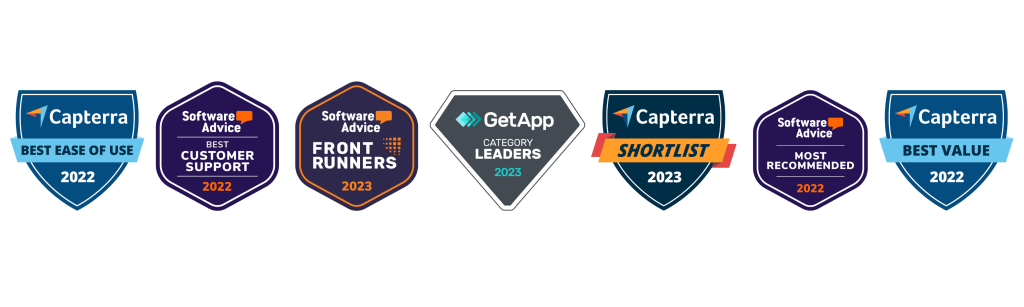
teamgate crm awards
Teamgate CRM Awards

HubSpot CRM

HubSpot CRM is the epitome of user-friendly design combined with powerful functionality, all available without a price tag. This platform is designed for businesses of all sizes, providing tools that span across sales, marketing, and customer service. Its intuitive interface removes the intimidation factor often associated with adopting new software, making it accessible for teams with varied levels of tech-savviness.

Hubspot CRM Key Features and Context

  • Automation and Integration: HubSpot excels in automating routine tasks and seamlessly integrates with a wide array of tools, including email marketing platforms, social media tools, and more, streamlining workflows and enhancing efficiency.
  • Scalability: Initially free, HubSpot is designed to grow with your business. Its free offerings are robust, but as needs expand, businesses can explore paid plans for more advanced features.

Hubspot Considerations

While HubSpot is an excellent starting point for many businesses, those with more complex needs might find the leap to paid plans necessary sooner than anticipated. This transition can introduce a significant cost, especially for startups and small businesses on tight budgets.

Zoho CRM

Zoho CRM offers a comprehensive suite of features that cater to businesses looking for a highly customizable and scalable CRM solution. Its strength lies in its flexibility, supporting a wide range of business processes and workflows with a particular emphasis on sales and marketing automation.

Zoho CRM Key Features and Context

  • AI-Powered Insights: Zoho’s AI assistant, Zia, provides sales predictions, automation suggestions, and even conversational assistance, helping businesses leverage data for better decision-making.
  • Extensive Customization: Zoho CRM can be tailored extensively to fit unique business needs, including custom fields, modules, and workflows, ensuring that the CRM adapts to the business rather than the other way around.

Considerations

Zoho’s extensive feature set and customization options can be overwhelming for smaller teams or those new to CRM software. Additionally, while Zoho offers a free version, accessing its most powerful features requires upgrading to paid plans.

Bitrix24

Bitrix24 stands out not just as a CRM but as a complete business suite, offering tools for CRM, project management, collaboration, and even website building. This integrated approach makes Bitrix24 particularly appealing for businesses looking to centralize their operations within a single platform.

Bitrix24 Key Features and Context

  • Unified Platform: Bitrix24’s blend of CRM, project management, and internal communication tools facilitates a seamless flow of information across teams, enhancing collaboration and operational efficiency.
  • Versatility: With features supporting sales, marketing, project tracking, and online collaboration, Bitrix24 is well-suited for a variety of business types and sizes.

Bitrix24 Considerations

The breadth of Bitrix24’s offerings can result in a steep learning curve. While it provides a comprehensive toolkit, businesses primarily in need of a CRM may find some features superfluous, potentially complicating the user experience.

Agile CRM

Agile CRM is designed as an all-in-one solution, integrating sales, marketing, and service functionalities into a single platform. It’s particularly suited for small to medium-sized businesses looking for an affordable yet comprehensive CRM solution.

Agile CRM Key Features and Context

  • All-in-One Solution: By combining CRM functionalities with marketing automation and customer support tools, Agile CRM provides a holistic view of the customer journey, enhancing engagement and insights.
  • User Friendliness: Agile CRM focuses on simplicity and ease of use, ensuring that businesses can quickly adopt and make the most of its features without a steep learning curve.

Agile CRM Considerations

Agile CRM’s free version is limited in terms of the number of users and the breadth of features. Businesses with growing teams or more advanced needs may need to consider its paid options.

Migrating from Salesforce to a New CRM

Migrating from Salesforce to an alternative CRM requires planning and structure. This transition impacts data integrity, workflows, forecasting, and team habits, not just software.

Understanding the Scope and Scale

Begin with a full audit of your Salesforce setup, identify all data, custom fields, integrations, and processes. This blueprint ensures nothing critical is lost and helps clarify what truly drives revenue versus what adds noise.

Choosing the Right Migration Tools and Partners

Specialized migration tools or vendor-supported programs can streamline the process. When evaluating your new CRM, ask whether free migration support is available to reduce friction and downtime.

Data Migration: A Structured Approach

Start with data cleansing, remove duplicates, close dead deals, and clarify stage definitions. A clean dataset improves adoption and reporting accuracy from day one. Run a pilot migration before full transfer to validate structure and workflows.

Training and User Adoption

Training should emphasize daily operating rhythm:

  • Every active deal must have a next step.

  • Follow-ups are driven by tasks and reminders.

  • Activity logging is automated where possible.

When reps see that the CRM gives them clear priorities, adoption improves naturally.

Customization and Integration

The final step in the transition process is customizing and integrating the new CRM to fit your business’s unique needs and workflows. This involves setting up custom fields, workflows, reports, and dashboards, as well as integrating the CRM with other business tools and platforms. Customization and integration are critical for ensuring that the CRM aligns with your business processes, enabling your team to work more efficiently and effectively.

Making the Most Out of Your New CRM

A CRM implementation succeeds when it becomes the backbone of your sales operating rhythm, not just a reporting tool.

Continuous Improvement and Feedback

Adopting a new CRM is an iterative process, requiring ongoing evaluation and refinement. Encourage feedback from your team, identifying pain points, and areas for improvement. Use this feedback to fine-tune the system, optimizing workflows, and customizations to better meet your business’s needs.

Leveraging Analytics and Insights

Use analytics to evaluate:

  • Deal aging trends

  • Activity levels by stage

  • Conversion rates between stages

  • Forecast accuracy over time

These insights help identify bottlenecks and improve win rates.

Fostering a Culture of CRM Adoption

Reinforce that the CRM exists to support selling, not to police activity. Celebrate consistent pipeline hygiene, clean next-step coverage, and improved forecast accuracy. When leadership runs weekly pipeline reviews from CRM dashboards, it signals that the system matters.

Conclusion

Switching from Salesforce to a free alternative CRM can reduce costs, but the real advantage comes from improving sales discipline and pipeline clarity.

The right CRM should:

  • Enforce structured stages and defined next steps

  • Prevent deals from going stale

  • Provide managers with reliable forecasting signals

  • Reduce admin so reps focus on selling

With the right planning and commitment to adoption, your new CRM can sharpen execution, protect revenue, and support predictable growth.

To get started with Teamgate today, start a trial or speak with our team of experts to discuss our free migration program. 


FAQs: Salesforce Free Alternatives

What is a CRM and why is it important for businesses?

A: Customer Relationship Management (CRM) software is a tool that helps businesses manage, analyze, and improve their interactions with current and potential customers. It centralizes customer information, streamlines business processes, and enables personalized customer engagement. CRM is crucial for businesses because it aids in enhancing customer satisfaction, increasing sales, and improving team productivity by providing a unified platform for accessing customer data and insights.

Can free CRM systems compete with paid solutions like Salesforce?

A: Yes, free CRM systems can offer compelling alternatives to paid solutions like Salesforce, particularly for small to medium-sized businesses or those with straightforward CRM needs. While Salesforce is renowned for its comprehensive features and scalability, many free CRMs provide essential functionalities such as contact management, sales pipeline visualization, and basic automation tools. These can be sufficient for businesses looking to manage customer relationships effectively without the complexity or cost of premium solutions. However, the key is to assess whether the free CRM meets your specific business requirements and growth plans.

What are the limitations of using a free CRM?

A: Free CRM systems often come with limitations compared to their paid counterparts. Common restrictions include:

  • User limits: A maximum number of users that can access the CRM.
  • Feature restrictions: Advanced features like extensive automation, detailed analytics, and custom reporting may be unavailable or limited.
  • Data storage limits: A cap on the amount of data or number of records you can store.
  • Integration constraints: Limited or no access to integrations with other business tools and platforms. Businesses should carefully evaluate these limitations against their needs to determine if a free CRM can effectively support their operations.

How do I migrate my data from Salesforce to another CRM?

A: Migrating data from Salesforce to another CRM involves several steps:

  1. Data Export: Use Salesforce’s data export functionality to download your data, including contacts, accounts, leads, opportunities, and custom objects.
  2. Data Cleanup: Before importing the data into the new CRM, clean it up. This may involve removing duplicates, correcting errors, and ensuring data formats are compatible with the new CRM.
  3. Mapping Fields: Determine how data fields in Salesforce correspond to those in the new CRM and map them accordingly. This ensures that data is accurately transferred to the correct fields.
  4. Importing Data: Use the import tool or functionality provided by the new CRM to upload your cleaned and mapped data. Start with a small data set to test the import process and ensure accuracy.
  5. Review and Adjust: After importing, thoroughly review the data in the new CRM for accuracy and completeness. Make any necessary adjustments or corrections. Consider consulting with the support teams of both Salesforce and the new CRM or hiring a data migration specialist to assist with complex migrations.

Are there any free CRMs that offer integration with other business tools?

A: Many free CRMs offer integration capabilities with popular business tools and platforms, though the extent and complexity of these integrations can vary. Common integrations include email platforms (e.g., Gmail, Outlook), social media, marketing automation tools, and customer service software. When evaluating a free CRM, check its integration marketplace or documentation to understand which tools it can connect with and any limitations that may apply. Integration can significantly enhance productivity and provide a more cohesive view of customer interactions across different channels.


In today’s competitive business landscape, managing customer relationships efficiently is pivotal for small business growth and sustainability. This article delves into the realm of Customer Relationship Management (CRM) systems, shedding light on why they are indispensable for small businesses. From exploring the key features to consider when selecting a CRM, to reviewing some top free CRM solutions, we provide a comprehensive guide to empower small businesses on their journey towards enhanced customer engagement and operational efficiency.

Key Takeaways:

  1. Importance of CRM: Understand the critical role CRM systems play in scaling operations, enhancing customer relationships, and streamlining processes for small businesses.
  2. Essential CRM Features: Discover the key features to look for in a CRM system including user-friendly interface, customizability, and integration capabilities.
  3. Top Free CRM Options: Get an overview of leading free CRM platforms and how to compare their features to find the right fit for your business.
  4. Implementing CRM: Learn best practices for smooth CRM integration, training, and onboarding to ensure successful adoption within your organization.
  5. Maximizing CRM Benefits: Explore advanced CRM features and learn how to leverage them for optimal productivity and customer engagement.

Why Small Businesses Need a CRM

In today’s competitive marketplace, the heartbeat of any small business is its relationship with customers. A smooth, interactive, and engaging customer relationship is not just a nice-to-have but a necessity. This is where Customer Relationship Management (CRM) systems come into play, acting as the linchpin between businesses and their customers.

The Role of CRM in Scaling Operations

In the nascent stages of a small business, managing customer interactions may seem like a breeze. A few spreadsheets here, a couple of emails there, and you’re set. However, as your customer base expands, the manual approach starts to unravel. CRM systems step in to automate and streamline these interactions, creating a structured, organized framework that can scale with your operations.

A CRM system is much more than just a digital Rolodex; it’s the backbone of your customer interactions. It meticulously records customer data, tracks interactions, and automates repetitive tasks, freeing up valuable time. It’s like having a dedicated team working round the clock to ensure no lead falls through the cracks and every opportunity is capitalized on.

By centralizing customer data, a CRM provides a 360-degree view of your customer interactions. This centralized hub allows for better communication, smoother operations, and informed decision-making to support your sales strategy. It’s not just about maintaining relationships; it’s about deepening them, uncovering new opportunities, and driving sustained growth.

Enhancing Customer Relationships and Retention

Customers are not just looking for a one-off transaction; they are seeking a relationship. They want to feel valued, understood, and catered to. A CRM system is instrumental in fostering and nurturing these relationships. It does so by providing insights into customer behavior, preferences, and needs.

A well-implemented CRM system can predict when a customer might need your product or service, allowing for timely engagement. It can also personalize interactions, making customers feel valued and understood. Over time, these positive interactions build trust and loyalty, which are invaluable for customer retention.

Moreover, satisfied customers are more likely to refer others to your business, creating a virtuous cycle of positive interactions and growth. In a world where customer reviews can make or break a business, maintaining a positive relationship with your customers is not just smart; it’s essential.

Streamlining Processes and Boosting Productivity

Efficiency and productivity are the cornerstones of a successful small business operation. A CRM system turbocharges these attributes by automating routine tasks and centralizing communication. Imagine having a single platform that tracks every customer interaction, schedules follow-ups, and even automates marketing campaigns. That’s the power of a CRM.

By reducing the manual workload, a CRM system allows your team to focus on what they do best: engaging with customers and growing the business. Moreover, the analytics provided by a CRM can identify bottlenecks and areas for improvement, providing a roadmap for continuous improvement and growth.

In essence, a CRM system is not just a tool but a strategic ally, propelling small businesses forward in a competitive market landscape. Through streamlined processes and enhanced productivity, CRM paves the way for a robust, scalable, and customer-centric operation.

Key Features to Consider in a Small Business CRM

The market is flooded with CRM solutions, each touting unique features and benefits. However, not all CRMs are created equal, especially when it comes to catering to the needs of small businesses. Let’s delve into the key features that a small business should consider to ensure they invest in a CRM system that will be a catalyst for growth.

User-Friendly Interface for Quick Adoption

The potency of a CRM system lies in its adoption across the organization. A user-friendly interface is paramount to ensure a smooth adoption process. Small businesses, often running on tight operational margins, can ill-afford a lengthy and complex learning curve.

A CRM system that is intuitive, easy to navigate, and straightforward allows for quick adoption, minimizing resistance from the team. The quicker your team gets comfortable with the CRM, the quicker you can start reaping the benefits. A user-friendly CRM transforms from being a mere tool to a daily companion for your team, facilitating a seamless flow of information and tasks.

Moreover, a CRM with a clutter-free, straightforward interface reduces the chances of errors, ensuring that your data remains accurate and reliable. It’s not just about ease of use; it’s about creating a conducive environment for your team to excel.

Customizability to Suit Unique Business Needs

No two businesses are alike, and a one-size-fits-all CRM system is likely to fall short of your unique operational needs. Customizability is a feature that sets apart a good CRM from a great one.

The ability to tailor the CRM system to match your processes, terminologies, and workflow not only enhances productivity but also ensures a natural fit into your operational ecosystem. A customizable CRM system provides the flexibility to evolve with your business, adapting to new processes and requirements as your business scales.

Whether it’s creating custom fields, modifying the dashboard to show real-time data pertinent to your operations, or integrating with other essential business tools, a customizable CRM is akin to having a bespoke suit tailored to fit your business perfectly.

Integration Capabilities with Other Essential Tools

In the digital age, businesses leverage a suite of tools and applications for their daily operations. A CRM system that can seamlessly integrate with other essential tools such as email, marketing automation, and customer service platforms is a boon.

Integration extends the functionality of your CRM, turning it into a powerful hub that centralizes data from various tools. This centralization not only streamlines processes but also provides a comprehensive view of your business operations and customer interactions.

Moreover, integration eliminates data silos, ensuring that every piece of data is easily accessible and actionable. When your CRM system communicates fluently with other tools, your team enjoys a unified, coherent, and powerful platform to drive business success.

Exploring Top Free CRM Options for Small Businesses

The quest for the perfect CRM can be akin to finding a needle in a haystack. However, armed with the right information, small businesses can navigate through the maze of CRM solutions to find the one that aligns with their needs and budget.

Overview of Leading Free CRM Platforms

The market is replete with free CRM options, each with its distinct set of features and benefits. Leading names like HubSpot CRM, Zoho CRM, and Freshsales have carved a niche by offering robust features at no cost, whilst up and coming solutions such as Teamgate and Capsule CRM are quickly making ground.

These platforms provide a gamut of features like contact management, deal tracking, email automation, and analytics, which can significantly bolster a small business’s customer engagement and operational efficiency. But always be weary of future pricing once your company scales and outgrows the free offerings.

Comparing Features: Which CRM is Right for You?

Choosing the right CRM hinges on a thorough comparison of features against your business needs. Here are some considerations:

  • Ease of Use: Is the CRM intuitive? Does it require extensive training?
  • Customizability: Can it adapt to your business processes?
  • Integration: Does it play well with other tools you use?
  • Support: What level of support does the vendor provide?
  • Scalability: Can it grow with your business?

Comparing CRMs on these parameters will help in narrowing down to a solution that not just meets but exceeds your expectations. It’s about finding a CRM that’s in sync with your business goals and operational workflow.

Implementing and Maximizing Your CRM Investment

Transitioning to a CRM system is not just about adopting a new tool; it’s about ushering in a more structured, data-driven approach to managing customer relationships. The journey from selection to maximization of a CRM system is a strategic endeavor that can significantly impact your business operations and customer satisfaction levels.

Best Practices for Smooth CRM Integration

The integration phase is critical to the success of your CRM implementation. It begins with a clear understanding of your business processes and the goals you aim to achieve with the CRM system. Engage key stakeholders from different departments to ensure a holistic integration plan. Data migration is a significant part of this phase; ensuring data accuracy and consistency is crucial to avoid any operational hiccups. Additionally, mapping out the processes, customizing the CRM to suit your business needs, and ensuring a seamless flow of data across various departments are pivotal steps in this phase.

Training and Onboarding: Ensuring Team Buy-In

A CRM system is as good as the people using it. Training and onboarding are essential to ensure that your team is comfortable with the new system. Comprehensive training sessions covering the core functionalities, custom features, and best practices will empower your team to utilize the CRM system effectively. Encouraging an open feedback loop can provide valuable insights into any challenges faced by the team, allowing for timely resolution. Additionally, creating a repository of training resources and FAQs can serve as a handy reference for your team, fostering continuous learning and adaptation.

Leveraging Advanced Features for Optimal Results

Once the basics are in place, exploring the advanced features of your CRM system can provide a competitive edge. Features like advanced analytics, automation, and integrations with other business tools can significantly enhance productivity and provide deeper insights into customer behavior and preferences. Establishing a regular review process to assess the utilization of these features and the value they add to your business can ensure that you are maximizing your CRM investment. Additionally, staying updated on the latest features and updates from your CRM vendor can help in leveraging the evolving capabilities of the system for sustained business growth.

Teamgate: The Ideal CRM Partner for Small Businesses

In the vast ocean of CRM solutions, Teamgate emerges as a lighthouse for small businesses navigating the turbulent waters of customer relationship management.

What Sets Teamgate Apart from Other CRM Solutions

Teamgate’s intuitive design and a rich array of features make it a compelling choice for small businesses. Unlike many other CRM systems that come with a steep learning curve, Teamgate is designed for quick adoption. Its user-friendly interface, coupled with powerful customization capabilities, allows for a seamless integration with your existing business processes.

The robust analytics provided by Teamgate can be a game-changer in understanding customer behavior and preferences. Moreover, its ability to seamlessly integrate with other essential business tools creates a unified, powerful platform to manage customer relationships efficiently. The support and training resources provided by Teamgate ensure that your team is well-equipped to utilize the CRM system to its full potential.

Seamless Experience Tailored for Small Business Needs

Teamgate understands the unique challenges faced by small businesses and has tailored its CRM solution to meet these specific needs. The easy setup process, coupled with the availability of a knowledgeable support team, ensures a smooth transition to Teamgate’s CRM system.

The flexibility to customize the system, along with a range of integrations with other business tools, makes Teamgate a versatile solution that can adapt to your evolving business needs. Moreover, the transparent pricing and the availability of a free version for small business make it an affordable choice for small businesses keen on maximizing the value from their CRM investment.

Growing with Your Business: Scalability and Support

Teamgate is not just a CRM solution; it’s a partner in your growth journey. As your business scales, Teamgate’s scalable architecture ensures that the CRM system grows with you, accommodating your expanding customer base and operational complexity.

The ongoing support and training resources provided by Teamgate ensure that your team is always updated on the latest features and best practices. The commitment to customer success exhibited by Teamgate through its proactive support and continuous enhancement of its CRM solution makes it a reliable partner for small businesses aiming for sustained growth.

To learn more about Teamgate’s FREE small business offerings, speak to their team today or get started yourself with a 14-day free trial.


FAQs: Free CRM for Small Businesses

  • What is a CRM and why is it important for small businesses?
    • CRM, or Customer Relationship Management, is a tool that helps businesses manage interactions with customers and potential customers. For small businesses, a CRM is crucial for organizing customer data, streamlining processes, and improving customer satisfaction and retention.
  • How can a CRM system improve customer relationships?
    • A CRM system centralizes customer data, providing insights into customer preferences and behaviors. This enables personalized interactions, timely engagement, and better service, thereby improving customer relationships.
  • What are the top free CRM solutions for small businesses?
    • Some leading free CRM solutions include Teamgate, HubSpot CRM, Zoho CRM, and Freshsales. Each of these platforms offers a unique set of features catering to different business needs.
  • How does Teamgate compare to other free CRM options?
    • Teamgate stands out for its user-friendly interface, customizability, robust analytics, and dedicated support, making it a favorable choice for small businesses.
  • How can CRM software streamline business operations?
    • CRM software automates routine tasks, centralizes communication, and provides real-time analytics, which streamlines business operations and boosts productivity.
  • What should small businesses consider when choosing a CRM?
    • Small businesses should consider ease of use, customizability, integration capabilities, support, and scalability when choosing a CRM to ensure it aligns with their operational needs.
  • How can a small business maximize the benefits of a CRM investment?
    • Maximizing benefits from a CRM investment involves choosing a CRM that aligns with business needs, ensuring smooth integration, providing adequate training to the team, and leveraging advanced features for enhanced productivity and customer engagement.

In the high-stakes arena of sales, the art of capturing leads is akin to mining gold. Each lead holds potential, a promise of a fruitful relationship, and a contribution to the sales pipeline. In this digital age, where every interaction can be a gateway to a new customer, lead capture software emerges as an indispensable tool for sales teams. However, amidst budget constraints and the pursuit of efficiency, the allure of free lead capture software becomes increasingly compelling.

This exploration is not just about the allure of ‘free’ but an insightful journey into how such tools can revolutionize sales processes. We delve into the mechanics of these tools, dissect their capabilities, and understand their impact on a sales team’s dynamics. The goal is to equip sales professionals with knowledge, enabling them to make informed decisions about leveraging these tools to their maximum potential.

Key Takeaways:

  • Streamlined Lead Management: Free lead capture software significantly streamlines the lead management process, allowing sales teams to focus more on selling and less on administrative tasks.
  • Effective Integration with Sales Pipelines: Many free tools offer seamless integration with sales pipelines, ensuring continuous lead flow and better forecasting.
  • Crucial Features for Sales Support: Essential features like contact management, lead scoring, and analytics play a key role in making the sales process more efficient.
  • Identifying the Need to Upgrade: Understanding when to move from a free version to a premium software is crucial for growing businesses to maintain sales efficiency.
  • Limitations of Free Versions: While free tools are beneficial, they may lack advanced features crucial for complex sales processes, highlighting the need for periodic evaluation of tool adequacy.

Contents:

  1. Lead Capture Software in Sales
  2. Key Features of Free Lead Capture Software
  3. Top Free Lead Capture Tools for Sales
  4. Implementing Free Lead Capture Tools in Sales
  5. Enhancing Sales Performance with Lead Capture
  6. Conclusion
  7. FAQs: Free Lead Capture Software

Lead Capture Software in Sales

Defining Lead Capture Software

Imagine a tool that not only identifies potential customers but also gathers critical information about them, feeding directly into your sales strategy. This is the essence of lead capture software. It’s a technology that automates the collection of lead data from various sources – be it a website, social media, or email campaigns. But it’s more than just a data collection tool; it’s a bridge between potential customers and your sales team, ensuring that no opportunity slips through the cracks.

In the realm of sales, this software is a game-changer. It’s not just about gathering names and email addresses. It’s about capturing the pulse of potential customers – their interests, behaviors, and preferences. This information is gold dust for sales teams, enabling them to tailor their approaches, personalize communication, and ultimately, close deals more effectively.

The Role of Lead Capture in Sales

Lead capture in sales is like the compass that guides ships in the vast ocean. It directs sales efforts towards the right targets, ensuring that energy and resources are invested in leads with the highest conversion potential. In the absence of effective lead capture, sales teams are like sailors at sea without a compass, with efforts possibly going astray.

The role of lead capture software in sales extends beyond mere data collection. It’s about enhancing the quality of leads. A lead that enters your system through this software is not just a contact; it’s a prospect that has been filtered through predefined criteria, ensuring alignment with your sales objectives. This alignment is crucial in sales, as it reduces the time and effort spent on unqualified or low-potential leads, allowing sales teams to focus on those with the highest likelihood of conversion.

Advantages of Lead Capture Software for Sales Teams

The advantages of employing free lead capture software in sales are manifold. Firstly, it brings efficiency. In the fast-paced world of sales, time is currency. This software automates a significant portion of the lead generation process, freeing up sales representatives to focus on what they do best – sell.

Secondly, it enhances lead quality. By capturing detailed information about leads, sales teams can better understand their prospects. This understanding is pivotal in crafting more personalized, targeted sales pitches, which are far more likely to resonate with potential customers.

Lastly, it accelerates the sales cycle. With a streamlined process for capturing and managing leads, the journey from prospect to customer is expedited. Sales teams can quickly identify the most promising leads, engage them effectively, and move them through the sales funnel at an optimized pace.

Key Features of Free Lead Capture Software

Essential Sales-Oriented Features

In the arsenal of a sales team, free lead capture software is not just a tool but a strategic ally. The effectiveness of this software hinges on certain key features that are tailored for sales optimization.

Contact Management: At its core, the software acts as a sophisticated repository, organizing and managing lead information. This isn’t just about storing contact details; it’s about creating a dynamic profile for each lead, enriched with interaction history, preferences, and engagement levels. Such detailed profiling empowers sales teams to craft highly personalized outreach strategies.

Lead Scoring and Prioritization: One of the most critical features is lead scoring. This mechanism ranks prospects based on their likelihood to convert, using a variety of criteria such as engagement level, demographic information, and behavioral data. Sales teams can then prioritize their efforts, focusing on leads with the highest scores, thereby optimizing their time and resources.

Sales Funnel Integration: The software’s ability to seamlessly integrate with the sales funnel is a game-changer. It ensures a smooth transition of leads from one stage to the next, maintaining a consistent flow and avoiding bottlenecks. This integration allows for real-time tracking of lead progress, enabling sales teams to timely intervene and nurture leads at each funnel stage.

Free vs. Paid Software for Sales

While free lead capture software offers numerous advantages, it’s crucial to understand its limitations compared to paid versions. Free tools often come with restrictions on the number of leads, limited customization options, and basic analytics features. These constraints can be significant for larger sales teams or for businesses with complex sales processes.

However, for small businesses or startups, free software can be an ideal starting point. It provides a cost-effective solution to manage leads effectively without a hefty investment. The key is to recognize when the business has outgrown the free tool and requires more advanced features that only a paid solution can offer.

Top Free Lead Capture Tools for Sales

In the realm of free lead capture tools, three names stand out for their robust features and compatibility with sales processes: Teamgate Free CRM, HubSpot Free CRM, and Zoho Free CRM. Each of these tools brings unique strengths to the table, catering to different needs and scales of sales operations.

Teamgate Free CRM

  • Features: Teamgate Free CRM shines with its streamlined interface and efficient contact management system. It offers essential CRM functionalities like lead, deal, and pipeline management, ensuring a smooth sales process.
  • Pros: The simplicity and dedicated customer support of Teamgate makes it highly accessible for small sales teams or startups. It’s designed for ease of use, ensuring that teams can get up and running quickly without a steep learning curve.
  • Cons: The free version has limitations in terms of the number of users and advanced features like detailed analytics and customization options, which might be a constraint for growing businesses.

HubSpot Free CRM

  • Features: HubSpot Free CRM is a powerhouse in lead capture and management. It includes features like email tracking, deal pipeline visualization, and detailed contact records. Its lead scoring capabilities are particularly noteworthy, enabling sales teams to prioritize leads effectively.
  • Pros: HubSpot excels in providing an all-in-one platform for sales teams, integrating various aspects of sales and marketing. Its user-friendly interface and extensive knowledge base make it a popular choice among businesses of all sizes.
  • Cons: While robust in features, HubSpot’s free version can sometimes lead users towards its paid features, which might be a distraction for teams strictly looking for a free solution.

Zoho Free CRM

  • Features: Zoho Free CRM offers comprehensive CRM functionalities, including sales funnel integration, real-time lead tracking, and automation capabilities. It stands out for its ability to provide a 360-degree view of the sales cycle.
  • Pros: The strength of Zoho lies in its versatility and scalability. It’s suitable for businesses that require a more sophisticated approach to CRM, with capabilities to customize and integrate with other business tools.
  • Cons: The complexity of Zoho can be a double-edged sword. For teams new to CRM or those with straightforward processes, the array of features and customization options might be overwhelming.

Implementing Free Lead Capture Tools

Implementing free lead capture software like Teamgate, HubSpot, or Zoho CRM is not just about installation; it’s about strategically integrating these tools into your sales processes. Here are some best practices:

Customize to Fit Your Sales Process

Each of these tools offers a degree of customization. Tailor them to mirror your sales process. This might involve setting up custom fields in Teamgate, configuring deal stages in HubSpot, or automating workflows in Zoho.

Train Your Sales Team

Even the most intuitive tool requires some learning. Invest time in training your sales team, utilizing the extensive resources offered by these platforms, like HubSpot Academy or Zoho’s resource library.

Regularly Update and Cleanse Data

The efficacy of a CRM tool is only as good as the data it holds. Encourage your team to regularly update the CRM and perform routine data cleansing to maintain data accuracy and relevance.

Integrate with Other Tools

Leverage the integration capabilities of these CRMs. Whether it’s connecting your email marketing tool with HubSpot, syncing Teamgate with your lead enrichment platform, or integrating Zoho with your accounting software, these integrations create a cohesive ecosystem that streamlines your sales process.

Enhancing Sales Performance with Lead Capture

With the right free lead capture tool in place, sales teams can adopt advanced techniques to further enhance lead conversion:

Segmentation and Personalization

Use the data in your CRM to segment leads and tailor your outreach. Personalized emails or offers, based on the lead’s history and preferences, can significantly increase conversion rates.

Lead Nurturing

Implement lead nurturing campaigns using the automation features in Zoho or HubSpot. Regular, targeted communication keeps your brand top-of-mind and gradually moves leads down the sales funnel.

Analytics and Continuous Improvement

Utilize the analytics features of these CRMs to track performance metrics. Analyze which strategies are working and continuously refine your sales process for better results.

Measuring Success: Key Metrics and Analysis

In the world of sales, data-driven decision-making is paramount. Measuring the success of your lead capture and sales efforts involves more than just looking at revenue growth. It’s about understanding the nuances of your sales cycle and the efficiency of your processes. Here are some key metrics to consider:

Lead Conversion Rate: This metric tracks the percentage of leads that turn into paying customers. A higher conversion rate indicates effective lead qualification and nurturing strategies.

Sales Cycle Length: Measure the average time it takes for a lead to move through your sales funnel. A shorter cycle can indicate a more efficient sales process, while a longer cycle might suggest areas for improvement in lead nurturing or qualification.

Customer Acquisition Cost (CAC): CAC is the total cost of acquiring a new customer, including marketing and sales expenses. Understanding this metric helps in evaluating the cost-effectiveness of your lead capture strategies.

Customer Lifetime Value (CLV): CLV predicts the net profit attributed to the entire future relationship with a customer. Balancing CAC with CLV is crucial for long-term business sustainability.

Engagement Metrics: Track how leads interact with your emails, content, and other communication channels. High engagement rates often correlate with higher conversion rates.

Analyzing and Interpreting Data

The true power of free lead capture tools like Teamgate, HubSpot, and Zoho CRM lies in their ability to provide actionable insights through data analysis. Regularly reviewing and interpreting this data allows sales teams to:

  • Identify the most effective lead sources and focus efforts accordingly.
  • Understand lead behavior and preferences to tailor sales strategies.
  • Recognize patterns in the sales cycle to optimize lead nurturing and follow-up processes.
  • Make informed decisions about resource allocation and strategy adjustments.

Conclusion

The journey through the landscape of free lead capture software reveals a world where efficiency, strategic insight, and enhanced sales performance are within reach, even without hefty investments. Tools like Teamgate, HubSpot, and Zoho CRM offer sales teams the capabilities to not only capture leads but to nurture and convert them more effectively.

As we conclude, remember that the choice of tool should align with your specific sales needs and processes. The implementation of these tools, coupled with a data-driven approach, can transform your sales operations, leading to sustained growth and success.

Embrace these tools, harness their potential, and watch as your sales team reaches new heights of efficiency and effectiveness.

Ready to get started for FREE today? Try Teamgate CRM now!


FAQs: Free Lead Capture Software

Q: How does free lead capture software benefit sales teams specifically?

A: Free lead capture software offers several specific benefits to sales teams. It streamlines the lead management process, allowing sales reps to focus more on selling rather than on administrative tasks. These tools often include features like lead scoring and prioritization, which help sales teams identify and focus on high-potential leads, thereby increasing the efficiency of the sales process. Additionally, the integration capabilities with other sales and marketing tools ensure a seamless flow of information, enhancing overall sales strategy and execution.

Q: Can free lead capture tools integrate effectively with sales pipelines?

A: Yes, many free lead capture tools are designed to integrate effectively with sales pipelines. Tools like HubSpot Free CRM and Zoho Free CRM offer integration features that allow sales teams to track the progress of leads through different stages of the sales funnel. This integration helps in maintaining a continuous flow of leads, ensuring that no potential customer is lost in the transition from one stage to the next. It also allows for better forecasting and planning, as sales teams have a clear view of their pipeline.

Q: What are the key features in lead capture software that support sales activities?

A: Key features in lead capture software that support sales activities include contact management, which helps in organizing and storing lead information; lead scoring and prioritization, which assist in identifying the most promising leads; sales funnel integration, ensuring a smooth transition of leads through the sales process; and analytics, providing insights into lead behavior and sales performance. These features collectively help in making the sales process more efficient and effective.

Q: When should sales teams consider upgrading from free to premium software?

A: Sales teams should consider upgrading from free to premium software when their needs surpass the capabilities of the free version. This could be due to various factors such as the need for more advanced features, higher data capacity, more customization options, or better integration capabilities with other tools. Additionally, as the business grows and the sales process becomes more complex, the limitations of free software might hinder efficiency, making an upgrade necessary for continued growth and success.

Q: Are there any significant features often missing in free versions that are crucial for sales?

A: Free versions of lead capture software may lack certain advanced features that can be crucial for sales. These might include detailed analytics and reporting tools, advanced customization options, increased data storage and user capacity, and more sophisticated automation capabilities. While free versions are often sufficient for basic lead capture and management, sales teams with more complex needs or larger operations might find these missing features a limitation, necessitating an upgrade to a paid version.