Get a free sales audit to uncover hidden revenue opportunities!

Revenue usually doesn’t disappear in one big moment—it leaks out through missed follow-ups, vague pipeline stages, and deals that sit “open” with no real next step. If you want full-cycle sales to work, you need three things:

  • Clear stages that mean something

  • A required next step on every active deal

  • Visibility into activity and deal health

Teamgate is a sales operating system for teams who want disciplined selling, real insight, and a CRM their reps actually use. Instead of adding bloat, it reinforces the behaviors that keep deals moving and forecasts grounded in reality.

Key Takeaways

  • Key CRM Features: Discover crucial features for full-cycle sales, including lead management and workflow automation.
  • Sales Team Collaboration: Understand how CRMs enhance team collaboration and communication.
  • Customer Follow-ups: Learn how CRMs automate and manage customer follow-ups effectively.
  • Integration Importance: Find out why integrating your CRM with other tools is essential.
  • CRM Scalability: See why scalability is critical for growing businesses.

Contents

What is a Full-Cycle Sales Process?

A full-cycle sales process covers every stage of the sales journey; from the first conversation to closed-won and ongoing follow-up. But in practice, it’s not just a list of stages. It’s a system that ensures:

  • Every deal has a clear stage

  • Every stage has defined entry and exit criteria

  • Every active opportunity has a next step

The key stages of a full-cycle sales process include:

Prospecting

This is where sales representatives identify potential customers or leads. It involves researching and gathering information about prospective clients who might be interested in the product or service.

Qualifying

In this stage, the sales team assesses leads to determine their suitability and likelihood of converting. This means validating need, budget, authority, timeline, and fit, so reps don’t waste cycles on deals that were never real.

Presenting

Once a lead is qualified, the sales representative presents the product or service, showing how it addresses the customer’s specific needs. This stage should always end with a defined next step, another meeting, a proposal review, or stakeholder alignment.

Handling Objections

Customers often have concerns. Addressing these effectively requires clarity on what’s blocking the deal and a structured follow-up plan to resolve it.

Closing

This is where the sale is finalized. Clear documentation, activity history, and stakeholder context help prevent last-minute surprises.

Follow-up

Post-sale follow-up ensures customer satisfaction and long-term value. Without structured reminders and task management, even happy customers can drift away.

Managing each stage efficiently improves win rates and protects momentum. The difference between a healthy pipeline and a misleading one often comes down to how strictly these stages are enforced.

Why You Need a CRM for Full-Cycle Sales

Running full-cycle sales without a CRM doesn’t just slow teams down, it creates blind spots that cost revenue.

Deals sit in “open” stages with no next action. Reps rely on memory for follow-up. Managers forecast based on optimism instead of evidence.

A CRM built for disciplined execution turns selling into a repeatable operating rhythm instead of a collection of personal habits.

Teamgate represents a sales operating system that protects revenue by enforcing disciplined selling, clean pipeline data, consistent follow-up, and leadership visibility, without bloated features or heavy admin overhead

Benefits of Using a CRM in Full-Cycle Sales:

The real value of a CRM isn’t storing data. It’s reinforcing behavior at scale.

Predictable execution:
Tasks, reminders, and automations make consistent follow-up the default instead of a heroic effort.

Pipeline truth:
Deal aging, activity history, and next-step coverage replace subjective forecasting with real signals.

Higher rep adoption:
When email, calls, meetings, and notes live in one place, reps update the CRM because it helps them sell—not because they’re forced to.

Better coaching leverage:
Managers can coach from activity data, deal health, and next-step coverage instead of anecdotes.

Revenue protection:
Stale deals are surfaced early, preventing silent pipeline decay and wasted capacity.

In short, a full-cycle CRM doesn’t just track sales—it protects revenue from the hidden cost of inaction.

Key Features to Look for in a CRM for Full-Cycle Sales

Choosing the right CRM for full-cycle sales involves understanding the essential features that can enhance your sales process and drive better results. Here are the key features to look for:

Lead and Contact Management

A robust CRM should offer comprehensive lead and contact management capabilities. This includes storing and organizing contact information, tracking interactions, and managing follow-up tasks. Effective lead management ensures that no potential customer falls through the cracks and that sales representatives can easily access all the information they need to engage with leads effectively.

Sales Pipeline Management

Sales pipeline management is crucial for visualizing the different stages of the sales process. A CRM with this feature allows sales teams to track the progress of deals, identify bottlenecks, and forecast sales revenue. It provides a clear overview of where each lead is in the sales cycle, helping managers make informed decisions and prioritize efforts.

Workflow Automation

Automation capabilities in a CRM can significantly improve efficiency by automating repetitive tasks such as sending follow-up emails, scheduling meetings, and updating records. Workflow automation ensures consistency and frees up time for sales representatives to focus on more strategic activities, such as nurturing relationships and closing deals.

Analytics and Reporting

Detailed analytics and reporting features are essential for monitoring performance and making data-driven decisions. A CRM should provide customizable reports and dashboards that offer insights into sales activities, team performance, and customer behaviors. This information helps in identifying trends, evaluating the effectiveness of sales strategies, and making necessary adjustments.

Integration Capabilities

A good CRM should seamlessly integrate with other tools and systems that your business uses, such as email platforms, marketing automation software, and customer support systems. Integration capabilities ensure that data flows smoothly across different systems, providing a unified view of customer interactions and enabling better collaboration between departments.

Customization Options

Every business has unique needs, and a one-size-fits-all approach doesn’t work. Look for a CRM that offers customization options, allowing you to tailor the system to your specific sales processes and requirements. This can include customizing fields, workflows, and user interfaces to match your business model.

By focusing on these key features, businesses can select a CRM that not only supports their full-cycle sales process but also enhances overall productivity and effectiveness. The right CRM will empower sales teams to work smarter, close deals faster, and build stronger customer relationships.

Top 5 CRMs for Full-Cycle Sales

1. Teamgate CRM

Overview: Teamgate CRM is designed for sales-led teams that want process clarity without enterprise bloat. It focuses on clean pipelines, enforced next steps, and high rep adoption.

Teamgate CRM Key Features and Benefits (Behavior-Focused):

  • Visual Deal Pipeline with Real Stages: Custom pipelines and clear stage definitions ensure every deal reflects reality, not optimism—improving forecast accuracy.
  • Mandatory Next Steps via Tasks & Activities: Every active deal is tied to a concrete action, eliminating “no next step” stagnation.
  • Email & Calendar Sync (Gmail/Outlook): Conversations, meetings, and history stay attached to deals automatically, reducing admin and lost context.
  • Built-in Calling & SMS (Twilio/Nexmo): Reps call and follow up directly from the CRM, with outcomes logged automatically for consistency.
  • Workflow Automations: Auto-created tasks, reminders, and notifications enforce follow-up discipline without manual policing.
  • Sales Dashboards & Forecasting: Managers see deal aging, activity levels, and pipeline health—so coaching and forecasts are evidence-based.
  • Rep-First Adoption: Fast setup, minimal data entry, and mobile apps ensure reps actually use the system daily.

How Teamgate Supports Full-Cycle Sales:
Teamgate makes disciplined selling the default. Deals can’t quietly go stale because next steps are visible. Follow-up becomes systematic, not optional. Managers gain reliable pipeline insight, and reps spend less time on admin and more time advancing deals.

2. Salesforce

Overview: Salesforce is one of the most widely used CRM platforms globally, known for its extensive features and scalability. It is ideal for businesses of all sizes looking to manage their full-cycle sales processes efficiently.

Salesforce Key Features and Benefits:

  • Lead and Contact Management: Salesforce offers comprehensive lead and contact management tools, including lead scoring, assignment, and tracking. Its robust database allows users to store and manage vast amounts of customer information.
  • Sales Pipeline Management: The platform’s pipeline management features enable users to visualize the sales process, track deal progress, and identify potential bottlenecks. Salesforce’s customizable pipelines provide flexibility to fit various sales processes.
  • Workflow Automation: Salesforce’s automation tools streamline routine tasks, such as sending follow-up emails, scheduling appointments, and updating records. Automation helps improve efficiency and ensures consistency in sales activities.
  • Analytics and Reporting: Salesforce provides advanced analytics and reporting capabilities, offering insights into sales performance, customer behavior, and team productivity. Users can create custom reports and dashboards to monitor key metrics.
  • Integration Capabilities: Salesforce integrates with numerous third-party applications, including marketing automation tools, email platforms, and customer support systems. This integration ensures a seamless flow of information across different departments.
  • Customization Options: Salesforce allows extensive customization, enabling businesses to tailor the CRM to their specific needs. Users can customize fields, workflows, and reports to match their sales processes.

How Salesforce Supports Full-Cycle Sales: Salesforce supports full-cycle sales by providing tools that cover every stage of the sales process. From lead generation and nurturing to closing deals and post-sale follow-up, Salesforce offers features that enhance each phase of the sales journey.

3. HubSpot CRM

Overview: HubSpot CRM is a popular choice for businesses seeking an easy-to-use, scalable CRM solution. It offers a range of features designed to manage full-cycle sales processes efficiently.

Hubspot CRM Key Features and Benefits:

  • Lead and Contact Management: HubSpot CRM provides powerful lead and contact management tools, including automatic lead capture, tracking, and segmentation. Its user-friendly interface makes it easy to manage customer information.
  • Sales Pipeline Management: HubSpot’s visual pipeline management tools allow users to track deals through different stages. Customizable pipelines help businesses tailor the sales process to their specific needs.
  • Workflow Automation: HubSpot automates routine tasks such as email follow-ups, meeting scheduling, and data entry. Automation ensures that sales representatives can focus on building relationships and closing deals.
  • Analytics and Reporting: HubSpot offers robust reporting and analytics tools that provide insights into sales activities, performance, and customer interactions. Customizable dashboards and reports help businesses monitor key metrics and make data-driven decisions.
  • Integration Capabilities: HubSpot integrates seamlessly with a variety of tools, including email platforms, marketing automation software, and customer support systems. This integration ensures a cohesive sales process and better data management.
  • Customization Options: HubSpot allows users to customize fields, workflows, and reports, ensuring that the CRM aligns with their unique business needs.

How Hubspot CRM Supports Full-Cycle Sales: HubSpot CRM supports full-cycle sales by providing tools for lead generation, qualification, deal tracking, and follow-up. Its comprehensive feature set ensures that every stage of the sales process is managed efficiently.

4. Pipedrive

Overview: Pipedrive is a CRM designed specifically for sales teams, focusing on simplicity and efficiency. It provides a visual interface that makes it easy to manage the full sales cycle, from lead generation to deal closure.

Pipedrive Key Features and Benefits:

  • Lead and Contact Management: Pipedrive offers robust lead and contact management features, including detailed contact profiles, interaction tracking, and lead segmentation. The system ensures that all customer information is organized and easily accessible.
  • Sales Pipeline Management: Pipedrive’s visual sales pipeline allows users to drag and drop deals through various stages. This feature helps sales teams keep track of their progress and quickly identify which deals need attention.
  • Workflow Automation: Pipedrive automates repetitive tasks such as sending follow-up emails, creating to-do lists, and updating deal statuses. Automation saves time and ensures that important tasks are not overlooked.
  • Analytics and Reporting: Pipedrive provides powerful analytics and reporting tools that offer insights into sales performance, deal progression, and team productivity. Customizable reports help managers make informed decisions based on real-time data.
  • Integration Capabilities: Pipedrive integrates with a wide range of third-party applications, including email platforms, marketing tools, and project management software. This ensures a seamless flow of information and enhances collaboration across teams.
  • Customization Options: Users can customize Pipedrive to fit their specific sales processes by adjusting fields, workflows, and pipelines. This flexibility ensures that the CRM aligns with unique business needs.

How Pipedrive Supports Full-Cycle Sales: Pipedrive’s features are designed to support every stage of the full-cycle sales process. From initial contact and lead management to deal tracking and closure, Pipedrive provides the tools necessary for efficient and effective sales management.

5. Zoho CRM

Overview: Zoho CRM is a versatile and scalable CRM solution suitable for businesses of all sizes. It offers a comprehensive suite of features that support the full-cycle sales process, from lead generation to customer retention.

Zoho CRM Key Features and Benefits:

  • Lead and Contact Management: Zoho CRM provides advanced lead and contact management tools, including lead scoring, assignment rules, and interaction tracking. It helps sales teams organize and prioritize their leads efficiently.
  • Sales Pipeline Management: Zoho’s sales pipeline management features allow users to track deals through various stages, visualize the sales process, and identify potential bottlenecks. Customizable pipelines ensure that the CRM fits the unique needs of different businesses.
  • Workflow Automation: Zoho CRM automates routine tasks such as sending follow-up emails, scheduling appointments, and updating records. This feature helps improve productivity and ensures that important tasks are completed on time.
  • Analytics and Reporting: Zoho CRM offers powerful analytics and reporting tools that provide insights into sales performance, customer behaviors, and team productivity. Users can create custom reports and dashboards to monitor key metrics and make data-driven decisions.
  • Integration Capabilities: Zoho CRM integrates with a wide range of third-party applications, including email platforms, marketing automation tools, and customer support systems. This ensures seamless data flow and enhances collaboration across different departments.
  • Customization Options: Zoho CRM allows extensive customization, enabling businesses to tailor the system to their specific needs. Users can customize fields, workflows, and reports to match their sales processes.

How Zoho CRM Supports Full-Cycle Sales: Zoho CRM supports full-cycle sales by providing tools that cover every stage of the sales process. From lead generation and nurturing to deal closure and post-sale follow-up, Zoho CRM offers features that enhance each phase of the sales journey.

How to Choose the Right CRM for Your Business

Selecting the right CRM for your business is a critical decision that can significantly impact your sales efficiency and overall growth. Here are the key factors to consider when choosing a CRM for full-cycle sales:

Assess Your Business Needs

Start by evaluating your business requirements and sales processes. Understand what specific features and functionalities are essential for your team. For example, if your sales process involves extensive customer interaction, you might need a CRM with robust contact management and communication tools.

Compare Different CRM Options

Research and compare various CRM options based on their features, pricing, and scalability. Consider factors such as ease of use, integration capabilities, customization options, and customer support. Reading reviews and testimonials from other businesses can also provide valuable insights into the effectiveness of different CRMs.

Evaluate Integration Capabilities

Ensure that the CRM you choose can integrate seamlessly with your existing tools and systems, such as email platforms, marketing automation software, and customer support systems. This integration is crucial for maintaining a cohesive sales process and ensuring that data flows smoothly across different departments.

Consider Scalability

Choose a CRM that can grow with your business. Scalability is important if you plan to expand your operations or if your sales team is likely to increase. The CRM should be able to handle an increased number of users, leads, and transactions without compromising performance.

Importance of Trial Periods and Demos

Take advantage of free trials and demos offered by CRM vendors. This allows you to test the software’s features and see how it fits with your sales processes. Involve your sales team in the evaluation process to get their feedback and ensure that the CRM meets their needs.

Cost and Return on Investment

While cost is an important consideration, it shouldn’t be the only factor. Consider the return on investment (ROI) that the CRM can provide. A slightly more expensive CRM that significantly improves your sales efficiency and revenue can be more beneficial in the long run compared to a cheaper, less effective option.

By considering these factors, you can make an informed decision and choose a CRM that best aligns with your business goals and sales strategies.

Conclusion

Full-cycle sales only work when every stage has structure, every deal has a next step, and every forecast is grounded in real activity.

The right CRM reinforces those fundamentals. By understanding the strengths of Teamgate CRM, Salesforce, HubSpot CRM, Pipedrive, and Zoho CRM, you can choose a system that supports disciplined execution—not just data storage.

If forecasts feel like guesses and late-stage deals stall without visibility, pipeline discipline changes everything.

To get started with Teamgate CRM today, speak with their dedicated team or start a free trial for yourself.


FAQs: Full-Cycle Sales CRM

What features should I look for in a CRM for full-cycle sales?

When selecting a CRM for full-cycle sales, look for features such as lead and contact management, sales pipeline visualization, workflow automation, detailed analytics and reporting, integration capabilities with other tools, and customization options to fit your specific business needs.

How does a CRM improve sales team collaboration?

A CRM enhances sales team collaboration by providing a centralized platform where all team members can access and share information about leads, deals, and customer interactions. It ensures that everyone is on the same page, reduces duplication of efforts, and facilitates communication across the team.

Can a CRM help in managing customer follow-ups?

Yes, a CRM can automate and manage customer follow-ups by scheduling reminders, sending automated emails, and tracking interaction history. This ensures timely follow-ups, which are crucial for maintaining customer engagement and improving conversion rates.

What is the importance of CRM integration with other tools?

Integration with other tools such as email platforms, marketing automation software, and customer support systems is important because it allows for seamless data flow and enhances the overall efficiency of business processes. It ensures that all departments have access to up-to-date information, improving collaboration and decision-making.

How do customizable CRM fields benefit my business?

Customizable CRM fields allow you to tailor the CRM to match your specific business processes and data requirements. This flexibility ensures that the CRM can adapt to your unique workflows, making it more effective and relevant to your business operations.

Why is CRM scalability important for growing businesses?

Scalability is important because as your business grows, your CRM should be able to handle an increasing number of users, leads, and transactions without compromising performance. A scalable CRM ensures that you won’t need to switch systems as your business expands, saving time and resources.

How can CRM analytics improve my sales strategy?

CRM analytics provide insights into sales performance, customer behaviors, and team productivity. By analyzing this data, you can identify trends, evaluate the effectiveness of your sales strategies, and make informed decisions to optimize your sales process and improve results.

What are the benefits of CRM workflow automation?

CRM workflow automation streamlines repetitive tasks such as sending follow-up emails, scheduling appointments, and updating records. This improves efficiency, reduces the chance of human error, and allows sales representatives to focus on more strategic activities, such as building relationships and closing deals.

How does a CRM enhance customer satisfaction?

A CRM enhances customer satisfaction by ensuring that all customer interactions are tracked and managed efficiently. This leads to timely responses, personalized communication, and a consistent customer experience, which in turn increases customer loyalty and retention.

What should I consider when evaluating CRM cost versus ROI?

When evaluating CRM cost versus ROI, consider both the initial and long-term costs, including subscription fees, implementation services, training, and ongoing support. Weigh these costs against the potential benefits such as improved sales efficiency, higher conversion rates, and increased revenue. A CRM that provides significant value and ROI justifies the investment.

Navigating through the complex features of Salesforce can often be overwhelming, especially for small businesses or those with budget constraints.

Fortunately, there are countless alternatives in the CRM landscape to consider. In this article, we’ve done the homework for you, carefully curating a list of the top ten Salesforce alternatives for 2023. Ready to explore? Let’s jump in.

Key Takeaways

  • Salesforce offers a wide range of features, including account and contact management, opportunity management, lead management, mobile functionality, and sales forecasting.
  • While Salesforce has its advantages, such as extensive features, scalability, customizability, and integration with various software and services, it can also be complex, expensive, and requires significant implementation and training.
  • There are several Salesforce alternatives available, including Teamgate, Zoho, Insightly, Pipedrive, Freshsales, Copper CRM, Zendesk, Agile CRM, Bitrix24, and HubSpot.
  • These alternatives offer unique features and benefits, such as customization options, dynamic team collaboration, or AI-powered capabilities, making them ideal for businesses of all sizes across various industries.

Table of Contents:

What is Salesforce

What is CRM? - Salesforce EMEA

Salesforce is a world-renowned software company recognized primarily for its CRM product, Salesforce Customer 360. It offers a diverse suite of applications focused on sales, service, marketing, commerce, and more, supporting businesses of all sizes across various industries.

At its core, Salesforce is a technology that helps businesses manage and analyze customer interactions and relationships. It compiles customer data from various sources into a single repository, enabling businesses to track interactions, manage sales opportunities, and execute targeted marketing campaigns. It is used by many businesses, from small startups to large multinational corporations, and across sectors such as retail, tech, healthcare, financial services, and more.

Key Features of Salesforce

Here are five key elements that set Salesforce apart from its competitors:

  • Account and contact management: Provides businesses with a comprehensive view of their customers and insights from social media platforms like Facebook, Twitter, and LinkedIn.
  • Lead management: Assists in making smarter decisions about marketing budget allocation by helping businesses track leads and optimize campaigns.
  • Mobile functionality: Salesforce allows users to log calls, respond to leads, or check dashboards from anywhere. The mySalesforce feature can also be customized to match a brand’s look and feel.
  • Sales forecasting: Salesforce’s sales forecasting tools offer fast, easy, and accurate real-time views into team forecasts.

Pros & Cons of Using Salesforce

As with any software solution, Salesforce comes with both advantages and potential drawbacks. Below are some of the pros and cons of using Salesforce.

Pros:

  • Extensive range of features: Salesforce offers a wide array of features for sales, service, marketing, collaboration, and analytics.
  • Scalability: Salesforce is highly scalable, allowing businesses to grow and add more features or users as needed. It can cater to the needs of small and large businesses.
  • Customizability: Salesforce offers significant customization options. Businesses can modify layouts, add fields, change workflows, create custom reports, and more to suit their specific needs.
  • Integration: Salesforce integrates well with various other software and services, including email, social media, ERP systems, and more. This allows for a more cohesive technology infrastructure.

Cons:

  • Complexity: Due to its extensive features and capabilities, Salesforce can be complex and overwhelming, especially for small businesses or those with less technical experience.
  • Cost: Salesforce can be quite expensive, especially when adding premium features or additional users. Smaller businesses may find it less affordable than other CRM options.
  • Implementation and training: The implementation of Salesforce can be time-consuming and might require training for users to understand and utilize the platform effectively.

Salesforce Rating

4.3/5 (G2)

Top Salesforce Alternatives

If you’re looking to either implement a new CRM or make the switch, there are many options available within the market. It is important to analyse each offering in conjunction with business and sales needs to ensure successful onboarding and beyond. Read on to learn more about the top 10 Salesforce alternatives for your company.

Teamgate CRM

Teamgate is an easy-to-use CRM software solution offering many features designed to streamline and enhance your sales process. It allows businesses to effectively manage all stages of their sales pipeline, from marketing and lead generation to conversion and customer satisfaction.

While Teamgate offers a robust suite of features, its ease of use and intuitive design are perhaps its most significant advantages. The software is easy to set up, navigate, and customize, with an attractive interface that enhances the user experience.

On the other hand, Salesforce has a more complex user interface, which might require a considerable amount of training and time for users to get accustomed to.

Teamgate CRM Key Features

  • Custom fields: Teamgate’s custom fields allow for comprehensive, bespoke tracking of leads, enabling a more detailed understanding of customer profiles and needs.
  • Advanced filtering: Teamgate features robust filtering tools, enabling users to easily sort and search through their data. It supports both standard and customizable filters, allowing for nuanced searching based on industry, lead ownership, geographic location, and more.
  • Dynamic team collaboration: Each lead, client, or deal is assigned an ‘owner’, the team member responsible for its management. However, other team members can be added as collaborators to ensure all relevant parties stay in the loop.
  • Integrations: Teamgate is designed to smoothly integrate with various external tools, enhancing its overall utility.

Teamgate CRM Rating

4.8/5 (Capterra)

4.6/5 (G2)

Zoho CRM

Zoho offers tools to streamline and automate sales activities, helping reduce redundancies and manual work. With Zoho CRM, businesses can capture and score leads, manage contacts, track deal progress, and automate workflows, all within a user-friendly interface.

The software’s customization capabilities allow you to mold your CRM to fit your unique business needs, whether in terms of data collection, viewing information, or even language and currency preferences.

When it comes to being an alternative to Salesforce, Zoho CRM stands out for several reasons. For one, it is generally considered more user-friendly, with a simpler, more intuitive interface, making it easier for team members to adopt. It also tends to be more affordable than Salesforce, providing more value for smaller businesses or those with tight budgets.

Zoho CRM Key Features

  • Automation: Automate routine sales, marketing, and support tasks, leaving more time to focus on your customers.
  • Process management: Keep track of every step of your sales pipeline and make sure all sales reps follow those steps.
  • Customer journey: Create personalized customer journeys and receive real-time insights to make the necessary adjustments.

Zoho CRM Rating

4/5 (G2)

Insightly

Insightly is a modern, scalable, and affordable CRM software designed for fast-growing companies. Its robust features and cloud-based platform make it an attractive option for businesses that want enterprise-level solutions without the associated costs.

Beyond the key features mentioned above, Insightly also offers features for customer email management, performance dashboards and reporting, and mobile accessibility. It provides businesses with a comprehensive toolkit to manage their customer relationships, monitor business performance, and operate efficiently even on the go.

Insightly Key Features

  • Advanced permissions: Control access to data and ensure that your team always has the right access.
  • Process automation: Create email reminders, onboarding stages, and other automation to help scale your business faster.
  • Lead management: Capture key information about your leads and prioritize them based on set criteria.

Insightly Rating

4.2/5 (G2)

Pipedrive

Sales CRM & Pipeline Management Software | Pipedrive

Pipedrive is a powerful, intuitive sales software designed to turbocharge your sales processes. The platform offers a variety of features, including sales pipeline management, automation, insights and reporting, and email and communication tracking.

Pipedrive offers seamless integration with over 400 business applications, making it a highly versatile choice for a wide range of businesses.

Pipedrive Key Features

  • Sales pipeline: Manage the entire sales process from start to finish and organize deals according to the stages of your pipeline.
  • Automation: Eliminate repetitive tasks and focus on high-priority to-do’s.
  • Reporting: Extract valuable insights from your sales data, and add custom fields to only track the KPIs you’re interested in.

Pipedrive Rating:

4.5/5 (G2)

Freshsales

Freshsales Reviews, Prices & Ratings | GetApp UK 2023

Freshsales is a sales CRM trusted by over 60,000 businesses. One of the distinguishing features of Freshsales is its AI-powered capabilities, which allow you to prioritize high-intent leads and make informed decisions about which deals to pursue.

Customer testimonials highlight how Freshsales has helped businesses significantly reduce no-show rates, increase customer acquisition, and decrease time spent on administrative tasks.

Freshsales Key Features

  • Unified CRM: The Freshsales Suite provides a unified CRM for teams across different departments.
  • Intelligent workflow: This feature allows for task automation, improving efficiency across your sales process.
  • Predictive deal insights: Freshsales leverages AI to provide intelligent insights about deals that have a high probability of closure.

Freshsales Rating

4.6/5 (G2)

Copper CRM

Copper CRM is designed to simplify and automate business processes. It’s known for its intuitive design, making onboarding swift and painless. It also comes with a mobile app to ensure you can manage relationships on the go.

Notably, it boasts powerful integrations with popular apps and tools, making it a flexible choice that adapts to your existing business processes.

Copper CRM Key Features

  • Organize contacts: Maintain a comprehensive database of all your relationships in one place.
  • Automate tasks: Set up recurring tasks and notifications, ensuring you never miss an important action or event.
  • Track deals: Monitor the status of deals and manage sales activities efficiently, ensuring no opportunity slips through the cracks.

Copper CRM Rating

4.5/5 (G2)

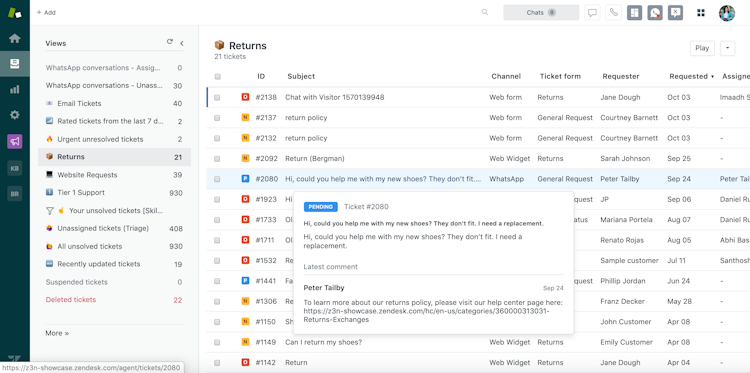
Zendesk

Zendesk Suite 2023 Pricing, Features, Reviews & Alternatives | GetApp

Zendesk is a modern sales CRM designed to empower sales teams and boost revenue growth. It offers a full suite of tools to automate tasks, track activities, and manage contacts and deals, thus improving team productivity. The CRM also gives a full view of customer data across sales and service, enabling teams to deliver personalized customer experiences.

Its flexible pricing plans offer a solution for every stage of a business, from startups to large enterprises.

Zendesk Key Features

  • Integrations: Install apps from the marketplace and integrate Zendesk Sell into your existing tech stack.
  • Forecasting: Accurately forecast and manage your pipeline in real-time.
  • Full customer view: Have full visibility of your prospects and customers during every step of their buying journey.

Zendesk Rating

4.3/5 (G2)

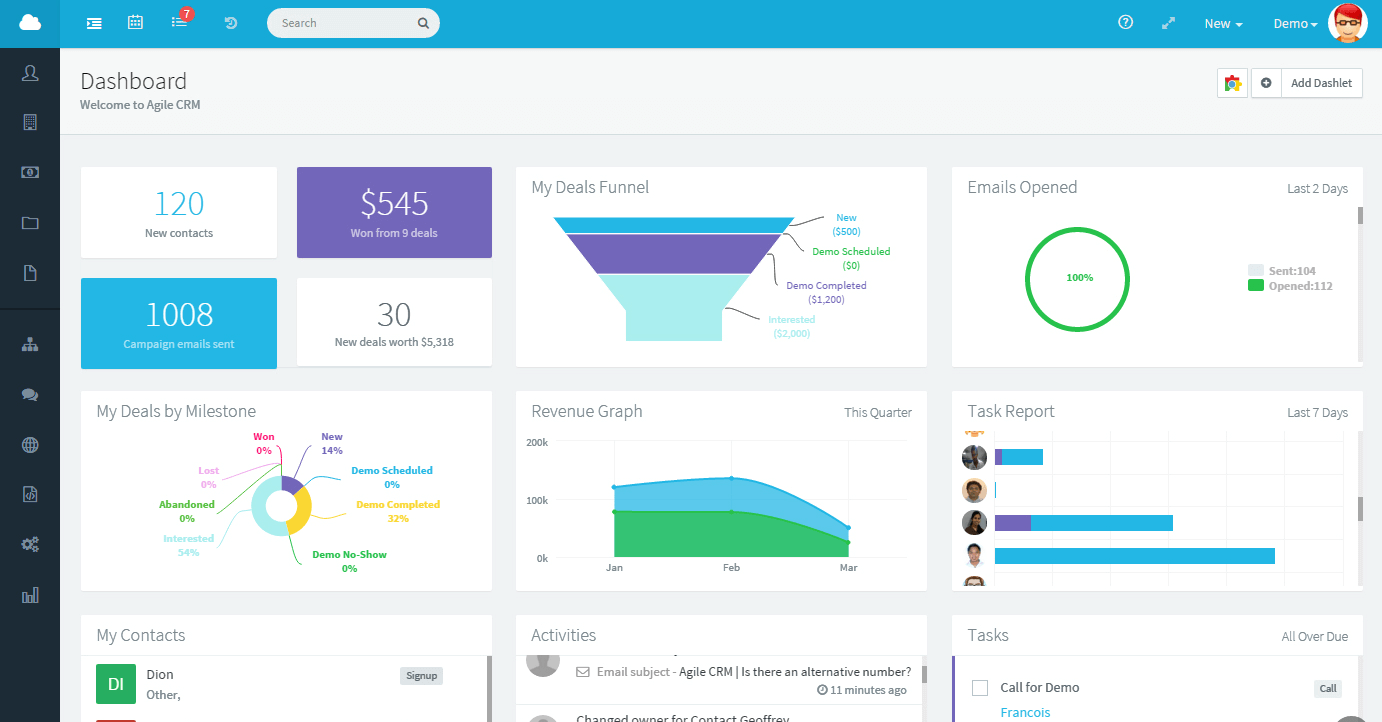
Agile CRM

CRM Software | Customer Relationship Management System | Agile CRM

Agile CRM is built as a next-generation, cloud-based SaaS service that is mobile-ready, making it fast and simple to use.

Its advanced sales and marketing tools, including contact management, deal tracking, telephony, appointment scheduling, and gamification, are designed to supercharge your business processes. It also includes marketing tools for a seamless marketing process.

Agile CRM Key Features

  • Gamification: Help your team stay focused and encourage collaboration and competition.
  • Mobile and email marketing: Never lose an opportunity to send out personalized emails and SMS.
  • Social suite: Easy social media integration.

Agile CRM Rating

4/5 (G2)

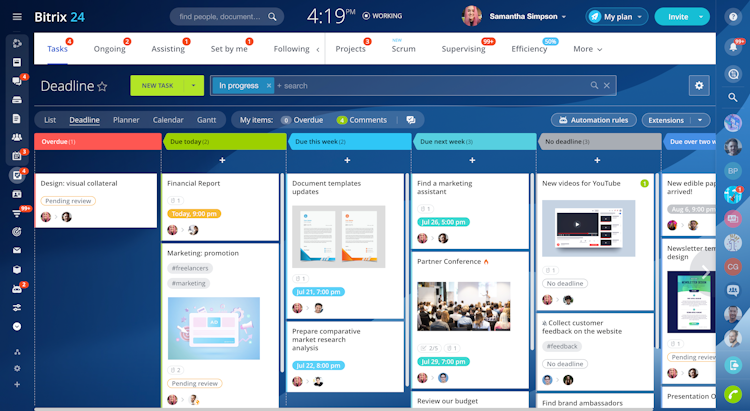
Bitrix24

Bitrix24 2023 Pricing, Features, Reviews & Alternatives | GetApp

Bitrix24 is a CRM tool that brings together a plethora of business functions into one platform. It offers over 35 business tools, including lead management, omnichannel marketing, team management, and communication features.

Moreover, it’s well-suited for remote work, offering features like an online time clock, video conferencing, online tasks, project management, and a mobile CRM, making it an all-in-one platform for running businesses efficiently.

Bitrix24 Key Features

  • Lead management: Optimize lead-to-customer conversion with automated lead generation and management.
  • Omni-channel marketing: The software supports a range of marketing channels, from email marketing and online ads to Facebook ads and more.
  • Optimized client service: Get a unified space for interacting with clients through live chats, web forms, and VoIP telephony.

Bitrix24 Rating

4.1/5 (G2)

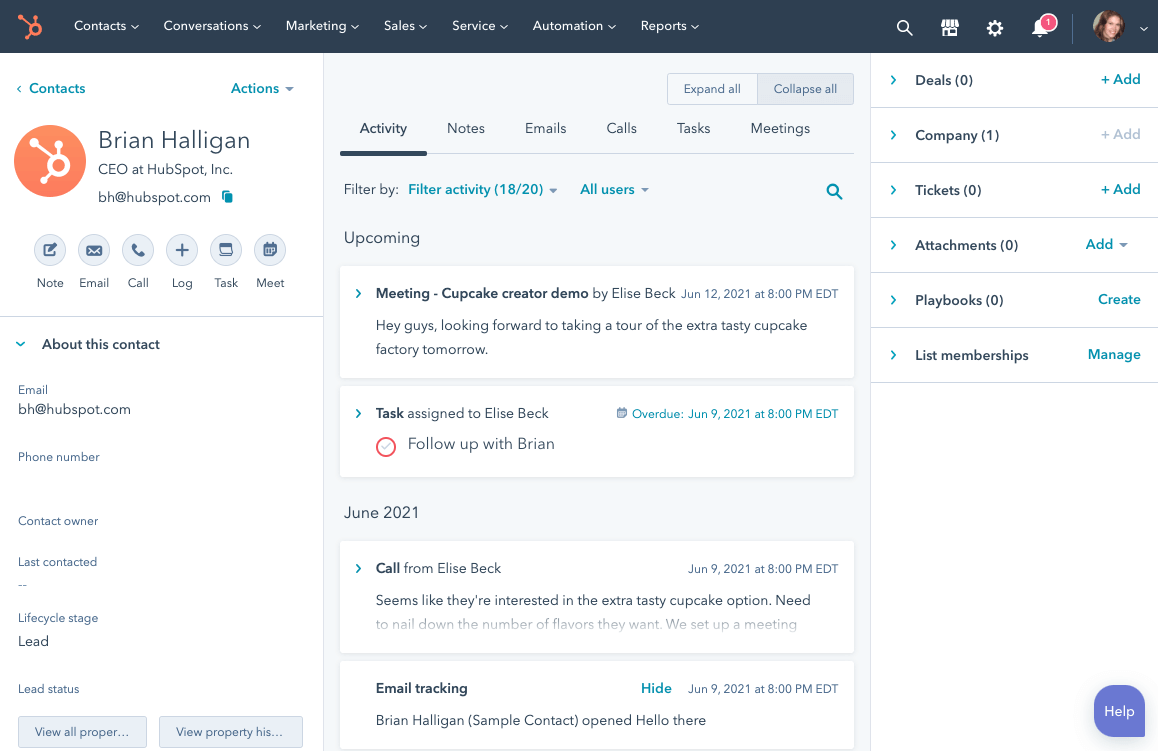
HubSpot CRM

Streamline Your Entire Business With a Free CRM | HubSpot

HubSpot is a user-friendly software solution that aims to streamline and simplify various aspects of customer relationship management. The platform was built to maximize efficiency and productivity, with features designed to automate and enhance key sales and marketing processes.

The platform integrates seamlessly with other HubSpot tools, providing a unified, centralized workspace for managing contacts, tracking sales activity, and analyzing performance metrics.

Hubspot CRM Key Features

  • Sales pipeline dashboard: Analyze and track sales activity in real-time with a visually intuitive dashboard;
  • Detailed reporting: Get reports on productivity, sales activity, or individual sales reps performance;
  • Prospect tracking: Get notified when a prospect opens and email or visits your website.

Hubspot CRM Rating

4.4/5 (G2)

Selecting the Right CRM for your Business

The process of choosing the right Customer Relationship Management (CRM) system for a business cannot be overstated in terms of its impact on overall business and sales performance. The CRM forms the backbone of an organization’s customer interactions, shaping how effectively the company communicates with its customers, tracks leads, and manages sales. Therefore, it’s critical to align the choice of CRM with specific business and sales needs to ensure that the tool can effectively support, not hinder, the business process.

When considering the myriad options available on the market, it’s vital to conduct thorough research to ascertain the CRM’s capabilities, its user interface, customizability, integration with existing systems, and its overall compatibility with the business’ needs and workflows. This research should involve reviewing customer testimonials, expert opinions, and in-depth product comparisons to make an informed choice.

Whilst the options discussed in this article are all suitable alternatives to Salesforce, Teamgate CRM offers a unique blend of simplicity, flexibility, and a dedicated and hands-on support team (including free migration!) that truly sets it apart. To learn more about what how their team can aid in your sales performance – book a free system demo or get started with a 14 day free trial.


FAQs: Salesforce Alternatives

Why should I consider alternatives to Salesforce?

While Salesforce is a leading CRM platform, it may not suit everyone’s budget, feature requirements, or usability preferences. Exploring alternatives can help you find a CRM that better aligns with your business goals and operational needs.

What criteria were used to select these Salesforce alternatives?

The alternatives were selected based on their feature set, pricing, user-friendliness, integration capabilities, customer support, and overall market reputation.

How can a different CRM benefit my business?

Choosing a CRM that closely matches your business processes can enhance productivity, improve customer relationships, and streamline operations, ultimately leading to better business outcomes.

Are these alternatives suitable for small businesses?

Yes, the list includes CRM options that cater to businesses of all sizes, including small and medium-sized enterprises (SMEs) with varying budgets and needs.

How do these alternatives compare in terms of pricing?

Each alternative includes options that offer free tiers, pay-as-you-go plans, and scalable enterprise solutions.

Can these alternatives integrate with other business tools?

Most of the CRM alternatives listed offer robust integration capabilities, allowing seamless connection with popular business tools like email marketing platforms, customer support systems, and productivity apps.

What support options are available for these CRM alternatives?

The blog discusses the customer support offerings for each alternative, including availability of online resources, live chat, phone support, and dedicated account managers.

How can I choose the best CRM alternative for my business?

The blog provides insights on assessing your business needs, evaluating the features and pricing of each CRM, and considering user reviews to make an informed decision on the best CRM alternative.

Where can I find more detailed reviews of these CRM alternatives?

Links to in-depth reviews and additional resources for each CRM alternative are provided in the blog, helping you gain a comprehensive understanding before making a decision.

Are there any free CRM alternatives to Salesforce?

Yes, several CRM alternatives mentioned in the blog offer free versions or trial periods, allowing you to test their features without financial commitment.

Discover the intricacies of Pipedrive’s pricing in our deep dive that dissects the true value of this acclaimed CRM tool. From a recent Pipedrive review, we will discuss the fundamentals of what Pipedrive is, along with a thorough cost analysis and user reviews, providing you with everything you need to know to make an informed decision about whether Pipedrive is the right investment for your sales processes.

Key Takeaways:

  1. Pipedrive’s Core Offering: Understand Pipedrive as a user-friendly CRM designed for efficiency in sales management, suitable for businesses of all sizes.
  2. Features at a Glance: Gain insights into Pipedrive’s key features like sales pipeline management, activity tracking, and advanced reporting.
  3. Subscription Tiers: Learn about Pipedrive’s flexible subscription options, tailored to meet the needs of different business scales and requirements.
  4. Comprehensive Cost Breakdown: Delve into the pricing details of each Pipedrive plan and what factors could influence the overall investment.
  5. User Reviews Summary: Access a compilation of user experiences with Pipedrive, highlighting the software’s pros and cons as reported by real users.

Table of Contents

Pipedrive Pricing: Is the Popular CRM Worth the Price Tag?

In the fast-paced world of sales and customer relationship management (CRM), Pipedrive has emerged as a beacon of efficiency and user-friendliness. But the pivotal question looms: is this celebrated CRM tool truly worth the Pipedrive price tag? This comprehensive exploration delves into the essence of Pipedrive, from its foundational concepts to its intricate pricing and subscription structure. As we journey through the labyrinth of Pipedrive’s subscription offerings, we will unravel the nuances of its features, subscription options, and cost-effectiveness. Whether you’re a startup owner, a sales manager at a flourishing company, or simply a CRM enthusiast, this article promises to enlighten you with a detailed evaluation of Pipedrive’s value proposition.

What is Pipedrive?

Pipedrive, at its core, is more than just a CRM software; it’s a sales management tool designed to provide clarity and focus to the convoluted sales process. Born out of the frustrations of seasoned sales professionals in 2010, Pipedrive has evolved into a robust platform that caters to over 95,000 companies worldwide.

The Philosophy Behind Pipedrive

Rooted in the belief that in sales, the primary focus should be on actions that push deals towards closure, Pipedrive stands out with its activity-based selling methodology. This approach emphasizes scheduling, completing, and tracking sales activities as the cornerstone of successful sales management.

Target Market and Typical Users

Pipedrive’s user interface, celebrated for its simplicity and intuitive design, caters to a broad spectrum of industries and business sizes. It’s particularly favored by small to medium-sized businesses that appreciate its straightforward, no-frills approach to managing sales pipelines. However, its scalability and customization options have also garnered appreciation from larger enterprises seeking agility and user-friendliness in their CRM solutions. Moreover, it serves as a valuable tool for fostering professional development, enhancing  leadership skills, and maintaining a competitive edge in today’s dynamic market.

Pipedrive’s Evolution

Over the years, Pipedrive has grown significantly, constantly adding new features and integrations to stay ahead in the competitive CRM market. What started as a basic tool to track sales activities has now become a comprehensive platform offering advanced reporting and even AI-powered sales assistants. This evolution reflects Pipedrive’s commitment to adapting to the changing needs of the sales industry.


Pipedrive Key Features

Diving into the heart of Pipedrive, it becomes evident that its features are meticulously crafted to streamline and optimize the sales process.

Pipedrive’s Sales Pipeline Management Features

At the forefront of Pipedrive’s arsenal is its Sales Pipeline Management feature set. It allows sales teams to visualize their sales process, offering a clear overview of where each deal stands with an easy to use drag and drop interface. Customizable stages and fields enable teams to tailor the pipeline to mirror their unique sales process, ensuring that no opportunity slips through the cracks.

Pipedrive’s Activity and Goal Tracking Features

Pipedrive’s activity-based selling philosophy is deeply ingrained in its Activity and Goal Tracking feature. Sales activities can be easily planned, tracked, and linked to corresponding deals, ensuring a systematic approach to moving deals along the sales pipeline. Additionally, goal-setting and tracking functionalities allow teams to set ambitious, yet achievable targets, fostering a culture of accountability and continuous improvement.

Pipedrive’s Insights and Reporting Feature

Pipedrive’s Insights and Reports feature is a powerhouse of information. Offering detailed, customizable reports on sales performance, team activities, and revenue projections, it equips sales leaders with the data they need to make informed decisions. These analytics provide a real-time view of sales metrics, highlighting areas of success and those needing improvement.

Pipedrive’s Mobile App and Integration Features

Recognizing the need for mobility in modern sales, Pipedrive offers a fully-featured mobile app, ensuring sales professionals can manage their pipelines on the go. Furthermore, the platform’s extensive integration capabilities with various email providers, marketing tools, and third-party applications make it a versatile addition to any sales tech stack.

Each of these features, designed with the end-user in mind, contributes to Pipedrive’s overarching aim: to make sales more efficient and less cumbersome, freeing up time for what truly matters – closing deals.


How much does Pipedrive cost?

When discussing the cost of most software, it’s important to focus not just on the listed prices; it’s about understanding the return on investment in a tool that could redefine the operational efficiency of your business.

Pricing Subscriptions and Pricing

Pipedrive’s pricing structure is designed to scale with your business. Starting from the Essential Plan, priced to accommodate the financial constraints of emerging businesses, each subsequent tier is proportionally priced to match its additional features and capabilities. External factors such as the size of the sales team, payment frequency (monthly vs. annual), and the necessity for add-ons can influence the overall cost. Pipedrive encourages commitment via annual contracts through discounted pricing, rewarding the foresight of long-term planning.

Pipedrive Cost-Benefit Analysis

The decision to invest in any of the Pipedrive plans should follow a rigorous cost-benefit analysis. The return on investment isn’t solely measured in revenue increase but also in time saved, sales process optimization, and improved customer relations. For small teams, the Essential or Advanced Plan may suffice, while large teams or those requiring customer support might find the Power or Enterprise Plan more conducive to their operations.

Pipedrive Pricing Options

Pipedrive has a number of pricing options available to your business need. There isn’t a one-size-fits-all option; rather, each subscription is crafted with specific inclusions and some restrictions:

Pipedrive Essential Subscription

  • $21.90 per month, per user, billed annually
  • 3,000 open deal limit per company
  • 30 custom field limit per company
  • Data import and export
  • Contacts map
  • Activity reminder notifications
  • Up to 15 reports per user

Pipedrive Advanced Subscription

  • $37.90 per user, per month, billed annually
  • 10,000 open deal limit per company
  • 100 custom field limit per company
  • Two-way email sync
  • Customizable email templates
  • Email open and click tracking
  • Smart contact data
  • Video call scheduling
  • Up to 30 reports per user

Pipedrive Professional Subscription

  • $59.90 per user, per month, billed annually
  • 100,000 open deal limit per company
  • 1,000 custom field limit per company
  • Contacts timeline
  • Smart docs
  • Autofilled templates
  • E-signatures
  • PDF format support
  • Required fields
  • Custom field and reports
  • Team goals and team management
  • Up to 150 reports per user

Pipedrive Power Subscription

  • $74.90 per user, per month, billed annually
  • 200,000 open deal limit per company
  • Unlimited custom fields
  • Security rules and security alerts
  • Phone support
  • Custom onboarding implementation program
  • Up to 250 reports per user

Pipedrive Enterprise Subscription

  • $119 per user, per month, billed annually
  • Unlimited open deal limit per company
  • Unlimited custom fields
  • Security rules and security alerts
  • Phone support
  • Custom onboarding implementation program
  • Unlimited reports per user

Pipedrive Reviews

In a market saturated with CRM tools, reviews are the compass that guides potential buyers. Pipedrive’s user reviews paint a picture of a CRM solution that has garnered respect for its user-centric design and efficiency.

User Feedback

Sales professionals across various industries have lauded Pipedrive for its ease of use and the tangible impact it has on sales productivity. The intuitive interface is frequently mentioned, allowing new users to navigate the system with minimal training. However, no tool is without its critics. Some users have pointed out limitations in customization and a desire for more advanced features and customer support within the lower-tier plans.

Pros and Cons

The benefits of Pipedrive, as gleaned from user reviews across G2 and Capterra, seem to revolve around its clean interface, straightforward functionality, and excellent integrations. On the flip side, and particularly of late, criticisms tend to focus on a lack of customer support, reporting features and Pipedrive’s regular system down-time.

Pipedrive pros and cons
via Forbes.com

Pipedrive CRM Alternatives

In the diverse ecosystem of CRM solutions, Pipedrive is a formidable entity but not without competition. For businesses contemplating the CRM landscape, understanding Pipedrive alternatives is vital for informed decision-making.

Teamgate

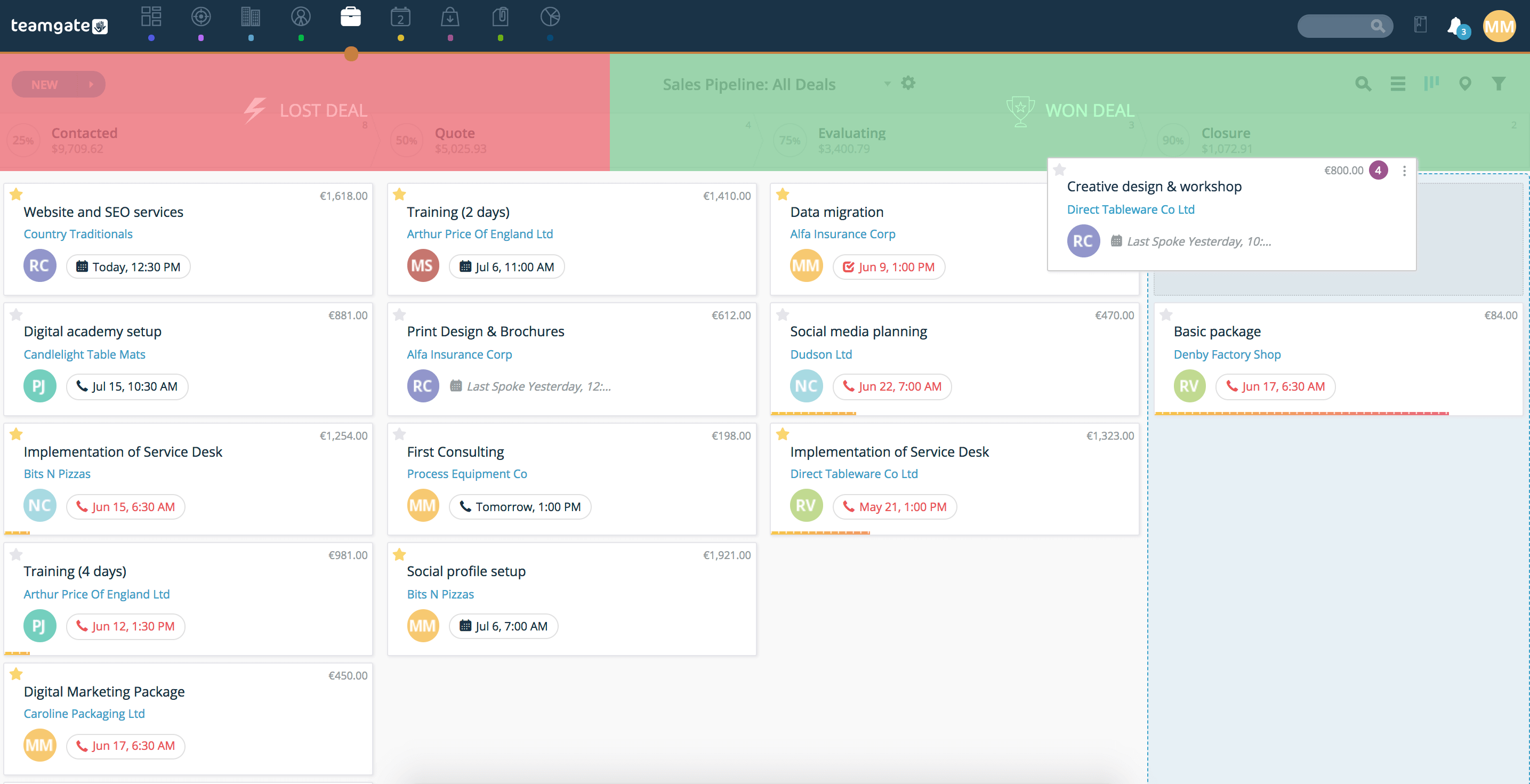
Teamgate is an intuitive, powerful and easy to use CRM. With a number of cost-effective subscription offerings combined with a very similar interface and ease of use, it’s no wonder Teamgate is a very popular Pipedrive alternative. Offering all of the same popular comprehensive CRM features as well as in-depth, out-of-the-box sales dashboards and analytics; meaning your team will be onboarded and selling in no time.

teamgate sales pipeline
via Teamgate CRM

Salesforce

Salesforce, a behemoth in the CRM domain, offers a comprehensive suite of features that cater to every conceivable need within sales, marketing, and customer service. With its layered architecture and expansive app marketplace, it’s akin to a sprawling metropolis of CRM functionality. However, this complexity can be a double-edged sword; it offers limitless possibilities but demands a steep learning curve and a more substantial investment.

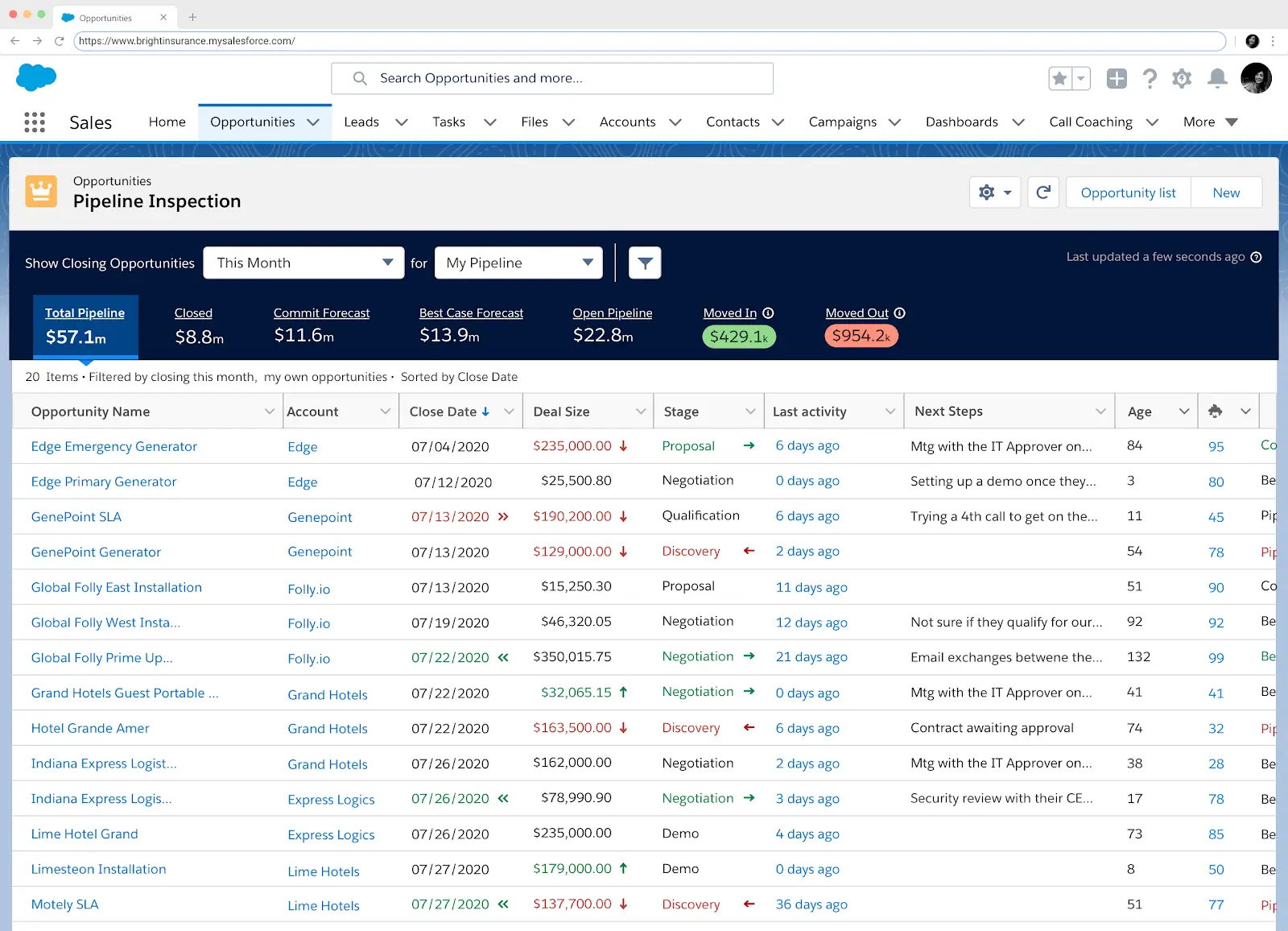
screenshot of salesforce sales cloud
via Salesforce

HubSpot CRM

HubSpot CRM is the beacon for inbound marketing-oriented businesses. It seamlessly blends CRM features with powerful marketing automation tools, offering a free tier that attracts small businesses looking to grow their operations. HubSpot CRM is ideal for those who prioritize content and customer journeys, though the cost escalates considerably as you scale and adopt more advanced marketing modules.

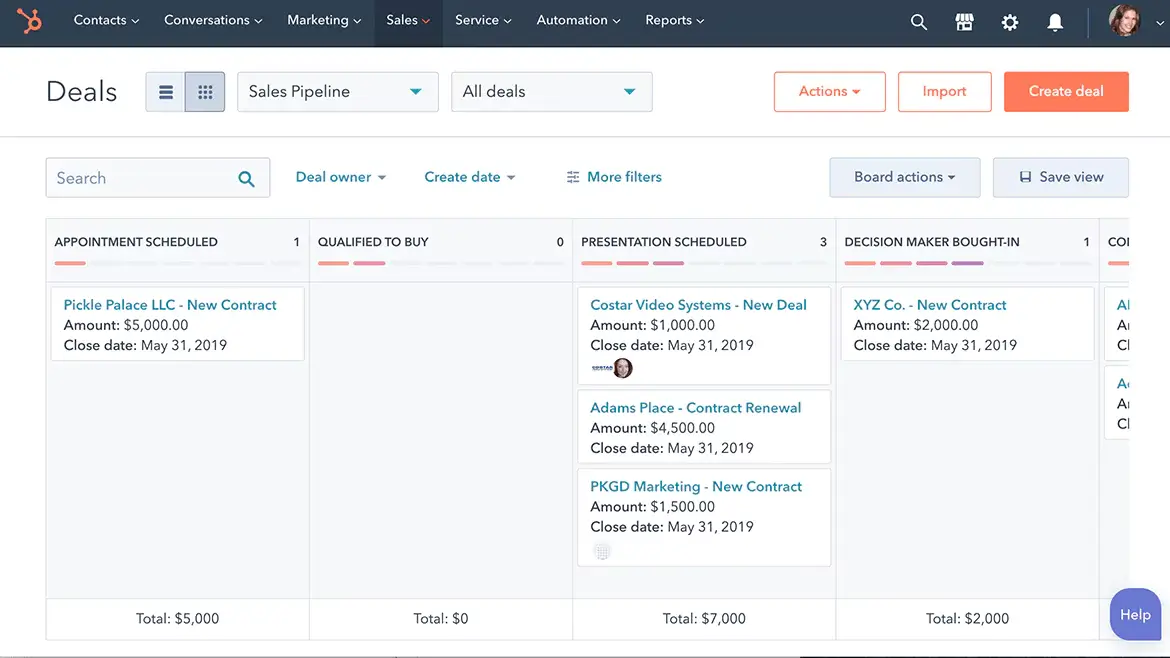
a screenshot from Hubspot software
via Hubspot

Zoho CRM

Zoho CRM is the chameleon of the CRM world, with an impressive ability to adapt to a variety of business sizes and sectors. Its affordability and flexibility make it a popular choice for SMEs. With Zoho CRM, businesses can enjoy a rich set of features without the financial burden typically associated with more established CRM names.

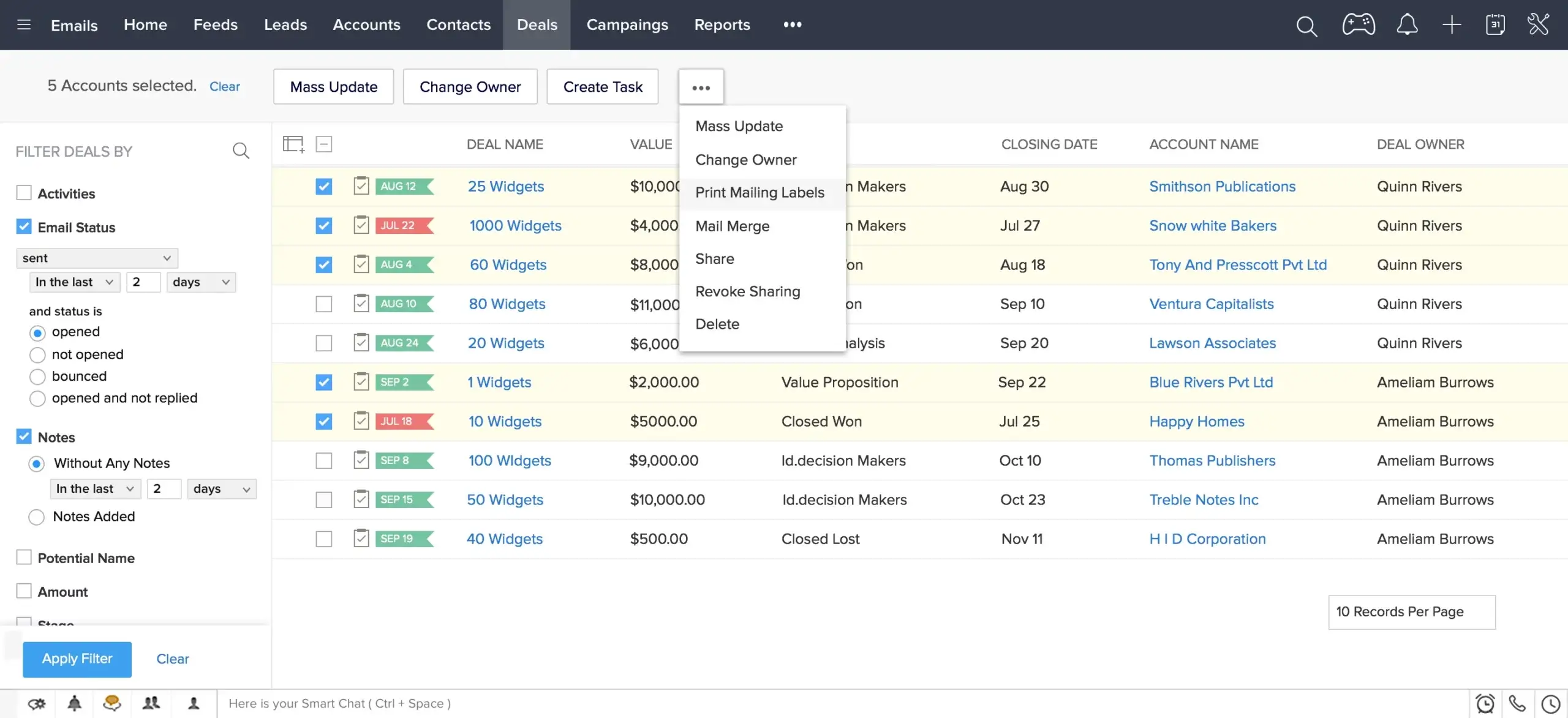
screenshot of Zoho CRM software
via Zoho

Freshsales

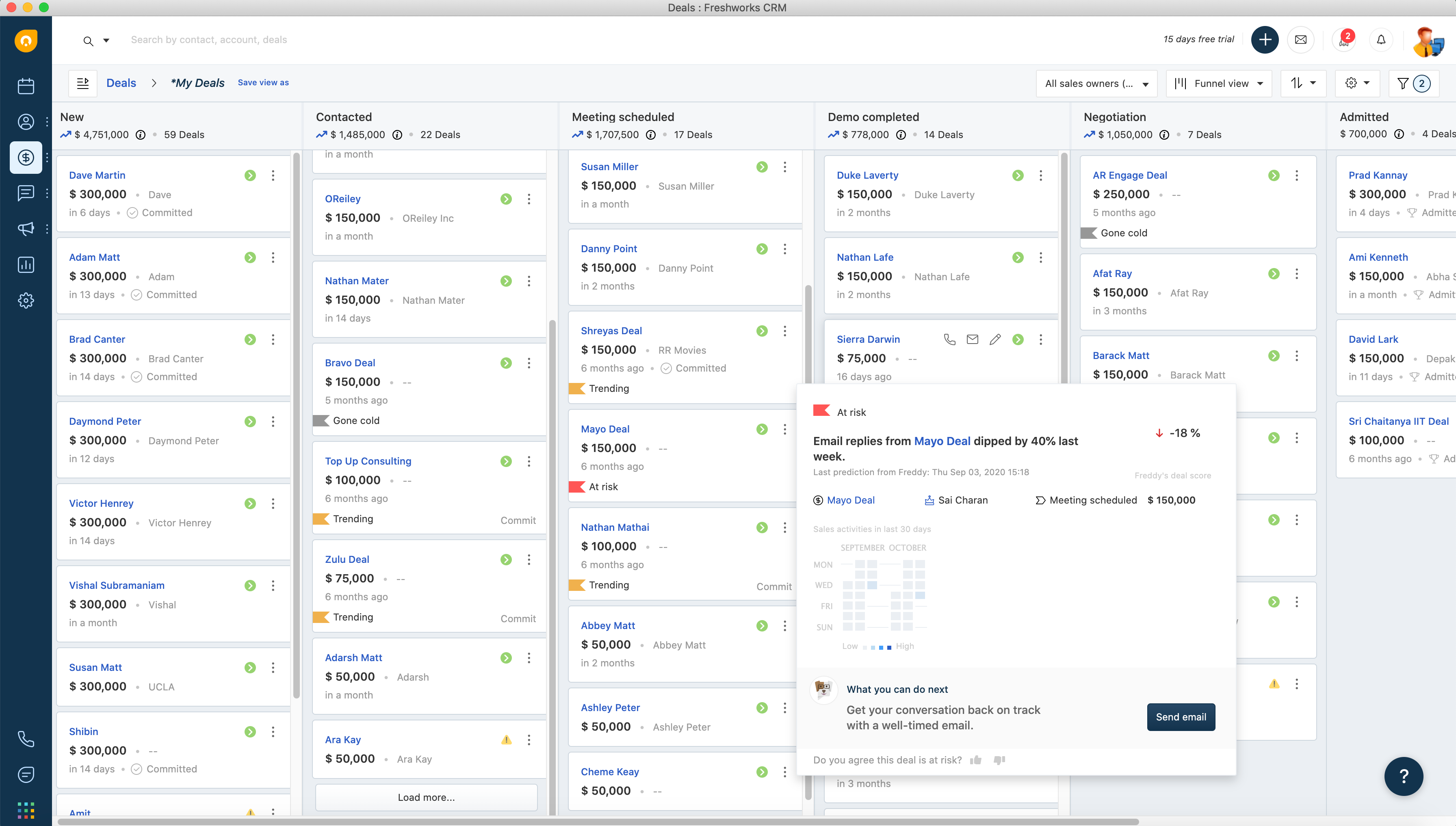
Freshsales is the nimble contender, offering a user-friendly interface and AI-driven insights, positioning it as a smart, analytical CRM tool. It’s designed for businesses that seek to leverage data science to enhance their sales processes, offering predictive analytics and intuitive workflow automation, often at a more accessible price point than its more extensive counterparts.

In the quest for the optimal CRM, it is not about finding the best CRM in the market; it’s about finding the CRM that’s best for your business. Each of these alternatives presents its unique value proposition, feature set, and pricing structure, compelling companies to evaluate them against their specific requirements.

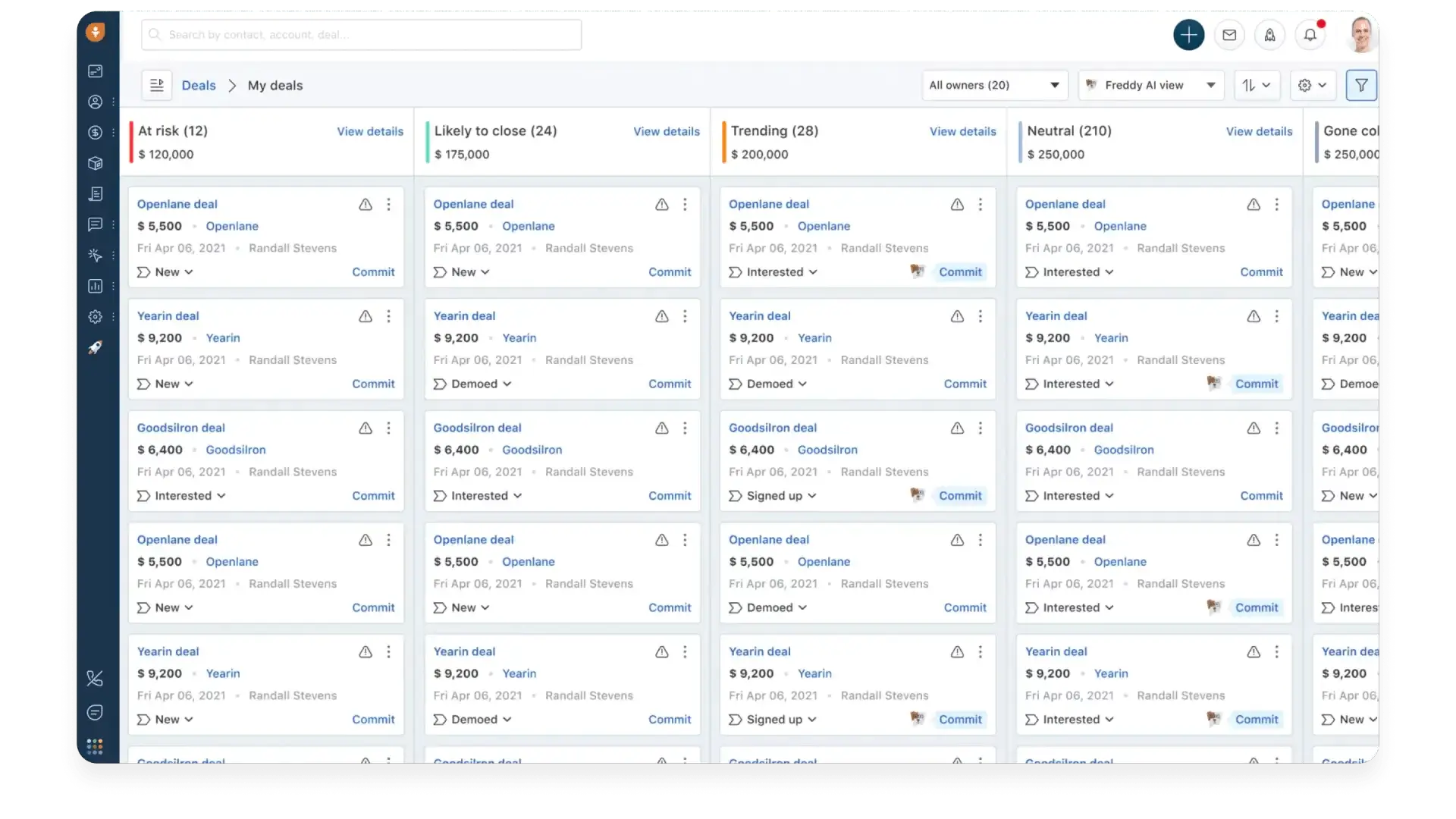
screenshot of freshsales crm software
via Freshsales

Cut Your Pipedrive CRM Price with Teamgate

The maxim “time is money” holds especially true in sales, and tools like Teamgate shine by streamlining CRM processes without the hefty price tag often associated with big-named CRM platforms.

Teamgate’s Cost-Effectiveness

Teamgate steps into the CRM arena as a cost-effective alternative, paring down the often superfluous complexities of more extensive systems to deliver a straightforward, yet powerful, sales management tool. It’s tailored for those who seek the core functionalities of lead and pipeline management without the necessity for the extensive customizations and integrations offered by higher-end CRMs.

Complementing or Replacing Pipedrive Features

Teamgate’s allure lies in its simplicity and focus on the essential aspects of CRM systems. For businesses utilizing Pipedrive, Teamgate can serve as either an easy to transition to replacement. Its simplicity should not be mistaken for a lack of sophistication; offering intelligent insights and reporting that rival the capabilities of its more expensive counterparts.

Financial Prudence

By opting for Teamgate, businesses could potentially reduce their CRM costs significantly. It offers a lean solution that aligns with the fiscal prudence required by SMEs and startups – starting with a free tier. While larger enterprises with intricate sales processes may find it limiting, for the majority, Teamgate offers a sweet spot between functionality and affordability.

Conclusion

To encapsulate, Pipedrive stands as a testament to the power of a CRM system designed with the end-user in mind. It is a tool forged in the crucible of sales necessity, honed by the feedback of those who live and breathe sales. The question of its worth is not just in the cost but in the value it brings to the sales process, the clarity it provides to the sales pipeline, and the efficiency it injects into every customer interaction.

Pipedrive’s pricing is a reflection of its commitment to providing value at every tier, and its user reviews serve as a chorus of approval for its impact on sales productivity. While alternatives like Teamgate a very viable option, the choice ultimately rests on the unique needs and budget of your business.

To get started FREE with Teamgate today start a free trial or talk with our team of sales experts.


FAQs: Pipedrive CRM

How does Pipedrive’s price compare with other CRM tools?

Answer: Pipedrive’s pricing strategy is competitive, particularly appealing to small to medium-sized businesses looking for high-quality CRM functionality without the hefty price tag. It offers a tiered pricing model, which allows businesses to scale up as they grow. Compared to giants like Salesforce, Pipedrive is more cost-effective.

Can Pipedrive integrate with my current business systems?

Answer: Yes, Pipedrive offers a robust set of integration capabilities. It connects seamlessly with various email platforms, marketing tools, customer service software, and even offers an API for custom integrations. This flexibility ensures that Pipedrive can become a cohesive part of your existing tech stack, enhancing your overall sales process without the need for major overhauls.

What kind of support does Pipedrive offer?

Answer: Pipedrive provides support through multiple channels, including 24/7 live chat and email. Higher-tier plans have access to dedicated support, including phone support, whilst the lower plans will have to settle for email support. Additionally, Pipedrive has a knowledge base, webinars, and an active community forum for self-service support and learning.

How scalable is Pipedrive for my growing business?

Answer: Pipedrive is highly scalable, designed to grow with your business. Pipedrive’s various subscription options allow you to scale up features and users as needed. The platform’s customizability and integration capabilities also mean that it can adapt to increasingly complex sales processes.

Is there a free trial available for Pipedrive?

Answer: Yes, Pipedrive offers a 14-day free trial for any of its plans. This trial period allows you to test out the platform’s features and determine if it’s the right fit for your business before making any financial commitment.

What are the monthly and annual costs for Pipedrive?

Answer: Pipedrive’s monthly costs start from a basic tier suitable for smaller teams and scale up to more advanced tiers for larger organizations with more complex needs. Paying annually grants a discount, effectively reducing the monthly cost when calculated across the year. Exact figures are regularly updated on Pipedrive’s pricing page to reflect any changes or promotional offers.

Are there discounts or deals available for Pipedrive?

Answer: Pipedrive often runs promotions and offers discounts, especially for annual subscriptions, which can be significantly cheaper than monthly payments.

Does Pipedrive offer customization options in their pricing plans?

Answer: Yes, Pipedrive offers a high degree of customization within their pricing plans. While the core features are fixed based on the plan, there is flexibility to add users, integrate with other tools, and utilize various add-ons, which allows businesses to tailor the CRM to their specific needs.

How does the pricing for Pipedrive’s add-ons work?

Answer: Pipedrive’s add-ons are priced separately from the subscription plans and can be added on a per-user basis. This means you pay for the additional features you need, whether it’s advanced automation, more detailed reporting, or enhanced support options. Pricing details for these add-ons are provided on Pipedrive’s pricing page and can be a cost-effective way to extend the CRM’s functionality without upgrading to a higher-tier plan.

Does Pipedrive integrate with Quickbooks?

Answer: Yes. With Pipedrive’s Quickbooks integration you can create invoices from the deal detail view and seamlessly send them over to your Quickbooks account without the hassle of copying and pasting data between the two tools.

Does Pipedrive integrate with Outlook?

Answer: Not technically. Whilst Pipedrive offers an Outlook integration, it is a periodical sync and requires manual processes. In our opinion, it is not as comprehensive as a number of other CRM Outlook integrations.

Does Pipedrive integrate with Mailchimp?

Answer: Yes. Pipedrive’s Mailchimp integration enables filtered and segmented contacts to be sent to Mailchimp and entered into email campaigns.