Designed for Growth: Scale your recurring revenue with the new Teamgate SaaS CRM. Explore SaaS Features →

Book a demo today and save 50% off your first month, or 20% off your first year.

Get a free sales audit to uncover hidden revenue opportunities!

Most small businesses rely on spreadsheets to keep operations running, but the difference between a messy sheet and a powerful workflow often comes down to how you use it.

Google Sheets can do far more than store numbers. When used strategically, it can help small teams:

  • Organize operational data quickly

  • Analyze performance metrics

  • Automate repetitive tasks

  • Collaborate across departments in real time

For many growing businesses, Google Sheets becomes the first operational system for managing data and workflows. But as processes mature, especially in sales and revenue operations, teams often need clearer structure, reliable follow-up systems, and trustworthy pipeline visibility.

That’s where systems built for disciplined selling come in. Teamgate is a sales operating system for teams who want disciplined selling, real insight, and a CRM their reps actually use, without enterprise CRM bloat.

Contents

Essential Google Sheets Features for Small Businesses

Small businesses operate with limited time and resources, which makes efficient tools essential. Google Sheets has become one of the most widely used operational tools for small teams because it combines accessibility, collaboration, and flexibility in a single platform.

Used effectively, it can support key operational tasks such as:

  • Tracking leads and customer information

  • Monitoring finances and budgets

  • Organizing project workflows

  • Analyzing marketing or sales performance

However, the real value of Google Sheets comes from understanding the features that save time, reduce manual work, and improve data clarity.

Below are several essential capabilities that help small businesses operate more efficiently.

Keyboard Shortcuts and Quick Data Entry Techniques

Time is a precious commodity in the business world, and Google Sheets respects this through its array of keyboard shortcuts and quick data entry techniques. Mastering these shortcuts is like learning a new language – one that speaks in the dialect of efficiency.

For example, pressing Ctrl + D (or Cmd + D on Mac) quickly fills data down a column, eliminating the need for manual copying. The shortcut Ctrl + ; automatically inserts the current date, making it ideal for logging activities, tracking project deadlines, or recording daily entries. Similarly, using Ctrl + Enter allows you to apply the same input across multiple selected cells at once, which is especially useful when standardizing data.

Here’s a quick reference matrix of some of the most useful Google Sheets shortcuts for everyday tasks:

Shortcut (Windows) Shortcut (Mac) Function Best Use Case
Ctrl + D Cmd + D Fill down Copy data quickly down a column
Ctrl + R Cmd + R Fill right Copy data across a row
Ctrl + ; Cmd + ; Insert current date Timestamping entries, project deadlines
Ctrl + Shift + : Cmd + Shift + : Insert current time Time logging for activities
Ctrl + Enter Cmd + Enter Apply input to all selected cells Standardizing values (e.g., “N/A”)
Ctrl + Home Fn + ⌘ + ← Jump to start of sheet Navigate large datasets quickly
Ctrl + Space Shift + Space Select entire column/row Fast formatting or data selection

When used consistently, these time-saving commands empower teams and small businesses to work faster and with greater accuracy. Instead of getting bogged down with manual entries, users can focus on analyzing data and making decisions—where the real business value lies.

Effective Data Organization Strategies

Beyond quick data entry, the true prowess of Google Sheets lies in its capacity for organizing data effectively. Small businesses can leverage features like ‘Filter Views’ to sift through large datasets, isolating relevant information swiftly. The ‘Group Rows/Columns’ feature allows for a cleaner, more structured view of data, essential for when complexity grows with business expansion.

Moreover, the use of ‘Data Validation’ ensures that the data entered is accurate and within the desired parameters, a critical aspect for maintaining the integrity of financial records or inventory management. Google Sheets also offers ‘Conditional Formatting’, which automatically highlights data based on specific criteria, making it easier to spot trends, outliers, or critical issues at a glance.

These organization strategies not only enhance the clarity and accessibility of data but also pave the way for deeper analysis and informed decision-making. They empower small businesses to harness their data effectively, turning it into a strategic asset rather than a cumbersome obligation.

conditional formatting image
Conditional Formatting can provide an effective visual trigger.

Advanced Data Management and Analysis

For small businesses looking to elevate their data game, Google Sheets offers a treasure trove of advanced features. These tools not only streamline data management but also unlock deeper insights, driving informed business decisions. This practical, real-world approach makes Google Sheets especially valuable for learners and professionals pursuing a business analytics course, as it helps them build hands-on data analysis and business decision-making skills that can be applied immediately in real scenarios.

Mastering Formulas and Functions

At the heart of Google Sheets’ power are its formulas and functions, which are akin to the magic spells of data manipulation and analysis. Understanding and utilizing these functions can dramatically enhance your data processing capabilities. For instance, the ‘MMULT’ function, a lesser-known yet powerful tool, allows for matrix multiplication, opening doors to complex calculations and data analysis that were previously the domain of specialized software.

Google sheets MMULT function
MMULT Function Examples

The ‘OFFSET’ function is another gem, offering dynamic references to different parts of the spreadsheet. This function is particularly useful for creating dynamic charts or running calculations on changing data ranges. Then there’s ‘ISEMAIL’, a simple yet effective function for validating email addresses in a dataset, ensuring the reliability of your email marketing campaigns or customer communications.

Data Validation and Conditional Formatting for Accuracy

Accuracy in data is paramount, and Google Sheets’ data validation feature is a guardian of this accuracy. It allows you to set specific criteria for what data can be entered into a cell, reducing errors and maintaining consistency. For example, you can restrict a column to only accept dates, numbers within a certain range, or selections from a dropdown list, ensuring that the data collected is usable and relevant.

Conditional Formatting takes this a step further by not just organizing data, but making it speak. It allows you to apply specific formatting to cells that meet certain criteria – like highlighting all cells with values above a certain threshold, or color-coding performance metrics. This visual differentiation makes it easier to spot patterns, trends, and anomalies, turning a grid of numbers into a canvas of insights.

These advanced features of Google Sheets transform it from a mere data recording tool into a dynamic platform for insightful analysis and strategic planning. They empower small businesses to not just manage their data, but to truly understand and leverage it for growth and success.

Automation and Efficiency with Google Sheets

In the fast-paced world of small business, automation is not just a luxury; it’s a necessity for efficiency. Google Sheets offers powerful automation capabilities that can significantly reduce manual effort and streamline business processes.

Automating Repetitive Tasks with Macros

Macros in Google Sheets are a game-changer for automating repetitive tasks. These recorded sequences of actions can be replayed to perform tasks like formatting, data entry, and calculations with a single click. Imagine the time saved by automating routine tasks such as monthly expense reporting or inventory updates. Macros can be easily recorded without any coding knowledge, making automation accessible to everyone.

Moreover, for those with a knack for scripting, Google Sheets supports Google Apps Script, a JavaScript-based language that can be used to create custom macros. This opens up endless possibilities for automation, from auto-generating emails based on spreadsheet data to integrating with other Google services or third-party APIs.

Creating Dynamic Dashboards and Reports

Another facet of Google Sheets’ prowess is its ability to create dynamic dashboards and reports. These real-time, interactive tools provide a snapshot of your business’s key metrics at a glance. By harnessing features like pivot tables, charts, and data import from other sheets or external sources, you can build comprehensive dashboards that update automatically as your data changes.

This capability is invaluable for small businesses that need to make quick, data-driven decisions. Whether it’s tracking sales performance, monitoring project timelines, or analyzing customer feedback, dynamic dashboards in Google Sheets bring critical information to your fingertips, enabling you to respond swiftly to business needs.

These automation and reporting features not only save time but also enhance the accuracy and relevance of business data, leading to smarter strategies and better outcomes.

Collaborative Tools for Team Productivity

In today’s interconnected business environment, collaboration is key. Google Sheets excels in this arena, offering robust tools that facilitate seamless teamwork and secure data sharing.

Leveraging Real-time Collaboration Features

Google Sheets takes collaboration to a new level with its real-time editing capabilities. Team members can work on the same sheet simultaneously from different locations, with each person’s changes visible instantly. This feature eliminates the need for back-and-forth emails and version control issues, streamlining the collaborative process.

The commenting and chat features within Google Sheets further enhance this collaborative experience. Team members can leave comments on specific cells, tag colleagues for feedback, and have discussions right within the spreadsheet. This contextual communication ensures that all team members are on the same page, literally and figuratively, leading to more cohesive and efficient teamwork.

Managing Access and Permissions Securely

While collaboration is essential, so is data security. Google Sheets addresses this by providing robust access controls and permission settings. You can decide who gets to view, edit, or comment on your sheets, ensuring that sensitive information is only accessible to authorized personnel.

Furthermore, the version history feature in Google Sheets is a powerful tool for tracking changes and maintaining data integrity. It allows you to view who made what changes and when, and even revert to previous versions if necessary. This level of control and transparency is crucial for businesses handling confidential data or working on critical projects.

These collaborative tools in Google Sheets not only enhance team productivity but also ensure that collaboration is secure and efficient, aligning perfectly with the needs of small businesses in a dynamic and interconnected world.

Visualizing Data for Impactful Insights

In the data-driven landscape of small business operations, the ability to visualize data effectively is not just beneficial; it’s essential. Google Sheets offers a range of tools to transform raw data into compelling visual narratives.

Advanced Charting and Graphing Techniques

Google Sheets’ advanced charting capabilities allow businesses to present their data in a clear and engaging manner. Beyond basic bar and line charts, Sheets offers a variety of chart types like histograms, waterfall charts, and treemaps, each suited for different kinds of data representation.

One of the standout features is the ability to create custom charts. This customization extends to tweaking every element of a chart, from axis labels to color schemes, ensuring that the visual representation aligns perfectly with your brand or report theme. Additionally, the use of sparklines, miniature charts placed in individual cells, offers a quick way to visualize trends and patterns directly within the data.

google sheets bar graph
Visualize data with a simple Bar Graph

Innovative Data Visualization Strategies

Beyond traditional charts, Google Sheets encourages innovative ways to visualize data. For instance, heatmaps can be created using conditional formatting, providing a color-coded overview of your data, making it easier to identify high and low points at a glance.

Another creative approach is the use of QR codes within Sheets. This feature can be particularly useful for businesses that need to link physical items or print materials to digital data. By generating QR codes directly in Sheets, you can seamlessly bridge the gap between offline and online data.

These visualization tools in Google Sheets not only make data more accessible and understandable but also enable businesses to uncover insights that might be missed in traditional data analysis. By presenting data visually, small businesses can communicate their story more effectively, whether it’s to internal teams or external stakeholders.

Practical Applications and Creative Uses

Google Sheets is not just a tool for data entry and analysis; it’s a versatile platform that can be adapted to a wide range of business needs. This section explores how businesses have creatively applied Google Sheets in real-world scenarios and some unconventional uses that showcase its flexibility.

Real-world Business Scenarios and Solutions

In the realm of small business operations, Google Sheets has proven to be a versatile ally. For instance, a small retail business might use Sheets for inventory management, tracking stock levels, and automatically reordering items when they fall below a certain threshold. Another example is a marketing agency using Google Sheets to track campaign and marketing performance metrics, enabling them to adjust strategies in real-time based on data-driven insights.

Moreover, Google Sheets has been instrumental in financial management for many small businesses. From simple budget tracking to complex financial modeling, its ability to handle and analyze large datasets makes it an invaluable tool for financial planning and analysis.

Beyond the Basics: Unconventional Uses of Google Sheets

Google Sheets’ flexibility extends beyond typical business applications. For example, it can be used as a language translation tool, leveraging Google Translate integration to translate text across multiple languages, a boon for businesses operating in multilingual environments.

Another innovative use is the insertion and manipulation of images within Sheets. This feature can be particularly useful for businesses that deal with visual inventories or need to present data in a visually engaging format. Additionally, educators and trainers have used Google Sheets to create interactive quizzes and learning tools, demonstrating its potential in the education and training sectors.

These practical and creative applications of Google Sheets illustrate its potential not just as a data management tool, but as a multifaceted platform that can adapt to various business needs and scenarios.

Conclusion

In our exploration of Google Sheets, we’ve journeyed through a landscape rich with possibilities for small business operations. From mastering keyboard shortcuts to leveraging advanced data analysis tools, and from automating repetitive tasks to creating dynamic, collaborative workspaces, Google Sheets emerges as much more than a spreadsheet application.

Outgrowing Google Sheets? Why not explore Teamgate CRM? Teamgate is the simple, yet powerful CRM designed specifically for small business, helping hundreds transition smoothly from Google Sheets to simple sales efficiency. Get started today for FREE!


FAQs: Google Sheets

  1. How can I use Google Sheets to automate parts of my business workflow?
    • Google Sheets can automate workflows through macros, which record and replay repetitive tasks, and Google Apps Script for more complex automation. Examples include auto-generating reports, updating inventory, and syncing data across sheets.
  2. What are some creative ways to use Google Sheets beyond typical data management?
    • Beyond data management, Google Sheets can be used for creating interactive quizzes, language translation, managing visual inventories with image insertion, and even planning and tracking marketing campaigns.
  3. Can Google Sheets be integrated with other business tools for enhanced functionality?
    • Yes, Google Sheets can be integrated with various business tools and platforms via APIs, add-ons, and Google Apps Script, enhancing its functionality for CRM, project management, financial analysis, and more.
  4. How do I ensure my business data remains secure while using Google Sheets?
    • Ensure data security in Google Sheets by managing sharing settings, using strong access controls, regularly reviewing permissions, and leveraging features like version history and two-factor authentication.
  5. Are there any advanced charting techniques in Google Sheets for better data presentation?
    • Google Sheets offers advanced charting techniques like custom charts, sparklines, and a variety of chart types (e.g., histograms, waterfall charts) for better data presentation and visualization.

Without a well-defined plan in place, it can be challenging to attract and retain customers, increase revenue, and drive growth. In this article, we will explore several sales strategy examples tailored specifically for small businesses. Whether you’re just starting out or looking to revamp your existing strategy, these examples will provide you with valuable insights and inspiration.

Key Takeaways:

  1. Understanding what a sales strategy means specifically for small businesses.
  2. The significance of a robust sales strategy in ensuring small business success.
  3. Dive into 7 actionable sales strategy examples tailored for small businesses.
  4. Steps to effectively implement and make your sales strategy work.
  5. Tips and tricks to surmount challenges in crafting and executing your sales strategy.

Contents:

  1. Defining Sales Strategy: What Does it Mean for Small Businesses?
  2. Why a Robust Sales Strategy Matters for Small Businesses
  3. 7 Sales Strategy Examples
  4. Making Your Sales Strategy Work: Key Steps for Success
  5. Overcoming Sales Strategy Challenges: Tips for Small Businesses
  6. Conclusion: Developing Your Small Business Sales Strategy for Growth
  7. FAQs: Sales Strategies for Small Business

Defining Sales Strategy: What Does it Mean for Small Businesses?

Before diving into specific examples, let’s first clarify what a successful sales strategy entails and why it is essential for small businesses. Essentially, a sales strategy is a comprehensive roadmap that outlines the steps and techniques your company will use to generate leads, convert prospects into customers, and ultimately achieve your sales goals.

For small businesses, a sales strategy serves as a blueprint for success, helping to maximize profitability and maintain a competitive edge in the market. It not only helps you identify target customers but also guides your team in delivering a consistent and compelling sales message.

When developing a sales strategy, small businesses need to consider various factors that can influence their approach. These factors include the nature of their products or services, the target market they operate in, and the competitive landscape they face.

Why a Robust Sales Strategy Matters for Small Businesses

The importance of a robust sales strategy cannot be overstated. Without a well-thought-out plan, small businesses may struggle to attract customers, generate consistent revenue, and achieve sustainable growth. Here are several key reasons why a robust sales strategy matters for small businesses:

The Power of Focus

A sales strategy helps your team focus on the right customers and prioritize efforts.

Small businesses can’t afford “spray and pray” selling. You need clarity on:

  • Who converts fastest

  • Who delivers the highest lifetime value

  • Who fits your strengths

When you define clear pipeline stages and qualification standards, reps stop chasing deals that were never real.

This protects rep capacity and increases win rates.

Achieving Efficiency

Efficiency is critical when you don’t have a large team.

A defined sales process allows you to:

  • Standardize stage definitions

  • Require a next step before moving forward

  • Reduce manual tracking

When tasks and reminders are tied directly to deals, follow-up becomes automatic rather than heroic.

That’s how small teams compete with bigger ones—through consistency, not brute force.

Building Consistency

Every customer interaction shapes trust.

A structured sales strategy ensures:

Consistency builds credibility. And credibility shortens sales cycles.

When reps log activity and keep context centralized (emails, calls, notes), handoffs become smoother and managers can coach effectively.

Driving Growth

Growth doesn’t come from a “bigger pipeline.” It comes from a healthier one.

A disciplined strategy helps you:

  • Identify bottlenecks in specific stages

  • Spot aging deals early

  • Improve qualification standards

  • Refine your ICP over time

When managers can see deal age, activity history, and next-step coverage clearly, forecasting becomes grounded in reality, not optimism.

That’s how small businesses scale without chaos.

7 Sales Strategy Examples

#1: Targeting a Niche Market

One effective sales strategy for small businesses is to focus on a niche market. Rather than trying to appeal to a broad audience, narrow your target market to a specific segment that aligns with your products or services. By understanding the needs and pain points of your niche market, you can tailor your sales efforts for maximum impact and build a loyal customer base.

For instance, if you run a fitness apparel business, you might choose to target active professionals who value high-quality athletic wear. This allows you to craft personalized marketing messages that resonate with your target audience and differentiate your brand from larger competitors.

#2: Building Strong Customer Relationships

A strong focus on building and nurturing customer relationships can be a powerful sales strategy for small businesses. By providing exceptional customer service and going the extra mile, you can create a positive reputation and enhance customer loyalty.

Consider implementing a customer relationship management (CRM) system that allows you to track interactions, preferences, and purchase history. This valuable data enables you to personalize your sales approach and deliver tailored recommendations to customers, increasing the likelihood of repeat purchases and referrals.

To amplify these efforts, layer in modern AI tools for sales to automate lead scoring, surface next-best actions, and scale personalized outreach.

George El-Hage, CEO of Wave Connect, says, “Customer relationship management is at the heart of everything we do at Wave Connect. Implementing a CRM system has transformed how we interact with and support our customers. It allows us to track every touchpoint, from initial inquiries to ongoing support, enabling us to personalize our approach and address customer needs more effectively. For example, after integrating a CRM system, we saw a 20% increase in customer retention rates and a noticeable rise in repeat business. This tool also streamlined our ability to identify upselling opportunities, leading to a 15% boost in cross-sell revenue. A strong CRM system isn’t just a database—it’s a foundation for building trust and loyalty by showing customers they’re more than just a number.”

#3: Utilizing Upselling and Cross-Selling Techniques

Another effective sales strategy for small businesses is to utilize upselling and cross-selling techniques. Upselling involves encouraging customers to purchase a higher-priced version of a product or service, while cross-selling involves recommending complementary products or services.

By training your sales team to identify opportunities for upselling or cross-selling, you can increase the average transaction value and boost overall revenue. For example, a restaurant may offer additional sides or drinks during the ordering process, or an e-commerce store may suggest related products to complement the customer’s purchase.

#4: Offering Bundled Products or Services

Offering bundled products or services is an effective strategy for increasing sales and perceived value. By combining related goods or services into a bundle at a discounted price, you can entice customers to make a larger purchase.

Small businesses can leverage bundling by identifying complementary products or services that are frequently purchased together. This approach not only promotes additional sales but also enhances the customer’s overall experience by providing convenience and cost savings.

#5: Implementing a Customer Loyalty Program

A well-designed customer loyalty program can be a powerful sales strategy for small businesses. By rewarding loyal customers with exclusive discounts, rewards, or points, you can incentivize repeat purchases and foster a sense of brand loyalty.

Consider implementing a tiered loyalty program that offers increasing benefits as customers reach higher levels. This encourages ongoing engagement and motivates customers to continue doing business with your company rather than seeking alternatives.

To elevate your loyalty efforts even further, consider integrating ambassador marketing—where satisfied customers become brand advocates—into your program strategy. A platform like BrandChamp, known for its all-in-one ambassador marketing software, helps businesses seamlessly manage referral sales, user-generated content, and loyalty rewards within the same framework. This approach not only rewards existing customers but turns them into promoters, driving brand awareness and customer retention through trusted word-of-mouth.

#6: Leveraging Social Media for Sales

In today’s digital age, leveraging social media platforms can significantly impact your sales strategy. Small businesses can use social media channels such as Facebook, Instagram, and LinkedIn to reach a wider audience, engage with potential customers, and drive sales.

Create compelling content that showcases your products or services and encourages social sharing. Using short-form videos is especially effective, and tools like an Opus Clip alternative can streamline the video creation process, making it easier to repurpose long content into engaging clips. Engage with your audience by responding to comments and messages promptly. Consider running targeted advertisements or incorporating influencer marketing strategies, such as collaborating with creators in your niche, to increase your brand’s visibility and reach.

#7: Hosting Exclusive Events or Webinars

Hosting exclusive events or webinars can be an effective sales strategy for small businesses, particularly for industries where in-person interactions are crucial. By organizing offline or online events, you can create opportunities to showcase your products, educate your target audience, and generate leads.

Offering attendees exclusive discounts or promotions during the event can incentivize purchasing decisions. Additionally, hosting webinars allows you to reach a broader audience, establish thought leadership, and capture valuable contact information for follow-up sales efforts.

Making Your Sales Strategy Work: Key Steps for Success

Now that we’ve explored several sales strategy examples for small businesses, let’s discuss some key steps to ensure your strategy’s success:

  • Set Clear Goals: Define specific sales goals that align with your overall business objectives and communicate them to your team.
  • Understand Your Target Market: Conduct market research to gain a deep understanding of your target customers, their preferences, and pain points.
  • Train and Empower Your Sales Team: Provide comprehensive training to your sales team, equipping them with the knowledge and tools to maximize their effectiveness. This can be done a number of ways, including utilizing a Learning Management System (LMS) to create and conduct comprehensive sales training.
  • Track and Analyze Results: Regularly monitor and evaluate the effectiveness of your sales strategy, making data-driven adjustments as needed.
  • Seek Customer Feedback: Conduct surveys, interviews, or focus groups to gather insights from your customers and understand their evolving needs.
  • Experiment and Adapt: Test new sales techniques, channels, or messaging to assess their effectiveness and adapt your strategy accordingly.

Overcoming Sales Strategy Challenges: Tips for Small Businesses

Implementing a successful sales strategy can present various challenges for small businesses. Here are some tips to help you overcome these challenges:

  • Invest in Sales Training: Provide ongoing training and development opportunities to equip your sales team with the skills and knowledge needed to excel.
  • Focus on Relationship Building: Foster long-term relationships with customers by prioritizing personalized interactions and exceptional customer service.
  • Embrace Technology: Leverage sales automation tools, CRM systems, and analytics to enhance productivity and gain insights into customer behavior.
  • Stay Agile: Be open to adapting your sales strategy as market conditions change and embrace new technologies and trends that align with your business goals.

Developing Your Small Business Sales Strategy for Growth with Teamgate

If your follow-ups rely on memory and your late-stage deals stall without clear next steps, your revenue will always feel unpredictable.

A strong sales strategy isn’t just about creative tactics—it’s about daily discipline.

Teamgate represents a sales operating system that protects revenue by enforcing structured stages, defined next steps, consistent follow-up, and leadership visibility—without CRM bloat or unnecessary admin work .

For small businesses, that means:

  • Every deal sits in a real stage

  • Every active opportunity has a next action

  • Reps log activity because it helps them sell

  • Managers forecast from evidence, not hope

When discipline + insight + adoption replace guesswork, growth becomes repeatable.

Yet, the real key to a thriving sales strategy lies in continuous assessment and fine-tuning. With Teamgate CRM, small business sales teams are empowered to streamline this process, ensuring data-driven decisions and a unified customer approach. Experience firsthand the transformational benefits Teamgate CRM can bring to your sales strategy. Book a system demo or start your 14-day free trial today and supercharge your small business’s path to enduring success.

FAQs: Sales Strategies for Small Business

1. What is the definition of a sales strategy for a small business?

Answer: A sales strategy for a small business refers to a plan of action designed to effectively promote products or services to customers, ensuring the business meets its revenue targets. It typically involves understanding the target audience, selecting the right sales channels, and setting clear objectives and tactics tailored to the unique needs and challenges of smaller operations.


2. Why is it important for a small business to have a solid sales strategy?

Answer: For small businesses, resources are often limited, making it crucial to optimize every opportunity. A robust sales strategy ensures that the business maximizes its sales efforts, aligns with its target audience, differentiates from competitors, and secures a sustainable market position. Without a solid strategy, small businesses risk wasting resources and missing out on potential growth opportunities.


3. Can you provide some examples of effective sales strategies for small businesses?

Answer: Certainly! Some examples include inbound marketing to attract customers, referral programs to leverage existing relationships, bundling products or services for added value, utilizing social media for direct sales, and leveraging local SEO services to target nearby audiences and boost visibility in specific geographic areas.


4. How can a business ensure its sales strategy is effectively implemented?

Answer: Effective implementation begins with setting clear objectives and KPIs. Regular training sessions for the sales team, consistent monitoring of sales activities, utilizing CRM tools for tracking, and frequent feedback loops are other key steps. It’s also crucial to maintain flexibility, adjusting the strategy based on real-time results and market feedback.


5. What are the best methods to review and modify an existing sales strategy?

Answer: Begin by analyzing current sales data to identify what’s working and what’s not. Conduct surveys or feedback sessions with your sales team and customers. Monitor market trends and competitor movements. Based on these insights, refine your approach, tweak tactics, or even overhaul the strategy if needed, ensuring it remains aligned with business goals and market dynamics.


6. What common challenges do small businesses face when devising a sales strategy?

Answer: Small businesses often grapple with limited resources, both in terms of budget and manpower. Other challenges include a lack of market data, rapidly changing market dynamics, competition from larger players, and sometimes, limited knowledge of advanced sales techniques or tools.


7. How can a sales strategy help in the growth and development of a small business?

Answer: A well-crafted sales strategy provides a roadmap for small businesses to reach their revenue goals. By understanding the target audience, optimizing sales channels, and setting clear tactics, businesses can ensure consistent revenue flow. Over time, this leads to increased brand recognition, customer loyalty, and potentially, expansion opportunities, laying a foundation for sustained growth.

Hiring the right employee can either accelerate your growth—or quietly slow it down for months. If you’re overwhelmed, missing deadlines, or stuck doing work you should have delegated, it’s time to hire with structure.

Here’s what matters most:

  • Know exactly why you’re hiring before you post a job.

  • Write clear job descriptions that filter the right candidates in—and the wrong ones out.

  • Use a consistent screening and interview process.

  • Stay compliant with labor laws.

  • Use simple systems so hiring doesn’t turn into chaos.

And once your team grows, you’ll need operational discipline, not just good people, to keep performance predictable. Teamgate gives growing sales teams clarity, structure, and trustworthy pipeline insight, without enterprise CRM bloat or feature overload. The same principle applies to hiring: structure beats improvisation.

Let’s break it down step by step.

Key Takeaways:

  1. Recognizing when and why your small business needs to hire is pivotal for growth.
  2. Crafting a precise job description can attract the right candidates.
  3. Strategically selecting platforms for job postings can enhance visibility.
  4. Thorough screening and effective interviews are crucial to ensure the best fit.
  5. Be aware of legal considerations to ensure a compliant hiring process.

Contents:

  • Understanding the Need for Hiring Employees in Small Businesses
  • The Hiring Process: A Brief Overview for Small Businesses
  • Legal Considerations When Hiring Employees for Small Businesses
  • Utilizing Technology in the Hiring Process: Small Business Edition
  • Overcoming Challenges in Hiring for Small Businesses
  • Conclusion: Building a Strong Team for Your Small Business Growth.
  • Frequently Asked Questions: Hiring for Small Business

Understanding the Need for Hiring Employees in Small Businesses

As a small business owner, you may have started your venture as a one-person operation or with a small team. However, as your business grows, the workload increases, and you may find it challenging to meet the demands and maintain the same level of efficiency.

Recognizing the Signs of Overwhelm

Imagine this scenario: you are a small business owner who has successfully built your company from the ground up. You have poured countless hours into your business, working tirelessly to ensure its success. As your business gains traction and your customer base expands, you find yourself faced with a new challenge – an overwhelming workload.

At first, you manage to keep up with the demands, fueled by your passion and determination. But soon, you realize that you can no longer handle everything on your own. The quality of your work begins to suffer, and you start missing deadlines. You feel like you’re drowning in a sea of tasks, desperately trying to keep your head above water.

The Immediate Benefits of Expanding Your Team

This is where hiring employees becomes not just an option, but a necessity. By bringing in additional team members, you can distribute the workload and alleviate the pressure that comes with running a small business. Tapping a trusted remote job board also widens your talent pool, helping you fill key roles faster without adding overhead. Suddenly, you have more time to focus on strategic decision-making, business development, and nurturing relationships with your clients.

Unlocking New Capabilities and Innovations

But hiring employees is not just about lightening your workload; it’s also about expanding your business’s capabilities. When you hire talented individuals who possess different skill sets and expertise, you open the door to new possibilities.

In this context, organizations often tap into workforce transformation to guide strategic shifts and optimize team structures

The Immediate Benefits of Expanding Your Team

Imagine sitting in a brainstorming session with your newly assembled team. Each member brings their unique experiences and knowledge, contributing to a dynamic and collaborative environment. Ideas flow freely, and you can almost feel the energy in the room. It’s in these moments that you realize the true power of hiring employees.

Enhancing Customer Service with a Dedicated Team

Moreover, hiring employees can have a significant impact on customer service. With a dedicated team in place, you can provide a higher level of support and attention to your clients. Each team member can specialize in different areas, ensuring that every customer’s needs are met with precision and care. This level of personalized service not only fosters customer loyalty but also attracts new clients through positive word-of-mouth.

The Bigger Picture: Beyond Workload Management

As you can see, the need for hiring employees in small businesses goes beyond simply managing workload. It’s about empowering your business to reach new heights, fostering innovation, and delivering exceptional customer service. So, if you find yourself overwhelmed by the demands of your growing business, consider taking the leap and expanding your team. The possibilities are endless.

The Hiring Process: A Brief Overview for Small Businesses

The process of hiring employees can seem overwhelming, especially if you are unfamiliar with the steps involved. To simplify it, let’s break down the hiring process into seven essential steps:

Step 1: Identifying Your Small Business’s Hiring Needs

Before you begin searching for candidates, it’s crucial to evaluate your small business’s needs and determine the type of employees you require. Assess your workload, identify skill gaps, and determine whether you need full-time, part-time, or contract workers. This will enable you to create accurate job descriptions and attract candidates who possess the necessary qualifications. If your hiring needs are highly specialized or involve contingent staffing, partnering with an MSP recruitment agency can offer access to a broader talent pool and streamline the hiring process.

For example, if you run a small technology startup, you may need to hire software developers with specific programming language skills to meet the demands of your projects. On the other hand, if you own a retail store, you may require customer service representatives who are friendly, reliable, and knowledgeable about your products.

Step 2: Writing Effective Job Descriptions and Ads

Well-crafted job description templates are essential for attracting qualified candidates. Clearly outline job responsibilities, required qualifications, and desired skills. Highlight the unique aspects of your small business, such as its culture, mission, and growth potential, to entice potential applicants. Additionally, you can check out some resume examples in similar roles to gain insights into the major qualities needed. This can help you refine your job description to ensure it aligns with industry standards and attracts the most qualified individuals. When writing job ads, use persuasive language, and ensure they are posted on various online platforms, industry-specific job boards, and social media.

Consider including specific details about the position, such as the opportunities for growth and advancement within your company. This can attract ambitious candidates who are looking for long-term career prospects.

Provide a resume template to guide potential candidates in crafting their application, ensuring they highlight the skills and experiences most relevant to the position.

Step 3: Where to Post Your Job Ads: Platforms and Strategies

Choosing the right platforms to post your job ads is crucial for reaching the right audience. Consider using general job boards, industry-specific websites, and social media platforms. Additionally, networking within your industry and leveraging personal connections can be highly effective in finding qualified candidates who may not be actively seeking new opportunities.

For instance, if you are looking for creative professionals, you may want to post your job ads on platforms like Behance or Dribbble, where designers and artists showcase their portfolios. This way, you can attract candidates who have a strong creative background and a passion for their craft.

Step 4: Screening and Selecting Candidates: Best Practices

Once your job ads have attracted a pool of applicants, you need to screen them and select the most suitable candidates for further evaluation. Develop a screening process that may include reviewing resumes, conducting phone interviews, and administering skills assessments or tests. Use a grading system to evaluate candidates objectively and identify those who meet your requirements. If your screening process includes testing candidate skills or knowledge, an all-in-one digital exam platformcan simplify the process by offering customizable assessments and automated scoring in one place.

Consider implementing a structured interview process to ensure fairness and consistency. This can involve using an interview management system to ask candidates the same set of questions and evaluate their responses based on predefined criteria. Additionally, conducting reference checks can provide valuable insights into a candidate’s work ethic, reliability, and compatibility with your small business.

To streamline this process, consider utilizing recruitment software for agencies, which can automate various stages of the hiring process, such as resume screening and scheduling interviews. These tools often come equipped with features like applicant tracking systems, which help manage candidate information efficiently and ensure a smooth workflow for your recruitment team.

Step 5: Conducting Interviews: Tips for Small Business Owners

Interviewing candidates is a critical step in assessing their qualifications, cultural fit, and potential contribution to your small business. Prepare a list of relevant questions, both technical and behavioral, to gain insight into candidates’ skills, experiences, and problem-solving abilities. Consider conducting multiple rounds of interviews with key team members to ensure a comprehensive evaluation.

During the interviews, pay attention to non-verbal cues and body language, as they can provide additional information about a candidate’s confidence and communication skills. Encourage candidates to ask questions about your small business, as their curiosity can demonstrate genuine interest and enthusiasm.

Step 6: Making the Job Offer: Salary, Benefits, and Negotiations

Once you have identified the top candidates, it’s time to make a compelling job offer and negotiate the terms of employment. Research industry standards for salaries and benefits to ensure your offer is competitive. Be prepared for negotiations and remain flexible while considering the candidate’s qualifications, experience, and market demands.

Consider offering additional perks or incentives to make your job offer more enticing. This could include flexible work hours, professional development opportunities, or a generous vacation policy. By going above and beyond the basic salary and benefits package, you can attract top talent and differentiate your small business from competitors.

Step 7: Onboarding New Employees in Small Businesses

Onboarding is a crucial step that sets the foundation for new employees’ success and integration into your small business. Develop an onboarding program that includes introducing new hires to your business’s values, policies, and procedures. Provide necessary training and assign a mentor to help them acclimate to their roles smoothly.

Consider organizing team-building activities or social events to foster a sense of camaraderie and belonging among your employees. This can help establish a positive work culture and encourage collaboration and teamwork.

Remember, the hiring process doesn’t end with the onboarding of new employees. It’s important to continuously support and develop your team members, providing opportunities for growth and advancement within your small business. Some small businesses use free hiring software not only to manage initial recruitment but also to track employee progress and plan internal promotions more efficiently over time.

Legal Considerations When Hiring Employees for Small Businesses

Labor laws

Hiring employees comes with legal responsibilities that small business owners must be aware of to comply with labor laws.  If you are considering employing individuals from other countries, it is crucial to understand immigration laws and ensure that all workers become legal in the USA by obtaining the necessary work visas or permits. Ensure you are familiar with specific regulations related to areas such as minimum wage, working hours, overtime, employee classification (employee vs. independent contractor), and discrimination laws. Consulting with an employment attorney or a human resources professional can assist you in understanding and meeting these legal obligations.

Local minimum wage

When it comes to minimum wage, it is important to note that the rate may vary depending on the state or locality in which your small business operates. For example, while the federal minimum wage may be set at a specific price per hour, some states have higher minimum wage rates. It is crucial to stay updated on any changes in minimum wage laws to ensure compliance and avoid potential legal issues.

Employment laws vary widely across regions, and small businesses must stay up to date with local regulations to remain compliant. For example, businesses operating in New York City must follow additional rules such as the NYCHRL’s anti-discrimination standards, local paid sick leave mandates, and predictive scheduling laws. To navigate these complexities, consulting with New York City labor and employment lawyers can help tailor workplace policies, review job postings, and ensure onboarding practices align with both city and state requirements.

Know the exceptions to the FLSA

Working hours are another important aspect of employment law that small business owners must consider. In general, the Fair Labor Standards Act (FLSA) requires employers to pay their employees at least the federal minimum wage for all hours worked and overtime pay for any hours worked beyond 40 in a workweek. However, there are exceptions and exemptions to these rules for certain industries or job positions. It is essential to understand these exceptions and ensure your business is in compliance to avoid penalties and legal consequences.

Employee classification

Employee classification is another area that can have significant legal implications for small businesses. Determining whether a worker should be classified as an employee or an independent contractor is crucial as it affects their rights and benefits. Misclassifying employees as independent contractors can result in legal consequences, such as back wages, penalties, and even lawsuits. It is important to consult with legal professionals or HR experts to correctly classify your workers and avoid any potential legal troubles.

Discrimination laws

Discrimination laws are also vital considerations when hiring employees. It is illegal to discriminate against individuals based on protected characteristics such as race, color, religion, sex, national origin, age, disability, or genetic information. Small business owners must ensure that their hiring practices and workplace policies are in compliance with these laws to prevent discrimination claims. Implementing fair and unbiased hiring practices, providing reasonable accommodations, and fostering an inclusive work environment are essential steps to avoid legal issues related to discrimination.

Find tools to help you familiarize yourself with labor regulations

Hiring employees for small businesses involves a range of legal considerations that must not be overlooked. Familiarizing yourself with labor laws, such as minimum wage, working hours, employee classification, and discrimination laws, is crucial to ensure compliance and avoid potential legal consequences. Seeking guidance from employment attorneys, human resources professionals or utilizing tools such as a Professional Employer Organization (PEO) can provide valuable insights and help you navigate the complex landscape of employment law.

Utilizing Technology in the Hiring Process: Small Business Edition

As technology continues to advance, utilizing the right tools and software can streamline hiring process and improve efficiency. There are various applicant tracking systems (ATS) available, customer relationship management (CRM) platforms and human resources (HR) tools specifically designed for small businesses, which can help automate job postings, candidate assessment, and interview scheduling. Consider integrating technology into your hiring process to save time, reduce administrative burden, and enhance the candidate experience.

Overcoming Challenges in Hiring for Small Businesses

The hiring process can present several challenges for small businesses. Limited budgets may restrict your ability to offer highly competitive salaries or extensive benefits packages. Additionally, attracting top talent in competitive industries, remote locations, or across borders can be difficult. Exploring an an international recruitment solution can help small businesses tap into a global talent pool when local options are limited.

To overcome these challenges, focus on showcasing the unique aspects of your small business, such as its culture, flexibility, and growth opportunities. Emphasize the potential for career growth and provide a supportive work environment that fosters employee engagement and development. Acknowledging your team’s efforts through employee recognition software can help create a workplace where employees feel valued and motivated to contribute to the business’s success.

Conclusion: Building a Strong Team for Your Small Business Growth

As a small business owner, hiring the right employees is essential for achieving sustainable growth and success. By following the steps outlined in this guide and being mindful of legal considerations, utilizing technology, and overcoming challenges, you can build a strong team that will contribute to your small business’s growth and prosperity. Remember, investing time and effort in finding the right candidates will yield long-term benefits and position your small business to scale for continued success in the dynamic business landscape.

Frequently Asked Questions: Hiring for Small Business

  • Why is it essential to hire the right employees for small businesses?
    • Hiring the right employees is crucial for small businesses because they often operate with a lean team. Every member plays a significant role in shaping the company culture, driving productivity, and influencing business growth. The right employees can propel the business forward, while a wrong hire can lead to wasted resources and potential setbacks.
  • What are the primary steps in the hiring process tailored for small enterprises?
    • The primary steps include:
      • (1) Identifying hiring needs,
      • (2) Writing effective job descriptions and ads,
      • (3) Choosing the right platforms for posting job ads,
      • (4) Screening and selecting candidates,
      • (5) Conducting interviews,
      • (6) Making the job offer, and
      • (7) Onboarding new employees.
  • How do I determine the staffing needs of my small business?
    • Assessing staffing needs involves evaluating your current team’s capacity, examining upcoming projects or business expansions, identifying gaps in skills or competencies, and forecasting future business growth. Regular reviews and feedback sessions can also provide insights into areas needing additional support.
  • What are the best practices for writing job descriptions for a small company?
    • Best practices include being clear and concise, specifying the essential responsibilities and duties, highlighting required qualifications and skills, stating the employment type (full-time, part-time, contract), and showcasing any unique company culture or benefits to attract the right candidates.
  • Which platforms are most effective for posting job advertisements for small businesses?
    • The effectiveness can vary based on industry and location. However, general platforms like LinkedIn, Indeed, Jooble and Glassdoor are popular. Local job boards, industry-specific websites, and even community bulletin boards or local chambers of commerce can also be effective.
  • How can a small business owner screen applicants effectively?
    • Start by reviewing resumes against the job’s essential qualifications. Use pre-screening questionnaires to gauge suitability. Conduct initial phone or video interviews to assess communication skills and fit. Background checks, reference checks, and work samples can further assist in narrowing down candidates.
  • What are some strategies for conducting productive interviews in a small business setting?
    • Prepare a list of open-ended questions that assess both technical skills and cultural fit. Create a comfortable environment for candid conversations. Involve team members in the process for diverse feedback, and always provide an opportunity for candidates to ask questions.
  • How do I decide on salary and benefits when offering a job in my small enterprise?
    • Research market rates for the position using platforms like Glassdoor or Payscale. Consider the candidate’s experience and skills. Factor in your business’s budget and financial health. Besides salary, consider non-monetary benefits like flexible hours, work-from-home options, or additional training opportunities that might appeal to candidates.
  • What should be included in an onboarding process for new hires in a small business?
    • The onboarding process should introduce the new hire to the company culture, provide necessary training, set clear expectations and roles, give a tour of the workspace, introduce them to team members, provide necessary tools and resources, and have regular check-ins to ensure they’re settling in well.
  • Are there specific legalities small business owners should be aware of when hiring?
    • Yes, small business owners should be aware of nondiscrimination laws, ensure a fair hiring process, understand wage and hour laws, comply with record-keeping requirements, and be familiar with the rules surrounding benefits provision. It’s often beneficial to consult with a legal expert or HR professional to ensure compliance.

Imagine this: You have finally decided to start your own business. There is a lot of excitement, from planning what your small business will sell to the unboxing experience you want your customers to have. The thrill is often the driving force behind consistently working to improve and grow your business. 

However, running a small business from the comfort of your home is not as easy as it seems. As there’s a lot to do, it’s likely that you will make some mistakes. While minor ones can be instantly fixed without incurring losses, major mistakes can take the shape of business growth obstacles. These blockages can limit the growth your business is capable of achieving. How can you identify potential errors, and what are some clever ways to avoid them? Here’s everything you need to know: 

Deciding to Do Everything on Your Own

Sure, it’s your business, your ambition, and your security for the future, but building and running a small business from scratch can be overwhelming. While you have chartered your own path, researched the business, and invested resources into growing your business, doing everything independently will soon become overwhelming. Hence, partnering with brands like VIE Media allows you to benefit from their experience while increasing your market size and growing your business.

Accomplishing initial tasks builds confidence. However, every aspect of business is different, and there are countless things that need to be done. Avoid doing everything on your own, and consider automating business processes as much as you can. 

Failing to Identify and Acknowledge Internal Challenges

As a business owner, you know about financial struggles, supply chain disruptions, customer satisfaction issues, and product quality problems; these are only a handful of things to consider. Recognizing these internal challenges is crucial to prevent last-minute breakdowns of current systems. 

Anticipating problems and fixing them on time will allow you to devise strategies that prevent stress and boost the productivity and efficiency of your existing system. This will also ensure that you constantly strive to improve relationships with its vendors and distributors. 

A Lack of Balance in Marketing Strategy

A scattered and mismanaged marketing strategy will make it challenging for your business to target its potential customers successfully. With the Internet becoming prominent, marketing and advertising have become even more critical. However, given the expansive reach of marketing platforms, it’s crucial to recognize your target audience, where they spend most of their time, and how you can reach them with irresistible offers. 

A lack of balance in marketing strategy can negatively affect your budget and result in poor brand impact and retention. Before targeting your potential audience, make sure to carefully understand their interests, online behavior, and demographics. 

A Lack of Robust Risk Management Strategies

Risk is often a dormant component in any business. However, your business must take the necessary steps to create risk management strategies for tricky situations. These strategies should highlight steps for analysis, outline risk factors, and help devise actions to mitigate risk. Managing risk also enables your business to move out of its comfort zone and capture growth opportunities without jeopardizing its existing market position. 

Protecting your sensitive business data is an important part of effective risk management. Small businesses, especially home-run ventures, are frequent targets for hackers and malware. Ensuring your systems are secured with up-to-date cybersecurity tools, such as Bitdefender’s free antivirus software, can help safeguard your devices from ransomware, phishing scams, and evolving online threats—without straining your budget.

At the same time, it’s essential that you continue to evaluate risks, devise practical strategies to work around them, and avoid threats to your business, preventing it from becoming obsolete. Regularly performing a cyber risk assessment can reveal hidden IT and data security threats before they escalate.As your business grows, it will face many challenges, and carefully planned risk management strategies will enable you to have the much-needed safety net. 

The Bottom Line

Running a business is a lot of work, and there’s always a chance that you may want to do it on your own. From researching best practices, establishing relationships with vendors, and making sure you track all your financial transactions, you can stay on top of your business needs and monitor its growth. 

Understanding that mistakes are common when running your own small business from home is crucial to improving processes. Being hard on yourself or managing every element of your business alone can make finding time for growth initiatives challenging. Make sure to strike a balance and automate processes as much as possible for the best results. 

Switching from Salesforce to a free CRM isn’t just about cutting costs. It’s about choosing a system your team will actually use, and one that keeps your pipeline real.

If you’re considering a move, focus on:

  • Clear deal stages with defined next steps

  • Reliable pipeline data you can forecast from

  • Easy adoption for reps (less admin, more selling)

  • Scalability without operational chaos

Teamgate helps reps follow a clear sales process and helps managers trust the numbers, without turning CRM into a full-time admin job. The right CRM should protect revenue by enforcing disciplined selling, consistent follow-up, and clean pipeline data—not just store contacts.

Below, we break down five free Salesforce alternatives and what to consider before making the switch.

Contents

Assessing CRM Needs: A Prelude to Making the Switch

Before embarking on the quest for a Salesforce alternative, businesses must clearly define their core needs. This process goes beyond feature wish lists—it’s about recognizing how a CRM can strengthen customer connections and streamline operations.

Collaboration

At its core, a CRM system should serve as the nexus of your business’s interactions with current and potential customers. The primary consideration should be data centralization, ensuring that customer information is not just stored but is easily accessible, interpretable, and actionable across departments.

For sales teams, this means every deal sits in a clear stage with a defined next step. For managers, it means pipeline data reflects reality, not optimism. A CRM that centralizes emails, calls, meetings, and notes helps reps maintain momentum and prevents context from getting lost across inboxes and spreadsheets.

Integration Requirements

Integration capabilities stand as another pillar in this foundation. Your CRM must connect seamlessly with essential tools, marketing platforms, email providers, support systems, ensuring smooth data flow and cohesive workflows. Due to the limited native Salesforce analytics, it makes sense to send Salesforce data to BigQuery to unlock deeper insights into your business performance.

When evaluating alternatives, prioritize systems that sync email and calendar activity automatically and integrate with your existing stack. The less manual logging required, the higher your adoption, and adoption is what makes pipeline reporting trustworthy.

Scaling and Future Growth

Scalability is the third beacon to guide your choice. A CRM that fits your business today but chokes on growth tomorrow is a strategic misstep. The platform should accommodate growth in customer base and data volume while maintaining structured processes, clear stages, exit criteria, and activity standards.

As your team grows from a few closers to a structured sales organization, your CRM should reinforce consistent behavior: no active deal without a next step, no late-stage opportunity without recent activity, and no forecasting without evidence.

Ease of Use and Flexibility

User-friendliness and customization round off the list of essentials. A CRM, no matter how powerful, loses its value if it becomes a labyrinth your team cannot navigate or adapt to fit your business model.

High adoption by design is critical. If reps feel the CRM helps them sell, by showing clear priorities and reducing admin, they will keep it updated. If it feels like reporting overhead, data quality will suffer and forecasts will drift from reality.

5 Free Salesforce Alternatives

Choosing the right CRM is crucial for enhancing business operations, boosting customer satisfaction, and driving sales. While Salesforce is a leader in the CRM space, its pricing and complexity may not suit every business, making many companies explore Salesforce alternatives. Below, we explore detailed, context-rich analyses of notable free alternatives, each offering unique advantages for different business needs.

Teamgate CRM

Teamgate CRM enters the fray as a powerful yet intuitive CRM solution tailored for small to medium-sized sales teams that care about process and predictability. Rather than overwhelming teams with features, it focuses on what actually protects revenue: disciplined stages, clear next steps, consistent follow-up, and reliable reporting.

Teamgate acts as a sales operating system, built to keep every deal in a real stage with a real next action, so opportunities don’t quietly go stale and managers don’t forecast on wishful thinking.

Teamgate CRM Key Features and Context

  • Simplicity and Efficiency: Teamgate’s user-friendly interface and logical navigation make it easy for teams to adopt and utilize effectively, reducing training time and increasing productivity.
  • Comprehensive Sales Tools: With a strong focus on sales management, Teamgate offers detailed analytics, lead scoring, and pipeline management features, helping businesses optimize their sales processes for better results.

Teamgate CRM Considerations

Teamgate’s focus on sales-centric features makes it an excellent choice for businesses looking to streamline their sales operations. However, companies needing broader CRM functionalities covering marketing and service extensively might need to integrate additional tools.

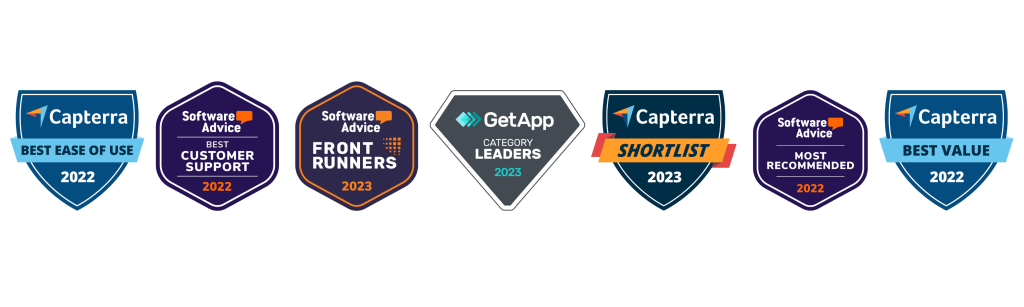
teamgate crm awards
Teamgate CRM Awards

HubSpot CRM

HubSpot CRM is the epitome of user-friendly design combined with powerful functionality, all available without a price tag. This platform is designed for businesses of all sizes, providing tools that span across sales, marketing, and customer service. Its intuitive interface removes the intimidation factor often associated with adopting new software, making it accessible for teams with varied levels of tech-savviness.

Hubspot CRM Key Features and Context

  • Automation and Integration: HubSpot excels in automating routine tasks and seamlessly integrates with a wide array of tools, including email marketing platforms, social media tools, and more, streamlining workflows and enhancing efficiency.
  • Scalability: Initially free, HubSpot is designed to grow with your business. Its free offerings are robust, but as needs expand, businesses can explore paid plans for more advanced features.

Hubspot Considerations

While HubSpot is an excellent starting point for many businesses, those with more complex needs might find the leap to paid plans necessary sooner than anticipated. This transition can introduce a significant cost, especially for startups and small businesses on tight budgets.

Zoho CRM

Zoho CRM offers a comprehensive suite of features that cater to businesses looking for a highly customizable and scalable CRM solution. Its strength lies in its flexibility, supporting a wide range of business processes and workflows with a particular emphasis on sales and marketing automation.

Zoho CRM Key Features and Context

  • AI-Powered Insights: Zoho’s AI assistant, Zia, provides sales predictions, automation suggestions, and even conversational assistance, helping businesses leverage data for better decision-making.
  • Extensive Customization: Zoho CRM can be tailored extensively to fit unique business needs, including custom fields, modules, and workflows, ensuring that the CRM adapts to the business rather than the other way around.

Considerations

Zoho’s extensive feature set and customization options can be overwhelming for smaller teams or those new to CRM software. Additionally, while Zoho offers a free version, accessing its most powerful features requires upgrading to paid plans.

Bitrix24

Bitrix24 stands out not just as a CRM but as a complete business suite, offering tools for CRM, project management, collaboration, and even website building. This integrated approach makes Bitrix24 particularly appealing for businesses looking to centralize their operations within a single platform.

Bitrix24 Key Features and Context

  • Unified Platform: Bitrix24’s blend of CRM, project management, and internal communication tools facilitates a seamless flow of information across teams, enhancing collaboration and operational efficiency.
  • Versatility: With features supporting sales, marketing, project tracking, and online collaboration, Bitrix24 is well-suited for a variety of business types and sizes.

Bitrix24 Considerations

The breadth of Bitrix24’s offerings can result in a steep learning curve. While it provides a comprehensive toolkit, businesses primarily in need of a CRM may find some features superfluous, potentially complicating the user experience.

Agile CRM

Agile CRM is designed as an all-in-one solution, integrating sales, marketing, and service functionalities into a single platform. It’s particularly suited for small to medium-sized businesses looking for an affordable yet comprehensive CRM solution.

Agile CRM Key Features and Context

  • All-in-One Solution: By combining CRM functionalities with marketing automation and customer support tools, Agile CRM provides a holistic view of the customer journey, enhancing engagement and insights.
  • User Friendliness: Agile CRM focuses on simplicity and ease of use, ensuring that businesses can quickly adopt and make the most of its features without a steep learning curve.

Agile CRM Considerations

Agile CRM’s free version is limited in terms of the number of users and the breadth of features. Businesses with growing teams or more advanced needs may need to consider its paid options.

Migrating from Salesforce to a New CRM

Migrating from Salesforce to an alternative CRM requires planning and structure. This transition impacts data integrity, workflows, forecasting, and team habits, not just software.

Understanding the Scope and Scale

Begin with a full audit of your Salesforce setup, identify all data, custom fields, integrations, and processes. This blueprint ensures nothing critical is lost and helps clarify what truly drives revenue versus what adds noise.

Choosing the Right Migration Tools and Partners

Specialized migration tools or vendor-supported programs can streamline the process. When evaluating your new CRM, ask whether free migration support is available to reduce friction and downtime.

Data Migration: A Structured Approach

Start with data cleansing, remove duplicates, close dead deals, and clarify stage definitions. A clean dataset improves adoption and reporting accuracy from day one. Run a pilot migration before full transfer to validate structure and workflows.

Training and User Adoption

Training should emphasize daily operating rhythm:

  • Every active deal must have a next step.

  • Follow-ups are driven by tasks and reminders.

  • Activity logging is automated where possible.

When reps see that the CRM gives them clear priorities, adoption improves naturally.

Customization and Integration

The final step in the transition process is customizing and integrating the new CRM to fit your business’s unique needs and workflows. This involves setting up custom fields, workflows, reports, and dashboards, as well as integrating the CRM with other business tools and platforms. Customization and integration are critical for ensuring that the CRM aligns with your business processes, enabling your team to work more efficiently and effectively.

Making the Most Out of Your New CRM

A CRM implementation succeeds when it becomes the backbone of your sales operating rhythm, not just a reporting tool.

Continuous Improvement and Feedback

Adopting a new CRM is an iterative process, requiring ongoing evaluation and refinement. Encourage feedback from your team, identifying pain points, and areas for improvement. Use this feedback to fine-tune the system, optimizing workflows, and customizations to better meet your business’s needs.

Leveraging Analytics and Insights

Use analytics to evaluate:

  • Deal aging trends

  • Activity levels by stage

  • Conversion rates between stages

  • Forecast accuracy over time

These insights help identify bottlenecks and improve win rates.

Fostering a Culture of CRM Adoption

Reinforce that the CRM exists to support selling, not to police activity. Celebrate consistent pipeline hygiene, clean next-step coverage, and improved forecast accuracy. When leadership runs weekly pipeline reviews from CRM dashboards, it signals that the system matters.

Conclusion

Switching from Salesforce to a free alternative CRM can reduce costs, but the real advantage comes from improving sales discipline and pipeline clarity.

The right CRM should:

  • Enforce structured stages and defined next steps

  • Prevent deals from going stale

  • Provide managers with reliable forecasting signals

  • Reduce admin so reps focus on selling

With the right planning and commitment to adoption, your new CRM can sharpen execution, protect revenue, and support predictable growth.

To get started with Teamgate today, start a trial or speak with our team of experts to discuss our free migration program. 


FAQs: Salesforce Free Alternatives

What is a CRM and why is it important for businesses?

A: Customer Relationship Management (CRM) software is a tool that helps businesses manage, analyze, and improve their interactions with current and potential customers. It centralizes customer information, streamlines business processes, and enables personalized customer engagement. CRM is crucial for businesses because it aids in enhancing customer satisfaction, increasing sales, and improving team productivity by providing a unified platform for accessing customer data and insights.

Can free CRM systems compete with paid solutions like Salesforce?

A: Yes, free CRM systems can offer compelling alternatives to paid solutions like Salesforce, particularly for small to medium-sized businesses or those with straightforward CRM needs. While Salesforce is renowned for its comprehensive features and scalability, many free CRMs provide essential functionalities such as contact management, sales pipeline visualization, and basic automation tools. These can be sufficient for businesses looking to manage customer relationships effectively without the complexity or cost of premium solutions. However, the key is to assess whether the free CRM meets your specific business requirements and growth plans.

What are the limitations of using a free CRM?

A: Free CRM systems often come with limitations compared to their paid counterparts. Common restrictions include:

  • User limits: A maximum number of users that can access the CRM.
  • Feature restrictions: Advanced features like extensive automation, detailed analytics, and custom reporting may be unavailable or limited.
  • Data storage limits: A cap on the amount of data or number of records you can store.
  • Integration constraints: Limited or no access to integrations with other business tools and platforms. Businesses should carefully evaluate these limitations against their needs to determine if a free CRM can effectively support their operations.

How do I migrate my data from Salesforce to another CRM?

A: Migrating data from Salesforce to another CRM involves several steps:

  1. Data Export: Use Salesforce’s data export functionality to download your data, including contacts, accounts, leads, opportunities, and custom objects.
  2. Data Cleanup: Before importing the data into the new CRM, clean it up. This may involve removing duplicates, correcting errors, and ensuring data formats are compatible with the new CRM.
  3. Mapping Fields: Determine how data fields in Salesforce correspond to those in the new CRM and map them accordingly. This ensures that data is accurately transferred to the correct fields.
  4. Importing Data: Use the import tool or functionality provided by the new CRM to upload your cleaned and mapped data. Start with a small data set to test the import process and ensure accuracy.
  5. Review and Adjust: After importing, thoroughly review the data in the new CRM for accuracy and completeness. Make any necessary adjustments or corrections. Consider consulting with the support teams of both Salesforce and the new CRM or hiring a data migration specialist to assist with complex migrations.

Are there any free CRMs that offer integration with other business tools?

A: Many free CRMs offer integration capabilities with popular business tools and platforms, though the extent and complexity of these integrations can vary. Common integrations include email platforms (e.g., Gmail, Outlook), social media, marketing automation tools, and customer service software. When evaluating a free CRM, check its integration marketplace or documentation to understand which tools it can connect with and any limitations that may apply. Integration can significantly enhance productivity and provide a more cohesive view of customer interactions across different channels.

Scaling a small business is an exciting but challenging endeavor. It involves taking your business to the next level by expanding operations, increasing revenue, and reaching a broader customer base. However, without careful planning and execution, scaling can lead to unforeseen problems and even failure. In this article, we will explore the importance of scaling in small business growth and provide a step-by-step guide on how to successfully scale your small business.

Key Takeaways:

  1. Understanding Business Scaling: Dive into the nuances of what scaling means specifically for small enterprises.
  2. Significance of Scaling: Grasp why scaling is a critical component for lasting small business success.
  3. Timely Scaling: Discover the indicators that suggest it’s the right moment for your business to scale.
  4. Steps to Scale: Navigate through the actionable measures to take your small business to the next level.
  5. Tackling Challenges: Learn strategies to overcome the hurdles that come with scaling up a small business.

Contents:

  • What is Business Scaling: A Small Business Perspective
  • The Importance of Scaling in Small Business Growth
  • When is the Right Time to Scale Your Small Business?
  • Steps to Scaling your Small Business
  • Overcoming Challenges in Scaling Your Small Business
  • Conclusion: Positioning Your Small Business for Sustainable Growth
  • Frequently Asked Questions: Scaling Small Business

What is Business Scaling: A Small Business Perspective

Understanding Business Scaling

Before diving into the scaling process, it is crucial to understand what business scaling means. In simple terms, scaling refers to the strategic effort of growing your small business while maintaining efficiency and profitability. It involves increasing the capacity of your business to handle more customers, larger orders, and higher demand without compromising quality or increasing costs exponentially. Scaling is not just about expansion; it is about sustainable growth and long-term success.

Scaling a small business requires careful planning and execution. It is essential to have a clear vision of where you want your business to be in the future and develop a roadmap to get there. This roadmap should include specific goals and milestones, along with project milestones examples, that will help you track your progress and make adjustments along the way.

Building a Strong Foundation for Scaling

One aspect of scaling that small business owners often overlook is the importance of building a strong foundation. This foundation includes having robust systems and processes in place to handle increased demand and ensure consistency in delivering products or services. It also involves investing in technology and infrastructure that can support growth without causing disruptions or bottlenecks.

Talent Acquisition and Retention in Scaling a Small Business

Another critical factor in scaling a small business is attracting and retaining top talent. As your business grows, you will need a team of skilled professionals who can help you achieve your goals. This means hiring the right people, providing them with the necessary training and resources, and creating a positive work culture that fosters innovation and collaboration.

Marketing and Customer Acquisition for Business Growth

Furthermore, scaling a small business requires effective marketing and customer acquisition strategies. As you expand your reach and target new markets, it is essential to develop a strong brand identity and value proposition that resonates with your target audience. This may involve refining your messaging, conducting market research, and leveraging digital marketing channels to reach a wider customer base.

Financial Management in Scaling a Small Business

Additionally, scaling a small business involves managing financial resources wisely. As your business grows, you may need to secure additional funding to support expansion plans. This could involve seeking loans, attracting investors, or exploring alternative financing options such as a no-APR business credit card to maintain cash flow flexibility during growth phases. Alongside funding strategies, using a cash management account can significantly streamline how you handle incoming revenue and outgoing expenses—offering flexibility, liquidity, and tools that scale with growing operational needs. Entrepreneurs with limited credit history can also gain access to free reports and explore poor credit loans, which, if managed responsibly, may provide a vital opportunity to fund expansion while gradually improving financial credibility. xA business line of credit offers flexible funding that can help manage cash flow fluctuations and finance unexpected expenses during periods of rapid growth.

It is crucial to have a solid financial plan in place and regularly monitor your cash flow to ensure you have the necessary resources to sustain growth. Managing financial resources effectively is crucial when scaling a small business, especially as revenue opportunities expand. Utilizing advanced tools such as the quarterly tax estimator by KeeperTax can provide businesses with up-to-date tax calculations, enhancing financial planning and compliance. For small business owners seeking an easier way to handle taxes, there are free tax filing options available to simplify tax preparation and reduce costs. Adopting this can be integral in optimizing pricing strategies and ensuring businesses remain compliant when securing contracts or partnerships.

Scaling a small business is a complex and multifaceted process. It requires careful planning, strong foundations, talented teams, effective marketing strategies, and prudent financial management. By focusing on these key areas, small business owners can position themselves for sustainable growth and long-term success.

The best solution for small businesses is to form a business structure link an LLC, as it protects personal assets from business liabilities, also provides tax benefits. However, before registering knowing about state-specific requirements is recommended, as they vary. For instance, forming an LLC in New York costs higher formation and annual fees compared to states like Delaware or Arizona, where costs may be lower.

The Importance of Business Scaling Strategy

Scaling your small business is not just a luxury, but a necessity in today’s competitive market. It is a strategic move that enables you to take advantage of new opportunities and stay ahead of the competition. By scaling, you can expand your reach and tap into new markets, allowing your business to thrive and grow.

Broadening Customer Reach with a Business Scaling Strategy

One of the key benefits of scaling is the ability to reach a broader customer base. As your business expands, you can target different customer segments and cater to their specific needs. This not only helps you increase your customer base but also allows you to diversify your revenue streams. By offering a wider range of products or services, you can attract a larger customer base and generate more sales.

Revenue Maximization Through Business Scaling Strategy

Moreover, scaling your small business allows you to maximize your revenue potential. As your business grows, you can secure larger contracts and negotiate better deals with suppliers. This means that you can increase your profit margins and generate more revenue. Scaling also provides the opportunity to invest in new technologies and infrastructure, which can further enhance your operational efficiency and productivity.Conversely, adopting advanced software can aid in scaling. For example, if you run a brewery business, you can use brewery stock management software to automate repetitive tasks, helping you complete tasks ten times faster and scale efficiently.

Attracting Investment with a Proven Small Business Scaling Strategy

Another significant advantage of scaling is the ability to attract investors and secure funding for further expansion. Investors are more likely to support businesses that demonstrate sustainable growth potential. By scaling your small business, you show investors that you have a solid plan for growth and that you are capable of executing it successfully. This can open doors to additional funding opportunities, allowing you to take your business to new heights.

To stand out to potential investors, businesses must showcase their growth trajectory and market positioning effectively. Platforms like Grata provide valuable insights into private market data, helping small businesses identify investment opportunities and build connections with potential funding partners.

Challenges in Implementing a Small Business Scaling Strategy

However, scaling a small business is not without its challenges. It requires careful planning, strategic decision-making, and effective management of resources. It is essential to assess the market demand, analyze your competition, and develop a scalable business model that can adapt to changing market conditions. Additionally, it is crucial to build a strong team and invest in employee training and development to ensure that your business can handle the increased workload that comes with scaling.

Scaling your small business is a critical step towards long-term success. It enables you to seize new opportunities, maximize your revenue potential, attract investors, and secure funding for further expansion. While scaling may present challenges, with careful planning and effective execution, it can propel your business to new heights and ensure its sustainability in a competitive market.

When is the Right Time to Scale Your Small Business?

Determining the right time to scale your small business requires careful consideration and analysis. It is essential to evaluate various factors such as market demand, profitability, capacity, and resources. As a general rule, scaling should be considered when your business has a proven product or service, a stable customer base, and consistent revenue growth. Additionally, having a robust business infrastructure and operational systems in place is crucial before embarking on a scaling journey.

Evaluating Market Demand for Scaling a Small Business

One key factor to consider when deciding to scale your small business is market demand. It is important to assess whether there is a significant demand for your product or service beyond your current customer base. Conducting market research and analyzing industry trends can help you determine if there is potential for growth in your target market.

The Role of Profitability in Scaling Decisions

Profitability is another critical aspect to evaluate before scaling your small business. It is essential to ensure that your business is generating consistent profits and has a positive cash flow. Scaling too early can put a strain on your finances and hinder your ability to sustain growth in the long term.

Assessing Capacity and Resources for Business Growth

In addition to market demand and profitability, capacity and resources play a crucial role in determining the right time to scale. Assessing your current operational capacity and whether you have the necessary resources to handle increased production or service delivery is essential. Scaling without adequate resources can lead to inefficiencies and a decline in the quality of your product or service.

The Significance of a Stable Customer Base in Scaling

Furthermore, having a stable customer base is a strong indicator that your business is ready to scale. If you have a loyal customer following and a high customer retention rate, it shows that your product or service is meeting their needs and creating value. Scaling with a stable customer base ensures that there is a demand for your offerings and reduces the risk of expanding too quickly.

Capitalizing on Consistent Revenue Growth

Consistent revenue growth is another important factor to consider when deciding to scale your small business. If your business is experiencing steady revenue growth over an extended period, it indicates that there is a sustainable market for your product or service. Scaling during a period of consistent revenue growth allows you to capitalize on the momentum and expand your reach.

Importance of Infrastructure and Systems in Scaling a Small Business

Lastly, having a robust business infrastructure and operational systems in place is crucial before embarking on a scaling journey. This includes having efficient processes, a talented and skilled workforce, and reliable technology systems. Scaling without a solid foundation can lead to operational challenges and hinder your ability to meet the increased demand.

Determining the right time to scale your small business requires evaluating various factors such as market demand, profitability, capacity, and resources. It is important to have a proven product or service, a stable customer base, consistent revenue growth, and a robust business infrastructure before considering scaling. By carefully analyzing these factors and ensuring that your business is well-prepared for growth, you can make an informed decision and set your small business up for success.

Steps to Scaling your Small Business

Step 1: Establishing a Scalable Business Model

The foundation of successful scaling lies in having a scalable business model. This means designing your business in a way that allows for growth and expansion without major disruptions. To establish a scalable business model, you need to assess your current operations, identify bottlenecks, and make necessary improvements. This may involve streamlining processes, automating tasks, and implementing agile methodologies. By laying a solid foundation, you can ensure that your business can handle increased demand and deliver consistent results.

Step 2: Building a Strong Team for Business Scaling

Scaling a small business is not a one-person show. It requires a competent and dedicated team to support your growth initiatives. As you scale, you need to assess your current workforce and determine if additional hires are necessary. Look for individuals with the skills, experience, and passion to contribute to your business’s success. Delegate responsibilities, empower your team, and establish clear communication channels to foster collaboration and efficiency. A strong team will be instrumental in executing your scaling strategy and overcoming obstacles along the way. To further support team alignment and operational execution, small businesses can adopt Entrepreneurial Operating System (EOS) software — helping track goals, manage priorities, and ensure both people and projects work efficiently toward shared objectives, creating a strong framework for sustainable scaling and fostering a highly effective, cohesive team

Step 3: Implementing Efficient Operational Systems

To scale your small business effectively, you need to have efficient operational systems in place. This includes everything from procurement and inventory management to customer service and sales tools such as CRM. Automating repetitive tasks, integrating technology solutions, and implementing standardized processes can help improve productivity, reduce errors, and enhance customer experience. Regularly review and optimize your operational systems to ensure they can handle increased demand and maintain quality standards.

Step 4: Leveraging Technology to Facilitate Scaling

In today’s digital age, leveraging technology is crucial for successful scaling. Evaluate your current technology infrastructure and identify areas where upgrades or integrations can streamline your operations. For example, implementing your first customer relationship management (CRM) system can help you manage customer data and track interactions at scale. Similarly, adopting cloud-based solutions can enhance collaboration, scalability, and data security. Embracing technology can provide you with valuable insights, improve efficiency, and enable seamless expansion.

Step 5: Securing Funding for Business Expansion

Scaling requires financial resources to invest in infrastructure, hire new staff, expand marketing efforts, and more. Before choosing financing, verify the current SBA loan interest rate to benchmark 7(a) and 504 options as of February 2026, since caps tied to Prime can shift month to month and materially impact your cost of capital when scaling. Assess your financial situation and explore different funding options, such as loans, grants, or angel investors. Prepare a comprehensive business plan and financial projections to demonstrate your growth potential and return on investment. For service-based companies aiming to scale past the $10M mark, working with CFO support for growing businesses can provide the strategic financial guidance needed to eliminate bottlenecks and grow sustainably. It is essential to strike a balance between leveraging external funding and maintaining control over your business. Seek advice from financial professionals to navigate the funding landscape and make informed decisions.

Step 6: Exploring New Markets and Customer Segments

As your small business scales, it is crucial to explore new markets and customer segments to expand your reach. Conduct market research to identify untapped opportunities, analyze customer behavior, and tailor your marketing strategies accordingly. Assess the scalability of your products or services in different markets and adapt your offerings as needed. By diversifying your customer base, you can mitigate risks and unlock new revenue streams that contribute to your business’s overall growth.

Step 7: Maintaining Quality and Customer Satisfaction While Scaling

One of the most significant challenges in scaling a small business is maintaining quality and customer satisfaction. As your operations expand, it is crucial to uphold your brand’s reputation and deliver consistent value to your customers. Regularly evaluate and optimize your quality control processes to ensure that your products or services meet customer expectations. Listen to customer feedback, address issues promptly, and continuously improve your offerings. Building strong relationships and providing exceptional customer service will undoubtedly contribute to your scaling success.

Overcoming Challenges in Scaling Your Small Business

Scaling a small business is not without its challenges. Common obstacles include cash flow management, talent acquisition, operational inefficiencies, and market volatility. It is essential to anticipate and address these challenges proactively. Seek guidance from industry experts, join business networks, and learn from the experiences of other successful scaling entrepreneurs. Embrace a growth mindset, adapt to changes, and be open to continuous learning and improvement. By overcoming challenges, you can position your small business for sustainable growth and long-term success.

Conclusion: Positioning Your Small Business for Sustainable Growth

Successfully scaling your small business requires careful planning, perseverance, and the right mindset. By following the steps outlined in this article, you can establish a solid foundation, build a strong team, implement efficient systems, leverage technology, secure funding, explore new markets, and maintain quality while scaling. Remember that scalability is a continuous process that requires ongoing evaluation, optimization, and adaptation. By positioning your small business for sustainable growth, you can unlock its full potential and achieve long-term success.

To implement a CRM designed specifically to support small business and scale with you, check out Teamgate CRM today, or get started on a 14 day free trial.

Frequently Asked Questions: Scaling A Small Business

  • What does it mean to scale in the context of small businesses?
    • In a small business context, scaling refers to the ability to grow and manage increased demand without compromising performance or revenue. It’s not just about expanding, but expanding efficiently.
  • Why is scaling crucial for the longevity of a small enterprise?
    • Scaling is essential because it ensures that a business can meet increasing demand and capitalize on opportunities. It helps in optimizing resources, enhancing profitability, and ensuring long-term sustainability.
  • Are there specific indicators to know when my business is ready to scale?
    • Yes, indicators might include consistent business growth, stable cash flow, a solid customer base, and the capacity to accommodate more work without sacrificing quality.
  • What are the primary steps I should follow to scale my business successfully?
    • Primary steps include:
      • Evaluating your current business model for scalability.
      • Investing in technology and tools that aid growth.
      • Expanding your team or training them for new roles.
      • Diversifying product or service offerings.
      • Seeking external funding if necessary.
  • How do I address the challenges that arise during the scaling process?
    • Addressing challenges involves:
      • Conducting regular SWOT analyses.
      • Seeking mentorship or consulting services.
      • Prioritizing employee well-being and retention.
      • Remaining adaptable and open to change.
      • Regularly reviewing and adjusting your business plan.
  • Are there any tools or strategies specific for small businesses during scaling?
    • Certainly. Some tools include project management software, customer relationship management (CRM) systems, and analytics tools. Strategies might encompass lean methodologies, outsourcing non-core functions, and forming strategic partnerships.
  • How do I ensure my business growth remains sustainable after scaling?
    • Ensuring sustainability involves maintaining quality, continuously monitoring key performance indicators, engaging with your customer base, reinvesting in the business, and staying updated with industry trends.
