Get a free sales audit to uncover hidden revenue opportunities!

Imagine this: You have finally decided to start your own business. There is a lot of excitement, from planning what your small business will sell to the unboxing experience you want your customers to have. The thrill is often the driving force behind consistently working to improve and grow your business. 

However, running a small business from the comfort of your home is not as easy as it seems. As there’s a lot to do, it’s likely that you will make some mistakes. While minor ones can be instantly fixed without incurring losses, major mistakes can take the shape of business growth obstacles. These blockages can limit the growth your business is capable of achieving. How can you identify potential errors, and what are some clever ways to avoid them? Here’s everything you need to know: 

Deciding to Do Everything on Your Own

Sure, it’s your business, your ambition, and your security for the future, but building and running a small business from scratch can be overwhelming. While you have chartered your own path, researched the business, and invested resources into growing your business, doing everything independently will soon become overwhelming. Hence, partnering with brands like VIE Media allows you to benefit from their experience while increasing your market size and growing your business.

Accomplishing initial tasks builds confidence. However, every aspect of business is different, and there are countless things that need to be done. Avoid doing everything on your own, and consider automating business processes as much as you can. 

Failing to Identify and Acknowledge Internal Challenges

As a business owner, you know about financial struggles, supply chain disruptions, customer satisfaction issues, and product quality problems; these are only a handful of things to consider. Recognizing these internal challenges is crucial to prevent last-minute breakdowns of current systems. 

Anticipating problems and fixing them on time will allow you to devise strategies that prevent stress and boost the productivity and efficiency of your existing system. This will also ensure that you constantly strive to improve relationships with its vendors and distributors. 

A Lack of Balance in Marketing Strategy

A scattered and mismanaged marketing strategy will make it challenging for your business to target its potential customers successfully. With the Internet becoming prominent, marketing and advertising have become even more critical. However, given the expansive reach of marketing platforms, it’s crucial to recognize your target audience, where they spend most of their time, and how you can reach them with irresistible offers. 

A lack of balance in marketing strategy can negatively affect your budget and result in poor brand impact and retention. Before targeting your potential audience, make sure to carefully understand their interests, online behavior, and demographics. 

A Lack of Robust Risk Management Strategies

Risk is often a dormant component in any business. However, your business must take the necessary steps to create risk management strategies for tricky situations. These strategies should highlight steps for analysis, outline risk factors, and help devise actions to mitigate risk. Managing risk also enables your business to move out of its comfort zone and capture growth opportunities without jeopardizing its existing market position. 

Protecting your sensitive business data is an important part of effective risk management. Small businesses, especially home-run ventures, are frequent targets for hackers and malware. Ensuring your systems are secured with up-to-date cybersecurity tools, such as Bitdefender’s free antivirus software, can help safeguard your devices from ransomware, phishing scams, and evolving online threats—without straining your budget.

At the same time, it’s essential that you continue to evaluate risks, devise practical strategies to work around them, and avoid threats to your business, preventing it from becoming obsolete. Regularly performing a cyber risk assessment can reveal hidden IT and data security threats before they escalate.As your business grows, it will face many challenges, and carefully planned risk management strategies will enable you to have the much-needed safety net. 

The Bottom Line

Running a business is a lot of work, and there’s always a chance that you may want to do it on your own. From researching best practices, establishing relationships with vendors, and making sure you track all your financial transactions, you can stay on top of your business needs and monitor its growth. 

Understanding that mistakes are common when running your own small business from home is crucial to improving processes. Being hard on yourself or managing every element of your business alone can make finding time for growth initiatives challenging. Make sure to strike a balance and automate processes as much as possible for the best results. 

In the ever-evolving landscape of business technology, the Customer Relationship Management (CRM) system stands as a cornerstone, pivotal in orchestrating the delicate dance between businesses and their clientele. At the forefront of this technological renaissance is Salesforce, a behemoth whose name is synonymous with innovation, efficiency, and a hefty price tag. Yet, in the shadow of this giant, lies a realm of unexplored territories—free alternatives that promise a similar bounty without the burden on your treasury.

Exploring these options isn’t merely about saving money. It’s about finding a solution that aligns with your business’s strategic goals—boosting efficiency, supporting scalability, and fostering meaningful customer interactions without compromising your budget.

Contents

Assessing CRM Needs: A Prelude to Making the Switch

Before embarking on the quest for a Salesforce alternative, businesses must clearly define their core needs. This process goes beyond feature wish lists—it’s about recognizing how a CRM can strengthen customer connections and streamline operations.

Collaboration

At its core, a CRM system should serve as the nexus of your business’s interactions with current and potential customers. Therefore, the primary consideration should be data centralization—ensuring that customer information is not just stored but is easily accessible, interpretable, and actionable across departments.

Integration Requirements

Integration capabilities stand as another pillar in this foundation. Your CRM must connect seamlessly with other essential tools—marketing platforms, email providers, support systems—ensuring smooth data flow and cohesive workflows. Due to the limited native Salesforce analytics, it makes sense to send Salesforce data to BigQuery to unlock deeper insights into your business performance.

Scaling and Future Growth

Scalability is the third beacon to guide your choice. A CRM that fits your business today but chokes on its growth tomorrow is a strategic misstep. The platform should not only accommodate growth in customer base and data volume but also adapt to evolving business processes and landscapes.

Ease of Use and Flexibility

User-friendliness and customization round off the list of essentials. A CRM, no matter how powerful, loses its value if it becomes a labyrinth that your team cannot navigate or mold to fit the unique contours of your business model.

5 Free Salesforce Alternatives

Choosing the right CRM is crucial for enhancing business operations, boosting customer satisfaction, and driving sales. While Salesforce is a leader in the CRM space, its pricing and complexity may not suit every business, making many companies explore Salesforce alternatives. Below, we explore detailed, context-rich analyses of notable free alternatives, each offering unique advantages for different business needs.

Teamgate CRM

Teamgate CRM enters the fray as a powerful, yet intuitive CRM solution, specifically tailored for small to medium-sized enterprises looking for a straightforward yet feature-rich CRM system. Its simplicity does not come at the expense of functionality, offering deep sales process insights, lead management, out-of-the-box analytics and 24/7 customer support.

Teamgate CRM Key Features and Context

  • Simplicity and Efficiency: Teamgate’s user-friendly interface and logical navigation make it easy for teams to adopt and utilize effectively, reducing training time and increasing productivity.
  • Comprehensive Sales Tools: With a strong focus on sales management, Teamgate offers detailed analytics, lead scoring, and pipeline management features, helping businesses optimize their sales processes for better results.

Teamgate CRM Considerations

Teamgate’s focus on sales-centric features makes it an excellent choice for businesses looking to streamline their sales operations. However, companies needing broader CRM functionalities covering marketing and service extensively might need to integrate additional tools.

teamgate crm awards
Teamgate CRM Awards

HubSpot CRM

HubSpot CRM is the epitome of user-friendly design combined with powerful functionality, all available without a price tag. This platform is designed for businesses of all sizes, providing tools that span across sales, marketing, and customer service. Its intuitive interface removes the intimidation factor often associated with adopting new software, making it accessible for teams with varied levels of tech-savviness.

Hubspot CRM Key Features and Context

  • Automation and Integration: HubSpot excels in automating routine tasks and seamlessly integrates with a wide array of tools, including email marketing platforms, social media tools, and more, streamlining workflows and enhancing efficiency.
  • Scalability: Initially free, HubSpot is designed to grow with your business. Its free offerings are robust, but as needs expand, businesses can explore paid plans for more advanced features.

Hubspot Considerations

While HubSpot is an excellent starting point for many businesses, those with more complex needs might find the leap to paid plans necessary sooner than anticipated. This transition can introduce a significant cost, especially for startups and small businesses on tight budgets.

Zoho CRM

Zoho CRM offers a comprehensive suite of features that cater to businesses looking for a highly customizable and scalable CRM solution. Its strength lies in its flexibility, supporting a wide range of business processes and workflows with a particular emphasis on sales and marketing automation.

Zoho CRM Key Features and Context

  • AI-Powered Insights: Zoho’s AI assistant, Zia, provides sales predictions, automation suggestions, and even conversational assistance, helping businesses leverage data for better decision-making.
  • Extensive Customization: Zoho CRM can be tailored extensively to fit unique business needs, including custom fields, modules, and workflows, ensuring that the CRM adapts to the business rather than the other way around.

Considerations

Zoho’s extensive feature set and customization options can be overwhelming for smaller teams or those new to CRM software. Additionally, while Zoho offers a free version, accessing its most powerful features requires upgrading to paid plans.

Bitrix24

Bitrix24 stands out not just as a CRM but as a complete business suite, offering tools for CRM, project management, collaboration, and even website building. This integrated approach makes Bitrix24 particularly appealing for businesses looking to centralize their operations within a single platform.

Bitrix24 Key Features and Context

  • Unified Platform: Bitrix24’s blend of CRM, project management, and internal communication tools facilitates a seamless flow of information across teams, enhancing collaboration and operational efficiency.
  • Versatility: With features supporting sales, marketing, project tracking, and online collaboration, Bitrix24 is well-suited for a variety of business types and sizes.

Bitrix24 Considerations

The breadth of Bitrix24’s offerings can result in a steep learning curve. While it provides a comprehensive toolkit, businesses primarily in need of a CRM may find some features superfluous, potentially complicating the user experience.

Agile CRM

Agile CRM is designed as an all-in-one solution, integrating sales, marketing, and service functionalities into a single platform. It’s particularly suited for small to medium-sized businesses looking for an affordable yet comprehensive CRM solution.

Agile CRM Key Features and Context

  • All-in-One Solution: By combining CRM functionalities with marketing automation and customer support tools, Agile CRM provides a holistic view of the customer journey, enhancing engagement and insights.
  • User Friendliness: Agile CRM focuses on simplicity and ease of use, ensuring that businesses can quickly adopt and make the most of its features without a steep learning curve.

Agile CRM Considerations

Agile CRM’s free version is limited in terms of the number of users and the breadth of features. Businesses with growing teams or more advanced needs may need to consider its paid options.

Migrating from Salesforce to a New CRM

Migrating from Salesforce to an alternative CRM system may seem like navigating uncharted waters. It demands meticulous planning, strategic foresight, and an unwavering commitment to minimizing disruption while maximizing the potential benefits of the new system. This transition is not merely a technical migration; it is a transformational process that touches every facet of your business operations.

Understanding the Scope and Scale

The first step is to thoroughly understand the scope and scale of the migration. This involves conducting a comprehensive audit of your current Salesforce setup, starting by finding the Salesforce Org ID and identifying all the data, processes, customizations, and integrations that define your CRM ecosystem. This audit serves as the blueprint for the migration, ensuring that no critical element is left behind in the transition.

Choosing the Right Migration Tools and Partners

The complexity of migrating from Salesforce necessitates the use of specialized migration tools and, potentially, the expertise of migration partners. These tools and partners can help navigate the technical intricacies of transferring data, preserving the integrity and structure of your information, and ensuring that the transition is smooth and efficient. Choosing the right tools and partners is critical, as it impacts not just the success of the migration but also the speed and ease with which your team can adapt to the new system. Where possible, ask your new CRM if they offer free migration support.

Data Migration: A Structured Approach

Data migration is the cornerstone of transitioning to a new CRM. It requires a structured approach, starting with data cleansing and preparation—removing outdated, duplicate, or irrelevant data to ensure that only valuable, accurate information is transferred to the new system. The actual migration should be executed in phases, starting with a pilot migration to test and validate the process before proceeding with the full-scale transfer. This phased approach allows for identifying and addressing any issues without jeopardizing the entire dataset.

Training and User Adoption

The success of a new CRM system hinges on user adoption. Training is a critical component of the transition process, ensuring that your team is not just familiar with the new system but is also proficient in leveraging its capabilities to enhance business operations. Training should be tailored to the specific needs and roles of different users, providing them with the knowledge and confidence to embrace the new system.

Customization and Integration

The final step in the transition process is customizing and integrating the new CRM to fit your business’s unique needs and workflows. This involves setting up custom fields, workflows, reports, and dashboards, as well as integrating the CRM with other business tools and platforms. Customization and integration are critical for ensuring that the CRM aligns with your business processes, enabling your team to work more efficiently and effectively.

Making the Most Out of Your New CRM

Transitioning to a new CRM is not the end of the journey; it’s the beginning of a new chapter in your business’s relationship with technology. Making the most out of your new CRM requires a strategic approach, focusing on continuous improvement, user engagement, and leveraging the full spectrum of features and capabilities offered by the system.

Continuous Improvement and Feedback

Adopting a new CRM is an iterative process, requiring ongoing evaluation and refinement. Encourage feedback from your team, identifying pain points, and areas for improvement. Use this feedback to fine-tune the system, optimizing workflows, and customizations to better meet your business’s needs.

Leveraging Analytics and Insights

Modern CRM systems offer powerful analytics and insights, providing a deeper understanding of your customers and business operations. Leverage these analytics and metrics to inform decision-making, identify trends, and uncover opportunities for growth and improvement.

Fostering a Culture of CRM Adoption

Finally, fostering a culture of CRM adoption across your organization is essential. This involves not just training but also demonstrating the value and benefits of the system, encouraging its use as a central tool in your business operations. Celebrate successes, share best practices, and ensure that the CRM is integrated into the fabric of your business.

Conclusion

The journey from Salesforce to a free alternative CRM is a strategic decision that can unlock new potentials for your business, offering cost-effective solutions without compromising on functionality and efficiency. Choosing a free alternative to Salesforce isn’t just about reducing costs—it’s about aligning your tools with your vision. With the right planning, support, and commitment to user adoption, your new CRM can empower your team, sharpen operations, and drive long-term growth.

To get started with Teamgate today, start a trial or speak with our team of experts to discuss our free migration program. 


FAQs: Salesforce Free Alternatives

What is a CRM and why is it important for businesses?

A: Customer Relationship Management (CRM) software is a tool that helps businesses manage, analyze, and improve their interactions with current and potential customers. It centralizes customer information, streamlines business processes, and enables personalized customer engagement. CRM is crucial for businesses because it aids in enhancing customer satisfaction, increasing sales, and improving team productivity by providing a unified platform for accessing customer data and insights.

Can free CRM systems compete with paid solutions like Salesforce?

A: Yes, free CRM systems can offer compelling alternatives to paid solutions like Salesforce, particularly for small to medium-sized businesses or those with straightforward CRM needs. While Salesforce is renowned for its comprehensive features and scalability, many free CRMs provide essential functionalities such as contact management, sales pipeline visualization, and basic automation tools. These can be sufficient for businesses looking to manage customer relationships effectively without the complexity or cost of premium solutions. However, the key is to assess whether the free CRM meets your specific business requirements and growth plans.

What are the limitations of using a free CRM?

A: Free CRM systems often come with limitations compared to their paid counterparts. Common restrictions include:

  • User limits: A maximum number of users that can access the CRM.
  • Feature restrictions: Advanced features like extensive automation, detailed analytics, and custom reporting may be unavailable or limited.
  • Data storage limits: A cap on the amount of data or number of records you can store.
  • Integration constraints: Limited or no access to integrations with other business tools and platforms. Businesses should carefully evaluate these limitations against their needs to determine if a free CRM can effectively support their operations.

How do I migrate my data from Salesforce to another CRM?

A: Migrating data from Salesforce to another CRM involves several steps:

  1. Data Export: Use Salesforce’s data export functionality to download your data, including contacts, accounts, leads, opportunities, and custom objects.
  2. Data Cleanup: Before importing the data into the new CRM, clean it up. This may involve removing duplicates, correcting errors, and ensuring data formats are compatible with the new CRM.
  3. Mapping Fields: Determine how data fields in Salesforce correspond to those in the new CRM and map them accordingly. This ensures that data is accurately transferred to the correct fields.
  4. Importing Data: Use the import tool or functionality provided by the new CRM to upload your cleaned and mapped data. Start with a small data set to test the import process and ensure accuracy.
  5. Review and Adjust: After importing, thoroughly review the data in the new CRM for accuracy and completeness. Make any necessary adjustments or corrections. Consider consulting with the support teams of both Salesforce and the new CRM or hiring a data migration specialist to assist with complex migrations.

Are there any free CRMs that offer integration with other business tools?

A: Many free CRMs offer integration capabilities with popular business tools and platforms, though the extent and complexity of these integrations can vary. Common integrations include email platforms (e.g., Gmail, Outlook), social media, marketing automation tools, and customer service software. When evaluating a free CRM, check its integration marketplace or documentation to understand which tools it can connect with and any limitations that may apply. Integration can significantly enhance productivity and provide a more cohesive view of customer interactions across different channels.

Scaling a small business is an exciting but challenging endeavor. It involves taking your business to the next level by expanding operations, increasing revenue, and reaching a broader customer base. However, without careful planning and execution, scaling can lead to unforeseen problems and even failure. In this article, we will explore the importance of scaling in small business growth and provide a step-by-step guide on how to successfully scale your small business.

Key Takeaways:

  1. Understanding Business Scaling: Dive into the nuances of what scaling means specifically for small enterprises.
  2. Significance of Scaling: Grasp why scaling is a critical component for lasting small business success.
  3. Timely Scaling: Discover the indicators that suggest it’s the right moment for your business to scale.
  4. Steps to Scale: Navigate through the actionable measures to take your small business to the next level.
  5. Tackling Challenges: Learn strategies to overcome the hurdles that come with scaling up a small business.

Contents:

  • What is Business Scaling: A Small Business Perspective
  • The Importance of Scaling in Small Business Growth
  • When is the Right Time to Scale Your Small Business?
  • Steps to Scaling your Small Business
  • Overcoming Challenges in Scaling Your Small Business
  • Conclusion: Positioning Your Small Business for Sustainable Growth
  • Frequently Asked Questions: Scaling Small Business

What is Business Scaling: A Small Business Perspective

Understanding Business Scaling

Before diving into the scaling process, it is crucial to understand what business scaling means. In simple terms, scaling refers to the strategic effort of growing your small business while maintaining efficiency and profitability. It involves increasing the capacity of your business to handle more customers, larger orders, and higher demand without compromising quality or increasing costs exponentially. Scaling is not just about expansion; it is about sustainable growth and long-term success.

Scaling a small business requires careful planning and execution. It is essential to have a clear vision of where you want your business to be in the future and develop a roadmap to get there. This roadmap should include specific goals and milestones, along with project milestones examples, that will help you track your progress and make adjustments along the way.

Building a Strong Foundation for Scaling

One aspect of scaling that small business owners often overlook is the importance of building a strong foundation. This foundation includes having robust systems and processes in place to handle increased demand and ensure consistency in delivering products or services. It also involves investing in technology and infrastructure that can support growth without causing disruptions or bottlenecks.

Talent Acquisition and Retention in Scaling a Small Business

Another critical factor in scaling a small business is attracting and retaining top talent. As your business grows, you will need a team of skilled professionals who can help you achieve your goals. This means hiring the right people, providing them with the necessary training and resources, and creating a positive work culture that fosters innovation and collaboration.

Marketing and Customer Acquisition for Business Growth

Furthermore, scaling a small business requires effective marketing and customer acquisition strategies. As you expand your reach and target new markets, it is essential to develop a strong brand identity and value proposition that resonates with your target audience. This may involve refining your messaging, conducting market research, and leveraging digital marketing channels to reach a wider customer base.

Financial Management in Scaling a Small Business

Additionally, scaling a small business involves managing financial resources wisely. As your business grows, you may need to secure additional funding to support expansion plans. This could involve seeking loans, attracting investors, or exploring alternative financing options such as a no-APR business credit card to maintain cash flow flexibility during growth phases. Alongside funding strategies, using a cash management account can significantly streamline how you handle incoming revenue and outgoing expenses—offering flexibility, liquidity, and tools that scale with growing operational needs. Entrepreneurs with limited credit history can also explore poor credit loans, which, if managed responsibly, may provide a vital opportunity to fund expansion while gradually improving financial credibility. xA business line of credit offers flexible funding that can help manage cash flow fluctuations and finance unexpected expenses during periods of rapid growth.

It is crucial to have a solid financial plan in place and regularly monitor your cash flow to ensure you have the necessary resources to sustain growth. Managing financial resources effectively is crucial when scaling a small business, especially as revenue opportunities expand. Utilizing advanced tools such as the quarterly tax estimator by KeeperTax can provide businesses with up-to-date tax calculations, enhancing financial planning and compliance. For small business owners seeking an easier way to handle taxes, there are free tax filing options available to simplify tax preparation and reduce costs. Adopting this can be integral in optimizing pricing strategies and ensuring businesses remain compliant when securing contracts or partnerships.

Scaling a small business is a complex and multifaceted process. It requires careful planning, strong foundations, talented teams, effective marketing strategies, and prudent financial management. By focusing on these key areas, small business owners can position themselves for sustainable growth and long-term success.

The best solution for small businesses is to form a business structure link an LLC, as it protects personal assets from business liabilities, also provides tax benefits. However, before registering knowing about state-specific requirements is recommended, as they vary. For instance, forming an LLC in New York costs higher formation and annual fees compared to states like Delaware or Arizona, where costs may be lower.

The Importance of Business Scaling Strategy

Scaling your small business is not just a luxury, but a necessity in today’s competitive market. It is a strategic move that enables you to take advantage of new opportunities and stay ahead of the competition. By scaling, you can expand your reach and tap into new markets, allowing your business to thrive and grow.

Broadening Customer Reach with a Business Scaling Strategy

One of the key benefits of scaling is the ability to reach a broader customer base. As your business expands, you can target different customer segments and cater to their specific needs. This not only helps you increase your customer base but also allows you to diversify your revenue streams. By offering a wider range of products or services, you can attract a larger customer base and generate more sales.

Revenue Maximization Through Business Scaling Strategy

Moreover, scaling your small business allows you to maximize your revenue potential. As your business grows, you can secure larger contracts and negotiate better deals with suppliers. This means that you can increase your profit margins and generate more revenue. Scaling also provides the opportunity to invest in new technologies and infrastructure, which can further enhance your operational efficiency and productivity.Conversely, adopting advanced software can aid in scaling. For example, if you run a brewery business, you can use brewery stock management software to automate repetitive tasks, helping you complete tasks ten times faster and scale efficiently.

Attracting Investment with a Proven Small Business Scaling Strategy

Another significant advantage of scaling is the ability to attract investors and secure funding for further expansion. Investors are more likely to support businesses that demonstrate sustainable growth potential. By scaling your small business, you show investors that you have a solid plan for growth and that you are capable of executing it successfully. This can open doors to additional funding opportunities, allowing you to take your business to new heights.

To stand out to potential investors, businesses must showcase their growth trajectory and market positioning effectively. Platforms like Grata provide valuable insights into private market data, helping small businesses identify investment opportunities and build connections with potential funding partners.

Challenges in Implementing a Small Business Scaling Strategy

However, scaling a small business is not without its challenges. It requires careful planning, strategic decision-making, and effective management of resources. It is essential to assess the market demand, analyze your competition, and develop a scalable business model that can adapt to changing market conditions. Additionally, it is crucial to build a strong team and invest in employee training and development to ensure that your business can handle the increased workload that comes with scaling.

Scaling your small business is a critical step towards long-term success. It enables you to seize new opportunities, maximize your revenue potential, attract investors, and secure funding for further expansion. While scaling may present challenges, with careful planning and effective execution, it can propel your business to new heights and ensure its sustainability in a competitive market.

When is the Right Time to Scale Your Small Business?

Determining the right time to scale your small business requires careful consideration and analysis. It is essential to evaluate various factors such as market demand, profitability, capacity, and resources. As a general rule, scaling should be considered when your business has a proven product or service, a stable customer base, and consistent revenue growth. Additionally, having a robust business infrastructure and operational systems in place is crucial before embarking on a scaling journey.

Evaluating Market Demand for Scaling a Small Business

One key factor to consider when deciding to scale your small business is market demand. It is important to assess whether there is a significant demand for your product or service beyond your current customer base. Conducting market research and analyzing industry trends can help you determine if there is potential for growth in your target market.

The Role of Profitability in Scaling Decisions

Profitability is another critical aspect to evaluate before scaling your small business. It is essential to ensure that your business is generating consistent profits and has a positive cash flow. Scaling too early can put a strain on your finances and hinder your ability to sustain growth in the long term.

Assessing Capacity and Resources for Business Growth

In addition to market demand and profitability, capacity and resources play a crucial role in determining the right time to scale. Assessing your current operational capacity and whether you have the necessary resources to handle increased production or service delivery is essential. Scaling without adequate resources can lead to inefficiencies and a decline in the quality of your product or service.

The Significance of a Stable Customer Base in Scaling

Furthermore, having a stable customer base is a strong indicator that your business is ready to scale. If you have a loyal customer following and a high customer retention rate, it shows that your product or service is meeting their needs and creating value. Scaling with a stable customer base ensures that there is a demand for your offerings and reduces the risk of expanding too quickly.

Capitalizing on Consistent Revenue Growth

Consistent revenue growth is another important factor to consider when deciding to scale your small business. If your business is experiencing steady revenue growth over an extended period, it indicates that there is a sustainable market for your product or service. Scaling during a period of consistent revenue growth allows you to capitalize on the momentum and expand your reach.

Importance of Infrastructure and Systems in Scaling a Small Business

Lastly, having a robust business infrastructure and operational systems in place is crucial before embarking on a scaling journey. This includes having efficient processes, a talented and skilled workforce, and reliable technology systems. Scaling without a solid foundation can lead to operational challenges and hinder your ability to meet the increased demand.

Determining the right time to scale your small business requires evaluating various factors such as market demand, profitability, capacity, and resources. It is important to have a proven product or service, a stable customer base, consistent revenue growth, and a robust business infrastructure before considering scaling. By carefully analyzing these factors and ensuring that your business is well-prepared for growth, you can make an informed decision and set your small business up for success.

Steps to Scaling your Small Business

Step 1: Establishing a Scalable Business Model

The foundation of successful scaling lies in having a scalable business model. This means designing your business in a way that allows for growth and expansion without major disruptions. To establish a scalable business model, you need to assess your current operations, identify bottlenecks, and make necessary improvements. This may involve streamlining processes, automating tasks, and implementing agile methodologies. By laying a solid foundation, you can ensure that your business can handle increased demand and deliver consistent results.

Step 2: Building a Strong Team for Business Scaling

Scaling a small business is not a one-person show. It requires a competent and dedicated team to support your growth initiatives. As you scale, you need to assess your current workforce and determine if additional hires are necessary. Look for individuals with the skills, experience, and passion to contribute to your business’s success. Delegate responsibilities, empower your team, and establish clear communication channels to foster collaboration and efficiency. A strong team will be instrumental in executing your scaling strategy and overcoming obstacles along the way. To further support team alignment and operational execution, small businesses can adopt Entrepreneurial Operating System (EOS) software — helping track goals, manage priorities, and ensure both people and projects work efficiently toward shared objectives, creating a strong framework for sustainable scaling and fostering a highly effective, cohesive team

Step 3: Implementing Efficient Operational Systems

To scale your small business effectively, you need to have efficient operational systems in place. This includes everything from procurement and inventory management to customer service and sales tools such as CRM. Automating repetitive tasks, integrating technology solutions, and implementing standardized processes can help improve productivity, reduce errors, and enhance customer experience. Regularly review and optimize your operational systems to ensure they can handle increased demand and maintain quality standards.

Step 4: Leveraging Technology to Facilitate Scaling

In today’s digital age, leveraging technology is crucial for successful scaling. Evaluate your current technology infrastructure and identify areas where upgrades or integrations can streamline your operations. For example, implementing your first customer relationship management (CRM) system can help you manage customer data and track interactions at scale. Similarly, adopting cloud-based solutions can enhance collaboration, scalability, and data security. Embracing technology can provide you with valuable insights, improve efficiency, and enable seamless expansion.

Step 5: Securing Funding for Business Expansion

Scaling requires financial resources to invest in infrastructure, hire new staff, expand marketing efforts, and more. Assess your financial situation and explore different funding options, such as loans, grants, or angel investors. Prepare a comprehensive business plan and financial projections to demonstrate your growth potential and return on investment. For service-based companies aiming to scale past the $10M mark, working with CFO support for growing businesses can provide the strategic financial guidance needed to eliminate bottlenecks and grow sustainably. It is essential to strike a balance between leveraging external funding and maintaining control over your business. Seek advice from financial professionals to navigate the funding landscape and make informed decisions.

Step 6: Exploring New Markets and Customer Segments

As your small business scales, it is crucial to explore new markets and customer segments to expand your reach. Conduct market research to identify untapped opportunities, analyze customer behavior, and tailor your marketing strategies accordingly. Assess the scalability of your products or services in different markets and adapt your offerings as needed. By diversifying your customer base, you can mitigate risks and unlock new revenue streams that contribute to your business’s overall growth.

Step 7: Maintaining Quality and Customer Satisfaction While Scaling

One of the most significant challenges in scaling a small business is maintaining quality and customer satisfaction. As your operations expand, it is crucial to uphold your brand’s reputation and deliver consistent value to your customers. Regularly evaluate and optimize your quality control processes to ensure that your products or services meet customer expectations. Listen to customer feedback, address issues promptly, and continuously improve your offerings. Building strong relationships and providing exceptional customer service will undoubtedly contribute to your scaling success.

Overcoming Challenges in Scaling Your Small Business

Scaling a small business is not without its challenges. Common obstacles include cash flow management, talent acquisition, operational inefficiencies, and market volatility. It is essential to anticipate and address these challenges proactively. Seek guidance from industry experts, join business networks, and learn from the experiences of other successful scaling entrepreneurs. Embrace a growth mindset, adapt to changes, and be open to continuous learning and improvement. By overcoming challenges, you can position your small business for sustainable growth and long-term success.

Conclusion: Positioning Your Small Business for Sustainable Growth

Successfully scaling your small business requires careful planning, perseverance, and the right mindset. By following the steps outlined in this article, you can establish a solid foundation, build a strong team, implement efficient systems, leverage technology, secure funding, explore new markets, and maintain quality while scaling. Remember that scalability is a continuous process that requires ongoing evaluation, optimization, and adaptation. By positioning your small business for sustainable growth, you can unlock its full potential and achieve long-term success.

To implement a CRM designed specifically to support small business and scale with you, check out Teamgate CRM today, or get started on a 14 day free trial.

Frequently Asked Questions: Scaling A Small Business

  • What does it mean to scale in the context of small businesses?
    • In a small business context, scaling refers to the ability to grow and manage increased demand without compromising performance or revenue. It’s not just about expanding, but expanding efficiently.
  • Why is scaling crucial for the longevity of a small enterprise?
    • Scaling is essential because it ensures that a business can meet increasing demand and capitalize on opportunities. It helps in optimizing resources, enhancing profitability, and ensuring long-term sustainability.
  • Are there specific indicators to know when my business is ready to scale?
    • Yes, indicators might include consistent business growth, stable cash flow, a solid customer base, and the capacity to accommodate more work without sacrificing quality.
  • What are the primary steps I should follow to scale my business successfully?
    • Primary steps include:
      • Evaluating your current business model for scalability.
      • Investing in technology and tools that aid growth.
      • Expanding your team or training them for new roles.
      • Diversifying product or service offerings.
      • Seeking external funding if necessary.
  • How do I address the challenges that arise during the scaling process?
    • Addressing challenges involves:
      • Conducting regular SWOT analyses.
      • Seeking mentorship or consulting services.
      • Prioritizing employee well-being and retention.
      • Remaining adaptable and open to change.
      • Regularly reviewing and adjusting your business plan.
  • Are there any tools or strategies specific for small businesses during scaling?
    • Certainly. Some tools include project management software, customer relationship management (CRM) systems, and analytics tools. Strategies might encompass lean methodologies, outsourcing non-core functions, and forming strategic partnerships.
  • How do I ensure my business growth remains sustainable after scaling?
    • Ensuring sustainability involves maintaining quality, continuously monitoring key performance indicators, engaging with your customer base, reinvesting in the business, and staying updated with industry trends.

The year 2025 has shaped up to be a transformative one for small businesses. From digital adoption to sustainable practices, the trends driving growth this year reflect broader shifts in technology, consumer expectations, and the global economy. Small business owners who proactively adapt will not only stay competitive but also unlock new opportunities for long-term resilience and expansion.

Key Takeaways:

  1. The growth of digitalization is transforming the way small businesses operate, making a robust online presence non-negotiable.
  2. Remote work is no longer a novelty, but a preferred mode of operation for small businesses.
  3. Sustainable practices are not just an eco-conscious move but a significant trend in small business operations.
  4. Small businesses are leaning towards local sourcing and community partnerships for sustainable growth.
  5. Data analytics is becoming critical in understanding market trends and making informed business decisions.

Contents:

Introduction to Emerging Small Business Trends in 2025

 The Importance of Staying Updated in 2025

As 2025 unfolds, keeping pace with emerging small business trends has shifted from a competitive edge to a matter of survival. These trends transcend industries, influencing everything from marketing strategies and customer engagement to product innovation and delivery models.

Adapting to Market Dynamics

Recognizing and adapting to market shifts allows small businesses to compete strategically instead of reacting passively. By aligning with key trends, businesses can anticipate customer expectations, uncover new opportunities, and fuel innovation for long-term growth.

Digitalization: A Game Changer for Small Businesses

Digitalization remains the most transformative force shaping small businesses in 2025. Companies that invest in online presence, digital marketing, and user-friendly e-commerce platforms are seeing higher reach and revenue in an economy where consumers spend more time online than ever. Beyond sales, digital adoption strengthens brand credibility and customer trust.

The Rise of Data Analytics in Business Strategy

Data analytics has evolved from a “nice to have” into a core driver of business strategy. Businesses that leverage customer insights, market data, and predictive analytics are able to anticipate needs, refine operations, and boost profitability.

Challenges and Opportunities in Adapting to Small Business Trends

Awareness of trends is only step one—the real challenge lies in adapting them to fit unique business models. Successful adaptation fosters resilience, sharpens competitive advantage, and lays the groundwork for sustainable growth.

Increased Digitalization and Online Presence

The digital age has revolutionized the way businesses operate, and in 2025, small businesses must embrace digitalization to stay relevant.

Establishing a Strong Online Presence

From establishing a robust online presence to leveraging innovative digital marketing strategies, small businesses need to utilize digital tools and platforms to reach their target audience effectively. Online shopping and e-commerce will continue to gain momentum, requiring small businesses to invest in user-friendly websites, secure payment gateways, and seamless online shopping experiences.

Tapping into Global Markets

Additionally, a solid online presence enables small businesses to tap into the global market, transforming them into global players rather than being limited to local markets. Embracing digitalization can open up new opportunities and help small businesses thrive in an increasingly interconnected world.

Leveraging Social Media for Marketing

One key aspect of increased digitalization is the rise of social media platforms as powerful marketing tools. Small businesses can leverage platforms like Facebook, Instagram, and Twitter to engage with their target audience, build brand awareness, and drive traffic to their websites. By creating compelling and shareable content, small businesses can increase their online visibility and attract potential customers.

Utilizing Data Analytics for Customer Insights

Moreover, digitalization also offers small businesses the opportunity to collect and analyze valuable customer data. By implementing analytics tools and tracking user behavior on their websites, small businesses can gain insights into customer preferences, purchasing patterns, and demographics. This data can then be used to tailor marketing strategies, personalize customer experiences, and improve overall business performance.

Adopting Cloud-Based Technologies

After: In addition to online marketing, small businesses can also benefit from adopting cloud-based technologies. Cloud computing allows businesses to store and access data remotely, reducing the need for physical storage infrastructure and enabling easy collaboration among team members. Another critical aspect of digital transformation is the ability to sign documents online. By integrating an eSignature solution like Certinal, small businesses can streamline contract management, reduce paperwork, and speed up business transactions—enhancing operational efficiency and customer satisfaction. This flexibility and scalability provided by cloud-based solutions can significantly enhance productivity and efficiency for small businesses.

The Rise of Remote Work in Small Businesses

The COVID-19 pandemic accelerated the adoption of remote work, and in 2025, remote work will become an integral part of small businesses.

Attracting Global Talent through Remote Work

Offering remote work opportunities can attract top talent and unlock a global pool of skilled professionals. Small businesses can save on office space costs while increasing productivity by embracing remote work arrangements. For example, a business wanting to establish a presence in Japan can use a service like MailMate as a virtual office, eliminating the need to rent office space in Tokyo.

Tools for Managing Remote Teams

However, managing remote teams requires effective communication, collaboration, and project management tools. Small businesses should invest in the right software and technologies to ensure seamless remote operations and maintain a strong company culture, even when employees are not physically present in the office.

Embracing Sustainable Practices in Small Business Operations

Consumers are becoming increasingly conscious of environmental and social issues, and small businesses can win their loyalty by adopting sustainable practices.

Attracting Eco-Conscious Customers

Being environmentally responsible, reducing waste, and using eco-friendly materials can attract eco-conscious customers and differentiate small businesses from their competitors.

Strategies for Implementing Sustainable Practices

Implementing sustainable practices may involve procuring products from local suppliers, reducing energy consumption, and promoting recycling and waste reduction initiatives. These strategies not only help in reducing the environmental footprint but also in building a positive brand image.

Benefits of Sustainability in Business

By embracing sustainability, small businesses can not only contribute to a better planet but also resonate with customers who prioritize supporting environmentally responsible businesses. This commitment can lead to increased customer loyalty and potentially higher sales as a result of aligning with the values of a growing eco-aware customer base.

Local Sourcing and Community Partnerships

As people become more aware of the environmental impact of global supply chains, small businesses can strengthen their relationships with local suppliers and partners.

Strengthening Local Economies through Sourcing

By sourcing products locally, small businesses can support their local communities, reduce transportation costs, and offer unique products that reflect the region’s identity.

Building Strategic Local Partnerships

Forming strategic partnerships with other local businesses can also be mutually beneficial. Collaboration and cross-promotion can amplify both businesses’ reach, introduce new customers, and create a sense of community in the local market.

The Growing Importance of Data Analytics in Small Businesses

Data is the new currency, and in 2025, small businesses that harness the power of data analytics will gain a competitive advantage.

Leveraging Data for Competitive Advantage

By leveraging data analytics tools and technologies, small businesses can gain valuable insights into customer behavior, market trends, and operational efficiency. This knowledge can guide strategic decisions, helping businesses to adapt and thrive in dynamic market conditions.

Data-Driven Decision Making

With data-driven decision-making, small businesses can tailor their products, services, and marketing strategies to meet customers’ evolving needs effectively. This approach allows for more targeted and efficient use of resources, enhancing customer satisfaction and loyalty.

Investing in Data Analytics Infrastructure

Small businesses should invest in data management systems, analytics software, and employee training to unlock the full potential of data analytics. Building a solid data analytics infrastructure can empower businesses to make informed decisions, optimize operations, and drive growth. As small businesses increasingly adopt data-driven decision-making, tools like business process mining can help uncover workflow inefficiencies and pinpoint operational bottlenecks, making it easier to optimize their operations.

AI and Automation Tools for Business Efficiency

Artificial Intelligence (AI) and automation technologies continue to advance, offering small businesses opportunities for increased efficiency and productivity.

Streamlining Operations with AI and Automation

AI-powered chatbots, automated customer service systems, and machine learning algorithms can streamline various business processes, freeing up time for employees to focus on more complex tasks. This not only improves operational efficiency but also enhances the overall customer service experience.

Enhancing Customer Experiences and Operational Efficiency

Small businesses can leverage AI and automation tools to enhance customer experiences, improve operational efficiency, and reduce costs. Implementing these technologies can lead to more efficient service delivery and operational workflows, significantly impacting the bottom line.

Balancing Automation with the Human Touch

It is essential to strike a balance between automation and personalized human interactions to maintain the human touch that customers value. While automation can handle routine tasks, personal interactions are crucial for building relationships and providing bespoke customer service.

Personalization and Customization in Product Offerings

In an era of personalized experiences, small businesses should prioritize offering customized products and services.

Going Beyond Basic Personalization

Personalization goes beyond adding a customer’s name in emails; it involves understanding their preferences, anticipating their needs, and tailoring offerings to match their unique requirements.

Leveraging Insights for Personalized Experiences

Small businesses can leverage data analytics, customer surveys, and feedback to gather insights and deliver personalized experiences. By embracing personalization, small businesses can foster stronger customer relationships, increase customer satisfaction, and drive repeat business.

The Expansion of E-commerce and Omnichannel Retail

E-commerce has seen tremendous growth in recent years, and in 2025, it will continue to be a significant trend for small businesses.

Building User-Friendly Online Stores

Small businesses should invest in building user-friendly online stores, ensuring secure payment gateways, and providing hassle-free order processing and shipping. A smooth online shopping experience is crucial to attract and retain customers in the competitive e-commerce space.

Optimizing Logistics with Courier Software

In the fast-paced world of e-commerce, efficient logistics management is crucial for meeting customer expectations. Courier software enables businesses to streamline their shipping processes by automating tasks, improving real-time tracking, and providing customers with accurate delivery updates. This software solution helps reduce operational costs, enhances delivery speed, and ensures that businesses can efficiently manage both local and international shipments. By incorporating courier software into their logistics strategies, small businesses can ensure reliable, transparent, and cost-effective delivery services, strengthening their overall supply chain and operational efficiency

Embracing Omnichannel Retail Strategies

Additionally, embracing an omnichannel retail approach can enhance the customer experience. Integrating online and offline channels allows customers to interact with the business through multiple touchpoints, providing a seamless and consistent experience across all platforms.

Increased Focus on Customer Experience and Retention

Customer experience has become a key differentiator for businesses, and in 2025, small businesses need to prioritize delivering exceptional experiences to build customer loyalty and drive word-of-mouth referrals.

Creating Positive Impressions at Every Interaction

Every interaction with a customer is an opportunity to create a positive impression, from the first point of contact to after-sales support. Ensuring that each touchpoint is an opportunity for engagement and satisfaction is crucial for building long-term relationships.

Leveraging CRM Systems for Personalized Experiences

Small businesses can invest in CRM (Customer Relationship Management) systems to track customer interactions, personalize communication, and offer tailored recommendations. These tools can help businesses understand their customers better and deliver more meaningful, customized experiences.

Exceeding Expectations to Cultivate Loyalty

By going the extra mile to exceed customer expectations, small businesses can cultivate a loyal customer base and gain their advocacy in an increasingly competitive market. This commitment to excellence in service can distinguish small businesses from their competitors and drive sustainable growth.

Social Media and Influencer Marketing Strategies

Social media platforms continue to be essential for small businesses to connect with their target audience. In 2025, small businesses should develop comprehensive social media strategies to engage customers, build brand awareness, and drive sales.

Developing Comprehensive Social Media Strategies

Small businesses should focus on creating engaging content, utilizing platform-specific features, and regularly interacting with their audience to strengthen their social media presence. A well-thought-out social media strategy can help small businesses connect with their community, showcase their brand’s personality, and highlight their products or services effectively.

Collaborating with Influencers to Amplify Reach

Collaborating with influencers who align with the brand’s values and target audience can amplify social media marketing efforts. Influencers can help small businesses reach a wider audience, build credibility, and generate buzz around their products or services. Searching for the right influencers is crucial for ensuring that the collaboration feels authentic and resonates with the target audience.

Adapting to the emerging small business trends in 2025 requires a multi-faceted approach, integrating informed decisions, technological proficiency, human capital investment, customer centricity, and collaboration. Here’s how you can harness these key areas to propel your small business forward:

Stay Informed

In a fast-paced business landscape, knowledge is power. Regularly peruse industry reports, attend webinars, follow thought leaders, and participate in relevant forums to stay updated on current trends. An understanding of the macroeconomic environment can shape your strategies and help you make informed business decisions.

Embrace Technology

From digitalization to AI, technology is revolutionizing the way small businesses operate. Embracing technological advancements can enhance your operational efficiency, customer service, and marketing efforts. Invest in tools that streamline your processes, improve data analytics, and promote online presence to stay competitive in the digital age.

Focus on Talent

With the rise of remote work, attracting and retaining talent has taken a new shape. As your business evolves with the times, so should your workforce. Encourage continuous learning, promote work-life balance, and create a culture of innovation to maintain a motivated and productive team.

Listen to Your Customers

Your customers’ needs and preferences are changing faster than ever. Make it a priority to understand their evolving expectations. Utilize surveys, feedback forms, and social media interactions to gather insights. Apply these insights to refine your products, services, and customer engagement strategies.

Collaborate

Foster relationships with other businesses, suppliers, and community partners. Collaboration can lead to mutually beneficial outcomes, from resource sharing to co-marketing initiatives. A strong network can provide much-needed support and open up new opportunities.

Conclusion: Positioning Your Small Business for Future Growth

As the business landscape continues to evolve, small business owners must proactively embrace emerging trends. By navigating the market and adapting to the changing landscape, small businesses can position themselves for future growth and success. By leveraging digitalization, embracing sustainability, prioritizing customer experience, and staying informed about industry trends, small businesses can not only survive but thrive in the dynamic business world of 2025.

By keeping an eye on emerging trends and implementing strategic approaches, small business owners can ensure that their businesses remain relevant, competitive, and future-proof.


Q1: Why is digitalization important for small businesses in 2025?
A1: Digitalization is crucial as it enables small businesses to reach a wider audience, improve operational efficiency, and stay competitive in an increasingly online world. By leveraging digital tools and platforms, small businesses can offer enhanced customer experiences and tap into global markets.

Q2: How can small businesses benefit from remote work?
A2: Remote work allows small businesses to reduce overhead costs, access a global talent pool, and offer flexibility that can increase employee satisfaction and productivity. It also enables businesses to stay resilient in the face of disruptions.

Q3: What are the advantages of adopting sustainable practices?
A3: Sustainable practices help small businesses reduce their environmental impact, attract eco-conscious customers, and potentially lower operational costs. It also positions a business as socially responsible, which can enhance brand loyalty and reputation.

Q4: Why is local sourcing and community partnerships important?
A4: Local sourcing reduces transportation costs and environmental impact, supports the local economy, and can offer unique products that resonate with local customers. Partnerships with local businesses can lead to mutual growth, enhanced community ties, and collaborative marketing opportunities.

Q5: How does data analytics provide a competitive advantage?
A5: Data analytics offers insights into customer behavior, market trends, and business operations, enabling small businesses to make informed decisions, personalize offerings, and optimize strategies for better results.

Q6: In what ways can AI and automation improve business efficiency?
A6: AI and automation streamline repetitive tasks, enhance customer service through chatbots, and provide analytical insights for better decision-making. This frees up human resources for more complex and creative tasks, improving overall efficiency.

Q7: How important is personalization in product offerings?
A7: Personalization is key to meeting customer expectations, as it allows businesses to tailor products and services to individual needs, enhancing satisfaction, loyalty, and the likelihood of repeat business.

Q8: Why should small businesses invest in e-commerce and omnichannel retail?
A8: Investing in e-commerce and omnichannel strategies enables small businesses to meet customers where they are, whether online or in-store, providing a seamless shopping experience that can boost sales and customer retention.

Q9: How can delivering exceptional customer experiences benefit small businesses?
A9: Exceptional customer experiences build loyalty, encourage word-of-mouth referrals, and can differentiate a small business from its competitors, driving both repeat business and attracting new customers.

Q10: What role do social media and influencer marketing play in small business growth?
A10: Social media and influencer marketing significantly enhance brand visibility, engagement, and credibility, allowing small businesses to reach broader audiences and drive sales more effectively.

Choosing the best CRM for your small business in Australia can streamline your operations, improve customer relationships, and drive growth. This article explores the top CRM options available, key features to look for, and how these tools can boost productivity and profitability.

Key Takeaways:

  1. Look for scalability, ease of use, affordability, local support, and compliance in a CRM.
  2. Top CRM options for small businesses include Sendpulse, Zoho CRM, and HubSpot CRM.
  3. Customization and integration with existing tools are essential for optimizing workflows.
  4. Mobile access is critical for managing customer relationships on the go.
  5. CRMs enhance sales efficiency, improve customer service, and provide valuable data insights.

As Aussie small businesses face increasing pressure to stay competitive in a fast-moving market, managing customer relationships efficiently becomes more critical than ever. A Customer Relationship Management (CRM) system helps businesses streamline sales processes, enhance customer interactions, and organize client data, offering a strategic advantage in today’s digital age. For small businesses, choosing the right CRM can be a game-changer. However, with so many options available, identifying the best CRM for your business requires careful consideration of factors like ease of use, scalability, cost, and local support.

This article explores the best CRMs for Australian small businesses, focusing on those that offer robust features without overwhelming small teams or requiring large budgets. We’ll delve into the key features to look for in a CRM, compare some of the top options available in the market, and guide you in selecting a solution that aligns with your business needs. Teamgate CRM, in particular, stands out as an ideal choice due to its user-friendly interface, scalability, and local support tailored for Australian businesses. Whether you’re just starting out or looking to scale your operations, the right CRM can help you improve productivity, boost customer satisfaction, and drive business growth.

Essential CRM Features for Australian Small Businesses

Selecting the right CRM for an Australian small business requires balancing cost, functionality, and future growth potential. A good CRM should simplify business processes without adding complexity. Here are the key factors to consider when evaluating CRM options:

CRM Scalability

As your business grows, so should your CRM. A CRM that cannot adapt to increased data volume or team size will become a bottleneck rather than a tool for growth. Scalability ensures that the CRM continues to meet your needs as your customer base and business operations expand. Solutions like Teamgate CRM offer scalable features, allowing businesses to easily adjust their CRM usage without the need to switch platforms.

CRM Ease of Use

Small businesses often lack the time and resources for extensive training. Therefore, a CRM should be intuitive and easy to navigate. An overly complicated system can slow down teams and reduce productivity. Look for systems that offer a straightforward user interface, drag-and-drop functionality, and quick learning curves. Teamgate CRM is designed with usability in mind, ensuring that even non-technical users can quickly master its features.

CRM Affordability

For small businesses, budget constraints are a reality. Therefore, the CRM should offer a pricing model that fits within limited budgets, ideally with tiered pricing or flexible plans. Many CRMs, such as Teamgate, offer affordable subscription plans that scale with the business, allowing for gradual upgrades as needs evolve.

CRM Australian Local Support

Access to reliable customer support is essential, particularly for businesses operating in specific regions like Australia. Having support available in the same time zone can minimize downtime and ensure faster resolutions to technical issues. Australian small businesses benefit from choosing CRMs with localized support, which Teamgate provides.

CRM Compliance

Compliance with data privacy regulations such as GDPR is crucial for any business handling customer data. A CRM that offers built-in security features, such as encryption and user permission settings, ensures that your business stays compliant with Australian laws and international standards. Teamgate CRM, for example, offers strong compliance features tailored to meet these needs.

Top 5 CRMs for Australian Small Businesses

When selecting a CRM for a small business in Australia, it’s important to consider how different platforms measure up in terms of scalability, usability, and cost. Below, we explore some of the top CRM solutions, each offering unique features designed to meet the needs of Australian small businesses.

Teamgate CRM


Teamgate CRM interface

Teamgate CRM is an all-in-one sales management tool tailored specifically for small and medium-sized businesses. Designed to simplify the sales process, Teamgate focuses on improving customer interactions, optimizing sales pipelines, and enhancing overall team productivity. A recent winner of Capterra’s #1 Value-for-Money CRM of 2024, here’s why Teamgate is an ideal option for Australian small businesses:

Teamgate CRM User-Friendly Interface

One of the standout features of Teamgate CRM is its intuitive interface. The platform is designed to minimize the learning curve, enabling users to start managing their sales and customer data quickly without needing extensive training. For small businesses, this is a critical advantage as it allows team members to focus on their core tasks rather than mastering complex software.

Teamgate CRM Affordability and Flexible Pricing Plans

Teamgate CRM offers competitive pricing plans with included customer support that recently won them best value for money CRM of 2024! Their are multiple pricing options that scale with your business, making it an affordable solution for small businesses. The platform provides tiered options that cater to businesses at different stages, ensuring that companies don’t have to overspend on unnecessary features. This flexibility makes Teamgate a cost-effective choice for businesses looking to manage their customer relationships without breaking the bank.

Teamgate CRM recently won best value-for-money CRM of 2024!

Teamgate CRM Scalability for Growing Businesses

As Australian small businesses expand, Teamgate CRM grows with them. Its scalable infrastructure allows businesses to seamlessly add more users, manage larger data sets, and incorporate more advanced features as the company grows. This makes it an ideal choice for businesses that anticipate growth in the near future.

Teamgate CRM Local Customer Support and Compliance

Teamgate offers robust customer support with resources specifically geared toward Australian businesses. Support is available within Australian time zones, ensuring that issues are resolved promptly. Additionally, Teamgate adheres to GDPR and local data protection regulations, giving businesses peace of mind regarding data security. Oh and did I mention they have an Aussie CEO?

Teamgate CRM Customizable Features and Integration

Teamgate is highly customizable, allowing businesses to tailor the system to their specific needs. Whether it’s sales tracking, customer management, or reporting, businesses can modify Teamgate to fit their workflows. Moreover, the CRM integrates with popular tools such as Gmail, Outlook, and various marketing platforms, making it easy to streamline operations.

Zoho CRM

Zoho CRM is another popular choice among small businesses due to its wide range of features and affordability. With a focus on automation and customization, Zoho CRM enables businesses to streamline their sales processes while maintaining flexibility.

Zoho CRM Affordability and Scalability

Zoho CRM offers a free tier for businesses just starting out, with premium plans available for those looking to access more advanced features. This pricing flexibility makes Zoho CRM a good option for small businesses with varying needs. As the business grows, Zoho offers more comprehensive solutions that can scale with the company’s demands.

Zoho CRM Automation and Customization

One of the key strengths of Zoho CRM is its ability to automate repetitive tasks, freeing up time for teams to focus on more important aspects of their business. Additionally, Zoho allows for high levels of customization, enabling users to tailor the platform to their specific processes and workflows.

Zoho CRM Comparison with Teamgate CRM

While Zoho CRM offers a wide array of features, its interface can be more complex and may require more time to master than Teamgate. Teamgate’s simplicity and localized support make it a better choice for businesses that prioritize ease of use and quick implementation.

HubSpot CRM

HubSpot CRM is a popular free CRM option that offers a robust suite of inbound marketing tools in addition to basic sales management features. It’s particularly attractive to small businesses that want a no-cost solution with the potential to upgrade as their needs grow.

Hubspot Free CRM Solution with Marketing Tools

HubSpot CRM’s free tier is highly attractive to small businesses on a tight budget. The platform includes essential features like contact management, deal tracking, and email marketing automation. This makes it a great option for businesses looking to improve customer relationships without upfront costs, although be weary of scaling costs as you grow.

Hubspot CRM Scalability and Integrations

While the free version of HubSpot CRM is ideal for smaller businesses, it also offers paid upgrades that unlock more advanced sales and marketing tools. HubSpot integrates seamlessly with other popular business tools, making it a flexible solution for growing businesses.

Hubspot CRM Comparison with Teamgate CRM

Although HubSpot’s free version is appealing, businesses that require more advanced features may find themselves needing to upgrade sooner than expected. Compared to Teamgate, HubSpot lacks the same level of local support and customization, making Teamgate a stronger option for Australian small businesses looking for a long-term CRM solution.

SendPulse CRM


SendPulse is a versatile platform known for its multichannel marketing automation, flexible CRM functionality and chatbot builder that works with most social media platforms and messengers as Instagram, WhatsApp, Facebook, Telegram.

SendPulse CRM Features

SendPulse’s CRM was primarily designed with ecommerce and infopreneurial business in mind. It offers essential features to develop a sales pipelines to attract your target audience, create landing pages and pop-ups, sell your products, courses, services , and manage your contacts in CRM. SendPulse’s CRM comes with advanced segmentation that allows users to deliver highly targeted campaigns that drive better engagement through preferred communication channels. One of the latest updates to SendPulse’s CRM functionality was WhatsApp CRM integration that significantly simplifies WhatsApp campaign management and customer communications.

SendPulse CRM Comparison with Teamgate CRM

Although SendPulse CRM provides a comprehensive set of features, the sheer amount of tools and marketing channels might be overwhelming and may take longer to learn compared to Teamgate. With its intuitive design, Teamgate is often a more suitable option for businesses that value simplicity.

Monday.com CRM

Monday.com is known primarily as a project management tool, but it has expanded its offering to include CRM functionalities tailored for small businesses. The platform is highly customizable and flexible, making it an attractive option for businesses that want a CRM system that can also handle project management and team collaboration tasks.

Monday CRM Flexibility and Project Management Features

Monday.com CRM stands out due to its unique approach to managing both sales pipelines and project workflows. The platform allows businesses to customize boards, automate workflows, and track both customer interactions and internal project progress simultaneously. This dual capability is particularly beneficial for small businesses that need a tool that can handle more than just customer relationship management. Teams can track sales opportunities, manage customer communications, and assign tasks all within the same platform, offering an all-in-one solution for businesses with diverse needs.

Monday CRM Comparison with Teamgate CRM

While Monday.com offers impressive flexibility and project management capabilities, it can be more complex to set up and customize than a traditional CRM like Teamgate. Small businesses that need a straightforward CRM solution may find Monday.com’s flexibility comes at the cost of ease of use, requiring more time and effort to tailor the platform to their needs. In contrast, Teamgate CRM focuses exclusively on customer relationship management, offering an intuitive, easy-to-use interface with powerful sales tracking and customer management features. Additionally, Teamgate’s scalability is specifically designed for growing sales teams, whereas Monday.com’s broader focus on project management may dilute its effectiveness as a CRM.

For businesses that require both CRM and project management features, Monday.com can be a versatile option. However, for those that prioritize simplicity, ease of use, and dedicated CRM functionality, Teamgate is a more focused and efficient choice.

How CRM Systems Boost Productivity and Profitability for Small Businesses

A well-implemented CRM system is a critical tool for improving both productivity and profitability in small businesses. By automating time-consuming tasks, streamlining customer interactions, and providing valuable insights into business performance, a CRM helps businesses achieve more with less effort.

Streamlining Sales Processes

A CRM helps small businesses manage their entire sales pipeline more efficiently, from lead generation to closing deals. By keeping all customer data organized and accessible in one platform, CRMs reduce the time spent searching for information and managing leads manually. Features like task automation, lead scoring, and pipeline management ensure that sales teams can focus on selling rather than administrative tasks. CRMs like Teamgate provide visual sales pipelines and drag-and-drop functionality, making it easy to move leads through the sales stages and prioritize the most promising opportunities.

Improving Customer Relationships

In addition to managing sales, CRMs play a critical role in improving customer relationships. By tracking customer interactions and preferences, businesses can provide more personalized service, which leads to higher customer satisfaction and retention. CRMs also provide a 360-degree view of each customer, allowing sales and support teams to anticipate customer needs and resolve issues more quickly.

Data-Driven Decision Making

A good CRM provides insightful reports and analytics that help businesses make data-driven decisions. By tracking key metrics such as sales performance, customer acquisition costs, and customer lifetime value, businesses can optimize their strategies and identify areas for improvement. CRMs like Teamgate offer customizable reporting tools that allow small businesses to track their most important KPIs and adjust their operations accordingly.

Ultimately, using a CRM leads to better organization, increased sales, and stronger customer loyalty—resulting in improved profitability for small businesses.

Conclusion

Choosing the right CRM can significantly impact the growth and efficiency of your small business. By carefully considering factors like scalability, ease of use, and integration capabilities, you can find the perfect CRM to streamline your operations and strengthen customer relationships. Whether you’re a startup or an established small business, investing in a powerful CRM solution is a critical step toward long-term success.

If you’re ready to take your business to the next level, try Teamgate CRM with a 14-day free trial to see how it can transform your sales and customer management processes. For a more personalized experience, you can also book a system demo and explore how Teamgate’s features can be tailored to meet your business needs. Take the first step today and see the difference a smart CRM solution can make!


FAQs: Best CRM for Australian Small Businesses

1. What is the best CRM for small businesses in Australia?
The best CRM for small businesses in Australia depends on your specific needs. Solutions like Teamgate CRM offer user-friendly tools, excellent customer support, and features tailored for small and growing businesses.

2. What makes Australian CRM software different?
Australian CRM software often comes with local support and features that cater specifically to the needs of Australian businesses, such as compliance with local regulations and data privacy laws.

3. What is the best CRM software for Australian businesses?
Teamgate CRM is among the top CRM solutions for Australian businesses due to its scalability, ease of use, and dedicated Australian support. Other contenders include Zoho CRM and HubSpot, but Teamgate stands out for its local focus.

4. Are there free CRM options available in Australia?
Yes, several free CRM options are available in Australia, including Teamgate’s free trial and other platforms like HubSpot’s free CRM version. Free versions typically have limitations on features or user numbers but are a great starting point for small businesses.

5. What CRM solutions are popular in Australia?
Popular CRM solutions in Australia include Teamgate, Zoho, and Salesforce. These platforms are known for their ease of use, comprehensive features, and strong customer support tailored to Australian businesses.

6. Do CRM systems offer Australian-based customer support?
Yes, many CRM systems, including Teamgate, offer dedicated Australian support teams. This ensures that users receive assistance that understands the local business environment and operates during Australian business hours.

7. How do I choose the right CRM for my Australian small business?
Consider factors such as ease of use, cost, integration options, and customer support. Teamgate CRM, for example, offers affordable pricing plans, seamless integration with other tools, and strong Australian-based support, making it ideal for small businesses.

Small businesses can’t survive if they don’t nurture their customer relationships. But as your small business continues to grow, it may become difficult to maintain high standards while managing contacts and providing a tailored experience to each customer.

If this is a struggle you’re currently going through, it may be time to invest in customer relationship management (CRM) software. Whilst certain industries have specialized CRM solutions tailored to their unique needs such as Real Estate CRM, Finance CRM, Loan Management CRM, and more. In this guide, we dive into our best rated CRM software picks for small businesses, including their key features, so you can make the best choice.

Key Takeaways:

  • CRM tools are an important part of maintaining consistent and tailored communication with both prospective and current customers, regardless of your business size.
  • Small businesses may not need all of the bells and whistles that come with enterprise CRMs, but they should never sacrifice quality in these key areas: general ease of use, availability of customer support, contact and data management, and basic reporting.
  • If your business has a key focus area, there’s a good chance a CRM solution has built-in templates or features to meet your requirements. For example, if your organization is most focused on sales and building out sales pipelines, Teamgate, Pipedrive, and Freshsales are some of the best sales CRM solutions on the market.
  • CRM solutions can get expensive, but many vendors offer affordable versions of their enterprise software or sell purpose-built customer relationship management tools for small businesses.
  • Don’t shy away from the big CRM names for fear of the price tag. Some of the biggest CRMs, including HubSpot, offer free and limited versions of their software for small business use.


Why have a CRM for a Small Businesses?

Customer relationship management (CRM) systems help small businesses streamline how they manage customer data, sales pipelines, team collaboration, and customer communication—whether through email, phone, or chat. Think of it as the digital command center for your relationships.

But great CRMs don’t stop at contact management. The best options provide built-in analytics, reporting, and automation tools—empowering your team to work smarter, not harder.

How to Evaluate CRM for Small Businesses

When selecting the right CRM solution for your small business, here are a few key factors to consider in your evaluation.

Affordability

Most Small businesses can’t afford enterprise-tier software (ie Salesforce). Look for vendors offering affordable entry plans (under $15/user/month) or free versions with upgrade options.

Consider your budget before you start your search. Be sure to also consider which features you need and what you can do without. Streamlining features may lower the cost of your CRM.

Ease of Use

A steep learning curve kills adoption. Prioritize intuitive user interfaces, helpful documentation, and live onboarding support to maximize ROI.

Scalability

Don’t box yourself in. Choose CRMs with tiered pricing, custom fields, and third-party integrations that can grow with your business.


🏆 Top 10 Small Business CRMs (2025 Edition)

Teamgate CRM – Best for Small/Full-Cycle Sales Teams
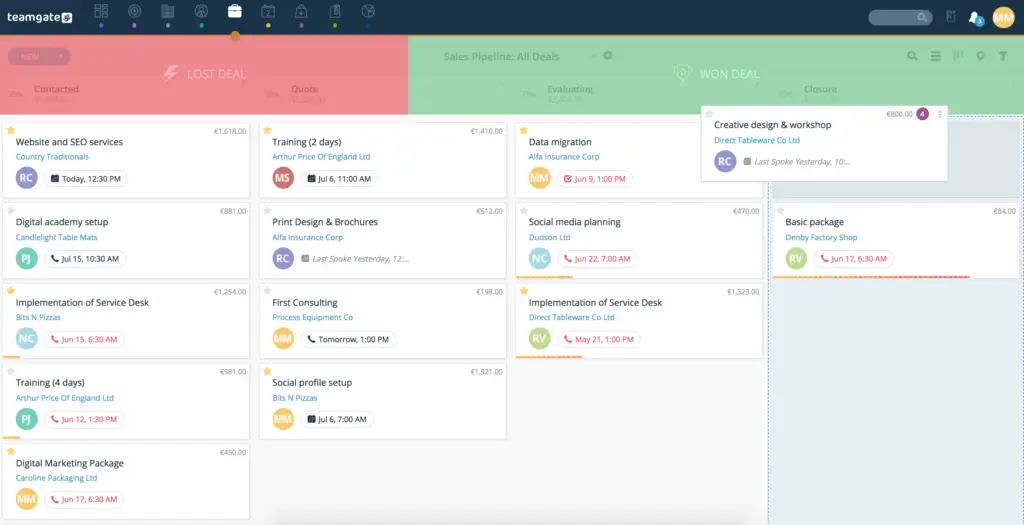
screenshot of Teamgate crm deals pipeline
via Teamgate

Teamgate CRM Rating

4.6/5 (G2)

4.8/5 (Capterra)

In addition to the above reviews, Teamgate CRM was the recent recipient of Capterra’s best value-for-money CRM of 2024!

Teamgate CRM Key Features

Teamgate CRM is one of the best small business CRMs, offering extensive sales features without compromising on ease of use or reasonable pricing. The platform differentiates itself with a user-friendly interface, intelligent lead scoring, advanced filters, relevant third-party integrations, and award-winning customer support.

Another standout feature is Teamgate’s configurability. Small businesses can configure workflows to fit their needs without the need for costly and cumbersome customization. Whether you’re an expert in using CRM software or a beginner, Teamgate was built for you.

Freshsales – Best for AI powered Workflows
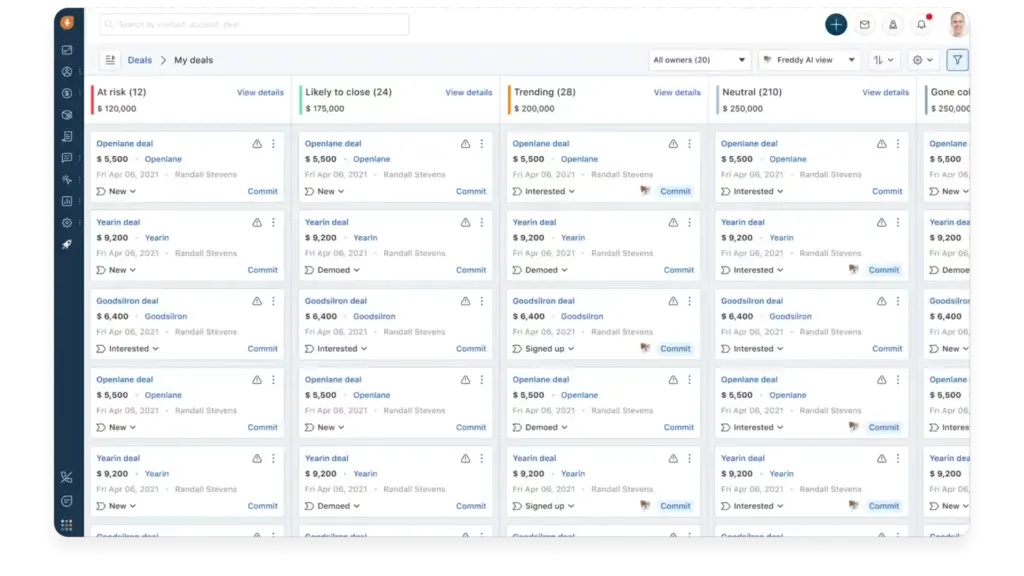
screenshot of freshsales crm software
via Freshsales

Freshsales Rating

4.5/5 (G2)

Freshsales Key Features

  • Table, Kanban, and Activity view options
  • Email, chat, messenger, Zoom, SMS integration, and phone communication options
  • Automated workflows and sales sequences
  • Deal management with customizable pipelines
  • AI-driven sales intelligence
  • Layout, lifecycle, and sales activity customization
  • Role-based access
  • API and marketplace integrations
  • Auto-profile enrichment
  • Pre-built and custom reports and dashboards

Freshsales is a great small business CRM solution from Freshworks. The product includes several sales-specific CRM features, but it stands out most in the areas of sales intelligence, administrative governance capabilities, and multiple communication channels.

Freshsales offers intelligent workflow capabilities that enable you to assign leads, update fields, create reminders, and other tasks automatically. This means you can spend less time doing manual tasks and more time growing your business.

Pipedrive – Best Visual Pipeline CRM
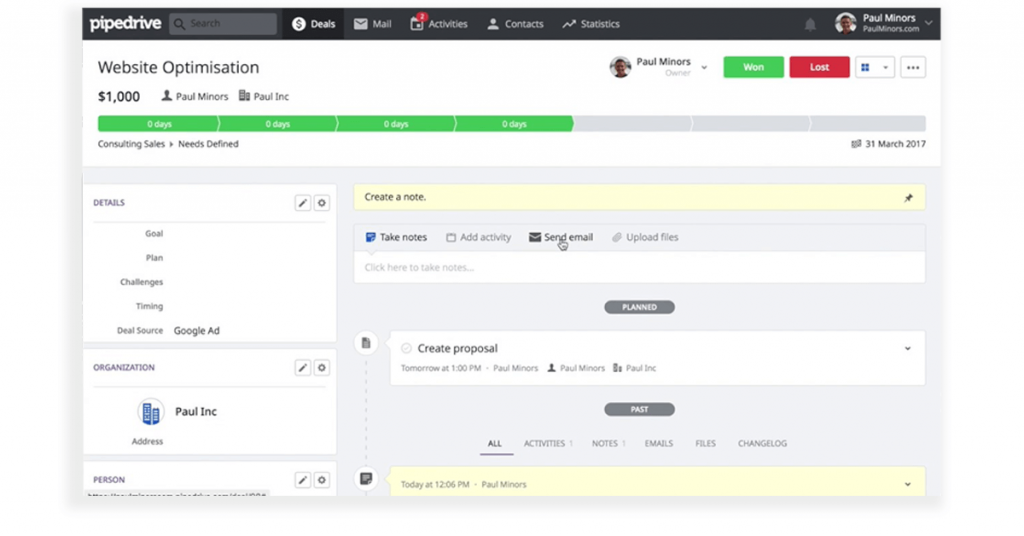
pipedrive UI
via Pipedrive

Pipedrive Rating

4.2/5 (G2)

Pipedrive Key Features

  • Customizable sales pipelines and pipeline stages
  • 24/7 lead generation chatbot
  • Automated call scheduling and email marketing
  • Visual reporting, pipeline metrics, and custom dashboards
  • Lead qualification
  • Task management
  • Internal chat integration
  • Integrated invoicing and billing
  • Products catalog
  • Deal rotting

Pipedrive is often considered one of the best sales pipeline software solutions, offering transparent pipeline activity views and filters, customizable pipeline stages, and an easy-to-use drag-and-drop interface.

It’s important to note that while many Pipedrive plans will be too expensive for small business budgets, the Essential plan is only $14.90 per user/month. Plus, it offers several key lead, deal, and pipeline management features.

Bigin by Zoho CRM – Best Free CRM Option
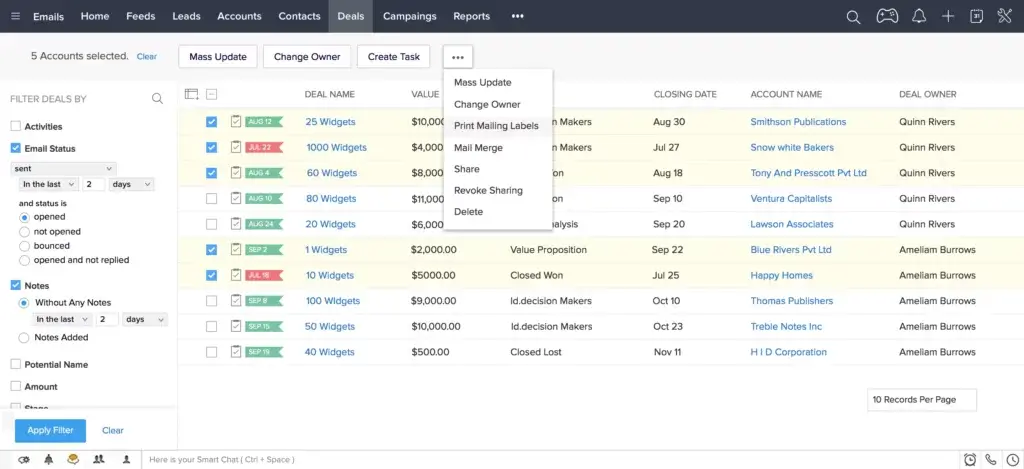
screenshot of Zoho CRM software
via Zoho

Bigin Rating

4.5/5 (G2)

Bigin Key Features

  • Team and connected pipelines
  • Gmail lead capturing
  • Email, Twitter, telephony, and video meeting communication capabilities
  • A variety of third-party and Zoho integrations
  • Workflow automation
  • Custom fields, modules, and “Toppings” (add-ons)
  • Native dashboards and integration with Zoho Analytics
  • GDPR, HIPAA, ISO/IEC, and SOC 2 compliance features
  • Developer API

Bigin by Zoho CRM is Zoho’s SMB-specific CRM solution that prioritizes affordability and easy setup. All Bigin plans are relatively affordable compared to the rest of the CRM market, but Bigin sets itself apart by offering a Free plan.

Bigin isn’t short on features. For example, the Free plan includes a single pipeline, up to 500 records, up to three instant workflows, several Zoho integrations, telephony, standard dashboard access, and developer APIs for additional customization opportunities.

HubSpot CRM – Best All-Inclusive CRM
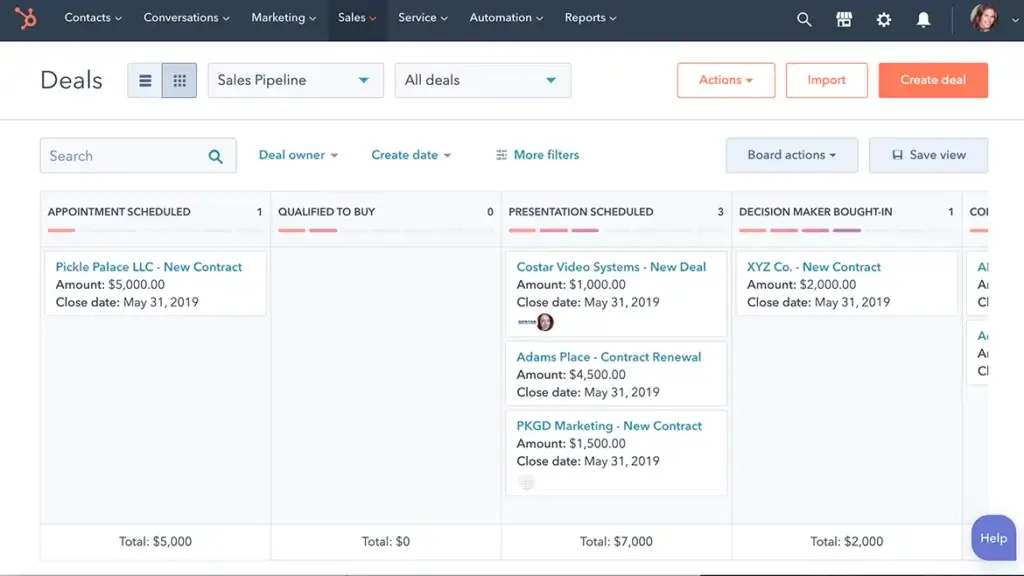
a screenshot from Hubspot software
via Hubspot

Hubspot CRM Rating

4.4/5 (G2)

Hubspot CRM Key Features

  • Lead generation
  • Contact management
  • Meeting scheduler
  • AI-driven email writing
  • Live chat capabilities
  • Email templates and template builder
  • Dashboards and reporting
  • Deal pipelines and pipeline management
  • Landing page, chatbot, and form builders
  • Ad management

HubSpot CRM is a modular CRM solution that can easily be right-sized to fit the needs of your small business. You can choose between various hubs, depending on your requirements, from Sales to Marketing.

One standpoint feature offered by HubSpot is the free CRM option. The free option includes a wide range of features, including simple sales dashboards, deal pipelines, pipeline management tools, and more. This option is most likely to fit the budgets of SMBs, while enterprise options are available as they scale.

Salesmate.io – Best for Low Volume/High Price Sales Teams
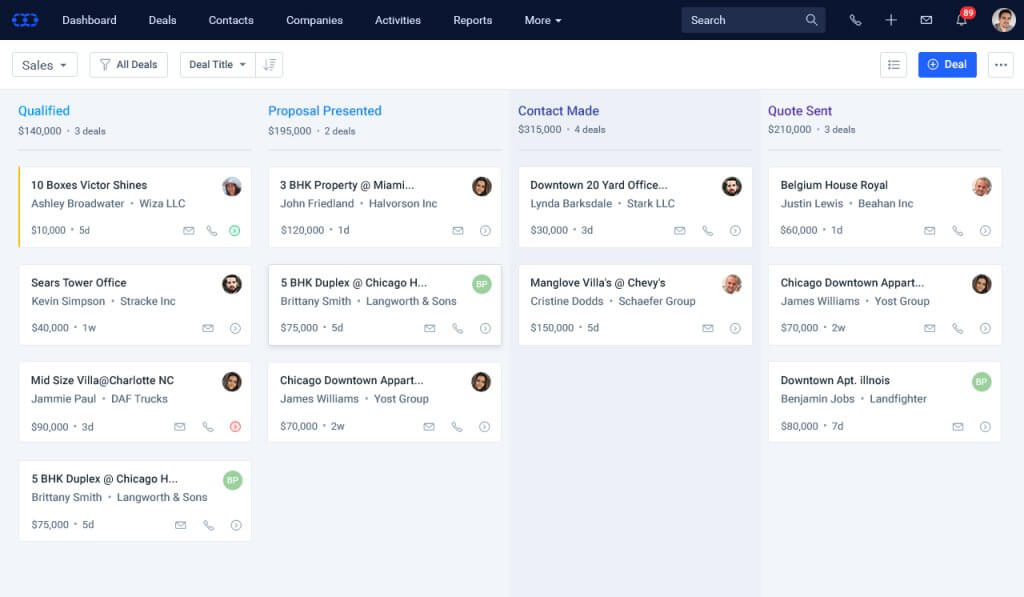
salesmate crm
via Salesmate

Salesmate Rating

4.6/5 (G2)

Salesmate Key Features

  • Email sync, tracking, and templates
  • Pipeline management
  • Web forms and lists
  • Dashboards and reports
  • Workflow management
  • Calling and texting capabilities
  • Automation and messenger add-ons
  • Contact management
  • Product management
  • Sales goals and forecasting

Salesmate.io is a CRM and automation software solution with a handful of affordable and helpful features in its Starter pack. Relevant features for small business users include access to multiple sales pipelines, email marketing and management tools, and basic automation workflows.

A key feature offered by Salesmate.io is its personalized outreach options. You can easily develop personalized and automated bulk emails and texts, email campaigns, and voicemail drops. This enables you to stay in touch with your customers without lifting a finger.

Less Annoying CRM – Best Simplicity & Pricing
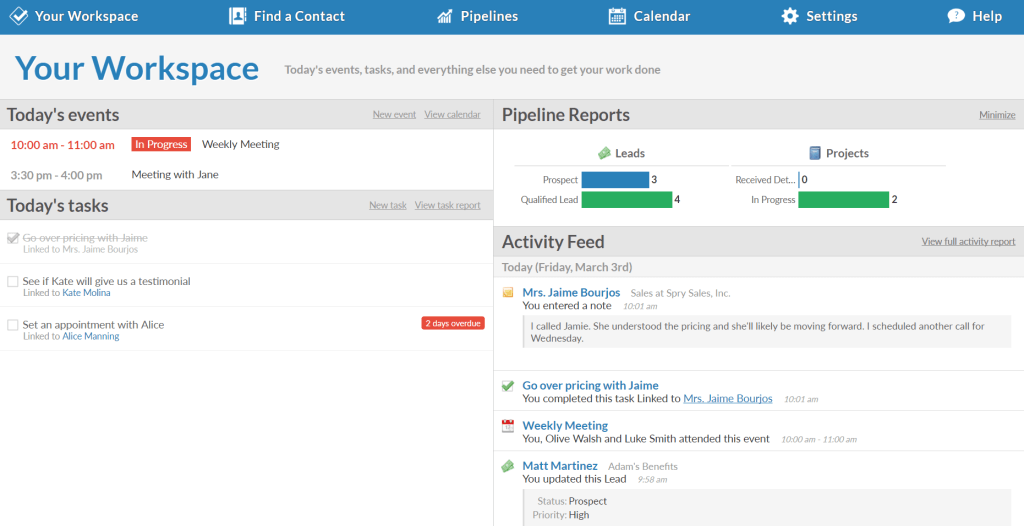
Less annoying CRM screenshot
via Less Annoying CRM

Less Annoying CRM Rating

4.9/5 (G2)

Less Annoying CRM Key Features

  • Simple search feature for the contact database
  • Calendar and task views
  • Lead reports with status, priority, and contact information
  • Unlimited user access
  • Unlimited contacts, companies, and custom fields
  • Unlimited pipelines
  • Task management
  • User-level permissions
  • Email logging
  • Daily agenda emails

Less Annoying CRM has won over a dedicated customer base with its simple approach to CRM software. Its solution is available in only one package option, extending all of its features and capabilities to unlimited users for a fee of $15 per user/month.

Unlimited user access—alongside unlimited pipelines and significant file storage space—makes this a particularly robust option for SMBs.

Keap CRM – Best for Sales + Marketing Automation
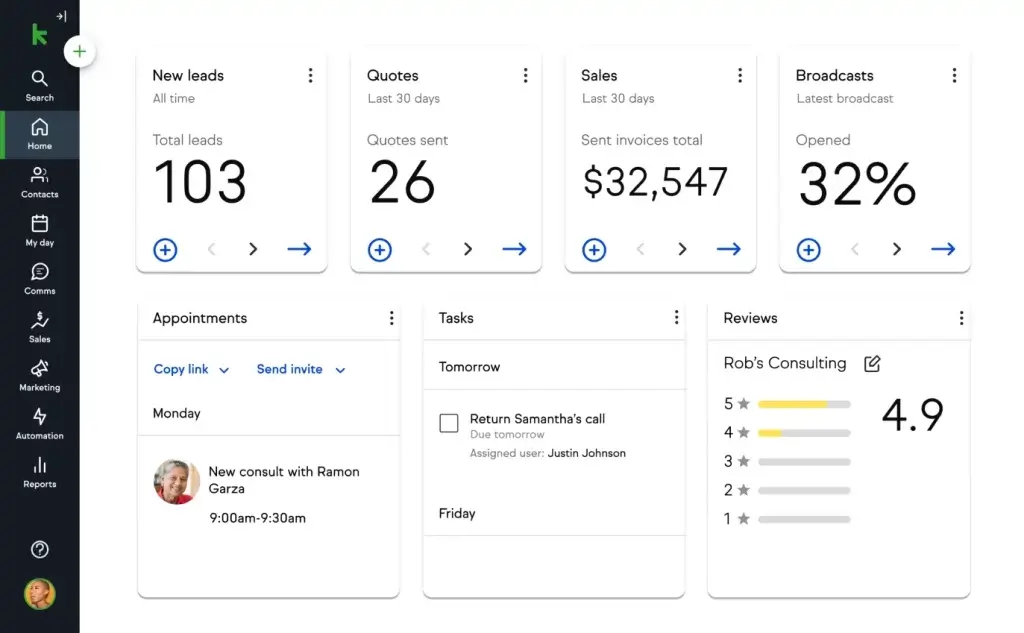
keap crm screenshot
via Keap CRM

Keap CRM Rating

4.2/5 (G2)

Keap CRM Key Features

  • Email and text marketing
  • Sales and marketing automation
  • Sales pipeline with built-in analytics
  • Quotes, payments, and invoicing
  • Automated lead capture and follow-up communication.
  • Landing pages
  • Lead scoring and source attribution
  • Appointment scheduling
  • Contact segmentation and tagging
  • Automated appointment reminders

Keap CRM is a solid CRM option for businesses that want small-business-friendly automation, communication, and contact management features all in one place.

It’s known for having a user-friendly interface as well as advanced marketing capabilities and tools. However, despite Keap being advertised as an SMB CRM solution, it’s important to note that it’s one of the most expensive options for this market. The most basic package starts at $159 per month and goes up in price if you need more than two users or 1,500 contacts.

Copper CRM – Best for Google Workspace Integration
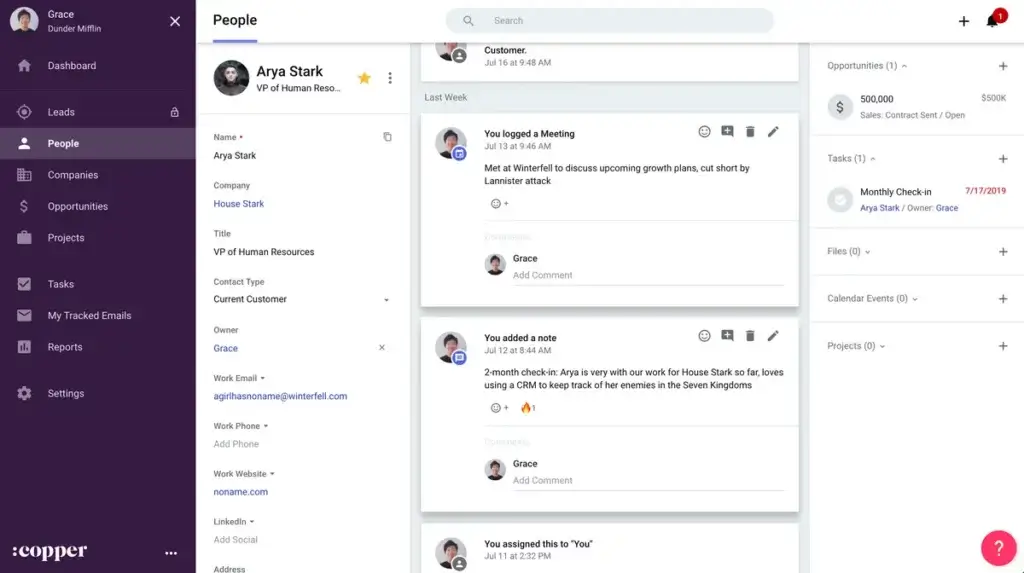
screenshot of Copper CRM software
via Copper

Copper CRM Rating

4.5/5 (G2)

Copper CRM Key Features

  • Recurring task and notification automation
  • Customizable pipelines for deal tracking
  • Customizable reports
  • Google Workspace CRM capabilities through integration
  • Contact enrichment
  • Task management
  • Deal management and opportunity slippage
  • Reminders, mentions, and comments
  • Note-taking and activity logging
  • Web, Chrome, and mobile apps

Copper CRM is a unique CRM solution that’s specifically designed to integrate with Google Workspace tools and applications, including Google Calendar, Gmail, Google Drive, Google Sheets, and Data Studio.

Its Basic plan is the best fit for small business users and includes features for pipeline and contact management, team collaboration, and Google integrations. Keep in mind that many of Copper’s more advanced features—like lead scoring, reporting, and workflow automation—are only available in more expensive plans.

Daylite – Best CRM for Apple Users
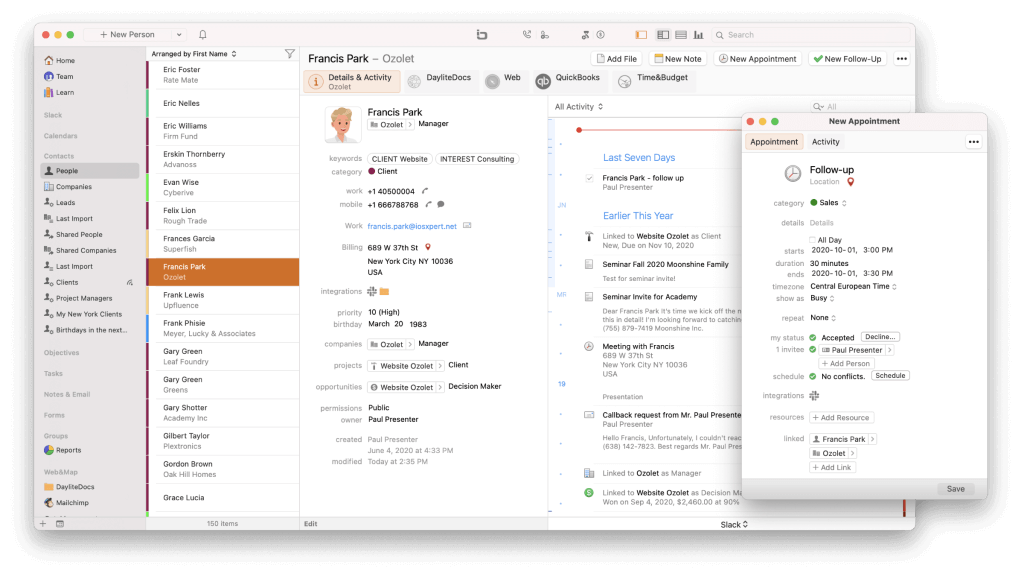
daylite crm screenshot
via Daylite CRM

Daylite Rating

4.5/5 (G2)

Daylite Key Features

  • Contact management
  • Task management
  • Mail assistant
  • List segmentation
  • Two-way syncing between Apple Contacts and Apple Calendar
  • Calendar view
  • Email marketing
  • Opportunities board for deal tracking
  • Multitasking, notification center, caller ID, and Siri capabilities on iPhones and iPads
  • Reporting

Daylite is a small business CRM solution that specifically caters to Apple product users. Its built-in collaboration and notification capabilities connect directly to your iPhone, iPad, and Apple apps. This allows you to manage marketing and sales where you already manage your calendars, contacts, and inboxes.

For simple CRM access, pricing starts at $25 per month, though many users opt for the Sales, Projects, or Business plans that include more capabilities at an additional cost.

🎯 Choosing the Right CRM for Your Business

Your CRM should be a reflection of how your business operates—and how you want it to grow. Start with these questions:

  • What’s our sales cycle like?

  • Which communication channels do we rely on?

  • Do we need integrations with existing tools (e.g., Gmail, accounting software)?

  • What are our future hiring or scaling plans?

Don’t chase features you won’t use. Instead, seek out tools that solve your core pain points and offer flexibility to evolve.

Want to see Teamgate in action within your small business? Get started by scheduling a system demo today or get started yourself with a Free Trial.


FAQs: CRM for Small Businesses

Q: What is a CRM for small businesses?

A: A Customer Relationship Management (CRM) for small businesses is a software solution designed to manage customer relationships, nurturing leads, handle sales pipelines, and facilitate communication with customers and prospects across various channels. It also includes built-in reporting and analytics to measure marketing and sales performance against customer acquisition and retention goals.

Q: Why should a small business consider investing in a CRM?

A: As small businesses grow, managing contacts and providing a personalized experience to each customer becomes challenging. A CRM helps to maintain consistent and tailored communication with both prospective and current customers. It also assists in contact and data management, general ease of use, and basic reporting, which are vital for maintaining high standards in customer relationships.

Q: What factors should small businesses consider when evaluating CRM options?

A: Small businesses should consider affordability, ease of use, and scalability when evaluating CRM options. They need effective tools that don’t break the bank, are easy to learn and use, and can grow with the business. Paying attention to CRM solutions with tiered packages of features and valuable third-party integrations and add-ons is also important.

Q: What are some best-rated CRM systems for small businesses in 2025?

A: The best-rated CRM systems for small businesses in 2025 include Teamgate, Freshsales, Pipedrive, Bigin by Zoho CRM, HubSpot CRM, Salesmate.io, Less Annoying CRM, Keap, Copper, and Daylite. These CRM systems offer a wide range of features to suit the needs of small businesses.

Q: Can I get a CRM for my small business for free?

A: Yes, many CRMs offer free versions or tiers that are ideal for small businesses with limited budgets. Free CRMs typically include basic features like contact management, task automation, and simple reporting. However, premium features, such as advanced reporting or integrations, often require a paid plan. Systems like Teamgate CRM and Hubspot offer a free version limited to 2 users to get you started.

Q: What are users saying about CRMs for small businesses on Reddit?

A: Reddit users often discuss various CRM options for small businesses, weighing factors like ease of use, cost, and customer support. Some of the most recommended CRMs on Reddit include Teamgate, Zoho, and HubSpot, each offering different features depending on the business size and needs. Teamgate is frequently praised for its simplicity and affordability.

Q: What is the best cheap CRM for small businesses?

The best affordable CRM for your business depends on your specific needs. Some popular budget-friendly CRMs include Teamgate CRM, which offers robust features at competitive pricing. Look for CRMs that provide essential features to your needs such as sales automation, contact management, and reporting while fitting within your budget.

Q: How does Teamgate benefit small businesses?

A: Teamgate is a CRM designed specifically for ssmall business in mind, offering extensive smart features without compromising ease of use or reasonable pricing. Its user-friendly interface, intelligent lead scoring, advanced filters, and relevant third-party integrations differentiate it from other CRMs. Plus, it allows small businesses to configure workflows to fit their needs without costly and cumbersome customization.