Revenue usually doesn’t disappear in one big moment—it leaks out through missed follow-ups, vague pipeline stages, and deals that sit “open” with no real next step. If you want full-cycle sales to work, you need three things:
-
Clear stages that mean something
-
A required next step on every active deal
-
Visibility into activity and deal health
Teamgate is a sales operating system for teams who want disciplined selling, real insight, and a CRM their reps actually use. Instead of adding bloat, it reinforces the behaviors that keep deals moving and forecasts grounded in reality.
Key Takeaways
- Key CRM Features: Discover crucial features for full-cycle sales, including lead management and workflow automation.
- Sales Team Collaboration: Understand how CRMs enhance team collaboration and communication.
- Customer Follow-ups: Learn how CRMs automate and manage customer follow-ups effectively.
- Integration Importance: Find out why integrating your CRM with other tools is essential.
- CRM Scalability: See why scalability is critical for growing businesses.
Contents
- What is a Full-Cycle Sales Process?
- Why You Need a CRM for Full-Cycle Sales
- Key Features to Look for in a CRM for Full-Cycle Sales
- Top 5 CRMs for Full-Cycle Sales
- How to Choose the Right CRM for Your Business
- Conclusion
- FAQs: Full-Cycle Sales CRM
What is a Full-Cycle Sales Process?
A full-cycle sales process covers every stage of the sales journey; from the first conversation to closed-won and ongoing follow-up. But in practice, it’s not just a list of stages. It’s a system that ensures:
-
Every deal has a clear stage
-
Every stage has defined entry and exit criteria
-
Every active opportunity has a next step
The key stages of a full-cycle sales process include:
Prospecting
This is where sales representatives identify potential customers or leads. It involves researching and gathering information about prospective clients who might be interested in the product or service. For teams looking to scale outreach efforts, Sendspark enables personalized video prospecting at scale with AI-powered video generation and dynamic personalization.
Qualifying
In this stage, the sales team assesses leads to determine their suitability and likelihood of converting. This means validating need, budget, authority, timeline, and fit, so reps don’t waste cycles on deals that were never real.
Presenting
Once a lead is qualified, the sales representative presents the product or service, showing how it addresses the customer’s specific needs. This stage should always end with a defined next step, another meeting, a proposal review, or stakeholder alignment.
Handling Objections
Customers often have concerns. Addressing these effectively requires clarity on what’s blocking the deal and a structured follow-up plan to resolve it.
Closing
This is where the sale is finalized. Clear documentation, activity history, and stakeholder context help prevent last-minute surprises.
Follow-up
Post-sale follow-up ensures customer satisfaction and long-term value. Without structured reminders and task management, even happy customers can drift away.
Managing each stage efficiently improves win rates and protects momentum. The difference between a healthy pipeline and a misleading one often comes down to how strictly these stages are enforced.
Why You Need a CRM for Full-Cycle Sales
Running full-cycle sales without a CRM doesn’t just slow teams down, it creates blind spots that cost revenue.
Deals sit in “open” stages with no next action. Reps rely on memory for follow-up. Managers forecast based on optimism instead of evidence.
A CRM built for disciplined execution turns selling into a repeatable operating rhythm instead of a collection of personal habits.
Teamgate represents a sales operating system that protects revenue by enforcing disciplined selling, clean pipeline data, consistent follow-up, and leadership visibility, without bloated features or heavy admin overhead
Benefits of Using a CRM in Full-Cycle Sales:
The real value of a CRM isn’t storing data. It’s reinforcing behavior at scale.
Predictable execution:
Tasks, reminders, and automations make consistent follow-up the default instead of a heroic effort.
Pipeline truth:
Deal aging, activity history, and next-step coverage replace subjective forecasting with real signals.
Higher rep adoption:
When email, calls, meetings, and notes live in one place, reps update the CRM because it helps them sell—not because they’re forced to.
Better coaching leverage:
Managers can coach from activity data, deal health, and next-step coverage instead of anecdotes.
Revenue protection:
Stale deals are surfaced early, preventing silent pipeline decay and wasted capacity.
In short, a full-cycle CRM doesn’t just track sales—it protects revenue from the hidden cost of inaction.
Key Features to Look for in a CRM for Full-Cycle Sales
Choosing the right CRM for full-cycle sales involves understanding the essential features that can enhance your sales process and drive better results. Here are the key features to look for:
Lead and Contact Management
A robust CRM should offer comprehensive lead and contact management capabilities. This includes storing and organizing contact information, tracking interactions, and managing follow-up tasks. Effective lead management ensures that no potential customer falls through the cracks and that sales representatives can easily access all the information they need to engage with leads effectively.
Sales Pipeline Management
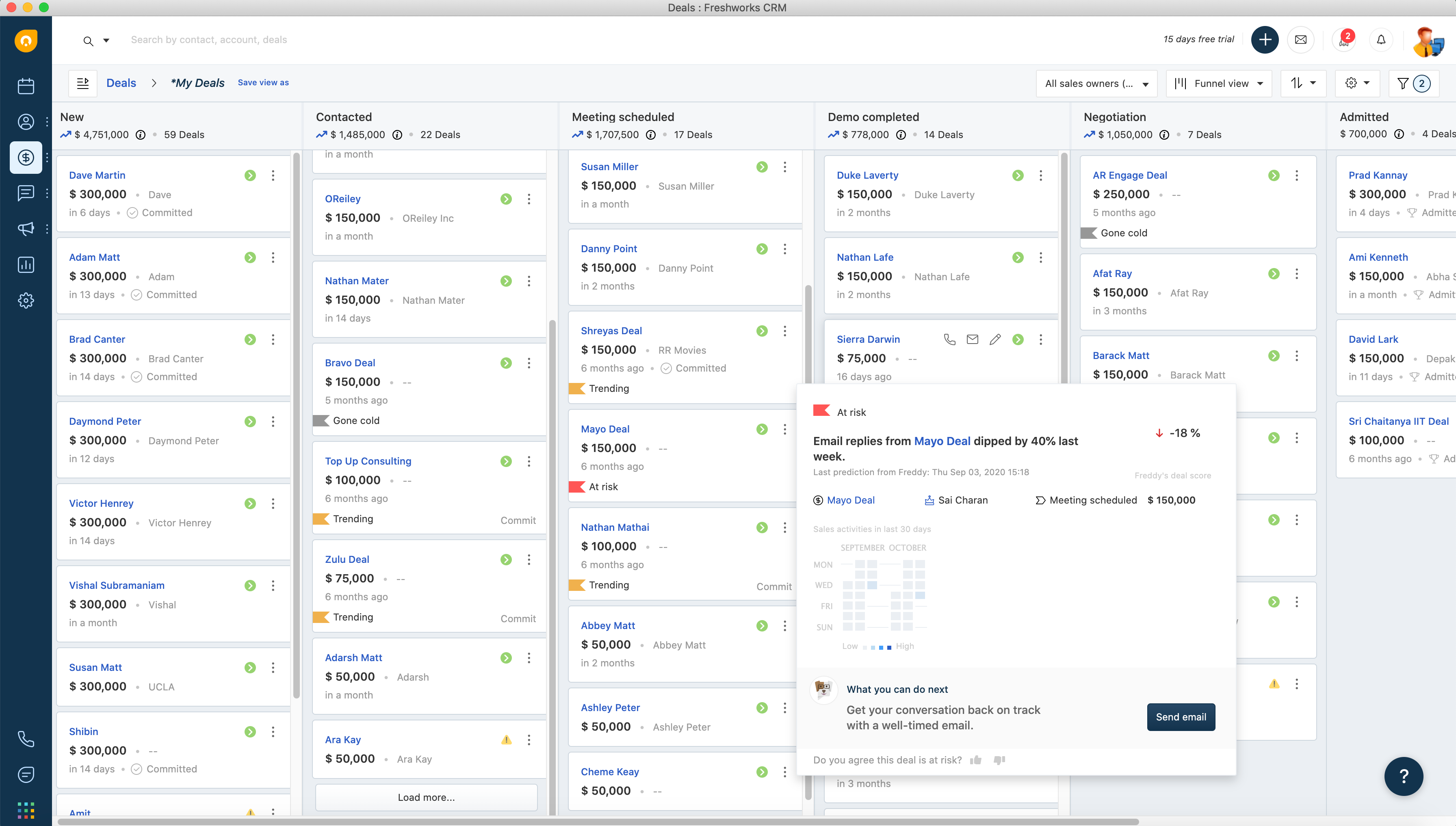
Sales pipeline management is crucial for visualizing the different stages of the sales process. A CRM with this feature allows sales teams to track the progress of deals, identify bottlenecks, and forecast sales revenue. It provides a clear overview of where each lead is in the sales cycle, helping managers make informed decisions and prioritize efforts.
Workflow Automation
Automation capabilities in a CRM can significantly improve efficiency by automating repetitive tasks such as sending follow-up emails, scheduling meetings, and updating records. Workflow automation ensures consistency and frees up time for sales representatives to focus on more strategic activities, such as nurturing relationships and closing deals.
Analytics and Reporting
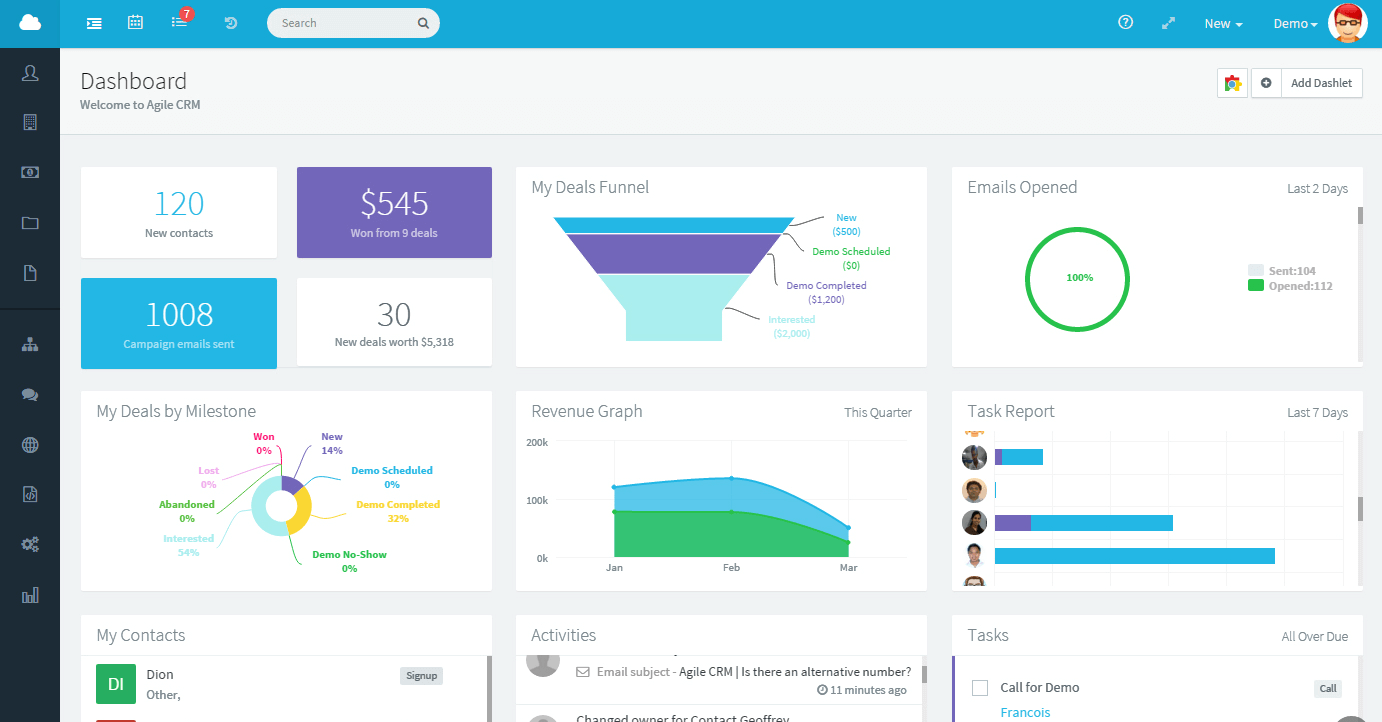
Detailed analytics and reporting features are essential for monitoring performance and making data-driven decisions. A CRM should provide customizable reports and dashboards that offer insights into sales activities, team performance, and customer behaviors. This information helps in identifying trends, evaluating the effectiveness of sales strategies, and making necessary adjustments.
Integration Capabilities
A good CRM should seamlessly integrate with other tools and systems that your business uses, such as email platforms, marketing automation software, and customer support systems. Integration capabilities ensure that data flows smoothly across different systems, providing a unified view of customer interactions and enabling better collaboration between departments.
Customization Options
Every business has unique needs, and a one-size-fits-all approach doesn’t work. Look for a CRM that offers customization options, allowing you to tailor the system to your specific sales processes and requirements. This can include customizing fields, workflows, and user interfaces to match your business model.
By focusing on these key features, businesses can select a CRM that not only supports their full-cycle sales process but also enhances overall productivity and effectiveness. The right CRM will empower sales teams to work smarter, close deals faster, and build stronger customer relationships.
Top 5 CRMs for Full-Cycle Sales
1. Teamgate CRM
Overview: Teamgate CRM is designed for sales-led teams that want process clarity without enterprise bloat. It focuses on clean pipelines, enforced next steps, and high rep adoption.
Teamgate CRM Key Features and Benefits (Behavior-Focused):
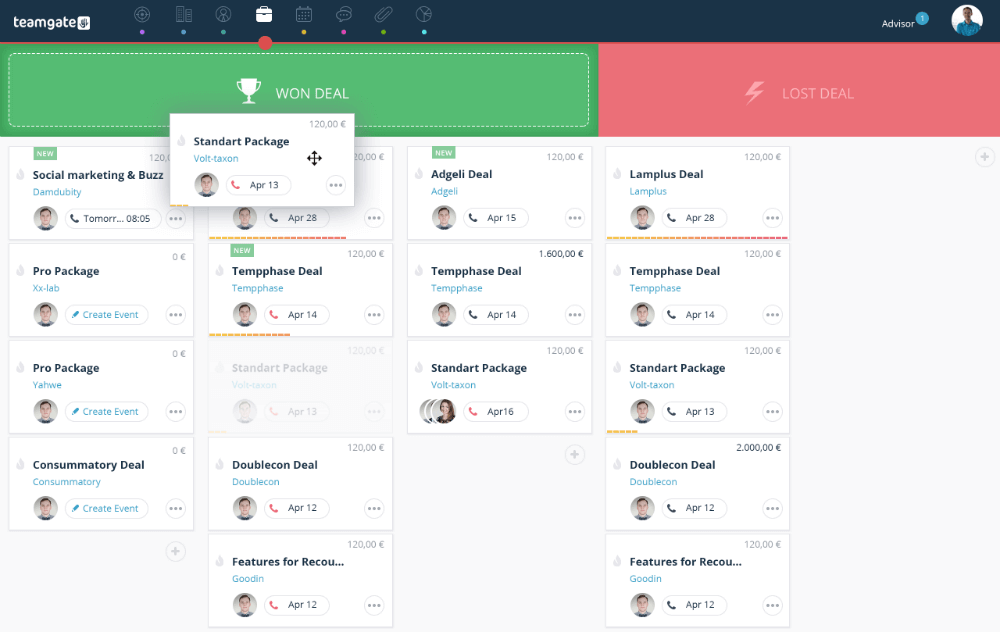
- Visual Deal Pipeline with Real Stages: Custom pipelines and clear stage definitions ensure every deal reflects reality, not optimism—improving forecast accuracy.
- Mandatory Next Steps via Tasks & Activities: Every active deal is tied to a concrete action, eliminating “no next step” stagnation.
- Email & Calendar Sync (Gmail/Outlook): Conversations, meetings, and history stay attached to deals automatically, reducing admin and lost context.
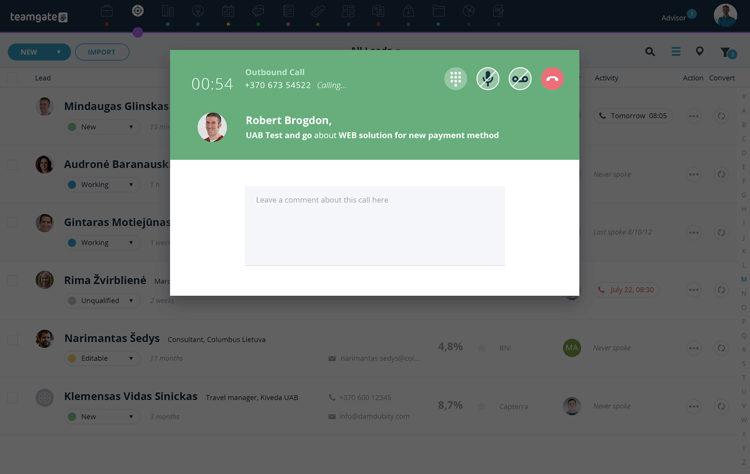
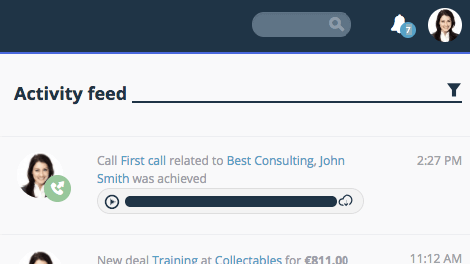
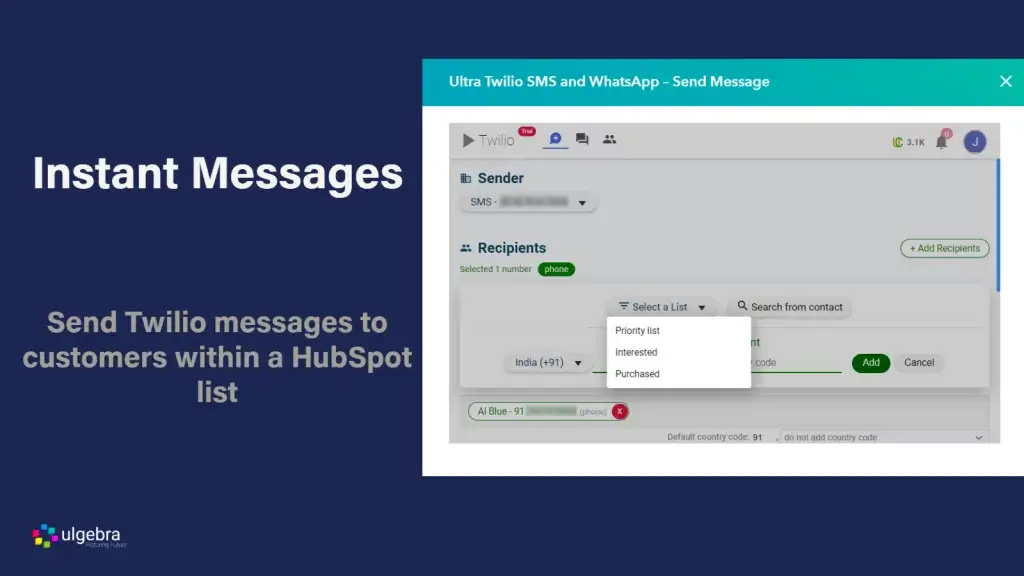
- Built-in Calling & SMS (Twilio/Nexmo): Reps call and follow up directly from the CRM, with outcomes logged automatically for consistency.
- Workflow Automations: Auto-created tasks, reminders, and notifications enforce follow-up discipline without manual policing.
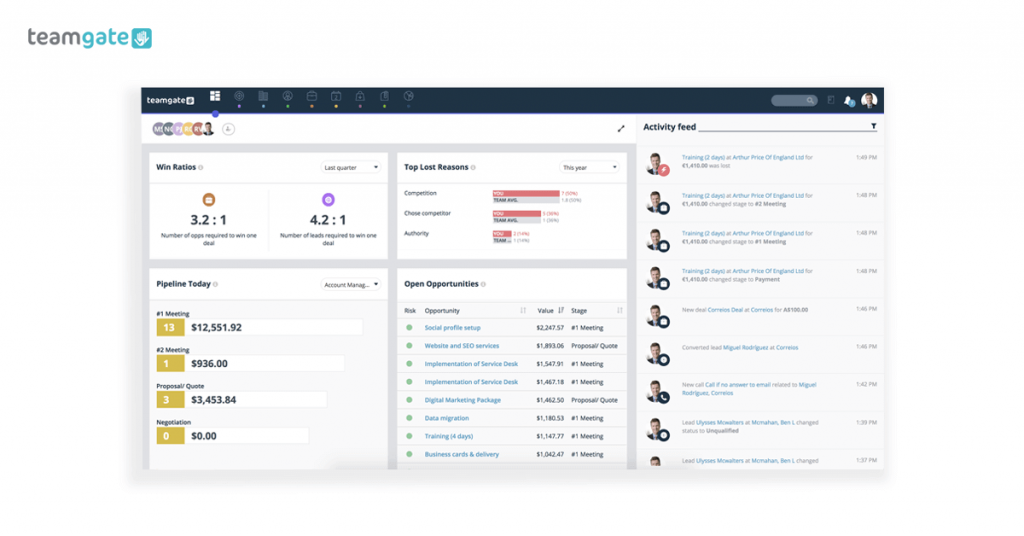
- Sales Dashboards & Forecasting: Managers see deal aging, activity levels, and pipeline health—so coaching and forecasts are evidence-based.
- Rep-First Adoption: Fast setup, minimal data entry, and mobile apps ensure reps actually use the system daily.
How Teamgate Supports Full-Cycle Sales:
Teamgate makes disciplined selling the default. Deals can’t quietly go stale because next steps are visible. Follow-up becomes systematic, not optional. Managers gain reliable pipeline insight, and reps spend less time on admin and more time advancing deals.
2. Salesforce
Overview: Salesforce is one of the most widely used CRM platforms globally, known for its extensive features and scalability. It is ideal for businesses of all sizes looking to manage their full-cycle sales processes efficiently.
Salesforce Key Features and Benefits:
- Lead and Contact Management: Salesforce offers comprehensive lead and contact management tools, including lead scoring, assignment, and tracking. Its robust database allows users to store and manage vast amounts of customer information.
- Sales Pipeline Management: The platform’s pipeline management features enable users to visualize the sales process, track deal progress, and identify potential bottlenecks. Salesforce’s customizable pipelines provide flexibility to fit various sales processes.
- Workflow Automation: Salesforce’s automation tools streamline routine tasks, such as sending follow-up emails, scheduling appointments, and updating records. Automation helps improve efficiency and ensures consistency in sales activities.
- Analytics and Reporting: Salesforce provides advanced analytics and reporting capabilities, offering insights into sales performance, customer behavior, and team productivity. Users can create custom reports and dashboards to monitor key metrics.
- Integration Capabilities: Salesforce integrates with numerous third-party applications, including marketing automation tools, email platforms, and customer support systems. This integration ensures a seamless flow of information across different departments.
- Customization Options: Salesforce allows extensive customization, enabling businesses to tailor the CRM to their specific needs. Users can customize fields, workflows, and reports to match their sales processes.
How Salesforce Supports Full-Cycle Sales: Salesforce supports full-cycle sales by providing tools that cover every stage of the sales process. From lead generation and nurturing to closing deals and post-sale follow-up, Salesforce offers features that enhance each phase of the sales journey.
3. HubSpot CRM
Overview: HubSpot CRM is a popular choice for businesses seeking an easy-to-use, scalable CRM solution. It offers a range of features designed to manage full-cycle sales processes efficiently.
Hubspot CRM Key Features and Benefits:
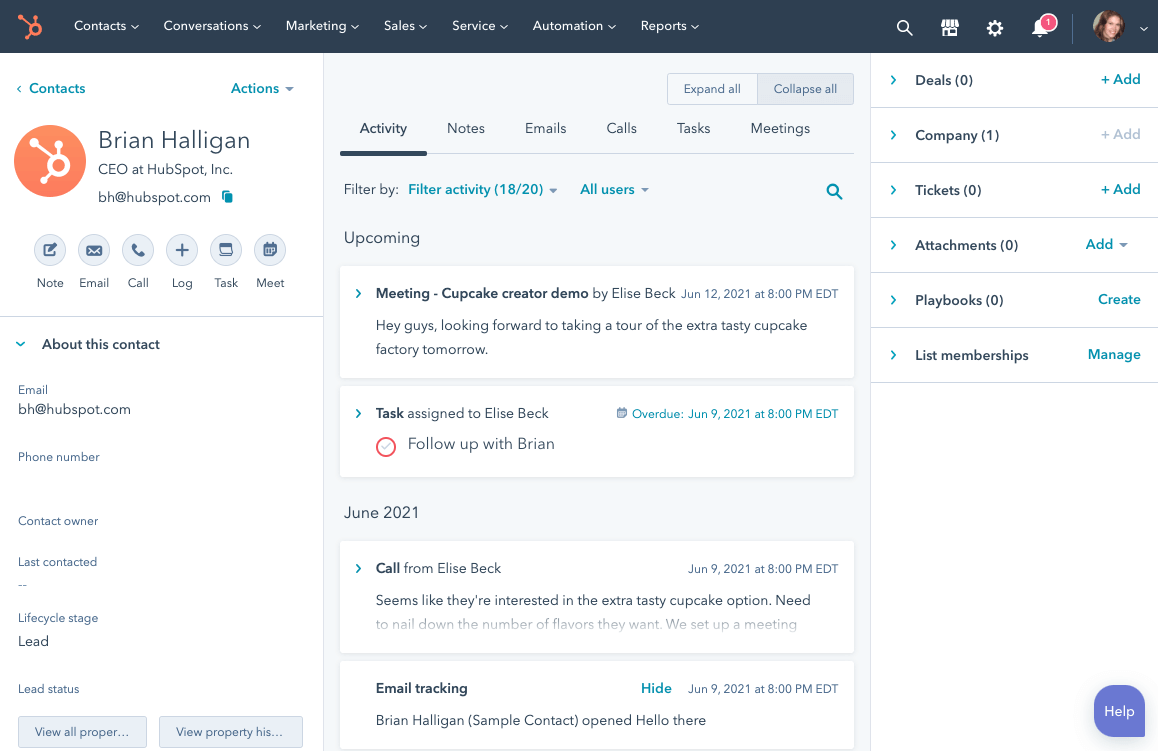
- Lead and Contact Management: HubSpot CRM provides powerful lead and contact management tools, including automatic lead capture, tracking, and segmentation. Its user-friendly interface makes it easy to manage customer information.
- Sales Pipeline Management: HubSpot’s visual pipeline management tools allow users to track deals through different stages. Customizable pipelines help businesses tailor the sales process to their specific needs.
- Workflow Automation: HubSpot automates routine tasks such as email follow-ups, meeting scheduling, and data entry. Automation ensures that sales representatives can focus on building relationships and closing deals.
- Analytics and Reporting: HubSpot offers robust reporting and analytics tools that provide insights into sales activities, performance, and customer interactions. Customizable dashboards and reports help businesses monitor key metrics and make data-driven decisions.
- Integration Capabilities: HubSpot integrates seamlessly with a variety of tools, including email platforms, marketing automation software, and customer support systems. This integration ensures a cohesive sales process and better data management.
- Customization Options: HubSpot allows users to customize fields, workflows, and reports, ensuring that the CRM aligns with their unique business needs.
How Hubspot CRM Supports Full-Cycle Sales: HubSpot CRM supports full-cycle sales by providing tools for lead generation, qualification, deal tracking, and follow-up. Its comprehensive feature set ensures that every stage of the sales process is managed efficiently.
4. Pipedrive
Overview: Pipedrive is a CRM designed specifically for sales teams, focusing on simplicity and efficiency. It provides a visual interface that makes it easy to manage the full sales cycle, from lead generation to deal closure.
Pipedrive Key Features and Benefits:
- Lead and Contact Management: Pipedrive offers robust lead and contact management features, including detailed contact profiles, interaction tracking, and lead segmentation. The system ensures that all customer information is organized and easily accessible.
- Sales Pipeline Management: Pipedrive’s visual sales pipeline allows users to drag and drop deals through various stages. This feature helps sales teams keep track of their progress and quickly identify which deals need attention.
- Workflow Automation: Pipedrive automates repetitive tasks such as sending follow-up emails, creating to-do lists, and updating deal statuses. Automation saves time and ensures that important tasks are not overlooked.
- Analytics and Reporting: Pipedrive provides powerful analytics and reporting tools that offer insights into sales performance, deal progression, and team productivity. Customizable reports help managers make informed decisions based on real-time data.
- Integration Capabilities: Pipedrive integrates with a wide range of third-party applications, including email platforms, marketing tools, and project management software. This ensures a seamless flow of information and enhances collaboration across teams.
- Customization Options: Users can customize Pipedrive to fit their specific sales processes by adjusting fields, workflows, and pipelines. This flexibility ensures that the CRM aligns with unique business needs.
How Pipedrive Supports Full-Cycle Sales: Pipedrive’s features are designed to support every stage of the full-cycle sales process. From initial contact and lead management to deal tracking and closure, Pipedrive provides the tools necessary for efficient and effective sales management.
5. Zoho CRM
Overview: Zoho CRM is a versatile and scalable CRM solution suitable for businesses of all sizes. It offers a comprehensive suite of features that support the full-cycle sales process, from lead generation to customer retention.
Zoho CRM Key Features and Benefits:
- Lead and Contact Management: Zoho CRM provides advanced lead and contact management tools, including lead scoring, assignment rules, and interaction tracking. It helps sales teams organize and prioritize their leads efficiently.
- Sales Pipeline Management: Zoho’s sales pipeline management features allow users to track deals through various stages, visualize the sales process, and identify potential bottlenecks. Customizable pipelines ensure that the CRM fits the unique needs of different businesses.
- Workflow Automation: Zoho CRM automates routine tasks such as sending follow-up emails, scheduling appointments, and updating records. This feature helps improve productivity and ensures that important tasks are completed on time.
- Analytics and Reporting: Zoho CRM offers powerful analytics and reporting tools that provide insights into sales performance, customer behaviors, and team productivity. Users can create custom reports and dashboards to monitor key metrics and make data-driven decisions.
- Integration Capabilities: Zoho CRM integrates with a wide range of third-party applications, including email platforms, marketing automation tools, and customer support systems. This ensures seamless data flow and enhances collaboration across different departments.
- Customization Options: Zoho CRM allows extensive customization, enabling businesses to tailor the system to their specific needs. Users can customize fields, workflows, and reports to match their sales processes.
How Zoho CRM Supports Full-Cycle Sales: Zoho CRM supports full-cycle sales by providing tools that cover every stage of the sales process. From lead generation and nurturing to deal closure and post-sale follow-up, Zoho CRM offers features that enhance each phase of the sales journey.
How to Choose the Right CRM for Your Business
Selecting the right CRM for your business is a critical decision that can significantly impact your sales efficiency and overall growth. Here are the key factors to consider when choosing a CRM for full-cycle sales:
Assess Your Business Needs
Start by evaluating your business requirements and sales processes. Understand what specific features and functionalities are essential for your team. For example, if your sales process involves extensive customer interaction, you might need a CRM with robust contact management and communication tools.
Compare Different CRM Options
Research and compare various CRM options based on their features, pricing, and scalability. Consider factors such as ease of use, integration capabilities, customization options, and customer support. Reading reviews and testimonials from other businesses can also provide valuable insights into the effectiveness of different CRMs.
Evaluate Integration Capabilities
Ensure that the CRM you choose can integrate seamlessly with your existing tools and systems, such as email platforms, marketing automation software, and customer support systems. This integration is crucial for maintaining a cohesive sales process and ensuring that data flows smoothly across different departments.
Consider Scalability
Choose a CRM that can grow with your business. Scalability is important if you plan to expand your operations or if your sales team is likely to increase. The CRM should be able to handle an increased number of users, leads, and transactions without compromising performance.
Importance of Trial Periods and Demos
Take advantage of free trials and demos offered by CRM vendors. This allows you to test the software’s features and see how it fits with your sales processes. Involve your sales team in the evaluation process to get their feedback and ensure that the CRM meets their needs.
Cost and Return on Investment
While cost is an important consideration, it shouldn’t be the only factor. Consider the return on investment (ROI) that the CRM can provide. A slightly more expensive CRM that significantly improves your sales efficiency and revenue can be more beneficial in the long run compared to a cheaper, less effective option.
By considering these factors, you can make an informed decision and choose a CRM that best aligns with your business goals and sales strategies.
Conclusion
Full-cycle sales only work when every stage has structure, every deal has a next step, and every forecast is grounded in real activity.
The right CRM reinforces those fundamentals. By understanding the strengths of Teamgate CRM, Salesforce, HubSpot CRM, Pipedrive, and Zoho CRM, you can choose a system that supports disciplined execution—not just data storage.
If forecasts feel like guesses and late-stage deals stall without visibility, pipeline discipline changes everything.
To get started with Teamgate CRM today, speak with their dedicated team or start a free trial for yourself.
FAQs: Full-Cycle Sales CRM
What features should I look for in a CRM for full-cycle sales?
When selecting a CRM for full-cycle sales, look for features such as lead and contact management, sales pipeline visualization, workflow automation, detailed analytics and reporting, integration capabilities with other tools, and customization options to fit your specific business needs.
How does a CRM improve sales team collaboration?
A CRM enhances sales team collaboration by providing a centralized platform where all team members can access and share information about leads, deals, and customer interactions. It ensures that everyone is on the same page, reduces duplication of efforts, and facilitates communication across the team.
Can a CRM help in managing customer follow-ups?
Yes, a CRM can automate and manage customer follow-ups by scheduling reminders, sending automated emails, and tracking interaction history. This ensures timely follow-ups, which are crucial for maintaining customer engagement and improving conversion rates.
What is the importance of CRM integration with other tools?
Integration with other tools such as email platforms, marketing automation software, and customer support systems is important because it allows for seamless data flow and enhances the overall efficiency of business processes. It ensures that all departments have access to up-to-date information, improving collaboration and decision-making.
How do customizable CRM fields benefit my business?
Customizable CRM fields allow you to tailor the CRM to match your specific business processes and data requirements. This flexibility ensures that the CRM can adapt to your unique workflows, making it more effective and relevant to your business operations.
Why is CRM scalability important for growing businesses?
Scalability is important because as your business grows, your CRM should be able to handle an increasing number of users, leads, and transactions without compromising performance. A scalable CRM ensures that you won’t need to switch systems as your business expands, saving time and resources.
How can CRM analytics improve my sales strategy?
CRM analytics provide insights into sales performance, customer behaviors, and team productivity. By analyzing this data, you can identify trends, evaluate the effectiveness of your sales strategies, and make informed decisions to optimize your sales process and improve results.
What are the benefits of CRM workflow automation?
CRM workflow automation streamlines repetitive tasks such as sending follow-up emails, scheduling appointments, and updating records. This improves efficiency, reduces the chance of human error, and allows sales representatives to focus on more strategic activities, such as building relationships and closing deals.
How does a CRM enhance customer satisfaction?
A CRM enhances customer satisfaction by ensuring that all customer interactions are tracked and managed efficiently. This leads to timely responses, personalized communication, and a consistent customer experience, which in turn increases customer loyalty and retention.
What should I consider when evaluating CRM cost versus ROI?
When evaluating CRM cost versus ROI, consider both the initial and long-term costs, including subscription fees, implementation services, training, and ongoing support. Weigh these costs against the potential benefits such as improved sales efficiency, higher conversion rates, and increased revenue. A CRM that provides significant value and ROI justifies the investment.