
If you use Xero, your sales and finance data shouldn’t live in separate worlds. When your CRM and accounting system are connected, invoices trigger follow-ups, overdue payments surface inside the pipeline, and forecasts reflect real revenue—not guesswork.
In this guide, you’ll learn:
-
Why integrating Xero or Quickbooks with your CRM improves data accuracy and cash flow visibility
-
The key benefits for sales reps and managers
-
The 5 best CRM platforms with Xero integration
-
What to look for before choosing a solution
Teamgate gives growing sales teams clarity, structure, and trustworthy pipeline insight, without enterprise CRM bloat or feature overload. When connected to Xero, it turns financial data into actionable next steps inside your pipeline.
Key Takeaways:
-
Integrating Xero with a CRM automates financial data correlation with customer records, improving sales processes and business decision-making.
-
The integration increases data accuracy, boosts efficiency, improves financial visibility, and enhances customer management.
-
The top five CRM systems that integrate with Xero include Teamgate, Salesforce, Zoho CRM, Agile CRM, and Hubspot.
-
Teamgate stands out with its built-in Xero connector, enabling seamless data sync, invoice generation, due date tracking, and overdue payment management.
-
Choosing a CRM with a native Xero connector simplifies implementation and improves long-term adoption.
Contents
- Benefits of integrating your CRM with Xero
- 5 Best CRM with Xero Integration
- Teamgate CRM
- Salesforce
- Zoho CRM
- Agile CRM
- Hubspot CRM
- Integrate Xero with your CRM software today
- FAQs: CRM with Xero Integration
Benefits of integrating your CRM with Xero
Connecting your CRM to Xero centralizes financial and customer data, making it easier to optimize sales performance, monitor payment behavior, and make informed decisions. More importantly, it turns accounting data into sales discipline.
Improved data accuracy
Manual data entry introduces errors that distort forecasts, revenue reports, and compliance documentation.
The most reliable way to reduce human error is to automate how financial data moves between systems. Since accounting data directly impacts revenue reporting and forecasting, it must be accurate and current. For organizations managing complex data environments, DreamFactory provides a self-hosted platform for governed API access to any data source, enabling secure and controlled data integration across enterprise applications.
Integrating Xero with your CRM ensures:
-
Invoices sync automatically
-
Payment statuses update in real time
-
Customer records stay aligned across both systems
For sales managers, this means forecasts are grounded in real payment data, not assumptions. For reps, it removes the need to manually check another tool before following up.
Increased efficiency
Double data entry wastes hours every week.
Without integration, reps switch between accounting software, CRM dashboards, inboxes, and spreadsheets just to understand a deal’s financial context.
With a connected system:
-
Invoice details appear inside the deal view
-
Payment updates trigger follow-up tasks
-
Teams reduce admin work
In a system like Teamgate, tasks, reminders, and automations can be tied to financial events. That means follow-up becomes structured, not reactive, supporting disciplined selling rather than relying on memory.
Better financial visibility
Cash flow is the lifeblood of any business.
When your CRM and Xero work together, you gain real-time visibility into:
-
Outstanding invoices
-
Overdue payments
-
Customer payment history
-
Revenue trends
For managers, this improves forecast reliability. For reps, it provides context before every call. If a deal is “late stage” but the invoice hasn’t been viewed or paid, you see that immediately.
Pipeline truth starts with financial clarity.
Better decision-making
CRMs improve retention and revenue growth largely because they centralize data.
When Xero is connected to your CRM, you can:
-
Identify high-value customers
-
Analyze payment behavior patterns
-
Forecast future revenue more accurately
-
Adjust qualification standards based on real financial performance
Instead of relying on gut feeling, you operate on evidence. Clean stages, defined next steps, and real financial data create predictable revenue.
Increased productivity
Context-switching is a hidden productivity killer.
Reps lose time toggling between systems to check invoice status, confirm payments, or verify financial records. That time could be spent moving deals forward.
Connecting your accounting software with your CRM improves productivity immediately. When invoice and payment data sit alongside activities, notes, and next steps, reps focus on selling—not gathering information.
Improved customer management
Xero generates valuable customer insights:
-
Invoice frequency
-
Average payment time
-
Payment delays
-
Purchase history
When this data appears inside your CRM, you can:
-
Segment customers based on payment behavior
-
Prioritize accounts with healthy financial engagement
-
Proactively follow up on overdue accounts
-
Personalize communication based on financial history
This strengthens retention and improves customer experience without additional admin work.
Improved reporting and analysis
Last but not least, you can use the data generated by Xero to analyze your business operations and create insightful reports for stakeholders or investors. For teams working with large-scale data infrastructure, Integrate.io offers low-code ETL and ELT pipelines that can transform and enrich your financial data across databases, APIs, and data warehouses.
For example, you will be able to see how many invoices are overdue at any given time or how long it takes for customers to pay their invoices.
Other Considerations: Accounting Firms
Whilst having a CRM that integrates with Xero can streamline accounting processes and improve financial efficiency, a CRM is great, additional support can be sought from local accounting firms. For example, businesses operating in Florida should partner with a Florida-based accounting firm to further simplify tax compliance and financial planning, ensuring businesses stay on top of their accounting needs while leveraging the power of automation.
5 Best CRM with Xero Integration
If your current CRM doesn’t have a Xero integration, it’s time to switch. Here are the five best CRM platforms with Xero integration you can implement into your organization today.
Teamgate CRM
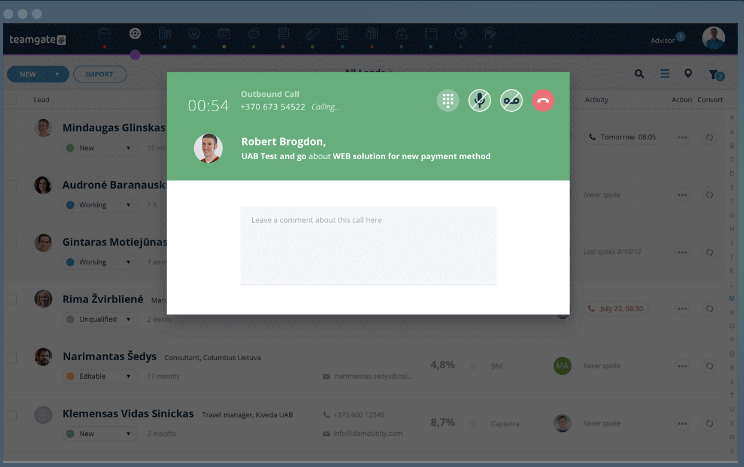
Teamgate is an easy-to-use CRM built to support disciplined selling, clear next steps, and reliable forecasting.
Teamgate CRM Xero Integration
Its built-in Xero connector can seamlessly sync data between the two platforms, allowing you to generate invoices with ease, keep up with due dates, stay on top of overdue payments, access your bank accounts, and gain more financial stability while expanding your business.
The whole integration process takes no longer than a few seconds, as all you have to do is to browse to Teamgate’s integration tab in your account, search for Xero and click connect. Simply log into Xero and confirm the connection. Immediately after that, you will be able to:
- Create an invoice in Teamgate (which will automatically sync with Xero);
- Update your CRM records with existing Xero invoices;
- Copy company details from Xero to Teamgate;
- Check your invoices directly from Teamgate;
- Filter invoices by status;
- Set up automated workflows based on financial data.
Overall, integrating Xero with Teamgate can help you take control of your finances and even improve your organization’s cash flow. And the best part is that this integration is completely free.
Salesforce

Salesforce is a complete CRM solution that helps businesses reach and improve their ROI goals. This tool doesn’t have a built-in Xero connector, which means you will have to use a 3rd party integration available on Salesforce’s AppExchange.
Breadwinner for Xero can easily sync data between Salesforce and Xero, but it comes with high costs and a rather long configuration process. Once you connect the two platforms, you will be able to:
- View invoices by status;
- Update and create Xero records directly from Salesforce;
- Access each customer’s financial data from a single dashboard;
- Improve visibility through Breadwinner’s dynamic dashboard and reporting features.
As mentioned before, this integration has quite a steep pricing point compared to others in this list. Pricing starts at $2,460 USD per year and can quickly grow based on your tier and how many users your organization has.
Zoho CRM

Zoho CRM is an all-in-one customer relationship platform that helps businesses better engage with customers and convert more leads.
Zoho CRM Xero Integration
Unlike the previous tool, Zoho CRM doesn’t have feature a built-in Xero integration, which means you will have to use and pay for a 3rd party connector.
Zoho2Xero is a Zoho CRM extension that can sync data between Xero and your CRM and vice versa. It currently has over 1k installs and a 4.7 star rating from over 40 people. This integration is not as powerful as others in this list, but it can help you to:
- Sync accounts and contacts;
- Sync products and invoices;
- Sync purchase orders;
- Sync payments and reconciliation statuses.
Zoho2Xero costs $50 per organization, but you can save 15% if you go with a yearly plan.
Agile CRM

Agile CRM is a comprehensive software with multiple functionalities. You can use it to improve your sales workflow and efficiency by leveraging its marketing and sales automations capabilities.
Agile CRM Xero Integration
Connecting Xero with Agile CRM can open up new opportunities for your organization, plus it’s rather easy because of the built-in connector.
This integration is done in a few simple steps and allows you to:
- Manage invoices from your Agile dashboard;
- Track payments and send automated reminders;
- Get a clear picture of all your invoice history based on each customer;
And since Agile CRM has developed this connector in-house, you won’t have to pay extra for it.
Hubspot CRM
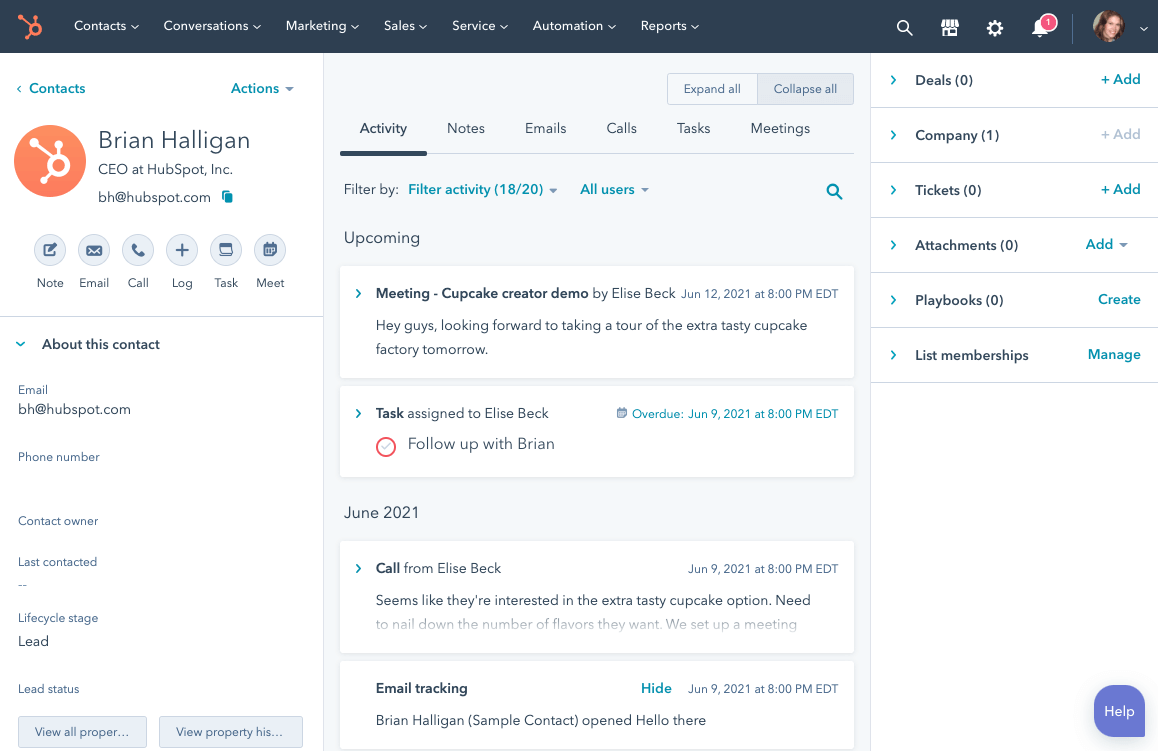
Hubspot is one of the most renowned CRM platforms on the market. It can connect to a variety of 3rd party tools, Xero included. You can use Hubspot to merge data from multiple different sources to create workflows and marketing automations, get a clear overview of your sales process, and track each unique interaction from lead to customer.
Hubspot CRM Xero Integration
Integrating Hubspot with Xero by using Hubspot’s built-in connector will help you:
- Speed up the reconciliation process;
- Get a real-time overview of your cash flow;
- Create invoices straight from your CRM dashboard;
- Improve efficiency by automatically syncing your contacts between the two tools.
This integration has over 3500 installs and a 2.1-star score from close to 40 people.
You can also link Xero to Hubspot using Xero’s integration, but this method has its limitations. At the time of writing this article, you can only sync the contacts created in Xero with the ones in your CRM and not the other way around. This means you will have to do quite some back-and-forth between the two platforms every time you add a new lead in Hubspot.
Xero’s integration has a 4.1-star rating from close to 40 reviewers.
Integrate Xero with your CRM software today
Xero generates a large amount of financial data. On its own, it’s useful. Inside your CRM, it becomes strategic.
When invoice data, payment history, and revenue metrics live alongside deal stages, activities, and next steps, you protect revenue from silent leakage. Reps follow up consistently. Managers trust the numbers. Forecasts reflect reality.
Teamgate connects to Xero natively and synchronizes data in minutes. More importantly, it enforces disciplined pipeline management, so financial signals translate into action, not just information.
If your follow-ups depend on memory and your forecasts feel uncertain, connecting your CRM to your accounting system is a practical next step.
Discover a sales operating system designed to keep your pipeline clean, your reps consistent, and your managers confident in the forecast, without enterprise CRM bloat or feature overload.
FAQs: CRM with Xero Integration
Q: What are the key benefits of integrating a CRM with Xero?
A: Integrating a CRM with Xero brings a multitude of benefits including improved data accuracy, increased efficiency, enhanced financial visibility, better decision-making abilities, increased productivity, improved customer management, and sophisticated reporting and analysis capabilities. By merging financial data with customer data, organizations can have a more holistic understanding of their operations, facilitating better business decisions.
Q: Which are some of the top CRM platforms that integrate with Xero?
A: Some of the top CRM platforms that provide integration with Xero include Teamgate, Salesforce, Zoho CRM, Agile CRM, and Hubspot. Each of these platforms offers unique features and varying degrees of integration with Xero.
Q: How does Teamgate integrate with Xero?
A: Teamgate has a built-in Xero connector that can seamlessly sync data between the two platforms. This integration allows users to generate invoices, stay updated on due dates, monitor overdue payments, access bank accounts, and more from within the CRM. The integration process takes just a few seconds and once completed, enables automated workflows based on financial data.
Q: What are the limitations of integrating Hubspot with Xero?
A: The Hubspot-Xero integration does provide valuable features such as speeding up the reconciliation process and creating invoices from the CRM dashboard. However, the integration has its limitations. For instance, only the contacts created in Xero can be synced with the ones in the CRM and not the other way around, which can result in some manual data entry.
Q: What does the integration process look like for most CRMs with Xero?
A: While the specifics may vary by CRM, the integration process generally involves locating the Xero integration within the CRM’s settings or integration tab, connecting the two platforms, and confirming the connection. Once connected, data can typically be synced automatically between the two platforms, enabling a more streamlined, efficient workflow.






