Get a free sales audit to uncover hidden revenue opportunities!

QuickBooks remains a go-to accounting platform for businesses seeking to streamline invoicing, expense tracking, and financial reporting. However, when paired with a Customer Relationship Management (CRM) system, the combined power enables teams to unite their sales and accounting workflows — all while improving data accuracy and productivity. Whether you’re using an off-the-shelf solution or working with a provider of CRM development services, integrating your CRM with QuickBooks can unlock powerful automation and reporting capabilities tailored to your unique processes.

In this article, we’ll explore the top CRM tools that integrate seamlessly with QuickBooks and how these integrations can transform your business processes.

Key Takeaways:

  • Integrating a CRM with QuickBooks can boost sales processes, enhance customer satisfaction, and prevent data duplication.
  • CRM tools that offer QuickBooks integration include Teamgate, Capsule, HubSpot CRM, Pipeline, and Method.
  • Benefits of this integration include simplifying sales, avoiding double data entry, improving data security, aligning team members, and ensuring accurate data entry.
  • Teamgate stands out with its user-friendly interface, easy setup, reliable customer care, and multi-platform integration.
  • The right CRM with QuickBooks integration should fit your budget, be user-friendly, and offer features tailored to your business needs.

Contents

Benefits of Integrating Your CRM with QuickBooks

Customer Relationship Management (CRM) software helps companies use their available data to manage customer interactions and relations. By pairing CRM with QuickBooks, you can drive revenue by using your stored client data to fast-track and enhance your sales process.

Besides helping you with sales, having a native CRM integration with QuickBooks or engaging a Custom CRM development company to build an integration; can boost customer satisfaction, engagement, and retention. The setup accomplishes this by using customer data to automate sending personalized responses to client queries or providing customers with updates and reminders.

Below are more benefits you can expect if you have a CRM integration with QuickBooks:

Simplify Sales

The primary goal of your company is likely to attract customers and sell. Achieving these goals in a highly competitive market is already a lot of work without the complication of managing invoices and other aspects of your finances. A QuickBooks integration with a CRM can help you simplify sales by using data to automate invoice creation and delivery, lead follow-ups, and other aspects of sales, finance, and customer management.

Avoid Double Data Entry

Integrating a CRM with QuickBooks will sync your customer data across various systems. After entering new customer information into one system, it will automatically reflect in every other connected system. The automatic update will help your team avoid the hassle of manually entering the same data into different systems. Besides being less tedious, it saves time, freeing your team to handle more pressing tasks.

Improve Data Security

A QuickBooks CRM integration allows you to control who can access specific data. Allowing employees to access only the data needed to do their job will reduce the likelihood of experiencing a security breach.

Get Your Team on the Same Page

A CRM integration with QuickBooks will ensure that all your personnel has the same customer information, such as a customer’s transaction history. If all employees have the same information, you never have to worry about a customer receiving contradictory details from different people from your company.

Also, since all your employees will have fast and easy access to a customer’s details, any one of them can quickly answer a customer query. According to HubSpot, 82% of customers want an immediate response when making marketing or sales-related inquiries, while 90% expect quick answers when trying to resolve a customer support issue.

Accurate Data Entry

A QuickBooks and CRM integration will minimize the risk of incorrect data entry by automating entries and workflow automation processes. For instance, with one click, quotes can automatically convert into sales orders and orders into invoices. Eliminating the need to create such documents manually removes human errors like wrong entries that could cost your business thousands of dollars.

5 Best CRM with Quickbooks Integration

As you can see, a CRM with QuickBooks Online integrations can make your business more efficient in several ways. However, CRM software tools are not equal. Some are more user-friendly, affordable, and robust than others.

Do you need help finding the best CRM to integrate with your QuickBooks? If so, look no further than the below compilation of the five best CRM with QuickBooks integration:

Teamgate

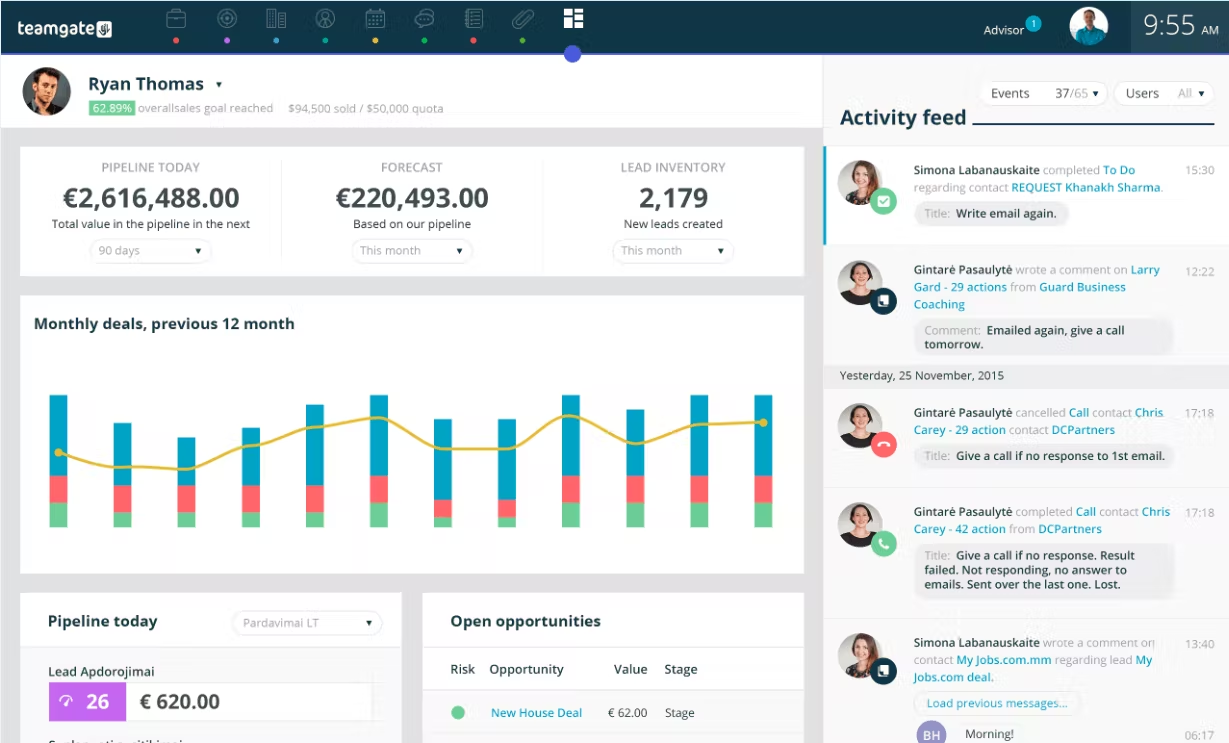
Teamgate is a smart customer relationship software packed with tools that simplify managing various aspects of your customer acquisition, communication, and sale process. Even though it has several features, learning how to use Teamgate and integrating it with QuickBooks is easy, thanks to its intuitive interface.

Teamgate’s CRM Quickbooks Integration

The QuickBooks integration with Teamgate offers several key benefits that streamline financial management and enhance business efficiency:

  1. Seamless QuickBooks Integration: Easily sync financial data across Teamgate & Quickbooks without specialized technical skills.
  2. Comprehensive Financial Overview: Access a unified view of your financial data within Teamgate, helping you track invoices, payments, and financial status directly from your CRM.
  3. Improved Sales and Accounting Alignment: Bridge the gap between your sales and accounting teams by ensuring that both departments have access to the same updated financial information, leading to better collaboration and decision-making.
  4. Reliable Customer Support: Access knowledgeable assistance to address any integration challenges from both sides.
  5. Time-Saving Automation: The integration automates various financial processes, allowing you to focus more on growing your business rather than spending time on repetitive tasks or switching between tools.

Teamgate CRM Features

Below are more features that set Teamgate apart from other CRMs:

  • Easy Setup: Adopting and using Teamgate is so hassle-free that it has earned the platform several awards over the years. Integrating Teamgate with QuickBooks is just as quick and easy, requiring no specialized skills.
  • Reliable Customer Care: If you run into issues while using Teamgate, you can easily get help from its knowledgeable, friendly, and hands-on customer care team.
  • Multi-Platform Integration: Besides QuickBooks, Teamgate can integrate with other platforms, such as Mailchimp, Zapier, Twilio, and Google Drive. The Zapier integration is essential because it allows you to integrate with even more tools, such as Trello, Slack, and Asana.
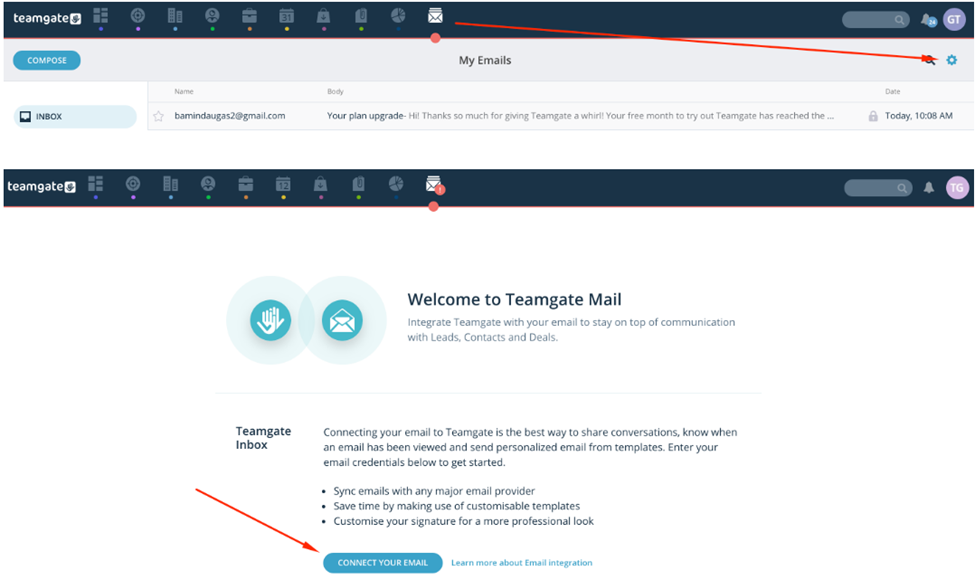
  • Sales Inbox: Teamgate has an in-built sales inbox for receiving and sending emails directly from your CRM. The feature lets you avoid the hassle of changing between inboxes when you need to communicate with a different client.
  • Analytics and Reports: The CRM provides insights that give a real-time image of your sales funnel and other aspects of your business. The information will help you quickly identify and fix sales pipeline blockages and other issues stopping prospective customers from converting or completing purchases.
  • Affordable: Teamgate’s pricing plans ensure businesses with different budgets can afford a quality CRM. Its affordability earned it a place among Capterra’s Top 20 Most Affordable CRM Software of 2017.
  • SmartDialer: The auto dialer is a VOIP app that allows you to reach out to leads faster. Besides helping you save time, SmartDialer can track the number and effectiveness of calls made to clients.

Capsule CRM

null

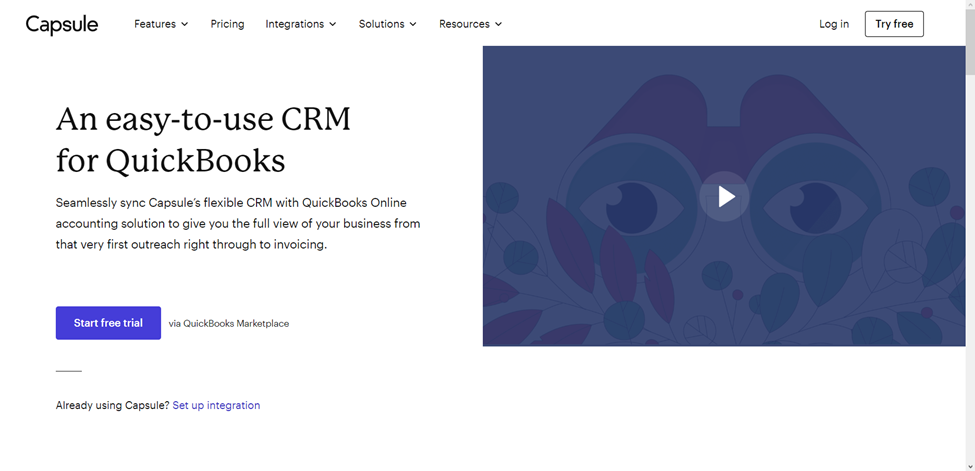
Capsule is another user-friendly CRM that integrates with QuickBooks. You can customize the CRM software to match your organization’s unique needs, and onboarding the software takes little time. After onboarding Capsule, you can auto-import contacts from QuickBooks and track customer communications and transactions.

Capsule CRM Features:

  • Auto-import contacts and track communications, invoices, LTV, and overdue payments

  • Email Tools: Customizable templates; integrates with Gmail and Outlook

  • Tasks & Calendar: Schedule follow-ups, meetings, and reminders

  • Sales Pipeline: Transparent stages and separate flows for different products

  • Analytics: Identify sales bottlenecks and refine your sales cycle

  • Project Management: Built-in tools to monitor ongoing tasks and deliverables

HubSpot CRM
null

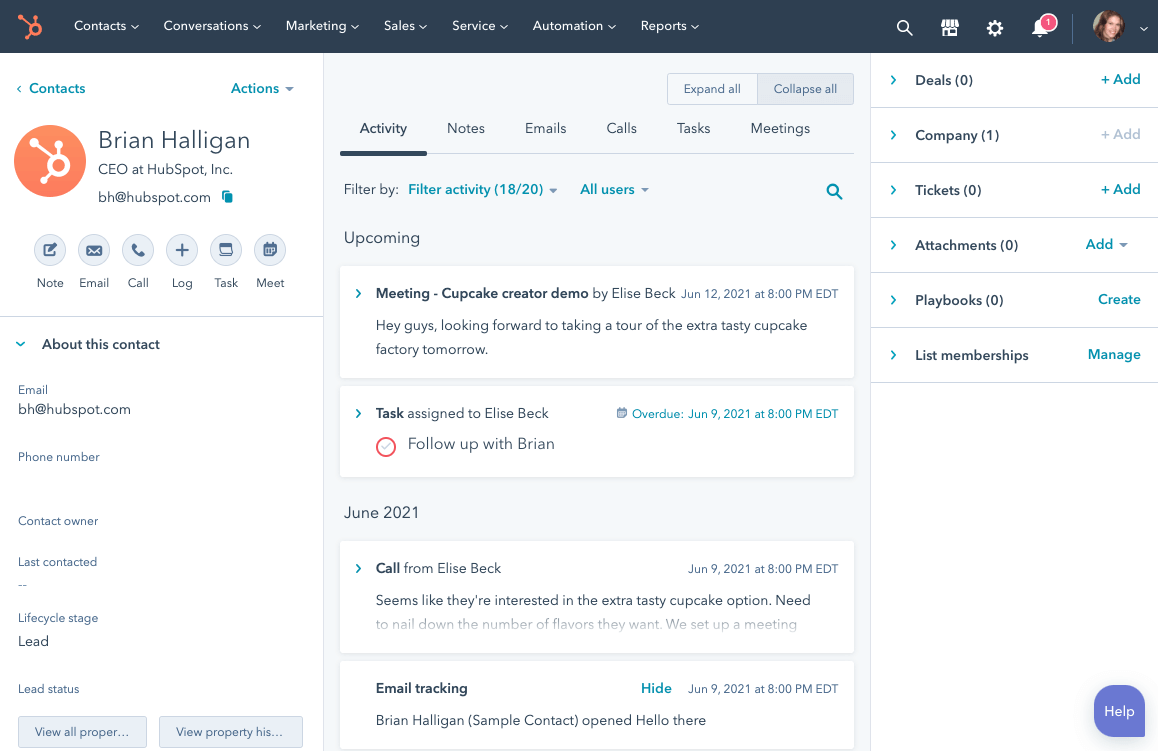
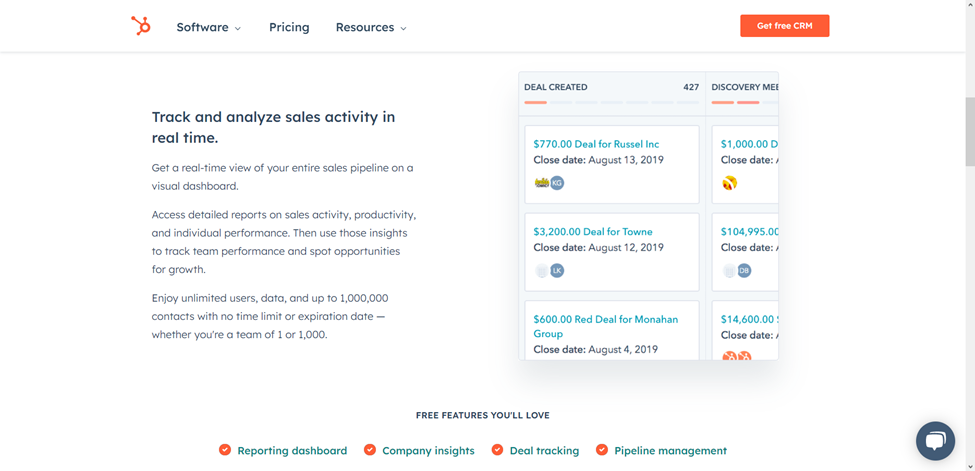
HubSpot CRM offers a free CRM platform that you can integrate with QuickBooks to view customer transactions, invoices, and outstanding payments without switching to QuickBooks. Your salespeople, marketers, customer support team, operations manager, and other authorized staff can all use the CRM platform to simplify their daily duties.

Other functions you can perform after integrating the CRM with QuickBooks are creating new records for vendors, customers, and purchase orders. Also, once you enter fresh data into the CRM, HubSpot will automatically sync records to update existing entries in QuickBooks and other integrated systems.

HubSpot CRM Features:

  • Syncs invoices, transaction data, and outstanding balances

  • Create vendor/customer records and purchase orders from within HubSpot

  • Real-Time Sales Tracking: Visual dashboards to monitor your pipeline

  • Deal Pipeline: Assign deals, track activities, and set priorities

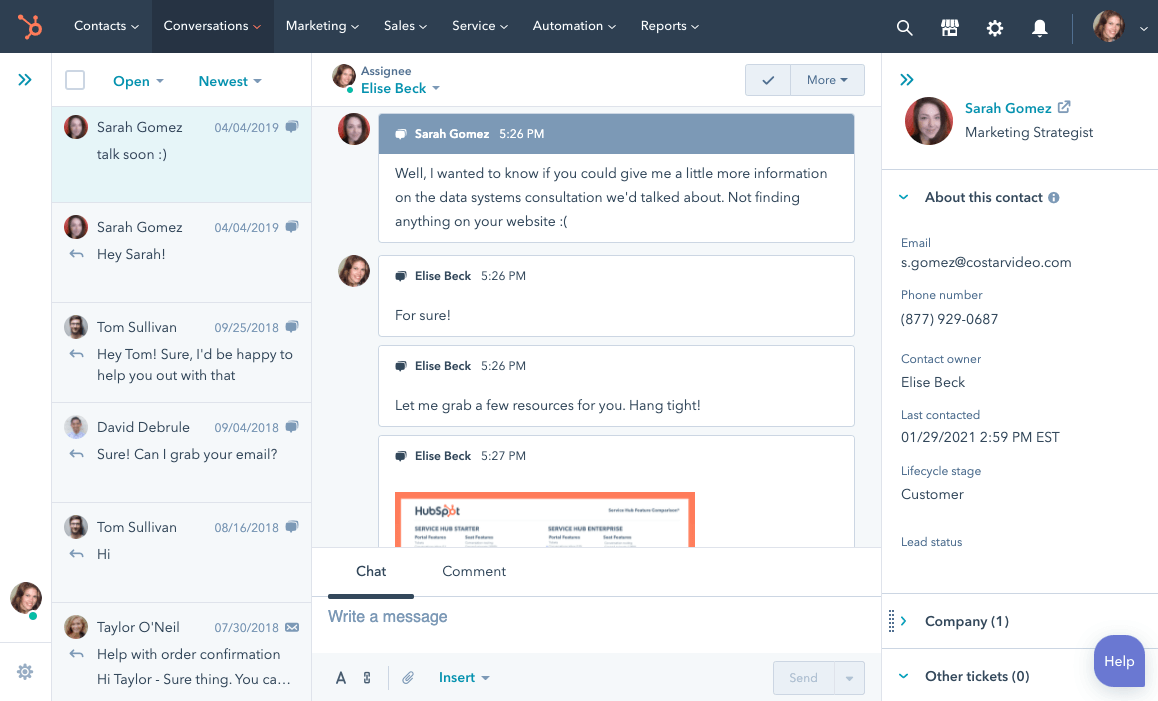
  • Live Chat, Email Notifications & Online Newsletter Tools: Respond faster to engaged leads and keep customers updated through automated newsletters.
  • Reporting Tools: Secure dashboards with role-based data visibility

Limitations: Doesn’t support QuickBooks sandbox accounts; may require disabling custom transaction numbers in QuickBooks.

Pipeline CRM
null

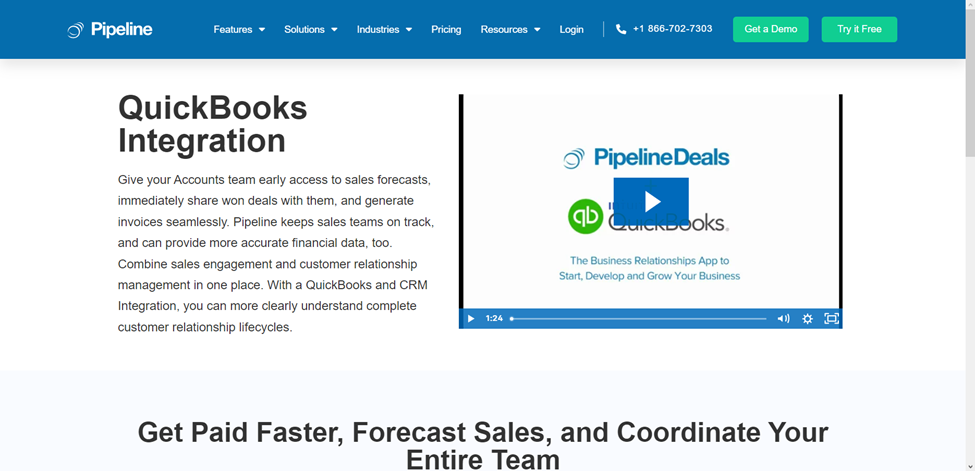
For many businesses, Pipeline is the preferred CRM to integrate with QuickBooks for sales forecasting. Companies typically use the sales forecasting system to project sales revenue over a specific period and identify if sales team members are on track to hit quotas.

Pipedrive CRM Features

Besides sales forecasting, Pipeline’s CRM integration with QuickBooks allows users to manage invoices and automatically sync data between both platforms. On the downside, Pipeline does not offer a free plan or customer support outside standard business hours. Below are more distinctive Pipeline features:

  • Sales Pipeline Mobile App: Pipeline has an Android and iOS app that allows you and your team to view sales pipelines via any mobile device with an internet connection.
  • Data-Driven Sales Forecasting and Insights: Integrating Pipeline with QuickBooks allows it to analyze payments, invoices, and estimates to provide accurate customer insights and financial reports.
  • Invoice Management: You can generate QuickBooks invoices and send them with Pipeline, eliminating the hassle of switching between platforms.
  • Project Management: Pipeline integration with QuickBooks equips teams to manage, organize, and collaborate on projects in real-time.

Method CRM
null

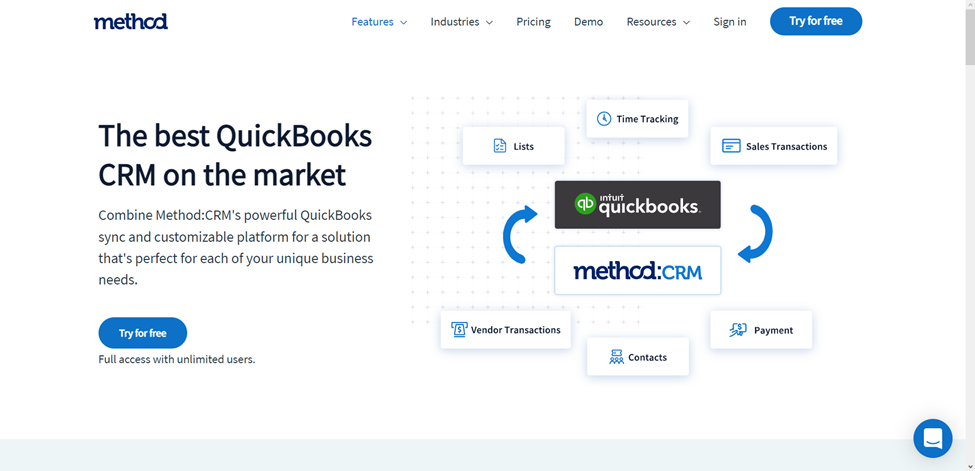
Method CRM with QuickBooks integration simplifies managing sales data with your teams. Every employee authorized to use the app can view customer details, such as transaction history, accounting data, and even contact information for reaching out to a customer. Customers can view similar information and track their past support requests.

Method CRM Features

You can easily integrate Method CRM with all desktop and online versions of QuickBooks. Also, unlike most CRMs, Method does not require entering your credit card details to access its 30-day free trial. Here are more features that make Method a commendable CRM for QuickBooks integration:

  • Customizable Platform: You can adapt Method to match your unique business needs and preferences.
  • Time-Tracking: Method allows users to generate invoices based on time sheet records. The system can also track time by job, project, or customer, removing the need to track project durations manually for invoices.
  • Financial Management Tools: QuickBooks integration with Method allows users to generate and send invoices, receipts, estimates, sales orders, bills, and purchase orders from the CRM.
  • Vendor Management: You can add and manage vendors in the CRM and sync vendor data from your QuickBooks.
  • Customer Online Portals: Your customers can access the QuickBooks online portal via the CRM to view estimates and make payments, which is exactly the kind of convenience modern client portals are designed to deliver.

Final Thoughts

While several excellent CRMs that integrate with QuickBooks are available, not all of them will be a good fit for your business. The best CRM with QuickBooks integration for your company will be one that fits your budget, offers the features you need, and behaves like enterprise software in terms of scalability, security, and integration capabilities.

Finding the perfect match for your business needs careful consideration. The ideal CRM for your enterprise should not only align with your financial boundaries but also enrich your operations with its features. User-friendliness and the ability to streamline your sales and financial management processes are key factors that should guide your choice.
While Teamgate stands out as a comprehensive solution, the true measure of its effectiveness lies in firsthand experience. We encourage you to explore the potential of Teamgate by taking advantage of our 14-day free trial across any plan, ensuring you find the right fit for your team’s unique needs.


FAQs: QuickBooks CRM Integration

Q1: What is QuickBooks CRM integration?

A1: QuickBooks CRM integration involves connecting your Customer Relationship Management (CRM) system with QuickBooks accounting software. This integration allows for seamless data sharing between the two platforms, streamlining financial management and customer relations processes.

Q2: Why should I integrate my CRM with QuickBooks?

A2: Integrating your CRM with QuickBooks offers several benefits, including improved data accuracy, enhanced customer insights, streamlined invoicing and payment tracking, and better collaboration between sales and accounting teams.

Q3: Can any CRM system integrate with QuickBooks?

A3: Not all CRM systems can integrate directly with QuickBooks. It’s important to choose a CRM that offers native integration or supports third-party integration tools to connect with QuickBooks effectively.

Q4: How do I integrate my CRM with QuickBooks?

A4: The integration process varies by CRM system. Generally, you can integrate through direct integration features provided by the CRM, use third-party integration apps, or employ API connections. It’s recommended to consult the help documentation of your CRM and QuickBooks or contact their support for specific guidance.

Q5: Is the integration between QuickBooks and CRM systems secure?

A5: Yes, reputable CRM and accounting software prioritize security in their integrations. However, ensure you’re using secure connections and follow best practices for data security to protect your business information.

Q6: Will integrating QuickBooks with my CRM system increase my operational costs?

A6: While there might be initial setup costs or additional fees for integration features, the efficiency gains and potential for increased revenue through improved customer relationship management often offset these costs.

Q7: Can I customize the data shared between QuickBooks and my CRM?

A7: Yes, most integrations allow for customizable data sharing settings. You can choose which data points to sync between QuickBooks and your CRM, such as customer details, sales orders, invoices, and payment records.

Q8: How does QuickBooks CRM integration affect my workflow?

A8: Integrating QuickBooks with your CRM can significantly streamline your workflow by automating data entry tasks, reducing manual errors, and providing real-time financial insights within your CRM platform.

Q9: Can I try QuickBooks CRM integration before committing to it?

A9: Many CRM providers offer free trials that include integration features, allowing you to test the integration with QuickBooks before making a long-term commitment.

Q10: Where can I find support if I encounter issues with my QuickBooks CRM integration?

A10: Support can typically be found through the CRM provider, the integration app service (if used), or QuickBooks support. Many also offer extensive online resources, such as guides, tutorials, and community forums.
Xero is one of the most widely used accounting platforms worldwide, with more than 3.9 million subscribers as of 2024. Small and medium-sized businesses rely on this cloud-based software to manage their finances, ensure compliance, and streamline accounting tasks.

Integrating Xero with a CRM unlocks even greater value out of both tools. By connecting financial data with customer records, businesses can automatically trigger follow-ups when invoices are due, monitor payment history, and forecast revenue trends. This combination reduces manual work, improves decision-making, and creates a unified view of both sales and finance

Moreover, you can analyze your financial data to better understand your sales process and even create a forecast of future performance.

In this article, we’ll cover the five best CRM with Xero integrations and take a look at their features and pricing to help you choose the right platform for your specific needs.

Key Takeaways:

  • Integrating Xero with a CRM can automate financial data correlation with existing customers, leading to better business decision-making and improved sales processes.
  • The integration results in increased data accuracy, improved efficiency, better financial visibility, and enhanced customer management.
  • The top five CRM systems that integrate seamlessly with Xero include Teamgate, Salesforce, Zoho CRM, Agile CRM, and Hubspot. Each offers unique features and varying levels of integration with Xero.
  • Teamgate stands out due to its built-in Xero connector, which enables data sync between the platforms, facilitating invoice generation, due date tracking, overdue payment management, and more.
  • Selecting a CRM with a built-in Xero connector is a vital consideration for seamless data synchronization, ultimately helping to boost your bottom line.

Contents

  1. Benefits of integrating your CRM with Xero
  2. 5 Best CRM with Xero Integration
    • Teamgate CRM
    • Salesforce
    • Zoho CRM
    • Agile CRM
    • Hubspot CRM
  3. Integrate Xero with your CRM software today
  4. FAQs: CRM with Xero Integration

Benefits of integrating your CRM with Xero

Connecting your CRM to Xero centralizes financial and customer data, making it easier to optimize sales performance, monitor customer behavior, and make informed decisions. Let’s explore the core benefits.

Improved data accuracy

Manual data entry introduces errors that can distort forecasts or compliance reports.

The best way to mitigate the risks associated with human error is by automating your data entry processes. And since financial data is the backbone of a healthy business, you must pay close attention to how it is uploaded into your system.

Integrating Xero with your CRM can help you streamline this process and ensure the highest levels of data accuracy.

Increased efficiency

Eliminating double data entry saves hours each week. Instead of switching between platforms, sales and finance teams can access invoice and payment details directly within the CRM. This frees staff to focus on revenue-generating activities like closing deals and nurturing leads.

Better financial visibility

Cash flow is the lifeblood of any business. With CRM–Xero integration, you gain real-time visibility into outstanding invoices, overdue accounts, and customer payment histories—all from a single dashboard. Faster reconciliations mean fewer bottlenecks and healthier cash flow.

Better decision-making

Studies consistently show that CRMs improve customer retention and revenue growth. A large part of this success is linked to the amount of available data.

By connecting all your data sources to a central hub (your CRM), you will be able to understand what works and what needs to be changed. And this can help you make informed business decisions that can drastically boost your bottom line.

Increased productivity

Context-switching between multiple tools is a major drain on productivity. I

Connecting your accounting and finance software with your CRM quickly improves your sales team’s productivity. This will help them focus their efforts on closing deals rather than constantly gathering information from multiple tabs.

Improved customer management

Xero generates a lot of useful data about your customers, like invoices and payment history. You can use this information to better understand your customers’ behavior and even improve your relationship with them.

In addition, you can create segmented customer lists and target them with special offers and discounts, a great way to boost customer loyalty and increase retention.

Improved reporting and analysis

Last but not least, you can use the data generated by Xero to analyze your business operations and create insightful reports for stakeholders or investors.

For example, you will be able to see how many invoices are overdue at any given time or how long it takes for customers to pay their invoices.

Other Considerations: Accounting Firms

Whilst having a CRM that integrates with Xero can streamline accounting processes and improve financial efficiency, a CRM is great, additional support can be sought from local accounting firms. For example, businesses operating in Florida should partner with a Florida-based accounting firm to further simplify tax compliance and financial planning, ensuring businesses stay on top of their accounting needs while leveraging the power of automation.

5 Best CRM with Xero Integration

If your current CRM doesn’t have a Xero integration, it’s time to switch. Here are the five best CRM platforms with Xero integration you can implement into your organization today.

Teamgate CRM

Teamgate is an easy-to-use CRM platform that helps companies improve their sales process through a variety of features and integrations.

Teamgate CRM Xero Integration

Its built-in Xero connector can seamlessly sync data between the two platforms, allowing you to generate invoices with ease, keep up with due dates, stay on top of overdue payments, access your bank accounts, and gain more financial stability while expanding your business.

The whole integration process takes no longer than a few seconds, as all you have to do is to browse to Teamgate’s integration tab in your account, search for Xero and click connect. Simply log into Xero and confirm the connection. Immediately after that, you will be able to:

  • Create an invoice in Teamgate (which will automatically sync with Xero);
  • Update your CRM records with existing Xero invoices;
  • Copy company details from Xero to Teamgate;
  • Check your invoices directly from Teamgate;
  • Filter invoices by status;
  • Set up automated workflows based on financial data.

Overall, integrating Xero with Teamgate can help you take control of your finances and even improve your organization’s cash flow. And the best part is that this integration is completely free.

Salesforce

Salesforce is a complete CRM solution that helps businesses reach and improve their ROI goals. This tool doesn’t have a built-in Xero connector, which means you will have to use a 3rd party integration available on Salesforce’s AppExchange.

Breadwinner for Xero can easily sync data between Salesforce and Xero, but it comes with high costs and a rather long configuration process. Once you connect the two platforms, you will be able to:

  • View invoices by status;
  • Update and create Xero records directly from Salesforce;
  • Access each customer’s financial data from a single dashboard;
  • Improve visibility through Breadwinner’s dynamic dashboard and reporting features.

As mentioned before, this integration has quite a steep pricing point compared to others in this list. Pricing starts at $2,460 USD per year and can quickly grow based on your tier and how many users your organization has.

Zoho CRM

Zoho CRM is an all-in-one customer relationship platform that helps businesses better engage with customers and convert more leads.

Zoho CRM Xero Integration

Unlike the previous tool, Zoho CRM doesn’t have feature a built-in Xero integration, which means you will have to use and pay for a 3rd party connector.

Zoho2Xero is a Zoho CRM extension that can sync data between Xero and your CRM and vice versa. It currently has over 1k installs and a 4.7 star rating from over 40 people. This integration is not as powerful as others in this list, but it can help you to:

  • Sync accounts and contacts;
  • Sync products and invoices;
  • Sync purchase orders;
  • Sync payments and reconciliation statuses.

Zoho2Xero costs $50 per organization, but you can save 15% if you go with a yearly plan.

Agile CRM

Agile CRM is a comprehensive software with multiple functionalities. You can use it to improve your sales workflow and efficiency by leveraging its marketing and sales automations capabilities.

Agile CRM Xero Integration

Connecting Xero with Agile CRM can open up new opportunities for your organization, plus it’s rather easy because of the built-in connector.

This integration is done in a few simple steps and allows you to:

  • Manage invoices from your Agile dashboard;
  • Track payments and send automated reminders;
  • Get a clear picture of all your invoice history based on each customer;

And since Agile CRM has developed this connector in-house, you won’t have to pay extra for it.

Hubspot CRM

Hubspot is one of the most renowned CRM platforms on the market. It can connect to a variety of 3rd party tools, Xero included. You can use Hubspot to merge data from multiple different sources to create workflows and marketing automations, get a clear overview of your sales process, and track each unique interaction from lead to customer.

Hubspot CRM Xero Integration

Integrating Hubspot with Xero by using Hubspot’s built-in connector will help you:

  • Speed up the reconciliation process;
  • Get a real-time overview of your cash flow;
  • Create invoices straight from your CRM dashboard;
  • Improve efficiency by automatically syncing your contacts between the two tools.

This integration has over 3500 installs and a 2.1-star score from close to 40 people.

You can also link Xero to Hubspot using Xero’s integration, but this method has its limitations. At the time of writing this article, you can only sync the contacts created in Xero with the ones in your CRM and not the other way around. This means you will have to do quite some back-and-forth between the two platforms every time you add a new lead in Hubspot.

Xero’s integration has a 4.1-star rating from close to 40 reviewers.

Integrate Xero with your CRM software today

Xero generates a large amount of financial data that can be useful by itself but invaluable when added to your CRM.

Synchronizing your data between these tools will help you understand your customers’ financial behavior, improve your sales process and boost customer satisfaction. You can also use this integration to set up automated workflows and speed up the reconciliation process.

It’s important to remember that not all CRM platforms integrate with Xero in the same way, so pick one with a built-in connector.

Teamgate is an all-in-one CRM solution that can natively connect with Xero. You can synchronize the platforms in a few minutes, as the whole process is comprised of just three easy steps.

If you are ready to make more informed business decisions by combining your financial data with your CRM, it’s time you switch to Teamgate. Sign up for a free trial and get access to an all-in-one sales CRM with extensive reports and native integrations.


FAQs: CRM with Xero Integration

Q: What are the key benefits of integrating a CRM with Xero?
A: Integrating a CRM with Xero brings a multitude of benefits including improved data accuracy, increased efficiency, enhanced financial visibility, better decision-making abilities, increased productivity, improved customer management, and sophisticated reporting and analysis capabilities. By merging financial data with customer data, organizations can have a more holistic understanding of their operations, facilitating better business decisions.

Q: Which are some of the top CRM platforms that integrate with Xero?
A: Some of the top CRM platforms that provide integration with Xero include Teamgate, Salesforce, Zoho CRM, Agile CRM, and Hubspot. Each of these platforms offers unique features and varying degrees of integration with Xero.

Q: How does Teamgate integrate with Xero?
A: Teamgate has a built-in Xero connector that can seamlessly sync data between the two platforms. This integration allows users to generate invoices, stay updated on due dates, monitor overdue payments, access bank accounts, and more from within the CRM. The integration process takes just a few seconds and once completed, enables automated workflows based on financial data.

Q: What are the limitations of integrating Hubspot with Xero?
A: The Hubspot-Xero integration does provide valuable features such as speeding up the reconciliation process and creating invoices from the CRM dashboard. However, the integration has its limitations. For instance, only the contacts created in Xero can be synced with the ones in the CRM and not the other way around, which can result in some manual data entry.

Q: What does the integration process look like for most CRMs with Xero?
A: While the specifics may vary by CRM, the integration process generally involves locating the Xero integration within the CRM’s settings or integration tab, connecting the two platforms, and confirming the connection. Once connected, data can typically be synced automatically between the two platforms, enabling a more streamlined, efficient workflow.

In today’s hyper-connected digital landscape, communication isn’t just a business function — it’s your brand’s competitive edge. Customer Relationship Management (CRM) systems now sit at the heart of this transformation, uniting data, automation, and personalized engagement.

As we enter 2025, the next evolution in CRM technology is here: Twilio-powered CRM systems. Twilio, the global leader in cloud communications, enables businesses to send SMS messages, make voice and video calls, and manage WhatsApp and email conversations — all via secure APIs.

When seamlessly integrated into a CRM, Twilio brings every customer interaction into one intelligent platform. Sales, marketing, and support teams can engage instantly, automate follow-ups, and personalize communication across every channel.

In this guide, we’ll compare the 6 best CRM systems with Twilio integration in 2025, exploring their strengths, pricing, and how each can supercharge your customer experience.

Key Takeaways:

  1. Why Twilio Integration Matters: Unify SMS, voice, WhatsApp, and email inside your CRM.

  2. Benefits: Faster responses, higher engagement, and improved agent productivity.

  3. Top Picks for 2025: Teamgate, HubSpot, Salesforce, Zoho, Freshsales, Insightly, and Pipedrive.

  4. Cost & ROI: Twilio’s pay-as-you-go pricing model delivers enterprise-grade communication without overspending.

  5. Who It’s For: Businesses seeking smarter, real-time, AI-driven customer communication.

Contents:

Benefits of Twilio Integration in CRM Systems

Enhanced Communication Channels

Integrating Twilio with your CRM breaks down communication silos by enabling SMS, voice, WhatsApp, and email conversations directly within your dashboard. Customers can connect through their preferred channels while your team tracks every interaction in one unified timeline.

For instance, a Twilio WhatsApp Business integration allows your CRM to send appointment reminders, marketing campaigns, or personalized support messages — all automated and fully compliant.

This flexibility means your business can deliver real-time, personalized experiences that drive engagement and satisfaction.

Sales Training and Feedback

Integrating Twilio with your CRM system offers transformative benefits for sales training and feedback through the utilization of call recordings. This integration creates a rich repository of real-world customer interactions that can be invaluable for sales training programs. By accessing and analyzing these recordings, sales teams can identify best practices, pinpoint areas for improvement, and understand customer reactions in various scenarios. This direct insight into customer conversations enables managers to provide targeted feedback and coaching, fostering a culture of continuous improvement and skill development. Furthermore, the ability to review call recordings within the CRM interface streamlines the feedback loop, making it easier to connect specific sales tactics with outcomes. This integration not only enhances the effectiveness of sales training but also equips sales representatives with the knowledge and confidence to optimize their engagement strategies, ultimately leading to improved sales performance and customer satisfaction.

AI-Driven Insights & Analytics

In 2025, CRM-Twilio integrations aren’t just about communication — they’re about intelligence. Each call, message, and interaction is analyzed for sentiment, tone, and responsiveness using Twilio’s Voice Intelligence and native CRM analytics.

This data empowers teams to:

  • Identify high-value leads faster.

  • Measure campaign performance across channels.

  • Refine messaging for greater customer impact.

By combining CRM analytics with Twilio’s communication data, businesses gain a 360° view of customer behavior, enabling smarter decision-making and predictive engagement strategies.

6 Best CRM with Twilio Integration

1. Teamgate CRM

Teamgate crm UI displaying Twilio SmartDialer feature
Teamgate CRM’s Built-In Twilio SmartDialer

Teamgate CRM Overview

Teamgate CRM emerges as a frontrunner in the realm of CRM solutions with its sophisticated Twilio integration. Designed with a keen understanding of the needs of modern businesses, Teamgate offers a comprehensive suite of features that facilitate not just customer relationship management but a seamless, enriched customer communication experience. This platform distinguishes itself through its intuitive user interface, robust analytics capabilities, and flexible customization options, making it an ideal choice for businesses of all sizes seeking to optimize their customer engagement strategies.

Teamgate CRM Twilio Integration Highlights

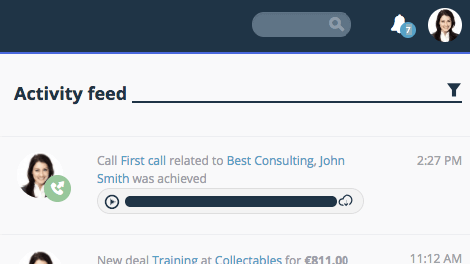
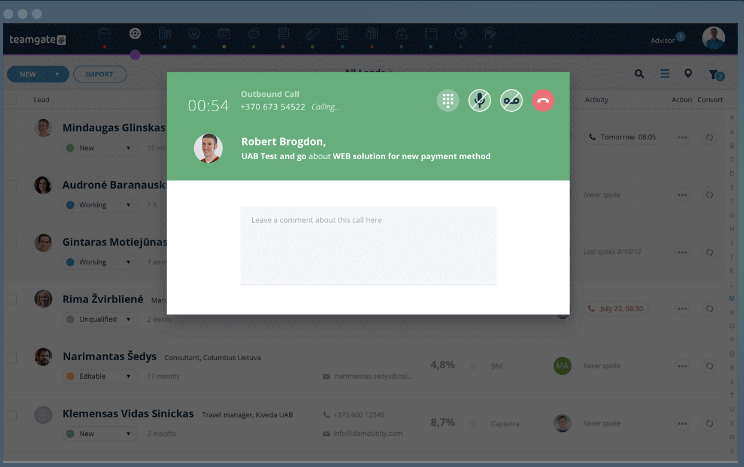
A key aspect of Teamgate CRM’s offering is its deep integration with Twilio, also know as Teamgate’s SmartDialer. SmartDialer provides users with advanced communication tools directly within the CRM platform. This integration facilitates both inbound and outbound calls, SMS and text messages, as well as automated activity tracking and call recording within the CRM environment.

Teamgate UI displaying activity feed call completed and recording
Benefit from automatic activity tracking and call recordings

Teamgate CRM Twilio Integration Pros and Cons

Pros:

  • Deep, native integration with Twilio offers seamless communication capabilities.
  • Call recording for sales training, reviews and improvement.
  • Comprehensive analytics dashboard for tracking and optimizing completed calls.
  • Note-taking and script capabilities whilst on calls.
  • Highly customizable workflows to suit various business processes and needs.

Cons:

Why Choose Teamgate CRM?

Teamgate CRM is the preferred choice due to its effective blend of CRM functionality and communication integration. It provides a central platform for managing customer relationships and communication workflows, supported by the reliable and flexible capabilities of Twilio. This makes Teamgate CRM an invaluable tool for businesses looking to succeed in the digital marketplace.

By highlighting Teamgate CRM as a standard for excellence, we introduce the exploration of other CRM solutions that excel in integrating with Twilio, each offering unique benefits and features suited to various business needs and objectives.

teamgate crm awards
Teamgate CRM Awards

2. HubSpot CRM

hubspot twilio

Hubspot CRM Overview

HubSpot CRM is renowned for its user-friendly interface and comprehensive inbound marketing tools. Integrating Twilio, it offers streamlined communication solutions that enhance its CRM capabilities.

Hubspot CRM Twilio Integration Highlights

With Twilio, HubSpot users can send SMS messages and make calls directly from the CRM, automating these processes with HubSpot’s workflow tools for efficient, targeted customer outreach.

Hubspot CRM Twilio Integration Pros and Cons

HubSpot’s strength lies in its simplicity and integration with the broader HubSpot ecosystem. However, advanced features and customization may require higher-tier plans, making it less accessible for budget-conscious businesses.

3. Salesforce CRM

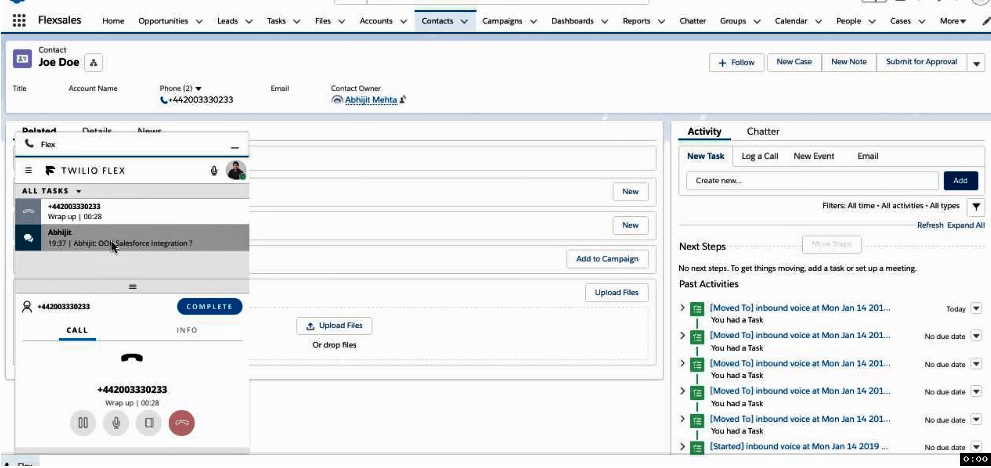
Integrate Salesforce with Twilio Flex

Salesforce CRM Overview

Salesforce, a titan in the CRM industry, offers a highly customizable platform that serves businesses of all sizes. Its integration with Twilio amplifies its already robust set of features, providing enhanced communication channels directly within its ecosystem.

In order to effectively manage this vast ecosystem and ensure its seamless operation, large corporations often require certified specialists, who are found by specialized Salesforce recruitment agencies.

Salesforce CRM Twilio Integration Highlights

Through Twilio, Salesforce CRM enables direct messaging, calls, and even video communications, embedding these functionalities within the sales and service clouds. This integration facilitates personalized customer interactions at scale, automated based on customer data and interaction history within the CRM.

Salesforce CRM Twilio Integration Pros and Cons

Pros include Salesforce’s extensive customization options and its vast ecosystem of integrations, with Twilio being a standout for communication. The main drawback is the complexity and cost, which can be prohibitive for smaller businesses or those with limited technical resources.

4. Zoho CRM

Zoho CRM Overview

Zoho CRM stands out for its affordability and versatility, catering to small and medium-sized enterprises with a comprehensive suite of CRM tools.

Zoho CRM Twilio Integration Highlights

The integration with Twilio enriches Zoho CRM with capabilities for sending SMS and making calls within the platform, enhancing the customer engagement experience.

Zoho CRM Twilio Integration Pros and Cons

Zoho CRM’s advantages include its cost-effectiveness and ease of use. However, businesses requiring more complex, scalable solutions may find its features somewhat limited.

zoho twilio
Zoho CRM’s outbound call interface

5. Freshsales

Freshsales Overview

Freshsales is part of the Freshworks ecosystem, offering a user-friendly CRM solution that focuses on bringing AI-driven insights to sales and marketing teams.

Freshsales Twilio Integration Highlights

Through its integration with Twilio, Freshsales enables businesses to automate their communication workflows, send bulk SMS messages, and make calls directly from the CRM, all while leveraging AI to analyze the effectiveness of these interactions.

Freshsales Twilio Integration Pros and Cons

Pros of Freshsales include its intuitive design, AI capabilities for lead scoring and insights, and effective Twilio integration for communication. The downside might be its reliance on the broader Freshworks ecosystem for full functionality, which could increase costs for some businesses.

6. Insightly CRM

Insightly CRM Overview

Insightly CRM stands out for its focus on project management alongside customer relationship management. It’s designed for businesses that look for an integrated approach to managing customer interactions, projects, and sales pipelines efficiently.

Insightly CRM Twilio Integration Highlights

With Twilio, Insightly users gain the ability to send personalized text messages and make calls directly from the CRM through a third party. This integration facilitates real-time communication with prospects and customers, ensuring that businesses can maintain a high level of engagement and responsiveness.

Insightly Twilio Integration Pros and Cons

Pros include its robust project management features, seamless integration with Twilio for enhanced communication, and a user-friendly interface. However, its focus on project management might not cater to all businesses, and additional third-party costs may be payable to set up the integration.

Comparison Table of CRM Systems with Twilio Integration

In the pursuit of selecting the ideal CRM platform that aligns with your business objectives and communication needs, a comparative glance at the key features, pricing, and pros and cons of each CRM with Twilio integration can offer invaluable insights. Below is a succinct comparison table that encapsulates the essence of our top picks for 2025, aiding in the decision-making process.

Table 1: CRM Platform Comparison

CRM Platform Key Features Pricing (Approx.) Pros Cons
Teamgate Seamless Twilio integration, user-friendly, sales pipeline management From $39.90/user/month Intuitive UI, robust integration Additional cost for dials and SMS
HubSpot Easy integration, inbound marketing tools Free to start; paid plans increase significantly with features and contacts User-friendly, great for inbound marketing Limited customization in lower-tier plans
Salesforce Comprehensive CRM capabilities, extensive ecosystem Starts at $25/user/month Highly customizable, vast app marketplace Can be complex and expensive for small business
Zoho CRM Extensive suite of applications, automation features Starts at $14/user/month Versatile, affordable Potentially overwhelming feature set
Freshsales AI-driven insights, communication automation Starts at $15/user/month AI capabilities, easy to use Twilio offering depends on Freshworks ecosystem selected
Insightly Project management, Twilio integration for communication Starts at $29/user/month Strong project management Third party required for integration.

Table 1 provides a snapshot of the dynamic capabilities and considerations associated with each CRM system. Whether your priority lies in affordability, ease of use, feature richness, or the depth of Twilio integration, this guide serves as a foundational step toward choosing a CRM platform that resonates with your business ethos and operational needs.

How to Choose the Best CRM with Twilio Integration

Selecting the best CRM with Twilio integration for your business in 2025 involves a careful evaluation of several key factors. Understanding the unique needs of your business, including size, industry, and specific customer engagement requirements, is crucial. A small startup might prioritize ease of use and cost-effectiveness, while a large enterprise may seek advanced customization and integration capabilities.

CRM Scalability

Scalability is another vital consideration. The chosen CRM should not only meet your current needs but also grow with your business. It should offer the flexibility to add more users, expand functionalities, and integrate with new tools as your business evolves.

Twilio Integration Ease

Integration ease plays a significant role in how smoothly you can implement and utilize Twilio within the CRM. Look for platforms that offer straightforward, well-documented integration processes, allowing you to leverage Twilio’s communication features without extensive technical support.

CRM Technical and Customer Support

Speaking of technical support, the availability of responsive, knowledgeable support teams cannot be overstated. Even with the most user-friendly systems, questions and issues will arise, particularly when integrating third-party services like Twilio. Excellent customer service ensures that these challenges are addressed swiftly, minimizing disruption to your business operations.

Choosing the best CRM with Twilio integration requires a balanced consideration of your business’s current and future needs, the system’s scalability and flexibility, ease of integration, and the quality of customer support. Making the right choice will empower your business to harness the full potential of CRM and Twilio integration, enhancing your customer engagement strategies and driving growth.

Conclusion

As we conclude our exploration of the 6 Best CRM with Twilio Integrations, it’s clear that the integration of sophisticated CRM systems with Twilio’s robust communication capabilities offers a powerful combination for businesses aiming to enhance their customer interaction strategies. These integrations pave the way for more personalized, efficient, and data-driven customer communications, ultimately contributing to improved customer satisfaction and loyalty.

In this digital era, where customer expectations are higher than ever, investing in the right CRM with Twilio integration can set your business apart. Among the options discussed, Teamgate CRM stands out as the preferred choice for its dedicated customer support, seamless integration, intuitive interface, and comprehensive features that cater to businesses seeking to maximize their customer engagement efforts.

We invite you to discover how Teamgate CRM can transform your business’s communication strategies and foster stronger, more meaningful customer relationships. Take the first step towards redefining your customer engagement by exploring Teamgate CRM for FREE today.

With the right tools in hand, the potential to elevate your customer interactions and drive your business forward is limitless.


FAQs: Twilio CRM Integration

What is Twilio, and why integrate it with CRM?

Twilio is a cloud communication platform that provides APIs for text messaging, voice calls, video calls, and email services. Integrating Twilio with a Customer Relationship Management (CRM) system enables businesses to streamline their communication processes, making it possible to engage with customers directly from the CRM interface. This integration enhances customer interaction through personalized and immediate communication, improving response times and customer satisfaction levels.

Can Twilio integration improve customer service?

Absolutely. Twilio integration can significantly enhance customer service by providing more immediate, personalized, and versatile communication options. For instance, service teams can use SMS or voice calls to quickly resolve issues, provide updates, or offer support, all documented within the CRM for continuity and analysis. This level of engagement ensures customers feel valued and supported, fostering loyalty and trust.

What to look for in a CRM with Twilio integration?

When evaluating a CRM for Twilio integration, consider the depth of integration, ease of use, and the features offered. The best integrations allow for automated workflows, personalized messaging based on customer data, and the ability to track and analyze communication effectiveness. Additionally, consider the CRM’s overall features, scalability, and how well it can adapt to your business’s growing and evolving needs.

How does Teamgate CRM stand out with its Twilio integration?

Teamgate CRM stands out due to its seamless integration with Twilio, which offers a wide range of communication tools directly within the CRM platform. This integration enables businesses to manage their sales pipeline, customer data, and communications efficiently in one place. Teamgate’s focus on ease of use, combined with the power of Twilio’s communication APIs, makes it an ideal choice for businesses looking to enhance their customer engagement strategies with advanced communication capabilities.

Is Twilio integration expensive?

The cost of Twilio integration can vary depending on the volume of communications and the specific services used. Twilio operates on a pay-as-you-go pricing model, which means businesses only pay for what they use without upfront costs. Integrating Twilio with a CRM system may require initial setup and customization efforts, but the return on investment, in terms of improved customer engagement and efficiency, can outweigh the costs for many businesses. It’s essential to evaluate the pricing in the context of the value it brings to your customer interaction strategies.

Customer Relationship Management (CRM) systems have become essential tools for managing interactions with potential and existing customers. A CRM system enables organizations to streamline processes, build customer relationships, improve customer service, and increase profitability. One of the most valuable features of a modern CRM system is its ability to integrate with email services, particularly Gmail. With over 1.8 Billion users, Gmail is widely used by businesses of all sizes, and its integration with CRM systems can significantly enhance communication efficiency and overall productivity.

Integrating Gmail with a CRM system allows seamless synchronization of emails, contacts, and calendars. This ensures that all customer interactions are automatically captured and accessible in one place, giving teams a 360-degree view of relationships and history. As a result, businesses can manage leads more effectively, respond to inquiries faster, and reduce the risk of losing important information.

This article explores the top CRMs with robust Gmail integration to help businesses select the right platform. By comparing features, benefits, and pricing, you’ll be equipped to make an informed decision and leverage Gmail integration to enhance your customer relationship management strategy.

Key Takeaways

  1. Improved Functionality: Gmail integration ensures every email is logged and accessible directly within the CRM.

  2. Multiple Accounts: Many CRMs support syncing multiple Gmail accounts.

  3. Ease of Integration: Most platforms offer step-by-step setup with native Gmail integration.

  4. Free Options: Several CRMs provide free plans with Gmail integration included.

  5. Enhanced Collaboration: Centralized communication improves team alignment and response times.

What is a CRM?

A Customer Relationship Management (CRM) system is a software platform designed to help businesses manage interactions with current and potential customers. CRMs consolidate data across all touchpoints — including websites, calls, email, live chat, marketing campaigns, and social media.

The goal is to improve business relationships by providing one source of truth for customer information. With a centralized database, departments can access the same data, work collaboratively, and deliver consistent customer experiences.

Key features often include:

  • Contact management

  • Sales pipeline tracking

  • Productivity tools

  • Customer interaction history

Advanced CRMs also add marketing automation, analytics, and AI-driven insights. By organizing this information in one place, businesses gain a complete view of each customer, supporting stronger service and more efficient operations.

Why Integrate CRM with Gmail?

Improved Communication

Email is still one of the most effective business communication tools. By integrating Gmail with a CRM, every interaction is automatically logged, ensuring that no message is overlooked. Sales and support teams can quickly access past exchanges, understand context, and respond more effectively.

Enhanced Productivity

Integration eliminates manual data entry by linking incoming and outgoing emails directly to customer records. Many CRMs also provide Gmail add-ons, templates, automated follow-ups, and scheduling tools — saving time while standardizing communication.

Streamlined Workflow

With Gmail and CRM working together, teams across sales, marketing, and support benefit from a unified system. Sales teams can track leads more easily, marketing teams can analyze campaign engagement, and support teams can resolve issues faster by referencing complete communication histories.

Common Use Cases for Gmail Integration

  • Lead Management: Sales teams can track and nurture leads by having all email communications logged and accessible within the CRM.
  • Customer Support: Support teams can provide better service by having a complete history of customer interactions at their fingertips.
  • Marketing Campaigns: Marketing teams can track email campaign performance and customer engagement directly within the CRM.
  • Appointment Scheduling: Integration allows for seamless calendar management, making it easier to schedule and manage appointments with customers.

By leveraging the integration between CRM systems and Gmail, businesses can significantly improve their communication, productivity, and overall efficiency. This integration not only enhances the user experience but also provides valuable insights that can drive better decision-making and customer relationship management.

Criteria for Selecting the Best CRM with Gmail Integration

When choosing the best CRM with Gmail integration, it is essential to consider several critical factors. These criteria ensure that the selected CRM aligns with your business needs and enhances productivity. Here are the key factors to consider:

Integration Ease

One of the primary considerations is how easily the CRM integrates with Gmail. The integration process should be straightforward, with minimal technical expertise required. Look for CRMs that offer native Gmail integration, which ensures seamless connectivity and synchronization of emails, contacts, and calendars without requiring additional plugins or complex setup procedures. A CRM with a user-friendly interface for managing Gmail integration settings can save time and reduce frustration.

Feature Set

The feature set of a CRM is another crucial factor. Ensure that the CRM offers comprehensive features that support your business operations. Key features to look for include:

  • Contact Management: Efficiently organize and manage customer information.
  • Email Tracking: Monitor email opens, clicks, and responses.
  • Sales Pipeline Management: Track the progress of deals and sales activities.
  • Task Management: Assign and manage tasks within the team.
  • Reporting and Analytics: Gain insights into sales performance and customer interactions.
  • Mobile Access: Access CRM data on-the-go through mobile apps.

User-Friendliness

A user-friendly CRM ensures that your team can quickly adapt to and effectively use the system. The CRM should have an intuitive interface, easy navigation, and clear documentation. Look for CRMs that offer customization options, allowing you to tailor the interface and workflows to match your business processes. User-friendliness also extends to customer support, so ensure that the CRM provider offers robust support options, including tutorials, guides, and responsive customer service.

Pricing

Pricing is a significant consideration, especially for small and medium-sized businesses. Evaluate the cost of the CRM in relation to its features and the value it provides. Consider the following:

  • Subscription Plans: Check if the CRM offers flexible pricing plans that cater to different business sizes and needs.
  • Free Trials: Many CRMs offer free trials, allowing you to test the system before committing.
  • Hidden Costs: Be aware of any additional costs, such as setup fees, integration costs, or charges for additional users or features.

Customer Support

Reliable customer support is vital for addressing any issues that arise during the integration and use of the CRM. Look for CRMs that offer multiple support channels, such as live chat, email support, and phone support. Additionally, consider the availability of support resources like knowledge bases, community forums, and training materials. Excellent customer support can significantly reduce downtime and ensure that your team can make the most of the CRM’s features.

Top CRMs with Gmail Integration

Teamgate CRM

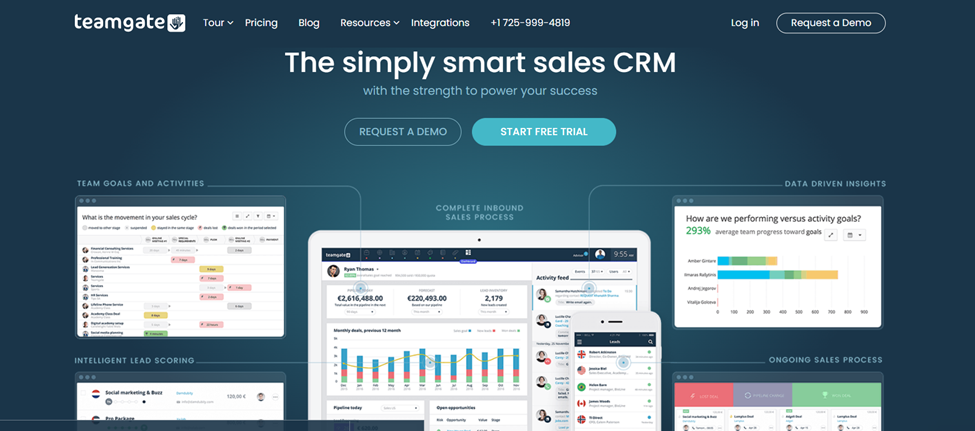
Teamgate CRM is a comprehensive customer relationship management solution designed to streamline sales processes and improve team collaboration. Known for its user-friendly interface and robust feature set, Teamgate CRM is an excellent choice for businesses seeking effective Gmail integration.

Teamgate CRM Key Features

  • Seamless Gmail Integration: Teamgate CRM offers native integration with Gmail, allowing users to sync emails, contacts, and calendars effortlessly. This integration ensures that all email communications are logged and accessible within the CRM.
  • Contact Management: Manage and organize customer information efficiently, with features like contact segmentation and detailed customer profiles.
  • Sales Pipeline: Visualize and manage the sales pipeline, track deals, and monitor sales activities.
  • Reporting and Analytics: Gain valuable insights with comprehensive reporting and analytics tools that help track performance and identify trends.

null

Benefits of Using Teamgate CRM

  • Enhanced Productivity: The seamless Gmail integration saves time and reduces manual data entry, allowing your team to focus on more critical tasks.
  • Improved Communication: Centralized email logging ensures that all team members have access to the same information, facilitating better collaboration and communication.
  • Data-Driven Insights: Advanced analytics provide actionable insights into sales performance, helping you make informed decisions.

Teamgate CRM Pricing and Plans

Teamgate offers three affordable plans for businesses of different sizes. The cheapest plan is Free for up to 2 users, while the most extensive subscription starts at $59.90 per month. Additionally, all subscriptions come with a 14 day free trial, as well as included onboarding and training.

Teamgate CRM Reviews and Testimonials

With a rating of 4.8 on Capterra, customers praise Teamgate CRM for its ease of use, robust feature set, and excellent customer support. Many users highlight the seamless Gmail integration as a significant benefit that enhances their workflow and productivity.

2. HubSpot CRM

null

HubSpot CRM is a popular and widely used customer relationship management system known for its comprehensive features and user-friendly interface. It offers native Gmail integration, making it a valuable tool for businesses looking to enhance their email communication and sales processes.

Hubspot CRM Key Features

  • Email Tracking: Monitor email opens, clicks, and responses directly within the CRM, allowing for better follow-up and engagement.
  • Contact Management: Organize and manage customer information with detailed contact profiles and segmentation.
  • Sales Automation: Automate repetitive tasks and streamline sales processes with workflow automation tools.

Benefits of Using HubSpot CRM

  • Ease of Use: HubSpot CRM’s intuitive interface makes it easy for teams to adopt and use the system effectively.
  • Comprehensive Free Plan: HubSpot CRM offers a robust free plan with essential features, making it accessible for small businesses and startups.
  • Scalable Features: The CRM provides scalable features that grow with your business, ensuring that it remains a valuable tool as your needs evolve.

Hubspot CRM Pricing and Plans

HubSpot offers multiple tiered subscriptions and products starting from a limited free version with scaling paid subscriptions as you grow.

Hubspot CRM Reviews and Testimonials

HubSpot CRM receives high marks for its user-friendliness, comprehensive features, and excellent customer support. Users appreciate the seamless integration with Gmail and the value provided by the free plan.

3. Zoho CRM

null

Zoho CRM is a powerful and versatile customer relationship management platform that caters to businesses of all sizes. Known for its extensive features and customizable interface, Zoho CRM offers a robust solution for managing customer relationships and improving sales processes. Its seamless integration with Gmail makes it an excellent choice for businesses looking to enhance their email communication and overall productivity.

Zoho CRM Key Features

  • Email Integration: Zoho CRM integrates seamlessly with Gmail, allowing users to sync emails, contacts, and calendars. This integration ensures that all email communications are automatically logged within the CRM, providing a complete history of customer interactions.
  • Contact Management: Efficiently manage and organize customer information with detailed contact profiles, segmentation, and tagging features.
  • Workflow Automation: Automate repetitive tasks and streamline business processes with customizable workflows and automation rules.
  • Sales Pipeline Management: Visualize and manage the sales pipeline, track deals, and monitor sales activities to ensure that opportunities are effectively managed.
  • Analytics and Reporting: Gain valuable insights with advanced analytics and reporting tools that help track performance and identify trends.

Benefits of Using Zoho CRM

  • Customization: Zoho CRM offers extensive customization options, allowing businesses to tailor the CRM to their specific needs and workflows.
  • Scalability: The platform is designed to grow with your business, offering features and functionalities that scale according to your requirements.
  • Integration Capabilities: In addition to Gmail, Zoho CRM integrates with a wide range of other tools and applications, enhancing overall productivity and efficiency.

Zoho CRM Pricing and Plans

Zoho CRM offers flexible pricing plans to cater to different business sizes and needs. The plans range from a free edition with basic features to advanced plans that provide additional functionalities and customization options. A free trial is available, allowing businesses to test the CRM before making a commitment.

Zoho CRM Reviews and Testimonials

Customers praise Zoho CRM for its versatility, extensive features, and ease of customization. The seamless integration with Gmail is highlighted as a significant benefit, enhancing email communication and productivity. Users also appreciate the robust automation capabilities and detailed analytics provided by the platform.

4. Agile CRM

null

Agile CRM is an all-in-one customer relationship management platform designed for small to medium-sized businesses. It offers a wide range of features, including contact management, sales automation, marketing automation, and customer service tools. The platform’s seamless Gmail integration ensures that email communication is efficiently managed and tracked within the CRM.

Agile CRM Key Features

  • Email Integration: Agile CRM integrates seamlessly with Gmail, enabling users to sync emails, contacts, and calendars. This integration ensures that all email interactions are automatically logged within the CRM, providing a comprehensive view of customer communications.
  • Contact Management: Organize and manage customer information with detailed contact profiles, segmentation, and tagging features.
  • Sales Automation: Streamline sales processes with automation tools that help manage leads, deals, and follow-up tasks.
  • Marketing Automation: Create and manage marketing campaigns with email marketing, social media integration, and web engagement tools.
  • Customer Service Tools: Enhance customer support with helpdesk features, including ticketing, knowledge base, and customer feedback management.

Benefits of Using Agile CRM

  • All-in-One Solution: Agile CRM combines sales, marketing, and customer service tools into a single platform, providing a comprehensive solution for managing customer relationships.
  • Ease of Use: The platform’s intuitive interface and user-friendly design make it easy for teams to adopt and use effectively.
  • Affordable Pricing: Agile CRM offers competitive pricing plans, making it an attractive option for small to medium-sized businesses.

Agile CRM Pricing and Plans

Agile CRM provides flexible pricing plans that cater to different business sizes and needs. The plans range from a free edition with basic features to advanced plans that provide additional functionalities and customization options. A free trial is available, allowing businesses to test the CRM before committing.

Agile CRM Reviews and Testimonials

Customers appreciate Agile CRM for its all-in-one functionality, ease of use, and affordable pricing. The seamless Gmail integration is highlighted as a significant benefit, enhancing email communication and overall productivity. Users also value the robust automation capabilities and the comprehensive range of features provided by the platform.

5. Monday CRM

null

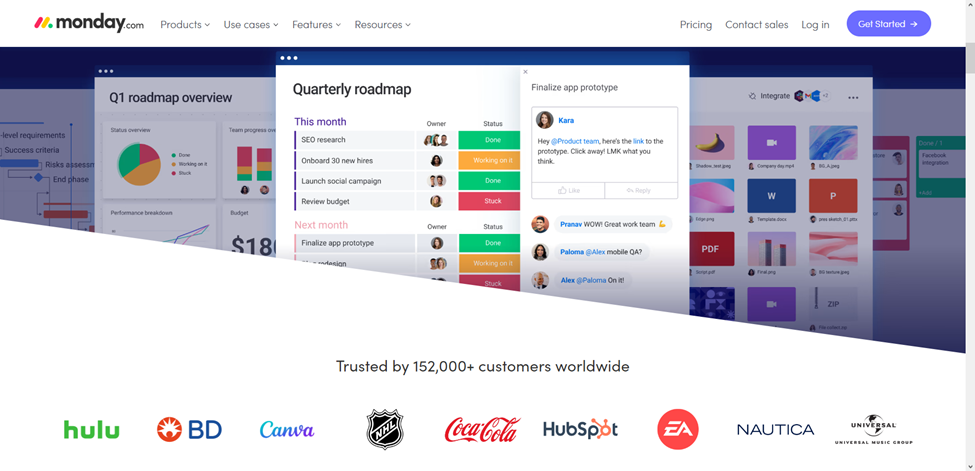
Monday CRM is a versatile and customizable customer relationship management platform that offers a unique approach to managing customer interactions and sales processes. Known for its visually appealing interface and flexibility, Monday CRM is designed to help teams collaborate more effectively and manage their workflows efficiently. The platform’s seamless integration with Gmail ensures that email communication is efficiently tracked and managed within the CRM.

Monday CRM Key Features

  • Email Integration: Monday CRM integrates seamlessly with Gmail, allowing users to sync emails, contacts, and calendars. This integration ensures that all email communications are automatically logged within the CRM, providing a complete history of customer interactions.
  • Visual Workflow Management: Manage workflows visually with customizable boards and timelines, making it easy to track progress and manage tasks.
  • Contact Management: Organize and manage customer information with detailed contact profiles, segmentation, and tagging features.
  • Sales Pipeline Management: Visualize and manage the sales pipeline, track deals, and monitor sales activities to ensure that opportunities are effectively managed.
  • Automation: Automate repetitive tasks and streamline business processes with customizable automation rules and workflows.

Benefits of Using Monday CRM

  • Customization: Monday CRM offers extensive customization options, allowing businesses to tailor the platform to their specific needs and workflows.
  • Visual Interface: The visually appealing interface makes it easy to manage tasks, track progress, and collaborate with team members.
  • Integration Capabilities: In addition to Gmail, Monday CRM integrates with a wide range of other tools and applications, enhancing overall productivity and efficiency.

Monday CRM Pricing and Plans

Monday CRM offers flexible pricing plans to cater to different business sizes and needs. The plans range from a free edition with basic features to advanced plans that provide additional functionalities and customization options. A free trial is available, allowing businesses to test the CRM before making a commitment.

Monday CRM Reviews and Testimonials

Customers praise Monday CRM for its visually appealing interface, customization options, and ease of use. The seamless Gmail integration is highlighted as a significant benefit, enhancing email communication and productivity. Users also appreciate the robust automation capabilities and the flexibility provided by the platform.

6. Capsule CRM

null

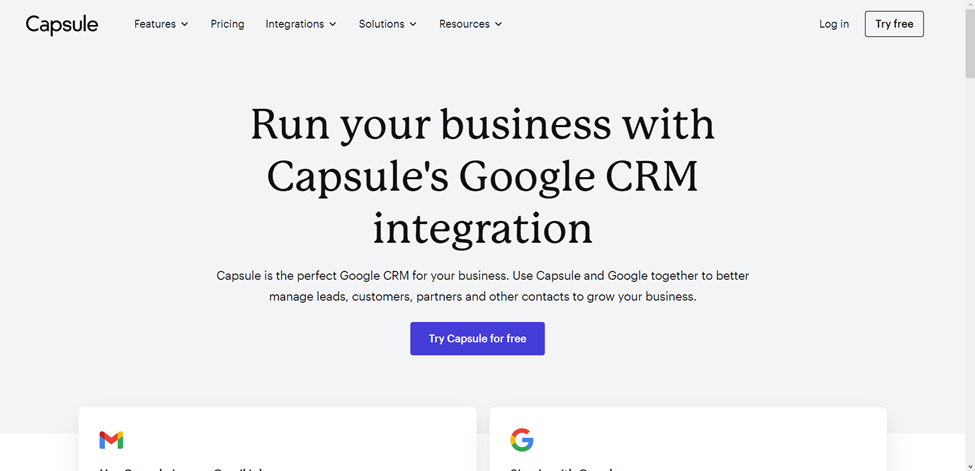
Capsule CRM is a simple yet powerful customer relationship management platform designed for small to medium-sized businesses. Known for its user-friendly interface and essential features, Capsule CRM offers an efficient solution for managing customer relationships and improving sales processes. The platform’s seamless Gmail integration ensures that email communication is efficiently tracked and managed within the CRM.

Capsule CRM Key Features

  • Email Integration: Capsule CRM integrates seamlessly with Gmail, allowing users to sync emails, contacts, and calendars. This integration ensures that all email communications are automatically logged within the CRM, providing a complete history of customer interactions.
  • Contact Management: Organize and manage customer information with detailed contact profiles, segmentation, and tagging features.
  • Sales Pipeline Management: Visualize and manage the sales pipeline, track deals, and monitor sales activities to ensure that opportunities are effectively managed.
  • Task Management: Assign and manage tasks within the team, ensuring that everyone stays on track and meets deadlines.
  • Reporting and Analytics: Gain valuable insights with advanced analytics and reporting tools that help track performance and identify trends.

Benefits of Using Capsule CRM

  • Simplicity: Capsule CRM’s user-friendly interface and essential features make it easy for teams to adopt and use effectively.
  • Affordability: The platform offers competitive pricing plans, making it an attractive option for small to medium-sized businesses.
  • Integration Capabilities: In addition to Gmail, Capsule CRM integrates with a wide range of other tools and applications, enhancing overall productivity and efficiency.

Capsule CRM Pricing and Plans

Capsule CRM offers flexible pricing plans to cater to different business sizes and needs. The plans range from a free edition with basic features to advanced plans that provide additional functionalities and customization options. A free trial is available, allowing businesses to test the CRM before making a commitment.

Capsule CRM Reviews and Testimonials

Customers appreciate Capsule CRM for its simplicity, ease of use, and affordable pricing. The seamless Gmail integration is highlighted as a significant benefit, enhancing email communication and overall productivity. Users also value the robust automation capabilities and the essential features provided by the platform.

Conclusion

In conclusion, integrating your CRM with Gmail is a strategic move that can significantly enhance your business operations, improve customer relationships, and boost overall productivity. By choosing the right CRM and leveraging its integration capabilities, you can streamline communication, enhance team collaboration, and make more informed decisions. The CRMs discussed in this article—Teamgate CRM, HubSpot CRM, Zoho CRM, Agile CRM, Monday CRM, and Capsule CRM—offer robust Gmail integration features that cater to various business needs. Evaluate these options based on your specific requirements and take advantage of the seamless Gmail integration to drive your business forward.

Why not try for yourself today with an obligation-free, 14 day trial of Teamgate CRM. No credit card required!


Frequently Asked Questions: Gmail CRM Integration

1. What is CRM Gmail integration?
CRM Gmail integration allows users to link their Gmail accounts directly to their Customer Relationship Management (CRM) software. This enables seamless email management, contact synchronization, and enhanced communication tracking within the CRM platform.

2. How does Gmail integration improve CRM functionality?
Gmail integration enhances CRM functionality by allowing users to send, receive, and track emails directly within the CRM interface. This helps streamline communication, improves workflow efficiency, and ensures all customer interactions are stored in one place.

3. What are the key benefits of using a CRM with Gmail integration?
Some key benefits include:

  • Centralized email and contact management
  • Automatic email tracking and logging
  • Improved productivity with fewer platform switches
  • Email templates and scheduling
  • Access to Gmail features within the CRM

4. Can I use Gmail with multiple CRMs at the same time?
Yes, Gmail can technically integrate with multiple CRMs, but this may require switching between CRM platforms to ensure each system accurately tracks and manages emails. It’s best to stick with one primary CRM for email management to avoid confusion and overlapping data.

5. Are CRMs with Gmail integration secure?
Yes, most reputable CRMs with Gmail integration use secure APIs and encryption to protect data. They comply with major security standards, such as GDPR, to ensure the safety of email and customer information.

6. Do I need a paid Gmail account (Google Workspace) to integrate it with CRM?
No, most CRMs allow integration with both free Gmail accounts and Google Workspace. However, using a Google Workspace account often unlocks more advanced features like custom email domains and better team collaboration tools.

7. Which CRMs offer the best Gmail integration features?
Some of the top CRMs with advanced Gmail integration features include Teamgate, HubSpot, Pipedrive, Zoho CRM, Salesforce, and Copper CRM. These CRMs offer varying levels of integration and features, such as email syncing, automated follow-ups, and email tracking.

8. How do I set up Gmail integration with my CRM?
The setup process varies by CRM but generally involves connecting your Gmail account through the CRM’s settings. Most CRMs have step-by-step guides or video tutorials to help you integrate Gmail within minutes.

9. Does Gmail integration work on mobile CRM apps?
Yes, many CRMs with Gmail integration offer mobile apps that allow you to send, receive, and track emails from your Gmail account while on the go.

10. Can I track email opens and responses with CRM Gmail integration?
Yes, many CRMs offer email tracking features that allow you to see when an email has been opened, when links have been clicked, and even when the recipient responds, all within the CRM.

Email marketing is among the most effective outreach tactics for reaching new customers and engaging existing ones. In fact, 79% of B2B marketers believe email is the most successful content distribution channel, and 80% of buyers prefer sellers to contact them via email.

However, manually crafting, sending, and tracking emails to communicate with each customer is slow and inefficient. Fortunately, several CRMs (Customer Relationship Management) are available for automating email marketing and outreach.

In this article, we explore the benefits and features of integrating email with your CRM system, detailing how it can streamline communication, enhance sales productivity, and improve customer relationship management. We’ll cover the essentials of what CRM with email integration offers and why it’s a critical tool for modern businesses.

Key Takeaways:

  1. CRM with email integration simplifies managing customer communications.
  2. Email integration boosts productivity by automating follow-ups.
  3. It provides valuable insights from email interactions.
  4. Integration supports seamless workflow within a single platform.
  5. Mobile access ensures you stay connected on the go.

Contents:

Benefits of Integrating Email with Your CRM

Customer Relationship Management software simplifies managing interactions and relationships with existing and potential customers. One of the ways a CRM tool does this is by helping your team execute a data-driven email outreach to improve or build customer relationships and grow your business.

Let’s take a closer look at the benefits of CRM email integration before delving into the five best CRMs that made our list:

  • Save Money: Email marketing and CRM are separate functions that previously required two different tools. A CRM with email integration saves you money and stress by being a one-in-all tool that seamlessly handles both functions.
  • Access More Sales Opportunities: A CRM integrated with email can identify the recipients opening and acting on emails. These recipients are prospects most likely to convert, and targeting them with your email marketing will yield more sales.
  • Convenient Data Management: A CRM will help you manage, store, and update your customer data. It will also give your team easy access to the data they need to do their job and make data-driven decisions that lead to better results.
  • Less Work: You can use a CRM with email integration to automate email follow-ups and responses to customer queries. Also, the integration will automatically synchronize stored data, ensuring that you don’t have to enter or modify the same data twice.
  • Act on Time: A CRM with an integrated email marketing solution can help sales teams identify when qualified leads are ripe for the next stage in the customer journey. The insight equips salespeople to contact prospects with the right message at the right time.

Other Reading: 6 Best CRM with Gmail Integration

5 Best CRMs with Email Integrations

Now that you know the benefits of a CRM with email integration, you only need to find a product that delivers these benefits and fits your budget and marketing goals. At least one of the top CRMs below will meet your requirements:

Teamgate CRM

null

Teamgate is a leading CRM software that enables your team to focus on selling and increasing productivity. You can integrate the CRM with your current email, including email accounts provided by Gmail, Outlook, and other providers.

Most businesses prefer Teamgate because it is easy to set up and user-friendly. The user-friendliness extends to managing, tracking, and storing email communications with your leads, prospects, and customers.

Also, users can transfer any email to Teamgate and store it with just a few clicks. The application is fast, and you can reply to all emails from the CRM, eliminating the hassle of switching between platforms.

Lastly, your team can access email accounts via Teamgate’s online platform or mobile app, which works on most computer and mobile browsers. In summary, Teamgate is an excellent all-in-one CRM that provides everything you need to optimize and simplify email communication with your current and potential customers.

Teamgate CRM Benefits

Other benefits that set Teamgate apart as an excellent CRM with email integration are:

  • Mailchimp Integration: Teamgate’s Mailchimp CRM integration simplifies accessing contact lists, user activity, and other data for automating email personalization, replies, and sending. Setting up the Mailchimp integration only requires entering your Mailchimp account details.
  • All-In-One Tool: Besides email integration, Teamgate has several other features that can help boost your team’s productivity and overall performance.
  • Sales Inbox: You can connect Teamgate with your regular email provider (Gmail, Outlook, and others) to receive, view, and answer all emails from the CRM platform.
  • Customizable Email Template: You don’t have to write emails from scratch. Communicate better and faster by modifying the email templates provided by Teamgate.
  • Valuable Resources. Teamgate offers several articles, whitepapers, and case studies that you can study to write emails that convert and create more effective email campaigns.
  • Contact Management: Build your email list with less effort by using Teamgate to manage your contacts. Also, finding customer data is easier, thanks to Teamgate’s intelligent customer contact management feature.
  • Sales Reports and Analytics: Make data-driven decisions and improve operations with the real-time customer insights provided by Teamgate.

Teamgate CRM Pricing

Teamgate offers three affordable plans for businesses of different sizes. However, if you want all the email integration features, such as email templates, sales inbox, and Mailchimp integration, you will be needing a paid plan on either the Team ($39.90) or Growth ($49.90) options.

Nutshell CRM

null

Nutshell is a CRM and email marketing tool with various features for managing customer relationships and boosting sales. Even though it has many advanced features, Nutshell is easy to use, ensuring your entire sales team won’t have trouble using it.

You can integrate Gmail and Office 365 accounts with Nutshell and access various email automation features, such as email sequencing and contact filtering for targeted bulk emails. On the downside, Nutshell charges extra for each team member you add to the platform as a user. The cost may be inconvenient if you are on a budget and have a large marketing team.

Nutshell CRM Benefits

Other features that make Nutshell a top CRM with email integration are:

  • Pre-Built Templates: Nutshell offers email templates that you can quickly modify to update or reply to customers. You can find templates for many communication scenarios.
  • Excellent Customer Support: If you run into issues while using Nutshell, you can quickly get help via email, phone, or live chat. Unlike other companies that use chatbots, Nutshell’s customer support consists of real people.
  • Personal Email Sequence Tool: You can create and schedule one-on-one sales drips for each customer to lead them through your sales pipeline. Such emails are more likely to capture attention and engage recipients so that they convert.
  • Analytics and Insights: Nutshell can assess various aspects of your email campaign and provide useful insights for optimizing your campaign to perform better. For example, you can discover which email recipients read messages and if you need to reduce the number of emails you send daily.
  • Automated Outreach: Automating your email creation and sending will allow your team to focus on more important jobs.

Nutshell CRM Pricing

Nutshell’s Basic plan costs $19 per month, while its Pro plan costs $46 per month. The price goes up with each user you add to your plan.

HubSpot CRM

null

HubSpot is a popular CRM platform among marketers because of its many marketing tools and user-friendliness. Another reason HubSpot is so popular is it offers a free-forever plan, which is sufficient for most small businesses. Free plan users can access several email features, such as automated lead nurturing, email templates, team inbox, reply tracking, and audience segmentation.

However, you will need to pay at least $800 per month if you want sales sequencing, A/B campaign testing, and other advanced features. While HubSpot’s paid plans cost more than many of its competitors, the CRM is still a good option for teams that want one solution that does it all.

Hubspot CRM Benefits

Below are more benefits that make HubSpot a top-five CRM:

  • Flexibility: The CRM allows you to create professional emails that display perfectly on any device. You can work with the email templates provided by the platform or build your own templates.
  • Personalization: You can personalize emails to engage your audience better and boost your click-through rate. If you need help identifying your most effective personalization, you can use the platform’s A/B testing tool.
  • Email Reply Tracking: Identify the emails your customers are opening and use the insight to discover your best-performing campaigns. You can also use the information to identify the best times to send emails.
  • Team Inbox: Your whole team can access and view emails from one location, eliminating the need to switch between email providers to check or reply to messages.
  • Unlimited Users: All plans, including the free plan, support unlimited users and give them access to email automation and live chat support.

Hubspot CRM Pricing

Besides its free plan, HubSpot offers a $45 Starter plan, $800 Professional plan, and $3,600 Enterprise plan.

Zoho CRM

null

Zoho CRM takes email automation to a new level, allowing your team to do less and achieve more. You can use your customer data to automate customer journeys, processes, and campaigns, and your whole team can monitor everything from different devices.

You can also connect the Zoho CRM software to your existing marketing tools to gather data and identify the best leads to follow up. However, while Zoho offers bulk email campaigns, you can only launch them after integrating the CRM with Zoho Campaigns. Lastly, if you have an underperforming email campaign, you can identify the areas to improve with Zoho’s advanced analytics tool.

Zoho CRM Benefits

Other benefits of using Zoho for email marketing are:

  • Template Creator: Create email templates that your team can modify and use. Creating and adapting templates is hassle-free, thanks to Zoho’s drag-and-drop interface.
  • Real-Time Notifications: Get real-time alerts when a client subscribes or unsubscribes from your email campaign. You can also get alerts when recipients open emails and use the insight to time your campaigns.
  • Customize: You can customize Zoho to match your team and business goals. Also, deploying the platform into your existing ecosystem is quick and does not require special skills.
  • Monitor ROI: Monitor the performance of your campaign to identify if the return on investment matches your expectations.
  • Multi-Platform Integration: Zoho CRM integrates seamlessly with several popular email marketing tools, such as Mailchimp, GetResponse, and VerticalResponse.
  • Sync Campaigns: The Zoho CRM can sync all your marketing campaigns and let you know which leads interacted with which campaigns and when the interaction occurred.

Zoho CRM Pricing

You can pay around $58 monthly to access multiple Zoho email marketing tools. Alternatively, save money by paying for only the Zoho features you need.

FreshSales

null

FreshSales promises to boost your team’s productivity, email outreach effectiveness, and sales cycle speed with its sales-specific CRM solution. A free version that integrates with email and supports an unlimited number of users is available.

However, if you want advanced features like multiple sales pipelines, AI-powered contact scoring, and Sales Sequences, you will need a paid plan. The cheapest paid plan allows teams to access and customize email templates, use the team inbox to reply to messages, and deploy automated sales email sequences.

FreshSales Benefits

While FreshSales is not perfect, it is still a user-friendly and dependable email marketing CRM that businesses in various niches can adapt to fit their needs. Here are more reasons to try FreshSales:

  • Scheduled Emails: Automatically schedule emails to deliver when recipients are most likely to open them.
  • Real-Time Alerts: Receive alerts immediately when recipients open emails or click links in the email.
  • Email Forwarding: Help your team save time and effort by letting them receive and respond to all their emails from one CRM account.
  • Email Customization: Customize emails to be more attractive and engaging so that they get better results
  • Email Automation: Automate your outbound email campaigns with the help of FreshSales’ Sales Sequences and Workflows.
  • Shareable Email Templates: Identify your emails that get the best results and share the templates with your team so they can replicate the winning format.

FreshSales Pricing

FreshSales offers a 21-day free trial that lets you try out all of the platform’s features. Once the trial ends, you can sign up for the free plan. Alternatively, opt for the $15 Growth plan, the $39 Pro plan, or the $69 Enterprise plan.

Improve Your Email Marketing by Integrating with the Right CRM

Several impressive email marketing CRM platforms are available, but they cannot all be a good fit for your business. The best CRM with email integration for your company is one you can easily afford and adopt. The CRM should also integrate with your existing email and other marketing and sales tools that your team uses.

Teamgate checks all these boxes because it has an intuitive interface and offers dozens of software integrations. Also, Teamgate offers pricing plans for different budgets, allowing you to take your email marketing to the next level without breaking the bank. Take Teamgate for a test drive today with its 14-day free trial and discover for yourself if it’s the perfect CRM with email integration for your team.


FAQs: Best CRM with Email Integration

1. What is CRM with email integration?

  • Answer: CRM with email integration combines Customer Relationship Management software with email capabilities, allowing businesses to manage, track, and optimize email communications directly within the CRM platform.

2. How does email integration benefit CRM users?

  • Answer: Email integration with CRM streamlines communication, automates follow-ups, provides data-driven insights, and reduces the need for switching between platforms, ultimately enhancing productivity and sales effectiveness.

3. Can I integrate my existing email accounts with Teamgate CRM?

  • Answer: Yes, Teamgate CRM allows integration with popular email providers like Gmail and Outlook, enabling users to manage and reply to emails directly from the CRM interface.

4. What features does Teamgate CRM offer for email management?

  • Answer: Teamgate CRM offers features like Mailchimp integration, customizable email templates, a sales inbox, and advanced contact management to enhance your email communication efforts.

5. Why should I choose a CRM with email integration over separate tools?

  • Answer: A CRM with email integration saves time, reduces costs, and provides a unified platform for managing customer data and email campaigns, leading to more efficient operations and better sales outcomes.

6. How can email integration improve my sales process?

  • Answer: Email integration in CRM helps identify high-potential leads, automate follow-ups, and deliver targeted messages at the right time, all of which can significantly improve your sales conversion rates.

7. Does Teamgate CRM support mobile access to email features?

  • Answer: Yes, Teamgate CRM provides mobile access to email features, allowing users to manage and respond to emails on the go through its mobile app.

8. What are the costs associated with Teamgate’s email integration features?

  • Answer: Teamgate offers different pricing plans, with email integration features such as customizable templates and Mailchimp integration available in the $65-a-month Enterprise plan.