Get a free sales audit to uncover hidden revenue opportunities!

Discover how to master the art of selling by choosing the right sales methodology for your business. This article delves into popular methodologies, factors to consider when selecting one, and how to implement it effectively.

Key takeaways:

  • Sales methodologies provide structure, efficiency, and personalization to your sales process.
  • Popular methodologies include Solution Selling, SPIN Selling, The Challenger Sale, Value-Based Selling, and Inbound Selling.
  • Consider factors like company size, product type, target audience, and sales team experience when choosing a methodology.
  • Implement your chosen methodology through comprehensive training, ongoing support, and performance tracking.
  • Continuously refine and optimize your approach to maximize success and drive revenue growth.

Table of Contents

  1. Why Sales Methodologies Matter
  2. Popular Sales Methodologies
  3. Factors to Consider When Choosing a Sales Methodology
  4. Implementing the Chosen Sales Methodology
  5. Conclusion

Introduction to Sales Methodologies

In today’s highly competitive business environment, choosing the right sales methodology can be the key to driving revenue and growth. Sales methodologies provide a systematic approach to selling, helping businesses align their efforts with customer needs and preferences. Selecting the right methodology for your business is crucial for long-term success, as it ensures that your sales team operates with consistency and efficiency while delivering tailored solutions to prospects.

Why Sales Methodologies Matter

Structure and Consistency

A well-defined sales methodology provides your sales team with a clear roadmap, guiding them through the sales process and ensuring consistent messaging across all interactions. This structure helps sales representatives to focus on what works best and minimizes the chances of pursuing unproductive leads.

Efficiency and Effectiveness

Adopting a sales methodology can significantly increase the efficiency and effectiveness of your sales team. It streamlines the sales process, allowing your team to prioritize high-potential opportunities and close deals more quickly.

Customization and Personalization

In an era where customers expect tailored solutions, a robust sales methodology enables your team to customize their approach, ensuring that they address each prospect’s unique needs and pain points.

Popular Sales Methodologies

Solution Selling

Solution Selling focuses on identifying customer pain points and aligning your offerings with their needs. Sales reps using this methodology seek to understand the challenges their prospects face and present tailored solutions that address these issues.

Key aspects of Solution Selling:

  1. Identifying customer pain points: Uncover the challenges and issues your prospect is experiencing.
  2. Aligning solutions with needs: Position your product or service as the best solution to address these challenges.

SPIN Selling

SPIN Selling is a consultative approach that revolves around four types of questions: Situation, Problem, Implication, and Need-Payoff. These questions help sales reps uncover customer needs, assess the impact of unresolved problems, and position their offerings as the ideal solution.

Key aspects of SPIN Selling:

  1. Situation: Gather information about the prospect’s current circumstances.
  2. Problem: Identify the issues or challenges they face.
  3. Implication: Assess the potential consequences if these issues remain unresolved.
  4. Need-Payoff: Demonstrate how your offering can resolve the problem and deliver tangible benefits.

The Challenger Sale

The Challenger Sale methodology emphasizes teaching, tailoring, and taking control. Sales reps using this approach challenge their prospects’ assumptions and provide valuable insights, positioning themselves as trusted advisors.

Key aspects of The Challenger Sale:

  1. Teaching: Offer unique insights and information that helps prospects reframe their understanding of their issues.
  2. Tailoring: Adapt your message to the prospect’s specific context and needs.
  3. Taking control: Confidently lead the sales conversation and drive the decision-making process.

Value-Based Selling

Value-Based Selling focuses on delivering value to customers rather than competing on price. By building long-term relationships and consistently demonstrating the benefits of your offerings, you can create loyal customers who appreciate the true value of your products or services.

Key aspects of Value-Based Selling:

  1. Focusing on value over price: Concentrate on the long-term benefits and value your offerings provide.
  2. Building long-term relationships: Foster trust and loyalty through ongoing engagement and support.

Gap Selling

Gap Selling focuses on identifying the customer’s pain points and aligning solutions with their needs to bridge the gap between their current situation and desired outcome. This methodology emphasizes understanding customer challenges and objectives, allowing sales representatives to provide tailored solutions that address the root cause of the customer’s concerns.

Key aspects of Gap Selling:

  1. Identifying customer pain points: Engage in a thorough discovery process to uncover the customer’s problems and goals, building trust through empathy and understanding.
  2. Aligning solutions with needs: Position your product or service as the ideal solution to bridge the gap between current and future state, demonstrating value and benefits while showcasing how it addresses the customer’s pain points and delivers a return on investment.

By fostering a consultative relationship with the customer, Gap Selling emphasizes problem-solving and value creation, leading to long-lasting relationships and increased customer satisfaction.

Inbound Selling

Inbound Selling is centered around attracting prospects with valuable content, nurturing leads, and closing deals. This approach leverages digital marketing techniques to generate interest, educate prospects, and convert them into customers.

Key aspects of Inbound Selling:

  1. Attracting prospects with content: Use high-quality, informative content to generate interest and capture leads.
  2. Nurturing leads and closing deals: Engage with prospects throughout their buyer’s journey, providing them with relevant information and addressing their concerns, ultimately guiding them towards a purchasing decision.

Factors to Consider When Choosing a Sales Methodology

Company Size and Structure

The size and structure of your organization can influence the effectiveness of different sales methodologies. Startups may require more agile and flexible approaches, while larger enterprises may benefit from more structured and process-driven methodologies.

Product or Service Type

The type of product or service you offer can also impact the suitability of a sales methodology. B2B sales often require a more consultative approach, while B2C sales may demand a greater focus on personalization and customer experience.

Target Audience

Understanding your target audience is critical when selecting a sales methodology. Consider the unique needs, preferences, and buying behaviors of your prospects to ensure that your chosen approach resonates with them.

Sales Team Experience

Your sales team’s experience and skill level can also influence the effectiveness of a sales methodology. Choose a methodology that complements their strengths and provides them with the tools and guidance necessary to succeed.

Implementing the Chosen Sales Methodology

Once you’ve chosen a sales methodology, it’s essential to ensure your team is well-versed in its principles and techniques. This includes providing comprehensive training and onboarding, as well as ongoing support and resources. Track your team’s progress and measure the success of your chosen methodology, making adjustments as needed to optimize performance and outcomes.

Conclusion

Selecting the right sales methodology is crucial for long-term success in today’s competitive business landscape. By carefully considering factors such as company size, product type, target audience, and sales team experience, you can choose a methodology that best aligns with your organization’s needs and goals. Embrace the process of continuous improvement, refining and optimizing your approach to drive revenue growth and strengthen customer relationships. 

Ready to revolutionize your sales process? Discover Teamgate CRM – the customer-first CRM solution designed to help you streamline your sales pipeline, enhance collaboration, and close deals faster. Let our team help execute your favourite sales methodology today.


Frequently Asked Questions

What is the best sales methodology for my business?
The best sales methodology for your business depends on various factors, including your company size and structure, product or service type, target audience, and sales team experience. Evaluate these factors and compare different methodologies to determine which one aligns best with your organization’s needs and goals.


How do I know which sales methodology to choose?
To choose the right sales methodology, consider the following factors:

  • Company size and structure
  • Product or service type
  • Target audience
  • Sales team experience

Assess each methodology’s principles and techniques and evaluate how well they align with your organization’s unique requirements. Choose the methodology that best supports your sales team’s strengths and resonates with your target audience.


How do I implement a new sales methodology?
Implementing a new sales methodology involves the following steps:

  • Provide comprehensive training and onboarding for your sales team.
  • Offer ongoing support and resources to ensure your team understands and applies the methodology effectively.
  • Set measurable goals and track your team’s progress.
  • Evaluate the success of the chosen methodology and make adjustments as needed to optimize performance and outcomes.


Can I combine different sales methodologies?
Yes, it’s possible to combine elements of different sales methodologies to create a customized approach tailored to your organization’s specific needs. However, ensure that you maintain consistency and avoid creating confusion within your sales team. Carefully select and adapt aspects of each methodology that complement each other and align with your overall sales strategy.


How do I measure the success of my chosen sales methodology?
To measure the success of your chosen sales methodology, track key performance indicators (KPIs) related to sales performance, such as:

  • Conversion rates
  • Deal sizes
  • Sales cycle length
  • Win rates
  • Revenue growth

Regularly evaluate your team’s performance against these metrics and adjust your approach as needed to optimize outcomes. Additionally, gather feedback from your sales team and customers to gain insights into areas for improvement and potential refinements to your chosen methodology.

If your sales aren’t mobile, they’re static

Modern sales professionals need to be both mobile and connected at all times. That’s where the Teamgate mobile CRM idea came to mind.

Sales professionals need a fully mobile sales CRM to keep them in-touch and connected with their entire sales process. If something changes, anywhere in the sales pipeline, your sales team need to have access to that information, office-bound or not.

By bringing Teamgate CRM to mobile, your sales team will benefit from all of the features and tools that they need to take their sales office with them wherever they go. 

Why a Mobile CRM?

Sales professionals can benefit greatly from having a mobile app for their Customer Relationship Management (CRM) system for several reasons:

  • Accessibility: With a mobile app, sales professionals can access their CRM data from anywhere, at any time, as long as they have their mobile device with them. This means they can quickly check customer information, update contact details, and track sales progress while on-the-go, without needing to be at their desk or in the office.
  • Efficiency: Mobile CRM apps can help sales professionals be more efficient by enabling them to quickly input data and update customer information while they are still fresh in their minds. This can help reduce the chances of forgetting important details or making mistakes when entering information later on.
  • Improved Customer Interaction: Mobile CRM apps can provide sales professionals with instant access to customer data, allowing them to personalize their interactions and respond to customer needs more effectively. This can help build stronger relationships with customers and improve the overall customer experience.
  • Real-Time Updates: With a mobile CRM app, sales professionals can receive real-time updates on leads, deals, and customer interactions. This can help them stay on top of their sales pipeline, prioritize tasks, and make better-informed decisions.
  • Analytics: Mobile CRM apps can provide sales professionals with analytics and reporting capabilities, enabling them to track their performance and identify areas for improvement. This can help them optimize their sales processes and improve their overall effectiveness.

 Mobile CRM features

Mobile Sales App Teamgate

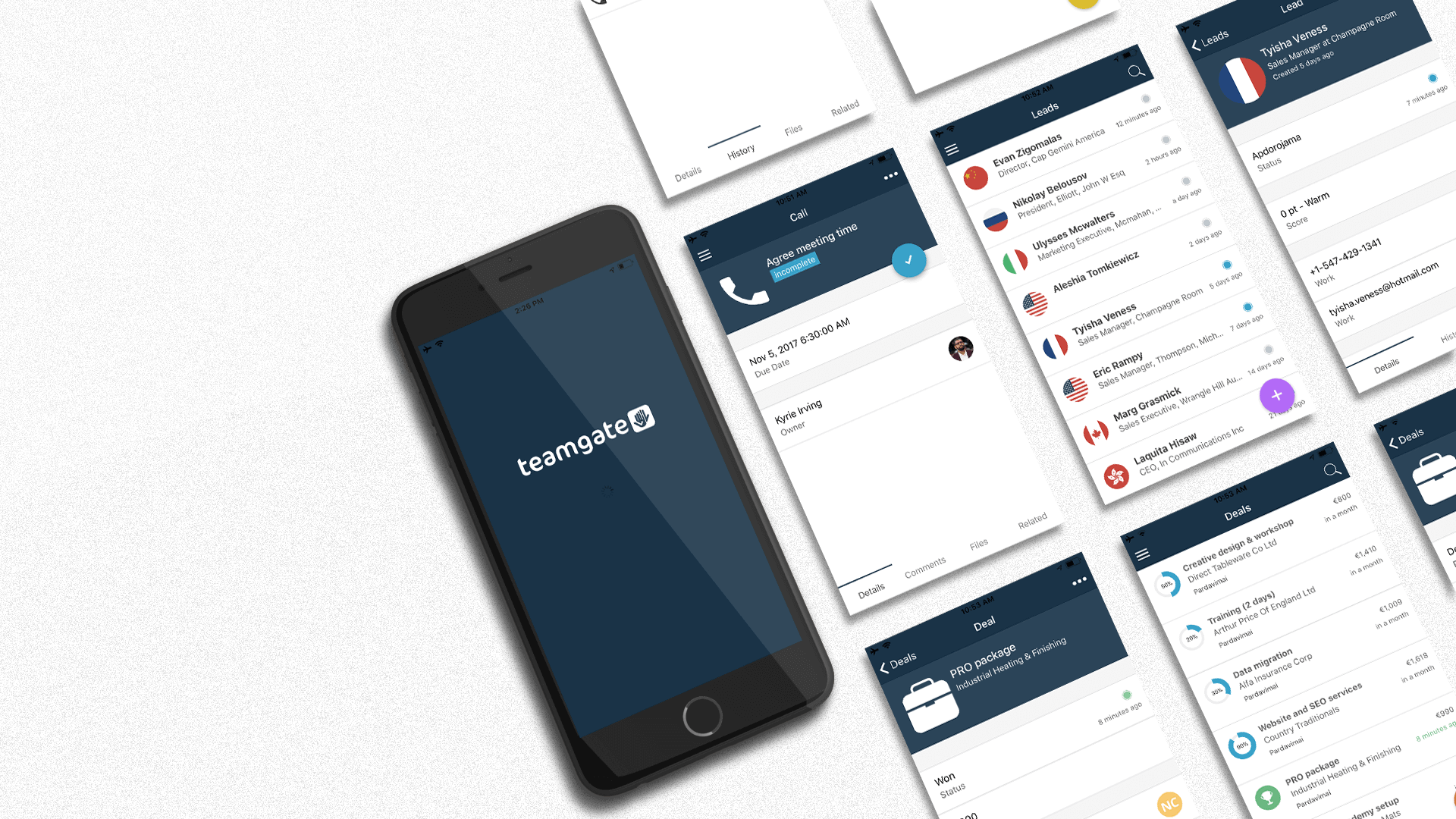
A mobile CRM sales solution needs to come with all the time-saving tools sales professionals need to keep the sales pipeline flowing smoothly. With Teamgate CRM, our mobile plan is packed full of features to keep your sales team active:

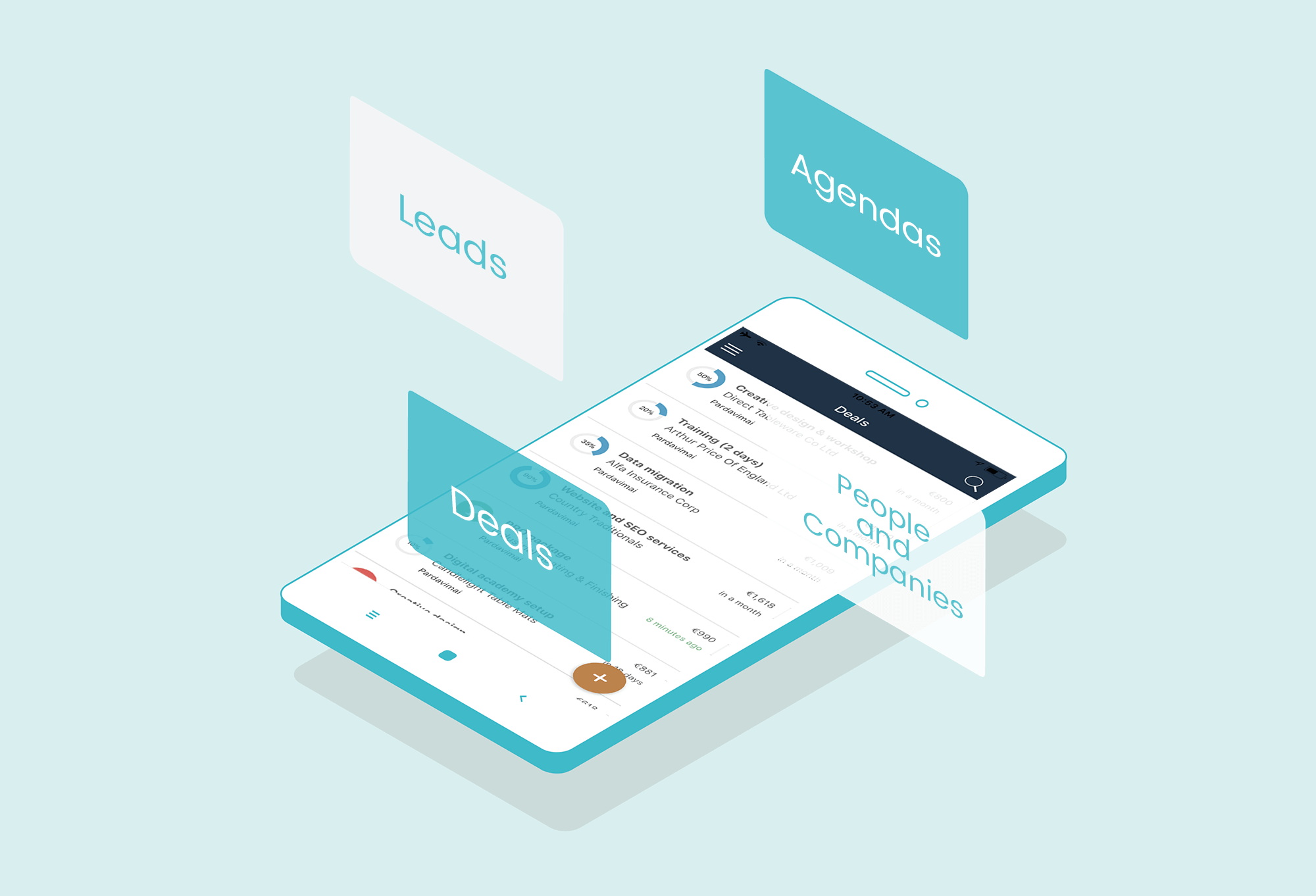
Agendas – Manage all aspects of your agenda.

  • Check to see what’s on, where, and when.
  • Edit the activity as the situation changes.
  • Change the activity owner.
  • View any files attached or associated with the activity.
  • Add or read personalized comments associated with the activity.
  • Check all of the activity’s related contacts.
  • And finally, remove an activity when no longer needed.

Leads – Your leads are the lifeblood of your sales process so they need to be managed with great care. But that’s no problem with Teamgate mobile CRM

  • Teamgate gives you access to your full leads list.
  • It lets you search your entire leads list.
  • Add new leads and change the status of those leads.
  • Email or call your leads directly from the mobile CRM.
  • Check your lead’s location on the map.
  • Review all communication history and attached files.
  • Change the owner of the lead.
  • Create new tasks.
  • Convert your leads while on the road.

People and Companies – Being away from your desk is no obstacle to managing the people and companies who populate your CRM.

The Teamgate mobile sales solution helps you manage your contacts intelligently and gives you all the options you need.

  • Review your entire contacts list.
  • Add a new person/company.
  • Search for persons/companies
  • Edit or change your customer’s status.
  • Email or call the contact directly from your CRM.
  • Change the owner of the account.
  • Check their entire communication history.
  • View all attached files and documents.
  • See all related deals or contacts.
  • Create new related deals as you need them.

Deals – Deals are always to hand with Teamgate mobile CRM.

  • Search your deals list.
  • Add new deals.
  • Change their status.
  • Change the deal owner.
  • Review communication history.
  • See all attached files.
  • Inspect related contacts or companies.
  • Edit or remove deals.

Take your entire sales office on a road trip

Mobile Sales Solution Teamgate CRM

Teamgate’s mobile sales solution means never being stuck for the information you need, even when away from the office.

Whether you want to arrange meetings or take notes, call clients directly from the mobile app, or update your customer’s detail as they change, Teamgate gives you all that power using your mobile phone. Try a 14-day free test drive today before our mobile app is launched in H2 of 2023!

We strongly believe that every business needs a CRM solution (CRM stands for customer relationship management) and especially for small businesses. Long past are the days of logging things purely with Excel or even worse, keeping them in a paper notebook or your head. Even small businesses now can have hundreds of details to keep track of about their customers. Customers, in turn, expect a lot more out of service than previously. And every good salesman knows – the most important thing is to remember every detail about your customer.

All differences between the CRMs for small businesses and those intended for enterprises are based on price. While CRMs for small businesses won’t have all the features, these generally aren’t even necessary at the early stages of growth. Furthermore, many of them are overcomplicated, thus demotivate the team from using them as often Enterprise CRMs are more focused on data collection and tracking for better large-scale business optimization instead of your sales team efficiency.

The decision-making process is made all the more difficult due to the immense proliferation of CRM solutions. CRMs have flooded the market – from those that are just glorified Excel to those who seem fit to manage the entire world. Picking the best CRM for small businesses is made increasingly harder due to the huge amount of choices.

Therefore, we decided to list the most important features for CRMs for small businesses in 2023. Here is also 5 Common CRM Software Mistakes you should read about as-well.  Additionally, in this article, you’ll find several criteria on how to evaluate CRMs and a suggestion for a specific CRM that could work for your Small Business.

Important features for CRM for small business 2023

As noted above, pricing will be the key determinant when picking a CRM for small businesses. Usually, they have heavily restricted budgets. As such, small businesses have to stay as lean as possible. Veering off this path can cause significant stagnation.

Small businesses should ensure that the CRM they are thinking about can cover several aspects. Each of these will be critical at all stages of development:

  • Ability to maintain customer and contact database in one place
  • Capture leads through website visits, filling forms, or requesting a demo
  • Collect in-depth historical data about every lead and customer
  • Ability to segment audiences and target them with emails or other marketing channels
  • Foresee sales patterns
  • Predict revenue through pipelines
  • Automate part of the sales process

Every other feature offered by CRM solution providers isn’t that necessary. In fact, depending on the skillset of the account management and sales team additional features may only serve as a distraction. Large, sprawling CRMs work usually only when there are dedicated people working with the databases. In most cases, these people are unavailable for small businesses.

How to pick the best sales CRM for your sales team

Unfortunately, it’s not as easy as it used to be. The CRM solution market has been saturated. There are dozens upon dozens of different solutions, all seemingly the perfect CRM for small business. However, there are several things to keep in mind.

One is the availability of technical people. Integrating some CRMs into existing tech stacks might take some time. Additionally, if the CRM is highly technical and has to be maintained by technical or data workers, that will add invisible costs.

Secondly, it’s essential to evaluate the overall complexity of the CRM solution against the ability and size of your own teams. A great example is Salesforce. While the CRM solution hosts an immense amount of features and brings a lot of power, enterprises usually have dedicated Salesforce experts to manage the entire thing. CRMs as complex as Salesforce are usually not the best option for small businesses and not even for medium size companies. It mostly focuses on large enterprises that require custom solutions. You can easily see this from Salesforce reviews on Trustpilot.

In fact, price and the learning curve of CRM software might be the two foundational aspects. Small businesses should seek to keep both of these as low as possible. We at TeamGate focus on exactly that.

With these two criteria in mind, it shouldn’t be too hard to pick out the best CRM for small businesses. However, since the internet is flooded with different ones, picking one out can still take some time. That’s why we developed TeamGate.

What TeamGate can offer as a CRM for Small Businesses 2023

TeamGate is a CRM solution that is dedicated to small businesses. As such, our goal has been to have as little bloat with the best user experience possible. Additionally, we separated our solution into three different categories for even more customization.

  • Starter – our simplest plan is dedicated to those looking for the very basics. Our starter plan will allow you to simplify contact management, email, and live communication, and use numerous integrations to make your life easier.
  • Professional – an advanced plan for those who are looking to optimize. It includes everything from the Starter plan with some additional features. These features allow you to score leads, track the productivity of your teams, and the ability to set benchmarks.
  • Enterprise – a plan for those looking to maximize. Every feature from previous plans is included. However, a whole host of new ones are available. These include in-depth and detailed reports with associated insights, advanced sales process management, and email delivery from a TeamGate account.

Our solution works with a wide variety of systems and can be integrated without hassle. Additionally, we support data imports from the most popular database file formats and even allow data transfers from other CRM solutions. Our support teams will help you achieve the latter to ensure that all data is transferred properly. You can also easily integrate it with either outlook or google mail and many other business solutions.

Finally, we know that investing right off the bat might not look wise to some. Thus, we are prepared to offer a free demo to ensure that our CRM for small businesses can fit the needs and requirements of our clients.

Conclusion

CRMs are a dime a dozen nowadays. There are solutions that hold every feature imaginable. However, they don’t always lead to great results. Feature bloat can often lead to confusion, a difficult learning curve, and price hikes – something all small businesses should avoid.

We believe TeamGate can deliver the same quality as some of the other well-known CRM solutions on the market without the difficult learning curve or associated feature bloat at an unbeatable price. Find out how our CRM solution for small businesses can benefit your business by booking a demo call with our team.

How would you describe your sales CRM?

  • Easy to use?
  • Insightful?
  • A great time saver?

Probably not, right?

The fact is that most CRMs are a pain to use.  They suck valuable time from your day-to-day and are rarely kept up to date.

In fact, 87% of salespeople believe the reason they’re forced to update their CRM is so that their manager can police their activities.

This often results in salespeople just checking boxes, and doing the bare minimum to pass off as having completed their “obligatory CRM update”.

use-of-crm-systems-amid-increasing-b2b-pricing-pressures

However, companies who adopt a Sales CRM as a tool for Sales Enablement achieve some pretty impressive results…
Check this out:

crm-results

These results from Aberdeen Research prove that by having the right mindset to use a CRM effectively, impressive results can be achieved… and consistently!

Sadly though, an estimated 25-60% of CRM projects fail to meet expectations.

But fear not…

In this article, I’m going to share seven CRM best practices for 2017.  After reading all the way to the end, you’ll be able to identify the right sales solution to guarantee 2017 as your best year yet.

So let’s get into it:

#1 – Clean, Reliable, and Up-To-Date Data

clean-reliable-and-up-to-date-data

Having clean, reliable, and up-to-date information in the CRM is essential for team collaboration.

But let’s be honest… do you really want to spend your time checking through last month’s data, and cleaning it up?

Of course not…

This is why it’s essential you choose a CRM that does this automatically.  Some beneficial features that’ll save you time and keep things in check automagically include:

  • Duplication Prevention
  • Lead Age Indicators
  • Deal Movement Tracking – more on this later.

Unless you enjoy data entry, I urge you to check whether your CRM is capable of all of the above.  It’s 2017 and it’s about time your CRM acted like it!

Related: CRM Segmentation: Knowing Your Customers Better and Preventing Data Clutter

#2 – Company Wide Snapshot

company-wide-snapshot

Another CRM best practice for 2017: Clarity.

“Clarity affords focus.” – Thomas Leonard.

Your CRM dashboard needs to be the first thing you see every day.  It’s the central control and pulse of the company.

At one glimpse you should be able to achieve full clarity over your company’s most important metrics.

As a salesperson this may include:

  • Your sales goals
  • Current leads you’re working
  • How those leads are responding to communications you sent the prior day

As a sales manager you need to be able to see:

  • Your team’s goals
  • Lead sources and their conversion rates for accurate forecasting
  • Top loss reasons so you can support your team in areas of weakness

Ultimately having this kind of clarity and visibility over the company’s performance brings everyone that much closer together, and highlights areas of weakness that you can focus on improving for the most impactful uplifts in performance.

Without it, you’re simply lost at sea.

Related: Sourcing Data from All Angles for Valuable Market Insight and Your Rally Road Book Is Your Sales Forecast.

#3 – Segmentation

Segmentation is the first step towards personalization.  But taking a step back, lead segmentation is about organizing your data so that relevant contact information is never more than a click away.

A CRM best practice for 2017 involves the automation of lead segmentation.

What do I mean exactly?

Let’s say you’ve just finished an initial Online Meeting with a new prospect.

You’ve spent 15 minutes on the call via your CRM’s SmartDialler, and have managed to successfully qualify them into the next stage.

As such, you simply drag and drop the prospect from the “Online Meeting” column to the “Push Column”.

Segmentation

The lead gets automatically tagged, a follow-up task is created, and an email is triggered thanking the prospect for their time on the call.

Automagical.  This is 2017.

Related: Make and Receive Calls Without Leaving Your CRM: Introducing Teamgate SmartDialer and Beyond Sales: How To Make CRM Work For Any Profession

#4 – Source Tracking

This is by FAR the latest and greatest CRM best practice for 2017!

Source Tracking is a great way of accurately predicting sales forecasts based on where a new prospect has entered your CRM from.

For example:

  • Facebook
  • Google
  • LinkedIn
  • Bob’s DIY Podcast

….you get the idea.

source-tracking

At Teamgate we’re huge advocates of the Inbound Sales process.  This means we typically generate the majority of our new leads via web forms.

(By the way, you should be too!)

Now, based on where that lead has come from, we want to know the likelihood of that lead converting to a sale.

Fortunately for you and me, it’s 2017 and the top CRMs will track this automatically for you.

I can’t stress enough the importance of making sure your CRM has this capability.

It’ll highlight the lead sources that are most lucrative for your business so that you can invest more in what’s working, and less in what’s not.

Deal? Good.

Related: Networking and Capturing of New Leads with CRM

#5 – Deal Movement Tracking

Ever had a deal slip through the cracks?

Look, I know – we’re busy salesmen and it happens all the time, but there are measures we can take to ensure it doesn’t happen to you and me.

Deal movement tracking is brand new for 2017 and essentially allows salespeople to see the active movement a deal has gone through from stage to stage.

deal-movement-tracking

Why is this important?

With a quick look at your CRM’s Deal Movement board, you’ll be able to see in an instant which deals haven’t moved an inch.  Allowing you to jump right on them and move them forward.

No more deal slippage!

In fact, Deal Movement Tracking is a real timesaver if you return from a vacation, and want to see what’s happened whilst you’ve been away.

Simply fire up the Deal Movement Board and see all the progress that’s happened whilst you’ve been away – obviously great for sales managers, and highly motivating for salespeople!

Related: How to Stop Being the Second Best in Sales?

Do you have a CRM that keeps you organised?

The most user-friendly CRM on the market. 14-day free trial.

Start Free Trial

Painless setup, no credit card required

#6 – Geographical Insights

Does your current CRM allow you to see where all of your contacts are based on a map inside your deals view?

Ok, so this one may not be relevant to all businesses.  However, if you’re an international company it’s a great way of quickly visualizing which countries are performing best for you.

Not an essential one in my opinion, but a great insights tool that requires no additional input on your part.

Seriously though, it’s very cool.  Just take a look at this example taken from Teamgate:

geographical-insights

#7 – Personalisation

Lastly, and probably one of the most important features of our CRM, as we move into 2017, is the ability to get personal.

As salespeople, we sometimes fall guilty about making our prospects feel like a number in a system.  Cold callers (yes, some businesses still sell like it’s 1982) have probably a lot to answer for on this front.

However, 2017 is the year to pay extra attention to personalization.

Why?

It makes our prospects feel like we care because we take the time to care about what’s important to them.

This is a quote I like to use a lot when talking about influential sales tactics.

“People don’t buy when they understand.  They buy when they feel understood.”

Like that?  It’s so true though, right?

So how can your CRM best support this in 2017?

Your CRM should have a contact timeline where all calls, emails, website, and link clicking actions are recorded automatically.

personalisation


This means anytime you communicate with a prospect you can see the specific user journey they’ve been on all right there in front of you.  And as such, you can speak to them in a way that fits the experience you know they’ve had so far.

Conclusion

Like anything, there are two types of people in regards to Sales CRMs.

  1. Those who blame it for their inability to perform to their highest level.
  2. Those who embrace is it as a Sales Enablement tool.

Hopefully, these CRM best practices for 2017 have got you thinking about all the things you could be leveraging from a modern-day sales tool in your own sales team or business.

In summary, our top performers are going to be capitalizing on all of the following:

  1. Clean, Reliable, and Up-To-Date Data
  2. Company-Wide Snapshot for instant Clarity
  3. Contact Segmentation
  4. Deal Source Tracking
  5. Deal Movement Tracking
  6. Geographical Insights
  7. Personalization

Let’s make 2017 your best year yet!

What are Automated CRM Workflows

Automated CRM workflows are pre-defined sequences of tasks or actions within a customer relationship management (CRM) system that are triggered automatically based on certain events or conditions. These workflows help streamline and automate repetitive processes, such as lead nurturing, sales follow-up, and support case management, allowing businesses to improve efficiency and provide a better customer experience. Automated workflows also reduce the need for manual intervention, which can help reduce errors and free up time for other tasks.

How to use CRM Workflows to Build Sales Efficiency

By automating these processes, sales teams can spend more time focusing on selling and less time on administrative tasks, leading to increased sales efficiency across a number of sales functions:

1. Lead Nurturing: Automated workflows can help nurture leads by sending targeted and personalized communications, such as email campaigns and follow-up calls, at the right time.

2. Sales Follow-up: CRM workflows can automate the sales follow-up process by automatically triggering follow-up tasks based on specific actions, such as email opens, link clicks, and form submissions.

3. Lead Qualification: Workflows can help quickly qualify leads by automatically routing them to the appropriate sales representatives based on defined criteria, such as industry, geography, or product interest.

4. Sales Pipeline Management: Workflows can automate the sales pipeline by automatically moving leads through the different stages of the pipeline and triggering notifications to sales representatives as needed.

5. Opportunity Management: CRM workflows can help manage opportunities by automatically updating the status of opportunities, sending notifications to sales representatives when an opportunity is at risk, and triggering reminders to follow up with customers.

CRM Workflow Benefits

With time becoming an increasingly value resource in 2023, workflows continue to grow relevance as a key aspect of modern sales and marketing strategies. CRM workflows offer numerous benefits to businesses, including increased efficiency, improved customer experience, better data management, and improved collaboration between sales and marketing teams. By leveraging the power of automation, businesses can streamline their sales processes, improve their bottom line, and gain a competitive edge in their respective markets.

One of the main benefits of CRM workflows is increased efficiency. By automating repetitive tasks and processes, sales teams can focus on higher-value activities and improve their productivity. This can result in faster response times, better follow-up, and more opportunities to close deals.

Another benefit of CRM workflows is improved customer experience. Automated workflows can help ensure that every customer interaction is consistent and personalised, providing a better overall customer experience. By automating lead nurturing and sales follow-up, customers receive timely and relevant communications, which can help build trust and foster long-term relationships.

Additionally, workflows can automate the collection and categorization of customer data, making it easier for sales teams to access and analyze the information they need to make informed decisions. This can help improve the accuracy of sales forecasts and enable sales teams to identify areas for improvement.

Finally, CRM workflows can help improve collaboration between sales and marketing teams. Workflows can be designed to trigger automated communications and tasks, reducing the need for manual intervention and improving communication between teams. This can help teams work together more effectively, leading to better results and increased sales efficiency.

Potential Drawbacks of CRM Workflows

CRM workflows offer many benefits to businesses, but it’s important to be aware of the potential drawbacks as well.

One potential drawback of CRM workflows is that they can be difficult to set up and maintain. Workflows can be complex, requiring detailed knowledge of the CRM system and the sales process. This can be time-consuming and can also lead to errors if the workflows are not set up correctly. We recommend trying a CRM system with an in-depth (and free) onboarding process to ensure you get the best bang for your buck.

Another potential downside of CRM workflows is that they can be inflexible. Once a workflow is set up, it can be difficult to make changes, which can limit the ability of sales teams to adapt to changing business conditions. Additionally, workflows that are too rigid can result in a lack of personalization and a poor customer experience.

Additionally, CRM workflows can lead to over-automation. Workflows can automate tasks to the point where sales teams are no longer involved in the process, which can lead to a lack of accountability and decreased engagement. Over-automated workflows can result in a lack of creativity and reduce the ability of sales teams to come up with new and innovative solutions.

Finally, CRM workflows can also be expensive. Implementing a CRM workflow system can be a significant investment for a business, both in terms of time and money. 

It’s important to carefully consider the downsides of CRM workflows before implementing them and to make sure that the workflows are set up and maintained properly. By being aware of the potential drawbacks, businesses can make informed decisions about whether CRM workflows are the right solution for their needs.

CRM Workflow Best Practices

In order to get the most out of your CRM workflows, it’s important to follow best practices. We’ve provided some suggestions from our experiences below:

1. Start with a clear goal: Before setting up your CRM workflows, it’s important to have a clear understanding of what you want to achieve. Are you looking to streamline your sales process, improve customer experience, or both? Having a clear goal in mind will help you create workflows that are tailored to your specific needs.

2. Keep workflows simple: CRM workflows can be complex, but it’s important to keep them as simple as possible. Avoid over-automating tasks and try to create workflows that are easy for your sales team to understand and follow.

3. Use triggers: Triggers are events that trigger a workflow, such as a form submission or a change in customer status. Using triggers can help ensure that your workflows are triggered at the right time, improving efficiency and customer experience.

4. Personalize communications: Personalized communications are key to building trust and fostering long-term customer relationships. When setting up your CRM workflows, make sure to include personalization in your automated communications, such as email campaigns and follow-up calls.

5. Monitor and adjust: CRM workflows are not set in stone and should be regularly monitored and adjusted as needed. Regular review of workflows can help identify areas for improvement and ensure that your workflows are always aligned with your goals.

6. Test and refine: Before deploying your CRM workflows, it’s important to test them thoroughly and refine them as needed. Testing can help you identify any potential problems and make sure that your workflows are working as expected.

Workflow Alternatives

CRM workflows may not always be the best solution for every business or CRM. Below is a list of reputable CRM workflow alternatives offering similar benefits:

1. Zapier: Zapier is a popular automation tool that allows businesses to automate tasks and workflows without the need for complex coding. Zapier integrates with over 3,000 apps, making it easy to connect your sales and marketing tools and automate tasks such as lead capture, email follow-up, and data analysis.

2. Make.com: Make.com is a cloud-based platform that offers an alternative to traditional CRM workflows. Make.com provides a suite of tools for sales, marketing, and customer service, including lead management, email marketing, and customer support. One of the key benefits of Make.com is its simplicity and ease of use, making it a great option for businesses that are looking for a more streamlined approach to CRM.

3. Process Street: Process Street is a workflow management tool that allows businesses to automate their sales processes. Process Street provides a range of features, including task templates, checklists, and workflows, making it easy for businesses to standardize and automate their sales processes.

4. Trello: Trello is a popular project management tool that can be used as an alternative to CRM workflows. Trello allows businesses to manage tasks and projects in a simple and visual way, making it easy for sales teams to stay on top of their to-do lists and track their progress.

Whether you choose Zapier, Make.com, Process Street, or Trello, it’s important to choose a solution that meets your specific needs and helps you improve your sales efficiency and customer experience. Before making a decision, be sure to consider the features and functionality of each option to ensure that you select the right solution for your business.

Make Your Decision

CRM workflows are a valuable tool for businesses looking to streamline and automate repetitive tasks in their sales and marketing processes – when used correctly. They offer numerous benefits such as increased efficiency, improved customer experience, better data management, and improved collaboration between teams. However, it’s important to be aware of the potential drawbacks, such as the difficulty of set up and maintenance, inflexibility, over-automation, and the cost of implementation. To ensure that you get the most out of your CRM workflows, it’s important to follow best practices such as starting with a clear goal, testing and refining your workflows, and continuously monitoring and improving them. By considering the potential drawbacks and following best practices, businesses can make informed decisions about whether CRM workflows are the right solution for their needs.

Why not have your say and request your own workflow automation to be created with Teamgate CRM? Or get started with a free 14 day trial

Welcome to the world of Customer Relationship Management (CRM) automation, where businesses can streamline their sales, marketing, and customer service processes to improve efficiency and drive growth. Integrating the right tools and applications with your CRM can take your automation efforts to the next level, providing real-time data, increased productivity, and a better overall customer experience. In this blog, we’ll be exploring the best 12 integrations for CRM automation, so you can discover which ones will help you achieve your business goals. From email and calendar integrations to dialers and accounting software, we’ll break down what each integration can bring to the table and why it’s essential for modern businesses.

Integrated Sales Inbox

By integrating your email and sales inbox, you can track and store all communication with customers, prospects, and leads in one place, increasing productivity. This integration ensures secure and organized storage of your email and sales data, creating an automated system of record and saving you time. Connect to various email platforms, including Gmail, Thunderbird, and Outlook whilst tracking the engagement rates of your prospects by subject and campaign.

LinkedIn CRM Integration

An integration between LinkedIn and your CRM removed the need for manual data entry when prospecting leads. Simply identify and connect with prospects to push key data into your CRM system.  Captured data can include the title of your contact, their position, the company where they work, email address, and phone number.  And the good news, you can download the chrome extension for free from the Google Chrome Web store! 

QuickBooks and Xero Integration

Integrating your accounting software, such as Xero or QuickBooks, with your CRM can bring immense value to your business. Here are some of the benefits:

  • Streamlined Data Management – Integrating your accounting software with your CRM ensures that all your financial and customer data is in one place. This eliminates the need for manual data entry and ensures that your information is accurate, up-to-date, and accessible.
  • Improved Collaboration – By integrating your accounting software with your CRM, different teams within your organization can access the same data and work collaboratively. This can help avoid errors and inconsistencies, and ensure that everyone is on the same page.
  • Increased Efficiency – Integration reduces manual work, eliminates the need for duplicate data entry, and helps automate key processes. This can help your business save time, improve accuracy, and increase productivity.
  • Better Customer Insights – Your CRM contains valuable information about your customers, including their purchase history, interactions with your business, and more. Integrating your accounting software with your CRM can help you gain a better understanding of your customers’ financial habits and make data-driven decisions.
  • Improved Cash Flow – Integrating your accounting software with your CRM can help you manage your invoicing and billing processes more efficiently. This can help you get paid faster and improve your cash flow.

Slack

Integrating Slack with your CRM can bring significant value to your business by improving communication, collaboration, and productivity:

  • Improved Communication – Slack integration allows teams to communicate and share information in real-time, without having to switch between multiple tools. This can help teams stay on the same page and make decisions faster.
  • Better Collaboration – Slack’s channels and threads allow teams to work together on specific projects or tasks. By integrating Slack with your CRM, teams can access customer data, track progress, and share updates, all in one place.
  • Increased Productivity – Integration can automate key processes, reduce manual work, and eliminate the need for repetitive tasks. This can help teams save time and focus on higher-value tasks.
  • Improved Customer Experience – Slack integration with your CRM can help teams respond to customer inquiries and requests more quickly. This can improve the customer experience and help build stronger relationships with customers.
  • Better Data Insights – Slack integration can provide teams with real-time updates on customer interactions, allowing them to track progress and make data-driven decisions.

WordPress

Integrating your website host such as WordPress into your CRM enables the automation of lead generation. In particularly, the creation of lead generation forms to capture key information about your prospects to fuel your sales process. Additional benefits include:

  • Streamlined Data Collection – Integrating WordPress forms with your CRM allows you to collect customer data and store it directly in your CRM, without manual data entry. This can help ensure that your data is accurate, up-to-date, and accessible.
  • Improved Customer Insights – By collecting customer data through WordPress forms, you can gain a deeper understanding of your customers and make data-driven decisions. This can help you improve customer satisfaction and drive business growth.
  • Increased Productivity – Integration can automate key processes, reduce manual work, and eliminate the need for repetitive tasks. This can help you save time and focus on higher-value tasks.
  • Better Lead Management – Integrating WordPress forms with your CRM can help you manage leads effectively, by tracking customer interactions, monitoring lead status, and assigning leads to the right team members.
  • Enhanced Customer Experience – WordPress forms can be customized to match your brand, making it easier for customers to engage with your business. Integrating with your CRM can help you provide a seamless experience for your customers and build stronger relationships with them.

10 CRM Integrations That Automate Work Routine

Google Drive

Google Drive is one of the most popular platforms for storing your files in the cloud. Logically, integration with this platform is essential for your CRM, delivering value to your business by improving data storage, collaboration, and productivity. 

Additional benefits include:

  • Secure Data Storage – Google Drive provides a secure and reliable platform for storing your business data. Integrating with your CRM ensures that customer data is stored in a centralized location, reducing the risk of data loss or duplication.
  • Improved Collaboration – Google Drive’s real-time collaboration and sharing features allow teams to work together on projects and customer data in a more efficient manner. This can help teams stay on the same page and make decisions faster.
  • Increased Productivity – Integrating Google Drive with your CRM can automate key processes, reduce manual work, and eliminate the need for repetitive tasks. This can help teams save time and focus on higher-value tasks.
  • Better Data Management – By integrating Google Drive with your CRM, you can easily manage and access customer data, reducing the risk of data silos and ensuring that teams have access to the most up-to-date information.
  • Accessibility – Google Drive can be accessed from anywhere with an internet connection, making it easy for teams to access customer data, even when working remotely.


Google Calendar

Integrating Google Calendar with your CRM will keep you organized and efficient. With its help, you can quickly access and sync your calendars through your CRM, enhancing your ability to schedule tasks, meetings and follow-ups.

Additional benefits include:

  • Improved Scheduling – Google Calendar’s powerful scheduling features allow you to manage appointments, meetings, and customer interactions more effectively. Integrating with your CRM can help you ensure that your calendar is always up-to-date with customer data, reducing the risk of double-bookings or missed appointments.
  • Enhanced Communication – Google Calendar integrates with Gmail, allowing you to send and receive emails directly from your calendar. Integrating with your CRM can help you keep track of customer interactions and make data-driven decisions.
  • Increased Productivity – By integrating Google Calendar with your CRM, you can automate key processes, reduce manual work, and eliminate the need for repetitive tasks. This can help you save time and focus on higher-value tasks.
  • Better Customer Experience – Integrating Google Calendar with your CRM can help you provide a seamless experience for your customers, by allowing them to schedule appointments and meetings with you directly from your website or CRM.
  • Real-Time Sync – Google Calendar integrates with your CRM in real-time, ensuring that you always have access to the most up-to-date information about customer interactions and appointments.

Google Contacts

The logic of Google Contacts integration is quite similar to that of Google Calendar. You can import your Google contacts such as leads, prospects, and customers and then manage them from your CRM.

It provides centralized data management, improves collaboration, increases productivity, enhances data management, and provides accessibility:

  • Centralized Data Management – Google Contacts provides a secure and reliable platform for storing your business contact information. Integrating with your CRM ensures that customer data is stored in a centralized location, reducing the risk of data loss or duplication.
  • Improved Collaboration – Google Contacts’ sharing features allow teams to work together on projects and customer data in a more efficient manner. This can help teams stay on the same page and make decisions faster.
  • Increased Productivity – Integrating Google Contacts with your CRM can automate key processes, reduce manual work, and eliminate the need for repetitive tasks. This can help teams save time and focus on higher-value tasks.
  • Better Data Management – By integrating Google Contacts with your CRM, you can easily manage and access customer data, reducing the risk of data silos and ensuring that teams have access to the most up-to-date information.
  • Accessibility – Google Contacts can be accessed from anywhere with an internet connection, making it easy for teams to access customer data, even when working remotely.

In-App Dialling

By integrating a dialler with your CRM, your sales team can benefit from improved telephony processes, productivity, customer engagement and more!

  • Improved Telephony – An automatic dialer can help streamline your outbound calling process by automating the dialing of numbers and reducing the time it takes to reach customers. This can result in increased call volume, improved call efficiency, and enhanced customer engagement.
  • Increased Productivity – Integrating an automatic dialer with your CRM can help eliminate manual work and repetitive tasks, freeing up time for sales teams to focus on higher-value activities. This can result in increased productivity, improved call conversion rates, and higher sales.
  • Improved Customer Engagement – An automatic dialer can provide a more personalized customer experience by automatically connecting customers with the right sales representative based on their needs and preferences. This can improve customer satisfaction and lead to increased sales.
  • Improved Data Management – Integrating an automatic dialer with your CRM can help ensure that customer data is up-to-date, accurate, and accessible. This can result in more informed sales calls, improved customer engagement, and higher sales.

Workflows

Automating tasks within your CRM through the use of workflows eliminates the possibility of human error, ensuring that processes are carried out consistently and accurately every time. This leads to a more organized and efficient CRM system, reducing the risk of mistakes and improving overall data quality. Additional benefits include:

  • Better Collaboration: Automated workflows allow teams to collaborate more effectively, as they can share and access data and information in real-time. This can improve communication and coordination, leading to a more seamless and streamlined work environment.
  • Increased Productivity: Automated workflows can automate time-consuming tasks and processes, freeing up team members to focus on higher-level activities. This can help to increase productivity and drive growth, enabling businesses to achieve their goals more efficiently and effectively.
  • Customization: Automated workflows are highly customizable, allowing businesses to configure and set up their processes to suit their specific needs and requirements. This flexibility means that businesses can optimize their CRM systems to achieve their desired outcomes, while maintaining control and visibility over their processes.

Have your say by recommending a workflow to be built within Teamgate CRM

Zapier

If your CRM does not offer workflows, a great alternative is through the use of Zapier. Zapier is a popular automation tool that can help businesses of all sizes to automate tasks and processes within their CRM systems. The platform offers a wide range of integrations, allowing businesses to connect their CRM to other tools and applications, enabling them to automate a variety of tasks and workflows. Here are some of the key benefits of using Zapier to automate tasks within your CRM:

  • Time-saving: Zapier can automate repetitive tasks and processes, freeing up time and resources that can be used on other tasks. This can help businesses to become more efficient and productive, enabling them to get more done in less time.
  • Increased Accuracy: Automated tasks are carried out consistently and accurately, reducing the risk of human error. This leads to a more organized and efficient CRM system, improving the overall data quality and reducing the risk of mistakes.
  • Better Collaboration: With Zapier, teams can collaborate more effectively, as they can share and access data and information in real-time. This can improve communication and coordination, leading to a more seamless and streamlined work environment.
  • Customization: Zapier allows businesses to customize and set up their automated workflows to suit their specific needs and requirements. This means that businesses can optimize their CRM systems to achieve their desired outcomes, while maintaining control and visibility over their processes.
  • Easy to Use: Zapier is designed to be user-friendly, making it easy for businesses of all sizes to automate tasks and processes within their CRM. The platform offers a range of integrations and pre-built workflows, making it simple to get started and quickly see results.
  • Cost-effective: Zapier offers a range of pricing plans, making it a cost-effective solution for businesses of all sizes. The platform allows businesses to automate tasks and processes without having to invest in additional software or infrastructure, making it a great option for those on a budget.

Make.com (formerly Integromat)

Like Zapier, Make.com is another alternate option to workflows. With Make.com you can make your CRM system work more efficiently and effectively. This will help you to save time, improve accuracy and streamline your work processes, ultimately leading to better results for your business. The additional benefits of using Make.com are the same as those listed for Zapier.

Final Thoughts

In conclusion, a CRM system integrated with the right tools can significantly improve the efficiency and productivity of your sales process. The 12 CRM integrations discussed in this blog provide valuable insights into the options available to you. Whether you’re looking to automate your sales process, centralize your data, or improve your customer experience, the right integration can help you achieve your goals.

We hope this blog has been helpful in showcasing the potential of CRM integrations for sales automation. As you continue to evaluate your options, remember that the right integration depends on your specific business needs and goals.

Consider giving Teamgate CRM a try with a free 14 day trial to see how it can help you achieve your sales automation goals.