Get a free sales audit to uncover hidden revenue opportunities!

The Fundraising Effectiveness Project’s Q1 2023 report suggests a decline of 3.8% in donors year-over-year. Unfortunately, for nonprofits that require donors to thrive, this is far from ideal.

Lower donor participation and retention were key reasons for this decline. To reverse the decline, nonprofits should work to build strong relationships with their donors and offer better experiences to improve donations and volunteer service.

A customer relationship management (CRM) platform can help. A CRM for nonprofits can help you personalize outreach, communicate more effectively, and store donor data for easy access. Collectively, these capabilities can help you build strong relationships with donors and increase participation and retention rates.

Finding the right CRM requires research and evaluation since the market is crowded with CRM solutions. In this guide, we dive into the top 10 CRMs for nonprofits, so you can pick one that fits your unique needs.

Key Takeaways:

  • As a nonprofit, you heavily rely on donors and volunteers for success. You must effectively manage donor and volunteer relationships to inspire loyalty to your organization.
  • A nonprofit CRM is a software tool used to build and strengthen relationships between you, your donors, and your volunteers.
  • Nonprofit CRMs often come with a wide range of helpful features, including robust contact management features, reporting capabilities, and workflow automation.
  • When shopping for CRMs, you must consider each platform’s features, ease of use, and customer support options.
  • Some of the top nonprofit CRMs include Teamgate, Bloomerang, Neon One, DonorPerfect, Virtuous, Kindful, Blackbaud CRM, Salsa CRM, Donorbox, and Network for Good.

Contents:

  1. What Is a CRM for Nonprofits?
  2. Why Do Nonprofits Need a CRM?
  3. How to Choose a CRM for Nonprofits
  4. Top CRM Options for Nonprofits in 2024
  5. Achieving Your Fundraising Goals With CRM
  6. FAQs: Nonprofit CRM

What Is a CRM for Nonprofits?

A CRM for nonprofits is a software solution that helps build and strengthen relationships with donors and volunteers.

CRMs offer many of the same benefits to nonprofits as they do to for-profit businesses. For example, nonprofits can use the CRM to stay connected with donors and volunteers, market their campaigns, and analyze their strategy’s performance through the CRM’s reporting capabilities.

If you’re still using the old-school approach and maintaining a spreadsheet containing donor information, let a CRM auto-create donor profiles. Use the CRM’s features to augment your outreach efforts and retention strategy.

Why Do Nonprofits Need a CRM?

Nonprofits need a CRM because they heavily rely on donors and volunteers. Outreach and retention are critical to a nonprofit’s long-term success. However, as a nonprofit grows, managing these relationships can be challenging. That’s where a CRM can help.

The best nonprofit CRMs can help retain donors, volunteers, beneficiaries, and board members. They can help automate your workflow so you can focus on tasks that require a human touch, such as building rapport with a major donor or attending events.

How to Choose a CRM for Nonprofits

The top CRMs minimize the stress of missing donor data and manual tasks. But how do you find the right CRM for your nonprofit among the many CRMs on the market today? There are three key factors to consider when evaluating tools, including features, ease of use, and customer support options.

Features for Nonprofits

Nonprofits need many of the same things as for-profit businesses do. Find a CRM that offers an extensive feature set spanning sales, marketing, and administration. CRMs typically have extensive feature sets, so looking for a balance between the features you need and the cost is critical to finding a value-for-money CRM.

Ease of Use

The intention of using a CRM is to make running your nonprofit easier. Complex CRMs can be counterproductive because they require investment in implementation and training. Look for a CRM that’s easy to use and implement.

Customer Support

Check reviews from existing customers to see how they rate the CRM’s support team. A knowledgeable support team that responds quickly is key to minimizing stress when something doesn’t work.

Top CRM Options for Nonprofits in 2024

 1. Teamgate

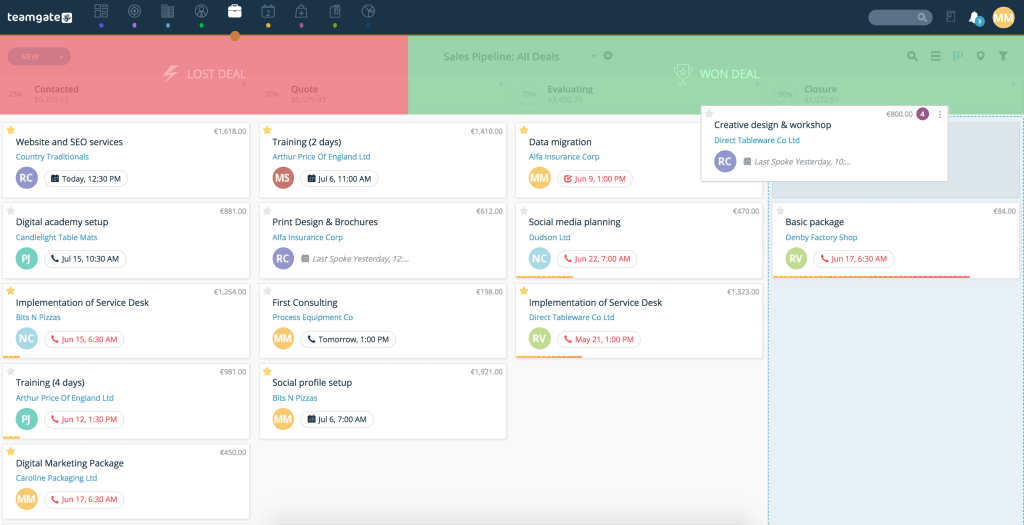
screenshot of Teamgate crm sales pipeline.
Drag and drop deals with one click conversion in your own customized Teamgate pipeline.

Teamgate CRM Rating: 4.4/5 (G2)

Teamgate CRM Key features:

Teamgate is the perfect CRM for nonprofits. It offers an extensive feature set at an affordable price. The user-friendly interface, advanced filters, and third-party integrations make Teamgate an excellent value-add for nonprofits.

Teamgate is a highly configurable CRM. With the unique needs and requirement of nonprofits, a highly configurable CRM like Teamgate gives your team the flexibility to configure the system to meet your needs. 

Outreach campaigns and effective collaboration are vital to a nonprofit’s success. Teamgate seamlessly integrates with your email provider and other marketing tools to ensure all of your outbound efforts are completed timely and efficiently. 

Teamgate pricing starts with a FREE subscription offer and scales as your business grows. It’s by far one of the most affordable nonprofit CRMs available.

2. Bloomerang

via Bloomerang

Bloomerang Rating: 4.7/5 (G2)

Bloomerang Key features:

  • Donor engagement scoring
  • Nightly NCOA updates
  • Wealth screening to analyze charity histories
  • Free email and chat support

Bloomerang is a donor management solution and CRM for nonprofits. It helps nonprofits with six key areas of running a nonprofit: the acquisition, retention, and engagement of donors, as well as the automation of processes and measurement of results.

The constituent timeline feature built into Bloomerang helps visualize the types of interactions at individual and organizational levels, allowing you to understand the way supporters are engaging with you.

Some of your donors might be able to donate more. The wealth scoring tool helps identify these donors based on their charitable giving histories available from publicly available data.

Pricing for Bloomerang is based on how many donor records (or contacts) you have. For example, 5,000 records will cost you $349 per month.

3. Neon One

via Neon One

Neon One Rating: 4.3/5 (G2)

Neon One Key features:

  • Constituent login portal
  • Workflow automation
  • A feature called Radius Search helps find niche donor segments in the community
  • Integrations for QuickBooks, Truegivers, Windfall, and more

Neon One CRM is perfect for nonprofits looking for revenue-based pricing instead of record-based pricing. Other than a different pricing model, Neon One offers everything you’d expect in a full-fledged nonprofit CRM solution.

Neon Pay, the built-in payment processing tool, helps save time and allows your team to report income and processing accurately. Another standout feature is Radius Search. Since nonprofits always need more donors, Radius Search can help identify them and offer donor insights within the donor community.

Neon One’s pricing starts at $99 per month. Two other pricing plans are available, including Impact and Empower.

4. DonorPerfect

via DonarPerfect

DonorPerfect Rating: 4.4/5 (G2)

DonorPerfect Key features:

  • Integrated payment processing
  • Live chat support
  • Live and on-demand webinars
  • Comprehensive reporting

DonorPerfect is an excellent pick for nonprofits who need a comprehensive fundraising solution. The CRM keeps your nonprofit’s data organized into report-ready profiles.

The database helps inform organizational strategies, saves time by eliminating double data entry, and maintains a single history of contacts and financial transactions.

DonorPerfect offers powerful reporting and analytics tools. The CRM includes over 70 standard nonprofit reports, a report builder, dashboard analytics, and donor targeting and filtering based on your subscription package.

Pricing packages start at $99 per month. However, you must contact DonorPerfect for a custom quote.

5. Virtuous

via Virtuous

Virtuous Rating: 4.2/5 (G2)

Virtuous Key features:

  • Custom gift ask pipeline
  • Omnichannel campaigns
  • Personalized multi-channel donor journeys
  • Digital engagement tracking

Virtuous can be expensive, but it offers an excellent feature set. If you’re a large nonprofit with complex needs, Virtuous might be worth considering.

The donor management tools offer suggestions on who to contact and what to talk about with donors in a single-donor view. It also offers intelligent suggestions about the next best action based on a donor’s gift history, wealth data, social media behavior, demographics, and more.

Virtuous helps tie your donations back to a project, so you can follow up with donors based on project-level notes. You can then map project gifts to your fund accounting system.

The Starter plan is priced at $400 per month. For additional pricing plan information, you must contact sales.

6. Kindful

via Kindful

Kindful Rating: 4.4/5 (G2)

Kindful Key features:

  • Donor lifecycle dashboard
  • Wealth insights
  • Household and relationship tracking
  • Integrations for QuickBooks, Mailchimp, Stripe, and more

Kindful (a Bloomerang product) is a leading nonprofit CRM. It has an excellent support and onboarding team that makes getting started with the nonprofit CRM a breeze.

The feature set is fairly extensive. Standout features include tools like company fee matching. Kindful integrates with Double the Donation, the leading gift-matching software, to increase your revenue with gift-matching opportunities.

The CRM also offers a powerful donation reporting tool. You can apply filters to donor lists or activities you want to report on and select columns you want to include in the report to analyze specific data.

Pricing for Kindful is the same as for Bloomerang and is based on how many donor records (or contacts) you manage.

7. Blackbaud CRM

via Blackbaud CRM

Blackbaud CRM Rating: 3.5/5 (G2)

Blackbaud CRM Key features:

  • Planned giving, matching gift management, and online giving tools
  • Robust segmentation that empowers multi-channel campaigns
  • Open, industry-standard REST APIs
  • End-to-end credit card processing and robust account functionality

Blackbaud is purpose-built for enterprise-scale nonprofits and higher-ed fundraising teams. It’s one of the smartest, most powerful nonprofit CRMs on the market, thanks to its vast feature set and AI capabilities.

One of its key features is direct access to hosted cloud environments. This allows your technical team to fast-track the development cycle while allowing you to retain control of the data. Blackbaud also offers REST APIs, so you can develop apps and extensions to use Blackbaud in a way that meets your nonprofit’s needs.

As for pricing, Blackbaud doesn’t disclose its pricing on its website. You must contact sales for a quote.

8. Salsa CRM

via Salsa CRM

Salsa CRM Rating: 3.9/5 (G2)

Salsa CRM Key features:

  • Direct mail fundraising features
  • Customized dashboards for real-time visualization
  • Role-based access and security restrictions
  • Track unique data with unlimited custom fields

Salsa CRM is a simple nonprofit CRM. If you’re looking for a no-fuss solution, Salsa CRM is worth considering. The CRM only offers custom pricing, so if you’re interested in the CRM, you’ll need to speak to sales.

The CRM includes all the essentials, such as built-in reports, dashboard analytics, and data entry tools. Plus, the historical constituent profile data paired with relevant and targeted messaging helps build long-term relationships and encourages action across online and offline communication channels.

9. Donorbox

via Donorbox

Donorbox Rating: 4.2/5 (G2)

Donorbox Key features:

  • UltraSwift checkout that minimizes donor drop-off
  • Advanced donor filters
  • Connect a PayPal or Stripe account to accept donations directly to your bank account
  • Integrations for Salesforce, Mailchimp, Zapier, and more

Donorbox is a great pick for nonprofits who like having access to a bunch of unique features. For example, Donorbox allows you to accept crypto (like Bitcoin) and stock payments.

The built-in checkout feature called UltraSwift reduces donor drop-off by eliminating the need to manually type in personal info. UltraSwift checkout speeds up the checkout process, improves the experience for donors, and increases donations.

Donorbox helps your supporters launch campaign pages and collect donations from their peers on your behalf. All donations collected from these P2P pages go directly to your account.

For pricing, Donorbox’s Standard plan is free to use. There is, however, a fee for donation forms, pages, etc. The Pro plan starts at $139 per month and includes reduced fees.

10. Network for Good

via Network for Good

Network for Good Rating: 4.6/5 (G2)

Network for Good Key features:

  • Unlimited email blasts
  • Pledge and household management
  • P2P pages
  • Real-time, interactive dashboards

Network for Good is made for small nonprofits that want to make a big impact. It helps you organize and manage contacts, personalize communications, raise funds online, and measure and track progress.

The built-in communication tools include email, text messages, personal videos, and direct mail. You can personalize communications using donor data stored in the CRM’s database by segmenting supporters.

The guided page design tool and expert recommendations help you create branded fundraising pages in minutes. You can also allow your supporters to create P2P fundraising pages so they can reach out to family and friends for donations on your behalf.

Network for Good’s pricing is customized based on your needs. For a custom quote, you must contact sales.

Achieving Your Fundraising Goals With CRM

Teamgate is an easy-to-use CRM that offers everything nonprofits need to build deep connections with their donors. Support by hand-held and dedicated support staff, Teamgate fuels nonprofit organizations of all sizes to manage donor data efficiently, run laser-sharp outreach campaigns, and strengthen relationships with volunteers and donors alike.

Want to see how Teamgate can help your nonprofit? Get started today by scheduling a free demo or starting a 14-day free trial.


Frequently Asked Questions (FAQs): Nonprofit CRM

Q: What is the significance of a CRM for nonprofits?

A: A CRM for nonprofits is a software solution that aids in building and strengthening relationships with donors and volunteers. It helps nonprofits personalize outreach, communicate more effectively, store donor data for easy access, and ultimately increase participation and retention rates.

Q: Why is there a need for nonprofits to adopt a CRM?

A: With the decline in donors, as indicated by the Fundraising Effectiveness Project’s Q1 2023 report, nonprofits need to build strong relationships with their donors and offer better experiences to improve donations and volunteer service. A CRM helps in managing these relationships efficiently, personalizing outreach, and analyzing the performance of their strategies.

Q: How can a CRM benefit a nonprofit organization?

A: A CRM can help nonprofits stay connected with donors and volunteers, market their campaigns, analyze their strategy’s performance, automate workflows, and improve donor retention and participation rates.

Q: What factors should be considered when choosing a CRM for nonprofits?

A: When selecting a CRM for nonprofits, it’s essential to consider the platform’s features, ease of use, customer support options, and pricing. The CRM should offer features relevant to the nonprofit’s needs, be user-friendly, provide robust customer support, and fit within the organization’s budget.

Q: How does Teamgate stand out as a CRM for nonprofits?

A: Teamgate offers an extensive feature set at an affordable price, making it an excellent value-add for nonprofits. It has a user-friendly interface, advanced filters, third-party integrations, and is highly configurable to fit the unique needs of nonprofits. Teamgate also integrates with various marketing and collaboration tools, enabling nonprofits to operate efficiently.

Q: How can a CRM help in improving donor retention for nonprofits?

A: A CRM can help nonprofits automate their workflow, personalize outreach efforts, segment and target donors effectively, and analyze the performance of their strategies. By offering tools to stay connected, market campaigns, and assess strategy performance, a CRM can significantly improve donor retention and participation rates.

Have you heard of the Rule of 40? It states that for a SaaS business to be healthy, it must have a combined growth rate and margin of at least 40%. For some small SaaS companies or those just getting started, this might seem like an impossible rate to reach.

Rest assured, meeting the Rule of 40 and scaling your business is possible when you equip yourself with the right tools, including a CRM for SaaS.

A SaaS CRM can support you in retaining existing subscribers and nurturing critical leads, so you can focus on accelerating growth. Below, we list the top ten SaaS CRM platforms so you can choose the best one for you.

Key Takeaways

  • Retention and churn are critical metrics for SaaS. A CRM can track these metrics and offer tools that can help improve retention and minimize churn.
  • SaaS CRMs automatically store customer data and generate insightful reports that help you make data-driven decisions.
  • The best CRM for SaaS companies helps build effective workflows, run personalized marketing campaigns, and communicate with customers via multiple channels.
  • When searching for a CRM, ensure its feature set meets your needs, that it’s within your budget, and that it offers best-in-class support.
  • Some of the top SaaS CRM platforms on the market today include Teamgate, Close, Microsoft Dynamics 365, HubSpot CRM, Zoho CRM, SAP Service Cloud, Zendesk Sell, Pipedrive, SugarCRM, and Nimble.

Contents

  1. What Is CRM for SaaS?
  2. How to Evaluate CRM for SaaS Companies
  3. Teamgate CRM
  4. Close CRM
  5. Microsoft Dynamics 365
  6. HubSpot CRM
  7. Zoho CRM
  8. SAP Service Cloud
  9. Zendesk Sell
  10. Pipedrive
  11. SugarCRM
  12. Nimble
  13. Conclusion
  14. FAQs: CRM For SaaS

What Is CRM for SaaS?

A SaaS (customer relationship management) CRM tool helps you build and nurture a pipeline of high-quality leads, collaborate with your team, and streamline internal processes.

CRMs are useful throughout the customer lifecycle, especially for SaaS companies. For example, you can configure the CRM to auto-create a customer profile when someone requests a quote using a web form.

From here on, you can track this lead and continue to nurture your relationship. At the end of the quarter or year, see which strategies worked the best for converting leads and optimize your strategy accordingly.

When a paying customer raises a support ticket, you see it in the customer’s profile on the CRM. You can track the status of these tickets to ensure all customers receive timely support. Consistently nurturing customer relationships this way using a CRM can help increase ARR and retention rates.

How to Evaluate CRM for SaaS Companies

To find the best SaaS CRM for your needs, you must spend some time evaluating the various options. To simplify this process, there are five key factors to consider: feature set, how easy the platform is to use, integrations, customer support options, and configuration options.

SaaS-Specific Features

CRMs typically have extensive feature sets. However, you want to focus on and compare features relevant to your SaaS business. For example, look for extensive analytics and reporting so you can track key SaaS metrics. You’ll also want features that support winning new customers, such as pipeline and lead management.

User-Friendliness

SaaS teams work in a fast-paced environment. Spending too much time walking new hires through the CRM is time-consuming and often unfeasible. Look for a CRM with an intuitive, easy-to-use interface.

Integrations

Integrations allow hassle-free data transfer and workflow automation. For example, a CRM that integrates with Slack allows for sending real-time notifications for support tickets to the support staff’s Slack channel. Look for a CRM that integrates with the other tools in your tech stack.

Customer Support

The best CRM companies respond to support requests quickly and offer support via multiple channels. Using one of these CRMs ensures you never have to wait too long for support to respond.

Configuration Options

While many CRMs offer a similar feature set, every SaaS business has unique needs. That’s why configuration options are vital. Configuration options enable you to tailor the CRM’s features to fit your specific needs.

1. Teamgate CRM

Teamgate CRM Ratings

Teamgate CRM Key Features


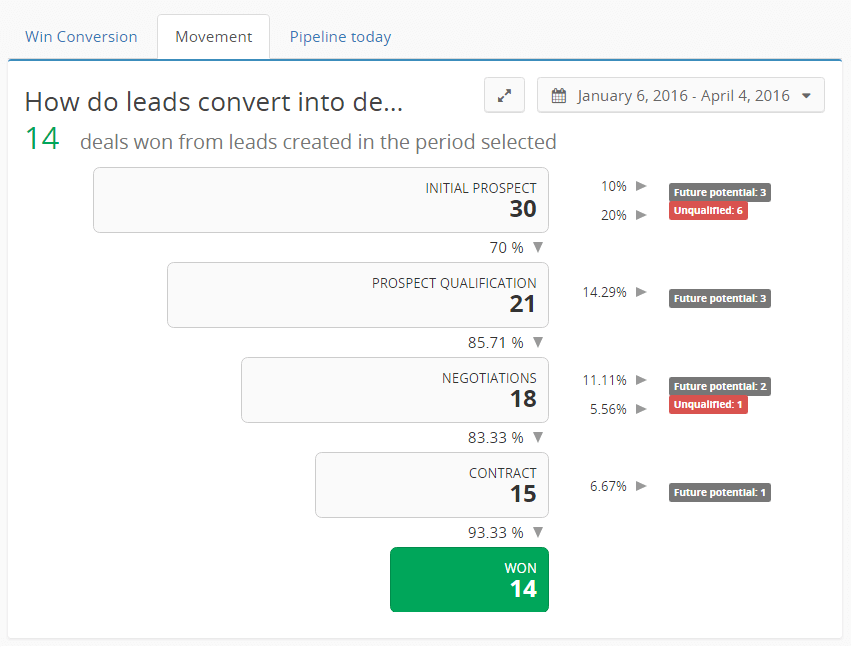
Understand your conversion rates in seconds, with Teamgate’s sales insights and reporting

Teamgate is an easy-to-use, highly configurable, and affordable CRM for SaaS companies. The CRM helps you improve conversions, retain paying customers, and monitor real-time sales data.

You can track each sale alongside the pipeline stages so you never forget a potential subscriber. The rich customer data in the Teamgate CRM helps create an ideal customer profile. This enables you to run laser-focused marketing campaigns and increase your MRR.

Teamgate integrates with various marketing tools, such as email marketing platforms like Mailchimp and other inbound lead sources. When leads roll in via these sources, Teamgate automatically adds them to the CRM, evaluates them, and assigns them a score so you can prioritize leads.

With Teamgate, you have everything you need to capture, convert, and support leads throughout their entire lifecycle, all in one place. Teamgate plans start at $9 per user/month and go up to $65 per user/month for enterprise-level features and all-inclusive customer support and onboarding.

2. Close CRM

Brand Guidelines When Mentioning Close CRM

Close CRM Rating

  • 4.6/5 (G2)

Close CRM Key Features

  • Power Dialer
  • Integrations for Zapier, Zoom, and more
  • Email marketing features like bulk emails and HTML customization
  • Custom opportunity pipelines based on demographics and products

Close CRM is made for small and medium-sized SaaS sales teams that rely heavily on outreach and direct interactions. The CRM can track SMS campaigns, calls, emails, and more.

It has a built-in caller app that helps scale outreach via calls; the dialer can help you make hundreds of calls daily. The predictive dialer also streamlines inbound calls by auto-routing them to an available sales rep.

Close is a simple CRM that may not include more advanced features such as marketing automation or forecasting. Plans start at $99 per month when billed annually. You can add more users for $29 per user/month.

3. Microsoft Dynamics 365

Microsoft Dynamics 365 Rating

  • 3.8/5 (G2)

Microsoft Dynamics 365 Key Features

  • Natively embedded Power BI and Cortana intelligence
  • Customizable reports and dashboards
  • Automation capabilities
  • Web browser functionality and apps for Windows, iOS, and Android

Microsoft Dynamics 365 is perfect for businesses that use other tools in the Microsoft 365 ecosystem. It’s a full suite of tools, including those for sales, customer data, project management, and marketing.

Microsoft Dynamics 365 is perfect for businesses that use other tools in the Microsoft 365 ecosystem. It’s a full suite of tools, including those for sales, customer data, project management, and marketing. For rollout, customization, and integrations, many teams engage Microsoft Dynamics implementation services to accelerate time-to-value and reduce risk.

The platform has other built-in sales features like LinkedIn Sales Navigator, which is a great plus if you already use LinkedIn for outreach.

Plus, Microsoft Dynamics 365 offers flexible architecture and deployment options that allow you to customize the CRM to fit your specific needs. The pricing starts at $70 per user/month and goes up from there, depending on your requirements.

4. HubSpot CRM

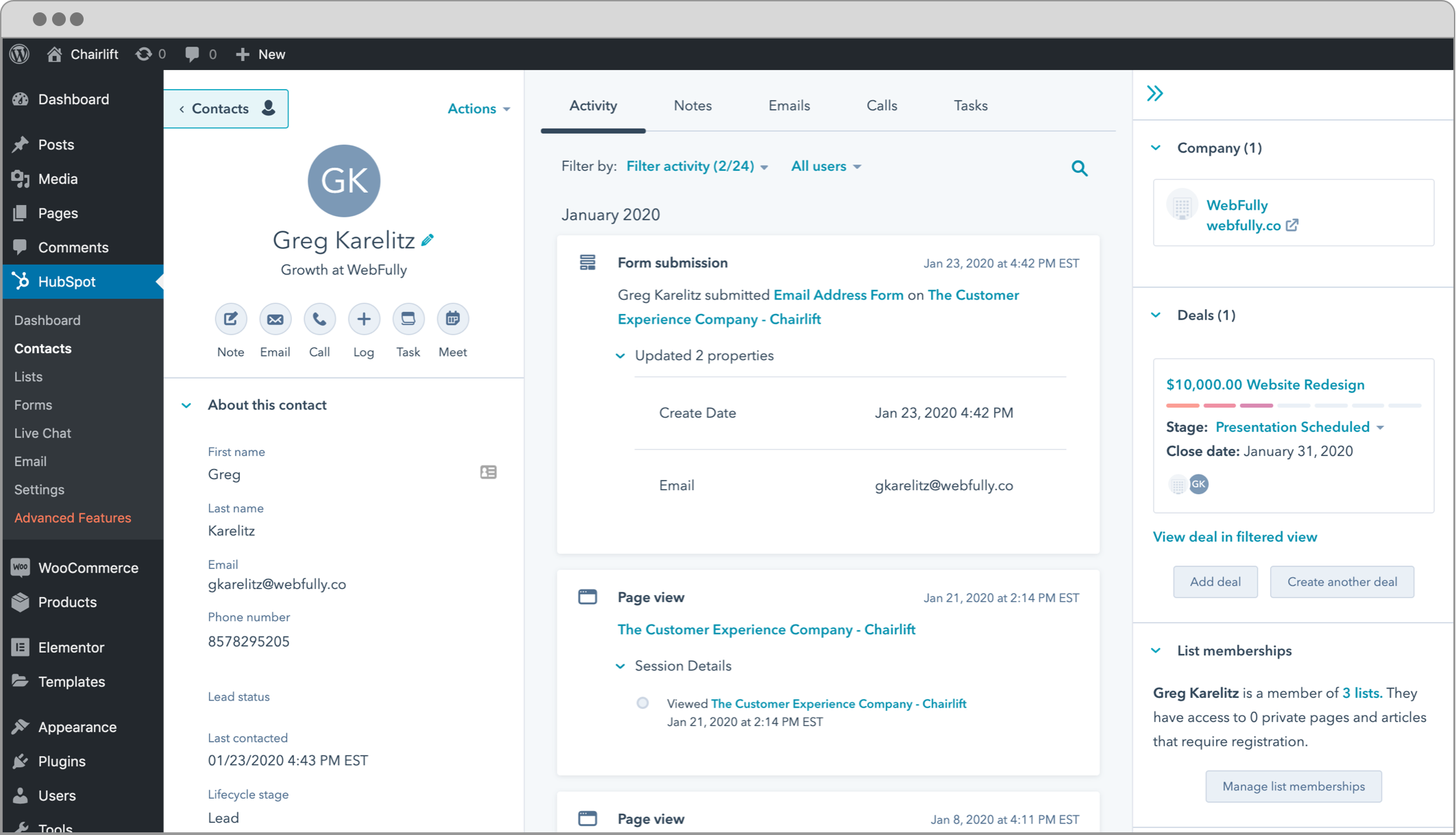
WordPress Plugin: CRM, Forms, Live Chat, Email, & Analytics

Hubspot CRM Rating

Hubspot CRM Key Features

  • Click-to-call
  • Rich analytics
  • Robust segmentation tools
  • Email tracking and notifications

HubSpot CRM is one of the most popular CRMs on the market. It integrates with all the popular business apps and offers an extensive feature set. HubSpot offers a free, limited CRM or you can bundle various hubs, including the Marketing Hub, Sales Hub, and more.

The platform offers tracking and quota management tools that help track your team’s performance. The free email templates in HubSpot allow you to quickly respond to frequently asked questions via email.

The native sales pipeline management tools allow sales reps to track lead status and access customer data, giving them the confidence to interact with leads.

HubSpot offers a free plan with limited features. Paid plans vary depending on your specific needs.

5. Zoho CRM

Zoho CRM Rating

  • 4/5 (G2)

Zoho CRM Key Features

  • AI-powered chatbot
  • Predictive sales
  • Secure digital signs with Zoho Sign
  • Omnichannel support

Zoho CRM is affordable and scalable, making it an excellent pick for small SaaS companies. You get all the essential features, including analytics and reporting, workflow management, and sales pipeline management. The opportunity management tools enable you to track customers and leads throughout the lifecycle.

You also get access to Zoho’s app library. The library has useful apps like Zoho Sign, an app that helps you, your team, and your customers securely sign digital documents.

Pricing starts at $14 per user/month, billed annually.

6. SAP Service Cloud

SAP Service Cloud: CRM Service Software for Enterprises and SMEs

SAP Service Cloud Rating

  • 4.5/5 (G2)

SAP Service Cloud Key Features

  • AI and machine learning-powered intelligent insights
  • Audience segmentation
  • Multi-channel marketing campaigns
  • Comprehensive customer profiles

SAP Service Cloud is a popular CRM software and part of the SAP Customer Experience Solutions suite. It includes a robust feature set that supports you in delivering excellent customer experiences. For example, the tool offers built-in agent desktops and customer self-service, perfect for SaaS companies.

The platform offers extensive contact management features. For example, SAP Service Cloud helps collect information on customer names, details, communication preferences, and more. The CRM also builds holistic customer profiles. If you’re selling via third parties, you can use SAP Service Cloud to handle partner lifecycle management.

SAP Service Cloud offers custom quotes only, so you’ll need to contact the sales team.

7. Zendesk Sell

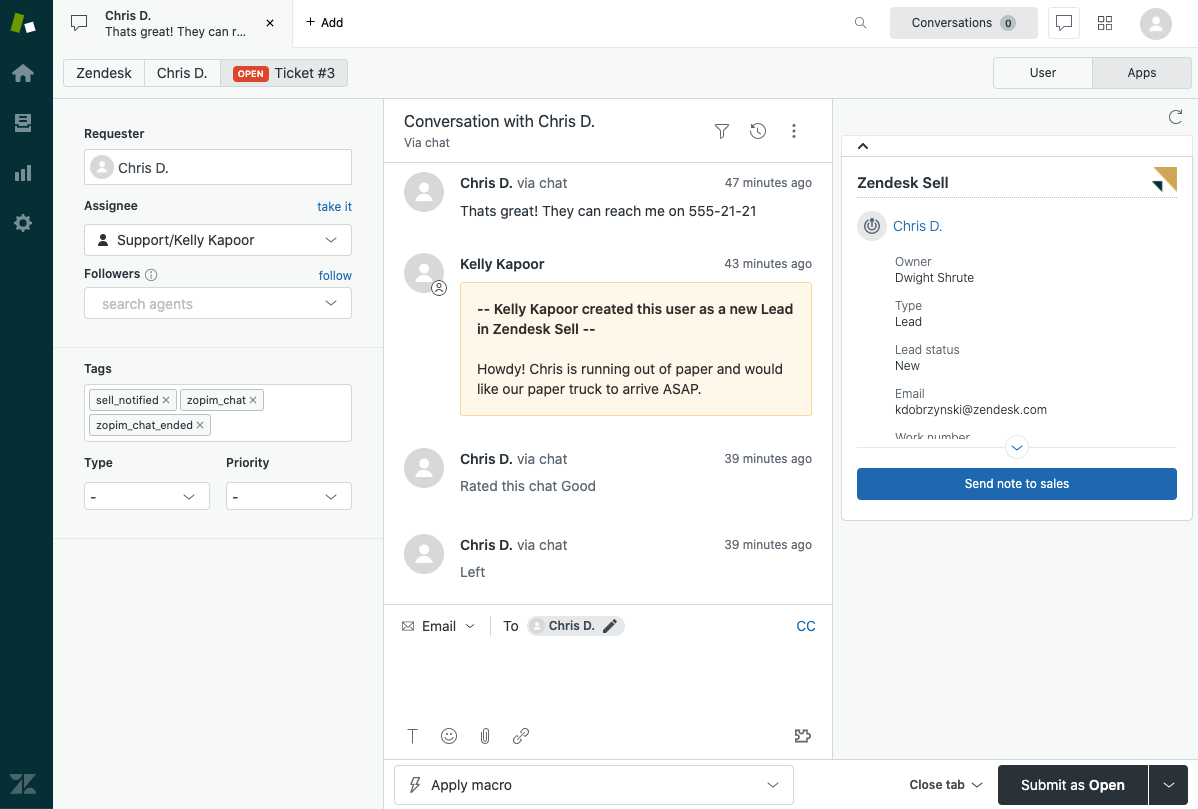
Working with the Zendesk Sell app in Support – Zendesk help

Zendesk Sell Rating

  • 4.2/5 (G2)

Zendesk Sell Key Features

  • Customizable sales pipeline and sales proposal templates
  • Easy onboarding and team management
  • Integrations for PandaDoc, Google Drive, Dropbox, Xero, and more
  • Advanced analytics and custom dashboards

Zendesk Sell is a user-friendly CRM that helps streamline the sales process. The platform has built-in automation tools. These help save time on administrative tasks, allowing salespeople to focus on selling.

Zendesk Sell also has contact management, email marketing, and sales forecasting features. The CRM also offers real-time visual reporting, which helps you make data-driven decisions on the go.

Plans start at $19 per user/month when billed annually. The platform also offers a 14-day free trial.

8. Pipedrive

Sales CRM & Pipeline Management Software | Pipedrive

Pipedrive Rating

  • 4.2/5 (G2)

Pipedrive Key Features

  • Custom stage capabilities and templates for the sales pipeline
  • Drag-and-drop interface to manage sales opportunities
  • Lead filtering and segmentation
  • Integrations for Zapier, Google Meet, Mailchimp, and more

Pipedrive CRM is built primarily to manage sales pipelines. It allows you to visualize sales opportunities and collaborate on sales with your team. The platform integrates with popular business apps like Dropbox, Google Meet, and more. You can import data, centralize contact data, send emails, and generate insightful sales reports.

Pipedrive’s primary focus on sales pipeline management comes at a cost. It’s not as scalable as other CRMs on the list. Plans start at $14.90 per user/month, billed annually. The platform also offers a 14-day free trial.

9. SugarCRM

SugarCRM Rating

  • 3.8/5 (G2)

SugarCRM Key Features

  • AI-powered data analysis
  • Drag-and-drop interface for creating marketing campaigns
  • Pre-designed templates for emails and landing pages
  • Omnichannel communication (email, phone, and chat)

SugarCRM, which includes Sugar Sell, Sugar Market, Sugar Serve, and Sugar Enterprise, offers AI-powered analytics that helps you make data-driven decisions. For example, it helps predict deal outcomes, allowing you to prioritize leads for maximum success.

The platform also offers great customization options. Developers can edit every module, portal, and report and also get access to an API.

While that level of customizability is great, it comes at the cost of user-friendliness. If you’re looking for a simple, no-fuss solution, SugarCRM may not be best for you.

Pricing plans will depend on the product you choose. For example, Sugar Sell starts at $49 per user/month when billed annually.

10. Nimble

Nimble Rating

  • 4.5/5 (G2)

Nimble Key Features

  • Sales pipeline management
  • Contact segmentation
  • Task management and workflows
  • Integrations for Zapier, QuickBooks, Mailchimp, and more

Nimble is a relationship-focused CRM for SaaS companies that want to truly nurture their customer relationships. The platform integrates with over 160 apps, which means importing customer data to Nimble is a quick and easy process. Plus, the platform has a built-in reminder system to ensure your team never forgets to reach out to leads at the right time.

Nimble also offers tools for email management and a template library. Pick a template and make edits to quickly send personalized emails to leads. The CRM offers workflow automation features too. For example, you can automate actions like sending messages, creating notes, and sending mobile or browser notifications.

Plans start at $24.90 per user/month, billed annually.

Use Teamgate to Supercharge Your Revenue

SaaS companies, especially young ones, need a CRM that balances features, ease of use, configuration capabilities, and affordability. Enter Teamgate.

Teamgate is an excellent CRM for SaaS companies. It’s configurable to fit your needs without sacrificing usability. It includes an easy-to-use interface and an extensive feature set that helps collect and organize customer data, track the sales pipeline, and generate reports containing key metrics like conversions, revenue growth, and churn.

See how Teamgate can support you in scaling your SaaS business by requesting a demo today, or get started with a free 14-day trial.


FAQs: CRM For SaaS

What are the key features to look for in a CRM for SaaS companies?

Answer: When selecting a CRM for SaaS companies, important features to consider include automation of sales processes, lead and contact management, customer segmentation, reporting and analytics capabilities, integration with other tools (like marketing automation and customer service software), and scalability to grow with your business. Additionally, look for CRMs that offer strong customization options and robust data security measures to cater to the dynamic needs of SaaS environments.

How do CRM systems benefit SaaS businesses specifically?

Answer: CRM systems provide SaaS businesses with the tools to streamline their sales processes, enhance customer data organization, and improve communication channels across their operations. These systems enable better lead qualification, foster improved customer relationships through personalized communication, and facilitate data-driven decision-making with comprehensive analytics. Ultimately, CRMs help SaaS companies increase efficiency, boost sales, and improve customer retention.

Can you compare the pricing models of popular CRMs for SaaS companies?

Answer: Popular CRMs for SaaS companies often offer a variety of pricing models to accommodate different business sizes and needs. For example, Salesforce and Microsoft Dynamics 365 typically use a subscription-based model that scales with the number of users and the depth of features required. Smaller CRM systems like Zoho or Nimble might offer more straightforward, less costly packages with basic features suitable for startups or small teams. Most CRMs also provide tiered pricing to give businesses the flexibility to start with a basic plan and upgrade as their needs evolve.

What makes Teamgate a suitable CRM for SaaS companies?

Answer: Teamgate stands out for SaaS companies due to its user-friendly interface, comprehensive integration capabilities, and strong focus on sales pipeline management. It supports the entire sales process from lead capture to deal closure, ensuring that all team members have up-to-date customer information. Additionally, Teamgate offers insightful analytics and reporting features, helping SaaS companies make informed business decisions based on real-time data.

What criteria should SaaS companies use to select the right CRM software?

Answer: SaaS companies should consider several criteria when selecting a CRM, including:

  1. Scalability: Ensuring the CRM can grow with your company.
  2. Integration: Compatibility with existing tools and platforms.
  3. Customization: Ability to tailor features to specific business processes.
  4. Security: Robust measures to protect sensitive customer data.
  5. Support: Reliable customer support for troubleshooting and assistance.
  6. Cost-Effectiveness: Balance of features and price to fit budget constraints. By carefully evaluating these criteria, SaaS companies can choose a CRM that aligns with their strategic goals and operational needs.

How can integrating a CRM system improve customer retention for SaaS companies?

Answer: Integrating a CRM system helps improve customer retention by providing a holistic view of customer interactions, preferences, and feedback, which enables SaaS companies to deliver personalized experiences and proactive service. CRM tools facilitate timely follow-ups, targeted marketing campaigns, and issue resolution, all of which contribute to higher customer satisfaction and loyalty. Furthermore, CRM systems help identify at-risk customers, allowing companies to engage them effectively to prevent churn.

Customer Relationship Management (CRM) systems have become integral to the modern business landscape, streamlining processes and enhancing customer interactions across various industries. Among the myriad options available, OpenCRM stands out as a comprehensive solution tailored to businesses seeking robust functionality without the high costs associated with some larger platforms.

This article delves into what makes OpenCRM a noteworthy contender in the CRM space, highlighting its features, benefits, and how it compares with alternatives like Teamgate CRM. Whether you are a small business owner or a manager in a larger enterprise, understanding the capabilities of OpenCRM could be crucial in optimizing your customer relationship strategies.

Key Takeaways:

  1. Comprehensive Features: OpenCRM offers extensive tools for sales, customer support, marketing automation, and reporting.
  2. Customization and Flexibility: Tailor OpenCRM to meet specific business needs, enhancing functionality and user experience.
  3. Integration Capabilities: Seamlessly integrates with existing business systems for improved data synchronization and efficiency.
  4. Robust Support: OpenCRM provides a strong support network including tutorials and customer service to ensure optimal use.
  5. Cost-Effective Solution: Offers a competitive pricing structure, making it a viable option for businesses looking to maximize value.

Contents:

What is OpenCRM?

OpenCRM is a cloud-based customer relationship management solution designed to help businesses manage their interactions with current and potential customers. Developed by a UK-based company that specializes in CRM technology, OpenCRM offers a suite of tools that cater to various aspects of business operations, including sales management, customer support, marketing automation, and project management.

The platform is known for its flexibility and comprehensive feature set, allowing businesses to customize solutions according to their specific needs. Since its inception, OpenCRM has grown to serve a diverse range of clients, offering solutions that rival those of bigger players in the market like Salesforce and Dynamics CRM.

Core functionalities of OpenCRM 

  • Sales and Leads Management: Track sales activities, manage leads from capture to conversion, and get detailed analytics on sales performance.
  • Customer Support and Service: Improve customer service with ticketing systems, FAQs, and self-service portals.
  • Marketing Automation Tools: Execute effective marketing campaigns with tools designed for email marketing, social media management, and more.
  • Reporting and Analytics: Gain insights into business performance with customized reports and dashboards that help make data-driven decisions.

These integrated tools not only enhance operational efficiency but also provide a seamless experience for users, contributing to better management of customer relationships and improved business outcomes.

Key Features of OpenCRM

OpenCRM is packed with a variety of features designed to enhance business efficiency and improve customer relationships. Below are some of the standout features that make OpenCRM a competitive choice for businesses of all sizes.

  • Contact Management: At the heart of OpenCRM’s capabilities is its sophisticated contact management system, which helps organize contact details, communication logs, and transaction histories in one central location.
  • Opportunity Management: This feature enables businesses to track potential sales opportunities, monitor associated activities, and predict future revenues with enhanced accuracy.
  • Project Management: OpenCRM goes beyond traditional CRM functions by incorporating project management tools that allow for tracking projects, assigning tasks, and managing deadlines effectively.
  • Email Marketing Integration: With built-in email marketing functionalities, users can create, send, and track email campaigns directly from the platform, ensuring consistent communication with customers and leads.
  • Customizable Dashboards: Users can customize dashboards to view the most relevant business metrics at a glance, helping them make informed decisions quickly and efficiently.
  • Mobile Access: OpenCRM offers a fully mobile-responsive interface, allowing team members to access critical business information and perform tasks on the go, ensuring no interruption in productivity.
  • Security Features: Data security is paramount, and OpenCRM provides robust security measures, including data encryption and compliance with international data protection regulations, to ensure that all customer information remains secure.

These features collectively make OpenCRM not just a tool for managing customer relationships, but a comprehensive suite that supports a wide array of business functions. This holistic approach to CRM helps businesses maximize efficiency while maintaining high levels of customer satisfaction.

Benefits of Using OpenCRM

Adopting OpenCRM in your business operations can bring a multitude of benefits that facilitate better management of customer relationships and enhance overall business efficiency. Here are the primary advantages of integrating OpenCRM into your enterprise:

  • Enhanced Customer Interactions: OpenCRM’s comprehensive customer management tools allow for detailed tracking of customer interactions, ensuring that every communication is personalized and timely. This leads to improved customer satisfaction and loyalty.
  • Streamlined Operations: The automation features in OpenCRM reduce the need for manual intervention in routine tasks, such as follow-ups, scheduling, and reporting. This streamlining of processes frees up resources, allowing staff to focus on more strategic activities.
  • Data Centralization: With OpenCRM, all customer-related data is stored in a centralized, accessible system. This ensures that team members are always informed and can make decisions based on complete and up-to-date information.
  • Scalability: As your business grows, OpenCRM scales with you. Its flexible architecture allows for easy adjustments to accommodate additional users, more data, or changing business processes.
  • Customization: OpenCRM offers extensive customization options that allow businesses to tailor the system to their specific needs, ensuring that the CRM aligns perfectly with their operational requirements.

These benefits highlight how OpenCRM can be a pivotal tool in not only managing but also enhancing customer relationships, leading to greater business growth and success.

OpenCRM Pricing Structure

OpenCRM offers a transparent and competitive pricing structure that aims to accommodate businesses of all sizes for one simple price. As a result, OpenCRM was named 15th in Capterra’s 2024 Value-for-Money CRM list.

Each license is priced per ar €33 per user, per month, with discounts available for annual subscriptions. This pricing model ensures that businesses only pay for the features they need and can scale their CRM solution as their requirements grow.

How to Implement OpenCRM in Your Business

Implementing a CRM system like OpenCRM can seem daunting, but with the right approach, it can be seamlessly integrated into your business processes. Here’s a step-by-step guide to help you successfully implement OpenCRM:

  • Step 1: Assess Your Needs: Before integrating OpenCRM, assess your current processes and determine what you hope to achieve with the CRM system. This will guide the customization and setup to ensure it meets your specific business needs.
  • Step 2: Plan the Integration: Develop a detailed plan for the integration, including timelines, responsibilities, and milestones. Consider involving key stakeholders in this phase to ensure alignment and address any concerns.
  • Step 3: Customize and Configure: Tailor OpenCRM to fit your business operations. Utilize the customization options to adjust workflows, dashboards, and fields to match your processes.
  • Step 4: Data Migration: Transfer existing customer data into OpenCRM. Ensure data quality by cleaning and organizing data before migration.
  • Step 5: Train Your Team: Conduct comprehensive training sessions for all users. Ensure that everyone understands how to use OpenCRM effectively and is comfortable with the new system.
  • Step 6: Go Live and Monitor: Once everything is set up and everyone is trained, go live with OpenCRM. Monitor the implementation closely and be prepared to make adjustments as needed.

Following these steps will help ensure a smooth transition to OpenCRM, allowing your business to quickly begin reaping the benefits of an advanced CRM system.

OpenCRM Alternatives: Teamgate CRM

When considering CRM solutions, it’s important to compare available options to determine which best fits your business needs. Below is a detailed comparison of OpenCRM and Teamgate CRM, focusing on key areas that influence decision-making.

  • CRM Feature Comparison

    • OpenCRM: Offers a broad range of features including project management, comprehensive customer support tools, and integrated marketing automation.
    • Teamgate CRM: Focuses more on sales pipelines, lead scoring, and simpler, intuitive interfaces that may appeal to sales-focused organizations.
  • CRM Usability and User Experience Comparison

    • OpenCRM: Known for its comprehensive feature set, which can require a steeper learning curve to fully leverage all functionalities.
    • Teamgate CRM: Praised for its user-friendly interface and ease of use, making it ideal for teams that prioritize quick setup and ease of adoption.
  • CRM Customer Support and Community Comparison

    • OpenCRM: Provides extensive support through tutorials, a detailed knowledge base, and responsive customer service.
    • Teamgate CRM: Offers hand-held, award-winning personalized support and strong support documentation that helps new users integrate the CRM into their businesses efficiently.
  • CRM Pricing Comparison

    • OpenCRM: Offers a single pricing model, making it suitable for businesses of all sizes.
    • Teamgate CRM: Generally perceived as cost-effective, Teamgate’s transparent subscription offerings are ideal for small to medium-sized businesses that need core CRM functionalities which they can scale with.

Whilst both excellent options for businesses looking for value-for-money, in some scenarios, Teamgate CRM may be the preferred option, particularly for businesses looking for an easy-to-use, efficient tool that provides essential CRM functionalities with dedicated customer support.

Conclusion

This comprehensive exploration of OpenCRM has highlighted its robust features, flexible pricing structure, and the significant benefits it offers to businesses seeking to enhance their CRM capabilities. While OpenCRM is suitable for a wide range of industries and business sizes, alternatives like Teamgate CRM provide viable options for those needing a more streamlined, user-friendly solution.

As the market for CRM solutions continues to evolve, it is crucial for businesses to carefully assess their specific needs and choose a CRM platform that not only meets today’s requirements but is also capable of adapting to future challenges. Whether you choose OpenCRM or an alternative like Teamgate CRM, the right system will play a pivotal role in transforming your business operations and driving growth.

To get started starte with a free trial visit Teamgate CRM or OpenCRM today!


FAQs: OpenCRM

  • What does OpenCRM do?
    • OpenCRM is a comprehensive customer relationship management platform that assists businesses in managing communications and operations concerning both current and potential clients. It integrates various functionalities including sales tracking, customer support, marketing automation, and analytical reporting.
  • How is OpenCRM different from other CRM systems like Salesforce?
    • Unlike some of its competitors such as Salesforce or Microsoft Dynamics, OpenCRM stands out due to its high customizability and comprehensive suite of features that are particularly tailored to meet the unique needs of businesses without imposing the high costs typically associated with large-scale CRM systems.
  • Can OpenCRM be integrated with existing business systems?
    • Yes, OpenCRM is designed to seamlessly integrate with a variety of existing business systems and platforms. This integration capability allows for enhanced data synchronization and workflow efficiency across different departments within an organization.
  • What type of support does OpenCRM offer to its users?
    • OpenCRM provides a robust support system which includes detailed tutorials, an extensive knowledge base, and dedicated customer service. This ensures that users can effectively utilize all features of the platform and resolve any issues promptly.
  • Why might a business choose Teamgate CRM over OpenCRM?
    • Businesses might prefer Teamgate CRM over OpenCRM if they are looking for a CRM solution that offers straightforward usability with a focus on sales processes. Teamgate CRM’s interface is particularly user-friendly, making it ideal for teams that value quick setup and easy daily operations with minimal learning curve.

Selecting a CRM for your business can feel next to impossible. After all, there are so many platforms out there, each with its own features and benefits. Which do you choose?

In this guide, we’ll compare three popular CRM platforms: Teamgate, Zoho, and Nutshell. We’ll discuss their features, benefits, support options, pricing, and more, so you can make the right choice for your organization.

Key Takeaways

  1. Teamgate, Zoho, and Nutshell are CRM platforms designed to help businesses of all sizes streamline their sales processes and improve customer relationships.
  2. When evaluating your options, you should consider factors such as ease of use, integration capabilities, scalability, and cost to ensure you select the most suitable solution for your organization’s unique needs.
  3. All three platforms offer comprehensive support and training resources, including phone, email, live chat, and training materials, to ensure users can effectively navigate and make the most of the platform.
  4. Teamgate, Zoho, and Nutshell are all cloud-based, with desktop and mobile versions available for easy access to essential customer information, communication history, and financial data.
  5. Pricing for each platform varies. However, all three also offer free trials for users to test the platform before committing to a paid plan.

Contents

  1. Teamgate CRM
  2. Zoho CRM
  3. Nutshell CRM
  4. CRM Benefits & Features Comparison
  5. CRM Support & Training Comparison
  6. CRM Pricing Comparison
  7. Conclusion
  8. FAQs: Comparing CRMs

Teamgate CRM

Close your deals faster Teamgate - The simply smart sales CRM


Teamgate is an intuitive CRM platform designed to streamline sales processes, making it a top choice for businesses of all sizes. By focusing on user-friendliness, Teamgate ensures that every step of the sales journey—from marketing and lead generation to customer conversion and retention—is not only simplified but also optimized for efficiency.

Award-Winning Customer Support and Usability

Teamgate CRM: Capterra’s No. 1 Value-for-Money CRM of 2024

Teamgate CRM sets itself apart with its exceptional customer support and user-friendly interface, earning it the title of Capterra’s No. 1 Value-for-Money CRM of 2024. Dedicated to ensuring a smooth and efficient user experience, Teamgate offers comprehensive support resources including live chat, email assistance, and a rich online help center that empowers users to maximize their CRM capabilities effectively.

Ease of Use: A Cornerstone of Teamgate CRM

Simplifying CRM to Accelerate Business Success

The hallmark of Teamgate’s success lies in its simplicity and ease of use. Designed with the user in mind, this CRM platform facilitates a seamless interaction with technology, enabling businesses to focus more on their sales strategies and less on managing software complexities. This approach not only enhances user adoption rates but also improves overall productivity and customer satisfaction.

Advanced Integrations and Analytics

Harnessing Data for Smarter Sales Decisions

Teamgate CRM’s software provides in-depth insights and analytics with zero setup required, enabling your team to make intelligent sales decisions based on comprehensive data analysis and sales metrics.

Why wait? Learn more by speaking with Teamgate or get started yourself today for FREE!

Zoho CRM

Advanced Analytics and Reporting for Zoho CRM using Zoho Analytics

Zoho CRM is a versatile CRM platform offering a free plan for businesses looking to efficiently manage contacts and drive sales. Its workflow automation takes care of routine tasks, allowing you to focus on engaging with customers, improve productivity and reduce your to-do list.

The platform’s SalesIQ feature helps you capture leads through web forms or via live chat directly on your website. This feature also generates insightful reports comparing website visitors, chats, and sales, along with notifications for missed chats, further streamlining your sales process.

Nutshell CRM

Nutshell 2023 Overview: Pricing, Ratings & Details | TechnologyAdvice

Nutshell CRM is a flexible CRM platform that helps businesses design and optimize their sales processes for maximum efficiency. By automating lead assignments, providing guidance at each stage, and reducing manual tasks, Nutshell ensures that no deal gets lost.

Nutshell CRM also offers in-depth reporting features, allowing sales managers to evaluate the health of their sales funnel, track team performance, forecast sales, and identify areas for improvement.

CRM Benefits & Features Comparison

Platform Best For Free Plan/Trial Open Source Devices Deployment Customization
Teamgate  SMBs and B2B 14 days No Desktop and mobile, Apps TBC Cloud-based Yes
Zoho SMBs Free plan No Desktop and mobile, Android and iOS apps Cloud-based Yes
Nutshell B2B companies across industries 14 days No Desktop and mobile, Android and iOS apps Cloud-based Yes

Teamgate CRM Benefits

  • Award-winning customer service: Teamgate’s consultative approach means regardless of where you are in your business stage, both Teamgate’s software and team is there to support every step of the way. Benefit from quarterly reviews, video support, online support documentation and 24/7 live chat.
  • User-friendly interface: Teamgate’s intuitive and user-friendly interface makes it easy for sales teams to access essential information and manage their sales processes efficiently without a steep learning curve. This ease of use allows for quicker onboarding and higher user adoption rates.
  • Easy lead capture: Teamgate CRM offers advanced lead-capturing tools, enabling you to create effective landing pages and forms on your website, measure conversion rates, and enhance collaboration between sales and marketing teams.
  • Streamline LinkedIn prospecting: With the Teamgate-LinkedIn Shuttle, you can effortlessly import leads directly from your LinkedIn account, tapping into a vast network of over 500 million users across 200 countries for valuable data capture and lead generation.
  • Effortless lead management: Teamgate streamlines your lead management process, allowing you to easily organize, nurture, and access all your leads. You can plan activities, segment prospects, and convert leads to deals, all in one place.

Zoho CRM Benefits

  • Comprehensive feature set: Zoho CRM offers an extensive suite of tools, covering everything from lead and contact management to deal tracking and account management, providing businesses with a one-stop solution for their sales needs.
  • Workflow automation: Zoho CRM’s workflow automation features help to increase productivity by handling routine tasks, allowing your team to focus on engaging with customers and nurturing relationships.
  • Integration capabilities: Seamless integration with third-party tools, including Zoho’s applications and other popular services, ensures that Zoho CRM can adapt to your business needs and streamline your sales and marketing efforts.

Nutshell CRM Benefits

  • Fully customizable sales processes: Nutshell CRM enables businesses to design and optimize their unique sales processes, providing tailored guidance at each stage and preventing deals from falling through the cracks.
  • Advanced reporting and analytics: Nutshell CRM offers in-depth reporting features, allowing sales managers to evaluate the health of their sales funnel, track team performance, forecast sales, and identify areas for improvement.
  • Task management and reminders: With automated task reminders and guidance, Nutshell CRM helps sales reps stay organized and complete tasks on time, accelerating the onboarding process for new team members and increasing overall efficiency.

CRM Support & Training Comparison

Teamgate CRM Zoho CRM Nutshell CRM
Support channels Phone, email, live chat Phone, email, live chat Phone, email
Live chat Yes Yes No
Training materials Help center, knowledge base, video guides, personalized demo Guided tour, get-started checklist, documentation, tutorials, webinars Training videos, FAQs, documentation, live demo

Teamgate Support & Training

When using Teamgate, you can expect award-winning, comprehensive support and training resources to help you make the most of the platform. Teamgate offers multiple support channels, including video, phone, email, and live chat, ensuring prompt assistance when needed.

Additionally, you’ll receive a wide range of training materials such as a help center, knowledge base, video guides, and personalized demos to guide users through the platform’s features and best practices. This level of support ensures a smooth user experience and enables businesses to leverage the CRM system effectively.

Zoho Support & Training

Zoho CRM provides a robust support and training system to ensure users can efficiently utilize the platform. They offer multiple support channels, including phone, email, and live chat.

Moreover, Zoho provides a guided tour, a get-started checklist, extensive documentation, tutorials, and webinars to help you get started and learn more about the platform’s features.

Nutshell Support & Training

Nutshell CRM offers a strong support and training framework to ensure users can effectively navigate the platform. They provide phone and email support with a fast response time to promptly address any concerns or questions.

For training purposes, Nutshell offers a range of resources, including training videos, FAQs, documentation, and live demos. This well-rounded support and training system allows businesses to fully leverage Nutshell CRM to boost their sales efforts.

CRM Pricing Comparison

Teamgate CRM Pricing Zoho CRM Pricing Nutshell CRM Pricing
Free Trial 14 days 15 days 14 days
Free / Freemium Yes Free / Freemium No
Paid Plans From $39.90

/user/month (when billed annually)

From $14

/user/month (when billed annually)

From $16

/user/month (when billed annually)

Teamgate Pricing

Teamgate offers a tiered pricing model for various business needs and budgets. Although there isn’t a free or freemium plan, Teamgate provides a 14-day free trial for users to test the platform before committing.

  • The Starter plan, which focuses on contact and communication management, is free for up to 2 users.
  • The Team plan, priced at $39.90 per user per month (billed annually), offers a comprehensive toolkit for small sales teams.
  • The Growth plan gives you access to an all-in-one sales CRM with extensive reports and native integrations, at $59.90 per user per month (billed annually).

Zoho Pricing

Zoho offers four premium plans, all with a 30-day free trial. No free version is available, meaning users must subscribe to a premium plan to access Zoho’s features.

  • The Standard plan offers multiple pipelines, basic dashboard components, and IP address restrictions for $20 per user per month.
  • The Professional plan offers homepage customization, social profile integration, and field-level security for $35 per user per month.
  • The Enterprise plan is the most popular, offering a complete CRM with advanced dashboard components, data encryption, and a developer sandbox for $50 per user per month.
  • The Ultimate plan offers custom functions, Webform and Zoho analytics, and CRM audit logs for $65 per user per month.

Nutshell Pricing

Nutshell CRM offers a straightforward pricing model with two tiers for different business requirements. They offer a 14-day free trial for users to explore the platform before committing to a paid plan.

  • The Basic plan offers access to essential features, such as contact management, communication timelines, customizable sales pipeline, and sales reporting for $16 per user per month.
  • The Nutshell Pro plan (their most popular plan) costs $42 per user per month. It includes advanced features like sales automation, unlimited pipelines, personal email sequences, sales and activity quotas, and a comprehensive reporting suite

Decision Time: Which CRM Is Best for You?

Teamgate, Zoho, and Nutshell are all powerful CRM solutions designed to help businesses streamline their sales processes and improve customer relationships.

However, if you’re looking for a sales CRM designed for scaling businesses Teamgate is an excellent choice. The hand-held approach, allows you to quickly implement and onboard with a Customer Care Team by your side. Ready to scale your sales processes?

Get started today; try Teamgate for free!


Frequently Asked Questions: CRM Comparisons

  1. What are the key differences between popular CRM systems?
    • Popular CRM systems vary primarily in their target audience, feature sets, and pricing structures. For example, Salesforce excels in scalability and integrations, suitable for large enterprises, while Teamgate is more user-friendly, making it ideal for small to medium businesses.
  2. How do CRM features vary across different platforms?
    • CRM features can include sales automation, customer support, marketing tools, and analytics. Some platforms might offer advanced AI capabilities or extensive customization options, which can be crucial depending on your business needs.
  3. Which CRM offers the best value for small businesses?
    • HubSpot is often recommended for small businesses due to its free tier and comprehensive set of tools that are easy to use without extensive IT knowledge, offering significant value for businesses with smaller budgets. However due to Hubspot’s rapid price increase as your team scales, businesses are encouraged to research pricing before making their final decision.
  4. Can you compare the customization capabilities of top CRM software?
    • Salesforce stands out for its high level of customization, allowing businesses to tailor the CRM extensively to their processes. In contrast, platforms like Teamgate offer good customization but with easier setup and lower cost.
  5. How do pricing structures differ among leading CRM systems?
    • Pricing can vary from a simple monthly fee per user (as seen with Teamgate and Pipedrive) to more complex pricing that includes additional costs for customization, extra features, consulting and support, as with Hubspot and Salesforce.
  6. What are the benefits of using a cloud-based CRM versus an on-premise solution?
    • Cloud-based CRMs offer greater flexibility, easier updates, lower upfront costs, and remote accessibility. On-premise solutions, however, provide better control over data security and can be cost-effective in the long run for larger organizations.
  7. How do I choose the right CRM for a mid-sized enterprise?
    • Mid-sized enterprises should look for CRMs that offer a balance between functionality, support and cost.
  8. What are the support options like for the most popular CRM systems?
    • Most top CRM providers offer a range of support options including online resources, 24/7 live customer service, and dedicated account managers. Be wary of pricing for levels of support, as these can often be hidden.
  9. Can you compare user satisfaction ratings for various CRM tools?
    • User satisfaction can vary widely, but sites like G2 and Capterra provide user reviews that highlight the strengths and weaknesses of different CRMs.
  10. What data security measures are in place for top CRM systems?
    • Top CRM systems implement robust security measures including data encryption, regular security audits, compliance with international standards like GDPR, and customizable access controls to protect sensitive customer information.

Discover the intricacies of Pipedrive’s pricing in our deep dive that dissects the true value of this acclaimed CRM tool. From a recent Pipedrive review, we will discuss the fundamentals of what Pipedrive is, along with a thorough cost analysis and user reviews, providing you with everything you need to know to make an informed decision about whether Pipedrive is the right investment for your sales processes.

Key Takeaways:

  1. Pipedrive’s Core Offering: Understand Pipedrive as a user-friendly CRM designed for efficiency in sales management, suitable for businesses of all sizes.
  2. Features at a Glance: Gain insights into Pipedrive’s key features like sales pipeline management, activity tracking, and advanced reporting.
  3. Subscription Tiers: Learn about Pipedrive’s flexible subscription options, tailored to meet the needs of different business scales and requirements.
  4. Comprehensive Cost Breakdown: Delve into the pricing details of each Pipedrive plan and what factors could influence the overall investment.
  5. User Reviews Summary: Access a compilation of user experiences with Pipedrive, highlighting the software’s pros and cons as reported by real users.

Table of Contents

Pipedrive Pricing: Is the Popular CRM Worth the Price Tag?

In the fast-paced world of sales and customer relationship management (CRM), Pipedrive has emerged as a beacon of efficiency and user-friendliness. But the pivotal question looms: is this celebrated CRM tool truly worth the Pipedrive price tag? This comprehensive exploration delves into the essence of Pipedrive, from its foundational concepts to its intricate pricing and subscription structure. As we journey through the labyrinth of Pipedrive’s subscription offerings, we will unravel the nuances of its features, subscription options, and cost-effectiveness. Whether you’re a startup owner, a sales manager at a flourishing company, or simply a CRM enthusiast, this article promises to enlighten you with a detailed evaluation of Pipedrive’s value proposition.

What is Pipedrive?

Pipedrive, at its core, is more than just a CRM software; it’s a sales management tool designed to provide clarity and focus to the convoluted sales process. Born out of the frustrations of seasoned sales professionals in 2010, Pipedrive has evolved into a robust platform that caters to over 95,000 companies worldwide.

The Philosophy Behind Pipedrive

Rooted in the belief that in sales, the primary focus should be on actions that push deals towards closure, Pipedrive stands out with its activity-based selling methodology. This approach emphasizes scheduling, completing, and tracking sales activities as the cornerstone of successful sales management.

Target Market and Typical Users

Pipedrive’s user interface, celebrated for its simplicity and intuitive design, caters to a broad spectrum of industries and business sizes. It’s particularly favored by small to medium-sized businesses that appreciate its straightforward, no-frills approach to managing sales pipelines. However, its scalability and customization options have also garnered appreciation from larger enterprises seeking agility and user-friendliness in their CRM solutions. Moreover, it serves as a valuable tool for fostering professional development, enhancing  leadership skills, and maintaining a competitive edge in today’s dynamic market.

Pipedrive’s Evolution

Over the years, Pipedrive has grown significantly, constantly adding new features and integrations to stay ahead in the competitive CRM market. What started as a basic tool to track sales activities has now become a comprehensive platform offering advanced reporting and even AI-powered sales assistants. This evolution reflects Pipedrive’s commitment to adapting to the changing needs of the sales industry.


Pipedrive Key Features

Diving into the heart of Pipedrive, it becomes evident that its features are meticulously crafted to streamline and optimize the sales process.

Pipedrive’s Sales Pipeline Management Features

At the forefront of Pipedrive’s arsenal is its Sales Pipeline Management feature set. It allows sales teams to visualize their sales process, offering a clear overview of where each deal stands with an easy to use drag and drop interface. Customizable stages and fields enable teams to tailor the pipeline to mirror their unique sales process, ensuring that no opportunity slips through the cracks.

Pipedrive’s Activity and Goal Tracking Features

Pipedrive’s activity-based selling philosophy is deeply ingrained in its Activity and Goal Tracking feature. Sales activities can be easily planned, tracked, and linked to corresponding deals, ensuring a systematic approach to moving deals along the sales pipeline. Additionally, goal-setting and tracking functionalities allow teams to set ambitious, yet achievable targets, fostering a culture of accountability and continuous improvement.

Pipedrive’s Insights and Reporting Feature

Pipedrive’s Insights and Reports feature is a powerhouse of information. Offering detailed, customizable reports on sales performance, team activities, and revenue projections, it equips sales leaders with the data they need to make informed decisions. These analytics provide a real-time view of sales metrics, highlighting areas of success and those needing improvement.

Pipedrive’s Mobile App and Integration Features

Recognizing the need for mobility in modern sales, Pipedrive offers a fully-featured mobile app, ensuring sales professionals can manage their pipelines on the go. Furthermore, the platform’s extensive integration capabilities with various email providers, marketing tools, and third-party applications make it a versatile addition to any sales tech stack.

Each of these features, designed with the end-user in mind, contributes to Pipedrive’s overarching aim: to make sales more efficient and less cumbersome, freeing up time for what truly matters – closing deals.


How much does Pipedrive cost?

When discussing the cost of most software, it’s important to focus not just on the listed prices; it’s about understanding the return on investment in a tool that could redefine the operational efficiency of your business.

Pricing Subscriptions and Pricing

Pipedrive’s pricing structure is designed to scale with your business. Starting from the Essential Plan, priced to accommodate the financial constraints of emerging businesses, each subsequent tier is proportionally priced to match its additional features and capabilities. External factors such as the size of the sales team, payment frequency (monthly vs. annual), and the necessity for add-ons can influence the overall cost. Pipedrive encourages commitment via annual contracts through discounted pricing, rewarding the foresight of long-term planning.

Pipedrive Cost-Benefit Analysis

The decision to invest in any of the Pipedrive plans should follow a rigorous cost-benefit analysis. The return on investment isn’t solely measured in revenue increase but also in time saved, sales process optimization, and improved customer relations. For small teams, the Essential or Advanced Plan may suffice, while large teams or those requiring customer support might find the Power or Enterprise Plan more conducive to their operations.

Pipedrive Pricing Options

Pipedrive has a number of pricing options available to your business need. There isn’t a one-size-fits-all option; rather, each subscription is crafted with specific inclusions and some restrictions:

Pipedrive Essential Subscription

  • $21.90 per month, per user, billed annually
  • 3,000 open deal limit per company
  • 30 custom field limit per company
  • Data import and export
  • Contacts map
  • Activity reminder notifications
  • Up to 15 reports per user

Pipedrive Advanced Subscription

  • $37.90 per user, per month, billed annually
  • 10,000 open deal limit per company
  • 100 custom field limit per company
  • Two-way email sync
  • Customizable email templates
  • Email open and click tracking
  • Smart contact data
  • Video call scheduling
  • Up to 30 reports per user

Pipedrive Professional Subscription

  • $59.90 per user, per month, billed annually
  • 100,000 open deal limit per company
  • 1,000 custom field limit per company
  • Contacts timeline
  • Smart docs
  • Autofilled templates
  • E-signatures
  • PDF format support
  • Required fields
  • Custom field and reports
  • Team goals and team management
  • Up to 150 reports per user

Pipedrive Power Subscription

  • $74.90 per user, per month, billed annually
  • 200,000 open deal limit per company
  • Unlimited custom fields
  • Security rules and security alerts
  • Phone support
  • Custom onboarding implementation program
  • Up to 250 reports per user

Pipedrive Enterprise Subscription

  • $119 per user, per month, billed annually
  • Unlimited open deal limit per company
  • Unlimited custom fields
  • Security rules and security alerts
  • Phone support
  • Custom onboarding implementation program
  • Unlimited reports per user

Pipedrive Reviews

In a market saturated with CRM tools, reviews are the compass that guides potential buyers. Pipedrive’s user reviews paint a picture of a CRM solution that has garnered respect for its user-centric design and efficiency.

User Feedback

Sales professionals across various industries have lauded Pipedrive for its ease of use and the tangible impact it has on sales productivity. The intuitive interface is frequently mentioned, allowing new users to navigate the system with minimal training. However, no tool is without its critics. Some users have pointed out limitations in customization and a desire for more advanced features and customer support within the lower-tier plans.

Pros and Cons

The benefits of Pipedrive, as gleaned from user reviews across G2 and Capterra, seem to revolve around its clean interface, straightforward functionality, and excellent integrations. On the flip side, and particularly of late, criticisms tend to focus on a lack of customer support, reporting features and Pipedrive’s regular system down-time.

Pipedrive pros and cons
via Forbes.com

Pipedrive CRM Alternatives

In the diverse ecosystem of CRM solutions, Pipedrive is a formidable entity but not without competition. For businesses contemplating the CRM landscape, understanding Pipedrive alternatives is vital for informed decision-making.

Teamgate

Teamgate is an intuitive, powerful and easy to use CRM. With a number of cost-effective subscription offerings combined with a very similar interface and ease of use, it’s no wonder Teamgate is a very popular Pipedrive alternative. Offering all of the same popular comprehensive CRM features as well as in-depth, out-of-the-box sales dashboards and analytics; meaning your team will be onboarded and selling in no time.

teamgate sales pipeline
via Teamgate CRM

Salesforce

Salesforce, a behemoth in the CRM domain, offers a comprehensive suite of features that cater to every conceivable need within sales, marketing, and customer service. With its layered architecture and expansive app marketplace, it’s akin to a sprawling metropolis of CRM functionality. However, this complexity can be a double-edged sword; it offers limitless possibilities but demands a steep learning curve and a more substantial investment.

screenshot of salesforce sales cloud
via Salesforce

HubSpot CRM

HubSpot CRM is the beacon for inbound marketing-oriented businesses. It seamlessly blends CRM features with powerful marketing automation tools, offering a free tier that attracts small businesses looking to grow their operations. HubSpot CRM is ideal for those who prioritize content and customer journeys, though the cost escalates considerably as you scale and adopt more advanced marketing modules.

a screenshot from Hubspot software
via Hubspot

Zoho CRM

Zoho CRM is the chameleon of the CRM world, with an impressive ability to adapt to a variety of business sizes and sectors. Its affordability and flexibility make it a popular choice for SMEs. With Zoho CRM, businesses can enjoy a rich set of features without the financial burden typically associated with more established CRM names.

screenshot of Zoho CRM software
via Zoho

Freshsales

Freshsales is the nimble contender, offering a user-friendly interface and AI-driven insights, positioning it as a smart, analytical CRM tool. It’s designed for businesses that seek to leverage data science to enhance their sales processes, offering predictive analytics and intuitive workflow automation, often at a more accessible price point than its more extensive counterparts.

In the quest for the optimal CRM, it is not about finding the best CRM in the market; it’s about finding the CRM that’s best for your business. Each of these alternatives presents its unique value proposition, feature set, and pricing structure, compelling companies to evaluate them against their specific requirements.

screenshot of freshsales crm software
via Freshsales

Cut Your Pipedrive CRM Price with Teamgate

The maxim “time is money” holds especially true in sales, and tools like Teamgate shine by streamlining CRM processes without the hefty price tag often associated with big-named CRM platforms.

Teamgate’s Cost-Effectiveness

Teamgate steps into the CRM arena as a cost-effective alternative, paring down the often superfluous complexities of more extensive systems to deliver a straightforward, yet powerful, sales management tool. It’s tailored for those who seek the core functionalities of lead and pipeline management without the necessity for the extensive customizations and integrations offered by higher-end CRMs.

Complementing or Replacing Pipedrive Features

Teamgate’s allure lies in its simplicity and focus on the essential aspects of CRM systems. For businesses utilizing Pipedrive, Teamgate can serve as either an easy to transition to replacement. Its simplicity should not be mistaken for a lack of sophistication; offering intelligent insights and reporting that rival the capabilities of its more expensive counterparts.

Financial Prudence

By opting for Teamgate, businesses could potentially reduce their CRM costs significantly. It offers a lean solution that aligns with the fiscal prudence required by SMEs and startups – starting with a free tier. While larger enterprises with intricate sales processes may find it limiting, for the majority, Teamgate offers a sweet spot between functionality and affordability.

Conclusion

To encapsulate, Pipedrive stands as a testament to the power of a CRM system designed with the end-user in mind. It is a tool forged in the crucible of sales necessity, honed by the feedback of those who live and breathe sales. The question of its worth is not just in the cost but in the value it brings to the sales process, the clarity it provides to the sales pipeline, and the efficiency it injects into every customer interaction.

Pipedrive’s pricing is a reflection of its commitment to providing value at every tier, and its user reviews serve as a chorus of approval for its impact on sales productivity. While alternatives like Teamgate a very viable option, the choice ultimately rests on the unique needs and budget of your business.

To get started FREE with Teamgate today start a free trial or talk with our team of sales experts.


FAQs: Pipedrive CRM

How does Pipedrive’s price compare with other CRM tools?

Answer: Pipedrive’s pricing strategy is competitive, particularly appealing to small to medium-sized businesses looking for high-quality CRM functionality without the hefty price tag. It offers a tiered pricing model, which allows businesses to scale up as they grow. Compared to giants like Salesforce, Pipedrive is more cost-effective.

Can Pipedrive integrate with my current business systems?

Answer: Yes, Pipedrive offers a robust set of integration capabilities. It connects seamlessly with various email platforms, marketing tools, customer service software, and even offers an API for custom integrations. This flexibility ensures that Pipedrive can become a cohesive part of your existing tech stack, enhancing your overall sales process without the need for major overhauls.

What kind of support does Pipedrive offer?

Answer: Pipedrive provides support through multiple channels, including 24/7 live chat and email. Higher-tier plans have access to dedicated support, including phone support, whilst the lower plans will have to settle for email support. Additionally, Pipedrive has a knowledge base, webinars, and an active community forum for self-service support and learning.

How scalable is Pipedrive for my growing business?

Answer: Pipedrive is highly scalable, designed to grow with your business. Pipedrive’s various subscription options allow you to scale up features and users as needed. The platform’s customizability and integration capabilities also mean that it can adapt to increasingly complex sales processes.

Is there a free trial available for Pipedrive?

Answer: Yes, Pipedrive offers a 14-day free trial for any of its plans. This trial period allows you to test out the platform’s features and determine if it’s the right fit for your business before making any financial commitment.

What are the monthly and annual costs for Pipedrive?

Answer: Pipedrive’s monthly costs start from a basic tier suitable for smaller teams and scale up to more advanced tiers for larger organizations with more complex needs. Paying annually grants a discount, effectively reducing the monthly cost when calculated across the year. Exact figures are regularly updated on Pipedrive’s pricing page to reflect any changes or promotional offers.

Are there discounts or deals available for Pipedrive?

Answer: Pipedrive often runs promotions and offers discounts, especially for annual subscriptions, which can be significantly cheaper than monthly payments.

Does Pipedrive offer customization options in their pricing plans?

Answer: Yes, Pipedrive offers a high degree of customization within their pricing plans. While the core features are fixed based on the plan, there is flexibility to add users, integrate with other tools, and utilize various add-ons, which allows businesses to tailor the CRM to their specific needs.

How does the pricing for Pipedrive’s add-ons work?

Answer: Pipedrive’s add-ons are priced separately from the subscription plans and can be added on a per-user basis. This means you pay for the additional features you need, whether it’s advanced automation, more detailed reporting, or enhanced support options. Pricing details for these add-ons are provided on Pipedrive’s pricing page and can be a cost-effective way to extend the CRM’s functionality without upgrading to a higher-tier plan.

Does Pipedrive integrate with Quickbooks?

Answer: Yes. With Pipedrive’s Quickbooks integration you can create invoices from the deal detail view and seamlessly send them over to your Quickbooks account without the hassle of copying and pasting data between the two tools.

Does Pipedrive integrate with Outlook?

Answer: Not technically. Whilst Pipedrive offers an Outlook integration, it is a periodical sync and requires manual processes. In our opinion, it is not as comprehensive as a number of other CRM Outlook integrations.

Does Pipedrive integrate with Mailchimp?

Answer: Yes. Pipedrive’s Mailchimp integration enables filtered and segmented contacts to be sent to Mailchimp and entered into email campaigns.

In the competitive world of CRM platforms, Teamgate CRM and EngageBay present themselves as capable tools designed to streamline sales processes, enhance customer relationships, and drive business growth. This blog aims to dissect and compare CRM platforms to help businesses choose the CRM that best aligns with their needs.

Key Takeaways:

  • Affordable entry-level plans are available across various CRM platforms, offering businesses of all sizes a gateway to essential CRM functionalities without significant investment.
  • Sales funnel customization is a common feature, allowing for alignment with specific business models and sales processes.
  • Email campaign tools and integrations vary widely, with some CRMs offering extensive built-in marketing capabilities to enhance direct engagement strategies.
  • Ease of use and intuitive interfaces are prioritized by several CRM providers, ensuring that users with limited technical backgrounds can effectively utilize the platforms.
  • Flexible and scalable subscription options are offered by many CRMs, enabling businesses to adjust their CRM solutions as they grow and as their needs evolve, ensuring a balance between functionality and cost.

Contents:

  1. Teamgate CRM Overview
  2. EngageBay Overview
  3. Quick Comparison: Teamgate vs EngageBay
  4. Final Thoughts
  5. FAQs: Teamgate vs EngageBay

Teamgate CRM Overview

Teamgate CRM is designed to enhance sales efficiency and process management for SMBs. It offers a scalable toolkit that includes sales automation, advanced analytics, and seamless integrations, catering to businesses seeking to optimize their sales pipeline and customer engagement strategies.

Teamgate CRM Pricing and Plans

Teamgate CRM proposes a tiered pricing model to accommodate diverse business requirements:

  • Starter Plan: FREE for small teams, focusing on basic CRM functionalities.
  • Team Plan: Priced at $39.90/user/month, offering full email synchronization, workflow automation, and dedicated account management for unlimited users​​.
  • Growth Plan: At $59.90/user/month, it adds advanced sales insights, lead scoring, and enhanced support options for businesses looking to scale​​.

Teamgate CRM Key Features

Teamgate shines with its comprehensive feature set designed to streamline sales activities and customer management:

  • Sales Automation: Streamlines the sales process with smart automation.
  • Lead Scoring and Prioritization: Helps in identifying the most promising leads.
  • Advanced Sales Insights and Analytics: Offers deep insights into sales performance.
  • Multi-currency and Product Catalog: Supports businesses operating in multiple countries.
  • Custom Activity Types and Email Marketing: Enhances personalized customer engagement​​.

Teamgate Ease of Use

The CRM boasts a user-friendly interface accessible across macOS and Windows, providing extensive support options including email, phone, live support, and training to facilitate a seamless user experience​​.

teamgate crm awards
Teamgate CRM Awards

EngageBay Overview

EngageBay positions itself as an all-in-one marketing, sales, and service CRM solution, focusing on small to medium-sized businesses. It integrates a wide array of features designed to attract, engage, and convert website visitors into customers.

EngageBay Pricing and Plans

EngageBay offers a flexible pricing scheme to cater to different business needs:

  • Free Plan: Supports up to 250 contacts with basic CRM functionalities.
  • Basic Plan: Starting at $12.74/user/month, expanding on the Free plan with additional contacts and marketing tools​​.
  • Growth Plan: Priced at $55.24/user/month, it introduces marketing automation, A/B testing, and more advanced features​​.
  • Pro Plan: At $101.99/user/month, it provides unlimited contacts, comprehensive analytics, and dedicated account management​​.

EngageBay Key Features

EngageBay is celebrated for its comprehensive feature set, including email marketing, lead scoring, SMS marketing, and third-party integrations. It emphasizes ease of use and affordability, offering a robust solution for businesses aiming to streamline their marketing and sales processes without overspending​​.

EngageBay Ease of Use

EngageBay is noted for its intuitive design and user-friendly interface, facilitating quick adaptation for new users. It offers extensive customer support and training resources, ensuring businesses can leverage the platform’s full potential effectively​​.

Quick Comparison: Teamgate vs EngageBay

screenshot of Teamgate crm deals pipeline
Teamgate’s Drag and Drop Deals Pipeline

Feature Set and Functionality Comparison

Teamgate CRM Feature Set:

  • Sales Automation: Streamlines sales processes with automated workflows.
  • Advanced Analytics: Provides deep insights into sales performance and forecasting.
  • Multi-Platform Support: Accessible on macOS and Windows, catering to a diverse user base​​.

Teamgate CRM Suitability:

  • Best suited for SMBs looking for a comprehensive CRM with advanced sales automation and analytics capabilities.

EngageBay Feature Set:

  • All-in-One Marketing Suite: Integrates email marketing, lead scoring, and SMS marketing within a single platform.
  • Affordability: Offers a robust feature set at a competitive price point, making it accessible for small to mid-sized businesses​​.

EngageBay CRM Suitability:

  • Ideal for businesses seeking an affordable, all-in-one marketing, sales, and service CRM solution with a strong emphasis on ease of use and customer support​​.

CRM Integration Comparison

  • Teamgate CRM offers seamless integrations with email platforms, productivity tools, and custom API access for tailored integrations, enhancing its adaptability to different business ecosystems​​.
  • EngageBay emphasizes its all-in-one approach by providing extensive native integrations with social media, marketing tools, and service platforms, aiming to minimize the need for external integrations​​.

Customization and Flexibility Comparison

  • Teamgate CRM allows for significant customization, including custom sales pipelines and activity types, catering to the unique processes of SMBs​​.
  • EngageBay offers customization in marketing campaigns, CRM processes, and service automation, ensuring businesses can tailor the platform to their specific needs​​.

CRM Pricing Comparison

  • Teamgate CRM’s pricing is structured to scale with businesses, offering plans that cater to various stages of growth, from startups to established enterprises​​.
  • EngageBay provides a highly competitive pricing model, including a free tier for small businesses and startups, with advanced features available at lower price points than many competitors​​.

Customer Support Comparison

  • Teamgate CRM provides comprehensive support through email, phone, and live video support, ensuring users have access to assistance when needed​​.
  • EngageBay is noted for its exceptional customer support, offering immediate assistance through live chat, email, and phone, alongside an extensive knowledge base for self-service​​.

Final Thoughts

Choosing between Teamgate CRM and EngageBay hinges on a business’s specific needs, budget constraints, and desired feature set. Teamgate CRM shines for businesses in search of a sales-focused CRM with deep analytics and customization options. In contrast, EngageBay stands out as an affordable all-in-one solution for marketing, sales, and service automation, particularly appealing to small and mid-sized businesses prioritizing cost-effectiveness and ease of use.

Ultimately, both platforms offer compelling features, but the choice should be guided by which CRM aligns best with your business goals, operational needs, and growth aspirations. Whether you prioritize advanced sales automation and analytics or seek a cost-effective, all-encompassing marketing and CRM solution, carefully consider your business’s unique requirements to make an informed decision.

For businesses embarking on their CRM journey or looking to switch platforms, both Teamgate CRM and EngageBay offer robust capabilities to streamline operations, enhance customer engagement, and drive sales. The decision between the two should weigh their comprehensive features, ease of use, scalability, and support systems to find the best fit for your business’s future growth and success.

To get started with Teamgate CRM today, start a 14-day free trial. 


FAQs: Teamgate vs EngageBay

  1. For a newly established business, which CRM system provides a more economical entry point?
    • Teamgate CRM is potentially more beneficial for new businesses due to its no-cost plan and scalable pricing options, encompassing a wide array of functionalities for marketing, sales, and customer service.
  2. Is it possible to tailor the sales funnel stages within each CRM to fit unique business models?
    • Both Teamgate CRM and EngageBay support sales funnel customization, allowing businesses to align the CRM stages with their specific sales procedures.
  3. Are there options for email campaign integration within both CRM platforms?
    • Both Teamgate CRM and EngageBay facilitate integration with email campaign tools. EngageBay, in particular, offers a more comprehensive set of in-built tools for email marketing.
  4. Which CRM platform is more user-friendly for individuals without a technical background?
    • Teamgate is frequently commended for its straightforward and intuitive user interface, making it an ideal option for users with limited technical or CRM expertise.
  5. How flexible are both platforms in terms of plan adjustments according to evolving business needs?
    • Both Teamgate CRM and EngageBay offer adaptable subscription plans, enabling businesses to scale up or down effortlessly in response to their requirements.