Designed for Growth: Scale your recurring revenue with the new Teamgate SaaS CRM. Explore SaaS Features →

Book a demo today and save 50% off your first month, or 20% off your first year.

Get a free sales audit to uncover hidden revenue opportunities!

As a popular all-in-one marketing platform, HubSpot has been a leading choice for many businesses over the years. However, as the digital marketing landscape shifts and evolves, not every company may find HubSpot to be the right fit for their needs.

Whether it’s because of its pricing model, features, or user interface, businesses need to explore the market and consider other options that may better suit their requirements.

In this article, we’ll take a closer look at 10 HubSpot alternatives that can provide powerful and effective solutions for your business.

Key Takeaways

Here are some factors to consider when searching for a HubSpot alternative.

  • While HubSpot provides a complete suite of products and intuitive tools, it may only be suited for some industries and can get expensive for organizations that require advanced features and add-ons.
  • Hubspot is used by businesses to can manage their entire customer journey, from lead acquisition to nurturing and conversion.
  • When looking for a HubSpot alternative, pay attention to its pricing, ease of use, and range of features offered.
  • HubSpot covers a wide range of automation needs, from email marketing to sales workflow automation.

Table of Contents:

  • What Is HubSpot?
  • 10 Top HubSpot Alternatives
  • FAQs: HubSpot Alternatives

What Is HubSpot?

Rating: 4.4/5 (G2)

HubSpot is a cloud-based marketing, sales, and customer service platform that provides various tools to help businesses grow by optimizing customer acquisition, engagement, and retention.

HubSpot is used by over 100,000 companies worldwide, ranging from small businesses to large enterprises, enabling them to create interactive and engaging experiences that drive growth and revenue.

Key Features of HubSpot

HubSpot offers various essential characteristics, such as:

  • Company insights: Have access to a database of company details for your prospects to make more accurate outreach decisions.
  • Deal tracking: Constantly keep track of the deals you are working on.
  • Reporting dashboard: View the metrics you care about in one place.
  • Pipeline management: Let your deal pipeline flow by managing and assigning leads to your team members.

Pros & Cons of Using HubSpot

Before integrating HubSpot, it’s essential to balance its potential benefits against its drawbacks. Here are some pros and cons of using HubSpot.

Pros:

  • Complete suite of products: HubSpot provides all the features organizations need to manage their customer relationships effectively.
  • Intuitive tools: HubSpot requires little training, making it easy for users to quickly adopt and master the system.
  • Free to use: Organizations can start using HubSpot for free, eliminating concerns about the initial cost of implementing a new CRM system.

Cons:

  • Not suited for all industries: HubSpot has limited customization options for specific industries, making it less suitable for businesses with unique needs.
  • Can get overwhelming: The wide range of options available can be overwhelming for some users, and it may take time to find the most suitable features for specific needs.
  • Can get very expensive: HubSpot can become very expensive for organizations that require advanced features and add-ons.

10 Top HubSpot Alternatives

Here are some of the best HubSpot alternatives to check out.

Teamgate
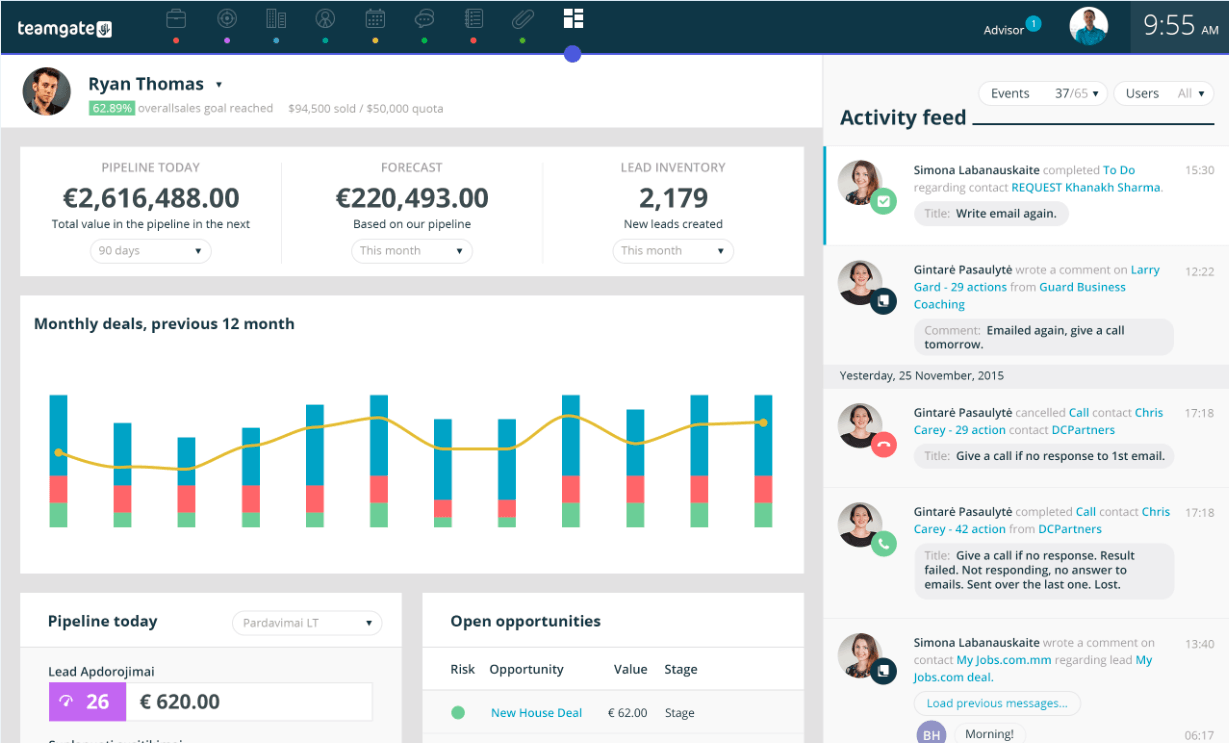
Teamgate Software - 2023 Reviews, Pricing & Demo

Rating: 4.4/5 (G2)

Key Features:

  • Email marketing integration: Seamlessly connect your email marketing campaigns and track their performance within Teamgate.
  • SmartDialer: Place calls directly from Teamgate and reach your leads faster.
  • Leads management: Plan, track, and manage your leads with precision, segmenting them appropriately and interacting with them at the right time to increase conversions.
  • HubSpot integration: Sync with your HubSpot account and avoid time-consuming tasks.

Teamgate offers a great alternative to HubSpot thanks to its user-friendly interface and powerful features. With Teamgate, businesses can easily manage their sales pipeline, track leads, and automate workflows.

The platform offers great insights and reports, allowing businesses to make data-driven decisions and monitor their sales performance quickly. What’s more, Teamgate offers excellent customer support, ensuring that companies receive timely assistance whenever needed.

Zoho CRM
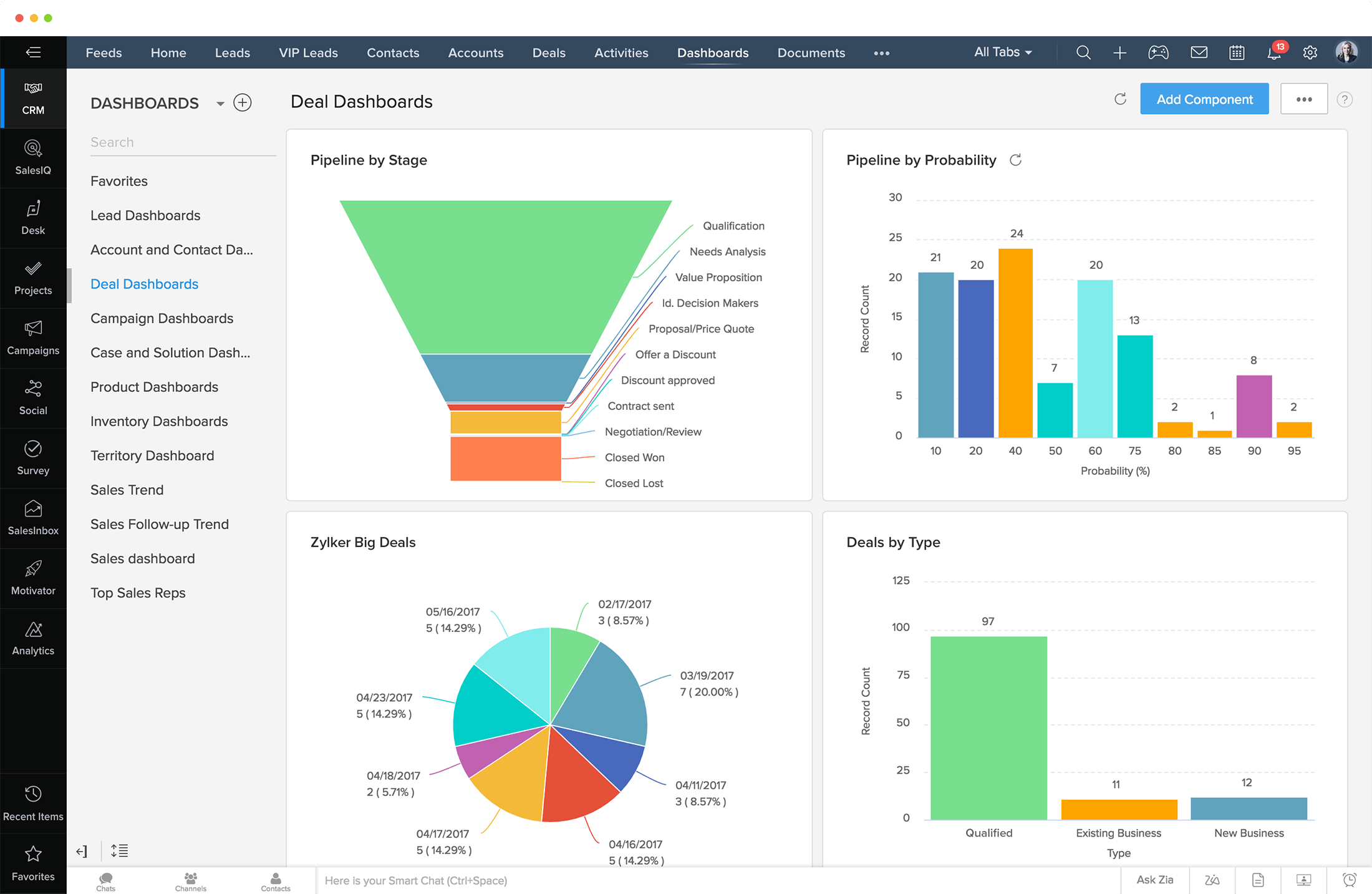
Zoho CRM Plus | Boosted CRM

RatingRating: 4/5 (G2)

Key Features:

  • Omnichannel: Engage with customers across multiple communication channels.
  • Sales enablement: Empower sales teams with tools and resources to increase productivity and success.
  • Predictive sales: Use data and machine learning to forecast sales and identify high-potential opportunities.
  • Marketing automation: Automate and optimize marketing tasks for increased efficiency and effectiveness.

Zoho CRM is a powerful customer relationship management tool that offers a wide range of features to businesses of all sizes. It includes lead and contact management, sales pipeline tracking, team collaboration, and analytics functionalities that help businesses to streamline their sales processes and make data-driven decisions.

Zoho is significantly cheaper than HubSpot and offers a similar range of features. Moreover, it integrates with over 50 third-party platforms, making it highly customizable.

Freshsales

Rating: 4.6/5 (G2)

Key Features:

  • Event tracking: Monitor and analyze visitor behavior on your website.
  • Conversion rate optimization: Use tools to improve the percentage of website visitors who take action.
  • Customer segmentation: Divide customers into groups based on shared characteristics to personalize marketing efforts.
  • Deal management: Track and manage sales opportunities from initial contact to close.

Freshsales is a cloud-based customer relationship management software that helps businesses manage their sales processes and improve their overall customer experience.

Compared to HubSpot, Freshsales has unique features, including better lead response times, advanced AI capabilities, and a 360° customer view. Businesses can auto-assign leads, make data-driven decisions, and personalize customer experiences using the tool’s AI capabilities. Freshsales’ cost-effectiveness makes it a practical option for businesses, as users often get faster ROI when compared with HubSpot.

EngageBay
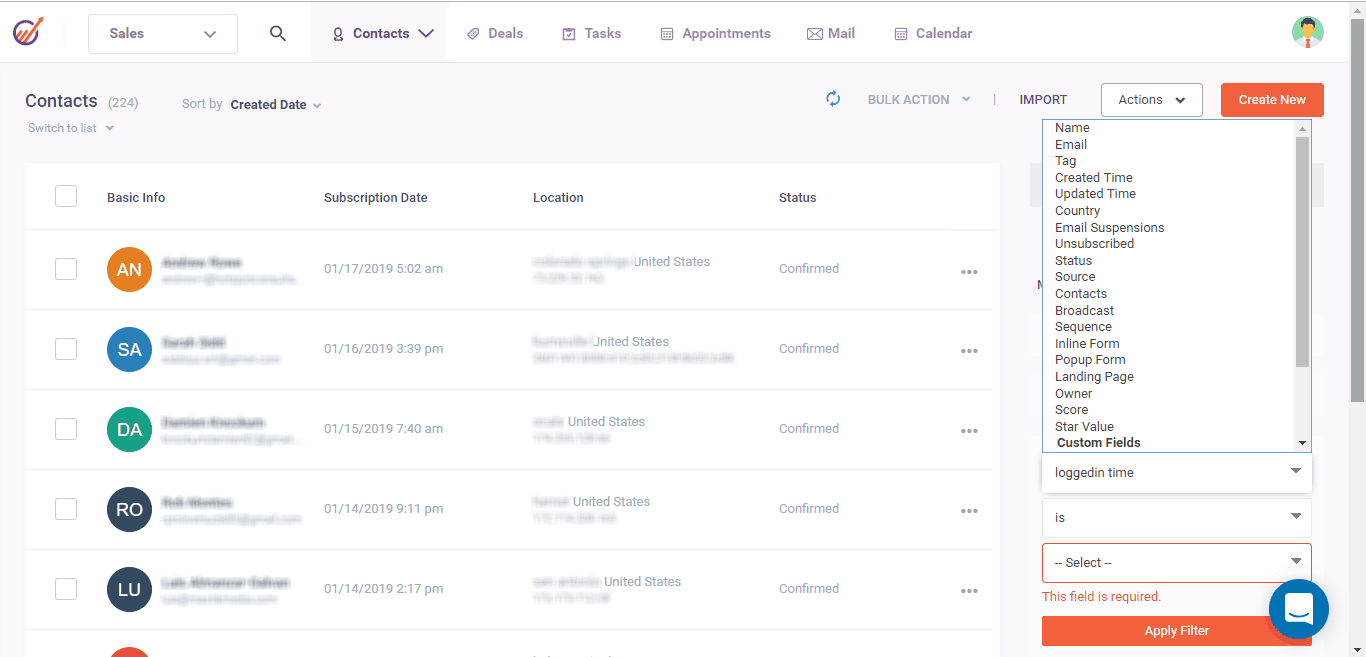
Free Sales CRM Automation with 50+ Features | EngageBay

Rating: 4.6/5 (G2)

Key Features:

  • Live chat software: Enables businesses to communicate with website visitors and provide instant support, with customization options for chat forms.
  • Helpdesk software: Provides ticket management and automation, allowing businesses to handle customer inquiries and issues efficiently.
  • Appointment scheduling: Streamlines the scheduling process by allowing customers to book appointments online and businesses to manage their calendars more effectively.

EngageBay is an all-in-one marketing software with a heavy emphasis on marketing automation. The software offers a range of valuable features, such as lead generation capabilities and contact management software, making it a great alternative to HubSpot for businesses looking for an all-in-one solution.

One unique advantage of EngageBay is that even on the free plan, users can access valuable marketing automation features unavailable in HubSpot’s free plan. While you can’t use sales automation as part of EngageBay’s basic plan, several free features, such as SSL landing pages, email sequences, and technical support, are available.

Pipedrive

Sales CRM & Pipeline Management Software | Pipedrive

Rating: 4.5/5 (G2)

Key Features:

  • Customization: Tailor Pipedrive’s modules, pipelines, fields, and settings to best suit your business needs.
  • Insights and reports: Get a clear overview of your sales data, pipeline performance, and team progress through extensive reporting and analytics.
  • Integrations: Connect all your essential apps and tools to Pipedrive, including marketing automation, telephony, accounting, and more.

Pipedrive is a sales-focused CRM solution ideal for teams of all sizes. It boasts a simple and powerful design, making it easy to use while delivering robust reporting and analytics features.

In terms of distinguishing itself from HubSpot, Pipedrive is the more cost-effective option, with a seamless user interface requiring minimal training and support. On the other hand, while HubSpot is undeniably more customizable, it is also significantly more expensive, making it less suited for small businesses looking to automate their sales and marketing processes.

Sendinblue (now Brevo)

Rating: 4.5/5 (G2)

Key Features:

  • Templates: use pre-built email templates and simplify GDPR compliance.
  • Personalization: increase open rates through email personalization and create more relevant experiences.
  • Sign-up forms: collect information easily and use GDPR-compliant opt-ins for different email types.
  • Retargeting capabilities: create specific audiences based on page visits or actions.

Sendinblue is a CRM focused on email marketing and automation, allowing teams of all sizes to run multi-channel marketing campaigns. With Sendinblue, users can easily create newsletters, promotional emails, and transactional messages from scratch or using pre-existing templates.

What sets Sendinblue apart from HubSpot is its pricing, which is more affordable and scalable, making it a great option for growing teams. However, it’s worth noting that Sendinblue’s third-party integrations are limited, and reporting features are less robust than HubSpot’s.

Zendesk
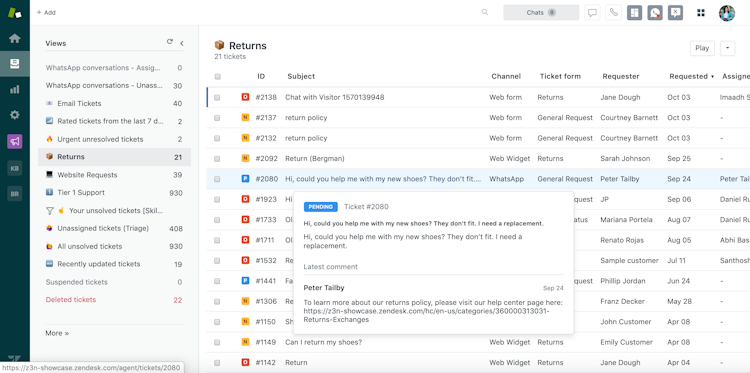
Zendesk Suite 2023 Pricing, Features, Reviews & Alternatives | GetApp

Rating: 4.3/5 (G2)

Key Features:

  • Unified platform: All-in-one solution for prospecting, engagement, and lead generation.
  • Easy set-up: An intuitive,easy-to-use interface.
  • API-friendly: Zendesk offers open APIs that seamlessly integrate with current solutions and provide customization through the Zendesk apps framework.

Zendesk is a service-first CRM that focuses on building better customer relationships. With features such as a knowledge base, self-service portal, and community forums, Zendesk is designed to help customer support teams provide excellent customer service.

Compared to HubSpot, which is mainly focused on sales and marketing, Zendesk is easier to use with a simple and user-friendly interface. Bear in mind that Zendesk primarily focuses on support, making it a more suitable solution for businesses that require a CRM to handle customer support.

Insightly
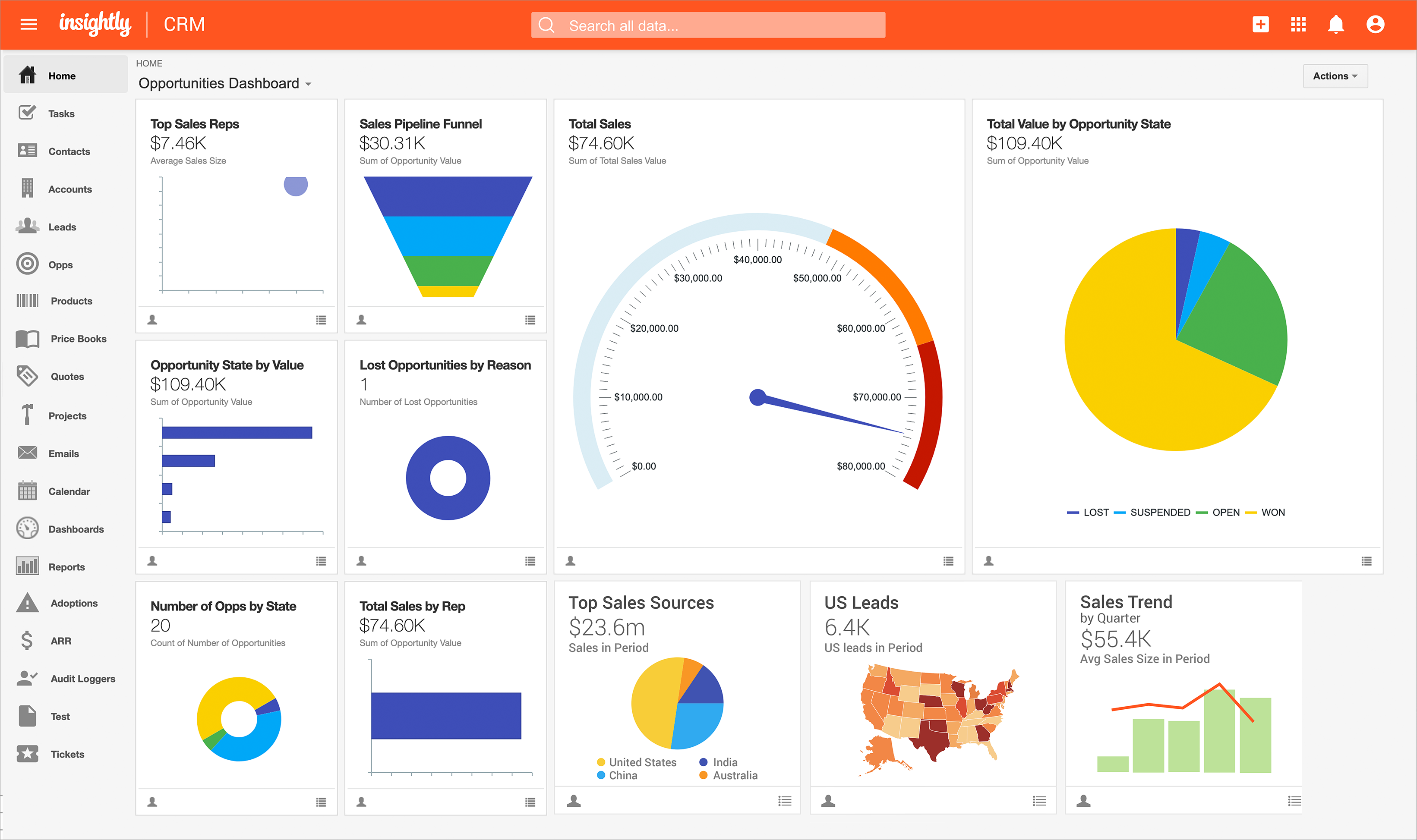
Insightly Software Reviews, Demo & Pricing - 2023

Rating: 4.2/5 (G2)

Key Features:

  • Customer support: Insights and analytics to support customer service operations and a knowledge base to help customers find answers to common questions.
  • Sales force automation: Provides tools to manage contacts, sales pipelines, and tasks.
  • Marketing automation: Automates email marketing campaigns and streamlines the lead management process.

Insightly is a cost-effective CRM that provides businesses with a flexible and scalable approach to managing customer relationships. It is designed to help teams build and manage their sales pipelines and offers a range of features, including contact management, project management, and task tracking.

Compared to HubSpot, Insightly stands out as a better choice for users who need a CRM with additional project management features, particularly those with longer sales or support cycles. While HubSpot is an excellent option for users who require free or low-cost CRM software with essential lead generation and marketing tools, Insightly’s comprehensive suite of tools makes it ideal for businesses looking to streamline their sales and marketing processes while staying within budget.

Marketo
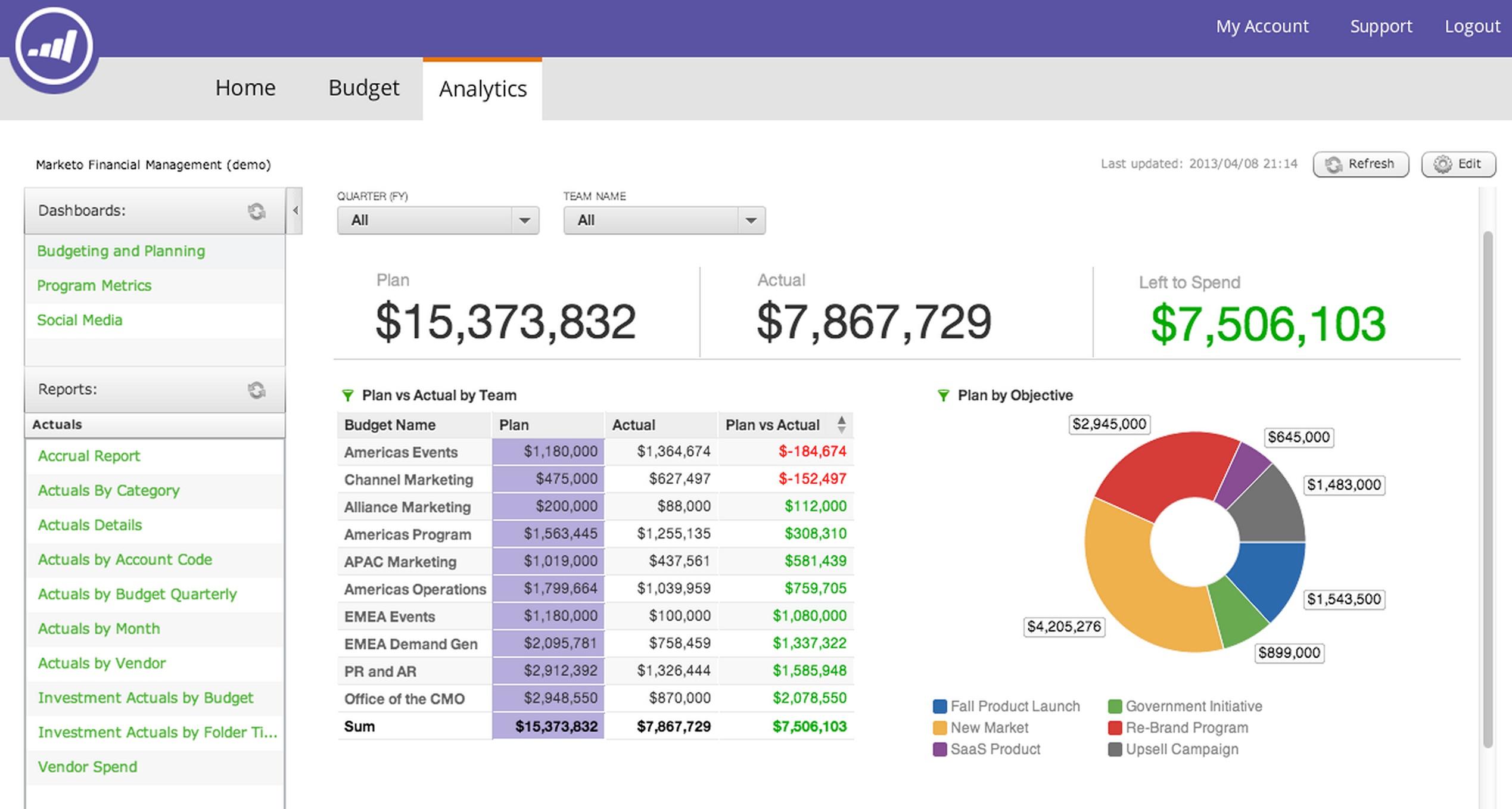
Marketo: Reviews, Prices & Features | Appvizer

Rating: 4.1/5 (G2)

Key Features:

  • Customization: Personalized and customizable solutions for your marketing campaign.
  • Landing page builder: Drag-and-drop interface and pre-designed templates make it easy to create landing pages with data capture forms and active lead profiling.
  • Lead management: Efficient and effective management of leads through the platform’s lead nurturing and scoring capabilities.

Marketo is a powerful marketing automation platform that enables companies to create personalized customer experiences throughout their journey. It offers many features to help marketing teams streamline their processes, such as lead management, email automation, and social media marketing.

Compared to HubSpot, Marketo offers a more sophisticated marketing automation solution best suited for mid-to-large-sized organizations with complex marketing needs. Marketo syncs with top CRMs such as Salesforce, allowing seamless integration and improved efficiency.

Marketing Cloud Account Engagement (Pardot)
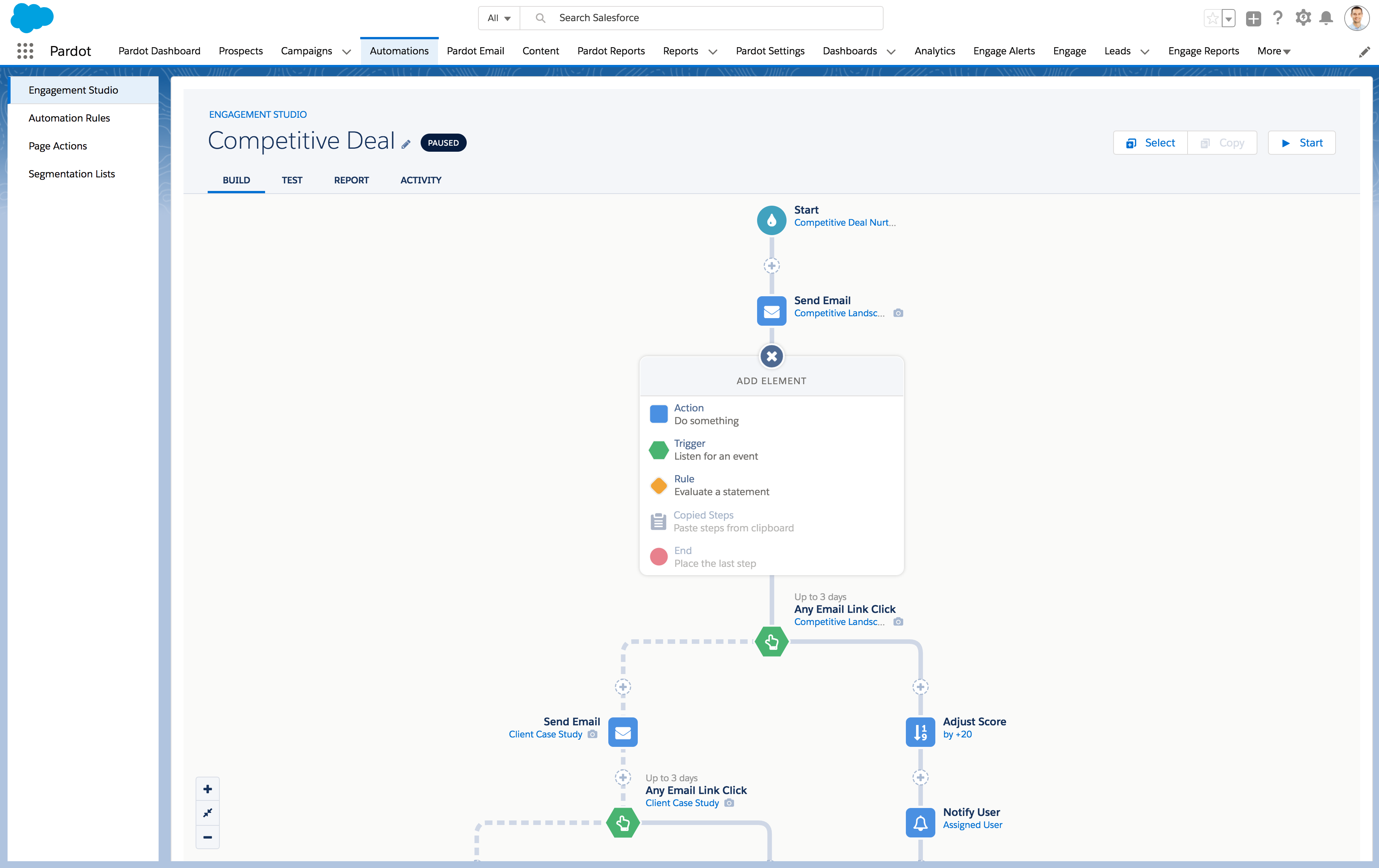
Salesforce Marketing Cloud Account Engagement Reviews, Prices & Ratings | GetApp UK 2023

Rating: 4/5 (G2)

Key Features:

  • Real-time alerts: Notify sales reps and give them complete visibility into prospect engagement.
  • ABM: Get started with account-based marketing and align sales and marketing goals.
  • Robust analytics: Use predictive analytics as part of the premium plan.

Pardot is a marketing automation platform with a strong focus on sales-marketing alignment. As a powerful B2B marketing automation tool, Pardot facilitates lead management and customer journey workflows to engage prospects and customers better.

While HubSpot is known for being user-friendly and affordable for organizations of all sizes, Pardot is a higher-priced but more sophisticated tool with advanced B2B marketing and account-based engagement capabilities.

Get Started with Teamgate Today!

In conclusion, while HubSpot is a popular CRM, it may not be the best fit for every business. As discussed, many HubSpot alternatives are available, each with unique features and benefits.

Teamgate is an excellent option for businesses seeking powerful customer relationship management software that is user-friendly and affordable. With Teamgate, companies can automate their sales and marketing processes while enjoying excellent customer support.

Request a demo today and see how to take your business to the next level with Teamgate.

FAQs

Q: What is HubSpot?

A: HubSpot is a cloud-based marketing, sales, and customer service platform that provides tools to help businesses optimize customer acquisition, engagement, and retention. It offers features for lead tracking, reporting, pipeline management, and company insights.

Q: What are the pros of using HubSpot?

A: The pros of using HubSpot include its complete suite of products, intuitive tools, and the option to start using it for free. HubSpot is widely used by businesses of all sizes to manage their customer relationships effectively.

Q: What are the cons of using HubSpot?

A: The cons of using HubSpot include limited customization options for specific industries, the potential for overwhelming users with its wide range of options, and the potential for high costs, especially for organizations that require advanced features and add-ons.

Q: What are the key features of Teamgate?

A: Teamgate offers features such as email marketing integration, smart dialer for faster lead outreach, leads management with precise segmentation, and integration with HubSpot to streamline tasks.

Q: What sets Teamgate apart from other HubSpot alternatives?

A: Teamgate stands out for its user-friendly interface, powerful features, affordability, and excellent customer support. It offers automation for sales and marketing processes and provides insights and reports to make data-driven decisions.
Selecting the right CRM tool can be the difference between making sales and losing customers. However, with so many options on the market today, finding the right software can be overwhelming.

In this guide, we’ll take an in-depth look at three top CRM contenders: Teamgate, Freshworks, and Zoho. We’ll discuss their features, pricing, and more so you can make the best decision for your business.

Key Takeaways

  • Teamgate offers an easy-to-use interface, improved collaboration, automation, and scalability, making it an excellent choice for sales teams of all sizes.
  • Freshworks has a user-friendly interface, event tracking, sales management tools, and robust email tracking capabilities, making it a good choice for new businesses.
  • Zoho has extensive features, including analytics and reporting, customization options, and numerous integrations, making it a comprehensive solution for businesses looking to enhance customer relationships and organize customer interactions.
  • The pricing plans for each CRM tool vary, but each offers a free trial or freemium version to allow users to test the software before committing to a premium plan. Support and training services are also available for all three tools.
  • Teamgate’s hand-held approach allows for a smooth implementation and onboarding process.

Table of Contents:

  • Teamgate Overview
  • Freshworks Overview
  • Zoho Overview
  • Benefits & Features: Teamgate vs. Freshworks vs. Zoho
  • Support & Training: Teamgate vs. Freshworks vs. Zoho
  • Pricing: Teamgate vs. Freshworks vs. Zoho
  • Choosing the Right CRM for Your Business
  • FAQ: Teamgate vs Freshworks vs Zoho

Teamgate

Close your deals faster Teamgate - The simply smart sales CRM

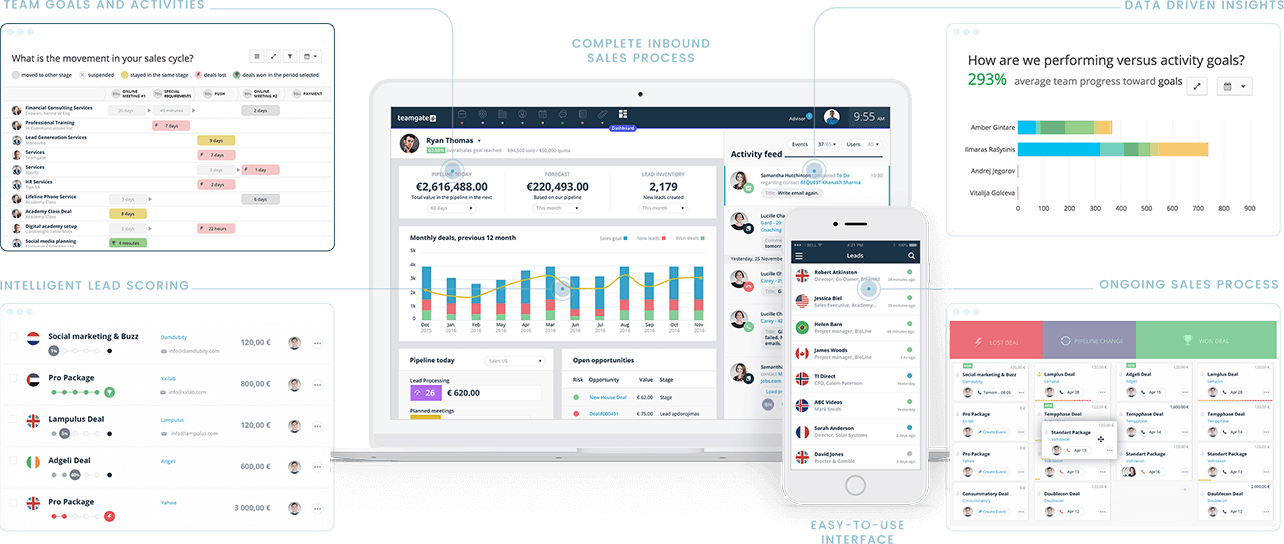
Teamgate is an easy-to-use, feature-rich CRM tool designed to streamline business processes and empower companies of all sizes. With its flexible pricing plans, businesses can quickly adopt a robust CRM solution that can scale with their needs.

Teamgate’s powerful features include lead generation, management, analytics, and forecasting, providing businesses with the tools to make data-driven decisions. The software boasts an easy-to-use interface, making it an accessible option for all users, regardless of their technical ability.

With in-depth insights and analytics, managers can track real-time data and utilize key metrics to increase sales growth and better understand their sales funnel.

Freshworks

Introducing Freshworks Organization : Freshservice

Freshworks is a powerful customer engagement solution designed to help businesses improve their bottom line through improved customer satisfaction. With its suite of cloud-based products, including Freshdesk and Freshchat, companies can integrate their workflows and automate routine tasks.

The software can reduce no-show rates and increase support agent productivity. Its automation capabilities ensure businesses can focus on core operations while handling repetitive tasks. Freshworks is trusted by over 60,000 businesses and is designed for organizations of all sizes.

Zoho

Zoho CRM Plus

Zoho is the platform for businesses looking to incorporate a comprehensive solution that organizes customer interactions and enhances customer relationships. The CRM software has extensive features, including lead management, email marketing, and social media integrations.

Using Zoho, companies can build a centralized customer database that includes contact details, critical interaction data, and documents. This makes it simple for businesses to provide exceptional customer service while driving sales and profits. Zoho CRM also encourages flexibility, allowing businesses to adapt the software to meet their unique needs.

Benefits & Features: Teamgate vs. Freshworks vs. Zoho

Platform Best For Free Plan / Trial Open Source Devices Deployment Customization
Teamgate SaaS and sales teams of all sizes 14 days No Desktop and mobile Cloud-based Yes
Freshworks New businesses 21 days Yes Desktop and mobile Cloud-based Yes
Zoho New businesses 15 days No Desktop and mobile Cloud-based Yes

Teamgate Benefits

Teamgate offers many benefits and features for businesses looking to improve their sales processes. Some of its key benefits include:

  • Easy-to-use interface: The simple interface helps teams quickly learn the system and streamline their workflows.
  • Improved collaboration: With all customer data in one place, teams can work together more effectively and share insights and information.
  • Improved customer engagement: Teamgate empowers businesses to personalize interactions and build stronger relationships with their customer base.
  • Automation: Teamgate saves businesses time on manual data entry and administrative tasks.

Freshworks Benefits

Freshworks provides numerous benefits to users, including:

  • User-friendly interface: Simple features and tools make the software easy for sales teams to get up to speed quickly.
  • Event tracking: Businesses can track and monitor every customer interaction, from emails and calls to social media interactions.
  • Sales management: Freshworks offers powerful tools for managing sales processes, including lead scoring, deal tracking, and pipeline management.
  • Email tracking: Email tracking capabilities allow teams to see when a customer has opened an email or clicked on a link within the message.

Zoho Benefits

Zoho CRM offers a wide range of benefits for businesses of all sizes, including but not limited to:

  • Analytics and reporting: Through robust analytics capabilities, businesses can monitor every step in the sales cycle and make improvements where required.
  • Highly customizable: Businesses can tailor the software to fit their business needs without sacrificing functionality.
  • Numerous integrations: You can easily integrate Zoho with hundreds of third-party apps.
  • Developer platform: This platform enables developers to create custom integrations.

Support & Training: Teamgate vs. Freshworks vs. Zoho

  Teamgate Freshworks Zoho
Support channels Phone, email, live chat Phone, email, form Email, phone
Live chat Yes No No
Training materials Help center, documentation, developer API examples Access to the community, training through Freshworks Academy Courses and virtual training

Teamgate Support & Training

Teamgate offers multiple support channels, including phone and email support. They also provide training materials such as a help center, documentation, and developer API examples.

These materials provide a comprehensive overview of how to customize the platform to suit your specific needs. Plus, they help you to integrate Teamgate with other tools and automate workflows.

Unlike Freshworks and Zoho, users have access to a live chat feature for immediate support.

Freshworks Support & Training

Freshworks provides customer support and training via phone, email, and a contact form. Although no live chat option is available, users can access the community and receive training through Freshworks Academy.

Zoho Support & Training

Through Zoho, users can contact the support team through email and phone; queries are usually addressed promptly. Zoho also provides virtual training courses to help users understand the various features and functionalities of the software. These courses cover a wide range of topics, from basic navigation to more advanced techniques.

Pricing: Teamgate vs. Freshworks vs. Zoho

  Teamgate Freshworks (Freshsales) Zoho
Free Trial 14 days 21 days 30 days
Free / Freemium Freemium Freemium No
Pricing Starts at $11 per user per month Starts at $15 per user per month Starts at $49/month/3 users

Teamgate Pricing

Teamgate offers three pricing plans, all billed annually on a per-user basis.

  • The Starter plan costs $11 per user per month and is designed for basic contact and communication management.
  • The Professional plan is priced at $26 per user per month and offers a complete toolkit for sales process management.
  • The Enterprise plan is the most comprehensive, costing $65 per user per month. It includes an all-in-one sales CRM solution with extensive reporting and native integrations.

Freshworks Pricing

Freshworks CRM software, Freshsales, offers a range of pricing plans to cater to different business needs.

  • The Growth plan is free for up to 3 users or $15 per month per user and includes account management, built-in chat, email, and phone, AI-powered contact scoring, and up to 2,000 monthly bot sessions.
  • The Pro plan, at $39 per user per month billed annually, includes everything in Growth, plus multiple sales pipelines, time-based workflows, and up to 3,000 monthly bot sessions.
  • The Enterprise plan costs $69 per user per month billed annually. It includes everything in Pro, as well as custom modules, AI-based forecasting insights, audit logs, up to 5,000 bot sessions per month, and a dedicated account manager.

This tiered pricing approach allows businesses to choose the plan that best suits their requirements and budget.

Zoho Pricing

Zoho offers four premium plans, all with a 30-day free trial. No free version is available, meaning users must subscribe to a premium plan to access Zoho’s features.

  • The Standard plan offers basic marketing features like multiple pipelines, basic dashboard components, and IP address restrictions for $20 per user per month.
  • The Professional plan offers homepage customization, social profile integration, and field-level security for $35 per user per month.
  • The Enterprise plan is the most popular, offering a complete CRM with advanced dashboard components, data encryption, and a developer sandbox for $50 per user per month.
  • The Ultimate plan offers custom functions, Webform and Zoho analytics, and CRM audit logs for $65 per user per month.

Choosing the Right CRM for Your Business

Deciding between Teamgate, Freshworks, and Zoho can be challenging. If you’re looking for a simple solution that enables you to manage all aspects of your sales cycle, Teamgate might be the best choice for your business.

With its easy-to-use interface, improved collaboration features, automation, and scalability, Teamgate provides a comprehensive solution to help businesses of all sizes succeed.

Our Customer Care team will walk you through our hand-held approach to implementation and onboarding. Start your free trial today and experience the benefits of Teamgate for yourself.

FAQs

Q: What are Teamgate, Freshworks, and Zoho?

A: These are top CRM contenders designed to streamline sales processes and improve customer engagement. Teamgate is known for its user-friendly interface and improved collaboration, Freshworks offers robust email tracking capabilities and is beginner-friendly, while Zoho provides comprehensive features including customization options and various integrations.

Q: What are the key takeaways about these CRM platforms?

A: Teamgate provides an easy-to-use interface and excellent scalability, making it suitable for sales teams of all sizes. Freshworks comes with event tracking and sales management tools, ideal for new businesses. Zoho has extensive features like analytics and reporting, customization options, and numerous integrations, making it a comprehensive solution for businesses.

Q: What benefits does Teamgate offer?

A: Teamgate offers an easy-to-use interface, improved collaboration through centralized customer data, better customer engagement, and automation to save time on administrative tasks.

Q: What are the advantages of using Freshworks?

A: Freshworks provides a user-friendly interface, event tracking, sales management tools including lead scoring and deal tracking, and robust email tracking capabilities.

Q: What makes Zoho a good choice?

A: Zoho offers robust analytics and reporting capabilities, customization options to fit business needs, integrations with hundreds of third-party apps, and a developer platform for creating custom integrations.

Q: What are the support and training services available for these platforms?

A: All three platforms offer support and training resources. Teamgate offers phone, email, and live chat support and provides a help center, documentation, and developer API examples. Freshworks provides phone, email, and form support and offers access to the community and training through Freshworks Academy. Zoho provides email and phone support and offers courses and virtual training.

Q: What are the pricing details for Teamgate, Freshworks, and Zoho?

A: Teamgate’s premium plans start at $11/user/month (billed annually), Freshworks starts at $15/user/month, and Zoho starts at $49/month for three users. Each platform offers a free trial, with Teamgate and Freshworks also offering a freemium version.

Q: How do I decide which CRM platform to choose?

A: The choice between Teamgate, Freshworks, and Zoho depends on your business’s specific needs. If you’re looking for a simple solution for sales cycle management, Teamgate might be the best choice. If you need robust email tracking capabilities, consider Freshworks. For a comprehensive solution with extensive features and customization options, Zoho could be the best fit.

When it comes to selecting a CRM solution, businesses have a lot of options to choose from. Three popular choices are Teamgate, Pipedrive, and Monday Sales CRM. Each offers unique features and pricing plans designed to streamline sales processes and enhance customer relationships.

In this article, we will provide a detailed breakdown of each platform’s features, functionalities, and pricing, helping you determine which CRM solution best fits your business.

Key Takeaways

  1. Teamgate, Pipedrive, and Monday are three popular CRM solutions that offer unique features and functionalities to streamline sales processes and enhance customer relationships.
  2. Teamgate offers an easy-to-use interface with customizable features, including lead generation and management, sales forecasting, and analytics, making it an excellent choice for businesses of all sizes.
  3. Pipedrive focuses on sales pipeline management, providing robust email integration, lead management, and reporting and analytics features, making it an ideal solution for small and medium-sized businesses.
  4. Monday offers a highly customizable and modular platform with advanced email functionality, activity management, and increased visibility for tracking team performance, making it an excellent choice for small and medium-sized businesses.
  5. When choosing a CRM, it is essential to consider factors such as ease of use, customization options, integration capabilities, pricing, and advanced features.

Table of Contents:

  • Teamgate Overview
  • Pipedrive Overview
  • Monday Overview
  • Benefits & Features – Teamgate vs Pipedrive vs Monday
  • Support & Training – Teamgate vs Pipedrive vs Monday
  • Pricing – Teamgate vs Pipedrive vs Monday
  • Teamgate vs Pipedrive vs Monday: A Detailed Comparison – Which One to Choose?
  • FAQs: Teamgate vs Pipedrive vs Monday

Teamgate

Close your deals faster Teamgate - The simply smart sales CRM

Teamgate is a robust sales CRM software designed to empower businesses by streamlining their sales processes, enhancing customer relationships, and enabling data-driven decision-making. With its flexible pricing plans and easy-to-use interface, Teamgate makes it easy for businesses of all sizes to adopt a powerful CRM solution that can scale with their needs.

Teamgate provides a range of features and tools that streamline the sales process, including:

  • Lead generation – add lead-capturing forms to your web pages and use a variety of user-friendly widgets to improve your ROI.
  • Lead management – easily manage your leads, including importing, detecting duplicates, filtering, and global searching, all while keeping your list neat, organized, and up-to-date.
  • Sales forecastingpredict future sales revenue based on historical data;
  • Sales analytics – get a clear overview of opportunities available to the sales team, flow and win rates, and lead-to-conversion ratios.
  • Linkedin Shuttlebuilt-in Linkedin integration that lets you quickly connect with LinkedIn prospects, access profile information, and import leads directly into the CRM.

Teamgate can also integrate with other business tools like email clients, calendars, and marketing automation platforms.

Pipedrive

Sales CRM & Pipeline Management Software | Pipedrive

Pipedrive is a comprehensive sales CRM solution that offers a wide range of features and functionalities to help businesses effectively manage their sales processes and improve productivity. Key features of Pipedrive include:

  • Pipeline management – Pipedrive’s visual sales pipeline allows users to easily add, update, and track deals at various stages, making it simple to monitor progress, identify potential issues, and optimize the sales process.
  • Lead management – manage leads by capturing them from various sources, assigning them to sales representatives, and nurturing them throughout the entire sales process.
  • Sales reporting and analytics – Pipedrive offers a suite of sales reports and analytics tools to provide insights into sales performance, conversion rates, and other key metrics, enabling data-driven decision-making.
  • Activities and task management – create, assign, and track activities related to deals and contacts, ensuring important deadlines are met, and team members remain accountable.

Pipedrive’s intuitive UI simplifies your sales pipeline management, allowing you to track progress and optimize the sales process efficiently. This CRM can help you close deals faster and ultimately boost your revenue by streamlining your workflow and enhancing collaboration.

Monday

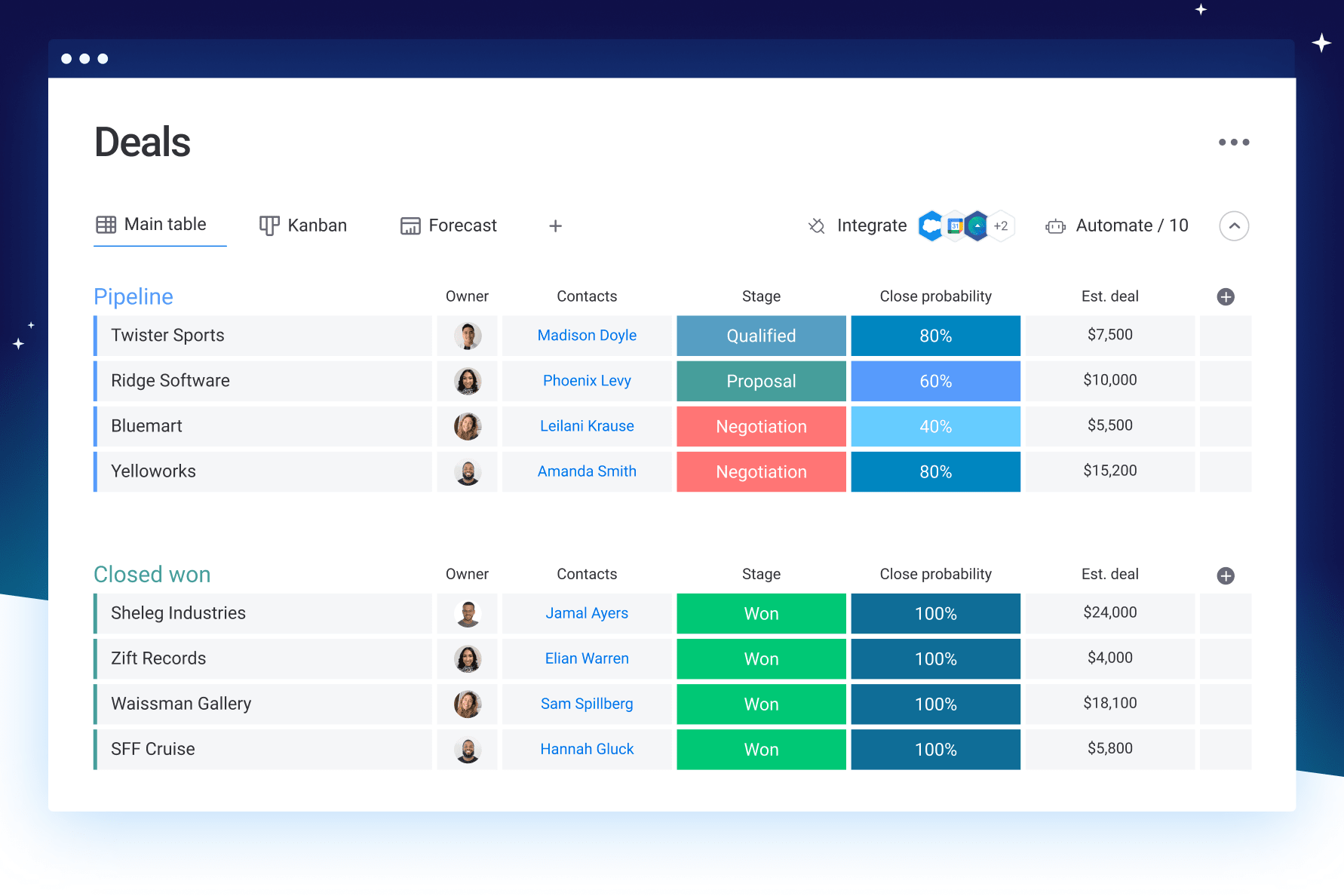
The sales CRM software that's fully customizable | monday.com

Monday Sales CRM is a powerful solution within the Monday.com Work OS, specifically designed to manage sales processes. With its high customizability, you can easily adapt the CRM to your unique sales cycle, handling multiple pipelines and deal stages.

Monday offers a comprehensive range of features and functionalities, making it an ideal solution for managing sales and tracking team performance. The platform includes:

  • Email sync and tracking – fully integrate your Gmail or Outlook account, send and receive emails, and automatically log sent emails.
  • Real-time notifications – receive alerts when a lead opens or replies to an email, helping you follow up at the right time.
  • Personalized email templates – further streamline communication and save valuable time using the autofill functionality based on contact information.
  • Activity management – ensure all lead or contact-related activities, such as calls, meetings, and notes, are logged and organized.

Benefits & Features – Teamgate vs Pipedrive vs Monday

  Best For Free Plan / Trial Open Source Devices Deployment Customization
Teamgate SaaS and sales teams of all sizes 14 days No Desktop and mobile Cloud-based Yes
Pipedrive Small and medium-sized businesses 14 days No Desktop and mobile Cloud-based  
Monday Small and medium-sized businesses 14 days Yes Desktop and mobile Cloud-based  

Teamgate Benefits

Teamgate caters to a diverse range of industries, such as B2B and B2C sales, consulting, real estate, and many more.

Here are some benefits as noted by other companies using Teamgate:

  • Improved collaboration and teamworkTeamgate fosters collaboration by providing a centralized platform where team members can share information, track progress, and communicate effectively.
  • Enhanced customer engagement – maintain detailed records of customer interactions and preferences, allowing for personalized communication and targeted marketing efforts.
  • Scalability and Flexibility – Teamgate CRM is designed to grow with your business, offering flexible plans and easy-to-use features that can be adjusted as your organization expands.
  • Time and cost savings – automating repetitive tasks and centralizing information helps you increase efficiency and keep costs down.

Pipedrive Benefits

Organizations of all sizes rely on Piepdrive to improve their customer relationships, but small and medium-sized businesses may find the platform a game changer due to its many benefits:

  • Easy onboarding and adoption – the user-friendly design makes it easy for you and your team to quickly learn and adopt the CRM, minimizing disruption to your business operations and ensuring a smooth transition or adoption.
  • Scalable solution – Pipedrive is designed to grow with your business, offering scalable features and pricing plans that can be adapted to meet your evolving needs, ensuring a long-term CRM solution that supports your success.
  • Enhanced time management – the platform’s built-in appointment scheduling and calendar integrations enable you to efficiently manage your time and prioritize tasks, helping you stay focused on high-impact activities that drive sales growth.

All these make Pipedrive a powerful CRM solution for small and medium-sized businesses.

Monday Benefits

Monday.com offers a range of benefits that can significantly improve sales and operations:

  • Increased visibility – leverage custom dashboards, reporting on deal progress, sales figures, and team performance to stay on top of your sales performance.
  • Manage and track team goals and quotas – sales forecasting and activity tracking help you plan strategically for the future.
  • Seamless data import from Excel or APIs – improve your data organization by consolidating leads, contacts, and accounts in a single dashboard.
  • No-code automation – focus on closing deals and growing your business by automating repetitive tasks and streamlining your sales process.

Monday Sales CRM is an excellent choice for small and medium-sized businesses due to its customizable features, efficient data organization, and time-saving automation. The platform simplifies sales processes and helps businesses make data-driven decisions for better performance and growth.

Support & Training – Teamgate vs Pipedrive vs Monday

  Teamgate Pipedrive Monday
Support channels Phone, email, live chat Email, live chat once signed in Contact form
Live chat Yes Yes No
Training materials Help center, documentation, developer API examples Academy courses, video tutorials, webinars Learning resources and access to community

Teamgate Support & Training

Teamgate is a pro when it comes to customer support and training. Whether you need support over the phone, email, or live chat, there is always someone ready to help. And if you feel like learning on your own, you can always check out the help center, documentation, and API resources for developer examples.

Pipedrive Support & Training

Pipedrive offers its users a high level of support and training through email and live chat support once signed in. Additionally, users have access to various educational resources, including but not limited to academy courses, video tutorials, and webinars.

Monday Support & Training

Monday offers a high level of support, with a contact form available with a team ready to respond 24/7. Users have access to a community and numerous learning resources, which can help them get the most out of the platform and enhance their productivity.

Pricing – Teamgate vs Pipedrive vs Monday

  Teamgate Pipedrive Monday
Free Trial  14 days 14 days 14 days
Free / Freemium  Freemium Freemium Freemium
Paid Solution  Starter plans begin at $11 per user per month Starts at $14.90 per user per month Starts at $8 per user per month

Teamgate Pricing

Teamgate offers three distinct pricing plans:

  • Starter plan – priced at $11 per user per month when billed monthly, provides a contact and communication management solution.
  • Professional plan – $32 per user per month billed monthly, offers a complete toolkit for sales process management.
  • Enterprise plan – $79 per user per month billed monthly, delivers an all-in-one Sales CRM with extensive reports and native integrations.

In addition to these plans, Teamgate provides a cost-saving opportunity by offering a 20% discount to customers who choose to be billed annually.

Pipedrive Pricing

Pipedrive offers a range of pricing plans designed for small and medium-sized businesses. Each plan includes a free 14-day trial, allowing you to explore the platform’s features without any commitment or credit card required:

  • Essential plan – priced at $14.90 per user per month when billed monthly. This plan includes lead, deal, calendar, and pipeline management, simple data import and customization options, 24/7 support, and access to over 300 integrations.
  • Advanced plan – at $24.90 per user per month billed monthly. In addition to the Essential plan’s features, you get full email sync with templates and scheduling, group emailing with open and click tracking, and customizable automations using an in-depth automation builder.
  • Professional plan – costs $49.90 per user per month billed monthly. It builds upon the Advanced plan by offering features such as document and contract management, eSign capabilities, revenue projections, forecasts, and enhanced custom reporting.
  • Enterprise plan – priced at $99 per user per month billed monthly. This plan includes everything from the Professional plan, as well as unlimited user permissions and visibility settings, additional security preferences, an implementation program, phone support, and no feature usage limits.

Pipedrive also offers a 25% discount for customers who choose to be billed annually.

Monday Pricing

Monday offers four pricing plans:

  • BasicCRM – $12.5 per seat/month, billed monthly. This plan includes unlimited customizable pipelines, unlimited contacts, and boards, lead and contact management templates, mobile apps for iOS and Android, and the ability to create a dashboard based on one board.
  • StandardCRM – $17 per seat/month, billed monthly. This plan includes advanced account, contact, and deal management, two-way email integration with Gmail and Outlook, activity management, quotes and invoices, and duplicate data merging.
  • ProCRM – $30 per seat/month, billed monthly. This plan includes sales forecasting, email templates with custom parameters, email tracking and automations, Google Calendar sync, sales analytics, customizable email signatures, and custom CRM automations (25,000 actions per month).
  • EnterpriseCRM – This plan is designed for businesses requiring enterprise-level features. It includes lead scoring, team goals, advanced analytics (dashboards up to 50 boards), account management, documents for sales, enterprise-scale automation and integrations, enterprise-grade security and governance, multi-level permissions, and HIPAA compliance.

Monday also offers an 18% discount for customers who opt for annual billing.

Teamgate vs Pipedrive vs Monday: Comparison

Teamgate, Pipedrive, and Monday Sales CRM are all powerful CRM solutions designed to help businesses streamline their sales processes, improve customer relationships, and make data-driven decisions.

Teamgate offers a highly user-friendly experience with lead generation, management, sales forecasting, and analytics features. Pipedrive focuses on sales pipeline management, providing visual sales pipelines, custom stages, and robust email integration. On the other hand, Monday Sales CRM boasts a highly flexible and modular platform that can be tailored to fit various sales cycles, offering customizable pipelines, automation, and advanced email functionality.

When comparing pricing plans:

  • Teamgate’s plans start at $11 per user/month and go up to $79 per user/month, with a 20% discount for annual billing.
  • Pipedrive’s pricing ranges from $14.90 to $99 per user/month, offering a 25% discount for yearly billing.
  • Monday’s plans start at $8 per seat/month, but the cost can rapidly increase if you choose the EnterpriseCRM plan. You can also leverage an 18% discount for annual billing.

If you are a small or medium-sized business owner looking for a CRM solution, Teamgate’s easy-to-use interface, advanced sales forecasting, and extensive integration options make it one of the best choices. Its intuitive user interface and workflow organization features can help increase productivity and streamline sales processes, while its pricing plans starting at $11 per user/month, provide excellent value for money.

As an enterprise-level business, you have a choice between two powerful CRM solutions, Teamgate and Monday Sales CRM, both of which offer extensive features such as sales forecasting, analytics, and enterprise-grade security and governance.

Regardless of your business size, consider factors such as customization options, integration capabilities, pricing, and advanced features when picking a CRM.

Teamgate vs Pipedrive vs Monday: A Detailed Comparison – Which One to Choose?

Improving your sales processes, boosting revenue, and enhancing customer relationships are crucial goals for any business. Choosing the right CRM solution can be key to achieving these objectives. It’s essential to take the time to research and evaluate different options to find the CRM solution that will work best for your business.

While Pipedrive and Monday offer some advanced features and pricing plans, Teamgate’s easy-to-use interface, advanced sales forecasting and analytics tools, and extensive integration options provide significant value at a competitive price point.

Sign up for Teamgate today for 14 days free and take the next step towards improving your sales performance and growing your revenue.

FAQs

Q: What are the key features of Teamgate?

A: Teamgate offers lead generation and management, sales forecasting, sales analytics, LinkedIn integration, and integration with other business tools like email clients, calendars, and marketing automation platforms.

Q: What businesses are best suited for Teamgate?

A: Teamgate caters to a diverse range of industries, such as B2B and B2C sales, consulting, real estate, and many more. It is suitable for businesses of all sizes.

Q: What businesses are best suited for Pipedrive?

A: Pipedrive is an ideal solution for small and medium-sized businesses looking to effectively manage their sales processes and improve productivity.

Q: What businesses are best suited for Monday Sales CRM?

A: Monday Sales CRM is an excellent choice for small and medium-sized businesses that require a highly customizable CRM solution to manage sales processes and track team performance.

Q: What support and training options are available for Teamgate?

A: Teamgate provides support through phone, email, and live chat. They also offer a help center, documentation, and API resources for self-learning.

Q: What support and training options are available for Pipedrive?

A: Pipedrive offers support through email and live chat once signed in. They provide academy courses, video tutorials, webinars, and other educational resources.

Q: What support and training options are available for Monday Sales CRM?

A: Monday Sales CRM offers support through a contact form. They provide learning resources and access to a community for assistance and productivity enhancement.

Q: What factors should be considered when choosing a CRM solution?

A: When choosing a CRM solution, it is essential to consider factors such as ease of use, customization options, integration capabilities, pricing, and advanced features that align with your business requirements.

Q: Which CRM solution is recommended for small and medium-sized businesses?

A: Teamgate, Pipedrive, and Monday Sales CRM are all suitable for small and medium-sized businesses. However, Teamgate’s user-friendly interface, advanced features, and competitive pricing make it a recommended choice.

Q: Which CRM solution is recommended for enterprise-level businesses?

A: Both Teamgate and Monday Sales CRM offer features suitable for enterprise-level businesses. They provide advanced sales forecasting, analytics, and enterprise-grade security and governance.

Q: What is the free trial duration for Teamgate, Pipedrive, and Monday Sales CRM?

A: All three CRM solutions offer a 14-day free trial period for users to explore their features and functionalities without any commitment or credit card requirement.