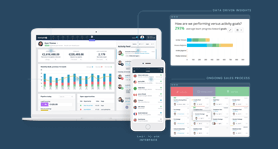

Most sales teams don’t lose deals because they lack effort, they lose them because follow-ups slip, data gets messy, and no one is fully sure what the real next step is.
If you want to close deals faster, you need three things:
-
Clear next steps on every active deal
-
Automatic activity tracking (so nothing gets missed)
-
A clean, trustworthy pipeline you can actually rely on
This guide walks you through 10 practical ways to use your CRM to save time, reduce admin, and protect revenue.
Teamgate helps reps follow a clear sales process and helps managers trust the numbers, without turning CRM into a full-time admin job. It enforces next steps, keeps pipelines honest, and centralizes the work reps already do.
Let’s break down how to use your CRM smarter, not harder.
Key Takeaways:
- Implementing a Sales Inbox with your CRM software can streamline communication and automate data updates.
- Leveraging data import capabilities of your CRM can automate contacts and files import, reducing manual data entry work.
- Creating efficient landing pages linked to your CRM can automate lead generation and data capturing.
- Efficient activity planning can be achieved through your CRM, allowing quick event and activity tracking, sharing, and amending.
- CRM software can assist in eliminating contact duplicates, saving time spent managing repetitive information.
The salesperson’s toolbox
Your CRM is a lot like a craftsperson’s toolbox. An intelligently designed space holding everything you need to manage your complete sales process.
In a toolbox, the most-used tools are usually found at the top, the “hammer and saw” space. But not every day is a hammer-and-saw day. And just like your CRM, a well-stocked toolbox includes powerful tools you might not use every hour, but when you need them, they matter.
The difference between average and top performers is simple: they know when and how to use the right tool.
That’s where a disciplined CRM becomes critical. Teamgate acts as a sales operating system — keeping every deal in a real stage, with a real next step, and activity that reflects reality. Instead of relying on memory or spreadsheets, you run your daily selling rhythm from one place.
Put your sales CRM to work smarter
Teamgate includes a range of labor-saving features designed to reduce busywork while increasing pipeline clarity.
Here are the 10 CRM capabilities that directly impact deal speed and time management:
-
Sales Inbox
-
Data import of contacts and files
-
Landing pages that work for you
-
Easy editing of contact details
-
Faster activity planning
-
Filters and saved searches
-
Global Smart Search
-
To-do lists and notifications
-
Eliminating contact duplicates
-
Teamgate on-the-go
Each one supports one goal: fewer stalled deals and more consistent follow-up.
#1 Sales Inbox
Communication takes up the majority of a salesperson’s time. The problem isn’t emailing — it’s logging and tracking it consistently.
When your sales inbox is synced with your CRM:
-
Every email is automatically tied to the right contact or deal
-
Team members can see full communication history
-
No one has to manually update records
-
Reaction time improves when deals shift
This protects revenue in two ways:
-
No “invisible” conversations stuck in personal inboxes
-
No deals sitting in late stages with no visible activity
With built-in email integration and templates, you reduce repetitive writing and eliminate common mistakes like incorrect addresses or missing stakeholders. More importantly, communication stays attached to the deal — which improves both follow-up discipline and manager visibility.

#2 Data Import of contacts and files
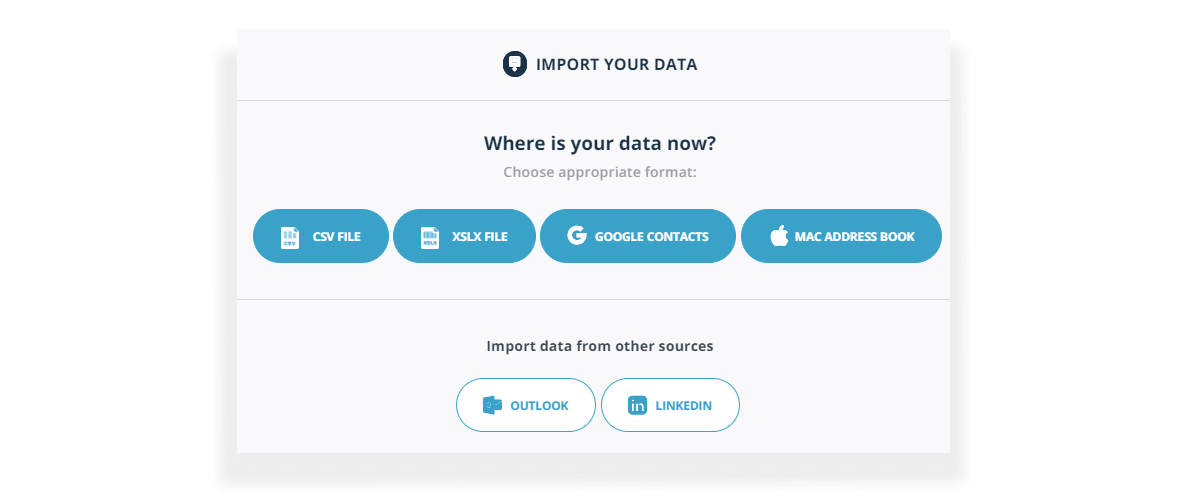
Manual data import is the bane of many salesperson’s lives.
Teamgate simplifies this by allowing automatic imports from:
-
CSV files
-
XLSX files
-
Google and Apple contacts
-
LinkedIn (via Shuttle extension)
Data mapping ensures information goes into the correct fields, either predefined or automatically created during import.
Why this matters:
-
Reps spend less time typing and more time selling
-
Managers get standardized data from day one
-
New lists can be worked immediately without cleanup delays
Clean imports = cleaner pipelines = better forecasting.
#3 Landing pages that work for you
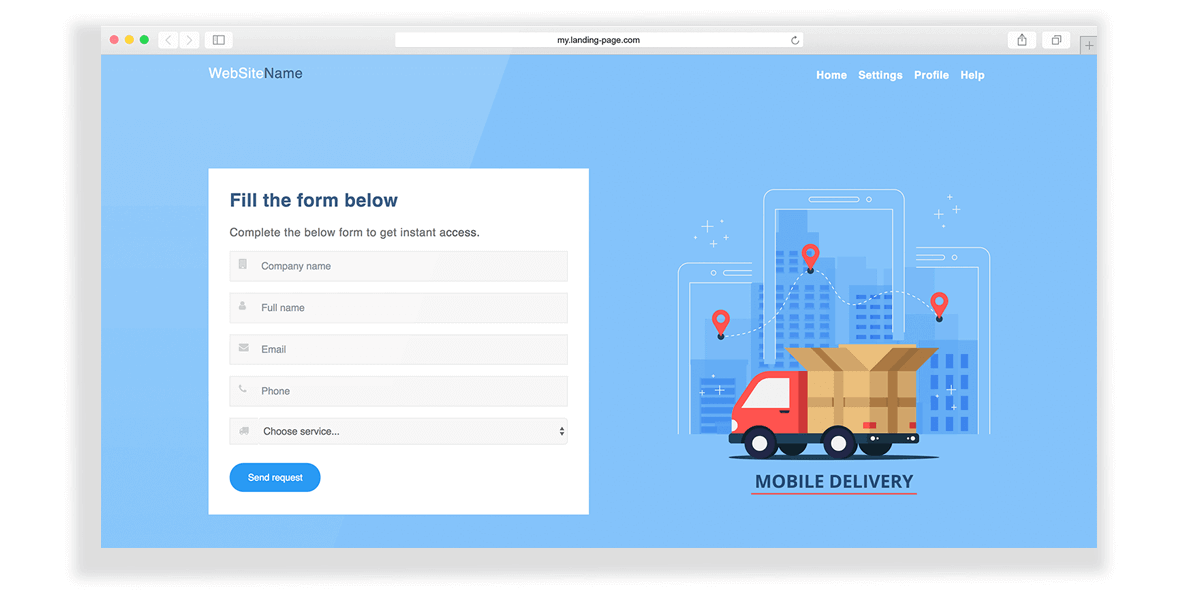
By connecting your website directly to Teamgate you can easily create landing pages to capture new leads.
By connecting your website directly to Teamgate, you can create simple landing pages that automatically:
-
Collect visitor data
-
Generate new leads
-
Send data directly into your CRM
This removes manual transfer steps and ensures new opportunities enter your pipeline immediately — with no lag time and no spreadsheet middle step.
When leads enter automatically and are assigned next steps, follow-up becomes a system — not a hope.
#4 Easy editing of contact details
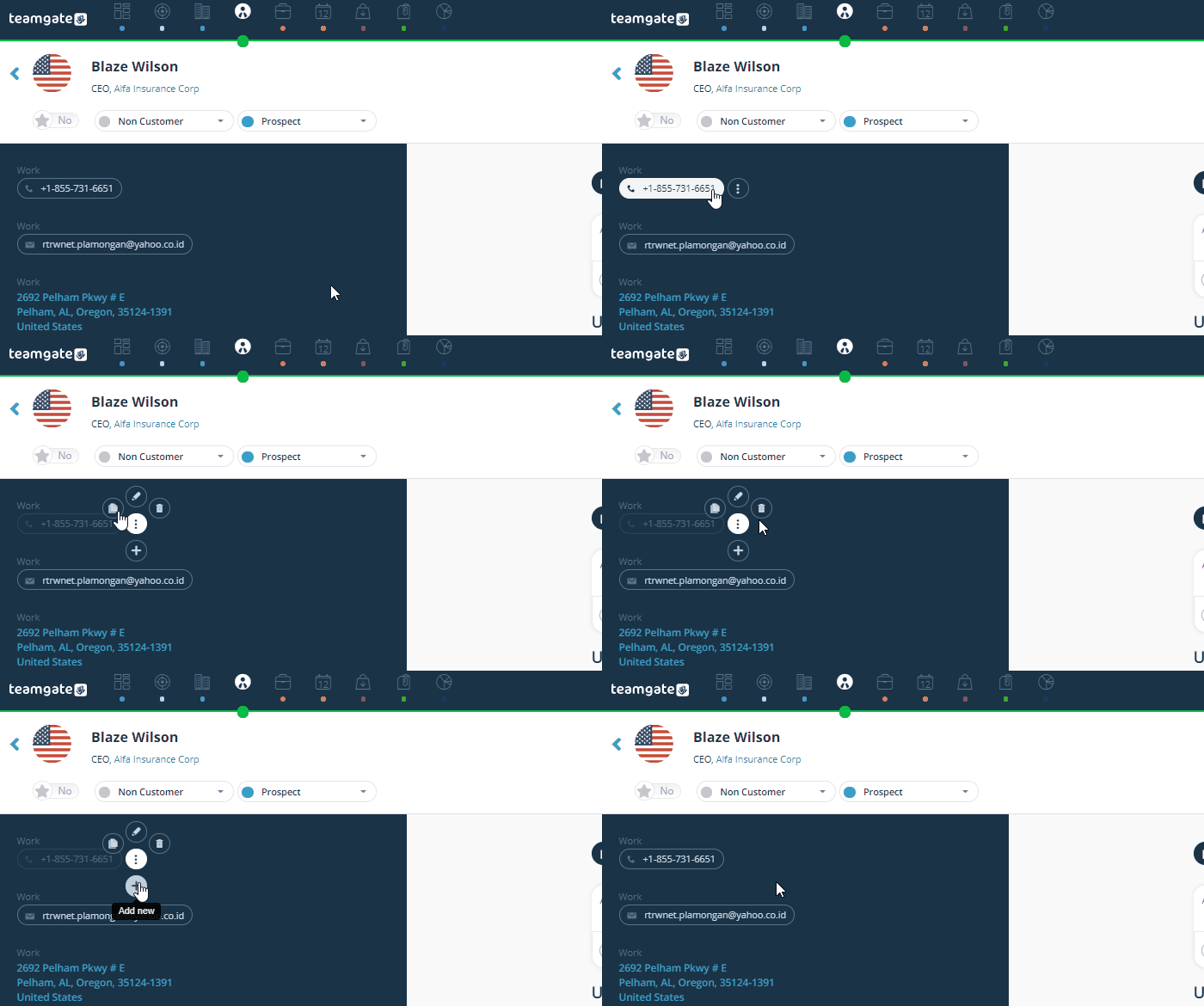
Sales data changes constantly. Job titles shift. Stakeholders move. Deal status evolves.
An efficient CRM must allow instant updates.
Teamgate enables editing directly within the lead or contact card. Click “edit,” use the options menu, and update instantly — no long navigation paths or complicated workflows.
This supports adoption by design: when updating the CRM is fast and simple, reps actually do it. And when they do it, managers get pipeline truth they can rely on.
#5 Faster activity planning
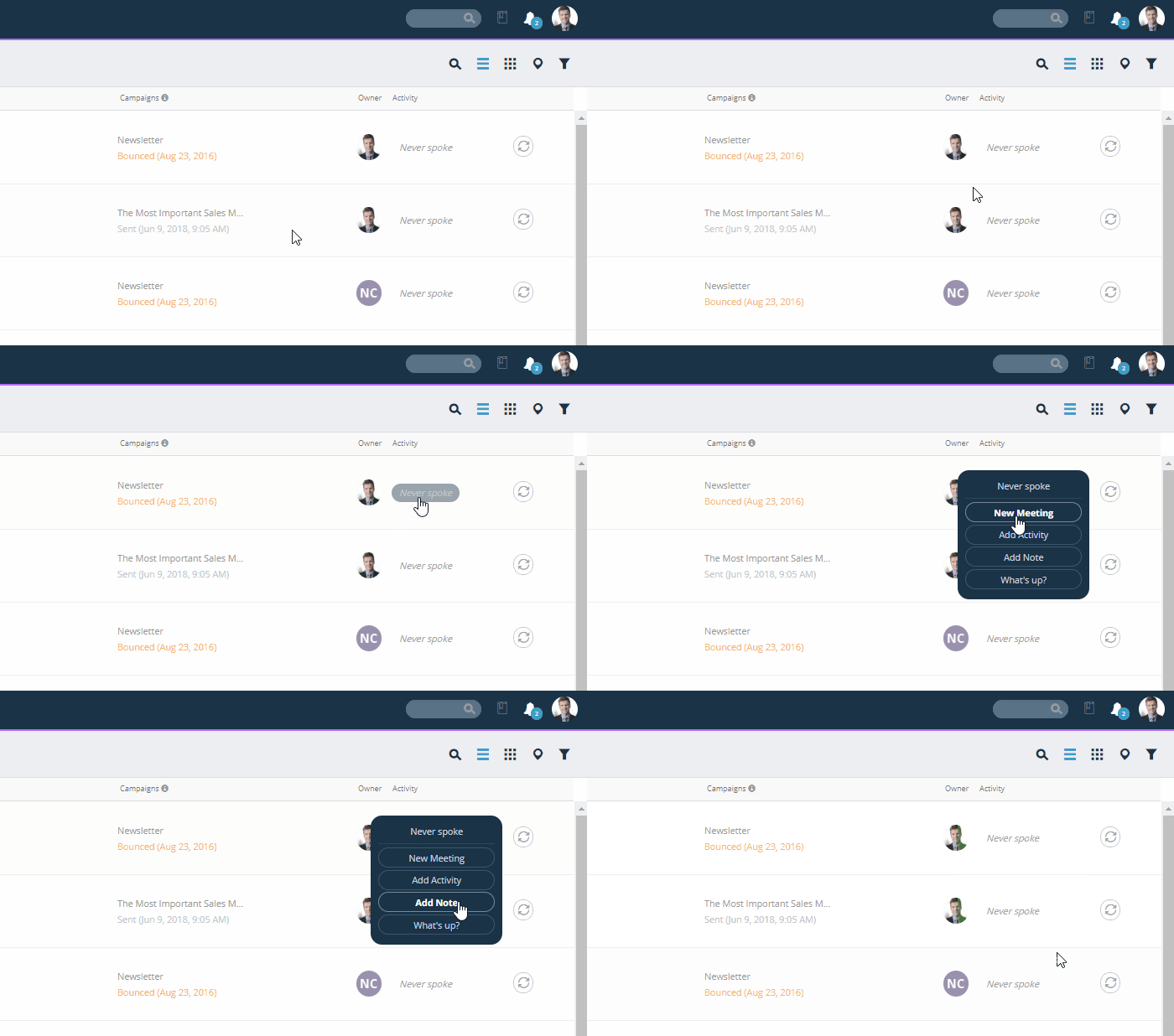
Event and activity planning, tracking, sharing, and amending is central to keeping up-to-date with all of your leads and contacts.
If activities are hard to log, they won’t be logged.
Teamgate allows you to create and manage events directly from:
-
Leads
-
Contacts
-
Companies
Instead of navigating multiple tabs, you work directly from your lists.
This turns your pipeline into a daily operating plan:
-
Every deal has a next step
-
Every next step has a due date
-
Overdue tasks become visible immediately
That’s how disciplined selling becomes predictable revenue.
#6 Filters and saved searches
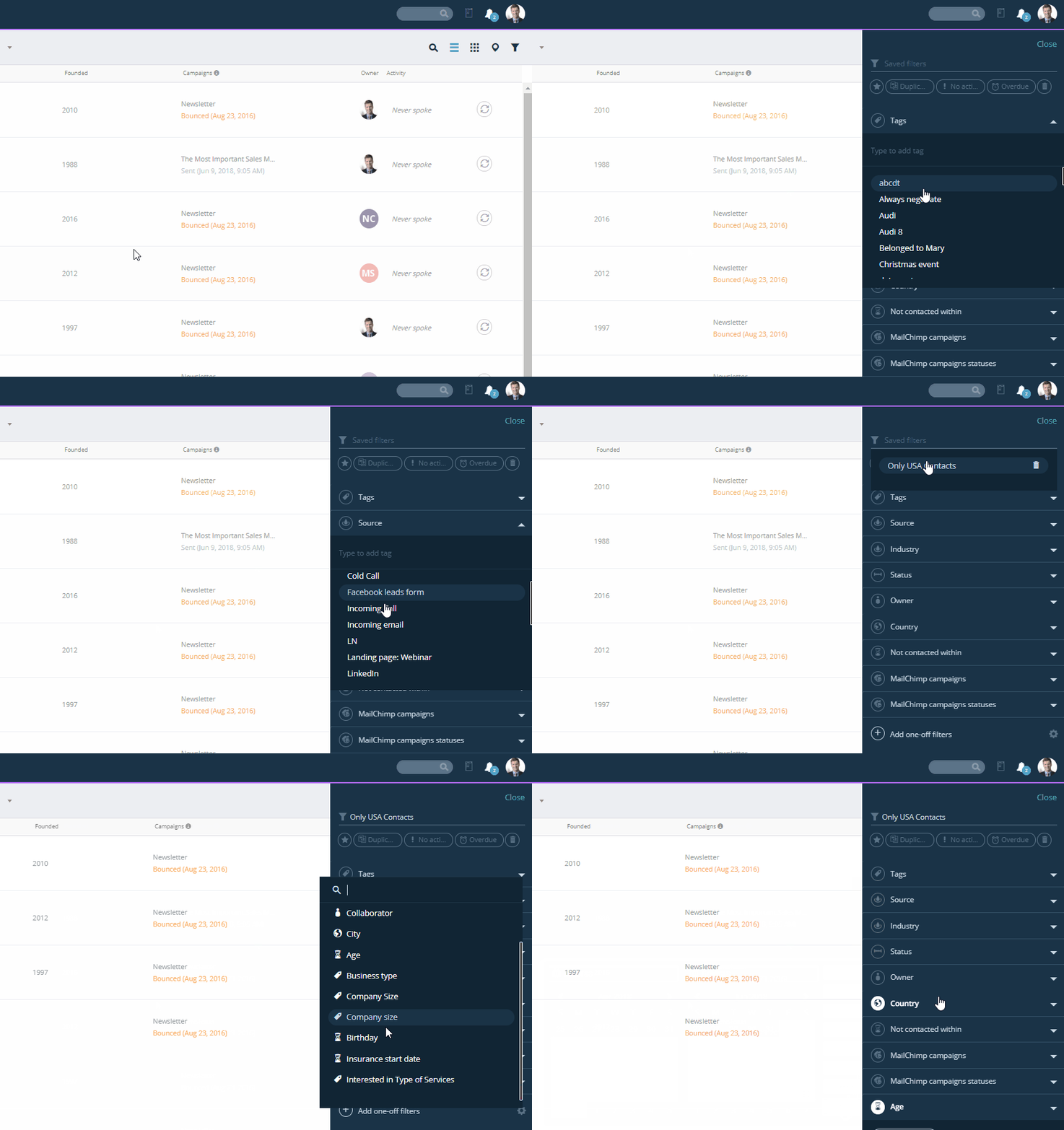
Searching through an extensive contact list takes time. Teamgate recognised that the use of filters is essential for smooth lead and contact-management.
Scrolling through a long contact list wastes time and kills focus.
Teamgate’s upgraded filtering system provides:
-
Clean, uncluttered views
-
Quick filters
-
Custom filters (choose the three most relevant)
-
Saved filtering criteria
-
One-off filters for quick refinement
This allows reps to quickly answer questions like:
-
Which deals have no next step?
-
Which late-stage deals haven’t had activity in 10 days?
-
Which leads match my ICP criteria?
For managers, filters surface deal aging and activity gaps before they become missed targets.
#7 Global smart search
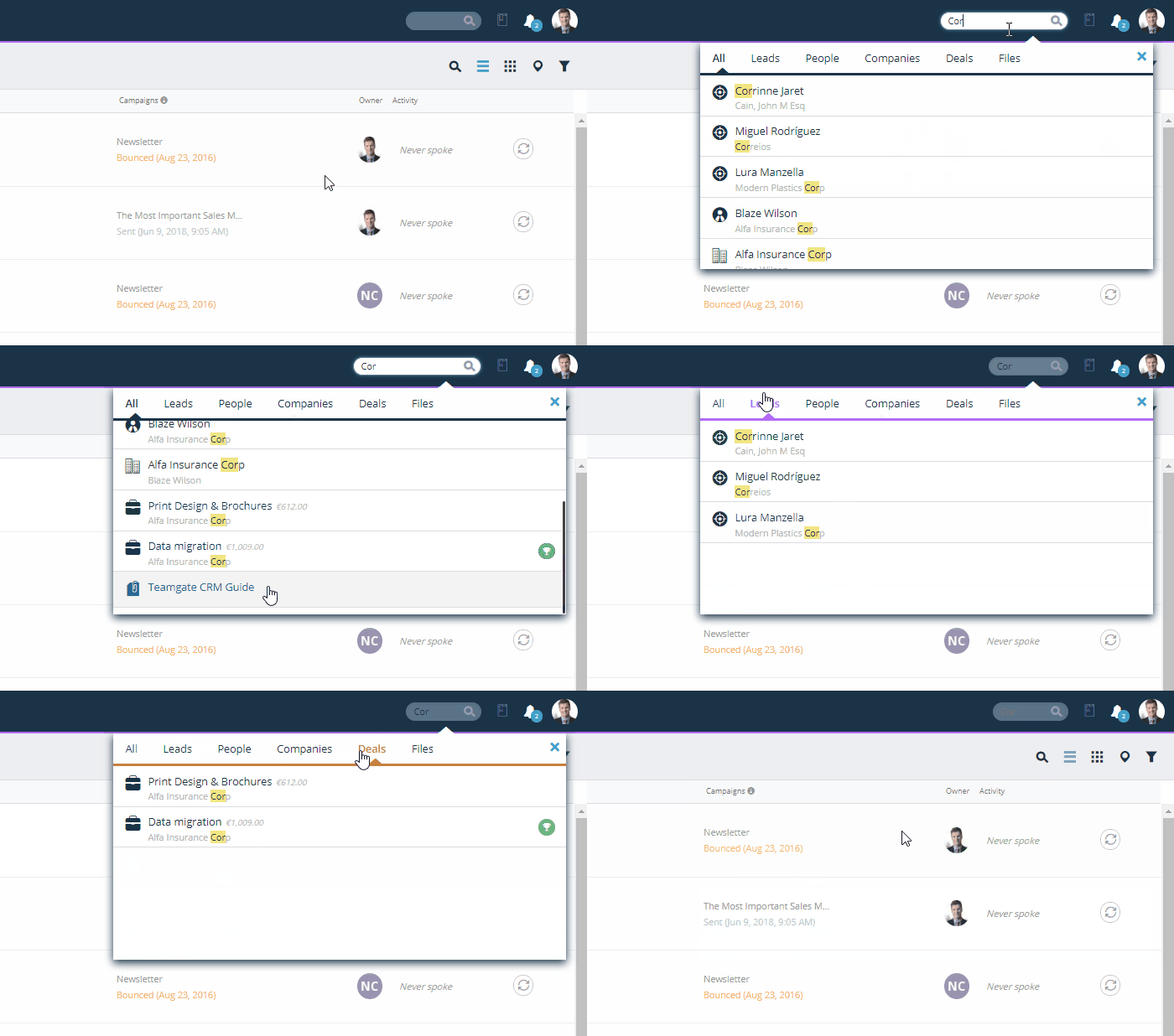
Global Smart Search allows keyword-based searches across the entire CRM database.
You can search by:
-
Names
-
Phone numbers
-
Emails
-
Addresses
-
File types (PDF, DOC, CSV)
This eliminates the “I know I saved that somewhere” problem.
When information retrieval is instant, context stays intact — and momentum doesn’t slow down.
#8 To-do lists and notifications
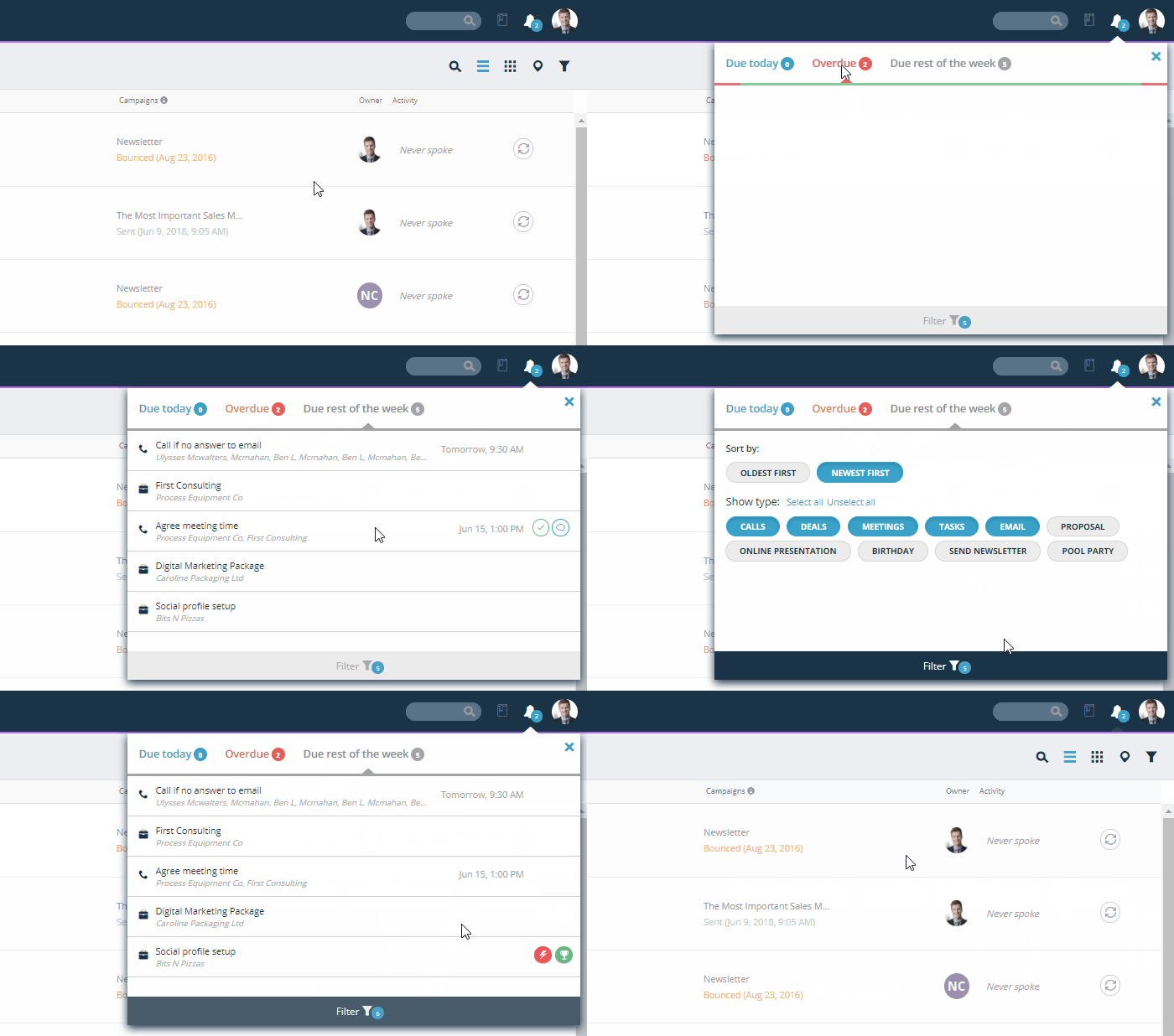
Reps shouldn’t have to guess what to work on next.
Teamgate’s calendar gives a clear overview of:
-
Tasks due today
-
Overdue tasks
-
Tasks due this week
When your CRM functions as a structured daily task engine, follow-up becomes automatic. Deals don’t quietly go stale. Momentum stays alive.
For managers, this ensures activity standards are visible without micromanagement.
#9 Eliminating contact duplicates
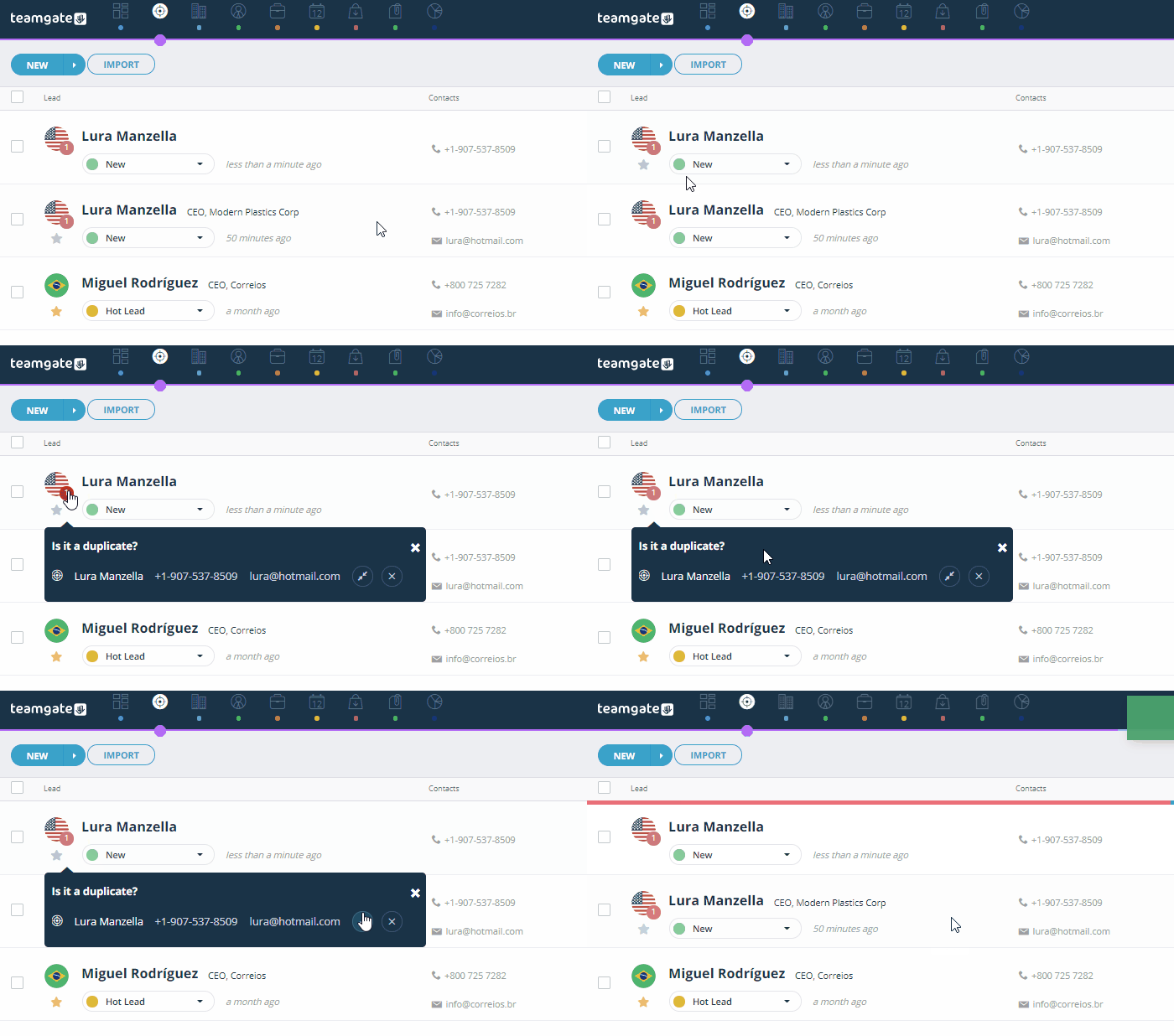
Duplicate contacts create confusion, wasted outreach, and broken context.
Teamgate automatically identifies duplicates so you can manage them quickly.
Clean contact records lead to:
-
Accurate reporting
-
Clear communication history
-
Fewer embarrassing double emails
-
Reliable pipeline metrics
Pipeline hygiene directly impacts forecast reliability.
#10 Teamgate on-the-go
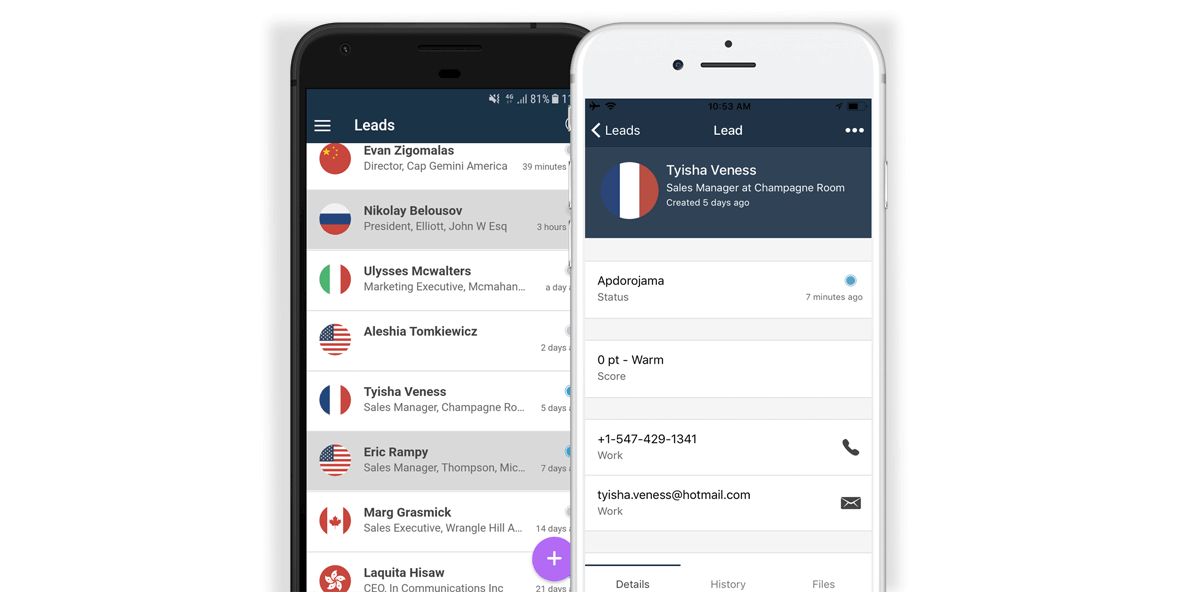
Selling doesn’t happen only at your desk.
With mobile access, you can:
-
Update deals immediately after meetings
-
Log calls in real time
-
Add notes while context is fresh
-
Create next steps instantly
This eliminates end-of-day admin catch-up — one of the biggest adoption killers in CRM usage.
When reps can maintain discipline without extra effort, data stays current and managers trust the numbers.
Welcome to the powerhouse
Your Teamgate sales CRM is a powerhouse of valuable assets and time-saving features.
Discover a sales operating system designed to keep your pipeline clean, your reps consistent, and your managers confident in the forecast, without enterprise CRM bloat or feature overload.
Hit your targets faster, take a Teamgate Free Trial today.
FAQs: Sales Time Management Tips
Q: What are some sales time management tips using a CRM?
A: You can improve your sales time management using a CRM by integrating a sales inbox, automating data import, creating efficient landing pages, planning activities faster, and eliminating contact duplicates.
Q: How can a CRM help with sales inbox management?
A: A CRM can sync with your sales inbox, ensuring all communication history is available to your team. This makes updating client data seamless and efficient, and prevents errors such as address typos or name mix-ups.
Q: Can CRM help in importing data efficiently?
A: Yes, CRM software can automate data import, saving valuable time. Contacts and leads data can be imported automatically from various sources, making data management faster and more efficient.
Q: How can landing pages be utilized for time management in sales?
A: By connecting your CRM to your website, you can create landing pages that automatically capture and import lead data into your CRM. This eliminates manual data entry and facilitates lead generation.
Q: How can CRM help in eliminating duplicates in sales contacts?
A: CRM software has intelligent features that automatically identify duplicates in your contact lists, allowing you to manage them quickly and efficiently. This feature can greatly reduce time spent on data cleaning tasks.
Do you have a CRM that keeps you organised?
The most user-friendly CRM on the market. 14-day free trial.
Start Free TrialPainless setup, no credit card required