If your sales team closes deals in one system and finance invoices in another, revenue gets harder to control. Deals move to closed-won, but invoices still need manual creation. Payments get updated in QuickBooks, but sales reps cannot see the status. Managers think revenue is coming in, but finance is working from a different source of truth.
A CRM that integrates with QuickBooks fixes this by connecting your pipeline to your cash flow in real time. That means:
- Turn won deals into invoices without duplicate entry
- See payment status from inside the CRM
- Keep sales and finance aligned on customer records
- Reduce billing errors caused by manual handoffs
- Report on revenue with cleaner, more reliable data
This matters because QuickBooks integration is not just an accounting convenience. It supports a tighter revenue process. When your CRM keeps every deal in a clear stage, every follow-up tied to a task, and every invoice connected to the customer record, you get fewer missed steps between “interested,” “closed,” and “paid.”
Teamgate is built for that kind of sales discipline. It gives growing sales teams a practical operating system for clean pipeline behavior, consistent follow-up, and trustworthy revenue visibility without enterprise CRM bloat.
When integration is done right, your CRM becomes the system that enforces follow-up, keeps deals moving, and ensures nothing slips between “closed-won” and “paid.”
Key Takeaways:
- Integrating a CRM with QuickBooks can boost sales processes, enhance customer satisfaction, and prevent data duplication.
- CRM tools that offer QuickBooks integration include Teamgate, Capsule, HubSpot CRM, Pipeline, and Method.
- Benefits of this integration include simplifying sales, avoiding double data entry, improving data security, aligning team members, and ensuring accurate data entry.
- Teamgate stands out with its user-friendly interface, easy setup, reliable customer care, and multi-platform integration.
- The right CRM with QuickBooks integration should fit your budget, be user-friendly, and offer features tailored to your business needs.
Contents
- Benefits of Integrating Your CRM with QuickBooks
- 5 Best CRM with Quickbooks Integration
- Final Thoughts
- FAQs: QuickBooks CRM Integration
Benefits of Integrating Your CRM with QuickBooks
Customer Relationship Management software helps your team manage leads, contacts, deals, follow-ups, and sales activity. QuickBooks manages invoices, payments, expenses, and accounting records.
When you connect them, you remove the gap between closing a deal and getting paid. When the two systems are disconnected, your revenue process depends on manual handoffs. Sales closes a deal, someone creates an invoice later, payment status sits in QuickBooks, and the CRM may still show the deal as “done” even if cash has not arrived.
Here’s what that means in practice.
Simplify Sales
Sales reps shouldn’t waste time switching between tools to create invoices or check payment status. With QuickBooks integrated into your CRM:
-
Quotes can convert into invoices automatically without needing a separate online invoice generator, keeping your payment status visible inside the deal and ensuring sales and accounting stay perfectly aligned,
A strong CRM and QuickBooks workflow can help you:
- Convert quotes or won deals into invoices
- Keep invoice and payment status visible from the deal record
- Give reps context before follow-up calls
- Help finance understand the sales history behind each customer
- Reduce delays between closed-won and invoiced
For teams running a structured pipeline, this also reinforces discipline. When deals move stages with defined next steps — and financial data updates automatically — you reduce manual follow-up and admin overhead. Platforms like Integrate.io can further streamline this by handling complex data transformation and pipeline workflows, ensuring your revenue data flows seamlessly across all your systems.
Avoid Double Data Entry
Manual data entry creates small mistakes that become bigger problems later. A misspelled company name, outdated billing contact, duplicate account, or missing invoice field can slow down payment and damage reporting accuracy.
A CRM and QuickBooks sync helps protect data quality by keeping key records aligned across both systems.
This usually improves:
- Contact and company records
- Billing details
- Invoice history
- Customer transaction data
- Sales and revenue reporting
A CRM–QuickBooks sync ensures that once data is entered, it updates everywhere. This protects pipeline truth and eliminates unnecessary busywork.
For sales reps, that means less reporting.
For managers, that means cleaner forecasting data and ever avoiding cash flow issues.
Improve Data Security
Sales teams often lose visibility after a deal is marked closed-won. That creates a blind spot. A rep may think the deal is finished, while finance is still waiting on payment or resolving an invoice issue.
QuickBooks integration helps close that visibility gap. When payment status is visible inside the CRM, reps can follow up with better context and managers can understand which deals have turned into real revenue.
This is especially useful for teams that manage renewals, repeat purchases, account expansion, or customer success handoffs. Everyone can see the financial status before taking the next action.
Align Sales, Finance, and Leadership
Disconnected systems create different versions of the truth. Sales tracks deal progress. Finance tracks invoices. Leadership tracks revenue. If those systems do not talk to each other, every report needs explanation.
A CRM with QuickBooks integration gives each team the context they need:
- Sales can see invoice and payment status before contacting a customer
- Finance can see deal context before issuing or following up on invoices
- Managers can review sales activity and revenue status together
- Leadership can make decisions from cleaner pipeline and cash-flow data
This does not mean everyone needs access to everything. The right setup should give each role the information they need without exposing unnecessary financial details.
When 82% of customers expect immediate responses for sales inquiries and 90% expect fast support answers, speed and context matter.
Reduce Errors and Protect Revenue
The more manual steps your process has, the more chances there are for mistakes. Quotes can be copied incorrectly. Invoices can be delayed. Payment updates can be missed. Customer records can drift across systems.
Automation reduces human error.
With the right CRM and QuickBooks setup, teams can create a more reliable process where:
- Quotes become invoices faster
- Customer records stay current
- Payment status updates automatically
- Follow-up tasks are triggered when action is needed
- Reporting reflects what is actually happening
This is where CRM discipline matters. Integration alone moves data. A good CRM operating rhythm makes sure the data drives action.
5 Best CRM with Quickbooks Integration
Not all CRMs handle QuickBooks integration equally. Some offer basic syncing. Others help operationalize your entire revenue process.
Below are five strong options to consider.
Teamgate
Teamgate is a smart customer relationship software designed for sales-led teams that care about structured selling and clean pipelines. It’s built around disciplined deal stages, defined next steps, and high adoption — without bloated complexity.
Teamgate’s CRM Quickbooks Integration
Teamgate CRM Features
Teamgate supports disciplined selling and operational visibility through:
-
Visual Deal Pipeline: Custom stages and multiple pipelines keep every deal in a defined stage with a real next step — preventing “hope-based” forecasting.
-
Activities, Tasks & Reminders: Follow-up becomes systematic instead of memory-based.
-
Email Integration (Gmail/Outlook): Conversations stay tied to deals automatically.
-
SmartDialer (Twilio): Call directly from the CRM and log activity instantly.
-
Workflow Automations: Auto-create tasks and reminders to reduce admin work.
-
Sales Dashboards & Forecasting: Managers see deal aging, activity signals, and next-step coverage — not just revenue totals.
-
Multi-Platform Integrations: Connect with tools like Mailchimp, Zapier, Google Drive, and more — including QuickBooks — without heavy implementation work.
-
Mobile Apps: Manage deals on iOS and Android.
-
Affordable Plans: Pricing tiers support growing SMB and mid-market teams.
Teamgate represents a sales operating system that protects revenue by enforcing structured stages, consistent follow-up, and real pipeline visibility — without CRM bloat.
Capsule CRM
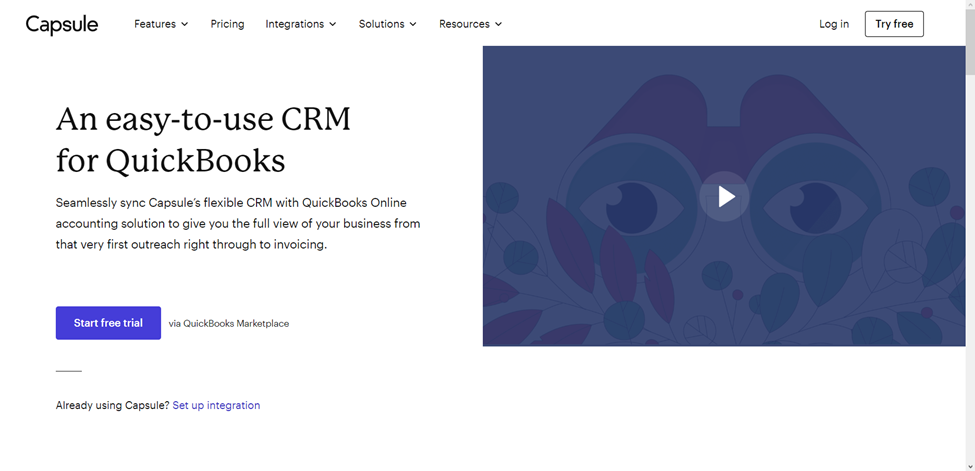
Capsule is another user-friendly CRM that integrates with QuickBooks. You can customize the CRM software to match your organization’s unique needs, and onboarding the software takes little time. After onboarding Capsule, you can auto-import contacts from QuickBooks and track customer communications and transactions.
Capsule CRM Features:
-
Auto-import contacts and track communications, invoices, LTV, and overdue payments
-
Email Tools: Customizable templates; integrates with Gmail and Outlook
-
Tasks & Calendar: Schedule follow-ups, meetings, and reminders
-
Sales Pipeline: Transparent stages and separate flows for different products
-
Analytics: Identify sales bottlenecks and refine your sales cycle
-
Project Management: Built-in tools to monitor ongoing tasks and deliverables
HubSpot CRM
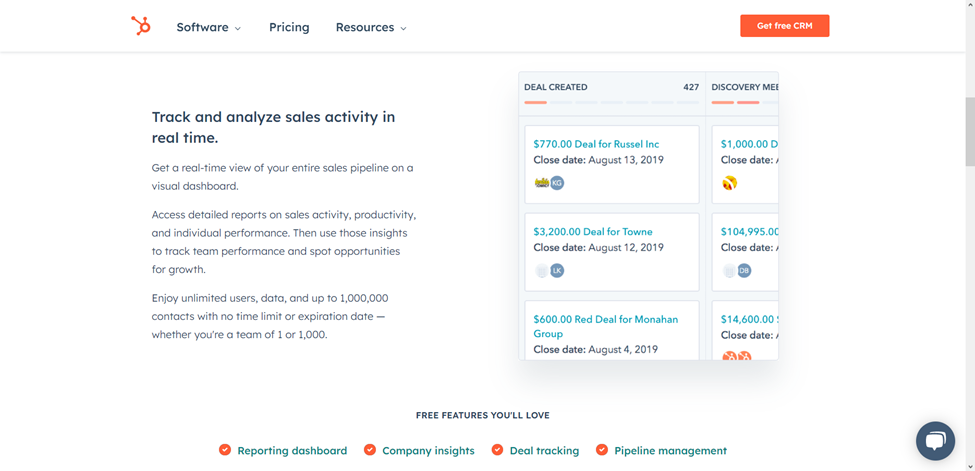
HubSpot CRM offers a free CRM platform that you can integrate with QuickBooks to view customer transactions, invoices, and outstanding payments without switching to QuickBooks. Your salespeople, marketers, customer support team, operations manager, and other authorized staff can all use the CRM platform to simplify their daily duties.
Other functions you can perform after integrating the CRM with QuickBooks are creating new records for vendors, customers, and purchase orders. Also, once you enter fresh data into the CRM, HubSpot will automatically sync records to update existing entries in QuickBooks and other integrated systems.
HubSpot CRM Features:
-
Syncs invoices, transaction data, and outstanding balances
-
Create vendor/customer records and purchase orders from within HubSpot
-
Real-Time Sales Tracking: Visual dashboards to monitor your pipeline
-
Deal Pipeline: Assign deals, track activities, and set priorities
-
Live Chat, Email Notifications & Online Newsletter Tools: Respond faster to engaged leads and keep customers updated through automated newsletters.
-
Reporting Tools: Secure dashboards with role-based data visibility
Limitations: Doesn’t support QuickBooks sandbox accounts; may require disabling custom transaction numbers in QuickBooks.
Pipeline CRM
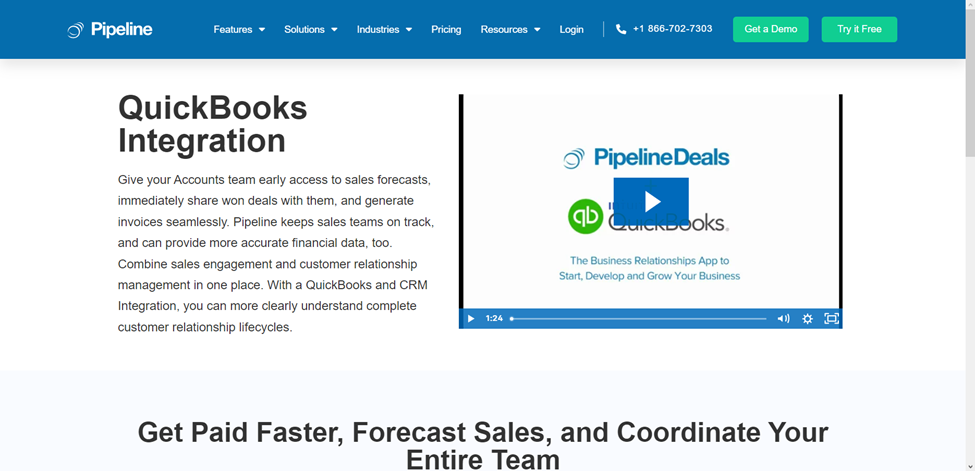
For many businesses, Pipeline is the preferred CRM to integrate with QuickBooks for sales forecasting. Companies typically use the sales forecasting system to project sales revenue over a specific period and identify if sales team members are on track to hit quotas.
Pipedrive CRM Features
Besides sales forecasting, Pipeline’s CRM integration with QuickBooks allows users to manage invoices and automatically sync data between both platforms. On the downside, Pipeline does not offer a free plan or customer support outside standard business hours. Below are more distinctive Pipeline features:
- Sales Pipeline Mobile App: Pipeline has an Android and iOS app that allows you and your team to view sales pipelines via any mobile device with an internet connection.
- Data-Driven Sales Forecasting and Insights: Integrating Pipeline with QuickBooks allows it to analyze payments, invoices, and estimates to provide accurate customer insights and financial reports.
- Invoice Management: You can generate QuickBooks invoices and send them with Pipeline, eliminating the hassle of switching between platforms.
- Project Management: Pipeline integration with QuickBooks equips teams to manage, organize, and collaborate on projects in real-time.
Method CRM
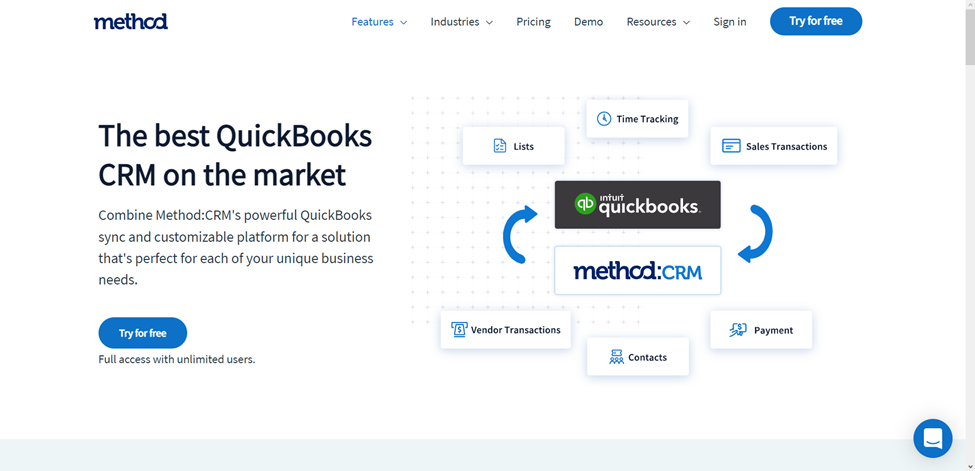
Method CRM with QuickBooks integration simplifies managing sales data with your teams. Every employee authorized to use the app can view customer details, such as transaction history, accounting data, and even contact information for reaching out to a customer. Customers can view similar information and track their past support requests.
Method CRM Features
You can easily integrate Method CRM with all desktop and online versions of QuickBooks. Also, unlike most CRMs, Method does not require entering your credit card details to access its 30-day free trial. Here are more features that make Method a commendable CRM for QuickBooks integration:
- Customizable Platform: You can adapt Method to match your unique business needs and preferences.
- Time-Tracking: Method allows users to generate invoices based on time sheet records. The system can also track time by job, project, or customer, removing the need to track project durations manually for invoices.
- Financial Management Tools: QuickBooks integration with Method allows users to generate and send invoices, receipts, estimates, sales orders, bills, and purchase orders from the CRM.
- Vendor Management: You can add and manage vendors in the CRM and sync vendor data from your QuickBooks.
- Customer Online Portals: Your customers can access the QuickBooks online portal via the CRM to view estimates and make payments, which is exactly the kind of convenience modern client portals are designed to deliver.
Final Thoughts
Choosing a CRM with QuickBooks integration isn’t just about syncing data. It’s about how your team operates every day.
The right system should answer three questions clearly:
- Will reps actually use it without being chased?
- Does it enforce clear next steps and consistent follow-up?
- Can leadership trust the pipeline and revenue data?
A good integration removes duplicate work and connects sales to finance. A great system goes further, it enforces the behaviors that keep deals moving and revenue predictable.
If your pipeline looks full but feels unreliable, the issue isn’t just integration. It’s a lack of structure.
If deals sit without next steps or follow-ups depend on memory, you need a system that makes disciplined selling the default.
Teamgate is designed for exactly that. It keeps every deal in a real stage with a real next step, while syncing financial data so sales and finance stay aligned.
The result is simple:
- Reps spend more time selling
- Managers trust the numbers
- Revenue doesn’t leak between systems
While Teamgate stands out as a comprehensive solution, the true measure of its effectiveness lies in firsthand experience. We encourage you to explore the potential of Teamgate by taking advantage of our 14-day free trial across any plan, ensuring you find the right fit for your team’s unique needs.
FAQs: QuickBooks CRM Integration
Q1: What is QuickBooks CRM integration?
A1: QuickBooks CRM integration involves connecting your Customer Relationship Management (CRM) system with QuickBooks accounting software. This integration allows for seamless data sharing between the two platforms, streamlining financial management and customer relations processes.
Q2: Why should I integrate my CRM with QuickBooks?
A2: Integrating your CRM with QuickBooks offers several benefits, including improved data accuracy, enhanced customer insights, streamlined invoicing and payment tracking, and better collaboration between sales and accounting teams.
Q3: Can any CRM system integrate with QuickBooks?
A3: Not all CRM systems can integrate directly with QuickBooks. It’s important to choose a CRM that offers native integration or supports third-party integration tools to connect with QuickBooks effectively.
Q4: How do I integrate my CRM with QuickBooks?
A4: The integration process varies by CRM system. Generally, you can integrate through direct integration features provided by the CRM, use third-party integration apps, or employ API connections. It’s recommended to consult the help documentation of your CRM and QuickBooks or contact their support for specific guidance.
Q5: Is the integration between QuickBooks and CRM systems secure?
A5: Yes, reputable CRM and accounting software prioritize security in their integrations. However, ensure you’re using secure connections and follow best practices for data security to protect your business information.
Q6: Will integrating QuickBooks with my CRM system increase my operational costs?
A6: While there might be initial setup costs or additional fees for integration features, the efficiency gains and potential for increased revenue through improved customer relationship management often offset these costs.
Q7: Can I customize the data shared between QuickBooks and my CRM?
A7: Yes, most integrations allow for customizable data sharing settings. You can choose which data points to sync between QuickBooks and your CRM, such as customer details, sales orders, invoices, and payment records.
Q8: How does QuickBooks CRM integration affect my workflow?
A8: Integrating QuickBooks with your CRM can significantly streamline your workflow by automating data entry tasks, reducing manual errors, and providing real-time financial insights within your CRM platform.
Q9: Can I try QuickBooks CRM integration before committing to it?
A9: Many CRM providers offer free trials that include integration features, allowing you to test the integration with QuickBooks before making a long-term commitment.
Q10: Where can I find support if I encounter issues with my QuickBooks CRM integration?
A10: Support can typically be found through the CRM provider, the integration app service (if used), or QuickBooks support. Many also offer extensive online resources, such as guides, tutorials, and community forums.