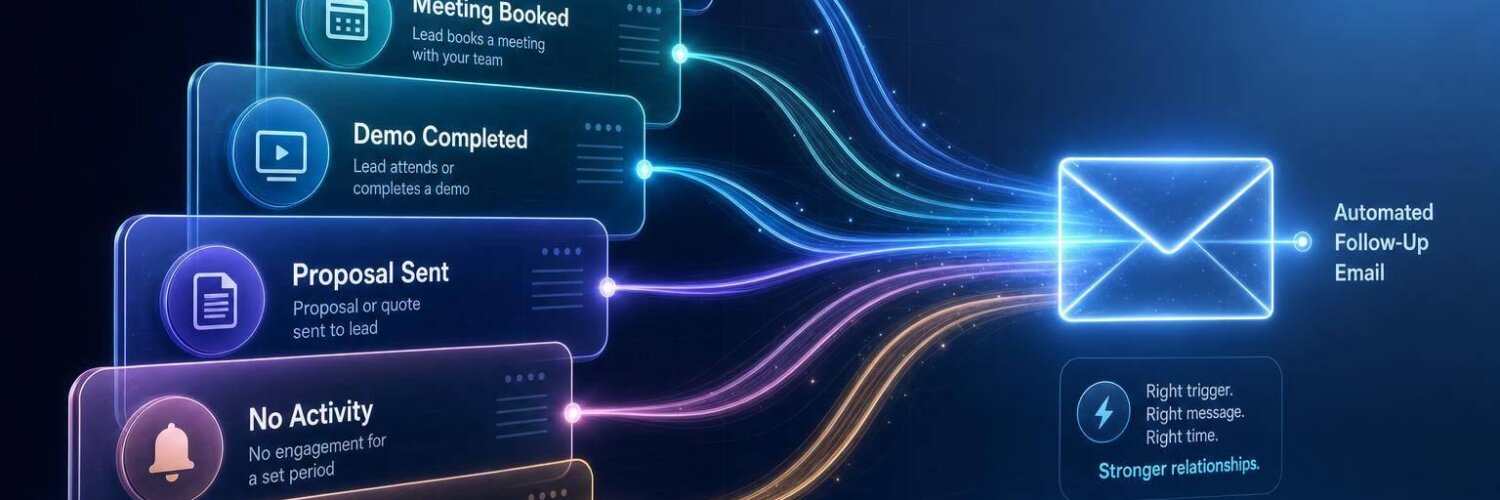

If you want follow-up automation that works, start with the trigger that matches the deal stage. In most teams, that means using new lead created for first-touch speed, meeting booked, demo completed, and proposal sent for stage-based follow-up, and no activity plus deal aging to catch stalled deals before they hurt pipeline quality.
I’d keep it simple:
- Use entry triggers for immediate response
- Use stage triggers for guided next steps
- Use risk triggers for quiet or stuck deals
- Check your CRM data first, because bad stage, activity, or calendar data causes most trigger mistakes
Teamgate gives growing sales teams clarity, structure, and trustworthy pipeline insight – without enterprise CRM bloat or feature overload. In this article, I compare six CRM triggers by use case, timing, data quality, and misfire risk, so you can pick the one that fits your sales motion instead of turning on automation that sends the wrong message at the wrong time.
Quick Comparison
| Trigger | Best for | When to fire | Main data need | Main risk |
|---|---|---|---|---|
| New lead created | Inbound and outbound first touch | Within minutes | Clean lead records and assignment | Lead enters CRM but no one acts |
| Meeting booked | Demo or discovery setup | Right after booking | Calendar sync and contact role data | Timezone or reschedule errors |
| Demo completed | Post-demo recap and next step | Within 3 business days | Demo notes, stakeholder fields, next step | Generic follow-up or overlap with rep outreach |
| Proposal sent | Late-stage deal follow-up | About 3 business days later | Correct stage, contact email, deal value, close date | Stage changed before proposal was sent |
| No activity | Quiet deals in long sales cycles | After 7 or 14 days | Logged calls, emails, and meetings | False alerts from missing activity logs |
| Deal aging | Deals stuck in one stage | Around 2x average stage time | Stage-entry dates and stage timing data | Alerts on deals that are slow by design |
Bottom line: if you answer leads fast, pause automation when people reply, and set inactivity rules that fit your sales cycle, your follow-up system will do far less harm and far more good.
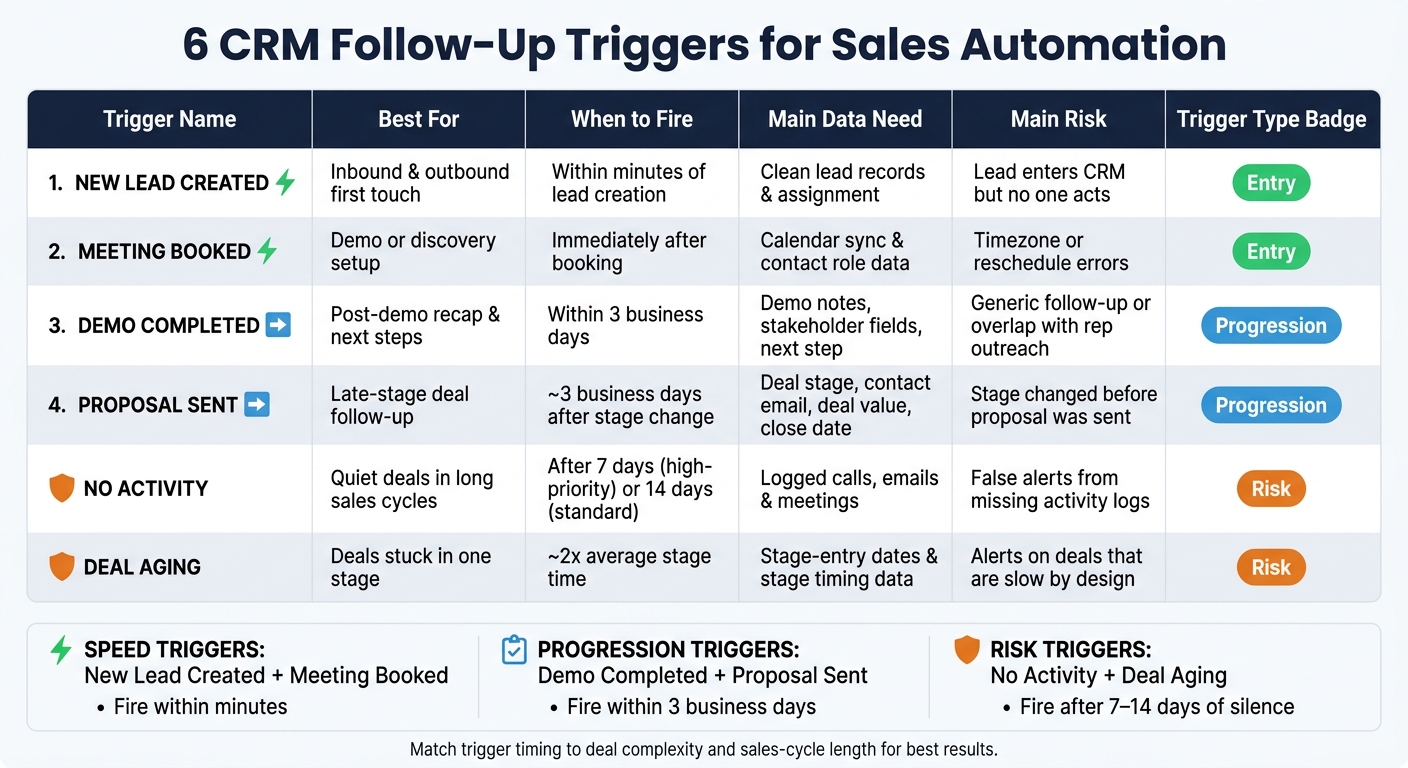
6 CRM Follow-Up Triggers Compared: Use Case, Timing & Risk
Smarter Follow-Ups with Event-Based Email Automation
sbb-itb-5772723
1. New lead created
This is one of the best moments to automate follow-up. When a lead enters your CRM through a form fill, import, or sync, you can act at once instead of letting the record sit untouched. Teamgate is a sales operating system for teams who want disciplined selling, real insight, and a CRM their reps actually use.
Best use case and timing
Use this trigger for inbound demo requests and outbound prospecting, especially when the first response needs to happen right away. As soon as the lead lands in the CRM, the system can send the first email or create a follow-up task. That first touch should happen within minutes of lead creation.
Data dependency
Bad data breaks good automation. Missing fields or duplicate records create messy follow-up and weak handoffs. Keep lead records complete through lead qualification and deduplication, or your team will stop trusting what they see.
Misfire risk
This trigger can still fail in practice if leads enter the system but nobody works them. That usually happens when next steps are missing or timezone settings are off. Pair the trigger with a required next step so each new lead has a clear action tied to it.
In Teamgate, every new lead stays in a real stage with a defined next step, so follow-up starts the moment the lead enters the pipeline.
Once the first reply lands, the next trigger is meeting booked.
2. Meeting booked
The moment a meeting is booked, follow-up should start. Send the confirmation email and any pre-meeting material right away so the rep shows up with context, not guesswork. Teamgate helps reps follow a clear sales process and helps managers trust the numbers – without turning CRM into a full-time admin job.
This trigger works best for inbound demo requests and outbound discovery calls, mainly when the prospect has already shown clear intent. For high-value deals of $100,000+, tailor the pre-meeting content by stakeholder role: ROI-focused material for economic buyers and technical specs for technical evaluators.
Best use case
Use this trigger when the goal is to move from interest to a live sales conversation with no delay. It fits best when speed matters and the buyer has already taken a meaningful step, like booking a demo or agreeing to a discovery call.
Timing and cadence
Send the first email immediately after the meeting is booked. Set the automation to pause as soon as the prospect replies, so follow-ups stop once there is active engagement. That keeps the outreach clean and avoids the awkward "still following up" email after someone has already answered.
Data dependency
This trigger depends on calendar sync and other CRM integrations. Without a connected Google Calendar or Outlook account, meeting-booked automations cannot fire in a steady way, and reps may need to log meetings by hand, which creates gaps. Role fields also need to be filled in so the CRM sends the right follow-up for the right person.
Misfire risk
The biggest risks are timezone mistakes and old meeting records. If a deal is logged in the wrong timezone, it can create data gaps that look like pipeline issues when the real problem is setup error. And if reps do not mark a meeting as completed or rescheduled, the automation may send at the wrong time.
With calendar sync turned on, the trigger fires from actual bookings, not manual entries.
Once the meeting ends, the next trigger should handle post-demo follow-up.
3. Demo completed
A demo should end with a clear next step, not a dead pause. Once the demo is done, your automation should send a follow-up that recaps what was covered and confirms what happens next. Teamgate helps reps follow a clear sales process and helps managers trust the numbers – without turning CRM into a full-time admin job.
Best use case
This trigger works best when you match the cadence to the deal. For SMB deals, keep it short and direct. Right after a demo, speed matters, so the follow-up should go out fast and stay focused.
For more complex B2B SaaS sales, use a longer sequence. If there’s no reply, follow up at 1, 3, and 6 weeks. If the demo brings up pricing or approval questions, move the deal into proposal-sent automation next.
Timing and cadence
Send the first follow-up within 3 business days after the demo is logged as completed. For more complex deals, adjust the message based on the stakeholder’s role. Economic Buyers usually care more about ROI, while Technical Evaluators want capability details.
Set the automation to pause as soon as a prospect replies, so the sequence stops right away after a response.
Data dependency
This trigger only works if your CRM has enough detail to make the recap personal and useful. The key fields are:
- Decision Timeline
- Budget Range Confirmed
- Key Stakeholders Identified
- Stakeholder Role
If those fields aren’t current, the sequence can send generic follow-ups to the wrong person at the wrong time.
Misfire risk
This trigger tends to fail when the demo is logged but the next stakeholder or next action is still blank. The biggest risk is single-contact dependency: the demo is tied to just one contact, so the sequence can stall if that person goes quiet or leaves the company.
Check Last Activity Date before the automation fires, so you don’t stack it on top of a manual follow-up. If the next step is a formal quote, the proposal-sent trigger should take over.
4. Proposal sent
When a proposal goes out, speed matters. For most 2- to 6-week B2B deals, the best move is a follow-up 3 business days after the deal enters this stage. Teamgate helps reps follow a clear sales process and helps managers trust the numbers – without turning CRM into a full-time admin job. That matters here, because late-stage follow-up only works if the deal stage is correct and the next step happens on time.
This trigger works best in these cases:
- For 2- to 6-week B2B deals, set a follow-up task or email for 3 business days after the stage change.
- For longer enterprise deals, wait 3 to 5 business days and use milestone check-ins instead of a drip.
- For sales cycles under 24 hours, a same-day follow-up works better than a multi-day cadence.
If the deal stays in proposal after that, time-based alerts should take over.
Best use case
Proposal-sent follow-up protects momentum when a deal moves into final review. This is a late-stage trigger, and it can affect revenue in a big way. The timing should match the length of the deal.
For standard B2B deals that run 2 to 6 weeks, schedule the first follow-up task or email 3 business days after the stage change. For longer enterprise deals, stretch that window to 3 to 5 business days and use milestone-based check-ins instead of a drip sequence. If the sales cycle is under 24 hours, same-day follow-up is a better fit than waiting across several days. When the deal still sits in proposal after the first touch, time-based alerts should handle the next step.
Timing and cadence
Set a stale-deal alert to fire after 10 to 14 days in the "Proposal Sent" stage with no logged activity. That gives reps room to work the deal without letting it go quiet for too long.
The automation should stop as soon as a rep logs a manual activity, such as a call, email, or meeting, or when the deal moves to a later stage like "Negotiation" or "Closed Won". In plain terms, once a human steps in or the deal advances, the trigger should get out of the way.
Data dependency
This trigger depends on four fields being right before it fires: Deal Stage, Associated Contact with a valid email, Deal Value, and Expected Close Date. If one of those is off, the follow-up can miss the mark or fail outright.
Deals should also be linked to both the individual contact and the company so follow-up history stays intact if a stakeholder changes roles or leaves during the cycle. That sounds small, but it saves a lot of confusion later. Still, even clean data won’t help much if the stage itself is wrong.
Misfire risk
The main risk is simple: the deal gets moved to this stage before the proposal is actually sent, so the follow-up starts too early. That can make the rep look out of sync and weaken the process.
A stage gate helps prevent that. Require budget confirmation and a named decision-maker before the deal can move into "Proposal Sent". That keeps the stage honest and the timing of the automation in line with what’s happening in the deal.
5. No activity
Silence in a deal is often the first warning sign. This trigger looks for a lack of activity, not a stage change, so it helps you catch deals that stall before they disappear from view. Teamgate helps reps follow a clear sales process and helps managers trust the numbers – without turning CRM into a full-time admin job.
Unlike stage-based triggers, this one watches for silence rather than movement. It works as a safety net for deals that get stuck between milestones. When a record goes quiet, the deal often starts to cool off before anyone spots the problem.
Best use case
Use this trigger for long-cycle B2B deals where quiet periods are normal but still risky. It fits consultative sales, where evaluation windows can stretch for months. In sales cycles that run 6 to 18 months, inactivity can quietly kill momentum, and inactive-deal sequences can improve recovery by 20% to 30% and shorten the sales cycle by 15% to 25%.
Timing and cadence
A good starting point is:
- 7 days of inactivity for high-priority deals
- 14 days of inactivity for standard pipeline deals
The goal is to prompt action before the deal fades into the background. Once a prospect replies or engages, the automation should stop at once. It should only start again after the set inactivity window passes.
Data dependency
This trigger only works if your activity data is up to date. If reps log every call and email by hand, missed entries can cause false no-activity alerts. Email sync with Gmail or Outlook helps auto-log interactions so the CRM reflects current activity.
Teamgate centralizes calls, emails, meetings, and notes, which helps keep activity current without extra admin work. In complex sales, you also need to track activity across all deal contacts. A quiet primary contact does not always mean the opportunity is dead.
Misfire risk
The most common mistake is sending an email to a prospect who already replied, just because the reply never made it into the CRM. The safest fix is simple: make the first step an internal alert for the rep, not an outbound email. That gives the rep time to check the deal’s real status before any automation kicks in.
There’s another issue too. Some reps may log fake activity or move a deal forward just to stay off stale-deal reports. A pipeline health score that looks at both deal age and activity ratios – not just stage position – makes that much harder to hide.
If the deal is still live but one stage keeps dragging on, deal aging is the cleaner signal.
6. Deal aging
A deal can look active and still be stuck. That’s what deal aging is for. It catches deals that have meetings, emails, and updates in the CRM but still don’t move forward. Teamgate helps reps follow a clear sales process and helps managers trust the numbers – without turning CRM into a full-time admin job.
Best use case
Use this trigger for complex B2B deals that take time but still need forward motion. It’s especially useful when you want to spot busywork that looks like progress but isn’t.
In consultative sales, 67% of deals stall in the final stages because there isn’t enough engagement from multiple stakeholders. Deal aging helps surface that problem early, before the deal slips into the lost column.
Timing and cadence
Set the threshold based on stage velocity, not a fixed calendar rule. A good default is twice the average time in stage. For example, Discovery might allow about 30 days, while Proposal Sent might trigger after 14.
For high-value deals ($100,000+), a post-proposal follow-up rhythm at 1 week, 3 weeks, and 6 weeks can keep things moving without flooding the buyer with messages.
Data dependency
Deal aging only works if your stage-entry dates and exit criteria are clean. It also helps to track deal velocity, or average days in stage. That metric tells you more than total pipeline value, which can make stalled deals look healthy when they’re not.
Misfire risk
The main risk is flagging deals that are meant to take longer. If you don’t have clear fields like Decision Timeline or Expected Signature Date, the trigger can fire even when the deal is on track.
To avoid that, clearly mark intentional holds and pause automation until the deal has been inactive again for 10–14 days.
From here, the next question is where each trigger fits best in sales pipeline movement.
How These Triggers Perform Across Real Pipeline Scenarios
The best trigger depends on where the deal sits in the pipeline. Use fast-response triggers at the top, stage-based triggers in the middle, and risk triggers to catch deals that are drifting. Teamgate gives growing sales teams clarity, structure, and trustworthy pipeline insight – without enterprise CRM bloat or feature overload.
Here’s the simple version:
- Entry triggers work best for speed
- Progression triggers work best for guided follow-up
- Risk triggers work best for spotting stalls before forecasts get distorted
The point isn’t whether a trigger works in general. The point is which sales motion it fits best.
Which triggers fit which sales motion
Start with speed at the top of the funnel. Then move into stage-based follow-up. After that, use risk triggers to catch stalls.
Entry triggers are built for speed. In high-volume inbound and SDR-led outbound motions, reaching a lead within 5 minutes can beat contacting a perfectly scored lead 2 hours later. That’s a huge gap, and it changes how you should set up routing and response rules.
Progression triggers fit consultative B2B deals best. Once a buyer has booked a meeting, seen a demo, or received a proposal, the follow-up should match the stage they’re in. At this point, the motion needs more room than top-of-funnel lead response.
Risk triggers – No Activity and Deal Aging – fit every motion, but they matter even more for teams with fewer than 20 reps. In smaller teams, stale-deal alerts help catch deals before they cool off. If those alerts aren’t in place, dead or drifting opportunities can sit inside the pipeline and make it look stronger than it is.
Timing and cadence differences
Use minutes for entry triggers. Use 48 to 72 hours for post-demo or proposal follow-up. Use 7 to 14 days for re-engagement.
That timing should follow the buyer’s place in the pipeline, not the rep’s habits. A new inbound lead needs speed. A prospect who just saw a demo may need a day or two to talk internally. A quiet deal might need a slower re-engagement window.
Data dependency and CRM hygiene
Every trigger depends on the data behind it. If the data is off, the trigger is off.
Entry triggers need clean lead source and assignment data. Progression triggers depend on correct stage-entry dates and clear exit criteria. Risk triggers need logged calls, emails, and meetings so the system can tell what “no activity” means in practice.
The bigger rule is simple: Maintaining a clean sales pipeline with accurate stage, activity, and next-step data makes automation trustworthy. A trigger isn’t useful just because it’s turned on.
Teamgate keeps overdue tasks and next steps visible, which helps make these triggers more dependable.
Misfire risk and guardrails
The best triggers stay helpful without turning into noise. That means no duplicate outreach, no false urgency, and no workflows that keep firing after the situation has changed.
Suppression logic is one of the most missed guardrails. Without it, a re-engagement workflow can keep running even after a prospect is active again. That clutters follow-up and makes the system harder to trust.
The table below sums up fit, risk, and the main guardrail for each trigger type.
| Trigger Type | Best Fit | Main Risk | Guardrail |
|---|---|---|---|
| Lead Created | High-volume inbound and outbound | Engagement-only signals delaying assignment | Reassign if no owner acts within 1 hour |
| Meeting Booked / Demo Completed / Proposal Sent | Consultative B2B progression | Reps moving stages prematurely | Monitor activity ratios and deal velocity |
| No Activity | Long-cycle deals, all motions | Rigid sequences that can’t adapt to edge cases | Manager alerts and stale-deal notifications |
| Deal Aging | Complex B2B, late-stage protection | Missing close dates and stage-entry fields polluting forecasts | Mandatory close-date and stage-entry fields at stage gates |
With the scenario fit clear, the next step is weighing where each trigger helps, where it adds friction, and where it protects pipeline health.
Pros and Cons of Each CRM Follow-Up Trigger
The short version: use speed triggers for fast response, stage triggers for timely follow-up, and risk triggers to catch stuck deals before they throw off the pipeline. Teamgate helps reps follow a clear sales process and helps managers trust the numbers – without turning CRM into a full-time admin job.
Here’s the tradeoff at a glance.
| Trigger | Main Advantage | Main Drawback | Best Team Fit | Watch-Out |
|---|---|---|---|---|
| New Lead Created | Immediate follow-up | Generic messaging without lead scoring | High-volume inbound teams | Treats low-intent and high-intent leads the same |
| Meeting Booked | Anchors automation to a buyer commitment | Misfires when calendar sync is inconsistent | Fast-cycle SMB teams | Duplicate sequences if meetings are rescheduled without suppression logic |
| Demo Completed | Reaches buyers when engagement is warm | Breaks when demo outcomes aren’t logged | Consultative B2B teams | Over-standardized recaps that ignore what happened on the call |
| Proposal Sent | Aligns follow-up to a critical decision point | Too many follow-ups if cadence doesn’t match deal size | Complex B2B teams | Premature triggers when informal decks are marked as formal proposals |
| No Activity | Systematic safety net for neglected deals | High noise rate when activity logging is incomplete | Long-cycle teams | Inactivity windows set too short for the actual buying cycle |
| Deal Aging | Surfaces stalled opportunities before they distort forecasts | Requires disciplined stage management to be accurate | Teams focused on pipeline health | Generic thresholds that don’t account for SMB vs. enterprise cycle differences |
Where speed-based triggers help most
New lead created and meeting booked work best when your team needs fast, repeatable response at scale. The upside is simple: every lead gets a reply, and every meeting gets a confirmation, without depending on a rep to remember. That matters when volume is high and time kills momentum.
The problem starts when the system can’t tell one kind of lead from another. If there’s no lead scoring, a low-intent webinar signup gets the same treatment as someone who just hit Talk to Sales. That fills the day with activity, but not always with the right activity. With meeting booked, the weak spot is calendar sync. If a buyer reschedules outside the connected tool, you can get duplicate confirmations or miss the follow-up after the meeting.
Once speed is handled, stage triggers do the heavier lifting.
Where stage-based triggers add value
Demo completed and proposal sent are at their best when your sales stages are clear and reps use them the same way. These triggers work because the buyer has already spent time with you. A recap after a demo or a check-in after a proposal feels timely, not random.
The catch is bad stage labeling. If a rep logs an early discovery call as a demo, or marks a rough pricing deck as a formal proposal, the follow-up fires too soon. That creates awkward timing and makes the message feel off. There’s also the problem of canned sequences. A post-demo email that ignores who joined, what came up, or what next step was agreed can feel flat. In consultative sales, that chips away at trust.
Even when stages move forward, deals can still drift. That’s where risk triggers step in.
Where risk-based triggers protect pipeline health
No activity and deal aging are often overlooked, but they can do a lot of the dirty work in pipeline management. Their job is to spot quiet, stalled deals before they start warping forecast calls and pipeline reviews.
What makes them fail? Thresholds that don’t fit the sales cycle. A 7-day no-activity alert might work for a fast SMB motion, but it creates noise in an enterprise deal where legal review alone can take three weeks. The same goes for aging rules. If you use one threshold across SMB, mid-market, and enterprise, you’ll either get alerts on deals that are fine or miss deals that are slipping.
The fix is pretty down-to-earth: set benchmarks by segment, and make sure each stage has a required next step. That’s what turns risk triggers from background noise into something your team will actually pay attention to.
Conclusion
The right follow-up trigger does one job well: it fires at the moment a deal is most likely to move. In practice, these triggers fall into three jobs: speed, progression, and protection. Teamgate helps reps follow a clear sales process and helps managers trust the numbers – without turning CRM into a full-time admin job.
- Speed: New lead created and meeting booked work best when fast response matters most. Buyer attention is highest right after an action, and it drops if follow-up sits too long.
- Progression: Demo completed and proposal sent help move B2B deals through longer review periods.
- Protection: No activity and deal aging flag stalled deals before they skew your forecast.
Start by matching triggers to your sales motion. The plain rule is simple: match trigger timing to deal complexity and sales-cycle length. Clean CRM data keeps automation dependable.
Teamgate CRM keeps follow-up tied to clear stages and next steps. The best automation fires at the right time and stops when the deal moves.
FAQs
How do I choose the right trigger for my sales cycle?
Match each trigger to the way you sell and to where the buyer is in the journey. Start with the moments that matter most – signs a deal is moving ahead or drifting off track. That usually means things like a new lead, a stage change, or repeated visits to your pricing page. Teamgate helps reps follow a clear sales process and helps managers trust the numbers – without turning CRM into a full-time admin job.
Keep it simple:
- Use instant triggers for high-intent actions, like demo requests
- Use time-based triggers for inactivity, like a proposal sitting untouched for 7 to 14 days
- Put automation first where it helps push deals ahead, log key details, or stop leads from going cold
The goal isn’t to automate everything. It’s to automate the points where speed, follow-up, and clean data make the biggest difference.
When should automation pause or stop?
If a prospect replies or books a meeting while they’re still in a wait step, your follow-up should stop or change right away. That keeps your outreach timely, cuts awkward duplicate messages, and helps protect reply rates. Teamgate helps reps follow a clear sales process and helps managers trust the numbers – without turning CRM into a full-time admin job.
In practice, that means a few simple controls matter most:
- Use exception events to pause, change, or stop scheduled messages when a prospect engages.
- Manually pause reminders when a deal is stalled for outside reasons, like budget freezes or seasonal timing.
- Set frequency caps so prospects don’t get hit with too many emails and opt out.
Teamgate CRM can handle this with exception events that adjust or stop scheduled outreach as soon as the prospect takes the action you want, such as booking a meeting or replying to an earlier message.
You can also pause reminders by hand for deals delayed by outside factors, like budget limits or timing issues tied to the season. On top of that, frequency caps help cut email fatigue and lower unsubscribe risk.
What CRM data matters most for trigger accuracy?
Trigger accuracy lives or dies on CRM data quality. If your deal data is messy, stale, or split across tools, alerts fire at the wrong time – or not at all. Teamgate helps reps follow a clear sales process and helps managers trust the numbers – without turning CRM into a full-time admin job.
The biggest inputs are simple:
- Pipeline stage
- Last activity
- Next-step coverage
- Deal age
Accuracy gets better when emails, calls, notes, and support tickets sit in one view. It also gets better when you use drop-down fields instead of open text, since that keeps entries consistent and easier to track.