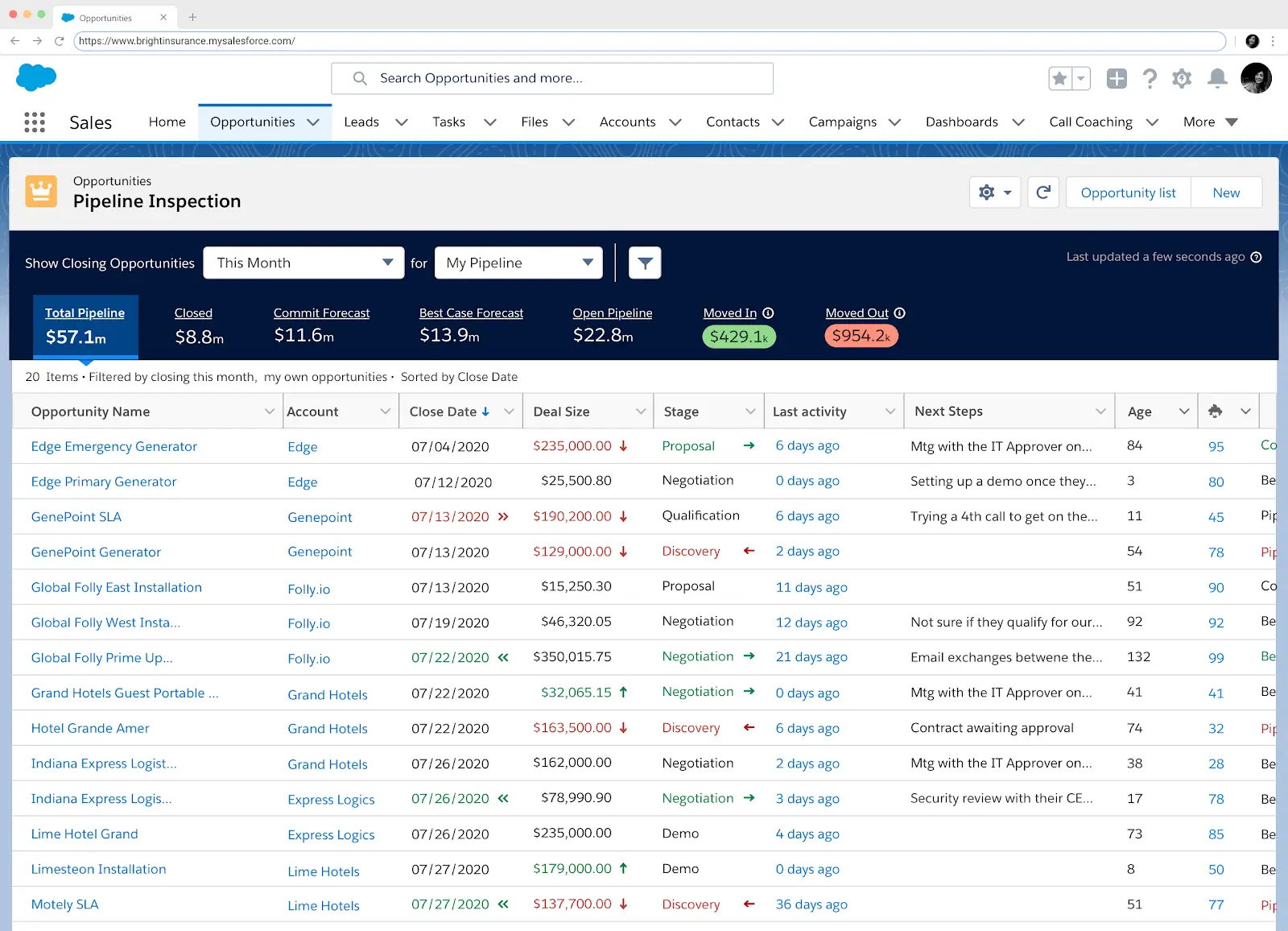
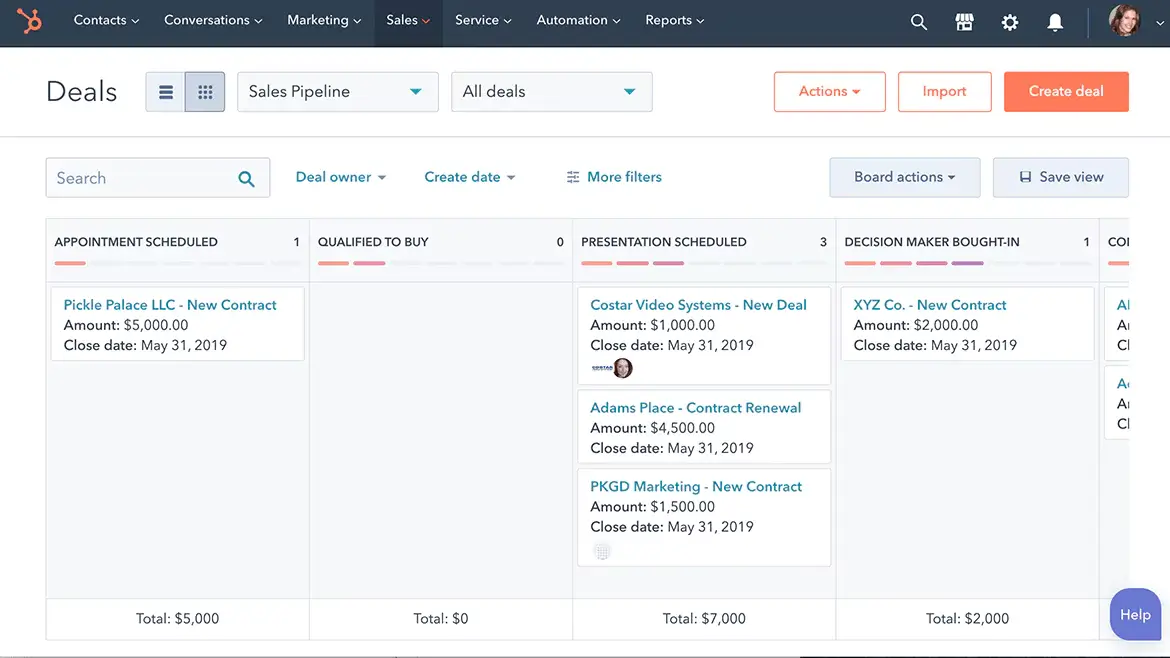
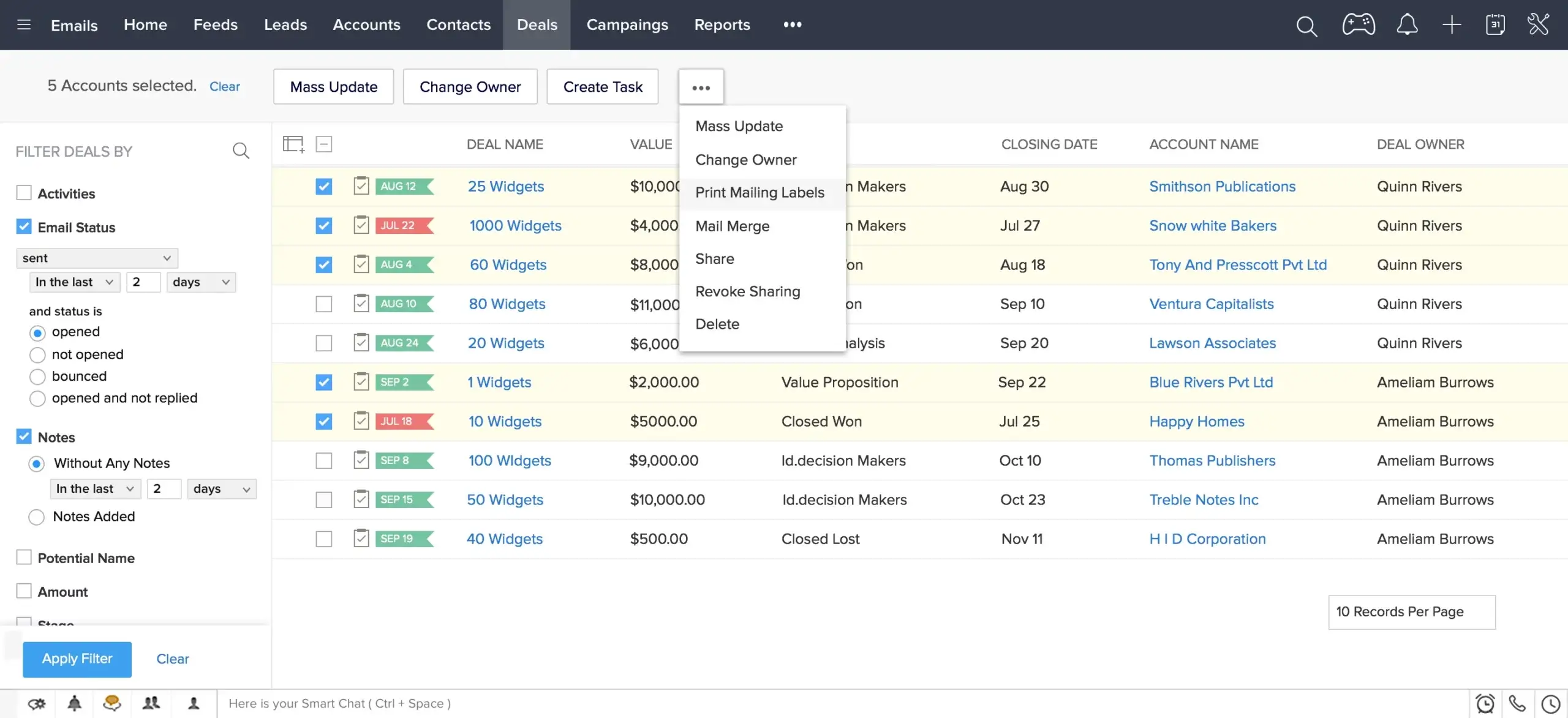
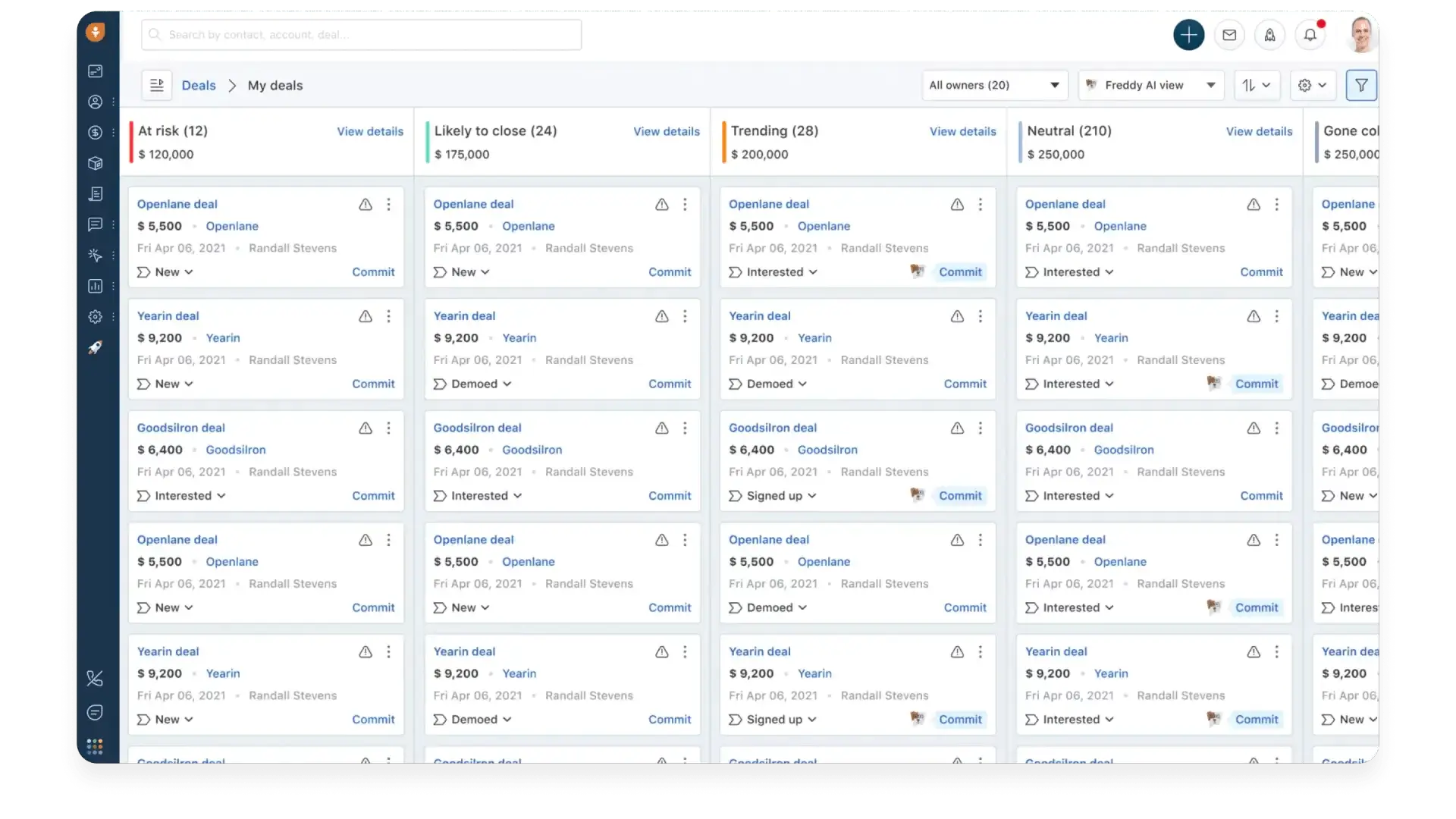
In the ever-evolving landscape of business technology, the Customer Relationship Management (CRM) system stands as a cornerstone, pivotal in orchestrating the delicate dance between businesses and their clientele. At the forefront of this technological renaissance is Salesforce, a behemoth whose name is synonymous with innovation, efficiency, and a hefty price tag. Yet, in the shadow of this giant, lies a realm of unexplored territories—free alternatives that promise a similar bounty without the burden on your treasury.

Exploring these options isn’t merely about saving money. It’s about finding a solution that aligns with your business’s strategic goals—boosting efficiency, supporting scalability, and fostering meaningful customer interactions without compromising your budget.

Contents

Assessing CRM Needs: A Prelude to Making the Switch

Before embarking on the quest for a Salesforce alternative, businesses must clearly define their core needs. This process goes beyond feature wish lists—it’s about recognizing how a CRM can strengthen customer connections and streamline operations.

Collaboration

At its core, a CRM system should serve as the nexus of your business’s interactions with current and potential customers. Therefore, the primary consideration should be data centralization—ensuring that customer information is not just stored but is easily accessible, interpretable, and actionable across departments.

Integration Requirements

Integration capabilities stand as another pillar in this foundation. Your CRM must connect seamlessly with other essential tools—marketing platforms, email providers, support systems—ensuring smooth data flow and cohesive workflows.

Scaling and Future Growth

Scalability is the third beacon to guide your choice. A CRM that fits your business today but chokes on its growth tomorrow is a strategic misstep. The platform should not only accommodate growth in customer base and data volume but also adapt to evolving business processes and landscapes.

Ease of Use and Flexibility

User-friendliness and customization round off the list of essentials. A CRM, no matter how powerful, loses its value if it becomes a labyrinth that your team cannot navigate or mold to fit the unique contours of your business model.

5 Free Salesforce Alternatives

Choosing the right CRM is crucial for enhancing business operations, boosting customer satisfaction, and driving sales. While Salesforce is a leader in the CRM space, its pricing and complexity may not suit every business. Below, we explore detailed, context-rich analyses of notable free alternatives, each offering unique advantages for different business needs.

Teamgate CRM

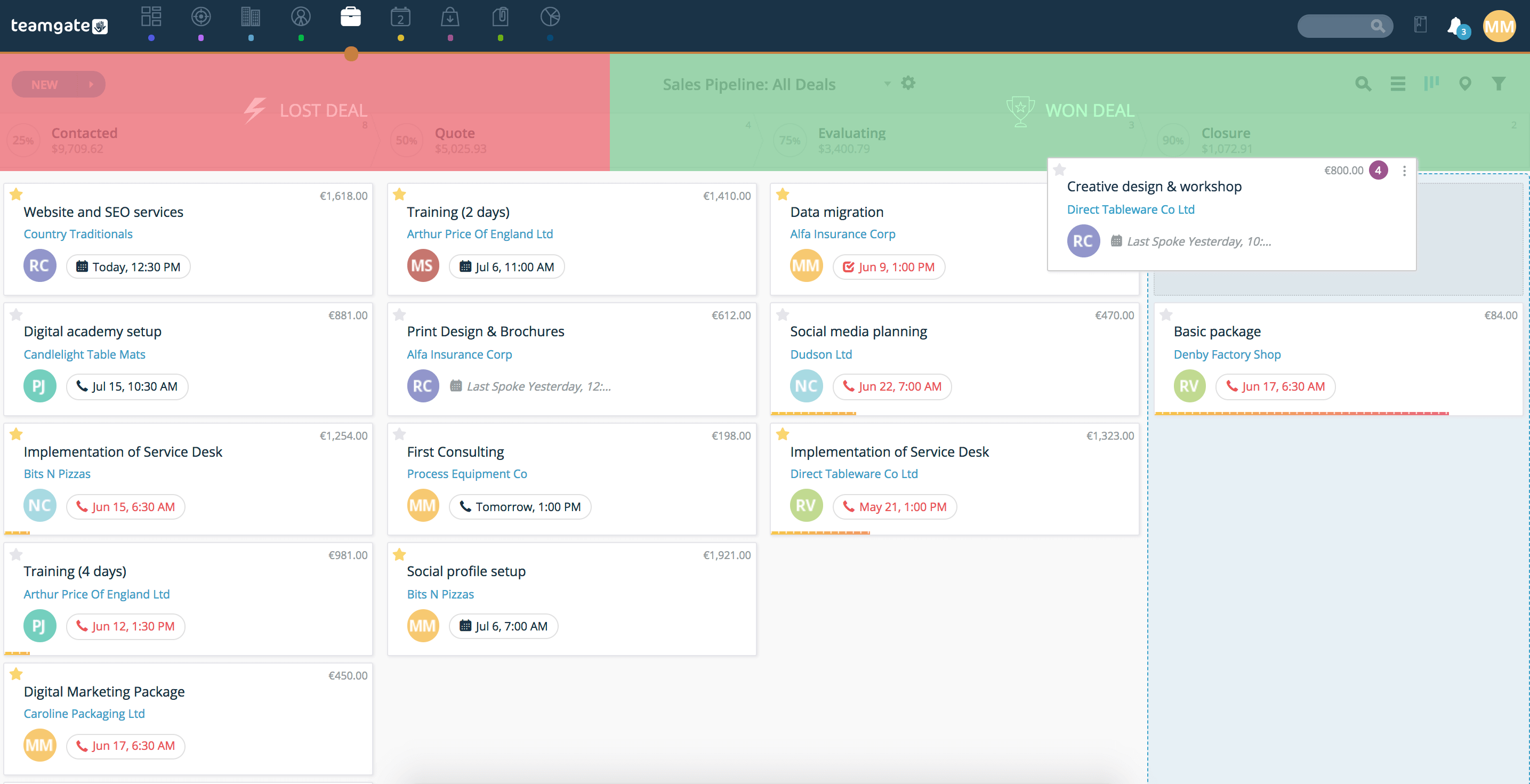
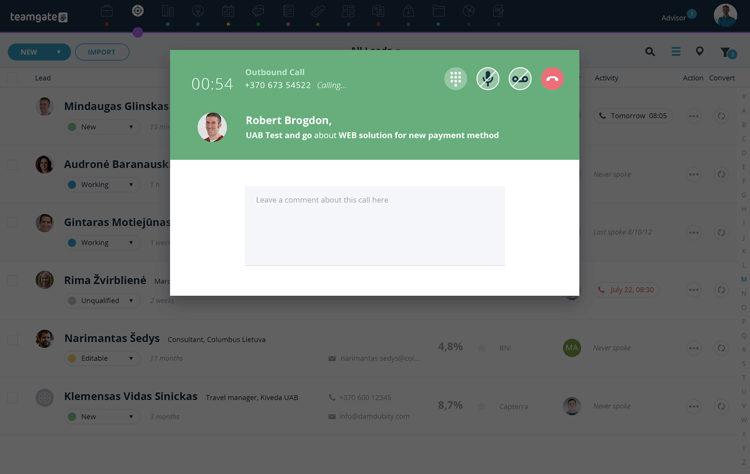
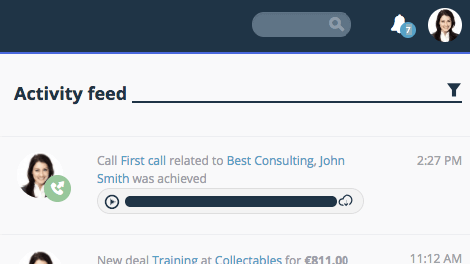
Teamgate CRM enters the fray as a powerful, yet intuitive CRM solution, specifically tailored for small to medium-sized enterprises looking for a straightforward yet feature-rich CRM system. Its simplicity does not come at the expense of functionality, offering deep sales process insights, lead management, out-of-the-box analytics and 24/7 customer support.

Teamgate CRM Key Features and Context

  • Simplicity and Efficiency: Teamgate’s user-friendly interface and logical navigation make it easy for teams to adopt and utilize effectively, reducing training time and increasing productivity.
  • Comprehensive Sales Tools: With a strong focus on sales management, Teamgate offers detailed analytics, lead scoring, and pipeline management features, helping businesses optimize their sales processes for better results.

Teamgate CRM Considerations

Teamgate’s focus on sales-centric features makes it an excellent choice for businesses looking to streamline their sales operations. However, companies needing broader CRM functionalities covering marketing and service extensively might need to integrate additional tools.

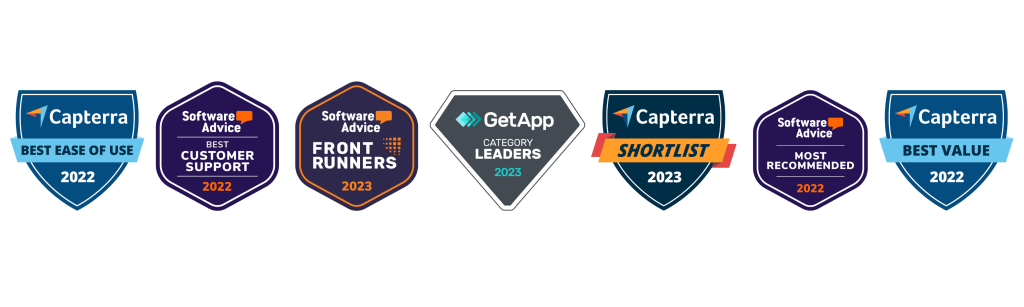
teamgate crm awards
Teamgate CRM Awards

HubSpot CRM

HubSpot CRM is the epitome of user-friendly design combined with powerful functionality, all available without a price tag. This platform is designed for businesses of all sizes, providing tools that span across sales, marketing, and customer service. Its intuitive interface removes the intimidation factor often associated with adopting new software, making it accessible for teams with varied levels of tech-savviness.

Hubspot CRM Key Features and Context

  • Automation and Integration: HubSpot excels in automating routine tasks and seamlessly integrates with a wide array of tools, including email marketing platforms, social media tools, and more, streamlining workflows and enhancing efficiency.
  • Scalability: Initially free, HubSpot is designed to grow with your business. Its free offerings are robust, but as needs expand, businesses can explore paid plans for more advanced features.

Hubspot Considerations

While HubSpot is an excellent starting point for many businesses, those with more complex needs might find the leap to paid plans necessary sooner than anticipated. This transition can introduce a significant cost, especially for startups and small businesses on tight budgets.

Zoho CRM

Zoho CRM offers a comprehensive suite of features that cater to businesses looking for a highly customizable and scalable CRM solution. Its strength lies in its flexibility, supporting a wide range of business processes and workflows with a particular emphasis on sales and marketing automation.

Zoho CRM Key Features and Context

  • AI-Powered Insights: Zoho’s AI assistant, Zia, provides sales predictions, automation suggestions, and even conversational assistance, helping businesses leverage data for better decision-making.
  • Extensive Customization: Zoho CRM can be tailored extensively to fit unique business needs, including custom fields, modules, and workflows, ensuring that the CRM adapts to the business rather than the other way around.

Considerations

Zoho’s extensive feature set and customization options can be overwhelming for smaller teams or those new to CRM software. Additionally, while Zoho offers a free version, accessing its most powerful features requires upgrading to paid plans.

Bitrix24

Bitrix24 stands out not just as a CRM but as a complete business suite, offering tools for CRM, project management, collaboration, and even website building. This integrated approach makes Bitrix24 particularly appealing for businesses looking to centralize their operations within a single platform.

Bitrix24 Key Features and Context

  • Unified Platform: Bitrix24’s blend of CRM, project management, and internal communication tools facilitates a seamless flow of information across teams, enhancing collaboration and operational efficiency.
  • Versatility: With features supporting sales, marketing, project tracking, and online collaboration, Bitrix24 is well-suited for a variety of business types and sizes.

Bitrix24 Considerations

The breadth of Bitrix24’s offerings can result in a steep learning curve. While it provides a comprehensive toolkit, businesses primarily in need of a CRM may find some features superfluous, potentially complicating the user experience.

Agile CRM

Agile CRM is designed as an all-in-one solution, integrating sales, marketing, and service functionalities into a single platform. It’s particularly suited for small to medium-sized businesses looking for an affordable yet comprehensive CRM solution.

Agile CRM Key Features and Context

  • All-in-One Solution: By combining CRM functionalities with marketing automation and customer support tools, Agile CRM provides a holistic view of the customer journey, enhancing engagement and insights.
  • User Friendliness: Agile CRM focuses on simplicity and ease of use, ensuring that businesses can quickly adopt and make the most of its features without a steep learning curve.

Agile CRM Considerations

Agile CRM’s free version is limited in terms of the number of users and the breadth of features. Businesses with growing teams or more advanced needs may need to consider its paid options.

Migrating from Salesforce to a New CRM

Migrating from Salesforce to an alternative CRM system may seem like navigating uncharted waters. It demands meticulous planning, strategic foresight, and an unwavering commitment to minimizing disruption while maximizing the potential benefits of the new system. This transition is not merely a technical migration; it is a transformational process that touches every facet of your business operations.

Understanding the Scope and Scale

The first step is to thoroughly understand the scope and scale of the migration. This involves conducting a comprehensive audit of your current Salesforce setup, starting by finding the Salesforce Org ID and identifying all the data, processes, customizations, and integrations that define your CRM ecosystem. This audit serves as the blueprint for the migration, ensuring that no critical element is left behind in the transition.

Choosing the Right Migration Tools and Partners

The complexity of migrating from Salesforce necessitates the use of specialized migration tools and, potentially, the expertise of migration partners. These tools and partners can help navigate the technical intricacies of transferring data, preserving the integrity and structure of your information, and ensuring that the transition is smooth and efficient. Choosing the right tools and partners is critical, as it impacts not just the success of the migration but also the speed and ease with which your team can adapt to the new system. Where possible, ask your new CRM if they offer free migration support.

Data Migration: A Structured Approach

Data migration is the cornerstone of transitioning to a new CRM. It requires a structured approach, starting with data cleansing and preparation—removing outdated, duplicate, or irrelevant data to ensure that only valuable, accurate information is transferred to the new system. The actual migration should be executed in phases, starting with a pilot migration to test and validate the process before proceeding with the full-scale transfer. This phased approach allows for identifying and addressing any issues without jeopardizing the entire dataset.

Training and User Adoption

The success of a new CRM system hinges on user adoption. Training is a critical component of the transition process, ensuring that your team is not just familiar with the new system but is also proficient in leveraging its capabilities to enhance business operations. Training should be tailored to the specific needs and roles of different users, providing them with the knowledge and confidence to embrace the new system.

Customization and Integration

The final step in the transition process is customizing and integrating the new CRM to fit your business’s unique needs and workflows. This involves setting up custom fields, workflows, reports, and dashboards, as well as integrating the CRM with other business tools and platforms. Customization and integration are critical for ensuring that the CRM aligns with your business processes, enabling your team to work more efficiently and effectively.

Making the Most Out of Your New CRM

Transitioning to a new CRM is not the end of the journey; it’s the beginning of a new chapter in your business’s relationship with technology. Making the most out of your new CRM requires a strategic approach, focusing on continuous improvement, user engagement, and leveraging the full spectrum of features and capabilities offered by the system.

Continuous Improvement and Feedback

Adopting a new CRM is an iterative process, requiring ongoing evaluation and refinement. Encourage feedback from your team, identifying pain points, and areas for improvement. Use this feedback to fine-tune the system, optimizing workflows, and customizations to better meet your business’s needs.

Leveraging Analytics and Insights

Modern CRM systems offer powerful analytics and insights, providing a deeper understanding of your customers and business operations. Leverage these analytics and metrics to inform decision-making, identify trends, and uncover opportunities for growth and improvement.

Fostering a Culture of CRM Adoption

Finally, fostering a culture of CRM adoption across your organization is essential. This involves not just training but also demonstrating the value and benefits of the system, encouraging its use as a central tool in your business operations. Celebrate successes, share best practices, and ensure that the CRM is integrated into the fabric of your business.

Conclusion

The journey from Salesforce to a free alternative CRM is a strategic decision that can unlock new potentials for your business, offering cost-effective solutions without compromising on functionality and efficiency. Choosing a free alternative to Salesforce isn’t just about reducing costs—it’s about aligning your tools with your vision. With the right planning, support, and commitment to user adoption, your new CRM can empower your team, sharpen operations, and drive long-term growth.

To get started with Teamgate today, start a trial or speak with our team of experts to discuss our free migration program. 


FAQs: Salesforce Free Alternatives

What is a CRM and why is it important for businesses?

A: Customer Relationship Management (CRM) software is a tool that helps businesses manage, analyze, and improve their interactions with current and potential customers. It centralizes customer information, streamlines business processes, and enables personalized customer engagement. CRM is crucial for businesses because it aids in enhancing customer satisfaction, increasing sales, and improving team productivity by providing a unified platform for accessing customer data and insights.

Can free CRM systems compete with paid solutions like Salesforce?

A: Yes, free CRM systems can offer compelling alternatives to paid solutions like Salesforce, particularly for small to medium-sized businesses or those with straightforward CRM needs. While Salesforce is renowned for its comprehensive features and scalability, many free CRMs provide essential functionalities such as contact management, sales pipeline visualization, and basic automation tools. These can be sufficient for businesses looking to manage customer relationships effectively without the complexity or cost of premium solutions. However, the key is to assess whether the free CRM meets your specific business requirements and growth plans.

What are the limitations of using a free CRM?

A: Free CRM systems often come with limitations compared to their paid counterparts. Common restrictions include:

  • User limits: A maximum number of users that can access the CRM.
  • Feature restrictions: Advanced features like extensive automation, detailed analytics, and custom reporting may be unavailable or limited.
  • Data storage limits: A cap on the amount of data or number of records you can store.
  • Integration constraints: Limited or no access to integrations with other business tools and platforms. Businesses should carefully evaluate these limitations against their needs to determine if a free CRM can effectively support their operations.

How do I migrate my data from Salesforce to another CRM?

A: Migrating data from Salesforce to another CRM involves several steps:

  1. Data Export: Use Salesforce’s data export functionality to download your data, including contacts, accounts, leads, opportunities, and custom objects.
  2. Data Cleanup: Before importing the data into the new CRM, clean it up. This may involve removing duplicates, correcting errors, and ensuring data formats are compatible with the new CRM.
  3. Mapping Fields: Determine how data fields in Salesforce correspond to those in the new CRM and map them accordingly. This ensures that data is accurately transferred to the correct fields.
  4. Importing Data: Use the import tool or functionality provided by the new CRM to upload your cleaned and mapped data. Start with a small data set to test the import process and ensure accuracy.
  5. Review and Adjust: After importing, thoroughly review the data in the new CRM for accuracy and completeness. Make any necessary adjustments or corrections. Consider consulting with the support teams of both Salesforce and the new CRM or hiring a data migration specialist to assist with complex migrations.

Are there any free CRMs that offer integration with other business tools?

A: Many free CRMs offer integration capabilities with popular business tools and platforms, though the extent and complexity of these integrations can vary. Common integrations include email platforms (e.g., Gmail, Outlook), social media, marketing automation tools, and customer service software. When evaluating a free CRM, check its integration marketplace or documentation to understand which tools it can connect with and any limitations that may apply. Integration can significantly enhance productivity and provide a more cohesive view of customer interactions across different channels.

It’s 2025, we’re in an even more rapidly evolving business landscape, and startups are facing immense challenges and competition. To thrive and scale efficiently, these burgeoning companies must excel in managing their most valuable asset—customer relationships. This is where Customer Relationship Management (CRM) software platforms become indispensable. A CRM does more than just store contact information; it enables startups to track customer interactions, sales opportunities, and engagements across multiple channels. By leveraging a CRM, startups can anticipate customer needs, tailor their marketing efforts, and streamline their sales processes, thereby enhancing customer satisfaction and loyalty. Implementing a robust CRM system is not merely a technological upgrade; it’s a strategic investment in the foundation of a startup’s growth.

Key Takeaways

  1. Essential CRM Features: Identify the critical functionalities that a CRM should offer to effectively support a startup’s operations.
  2. Enhancing Customer Engagement: Learn how CRMs help improve interactions with customers, fostering better relationships and loyalty.
  3. Cost Considerations: Understand the investment involved and expected ROI from implementing a CRM system tailored to startup needs.
  4. CRM Scalability: Evaluate how CRM solutions can grow with your startup, ensuring they remain effective as your business expands.
  5. Integration Capabilities: Discover the importance of choosing a CRM that integrates well with existing tools to streamline operations.

What is CRM Software?

A Customer Relationship Management (CRM) software platform is a technological framework that enables an organization to manage all its interactions with current and potential customers. The core of CRM is to build a repository of customer data that integrates and automates sales, marketing, and customer support. This unified approach ensures that every customer interaction adds value and strengthens the relationship.

Key Features of CRM Software

CRM software platform offers a range of features designed to optimize customer interaction and business processes. Essential features include:

  • Contact Management: Stores comprehensive contact information such as names, addresses, social media accounts, and communication preferences in an organized manner.
  • Interaction Tracking: Keeps a log of every interaction with the customer, including emails, phone calls, and face-to-face meetings, providing a holistic view of the customer journey.
  • Lead Management: Facilitates tracking of leads through the sales pipeline, from initial contact to conversion, optimizing marketing strategies and improving conversion rates.
  • Workflow Automation: Automates routine tasks like sending follow-up emails, updating contact records, and issuing alerts when important events occur, enhancing operational efficiency.
  • Reporting and Analytics: Generates detailed reports on sales trends, customer behavior, and campaign effectiveness, offering actionable insights to drive strategic decisions.

Benefits of Using a CRM for Startups

For startups, a CRM system is pivotal in scaling operations and enhancing productivity. Key benefits include:

  • Enhanced Customer Insights: With rich data on customer interactions, startups can tailor their offerings to better meet the needs and preferences of their target audience.
  • Improved Efficiency: Automation of mundane tasks frees up time for teams to focus on more strategic activities that contribute directly to business growth.
  • Scalability: CRM systems can grow with the business, adding functionalities and integrations as needed without disrupting existing operations.
  • Better Customer Retention: By providing personalized experiences and proactive service, startups can increase customer loyalty and lifetime value.

Evaluating Your Startup’s Needs When Choosing a CRM

Selecting the right CRM for a startup involves a thorough assessment of current and future needs. Here’s how to approach this evaluation:

Assessing Current Requirements

Start by mapping out your customer journey from initial awareness to post-sale support. Identify the touchpoints where interactions occur and the information that needs to be captured. This will help determine the basic features your CRM must have.

Consider Scalability and Integration

As your startup grows, so will your customer base and your need for more sophisticated CRM features. Choose a CRM that not only meets current needs but can also scale seamlessly as your business expands. Additionally, consider the CRM’s ability to integrate with other tools already in use, such as email marketing software, customer service platforms, and financial systems, ensuring smooth interoperability.

Evaluate CRM Costs vs. CRM Benefits

While cost is a critical factor for startups, it’s important to evaluate the potential ROI a CRM system can deliver. An inexpensive CRM may save costs initially but could lack essential features that drive growth. Conversely, a more expensive system with extensive features might offer a better long-term value by boosting customer satisfaction and retention.

4 Best CRM for Startups

Selecting the right CRM system is pivotal for a startup’s success. A good CRM not only fits the current business model but also adapts to evolving needs. Here, we delve into some of the top CRM options that are well-suited for startups, focusing on features, scalability, and cost-effectiveness.

Teamgate CRM for Startups

Teamgate CRM offers a comprehensive solution that combines ease of use with powerful sales insights and tools, making it our preferred choice for startups.

Teamgate CRM Features

Teamgate provides an all-in-one sales platform with capabilities such as lead scoring, advanced analytics, and detailed customer insights. It supports complete sales funnel management from lead capture to closing, enhanced by its strong integration capabilities with marketing and service platforms.

Teamgate CRM Pricing Model

Teamgate CRM has a straightforward pricing structure which includes a FREE and two paid subscription offerings that scale according to feature set, making it easy for startups to choose a plan that best fits their needs without overcommitting resources.

Teamgate CRM Pros

User-friendly interface, insightful sales analytics, effective lead management, clear pricing structure, and award-winning customer support.

Teamgate CRM Cons

Less well-known than larger competitors, which may affect third-party integration options.

You can get started with Teamgate CRM today for FREE.

Venturz

Venturz CRM

Venturz CRM is the ultimate solution for startups, offering all the essential tools to manage and grow customer relationships seamlessly. With everything built in—from contact management to advanced analytics—it’s designed to support startups from the ground up.

Venturz CRM Features

Venturz offers a robust suite of tools, including campaign management, contact management, advanced analytics, billing and invoicing, task management, and customer support—everything a startup needs to thrive from a single, unified platform.

Venturz CRM Pricing Model

Venturz uses a usage-based pricing approach, beginning with a free plan that grants access to premium features, allowing startups to scale their tools as their business grows without upfront costs.

Venturz CRM Pros

Comprehensive feature set, usage-based pricing, and a single platform for multiple business needs, reducing the need for multiple software solutions.

Venturz CRM Cons

Does not support third-party integrations, which may limit its flexibility for businesses that rely on additional tools.

HubSpot CRM for Startups

HubSpot CRM is renowned for its user-friendliness and cost-effectiveness, making it ideal for startups. It offers a free plan with basic features, which can be expanded with premium modules as the business grows.

HubSpot CRM Features

HubSpot provides tools for contact management, deal and task management, and email tracking. It integrates seamlessly with the broader HubSpot ecosystem, which includes marketing, sales, and service hubs.

HubSpot CRM Pricing Model

HubSpot CRM is currently free for basic features, with paid upgrades for additional marketing, sales, and customer service features.

HubSpot CRM Pros

Easy to use, minimal setup required, excellent for inbound marketing strategies.

HubSpot CRM Cons

Advanced features require paid plans, which can become expensive as more functionalities are needed and your business grows.

Copper CRM for Startups

Copper CRM is specifically designed for integration with Google Workspace, making it a perfect fit for startups that rely heavily on Google tools.

Copper CRM Features

Copper CRM excels in seamless integration with Google Workspace, automatically capturing data from emails and other interactions within the Google ecosystem. It offers robust lead and contact management, opportunity tracking, and task management.

Copper CRM Pricing Model

Copper offers multiple tiers, starting from basic to advanced, accommodating different startup sizes and budgets.

Copper CRM Pros

Deep integration with Google Workspace, intuitive user interface, and efficient data handling.

Copper CRM Cons

Primarily reliant on Google Workspace for full functionality, which might not suit all startups.

Comparing CRM Systems

When comparing these CRM systems, startups should consider their specific needs related to customer interaction complexity, anticipated growth rate, and the existing tech stack. HubSpot is great for startups focused on inbound marketing strategies and those who need a cost-effective solution with a gentle learning curve. Copper is ideal for teams deeply embedded in Google Workspace, offering unique efficiencies. Teamgate stands out for its customer support and scalability, making it an ideal all-around choice for startups looking to integrate deep sales insights with practical usability, without worrying about significant price increases as your business grows.

Implementing a CRM System in Your Startup

Implementing a CRM system involves more than just software installation. It requires a strategic approach to ensure that the system integrates smoothly with your business processes and truly enhances your operational efficiency.

CRM Implementation Guide

  1. Preparation and Planning:
    • Define clear objectives for what you want your CRM to achieve (e.g., improved customer data management, streamlined sales processes).
    • Ensure buy-in from all stakeholders, particularly those who will use the CRM daily.
  2. Choosing the Right System:
    • Based on the evaluations in the previous section, select a CRM that fits your business needs and budget.
    • Consider a vendor that offers comprehensive support during and after implementation.
  3. Customization and Integration:
    • Customize the CRM to fit your business processes. This might involve setting up custom fields, sales stages, and integration with existing tools (e.g., email systems, accounting software).
    • Test the system with a small group before full deployment to ensure it works as expected.
  4. Training and Adoption:
    • Conduct thorough training sessions for all users. Make sure everyone understands how to use the CRM to perform their specific tasks.
    • Encourage feedback and be prepared to make adjustments to improve usability.
  5. Evaluation and Scaling:
    • Regularly evaluate the CRM’s performance against your initial objectives.
    • Scale your CRM setup as your business grows, adding new features and users as needed.

Tips for Successful CRM Implementation

  • Start small with essential features to avoid overwhelming your team.
  • Focus on data quality from the start—ensure that all customer data entered into the CRM is accurate and comprehensive.
  • Regularly review and refine your CRM processes to align with changing business needs.

By methodically choosing and implementing the right CRM, startups can ensure they lay a strong foundation for customer relationship management, driving growth and customer satisfaction.

Challenges and Solutions When Using CRM Systems

Implementing a CRM system can revolutionize a startup’s approach to customer relationship management, but it’s not without its challenges. Understanding these potential pitfalls and how to navigate them is crucial for maximizing the benefits of your CRM investment.

Common CRM Challenges for Startups

  1. User Adoption:
    • Challenge: Resistance from employees who are accustomed to traditional methods of managing customer relationships or who may feel overwhelmed by new technologies.
    • Solution: Foster a culture of transparency and involvement in the selection and implementation process. Provide comprehensive training and demonstrate the personal benefits each team member will gain from the CRM, such as saving time and reducing manual tasks.
  2. Data Management:
    • Challenge: Inconsistent data entry, outdated information, and data silos can reduce the effectiveness of a CRM system.
    • Solution: Establish clear data entry standards and regular audits to ensure data quality. Utilize automation features to minimize manual data entry errors and integrate the CRM with other systems to centralize data.
  3. Cost Management:
    • Challenge: Balancing the cost of a CRM with the features and scalability that a startup needs can be difficult, especially with a limited budget.
    • Solution: Start with a basic, cost-effective CRM plan that covers essential features. As the startup grows and the budget allows, invest in additional features that address specific needs. Ensure you research future CRM costs associated with the scaling of your business.
  4. Customization Complexity:
    • Challenge: Over-customization can make the system complex and difficult to maintain and upgrade.
    • Solution: Limit customization to what is truly necessary. Prioritize configurations that add significant value and keep the system user-friendly.

Implementing Solutions Effectively

For each of these challenges, having a strategic approach in place can significantly ease the CRM implementation process. Regularly revisiting these strategies and adapting them based on ongoing feedback and evolving business needs is essential. Additionally, leveraging a CRM’s analytics to monitor usage and effectiveness can help identify areas where additional support or training is needed.

Conclusion: The Strategic Value of CRM in Startup Growth

In conclusion, choosing and implementing the right CRM system is a strategic decision that can dramatically affect a startup’s ability to scale and succeed. A CRM system is not just a tool for managing customer data; it’s a comprehensive platform that supports various aspects of business operations, including sales, marketing, customer support, and feedback management.

Recap of Key Points

  • CRM systems are vital for managing detailed customer interactions and supporting the sales process from lead to loyalty.
  • Evaluating needs and choosing the right CRM requires understanding both current and future business requirements, ensuring the CRM can scale with the startup.
  • Implementation should be strategic, involving careful planning, stakeholder involvement, and ongoing training to ensure widespread adoption and maximum utility.
  • Addressing common challenges proactively can enhance the effectiveness of a CRM system and ensure it delivers the expected business value.

Final Thoughts

As startups continue to navigate the complexities of customer relationship management, the role of a CRM system becomes increasingly central. By effectively implementing a CRM system, startups not only enhance their operational efficiencies but also build stronger, more rewarding relationships with their customers. This, in turn, drives growth, increases customer satisfaction, and solidifies the startup’s position in the market. Thus, investing in a robust CRM system and ensuring its effective use is not merely an operational decision—it’s a strategic imperative for sustained success.

If you want to get started with Capterra’s Number 1 Value-for-Money CRM of 2024, check out Teamgate CRM today!


FAQs: CRM for Startups

  • What are the essential features a startup should look for in a CRM system?
    • Startups should prioritize CRMs that offer robust contact management, lead tracking, sales forecasting, and customer interaction logs. Automated workflow and comprehensive reporting features are also critical to drive efficiency and gain actionable insights.
  • How can CRM tools enhance customer engagement for a new business?
    • CRM tools help new businesses by centralizing customer interactions, providing detailed insights into customer preferences and behaviors, and facilitating personalized communication strategies. This enhances customer experience and engagement across multiple touchpoints.
  • What are the cost considerations when choosing a CRM for a small business?
    • When evaluating CRMs, consider both upfront costs and ongoing expenses. Look for transparent pricing models that scale with usage. Assess potential returns through improved efficiency and increased sales, ensuring the chosen CRM offers a good investment return.
  • Can CRM systems help startups increase sales and revenue?
    • Yes, CRMs assist in increasing sales by efficiently managing leads, improving follow-ups, and optimizing sales processes through data-driven insights. This streamlined approach reduces the sales cycle and increases conversion rates, boosting overall revenue.
  • What is the role of CRM in managing customer data for startups?
    • A CRM organizes and stores all customer data in a centralized location, making it accessible and actionable. This organization helps startups segment customers, track sales activities, and tailor marketing efforts based on collected data.
  • How do CRM solutions support marketing efforts in startups?
    • CRMs enhance marketing by integrating customer data with marketing strategies, enabling targeted campaigns, lead generation, and performance tracking. This alignment helps startups maximize their marketing ROI and adapt strategies based on real-time feedback.
  • Are there CRM options that integrate well with other tools commonly used by startups?
    • Many CRM systems offer extensive integration capabilities with popular tools like email marketing platforms, social media, and accounting software. Select a CRM that seamlessly integrates with your existing tech stack to ensure fluid data flow and usability.
  • How scalable are CRM systems for growing startups?
    • Scalability in CRM systems is crucial for startups. Choose a CRM that can handle an increasing amount of data and more complex business processes without requiring a system overhaul. Look for solutions that offer modular add-ons and flexible pricing plans.
  • What training is required for startup teams to effectively use a CRM?
    • Effective CRM use requires initial comprehensive training focusing on system capabilities and best practices. Ongoing support and refresher courses are also essential to help teams maximize the tool’s benefits as features evolve and business needs change.
  • What are the common challenges startups face when implementing a CRM, and how can they be overcome?
    • Common challenges include user resistance, data migration issues, and underutilization. Overcome these by involving key team members in the CRM selection process, ensuring robust training programs are in place, and choosing CRMs with excellent customer support and user-friendly interfaces.

Selecting the right Customer Relationship Management (CRM) system is critical for businesses aiming to enhance customer interactions and streamline operations. The right CRM not only improves efficiency but also contributes to long-term business growth. With a multitude of CRM solutions available, it’s essential to choose one that aligns with your business needs. This blog provides a detailed comparison of two Lithuanian founded CRM platforms: Hanna CRM and Teamgate CRM.

Key Takeaways:

  1. User Interface: Hanna CRM is straightforward and easy to navigate, while Teamgate CRM offers a more customizable and feature-rich interface.
  2. Contact Management: Hanna CRM provides basic contact and lead management, whereas Teamgate CRM includes advanced tools like lead scoring and segmentation.
  3. Integration Capabilities: Hanna CRM integrates with essential tools like email and accounting software, while Teamgate CRM offers extensive integrations, including APIs for custom setups.
  4. Reporting and Analytics: Hanna CRM offers standard reporting, but Teamgate CRM excels with customizable reports, interactive dashboards, and predictive analytics.
  5. Pricing and Scalability: Hanna CRM is budget-friendly for small businesses, but Teamgate CRM offers better long-term value and scalability for growing businesses.

Contents

Overview of Hanna CRM and Teamgate CRM

Hanna CRM Overview

Hanna CRM is a Lithuanian-based CRM solution tailored for SMEs. It emphasizes ease of use and provides essential features like contact management, task automation, and basic reporting. The platform is particularly noted for its affordability, offering a cost-effective solution for businesses that require a straightforward CRM without the complexities of more advanced systems. Hanna CRM’s pricing is structured to be accessible, with plans that scale based on the number of users, making it a viable option for smaller teams or businesses just starting out.

Teamgate CRM Overview

Teamgate CRM, also founded in Lithuania – is a comprehensive, cloud-based CRM platform designed for businesses that need advanced features and scalability. Teamgate focuses on providing a complete sales management tool, with capabilities that extend beyond basic CRM functions. It includes advanced features like sales pipeline management, lead scoring, and detailed analytics, all of which are designed to help businesses optimize their sales processes and grow efficiently. Teamgate CRM also integrates seamlessly with various third-party applications, enhancing its flexibility and allowing businesses to create a unified operational system. The pricing of Teamgate CRM reflects its extensive feature set, positioning it as a premium tool for businesses of all sizes that are serious about their growth.

CRM Feature Comparison

User Interface and Ease of Use

A user-friendly interface is crucial for the adoption and effective use of any CRM system.

Hanna CRM User Interface and Ease of Use

Hanna CRM features a clean, intuitive interface that is designed to minimize the learning curve. The dashboard is straightforward, with easy access to essential features such as contact management, task tracking, and basic reporting. This simplicity makes Hanna CRM an attractive option for users who need to get up and running quickly, particularly in small teams where time and resources for extensive training are limited.

Teamgate CRM User Interface and Ease of Use

Teamgate CRM, while also focusing on user experience, offers a more dynamic and customizable interface. The platform is designed with a modern, visually appealing layout that allows users to tailor their dashboards to suit their specific needs. Teamgate CRM includes features like drag-and-drop functionality within the sales pipeline, customizable views, and a wealth of settings that let users adjust the platform to their workflow. Although the richness of features might present a steeper learning curve initially, users generally find that the investment in time pays off as they unlock the platform’s full potential. This makes Teamgate CRM a better fit for teams that require a more robust system without sacrificing usability.

teamgate sales pipeline

Contact and Lead Management Comparison

Contact and lead management are at the core of any CRM system, and both Hanna CRM and Teamgate CRM offer tools to help businesses manage their customer relationships effectively.

Hanna CRM Contact and Lead Management Comparison

Hanna CRM provides a solid foundation with its contact management system, allowing users to store and organize customer information, track interactions, and manage leads. The platform includes basic lead tracking features, helping small teams stay on top of their sales processes.

Teamgate CRM Contact and Lead Management Comparison

Teamgate CRM offers a more advanced approach to contact and lead management. The platform enables users to build detailed contact profiles, including interaction history, custom fields, and notes, providing a comprehensive view of each customer. Teamgate CRM’s lead management tools are particularly strong, featuring automated lead scoring, which helps prioritize leads based on their likelihood to convert. The platform also supports advanced segmentation, allowing users to tailor their communication strategies based on specific customer behaviors and characteristics. This level of detail and automation makes Teamgate CRM a powerful tool for businesses looking to optimize their lead management processes and improve conversion rates.

Integration Capabilities Comparison

Integration with other business tools is essential for creating a seamless workflow, and both Hanna CRM and Teamgate CRM offer integration options.

Hanna CRM Integration Capabilities Comparison

Hanna CRM supports integrations with a selection of popular business applications, including basic email and telephony systems. These integrations are designed to provide basic connectivity between the CRM and other essential tools, making it easier for small businesses to manage their operations from a central hub.

Teamgate CRM Integration Capabilities Comparison

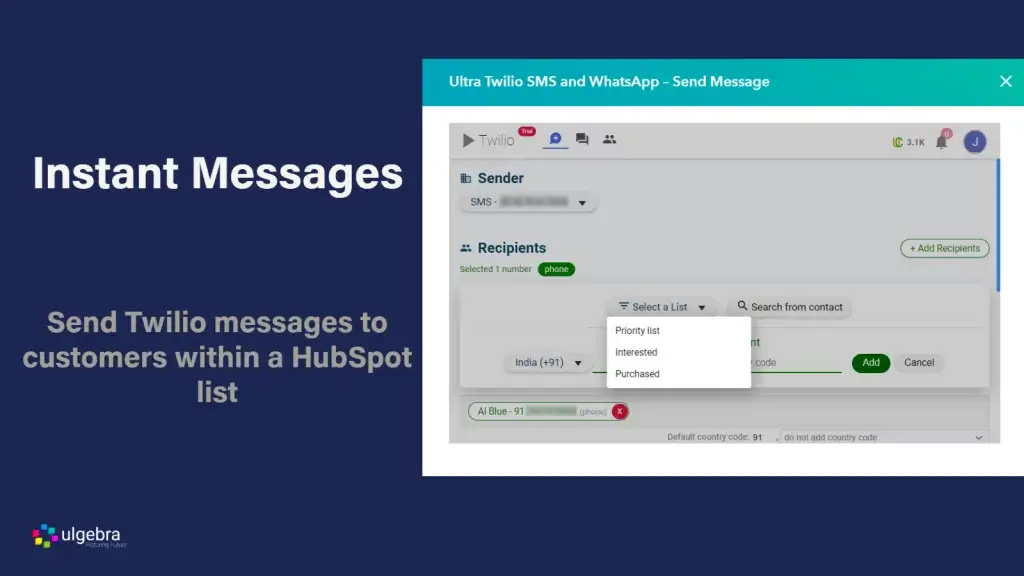
Teamgate CRM excels in its integration capabilities, offering a wide range of third-party integrations that extend its functionality beyond core CRM features. The platform integrates seamlessly with tools like Google Workspace, Zapier, Mailchimp, Quickbooks and Twilio, allowing businesses to connect their CRM with their marketing, communication, and productivity tools. Additionally, Teamgate CRM provides a robust API, enabling businesses to create custom integrations that meet their specific needs. This flexibility makes Teamgate CRM an excellent choice for businesses that require a highly integrated system to streamline their operations and improve efficiency.

integrations

Reporting and Analytics

In today’s data-driven business environment, the ability to generate insightful reports and analyze data is a key differentiator for CRM platforms.

Hanna CRM Reporting and Analytics

Hanna CRM offers basic financial reporting capabilities. Users can generate standard reports such as invoice reports, estimate reports, product sales report and more. While these reports are easy to create and understand, they lack the depth and customization options that more advanced users might require. Hanna CRM provides simple data visualizations, which are sufficient for businesses with straightforward reporting needs but may fall short for those requiring more detailed analysis or advanced data manipulation.

Hanna CRM Reports

Teamgate CRM Reporting and Analytics

Teamgate CRM takes reporting and analytics to the next level with its comprehensive suite of tools designed to provide deep insights into sales performance and customer behavior. The platform offers a wide range of automated sales reports that allow users to track key performance indicators (KPIs) relevant to their business. Teamgate CRM’s reporting tools include detailed sales funnel analysis, forecast reports, and real-time performance dashboards. Additionally, the platform features advanced data visualization options, including interactive charts and graphs that help users quickly interpret complex data. Teamgate CRM’s analytics capabilities are further enhanced by its predictive analytics tools, which assist businesses in identifying trends and making data-driven decisions. This makes Teamgate CRM a powerful tool for businesses that rely on detailed analytics to drive strategic decisions.

insights

Customer Support and Training

Strong customer support and effective training resources are vital for ensuring that businesses can fully utilize their CRM systems.

Hanna CRM Customer Support and Training

Hanna CRM offers basic customer support through email and a help center that includes a selection of articles and tutorials. These resources are designed to help users troubleshoot common issues and get acquainted with the platform. However, the support options are somewhat limited, and there is no live chat or phone support, which might be a drawback for businesses that require immediate assistance or more personalized support. The training resources are also basic, focusing mainly on onboarding and helping new users get started.

Teamgate CRM Customer Support and Training

In contrast, Teamgate CRM provides a more comprehensive support and training experience. The platform offers multiple support channels, including live chat, phone support, and email, ensuring that users can receive help when they need it most. Teamgate CRM’s support team is known for its responsiveness and expertise, which is particularly beneficial for businesses that require ongoing assistance as they implement and scale the CRM. In addition to robust support options, Teamgate CRM offers extensive training resources, including video tutorials, webinars, and detailed documentation. For businesses that prefer a more hands-on approach, Teamgate CRM also provides personalized onboarding sessions and access to dedicated account managers. This level of support and training makes Teamgate CRM an excellent choice for businesses that value strong customer service and comprehensive user education.

Pricing and Scalability

Pricing and scalability are essential considerations when choosing a CRM, as they directly impact the total cost of ownership and the ability to adapt the system as your business grows.

Hanna CRM Pricing and Scalability

Hanna CRM is positioned as a budget-friendly option, particularly appealing to small businesses and startups. Its pricing structure is straightforward, offering two tiers based on the features required. The entry-level plan provides basic CRM functionalities at an affordable rate, making it accessible to businesses with limited budgets.

hanna crm pricing

Teamgate CRM Pricing and Scalability

Teamgate CRM offers a robust pricing structure that reflects its comprehensive feature set and scalability. While the initial cost for the paid subscriptions may be higher than Hanna CRM, Teamgate CRM provides significant value for businesses that are looking for a CRM solution that can grow with them. The platform’s pricing tiers are designed to cater to businesses of all sizes, from small teams to large enterprises. Each tier unlocks additional features, ensuring that businesses only pay for what they need. Additionally, Teamgate CRM’s scalability is one of its strongest attributes. The platform is capable of supporting an increasing number of users, more complex business processes, and advanced CRM functionalities as your business expands. Teamgate CRM’s ability to scale without compromising performance or usability makes it an ideal choice for businesses that anticipate growth and need a CRM that can evolve alongside them.

In comparison, while Hanna CRM offers an affordable entry point and is well-suited for smaller businesses, its scalability is limited. Teamgate CRM, though initially more expensive, provides a better long-term investment for businesses seeking a scalable, feature-rich CRM solution that can adapt to their growing needs – a large reason why Teamgate recently won the best value-for-money CRM of 2024.

Teamgate pricing in Euro

CRM Customer Reviews

Customer reviews and case studies provide valuable insights into how CRM platforms perform in real-world scenarios.

Hanna CRM Customer Reviews

Hanna CRM generally receives positive feedback from its users, particularly among small business owners who appreciate its simplicity and cost-effectiveness. On review platforms like Capterra, users frequently highlight Hanna CRM’s user-friendly interface and affordable pricing as key strengths. However, some reviews point out limitations in functionality, particularly as business needs evolve. The platform is often praised for being easy to set up and manage, but its basic feature set may not suffice for businesses that require more advanced capabilities. Case studies typically showcase Hanna CRM’s effectiveness in smaller, less complex business environments, where its straightforward approach meets the core needs of users without overwhelming them with unnecessary features.

Teamgate CRM Customer Reviews

Teamgate CRM, on the other hand, is highly regarded across a broader spectrum of businesses, from small enterprises to large organizations. Reviews often commend Teamgate CRM for its comprehensive feature set, intuitive design, and excellent customer support. Users appreciate the platform’s ability to streamline sales processes, enhance customer relationship management, and integrate seamlessly with other business tools.

On platforms like G2 and Capterra, Teamgate CRM consistently receives high praise and awards for its value-for-money.

The comparison reveals that while Hanna CRM is well-suited for smaller businesses looking for a cost-effective solution, Teamgate CRM stands out for its ability to deliver substantial results across a wide range of business scenarios. The positive customer feedback and compelling case studies make Teamgate CRM the preferred choice for businesses seeking a reliable, scalable CRM solution that can drive tangible outcomes.

Conclusion and Recommendation

After a thorough examination of Hanna CRM and Teamgate CRM, it is evident that each platform has its merits depending on the specific needs of the business. Hanna CRM is an excellent choice for small businesses or startups that need a simple, affordable CRM solution to manage basic customer interactions and sales processes. Its ease of use and budget-friendly pricing make it a practical option for businesses with straightforward CRM requirements.

However, for businesses that require a more powerful, scalable solution capable of supporting complex sales processes and driving growth, Teamgate CRM emerges as the clear winner. With its advanced features, extensive integration capabilities, robust reporting and analytics tools, and superior customer support, Teamgate CRM is designed to meet the needs of growing businesses. The platform’s ability to scale effectively, combined with its focus on delivering actionable insights and improving sales performance, makes it a valuable long-term investment for businesses aiming to optimize their CRM strategy.

Get started today with a 14 day free trial, or book in your own FREE system demo. 


FAQs: Hanna CRM vs Teamgate CRM

What are the main differences between Hanna CRM and Teamgate CRM?

The primary differences between Hanna CRM and Teamgate CRM lie in their target audience, feature set, and scalability. Hanna CRM is designed for small to medium-sized businesses that need a simple, affordable CRM solution. It offers basic features like contact management and task automation, making it suitable for businesses with straightforward CRM needs. Teamgate CRM, on the other hand, is a more robust and scalable platform designed for businesses of all sizes. It offers advanced features such as sales pipeline management, lead scoring, and detailed analytics, making it a better choice for businesses that require a more comprehensive CRM solution.

Which CRM is better for small businesses: Hanna CRM or Teamgate CRM?

Hanna CRM is often considered a better option for small businesses that are looking for an easy-to-use and cost-effective CRM solution. Its simplicity and affordability make it ideal for small teams or startups that need to manage customer relationships without the complexity of more advanced systems. However, if a small business anticipates growth and requires a CRM that can scale with its needs, Teamgate CRM may be the better long-term investment due to its flexibility and extensive feature set.

Can Teamgate CRM integrate with my existing tools?

Yes, Teamgate CRM offers extensive integration capabilities, allowing it to seamlessly connect with a wide range of third-party tools. It integrates with popular platforms like Google Workspace, Zapier, Mailchimp, and various social media channels, making it easy to connect your CRM with your existing business tools. Additionally, Teamgate CRM provides a robust API, enabling custom integrations tailored to specific business needs.

How does Hanna CRM compare to Teamgate CRM in terms of ease of use?

Hanna CRM is known for its simplicity and ease of use, making it a great option for businesses that want a straightforward CRM solution without a steep learning curve. The interface is clean and intuitive, allowing users to quickly get up to speed with the platform. Teamgate CRM, while also user-friendly, offers a more feature-rich experience that may require a bit more time to learn. However, once users are familiar with the system, Teamgate CRM’s customizable interface and advanced features provide a powerful and efficient user experience.

What are the pricing options for Hanna CRM and Teamgate CRM?

Hanna CRM offers a tiered pricing model that is affordable and designed to scale with the size of the business. Its pricing is particularly attractive to small businesses and startups. Teamgate CRM also offers a tiered pricing structure but is positioned at a higher price point due to its comprehensive feature set. While initially more expensive, Teamgate CRM provides greater value for businesses that require a scalable, feature-rich CRM solution.

Is Teamgate CRM more scalable than Hanna CRM?

Yes, Teamgate CRM is designed with scalability in mind, making it suitable for businesses that anticipate growth. It supports an increasing number of users and more complex business processes as your company expands. Hanna CRM, while scalable to an extent, is more limited in its ability to grow with a business, particularly when advanced features and customization are required.

Which CRM offers better customer support: Hanna CRM or Teamgate CRM?

Teamgate CRM is known for its excellent customer support, offering multiple channels including live chat, phone, and email support. It also provides extensive training resources and personalized onboarding sessions. Hanna CRM offers basic customer support via email and a help center with articles and tutorials, which is adequate for small businesses but may not meet the needs of those requiring more hands-on assistance or rapid response times.

In the fast-paced world of B2B commerce, success hinges on more than just delivering a great product or service. To truly thrive, businesses must forge strong client relationships, optimize their sales processes, and derive actionable insights from their operations. This is where a Customer Relationship Management (CRM) system becomes indispensable. The right CRM doesn’t just help you manage customer interactions; it empowers your business to track leads effectively, enhance customer retention, and drive growth. But with countless CRM options available, finding the perfect fit for your B2B needs can be overwhelming.

In this article, we’ll explore the top CRM solutions tailored for B2B companies, guiding you to the one that aligns best with your business objectives.

Key Takeaways:

  • According to Gartner, sales reps only have 5% of a customer’s time during their B2B buyer journey. A typical buying group for a complex B2B product involves six to 10 decision-makers.
  • B2B buying journeys are long and complex, and reps have little time to influence the decision. The stakes are high, so you need an excellent sales strategy and a powerful CRM for B2B companies.
  • The best CRMs for B2B companies help track customers at each stage of their long buying journey. A CRM helps you improve the customer experience and win more deals.
  • When evaluating B2B CRMs, you must consider each platform’s feature set, configuration options, ease of use, integrations, and customer support options.
  • Some of the top B2B CRMs include Teamgate CRM, Salesforce, HubSpot Sales Hub, Zoho CRM, Nutshell, Insightly, Pipedrive, Close, Salesflare, and NetSuite CRM.

Contents:

  1. What Is CRM for B2B Companies?
  2. How to Evaluate CRMs for B2B Companies
  3. 10 Best CRM for B2B Companies in 2024
    1. Teamgate
    2. Salesforce
    3. HubSpot Sales Hub
    4. Zoho CRM
    5. Nutshell
    6. Insightly
    7. Pipedrive
    8. Close
    9. Salesflare
    10. NetSuite CRM
  4. Making an Informed Choice
  5. FAQs: B2B CRM

What Is CRM for B2B Companies?

A CRM system tailored for B2B companies is a specialized software solution designed to effectively manage and enhance customer relationships. While the core concept of a B2B CRM is similar to that of a B2C CRM—guiding customers through the sales funnel and providing timely support to boost repeat business and foster brand loyalty—B2B customer relationships often involve greater complexity.

This added complexity makes it essential to choose a CRM with the right features. For instance, a B2B CRM needs to capture and analyze detailed sales data, offering deep insights into customer interactions. Additionally, robust reporting capabilities are crucial, enabling businesses to leverage this data to make informed, data-driven decisions that drive growth and optimize the sales process.

How to Evaluate CRMs for B2B Companies

Selecting the right CRM for your B2B business is a crucial decision that requires careful evaluation of several factors. Here’s a step-by-step guide to help you make an informed choice.

Identify Your Business Needs

Assess Current Challenges Before diving into the features of various CRMs, start by identifying the specific challenges your business faces. Are you struggling with lead management, sales forecasting, or customer retention? Understanding your pain points will guide you in selecting a CRM that addresses these issues effectively.

Set Clear Objectives Once you’ve pinpointed your challenges, set clear objectives for what you want to achieve with the CRM. Whether it’s improving sales efficiency, enhancing customer communication, or gaining better insights through analytics, having well-defined goals will help you narrow down your options.

Evaluate CRM Features

Lead and Contact Management A robust B2B CRM should excel in lead and contact management. Look for features that allow you to track customer interactions, segment leads, and automate follow-up processes. This ensures that your sales team can focus on high-value opportunities without losing track of important details.

Sales Pipeline Management Effective sales pipeline management is essential for B2B companies. Choose a CRM that offers visual pipeline tracking, customizable stages, and real-time updates. This will help you monitor the progress of deals and identify potential bottlenecks in your sales process.

Reporting and Analytics Data-driven decision-making is critical in B2B environments. Ensure the CRM provides comprehensive reporting and analytics tools that allow you to generate detailed reports, track key performance indicators (KPIs), and make informed decisions based on accurate data.

Consider Integration Capabilities

Compatibility with Existing Tools Your CRM should integrate seamlessly with the other tools your business relies on, such as email marketing platforms, accounting software, and customer support systems. This ensures a smooth flow of information across different departments and enhances overall efficiency.

Scalability and Flexibility As your business grows, your CRM needs to scale with it. Look for a solution that offers flexibility in terms of customization and the ability to add new features or users as your needs evolve. This will prevent the need for a costly switch to a different platform later on.

Evaluate Usability and Support

User-Friendly Interface A CRM is only effective if your team can use it efficiently. Choose a platform with an intuitive, user-friendly interface that requires minimal training. This will encourage adoption and ensure that your team can leverage the CRM to its full potential.

Customer Support and Training Reliable customer support is essential when implementing a new CRM. Opt for a vendor that offers comprehensive training resources, ongoing support, and a responsive customer service team. This will help you overcome any challenges that arise during the transition.

Consider Cost and ROI

Initial and Ongoing Costs Evaluate both the initial cost and any ongoing expenses associated with the CRM, such as subscription fees, customization, and training. Ensure the total cost aligns with your budget and provides a good return on investment (ROI).

Value for Money Finally, consider the overall value the CRM brings to your business. A higher upfront cost might be justified if the CRM offers advanced features, excellent support, and the potential to significantly improve your sales and customer relationship management processes.

10 Best CRM for B2B Companies in 2024

Teamgate CRM

Teamgate CRM is a highly configurable and easy-to-use CRM for B2B companies of all sizes. It offers an extensive feature set, including features like lead management, contact management, and native call management (SmartDialer). These features help nurture leads right from their first interaction with your company to the moment they complete the purchase.

Teamgate integrates with popular business platforms like Slack, Google Drive, and Quickbooks. Integrating these apps helps streamline and automate your sales processes. For example, suppose a customer pitches your product to the buying committee, and they send an email requesting help. Teamgate can alert your team about this email via a message in the relevant Slack channel.

Teamgate also offers a sales dashboard that helps track sales performance. The dashboard monitors sales targets, so you can always act quickly when needed.

The CRM’s extensive analytics and reporting capabilities help identify opportunities to improve customer journeys and internal processes. Optimize your sales strategy based on insights from analytics and reporting to improve conversions and retention.

Teamgate CRM Key Features

  • Lead qualification and contact management
  • Drag-and-drop sales pipeline
  • Native call management feature called SmartDialer
  • Built-in analytics and reporting
  • Integrations for business apps like Slack, Mailchimp, and more
  • Track KPIs like conversion and retention rates

Teamgate CRM Rating

Teamgate CRM Pricing

Pricing for Teamgate is a straightforward cost per user on either a month-to-month or annual basis. Subscription options vary from their FREE starter plan, to their $39.90 Team plan and finally their all-inclusive $59.90 Growth plan.

Salesforce CRM

Salesforce dashboard

Salesforce CRM is an excellent choice for large companies and enterprises. The cloud-based CRM offers an extensive feature set that helps improve B2B customer journeys, no matter how complex.

The CRM includes features like lead management, opportunity tracking, customer journey management, sales forecasting, and more. Salesforce also has built-in workflow automation features to make your processes more efficient.

However, the extensive feature set comes at the expense of ease of use. If you’re a large enterprise, Salesforce is a good option. Small and medium businesses may find Salesforce to be overkill.

Salesforce CRM Key Features

  • Contact and account management
  • Ability to create custom objects, rules, fields, calculations, and views
  • Quote and order management
  • Knowledge base
  • Forecasting and reporting

Salesforce CRM Rating

  • 4.3/5 (G2)

Salesforce CRM Pricing

Salesforce pricing will depend on the services you need. Sales Cloud pricing varies from $25 to $500 per user/month when billed annually, with potential additional costs for consulting, setup and training.

HubSpot Sales Hub

Hubspot dashboard

HubSpot Sales Hub is one of the most popular CRMs. It offers everything you need to manage B2B sales and customer relationships. Unlike Salesforce, HubSpot has an easy-to-use, intuitive interface.

The CRM offers a generous free version, which offers access to features like the email template builder, AI email writer, and live chat software. More advanced features available on the paid plans include conversation routing, predictive lead scoring, and recurring revenue tracking.

The HubSpot App Marketplace includes over 1,400 custom integrations. These integrations help connect the apps you use to manage your B2B company with your CRM.

Hubspot Sales Hub Key Features

  • Contact management
  • Live chat
  • Reporting dashboard
  • Rep productivity performance stats
  • Custom objects

Hubspot Sales Hub Rating

  • 4.4/5 (G2)

Hubspot Sales Hub Pricing

Pricing for the Sales Hub starts at $450/month when billed annually for up to five users. Other plans are available, including Enterprise.

Zoho CRM

Zoho dashboard

Zoho CRM is a complete CRM solution for B2B companies looking for an established but pocket-friendly solution. The CRM has a free version that offers features like lead and contact management, deal management, custom list views, and Zapier integration.

The paid plans offer various advanced features based on your selected pricing tier. Examples of paid features include anomaly detectors, autoresponders, and field-level security. Zoho CRM also has built-in reporting and analytics tools that offer insights needed to optimize customer journeys.

Zoho CRM Key Features

  • Predictive sales
  • Omnichannel support
  • Anomaly detectors
  • Opportunity management

Zoho CRM Rating

  • 4/5 (G2)

Zoho CRM Pricing

Zoho CRM offers a free trial, so you can test drive the CRM. The Standard pricing plan then starts at $14 per user/month when billed annually.

Nutshell CRM

Nutshell dashboard

Nutshell is a great CRM for small businesses looking for an affordable B2B CRM. The CRM doesn’t offer a free tier. However, all pricing tiers include unlimited contacts and data storage, live support, a suite of customizable reporting tools, and migration assistance from the Nutshell team.

Nutshell offers embeddable web forms that bring in leads from your website. Once leads roll in, the drag-and-drop pipeline board and interactive lead map enable you to manage and nurture leads efficiently.

The easy-to-use CRM integrates into popular business apps, including QuickBooks, Google Workspace, and Slack. The app is also available on iPhone and Android, so your team can stay connected and collaborate wherever they are.

Nutshell CRM Key Features

  • Drag-and-drop pipeline board
  • Sales and lead reporting
  • Embeddable web forms
  • One-click integrations with Slack, Mailchimp, Constant Contact, and more

Nutshell CRM Rating

  • 4.2/5 (G2)

Nutshell CRM Pricing

Nutshell’s Foundation plan starts at $16 per user/month. There are three other plans to choose from, including Pro, Power AI, and Enterprise.

Insightly

Insightly dashboard

Insightly offers customizability and scalability, allowing your B2B company to build sales pipelines, improve productivity, and deliver remarkable customer experiences.

The modern yet affordable CRM offers all the essentials, including the ability to centralize and manage customer and sales data and integrations. Insightly also offers enterprise-level products, price books, and quotes (PPQ) functionality. PPQ allows you to quickly search and manage a large product or service portfolio within the platform.

Insightly auto-connects products and services to specific opportunities, minimizing the risk of human error and improving efficiency. This can be a valuable proposition for companies with long and complex buyer journeys.

Insightly Rating

  • 4.2/5 (G2)

Insightly Key Features

  • Contract and account management
  • Forecasting and reporting
  • Web-to-lead capture
  • Kanban view

Insightly Pricing

Insightly’s Plus plan starts at $29 per user/month when billed annually. Two other pricing plans are available: Professional and Enterprise.

Pipedrive

Pipedrive dashboard

Pipedrive is a sales-focused CRM for businesses of all sizes. However, Pipedrive does offer other additional features as well, such as email tracking and reports, third-party integrations, and visual dashboards.

Pipedrive’s built-in marketing automation features help generate and nurture leads at scale. For example, you can configure rules on Pipedrive that trigger email and text campaigns based on their last interaction with your business.

Pipedrive offers comprehensive pipeline management capabilities. For example, you can add values, win probability, and estimate closure dates for each deal. Visualizing each deal with critical metrics helps track progress and determine the right time to reach out to a lead.

Pipedrive Key Features

  • Customized pipelines
  • Streamlined lead routing
  • Drag-and-drop interface to manage sales opportunities
  • Meeting, email, and video call scheduling
  • Lead filtering and segmentation

Pipedrive Rating

  • 4.2/5 (G2)

Pipedrive Pricing

Pipedrive Essential starts at $14.90 per user/month billed annually. There are a range of other plans available, depending on your specific needs.

Close CRM

Close dashboard

Close is tailor-made for small businesses. It’s a powerful, easy-to-use CRM loaded with features. Close takes essential CRM features a step further. For example, the contact management features include the ability to communicate with contacts in multiple ways, such as through the Power and Predictive dialers and by building email and text message sequences.

The CRM integrates with many popular business apps, including Gmail, Zoom, and Zapier. However, Close has limited marketing features.

Close CRM Key Features

  • Power Dialer
  • Custom fields
  • Opportunity funnel reports
  • Integrations for Zoom, Zapier, Calendly, and more
  • Call forwarding and call recording

Close CRM Rating

  • 4.6/5 (G2)

Close CRM Pricing

The CRM doesn’t offer a free plan but does have a 14-day trial. After the trial, plans start at $49 per month for one user.

Salesflare

Salesflare dashboard

Salesflare is an intelligent, easy-to-use CRM. It offers a zero-input pipeline tool that eliminates the need for manual data entry by automatically filling out your address book and tracking interactions with people you contact.

Salesflare pulls data from company databases, email, calendar, phone, and social media. It uses this data to create automated customer timelines that keep you informed about everything you need to know to close more deals.

Salesflare Key Features

  • Automate CRM data input
  • Create custom dashboards
  • Customer contract management
  • Track emails, links, and website visits
  • Personalized email campaigns

Salesflare Rating

  • 4.8/5 (G2)

Salesflare Pricing

Salesflare pricing starts at $29 per user/month billed annually. If you need additional features, you can also choose between the Pro plan ($49 per user/month) and the Enterprise plan ($99 per user/month).

NetSuite CRM

NetSuite CRM dashboard

NetSuite by Oracle is an advanced CRM system. It offers all the basics, including sales force automation, customer service management, and marketing automation. Plus, the CRM also offers the ability to manage sales commissions, revenue forecasts, and quotes from a single platform.

The CRM provides sales, marketing, and support teams with a unified view of customer interactions, transactions, and preferences. As a result, your teams can deliver consistent and personalized experiences across touchpoints.

NetSuite CRM Key Features

  • Opportunity, upsell, and quote management
  • Track and measure prospect activity to determine readiness to buy
  • Automated case management
  • Built-in reporting, real-time analytics, and role-based dashboards

NetSuite CRM Rating

  • 4/5 (G2)

NetSuite CRM Pricing

As for pricing, you must contact the Oracle NetSuite sales team for a custom quote.

Making an Informed Choice

When it comes to choosing a CRM for your B2B company, there’s no one-size-fits-all solution. It’s crucial to thoroughly evaluate your business needs, consider the features that matter most to your operations, and choose a CRM that aligns with your long-term goals. By doing your research and selecting the right platform, you’ll be well-equipped to enhance your customer relationships, streamline your processes, and drive your business forward.

If you’re looking for a CRM that combines ease of use with powerful functionality, Teamgate CRM could be the perfect fit for your business. Start a free trial or schedule a free demo today to see how Teamgate can empower your team and transform your sales processes.


FAQs: B2B CRM

Q: What is a CRM for B2B companies?

A: CRM for B2B companies is a software solution that helps manage customer relationships. It guides customers through your sales funnel, offers prompt support to improve repeat sales, and cultivates brand advocacy. B2B CRMs are designed to handle the complexities of B2B customer relationships, collecting insightful sales data and providing extensive reporting features for data-driven decisions.

Q: Why is a CRM essential for B2B businesses?

A: A CRM for B2B companies is crucial because it streamlines and strengthens interactions between the business and its clients. It aids in enhanced communication, strategic decision-making, and tracking customers throughout their long buying journey, ultimately improving the customer experience and winning more deals.

Q: How do B2B buying journeys differ from B2C?

A: B2B buying journeys are longer and more complex, often involving 6 to 10 decision-makers. Sales reps typically have only 5% of a customer’s time during their B2B buyer journey, making it essential to have an effective sales strategy and a powerful CRM for B2B companies.

Q: What should businesses consider when evaluating B2B CRMs?

A: When evaluating B2B CRMs, businesses should consider the platform’s feature set, configuration options, ease of use, integrations, and customer support options.

Q: How does Teamgate CRM benefit B2B companies?

A: Teamgate CRM is highly configurable and user-friendly, suitable for B2B companies of all sizes. It offers features like lead management, contact management, native call management, and built-in analytics. Teamgate integrates with popular business platforms and provides a sales dashboard to track performance, helping businesses nurture leads and optimize sales strategies.

Q: Are there any specific features that a CRM for B2B companies should have?

A: A CRM for B2B companies should offer features like pipeline management, workflow automation, sales forecasting, extensive reporting, and omnichannel outreach capabilities. Customization and integration options, ease of use, and robust customer support are also essential.

Q: Why is ease of use important when selecting a CRM for B2B companies?

A: Ease of use is crucial because a complex interface can be time-consuming to implement and require excessive training. Even with training, complex solutions can lead to inefficiencies. Easy-to-use solutions ensure maximum productivity.

In the competitive world of sales, managing the entire sales process efficiently is crucial for success. This is where Customer Relationship Management (CRM) systems come into play. A CRM is a powerful tool designed to streamline and optimize the full-cycle sales process, which includes everything from initial lead generation to closing the deal and maintaining customer relationships. By leveraging the right CRM, businesses can not only enhance their sales performance but also improve customer satisfaction and retention.

This article delves into the best CRMs for managing full-cycle sales, exploring their key features, benefits, and how they can transform your sales operations. We will cover the essential aspects of full-cycle sales, why a CRM is indispensable for this process, and provide a detailed analysis of the top CRMs available in the market, including Teamgate CRM, Salesforce, HubSpot CRM, Pipedrive, and Zoho CRM. Whether you are a small business owner or a sales manager in a large corporation, understanding these tools will help you make an informed decision that aligns with your business goals and sales strategies.

Key Takeaways

  • Key CRM Features: Discover crucial features for full-cycle sales, including lead management and workflow automation.
  • Sales Team Collaboration: Understand how CRMs enhance team collaboration and communication.
  • Customer Follow-ups: Learn how CRMs automate and manage customer follow-ups effectively.
  • Integration Importance: Find out why integrating your CRM with other tools is essential.
  • CRM Scalability: See why scalability is critical for growing businesses.

Contents

What is a Full-Cycle Sales Process?

A full-cycle sales process refers to the comprehensive approach that covers every stage of the sales journey, from the initial contact with a potential customer to the finalization of the sale and beyond. This process is vital for ensuring that every opportunity is maximized and that customer relationships are nurtured and maintained effectively.

The key stages of a full-cycle sales process include:

  • Prospecting: This is the initial phase where sales representatives identify potential customers or leads. It involves researching and gathering information about prospective clients who might be interested in the product or service.
  • Qualifying: In this stage, the sales team assesses the potential leads to determine their suitability and likelihood of converting into paying customers. This involves evaluating their needs, budget, and decision-making power.
  • Presenting: Once a lead is qualified, the sales representative presents the product or service, highlighting its features, benefits, and how it can address the specific needs of the customer. This stage requires excellent communication and persuasive skills.
  • Handling Objections: Customers often have concerns or objections during the sales process. Addressing these effectively is crucial for moving the sale forward. This involves understanding the customer’s perspective and providing clear, convincing responses.
  • Closing: This is the critical phase where the sale is finalized. It involves negotiating terms, addressing any final concerns, and securing the customer’s commitment to purchase.
  • Follow-up: Post-sale follow-up is essential for maintaining customer satisfaction and loyalty. This includes checking in with the customer, addressing any issues, and ensuring they are happy with their purchase.

By managing each of these stages efficiently, businesses can improve their sales performance, build stronger customer relationships, and increase overall profitability.

Why You Need a CRM for Full-Cycle Sales

Implementing a CRM system is indispensable for managing the full-cycle sales process effectively. A CRM provides a centralized platform where sales teams can track and manage all interactions with potential and existing customers, ensuring that no opportunities are missed and that every stage of the sales process is optimized.

Benefits of Using a CRM in Full-Cycle Sales:

  1. Streamlined Processes: A CRM system automates many of the repetitive tasks involved in sales, such as data entry, follow-up reminders, and reporting. This allows sales representatives to focus on high-value activities like building relationships and closing deals.
  2. Improved Lead Management: CRMs help in organizing and prioritizing leads based on their potential, ensuring that the sales team can focus on the most promising opportunities. This results in a more efficient sales process and higher conversion rates.
  3. Enhanced Customer Insights: By consolidating all customer data in one place, CRMs provide valuable insights into customer behavior, preferences, and interactions. This information can be used to tailor sales strategies and improve customer engagement.
  4. Better Collaboration: A CRM system facilitates better communication and collaboration among team members. Sales representatives can share information, track progress, and ensure that everyone is aligned with the sales goals.
  5. Accurate Reporting and Analytics: CRMs offer robust reporting and analytics capabilities, allowing sales managers to monitor performance, identify trends, and make data-driven decisions. This helps in refining sales strategies and improving overall efficiency.
  6. Increased Customer Satisfaction: By ensuring that all customer interactions are tracked and managed efficiently, CRMs help in providing a consistent and high-quality customer experience. This leads to increased customer satisfaction and loyalty.

Key Features to Look for in a CRM for Full-Cycle Sales

Choosing the right CRM for full-cycle sales involves understanding the essential features that can enhance your sales process and drive better results. Here are the key features to look for:

Lead and Contact Management

A robust CRM should offer comprehensive lead and contact management capabilities. This includes storing and organizing contact information, tracking interactions, and managing follow-up tasks. Effective lead management ensures that no potential customer falls through the cracks and that sales representatives can easily access all the information they need to engage with leads effectively.

Sales Pipeline Management

Sales pipeline management is crucial for visualizing the different stages of the sales process. A CRM with this feature allows sales teams to track the progress of deals, identify bottlenecks, and forecast sales revenue. It provides a clear overview of where each lead is in the sales cycle, helping managers make informed decisions and prioritize efforts.

Workflow Automation

Automation capabilities in a CRM can significantly improve efficiency by automating repetitive tasks such as sending follow-up emails, scheduling meetings, and updating records. Workflow automation ensures consistency and frees up time for sales representatives to focus on more strategic activities, such as nurturing relationships and closing deals.

Analytics and Reporting

Detailed analytics and reporting features are essential for monitoring performance and making data-driven decisions. A CRM should provide customizable reports and dashboards that offer insights into sales activities, team performance, and customer behaviors. This information helps in identifying trends, evaluating the effectiveness of sales strategies, and making necessary adjustments.

Integration Capabilities

A good CRM should seamlessly integrate with other tools and systems that your business uses, such as email platforms, marketing automation software, and customer support systems. Integration capabilities ensure that data flows smoothly across different systems, providing a unified view of customer interactions and enabling better collaboration between departments.

Customization Options

Every business has unique needs, and a one-size-fits-all approach doesn’t work. Look for a CRM that offers customization options, allowing you to tailor the system to your specific sales processes and requirements. This can include customizing fields, workflows, and user interfaces to match your business model.

By focusing on these key features, businesses can select a CRM that not only supports their full-cycle sales process but also enhances overall productivity and effectiveness. The right CRM will empower sales teams to work smarter, close deals faster, and build stronger customer relationships.

Top 5 CRMs for Full-Cycle Sales

1. Teamgate CRM

Overview: Teamgate CRM is a comprehensive sales-focused CRM designed to support full-cycle sales processes. It offers an intuitive interface, robust features, and seamless integrations that help businesses manage their sales pipelines efficiently from prospecting to closing.

Teamgate CRM Key Features and Benefits:

  • Lead Management: Teamgate provides advanced lead management tools that allow users to capture, track, and nurture leads effectively. The platform’s lead scoring system helps prioritize leads based on their potential, ensuring that sales teams focus on the most promising opportunities.
  • Sales Pipeline Management: With Teamgate, users can visualize their sales pipelines and track the progress of deals in real-time. The drag-and-drop interface makes it easy to move deals through different stages, while custom filters and views allow for tailored pipeline management.
  • Workflow Automation: Teamgate automates routine tasks such as follow-up reminders, email scheduling, and data entry. This feature saves time and ensures that sales representatives can focus on high-value activities.
  • Analytics and Reporting: The platform offers powerful reporting tools that provide insights into sales performance, team productivity, and customer behaviors. Customizable dashboards and reports help managers make data-driven decisions.
  • Integration Capabilities: Teamgate integrates seamlessly with popular tools like Google Workspace, Mailchimp, and Zapier, allowing for a unified sales process and better data flow between systems.
  • Customization Options: Users can customize fields, workflows, and reports to align with their unique sales processes, ensuring that the CRM fits their specific business needs.

How Teamgate Supports Full-Cycle Sales: Teamgate’s comprehensive feature set is designed to support every stage of the full-cycle sales process. From lead capture and qualification to deal closure and follow-up, Teamgate provides the tools necessary to manage and optimize sales activities effectively.

2. Salesforce

Overview: Salesforce is one of the most widely used CRM platforms globally, known for its extensive features and scalability. It is ideal for businesses of all sizes looking to manage their full-cycle sales processes efficiently.

Salesforce Key Features and Benefits:

  • Lead and Contact Management: Salesforce offers comprehensive lead and contact management tools, including lead scoring, assignment, and tracking. Its robust database allows users to store and manage vast amounts of customer information.
  • Sales Pipeline Management: The platform’s pipeline management features enable users to visualize the sales process, track deal progress, and identify potential bottlenecks. Salesforce’s customizable pipelines provide flexibility to fit various sales processes.
  • Workflow Automation: Salesforce’s automation tools streamline routine tasks, such as sending follow-up emails, scheduling appointments, and updating records. Automation helps improve efficiency and ensures consistency in sales activities.
  • Analytics and Reporting: Salesforce provides advanced analytics and reporting capabilities, offering insights into sales performance, customer behavior, and team productivity. Users can create custom reports and dashboards to monitor key metrics.
  • Integration Capabilities: Salesforce integrates with numerous third-party applications, including marketing automation tools, email platforms, and customer support systems. This integration ensures a seamless flow of information across different departments.
  • Customization Options: Salesforce allows extensive customization, enabling businesses to tailor the CRM to their specific needs. Users can customize fields, workflows, and reports to match their sales processes.

How Salesforce Supports Full-Cycle Sales: Salesforce supports full-cycle sales by providing tools that cover every stage of the sales process. From lead generation and nurturing to closing deals and post-sale follow-up, Salesforce offers features that enhance each phase of the sales journey.

3. HubSpot CRM

Overview: HubSpot CRM is a popular choice for businesses seeking an easy-to-use, scalable CRM solution. It offers a range of features designed to manage full-cycle sales processes efficiently.

Hubspot CRM Key Features and Benefits:

  • Lead and Contact Management: HubSpot CRM provides powerful lead and contact management tools, including automatic lead capture, tracking, and segmentation. Its user-friendly interface makes it easy to manage customer information.
  • Sales Pipeline Management: HubSpot’s visual pipeline management tools allow users to track deals through different stages. Customizable pipelines help businesses tailor the sales process to their specific needs.
  • Workflow Automation: HubSpot automates routine tasks such as email follow-ups, meeting scheduling, and data entry. Automation ensures that sales representatives can focus on building relationships and closing deals.
  • Analytics and Reporting: HubSpot offers robust reporting and analytics tools that provide insights into sales activities, performance, and customer interactions. Customizable dashboards and reports help businesses monitor key metrics and make data-driven decisions.
  • Integration Capabilities: HubSpot integrates seamlessly with a variety of tools, including email platforms, marketing automation software, and customer support systems. This integration ensures a cohesive sales process and better data management.
  • Customization Options: HubSpot allows users to customize fields, workflows, and reports, ensuring that the CRM aligns with their unique business needs.

How Hubspot CRM Supports Full-Cycle Sales: HubSpot CRM supports full-cycle sales by providing tools for lead generation, qualification, deal tracking, and follow-up. Its comprehensive feature set ensures that every stage of the sales process is managed efficiently.

4. Pipedrive

Overview: Pipedrive is a CRM designed specifically for sales teams, focusing on simplicity and efficiency. It provides a visual interface that makes it easy to manage the full sales cycle, from lead generation to deal closure.

Pipedrive Key Features and Benefits:

  • Lead and Contact Management: Pipedrive offers robust lead and contact management features, including detailed contact profiles, interaction tracking, and lead segmentation. The system ensures that all customer information is organized and easily accessible.
  • Sales Pipeline Management: Pipedrive’s visual sales pipeline allows users to drag and drop deals through various stages. This feature helps sales teams keep track of their progress and quickly identify which deals need attention.
  • Workflow Automation: Pipedrive automates repetitive tasks such as sending follow-up emails, creating to-do lists, and updating deal statuses. Automation saves time and ensures that important tasks are not overlooked.
  • Analytics and Reporting: Pipedrive provides powerful analytics and reporting tools that offer insights into sales performance, deal progression, and team productivity. Customizable reports help managers make informed decisions based on real-time data.
  • Integration Capabilities: Pipedrive integrates with a wide range of third-party applications, including email platforms, marketing tools, and project management software. This ensures a seamless flow of information and enhances collaboration across teams.
  • Customization Options: Users can customize Pipedrive to fit their specific sales processes by adjusting fields, workflows, and pipelines. This flexibility ensures that the CRM aligns with unique business needs.

How Pipedrive Supports Full-Cycle Sales: Pipedrive’s features are designed to support every stage of the full-cycle sales process. From initial contact and lead management to deal tracking and closure, Pipedrive provides the tools necessary for efficient and effective sales management.

5. Zoho CRM

Overview: Zoho CRM is a versatile and scalable CRM solution suitable for businesses of all sizes. It offers a comprehensive suite of features that support the full-cycle sales process, from lead generation to customer retention.

Zoho CRM Key Features and Benefits:

  • Lead and Contact Management: Zoho CRM provides advanced lead and contact management tools, including lead scoring, assignment rules, and interaction tracking. It helps sales teams organize and prioritize their leads efficiently.
  • Sales Pipeline Management: Zoho’s sales pipeline management features allow users to track deals through various stages, visualize the sales process, and identify potential bottlenecks. Customizable pipelines ensure that the CRM fits the unique needs of different businesses.
  • Workflow Automation: Zoho CRM automates routine tasks such as sending follow-up emails, scheduling appointments, and updating records. This feature helps improve productivity and ensures that important tasks are completed on time.
  • Analytics and Reporting: Zoho CRM offers powerful analytics and reporting tools that provide insights into sales performance, customer behaviors, and team productivity. Users can create custom reports and dashboards to monitor key metrics and make data-driven decisions.
  • Integration Capabilities: Zoho CRM integrates with a wide range of third-party applications, including email platforms, marketing automation tools, and customer support systems. This ensures seamless data flow and enhances collaboration across different departments.
  • Customization Options: Zoho CRM allows extensive customization, enabling businesses to tailor the system to their specific needs. Users can customize fields, workflows, and reports to match their sales processes.

How Zoho CRM Supports Full-Cycle Sales: Zoho CRM supports full-cycle sales by providing tools that cover every stage of the sales process. From lead generation and nurturing to deal closure and post-sale follow-up, Zoho CRM offers features that enhance each phase of the sales journey.

How to Choose the Right CRM for Your Business

Selecting the right CRM for your business is a critical decision that can significantly impact your sales efficiency and overall growth. Here are the key factors to consider when choosing a CRM for full-cycle sales:

Assess Your Business Needs

Start by evaluating your business requirements and sales processes. Understand what specific features and functionalities are essential for your team. For example, if your sales process involves extensive customer interaction, you might need a CRM with robust contact management and communication tools.

Compare Different CRM Options

Research and compare various CRM options based on their features, pricing, and scalability. Consider factors such as ease of use, integration capabilities, customization options, and customer support. Reading reviews and testimonials from other businesses can also provide valuable insights into the effectiveness of different CRMs.

Evaluate Integration Capabilities

Ensure that the CRM you choose can integrate seamlessly with your existing tools and systems, such as email platforms, marketing automation software, and customer support systems. This integration is crucial for maintaining a cohesive sales process and ensuring that data flows smoothly across different departments.

Consider Scalability

Choose a CRM that can grow with your business. Scalability is important if you plan to expand your operations or if your sales team is likely to increase. The CRM should be able to handle an increased number of users, leads, and transactions without compromising performance.

Importance of Trial Periods and Demos

Take advantage of free trials and demos offered by CRM vendors. This allows you to test the software’s features and see how it fits with your sales processes. Involve your sales team in the evaluation process to get their feedback and ensure that the CRM meets their needs.

Cost and Return on Investment

While cost is an important consideration, it shouldn’t be the only factor. Consider the return on investment (ROI) that the CRM can provide. A slightly more expensive CRM that significantly improves your sales efficiency and revenue can be more beneficial in the long run compared to a cheaper, less effective option.

By considering these factors, you can make an informed decision and choose a CRM that best aligns with your business goals and sales strategies.

Conclusion

In today’s competitive business landscape, managing the full-cycle sales process efficiently is essential for success. Implementing the right CRM can transform your sales operations, enhance productivity, and improve customer relationships. By understanding the key features and benefits of top CRMs like Teamgate CRM, Salesforce, HubSpot CRM, Pipedrive, and Zoho CRM, you can make an informed decision that aligns with your business goals. Whether you are a small business owner or a sales manager in a large corporation, investing in a CRM will help you streamline your sales process, drive revenue growth, and achieve long-term success.

To get started with Teamgate CRM today, speak with their dedicated team or start a free trial for yourself.


FAQs: Full-Cycle Sales CRM

What features should I look for in a CRM for full-cycle sales?

When selecting a CRM for full-cycle sales, look for features such as lead and contact management, sales pipeline visualization, workflow automation, detailed analytics and reporting, integration capabilities with other tools, and customization options to fit your specific business needs.

How does a CRM improve sales team collaboration?

A CRM enhances sales team collaboration by providing a centralized platform where all team members can access and share information about leads, deals, and customer interactions. It ensures that everyone is on the same page, reduces duplication of efforts, and facilitates communication across the team.

Can a CRM help in managing customer follow-ups?

Yes, a CRM can automate and manage customer follow-ups by scheduling reminders, sending automated emails, and tracking interaction history. This ensures timely follow-ups, which are crucial for maintaining customer engagement and improving conversion rates.

What is the importance of CRM integration with other tools?

Integration with other tools such as email platforms, marketing automation software, and customer support systems is important because it allows for seamless data flow and enhances the overall efficiency of business processes. It ensures that all departments have access to up-to-date information, improving collaboration and decision-making.

How do customizable CRM fields benefit my business?

Customizable CRM fields allow you to tailor the CRM to match your specific business processes and data requirements. This flexibility ensures that the CRM can adapt to your unique workflows, making it more effective and relevant to your business operations.

Why is CRM scalability important for growing businesses?

Scalability is important because as your business grows, your CRM should be able to handle an increasing number of users, leads, and transactions without compromising performance. A scalable CRM ensures that you won’t need to switch systems as your business expands, saving time and resources.

How can CRM analytics improve my sales strategy?

CRM analytics provide insights into sales performance, customer behaviors, and team productivity. By analyzing this data, you can identify trends, evaluate the effectiveness of your sales strategies, and make informed decisions to optimize your sales process and improve results.

What are the benefits of CRM workflow automation?

CRM workflow automation streamlines repetitive tasks such as sending follow-up emails, scheduling appointments, and updating records. This improves efficiency, reduces the chance of human error, and allows sales representatives to focus on more strategic activities, such as building relationships and closing deals.

How does a CRM enhance customer satisfaction?

A CRM enhances customer satisfaction by ensuring that all customer interactions are tracked and managed efficiently. This leads to timely responses, personalized communication, and a consistent customer experience, which in turn increases customer loyalty and retention.

What should I consider when evaluating CRM cost versus ROI?

When evaluating CRM cost versus ROI, consider both the initial and long-term costs, including subscription fees, implementation services, training, and ongoing support. Weigh these costs against the potential benefits such as improved sales efficiency, higher conversion rates, and increased revenue. A CRM that provides significant value and ROI justifies the investment.

In today’s competitive business landscape, effective customer relationship management (CRM) is vital for B2B sales success. The right CRM system not only helps businesses streamline their sales processes but also enhances customer relationships and drives growth. As companies continue to expand and adapt to ever-changing market dynamics, selecting the best CRM for B2B sales becomes a strategic imperative.

CRMs offer a multitude of features designed to address the unique needs of B2B sales teams. From managing leads and contacts to analyzing sales performance and predicting future trends, a well-chosen CRM can be a game-changer. This comprehensive guide will delve into why CRMs are crucial for B2B sales, explore the key features to look for, and review some of the top CRM options available today, with a special focus on Teamgate CRM as the preferred solution.

Key Takeaways

  1. CRM Importance: CRMs streamline sales processes and enhance customer relationships.
  2. Key Features: Look for lead management, sales pipeline management, email integration, reporting, and customization.
  3. Top CRMs: Salesforce, HubSpot, Zoho, and Pipedrive offer robust solutions for B2B sales.
  4. Choosing a CRM: Evaluate your business needs, budget, and CRM features.
  5. Benefits: Using a CRM improves customer segmentation, satisfaction, team collaboration, data-driven decisions, and productivity.

Contents

  1. Why CRM is Crucial for B2B Sales
  2. Key Features of B2B CRMs
  3. Top CRMs for B2B Sales
  4. How to Choose the Best CRM for Your B2B Business
  5. Benefits of Using a CRM in B2B Sales
  6. Conclusion
  7. FAQs: B2B Sales CRM

Why CRM is Crucial for B2B Sales

Customer Relationship Management (CRM) systems play a pivotal role in B2B sales for several reasons:

Enhancing Customer Relationships

A CRM system centralizes all customer information, making it accessible to sales teams in real-time. This centralization allows for better tracking of customer interactions, understanding customer needs, and personalizing communication. By maintaining detailed records of past interactions and customer preferences, sales teams can build stronger, more meaningful relationships with their clients, fostering loyalty and long-term engagement.

Streamlining Sales Processes

CRMs automate and streamline various sales processes, reducing the time and effort required for administrative tasks. Sales teams can automate lead capturing, follow-ups, and email campaigns, including the ability to automate cold email outreach, ensuring no opportunity falls through the cracks. Automated workflows and task reminders keep sales representatives on track, allowing them to focus more on closing deals and less on managing logistics.

Improving Data Management and Insights

In B2B sales, data is a powerful asset. CRMs offer robust data management capabilities, enabling businesses to collect, store, and analyze vast amounts of customer data. Advanced reporting and analytics tools within CRMs help sales teams gain insights into customer behavior, sales trends, and market opportunities. These insights are crucial for making informed decisions, identifying areas for improvement, and devising strategies to drive sales growth.

Increasing Sales Efficiency and Effectiveness

By providing a comprehensive view of the sales pipeline, CRMs enable sales managers to monitor the progress of each deal and identify bottlenecks. This visibility helps in prioritizing high-value opportunities and allocating resources more effectively. Additionally, CRMs offer performance tracking features that allow sales teams to measure their success against set targets, fostering a culture of accountability and continuous improvement.

Key Features of B2B CRMs

Selecting a CRM system that aligns with your business needs requires an understanding of the key features that make a CRM effective for B2B sales:

Lead and Contact Management

According to Ashot Nanayan, CEO & Founder of Digital World Institute, at the core of any CRM is its ability to manage leads and contacts efficiently. B2B CRMs should offer robust tools for capturing and organizing lead information, tracking interactions, and nurturing prospects through the sales funnel. Features such as lead scoring, segmentation, and automated follow-ups help sales teams prioritize their efforts and convert leads into customers more effectively.

Sales Pipeline Management

A visual sales pipeline is essential for tracking the progress of deals from initial contact to closure. CRMs should provide customizable pipeline views that allow sales teams to manage their sales stages, set deal values, and forecast future revenue. The ability to drag and drop deals within the pipeline and set reminders for follow-up actions ensures that no opportunity is overlooked.

Email Integration

Integration with email platforms is crucial for maintaining seamless communication with prospects and customers. CRMs should support integration with popular email services like Gmail and Outlook, allowing sales teams to send and receive emails directly within the CRM. Features like email templates, tracking, and automation further enhance communication efficiency and ensure timely responses.

Reporting and Analytics

Data-driven decision-making is a cornerstone of successful B2B sales. CRMs should offer advanced reporting and analytics capabilities, enabling businesses to generate detailed reports on sales performance, pipeline health, and customer behavior. Customizable dashboards and visualizations help sales managers track key metrics and identify trends, making it easier to adjust strategies and improve outcomes.

Customization and Scalability

Every business has unique requirements, and a one-size-fits-all approach to CRM rarely works. The best B2B CRMs offer high levels of customization, allowing businesses to tailor the system to their specific needs. This includes customizing fields, workflows, and user permissions. Scalability is also important, as it ensures the CRM can grow with your business and adapt to changing needs over time.

5 Top CRMs for B2B Sales

Choosing the right CRM for B2B sales can significantly impact your business’s success. Here, we explore some of the top CRMs available, focusing on their key features, pricing, pros and cons, and suitability for B2B sales.

1. Teamgate CRM

Overview of Teamgate CRM

Teamgate CRM is designed with B2B sales in mind, offering a comprehensive suite of tools to manage your sales pipeline, improve customer relationships, and drive business growth. Known for its intuitive interface and value-rich feature set, Teamgate CRM is an excellent choice for businesses looking to enhance their sales processes.

Teamgate CRM Key Features

  • Lead and Contact Management: Efficiently capture, track, and nurture leads through the sales funnel.
  • Sales Pipeline Management: Customizable pipeline views, drag-and-drop deal management, and forecasting tools.
  • Email Integration: Seamless integration with major email platforms, email tracking, and automation.
  • Reporting and Analytics: Detailed reports and customizable dashboards for data-driven decision-making.
  • Customization and Scalability: Tailor the CRM to your specific business needs and scale as your business grows.

Teamgate CRM Pricing

Teamgate CRM offers a tiered pricing structure to accommodate businesses of all sizes, with options ranging from basic plans for small businesses to advanced plans for larger enterprises. No hidden costs or onboarding fees.

TG Pricing
via Teamgate

Teamgate CRM Pros and Cons

  • Pros: User-friendly interface, comprehensive feature set, high customization, award-winning value and customer support.
  • Cons: Limited native integrations.

Why Teamgate CRM is Ideal for B2B Sales

Teamgate CRM’s focus on B2B sales makes it a powerful tool for managing complex sales processes, improving customer relationships, and driving revenue growth. Its robust features and scalability ensure it can grow with your business, making it a preferred option for B2B sales teams.

To try yourself, get started with a 14 day free trial. 👈🏻

2. Salesforce CRM

Overview of Salesforce CRM

Salesforce CRM is one of the most popular and widely used CRM systems globally. Known for its extensive features and integrations, Salesforce is designed to meet the needs of businesses of all sizes, particularly those with complex sales processes.

Salesforce CRM Key Features

  • Lead and Contact Management: Comprehensive tools for managing leads, contacts, and opportunities.
  • Sales Pipeline Management: Customizable sales stages, forecasting, and deal management tools.
  • Email Integration: Integration with major email platforms, email automation, and tracking.
  • Reporting and Analytics: Advanced analytics, custom reports, and AI-driven insights.
  • Customization and Scalability: Highly customizable platform with a wide range of add-ons and integrations.

Salesforce CRM Pricing

Salesforce offers various pricing plans, from essentials for small businesses to enterprise-level solutions, making it accessible to a broad range of companies. Be sure to enquire about any additional costs such as onboarding, training and implementation fees.

salesforce pricing
via Salesforce

Pros and Cons

  • Pros: Extensive feature set, strong customization options, vast ecosystem of integrations and add-ons.
  • Cons: Can be expensive, steep learning curve for beginners, potential for feature overload.

Salesforce CRM Suitability for B2B Sales

Salesforce CRM is well-suited for B2B sales due to its robust features, customization options, and ability to handle complex sales processes. Its extensive reporting and analytics capabilities make it an excellent choice for data-driven businesses.

3. HubSpot CRM

Overview of HubSpot CRM

HubSpot CRM is a popular choice for businesses looking for a user-friendly, scalable solution. Known for its intuitive interface and seamless integration with other HubSpot tools, it offers a range of features designed to support B2B sales.

HubSpot CRM Key Features

  • Lead and Contact Management: Efficient tools for capturing and managing leads and contacts.
  • Sales Pipeline Management: Visual pipeline management, deal tracking, and forecasting tools.
  • Email Integration: Built-in email tracking, automation, and integration with major email platforms.
  • Reporting and Analytics: Customizable dashboards and detailed reporting tools for sales insights.
  • Customization and Scalability: Flexible customization options and scalability to support growing businesses.

HubSpot CRM Pricing

HubSpot CRM offers a free tier with basic features, making it accessible to small businesses. Paid plans with advanced features are also available, catering to the needs of larger enterprises. Be sure to enquire about any additional costs such as onboarding, training and implementation fees.

hubspot pricing
via Hubspot

HubSpot CRM Pros and Cons

  • Pros: User-friendly interface, free tier available, seamless integration with other HubSpot tools.
  • Cons: Some advanced features only available in higher-tier plans which become expensive as your grow. Customers also reported limited customization compared to other CRMs.

HubSpot CRM Suitability for B2B Sales

HubSpot CRM is ideal for businesses looking for an easy-to-use, scalable CRM solution. Its integration with other HubSpot tools and focus on user experience make it a strong contender for B2B sales teams.

4. Zoho CRM

Overview of Zoho CRM

Zoho CRM is a comprehensive and affordable CRM solution known for its flexibility and wide range of features. It caters to businesses of all sizes and is particularly popular among small to medium-sized enterprises.

Zoho CRM Key Features

  • Lead and Contact Management: Tools for capturing, managing, and nurturing leads.
  • Sales Pipeline Management: Customizable pipeline views, deal tracking, and forecasting tools.
  • Email Integration: Integration with major email platforms, email tracking, and automation.
  • Reporting and Analytics: Detailed reports, analytics dashboards, and AI-driven insights.
  • Customization and Scalability: High level of customization, with the ability to scale as the business grows.

Zoho CRM Pricing

Zoho CRM offers a competitive pricing structure with various plans to suit different business needs, including a free tier and affordable paid plans for small to medium-sized businesses.

zoho pricing
via Zoho

Zoho CRM Pros and Cons

  • Pros: Affordable, flexible, wide range of features, strong customization options.
  • Cons: Some users may find the interface less intuitive, advanced features can be complex to set up.

Zoho CRM Suitability for B2B Sales

Zoho CRM is suitable for B2B sales due to its comprehensive feature set, affordability, and flexibility. Its strong customization options allow businesses to tailor the CRM to their specific needs, making it an attractive choice for small to medium-sized enterprises.

5. Pipedrive CRM

Overview of Pipedrive CRM

Pipedrive CRM is designed with simplicity and usability in mind, focusing on helping sales teams manage their pipelines and close deals more effectively. It is particularly popular among small businesses and startups.

Pipedrive CRM Key Features

  • Lead and Contact Management: Efficient tools for managing leads and contacts.
  • Sales Pipeline Management: Visual pipeline views, deal tracking, and forecasting tools.
  • Email Integration: Integration with major email platforms, email tracking, and automation.
  • Reporting and Analytics: Customizable reports and dashboards for sales insights.
  • Customization and Scalability: Flexible customization options to fit the needs of growing businesses.

Pipedrive CRM Pricing

Pipedrive CRM offers straightforward pricing plans, including a free trial and various paid options to suit different business sizes and needs. Be weary that each subscription has limitations for each feature set.

Pipedrive pricing
via Pipedrive

Pipedrive CRM Pros and Cons

  • Pros: User-friendly interface, strong focus on pipeline management, affordable pricing.
  • Cons: Limited advanced features compared to larger CRMs, some customization options may be lacking.

Pipedrive CRM Suitability for B2B Sales

Pipedrive CRM is well-suited for B2B sales teams looking for a simple and effective way to manage their sales pipelines. Its user-friendly interface and focus on deal management make it an excellent choice for small businesses and startups aiming to improve their sales processes.

How to Choose the Best CRM for Your B2B Business

Selecting the right CRM for your B2B business involves a thorough evaluation of your specific needs and how well different CRM solutions can meet those needs. Here are some key considerations to guide your decision:

Assessing Your Business Needs

Start by identifying the specific needs and challenges your sales team faces. Consider factors such as the size of your sales team, the complexity of your sales process, and the type of customer data you need to manage. A clear understanding of your requirements will help you narrow down your options.

Evaluating CRM Features

Look for CRM systems that offer features aligned with your business needs. Key features to consider include lead and contact management, sales pipeline management, email integration, reporting and analytics, and customization options. Ensure the CRM you choose has the capabilities to support your sales processes and goals.

Considering Budget and ROI

CRMs come with varying price points, from free tiers to enterprise-level solutions. Determine your budget and consider the potential return on investment (ROI) a CRM can provide. Factor in not only the upfront costs but also the long-term value in terms of increased sales efficiency, improved customer relationships, and data-driven insights.

Checking Customer Support and Training Options

Customer support and training are crucial for successful CRM implementation. Look for CRM providers that offer comprehensive support, including onboarding assistance, training resources, and ongoing customer service. Good support can make a significant difference in how quickly and effectively your team adapts to the new system.

Reviewing User Feedback and Case Studies

User reviews and case studies provide valuable insights into the real-world performance of CRM systems. Look for feedback from businesses similar to yours and pay attention to both positive and negative experiences. Case studies can also illustrate how different CRMs have helped businesses achieve their sales goals.

By carefully considering these factors, you can select a CRM that not only meets your current needs but also supports your long-term growth and success in the B2B sales arena.

Benefits of Using a CRM in B2B Sales

Utilizing a CRM system in B2B sales offers numerous benefits that can significantly enhance business performance and drive growth. Here are some of the key advantages:

Improved Customer Segmentation

A CRM system allows businesses to segment their customers based on various criteria such as industry, size, purchase history, and engagement levels. This segmentation enables sales teams to tailor their strategies and communications to meet the specific needs of each customer segment, resulting in more effective marketing campaigns and personalized sales approaches.

Enhanced Customer Satisfaction

By providing a comprehensive view of each customer, a CRM helps sales teams deliver better service and support. Access to detailed customer information, such as past interactions and purchase history, allows sales representatives to anticipate customer needs and address issues promptly. This level of personalized service leads to higher customer satisfaction and loyalty.

Better Sales Team Collaboration

CRMs facilitate collaboration within sales teams by providing a centralized platform for sharing information, ensuring customer identity and access management aligns with data security and compliance needs.

Team members can easily access up-to-date customer data, view the status of deals, and communicate effectively. This collaboration ensures that everyone is on the same page, reducing the risk of miscommunication and enhancing overall team performance.

Data-Driven Decision Making

A CRM system provides powerful analytics and reporting tools that enable businesses to make informed decisions based on data. Sales teams can track key performance metrics, identify trends, and gain insights into customer behavior. This data-driven approach helps businesses refine their sales strategies, allocate resources more effectively, and achieve better outcomes.

Increased Sales Productivity

Automation is one of the most significant benefits of using a CRM. By automating routine tasks such as data entry, follow-ups, and reporting, a CRM frees up valuable time for sales representatives to focus on high-value activities like building relationships and closing deals. This increased productivity leads to more efficient sales processes and higher revenue.

Conclusion

Choosing the right CRM system is crucial for the success of B2B sales efforts. With the right CRM in place, businesses can streamline their sales processes, enhance customer relationships, and drive growth. CRMs offer a range of features that address the unique needs of B2B sales teams, from lead management and sales pipeline tracking to email integration and advanced analytics.

As you evaluate different CRM options, it’s essential to consider your business’s specific needs and priorities. Look for a CRM that offers the right mix of features, customization, and scalability to support your sales goals. Teamgate CRM stands out as a preferred option for many B2B businesses, thanks to its user-friendly interface, comprehensive feature set, and strong customer support.

Ultimately, the benefits of using a CRM in B2B sales are clear. Improved customer segmentation, enhanced customer satisfaction, better sales team collaboration, data-driven decision making, and increased sales productivity are just a few of the advantages that a CRM can provide. By investing in the right CRM system, your business can achieve greater efficiency, stronger customer relationships, and sustained growth.


FAQs: B2B Sales CRM

What is a B2B CRM?

A B2B CRM (Customer Relationship Management) system is a software solution designed to help businesses manage their interactions with other businesses, streamline their sales processes, and improve customer relationships. B2B CRMs offer features tailored to the needs of business-to-business sales, such as lead and contact management, sales pipeline tracking, and advanced reporting.

How does a CRM improve B2B sales?

A CRM improves B2B sales by centralizing customer information, automating routine tasks, and providing powerful analytics. This centralization enables sales teams to manage leads more effectively, track the progress of deals, and gain insights into customer behavior. Automation reduces administrative workload, allowing sales representatives to focus on building relationships and closing deals. Analytics help businesses make data-driven decisions and refine their sales strategies.

What features should I look for in a B2B CRM?

When selecting a B2B CRM, look for features such as lead and contact management, sales pipeline management, email integration, reporting and analytics, and customization options. These features will help you manage your sales processes more efficiently, gain valuable insights, and tailor the CRM to your specific business needs.

How do I choose the best CRM for my B2B business?

To choose the best CRM for your B2B business, start by assessing your business needs and evaluating CRM features that align with those needs. Consider your budget and the potential ROI of the CRM, and review user feedback and case studies. It’s also important to check the customer support and training options offered by the CRM provider to ensure a smooth implementation.

What are the benefits of using a CRM for B2B sales?

The benefits of using a CRM for B2B sales include improved customer segmentation, enhanced customer satisfaction, better sales team collaboration, data-driven decision making, and increased sales productivity. A CRM system helps businesses manage their sales processes more efficiently, build stronger customer relationships, and achieve better sales outcomes.

Can a CRM help in generating more leads?

Yes, a CRM can help generate more leads by automating lead capturing processes, tracking interactions, and providing insights into lead sources. By analyzing data on lead generation activities, businesses can identify the most effective strategies and channels for attracting new leads, ultimately increasing the volume of qualified leads entering the sales funnel.

How does email integration in a CRM help in B2B sales?

Email integration in a CRM helps in B2B sales by streamlining communication and ensuring that all email interactions are recorded and tracked within the CRM. This integration allows sales teams to send and receive emails directly from the CRM, automate follow-ups, and use email templates for consistency. Email tracking features provide insights into open rates and engagement, helping sales representatives tailor their communication for better results.

What are the costs associated with B2B CRMs?

The costs associated with B2B CRMs vary depending on the provider and the specific features included in the CRM package. Some CRMs offer free tiers with basic features, while others have subscription-based pricing plans that range from affordable options for small businesses to higher-priced plans for larger enterprises. It’s important to consider both the upfront costs and the long-term value when evaluating CRM pricing.

How can I measure the ROI of a CRM?

To measure the ROI of a CRM, track key performance metrics such as sales revenue, lead conversion rates, and customer retention rates before and after implementing the CRM. Compare the costs of the CRM, including subscription fees and training expenses, with the benefits gained in terms of increased sales productivity, improved customer relationships, and data-driven decision making. A positive ROI indicates that the CRM is delivering value to your business.

Is Teamgate CRM suitable for small to medium-sized businesses?

Yes, Teamgate CRM is suitable for small to medium-sized businesses (SMBs). It offers a user-friendly interface, comprehensive features, and scalable pricing plans that accommodate the needs and budgets of SMBs. Teamgate CRM’s focus on B2B sales and its robust customer support make it an excellent choice for businesses looking to enhance their sales processes and drive growth.