

Lead scoring helps local service businesses focus on leads most likely to convert. By assigning points based on actions (like requesting a quote) and characteristics (like location), businesses can prioritize high-intent prospects and avoid wasting time on unqualified leads. This system improves efficiency, boosts conversions, and helps small teams compete with larger companies. Tools like Teamgate CRM simplify the process by automating scoring, tracking communication, and managing follow-ups.
Key takeaways:
- What is lead scoring? A system to rank leads based on their likelihood to convert.
- Why it matters: Saves time, improves response to urgent inquiries, and increases revenue.
- How to start: Use tools like Teamgate CRM to set scoring rules based on location, urgency, and behavior.
Lead scoring ensures you focus on the right prospects, leading to better results with fewer resources.
The SIMPLEST Way To Build An AI Lead Scoring Assistant (AI Automation)
How to Set Up Lead Scoring in Teamgate CRM
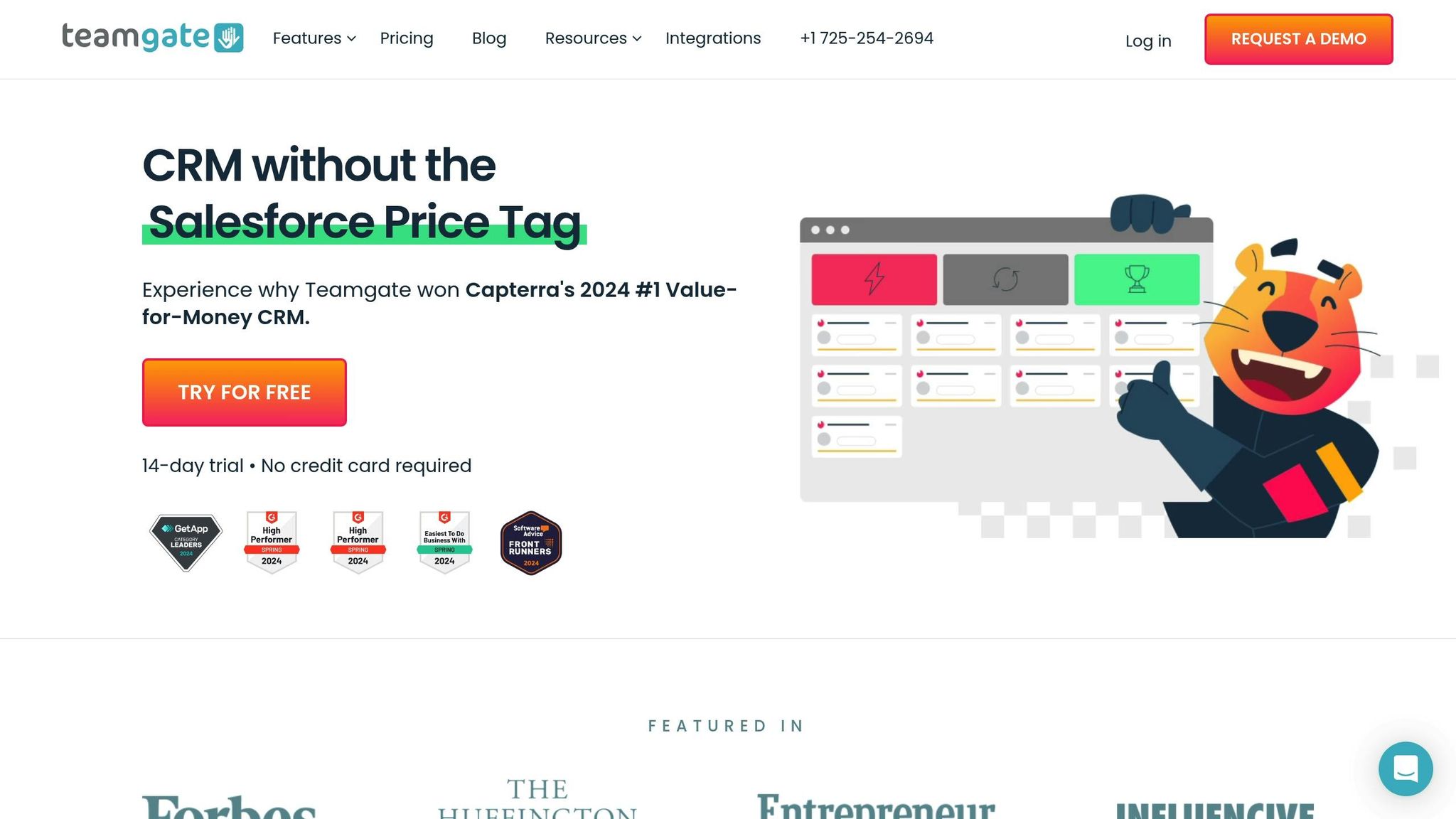
Teamgate CRM simplifies the way local service businesses manage and prioritize leads. Instead of handling every inquiry equally, the platform lets you focus on the leads that are most likely to convert. Here’s how you can set up lead scoring and incorporate it into your workflow effectively.
Step-by-Step Lead Scoring Setup Process
First, access the Lead Scoring feature in Teamgate CRM, available with the Growth plan ($59.90/user/month). Go to the Settings section and select Lead Scoring from the menu.
Start by defining your scoring criteria. For most local service businesses, location is a key factor. Set geographic boundaries that align with your service area. For instance, if you’re a roofing contractor covering a 25-mile radius around downtown Phoenix, leads outside this area should either receive negative points or be filtered out completely.
Next, consider demographic factors. Depending on your business, details like property type, homeownership status, or income level can influence scoring. For example, a property management company seeking bulk services might score higher than an individual homeowner, depending on your target market.
Time-based scoring is another critical element. Recent interactions should carry more weight than older ones. You can even set rules where points decrease over time if leads remain inactive. This ensures that outdated or dormant leads don’t clutter your high-priority list. By combining time-based scoring with automatic updates, your system stays efficient without manual intervention.
Using Gmail and LinkedIn Integrations
Once your basic setup is complete, you can enhance your lead scoring by integrating communication tools like Gmail and LinkedIn.
With Gmail integration, Teamgate CRM automatically tracks email engagement – such as opens, clicks, and replies – and uses this data to adjust lead scores. For example, if a prospect frequently opens emails about emergency repair services and clicks through to your pricing page, they’ll score higher than someone who doesn’t engage.
For businesses targeting commercial clients, LinkedIn integration is a valuable tool. By connecting LinkedIn, Teamgate can monitor profile views, connection requests, and message interactions. It also pulls in key details like company size, industry, and job title to refine lead scoring further. Both integrations work in real-time, ensuring your lead scores are always up-to-date as new interactions occur.
Building Sales Pipelines for Local Businesses
Teamgate CRM’s customizable pipelines work seamlessly with lead scoring to streamline your sales process. The Growth plan includes unlimited pipelines, so you can create workflows tailored to different services or customer types.
Define the stages of your pipeline based on your sales process. For instance, you might use stages like Initial Contact, Site Visit Scheduled, Estimate Provided, Contract Negotiation, and Work Completed. Lead scores help you decide which prospects move quickly through these stages and which ones require more attention.
High-scoring leads can even bypass certain stages. For example, a homeowner with a lead score of 90+ requesting emergency HVAC repair might skip the standard nurturing process and go straight to the Site Visit Scheduled stage.
Automation rules can further enhance efficiency. For instance, when a lead reaches a specific score, the system can automatically assign them to your best salesperson, send a personalized email, or create a high-priority follow-up task.
For businesses with seasonal services, multiple pipelines can help you stay organized. A landscaping company, for example, might set up separate pipelines for Spring Cleanup, Regular Maintenance, and Hardscaping Projects, each with unique scoring criteria and follow-up steps.
Teamgate CRM also tracks conversion rates at each pipeline stage, giving you insights into how high-scoring leads perform compared to others. This data helps you fine-tune your scoring model and identify the criteria that best predict sales success.
Additionally, deal probability settings can be adjusted based on lead scores. For instance, a high-scoring lead in the Estimate Provided stage might have an 80% chance of closing, while a lower-scoring lead in the same stage might only have a 40% chance. This provides more accurate sales forecasts and helps you allocate resources more effectively.
Lead Scoring Models and Criteria for Local Firms
Crafting a lead scoring model that reflects your customer insights and addresses local service challenges is key to targeting the right prospects. By examining how location and customer behavior influence your business, you can create actionable scoring criteria that drive better results.
Scoring Based on Location and Behavior
To refine your lead scoring model, consider both location and customer behavior. For example, a Denver-based plumbing company might assign 20 points to leads within a 10-mile radius, 10 points for those 10–20 miles away, and zero points for leads beyond that range. Proximity often correlates with a higher likelihood of conversion.
Behavioral cues also matter. Leads who call directly often signal urgency, especially for emergency services, and should receive the highest scores to ensure a quick response. Phone interactions tend to convert faster than email-only communications. Additionally, referral sources can provide valuable insight – leads coming from targeted searches or customer referrals are more likely to convert and should be scored accordingly.
Other factors, such as the urgency of the service needed and communication preferences, can further refine your scoring. For instance, emergency requests or prospects who prefer direct communication channels (like phone calls) often indicate stronger buying intent.
Positive and Negative Scoring Signals
Positive scoring signals help identify high-potential leads. Top-tier indicators include actions like requesting quotes, scheduling consultations, confirming availability for specific dates, or submitting detailed inquiries with clear timelines – all of which demonstrate strong intent to purchase.
Medium-value signals might include website engagement, such as visiting pricing pages, downloading service guides, or spending time on testimonials. Quick responses to emails or calls, especially during late-night or weekend emergencies, are also signs of interest that merit additional points.
On the flip side, negative scoring signals help filter out less promising leads. Common examples include unsubscribing from emails, repeatedly missing appointments, or requesting services outside your coverage area. Budget-related concerns – like asking for unrealistic pricing or engaging in lengthy, noncommittal discussions – are also red flags. Communication issues, such as incomplete contact information or the use of temporary email addresses, should lower a lead’s score as well.
Updating Scoring Rules Based on Results
Your scoring model isn’t static; it needs regular updates to stay relevant. Reviewing performance data can reveal trends and patterns that help fine-tune your criteria. For instance, if location-based leads aren’t converting as expected, you may need to place more weight on behavioral signals instead.
Seasonal trends also play a big role in local service industries. HVAC companies, for example, may see more heating-related inquiries in the fall and cooling requests in the spring, while pool maintenance services peak in early summer. Adjusting your scoring model to account for these shifts ensures it remains effective year-round.
For businesses offering multiple services, refining criteria for each service type can improve accuracy. A general contractor might notice that kitchen remodeling leads behave differently from those interested in bathroom renovations or roofing, requiring distinct scoring rules for each category.
Feedback from your sales team is another valuable resource. Sales reps often have firsthand insights into lead quality that CRM data alone might not capture. Regular discussions with your team can uncover hidden indicators to enhance your scoring model.
Finally, A/B testing different scoring methods can help identify the most effective approach for your market. Experiment with emphasizing different factors for similar leads, then track conversion rates to see what works best.
An effective lead scoring system balances multiple factors. A high-scoring lead might be someone within your service area who calls directly about an urgent issue and provides detailed project information, while a low-scoring lead could be someone outside your coverage area submitting a vague web form inquiry. By continuously refining your model, you’ll ensure your efforts are focused on the leads most likely to convert.
sbb-itb-5772723
Managing Leads and Follow-Up with Teamgate CRM
After identifying high-intent prospects, the next step is to handle leads efficiently – something local service firms often find challenging amidst their daily operations.
Automatic Lead Assignment and Follow-Up Reminders
Teamgate CRM simplifies lead management with its workflow automation tools. These features allow you to set up automatic reminders and assign tasks, ensuring no valuable lead slips through the cracks – even during hectic on-site work. This kind of automation keeps your team on top of follow-ups, all within a single, unified system.
Tracking All Customer Communications
With Teamgate CRM, all lead information is centralized and synced with your email system, offering a complete history of every interaction. This consolidated view ensures your team always knows the communication status with each prospect, making it easier to maintain consistency and professionalism.
How to Follow Up Quickly and Personally
Timely and personalized follow-ups are crucial for building trust and converting leads. Thanks to Teamgate CRM’s centralized communication history and detailed lead profiles, your team can respond quickly and tailor their approach to each prospect. This personal touch not only strengthens relationships but also speeds up the path to conversion.
Tracking and Improving Lead Scoring Results
Once your lead management system is in place, the next step is to measure and refine your lead scoring strategy to ensure it delivers results. Without proper tracking, you risk missing opportunities to boost conversion rates and sales efficiency. By monitoring performance and making data-driven adjustments, you can turn your scoring system into a powerful tool for driving sales improvements.
Using Reports to Monitor Scoring Performance
Teamgate CRM’s Insights provides a range of analytics to help you evaluate how well your lead scoring aligns with actual conversions. These reports offer a detailed look at your lead qualification process:
- Lead trajectory report: Tracks how leads move through your scoring system over time, revealing patterns in high-conversion leads.
- Lead movement report: Monitors the speed at which leads progress through your sales pipeline, helping you identify bottlenecks that slow conversions.
- Unqualified reasons report: Pinpoints why certain high-scoring leads fail to convert, highlighting areas where your scoring model needs adjustment.
- Sales Pipeline Movement report: Measures the velocity of your sales process, ensuring that scoring updates contribute to faster deal closures.
These tools provide a clear picture of your scoring system’s strengths and areas for improvement, making it easier to fine-tune your approach.
Measuring Results Before and After Lead Scoring
The reports mentioned above are also essential for comparing performance metrics before and after implementing lead scoring. By analyzing data such as conversion rates, response times, and sales cycle lengths, you can confirm whether your team is focusing on the right prospects. This often leads to a more streamlined sales process and higher revenue per salesperson.
Another key metric to track is your cost per acquisition. When your team prioritizes high-quality leads identified through scoring, the resources required to close deals typically decrease. For instance, you can measure the average number of touchpoints needed to close high-scoring versus low-scoring leads, revealing efficiency gains. Additionally, monitoring customer lifetime value (CLV) offers a deeper view of lead quality, as high-intent leads often become loyal customers who generate repeat business and referrals.
Adjusting Scoring Rules for Better Results
Regular updates to your lead scoring model are crucial for maintaining its effectiveness. Using Teamgate’s reporting data, review and refine your scoring criteria every 90 days. For example, if location-based scores aren’t translating into conversions, consider rebalancing that factor or adding new qualifying criteria. Similarly, if certain behaviors consistently align with successful conversions, increasing their scoring weight could improve results.
Seasonal trends in your market can also influence scoring adjustments. For instance, a plumbing company might see a surge in emergency service requests during the winter months, while an HVAC business may need to tweak its scoring during peak heating or cooling seasons.
To avoid disruptions, test small changes over 30–60 days to see how they impact performance. This incremental approach allows you to make informed adjustments while keeping your sales process running smoothly. Regular optimization ensures your lead scoring system evolves alongside your business and market conditions, continuing to deliver meaningful results.
Conclusion: Building a Lead Scoring System That Works
Lead scoring can revolutionize how local service businesses handle sales by replacing guesswork with a clear, data-driven approach. When done right, it gives smaller firms a real chance to stand out and compete more effectively.
Key Advantages for Local Service Businesses
Lead scoring offers several benefits that can make a big difference for local service providers:
- Time savings: By focusing on high-potential leads, your team can close deals faster and spend less time chasing unqualified prospects.
- More predictable revenue: Pinpointing high-intent leads helps create more accurate monthly and quarterly forecasts, making it easier to plan for growth.
- Better customers: Leads with higher scores often turn into loyal customers who bring in more referrals and have a higher lifetime value.
- Lower acquisition costs: Concentrating on the most promising opportunities reduces wasted time and marketing expenses.
These advantages make lead scoring a smart move for businesses looking to streamline their sales process and improve results.
How to Get Started with Lead Scoring
Getting started with lead scoring doesn’t have to be complicated. Tools like Teamgate CRM make it easy to implement and refine your system.
- Start small with the basics: Teamgate’s free Starter plan supports up to 2 users and 500 contacts, offering simple pipeline management and contact organization – perfect for small businesses trying lead scoring for the first time.
- Upgrade for more features: To unlock advanced scoring tools, unlimited pipelines, and detailed analytics, consider Teamgate’s Growth plan at $59.90 per user per month.
When setting up your lead scoring system, begin with three straightforward factors: location proximity, urgency of service, and budget considerations. Create simple scoring rules – both positive and negative – and test them for about 30 days before making adjustments.
Keep your scoring system easy to use. A straightforward system that your team applies consistently will outperform a complicated one that gets overlooked. Start scoring new leads right away, and work through your existing database as time allows.
The real secret to success is regular evaluation and fine-tuning. Use Teamgate’s analytics to review your scoring performance monthly, and don’t hesitate to tweak your criteria as you discover what works best for your business and market.
FAQs
What is lead scoring, and how can local service firms use it to focus on high-intent leads and boost conversions?
Lead scoring is a way to rank potential customers by giving them scores based on their actions, level of engagement, and how well they align with your business. For local service firms, this technique helps pinpoint high-intent leads – those who are most likely to become paying customers.
By looking at factors like how frequently a lead visits your website, engages with your emails, or matches your ideal customer profile, you can concentrate your follow-up efforts on the leads that show the most promise. With tools like CRM platforms, this process can be automated, making your sales workflow more efficient and allowing you to focus on converting the leads that truly count.
What should local service businesses consider when creating a lead scoring model with Teamgate CRM?
When building a lead scoring model for your local service business using Teamgate CRM, start by pinpointing the behaviors and traits that indicate strong interest. Pay attention to actions like how often leads visit your website, their responses to emails, or their level of engagement on your social media channels. For instance, frequent visits to your pricing page, completing contact forms, or requesting quotes are clear signs of intent.
Assign scores to these activities and take advantage of Teamgate CRM’s automation features to simplify the process. You can integrate tools like Gmail or LinkedIn to track interactions and make follow-ups more efficient. Don’t forget to regularly revisit and fine-tune your scoring criteria to stay in sync with your business objectives and evolving customer behaviors. This approach helps you focus on the most promising leads, boosting your chances of converting them into customers.
How can businesses keep their lead scoring system effective as market trends and customer behaviors change?
To keep your lead scoring system working effectively, it’s important to review and adjust it regularly to match changing market trends and customer behaviors. Take time to analyze your data and look for emerging patterns or shifts in how leads show their intent.
Work closely with your sales and marketing teams to gather their feedback and fine-tune the scoring criteria. This ensures your system reflects actual interactions and aligns with what’s happening on the ground. You can also use CRM tools to automate updates, making it easier to adjust your scoring system based on fresh insights. This proactive approach helps you stay ahead of changes and boosts your chances of converting leads.






