Email marketing is among the most effective outreach tactics for reaching new customers and engaging existing ones. In fact, 79% of B2B marketers believe email is the most successful content distribution channel, and 80% of buyers prefer sellers to contact them via email.

However, manually crafting, sending, and tracking emails to communicate with each customer is slow and inefficient. Fortunately, several CRMs (Customer Relationship Management) are available for automating email marketing and outreach.

In this article, we explore the benefits and features of integrating email with your CRM system, detailing how it can streamline communication, enhance sales productivity, and improve customer relationship management. We’ll cover the essentials of what CRM with email integration offers and why it’s a critical tool for modern businesses.

Key Takeaways:

  1. CRM with email integration simplifies managing customer communications.
  2. Email integration boosts productivity by automating follow-ups.
  3. It provides valuable insights from email interactions.
  4. Integration supports seamless workflow within a single platform.
  5. Mobile access ensures you stay connected on the go.

Contents:

Benefits of Integrating Email with Your CRM

Customer Relationship Management software simplifies managing interactions and relationships with existing and potential customers. One of the ways a CRM tool does this is by helping your team execute a data-driven email outreach to improve or build customer relationships and grow your business.

Let’s take a closer look at the benefits of CRM email integration before delving into the five best CRMs that made our list:

  • Save Money: Email marketing and CRM are separate functions that previously required two different tools. A CRM with email integration saves you money and stress by being a one-in-all tool that seamlessly handles both functions.
  • Access More Sales Opportunities: A CRM integrated with email can identify the recipients opening and acting on emails. These recipients are prospects most likely to convert, and targeting them with your email marketing will yield more sales.
  • Convenient Data Management: A CRM will help you manage, store, and update your customer data. It will also give your team easy access to the data they need to do their job and make data-driven decisions that lead to better results.
  • Less Work: You can use a CRM with email integration to automate email follow-ups and responses to customer queries. Also, the integration will automatically synchronize stored data, ensuring that you don’t have to enter or modify the same data twice.
  • Act on Time: A CRM with an integrated email marketing solution can help sales teams identify when qualified leads are ripe for the next stage in the customer journey. The insight equips salespeople to contact prospects with the right message at the right time.

Other Reading: 6 Best CRM with Gmail Integration

5 Best CRMs with Email Integrations

Now that you know the benefits of a CRM with email integration, you only need to find a product that delivers these benefits and fits your budget and marketing goals. At least one of the top CRMs below will meet your requirements:

Teamgate CRM
null

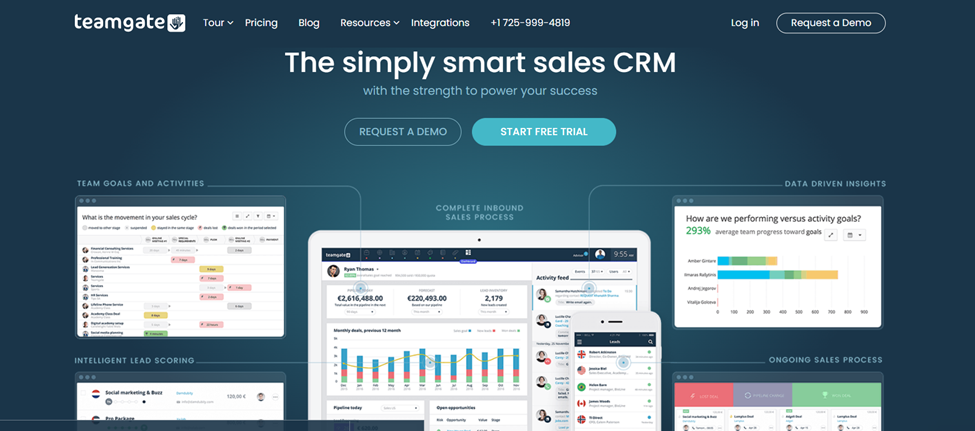
Teamgate is a leading CRM software that enables your team to focus on selling and increasing productivity. You can integrate the CRM with your current email, including email accounts provided by Gmail, Outlook, and other providers.

Most businesses prefer Teamgate because it is easy to set up and user-friendly. The user-friendliness extends to managing, tracking, and storing email communications with your leads, prospects, and customers.

Also, users can transfer any email to Teamgate and store it with just a few clicks. The application is fast, and you can reply to all emails from the CRM, eliminating the hassle of switching between platforms.

Lastly, your team can access email accounts via Teamgate’s online platform or mobile app, which works on most computer and mobile browsers. In summary, Teamgate is an excellent all-in-one CRM that provides everything you need to optimize and simplify email communication with your current and potential customers.

Teamgate CRM Benefits

Other benefits that set Teamgate apart as an excellent CRM with email integration are:

  • Mailchimp Integration: Teamgate’s Mailchimp CRM integration simplifies accessing contact lists, user activity, and other data for automating email personalization, replies, and sending. Setting up the Mailchimp integration only requires entering your Mailchimp account details.
  • All-In-One Tool: Besides email integration, Teamgate has several other features that can help boost your team’s productivity and overall performance.
  • Sales Inbox: You can connect Teamgate with your regular email provider (Gmail, Outlook, and others) to receive, view, and answer all emails from the CRM platform.
  • Customizable Email Template: You don’t have to write emails from scratch. Communicate better and faster by modifying the email templates provided by Teamgate.
  • Valuable Resources. Teamgate offers several articles, whitepapers, and case studies that you can study to write emails that convert and create more effective email campaigns.
  • Contact Management: Build your email list with less effort by using Teamgate to manage your contacts. Also, finding customer data is easier, thanks to Teamgate’s intelligent customer contact management feature.
  • Sales Reports and Analytics: Make data-driven decisions and improve operations with the real-time customer insights provided by Teamgate.

Teamgate CRM Pricing

Teamgate offers three affordable plans for businesses of different sizes. However, if you want all the email integration features, such as email templates, sales inbox, and Mailchimp integration, you will be needing a paid plan on either the Team ($39.90) or Growth ($49.90) options.

Nutshell CRM
null

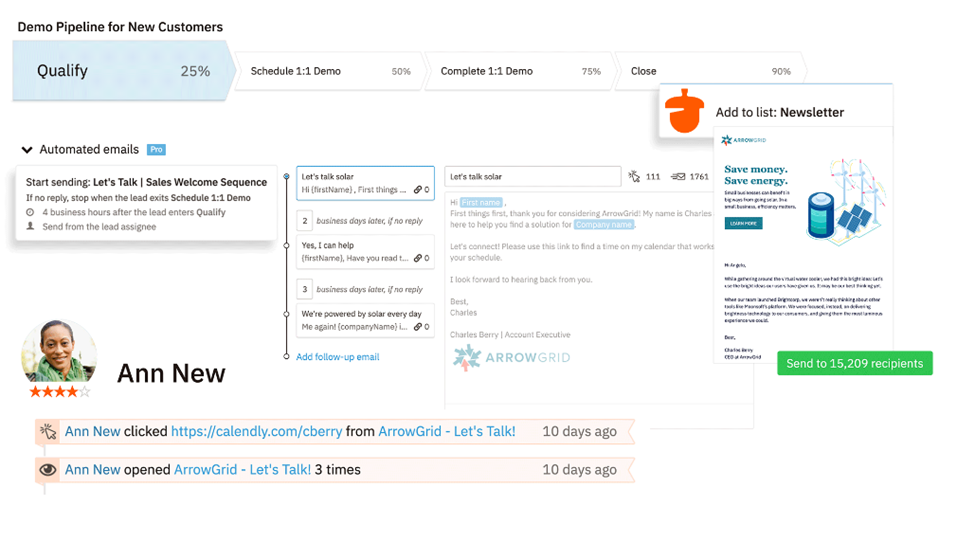
Nutshell is a CRM and email marketing tool with various features for managing customer relationships and boosting sales. Even though it has many advanced features, Nutshell is easy to use, ensuring your entire sales team won’t have trouble using it.

You can integrate Gmail and Office 365 accounts with Nutshell and access various email automation features, such as email sequencing and contact filtering for targeted bulk emails. On the downside, Nutshell charges extra for each team member you add to the platform as a user. The cost may be inconvenient if you are on a budget and have a large marketing team.

Nutshell CRM Benefits

Other features that make Nutshell a top CRM with email integration are:

  • Pre-Built Templates: Nutshell offers email templates that you can quickly modify to update or reply to customers. You can find templates for many communication scenarios.
  • Excellent Customer Support: If you run into issues while using Nutshell, you can quickly get help via email, phone, or live chat. Unlike other companies that use chatbots, Nutshell’s customer support consists of real people.
  • Personal Email Sequence Tool: You can create and schedule one-on-one sales drips for each customer to lead them through your sales pipeline. Such emails are more likely to capture attention and engage recipients so that they convert.
  • Analytics and Insights: Nutshell can assess various aspects of your email campaign and provide useful insights for optimizing your campaign to perform better. For example, you can discover which email recipients read messages and if you need to reduce the number of emails you send daily.
  • Automated Outreach: Automating your email creation and sending will allow your team to focus on more important jobs.

Nutshell CRM Pricing

Nutshell’s Basic plan costs $19 per month, while its Pro plan costs $46 per month. The price goes up with each user you add to your plan.

HubSpot CRM
null

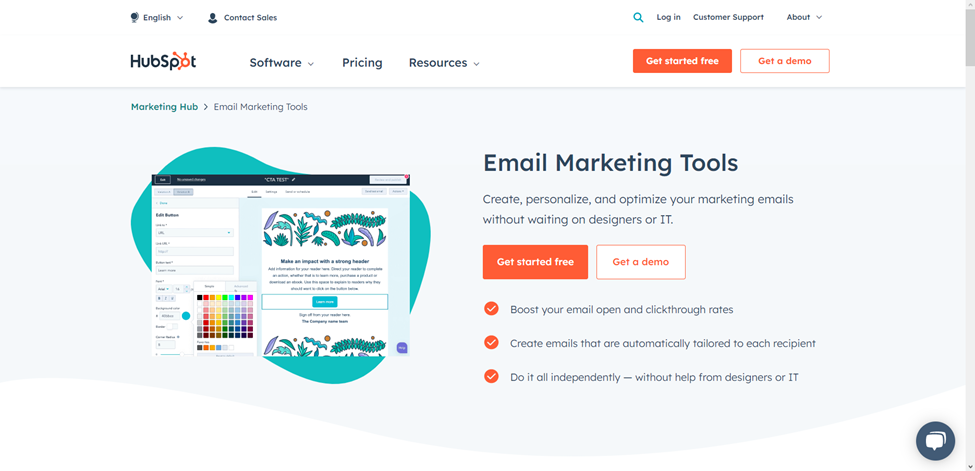
HubSpot is a popular CRM platform among marketers because of its many marketing tools and user-friendliness. Another reason HubSpot is so popular is it offers a free-forever plan, which is sufficient for most small businesses. Free plan users can access several email features, such as automated lead nurturing, email templates, team inbox, reply tracking, and audience segmentation.

However, you will need to pay at least $800 per month if you want sales sequencing, A/B campaign testing, and other advanced features. While HubSpot’s paid plans cost more than many of its competitors, the CRM is still a good option for teams that want one solution that does it all.

Hubspot CRM Benefits

Below are more benefits that make HubSpot a top-five CRM:

  • Flexibility: The CRM allows you to create professional emails that display perfectly on any device. You can work with the email templates provided by the platform or build your own templates.
  • Personalization: You can personalize emails to engage your audience better and boost your click-through rate. If you need help identifying your most effective personalization, you can use the platform’s A/B testing tool.
  • Email Reply Tracking: Identify the emails your customers are opening and use the insight to discover your best-performing campaigns. You can also use the information to identify the best times to send emails.
  • Team Inbox: Your whole team can access and view emails from one location, eliminating the need to switch between email providers to check or reply to messages.
  • Unlimited Users: All plans, including the free plan, support unlimited users and give them access to email automation and live chat support.

Hubspot CRM Pricing

Besides its free plan, HubSpot offers a $45 Starter plan, $800 Professional plan, and $3,600 Enterprise plan.

Zoho CRM
null

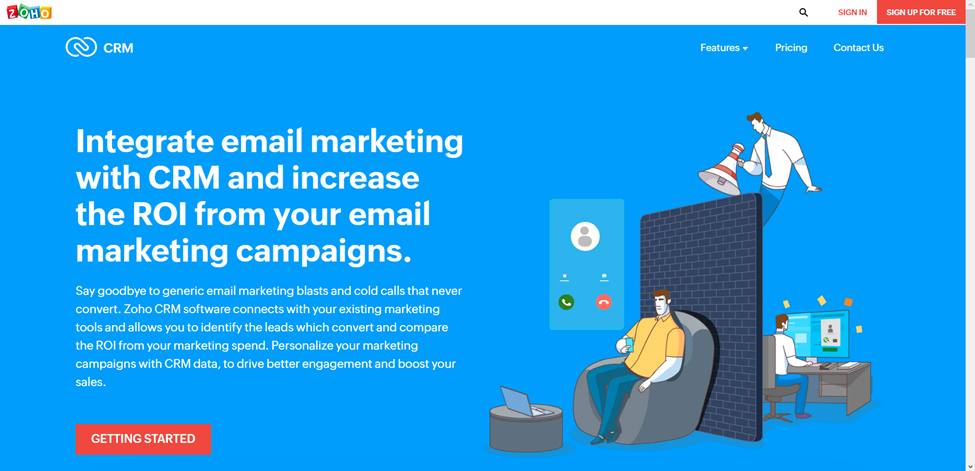
Zoho CRM takes email automation to a new level, allowing your team to do less and achieve more. You can use your customer data to automate customer journeys, processes, and campaigns, and your whole team can monitor everything from different devices.

You can also connect the Zoho CRM software to your existing marketing tools to gather data and identify the best leads to follow up. However, while Zoho offers bulk email campaigns, you can only launch them after integrating the CRM with Zoho Campaigns. Lastly, if you have an underperforming email campaign, you can identify the areas to improve with Zoho’s advanced analytics tool.

Zoho CRM Benefits

Other benefits of using Zoho for email marketing are:

  • Template Creator: Create email templates that your team can modify and use. Creating and adapting templates is hassle-free, thanks to Zoho’s drag-and-drop interface.
  • Real-Time Notifications: Get real-time alerts when a client subscribes or unsubscribes from your email campaign. You can also get alerts when recipients open emails and use the insight to time your campaigns.
  • Customize: You can customize Zoho to match your team and business goals. Also, deploying the platform into your existing ecosystem is quick and does not require special skills.
  • Monitor ROI: Monitor the performance of your campaign to identify if the return on investment matches your expectations.
  • Multi-Platform Integration: Zoho CRM integrates seamlessly with several popular email marketing tools, such as Mailchimp, GetResponse, and VerticalResponse.
  • Sync Campaigns: The Zoho CRM can sync all your marketing campaigns and let you know which leads interacted with which campaigns and when the interaction occurred.

Zoho CRM Pricing

You can pay around $58 monthly to access multiple Zoho email marketing tools. Alternatively, save money by paying for only the Zoho features you need.

FreshSales
null

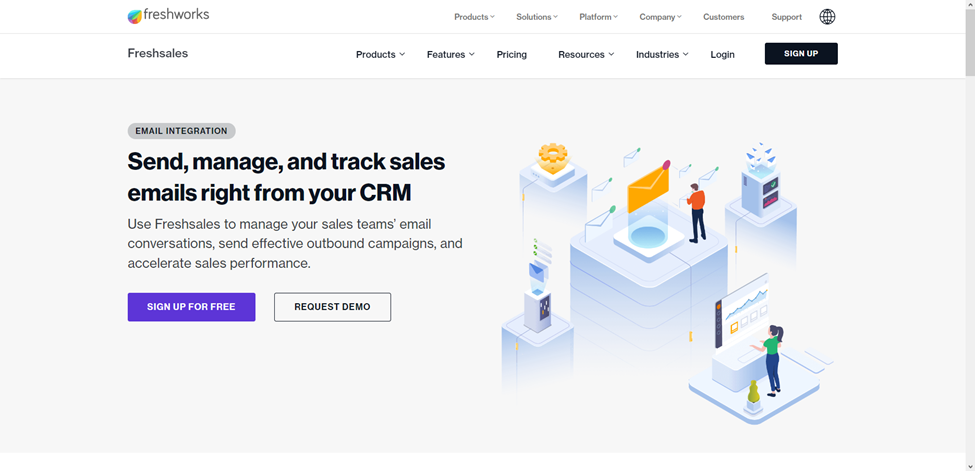
FreshSales promises to boost your team’s productivity, email outreach effectiveness, and sales cycle speed with its sales-specific CRM solution. A free version that integrates with email and supports an unlimited number of users is available.

However, if you want advanced features like multiple sales pipelines, AI-powered contact scoring, and Sales Sequences, you will need a paid plan. The cheapest paid plan allows teams to access and customize email templates, use the team inbox to reply to messages, and deploy automated sales email sequences.

FreshSales Benefits

While FreshSales is not perfect, it is still a user-friendly and dependable email marketing CRM that businesses in various niches can adapt to fit their needs. Here are more reasons to try FreshSales:

  • Scheduled Emails: Automatically schedule emails to deliver when recipients are most likely to open them.
  • Real-Time Alerts: Receive alerts immediately when recipients open emails or click links in the email.
  • Email Forwarding: Help your team save time and effort by letting them receive and respond to all their emails from one CRM account.
  • Email Customization: Customize emails to be more attractive and engaging so that they get better results
  • Email Automation: Automate your outbound email campaigns with the help of FreshSales’ Sales Sequences and Workflows.
  • Shareable Email Templates: Identify your emails that get the best results and share the templates with your team so they can replicate the winning format.

FreshSales Pricing

FreshSales offers a 21-day free trial that lets you try out all of the platform’s features. Once the trial ends, you can sign up for the free plan. Alternatively, opt for the $15 Growth plan, the $39 Pro plan, or the $69 Enterprise plan.

Improve Your Email Marketing by Integrating with the Right CRM

Several impressive email marketing CRM platforms are available, but they cannot all be a good fit for your business. The best CRM with email integration for your company is one you can easily afford and adopt. The CRM should also integrate with your existing email and other marketing and sales tools that your team uses.

Teamgate checks all these boxes because it has an intuitive interface and offers dozens of software integrations. Also, Teamgate offers pricing plans for different budgets, allowing you to take your email marketing to the next level without breaking the bank. Take Teamgate for a test drive today with its 14-day free trial and discover for yourself if it’s the perfect CRM with email integration for your team.


FAQs: Best CRM with Email Integration

1. What is CRM with email integration?

  • Answer: CRM with email integration combines Customer Relationship Management software with email capabilities, allowing businesses to manage, track, and optimize email communications directly within the CRM platform.

2. How does email integration benefit CRM users?

  • Answer: Email integration with CRM streamlines communication, automates follow-ups, provides data-driven insights, and reduces the need for switching between platforms, ultimately enhancing productivity and sales effectiveness.

3. Can I integrate my existing email accounts with Teamgate CRM?

  • Answer: Yes, Teamgate CRM allows integration with popular email providers like Gmail and Outlook, enabling users to manage and reply to emails directly from the CRM interface.

4. What features does Teamgate CRM offer for email management?

  • Answer: Teamgate CRM offers features like Mailchimp integration, customizable email templates, a sales inbox, and advanced contact management to enhance your email communication efforts.

5. Why should I choose a CRM with email integration over separate tools?

  • Answer: A CRM with email integration saves time, reduces costs, and provides a unified platform for managing customer data and email campaigns, leading to more efficient operations and better sales outcomes.

6. How can email integration improve my sales process?

  • Answer: Email integration in CRM helps identify high-potential leads, automate follow-ups, and deliver targeted messages at the right time, all of which can significantly improve your sales conversion rates.

7. Does Teamgate CRM support mobile access to email features?

  • Answer: Yes, Teamgate CRM provides mobile access to email features, allowing users to manage and respond to emails on the go through its mobile app.

8. What are the costs associated with Teamgate’s email integration features?

  • Answer: Teamgate offers different pricing plans, with email integration features such as customizable templates and Mailchimp integration available in the $65-a-month Enterprise plan.


In this comprehensive article, you’ll discover how integrating Mailchimp, a widely-used email marketing platform, with various CRM (Customer Relationship Management) systems can streamline your marketing efforts and enhance your decision-making process. You will learn how this integration can help with segmenting potential customers, personalizing email messages, analyzing marketing data, managing subscribers, and generating custom reports, all to increase your marketing success.

Key Takeaways:

  • CRM integration with Mailchimp enables targeted email marketing strategies by segmenting potential and existing customers in your CRM.
  • CRM data can be used to personalize email messages, enhancing the overall customer experience.
  • Analytical tools provided by CRM integrations offer valuable insights into patterns and trends in email data, aiding in more informed marketing decisions.
  • Integrating CRMs with Mailchimp makes managing subscribers and unsubscribers more manageable and efficient.
  • CRM systems like Teamgate, Pipedrive, and SugarCRM offer different levels of integration with Mailchimp, with each offering unique features and pricing options.

Read more: 8 of the Best Sales CRM Software Programs

The Benefits of CRM Integrations for Mailchimp

Mailchimp is a service that specializes in marketing automation and email marketing. This comprehensive platform lets you communicate with prospects, leads, and existing customers to promote products and services via email. 

Mailchimp says on its website:

“Our approach to marketing focuses on healthy contact management practices, beautifully designed campaigns, and powerful data analysis. We’re here to help you become an expert marketer. Ready to get started?”

Many marketers think Mailchimp is merely a web-based application that works in internet browsers. However, you can now integrate this platform with various CRMs, including Teamgate. That lets you centralize your customer relationship management and email marketing practices. 

There are various things you can do when using Mailchimp CRM integrations:

  • Segment potential and existing customers in your CRM and send them targeted email marketing messages. 
  • Use the information in your CRM to personalize email messages to customers. 
  • Design, send, and save email templates based on CRM information.
  • Use analytical tools in your CRM to identify patterns and trends in email data and use these insights for better marketing decision-making. 
  • Use Mailchimp’s analytical tools to view open, click-through, conversations, and success rates for email campaigns.
  • CRM integration with Mailchimp also lets you manage subscribers and unsubscribers.
  • Generate custom reports based on CRM and Mailchimp information and become more successful at email marketing.

Integrating your CRM with Mailchimp Integrations can be a long, laborious process that involves complex code and data engineering—skills your business might lack. The best CRM for Mailchimp will have out-of-the-box no-code/low-code connectors and a simple drag-and-drop, point-and-click interface that makes integration easy. You won’t need to build data pipelines or enlist the services of a data engineer, saving you time and money. 

Note: To confuse things, Mailchimp now contains some CRM functionality of its own. (It has evolved from a simple email marketing tool to all-encompassing marketing automation and email marketing service platform.) However, in Teamgate’s opinion, no successful business in the SaaS industry should rely on Mailchimp for customer relationship management as there are far better tools that achieve this goal. At the most, Mailchimp aggregates and organizes customer information like phone numbers, physical addresses, and email addresses. A growing enterprise couldn’t count on Mailchimp for identifying and nurturing leads from customer account information in a busy call center, for example. You could use Mailchimp as a CRM if you have a very, very small business with a couple of hundred customers, but that’s about it. CRM integration with Mailchimp is better suited to an actual CRM system!

Learn more about the best CRM for Mailchimp below:

1. Best CRM for Mailchimp: Teamgate

Teamgate is, hands down, the best CRM for Mailchimp overall. It lets you send personalized, targeted email marketing messages to prospective and existing customers in the Teamgate CRM system with a few clicks of a mouse. That streamlines workflows and boosts productivity. For Teamgate-Mailchimp integration to happen:

  1. Export contact information from Teamgate lists.
  2. Define your segmentation criteria.
  3. Click on the Mailchimp icon at the top of lists.
  4. Export the contacts into Mailchimp.

This simple four-step process lets you use customer contact information for more effective email marketing outcomes. 

Another use case for Teamgate-Mailchimp integration is the ability to merge custom fields in Teamgate with fields in Mailchimp. You can do this by clicking “Create a new field” under “Mailchimp” fields on the Mailchimp integration page on Teamgate. This process lets you quickly merge Teamgate and Mailchimp custom fields for current and future email marketing campaigns. 

Sometimes a CRM makes it difficult to transfer records between that CRM and Mailchimp. Pipedrive, for example—the next entry on this Best CRM for Mailchimp list—requires a lengthy sync process that many small businesses in the SaaS sector might not understand. Teamgate is different. It simplifies record transfers and even sends you an email confirmation every time you move records between its CRM and Mailchimp. There’s no guesswork.

Also, Teamgate assigns all exported contacts a tag, allowing you to filter those contacts when required. If there’s a problem with transferring records, any error information will show up on the Export History page in Teamgate (in the Data Migration sections in Settings). Teamgate will also assign a tag to these failed-to-transfer contacts, making it easier to find this information. Merging a CRM with Mailchimp has never been this easy! 

Learn more information about Teamgate and Mailchimp CRM integrations here.

Teamgate CRM Integration With Mailchimp Key Features

  • Segment and filter customers by Mailchimp campaign.
  • View the read, clicked, and unsubscribed status of each lead/customer from within the Teamgate lead/customer contact page.
  • See which Mailchimp campaigns have been sent to which leads and customers within Teamgate through automatically applied, custom tags – removing workflow complexities.
  • Automatically dial potential and existing customers.
  • It’s not just Mailchimp. Teamgate integrates with numerous digital tools for better marketing results in your enterprise. You can select which integrations display in your Teamgate workspace and access information from multiple platforms on one monitor.
  • Support email marketing with in-depth lead conversion insights about prospects with Teamgate’s suite of sales intelligence tools. These tools personalize your marketing objectives and help you qualify leads against your ideal customer profile (ICP). 
  • Manage leads for Mailchimp campaigns with specialized sales and performance tools that monitor organizational performance. You can quickly discover which email marketing methods work (and which don’t) via a simple drag-and-drop, point-and-click user interface. That empowers sales teams to prioritize marketing efforts. 
  • Teamgate’s in-depth insights, sales dashboards, and analytical tools supplement Mailchimp marketing campaigns. Track and obtain real-time data about departmental performance. Also, use key metrics to increase sales pipelines and growth, streamline lead management, and improve overall account management in your growing organization.
  • You don’t need to integrate Teamgate with Mailchimp for improved email marketing. This CRM has its own in-built email marketing features that work with various email service providers, helping you connect with potential and existing customers. 

Teamgate Pricing for Mailchimp CRM Integrations

Teamgate pricing plans start from just $9 per month per user (billed annually), making this platform an affordable choice for your organization. The Professional plan, which costs $26 per user per month, includes one integration (in this case, presumably Mailchimp.) You can also use the Mailchimp CRM integration (and other unlimited integrations) in Teamgate’s Enterprise plan, which only costs $65 per user per month.

All these reasons and more make Teamgate the best CRM for Mailchimp! 

Learn More About Teamgate

2. Pipedrive

Pipedrive is arguably more well-known than Teamgate as a CRM. However, that doesn’t mean it’s a better fit for companies wanting to combine customer relationship management with email marketing. That’s because CRM integration with Mailchimp isn’t as extensive as on Teamgate. You won’t receive emails after encountering Mailchimp transfer errors, for example. Plus, setting up the transfer process is far more complicated than on Teamgate, making the latter a better fit for smaller SaaS businesses with limited resources. 

That’s not to say Pipedrive is useless for CRM integration with Mailchimp. Far from it. This CRM has an easy-to-use interface that almost anyone can understand quickly, and the integration process is pretty simple. 

Pipeline says on its website about its Mailchimp CRM integrations:

“Nearly half of our customers liked our simple yet powerful approach so much, they switched from an existing CRM tool. The other half? Well, they didn’t even know they needed Pipedrive until they tried it.”

Pipedrive CRM Integration With Mailchimp Key Features

  • Handle basic customer relationship management and Mailchimp email marketing tasks from a single platform. 
  • Like Teamgate, Pipedrive lets you filter and segment Mailchimp campaigns based on customer data. That helps you create more segmented campaigns that target specific customers based on location, shared characteristics, purchasing habits, and other factors. While Teamgate remains the best CRM for Mailchimp, Pipedrive can still achieve some successful marketing outcomes in your organization. 
  • Send personalized emails to customers based on information in Pipedrive. Deliver emails with customers’ names and locations, for example. 
  • As previously mentioned, Pipedrive-Mailchimp integration is pretty easy. Just click on the Mailchimp button within Pipedrive to export contacts. Pipedrive has a video on its website that explains the integration process really well, making this task simple for SaaS businesses of all sizes. 

Pipedrive Pricing for Mailchimp CRM Integrations

Pipedrive’s cheapest plan costs $14.90 per user per month (billed annually), making it more expensive than Teamgate. However, it’s unclear whether this tier allows for CRM integration with Mailchimp or whether users will need to upgrade to one of the more expensive pricing models, ranging from $24.90-$99 per user per month (billed annually).

Read more: The 6 Biggest Benefits of CRMs

3. SugarCRM

SugarCRM is a beast of a CRM system, boasting features that benefit SaaS businesses of all sizes. It actually has its own marketing automation tool, which might make integrating the product with Mailchimp an unnecessary task. However, if you are already familiar with Mailchimp’s features and interface, you might want to give integration a shot. 

It’s important to note that SugarCRM itself doesn’t offer any Mailchimp CRM integrations, unlike Teamgate and Pipeline. However, many users achieve successful integration with Mailchimp’s connector or a third-party product. 

Mailchimp says about this integration:

“With powerhouse platforms like SugarCRM and MailChimp, businesses can produce timely, hyper-relevant campaigns to grow sales and drive more revenue.”

Note: Using a third-party tool for SugarCRM-MailChimp integration can open up a can of worms, especially if that tool is open source. That’s because developers might not update or secure their connectors, increasing the chances of a data breach. You might also fail to adhere to data governance frameworks such as GDPR when transferring data from Sugar to Mailchimp. Non-compliance with these frameworks might result in expensive government penalties your business can’t afford. 

SugarCRM: CRM Integration With Mailchimp Key Features

  • Remove data silos by integrating SugarCRM with Mailchimp. Connect customer relationship management and email marketing automation workflows and use customer information to drive email marketing results. 
  • Updating customer information in SugarCRM automatically updates that same information in Mailchimp. Updating campaign management information in Mailchimp automatically updates that same information in SugarCRM.
  • No need to manually export data from Sugar to Mailchimp. The latter’s connector (or a third-party tool) will do all the hard work for you.

SugarCRM: Pricing for Mailchimp CRM Integrations

To benefit from all of SugarCRM’s features, you’ll need to opt for the platform’s Marketing Mavericks tier, which costs $1,000 per month for 10,000 contracts. Whether this works out cheaper or more expensive than Teamgate or Pipeline depends on the scope of your business. SugarCRM doesn’t have a “per-user per-month” pricing model, making it difficult to compare to the other two products on this best CRM for Mailchimp list. 

Read more: The Ultimate Guide to Inbound vs Outbound Marketing

4. SuiteCRM

If you’re looking for an open-source (free!) CRM with Mailchimp CRM integrations, look no further than SuiteCRM. This popular system integrates with Mailchimp, allowing you to optimize email campaigns while aggregating data for customer relationship management. Like SugarCRM, there are no in-built CRM integrations for Mailchimp. Again, you’ll need to combine the two platforms through Mailchimp or via a third-party connector. The latter, of course, increases the risk of data breaches and data governance non-compliance. 

Mailchimp says about its SuiteCRM connector:

“See up-to-date campaign and subscriber information within CRM and segment in MC based on CRM data using the SuiteCRM and Mailchimp Integration.”

SuiteCRM: CRM Integration With Mailchimp Key Features

  • View email campaign activity such as open, click, and bounce rates directly in SuiteCRM. Now team members don’t need to waste time switching between a CRM and Mailchimp!
  • Schedule customer record transfers from SuiteCRM to Mailchimp at a frequency that suits your SaaS business needs and data infrastructure capabilities (or limitations!).
  • CRM integration with Mailchimp lets you add and remove Mailchimp lists and campaigns from SuiteCRM with a few clicks of a mouse. 

SuiteCRM: Pricing for Mailchimp CRM Integrations

You won’t need to review different pricing tiers and weigh up the costs of each on SuiteCRM, which remains 100 percent open source and completely free to use. Of course, you’ll still need a subscription to Mailchimp to combine the two platforms. Because it’s open source, don’t expect advanced CRM functionality on SuiteCRM like you would find on Teamgate, SugarCRM, or HubSpot—the next entry on this best CRM for Mailchimp list. In Teamgate’s opinion, an open-source CRM can never replace a paid-for one, especially for user support, documentation, customization, data privacy, data security, data governance, and service level agreements (SLAs).

5. HubSpot CRM

Still looking for the best CRM for Mailchimp? HubSpot is one of the most popular CRM systems in the world, used by many Fortune 500 companies. It offers an incredible range of features for customer relationship management, enabling its users to aggregate, organize, share, process, and analyze customer information for sales, marketing, customer service, and business growth. But how do HubSpot’s Mailchimp CRM integrations compare with those of other systems on this list? How does HubSpot CRM integration with Mailchimp benefit your business?

HubSpot CRM probably sits somewhere between Pipedrive—which offers the most basic capabilities for CRM integration with Mailchimp—and Teamgate, which offers the most extensive Mailchimp features. HubSpot also has a free pricing tier—something that Teamgate and Pipedrive lack. (However, you’ll need to upgrade to a paid plan to integrate HubSpot CRM with Mailchimp.)

Note: HubSpot has two Mailchimp CRM integrations, which can confuse its users. The first, Mailchimp HubSpot integration, syncs CRM contacts with Mailchimp and logs email campaign activity, such as open, send, click, and bounce rates. The second, Data Sync, doesn’t specifically cater to Mailchimp but enables users to sync customer lists on HubSpot CRM with the email marketing application. However, it doesn’t log email campaign activity.

HubSpot CRM Integration With Mailchimp Key Features

  • As previously mentioned, HubSpot Mailchimp integration (the first HubSpot CRM integration for Mailchimp) tracks email campaign activity, making it a worthwhile tool if your business wants to improve the effectiveness of its marketing messages. You can view this activity—clicks, for example—directly in HubSpot, which reduces screen-switching for team members. As a result, HubSpot CRM integration with Mailchimp lets teams focus on sales instead of navigating CRM and email marketing tools.
  • HubSpot CRM integration also monitors any sync errors when transferring data from HubSpot to Mailchimp. (Pipedrive doesn’t do this at all.) If customer records fail to transfer over to Mailchimp, you can take quick action and not jeopardize imminent email marketing campaigns. 
  • Both HubSpot CRM integration and Data Sync effortlessly sync CRM data with Mailchimp through pop-up forms. You can sync all kinds of data, including contacts and timelines (HubSpot) and list members, email sent dates, email opened dates, email clicked dates, and email bounce dates (Mailchimp). 

HubSpot CRM Pricing for Mailchimp CRM Integrations

There’s the aforementioned free tier on HubSpot, but that pricing model won’t let you integrate this CRM with Mailchimp. For that objective, talk to HubSpot to get a personalized quote about your CRM integration needs. (HubSpot has a complicated pricing system with several tiers/features.) It’s also important to note that HubSpot has a usage pricing model, meaning it works out more expensive for lots of contacts. Depending on your requirements, HubSpot could be one of the most expensive platforms on this best CRM for Mailchimp list. 

Read more: Sales Process: How to Build an Effective Sales Machine

Why Teamgate Is the Best CRM for Mailchimp!

While the other CRMs listed above integrate with Mailchimp, only Teamgate helps you fully realize your email marketing goals. Successfully combine your customer relationship management and email marketing goals in one system and make communicating with and sending highly-targeted email marketing messages to prospective and existing customers easier. With segmentation through custom tags and fields, you can easily export your CRM contacts. Automatically allocated tags for each Mailchimp export and campaign makes performance tracking and filtering a breeze. Additionally, filter down on the status of each campaign for specific individuals by viewing open rates, click rates, and unsubscribe statuses from within your Teamgate CRM contact area.

Other reasons why Teamgate is the best CRM for Mailchimp include its simple drag-and-drop, point-and-click interface, out-of-the-box no-code Mailchimp connector, and affordable per-user per-month pricing. You can benefit from Teamgate’s Mailchimp CRM integrations by signing up for a Professional or Enterprise plan. 

If you still want more information, why not contact Teamgate for a product demo

Teamgate currently offers a 14-day free trial, which includes full functionality and integrations. Claim your trial and learn why this platform is, hands down, the best CRM for Mailchimp! 


FAQs: CRMs that integrate with Mailchimp

Q: Which CRMs integrate with Mailchimp?

A: There are several CRMs that integrate with Mailchimp to enhance email marketing and customer relationship management. Some popular options include:

  • Teamgate
  • Pipedrive
  • SugarCRM
  • SuiteCRM
  • HubSpot CRM
  • And others

Q: How do CRMs integrate with Mailchimp?

A: CRMs integrate with Mailchimp through connectors, APIs, or built-in integration features. The integration allows for seamless data transfer, segmentation of customer lists, personalized email campaigns, and synchronization of campaign performance metrics. Each CRM may have its own integration process, but generally, you’ll need to authorize the connection between your CRM and Mailchimp, configure settings for data transfer, and map relevant fields between the two platforms.

Q: What are the benefits of integrating a CRM with Mailchimp?

A: Integrating a CRM with Mailchimp offers several benefits, including:

  • Streamlined workflows
  • Personalized marketing
  • Enhanced analytics
  • Efficient data management
  • Improved customer engagement

Q: Can I use Mailchimp as a standalone CRM?

A: While Mailchimp has expanded its services beyond email marketing, it is primarily designed as a marketing automation platform rather than a comprehensive CRM. While you can store customer information in Mailchimp, it may not provide the robust features and functionalities of dedicated CRMs. For more advanced customer relationship management capabilities, integrating Mailchimp with a CRM like Teamgate, Pipedrive, SugarCRM, SuiteCRM, or HubSpot CRM is recommended.

Q: How do I choose the best CRM for Mailchimp integration?

A: When selecting a CRM for Mailchimp integration, consider factors such as:

  • Integration capabilities
  • Features and functionalities
  • Ease of use
  • Pricing and scalability
  • Customer reviews and support


Welcome to the world of Customer Relationship Management (CRM) automation, where businesses can streamline their sales, marketing, and customer service processes to improve efficiency and drive growth. Integrating the right tools and applications with your CRM can take your automation efforts to the next level, providing real-time data, increased productivity, and a better overall customer experience. In this blog, we’ll be exploring the best 12 integrations for CRM automation, so you can discover which ones will help you achieve your business goals. From email and calendar integrations to dialers and accounting software, we’ll break down what each integration can bring to the table and why it’s essential for modern businesses.

Integrated Sales Inbox

By integrating your email and sales inbox, you can track and store all communication with customers, prospects, and leads in one place, increasing productivity. This integration ensures secure and organized storage of your email and sales data, creating an automated system of record and saving you time. Connect to various email platforms, including Gmail, Thunderbird, and Outlook whilst tracking the engagement rates of your prospects by subject and campaign.

LinkedIn CRM Integration

An integration between LinkedIn and your CRM removed the need for manual data entry when prospecting leads. Simply identify and connect with prospects to push key data into your CRM system.  Captured data can include the title of your contact, their position, the company where they work, email address, and phone number.  And the good news, you can download the chrome extension for free from the Google Chrome Web store! 

QuickBooks and Xero Integration

Integrating your accounting software, such as Xero or QuickBooks, with your CRM can bring immense value to your business. Here are some of the benefits:

  • Streamlined Data Management – Integrating your accounting software with your CRM ensures that all your financial and customer data is in one place. This eliminates the need for manual data entry and ensures that your information is accurate, up-to-date, and accessible.
  • Improved Collaboration – By integrating your accounting software with your CRM, different teams within your organization can access the same data and work collaboratively. This can help avoid errors and inconsistencies, and ensure that everyone is on the same page.
  • Increased Efficiency – Integration reduces manual work, eliminates the need for duplicate data entry, and helps automate key processes. This can help your business save time, improve accuracy, and increase productivity.
  • Better Customer Insights – Your CRM contains valuable information about your customers, including their purchase history, interactions with your business, and more. Integrating your accounting software with your CRM can help you gain a better understanding of your customers’ financial habits and make data-driven decisions.
  • Improved Cash Flow – Integrating your accounting software with your CRM can help you manage your invoicing and billing processes more efficiently. This can help you get paid faster and improve your cash flow.

Slack

Integrating Slack with your CRM can bring significant value to your business by improving communication, collaboration, and productivity:

  • Improved Communication – Slack integration allows teams to communicate and share information in real-time, without having to switch between multiple tools. This can help teams stay on the same page and make decisions faster.
  • Better Collaboration – Slack’s channels and threads allow teams to work together on specific projects or tasks. By integrating Slack with your CRM, teams can access customer data, track progress, and share updates, all in one place.
  • Increased Productivity – Integration can automate key processes, reduce manual work, and eliminate the need for repetitive tasks. This can help teams save time and focus on higher-value tasks.
  • Improved Customer Experience – Slack integration with your CRM can help teams respond to customer inquiries and requests more quickly. This can improve the customer experience and help build stronger relationships with customers.
  • Better Data Insights – Slack integration can provide teams with real-time updates on customer interactions, allowing them to track progress and make data-driven decisions.

WordPress

Integrating your website host such as WordPress into your CRM enables the automation of lead generation. In particularly, the creation of lead generation forms to capture key information about your prospects to fuel your sales process. Additional benefits include:

  • Streamlined Data Collection – Integrating WordPress forms with your CRM allows you to collect customer data and store it directly in your CRM, without manual data entry. This can help ensure that your data is accurate, up-to-date, and accessible.
  • Improved Customer Insights – By collecting customer data through WordPress forms, you can gain a deeper understanding of your customers and make data-driven decisions. This can help you improve customer satisfaction and drive business growth.
  • Increased Productivity – Integration can automate key processes, reduce manual work, and eliminate the need for repetitive tasks. This can help you save time and focus on higher-value tasks.
  • Better Lead Management – Integrating WordPress forms with your CRM can help you manage leads effectively, by tracking customer interactions, monitoring lead status, and assigning leads to the right team members.
  • Enhanced Customer Experience – WordPress forms can be customized to match your brand, making it easier for customers to engage with your business. Integrating with your CRM can help you provide a seamless experience for your customers and build stronger relationships with them.

10 CRM Integrations That Automate Work Routine

Google Drive

Google Drive is one of the most popular platforms for storing your files in the cloud. Logically, integration with this platform is essential for your CRM, delivering value to your business by improving data storage, collaboration, and productivity. 

Additional benefits include:

  • Secure Data Storage – Google Drive provides a secure and reliable platform for storing your business data. Integrating with your CRM ensures that customer data is stored in a centralized location, reducing the risk of data loss or duplication.
  • Improved Collaboration – Google Drive’s real-time collaboration and sharing features allow teams to work together on projects and customer data in a more efficient manner. This can help teams stay on the same page and make decisions faster.
  • Increased Productivity – Integrating Google Drive with your CRM can automate key processes, reduce manual work, and eliminate the need for repetitive tasks. This can help teams save time and focus on higher-value tasks.
  • Better Data Management – By integrating Google Drive with your CRM, you can easily manage and access customer data, reducing the risk of data silos and ensuring that teams have access to the most up-to-date information.
  • Accessibility – Google Drive can be accessed from anywhere with an internet connection, making it easy for teams to access customer data, even when working remotely.


Google Calendar

Integrating Google Calendar with your CRM will keep you organized and efficient. With its help, you can quickly access and sync your calendars through your CRM, enhancing your ability to schedule tasks, meetings and follow-ups.

Additional benefits include:

  • Improved Scheduling – Google Calendar’s powerful scheduling features allow you to manage appointments, meetings, and customer interactions more effectively. Integrating with your CRM can help you ensure that your calendar is always up-to-date with customer data, reducing the risk of double-bookings or missed appointments.
  • Enhanced Communication – Google Calendar integrates with Gmail, allowing you to send and receive emails directly from your calendar. Integrating with your CRM can help you keep track of customer interactions and make data-driven decisions.
  • Increased Productivity – By integrating Google Calendar with your CRM, you can automate key processes, reduce manual work, and eliminate the need for repetitive tasks. This can help you save time and focus on higher-value tasks.
  • Better Customer Experience – Integrating Google Calendar with your CRM can help you provide a seamless experience for your customers, by allowing them to schedule appointments and meetings with you directly from your website or CRM.
  • Real-Time Sync – Google Calendar integrates with your CRM in real-time, ensuring that you always have access to the most up-to-date information about customer interactions and appointments.

Google Contacts

The logic of Google Contacts integration is quite similar to that of Google Calendar. You can import your Google contacts such as leads, prospects, and customers and then manage them from your CRM.

It provides centralized data management, improves collaboration, increases productivity, enhances data management, and provides accessibility:

  • Centralized Data Management – Google Contacts provides a secure and reliable platform for storing your business contact information. Integrating with your CRM ensures that customer data is stored in a centralized location, reducing the risk of data loss or duplication.
  • Improved Collaboration – Google Contacts’ sharing features allow teams to work together on projects and customer data in a more efficient manner. This can help teams stay on the same page and make decisions faster.
  • Increased Productivity – Integrating Google Contacts with your CRM can automate key processes, reduce manual work, and eliminate the need for repetitive tasks. This can help teams save time and focus on higher-value tasks.
  • Better Data Management – By integrating Google Contacts with your CRM, you can easily manage and access customer data, reducing the risk of data silos and ensuring that teams have access to the most up-to-date information.
  • Accessibility – Google Contacts can be accessed from anywhere with an internet connection, making it easy for teams to access customer data, even when working remotely.

In-App Dialling

By integrating a dialler with your CRM, your sales team can benefit from improved telephony processes, productivity, customer engagement and more!

  • Improved Telephony – An automatic dialer can help streamline your outbound calling process by automating the dialing of numbers and reducing the time it takes to reach customers. This can result in increased call volume, improved call efficiency, and enhanced customer engagement.
  • Increased Productivity – Integrating an automatic dialer with your CRM can help eliminate manual work and repetitive tasks, freeing up time for sales teams to focus on higher-value activities. This can result in increased productivity, improved call conversion rates, and higher sales.
  • Improved Customer Engagement – An automatic dialer can provide a more personalized customer experience by automatically connecting customers with the right sales representative based on their needs and preferences. This can improve customer satisfaction and lead to increased sales.
  • Improved Data Management – Integrating an automatic dialer with your CRM can help ensure that customer data is up-to-date, accurate, and accessible. This can result in more informed sales calls, improved customer engagement, and higher sales.

Workflows

Automating tasks within your CRM through the use of workflows eliminates the possibility of human error, ensuring that processes are carried out consistently and accurately every time. This leads to a more organized and efficient CRM system, reducing the risk of mistakes and improving overall data quality. Additional benefits include:

  • Better Collaboration: Automated workflows allow teams to collaborate more effectively, as they can share and access data and information in real-time. This can improve communication and coordination, leading to a more seamless and streamlined work environment.
  • Increased Productivity: Automated workflows can automate time-consuming tasks and processes, freeing up team members to focus on higher-level activities. This can help to increase productivity and drive growth, enabling businesses to achieve their goals more efficiently and effectively.
  • Customization: Automated workflows are highly customizable, allowing businesses to configure and set up their processes to suit their specific needs and requirements. This flexibility means that businesses can optimize their CRM systems to achieve their desired outcomes, while maintaining control and visibility over their processes.

Have your say by recommending a workflow to be built within Teamgate CRM

Zapier

If your CRM does not offer workflows, a great alternative is through the use of Zapier. Zapier is a popular automation tool that can help businesses of all sizes to automate tasks and processes within their CRM systems. The platform offers a wide range of integrations, allowing businesses to connect their CRM to other tools and applications, enabling them to automate a variety of tasks and workflows. Here are some of the key benefits of using Zapier to automate tasks within your CRM:

  • Time-saving: Zapier can automate repetitive tasks and processes, freeing up time and resources that can be used on other tasks. This can help businesses to become more efficient and productive, enabling them to get more done in less time.
  • Increased Accuracy: Automated tasks are carried out consistently and accurately, reducing the risk of human error. This leads to a more organized and efficient CRM system, improving the overall data quality and reducing the risk of mistakes.
  • Better Collaboration: With Zapier, teams can collaborate more effectively, as they can share and access data and information in real-time. This can improve communication and coordination, leading to a more seamless and streamlined work environment.
  • Customization: Zapier allows businesses to customize and set up their automated workflows to suit their specific needs and requirements. This means that businesses can optimize their CRM systems to achieve their desired outcomes, while maintaining control and visibility over their processes.
  • Easy to Use: Zapier is designed to be user-friendly, making it easy for businesses of all sizes to automate tasks and processes within their CRM. The platform offers a range of integrations and pre-built workflows, making it simple to get started and quickly see results.
  • Cost-effective: Zapier offers a range of pricing plans, making it a cost-effective solution for businesses of all sizes. The platform allows businesses to automate tasks and processes without having to invest in additional software or infrastructure, making it a great option for those on a budget.

Make.com (formerly Integromat)

Like Zapier, Make.com is another alternate option to workflows. With Make.com you can make your CRM system work more efficiently and effectively. This will help you to save time, improve accuracy and streamline your work processes, ultimately leading to better results for your business. The additional benefits of using Make.com are the same as those listed for Zapier.

Final Thoughts

In conclusion, a CRM system integrated with the right tools can significantly improve the efficiency and productivity of your sales process. The 12 CRM integrations discussed in this blog provide valuable insights into the options available to you. Whether you’re looking to automate your sales process, centralize your data, or improve your customer experience, the right integration can help you achieve your goals.

We hope this blog has been helpful in showcasing the potential of CRM integrations for sales automation. As you continue to evaluate your options, remember that the right integration depends on your specific business needs and goals.

Consider giving Teamgate CRM a try with a free 14 day trial to see how it can help you achieve your sales automation goals.

