Designed for Growth: Scale your recurring revenue with the new Teamgate SaaS CRM. Explore SaaS Features →

Book a demo today and save 50% off your first month, or 20% off your first year.

Get a free sales audit to uncover hidden revenue opportunities!

Most pipelines fail because teams don’t clearly define what a real sales opportunity is. If your reps are juggling hundreds of “deals” but only a fraction are truly qualified, your forecasts, follow-ups, and win rates will suffer.

Here’s the simple breakdown:

  • A lead is a contact with limited information.

  • A sales opportunity is a qualified lead with a confirmed need, urgency, and fit.

  • Opportunities sit between SQL and customer in the funnel.

  • Some opportunities are found (buyers actively searching).

  • Others must be created (buyers don’t yet see the problem clearly).

Teamgate is a sales operating system for teams who want disciplined selling, real insight, and a CRM their reps actually use—helping ensure every opportunity has a real stage, a real next step, and a real chance of closing.

This guide walks you through how opportunities are defined, where they sit in the funnel, how to find or create them, and how to convert them into revenue.

Key Takeaways:

  • Sales opportunities go through several stages to become customers, starting from the lead stage, progressing to marketing qualified leads (MQLs) and sales qualified leads (SQLs), and finally reaching the opportunity stage, which precedes the customer stage.
  • A lead is a contact or account with minimal information, whereas a sales opportunity is a qualified lead that fulfills specific criteria like confirmed technical fit, a defined pain point, urgency to solve it, and potential for customer conversion.
  • Opportunities typically arise from an effective marketing strategy that attracts prospects through content offers, advertising, email marketing lead generation, and SEO. They can also be found among customers about to renew services, those open to switching products, or those who can be educated about their problems.
  • Both finding and creating opportunities are critical, but their significance varies depending on the business scenario. ‘Find opportunities’ usually account for up to 12% of prospects who are well-educated about their problem and actively seeking a solution. ‘Create opportunities’ approach is fit for businesses in the new concept or new paradigm category and involves targeting leads with a problem that the business can solve.

Contents

  1. What are sales opportunities?
  2. What is the difference between a lead and a sales opportunity?
  3. Place of “opportunities” in the sales funnel
  4. Find opportunities vs. Create opportunities
  5. From sales opportunity to customer: techniques to close the sale
  6. FAQ: Sales Opportunities 

What are sales opportunities?

The old sales adage goes: “Sales opportunity is a deal that you have the possibility to close.” While there is no universal definition set in stone, the industry widely agrees that a sales opportunity is a qualified lead.

Emphasis on qualified.

The process you use to qualify a lead depends on your team and methodology. Common frameworks include BANT and MEDDIC. Regardless of framework, most sales teams align around a few core criteria.

Across the majority of these methodologies, the basic criteria for a sales opportunity are always the same:

  • It’s a potential customer that you have already met or contacted;

  • You have established that there is a pain point;

  • The customer shows interest in solving that pain point (with urgency);

  • You have confirmed a technical fit.

When these criteria are met, the deal moves from “possible” to “probable.” That’s when it deserves a place in your pipeline as an opportunity.

In disciplined sales teams, this transition is clearly defined. Stage entry criteria are agreed upon. Every opportunity has a next step. No deal sits in a stage without movement. That’s how pipeline truth is maintained, and how sales velocity improves.

Sales opportunities are also closely tied to the Sales Velocity formula, which calculates how quickly opportunities and leads turn into revenue month over month. If your opportunity stage is bloated with unqualified deals, your velocity slows, and your forecast becomes unreliable.

What is the difference between a lead and a sales opportunity?

Understanding the difference between leads and sales opportunities is crucial for effective sales management. The two terms are often used interchangeably, but they represent very different levels of certainty in the sales process.

The simplest way to think about it is this:

  • A lead is early-stage and unqualified.

  • A sales opportunity is qualified and viable.

A lead is a contact or account that you know very little about. Business cards collected at trade shows are a classic example. You exchanged introductions and agreed to follow up. That’s it.

Leads are the starting point.

Before declaring a lead an opportunity, you must qualify it. There are usually far more leads than true opportunities in any pipeline. That’s why having a structured lead scoring and qualification process is essential. Many businesses use lead enrichment tools like Clearbit Enrichment to gather additional company details. Teams often complement this with a phone number finder to identify decision-makers and speed up qualification.

An opportunity, on the other hand, is a contact or account that has been qualified against critical criteria:

  • There is a budget.

  • There is a defined need.

  • Your solution is the right technical fit.

  • The buyer has urgency.

  • You are speaking to the decision-maker.

Once a lead becomes an opportunity, there are only two outcomes: won or lost.

Sales lead vs. Sales opportunity 

Sales Lead Sales Opportunity 
A lead is a contact or an account that you know very little about.  An opportunity is a contact or an account that has been qualified.
People you met at trade shows, conferences, similar events or talked only briefly.  People who you already talked to with more depth and found out about their needs, budget, essential requirements for a solution, and who is a decision-maker.
During an ongoing qualification, it can turn into a sales opportunity or into nothing (time-waster).  During an ongoing qualification, it can turn into a sales opportunity or into nothing (time-water)

Place of “opportunities” in the sales funnel   

In the sales funnel, opportunities sit between the qualification stages and the final sale:

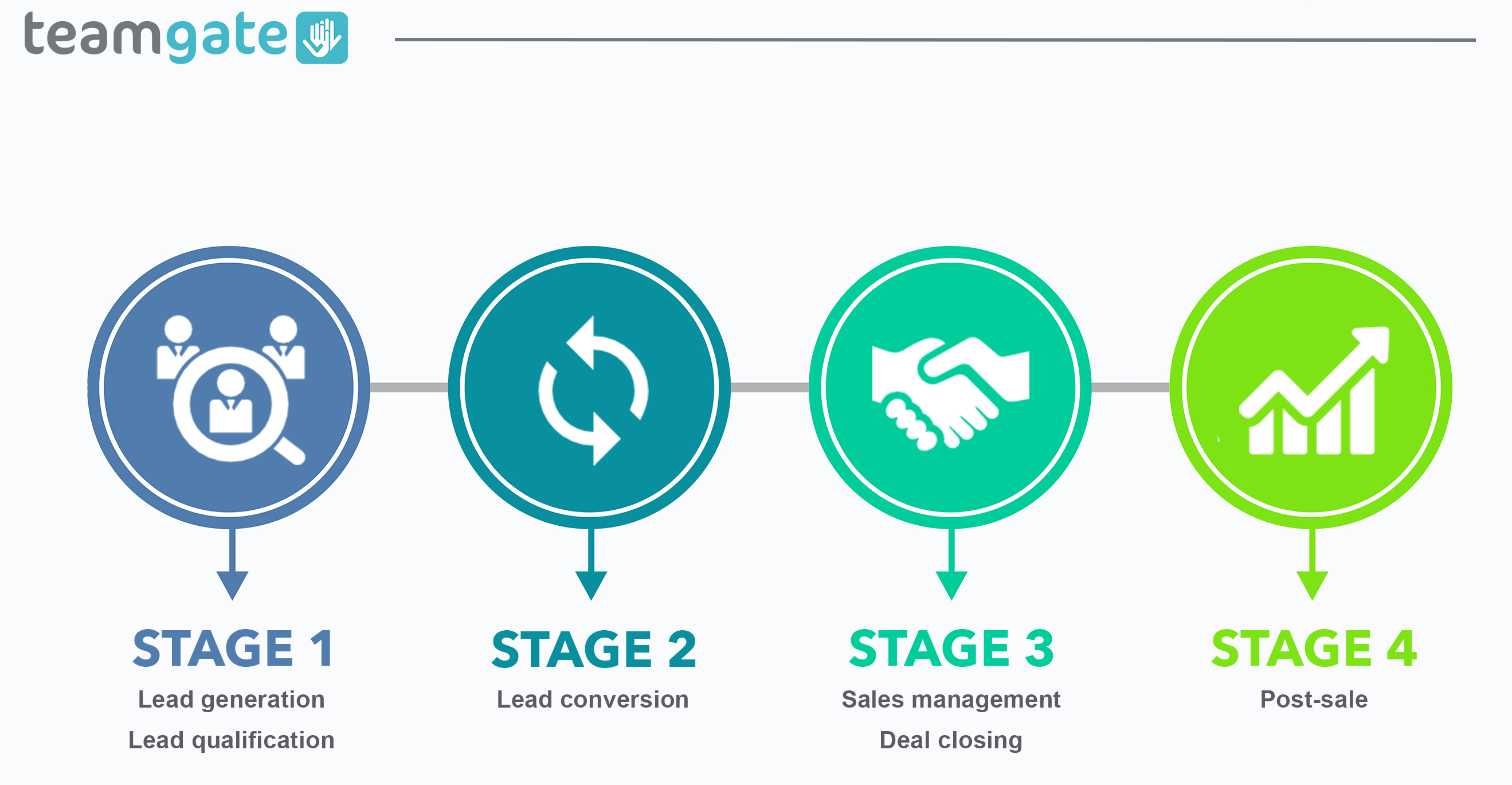
  1. Lead Generation: Attracting potential customers through various marketing efforts.

  2. Marketing Qualified Lead (MQL): Leads that have engaged with your marketing content and show interest.

  3. Sales Qualified Lead (SQL): Leads vetted by the sales team as ready for direct engagement.

  4. Sales Opportunity: Qualified prospects with a high potential for conversion.

  5. Customer: Prospects who have completed a purchase.

INCREASE SALES VELOCITY USING TEAMGATE

Find opportunities vs. Create opportunities

Simply put, there are two types of customers – those who come through the door themselves and those who you need to convince to enter. So when you think about your marketing and sales functions, you need to consider and strategize for both types.

Find opportunities. Unfortunately, for most B2B businesses, “find opportunities” make up only up to 12% of prospects. Generally speaking, these prospects are well educated about the problem they have and its negative impact on their business (it’s enough to make them seek to change) and they are actively looking for a solution. They typically have a strong opinion about the price they are willing to pay for the right product, too. To nudge them in the right direction, businesses can use such marketing tactics as advertising, innovative technologies from an ad server provider, content marketing, SEO, and an AI detection tool to reinforce content authenticity and trust. Hosting or participating in in-person, virtual, and hybrid events is another effective way to engage high-intent prospects. Leveraging event planning solutions can help businesses seamlessly manage these events, optimize lead capture, and enhance post-event follow-ups. On the sales side, BDRs (business development reps) are often deployed to find and qualify these opportunities for sales reps to seal the deal.

“Find opportunities” could also be interpreted as those that:

  • Are about to renew services;
  • Can switch products;
  • Can be easily educated or intrigued;
  • Have well-known problems (when new solutions are developed).

Create opportunities. Depending on your product, you may fall into three different realms on the demand spectrum: new concept, new paradigm, or established market (see the image reference below).

Demand Type Spectrum 

Demand Type Key Characteristics Key Requirements 
New Concept
  • Disruptive product/service
  • No budgetary line items
  • Requires issue creation
Educate for Awareness
New Paradigm
  • Retools existing process
  • Solves current problem better
  • Replaces current line item
Develop Opportunities
Established Market
  • Retools existing processes
  • Solves current problem better
  • Replaces current line item
Find & Be Found

“Create opportunities” approach is fit for your business if you belong to either the new concept or the new paradigm category. Essentially, there are three factors associated with creating opportunities:

  • Buyers need to understand the problem. The most likely scenario is that buyers aren’t looking for your product because they’re not aware they have a problem that needs solving. It’s also likely that they know the problem exists, but they don’t fully comprehend the impact it’s having on their business and aren’t prioritizing it.
  • Buyers need to understand the causes of the problem. It’s not uncommon for the causes of the problem to get misdiagnosed. The buyers might be actively looking for a solution in a wrong place.
  • Buyer misperceptions about product implementation, team competencies, etc. need to be addressed. Buyers often have deeply rooted misperceptions and biases that need to be addressed and overcome to create a sales opportunity.

By targeting your lead generation efforts to these segments, your sales team can position your product as the perfect fit and create solid opportunities.  

Now, the important thing to mention here is that you would use the same tactics to create opportunities as with “find opportunities” (inbound marketing, SEO, content marketing and advertising), only you would look for companies with a problem that you can solve, people who understand the problem you’re solving, and people and conditions where they are ready to solve the problem. 

From sales opportunity to customer: techniques to close the sale

There is no single universal closing method. But several proven techniques consistently improve win rates.

1. Five types of Socratic questions

Socratic questioning uncovers truth and clarifies thinking:

  • Clarification questions – Could you elaborate? What exactly does this mean?

  • Assumption challenges – What would happen if that assumption didn’t hold?

  • Evidence probes – Why do you say that? Is there data to support it?

  • Perspective exploration – What are alternative ways to look at this?

  • Implication questions – What happens if nothing changes?

This approach builds trust and surfaces real buying drivers.

2. Focus on value vs. cost

Discounting too early weakens positioning. Instead:

  • Tie your solution to measurable impact.

  • Quantify cost of inaction.

  • Show differentiation clearly.

Value-based selling strengthens margin and credibility.

3. Offer meaningful bonuses

Extras like onboarding support, consultations, or extended service commitments can reduce friction and increase perceived value.

But none of these tactics work consistently without discipline.

A robust qualification process ensures your team isn’t chasing deals that were never real. Sitting down with sales and marketing to define stage criteria, next-step rules, and qualification standards prevents bloated pipelines and misleading forecasts.

Every active opportunity should answer:

  • What problem is being solved?

  • Who is the decision-maker?

  • What is the next scheduled action?

  • What happens if nothing changes?

When these answers are clear, closing becomes systematic—not accidental.
A robust lead qualification process is what helps companies ensure they’re not wasting their valuable time chasing people who are never going to buy. Sitting down with your sales and marketing teams to agree on and define the criteria for every stage in the sales funnel is the best way to avoid a bloated pipeline and misleading forecasts. Everyone involved in your sales process should know when and why a lead is converted into an sales opportunity. Once you’ve got that consensus, you can unleash your sales force and bring those deals home.

Discover a sales operating system designed to keep your pipeline clean, your reps consistent, and your managers confident in the forecast—without enterprise CRM bloat or feature overload.

Book a Demo and ttart your journey with Teamgate today.

INCREASE SALES VELOCITY USING TEAMGATE


FAQ: Sales Opportunities 

Q: What are sales opportunities?

A: Sales opportunities are qualified leads that have met specific criteria such as confirmed technical fit, defined pain points, urgency to solve them, and potential for customer conversion. They progress through various stages, starting from leads, then marketing qualified leads (MQLs) and sales qualified leads (SQLs), and finally reaching the opportunity stage before becoming customers.

Q: What is the difference between a lead and a sales opportunity?

A: A lead is a contact or account with minimal information, while a sales opportunity is a qualified lead that fulfills specific criteria. Leads are the first step in the sales process, and they need to be qualified to become sales opportunities. The qualification process involves assessing factors such as budget, need for a solution, technical fit, readiness to buy, and speaking to the right decision-maker.

Q: How do marketing and human resources relate to sales opportunities?

A: Marketing and human resources play a role in the creation and nurturing of sales opportunities. Marketing techniques can be used to attract prospects and generate leads, while HR strategies can focus on finding or creating opportunities depending on the business scenario. Both functions need to adapt to changing market conditions and generational expectations to effectively attract and engage quality applicants.

Q: How can a central CRM system like Teamgate facilitate sales opportunity management?

A: Teamgate serves as a comprehensive CRM platform that facilitates collaboration between marketing and sales departments. By storing customer interactions and data in one place, it enables data-driven decision-making, aligns strategies, and ensures a cohesive approach to customer engagement. Teamgate can help businesses increase their sales velocity and manage the progression of sales opportunities through the pipeline.

Q: What are some effective techniques to close a sale and convert a sales opportunity into a customer?

A: Closing techniques can vary, but some effective strategies include asking Socratic questions to clarify thinking, challenge assumptions, probe evidence, explore viewpoints, and uncover implications. Focusing on the value of the product or service rather than just the cost can also justify pricing. Additionally, offering impressive bonuses or extras can add value and incentivize the customer to seal the deal.

Q: How can a robust lead qualification process improve sales opportunities?

A: A robust lead qualification process ensures that only qualified leads progress through the sales funnel, avoiding wasted time and misleading forecasts. By defining criteria for each stage in the sales process and reaching consensus between sales and marketing teams, businesses can effectively convert leads into sales opportunities and bring deals to a successful close.

Q: How can Teamgate help improve sales opportunities?

A: Teamgate is a CRM platform that offers features to enhance sales opportunity management. It provides a centralized system for storing customer data, interactions, and progress through the sales pipeline. With Teamgate, businesses can track and manage their sales opportunities, align marketing and sales strategies, and gain valuable insights to improve overall sales performance. Start your journey with Teamgate today by booking a demo.
Sales Isn’t the Wild West — It’s a Process You Can Run

If your sales results feel inconsistent, it’s rarely because your team “can’t sell.” It’s usually because the process isn’t clear, enforced, or visible.

A strong sales process:

  • Defines clear stages from prospecting to nurturing

  • Requires a next step for every active deal

  • Standardizes qualification and follow-up

  • Uses tools like CRMs to reduce admin and enforce discipline

Teamgate helps reps follow a clear sales process and helps managers trust the numbers—without turning CRM into a full-time admin job.

In this guide, you’ll see how modern sales teams structure their process, where deals usually break down, and what you can fix immediately—without overhauling your entire business.

Key Takeaways:

  • The sales process is more than just making a pitch; it consists of structured steps from prospecting to nurturing.
  • Standardizing the sales process enhances efficiency and makes onboarding new salespeople smoother.
  • Incorporating tools like CRMs can greatly aid in automating and optimizing various stages of the sales process.
  • Researching potential clients is paramount, ensuring tailored pitches and understanding how one’s solution fits into their existing business processes.
  • Properly handling objections and ensuring a smooth closing process is vital for maintaining client relationships and reducing buyer’s remorse.

What is a sales process?

The sales process is the structured path your team follows from first contact (e.g., cold calling or inbound lead response) to closing and nurturing the account.

It can be chaotic. Or it can be clearly defined, measurable, and repeatable.

A standardized sales process almost always outperforms an improvised one because it:

  • Reduces missed follow-ups

  • Makes onboarding new reps easier

  • Improves forecast accuracy

  • Protects revenue from “stale” deals

Generally, a sales process includes 7 parts:

  1. Prospecting.
  2. Lead qualification.
  3. Research.
  4. Pitching.
  5. Handling objections.
  6. Closing.
  7. Nurturing.

Optimizing the sales process

Prospecting

Optimizing the sales process

Prospecting

Prospecting is how new leads enter your pipeline. It can happen through outbound (sales-driven outreach) or inbound (marketing-generated leads).

Outbound prospecting typically includes:

  • Cold emails

  • Follow-ups

  • Phone calls

  • Social media outreach

  • Live meetings

Inbound leads usually come from ads, referrals, or organic channels and are handed to sales once qualified.

For many sales teams, outbound remains the main engine. But this is also where discipline often breaks down.

Common rep-level symptoms:

  • “I don’t know who to follow up with today.”

  • Follow-ups rely on memory.

  • Outreach history is scattered across inboxes and spreadsheets.

This is where structured tracking matters. Every prospect should:

  • Sit in a defined stage

  • Have a clear next step

  • Have outreach history tied to the deal

When email sync, activity logging, and task reminders are centralized in one place, prospecting becomes systematic instead of heroic. Reps can work from a daily task list instead of guessing what to do next.

Sales teams can also use a scraper API to automatically gather company or lead data from public sources, enriching CRM records and speeding up prospect research. But enrichment only works if the data feeds into a system that enforces follow-up.

A disciplined setup makes it easier to onboard new sales hires. Follow-up templates, stage definitions, and automated task creation reduce ramp time and eliminate “figure it out as you go.”

Lead qualification

Once the prospecting stage is nailed down, a somewhat easier part of the sales methodology can be implemented. Lead qualification, while incredibly important for good conversion rates and the entire buying process, is significantly simpler to standardize when compared to other stages.

Lead qualification is all about identifying the customer’s needs and whether they can be matched by your solution. Qualifying questions, as they are called, can be sent over emails or over an early sales call (sometimes known as a discovery call). Using a platform like Mailgo can make this step smoother by automating personalized cold emails and improving deliverability, ensuring your qualifying questions actually reach decision-makers. While they can differ, commonly such questions are used:

  • What problem are you trying to solve?
  • How does it impact your day-to-day activities?
  • What solutions are you evaluating?

Additionally, some businesses won’t be able to easily reach decision-makers during the prospecting process. In these cases, adding a few questions that would ensure that salespeople are talking to the right person is necessary. These can be simple qualifiers like asking what is the person’s role in the company.

Finally, lead qualification should always be related to the ideal customer profile (ICP). Understanding how your leads fit into the ICP makes it easier to build a streamlined and successful sales process that will keep bringing in repeat business. When you standardize what data is most important for you regarding your inbound leads – Teamgate can automate your qualification by scoring your leads.

Research

Before delivering a sales presentation, careful research is essential.

Unlike other stages, research cannot be fully automated. It requires thinking.

The goal is to understand:

  • The prospect’s business model

  • Their internal processes

  • Key stakeholders

  • Operational constraints

  • How your solution fits their current workflow

Understanding surface-level needs isn’t enough. You must understand integration—where your product fits inside their operations.

When notes, past conversations, emails, and stakeholder information are centralized, research becomes easier. Reps don’t lose context between calls, and managers can see where deals are getting stuck.

Good research increases win rates and shortens sales cycles because you’re solving real problems—not pitching generic benefits.

Pitching

The sales pitch is often seen as the main event. In reality, it’s the result of everything that came before it.

A strong pitch:

  • Reflects the research

  • Addresses identified pain points

  • Includes relevant stakeholders

  • Aligns with the buying process

If you only bring decision-makers but exclude operational stakeholders, deals can stall later. In complex sales, multiple personas influence outcomes.

Many businesses overestimate the pitch and underestimate process discipline. If qualification was weak or next steps weren’t enforced, even a strong pitch won’t save the deal.

When stages reflect reality and every deal has a defined next action, pitching becomes one step in a managed flow—not a gamble.

Handling objections

Objections are normal, especially in B2B.

Common categories include:

  • Pricing

  • Technical integration

  • Process alignment

  • Internal approval concerns

Pricing objections often require flexibility within predefined ranges. Other objections tend to repeat over time.

When managers review pipeline data regularly—looking at deal aging, activity history, and lost reasons—patterns appear. You can then draft standardized responses and improve qualification criteria.

Without structured tracking, objections feel random. With disciplined data, they become predictable.

Closing

Closing may be shorter than other stages, but it benefits from structure.

Best practices include:

  • Pre-drafted contract templates

  • Clear handoff to onboarding or account management

  • Defined expectations for implementation

Part of closing is reducing buyer’s remorse. That means structured onboarding and proactive follow-up.

When tasks, reminders, and ownership are clearly assigned, deals don’t “close and disappear.” Instead, they transition smoothly into active accounts.

Nurturing

Modern businesses are rarely “fire-and-forget.” Long-term revenue depends on nurturing.

Nurturing includes:

  • Ongoing support

  • Regular check-ins

  • Upsell and cross-sell opportunities

  • Collecting testimonials and case studies

Customer history, notes, and activity logs should remain centralized so account managers have full context.

Two-way relationships matter. Asking for feedback, testimonials, or joint case studies strengthens loyalty and reinforces value.

Consistent follow-up isn’t luck, it’s a system. And systems protect revenue from silent decay.

Conclusion

Sales is no longer the Wild West. It’s a process you can define, measure, and improve.

If your pipeline feels messy, forecasts slip late in the quarter, or reps rely on memory for follow-ups, the issue isn’t motivation—it’s structure.

When you:

  • Define stage entry and exit criteria

  • Require a next step for every active deal

  • Centralize activity and communication

  • Review deal aging and activity weekly

You move from hopeful forecasting to predictable revenue.

If forecasts feel like guesses and late-stage deals stall without visibility, pipeline discipline changes everything.

Streamline Your Sales with Teamgate CRM

Discover a sales operating system designed to keep your pipeline clean, your reps consistent, and your managers confident in the forecast—without enterprise CRM bloat or feature overload.

If your sales team closes deals in one system and your finance team invoices in another, you’re creating friction, delays, and data errors.

A CRM that integrates with QuickBooks fixes this by syncing customer data, invoices, payments, and financial status in real time, so reps move faster and managers get cleaner reporting.

Here’s what you’ll learn in this guide:

  • Why CRM + QuickBooks integration improves sales discipline and financial accuracy

  • The top 5 CRM tools that integrate with QuickBooks

  • What to look for when choosing the right system

  • How to avoid data duplication and workflow gaps

When integrated properly, your CRM becomes more than a contact database, it becomes a revenue control system. Teamgate helps reps follow a clear sales process and helps managers trust the numbers, without turning CRM into a full-time admin job.

Key Takeaways:

  • Integrating a CRM with QuickBooks can boost sales processes, enhance customer satisfaction, and prevent data duplication.
  • CRM tools that offer QuickBooks integration include Teamgate, Capsule, HubSpot CRM, Pipeline, and Method.
  • Benefits of this integration include simplifying sales, avoiding double data entry, improving data security, aligning team members, and ensuring accurate data entry.
  • Teamgate stands out with its user-friendly interface, easy setup, reliable customer care, and multi-platform integration.
  • The right CRM with QuickBooks integration should fit your budget, be user-friendly, and offer features tailored to your business needs.

Contents

Benefits of Integrating Your CRM with QuickBooks

Customer Relationship Management (CRM) software helps companies manage customer interactions, deal progress, and sales activity. QuickBooks manages invoices, payments, and accounting.

When you connect them, you remove the gap between closing a deal and getting paid.

Here’s what that means in practice.

Simplify Sales

Sales reps shouldn’t waste time switching between tools to create invoices or check payment status. With QuickBooks integrated into your CRM:

  • Quotes can convert into invoices automatically

  • Payment status is visible inside the deal

  • Sales and accounting stay aligned

This creates cleaner handoffs and fewer delays between “closed-won” and revenue recognition.

For teams running a structured pipeline, this also reinforces discipline. When deals move stages with defined next steps — and financial data updates automatically — you reduce manual follow-up and admin overhead.

Avoid Double Data Entry

Manually entering the same customer information into multiple systems leads to:

  • Duplicate records

  • Billing mistakes

  • Outdated contact details

  • Lost time

A CRM–QuickBooks sync ensures that once data is entered, it updates everywhere. This protects pipeline truth and eliminates unnecessary busywork.

For sales reps, that means less reporting.
For managers, that means cleaner forecasting data and ever avoiding cash flow issues.

Improve Data Security

When systems are integrated properly, access controls can be defined clearly:

  • Sales sees deal and customer data

  • Finance sees accounting details

  • Leadership sees reporting

This reduces unnecessary exposure of financial information and lowers the risk of internal data mishandling.

Get Your Team on the Same Page

Disconnected systems create inconsistent customer experiences.

With CRM + QuickBooks integration:

  • Reps see transaction history before calling

  • Support teams understand outstanding invoices

  • Finance sees deal context

  • Leadership sees revenue impact

Everyone works from the same source of truth.

When 82% of customers expect immediate responses for sales inquiries and 90% expect fast support answers, speed and context matter.

Accurate Data Entry

Automation reduces human error.

With the right integration:

  • Quotes convert to sales orders automatically

  • Orders convert to invoices

  • Payments update deal status

This removes manual steps that commonly introduce mistakes — protecting revenue and credibility.

5 Best CRM with Quickbooks Integration

Not all CRMs handle QuickBooks integration equally. Some offer basic syncing. Others help operationalize your entire revenue process.

Below are five strong options to consider.

Teamgate

Teamgate is a smart customer relationship software designed for sales-led teams that care about structured selling and clean pipelines. It’s built around disciplined deal stages, defined next steps, and high adoption — without bloated complexity.

Teamgate’s CRM Quickbooks Integration

The QuickBooks integration with Teamgate offers several key benefits that streamline financial management and enhance business efficiency:

  1. The QuickBooks integration with Teamgate supports both sales efficiency and financial clarity:

    • Seamless Sync: Financial data syncs without complex technical setup.

    • Unified Financial View: Invoices, payments, and financial status are visible directly within the CRM.

    • Sales + Accounting Alignment: Both departments work from updated, consistent data.

    • Time-Saving Automation: Reduce manual admin between systems.

    • Reliable Support: Dedicated assistance for integration questions.

    Instead of forcing reps to update fields endlessly, Teamgate reinforces behaviors that protect revenue:

    • Clear pipeline stages

    • Required next steps

    • Activity tracking

    • Automatic logging where possible

    This keeps deals from going stale while ensuring financial accuracy stays intact.

Teamgate CRM Features

Teamgate supports disciplined selling and operational visibility through:

  • Visual Deal Pipeline: Custom stages and multiple pipelines keep every deal in a defined stage with a real next step — preventing “hope-based” forecasting.

  • Activities, Tasks & Reminders: Follow-up becomes systematic instead of memory-based.

  • Email Integration (Gmail/Outlook): Conversations stay tied to deals automatically.

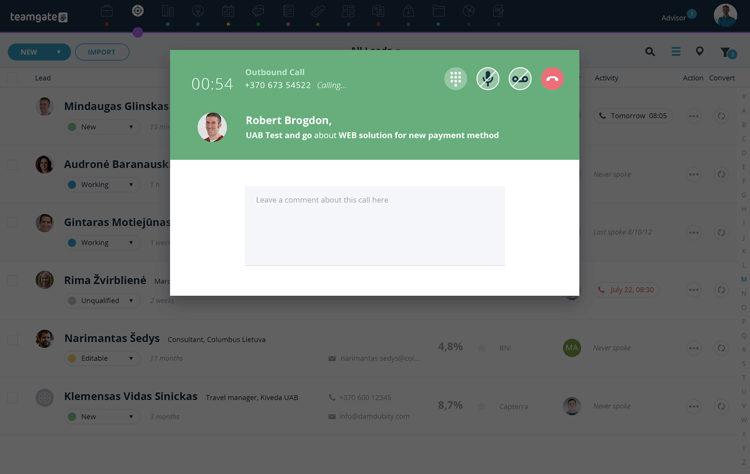
  • SmartDialer (Twilio): Call directly from the CRM and log activity instantly.

  • Workflow Automations: Auto-create tasks and reminders to reduce admin work.

  • Sales Dashboards & Forecasting: Managers see deal aging, activity signals, and next-step coverage — not just revenue totals.

  • Multi-Platform Integrations: Connect with tools like Mailchimp, Zapier, Google Drive, and more — including QuickBooks — without heavy implementation work.

  • Mobile Apps: Manage deals on iOS and Android.

  • Affordable Plans: Pricing tiers support growing SMB and mid-market teams.

Teamgate represents a sales operating system that protects revenue by enforcing structured stages, consistent follow-up, and real pipeline visibility — without CRM bloat.

Capsule CRM

null

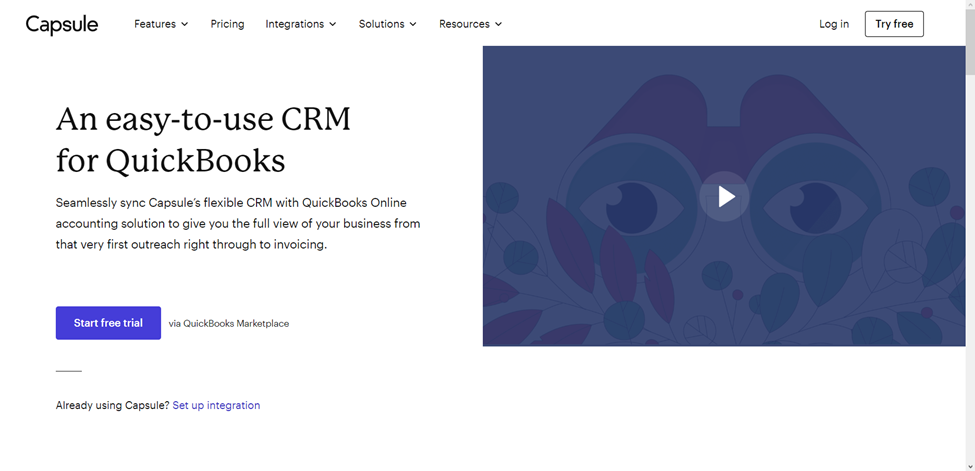
Capsule is another user-friendly CRM that integrates with QuickBooks. You can customize the CRM software to match your organization’s unique needs, and onboarding the software takes little time. After onboarding Capsule, you can auto-import contacts from QuickBooks and track customer communications and transactions.

Capsule CRM Features:

  • Auto-import contacts and track communications, invoices, LTV, and overdue payments

  • Email Tools: Customizable templates; integrates with Gmail and Outlook

  • Tasks & Calendar: Schedule follow-ups, meetings, and reminders

  • Sales Pipeline: Transparent stages and separate flows for different products

  • Analytics: Identify sales bottlenecks and refine your sales cycle

  • Project Management: Built-in tools to monitor ongoing tasks and deliverables

HubSpot CRM

null

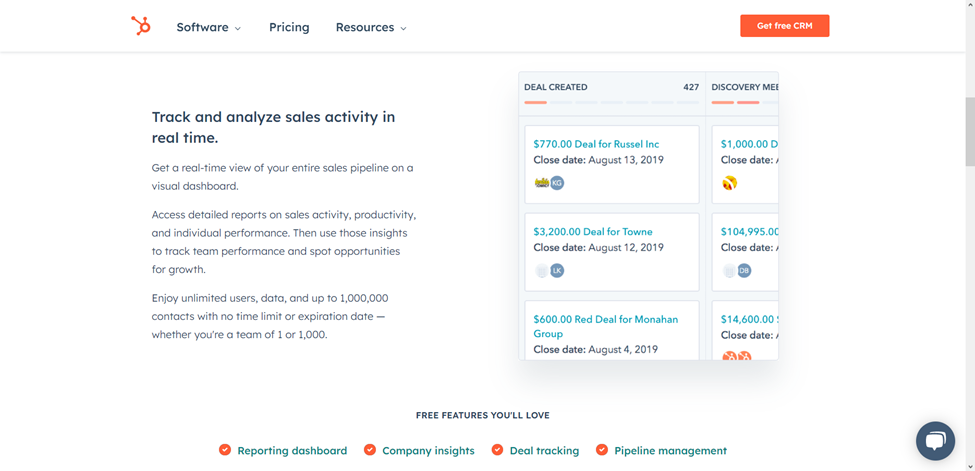
HubSpot CRM offers a free CRM platform that you can integrate with QuickBooks to view customer transactions, invoices, and outstanding payments without switching to QuickBooks. Your salespeople, marketers, customer support team, operations manager, and other authorized staff can all use the CRM platform to simplify their daily duties.

Other functions you can perform after integrating the CRM with QuickBooks are creating new records for vendors, customers, and purchase orders. Also, once you enter fresh data into the CRM, HubSpot will automatically sync records to update existing entries in QuickBooks and other integrated systems.

HubSpot CRM Features:

  • Syncs invoices, transaction data, and outstanding balances

  • Create vendor/customer records and purchase orders from within HubSpot

  • Real-Time Sales Tracking: Visual dashboards to monitor your pipeline

  • Deal Pipeline: Assign deals, track activities, and set priorities

  • Live Chat, Email Notifications & Online Newsletter Tools: Respond faster to engaged leads and keep customers updated through automated newsletters.
  • Reporting Tools: Secure dashboards with role-based data visibility

Limitations: Doesn’t support QuickBooks sandbox accounts; may require disabling custom transaction numbers in QuickBooks.

Pipeline CRM

null

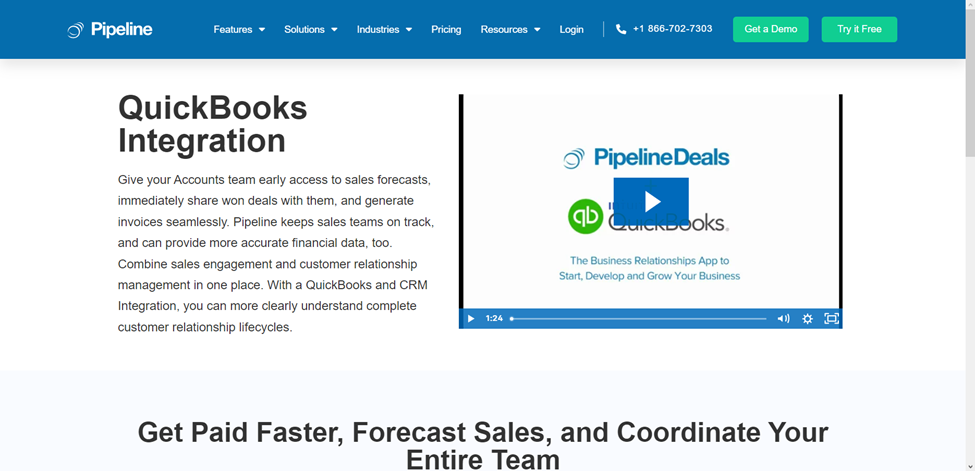
For many businesses, Pipeline is the preferred CRM to integrate with QuickBooks for sales forecasting. Companies typically use the sales forecasting system to project sales revenue over a specific period and identify if sales team members are on track to hit quotas.

Pipedrive CRM Features

Besides sales forecasting, Pipeline’s CRM integration with QuickBooks allows users to manage invoices and automatically sync data between both platforms. On the downside, Pipeline does not offer a free plan or customer support outside standard business hours. Below are more distinctive Pipeline features:

  • Sales Pipeline Mobile App: Pipeline has an Android and iOS app that allows you and your team to view sales pipelines via any mobile device with an internet connection.
  • Data-Driven Sales Forecasting and Insights: Integrating Pipeline with QuickBooks allows it to analyze payments, invoices, and estimates to provide accurate customer insights and financial reports.
  • Invoice Management: You can generate QuickBooks invoices and send them with Pipeline, eliminating the hassle of switching between platforms.
  • Project Management: Pipeline integration with QuickBooks equips teams to manage, organize, and collaborate on projects in real-time.

Method CRM

null

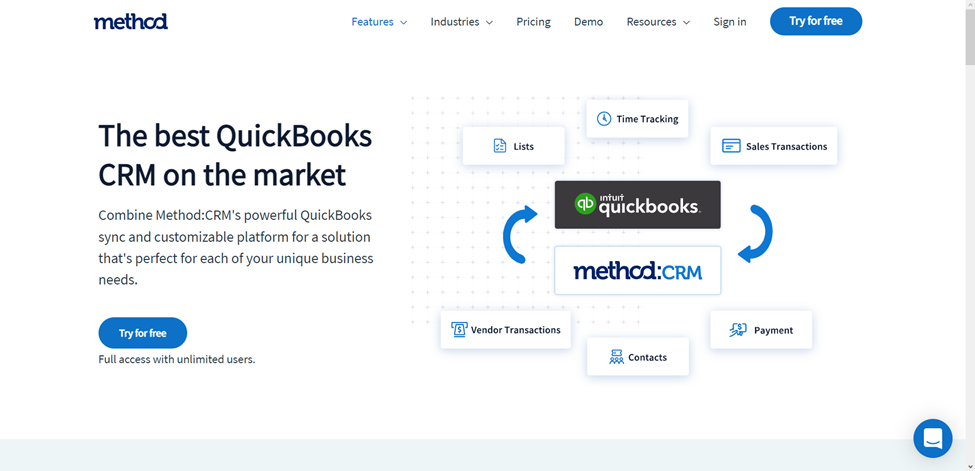
Method CRM with QuickBooks integration simplifies managing sales data with your teams. Every employee authorized to use the app can view customer details, such as transaction history, accounting data, and even contact information for reaching out to a customer. Customers can view similar information and track their past support requests.

Method CRM Features

You can easily integrate Method CRM with all desktop and online versions of QuickBooks. Also, unlike most CRMs, Method does not require entering your credit card details to access its 30-day free trial. Here are more features that make Method a commendable CRM for QuickBooks integration:

  • Customizable Platform: You can adapt Method to match your unique business needs and preferences.
  • Time-Tracking: Method allows users to generate invoices based on time sheet records. The system can also track time by job, project, or customer, removing the need to track project durations manually for invoices.
  • Financial Management Tools: QuickBooks integration with Method allows users to generate and send invoices, receipts, estimates, sales orders, bills, and purchase orders from the CRM.
  • Vendor Management: You can add and manage vendors in the CRM and sync vendor data from your QuickBooks.
  • Customer Online Portals: Your customers can access the QuickBooks online portal via the CRM to view estimates and make payments, which is exactly the kind of convenience modern client portals are designed to deliver.

Final Thoughts

Choosing the best CRM with QuickBooks integration comes down to three things:

  1. Will your reps actually use it daily?

  2. Does it enforce structured selling and follow-up discipline?

  3. Can leadership trust the pipeline and financial data?

A clean integration should reduce admin time, eliminate duplicate data entry, and align sales with finance — not create more complexity.

If your forecasts feel uncertain or deals sit without clear next steps, integration alone isn’t enough. You need discipline built into your CRM.

If your follow-ups rely on memory and your finance handoffs feel messy, a structured system fixes it fast.

While Teamgate stands out as a comprehensive solution, the true measure of its effectiveness lies in firsthand experience. We encourage you to explore the potential of Teamgate by taking advantage of our 14-day free trial across any plan, ensuring you find the right fit for your team’s unique needs.


FAQs: QuickBooks CRM Integration

Q1: What is QuickBooks CRM integration?

A1: QuickBooks CRM integration involves connecting your Customer Relationship Management (CRM) system with QuickBooks accounting software. This integration allows for seamless data sharing between the two platforms, streamlining financial management and customer relations processes.

Q2: Why should I integrate my CRM with QuickBooks?

A2: Integrating your CRM with QuickBooks offers several benefits, including improved data accuracy, enhanced customer insights, streamlined invoicing and payment tracking, and better collaboration between sales and accounting teams.

Q3: Can any CRM system integrate with QuickBooks?

A3: Not all CRM systems can integrate directly with QuickBooks. It’s important to choose a CRM that offers native integration or supports third-party integration tools to connect with QuickBooks effectively.

Q4: How do I integrate my CRM with QuickBooks?

A4: The integration process varies by CRM system. Generally, you can integrate through direct integration features provided by the CRM, use third-party integration apps, or employ API connections. It’s recommended to consult the help documentation of your CRM and QuickBooks or contact their support for specific guidance.

Q5: Is the integration between QuickBooks and CRM systems secure?

A5: Yes, reputable CRM and accounting software prioritize security in their integrations. However, ensure you’re using secure connections and follow best practices for data security to protect your business information.

Q6: Will integrating QuickBooks with my CRM system increase my operational costs?

A6: While there might be initial setup costs or additional fees for integration features, the efficiency gains and potential for increased revenue through improved customer relationship management often offset these costs.

Q7: Can I customize the data shared between QuickBooks and my CRM?

A7: Yes, most integrations allow for customizable data sharing settings. You can choose which data points to sync between QuickBooks and your CRM, such as customer details, sales orders, invoices, and payment records.

Q8: How does QuickBooks CRM integration affect my workflow?

A8: Integrating QuickBooks with your CRM can significantly streamline your workflow by automating data entry tasks, reducing manual errors, and providing real-time financial insights within your CRM platform.

Q9: Can I try QuickBooks CRM integration before committing to it?

A9: Many CRM providers offer free trials that include integration features, allowing you to test the integration with QuickBooks before making a long-term commitment.

Q10: Where can I find support if I encounter issues with my QuickBooks CRM integration?

A10: Support can typically be found through the CRM provider, the integration app service (if used), or QuickBooks support. Many also offer extensive online resources, such as guides, tutorials, and community forums.

Most sales teams don’t lose deals because they lack effort, they lose them because follow-ups slip, data gets messy, and no one is fully sure what the real next step is.

If you want to close deals faster, you need three things:

  • Clear next steps on every active deal

  • Automatic activity tracking (so nothing gets missed)

  • A clean, trustworthy pipeline you can actually rely on

This guide walks you through 10 practical ways to use your CRM to save time, reduce admin, and protect revenue.

Teamgate helps reps follow a clear sales process and helps managers trust the numbers, without turning CRM into a full-time admin job. It enforces next steps, keeps pipelines honest, and centralizes the work reps already do.

Let’s break down how to use your CRM smarter, not harder.

Key Takeaways:

  • Implementing a Sales Inbox with your CRM software can streamline communication and automate data updates.
  • Leveraging data import capabilities of your CRM can automate contacts and files import, reducing manual data entry work.
  • Creating efficient landing pages linked to your CRM can automate lead generation and data capturing.
  • Efficient activity planning can be achieved through your CRM, allowing quick event and activity tracking, sharing, and amending.
  • CRM software can assist in eliminating contact duplicates, saving time spent managing repetitive information.

The salesperson’s toolbox

Your CRM is a lot like a craftsperson’s toolbox. An intelligently designed space holding everything you need to manage your complete sales process.

In a toolbox, the most-used tools are usually found at the top, the “hammer and saw” space. But not every day is a hammer-and-saw day. And just like your CRM, a well-stocked toolbox includes powerful tools you might not use every hour, but when you need them, they matter.

The difference between average and top performers is simple: they know when and how to use the right tool.

That’s where a disciplined CRM becomes critical. Teamgate acts as a sales operating system — keeping every deal in a real stage, with a real next step, and activity that reflects reality. Instead of relying on memory or spreadsheets, you run your daily selling rhythm from one place.

Put your sales CRM to work smarter

Teamgate includes a range of labor-saving features designed to reduce busywork while increasing pipeline clarity.

Here are the 10 CRM capabilities that directly impact deal speed and time management:

  • Sales Inbox

  • Data import of contacts and files

  • Landing pages that work for you

  • Easy editing of contact details

  • Faster activity planning

  • Filters and saved searches

  • Global Smart Search

  • To-do lists and notifications

  • Eliminating contact duplicates

  • Teamgate on-the-go

Each one supports one goal: fewer stalled deals and more consistent follow-up.

#1 Sales Inbox

Communication takes up the majority of a salesperson’s time. The problem isn’t emailing — it’s logging and tracking it consistently.

When your sales inbox is synced with your CRM:

  • Every email is automatically tied to the right contact or deal

  • Team members can see full communication history

  • No one has to manually update records

  • Reaction time improves when deals shift

This protects revenue in two ways:

  1. No “invisible” conversations stuck in personal inboxes

  2. No deals sitting in late stages with no visible activity

With built-in email integration and templates, you reduce repetitive writing and eliminate common mistakes like incorrect addresses or missing stakeholders. More importantly, communication stays attached to the deal — which improves both follow-up discipline and manager visibility.

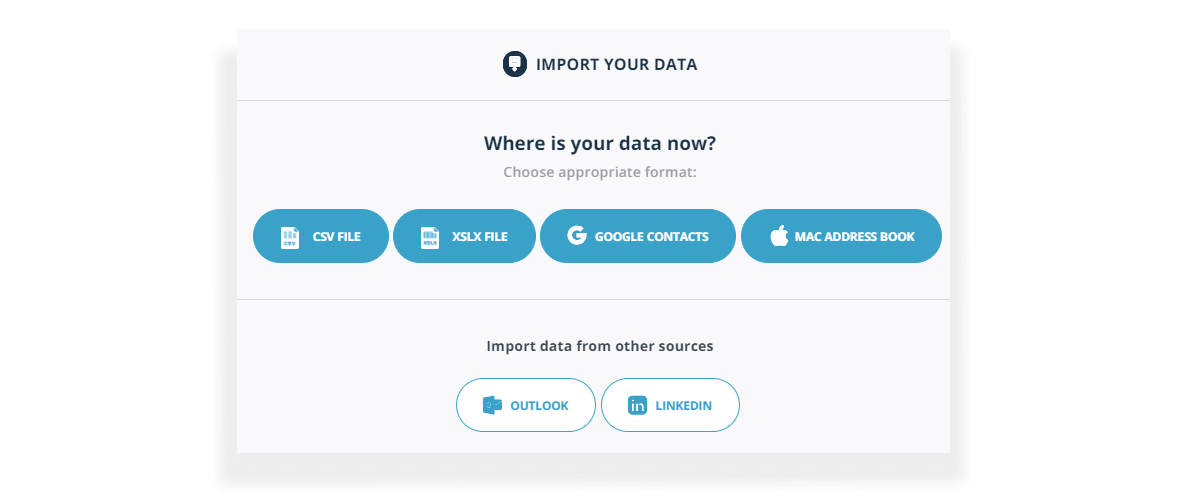
#2 Data Import of contacts and files

time management tips in Teamgate

Manual data import is the bane of many salesperson’s lives.

Teamgate simplifies this by allowing automatic imports from:

  • CSV files

  • XLSX files

  • Google and Apple contacts

  • LinkedIn (via Shuttle extension)

Data mapping ensures information goes into the correct fields, either predefined or automatically created during import.

Why this matters:

  • Reps spend less time typing and more time selling

  • Managers get standardized data from day one

  • New lists can be worked immediately without cleanup delays

Clean imports = cleaner pipelines = better forecasting.

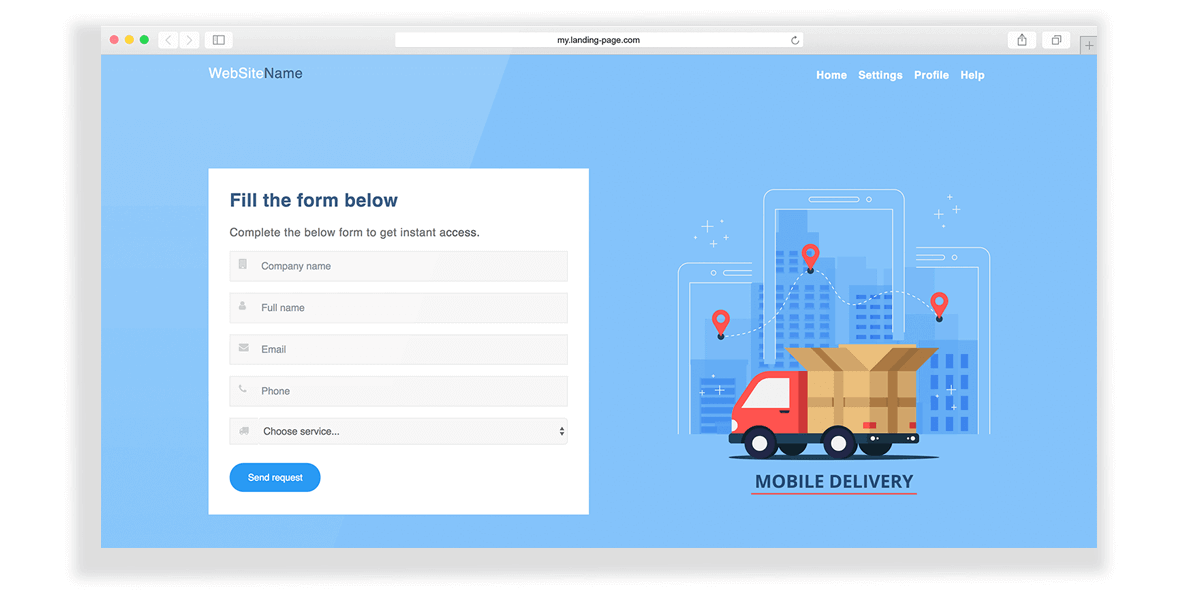
#3 Landing pages that work for you

efficient sales crm

By connecting your website directly to Teamgate you can easily create landing pages to capture new leads.

By connecting your website directly to Teamgate, you can create simple landing pages that automatically:

  • Collect visitor data

  • Generate new leads

  • Send data directly into your CRM

This removes manual transfer steps and ensures new opportunities enter your pipeline immediately — with no lag time and no spreadsheet middle step.

When leads enter automatically and are assigned next steps, follow-up becomes a system — not a hope.

#4 Easy editing of contact details

Easy edit

Sales data changes constantly. Job titles shift. Stakeholders move. Deal status evolves.

An efficient CRM must allow instant updates.

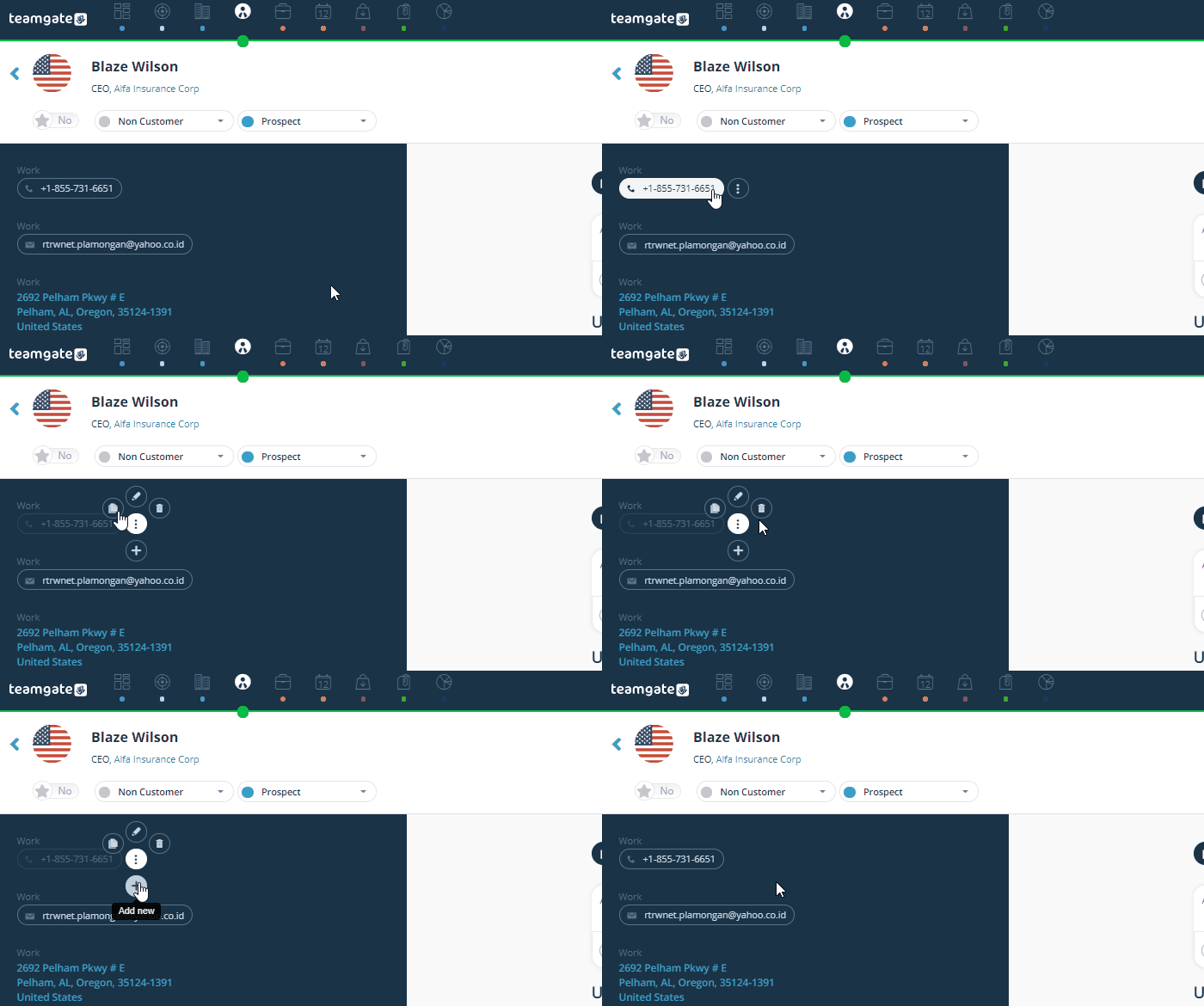
Teamgate enables editing directly within the lead or contact card. Click “edit,” use the options menu, and update instantly — no long navigation paths or complicated workflows.

This supports adoption by design: when updating the CRM is fast and simple, reps actually do it. And when they do it, managers get pipeline truth they can rely on.

#5 Faster activity planning

New Activity Planning

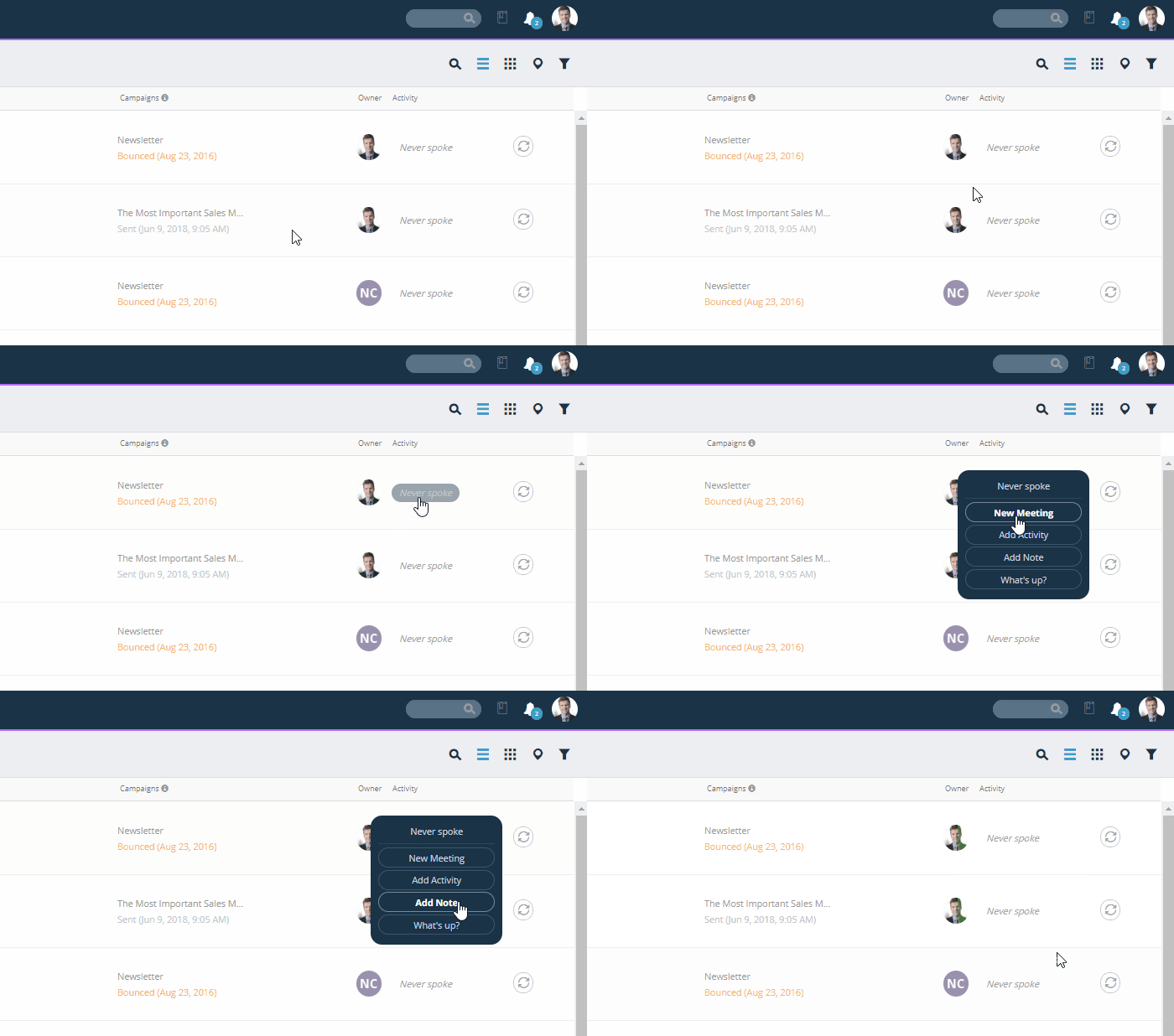
Event and activity planning, tracking, sharing, and amending is central to keeping up-to-date with all of your leads and contacts.

If activities are hard to log, they won’t be logged.

Teamgate allows you to create and manage events directly from:

  • Leads

  • Contacts

  • Companies

Instead of navigating multiple tabs, you work directly from your lists.

This turns your pipeline into a daily operating plan:

  • Every deal has a next step

  • Every next step has a due date

  • Overdue tasks become visible immediately

That’s how disciplined selling becomes predictable revenue.

#6 Filters and saved searches

New Filtering

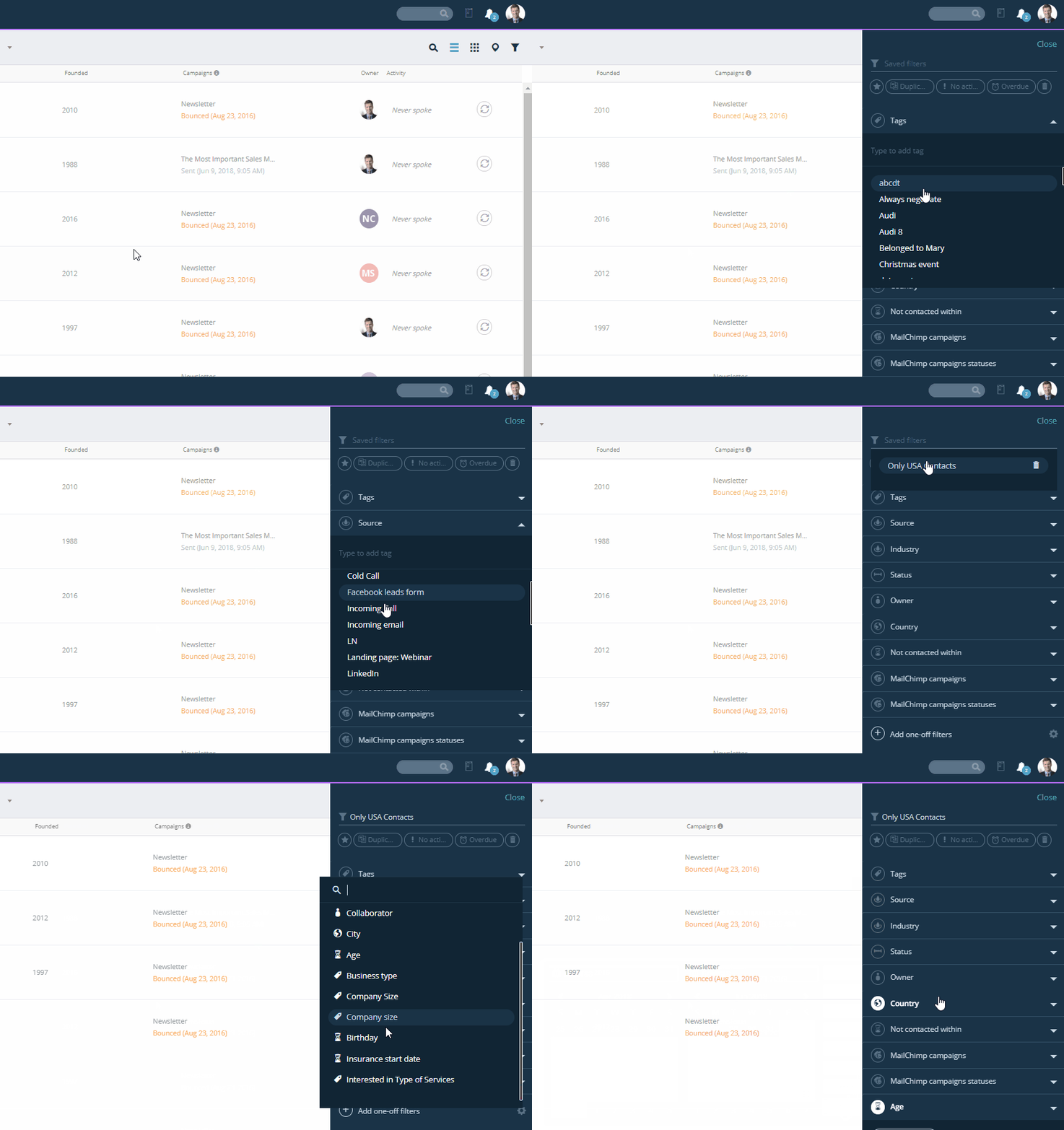
Searching through an extensive contact list takes time. Teamgate recognised that the use of filters is essential for smooth lead and contact-management.

Scrolling through a long contact list wastes time and kills focus.

Teamgate’s upgraded filtering system provides:

  • Clean, uncluttered views

  • Quick filters

  • Custom filters (choose the three most relevant)

  • Saved filtering criteria

  • One-off filters for quick refinement

This allows reps to quickly answer questions like:

  • Which deals have no next step?

  • Which late-stage deals haven’t had activity in 10 days?

  • Which leads match my ICP criteria?

For managers, filters surface deal aging and activity gaps before they become missed targets.

#7 Global smart search

Global Search

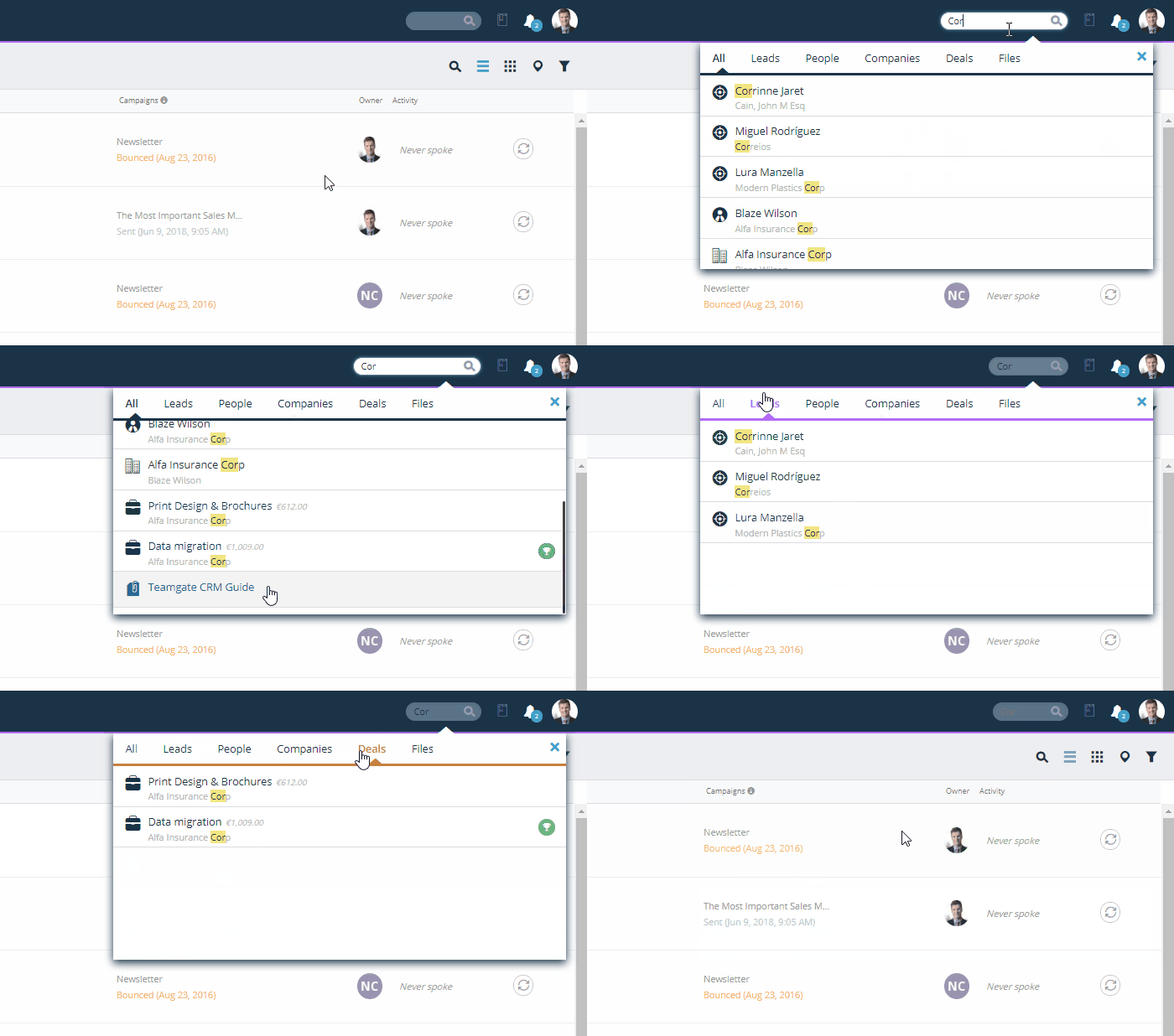
Global Smart Search allows keyword-based searches across the entire CRM database.

You can search by:

  • Names

  • Phone numbers

  • Emails

  • Addresses

  • File types (PDF, DOC, CSV)

This eliminates the “I know I saved that somewhere” problem.

When information retrieval is instant, context stays intact — and momentum doesn’t slow down.

#8 To-do lists and notifications

Notifications and to-do lists

Reps shouldn’t have to guess what to work on next.

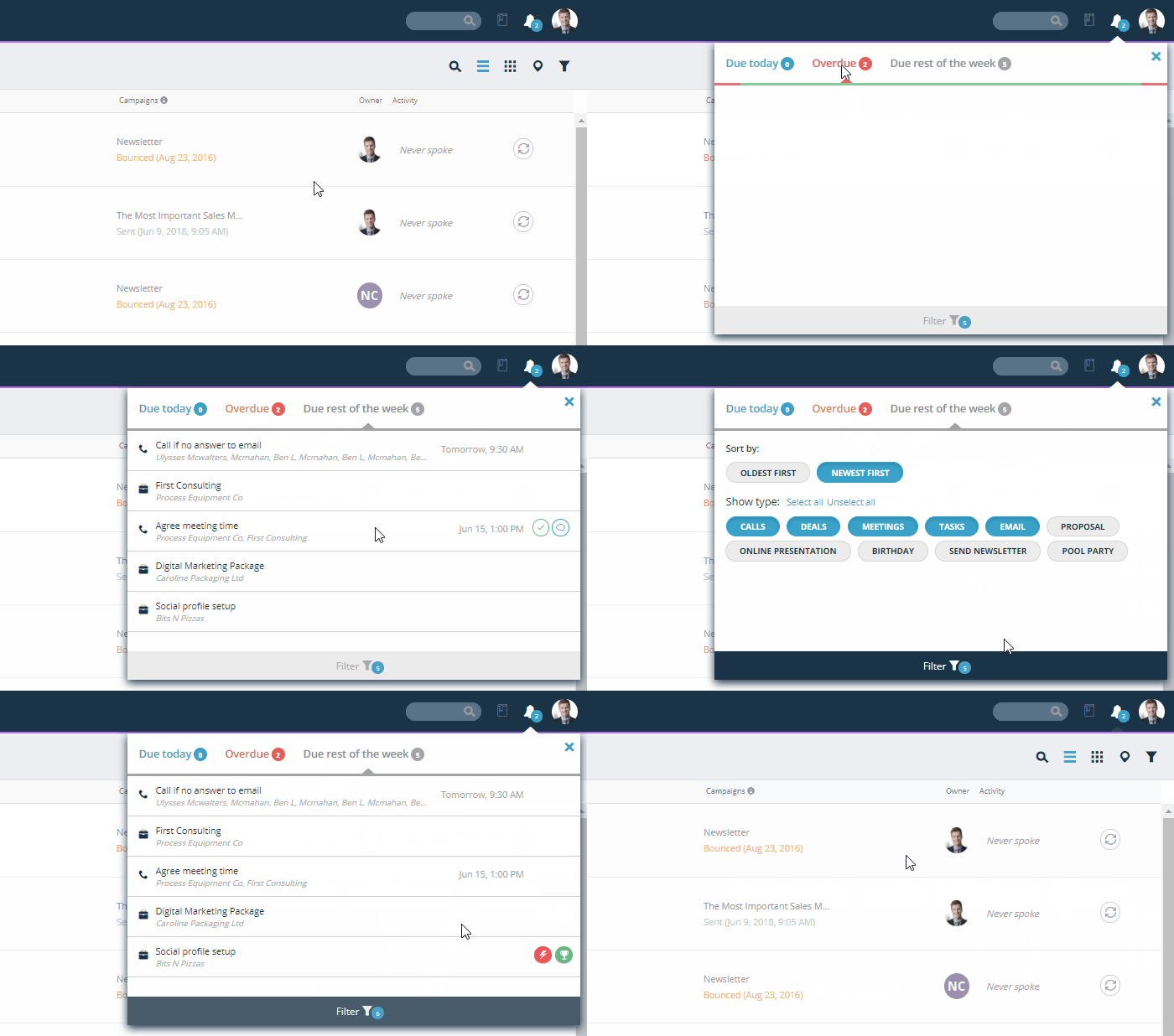
Teamgate’s calendar gives a clear overview of:

  • Tasks due today

  • Overdue tasks

  • Tasks due this week

When your CRM functions as a structured daily task engine, follow-up becomes automatic. Deals don’t quietly go stale. Momentum stays alive.

For managers, this ensures activity standards are visible without micromanagement.

#9 Eliminating contact duplicates

Duplicates

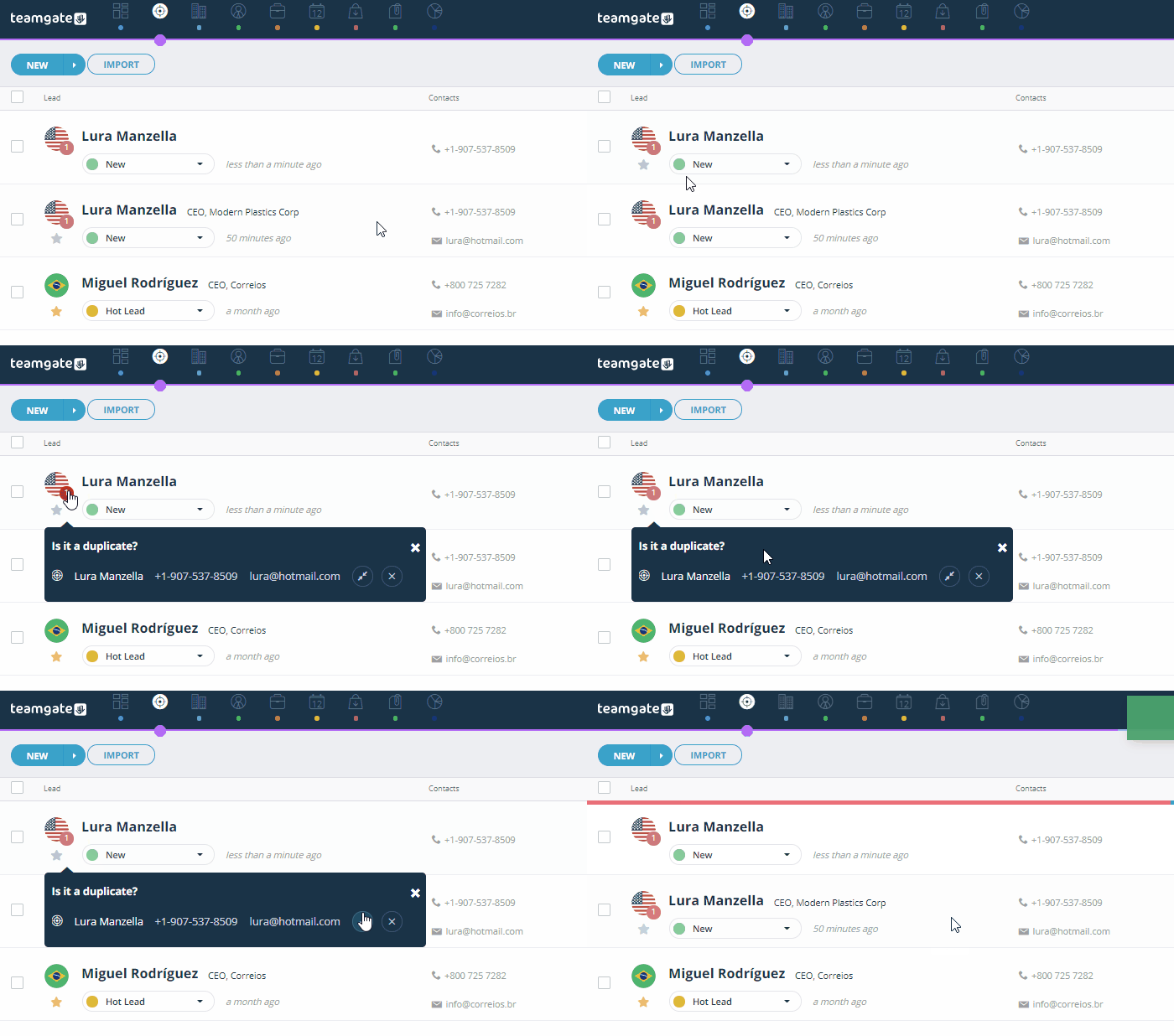
Duplicate contacts create confusion, wasted outreach, and broken context.

Teamgate automatically identifies duplicates so you can manage them quickly.

Clean contact records lead to:

  • Accurate reporting

  • Clear communication history

  • Fewer embarrassing double emails

  • Reliable pipeline metrics

Pipeline hygiene directly impacts forecast reliability.

#10 Teamgate on-the-go

Teamgate CRM app

Selling doesn’t happen only at your desk.

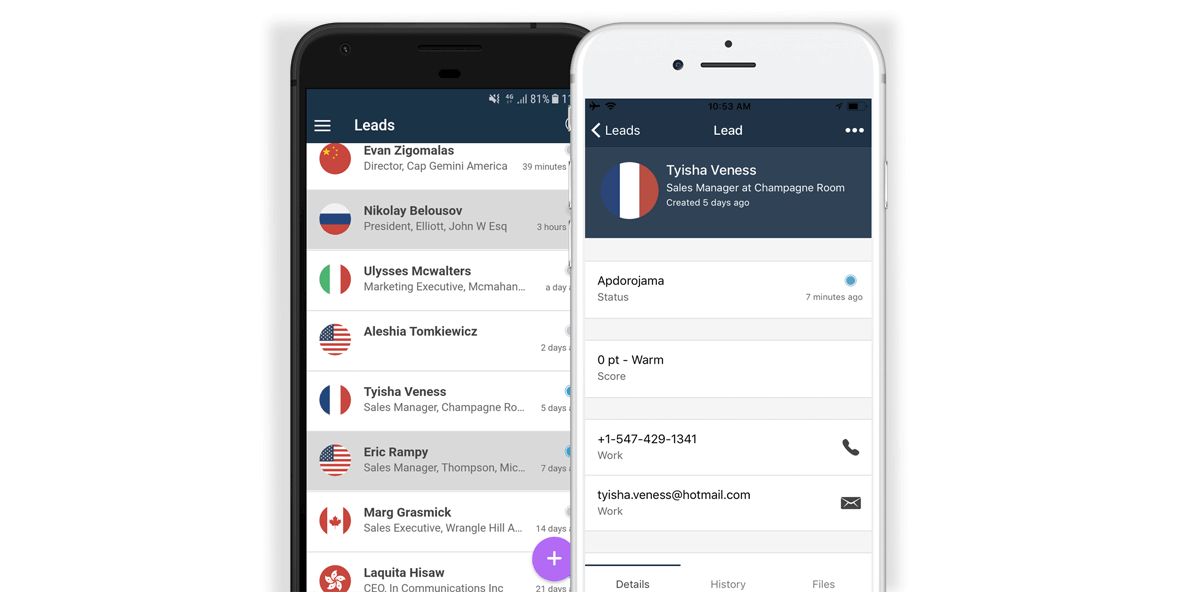
With mobile access, you can:

  • Update deals immediately after meetings

  • Log calls in real time

  • Add notes while context is fresh

  • Create next steps instantly

This eliminates end-of-day admin catch-up — one of the biggest adoption killers in CRM usage.

When reps can maintain discipline without extra effort, data stays current and managers trust the numbers.

Welcome to the powerhouse

Your Teamgate sales CRM is a powerhouse of valuable assets and time-saving features.

Discover a sales operating system designed to keep your pipeline clean, your reps consistent, and your managers confident in the forecast, without enterprise CRM bloat or feature overload.

Hit your targets faster, take a Teamgate Free Trial today

FAQs: Sales Time Management Tips

Q: What are some sales time management tips using a CRM?
A: You can improve your sales time management using a CRM by integrating a sales inbox, automating data import, creating efficient landing pages, planning activities faster, and eliminating contact duplicates.

Q: How can a CRM help with sales inbox management?
A: A CRM can sync with your sales inbox, ensuring all communication history is available to your team. This makes updating client data seamless and efficient, and prevents errors such as address typos or name mix-ups.

Q: Can CRM help in importing data efficiently?
A: Yes, CRM software can automate data import, saving valuable time. Contacts and leads data can be imported automatically from various sources, making data management faster and more efficient.

Q: How can landing pages be utilized for time management in sales?
A: By connecting your CRM to your website, you can create landing pages that automatically capture and import lead data into your CRM. This eliminates manual data entry and facilitates lead generation.

Q: How can CRM help in eliminating duplicates in sales contacts?
A: CRM software has intelligent features that automatically identify duplicates in your contact lists, allowing you to manage them quickly and efficiently. This feature can greatly reduce time spent on data cleaning tasks.

Do you have a CRM that keeps you organised?

The most user-friendly CRM on the market. 14-day free trial.

Start Free Trial

Painless setup, no credit card required

Most B2B sales problems aren’t about effort—they’re about pipeline discipline. Deals sit in late stages with no next step. Follow-ups rely on memory. Forecasts feel like guesswork.

The right CRM fixes that by:

  • Enforcing clear stages and defined next steps

  • Turning follow-ups into a daily system

  • Giving managers real visibility into deal health

  • Reducing admin so reps actually use it

Teamgate gives growing sales teams clarity, structure, and trustworthy pipeline insight—without enterprise CRM bloat or feature overload.

Key Takeaways

  1. CRM Importance: CRMs streamline sales processes and enhance customer relationships.
  2. Key Features: Look for lead management, sales pipeline management, email integration, reporting, and customization.
  3. Top CRMs: Salesforce, HubSpot, Zoho, and Pipedrive offer robust solutions for B2B sales.
  4. Choosing a CRM: Evaluate your business needs, budget, and CRM features.
  5. Benefits: Using a CRM improves customer segmentation, satisfaction, team collaboration, data-driven decisions, and productivity.

Contents

  1. Why CRM is Crucial for B2B Sales
  2. Key Features of B2B CRMs
  3. Top CRMs for B2B Sales
  4. How to Choose the Best CRM for Your B2B Business
  5. Benefits of Using a CRM in B2B Sales
  6. Conclusion
  7. FAQs: B2B Sales CRM

Why CRM is Crucial for B2B Sales

Customer Relationship Management (CRM) systems play a pivotal role in B2B sales for several reasons:

Enhancing Customer Relationships

A CRM system centralizes all customer information, making it accessible to sales teams in real-time. This centralization allows for better tracking of customer interactions, understanding customer needs, and personalizing communication. By maintaining detailed records of past interactions and customer preferences, sales teams can build stronger, more meaningful relationships with their clients, fostering loyalty and long-term engagement.

Streamlining Sales Processes

CRMs automate and streamline various sales processes, reducing the time and effort required for administrative tasks. Sales teams can automate lead capturing, follow-ups, and email campaigns, including the ability to automate cold email outreach, ensuring no opportunity falls through the cracks. Automated workflows and task reminders keep sales representatives on track, allowing them to focus more on closing deals and less on managing logistics.

Improving Data Management and Insights

In B2B sales, data is a powerful asset. CRMs offer robust data management capabilities, enabling businesses to collect, store, and analyze vast amounts of customer data. Advanced reporting and analytics tools within CRMs help sales teams gain insights into customer behavior, sales trends, and market opportunities. These insights are crucial for making informed decisions, identifying areas for improvement, and devising strategies to drive sales growth.

Increasing Sales Efficiency and Effectiveness

By providing a comprehensive view of the sales pipeline, CRMs enable sales managers to monitor the progress of each deal and identify bottlenecks. This visibility helps in prioritizing high-value opportunities and allocating resources more effectively. Additionally, CRMs offer performance tracking features that allow sales teams to measure their success against set targets, fostering a culture of accountability and continuous improvement.

Key Features of B2B CRMs

Selecting a CRM system that aligns with your business needs requires an understanding of the key features that make a CRM effective for B2B sales:

Lead and Contact Management

According to Ashot Nanayan, CEO & Founder of Digital World Institute, at the core of any CRM is its ability to manage leads and contacts efficiently. B2B CRMs should offer robust tools for capturing and organizing lead information, tracking interactions, and nurturing prospects through the sales funnel. Features such as lead scoring, segmentation, and automated follow-ups help sales teams prioritize their efforts and convert leads into customers more effectively.

Sales Pipeline Management

A visual sales pipeline is essential for tracking the progress of deals from initial contact to closure. CRMs should provide customizable pipeline views that allow sales teams to manage their sales stages, set deal values, and forecast future revenue. The ability to drag and drop deals within the pipeline and set reminders for follow-up actions ensures that no opportunity is overlooked.

Email Integration

Integration with email platforms is crucial for maintaining seamless communication with prospects and customers. CRMs should support integration with popular email services like Gmail and Outlook, allowing sales teams to send and receive emails directly within the CRM. Features like email templates, tracking, and automation further enhance communication efficiency and ensure timely responses.

Reporting and Analytics

Data-driven decision-making is a cornerstone of successful B2B sales. CRMs should offer advanced reporting and analytics capabilities, enabling businesses to generate detailed reports on sales performance, pipeline health, and customer behavior. Customizable dashboards and visualizations help sales managers track key metrics and identify trends, making it easier to adjust strategies and improve outcomes.

Customization and Scalability

Every business has unique requirements, and a one-size-fits-all approach to CRM rarely works. The best B2B CRMs offer high levels of customization, allowing businesses to tailor the system to their specific needs. This includes customizing fields, workflows, and user permissions. Scalability is also important, as it ensures the CRM can grow with your business and adapt to changing needs over time.

5 Top CRMs for B2B Sales

Choosing the right CRM for B2B sales can significantly impact your business’s success. Here, we explore some of the top CRMs available, focusing on their key features, pricing, pros and cons, and suitability for B2B sales.

1. Teamgate CRM

Overview of Teamgate CRM

Teamgate CRM is built specifically for sales-led B2B teams that want structured selling without complexity. It focuses on disciplined pipeline management, rep productivity, and forecast visibility.

Teamgate CRM Key Features

  • Visual deal pipeline with custom stages

  • Lead and contact management

  • Tasks, reminders, and workflow automations

  • Gmail and Outlook integration

  • SmartDialer (Twilio) and SMS support

  • Sales dashboards and forecasting

  • Lead scoring and prioritization

  • Mobile apps (iOS and Android)

Each feature ties back to behavior: enforce next steps, prevent stale deals, reduce admin, and improve visibility.

Teamgate CRM Pricing

Teamgate CRM offers a tiered pricing structure to accommodate businesses of all sizes, with options ranging from basic plans for small businesses to advanced plans for larger enterprises. No hidden costs or onboarding fees.

TG Pricing
via Teamgate

Teamgate CRM Pros and Cons

  • Pros:

    • User-friendly interface

    • Built-in discipline and follow-up structure

    • Strong reporting for managers

    • Award-winning value and support

    Cons:

    • Fewer native integrations compared to larger enterprise suites

Why Teamgate CRM is Ideal for B2B Sales

Teamgate represents a sales operating system that protects revenue by enforcing structured stages, real next steps, and consistent follow-up. It keeps pipelines clean and forecasts grounded in evidence—while staying simple enough that reps actually use it daily.

To try yourself, get started with a 14 day free trial. 👈🏻

2. Salesforce CRM

Overview of Salesforce CRM

Salesforce CRM is one of the most popular and widely used CRM systems globally. Known for its extensive features and integrations, Salesforce is designed to meet the needs of businesses of all sizes, particularly those with complex sales processes.

Salesforce CRM Key Features

  • Lead and Contact Management: Comprehensive tools for managing leads, contacts, and opportunities.
  • Sales Pipeline Management: Customizable sales stages, forecasting, and deal management tools.
  • Email Integration: Integration with major email platforms, email automation, and tracking.
  • Reporting and Analytics: Advanced analytics, custom reports, and AI-driven insights.
  • Customization and Scalability: Highly customizable platform with a wide range of add-ons and integrations.

Salesforce CRM Pricing

Salesforce offers various pricing plans, from essentials for small businesses to enterprise-level solutions, making it accessible to a broad range of companies. Be sure to enquire about any additional costs such as onboarding, training and implementation fees.

salesforce pricing
via Salesforce

Pros and Cons

  • Pros: Extensive feature set, strong customization options, vast ecosystem of integrations and add-ons.
  • Cons: Can be expensive, steep learning curve for beginners, potential for feature overload.

Salesforce CRM Suitability for B2B Sales

Salesforce CRM is well-suited for B2B sales due to its robust features, customization options, and ability to handle complex sales processes. Its extensive reporting and analytics capabilities make it an excellent choice for data-driven businesses.

3. HubSpot CRM

Overview of HubSpot CRM

HubSpot CRM is a popular choice for businesses looking for a user-friendly, scalable solution. Known for its intuitive interface and seamless integration with other HubSpot tools, it offers a range of features designed to support B2B sales.

HubSpot CRM Key Features

  • Lead and Contact Management: Efficient tools for capturing and managing leads and contacts.
  • Sales Pipeline Management: Visual pipeline management, deal tracking, and forecasting tools.
  • Email Integration: Built-in email tracking, automation, and integration with major email platforms.
  • Reporting and Analytics: Customizable dashboards and detailed reporting tools for sales insights.
  • Customization and Scalability: Flexible customization options and scalability to support growing businesses.

HubSpot CRM Pricing

HubSpot CRM offers a free tier with basic features, making it accessible to small businesses. Paid plans with advanced features are also available, catering to the needs of larger enterprises. Be sure to enquire about any additional costs such as onboarding, training and implementation fees.

hubspot pricing
via Hubspot

HubSpot CRM Pros and Cons

  • Pros: User-friendly interface, free tier available, seamless integration with other HubSpot tools.
  • Cons: Some advanced features only available in higher-tier plans which become expensive as your grow. Customers also reported limited customization compared to other CRMs.

HubSpot CRM Suitability for B2B Sales

HubSpot CRM is ideal for businesses looking for an easy-to-use, scalable CRM solution. Its integration with other HubSpot tools and focus on user experience make it a strong contender for B2B sales teams.

4. Zoho CRM

Overview of Zoho CRM

Zoho CRM is a comprehensive and affordable CRM solution known for its flexibility and wide range of features. It caters to businesses of all sizes and is particularly popular among small to medium-sized enterprises.

Zoho CRM Key Features

  • Lead and Contact Management: Tools for capturing, managing, and nurturing leads.
  • Sales Pipeline Management: Customizable pipeline views, deal tracking, and forecasting tools.
  • Email Integration: Integration with major email platforms, email tracking, and automation.
  • Reporting and Analytics: Detailed reports, analytics dashboards, and AI-driven insights.
  • Customization and Scalability: High level of customization, with the ability to scale as the business grows.

Zoho CRM Pricing

Zoho CRM offers a competitive pricing structure with various plans to suit different business needs, including a free tier and affordable paid plans for small to medium-sized businesses.

zoho pricing
via Zoho

Zoho CRM Pros and Cons

  • Pros: Affordable, flexible, wide range of features, strong customization options.
  • Cons: Some users may find the interface less intuitive, advanced features can be complex to set up.

Zoho CRM Suitability for B2B Sales

Zoho CRM is suitable for B2B sales due to its comprehensive feature set, affordability, and flexibility. Its strong customization options allow businesses to tailor the CRM to their specific needs, making it an attractive choice for small to medium-sized enterprises.

5. Pipedrive CRM

Overview of Pipedrive CRM

Pipedrive CRM is designed with simplicity and usability in mind, focusing on helping sales teams manage their pipelines and close deals more effectively. It is particularly popular among small businesses and startups.

Pipedrive CRM Key Features

  • Lead and Contact Management: Efficient tools for managing leads and contacts.
  • Sales Pipeline Management: Visual pipeline views, deal tracking, and forecasting tools.
  • Email Integration: Integration with major email platforms, email tracking, and automation.
  • Reporting and Analytics: Customizable reports and dashboards for sales insights.
  • Customization and Scalability: Flexible customization options to fit the needs of growing businesses.

Pipedrive CRM Pricing

Pipedrive CRM offers straightforward pricing plans, including a free trial and various paid options to suit different business sizes and needs. Be weary that each subscription has limitations for each feature set.

Pipedrive pricing
via Pipedrive

Pipedrive CRM Pros and Cons

  • Pros: User-friendly interface, strong focus on pipeline management, affordable pricing.
  • Cons: Limited advanced features compared to larger CRMs, some customization options may be lacking.

Pipedrive CRM Suitability for B2B Sales

Pipedrive CRM is well-suited for B2B sales teams looking for a simple and effective way to manage their sales pipelines. Its user-friendly interface and focus on deal management make it an excellent choice for small businesses and startups aiming to improve their sales processes.

How to Choose the Best CRM for Your B2B Business

Selecting the right CRM for your B2B business involves a thorough evaluation of your specific needs and how well different CRM solutions can meet those needs. Here are some key considerations to guide your decision:

Assessing Your Business Needs

Start by identifying the specific needs and challenges your sales team faces. Consider factors such as the size of your sales team, the complexity of your sales process, and the type of customer data you need to manage. A clear understanding of your requirements will help you narrow down your options.

Evaluating CRM Features

Look for CRM systems that offer features aligned with your business needs. Key features to consider include lead and contact management, sales pipeline management, email integration, reporting and analytics, and customization options. Ensure the CRM you choose has the capabilities to support your sales processes and goals.

Considering Budget and ROI

CRMs come with varying price points, from free tiers to enterprise-level solutions. Determine your budget and consider the potential return on investment (ROI) a CRM can provide. Factor in not only the upfront costs but also the long-term value in terms of increased sales efficiency, improved customer relationships, and data-driven insights.

Checking Customer Support and Training Options

Customer support and training are crucial for successful CRM implementation. Look for CRM providers that offer comprehensive support, including onboarding assistance, training resources, and ongoing customer service. Good support can make a significant difference in how quickly and effectively your team adapts to the new system.

Reviewing User Feedback and Case Studies

User reviews and case studies provide valuable insights into the real-world performance of CRM systems. Look for feedback from businesses similar to yours and pay attention to both positive and negative experiences. Case studies can also illustrate how different CRMs have helped businesses achieve their sales goals.

By carefully considering these factors, you can select a CRM that not only meets your current needs but also supports your long-term growth and success in the B2B sales arena.

Benefits of Using a CRM in B2B Sales

Utilizing a CRM system in B2B sales offers numerous benefits that can significantly enhance business performance and drive growth. Here are some of the key advantages:

Improved Customer Segmentation

A CRM system allows businesses to segment their customers based on various criteria such as industry, size, purchase history, and engagement levels. This segmentation enables sales teams to tailor their strategies and communications to meet the specific needs of each customer segment, resulting in more effective marketing campaigns and personalized sales approaches.

Enhanced Customer Satisfaction

By providing a comprehensive view of each customer, a CRM helps sales teams deliver better service and support. Access to detailed customer information, such as past interactions and purchase history, allows sales representatives to anticipate customer needs and address issues promptly. This level of personalized service leads to higher customer satisfaction and loyalty.

Better Sales Team Collaboration

CRMs facilitate collaboration within sales teams by providing a centralized platform for sharing information, ensuring customer identity and access management aligns with data security and compliance needs.

Team members can easily access up-to-date customer data, view the status of deals, and communicate effectively. This collaboration ensures that everyone is on the same page, reducing the risk of miscommunication and enhancing overall team performance.

Data-Driven Decision Making

A CRM system provides powerful analytics and reporting tools that enable businesses to make informed decisions based on data. Sales teams can track key performance metrics, identify trends, and gain insights into customer behavior. This data-driven approach helps businesses refine their sales strategies, allocate resources more effectively, and achieve better outcomes.

Increased Sales Productivity

Automation is one of the most significant benefits of using a CRM. By automating routine tasks such as data entry, follow-ups, and reporting, a CRM frees up valuable time for sales representatives to focus on high-value activities like building relationships and closing deals. This increased productivity leads to more efficient sales processes and higher revenue.

Conclusion

The best CRM for B2B sales is not the one with the most features, it’s the one that protects revenue through discipline, visibility, and adoption.

When your pipeline is structured, next steps are clear, and managers can trust the data, sales performance becomes more predictable.

Teamgate CRM stands out for B2B teams that want:

  • Clear stages and enforced next steps

  • Clean, trustworthy pipeline data

  • Reduced admin for reps

  • Evidence-based forecasting for managers

If forecasts feel like guesses and deals stall without clear visibility, pipeline discipline changes everything.


FAQs: B2B Sales CRM

What is a B2B CRM?

A B2B CRM (Customer Relationship Management) system is a software solution designed to help businesses manage their interactions with other businesses, streamline their sales processes, and improve customer relationships. B2B CRMs offer features tailored to the needs of business-to-business sales, such as lead and contact management, sales pipeline tracking, and advanced reporting.

How does a CRM improve B2B sales?

A CRM improves B2B sales by centralizing customer information, automating routine tasks, and providing powerful analytics. This centralization enables sales teams to manage leads more effectively, track the progress of deals, and gain insights into customer behavior. Automation reduces administrative workload, allowing sales representatives to focus on building relationships and closing deals. Analytics help businesses make data-driven decisions and refine their sales strategies.

What features should I look for in a B2B CRM?

When selecting a B2B CRM, look for features such as lead and contact management, sales pipeline management, email integration, reporting and analytics, and customization options. These features will help you manage your sales processes more efficiently, gain valuable insights, and tailor the CRM to your specific business needs.

How do I choose the best CRM for my B2B business?

To choose the best CRM for your B2B business, start by assessing your business needs and evaluating CRM features that align with those needs. Consider your budget and the potential ROI of the CRM, and review user feedback and case studies. It’s also important to check the customer support and training options offered by the CRM provider to ensure a smooth implementation.

What are the benefits of using a CRM for B2B sales?

The benefits of using a CRM for B2B sales include improved customer segmentation, enhanced customer satisfaction, better sales team collaboration, data-driven decision making, and increased sales productivity. A CRM system helps businesses manage their sales processes more efficiently, build stronger customer relationships, and achieve better sales outcomes.

Can a CRM help in generating more leads?

Yes, a CRM can help generate more leads by automating lead capturing processes, tracking interactions, and providing insights into lead sources. By analyzing data on lead generation activities, businesses can identify the most effective strategies and channels for attracting new leads, ultimately increasing the volume of qualified leads entering the sales funnel.

How does email integration in a CRM help in B2B sales?

Email integration in a CRM helps in B2B sales by streamlining communication and ensuring that all email interactions are recorded and tracked within the CRM. This integration allows sales teams to send and receive emails directly from the CRM, automate follow-ups, and use email templates for consistency. Email tracking features provide insights into open rates and engagement, helping sales representatives tailor their communication for better results.

What are the costs associated with B2B CRMs?

The costs associated with B2B CRMs vary depending on the provider and the specific features included in the CRM package. Some CRMs offer free tiers with basic features, while others have subscription-based pricing plans that range from affordable options for small businesses to higher-priced plans for larger enterprises. It’s important to consider both the upfront costs and the long-term value when evaluating CRM pricing.

How can I measure the ROI of a CRM?

To measure the ROI of a CRM, track key performance metrics such as sales revenue, lead conversion rates, and customer retention rates before and after implementing the CRM. Compare the costs of the CRM, including subscription fees and training expenses, with the benefits gained in terms of increased sales productivity, improved customer relationships, and data-driven decision making. A positive ROI indicates that the CRM is delivering value to your business.

Is Teamgate CRM suitable for small to medium-sized businesses?

Yes, Teamgate CRM is suitable for small to medium-sized businesses (SMBs). It offers a user-friendly interface, comprehensive features, and scalable pricing plans that accommodate the needs and budgets of SMBs. Teamgate CRM’s focus on B2B sales and its robust customer support make it an excellent choice for businesses looking to enhance their sales processes and drive growth.

If your pipeline looks full but revenue still feels unpredictable, the issue usually isn’t effort, it’s process discipline.

An effective sales management process ensures:

  • Every lead is qualified with clear criteria

  • Every deal has a defined stage and a real next step

  • Every rep knows what to do today

  • Every manager can trust the forecast

When discipline breaks down, revenue leaks quietly, missed follow-ups, aging deals, unclear priorities. Teamgate helps reps follow a clear sales process and helps managers trust the numbers, without turning CRM into a full-time admin job.

This guide breaks down the four stages of the sales management process and shows you how to apply them in a practical, operator-grade way.

Key Takeaways:

  1. Develop a Data-Driven Lead Generation Strategy: Identify and qualify high-value prospects using analytics and modern prospecting tools.

  2. Refine Lead Conversion Tactics: Transform qualified leads into opportunities with personalized communication and a compelling value proposition.

  3. Strengthen Sales Management and Deal Closing: Manage your pipeline strategically with clear visibility—no lead or opportunity left behind.

  4. Build Long-Term Post-Sale Relationships: Retain customers through loyalty programs, proactive support, and continuous value delivery.

Contents:

What is a Sales Management Process?

Sales management refers to the process of planning, organizing, directing, and controlling the activities and resources involved in achieving sales goals and objectives. Sales management involves overseeing the sales team, implementing strategies to drive revenue, and ensuring effective sales operations. Sales management encompasses various aspects, including sales planning, lead generation, sales forecasting, sales process optimization, performance monitoring, and implementing tools for continuous improvement. Effective sales management involves aligning sales activities with business objectives, motivating and training the sales team, analyzing sales data and trends, and continuously improving sales strategies and processes.

In modern sales ecosystems, especially in businesses that work closely with distributors, resellers, or affiliates, integrating a partner relationship management platform enhances collaboration, improves deal registration accuracy, and ensures that both internal and external teams are working toward shared revenue goals.

Most CRMs don’t lose revenue loudly, they let it leak quietly. Deals sit open with no next action. Reps forget to re-engage. Hot leads cool off. A disciplined sales management process prevents that bleed by enforcing clarity at every stage.

sales management process

Stage One: Lead Generation and Qualification

The first stage of the sales management process sets the stage for success. Lead generation and qualification are the twin pillars that support a robust sales strategy. This is where predictability begins. If you allow unqualified leads into your pipeline, everything downstream becomes noisy and inefficient.

For instance, businesses that want to focus on understanding and converting their website visitors can use website visitor identification tools like RB2B to uncover anonymous traffic, analyze engagement patterns, and identify high-intent leads. When optimizing your website or improving the user experience becomes a priority, seeking external help can significantly enhance engagement and conversion performance. This insight helps sales teams refine outreach efforts and boost conversion efficiency.

Crafting a Magnetic Lead Generation Strategy

Objective: Identify and prioritize potential customers who are most likely to convert.

Strategies:

Best Practices:

  • Regularly update ICPs based on market trends.

  • Align marketing and sales teams to ensure consistent messaging.

  • Use AI and CRM tools to create more human-like personalized messages and effectively nurture leads.
  • Create a shared internal knowledge base like Document360 to align marketing and sales teams on ICPs and buyer persona.

Stage Two: Lead Conversion

Once a lead is qualified, your job is simple: move from interest to opportunity with structured engagement.

This is where many pipelines stall. Why? No clear next step. No defined buying process. Inconsistent follow-up.

Strategies:

  • Consultative Selling: Focus on understanding customer needs and providing tailored solutions.

  • Value Proposition Articulation: Clearly communicate the unique benefits of your product or service.

  • Objection Handling: Prepare responses to common concerns to build trust and credibility.

Best Practices:

  • Train sales representatives in active listening and empathy.

  • Utilize authentic content from case studies and testimonials to demonstrate success.

  • Maintain consistent follow-ups to keep prospects engaged.

  • Add AI-powered personalization (chatbots, automated sequences)

  • Emphasize social proofing with reviews, case studies, customer success stories

Discipline Fix:

Every active deal must have a scheduled next step.

In Teamgate, tasks, reminders, and activity tracking turn follow-up into a system—not a hope. Reps start their day in activities. Managers can see next-step coverage instantly. If there’s no next action, the deal isn’t real.

This is how momentum stays alive.

Stage Three: Sales Management and Deal Closing

This critical phase involves strategic negotiation, compelling value propositions, and effective closing techniques. Implementing smart sales tactics, like time-sensitive offers or personalized follow-ups, can accelerate decisions and boost close rates.

A well-structured proposal process also plays a key role in this stage. Using a reliable quoting software allows sales teams to create professional proposals, streamline approvals, and track client interactions—ensuring deals move smoothly from negotiation to closure.

Strategies:

  • Pipeline Visibility: Use CRM dashboards to monitor deal stages and forecast revenue.

  • Sales Enablement: Provide the sales team with tools (*cough* Teamgate), content, and training to enhance performance.

  • Negotiation Skills: Equip salespeople with techniques to navigate pricing and contract discussions.

Best Practices:

  • Set clear sales targets and KPIs.

  • Conduct regular pipeline reviews to identify bottlenecks.

  • Celebrate wins and analyze losses to continuously improve.

  • Include data-driven negotiation prep (competitive benchmarks, ROI calculators)

Stage Four: Post-Sale Actions

The close of a sale marks not the end, but a new beginning in the customer journey. Now it’s time to ensure customer satisfaction and foster long-term relationships for repeat business.

Strong post-sale execution increasingly depends on high-performing customer success teams. As organizations invest more in retention, expansion revenue, and lifetime value, compensation structures for customer-facing roles must also reflect their strategic importance. Benchmarking market standards such as reviewing current customer success manager salary in UK, can help sales leaders and executives design competitive compensation plans that attract and retain top customer success talent. When post-sale teams are properly incentivized, they are better equipped to drive renewals, upsells, and long-term loyalty.

Strategies:

Best Practices:

  • Assign dedicated account managers for personalized support.

  • Monitor customer health scores to preempt churn risks.

  • Regularly update customers on new features and offerings.

  • Map your customer journey to quickly analyze and pivot where needed
  • Implement customer success programs (structured onboarding, health scoring)

  • Add advocacy programs (referral bonuses, customer advisory boards)

Streamline Your Sales Management Process with Teamgate

If your follow-ups rely on memory and your deals keep going quiet, a clean next-step system fixes it fast.

Streamline Your Sales with Teamgate CRM

Discover a sales operating system designed to keep your pipeline clean, your reps consistent, and your managers confident in the forecast—without enterprise CRM bloat or feature overload.

Start Your Free Trial

In order to establish an effective sales management process, you must first understand your current pipeline discipline. Are stages clearly defined? Does every deal have a next step? Are managers reviewing activity signals weekly?

With Teamgate:

  • Reps work from tasks and reminders that enforce consistent follow-up.

  • Managers get dashboards that highlight aging deals and missing next steps.

  • Pipelines reflect reality—not wishful thinking.

  • Automation reduces busywork so reps focus on selling.

The result: a clean, trustworthy pipeline that protects revenue from silent leakage.

Request a demo today


FAQs: Sales Management Process

Q: What is a sales management process?

A: A sales management process refers to the systematic approach and set of activities designed to oversee and guide the sales cycle of a business. It involves identifying problems, generating leads, converting them into deals, managing the sales pipeline, closing deals, and providing post-sale support.

Q: Why is a sales management process important?

A: A sales management process is essential for businesses to effectively manage their sales operations and drive success. It helps streamline the sales cycle, improve lead conversion rates, optimize sales team performance, track and manage deals, and enhance customer relationships.

Q: How can I identify the problems in my sales cycle?

A: To identify the problems in your sales cycle, examine your current sales pipeline and thoroughly understand each stage of the process. By analyzing bottlenecks, inefficiencies, and areas where leads may be lost, you can pinpoint the challenges that need to be addressed.

Q: How can a CRM software help in designing an ideal sales process?

A: A CRM (Customer Relationship Management) software like Teamgate can be instrumental in designing an ideal sales process. It allows you to automate lead generation, qualify leads, convert them into deals, manage sales pipelines, track communication history, assign owners and collaborators to deals, and facilitate deal closure. These features enable businesses to create a customized sales process that aligns with their specific needs.

Q: What are the main stages of the sales management process?

A: The main stages of a sales management process typically include lead generation, lead qualification, lead conversion, sales management, deal closing, and post-sale activities. Each stage plays a crucial role in ensuring a smooth and successful sales cycle.

Q: How does Teamgate simplify lead conversion?

A: Teamgate simplifies lead conversion by automating the data entry and transfer process. With just one click, a qualified lead can be converted to a deal in the Teamgate CRM. This conversion creates a person and/or a company associated with the deal, transferring all relevant information such as tags and custom fields automatically.

Q: How does Teamgate support sales management?

A: Teamgate provides multiple functions for sales management. It allows you to set estimated closing dates for deals, create multiple sales pipelines, manage all deal-related information in one place, including communication history and shared files. Teamgate also offers features like mapping integration, on-the-go accessibility, and call recording, making it a convenient and comprehensive sales CRM solution.

Q: What happens in the post-sale stage with Teamgate?

A: In the post-sale stage, Teamgate ensures that a new client receives personalized care and support from their dedicated customer success team. This team guides clients through the initial adaptation process, answers their questions, and offers assistance whenever needed. This post-sale connection strengthens the customer relationship, enhances the user experience, and increases the likelihood of future recommendations.

Q: How can I get started with Teamgate?

A: Getting started with Teamgate is easy. Simply visit our website and sign up for a free trial to experience the benefits of our comprehensive CRM solution. Explore the features, streamline your sales management process, and drive business success with Teamgate.

Q. Are there professional services that can assist with writing my sales process?
A. Companies often seek professionals such as an essay writing helper to articulate strategies effectively, ensuring clarity and precision in their documentation.

Do you have a CRM that keeps you organised?

The most user-friendly CRM on the market. 14-day free trial.

Start Free Trial

Painless setup, no credit card required

Other articles that might interest you.

The ultimate guide of creating a sales process. 

How CRM can reduce sales churn and keep your sales on track.

How to go hand in hand with technologies in sales process in 2019. 

If you want faster follow-ups, cleaner call logging, and every SMS and call tied to a real deal, you need your CRM and Twilio working as one system, not as separate tools.

In 2026, the best CRM platforms with Twilio integration help you:

  • Automatically track calls and activities

  • Improve follow-up discipline and reduce missed opportunities

  • Use communication data to improve coaching and forecasting

Twilio provides the communication layer. The CRM determines whether those interactions actually move deals forward.

Teamgate is a sales operating system for teams who want disciplined selling, real insight, and a CRM their reps actually use. When Twilio is built directly into that operating rhythm, communication becomes structured, measurable, and revenue-focused, not just another channel to manage.

In this guide, we compare the 6 best CRM systems with Twilio integration in 2026, covering features, pricing, and what type of team each platform fits best.

Key Takeaways:

  1. Why Twilio Integration Matters: Unify SMS, voice, WhatsApp, and email inside your CRM.

  2. Benefits: Faster responses, higher engagement, and improved agent productivity.

  3. Top Picks for 2026: Teamgate, HubSpot, Salesforce, Zoho, Freshsales, Insightly, and Pipedrive.

  4. Cost & ROI: Twilio’s pay-as-you-go pricing model delivers enterprise-grade communication without overspending.

  5. Who It’s For: Businesses seeking smarter, real-time, AI-driven customer communication.

Contents:

Benefits of Twilio Integration in CRM Systems

Enhanced Communication Channels

Integrating Twilio with your CRM breaks down communication silos by enabling SMS, voice, WhatsApp, and email conversations directly within your dashboard. Customers can connect through their preferred channels while your team tracks every interaction in one unified timeline.

That means:

  • Every interaction is visible to reps and managers

  • No more scattered call notes or lost SMS threads

  • Follow-ups can be triggered automatically

For instance, a Twilio WhatsApp Business integration allows your CRM to send appointment reminders, marketing campaigns, or personalized support messages, all automated and fully compliant.

The real advantage isn’t just multi-channel messaging. It’s structured communication tied to a live pipeline, so conversations actually advance deals instead of happening in isolation.

When communication activity is automatically logged and attached to deals, managers gain visibility into deal health and next-step coverage, turning conversations into measurable progress.

Sales Training and Feedback

Twilio call recording within a CRM creates a searchable library of real sales conversations.

This supports:

  • Coaching based on real calls, not memory

  • Identifying patterns in objections and buying signals

  • Faster onboarding for new reps

  • Clearer feedback tied to actual deal outcomes

When recordings, notes, and follow-up tasks are connected directly to the deal stage, coaching becomes practical and evidence-based.

Managers can review call quality, see whether next steps were scheduled, and ensure that late-stage deals aren’t simply “hope-cast” without meaningful activity.

This is where communication discipline turns into predictable revenue.


AI-Driven Insights & Analytics

In 2026, Twilio integrations are no longer just about sending messages — they generate performance data.

Each call and message can contribute to:

  • Lead prioritization

  • Response time tracking

  • Sentiment analysis

  • Activity-to-close correlation

When communication metrics are combined with CRM pipeline data, teams gain a 360° view of customer engagement.

The key is not just collecting activity — but tying it to stage progression, deal aging, and forecast accuracy.

That’s what separates communication tools from a true sales operating system.


6 Best CRM with Twilio Integration

1. Teamgate CRM

Teamgate CRM Overview

Teamgate CRM stands out for teams that care about process clarity, next-step discipline, and pipeline truth — not just logging activity.

It combines structured pipeline management with built-in Twilio communication tools, making follow-up consistent and visible.

Rather than turning CRM into admin work, Teamgate is designed so reps update it because it helps them sell.

Teamgate CRM Twilio Integration Highlights

Teamgate’s SmartDialer (powered by Twilio) enables:

  • Inbound and outbound calls directly inside the CRM

  • Automatic call logging tied to deals and contacts

  • Call recordings for coaching and review

  • SMS communication within the deal context

  • Activity tracking without manual entry

Because communication lives inside the deal pipeline, every call or message can trigger the next step — preventing deals from going stale.

This reinforces disciplined selling: if there’s no next step, the deal isn’t truly active.

Teamgate CRM Twilio Integration Pros and Cons

Pros:

  • Native Twilio SmartDialer integration

  • Automatic activity tracking and call recordings

  • Sales dashboards for call performance and pipeline health

  • On-call note-taking and script support

  • Workflow automations that create follow-up tasks

Cons:

  • Twilio usage costs (calls/SMS) are billed separately

  • Not available on the FREE subscription plan

Why Choose Teamgate CRM?

Teamgate is built around three fundamentals:

  • Structured deal stages with required next steps

  • Clean, trustworthy pipeline data

  • High adoption by design

Instead of communication floating outside the sales process, Twilio activity becomes part of a daily operating rhythm.

Reps start in their task list, make calls directly from the CRM, log outcomes automatically, and create next steps immediately. Managers review activity, deal aging, and next-step coverage weekly — not just stage and revenue amount.

The result is not just more communication — it’s protected revenue.


2. HubSpot CRM

HubSpot CRM Overview

HubSpot CRM is known for its user-friendly interface and strong inbound marketing capabilities.

HubSpot CRM Twilio Integration Highlights

Through Twilio, HubSpot users can:

  • Send SMS messages

  • Make calls from within the CRM

  • Automate outreach using workflow tools

This is particularly useful for marketing-led teams that rely heavily on campaign automation.

HubSpot CRM Twilio Integration Pros and Cons

Pros:

  • Easy to use

  • Strong marketing automation ecosystem

Cons:

  • Advanced features require higher-tier plans

  • Customization may increase overall cost


3. Salesforce CRM

Salesforce CRM Overview

Salesforce offers an enterprise-grade CRM platform with deep customization capabilities.

In order to effectively manage this vast ecosystem and ensure its seamless operation, large corporations often require certified specialists, who are found by specialized Salesforce recruitment agencies.

Salesforce CRM Twilio Integration Highlights

Twilio integration enables:

  • Direct messaging and voice communication

  • Automated workflows tied to CRM data

  • Embedded communication inside sales and service clouds

Salesforce CRM Twilio Integration Pros and Cons

Pros:

  • Highly customizable

  • Extensive integration ecosystem

Cons:

  • Can be complex

  • Higher implementation and operational costs


4. Zoho CRM

Zoho CRM Overview

Zoho CRM targets small and medium-sized businesses with a broad feature set at competitive pricing.

Zoho CRM Twilio Integration Highlights

Twilio integration enables SMS and voice communication within the platform.

Zoho CRM Twilio Integration Pros and Cons

Pros:

  • Cost-effective

  • Broad automation capabilities

Cons:

  • May feel feature-heavy

  • Scalability limitations for complex sales teams


5. Freshsales

Freshsales Overview

Freshsales is part of the Freshworks ecosystem and emphasizes AI-powered sales insights.

Freshsales Twilio Integration Highlights

With Twilio, users can:

  • Automate SMS and call workflows

  • Analyze engagement effectiveness

  • Manage multi-channel communication

Freshsales Twilio Integration Pros and Cons

Pros:

  • AI lead scoring

  • Easy-to-use interface

Cons:

  • Twilio functionality depends on ecosystem configuration


6. Insightly CRM

Insightly CRM Overview

Insightly combines CRM functionality with project management capabilities.

Insightly CRM Twilio Integration Highlights

Twilio enables users to send personalized text messages and make calls from the CRM through third-party setup.

Insightly Twilio Integration Pros and Cons

Pros:

  • Strong project management features

  • Communication tools via Twilio

Cons:

  • Third-party configuration required

  • May not suit pure sales-led teams


Comparison Table of CRM Systems with Twilio Integration

Table 1: CRM Platform Comparison

CRM Platform Key Features Pricing (Approx.) Pros Cons
Teamgate Native Twilio SmartDialer, pipeline management, activity tracking From $39.90/user/month Strong pipeline structure, automatic logging Twilio usage billed separately
HubSpot SMS + workflow automation Free to start; paid tiers increase Easy to use Advanced tools cost more
Salesforce Enterprise customization + Twilio Flex Starts at $25/user/month Highly scalable Complex and expensive
Zoho CRM Automation + SMS integration Starts at $14/user/month Affordable Feature-heavy for some teams
Freshsales AI insights + SMS automation Starts at $15/user/month AI scoring Ecosystem dependent
Insightly Project + CRM + Twilio Starts at $29/user/month Strong project tools Third-party integration needed

This table provides a quick snapshot to help align platform strengths with your operational needs.


How to Choose the Best CRM with Twilio Integration

Selecting the right CRM depends on more than just communication features.

CRM Scalability

Choose a platform that supports:

  • More users as your team grows

  • Multiple pipelines if needed

  • Advanced reporting over time

Your CRM should scale with your sales process — not force you to rebuild it later.


Twilio Integration Ease

Look for:

  • Native or deeply embedded integrations

  • Automatic call/SMS logging

  • Clear documentation

The smoother the integration, the faster your team adopts it.


CRM Technical and Customer Support

Twilio integration introduces technical layers. Reliable support ensures:

  • Quick issue resolution

  • Faster implementation

  • Minimal disruption

Strong onboarding and responsive service reduce long-term friction.


Conclusion

Twilio-powered CRM systems in 2026 go beyond sending messages. The real value comes when communication is structured, logged automatically, and tied directly to deal progression.

When SMS, voice, and WhatsApp interactions connect to pipeline stages, next steps, and forecasting, teams stop guessing — and start operating on real signals.

Among the options discussed, Teamgate CRM stands out for combining Twilio’s communication power with disciplined pipeline management, automatic activity tracking, and clear next-step visibility.

If your follow-ups rely on memory and your pipeline feels messy, structured communication inside a clean sales operating system changes everything.


Streamline Your Sales with Teamgate CRM

Discover a sales operating system designed to keep your pipeline clean, your reps consistent, and your managers confident in the forecast—without enterprise CRM bloat or feature overload.

Start Your Free Trial

AI-Driven Insights & Analytics

In 2026, CRM-Twilio integrations aren’t just about communication — they’re about intelligence. Each call, message, and interaction is analyzed for sentiment, tone, and responsiveness using Twilio’s Voice Intelligence and native CRM analytics.

This data empowers teams to:

  • Identify high-value leads faster.

  • Measure campaign performance across channels.

  • Refine messaging for greater customer impact.

By combining CRM analytics with Twilio’s communication data, businesses gain a 360° view of customer behavior, enabling smarter decision-making and predictive engagement strategies.

6 Best CRM with Twilio Integration

1. Teamgate CRM

Teamgate crm UI displaying Twilio SmartDialer feature
Teamgate CRM’s Built-In Twilio SmartDialer

Teamgate CRM Overview

Teamgate CRM emerges as a frontrunner in the realm of CRM solutions with its sophisticated Twilio integration. Designed with a keen understanding of the needs of modern businesses, Teamgate offers a comprehensive suite of features that facilitate not just customer relationship management but a seamless, enriched customer communication experience. This platform distinguishes itself through its intuitive user interface, robust analytics capabilities, and flexible customization options, making it an ideal choice for businesses of all sizes seeking to optimize their customer engagement strategies.

Teamgate CRM Twilio Integration Highlights

A key aspect of Teamgate CRM’s offering is its deep integration with Twilio, also know as Teamgate’s SmartDialer. SmartDialer provides users with advanced communication tools directly within the CRM platform. This integration facilitates both inbound and outbound calls, SMS and text messages, as well as automated activity tracking and call recording within the CRM environment.

Teamgate UI displaying activity feed call completed and recording
Benefit from automatic activity tracking and call recordings

Teamgate CRM Twilio Integration Pros and Cons

Pros:

  • Deep, native integration with Twilio offers seamless communication capabilities.
  • Call recording for sales training, reviews and improvement.
  • Comprehensive analytics dashboard for tracking and optimizing completed calls.
  • Note-taking and script capabilities whilst on calls.
  • Highly customizable workflows to suit various business processes and needs.

Cons:

Why Choose Teamgate CRM?

Teamgate CRM is the preferred choice due to its effective blend of CRM functionality and communication integration. It provides a central platform for managing customer relationships and communication workflows, supported by the reliable and flexible capabilities of Twilio. This makes Teamgate CRM an invaluable tool for businesses looking to succeed in the digital marketplace.

By highlighting Teamgate CRM as a standard for excellence, we introduce the exploration of other CRM solutions that excel in integrating with Twilio, each offering unique benefits and features suited to various business needs and objectives.

teamgate crm awards
Teamgate CRM Awards

2. HubSpot CRM

hubspot twilio

Hubspot CRM Overview

HubSpot CRM is renowned for its user-friendly interface and comprehensive inbound marketing tools. Integrating Twilio, it offers streamlined communication solutions that enhance its CRM capabilities.

Hubspot CRM Twilio Integration Highlights

With Twilio, HubSpot users can send SMS messages and make calls directly from the CRM, automating these processes with HubSpot’s workflow tools for efficient, targeted customer outreach.

Hubspot CRM Twilio Integration Pros and Cons

HubSpot’s strength lies in its simplicity and integration with the broader HubSpot ecosystem. However, advanced features and customization may require higher-tier plans, making it less accessible for budget-conscious businesses.

3. Salesforce CRM

Integrate Salesforce with Twilio Flex

Salesforce CRM Overview

Salesforce, a titan in the CRM industry, offers a highly customizable platform that serves businesses of all sizes. Its integration with Twilio amplifies its already robust set of features, providing enhanced communication channels directly within its ecosystem.

In order to effectively manage this vast ecosystem and ensure its seamless operation, large corporations often require certified specialists, who are found by specialized Salesforce recruitment agencies.

Salesforce CRM Twilio Integration Highlights

Through Twilio, Salesforce CRM enables direct messaging, calls, and even video communications, embedding these functionalities within the sales and service clouds. This integration facilitates personalized customer interactions at scale, automated based on customer data and interaction history within the CRM.

Salesforce CRM Twilio Integration Pros and Cons

Pros include Salesforce’s extensive customization options and its vast ecosystem of integrations, with Twilio being a standout for communication. The main drawback is the complexity and cost, which can be prohibitive for smaller businesses or those with limited technical resources.

4. Zoho CRM

Zoho CRM Overview

Zoho CRM stands out for its affordability and versatility, catering to small and medium-sized enterprises with a comprehensive suite of CRM tools.

Zoho CRM Twilio Integration Highlights

The integration with Twilio enriches Zoho CRM with capabilities for sending SMS and making calls within the platform, enhancing the customer engagement experience.

Zoho CRM Twilio Integration Pros and Cons

Zoho CRM’s advantages include its cost-effectiveness and ease of use. However, businesses requiring more complex, scalable solutions may find its features somewhat limited.

zoho twilio
Zoho CRM’s outbound call interface

5. Freshsales

Freshsales Overview

Freshsales is part of the Freshworks ecosystem, offering a user-friendly CRM solution that focuses on bringing AI-driven insights to sales and marketing teams.

Freshsales Twilio Integration Highlights

Through its integration with Twilio, Freshsales enables businesses to automate their communication workflows, send bulk SMS messages, and make calls directly from the CRM, all while leveraging AI to analyze the effectiveness of these interactions.

Freshsales Twilio Integration Pros and Cons

Pros of Freshsales include its intuitive design, AI capabilities for lead scoring and insights, and effective Twilio integration for communication. The downside might be its reliance on the broader Freshworks ecosystem for full functionality, which could increase costs for some businesses.

6. Insightly CRM

Insightly CRM Overview

Insightly CRM stands out for its focus on project management alongside customer relationship management. It’s designed for businesses that look for an integrated approach to managing customer interactions, projects, and sales pipelines efficiently.

Insightly CRM Twilio Integration Highlights

With Twilio, Insightly users gain the ability to send personalized text messages and make calls directly from the CRM through a third party. This integration facilitates real-time communication with prospects and customers, ensuring that businesses can maintain a high level of engagement and responsiveness.

Insightly Twilio Integration Pros and Cons

Pros include its robust project management features, seamless integration with Twilio for enhanced communication, and a user-friendly interface. However, its focus on project management might not cater to all businesses, and additional third-party costs may be payable to set up the integration.

Comparison Table of CRM Systems with Twilio Integration

In the pursuit of selecting the ideal CRM platform that aligns with your business objectives and communication needs, a comparative glance at the key features, pricing, and pros and cons of each CRM with Twilio integration can offer invaluable insights. Below is a succinct comparison table that encapsulates the essence of our top picks for 2026, aiding in the decision-making process.

Table 1: CRM Platform Comparison

CRM Platform Key Features Pricing (Approx.) Pros Cons
Teamgate Seamless Twilio integration, user-friendly, sales pipeline management From $39.90/user/month Intuitive UI, robust integration Additional cost for dials and SMS
HubSpot Easy integration, inbound marketing tools Free to start; paid plans increase significantly with features and contacts User-friendly, great for inbound marketing Limited customization in lower-tier plans
Salesforce Comprehensive CRM capabilities, extensive ecosystem Starts at $25/user/month Highly customizable, vast app marketplace Can be complex and expensive for small business
Zoho CRM Extensive suite of applications, automation features Starts at $14/user/month Versatile, affordable Potentially overwhelming feature set
Freshsales AI-driven insights, communication automation Starts at $15/user/month AI capabilities, easy to use Twilio offering depends on Freshworks ecosystem selected
Insightly Project management, Twilio integration for communication Starts at $29/user/month Strong project management Third party required for integration.

Table 1 provides a snapshot of the dynamic capabilities and considerations associated with each CRM system. Whether your priority lies in affordability, ease of use, feature richness, or the depth of Twilio integration, this guide serves as a foundational step toward choosing a CRM platform that resonates with your business ethos and operational needs.

How to Choose the Best CRM with Twilio Integration

Selecting the best CRM with Twilio integration for your business in 2026 involves a careful evaluation of several key factors. Understanding the unique needs of your business, including size, industry, and specific customer engagement requirements, is crucial. A small startup might prioritize ease of use and cost-effectiveness, while a large enterprise may seek advanced customization and integration capabilities.

CRM Scalability

Scalability is another vital consideration. The chosen CRM should not only meet your current needs but also grow with your business. It should offer the flexibility to add more users, expand functionalities, and integrate with new tools as your business evolves.

Twilio Integration Ease

Integration ease plays a significant role in how smoothly you can implement and utilize Twilio within the CRM. Look for platforms that offer straightforward, well-documented integration processes, allowing you to leverage Twilio’s communication features without extensive technical support.

CRM Technical and Customer Support

Speaking of technical support, the availability of responsive, knowledgeable support teams cannot be overstated. Even with the most user-friendly systems, questions and issues will arise, particularly when integrating third-party services like Twilio. Excellent customer service ensures that these challenges are addressed swiftly, minimizing disruption to your business operations.

Choosing the best CRM with Twilio integration requires a balanced consideration of your business’s current and future needs, the system’s scalability and flexibility, ease of integration, and the quality of customer support. Making the right choice will empower your business to harness the full potential of CRM and Twilio integration, enhancing your customer engagement strategies and driving growth.

Conclusion

As we conclude our exploration of the 6 Best CRM with Twilio Integrations, it’s clear that the integration of sophisticated CRM systems with Twilio’s robust communication capabilities offers a powerful combination for businesses aiming to enhance their customer interaction strategies. These integrations pave the way for more personalized, efficient, and data-driven customer communications, ultimately contributing to improved customer satisfaction and loyalty.

In this digital era, where customer expectations are higher than ever, investing in the right CRM with Twilio integration can set your business apart. Among the options discussed, Teamgate CRM stands out as the preferred choice for its dedicated customer support, seamless integration, intuitive interface, and comprehensive features that cater to businesses seeking to maximize their customer engagement efforts.

We invite you to discover how Teamgate CRM can transform your business’s communication strategies and foster stronger, more meaningful customer relationships. Take the first step towards redefining your customer engagement by exploring Teamgate CRM for FREE today.

With the right tools in hand, the potential to elevate your customer interactions and drive your business forward is limitless.


FAQs: Twilio CRM Integration

What is Twilio, and why integrate it with CRM?

Twilio is a cloud communication platform that provides APIs for text messaging, voice calls, video calls, and email services. Integrating Twilio with a Customer Relationship Management (CRM) system enables businesses to streamline their communication processes, making it possible to engage with customers directly from the CRM interface. This integration enhances customer interaction through personalized and immediate communication, improving response times and customer satisfaction levels.

Can Twilio integration improve customer service?

Absolutely. Twilio integration can significantly enhance customer service by providing more immediate, personalized, and versatile communication options. For instance, service teams can use SMS or voice calls to quickly resolve issues, provide updates, or offer support, all documented within the CRM for continuity and analysis. This level of engagement ensures customers feel valued and supported, fostering loyalty and trust.

What to look for in a CRM with Twilio integration?

When evaluating a CRM for Twilio integration, consider the depth of integration, ease of use, and the features offered. The best integrations allow for automated workflows, personalized messaging based on customer data, and the ability to track and analyze communication effectiveness. Additionally, consider the CRM’s overall features, scalability, and how well it can adapt to your business’s growing and evolving needs.

How does Teamgate CRM stand out with its Twilio integration?

Teamgate CRM stands out due to its seamless integration with Twilio, which offers a wide range of communication tools directly within the CRM platform. This integration enables businesses to manage their sales pipeline, customer data, and communications efficiently in one place. Teamgate’s focus on ease of use, combined with the power of Twilio’s communication APIs, makes it an ideal choice for businesses looking to enhance their customer engagement strategies with advanced communication capabilities.

Is Twilio integration expensive?

The cost of Twilio integration can vary depending on the volume of communications and the specific services used. Twilio operates on a pay-as-you-go pricing model, which means businesses only pay for what they use without upfront costs. Integrating Twilio with a CRM system may require initial setup and customization efforts, but the return on investment, in terms of improved customer engagement and efficiency, can outweigh the costs for many businesses. It’s essential to evaluate the pricing in the context of the value it brings to your customer interaction strategies.

In this article, we’ll introduce you to the concept of sales velocity and explain its importance in driving sales growth. We’ll explore the Sales Velocity Equation, understand its variables, and learn how measuring sales velocity can offer unique insights into your sales and marketing processes.

Key Takeaways:

  • Sales velocity measures the speed at which opportunities and leads turn into revenue, represented as “revenue-per-month.”
  • Four main factors impact sales velocity: the number of leads, average deal size, conversion rate, and the length of the sales cycle.
  • It’s essential to focus on more than just adding new opportunities to the pipeline; optimizing other variables can significantly increase sales velocity.
  • Segmenting and analyzing sales velocity across different customer cohorts can provide valuable insights for targeted growth strategies.
  • A data-driven approach to sales, focusing on sales velocity, is crucial for businesses aiming for rapid yet consistent growth.

When Mark Roberge published his bestselling book “The Sales Acceleration Formula” in 2016 and told the world about a formula for achieving scalable revenue growth, that conversation fell on deaf ears.

Many startups go bust because they fail to scale or scale prematurely. And people still question whether you can even teach sales because it’s an art, not a science, according to many people. However, Mark led the software company HubSpot from one to hundreds of employees and grew its revenue by using a unique metrics-driven and process-oriented methodology. Balancing four main aspects—hiring, sales training, sales management, and demand-generation formulas—Mark proved a process can be replicated, and sales can be predictable.

Data-driven sales are at the core of what Teamgate—a web-based full-process sales CRM system—does, too. Teamgate puts into practice the metrics-driven, process-oriented approach to sales that Mark talks about in his book.

Below, learn Teamgate’s thoughts about one particularly interesting sales formula—the Sales Velocity Equation. This post unravels the details of this management metric and explains how to use sales velocity to accelerate your sales cycles.

What Is Sales Velocity?

Simply put, sales velocity is a marketing and sales metric used to measure the speed at which opportunities and leads turn into revenue, month over month. To effectively manage this, it’s essential to know your numbers in your business.

While normal velocity can be described as “miles-per-hour,” sales velocity represents “revenue-per-month.” Calculating sales velocity is one of the best ways to see how fast your sales team is making money and which levers you need to pull to accelerate speed.

Don’t confuse sales velocity with inventory velocity, which measures how much merchandise a retailer sells. Customer velocity is another related but different term that identifies whether customers are moving in a positive or negative direction in your sales pipeline.

There are four main factors that significantly impact how much you sell:

  • The number of leads
  • The average deal size
  • Your conversion rate
  • The length of your sales cycle

Learn more about these four variables to better understand the sales velocity equation.

The 4 Sales Velocity Variables and How To Calculate Them

The formula for calculating sales velocity is pretty straightforward: Multiply the number of leads in your enterprise or retail environment (#) by your average deal size ($) and your win/conversion rate (%). Then divide the result by the length of your sales cycle (average conversion time).

The Number of Leads (#): This is simply the number of leads your reps work with over a period of time. Your marketing team’s efforts and lead generation tactics (prospecting, lead nurturing, referrals, etc.) directly influence the number of new leads in your pipeline.

Collaborating with Duo Digital, a trusted marketing company, can significantly enhance your lead generation strategies by leveraging advanced targeting, personalized campaigns, and data-driven insights. By aligning your marketing and sales teams, you can create a seamless process for generating high-quality leads, ensuring your pipeline remains full of prospects with the highest potential to convert. With Duo Digital’s expertise, you can also optimize your prospecting and lead nurturing efforts, enabling your team to focus on opportunities that drive measurable growth.

Average deal size ($). Also known as average purchase value or average customer lifetime value in subscription-based business models, the average deal size is a metric that refers to the average selling price per closed deal over a set period.

Win/conversion rate (%). Conversion rate refers to the percentage of leads that convert into paying customers over time. You can calculate your win rate or conversion rate by taking the total number of conversions within a period and dividing that by the total number of leads over the same period.

Length of the sales cycle. Also known as average conversion time. This metric measures the amount of time from the first touch point with a prospect to conversion averaged across all won deals. You typically measure the length of a sales cycle in months.

It is important to understand that these four variables have a significant impact on sales velocity in general but are also interdependent, meaning that changing one variable will most likely affect the others too. For example, increasing your prices can lead to a larger average deal size but a lower conversion rate because fewer people will be prepared to spend more.

Another critical thing to take into account when calculating sales velocity variables is consistency. There are different ways you can go about measuring these metrics, but once you decide on a method, stick to it. For instance, if you measure the average length of your sales cycle from the moment you qualify a lead, then use this same method every time you calculate sales velocity. It will help you maintain a good level of consistency and avoid unnecessary confusion in the future.

Read more: Sales Velocity: 4 Key Metrics Controlling Your Income

Why You Shouldn’t Only Focus on Adding New Opportunities to Your Pipeline

It’s not uncommon for sales teams to focus entirely on lead generation in hopes of accelerating sales velocity. When you think about it, filling the pipeline with more opportunities to win more business does sound like a logical way forward in the sales process. However, if you assign the same values to all variables, then it is possible to increase sales velocity quite significantly even without increasing the number of opportunities.

A very common scenario among budding start-ups when preparing for an investment round would be concentrating all efforts on generating more leads/opportunities in the hopes of achieving consistent growth of monthly recurring revenue (MRR) over six months or so. The growth ambition of 50% would be a typical target. If the plan didn’t work out, the start-up might blame its marketing division. But why not try to increase the average deal size, improve the conversion rate, streamline the sales pipeline, or shorten the sales cycle?

You can achieve a lot simply by creating obvious upsells, value-add extras, and product bundles, focusing on high-velocity customer segments, adopting a more consultative closing technique, or shortening your trial offer.

Focusing only on adding new opportunities is not the best strategy, mainly because ramping up lead generation efforts eats into resources and leaves less time for other variables. Essentially, it’s simple math. If there are four equally important variables in one equation, and you dedicate all resources to improving only one of them, the result must be exceptional to make a significant impact.

Measuring sales velocity can give you a unique insight into those sales and marketing processes that either drive acceleration or dampen your sales growth potential. And to get an even clearer picture, you can measure sales velocity across different customer cohorts. That helps you learn more about salespeople, deal value, customer pain points, and the number of sales required for your business to thrive.

Read more: How to Capture Leads Smarter With Your Sales CRM

Generate Higher Sales Velocity by Measuring Different Customer Cohorts

Since there are different levers directly influencing the speed of your pipeline, it is good practice to look at various data sets to get fresh perspectives on sales velocity.

Open, Won, and Lost

Every successful business makes pipeline analysis one of its key priorities. Understanding how leads progress in your sales funnel and why some deals are won while others are lost can give your sales team a one-of-a-kind insight into parts of their processes that need improvement. If you take your won deals as a benchmark for measuring sales velocity, you will quickly be able to form and test various hypotheses that improve it.

Questions that often arise when analyzing open, won, and lost deals include:

  • Where do high-quality leads come from?
  • At what stage do you lose most of your deals?
  • How likely are you to close a deal if a lead spends this much at this stage?
  • Do “won” deals have certain shared characteristics that make them easier to recognize at this stage?
  • Do you know the red flags for each stage of the funnel? What is average for your company, and how far over average can an opportunity go before you deem it “lost”?

Ensuring your sales team keeps close track of what’s happening in your pipeline and, most importantly, why some deals are lost will help you adjust the levers and kick your velocity into speed.

New, Renewal, and Upsell

Using the sales velocity formula across different cohorts is crucial to identifying optimization opportunities and getting a realistic view of your sales funnel. Take, for example, new business, renewal, and upsell deals. Although they share one important characteristic (they are all won deals), throwing them into the same bucket of data would be a mistake as conversion times differ drastically. Comparing renewals of long-term contracts with your average won deals or quick upsell opportunities will only mess up your final calculation.

Segmentation, Sales Velocity, and Opportunity Analysis

If you go with broad segmentation—such as dividing your won business into large, medium, and small deals and measuring sales velocity for each one—that might be enough to uncover the most promising segments, industries, or regions. Other factors you can look at include location, channel, industry, sales cycle stage, and sales agent. Digging deeper into your data will help recalibrate your team’s efforts and throw resources at segments with the most potential.

Suppose you discover that large hospitality customers take much longer to make a purchase due to the number of stakeholders involved, while mid-sized technology companies progress through the funnel much faster because they’re ready to buy now. You can set up a separate high-velocity sales closing workflow to target these types of customers and accelerate your growth in a shorter time frame.

By measuring sales velocity for different segments as well as analyzing the opportunities sitting in your pipeline, your sales team will be able to devise a specific action plan and prioritize and address those opportunities with the most potential. A data-driven approach to sales is the only solution for companies seeking fast but steady growth.

Read more: The Ultimate Guide to Sales Qualification

Conclusion

The sales velocity equation is a simple but effective management metric that allows businesses to better understand and observe each variable and the impact on revenue that changes to those variables might have. Discovering a way to make your qualified leads enter and leave the funnel faster might take a bit of tinkering, but it’s always worth the effort.

How Teamgate Can Help

Teamgate is the sales CRM software that can help you boost sales velocity:

  • Teamgate’s Sales Dashboard provides unparalleled intelligence about sales performance in your organization. View conversion rates, win ratios, the average length of deals, the average length of sales cycles, and other metrics.
  • Insights lets you view these insights via graphs, charts, and other visualizations.
  • A lead scoring solution identifies the most lucrative leads in your pipelines.
  • Manage the deals that generate the most revenue for your organization. 
  • Boost sales velocity further with Teamgate’s extensions and integrations. 

Teamgate powers sales velocity in your enterprise. Start a free trial now!

In this article, we’ll dive deep into the world of lead nurturing and its significance in converting potential leads into loyal customers. I’ll walk you through the intricacies of lead management, highlighting the importance of understanding your target audience, generating high-quality leads, and the pivotal role of lead nurturing in ensuring a lead’s journey toward conversion.

Key Takeaways:

  • Nearly 80% of leads don’t convert into sales, but optimal lead management can significantly improve this statistic.
  • Lead nurturing is a vital step in lead management, focusing on building trust and relationships with potential clients.
  • Only 35% of companies have an established lead nurturing plan, yet 80% of potential lead opportunities are lost due to a lack of nurturing.
  • Lead nurturing not only helps in acquiring new customers but also in generating revenue from existing ones.
  • Effective lead nurturing strategies for 2022 include understanding your target audience, collecting intel about leads, and prioritizing lead scoring.

Did you know that nearly 80% of leads never convert into sales? The good news is with optimal lead management, you can convert more prospective customers into paying customers.

Lead management is a critical part of any business. If you fail to properly manage, nurture, follow up with and continuously meet your leads’ needs, they will turn cold and eventually leave you with nothing when they escape your sales funnel. A strong sales lead management strategy and planning will help you capture, nurture, and convert your leads into loyal customers. Keep reading to learn about the sales lead management process and what it entails, how to apply the best lead management processes and use the best lead management tools for success, and why lead nurturing is such an essential step of the lead management process.

The Lead Management Process: How Lead Management Works

Lead management is the process of acquiring and managing leads until they make a purchase and become a paying customer.

It’s important to note that lead management and lead nurturing are different. The main difference between the two is that lead nurturing is a specific part of the lead management process that happens towards the end of effective lead management.

Sales lead management is generally made up of four key activities:

  1. Lead identification: The first step in the lead management process helps you determine what types of buyers you’re looking for.
  2. Lead generation and tracking: During lead generationyou capture the decided-upon leads by gathering lead data and intel on their interests, needs, desires, and desires.
  3. Lead processing: Lead scoring and lead qualification are included in lead processing, which focuses on organizing and prioritizing leads by their potential value.
  4. Lead nurturing: During this step, you focus on building relationships with potential clients who may not be ready to pull the trigger on a purchase. The more you nurture leads, the likelier they will eventually trust you and your product or service enough to become paying customers.

Lead nurturing is a critically important step in lead management. It’s all about keeping in touch with opportunities that are not quite ready to convert. When you consider that 73% of leads are not ready to buy when they give you their contact information, it’s easy to see why lead nurturing is so vital.

Lead nurturing keeps you present where your leads are, allowing you to engage with them consistently to prove your value and, ultimately, increase the probability that they will start a business relationship with you.

Did you know that only 35% of companies today have an established lead nurturing plan? When you consider that 80% of potential lead opportunities are lost because of a lack of lead nurturing, that’s a staggering statistic!

The benefits of lead nurturing include the following:

Increased Engagement

We all know how important delivering the right message at the right time is. Lead nurturing helps you stay engaged with your leads and communicate with them on time. When you engage consistently and promptly with your leads, you’ll establish yourself as an industry expert, ranking you higher in your lead’s eyes.

The more personalized your content offerings are, the more likely it is to catch your lead’s attention and have them look forward to engaging with your content repeatedly.

Builds Your Brand’s Reputation

Lead nurturing also leads to higher brand awareness. The content you share as part of your lead nurturing strategy allows you to actively interact with your audience while providing value. This strategy will help you grow your brand’s reputation, positioning you as a high-value brand. The end result allows you to build trust between your company and leads while staying connected at every touchpoint. For a lead to make a purchase, they need to trust that your business is credible and that you provide value, two critical things that lead nurturing helps establish.

63% of consumers that ask for more information about a company may not purchase for at least three months, while 20% will take 12 months or longer. This means that during that time, you must do all you can to nurture your leads by engaging with them and consistently proving your value. This work will pay off when you’re at the top of their mind when they’re finally ready to make a purchase.

Helps Generate Revenue from Existing Customers

Lead nurturing helps you win new customers, builds long-term relationships with existing customers, and leverages cross-selling and upselling opportunities to generate continued revenue. For example, providing discounts for add-ons and upgrades is an excellent way to up-sell to your current customers while continuing to prove your brand’s relevance and value.

Increase Your Click-Through Rates

Lead nurturing also helps boost click-through rates. When you provide valuable content that speaks to your target audience, you’ll encourage them to click through to your website, blog, whitepaper, etc.

When you build trust and credibility with your leads through lead nurturing, you’ll also increase your conversion rates by encouraging your leads to do business with you.

How to Effectively Nurture Leads in 2022

Now that you see how important lead nurturing is, here are some strategies to ensure your leads are nurtured until the point of conversion in 2022 and beyond:

Lead Identification: Understanding Your Target Audience

Lead identification is a critical first step in the lead management process. The first question you need to ask yourself is, ‘who are my potential buyers and what part of the sales process are these buyers in?’

Identifying buyer types and buyer personas is key to helping you identify your ideal leads. You can create buyer personas by identifying the following:

  • Demographics: Where do your ideal customers live? What industry do they work in? How big (or small) is the company they work for? What problems are they facing at work? What are their wants and needs?
  • Behavior: Does your ideal customer get the bulk of their information from online blogs and whitepapers, or do they depend on word of mouth and networking?
  • Source: How do your best leads find you? Is it your website or social media platforms? Do they read thought leadership articles you’ve written?

Finding the answers to the above questions will help you get into the mindset of your leads and give you an idea of how their decision-making process works.

Lead Generation: Collect Intel About Your Leads

Lead generation is the method of attracting and converting strangers into potential customers. It is the first step in the sales cycle and the lead management solution. But, generating leads is an art and science and takes much more planning and consideration than merely Googling and flipping through the white pages. You need to target strong leads that make sense and have a high likelihood of converting so all of your efforts are not wasted. This is known as lead quality.

Most marketing executives agree that lead quality is one of their top priorities. One study found that 61% of marketers believe generating high-quality leads is the most prominent challenge they’re currently facing. Also, according to another report, generating more leads is a significant headache for 63% of marketers. 

So, how can you generate more high-quality leads? There are a few ways, but the crux is offering compelling content or offers in exchange for contact information. For example, some companies may offer whitepapers on topics of great interest to their leads. The leads can access the whitepapers for free if they provide their name, email address, and/or phone number.

Here are some more examples of inbound lead generation strategies that also lead to a high-quality customer experience and increased website visits to your site:

  • Content Marketing: It’s no secret that content is king these days. The fact is that people on the internet crave valuable content that can teach them something, entertain them, evoke emotion, or inspires them to take action. You can offer high-value content through blog posts, email campaigns, social media, whitepapers, ebooks, videos, webinars, case studies, press releases, etc. In addition to offering a value exchange to your leads, high-quality content lets you tell your brand story, establish a brand voice, position yourself with authority in your industry, and lets leads connect with you on a deeper level.
  • SEO: You can offer the best content on the web, but without a strong search engine optimization (SEO) strategy, you’re not going to attract the right eyes. Strong SEO strategies include keyword optimization, backlinking, consistent content, and engagement. Integrating digital PR for boosting online presence can amplify your reach by driving credibility and authority to your site. To dive deeper read more here.
  • Social Media: You cannot thrive — or survive — in 2022 and beyond with a strong social media strategy and presence. In fact, social media has a 100% higher lead-to-close rate than outbound marketing! Social media lets internet users find and learn about your products and services. From LinkedIn and Pinterest to Twitter and Instagram and Facebook and TikTok, there’s no shortage of social media channels to connect with your target audience. Being on social media is key to connecting with consumers and establishing a strong brand voice. Actively participating on social media results in new leads, free publicity, and unwavering support for the brand. We’re not saying you have to amass millions of followers on every social network. But, it’s important to set up a few different accounts and post consistently until you find the one where your content connects with your audience, allowing you to build up a decent following of loyal fans. Take a look at this article that discusses which demographics are on which social network so you can better understand where you’d like to start.

Now let’s take a look at outbound lead generation strategies:

  • Display advertising: Display ads are useful at every sales funnel stage, including lead generation. From programmatic marketing, social media ads, or targeted display advertising, use your objectives and target audience to make an informed decision about where to show up. A big advantage of display advertising networks is they will provide you with key insights in the form of data that will help you fine-tune your messaging and show up in the right place at the right time to reach your target audience.
  • Pay-Per-Click (PPC) ads: PPC advertising will help you draw attention to your latest campaigns and offers. PPC ads can also be highly targeted and lead to high-quality leads.
  • Email marketing: Email is still a strong form of marketing in 2022 and beyond. In fact, 77% of marketers report increasing email engagement over the last year. When combined with marketing automation, emails deliver the best value. What’s more, according to a study, email remains the number one lead generation channel to this day. So don’t miss out on the value and engagement of email marketing.
  • Events: Now that the Covid-19 pandemic is behind us, it’s time to get back to event marketing. Events help brands demonstrate their solutions and establish a strong brand image while connecting with leads intimately, often in person. Events are valuable opportunities to connect with prospects, show off what you’re all about, and make lasting connections — whether you do so by hosting or attending webinars, trade shows, or other types of networking events.

Lead Processing

Statistics show that 45% of qualified sales leads will purchase within one year. While every business is different, this statistic does provide a general benchmark that can help you gain perspective. Will your leads buy from you or the competition? Lead qualification can play a significant role in making sure your leads are more likely to buy from you. Then with some lead nurturing, you can take care of your leads until they feel confident enough in your brand, product, and services to pull the trigger and make a purchase.

Although the definition of a qualified lead is different for every business, the underlying principle stays the same — a qualified sales lead is one that is suitable for you to do business with.

During lead qualification, you review, contact, and qualify your leads before delivering them to the sales team.

While finding people to contact is pretty easy, it’s not wise to simply compile a list of random people and reach out to them with the hopes that someone will take a chance on your company — talk about a waste of time! You must properly qualify your leads by thoroughly vetting them to make sure they’ll be receptive to your sales team to avoid wasting your time, money, energy, and resources chasing down leads that will not result in a sale.

Here are some steps to qualify your leads:

  • Get as specific as possible with your qualifying information. Rather than looking for one broad qualifier, look for a few criteria that may indicate someone would have a genuine interest in working with your business.
  • Focus on asking the right questions to gauge your services’ importance to your leads.
  • Make sure the companies you go after have the budget to support the services you sell.
  • Make sure you educate your leads thoroughly so they can fully understand the value of your products — this is another area where your content plays a pivotal role, especially if they can share it with other members of their team.
  • Focus on the leads that have the potential to lead to long-term relationships rather than those that will be “one and done” purchases.
  • Figure out the decision-making process at each lead’s company. When you find out what’s holding your lead back, whether it’s budget, time, or anything else, you can address their hesitation head-on and help them convince other decision-makers at their company that your solution is worth it. Remember, each decision involves an average of 6.8 people, so your lead may not even be the one who makes the final call. When you empower them with as much information as possible, especially about any areas they’re feeling trepidatious in, they can work to appease their fears and hesitations as well as those of everyone else on their team. When you find out early on who’s part of the decision-making process and focus on hurting your relationships with those people, you’ll increase your chances of winning the sale while also being able to address everyone’s concerns.

Lead Scoring

Lead scoring is a key step in the lead management process to help you understand the lead’s interest in your product or service. You can think of lead scoring as a process in which you rank the sales readiness of each lead using a uniform methodology that looks something like this:

  1. Create buyer personas: We discussed the importance of creating buyer personas earlier in this article. They also play a key role in the lead scoring process to clearly understand your customers.
  2. Determine which data points to score: Once you’ve established your ideal buyer and what they look like, you must decide which attributes you’ll assign a point value to. Lead scoring is broken down into two main categories (as mentioned in the lead identification phase above): behavior and demographic. Some examples of demographic information include:
    1. Location
    2. Age
    3. Industry
    4. Size of Company
    5. Department
  3. Role and seniority
    1. Behavioural criteria refer to actions your leads take when interacting with your company, such as:
    2. Free trial requests
    3. Form submissions
    4. Email open rates
    5. Email Subscription
    6. Web page visits
    7. Content downloads
    8. Social media engagement
    9. Webinar Registration
    10. Event attendance
  4. Assign point values: It’s important to note that each business will weigh each criterion point differently, which is why it’s important to define your goal and assign point values to each trait. You may want to give your blog subscribers two points and people who download your whitepaper 30 points. You can also assign value based on company size. If your best customers tend to come from companies with more than 2,000 employees, give higher scores to leads who come from companies with more than 2,000 employees and lower scores to leads who don’t quite meet that criteria.
  5. Determine the point threshold that qualifies your leads: Once you assign a score to each data point, you’ll total up all of the points each lead racks up, and you’ll get their final lead score. But what score means the lead is qualified? This is something you will have to determine ahead of time to make the lead scoring process as streamlined as possible.
  6. Use marketing automation tools to help: If you like the sound of lead scoring but are feeling a bit overwhelmed thinking about doing the process by hand, don’t worry. Marketing automation tools are extremely helpful in making the time-consuming process way less of a headache and improving its accuracy! The good news is that a good marketing automation tool will automate parts A to Z of the lead scoring process for you. All you’ll have to do is input your scoring criteria, and the automation tool will work on scoring leads as they come in and even update the scores as they change!

The Benefits of Lead Scoring

As you can tell by now, lead scoring has some pretty impressive benefits, including:

More Effective Marketing Campaigns

With lead scoring, you can identify the campaigns and channels most likely result in high-quality leads. Then, you’re able to fine-tune your marketing strategy to generate more qualified leads.

Align Your Sales and Marketing

Neglecting to have an effective lead scoring system in place is the biggest contributor to the misalignment between sales and marketing.

Once you have a distinct rule set for lead scoring, you ensure that each lead you pass on to sales will be qualified. This streamlined process strengthens the relationship between the sales and marketing departments, allowing them to work in harmony while fostering a sense of alignment between the two departments.

Increase in Revenue

A solid lead scoring strategy allows the sales department to prioritize which leads they should follow up with first. When you’re able to reach out to the most qualified leads in a timely manner, your revenue will benefit greatly by:

  • Identifying which marketing efforts are producing the most qualified leads.
  • Segmenting and communicating with leads based on their level of sales readiness.
  • Improving the sales team’s time management.

The Benefits of Lead Management

The most significant benefits of lead management include the following:

Build an Instant Connection Point

Did you know that as many as 50% of all sales go to the salesperson who responded first to a lead’s inquiry? Managing your leads will help you create instant contact that may be enough to convert the lead into a customer. To make sure you keep a continuous flow of leads in your sales pipeline, it’s critically important to give every lead immediate attention. Today’s world moves fast, and leaving these connections to chance or manually replying to inquiries when you “get back in the office” can cost you the sale.

Responding as quickly as possible to leads creates a professional and caring image and shows your leads you are committed to their business and helping them grow.

Once you have established this initial contact, lead management software will help you stay in constant communication with your leads and know the appropriate steps and messaging based on where each lead is in the sales funnel. Software options that automate email campaigns are an excellent tool to help you enhance and qualify your leads fast.

Track, Store, and Access Lead Information

Lead management provides one easy-to-access place to track, store, and access all your lead information. No more misplaced phone numbers or email addresses or losing a sale because you are uninformed on each lead’s needs and place in the sales funnel. When you have all of your lead information in one convenient spot, it’s much easier to plan and prioritize your leads as efficiently as possible.

Access Sharper Insights

It’s vital to keep your finger on the pulse of what your highest-priority leads are doing. Lead management platforms help you do this with advanced tracking capabilities that allow you to follow them on their customer journey while providing sharp insights into their decision-making process.

Improved Team Coordination

Lead management tools provide endless amounts of data to keep you as informed as possible on every campaign. These key insights help your sales and marketing teams work with the same data sets, resulting in a focused sales funnel that fosters increased lead generation and conversion.

When everyone is on the same page, your chances of making mistakes and miscommunicating or double communicating with your leads are much less likely.

How Teamgate Can Help

If you’re looking to automate your CRM process and streamline lead nurturing and management, Teamgate can help. Teamgate produces and delivers one of the top CRM (Customer Relationship Management) systems. The Teamgate system provides a complete means of interaction with your current and future customers, helping you manage every aspect of your connections, sales, and evaluation processes along the way. To see how Teamgate can help you strengthen and simplify your entire sales process, contact us today for a free demo or get started with a free 14 day trial.

Your business either has customer relationship software (CRM) or could benefit from implementing a program. Consumers today expect a frictionless experience when they purchase products and services. CRM allows businesses of any size to improve their customer service and streamline their workflows. It is also invaluable if your company has remote workers who need access to a central data hub.

The CRM market is expanding rapidly and is expected to grow by 14.27% between 2020 and 2027, which demonstrates customer demand for an enhanced service experience. To meet this demand, the industry has produced a number of superior CRM software programs.

This article provides an in-depth look at how customer relationship management (CRM) software can significantly improve your business operations. You’ll discover the benefits of CRM, its key role in enhancing customer experience and streamlining workflow, and explore eight top CRM platforms that could be ideal for your needs.

Key Takeaways

  • CRM software centralizes customer information, offers advanced analytics, boosts customer retention, automates repetitive tasks, and enhances customer segmentation.
  • The CRM platforms discussed include Teamgate, Salesforce, Pipedrive, Nutshell, Hubspot, Monday Sales CRM, ClickUp, and Capsule CRM.
  • The choice of CRM should reflect your company’s unique needs and requirements. It’s crucial to understand why you need a CRM, conduct thorough research, test customer support, and choose a solution that solves your specific business challenges.
  • Teamgate is a versatile CRM solution that caters to businesses of all sizes. It is lauded for its advanced features, affordability, and a customer-centric approach.

Contents

The Benefits of Sales CRM Software

Implementing a Sales CRM system offers numerous advantages for your business. Here are the key benefits:

Centralized Customer Information

A CRM system centralizes all vital customer information into a single, accessible database. This ensures that every department and location can view the progress of a customer’s current transaction and their complete history, improving collaboration and customer service.

Advanced Sales Analytics

With advanced sales analytics capabilities, CRM software transforms vast amounts of client data into actionable insights and informative metrics. These include bounce rates, click-through rates, and demographic information, enabling data-driven decision-making.

Increased Customer Retention

Retaining existing customers is more cost-effective than acquiring new ones. CRMs facilitate seamless data sharing, allowing employees to address issues proactively and alerting staff when it’s time to engage clients for product updates or closing sales, thus enhancing customer retention.

Sales Automation

A robust CRM system automates repetitive and error-prone tasks such as sending sales emails or creating service tickets. This allows your staff to focus on higher-value activities, like providing excellent customer service, ultimately boosting productivity.

Improved Customer Segmentation

CRM software enables precise customer segmentation, allowing you to tailor communications based on demographic and interest groups. Personalized emails and calls are more effective than a generic approach, leading to better customer engagement and satisfaction.

A CRM system empowers your business to focus on sales and service, enhancing customer satisfaction, saving time, reducing labor costs, and increasing profits.

8 Top Sales CRM Choices

Teamgate CRM

software crm

Teamgate CRM is tailored for small-to-medium sized sales organizations, offering a comprehensive platform for sales and lead management. It excels in streamlining sales processes through its efficiency, ease of use, and robust analytical insights.

With Teamgate, you can conveniently and effectively manage your contacts. The platform centralizes email and live chat communication, and allows you to import your contact database from multiple sources. Additionally, Teamgate enables personalization of your CRM profile with custom fields and tags.

Teamgate CRM Pricing

Teamgate has three subscription offerings for your scaling business:

  • Starter: Free for up to 2 users.
  • Team Plan: $39.90 per user, per month
  • Growth Plan: $59.90 per user, per month

Onboarding and training is included in the monthly subscription fee.

Teamgate CRM Reviews

Critics praise Teamgate for it’s award-winning value-for-money, exceptional customer service, and ease of use, frequently highlighting its unrivaled out-of-the-box analytics and sales insights.

Salesforce CRM

Salesforce CRM dashboard

Salesforce is one of the best-known CRM programs. It offers various CRM products that focus on sales and marketing efforts. Depending on which package you choose, you’ll be able to manage your accounts, contacts, and leads, integrate your email, and automate various tasks.

Salesforce CRM Pricing

  • Essential: $25 per user per month
  • Professional: $80 per user per month
  • Enterprise: $165 per user per month
  • Unlimited: $330 per user per month.
  • Einstein 1 Sales: $500 per user per month.

Other add-ons and onboarding are also available for additional costs.

Salesforce CRM Reviews

Whilst many customers and prospects highlight concerns around Salesforce pricing and complexity, once up and running, customers are often relatively satisfied.

Pipedrive CRM

pipedrive interface

This popular CRM program allows you to visualize your sales process and close more deals. The software has limited customization options, which can result in a more effective workflow. Pipedrive lets you add deals, deal value, win probability, and the expected close date. You can organize and track this data through your pipeline states. Deals on the verge of going cold are color-cued to alert your staff to take action.

Pipedrive CRM Pricing

  • Essential: $24 per user per month
  • Advanced: $39 per user per month
  • Professional: $64 per user per month
  • Power: $79 per user per month
  • Enterprise: $129 per user per month.

Pipedrive CRM Reviews

Pipedrive is an affordable and popular option within the sales CRM realm. Many existing customers rave about it’s ease of use, and affordability, although experiencing frequent down-time and a lack of customer support.

Nutshell CRM CRM

nutshell interface

Nutshell CRM promises easy implementation with no IT department necessary. It offers powerful automation, unlimited data storage, no user caps, and no contract service. The company also emphasizes its customer service.

Nutshell CRM Pricing

  • Nutshell Foundation Plan: $19 per month per user
  • Nutshell Pro: $49 per user per month
  • Nutshell Power AI: $59 per user per month
  • Nutshell Enterprise: $79 per user per month.

Nutshell CRM Reviews

Nutshell strengths include its affordability and ability to pay month to month with no contract. This strength plays well to start-ups and SMBs, however questions remain about scalability of the platform long-term.

Hubspot CRM

hubspot interface

Hubspot is another popular entry in the CRM field, offering a number of important features, including data sync, programmable automation, data quality automation, SEO recommendations, and website themes.

Hubspot CRM Pricing

  • Sales Hub Starter: $20 per user per month
  • Sales Hub Professional: $100 per user per month
  • Sales Hub Enterprise: $150 per user per month

Hubspot CRM Critics

Hubspot is a sophisticated program that earns high marks from users needing a sales and marketing tool. Whilst offering a free CRM platform, buyers are to be aware that pricey add-ons are a necessity to gain true CRM functionality.

Monday Sales CRM

monday interface

Monday Sales CRM offers a centralized client data hub and is customizable to your sales cycles. It also offers automation and instant overviews of transactions and sales histories.

Monday CRM Pricing

Monday CRM pricing includes a minimum of three seats. Pricing below includes price per seat and minimum total spend per month:

  • Basic Plan: $10 per user per month, minimum spend $30 per month
  • Standard: $15 per user per month, minimum spend $45 per month
  • Pro: $25 per user per month, minimum spend $75 per month
  • Enterprise – negotiated with sales team

Monday CRM Critics

Monday Sales CRM shines for small businesses with a project management focus with a modest budget.

ClickUp

clickup interface

ClickUp is another well-reviewed option for your CRM needs at a very basic level. Clickups primary focus is on assisting teams to collaborate on projects and tasks, however these tools can be re-purposed to provide a basic CRM functionality. Thus, ClickUp is a universal platform. The one for project management and teamwork. It offers flexible pricing plans for different types of businesses. Each plan offers tools to improve collaboration and productivity. If you want to learn more about pricing options, check out ClickUp Pricing guide. You will find a detailed breakdown of all plans and their benefits.

Clickup Pricing

  • Pricing: Free Forever option capped at 100mb of storage
  • Unlimited: $10 per user per month,
  • Business: $19 per user per month
  • Enterprise: Negotiated by the sales team

Clickup Critics

ClickUp offers truly affordable options for small to mid-size businesses, but be weary of the high learning curve and limited CRM feature set.

If ClickUp feels overwhelming, especially for non-technical users, there are ClickUp alternatives that streamline the CRM experience without the complexity

Capsule CRM

Capsule is an online CRM that contains the most important CRM features but does away with those that are less essential. They provide a streamlined service that promises 24/7 access to the sales pipeline dashboard, as well as calendar and task management.

Capsule CRM Pricing

  • Starter: $21 per user per month
  • Growth: $38 per user per month
  • Advanced: $60 per user per month
  • Ultimate: $75 per user per month

Capsule CRM Critics

Capsule is an affordable CRM that allows you online access to many of the key features you want in a CRM with limitations on customization, automation and analytics.

How to Find the Right CRM

Your choice of CRM should reflect your company’s unique needs and requirements to operate efficienctly. Whilst many CRMs offer unique and sometimes over-the-top features, you should only pay for solutions relevant to your business problems. Whilst pricing is a key factor, of course, you still do not have to pay outrageous rates to get an effective CRM program. The following are some important and recommended stages in finding the right CRM for your business needs:

Understand Your ‘Why’

First understand your current sales process and why you need a CRM. Is there factors you need to improve? Is there processes that needs to change? Can you even answer those questions without an effective CRM?

Secondly, will the CRM you are considering assist with your why? If the solution does not fix the problem, continue to look elsewhere.

Do Your Research

Research the CRMs on the market. Whether its reading blog articles, customer reviews or testing the CRM with a free trial, ensure you have all of the information before making your decision.

Test the Customer Support

If you are able to start a free trial – reach out to customer support and ask for help. Do you get help straight away? Do you speak with a human? Are they responsive? How willing are they to help? These are all factors which should impact your decision-making criteria.

The Teamgate Advantage

The CRM field is crowded with good and sometimes great programs. But most of these programs work best for only certain segments of business.  Teamgate offers award-winning CRM solutions that are technologically advanced, affordable, and perfect for any size company. At Teamgate, we work with you to streamline your sales process and improve your data access and communications hub. We pride ourselves on putting the customer first, regardless of their business size because as you grow, we grow.
To get started for FREE today, visit Teamgate.com

FAQs: Best Sales CRM

  • Which CRM is best to use in analyzing sales?
    • Teamgate has won multiple awards in part for its intuitive tracking and analysis of your sales team’s productivity. Salesforce and Pipedrive are also given good marks in this category.
  • What is sales analysis software?
    • Sales analysis software determines sales patterns, individual performance, geographic and demographic influences, and other factors that impact your company’s success.
  • How are analytics used in sales?
    • Analytics should inform all of your sales decisions, including which products to produce, sell, discount, and retire. It also gives you clear insight into the productivity level of your sales team and individual members. Analytics takes the guesswork out of your sales program.
  • What is the best tool for data analytics?
    • A CRM with inlcuded analytics is definitely the best tool for businesses of all sizes to strengthen and streamline their sales process. Due to it being co-located with your sales information and data, users are able to access in analytics in real time.
  • What is the best sales CRM for small businesses?
    • Several CRM platforms cater to small businesses. Teamgate and Monday Sales CRM are known for their modest cost and effectiveness, while ClickUp offers basic CRM functionality at affordable pricing. However, the best choice depends on your specific needs and budget.
  • What should I look for in the best sales CRM?
    • The best sales CRM should offer centralized customer information, advanced analytics, customer retention strategies, automation, and effective customer segmentation. It should also have excellent customer service and be user-friendly.
  • Are there any free options for the best sales CRM?
    • Yes, some CRM platforms offer free versions with basic features, such as HubSpot and ClickUp. However, these may lack some functionalities compared to paid versions, and add-ons may be necessary for complete CRM capabilities.
  • What is the best sales CRM with advanced analytics?
    • Most CRM platforms come with advanced analytics. Teamgate is highly rated for its in-depth analytical insights, making it a strong contender for the best sales CRM in terms of data analysis.
  • How does automation factor into the best sales CRM?
    • Automation is a significant feature of the best sales CRM as it allows staff to avoid repetitive tasks, focus on customer service, and streamline workflows. Platforms like Nutshell and Teamgate excel in providing powerful automation features.
  • Which is the best sales CRM for ease of use and customer service?
    • Teamgate ranks high in terms of ease of use and customer service. It also provides out-of-the-box analytics and sales insights. However, the best CRM will depend on your specific needs and preferences.
  • How does the best sales CRM aid in customer retention?
    • The best sales CRM aids in customer retention by making data sharing easy, which enables your team to identify and rectify issues before they escalate. CRM platforms like Salesforce and Teamgate have features designed to enhance customer retention.

Navigating through the complex features of Salesforce can often be overwhelming, especially for small businesses or those with budget constraints.

Fortunately, there are countless alternatives in the CRM landscape to consider. In this article, we’ve done the homework for you, carefully curating a list of the top ten Salesforce alternatives for 2023. Ready to explore? Let’s jump in.

Key Takeaways

  • Salesforce offers a wide range of features, including account and contact management, opportunity management, lead management, mobile functionality, and sales forecasting.
  • While Salesforce has its advantages, such as extensive features, scalability, customizability, and integration with various software and services, it can also be complex, expensive, and requires significant implementation and training.
  • There are several Salesforce alternatives available, including Teamgate, Zoho, Insightly, Pipedrive, Freshsales, Copper CRM, Zendesk, Agile CRM, Bitrix24, and HubSpot.
  • These alternatives offer unique features and benefits, such as customization options, dynamic team collaboration, or AI-powered capabilities, making them ideal for businesses of all sizes across various industries.

Table of Contents:

What is Salesforce

What is CRM? - Salesforce EMEA

Salesforce is a world-renowned software company recognized primarily for its CRM product, Salesforce Customer 360. It offers a diverse suite of applications focused on sales, service, marketing, commerce, and more, supporting businesses of all sizes across various industries.

At its core, Salesforce is a technology that helps businesses manage and analyze customer interactions and relationships. It compiles customer data from various sources into a single repository, enabling businesses to track interactions, manage sales opportunities, and execute targeted marketing campaigns. It is used by many businesses, from small startups to large multinational corporations, and across sectors such as retail, tech, healthcare, financial services, and more.

Key Features of Salesforce

Here are five key elements that set Salesforce apart from its competitors:

  • Account and contact management: Provides businesses with a comprehensive view of their customers and insights from social media platforms like Facebook, Twitter, and LinkedIn.
  • Lead management: Assists in making smarter decisions about marketing budget allocation by helping businesses track leads and optimize campaigns.
  • Mobile functionality: Salesforce allows users to log calls, respond to leads, or check dashboards from anywhere. The mySalesforce feature can also be customized to match a brand’s look and feel.
  • Sales forecasting: Salesforce’s sales forecasting tools offer fast, easy, and accurate real-time views into team forecasts.

Pros & Cons of Using Salesforce

As with any software solution, Salesforce comes with both advantages and potential drawbacks. Below are some of the pros and cons of using Salesforce.

Pros:

  • Extensive range of features: Salesforce offers a wide array of features for sales, service, marketing, collaboration, and analytics.
  • Scalability: Salesforce is highly scalable, allowing businesses to grow and add more features or users as needed. It can cater to the needs of small and large businesses.
  • Customizability: Salesforce offers significant customization options. Businesses can modify layouts, add fields, change workflows, create custom reports, and more to suit their specific needs.
  • Integration: Salesforce integrates well with various other software and services, including email, social media, ERP systems, and more. This allows for a more cohesive technology infrastructure.

Cons:

  • Complexity: Due to its extensive features and capabilities, Salesforce can be complex and overwhelming, especially for small businesses or those with less technical experience.
  • Cost: Salesforce can be quite expensive, especially when adding premium features or additional users. Smaller businesses may find it less affordable than other CRM options.
  • Implementation and training: The implementation of Salesforce can be time-consuming and might require training for users to understand and utilize the platform effectively.

Salesforce Rating

4.3/5 (G2)

Top Salesforce Alternatives

If you’re looking to either implement a new CRM or make the switch, there are many options available within the market. It is important to analyse each offering in conjunction with business and sales needs to ensure successful onboarding and beyond. Read on to learn more about the top 10 Salesforce alternatives for your company.

Teamgate CRM

Teamgate is an easy-to-use CRM software solution offering many features designed to streamline and enhance your sales process. It allows businesses to effectively manage all stages of their sales pipeline, from marketing and lead generation to conversion and customer satisfaction.

While Teamgate offers a robust suite of features, its ease of use and intuitive design are perhaps its most significant advantages. The software is easy to set up, navigate, and customize, with an attractive interface that enhances the user experience.

On the other hand, Salesforce has a more complex user interface, which might require a considerable amount of training and time for users to get accustomed to.

Teamgate CRM Key Features

  • Custom fields: Teamgate’s custom fields allow for comprehensive, bespoke tracking of leads, enabling a more detailed understanding of customer profiles and needs.
  • Advanced filtering: Teamgate features robust filtering tools, enabling users to easily sort and search through their data. It supports both standard and customizable filters, allowing for nuanced searching based on industry, lead ownership, geographic location, and more.
  • Dynamic team collaboration: Each lead, client, or deal is assigned an ‘owner’, the team member responsible for its management. However, other team members can be added as collaborators to ensure all relevant parties stay in the loop.
  • Integrations: Teamgate is designed to smoothly integrate with various external tools, enhancing its overall utility.

Teamgate CRM Rating

4.8/5 (Capterra)

4.6/5 (G2)

Zoho CRM

Zoho offers tools to streamline and automate sales activities, helping reduce redundancies and manual work. With Zoho CRM, businesses can capture and score leads, manage contacts, track deal progress, and automate workflows, all within a user-friendly interface.

The software’s customization capabilities allow you to mold your CRM to fit your unique business needs, whether in terms of data collection, viewing information, or even language and currency preferences.

When it comes to being an alternative to Salesforce, Zoho CRM stands out for several reasons. For one, it is generally considered more user-friendly, with a simpler, more intuitive interface, making it easier for team members to adopt. It also tends to be more affordable than Salesforce, providing more value for smaller businesses or those with tight budgets.

Zoho CRM Key Features

  • Automation: Automate routine sales, marketing, and support tasks, leaving more time to focus on your customers.
  • Process management: Keep track of every step of your sales pipeline and make sure all sales reps follow those steps.
  • Customer journey: Create personalized customer journeys and receive real-time insights to make the necessary adjustments.

Zoho CRM Rating

4/5 (G2)

Insightly

Insightly is a modern, scalable, and affordable CRM software designed for fast-growing companies. Its robust features and cloud-based platform make it an attractive option for businesses that want enterprise-level solutions without the associated costs.

Beyond the key features mentioned above, Insightly also offers features for customer email management, performance dashboards and reporting, and mobile accessibility. It provides businesses with a comprehensive toolkit to manage their customer relationships, monitor business performance, and operate efficiently even on the go.

Insightly Key Features

  • Advanced permissions: Control access to data and ensure that your team always has the right access.
  • Process automation: Create email reminders, onboarding stages, and other automation to help scale your business faster.
  • Lead management: Capture key information about your leads and prioritize them based on set criteria.

Insightly Rating

4.2/5 (G2)

Pipedrive

Sales CRM & Pipeline Management Software | Pipedrive

Pipedrive is a powerful, intuitive sales software designed to turbocharge your sales processes. The platform offers a variety of features, including sales pipeline management, automation, insights and reporting, and email and communication tracking.

Pipedrive offers seamless integration with over 400 business applications, making it a highly versatile choice for a wide range of businesses.

Pipedrive Key Features

  • Sales pipeline: Manage the entire sales process from start to finish and organize deals according to the stages of your pipeline.
  • Automation: Eliminate repetitive tasks and focus on high-priority to-do’s.
  • Reporting: Extract valuable insights from your sales data, and add custom fields to only track the KPIs you’re interested in.

Pipedrive Rating:

4.5/5 (G2)

Freshsales

Freshsales Reviews, Prices & Ratings | GetApp UK 2023

Freshsales is a sales CRM trusted by over 60,000 businesses. One of the distinguishing features of Freshsales is its AI-powered capabilities, which allow you to prioritize high-intent leads and make informed decisions about which deals to pursue.

Customer testimonials highlight how Freshsales has helped businesses significantly reduce no-show rates, increase customer acquisition, and decrease time spent on administrative tasks.

Freshsales Key Features

  • Unified CRM: The Freshsales Suite provides a unified CRM for teams across different departments.
  • Intelligent workflow: This feature allows for task automation, improving efficiency across your sales process.
  • Predictive deal insights: Freshsales leverages AI to provide intelligent insights about deals that have a high probability of closure.

Freshsales Rating

4.6/5 (G2)

Copper CRM

Copper CRM is designed to simplify and automate business processes. It’s known for its intuitive design, making onboarding swift and painless. It also comes with a mobile app to ensure you can manage relationships on the go.

Notably, it boasts powerful integrations with popular apps and tools, making it a flexible choice that adapts to your existing business processes.

Copper CRM Key Features

  • Organize contacts: Maintain a comprehensive database of all your relationships in one place.
  • Automate tasks: Set up recurring tasks and notifications, ensuring you never miss an important action or event.
  • Track deals: Monitor the status of deals and manage sales activities efficiently, ensuring no opportunity slips through the cracks.

Copper CRM Rating

4.5/5 (G2)

Zendesk

Zendesk Suite 2023 Pricing, Features, Reviews & Alternatives | GetApp

Zendesk is a modern sales CRM designed to empower sales teams and boost revenue growth. It offers a full suite of tools to automate tasks, track activities, and manage contacts and deals, thus improving team productivity. The CRM also gives a full view of customer data across sales and service, enabling teams to deliver personalized customer experiences.

Its flexible pricing plans offer a solution for every stage of a business, from startups to large enterprises.

Zendesk Key Features

  • Integrations: Install apps from the marketplace and integrate Zendesk Sell into your existing tech stack.
  • Forecasting: Accurately forecast and manage your pipeline in real-time.
  • Full customer view: Have full visibility of your prospects and customers during every step of their buying journey.

Zendesk Rating

4.3/5 (G2)

Agile CRM

CRM Software | Customer Relationship Management System | Agile CRM

Agile CRM is built as a next-generation, cloud-based SaaS service that is mobile-ready, making it fast and simple to use.

Its advanced sales and marketing tools, including contact management, deal tracking, telephony, appointment scheduling, and gamification, are designed to supercharge your business processes. It also includes marketing tools for a seamless marketing process.

Agile CRM Key Features

  • Gamification: Help your team stay focused and encourage collaboration and competition.
  • Mobile and email marketing: Never lose an opportunity to send out personalized emails and SMS.
  • Social suite: Easy social media integration.

Agile CRM Rating

4/5 (G2)

Bitrix24

Bitrix24 2023 Pricing, Features, Reviews & Alternatives | GetApp

Bitrix24 is a CRM tool that brings together a plethora of business functions into one platform. It offers over 35 business tools, including lead management, omnichannel marketing, team management, and communication features.

Moreover, it’s well-suited for remote work, offering features like an online time clock, video conferencing, online tasks, project management, and a mobile CRM, making it an all-in-one platform for running businesses efficiently.

Bitrix24 Key Features

  • Lead management: Optimize lead-to-customer conversion with automated lead generation and management.
  • Omni-channel marketing: The software supports a range of marketing channels, from email marketing and online ads to Facebook ads and more.
  • Optimized client service: Get a unified space for interacting with clients through live chats, web forms, and VoIP telephony.

Bitrix24 Rating

4.1/5 (G2)

HubSpot CRM

Streamline Your Entire Business With a Free CRM | HubSpot

HubSpot is a user-friendly software solution that aims to streamline and simplify various aspects of customer relationship management. The platform was built to maximize efficiency and productivity, with features designed to automate and enhance key sales and marketing processes.

The platform integrates seamlessly with other HubSpot tools, providing a unified, centralized workspace for managing contacts, tracking sales activity, and analyzing performance metrics.

Hubspot CRM Key Features

  • Sales pipeline dashboard: Analyze and track sales activity in real-time with a visually intuitive dashboard;
  • Detailed reporting: Get reports on productivity, sales activity, or individual sales reps performance;
  • Prospect tracking: Get notified when a prospect opens and email or visits your website.

Hubspot CRM Rating

4.4/5 (G2)

Selecting the Right CRM for your Business

The process of choosing the right Customer Relationship Management (CRM) system for a business cannot be overstated in terms of its impact on overall business and sales performance. The CRM forms the backbone of an organization’s customer interactions, shaping how effectively the company communicates with its customers, tracks leads, and manages sales. Therefore, it’s critical to align the choice of CRM with specific business and sales needs to ensure that the tool can effectively support, not hinder, the business process.

When considering the myriad options available on the market, it’s vital to conduct thorough research to ascertain the CRM’s capabilities, its user interface, customizability, integration with existing systems, and its overall compatibility with the business’ needs and workflows. This research should involve reviewing customer testimonials, expert opinions, and in-depth product comparisons to make an informed choice.

Whilst the options discussed in this article are all suitable alternatives to Salesforce, Teamgate CRM offers a unique blend of simplicity, flexibility, and a dedicated and hands-on support team (including free migration!) that truly sets it apart. To learn more about what how their team can aid in your sales performance – book a free system demo or get started with a 14 day free trial.


FAQs: Salesforce Alternatives

Why should I consider alternatives to Salesforce?

While Salesforce is a leading CRM platform, it may not suit everyone’s budget, feature requirements, or usability preferences. Exploring alternatives can help you find a CRM that better aligns with your business goals and operational needs.

What criteria were used to select these Salesforce alternatives?

The alternatives were selected based on their feature set, pricing, user-friendliness, integration capabilities, customer support, and overall market reputation.

How can a different CRM benefit my business?

Choosing a CRM that closely matches your business processes can enhance productivity, improve customer relationships, and streamline operations, ultimately leading to better business outcomes.

Are these alternatives suitable for small businesses?

Yes, the list includes CRM options that cater to businesses of all sizes, including small and medium-sized enterprises (SMEs) with varying budgets and needs.

How do these alternatives compare in terms of pricing?

Each alternative includes options that offer free tiers, pay-as-you-go plans, and scalable enterprise solutions.

Can these alternatives integrate with other business tools?

Most of the CRM alternatives listed offer robust integration capabilities, allowing seamless connection with popular business tools like email marketing platforms, customer support systems, and productivity apps.

What support options are available for these CRM alternatives?

The blog discusses the customer support offerings for each alternative, including availability of online resources, live chat, phone support, and dedicated account managers.

How can I choose the best CRM alternative for my business?

The blog provides insights on assessing your business needs, evaluating the features and pricing of each CRM, and considering user reviews to make an informed decision on the best CRM alternative.

Where can I find more detailed reviews of these CRM alternatives?

Links to in-depth reviews and additional resources for each CRM alternative are provided in the blog, helping you gain a comprehensive understanding before making a decision.

Are there any free CRM alternatives to Salesforce?

Yes, several CRM alternatives mentioned in the blog offer free versions or trial periods, allowing you to test their features without financial commitment.

On average, it takes 84 days to convert a lead into a sales opportunity and a further 18 days to close the deal. Sales reps around the globe exhaust themselves trying to capture, seduce and lock in deals, which explains their readiness to succumb to any means necessary to close the deal and rack in the profits.

Although fast sales are devilishly appealing, taking your time and convincing your customer to commit to a longer contract can help you achieve your sales goals just as quickly and increase the deal value to both you and your client.

Good old-fashioned persuasion is not the only tool under your belt that could help you increase the deal size. A combination of intelligent upgrade offers, upselling and add-ons can help you deliver the most value to your customer without compromising the company’s profits.

In this article, we’ll delve into the concept of deal value in the sales realm, exploring why it’s a crucial metric for assessing the success of your sales strategy. We’ll talk about how it differs from other metrics, how to effectively integrate it into your sales CRM, and provide actionable strategies for boosting deal value. Brace yourself for a deep dive into techniques that can bolster your sales targets and ultimately your revenue.

Key Takeaways:

  • Focus on Deal Value: Elevate sales growth by building profitable relationships and encouraging investment in higher-tiered offerings.
  • Avoid Discounts: Use value-adding strategies like complementary products and bundles to increase deal size without cutting prices.
  • Build Long-term Relationships: Foster trust and loyalty with clients for sustainable growth, prioritizing long-term engagement over quick wins.
  • Leverage Value-Add Extras: Enhance deal attractiveness with extras that offer significant perceived value to clients.
  • Emphasize Product Benefits: Shift the conversation from price to value, helping clients see how your offerings can solve their problems or improve their situation.

Contents:

What is deal value?

Amidst the swirling misconceptions, deal value emerges not as a mere reflection of price, but as a beacon of mutual benefit and quality. At its core, deal value transcends the monetary exchange to spotlight the paramount importance of product or service excellence.

The Misunderstood Dynamics of Price vs. Value

In a realm where customers are often seen as negotiators, eager to stretch their dollars further through discounts, it becomes crucial for businesses to recognize the impact of such concessions. Not only do these negotiations erode profits, but they also tarnish the perceived value of your business.

Elevating Customer Perception through Value

The art of mastering deal value lies in the subtle dance of shifting focus from price to the unparalleled benefits your offering bestows upon your clients. It’s about painting a picture where the cost becomes a mere shadow against the backdrop of value. By crafting a suite of upgrades, upsells, and bespoke bundles, you engage in an alchemy that transforms customer perception, ensuring your product’s value shines brightest.

Deal Value vs. Deal Size: A Crucial Distinction

Yet, a vital distinction must be made: deal value versus deal size. While deal size casts a spotlight on the financial gain of a sale, deal value delves deeper, exploring the symbiotic gains of both parties involved.

Strategic Upselling: Guiding Customers to Greater Value

It’s about embarking on a strategic journey with your customer—one where the narrative gently guides them towards realizing that investing more in your product isn’t just an expenditure, but a pivotal decision in unlocking their true potential.

In this narrative, the true art of increasing deal value unfolds through a keen focus on client needs, thus not only elevating your profits but also propelling sales velocity. By ensuring your clients quickly perceive the benefits of your offering, you accelerate their decision-making process, leading them towards resolving their challenges more efficiently.

In essence, cultivating high deal value is an invitation to your customers to journey with you towards realizing greater possibilities, beyond the initial bounds of their expectations.

Sales Opportunities Deal Value Teamgate

Swap Discounts for Value-Add Extras: A Strategic Shift

In the bustling marketplace, the allure of discounts often echoes as a siren call to customers, tempting them to negotiate for a lower price. Yet, while a timely discount might seem like a swift path to closing a deal, it seldom enriches your business’s value proposition. The confluence of high value and premium pricing is essential, as lowering prices can inadvertently signal a lack of faith in your own offerings.

Beyond Price: Justifying Value

Before yielding to the discount’s allure, it’s crucial to anchor your product’s price in its intrinsic value. Eschew the trap of lavish adjectives devoid of substance; instead, elucidate how your product or service aligns with your client’s aspirations and addresses their unique challenges. By steering the dialogue towards the tangible benefits and improvements your offering brings, you naturally shift the customer’s focus from price negotiations to envisioning the positive impact on their own situation.

Enhancing Offerings with High-Perceived-Value Extras

The magic lies in augmenting your proposal with extras that, while cost-effective for you, significantly enrich the perceived value for your client. Incorporating add-ons such as complimentary access to an exclusive online training course, a detailed eBook on a pertinent subject, or an extended warranty, can dramatically elevate the deal’s attractiveness without diminishing its price.

These value-additions not only enrich your proposition but also forge a deeper connection with your clients, showcasing your commitment to their success beyond the transaction. By strategically integrating such extras, you not only preserve the integrity of your pricing but also enhance the overall deal value, nudging the scales in favor of a more substantial and fulfilling engagement.

Cultivating Upselling Opportunities Through Value

Introducing your sales narrative with a strong emphasis on value not only fortifies the immediate transaction but also paves the way for future upselling opportunities. Encouraging your customers to derive additional worth from their initial purchase can be achieved by introducing complementary features or add-ons to products they already appreciate. The most opportune moments for upselling typically arise at the point of sale or subsequently through targeted email marketing campaigns, showcasing related or complementary products.

Sales Opportunities Create Upsell Value

Strategically Timing Upsell Offers

Once the foundational value of your product has been firmly established in the customer’s perception, they become more inclined to consider upgrading to a superior tier, recognizing the potential to enhance the utility and effectiveness of their purchase, even at a higher cost.

Small Upgrades, Significant Impact

Proposing minor yet impactful enhancements cansignificantly boost your deal value. It’s important to explore various upselling strategies that seamlessly integrate with your sales process, including:

Coaching and Assistance

Empower your clients to tailor your product or service to their specific business requirements. Recognizing that the utility of a product varies across different users, offer personalized coaching and support to ensure they maximize the value derived from your offering.

Customization for Uniqueness

Every client’s needs are unique, necessitating a bespoke approach to their business model. By offering customization options at a premium, you not only cater to their specific requirements but also open the door to premium product offerings, ensuring flexibility in the features available for purchase.

The Lure of Exclusive Content

Leverage the appeal of exclusivity by offering access to premium webinars, training sessions, and eBooks designed to help clients master your product or service. This not only enhances the perceived value of your offering but also strengthens customer engagement and loyalty.

Understanding the Opportunity Cost of Lower-Priced Packages

When clients approach your offerings, their initial inclination might be to test the waters with the most accessible, least expensive option available. This cautious entry point allows them to gauge the basic utility of your product or service. However, this approach, while financially conservative, inadvertently shields them from the comprehensive benefits your higher-tiered solutions can provide.

The Hidden Costs of Economizing

Opting for the lowest tier might seem like a prudent choice initially, given the immediate cost savings. Yet, this decision carries with it a less obvious expense: the forfeiture of opportunity. The advanced features and enhanced capabilities locked within your more premium offerings represent untapped potential that could significantly propel their business forward. By prioritizing short-term savings over potential long-term gains, clients may unknowingly impede their own growth and profitability.

Bridging the Gap with Education and Incentives

To mitigate this, it’s essential to illuminate the path from initial curiosity to full-fledged commitment, demonstrating how each feature or service tier can augment their business performance. Highlighting the tangible benefits and real-world applications of your product’s advanced features can help clients visualize the potential they forego by adhering to the bare minimum.

Empowering Through Trials and Bundles

One effective strategy to encourage exploration of higher-tier features is through offering trial periods. Allowing clients to experience the full spectrum of your product’s capabilities, even temporarily, can shift their perspective from cost-saving to value-generating. Furthermore, crafting attractively priced bundles that combine several high-value features can present a compelling case for upgrading. By packaging these options in a manner that suggests both exclusivity and economy, you provide a tangible incentive for clients to expand their investment in your solutions.


Sales Opportunities Lower Price Package

Embracing the Fluidity of Pricing in Business Growth

In the dynamic landscape of business, prices are as subject to evolution as the services or products offered. It’s paramount for clients to grasp that the current pricing, while competitive today, is naturally poised for adjustment. This understanding is crucial not just for transparency’s sake but also for setting expectations regarding the value trajectory your offerings are on.

Communicating Price Adjustments

Educating your clients on the rationale behind potential price modifications is key. Whether due to inflation, enhanced features, or improved service quality, elucidating how price adjustments are reinvested into providing superior value can help mitigate any initial resistance. This conversation is an opportunity to reinforce the symbiotic relationship between your business’s growth and the enriched value delivered to clients.

Securing Value Through Long-Term Commitments

To capitalize on the mutual understanding of evolving prices, presenting long-term contracts as a mechanism to lock in current rates becomes an appealing proposition. This approach not only secures a stable revenue stream for your business but also offers clients peace of mind, shielding them from future price escalations.

Elevating Sales Through the Power of Deal Value

The pursuit of augmented deal sizes stands as the most direct pathway to realizing your sales ambitions. The strategies delineated throughout this discourse aim to arm you with the means to not only approach but also secure more substantial agreements that bear minimal to no detriment to your enterprise’s resources.

The Golden Rule: Long-term Relationships Over Quick Wins

Securing enduring client partnerships represents the zenith of sales strategy, offering a stable foundation for future growth. This approach, while potentially moderating the pace of sales acceleration due to the deliberate decision-making process it entails, ensures a robust, loyal customer base. Eschew the temptation to undercut your value with discounts and price reductions—a strategy that, though alluring, ultimately undermines your sales objectives.

Cultivating Value, Cultivating Success

Mastering the art of value articulation over price negotiation is paramount. By focusing on the unique benefits and superior quality your product or service delivers, you set the stage for a revenue expansion reflective of true value appreciation.

Experience the Teamgate Transformation

Are you prepared to ascend to new heights in your sales journey? Embrace the transformative capabilities of Teamgate CRM. Our cutting-edge sales CRM is crafted to champion the significance of deal value, amplifying your sales velocity and enriching your financial outcomes. Seize the moment—unlock the transformative potential of focusing on deal value with Teamgate.

Request your demo today and embark on a journey that redefines your sales strategy, prioritizing value above all.

GET STARTED WITH TEAMGATE TODAY FOR FREE!


Frequently Asked Questions: Deal Value

1. How can focusing on deal value accelerate my sales growth?

A: Focusing on deal value, rather than just the volume of sales or the size of the deals, accelerates sales growth by building more meaningful, profitable relationships with clients. By emphasizing the quality and benefits of your product or service, you encourage clients to invest in higher-tiered offerings that better meet their needs, thus increasing the overall deal size and enhancing revenue.

2. What strategies can I use to avoid discounts while increasing deal size?

A: To avoid discounts and still increase deal size, focus on adding value through complementary products or services, demonstrating the tangible benefits of higher-tier packages, and offering bundles or packages that present more value for money. Education on the long-term benefits and potential ROI of your offerings can also persuade clients to opt for more comprehensive solutions.

3. Why is building long-term client relationships better than quick sales wins?

A: Long-term client relationships foster trust, repeat business, and referrals, which are invaluable for sustainable growth. These relationships are built on understanding client needs and providing solutions that deliver real value, leading to higher client satisfaction and loyalty compared to the short-term gains from quick sales wins.

4. How do value-add extras contribute to a more substantial deal value?

A: Value-add extras, such as free training, extended warranties, or additional features, enhance the perceived value of your offering. They make the deal more attractive without lowering the price, encouraging clients to opt for higher-priced options that come with these added benefits, thereby increasing the deal value.

5. In what ways can emphasizing product benefits over price impact my sales targets?

A: Emphasizing product benefits shifts the conversation from cost to value, helping clients understand how your offering can solve their problems or improve their situation. This approach can lead to clients choosing more comprehensive solutions, which, in turn, helps you meet or exceed your sales targets by securing larger deals.

6. What are the key differences between deal value and deal size in sales strategy?

A: Deal size refers to the monetary size of the sale, while deal value encompasses the overall value the deal brings to both the client and the seller, including benefits, satisfaction, and long-term gains. A strategy focused on deal value seeks to maximize these aspects, rather than just the immediate financial return.

7. How can offering bundled solutions enhance the perceived value for my clients?

A: Bundled solutions offer clients a comprehensive package that meets multiple needs at once, often at a better price point than purchasing each item separately. This not only makes the purchase decision easier but also increases the perceived value by showcasing the breadth and depth of your solutions in addressing their challenges.

8. What techniques can help me communicate the importance of deal value to potential clients?

A: Effective techniques include using case studies and testimonials that highlight the success stories of other clients, demonstrating the ROI of your solutions, and providing clear comparisons between different tiers of service to showcase the incremental benefits and value.

9. How does prioritizing deal value influence sales velocity and revenue growth?

A: Prioritizing deal value can initially slow sales velocity as it often takes longer to convince clients of the benefits of higher-tier offerings. However, it ultimately leads to more substantial deals, higher customer satisfaction, and increased loyalty, which drives revenue growth and creates a more stable business model.

10. What role does a sales CRM play in maximizing deal value and achieving sales goals?

A: A sales CRM system helps in identifying upselling and cross-selling opportunities, managing client relationships over time, and providing data-driven insights into customer behavior and preferences. This enables sales teams to tailor their approach to each client, maximizing deal value and efficiently achieving sales goals.

In this article, you will learn about the importance of sales tracking and the different methods available, including traditional spreadsheets and modern CRM software. Discover the pros and cons of each approach and determine which method suits your business needs. By the end, you’ll understand how effective sales tracking can optimize your sales process and drive business growth.

Key Takeaways:

  1. Sales tracking is crucial for maintaining a profitable sales strategy and achieving sales goals.
  2. Traditional spreadsheets offer basic insights but require manual attention and lack advanced analysis capabilities.
  3. Modern CRM software automates sales tracking, provides real-time insights, saves time, and offers scalability.
  4. A quality CRM enables you to identify important stages in your sales pipeline, improve sales efficiency, and eliminate time-wasting activities.
  5. Smart sales tracking helps optimize sales performance, make accurate forecasts, and build stronger customer relationships.
  6. Choosing a powerful CRM solution can give you a competitive edge and support your business growth. Consider taking a demo to explore its benefits firsthand.

Contents:

What is sales tracking?

Sales tracking is the cornerstone of successful sales management, embodying the meticulous documentation and analysis of every facet of the sales process. This comprehensive approach ensures that sales managers are not merely overseeing transactions but are deeply engaged in a strategic orchestration of the sales journey from inception to closure.

The Essence of Sales Tracking

At its core, sales tracking involves a detailed and organized monitoring of every action within your sales pipeline. It’s about transcending the traditional view of sales as a series of discrete events to a holistic understanding of a continuous process. This shift in perspective enables sales managers to maintain a dynamic and profitable sales strategy that is both responsive and proactive.

The Strategic Advantage

The strategic advantage of effective sales tracking lies in its ability to keep sales Key Performance Indicators (KPIs) aligned with overarching business goals. It prevents the sales process from deviating unnoticed from its intended trajectory, ensuring that every effort contributes meaningfully towards achieving target outcomes.

Insight and Analysis: The Path to Optimization

Through diligent sales tracking, managers gain real-time insights into the nuances of their sales operations. This level of analysis fosters an acute awareness of each stage within the sales pipeline, illuminating the path from potential customer engagement to successful conversion. It’s this granular understanding that enables the fine-tuning of strategies, ensuring that the sales process is not just effective, but also efficient and customer-centric.

Traditional and Modern Sales Tracking Methods Comparison

Sales tracking software

In the realm of sales management, tracking methods have evolved significantly, moving from traditional manual systems to modern, automated solutions. Each approach has its strengths and challenges, making it crucial for businesses to choose the method that aligns best with their operational needs, sales volume, and growth aspirations.

Traditional Sales Tracking with Spreadsheets

For small businesses, startups, or those with limited sales volumes, traditional spreadsheets can serve as a practical and cost-effective sales tracking solution. They offer a straightforward and easily understandable representation of the sales process, providing insights into sales activities without the need for sophisticated software.

Pros of Using Spreadsheets:

  • Simplicity and Clarity: Spreadsheets present sales data in a basic, digestible format.
  • Centralized Insights: Gather insights into your sales process in a single location.
  • Ease of Management: When dealing with low sales volumes, spreadsheets are manageable and straightforward.
  • Customizability: Tailor your sales tracking system to meet specific needs without complex configurations.

Cons of Using Spreadsheets:

  • Basic Level Insights: The insights offered are fundamental, lacking the depth that sales tracking software provides.
  • Manual Maintenance Required: Spreadsheets demand significant manual input and upkeep.
  • Collaboration Challenges: Sharing and collaborating on spreadsheet documents can be cumbersome.
  • Inferior Sales Analysis: The quality of analysis is much lower compared to dedicated sales tracking tools.
  • Presentation Limitations: Spreadsheets lack visual appeal for detailed sales presentations.

Modern Sales Tracking with CRM Software

Leveraging CRM for Comprehensive Sales Management

Modern Customer Relationship Management (CRM) software revolutionizes sales tracking by providing a suite of advanced tools designed for comprehensive sales process management. From automated data collection to in-depth analysis, CRMs offer a holistic view of the sales pipeline, enhancing decision-making and strategic planning.

Pros of Automated Sales Tracking with a CRM:

  • Enhanced Collaboration: Facilitates easy sharing of sales tracking results among team members, promoting collaboration.
  • Time Efficiency: Significantly reduces the time required for generating and managing sales data.
  • Automated Data Tracking: Automatically collects and analyzes sales data, reducing manual errors.
  • Instant Performance Analysis: Offers the ability to assess performance metrics swiftly and accurately.
  • No Manual Updates Required: Data entered into a CRM enhances sales tracking quality without additional manual effort.
  • Engaging Sales Presentations: Enables the creation of visually appealing and detailed sales presentations.
  • Comprehensive Process Benefit: Benefits the entire sales process from the outset.
  • Real-Time KPI Tracking: Allows for instant monitoring of critical sales KPIs.
  • Scalability: Adapts and grows with your business, accommodating increasing complexity.

Cons of Using a CRM:

  • Cost Considerations: May represent a significant investment for small businesses or startups.
  • Dependency on Sales Process Definition: Requires a well-defined sales process for accurate tracking.
  • Data Entry Compliance: Relies on consistent and accurate data input by sales teams to ensure reliability.

Spreadsheets vs. CRM for Sales Tracking: Making the Right Choice for Your Business

When it comes to managing your sales process, the decision between using spreadsheets and adopting a Customer Relationship Management (CRM) software is pivotal. This choice not only impacts your daily operations but also your business’s potential for growth and scalability.

The Case for Spreadsheets in Small Businesses

For small businesses, especially those at the nascent stage or operating as a sole proprietorship, spreadsheets might seem like a natural choice. Their advantages are clear:

  • Cost-Effectiveness: Spreadsheets are a low-cost option, often available through free or existing software suites.
  • Simplicity: They offer a straightforward way to start tracking sales without a steep learning curve.
  • Flexibility: You can customize spreadsheets to your immediate needs, provided you’re diligent about updating the data.

However, this simplicity and cost-effectiveness come with limitations. While spreadsheets can serve adequately for basic tracking and small volumes of sales, they lack the scalability and depth required for a growing business. The manual effort required to maintain and update spreadsheets can also become a significant drain on time and resources as your business expands.

Transitioning to CRM for Growth and Scalability

As your business grows or if you’re already operating with a team, the need for a more robust, scalable, and efficient system becomes apparent. Here’s where modern CRM software shines:

  • Scalability: CRM systems are designed to grow with your business, accommodating increasing volumes of sales data and customer interactions without a hitch.
  • Automation and Efficiency: Automating data entry and sales tracking tasks saves time and reduces errors, allowing your sales team to focus on selling rather than on administrative tasks.
  • Insights and Analytics: CRMs provide powerful analytics tools, offering real-time insights, graphs, and charts that help you refine your sales process for better performance.
  • Enhanced Communication: With top-level communication features, CRMs facilitate better interaction within your sales team and with your customers.
  • Lead Prioritization: Features like lead scoring enable your sales team to focus their efforts on the most promising leads, improving conversion rates and sales efficiency.

Making the Decision: Spreadsheets or CRM?

The decision between spreadsheets and CRM software hinges on several factors, including the size of your business, your growth aspirations, and the complexity of your sales process. While spreadsheets may suffice for very small businesses or those just starting out, the benefits of CRM software become increasingly compelling as your need for scalability, efficiency, and comprehensive analytics grows. For businesses transitioning to CRM but seeking spreadsheet flexibility, tools like Coefficient Spreadsheet Connector bridge both worlds by syncing live CRM data directly into Excel or Google Sheets.

For Startups and Small Businesses:

  • Consider starting with spreadsheets if your operations are small and straightforward.
  • Evaluate the point at which the limitations of spreadsheets outweigh their benefits as your business begins to grow.

For Growing and Established Businesses:

  • Invest in a CRM system that offers the scalability and functionality necessary to support your business’s growth.
  • Look for CRM features that align with your specific sales processes and business needs.

Conclusion: Elevating Your Sales Tracking with Teamgate CRM

In the journey of sales management, while spreadsheets serve as a foundational tool for beginners, the dynamic capabilities of CRM software stand out as the beacon for scalability, efficiency, and deep analytical insight. The transition to a CRM system is not merely a step but a leap towards empowering your sales team, optimizing your sales processes, and propelling your business into a future of enhanced productivity and profitability.

Teamgate CRM emerges as a premier choice for businesses ready to embrace this transformation. With its intuitive interface, comprehensive feature set, and robust analytics, Teamgate CRM is designed to support your business’s growth at every stage. Whether you’re looking to streamline operations, enhance team collaboration, or gain actionable insights into your sales pipeline, Teamgate offers a solution tailored to your needs.

Why Choose Teamgate CRM?

As you contemplate the future of your sales tracking and management, consider the strategic advantage of integrating Teamgate CRM into your operations. With its user-friendly platform and comprehensive capabilities, Teamgate stands ready to help you achieve a level of oversight and insight that spreadsheets simply cannot match. Benefit from:

  • Scalability: Grow your business with confidence, knowing Teamgate CRM can adapt to increasing complexity and volume.
  • Efficiency: Automate mundane tasks and focus your efforts on building relationships and closing deals.
  • Insights: Leverage detailed analytics and reporting tools to make informed decisions and fine-tune your sales strategy.
  • Collaboration: Foster a collaborative environment with shared access to critical data, ensuring everyone is aligned and informed.

Taking the Next Steps with Teamgate CRM

Are you considering the transition to a CRM system, or do you have more questions about how CRM software can be tailored to fit your business’s unique needs?

Visit our website to learn more about our features, benefits, and how we can tailor our solution to meet your unique business needs. Elevate your sales tracking with Teamgate CRM and unlock the full potential of your sales team and process.

Contact us today to get started with a demo tailored to your specific requirements, or start your own free trial.  Your journey towards more efficient, insightful, and profitable sales tracking begins with Teamgate.


FAQs: Sales Tracking

Q1: What is the purpose of tracking sales activities?

A1: Sales tracking is essential for monitoring all aspects of the sales process, from initial contact to closing a deal. It helps sales managers develop effective strategies, ensure sales KPIs are met, and gain insights for optimizing the sales pipeline.

Q2: Can spreadsheets be used effectively for managing sales data?

A2: Yes, spreadsheets can be an effective tool for managing sales data for small businesses or startups with limited sales volume. They offer a simple, customizable way to track sales but may require significant manual effort and become less practical as a business grows.

Q3: What advantages do CRM systems offer over spreadsheets for sales tracking?

A3: CRM systems offer scalability, automation, in-depth analytics, enhanced collaboration, and real-time access to data. These features make CRMs more efficient and insightful compared to the manual and time-consuming nature of spreadsheets.

Q4: Are there any downsides to using CRM software for sales tracking?

A4: The initial cost and the need for ongoing data maintenance can be seen as downsides. However, the benefits of improved efficiency, data accuracy, and actionable insights often outweigh these challenges.

Q5: How does sales tracking impact a business’s growth?

A5: Effective sales tracking allows businesses to identify opportunities for improvement, streamline sales processes, prioritize leads, and make informed decisions. This strategic approach can significantly impact a business’s ability to grow and remain competitive.

Q6: What should small businesses consider when choosing between spreadsheets and CRM for sales tracking?

A6: Small businesses should consider their current sales volume, growth goals, budget, and the complexity of their sales process. While spreadsheets may suffice initially, a CRM system can offer long-term benefits for scalability and efficiency.

Q7: How can a business transition from spreadsheets to CRM software for sales tracking?

A7: Transitioning involves evaluating CRM options that fit your business needs, planning data migration, training your team to use the new system, and gradually shifting sales tracking processes to the CRM. It’s important to ensure a smooth transition to minimize disruptions.

Q8: Can CRM software integrate with other business tools?

A8: Yes, modern CRM software often features robust integration capabilities with a wide range of business tools, including email platforms, marketing automation software, and accounting systems. This integration facilitates a more cohesive and efficient workflow.

Q9: How does Teamgate CRM enhance sales tracking for businesses?

A9: Teamgate CRM enhances sales tracking by providing an all-in-one platform for managing sales activities, analyzing performance, automating tasks, and fostering collaboration. Its features are designed to support businesses in achieving greater productivity and profitability.

Q10: Is it worth investing in CRM software for a startup?

A10: Yes, investing in CRM software can be highly beneficial for startups, as it sets a strong foundation for sales processes, enables efficient scaling, and provides valuable insights that can guide strategic decisions from the outset.

GET READY TO OWN YOUR WORKDAY

with the most user-friendly CRM on the market.

Start Free 14-Day Trial

Painless setup, no credit card required

The adaption of stacks had been the talk of the town in the businesses and enterprises for years now. The idea of using stacks has benefited many, and a lot more are still contemplating whether to go for this or not.  This rumination is also shared by the salespeople who have started to focus more on adopting the technological advancements available these days.

The more a business concentrates on the refinement of its sales process, better the results are. To get an extensive sales stack and to move one step ahead towards automation, the understanding of an organization’s sales pipeline is all-important.

Evaluation of Sales Process

A sales pipeline or sales process make it possible for organizations to guide the potential customers all the way till the finalization of the deal. The quality of journey that an organization is providing to its prospects can have a significant effect on its growth. By looking into the sales process with a greater perspective, a successful sales process looks something like this:

  • Lead Generation
  • Lead Management
  • Product Demonstration
  • Deal Closing

Let’s discuss the steps of the sales process in detail and know how we can use CRM strategies with a sales stack. The exploration of these steps is imperative because senselessly adding new tools can make things difficult for you in the long run. The understanding of these steps can lead to the creation of a comprehensive sales stack for the businesses these days.

Lead Generation

The generation of lead can be approached in different ways including outsourcing, 3rd party lead sourcing, and manual prospecting.

It is preferable to select a lead generation strategy that best suits your business. Manual prospecting is beneficial only when a company has got enough time to deal with this.  Sales intelligence software can prove to be helpful in the manual prospecting. Manual prospecting is cost effective but time-consuming.

In case if you have less time but more money, then outsourcing and 3rd party lead sourcing are feasible options where a company can hire freelancers from credible platforms after meticulously picking the high performers.

Lead Management

Lead management is the step where CRM plays its role by efficiently managing the sales process. The CRM is undoubtedly one of the main things that sales stack is about. Although it can be difficult to handle the process, in the beginning, CRM strategies are effective in this regard.

A sales platform that incorporates CRM can tackle with all the marketing activities while taking it along the sales process. A CRM is considered as the keystone for a successful sales pipeline being the major database of all communication.

A sales process needs to make persistent attempts to get a positive response from a potential client. A sales stack itself allows to manage the personalization and automation side by side to achieve a positive response from a prospect.

lead-management-teamgate (1)

Product Demonstration

At this stage, most of the organizations have already started to get responses from the prospective clients in the form of personal meetings, phone calls, and demonstrations. The inability of an organization’s sales stack to manage this high volume of responses can prove to be a nightmare.

A comprehensive sales stack can enable an organization to utilize a cloud-based conferencing system and save the prospects from the trouble of downloading software to get a demo.

The strategies work well with the sales stack by making sure that the scheduled demonstration doesn’t contradict with the organization’s timeline in any way.
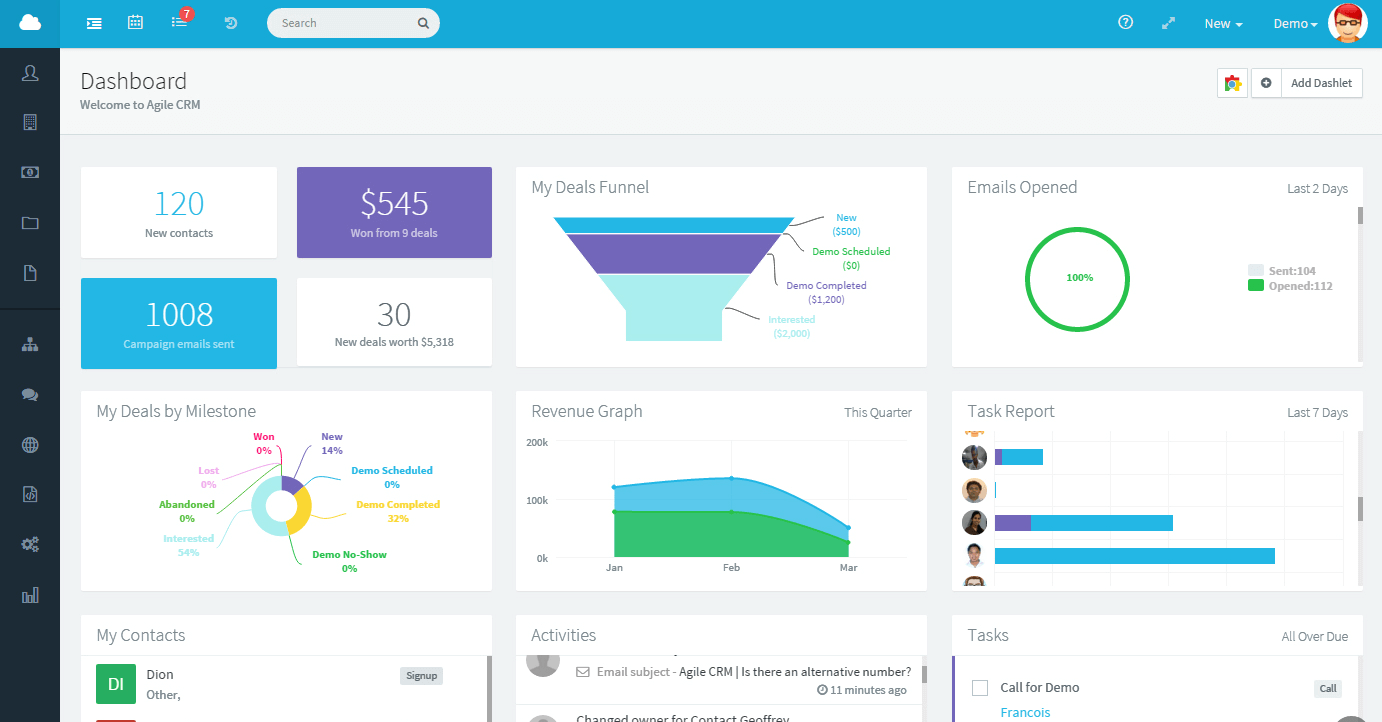
Related: GetApp Announces Teamgate as #3 of the Top 25 CRM Apps

Do you have a CRM that keeps you organised?

The most user-friendly CRM on the market. 14-day free trial.

Start Free Trial

Painless setup, no credit card required

Deal Closing

The closing of the deal is the step when the prospect turns into a customer by committing to buy your product. It is also imperative to have such tools to make this deal closing process convenient.

One such tool is an online invoice template, which enables you to generate professional-looking invoices quickly and efficiently, streamlining the payment process and ensuring a smooth deal closure.

Acquiring tools for deal closing ensures that the prospect necessarily buys what he came for, and any glitches in this step can cause a prospect to move back and refrain from the deal closing process.

A CRM-Sales Stack strategy can ensure that a convenient deal closing experience awaits client. The satisfaction of a client is beneficial in the long run because the revenue of an organization gradually rises with the increased number of customers.

In a nutshell, a Sales Stack provides intelligent insights and makes multi-process management easy for the companies.

In this article, we’ll guide you through the essential steps and considerations for successfully implementing a new Customer Relationship Management (CRM) system. We’ll discuss the significance of data quality, functional testing, performance checks, and the importance of security in CRM applications.

Key Takeaways:

  • Properly implemented CRM systems are crucial for businesses to manage and communicate effectively with their customers.
  • Data quality checks, including ensuring no data duplication and proper data mapping, are vital during CRM implementation.
  • Functional testing ensures that the CRM application’s features work as intended, such as access permissions and transaction processes.
  • Performance testing evaluates the CRM application’s efficiency, especially during peak usage times.
  • Security testing is essential to protect confidential customer and company data within the CRM application.

Customer Relationship Management (CRM) systems have become the core of most businesses. Properly chosen CRM software helps enterprises to manage and communicate effectively with their current as well as prospective customers. Buggy and Improperly implemented CRM can have a direct impact on your business, customers, and revenue. CRM consists of a lot of sensitive data about customers, project costs, timelines, etc. hence any CRM that is implemented should provide data security, accuracy, and ability to retrieve data at any time. Software testing is critical in this process, helping to uncover potential bugs, validate performance, and ensure a seamless user experience across different modules of the CRM system. A thorough testing strategy minimizes risks and maximizes system reliability from day one.

Let us discuss the various tests required for making the implementation of CRM successful.

  • Data Quality and conversion Check

This is the primary test performed for any CRM application focused on data quality and conversion. A tester should verify that the application is working as expected both with and without data.

Below are the scenarios and issues

  • Data Duplication: No data should be repeated.
  • Data Missing: Required data should be visible for the right user levels and no data should be missed.
  • Data Mapping: Alignment of the data in the grids should be proper as data goes out of alignment sometimes as we scroll up and down.
  • Search option: Users should be able to search for details by individuals, by company addresses or other ways as needed by organizations.
  • Hidden Data: Appropriate data should only be visible to different user’s roles as defined at the organization level.
  • Data saving fields: Some data fields like addresses may contain more than one field, so ensuring the data field that saves data as per the field is important.
  • Editable and Non Editable data: Data like Date and time should be a default and should not be editable for any user. Role wise editable access should be given to the respective users.
  • Functional Testing

The functional aspects of the CRM application are tested. The values and data entered in the data fields should be checked and ensure they are populated in correct fields.

Some important functional tests for testing CRM Application are

  • Access permissions: Different users are given permissions as per the role in the CRM application by the admin. Testers have to ensure that permissions are given correctly by checking role-wise.
  • Transaction process: Customer transaction information should be accurately updated when CRM is integrated with POS.
  • Card Balance: While the customer is making payment and if there is no sufficient balance, customer should be able to choose another payment method for paying remaining balance and this should be authorized
  • Connection issue: If the internet connection is lost an error message should appear and cards should not work.
  • Tax: Tax-related scenarios should be working fine both while pre-authorizing and while canceling transactions.

Performance Testing:

This is an important test for large enterprise CRM as the data is huge. Performance tests have to be conducted at various loads or pressure to measure the performance of the application.

Below are important performance checks to be conducted for the application

  • Loading Speed of the application  
  • Maximum number of users and Response time of the application.
  • Peak hours testing when too many users log in
  • Server response and utilization of server

Regression Testing:

In a CRM application, the data quality and functionality are checked before and after migration of data into the CRM. Once the data is migrated the values in the data fields should be populated correctly and other fields should not be disturbed by this. Reliability and performance of the application can be measured with Regression testing

Security Testing:

CRM application carries confidential data about the customer as well as the company. A proper security test plan must be designed to protect the data as it is accessed both internally and externally.

User Acceptance Test:

Through user acceptance tests, customer/business users validate the end to end business processes. This is done in the final phase after Functional, Regression, Security testing is done. In UAT the customer expects the system to be functionally stable with no major issues. Hence the customer focuses on business process validation.

In Summary, if businesses are looking for stable CRM to implement, the above test strategy helps businesses for successful implementation. Organizations with expertise in software testing services help to perform tests as required by the businesses working closely with the business users.