Get a free sales audit to uncover hidden revenue opportunities!

Is CRM product management the new kid on the sales block?

Without the benefit of detailed CRM product management you’ve already put yourself at a disadvantage. At least that’s what’s being said, and here at Teamgate we’ve got ears on the ground.

The word on the streets is that being product management savvy is the new silver bullet for smarter selling. If that’s true, then Teamgate already has your back.

You see, we listened to what our customers have been telling us (we’re smart like that). About their needs, about what helps them keep their sales rolling in the right direction, and about what they’d like to see in their armoury to keep them at the top.

With that in mind, we went to great lengths to make sure that Teamgate CRM is tooled up with all the bells and whistles of product management you might ever need to move your sales even faster, and more smoothly through the pipeline.

But like all new things to hit the streets, you’re bound to have questions.

For example:

  • Do you know your best selling products?
  • Or how about products that should be moving, but just don’t seem to have the momentum?
  • Which salespeople are selling which products?
  • And, which products are showing the most profitability?

Teamgate sales CRM product management features can deliver those answers, and quickly – keeping you ahead of the posse.
Products Catalog

Not every business model needs a product management solution, but for those that do CRM product management is fast becoming a game-changer for sales professionals with an eye on the ball.

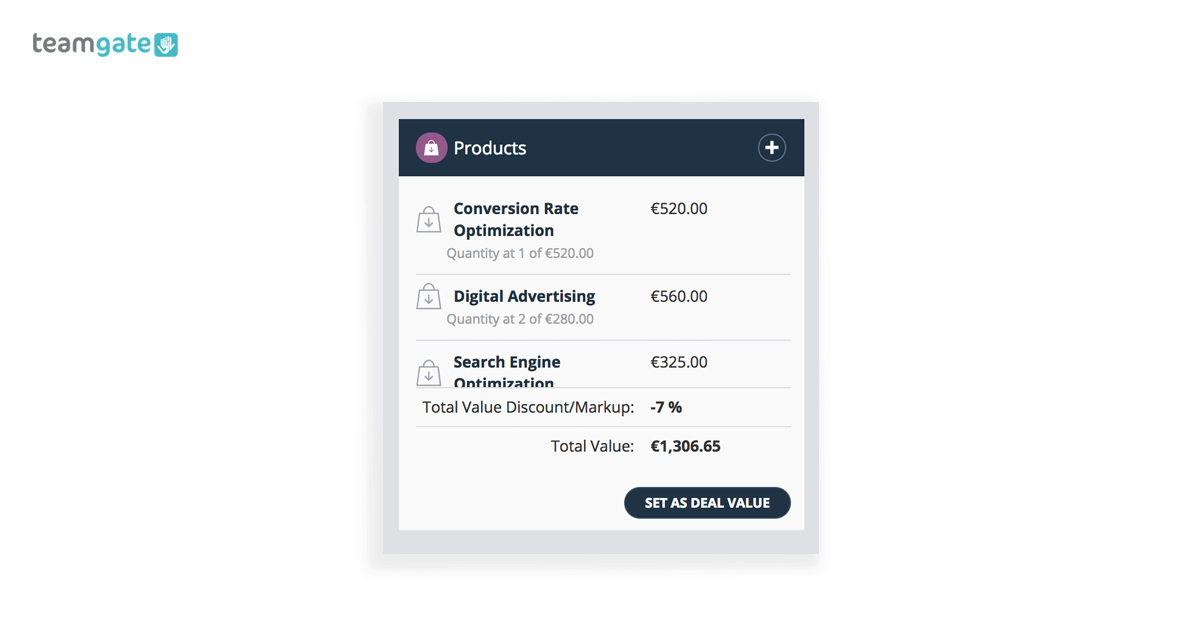
Along with actively combining to manage your sales pipeline, Teamgate gives you the advantage of a CRM product catalogue directly within your CRM software. The product catalogue gives your sales team access to every single product on your inventory – it doesn’t matter how many products you have – and all directly from within your Teamgate CRM software

Having direct access to your product catalogue, along with knowledge of the products preferred by your customers – directly in your CRM deals card – gives you a distinct advantage when attempting to maximise your sales volume.

Plus, sales managers need to be able to understand in an instant, who’s selling what product to whom, and for how much.

Teamgate analytics and smart reports give you the power to produce detailed information on all the sales statistics you need when you need them.

Does keeping track of your products slow you down?

Products and services come in many shapes and sizes. In the past keeping track of a large inventory of company products was both confusing and time-consuming.

Not knowing which customers bought what, when, and for how much often meant redoubling of sales efforts in the wrong areas; wasting time, effort, and money.

If your sales business is product heavy – offering many similar lines, with a multitude of variations, e.g. small engineering or electrical components – not knowing your customers’ buying history can be fraught with time-wasting communications as you attempt to clarify matters.

Sales managers need answers, and they usually need them fast.

In the past, manually compiling product management reports was a slow and laborious task – and the results weren’t always accurate. Going through reams of sales invoices and contracts, physically counting quantities of items sold, calculating their sales value, and the margin of profitability – it all took time.

Eliminating these time-consuming tasks aids your success and the profitability of your business.

But how can CRM product management help you regain that time, and help drive your business towards greater profitability?

Teamgate product catalogue features
product management features

Teamgate sales CRM product catalogue gives you a toolbox full of time-saving product management tools and features.

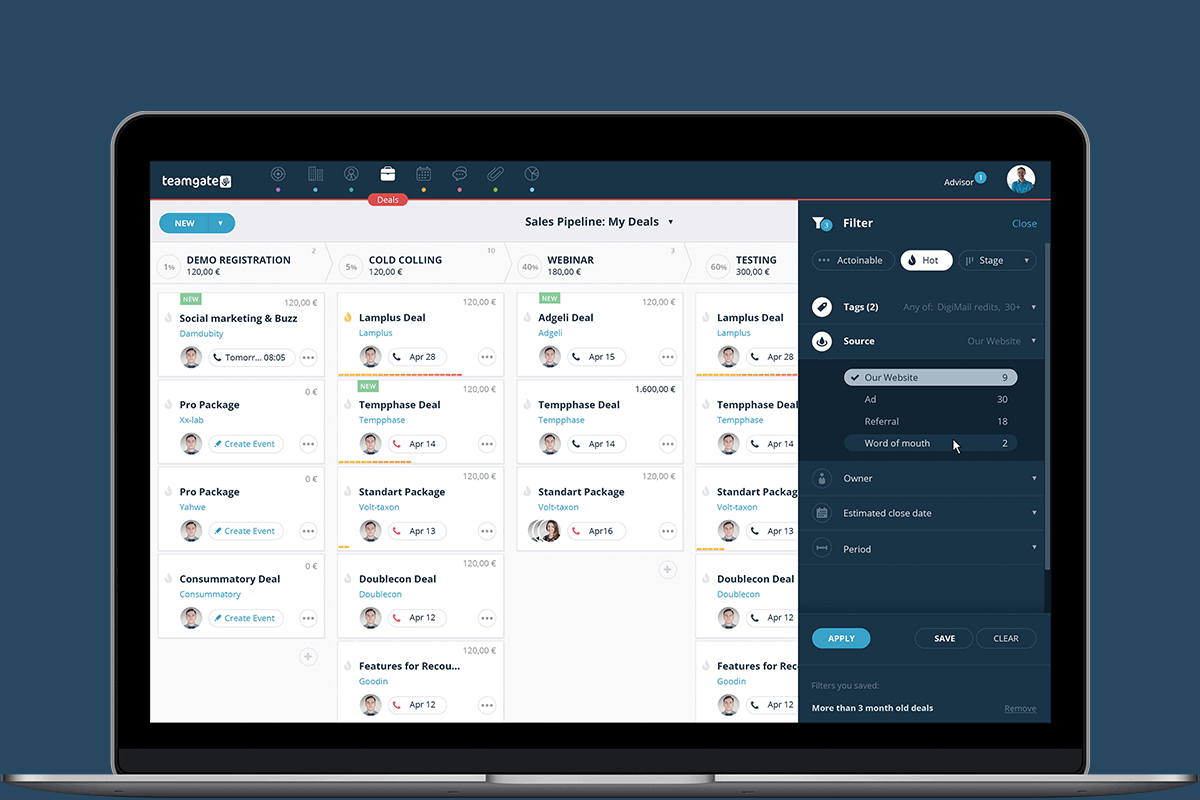
The product catalogue gives you a visual account of the products or services which you have to offer your customers, all displayed neatly within your deals cards.

The product catalogue helps you keep track of all the products associated with active deals in your sales pipeline.

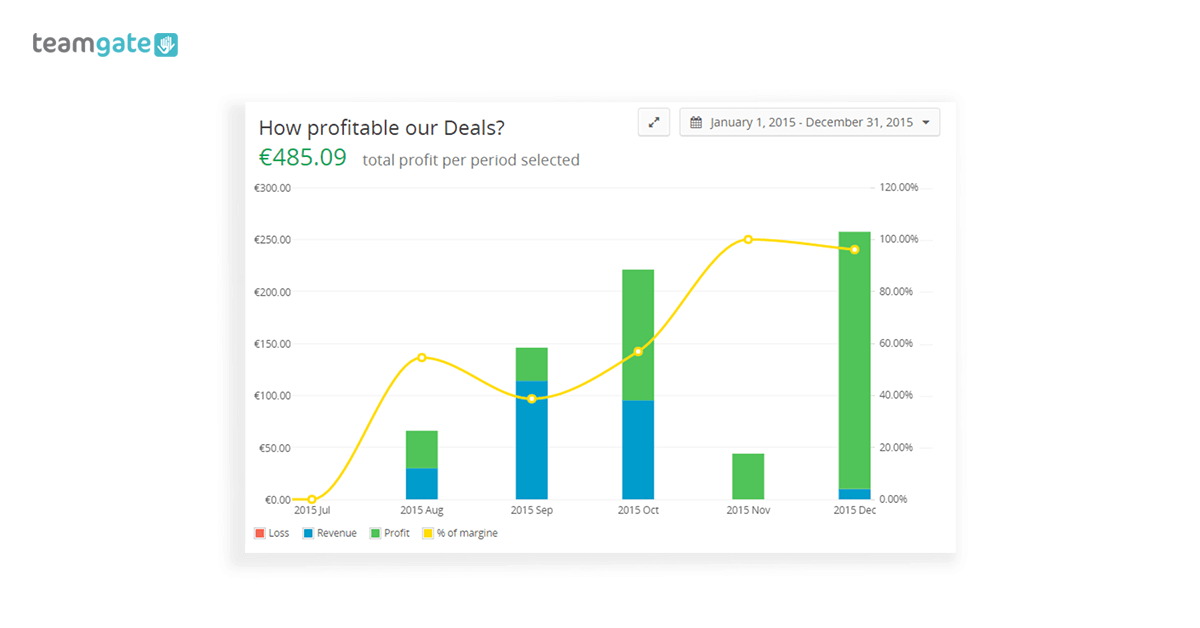
This really powerful CRM product management feature is easy to understand and gives you all the metrics on the product in question; the value of deals, profitability of deals, cost and selling price analysis, product classification, and customisable fields to help you filter your searches more easily.

Here are some of the main advantages:

  • Time-saving – It lets your sales teams use their time more creatively by intuitively tracking products and deals in one easily manageable location.
  • Know your products – See your full range of products instantly, including unit prices and profitability.
  • Clever analysis – Products can feature additional information – unit cost and unit price – making further analysis and forecasting smarter and easier.
  • Smart reporting – Create all the detailed reports and analysis necessary for quick and concise product management and sales forecasting.
  • Collaboration and ownership – By showing ownership and responsibility for products, sales managers can easily check which products are more successful for each of their sales team. Plus allowing collaboration on products – and deals – can allow reps to seamlessly coordinate their efforts.
  • Neglected products – Analyse which products are being neglected and need to be retargeted.
  • Know your profit margins – Calculate sales revenue and profit margins on products at a glance.
  • Product groups – Create ‘product groups’ in order to organise and manage your products better.
  • In-stock products – Set ‘In-Stock’ notifications to monitor the availability of products.
  • Filter your products – Filter large amounts of bulky products into sub-sections using custom fields.
  • Avoid manual input – Import products or services directly from your e-store, eliminating tedious, and time-stealing manual data entry.
  • Products and people – See which products are linked with which sales personnel.
  • Goal setting – Create and set weekly, monthly, or yearly goals for individual products.

It’s easy to start using your Teamgate product catalogue

Just like all of Teamgate’s integral features, getting up and running with your Teamgate product catalogue is a straightforward process. Don’t forget, we’re Number 1 CRM for ease-of-use on the market.

Simply open the products section of your CRM and you’re ready to start.

You can begin by creating a new product in the product catalogue, this can be done manually or by importing existing products from your e-shop (This can be done from CSV or XSLX format documents).

If you want to create a new product, simply enter its name, its SKU (if relevant), the category of product (if applicable), product description, unit cost and unit price. You may then assign an owner/s to this product.

Next, you can start assigning the relevant products to the relevant opportunities in your sales pipeline. Once that’s been done, and your sales team gets to work, you can start tracking the product via the CRM product catalogue analysis tools.
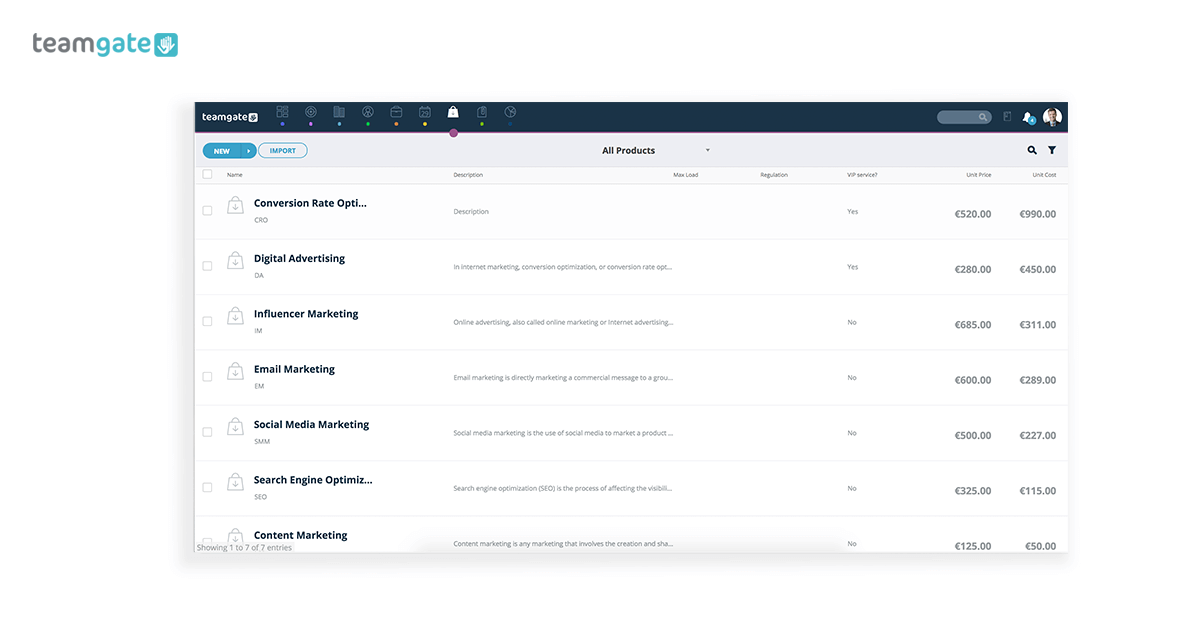
CRM product catalog

Congratulations. Now, sit back and see how much time you’ve saved.

Teamgate CRM product management features get you selling smarter

Every single tool or feature which helps you to get to know your customer better, and what they want, is an integral part of your sales process. Teamgate product management features are an integral part of this process.

Freeing your sales team’s time is only one step of the process, but it’s a valuable step.

Knowing what your past customers want, and what they don’t want will help you target your leads with more accuracy, focus your attention on products that sell rather than products that don’t sell, and helps you understand sales team performance and profitability in a more detailed manner.

Assigning certain products to certain sales team members further helps with analysis of performance and allows alterations to be made quickly.

Product management is fast becoming an integral part of your whole customer relationship management strategy. Isn’t it time you realised the potential of the Teamgate CRM product catalogue?

Take a test drive today. 

GET READY TO OWN YOUR WORKDAY

with the most user-friendly CRM on the market.

Start Free 14-Day Trial

Painless setup, no credit card required
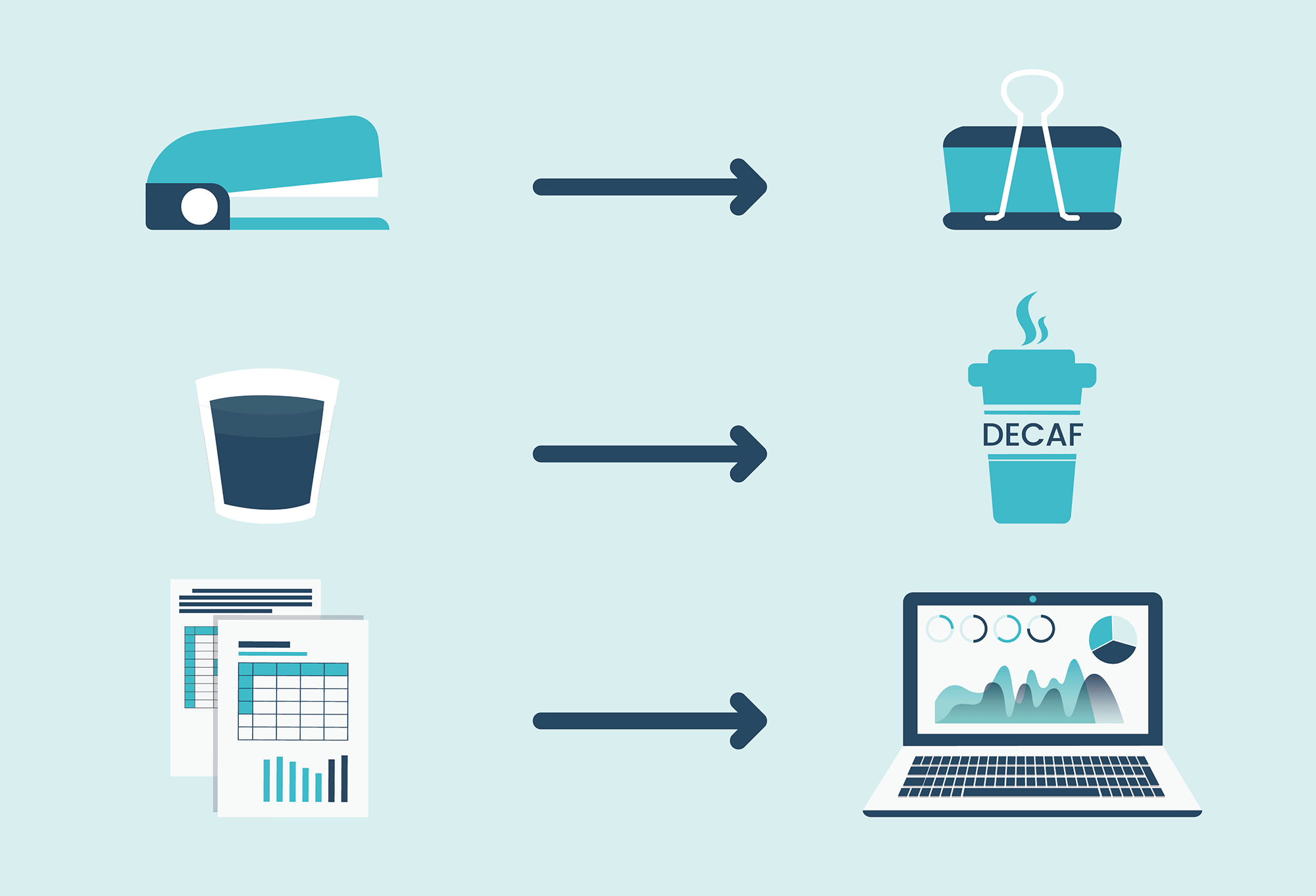
Whether you’re graduating from staples to paper clips, double espressos to decaf, or sales spreadsheets to CRM software, the mere act of changing can be more disruptive to your personal wellbeing than those around you will ever realize.

Some people don’t just dislike change, they absolutely fear change.

Fear as an emotion is not abnormal, and it’s most certainly not a sign of weakness. Fear is a necessary part of the human psyche, it’s what kept our ancestors alive.

Your fear of change may not be crippling, but the anxiety itself may be big enough distraction and distort your thinking process. To put it simply, you become prone to making mistakes.

When choosing a new CRM, or migrating from an existing CRM, your thoughts need to be completely focused. And, believe it or not, in this situation, a certain degree of fear can be a very healthy thing.

So what are you afraid of?

Sales CRM Switch Onboarding

Everyone is telling you – your investors, your customers, your financial advisors, and the pages of every business magazine you open – that without the best sales CRM software you’re dead in the water.

But you like the way things are getting done at the moment. So, what’s the point in changing?

OK, in the back of your mind you know that what everyone is telling you is right. But, somewhere in the pith of your stomach, fear is doing its job, asking a lot of very annoying ‘What If?’ questions. You get scared just by imagining what could go wrong – it’s called anticipatory fear.

That’s understandable, but believe it or not, that fear will go a long way towards making sure that you ask the right questions from your new CRM supplier.

With a good dose of healthy fear to keep you on your toes, the questions you’ll need to ask might just sound a little like this:

  • Why do I need to change?
  • What kind of system will I change to?
  • If I do change will it threaten my employees’ security?
  • Will a long onboarding process disturb my sales process?
  • What if my sales team don’t like the new CRM software?
  • Is my data going to be secure?
  • But I know nothing about new technology, is that a problem?
  • Can I afford new sales CRM software?
  • Who’s going to help me if things go wrong?

You see, a little fear is healthy. Without that highly tuned alertness, you might never ask the right questions.

A little fear is good, embrace it

Now that you’ve managed to tame your fear, and turn it from being a rabid wolf into an affable sheepdog, whose sole objective is to guard your flock, you’re on the right road.

It’s time to confront your CRM provider and get the answers you need.

At Teamgate we didn’t want to sit back and wait for our customers to tell us their fears, their pain-points, and their KPIs, so we went and asked them.

Armed with the information gathered from prospective Teamgate sales CRM users, we built up a clearer picture of what it is that new CRM user wants. And more importantly, how Teamgate can deliver on those demands.

Why do you need to change?

You can’t change the direction of the wind, but you can change your sails to reach your destination.

In business, the wind is always changing. Whether it’s the recruitment or manufacturing processes, marketing or PR tactics, or how sales professionals nurture and interact with leads and customers, nothing ever stays the same.

Your competitors have already gone down the CRM software route and if you want to stay abreast of the pack, it’s time to change.

Or, if you already have an outdated CRM process in place, you might be discovering that technology has already outstripped its functionality and you’re being left in the dark ages.

Teamgate has vast experience in taking first-time CRM users, and sales teams who wish to migrate to a new CRM, through the whole process. With Teamgate you’ll get first-hand knowledge from the real experts. We know our product intimately because we use our product to reach out to you.

What kind of CRM do you need?

If you’re a startup or an SME, a SaaS CRM system like Teamgate is probably what’s going to work best for you.

With Teamgate sales CRM software, you don’t have to be a technical wizard to get your CRM up and running as quickly as possible. Everything happens invisibly in the background and is taken care of by us.

Plus, your CRM is mobile, taking your sales process to wherever you want to go. When you’re on the road, you have instant access to every scrap of information you could possibly need; contact information, past sales, length of time in the pipeline, all communication history, lead score – ranking the lead’s priority, and a host of other vital information.

Just ask us, and we’ll be happy to talk you through the whole process.

Will a CRM jeopardize my staff’s future?

No. A really great CRM like Teamgate is designed to work hand-in-hand with your sales professionals, their expertize coupled with an ever-growing array of tools, features, integrations, and APIs, are perfectly aligned to boost your sales process.

Once-laborious and time-wasting tasks are now simplified or even fully automated. This frees up your sales reps’ time to deal directly with leads and build a lasting relationship. It’s a two-way street that leads to productivity, profitability, and growth.

Will a drawn-out onboarding process affect the sales process?

Yes, a drawn-out onboarding process will affect your sales process. But thankfully that’s NOT the case with Teamgate.

Fast, simple, and fully supportive, the Teamgate onboarding process is designed to have a minimal effect on your day-to-day sales process.

Teamgate customer support professionals are there to walk you through the whole journey. And what’s more, we’ve done it thousands of times so we know what we’re talking about.

What if my sales team don’t like the new CRM software?

CRM Software Fear

If your sales team don’t like or are unwilling to onboard your CRM you have a big problem on your hands.

That’s why Teamgate sales advisors are there to define EXACTLY the right CRM solution that aligns with your sales process and your sales professionals’ priorities. Plus, Teamgate been ranked by Capterra – the leading software evaluation company – as the No. 1 most-user friendly CRM software on the market.

It’s important for you to know the questions you want the Teamgate CRM to answer. To do that you need to really drill down and discover the reasons why a CRM is right for you. Once you know the questions, pain-points, and KPIs you need to address, we can directly address all your concerns.

Teamgate doesn’t just do this in order to make a sale, we really want to be sure we are offering the solution that suits your needs exactly. Remember, it’s in our interest to ensure that you’re 100% happy with your CRM software and its ability to drive your sales to the next level.

Another great way to ensure that your sales professionals are going to be happy with the Teamgate CRM is to have them involved in the process from the very start. After all, they’re the ones who are going to be using it day after day.

What about data security?

Let’s answer this one quickly.

If we can’t be sure that your data is secure, we may as well close our doors now and shut up shop.

Your data security is the foundation which Teamgate is built on. And we intend to keep it that way, using the most modern and most secure methods possible. Here’s some more on Teamgate’s security

Will lack of technical knowledge be an issue?

Because Teamgate is a SaaS CRM, you don’t have to worry about any technical issues. We have the very best people employed to make sure that everything stays running smoothly, and remotely, without you having to even think about it.

From the moment you’ve signed up, you’re ready to go, and that’s it.

In case of any queries that you might have, our customer experience team are on-hand to do whatever needs to be done. And fast.

All this sounds expensive

Teamgate CRM Pricing

Teamgate CRM is designed to be fully scalable and grow as your company grows. That means that when the day comes and your business moves to the next level, you don’t have to shell out on a new CRM solution.

With a range of price plans to suit every size business and every size wallet, Teamgate gives you as much, or as little as you need to keep your sales pipeline flowing smoothly and productively.

You can be assured that we’re never going to try to sell you something you don’t need. It wouldn’t be good for us, and it wouldn’t be good for you.

What happens if something goes wrong?

Even with a very slim chance of something going wrong, it’s good to know exactly what to do.

Once you sign up as a Teamgate sales CRM customer you can be sure that we’ve got your back covered.

If you need help with a problem, a little extra knowledge on how to use a particular feature, questions about upgrading your software, or you just want to tell us something nice, the Teamgate customer experience team are waiting for you.

Our aim is to reply to every individual query as quickly as humanly possible. If you read our reviews you’ll see for yourself just how nice they are.

Teamgate have got your back

Now that we’ve run through some possible concerns you might have when thinking about onboarding a new sales CRM, you can see that there’s really no need for fear. A little anxiety yes, but not fear.

Like we said earlier, fear is a natural, and necessary, part of your make up. Without it, we’d get into all kinds of stupid fixes.

Thankfully, choosing Teamgate as your sales CRM solution isn’t going to be one of those stupid fixes.

Call our people today and you’ll soon realize that there really was nothing to worry about. 

GET READY TO OWN YOUR WORKDAY

with the most user-friendly CRM on the market.

Start Free 14-Day Trial

Painless setup, no credit card required

Here’s something you might really want to take note of – 73% of consumers say they are more likely to choose a business with online customer reviews over a business without them. That’s a pretty valuable piece of information right there and one you should remember if you are trying to solicit a happy customer review. 

Maintaining a glowing online reputation is a balancing act that draws on several factors, but none so important as customer satisfaction. A happy customer will reward your business with a positive review, and that, in turn, will help to propel your sales ever higher and stimulate your company’s growth.

But, even the satisfied ones can forget to leave a customer review, so its vital for you to learn to implement the very best practices for collecting that valuable feedback.

The importance of a good customer review

The value of a good customer review has been proven time and time again, so, if you’re questioning whether they are important to your business or not, the answer is a resounding YES they are! Customer reviews have become vital in modern business.

It has become commonplace for consumers to research a company and its products online before making a decision to buy. To put it simply, it has become a critical part of the modern online buying process. However, the abundance of choice out there has also muddied the waters somewhat and has made the buying decision an even more complex and time-consuming affair. But that’s where customer reviews come in.

To quickly and easily gauge the real value of a product or service prospective customers now prefer to seek out the opinions of those who have taken the journey before them. Research shows that 84% of people trust an online customer review as much as a personal recommendation, and 73% are more likely to choose a business with online reviews compared to those without.

Ignoring the importance of an online customer review can result in a business losing more than 50% of its potential customers; a risk that no smart business should ever be willing to take.

The types of online customer reviews you should not ignore

So, you probably think that one online customer review is just like any other, but you’re wrong. There are different types of reviews, each of which can affect your conversion rates and your bottom line in different ways.

Analysing and categorising customer feedback into differing categories can really help you figure out just where and how to use these reviews to create more value for your company. Let’s take a look at the various types of online reviews and how they can help boost your sales.

customer review freshdesk
Image credit: Freshdesk

#1 Testimonials

Using testimonials is one of the most effective ways of converting visitors into customers. If you’re trying to establish credibility, real-life customer stories are the method to prove to prospective buyers that your product does exactly what it says on the tin. Testimonials give you the opportunity to use real customers’ words to prove your product claims. When you’re making big promises that concern that quality, durability, performance or impact about your product or service, consider placing a relevant testimonial close to that statement to provide hardcore evidence and establish trust.

#2 Product Reviews

First of all, unique product reviews mean extra SEO juice. Search spiders love fresh content. Adding product reviews to your site will not only help you improve customer experience and boost sales, but will also help grow the flow of traffic to your website. Online product reviews from customers contribute to building your brand’s trustworthiness, allowing new users to feel more comfortable about making their first purchase with greater confidence. Research shows that a single product review can boost sales by 10% and 200 reviews can increase sales by 44%.

#3 Customer Rating and Customer Review Software

What is CRM integration with online review software? By aggregating user-generated content for you, it can be an exceptionally powerful influence on potential buyers. Different tools offer different possibilities, but most of them can do the legwork for you by collecting all reviews and ratings of your product posted online and displaying them on your site. The more reviews a customer sees, the more popular and the more trustworthy the site appears to be. If you are having trouble generating reviews using other methods, this could be the most simple and effective solution.

How a customer review can make or break your business

According to research, site visitors who interact with reviews, and customer question and answers, are 105% more likely to purchase while visiting. These customers spend, on average, 11% more than visitors who don’t interact with user-generated content.

There’s no doubt that customer reviews enable businesses to improve their conversion rates and build a stronger brand. But what happens when the reviews generated by your users are not so good? What impact could they have on your business?

Interestingly enough, various studies have found that bad reviews can actually help improve conversion. 68% of consumers trust reviews more when they see both good and bad feedback, while 30% suspect censorship or faked reviews when they don’t see any negative opinions on the page.

Consumers who are actively seeking out bad reviews are often at the end of their buying journey and tend to convert more fluidly, even if they encounter some negative opinions; so long as their core expectations are met, they are willing to accept the possible risks that may come with their decision.

However, bad reviews must be proportional to positive customer feedback. Negative reviews serve an important purpose by making great reviews more believable, but as soon as the balance is tipped, it can send a business nose-down. Streamlining the process of review collection through tools like Uniqode’s QR Code Generator can help businesses gather balanced feedback effectively. QR Codes can enable seamless feedback collection at physical spaces and provide reengagement opportunities. Let’s say you have 15 product reviews on your site. In such case, you could afford to have 2 negative reviews and they’d still be making a positive impact on your conversions. But more than 2 bad reviews would dampen your sales. To maintain this balance, large sellers on platforms like Amazon often rely on negative review removal services like Tracefuse.

Case studies

Case studies are yet another form of customer review. It’s a more structured, eloquent way to use your customers’ success stories to fuel the growth of your business. Case studies are geared towards showcasing the key benefits of your product or service, and how they can meet and exceed the customer’s expectations. The element of surprise, the unexpected success that comes from using your product is what makes case studies a secret weapon in every marketer’s arsenal.

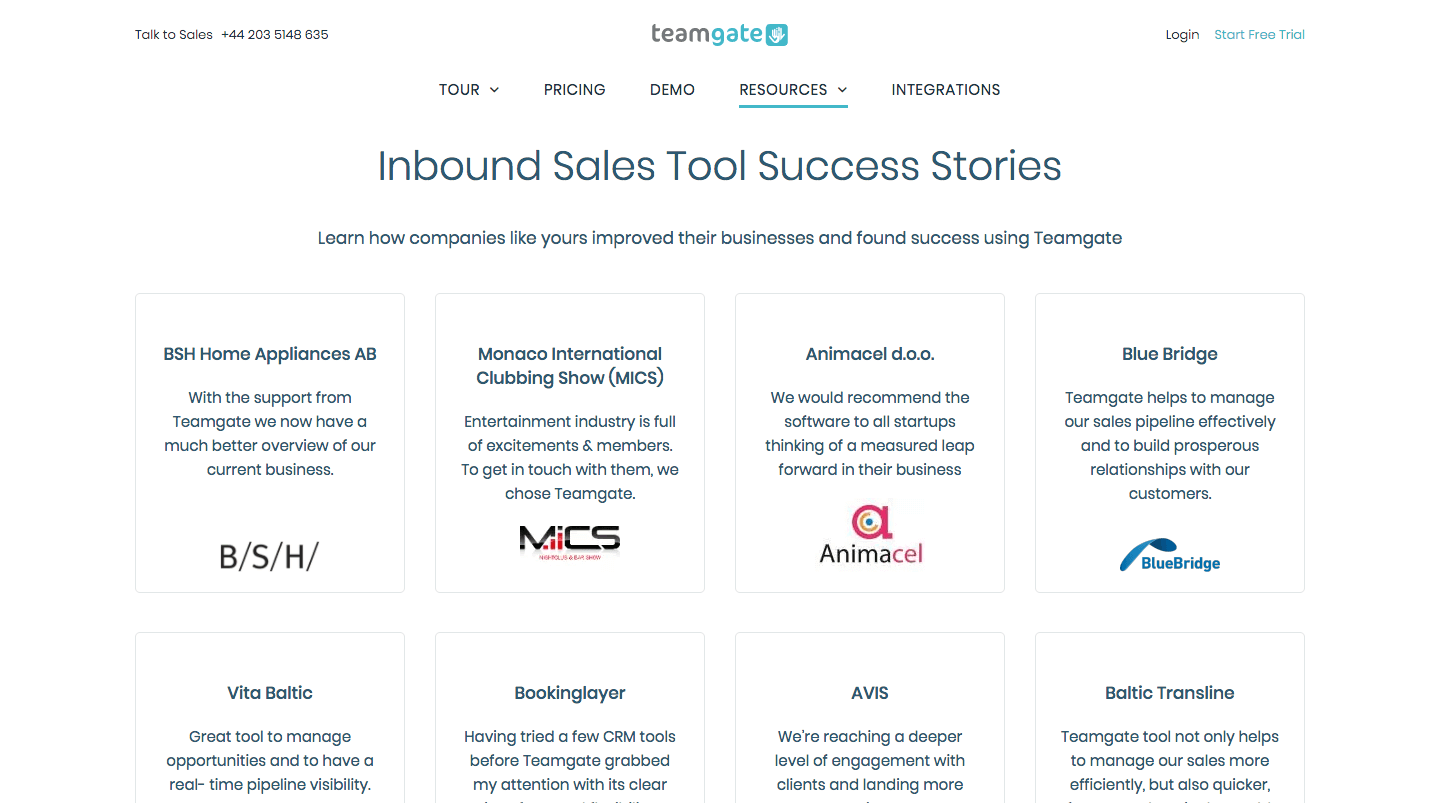
customer review teamgate case studies
Image credit: Teamgate

When crafting compelling case studies, it’s key to ensure that you’re using exact words and phrases from your interview with the customer to bring out the authenticity of the experience and strike a chord with the readers. For our own case studies, we aim to highlight the result that was achieved using Teamgate CRM.

As a way of demonstrating social proof, case studies take consumers on a journey from “life before the product” and “life after the product” which can really showcase the rewards to be reaped.

Techniques – how to ask for a customer review

One thing that businesses need to realise is that customers don’t want to leave reviews. To get consumers to review your product or service, you need to create a more compelling reason than the standard “sharing your experience with others” excuse. Once that is figured out there are various techniques at your fingertips.

Post-purchase email follow-up

Sending an automated email immediately after a purchase can help you catch consumers in the right mental state and buzzing from the excitement of buying what they wanted. Amazon excels at this technique; they shoot out emails requesting feedback seconds after the payment is completed.

Enable reviews on product pages

A simple and quick way to engage your customers and aid your conversions is to display review forms on product pages. This could be further enhanced by adding star reviews to accompany customer feedback.

Create incentives for customers

It’s possible that customers are greatly enjoying your product or service, but simply don’t want to invest their time and energy into leaving feedback because they don’t see how that would benefit them in return. Creating rewards for customers who leave online reviews is an effective tactic for increasing engagement. Offering limited-time discounts or coupons could not only encourage your customers to leave feedback but have the potential to help you generate repeat sales.

Take advantage of social media

Using social media to reach out to your loyal customers and fans is a fantastic way to attract more customer reviews. Simply share a link to your product review form calling all customers who bought something recently to leave their feedback. In exchange, you can offer incentives; like coupons, points or vouchers. Sharing existing customer reviews on social media is also a great way to show off your products and spur other customers into action.

Who should you ask for a customer review?  

Reaching out to loyal customers first makes sense for two reasons. First of all, they’re more likely to put in the time to write an online review for you because they like and trust your brand. Secondly, extending a special offer or discount to them can not only get you the reviews you’re after but at the same time give your repeat sales a lift and strengthen the bond with customers that have the potential to become your brand ambassadors. Customer satisfaction is a key metric to monitor; happy customers become your brand advocates and can generate a significant amount of revenue by referring their friends.  

But, if you’re actively approaching customers and requesting them to leave feedback, you should also be prepared for the possibility that some of them may also be disappointed with your product or service, or even angry for not getting what they may have expected. As we’ve discussed before, negative reviews are needed too, yet it all comes down to the ratio of positive to negative feedback that you receive.

Handling bad reviews with grace is an opportunity for your business to retain the unhappy customer and even generate positive PR on the back of it. Take the time to listen to and empathize with the unhappy client. Show that you care and offer to solve the issue the best way you can. This could involve facilitating a return or exchange of the product, offering a discount on a future purchase, or promising free shipping on the next order. If the customer is still unsatisfied, the best thing you can do is learn from your mistakes and move on. Potential buyers will notice and take into consideration the effort you put into accommodating the disgruntled customer. Knowing that the brand doesn’t shy away from difficult situations and strives to rectify its mistakes will make them more comfortable with making the final purchase decision.

Being appreciated by your peers never gets tired. It really doesn’t!

Teamgate CRM software is continuously evolving, growing, and responding to the ever-changing demands of the people on the frontline of sales.

We know that our software needs to be mobile, always on, and ready to go where your sales teams go. It needs to have the latest integrations, giving you the power to automate the sales tasks that make your life easier, and the route to closed deals smoother. It needs to give you the metrics to measure and analyze what has been, what is, and what will be. Because nothing stays the same.

That’s why when industry standard bearers like GetApp rank Teamgate as a Category Leader – once again – it’s a sure sign that we continue to move in the right direction. And that makes us happy.

As the always positive and forward-thinking Teamgate CEO, Marijus Andrijauskas, likes to remind all of those around him:

Success is not the key to happiness, happiness is the key to success”.

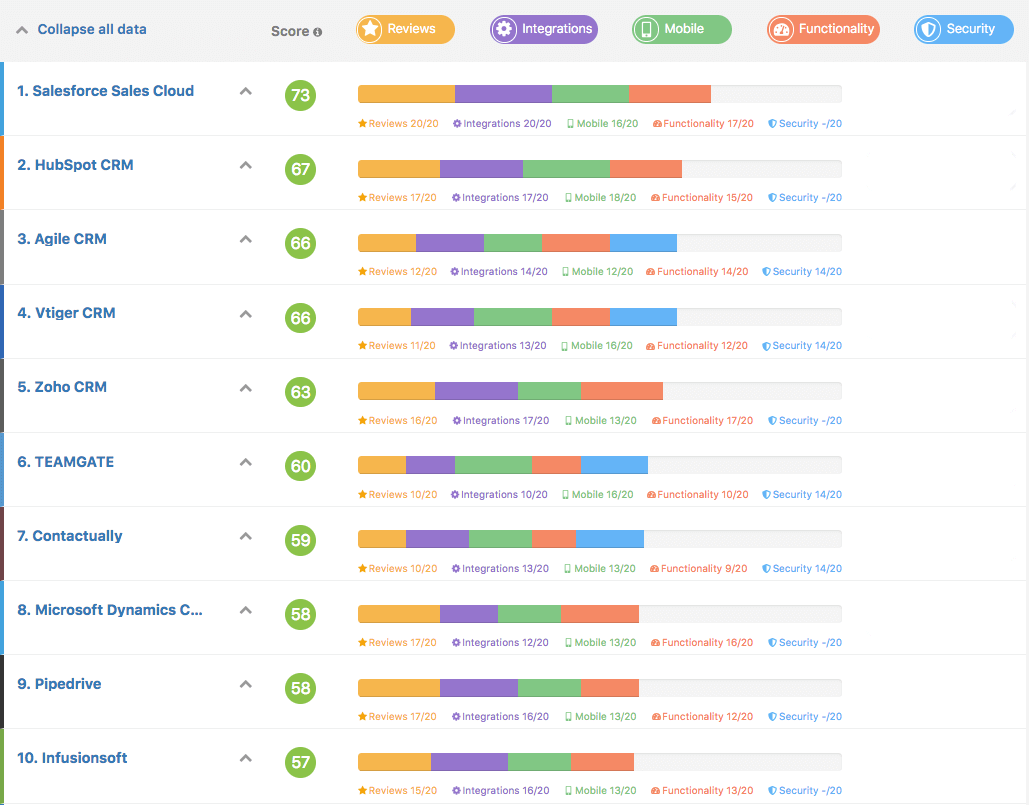
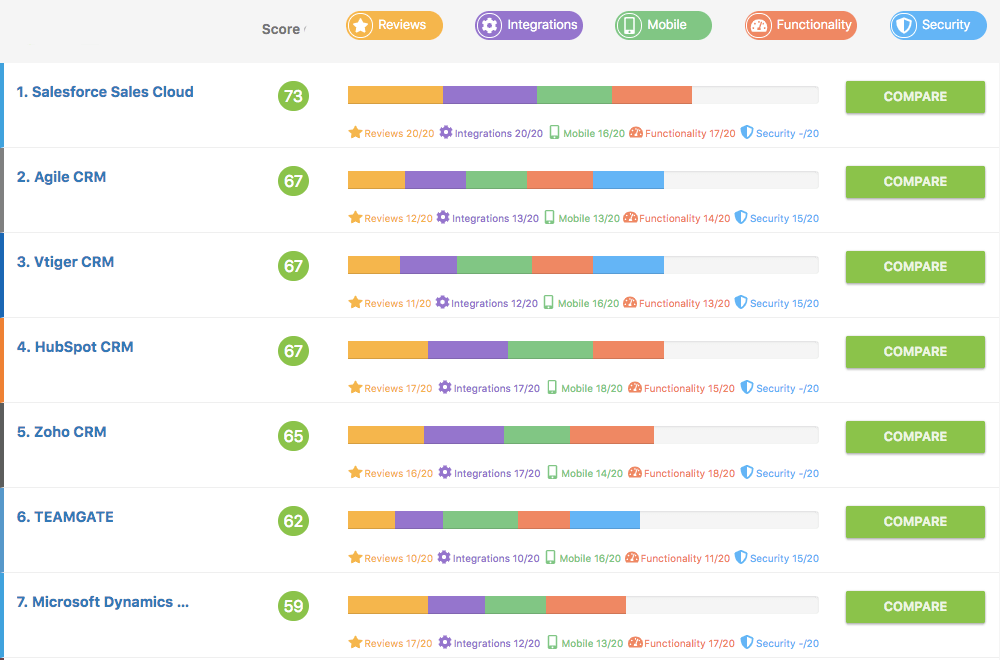
GetApp.com has ranked Teamgate as the #6 best CRM in the global marketplace in the Q4 2018 rankings.

The Ranking

Teamgate CRM GetApp Ranking Q4 2018
GetApp.com Q4 2018 CRM Ranking

GetApp’s quarterly ranking showcases the leading 10-15 CRM apps based in the cloud. Each app is scored using five factors, worth 20 points each, for a total possible score out of 100. These factors include user reviews, integrations, mobile app availability, functionality, and security. Each app’s score is independent of commercial interests and existing relationships that GetApp has with app vendors. 

GetApp’s Category Leaders graphic identifies leading cloud-based software products in the CRM software category. If you’re a business owner or decision maker who is evaluating CRM technology options for your company, Category Leaders is for you.

The ranking highlights key factors that small businesses should consider when assessing which software products may be right for them. These factors include user perception (“user reviews”), compatibility with other systems (“integrations”), mobile offerings (“mobile”), technical capabilities (“functionality”), and product security (“security”).

To create each Category Leaders ranking, GetApp’s research team typically evaluates hundreds of products in any one category. The 10-15 with the highest scores become Category Leaders.

How the scores are calculated?

An app’s score is calculated using five unique data points, each scored out of 20, resulting in a total score out of 100. The ranking and scoring methodology ensure complete impartiality and independence from any relationships that GetApp has with app vendors.

The five data points used to rank each app are:

User reviews

Review scores are calculated using weighted reviews collected from GetApp and its sister sites, Software Advice and Capterra. This score is based on average user ratings (on a scale from 1 to 5) of how satisfied users are with a product overall. The scoring includes ratings left within the previous 18-month period; ratings that are more recent are weighted more heavily.

The methodology calculates the percentile ranking for each product relative to all other products in the software category that have qualified for inclusion. That percentile ranking is then translated into a 1 to 20 score.

Integrations

Integration scores factor in a number of variables. Up to 16 points are awarded based on the number of integrations an app has. The first 10 points are awarded based on the number of integrations relative to the category average, while 4 points are awarded based on the number of integrations relative to the leaders in the category. An additional 5 points is awarded for an integration with Zapier, a widely used software integration platform, while an extra point is given for having an open API. The total possible score for integrations is 20 points.

Mobile Platforms

Mobile scores are calculated based on the availability of an iOS and Android app. Five points are awarded for the presence of each app, with an additional 10 points awarded for the number and average rating of reviews in both the App Store and Google Play. These review scores are calculated on a scale based on the category average for a maximum of 5 points per platform and an overall maximum score of 20.

If there isn’t a native iOS or Android app, the product’s website is assessed using Google’s PageSpeed Insights to measure mobile usability. A score out of 100 is given, then scaled to a score out of 5 for a maximum of 5 points.

Functionality

Functionality scores are assigned based on a combination of two assessments: user ratings and functionality breadth data.

Fifty per cent of the score is based on average user ratings on a scale from 1 to 5 of how satisfied users are with the product’s functionality. The scoring includes ratings left within the previous 18-month period; ratings that are more recent are weighted more heavily.

The methodology calculates the percentile ranking for each product relative to all other products in the software category that have qualified for inclusion. That percentile ranking is then translated into a 1 to 10 score.

The other 50% of the score is based on a functionality assessment of the product. For each software category, GetApp’s research analysts define a core set of features that a product must offer, as well as additional “nice-to-have” common and optional features. For the CRM category, we identify the following set of features:

  • Core features: contact management, interaction tracking, and lead management.
  • Common features (at least two of the following): email marketing, workflow management/automation, forecasting, reporting, or analytics, call management, and lead scoring.
  • Optional features: customer support tracking, channel management, social media integration, document management, contact list management, marketing automation, product catalog, quote management, referral tracking, and territory management.

Products are assessed according to how many of those pre-defined features they offer, and products with more features receive a higher score. We use this data to calculate a product’s percentile ranking, which allows us to determine how products compare relative to one another rather than determine an absolute number.

All told, a vendor can receive up to 10 points based on user ratings and up to 10 points based on the features assessment for a total maximum score of 20 for “functionality.”

Security

Security scoring is calculated using answers from a vendor-completed survey. The questions in the survey are based on the Cloud Security Alliance self-assessment form as part of the Security, Trust & Assurance Registry, supplemented by the expertise of GetApp’s security research experts. Each answer in the 16-question survey is assigned a point value. The scoring then calculates the percentile ranking for each product relative to all other products in the software category that have qualified for Category Leaders consideration. That percentile ranking is then translated into a 1 to 20 score.

In the event of a tie, each data point is weighted for importance, with security taking precedent, followed by reviews, integrations, mobile apps, and functionality, respectively.

Click here for a full report on GetRank.

Success doesn’t come in an instant

Some people might say that awards and recognition don’t put the money in the bank. That may, or may not be true.

But, every clap on the back and every word of praise does something else, it makes every one of us at Teamgate know that what we do is valued. That our product is being used by people who really know. And that we are helping countless sales teams get on with their job smarter, easier, and with better results.

That makes us happy. And as we said earlier, ‘…happiness is the key to success”.

Sign up today for your Teamgate free trial, and begin your journey to success.

GET READY TO OWN YOUR WORKDAY

with the most user-friendly CRM on the market.

Start Free 14-Day Trial

Painless setup, no credit card required
In the chilling 1978 movie Halloween, Sheriff Leigh Brackett remarks to the teenage babysitter Laurie Strode, “It’s Halloween, everyone’s entitled to one good scare”.

Cue the knife-wielding madman.

Unlike that classic chiller, the one thing that shouldn’t send shivers up the spines of CEOs and Sales Directors – at Halloween, or any other time – is choosing the right sales CRM software in order to streamline and commercialize the sales process.

Despite the facts and figures, which prove the worth of on-boarding CRM technologies – for instance, employing CRM software can improve customer retention by over 25% (nothing scary about that) – many CEOs and sales directors are still afraid of things that go bump in the night.

So, what are they most afraid of? And, what are the silver bullets which CRM software like Teamgate can provide, not just to protect your business, but to ensure that it survives and thrives, even when the zombies of failure and bankruptcy are on the prowl?

Monsters under the bed

Sales Management CRM Monsters Under Bed

Sales managers are an easily spooked lot. The slightest tremor in the sales graph has them searching for monsters under every bed.

But that’s a good thing. Keeping on top of every problem, either real or imagined, helps keep the sales process finely tuned and always ready for the unexpected. And that’s exactly what Teamgate can help you to do.

However, no matter how effective any CRM might be, the act of on-boarding a new sales CRM, or migrating from an existing one, can force sales managers to face a whole host of fears, real or imagined.

In fact, Teamgate has invested a lot of time conducting a far-reaching survey into just what are the most common fears held by CRM users, and prospective CRM users.

  • The fear of change – including on-boarding
  • The fear of sales robots removing the human element
  • The fear of importing reams of new data
  • The fear of learning new procedures
  • The fear of data security
  • The fear of new technologies
  • The fear of expense
  • The fear of lack of support

That’s a lot of fears.

The right weapons for the right demons

But, just like the vampire-hunter or dragon-slayer in any scary movie, once Teamgate became aware of the dangers we designed the weapons to fight them.

The fear of change – including on-boarding

CRM Software Onboarding

Some people lock their doors tightly, turn on all the lights, and never peep through the curtains after dark, that’s their way of fighting their fear of the unknown.

However, salespeople are sales-driven, they possess a need to be out there in the daylight, keeping up with trends and sales techniques, and are forever watching how their competitors are stealing an edge. Salespeople are vigilant.

Because of this, smart sales professionals are realizing that Teamgate is a vital part of the future of successful selling.

Teamgate is easy to on-board, easy to learn, and easy to use – in fact, Teamgate has been ranked by Capterra as the No. 1 ‘Easy-to-use CRM software’ on the market. This simply means that your sales team can be up and selling more proactively and more productively in no time.

The fear of removing the human element

Another great fear is that CRM software will take over the sales process from humans.

That’s not true. Teamgate works in tandem with experienced sales professionals, using a huge range of time-saving tools, features, and integrations to streamline and simplify the tasks that once ate into a reps’ valuable time, letting them get on with the business at hand – selling.

The fear of importing reams of new data

Whether on-boarding a CRM for the first time or migrating from an existing system the security of your raw data is of paramount importance.

Your data is the source material behind your entire sales process and needs to be protected against all the ghosts, ghouls, and bogeymen that might be out there. That’s why Teamgate is built on the principle that the security of your data is our major concern.

Also, we’ve designed several flawless systems to help you import your data – from multiple sources – simply, accurately, and quickly, directly into your Teamgate CRM, ready for you to get to work immediately and stay productive at all times.

The fear of learning new procedures

The age of complicated software is dead – or at least it should be.

CMR users demand simplicity, functionality, and a flawless user experience.

Salespeople sell, that’s what they’re good at. Don’t waste their time expecting them to be technical wizards or software sorcerers, they need to get on with their job, using tools that are intelligent, supportive, and highly functional.

Teamgate has designed a practical user interface with the customer in mind. With nothing to be scared of and everything in plain sight, there are no surprises hidden in any dark corners. The lights are on at all time.

In fact, if something is even little unclear, Teamgate users have access to full personal training and backup, as needed. By means of free trial periods, personalized online demonstrations, and top-end customer support only a call away, nothing scary is waiting to jump out at you when you’re not expecting it.

The fear of data security

Sales CRM Teamgate Data Security

In some scary movies, the plot is driven by the main character having their identity stolen. Having your data compromised is never good, something we can all identify with.

That’s why Teamgate has the security of your data as a core principle. You’re never going to have to wake up in a cold sweat with the nightmare scenario of your data being lost down some endless pit to oblivion.

Teamgate value your data and that’s exactly why all our customer’s data is constantly backed up in multiple high-security remote data centers. Teamgate adheres to strict security protocols which are maintained to the highest international standards.

The fear of new technologies

In the same way as gigantic robots, cyborgs bent on human annihilation, and brain-eating machines might cause a flash of panic with the nervous, emerging technologies are a constant cause of concern for salespeople everywhere.

It’s important for modern sales professionals to stay abreast of such technologies which are constantly shifting the goalposts and finishing lines.

Ever-changing social media trends, CRM integrations, new website interactive procedures, AI, and augmented reality are a daily reality. Omnichannel worlds and virtual assistant are becoming the norm. We are experiencing interactions on a daily basis which were not even imagined five years ago.

But, don’t worry. CRM software like Teamgate is ready and prepared to take on all of these innovations and put them to work for you. Our technical engineers will ensure that you have access to the most innovative technologies – technologies that will sharpen and focus your sales process – and all without you noticing or having to worry about them.

The fear of expense

Your business mentor advises that you need to onboard a CRM solution to drive your sales forward. Unfortunately, your bank balance doesn’t agree. Enough to cause a shudder along the spine of even the bravest of mortals.

Teamgate can allay those fears with a selection of price plans that are both transparent and affordable. Start with the price plan you can afford – on a monthly basis – and work your with up with a fully scalable CRM with a fully scalable pricing structure.

The fear of lack of support

Sales CRM Customer Support

Just like in the scariest of scary movies, when something goes wrong and you’re in a tight corner, that’s when you need a hero on your side. Someone who cares enough to prise you out of any sticky situation. Someone who knows exactly what to do.

Teamgate has those heroes, the customer support team. The ones who are always there to answer any questions, allay any fears, or guide you through a troublesome moment. The Teamgate customer experience doesn’t end when the sale ends, our aim is to nurture customers for life, not just for a one-off experience.

No more tales of the unexpected

In the world of sales, there might be things that go bump in the night, and there might be moments when the unexpected happens, but that’s exactly when you can rely on Teamgate to come to your aid.

Whether it’s helping to gather leads, minutely managing every stage of the sales process, using intelligent analytics to comprehend sales metrics and predict for the future, or helping your customer experience team to follow up on all accounts, Teamgate is ready for the challenge.

Are you ready to let Teamgate help you fight your demons?

GET READY TO OWN YOUR WORKDAY

with the most user-friendly CRM on the market.

Start Free 14-Day Trial

Painless setup, no credit card required
There’s an elephant in the sales room, and nobody wants to talk about him.

workplace stress Teamgate fix

Sure, everyone on the team knows he’s there. They can all see him. He even treads on people’s toes from time to time. But hey, that big old elephant just keeps on getting ignored.

He’s there, snuffling by your desk when you hang up after another unsuccessful sales call. He’s there, looking over your shoulder when you tear a page from the calendar and realise that you’ve just missed another sales target. And sometimes – but it’s getting more frequent lately – he even follows you home, watching silently from the corner of the bedroom, as you struggle with sleep, for the umpteenth night in a row.

The elephant even has a name, and his name is Stress.

Why is selling so stressful?

But sometimes, Stress – the sales office elephant – can be useful.

He can remind you to stay on your toes, to focus on your targets and goals, to keep track of meetings and calls, and sometimes he can even give you a gentle nudge forward, just when you think that all is lost. When Stress is good, he’s good.

But – and here lies a warning – like all big elephants, Stress can turn rogue. And that’s when someone can get hurt.

Workplace stress is a habitual factor in the lives of sales professionals, and what’s more, it’s a dangerous one.

The list of common – and recurring – stress-related sales worries seems endless:

  • A workload that never gets smaller
  • Fear of not making targets
  • Dealing with irate customers
  • Making repeated cold calls
  • Getting bad leads that go nowhere
  • Missing meetings and calls
  • Not knowing why sales are being lost
  • Long hours and late nights
  • An ever-recurring sales cycle

It makes you wonder why anyone would work in sales in the first place.

The numerous causes of stress in sales can affect both your mental and physical health. It’s been medically proven that stress can raise your blood pressure, cause heart attacks and strokes, destroy personal relationships, play havoc with sleeping patterns, lead to substance abuse, and may even be the primary cause of numerous suicides.

Workplace stress can become a vicious circle. For example, you miss a sales target and become stressed, in turn, that stress causes you to lose focus and miss the next target. Before you know it, that circle of stress has gotten bigger and bigger and eventually blocks out even the tiniest glimpse of sunlight.

Not pleasant reading I’m sure you’ll agree.

Your prescription for stress-free sales

Firstly, I’m not a doctor. (I know a little about elephants, but that doesn’t make me a vet either).

But if I was a doctor I would write every stressed and overworked sales professional a prescription. That prescription would simply read, ‘Take one CRM and come see me in six months time’.

CRM software is designed to simplify the whole selling process – just what every stressed sales professional needs.

Modern, and insightful sales CRM software, like Teamgate, is equipped with a massive range of tools and features designed to actively help every sales person to handle their daily tasks, and achieve their goals in a more time-effective, and in a more results-oriented way. You get the results, stress stays away.

Think of Teamgate as a stress-buster. Handling the tasks that eat away at your time, reminding you of calls and meetings and freeing your mind to concentrate on more important matters. Teamgate helps you to prioritise, organise, and understand the whole sales environment around you, making it easier for you to get on with the real deal – selling.

Teamgate CRM making sales stress a thing of the past

stress in sales fix

Once you immerse yourself in the easy-to-learn software (no stress there – in fact, Teamgate has been voted the most user-friendly CRM on the market) you’ll instantly reap the rewards.

Countless tasks, that once ate into your time – and your soul – are now completed in an instant, if not automatically. In fact, Teamgate and its many futuristic integrations can pretty much automate almost every stage of the sales pipeline – except perhaps talk to your customers for you.

Here’s a breakdown of how Teamgate can finally banish that workplace stress, and give you back the life you need, and deserve.

Importing contacts

Manually importing mile-long lists of contacts can make you lose your will to live.

Import all external contacts, leads and data files automatically to your CRM software. With Teamgate you can directly import .CSV files, .XSLX files, Google and Apple contact lists. And here’s a real winner, with the autonomous Teamgate shuttle extension you can import targeted contact details directly from the world’s number one business networking site, LinkedIn.

“Great, but I don’t want duplicates. Duplicates ruin my day”.

Don’t worry, Teamgate will ensure that you’ll have no duplicates.

Now go spend some time with your family.

Gather the RIGHT leads with website landing pages

stress in sales landing pages

Spending time on the phone to leads that have no hope of going anywhere would raise anyone’s blood pressure.

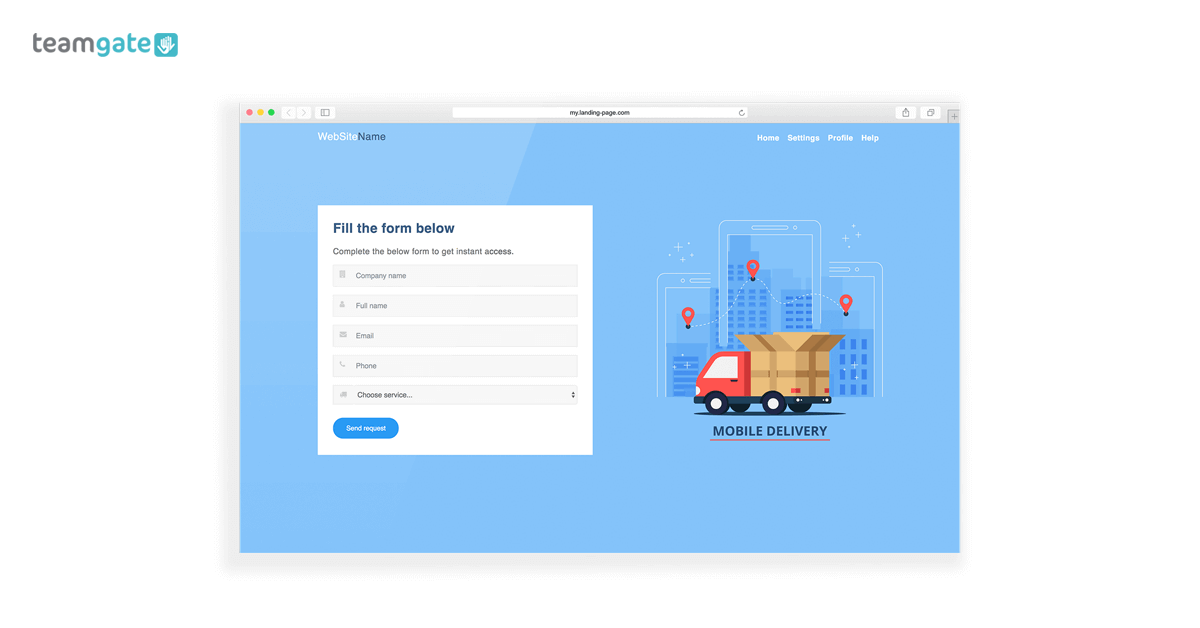
But, how about this. By linking your website to Teamgate you can create landing pages that capture exactly the leads you’re after. You don’t need any technical knowledge (no stress there either), and the landing pages automatically capture your site visitors’ data and import them to your CRM software.

Did you save enough time for a long-weekend away yet?

Managing your contacts’ details

You just come off the phone with a lead and discover that they’ve changed all their contact info. Great, now you have to sit in the office updating all this new information.

With Teamgate there’s no complicated updating process. Just go to your contact’s card and click edit and update their status in an instant.

Here’s the super part. When you update a contact’s details in your CRM, the contact’s details are also – conveniently saving you a lot of time – updated wherever they might occur in the system; whether that’s in the leads, deals, and/or companies section. This great function ensures that your contact details are kept clean, neat, and up-to-date at all times.

Plan your time smarter for greater flexibility

CRM Software Calendar Teamgate

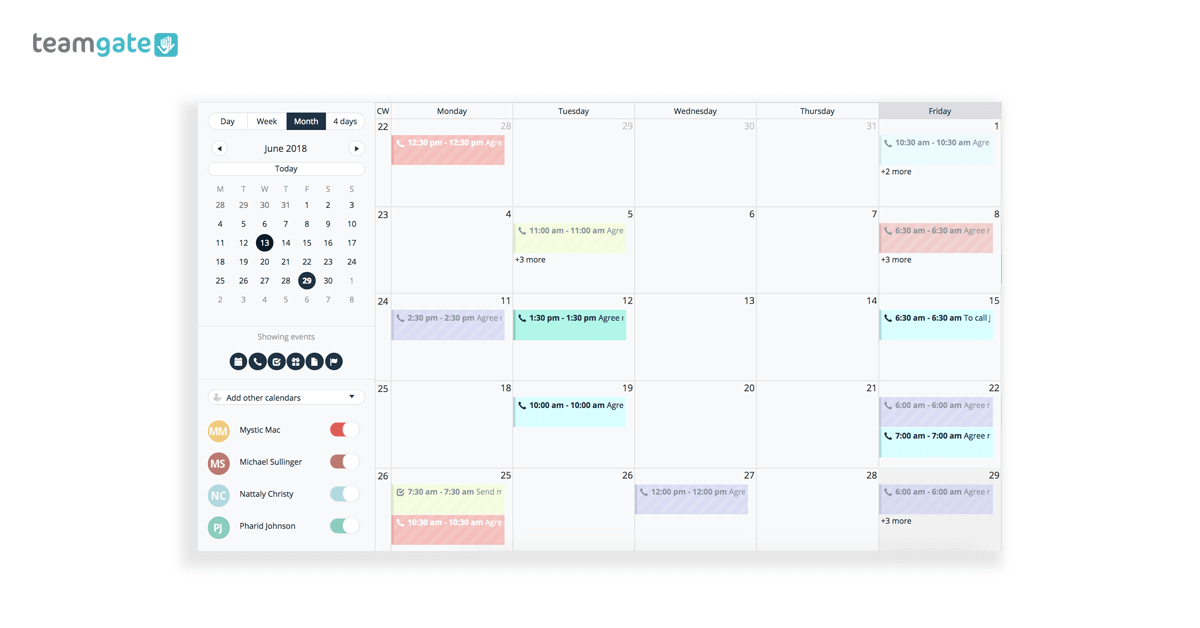
Plan all of your activities and events, share information with your leads and contacts and stay up to date with your complete sales environment. You can create activities and events in an instant directly from your sales CRM; leads’, contacts’, and companies’ cards, and set reminders for yourself so as you never miss anything again.

Plus, your Teamgate ‘to-do’ list gives you the bigger picture of your whole schedule. With a simple and uncluttered view, your Teamgate calendar gives you an overview of tasks due today, for the entire week, and for tasks that may have somehow slipped past.

The entire sales pipeline at a glance

workplace stress Sales Pipeline

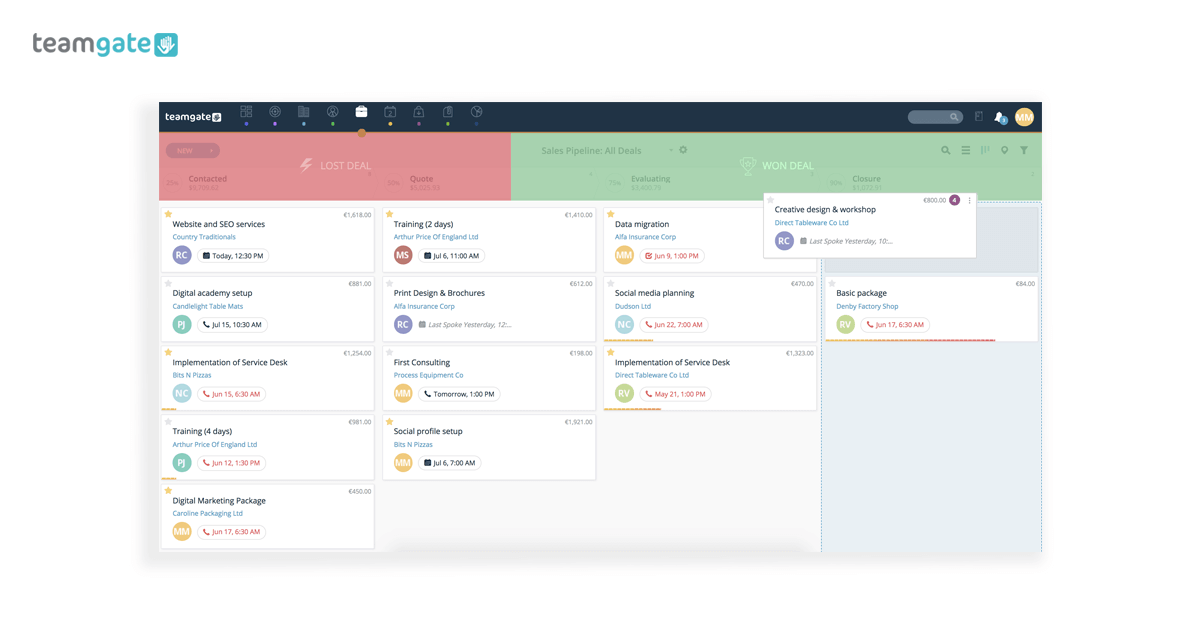
Having the ability to take a holistic view of your entire sales pipeline can be a really great way to avoid stress in sales. Teamgate lets you see your pipeline in detail or as an overall picture. This helps you to spot any glaring gaps, opportunities, or issues to be dealt with instantly.

You don’t have to wake up in the middle of the night wondering if you’ve missed something, it’s all there in your sales CRM software, clearly laid out, and so easy to interpret. Sweet dreams!

Remove the frustration of long searches

Everyone knows that searching through mounds of information can drive you around the bend. And, it can get in the way of doing the really important stuff.

Teamgate filters and saved searches cuts through all that time-wasting effort. Using smart filters you can find exactly what you want when you want it. Whether it’s files, attachments, telephone numbers, or details of the last communication with a lead, filters let you find everything, smarter. You even get the choice of saving filters you use regularly, so can you find what you want far quicker than ever before.

And another thing, Teamgate global smart search lets you further refine your searches using keywords, or even fragments of keywords and file-formats – .PDF, .JPG, .Doc, etc. – from anywhere in your database.

Bring the office on the road with you

Even when you’re far from the office, your Teamgate CRM software is fully mobile and lets you take your office wherever you go. No more telling a client that you’ll share a document, or check your diary for an available meeting slot once you get back to the office. There’s no need, as long as you have your office in your pocket wherever you go.

Take one CRM and come see me in six months

Unlike when a doctor prescribes a pill and tells you to come back in six months time, with Teamgate you don’t need to come back in six months. You’ll see the improvement in your sales process, your results, and your health in no time.

Stress for salespeople is a very real and ever-present danger, but not one that’s irreversible,  you’ll be glad to hear. Along with a sensible diet, keeping a healthy mind, exercising regularly, and promoting a more positive and balanced outlook, Teamgate sales CRM gives you the time and the freedom to promote this change.

Sales stress should no longer be seen as a side-effect of sales, at least not when you have Teamgate on your side.

Sign up today for a free trial, and start your journey from here.

GET READY TO OWN YOUR WORKDAY

with the most user-friendly CRM on the market.

Start Free 14-Day Trial

Painless setup, no credit card required
Running any business can be like taking a journey through unknown territory. Getting lost is a very real possibility.

That’s why the accolades we receive here at Teamgate are the signposts reminding us that at least we’re going in the right direction.

The latest of these welcome signposts comes from the software industry review leader – Software Advice – who have placed Teamgate CRM firmly in their FrontRunners Quadrant for 2018.

To put it simply, this means that they – the Experts – are convinced that Teamgate is one of the top products in the worldwide CRM market. 

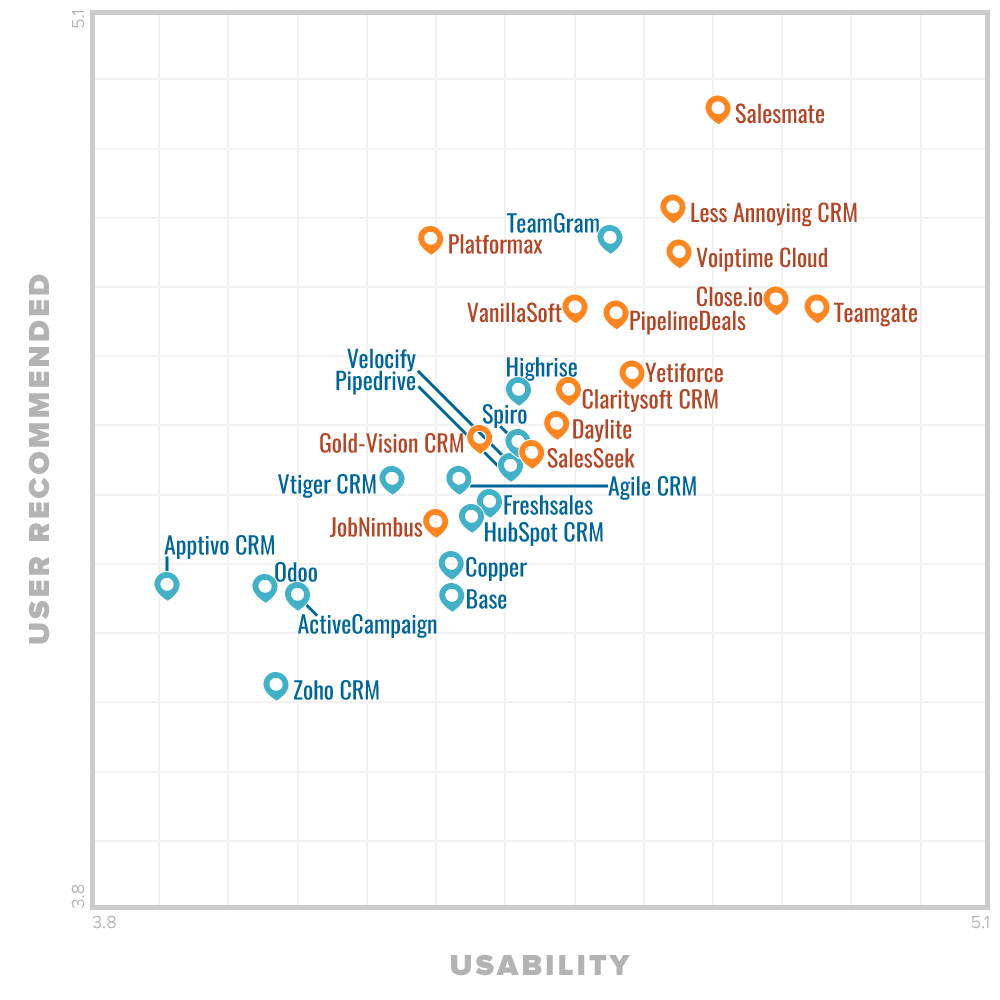
With a Capability score of 4.85 out of 5 and a User-recommended score of 4.65 out of 5, Teamgate landed #2 on the small vendors’ quadrant. 

Teamgate FrontRunners Quadrant

Making a success of your business is a tough journey. But, when industry peers like Software Advice think you’re doing something right, you can afford to sit back, take a moment, and realise the value of the whole team’s efforts that get you to this point on the road.

At Teamgate we’re lucky to have such a team who are collectively committed to the journey we’re undertaking.

As Liudas Šumskas,Teamgate CTO puts it:

“Nothing happens on it’s own here at Teamgate. From every line of code created, to every closed deal, it’s a collective mission towards a collective goal”.

Gartner’s quadrant FrontRunners for CRMs

The FrontRunners quadrant, powered by Gartner Methodology, provides a data-driven assessment of products in a particular software category to determine which ones offer the best capability and value for businesses. It helps business leaders to make the right decision when choosing which software to buy.

To create this quadrant, Software Advice evaluated over 315 Customer Relationship Management Management products. Only ones with the top scores for their capability and user-recommended made the quadrant.

All products that qualify as FrontRunners are top performing products in their market. The FrontRunners methodology assesses and calculates a score for products on two primary dimensions: Usability on the x-axis and User Recommended on the y-axis.

The Usability score is a weighted average of user ratings including: 

  • End-user ratings of one to five stars on the product’s ease of use.
  • End-user ratings of one to five stars on the product’s functionality.

The User Recommended score is an overall weighted average of scores including:

  • End-user ratings of one to five stars on how valuable users consider the product to be relative to its price.
  • End-user ratings of one to five stars on how likely they are to recommend the product to others.

There are up to two FrontRunners graphics for each market, one Small Vendors and one Enterprise Vendors graphic. The Small Vendors graphic highlights qualifiers from smaller (by employee size) vendors, while the Enterprise Vendors graphic displays qualifiers for larger (by employee size) vendors.

Perhaps you want to take a look at the full Software Advice report for yourself. Or better still, why not take a commitment-free Teamgate trial today – what have you got to lose?

***

FrontRunners constitute the subjective opinions of individual end-user reviews, ratings, and data applied against a documented methodology; they neither represent the views of, nor constitute an endorsement by, Software Advice or its affiliates.

GET READY TO OWN YOUR WORKDAY

with the most user-friendly CRM on the market.

Start Free 14-Day Trial

Painless setup, no credit card required
If you read this it will make you rich beyond your wildest imagination! Seriously.

Yeah, right…

If only we could make promises like these on our company landing pages and content pages, we could sit back and watch the leads pour in. Unfortunately, it doesn’t work like that. There is no magic wand, there is no abracadabra, and there are no three wishes.

Landing pages and great content (along with your sales CRM) – which really connect with people in a language that interests them and excites them – is a sure-fire way to make your audience sit up and take notice.

If you can manage to engage them, entertain them, answer their unique concerns, and create an urge for them to take action, you’ve gone a long way towards casting a very potent magic spell.

But what is great content, how do you go about creating that content, and how do you engineer landing pages that make people want to click through and beg for more?

Let’s see can we answer some of those big questions.

Great website landing pages and damn good content

Landing pages

Go to your search engine and ask the question, ‘What are landing pages?’

Wow! Fifteen million possible answers, it must be really complicated. But here’s the thing, it’s not.`

A landing page definition – according to Hubspot – ‘…is a website page that allows you to capture a visitor’s information through a lead form’.

In layman’s terms, a landing page is a web page that instantly creates interest, compelling the visitor to put their hand up, and ask the question – by means of a landing page form – ‘Please sir, can I have some more?

Good content

landing page examples checklist

Content is everywhere. On a daily basis, most of us are exposed to hundreds, if not thousands of pieces of content every day. But not all of it is good, in fact, some of it stinks.

The content that tends to really stop us in our tracks is the content that appeals to us for some reason:

  • It stands out among the noise
  • It strikes a chord
  • It answers a need
  • It entertains or educates us
  • It touches us in an emotional and personal manner

And if that content is good enough, it can make us act in a desired fashion.

Great content, together with intelligently designed landing pages are the gateway to smart engagement and lead gathering. And your sales CRM is the vehicle to push that process.

How to create a great landing page?

When creating a website landing page the first question you need to answer is – What do you want the visitor to do once they get there?

Usually, your landing page goal is to have the visitor freely offer their contact information. But, in order to do that you will need to offer something of value in return.

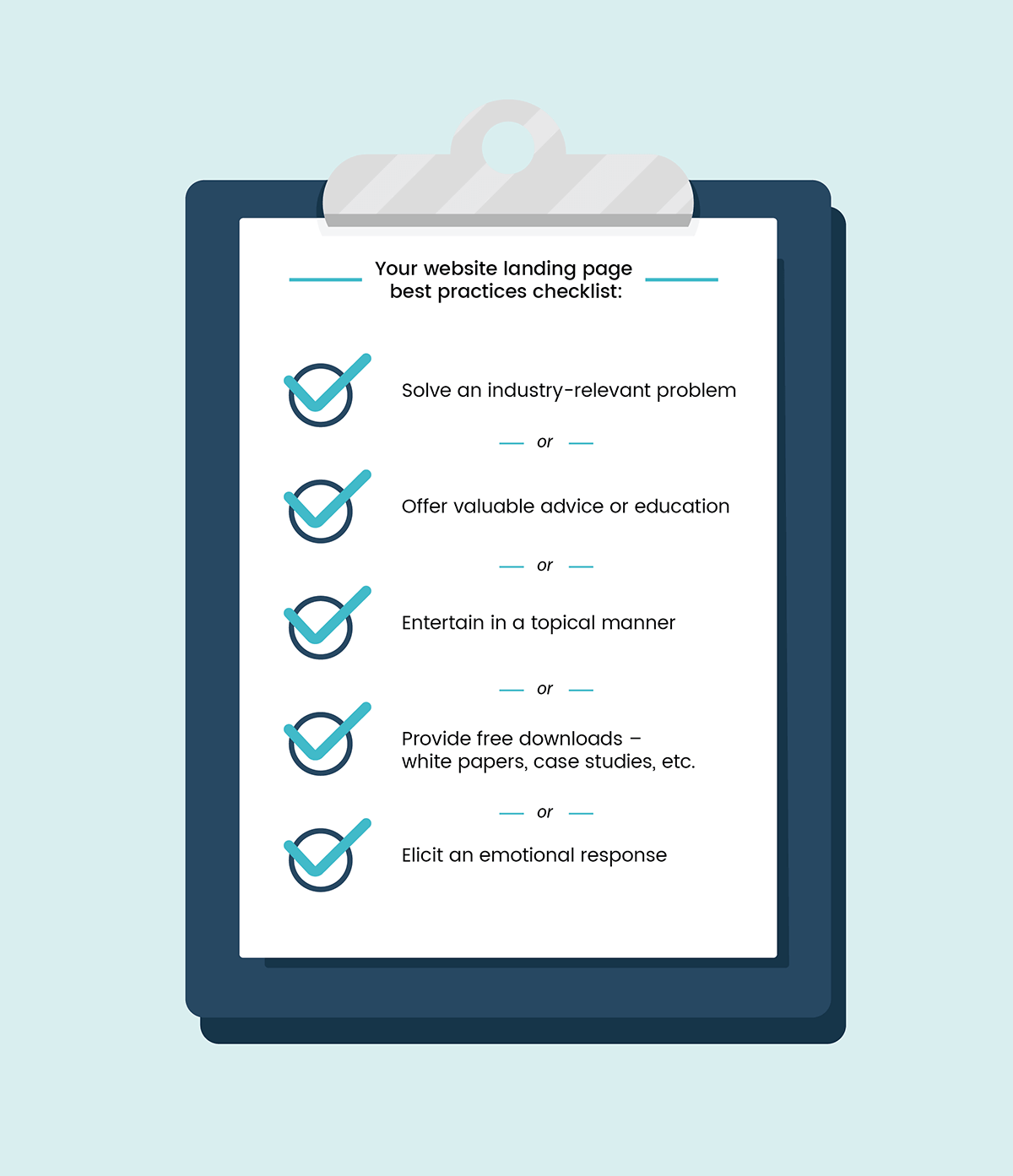
Your website landing page best practices checklist:

  • Solve an industry-relevant problem
  • Offer valuable advice or education
  • Entertain in a topical manner
  • Provide free downloads – white papers, case studies, etc.
  • Elicit an emotional response

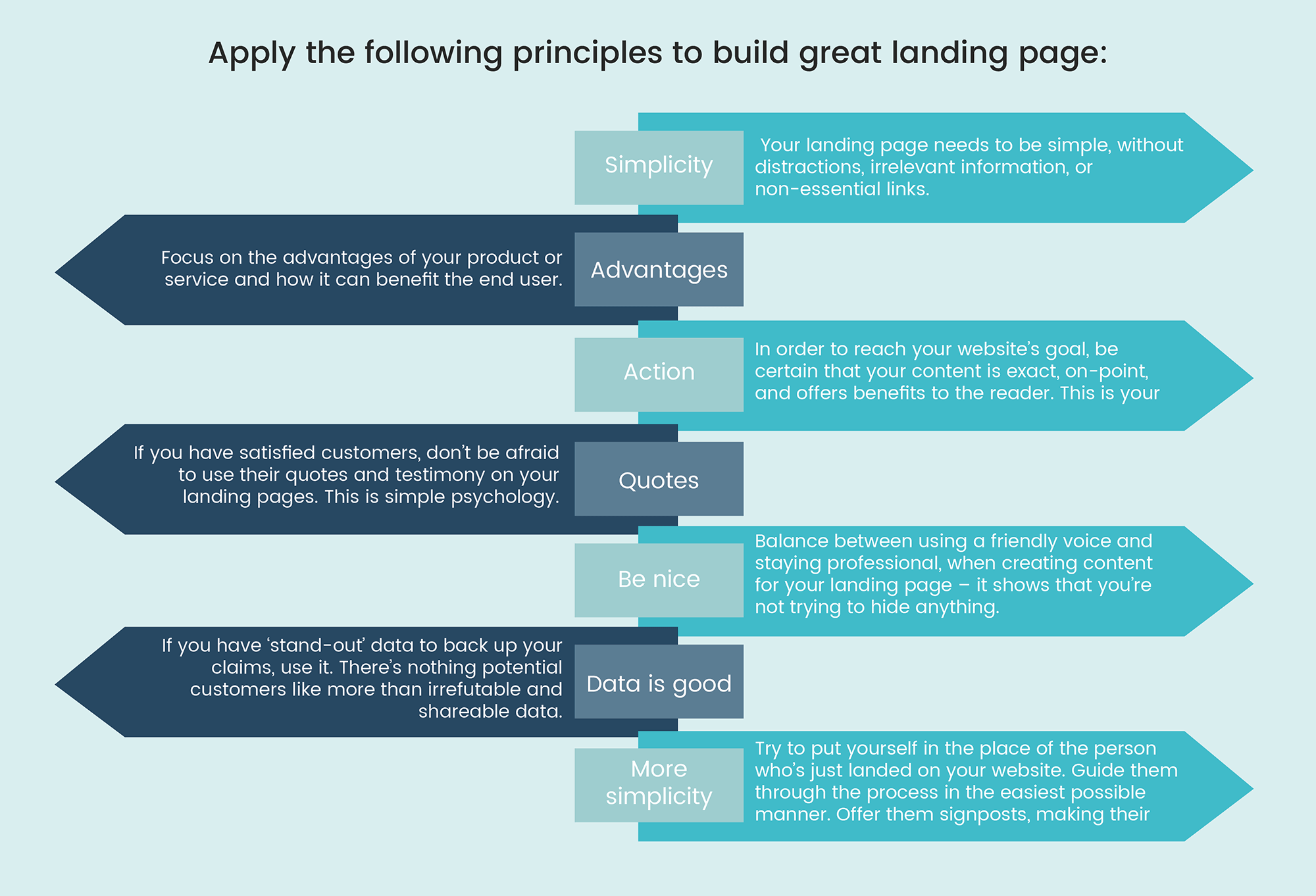
Great landing page examples are usually built using the following principles:

Simplicity – Your landing page needs to be simple, without distractions, irrelevant information, or non-essential links.

Advantages – Focus on the advantages of your product or service and how it can benefit the end user. It’s these advantages which may just help to solve their pain-points and resolve their queries while giving you an advantage over your competitors.

Action – Your aim was to bring visitors to your site with a set goal in mind. In order to reach that goal be certain that your content is exact, on-point, and offers benefits to the reader. This is your call to action so make it count.

landing pages examples principles

Quotes – If you have satisfied customers don’t be afraid to use their quotes and testimony on your landing pages. Your visitors are looking for genuine answers and those answers don’t come any better than the words of a happy customer.

Be nice – Try to develop a friendly voice when creating content for your landing page – it shows that you’re not trying to hide anything, or baffle them with technology. But remember to stay professional and offer real value rather than just banter.

Data is good – If you have ‘stand-out’ data to back up your claims, don’t be afraid to use it. If there’s a reliable source for the data use it. There’s nothing potential customers like more than irrefutable and shareable data.

More simplicity – Try to put yourself in the place of the person who’s just landed on your website. Guide them through the process in the easiest possible manner. Offer them signposts, making their journey towards the call to action as painless as possible.

What is great content and how to create it?

No matter what story you want to tell as part of your inbound marketing strategy you can be sure that somebody has already told it. But, what makes your story stand out from the crowd is how you tell your story and the voice you decide to tell it with.

Creating content is not so difficult. Creating content that stands out is. How are you going to make yours stand out?

The process

Landing Page Examples Process

Firstly, you can create the content yourself, you can hire an agency, or you can build your own in-house marketing and copy creation team – it all depends on your budget, your company size, and your ambitions.

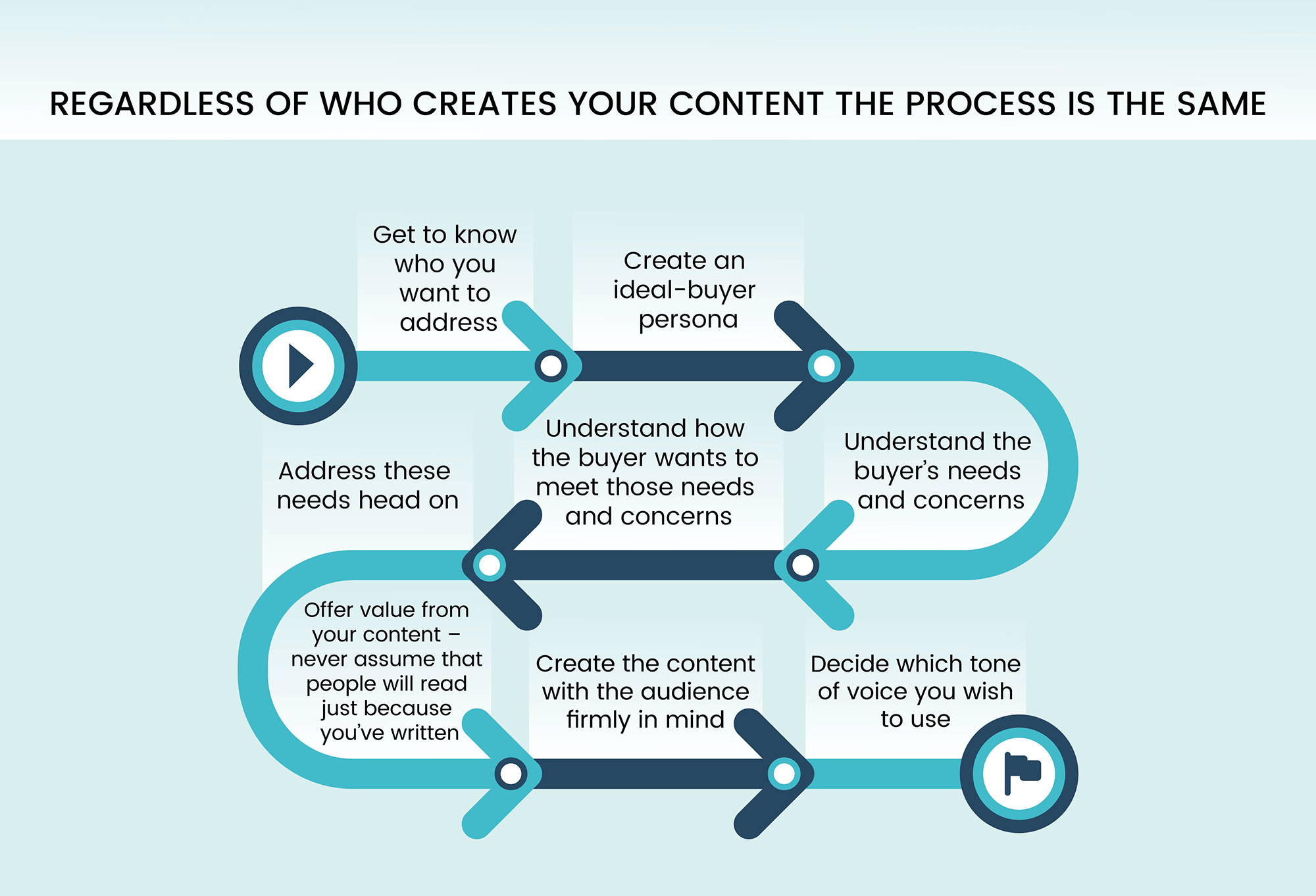
Regardless of who creates your content, the process is the same.

  • Get to know who you want to address
  • Create an ideal-buyer persona
  • Understand the buyer’s needs and concerns
  • Understand how the buyer wants to meet those needs and concerns
  • Address these needs head on
  • Offer value from your content – never assume that people will read just because you’ve written
  • Create the content with the audience firmly in mind
  • Decide which tone of voice you wish to use

Creating the ‘voice’ of your content

There are four main types of content ‘voice’ – the ‘voice’ being the value and the message behind the content. The four main types are as follows:

  • Emotion – This type of content is designed to change the playing field of your industry and how people really feel about it. Emotive content doesn’t necessarily educate, but aligns an emotion with your content, regardless of what that emotion is; joy, satisfaction, fear, positivity. For example, the arrival of a new time-saving sales tool or feature might announce, ‘Salespeople be afraid, there’s a new kid on the block!’ A headline that at first glance might appear threatening turns the content on its head to announce a ‘benefit’ for salespeople.
  • Authority – Authoritative content aims to held as the highest value to your audience. Your content sets you and your business as being the voice of authority on a particular topic. Your content is not there to sell directly, it exists to raise your profile as a go-to source of information on a topic.

Authoritative content is more difficult to create – ‘10 killer sales trends for the next 12 months’ – it has to be infallible, offer definitive proof, and fact-driven predictions. If your content proves inaccurate your credibility and your ability to attract a future audience is in grave danger.

  • Solution – In order to offer your audience value, solution-centered content is designed to offer solutions, answers, top methods, listicles, and valuable ‘how-to’ information to your audience. This type of content is best used for connecting with new audiences and serves to establish your voice as being reliable when it comes to finding resolutions to needs and problems.
  • Advertising – This is time for you to blow your trumpet, to shout from the rooftops about the quality of your product, about its benefits, and about how your life is not worth living with it. But, the main concern with advertising content is that people will soon get tired of hearing that trumpet being blown.

Advertising content is best used sparingly, when you really have something to shout about, and tends to work best as a driver of sales, instigating trials and subscriptions, and generating leads.

The four main content types listed above as best worked as individual solutions, so try not to mix one with another – content eliciting an emotional reaction shouldn’t also shout about the miracles of your great vacuum cleaner’s ability to work its way into tight corners.

Be clear with your message, and know exactly who you are trying to reach.

Teamgate CRM landing pages and great content – the Dream Team

Landing Page Examples

A great CRM, content that hits home like a missile and landing pages that make audiences take action are an unstoppable sales combination.

Teamgate sales CRM gives you just that combination by means of a series of intelligent tools and features designed to make your website a lead-capturing magnet.

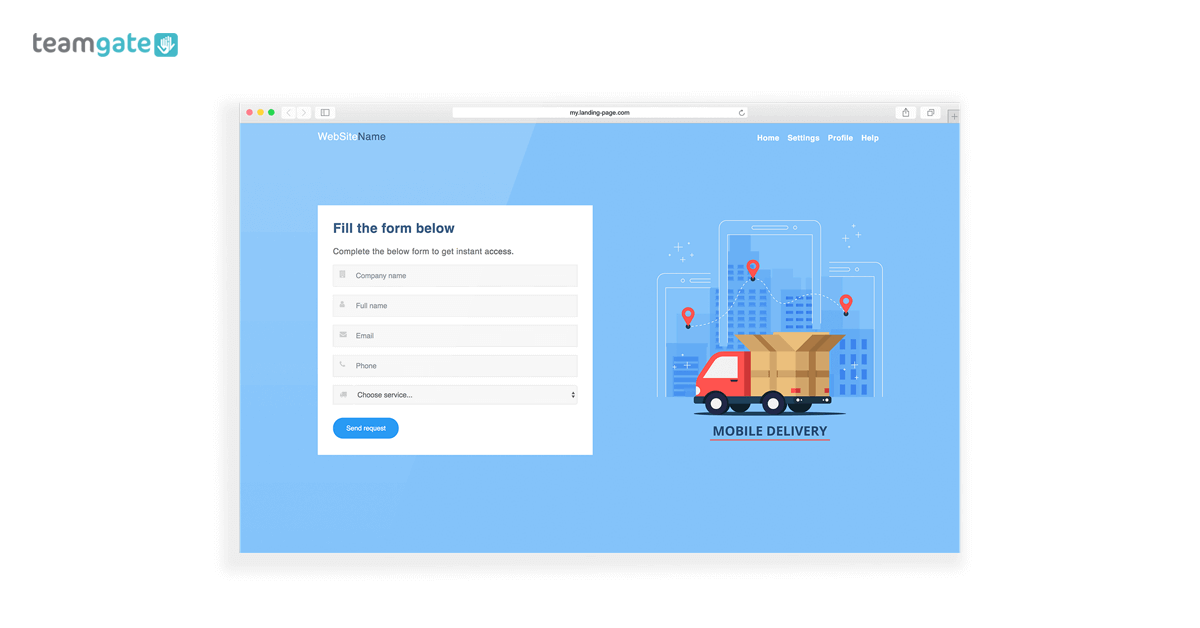
Using your website and WordPress lead capture, instantly create user forms – templates provided, and NO technical knowledge required – which drive leads to your CRM.

Again using your Teamgate CRM software drive traffic to the great content you’ve created on your website, once there the CRM will help you entice them on-board, take action, sign up for a trial or demo, or participate in whatever strategy you’ve aligned for their arrival.

The combination of CRM landing pages and great content can be your greatest weapon in the ongoing sourcing of new and valuable leads.

Everything changes, including content

Don’t just think of content as being the fluff that fills your web pages. Use the content creation methods described above; couple your content with your CRM and proactive landing pages; and get ready to watch the leads come flowing in.

But never rest on your laurels when it comes to content creation and your landing page forms, just because they worked once doesn’t mean they’ll work every time.

The market is forever evolving, fashions are forever changing, and software keeps on developing; try to stay abreast of trends, new outlets for your content, new methods of content delivery, and new ways of storytelling. Keep your CRM scaled and up to date with the tools and features that will help you deliver your content exactly where the audience is waiting.

And most importantly, give your audience what they want, when they want with, and where they want it. 

GET READY TO OWN YOUR WORKDAY

with the most user-friendly CRM on the market.

Start Free 14-Day Trial

Painless setup, no credit card required

Some people say that success is never just one thing, that it’s a series of steps leading to a moment of achievement, a moment of recognition, a moment of overcoming. It is what it is, but we know how it feels.

At Teamgate we’ve just experienced yet another one of those moments, and we’re feeling pretty thankful. An achievement that was made possible by an entire team taking many steps together, in the right direction.

Once again the industry’s most respected business app discovery platform – GetApp.com – has ranked Teamgate as the #6 best CRM in the global marketplace in the Q3 2018 rankings.

Thank you GetApp.

In the words of Marijus Andrijauskas, Teamgate CEO,

Recognition like this is really great to get, but it doesn’t mean we’ve reached our goal. We’ve passed another milestone along the way, and we’ve passed it together as a team. We still have a long way to go, but we like to think that accolades like this are waymarkers, and prove that we’re traveling in the right direction”.

Once again the industry’s most respected business app discovery platform – GetApp.com – has ranked Teamgate as the #6 best CRM in the global marketplace in the Q3 2018 rankings.

The Ranking

Teamgate Best CRM Ranking GetApp

GetApp’s quarterly ranking showcases the leading 10-15 CRM apps based in the cloud. Each app is scored using five factors, worth 20 points each, for a total possible score out of 100. These factors include user reviews, integrations, mobile app availability, functionality, and security. Each app’s score is independent of commercial interests and existing relationships that GetApp has with app vendors. 

GetApp’s Category Leaders graphic identifies leading cloud-based software products in the CRM software category. If you’re a business owner or decision maker who is evaluating CRM technology options for your company, Category Leaders is for you.

The ranking highlights key factors that small businesses should consider when assessing which software products may be right for them. These factors include user perception (“user reviews”), compatibility with other systems (“integrations”), mobile offerings (“mobile”), technical capabilities (“functionality”), and product security (“security”).

To create each Category Leaders ranking, GetApp’s research team typically evaluates hundreds of products in any one category. The 10-15 with the highest scores become Category Leaders.

How the scores are calculated?

An app’s score is calculated using five unique data points, each scored out of 20, resulting in a total score out of 100. The ranking and scoring methodology ensure complete impartiality and independence from any relationships that GetApp has with app vendors.

The five data points used to rank each app are:

User reviews

Review scores are calculated using weighted reviews collected from GetApp and its sister sites, Software Advice and Capterra. This score is based on average user ratings (on a scale from 1 to 5) of how satisfied users are with a product overall. The scoring includes ratings left within the previous 18-month period; ratings that are more recent are weighted more heavily.

The methodology calculates the percentile ranking for each product relative to all other products in the software category that have qualified for inclusion. That percentile ranking is then translated into a 1 to 20 score.

Integrations

Integration scores factor in a number of variables. Up to 16 points are awarded based on the number of integrations an app has. The first 10 points are awarded based on the number of integrations relative to the category average, while 4 points are awarded based on the number of integrations relative to the leaders in the category. An additional 5 points is awarded for an integration with Zapier, a widely used software integration platform, while an extra point is given for having an open API. The total possible score for integrations is 20 points.

Mobile Platforms

Mobile scores are calculated based on the availability of an iOS and Android app. Five points are awarded for the presence of each app, with an additional 10 points awarded for the number and average rating of reviews in both the App Store and Google Play. These review scores are calculated on a scale based on the category average for a maximum of 5 points per platform and an overall maximum score of 20.

If there isn’t a native iOS or Android app, the product’s website is assessed using Google’s PageSpeed Insights to measure mobile usability. A score out of 100 is given, then scaled to a score out of 5 for a maximum of 5 points.

Functionality

Functionality scores are assigned based on a combination of two assessments: user ratings and functionality breadth data.

Fifty percent of the score is based on average user ratings on a scale from 1 to 5 of how satisfied users are with the product’s functionality. The scoring includes ratings left within the previous 18-month period; ratings that are more recent are weighted more heavily.

The methodology calculates the percentile ranking for each product relative to all other products in the software category that have qualified for inclusion. That percentile ranking is then translated into a 1 to 10 score.

The other 50% of the score is based on a functionality assessment of the product. For each software category, GetApp’s research analysts define a core set of features that a product must offer, as well as additional “nice-to-have” common and optional features. For the CRM category, we identify the following set of features:

  • Core features: contact management, interaction tracking, and lead management.
  • Common features (at least two of the following): email marketing, workflow management/automation, forecasting, reporting, or analytics, call management, and lead scoring.
  • Optional features: customer support tracking, channel management, social media integration, document management, contact list management, marketing automation, product catalog, quote management, referral tracking, and territory management.

Products are assessed according to how many of those pre-defined features they offer, and products with more features receive a higher score. We use this data to calculate a product’s percentile ranking, which allows us to determine how products compare relative to one another rather than determine an absolute number.

All told, a vendor can receive up to 10 points based on user ratings and up to 10 points based on the features assessment for a total maximum score of 20 for “functionality.”

Security

Security scoring is calculated using answers from a vendor-completed survey. The questions in the survey are based on the Cloud Security Alliance self-assessment form as part of the Security, Trust & Assurance Registry, supplemented by the expertise of GetApp’s security research experts. Each answer in the 16-question survey is assigned a point value. The scoring then calculates the percentile ranking for each product relative to all other products in the software category that have qualified for Category Leaders consideration. That percentile ranking is then translated into a 1 to 20 score.

In the event of a tie, each data point is weighted for importance, with security taking precedent, followed by reviews, integrations, mobile apps, and functionality, respectively.

Click here for a full report on GetRank.

Success doesn’t come in an instant

Sometimes what feels like success is just another step on the road to real success. A great CRM like Teamgate can help you experience these small steps every day as part of your sales process. With drive, determination, and your eyes firmly focused on the finish line, one small step at a time surrounded by the right people, and the right tools, that success will come.

Sign up today for your Teamgate free trial, and get your journey to success on track.

GET READY TO OWN YOUR WORKDAY

with the most user-friendly CRM on the market.

Start Free 14-Day Trial

Painless setup, no credit card required

Why you need SharpSpring

Sales are flowing in and business is booming – all is good with the world. But, isn’t it time to raise the bar, and bring your marketing strategy to new heights? You need to engage with your customers at an even closer level, at an even more personal level. Plus, you need to generate and nurture your valuable leads in a seamless and fluid manner. No bumps, and no hiccups. What you really need is a full-feature marketing platform that does exactly what you need it to do, when you need it.

Welcome to the Teamgate sales CRM integration with the number one marketing automation platform, SharpSpring. Let’s see what it can do for you.

SharpSpring explained

SharpSpring is the fully-automated marketing platform designed to connect you with your clients and deliver all the vital information you need to engage them more successfully, time after time.

With affordable monthly contracts, great lead generation tools, amazing analytics, and a host of other game-changing features, SharpSpring has grabbed the attention of marketing agencies around the globe.

Tired of wasted mass communication campaigns? With the Teamgate-SharpSpring smart integration, you can now personalise and simplify all of your marketing strategies to bring your results,  – and your returns – to the next level. Working with the tools you already use you can take advantage of truly smart CRM management software, working hand-in-hand with next-generation automated marketing.

The future of ‘Smarketing’ is here and now.

With this integration, you can create or update SharpSpring contact records based on customer updates in Teamgate CRM. 

Teamgate SharpSpring - Sales Pipeline

How Does SharpSpring Integrate With Teamgate?

Essentially, SharpSpring’s all-in-one platform lets you automate and target your marketing to the specific needs of your customers. You can create triggers based on customer behaviour, then target your marketing to customers’ needs, interests, and their user journey.

Additionally, lead tracking with SharpSpring lets you build customer relationships based on specific, actionable information.

SharpSpring Teamgate Integrations List

Where Can I Learn More and How Do I Get Started?

Head over to  SharpSpring’s website to learn more about marketing automation and SharpSpring’s features. Be sure to schedule a demo to see it in action. Contracts are month-to-month so you won’t get locked into a long-term deal. From there, it’s incredibly simple to connect SharpSpring to your Teamgate CRM account via Zapier.

Here’s how:

Find SharpSpring in Zapier and then start by selecting a Teamgate trigger. 

SharpSpring Teamgate Zapier 1

Then select your Teamgate account to connect.

SharpSpring Teamgate Zapier 2

You need to add an authentication key from your Teamgate profile.

Now, you need to decide what will trigger an action – whether it’s a New Lead, New Deal or another specific event connected to the Teamgate user journey.

Now, you’ll need to choose a SharpSpring action.

SharpSpring Teamgate Zapier 3

Connect your SharpSpring account to Zapier and fill in your credentials in the pop-up window. 

SharpSpring Teamgate Zapier 4

And from there you can follow the on-screen prompts to start supercharging your marketing with SharpSpring! Happy selling! 

SharpSpring Teamgate Zapier 5

Now you are ready to use all the benefits of marketing automation and CRM in one place. 

How free is your free CRM?

Sure, you’ve got free-will, but using it to choose free CRM software may not be the best business decision you’ll ever make.

“Why?” I hear you say, “What’s wrong with free CRM software?”

If you value your business, if you value your clients, and if you value the integral security of your data, free CRM software might not do anything to increase that value. In fact, it might just have the opposite effect – Ouch!

But let’s start at the beginning.

Perhaps you want to choose a new, first-time CRM for your business. Or, perhaps you’re planning on migrating from an existing sales software and you’ve decided you’d like to save some money in the process.

There’s nothing wrong with wanting to save money. But saving money on one of the most valuable components of your whole sales process – your CRM software – could be your downfall. It’s like buying cheap tires for your car when you really need them, they might just let you down. Disastrously.

What are the issues with a free CRM?

One of the big problems with free CRM software is that it might promise the sun, moon and stars, but you soon realise that the really helpful features – and usually the essential features – cost a little or even a lot extra.

Also, with free CRM software you can find yourself and your business, relying on software where even the security of your data might be at risk; you have no control over the look and feel of the interface; the integrations which you need to manage your customers’ experience don’t exist, or are too expensive; and customer support is non-existent. Hardly ideal for running a successful business.

Without backup and support to help you onboard your new free CRM system, you might just lose the enthusiasm of your sales team before they even get to use the new tools. Losing the confidence and participation of your sales team at this early stage can prove very costly in the long run through lost sales opportunities.

You get what you pay for

Free CRM software

A free CRM system may sound like a great way to save money, but trust us, it’s not.

As we told you earlier, CRM is vital for the careful nurturing of your leads and customers. It’s also a vital component of how your sales teams interact and communicate with those customers. Plus, it offers you great insights and analysis of where your business is getting stuck, sales team performance levels, and future sales predictions.

Can you really trust an inferior product with so much responsibility? We didn’t think so.

What you get with a FREE CRM:

  • No reliability
  • Lack of mobility
  • Limited features and integrations
  • Non-existent customer service and support
  • Poor ease-of-use
  • Concerns about data security
  • Poor contacts management
  • Limited if any customisation
  • Secret pricing
  • No scalability

What you get with a Paid-For CRM:

Reliability – If technology is not your thing, it’s best to leave all the background stuff to the professionals. The best sales CRM software providers will keep your software up-and-running at all times, invisibly, and in the background. You don’t need programming skills, or any advanced knowledge to enjoy the benefits of a great CRM. What’s more, should any technological issue arise you can be sure that your interests are being served by a highly qualified, and dedicated technical support team.

Mobility – This is one of the great qualities of a paid-for CRM, the ability to go anywhere with a Wi-Fi connection, and take your complete office with you. Carry all the information you need in your pocket, ready to access when you need it, where you need it. Many free CRM packages don’t offer this functionality, and if they do it can be patchy at best. Be aware.

Features and integrations – You’re probably not going to get a champagne cooler as standard in a regular family car, in the same way, free CRM software probably won’t offer you everything you need to guide your customers effortlessly through your sales pipeline. Sometimes, with a free CRM all you’re really getting is the basics, and sometimes nothing more than a glorified address book.

Customer service and support – This is that one feature of a paid-for CRM that you need to sit up and really take notice of. With free sales software if you encounter a problem – technical, or just to get some answers – we’ve got news for you; you’re On Your Own!

When you choose a paid-for sales CRM – especially a quality CRM like Teamgate – you have the peace-of-mind of knowing that you’re never alone. The Teamgate customer experience team are on hand to help you through any issues or concerns you might have. You’re not alone.

Ease of use – An easy to learn and use CRM is bound to engage your sales teams a lot easier, and a lot quicker. Onboarding your salespeople to a new CRM is vital, the quicker that can happen, the better it is for everyone – especially your profits. Plus, navigating around your CRM dashboard is so easy and offers you instant insights into the health of your sales process at any given point in time.

Data security – Quality CRM providers have the sensitivity and security of your data as a core priority. With a trusted CRM you can have the personal peace-of-mind knowing that your data is constantly backed up, and stored in multiple high-security remote data centres. Plus, any downtime – should it occur – will be kept to an absolute minimum to reduce any inconvenience to your business.

Contacts management – When it comes to managing your contacts the system you use should be neat, organised, functional, searchable, and easy to interact with. Free CRMs don’t offer this kind of functionality. In fact, most free CRM software is little more than a basic address book. A quality CRM should allow you to easily manage your contacts database and all the information that goes with it, from one central location, and without fuss. Your contacts are the people you deal with on a day-to-day basis and are the main component of your sales process, they should be treated with that respect.

Customisation – Being able to customise various fields in your CRM can greatly help the way you organise your whole sales process. Each stage of the sales process can be broken down into further segments which suit your needs. Your contacts can be assigned various ‘tags’ making them easier to search, or easier to group into categories. The more customisation available with a quality CRM, the easier it will be for sales teams to organise their sales data even better; files can be hidden, or shared among various sales team members creating greater continuity in the sales process.

Secret pricing – With ‘free’ CRM software the costs are usually hidden. While the basic software may be free, the tools, features and other add-ons you really need for functionality come with hidden pricing. With quality CRM software, you should know what you’re paying for from the outset. Many of the best paid-for CRMs come with multiple price plans, designed to suit various sized businesses, and varying budgets.

Scalability – One of the big questions for a small business or startup when choosing a CRM, is whether the CRM is fully scalable? A CRM that needs to be replaced, or is no longer functional after the business has reached a certain size, is a waste of time, and money. A quality CRM like Teamgate comes in a variety of formats and price-ranges, each one designed to take a growing business to the next level. The CRM is constantly evolving, with a continuous supply of new features and integrations, designed to make your CRM as sophisticated or as simple as you need it to be, now and in the years to come.

They’re right, there ain’t no such thing as a free lunch

Free is always tempting. But in the back of our mind, we know that we should be cautious. That’s especially true when choosing free CRM software.

The purpose of a CRM is to help your sales team, and your sales process to flow as smoothly as it was designed to do. Anything that upsets that flow of sales is bad for your business health.

A free CRM could be very bad for your business health, and the bad news is that there’s no easy cure.

The fact is simple, if you want quality you have to pay. If you want support, and the features to grow your business you have to pay. If you want the power of insights and analysis to help your business forecasting, you have to pay. If you want to nurture your customers with every interaction, you have to pay.

But think of it as money wisely invested in your growth. Take your time, find the CRM that’s right for you, ask a lot of questions, and most of all don’t rush into any hasty decisions. Free CRM software might sound like a bargain, but you can be sure it’ll cost you dearly in the long run.

As they say, choose in haste, worry at leisure.

GET READY TO OWN YOUR WORKDAY

with the most user-friendly CRM on the market.

Start Free 14-Day Trial

Painless setup, no credit card required

Between 2013 and 2019 global smartphone traffic will have increased tenfold; that’s an extraordinary figure. Not only do more people have smartphones, but usage is rocketing too (see the infographic below).

Mobile CRM Teamgate

This increase is largely due to the improved capabilities of smartphones. Smartphones can do more than ever before; experiences are becoming crisper, more engaging, and easier. In short, people are being drawn to their phones more and more. A cursory look around the street, restaurant or next bus you’re on will attest to this.

Whilst consumers reap the benefits of the capabilities of their smartphones, businesses across the globe are slow to catch up. Of course, mobile phones are used in business, but predominantly for specific functions – email being number one. Making presentations, writing reports, and working with data is still mainly seen as an activity for a PC; the emergence of mobile CRM has changed the landscape of how business people work ‘on the move’.

Mobile CRM is the future

Mobile CRM is becoming less of an extra feature and more of a fundamental role in the toolbox of successful sales reps. Research by Innoppl Technologies concluded that 65% of reps who have adopted mobile CRM hit targets and this drops to 22% for those that haven’t.

There are many ways mobile CRM improves sales performance. Let’s take a look at three critical areas:

  1. Improve the data you capture
  2. Improve preparations
  3. Increase usage

1. Improve the data you capture

Sales reps are attending a lot of meetings. Especially those in the field who are hustling from meeting to meeting. This means that follow up is often left to the end of the day or, at best, lunchtime. Any sales rep will say that meetings can easily merge together and key information can be lost.

By deploying a simple to use mobile CRM, sales reps can update their notes in between meetings. Adding notes straight after a meeting is proven to improve detail, follow up quality, and sales. A strong contact management feature will enable your salespeople to keep track of all communications with their prospects and enable better visibility in tracking their customer relationships.

Mobile CRM sets your salespeople up for success; automatically logging communications with a prospect, including emails and calls, as well as allowing updates ‘on the move’ so your contact’s information is always updated. Every piece of data captured is logged on your CRM, reducing the likelihood of contact management errors resulting in poor decision making.

2. Improve preparations

The best salespeople are prepared; they have a clear plan for each meeting and use critical information to their advantage. It helps to go into the meeting understanding the below:

  • What is this prospect’s pain point?
  • Who does this person need to convince?
  • Who are their competitors?
  • What did I promise last time we met?
  • What product are they currently using?
  • What character does the prospect have?

Your sales reps can input information in-between meetings, but they can also access it: mobile CRM gives sales reps access to key information on the move. Whether they are sitting in a meeting room or waiting for a prospect on the train between meetings, being able to access little key snippets of data is crucial in optimizing meetings.

Using lead management allows your sales rep to plan activities ahead of time, as well as hone their sales strategy. A well built CRM organizes key aspects of the rep’s workflow, so they can focus on converting that lead into a sale, rather than the behind the scenes admin work.

3. Increase usage

Good sales reps are always thinking of an angle – and not just in office hours. Whether they’re in the shower or shopping, if they have an idea mobile CRM makes it easy for them to quickly and easily log it. If someone sits down at a desk, pulls out the laptop and logs on it feels very much like work, but two minutes in the mobile CRM is quick and doesn’t impinge as much on their day. Giving salespeople this level of access to key information is sure to make them use it more and resent it less.

To gain the benefits of a CRM, salespeople need to use it. If you can get sales reps engaged with data it’s proven to make them more effective: remember, 65% of reps that adapted to mobile CRM achieved their sales quotas. A key advantage of mobile CRM is that it provides your salespeople with a quick, easily accessible way to make use of their sales pipeline data, meaning they can take action when faced with new opportunities rather than wait until they’re back at the office.

The future of mobile CRM

The CRM market is set to grow and change and mobile will be a key part of that. Businesses are starting to realise the power of using mobile CRM so expect growth driven by:

  • Smartphone capability
  • Companies using cloud-based CRM
  • Overall growth in the CRM market
  • CRM vendors focusing more heavily on mobile

So when you’re building for CRM request for the proposal then make sure you include mobile CRM as one of your requirements.

GET READY TO OWN YOUR WORKDAY

with the most user-friendly CRM on the market.

Start Free 14-Day Trial

Painless setup, no credit card required
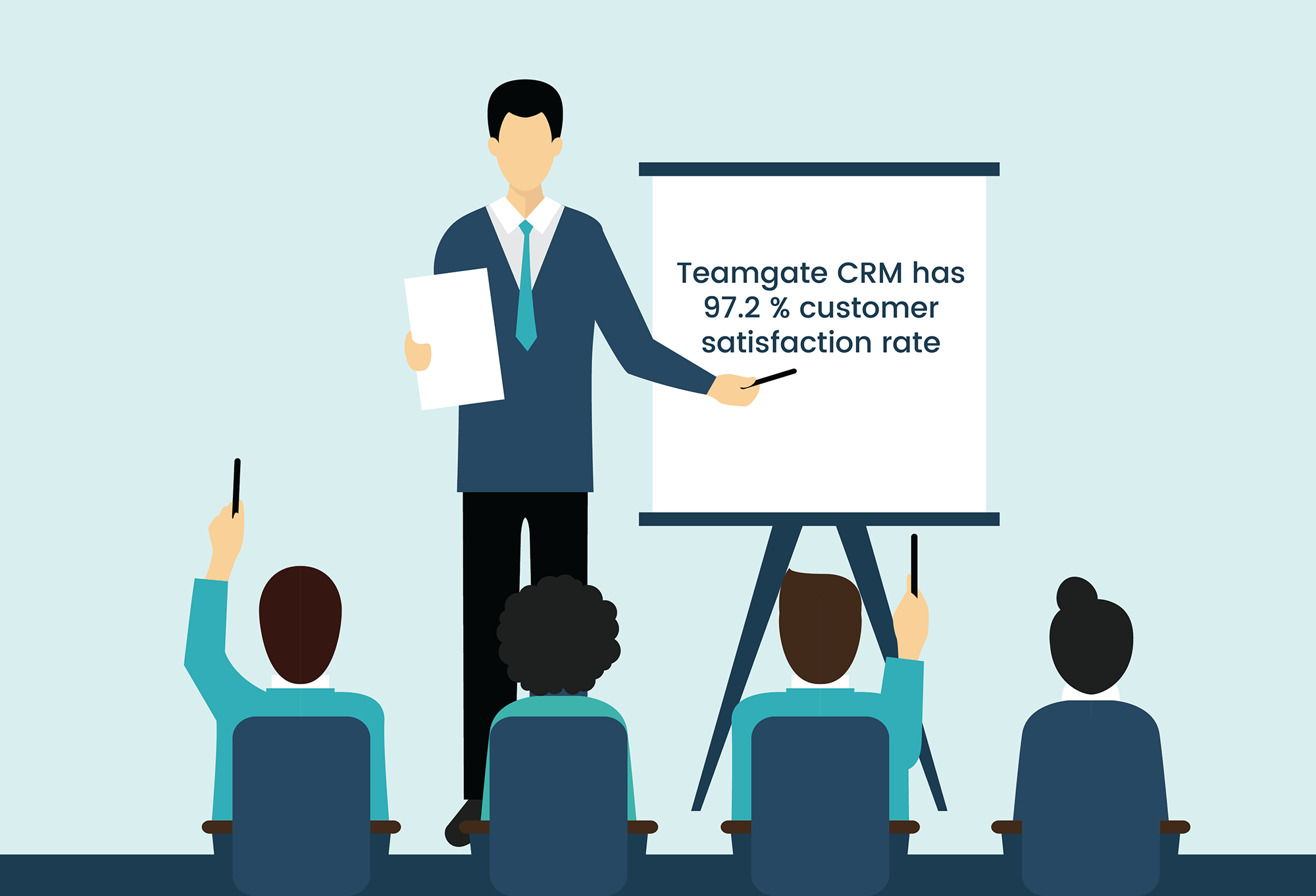
A CRM can centralise information, monitor processes and performance, as well as improve efficiency across an entire business. What does this mean for sales processes? Think about the amount of time spent on each task in your sales process, then factor in that an estimated 53% of a salesperson’s time is spent doing admin work; now, imagine what this would do to your sales figures if that time could be spent of selling instead. CRMs offer the unique ability to streamline sales processes and reduce the time spent on administrative tasks.

Your sales team have many requirements that can be handled by a CRM. Let’s look at three ways where using a CRM can enhance the efficiency of your sales processes.

1. Visibility on prospects in the sales funnel

In order to make the most of your sales funnel, you require total visibility.  One way of doing this is to integrate a computer telephony integration (CTI) with your CRM.  This will dramatically enhance visibility by improving:

  • Efficiency: every call taken by your sales team will link to the CRM with customer data being easily accessible.  
  • Effectiveness: reps will be able to create and prioritize call lists. By segmenting and targeting contacts that have the most potential, resources will be maximized, providing the best returns.
  • Insight: because all data will be highly visible, the volume and quality of the information provided will be increased. Historical reporting can be generated automatically and real-time insights can immediately flag up performance data. This intelligence can be used strategically to make a hugely positive impact upon sales figures.

2. Sales process automation

When sales processes are automated, your team save time and can concentrate on more important tasks. The more you make use of your CRM to automate, the more time sales reps will have to actually sell.  

Following up leads is vital.  80% of sales take up to five phone calls to close; imagine if your CRM could remind your sales team when to make those calls (particularly useful for reps who are juggling lots of clients).  When you make your CRM selection, you need to choose a system that will allow direct calls to be made and emails to be sent. By doing so, everything will be logged and recorded. Your CRM can also prioritize leads by using a lead scoring system, with rules set by the operator, based on conversion probability. Calls can be assigned immediately by the CRM to specific sales reps.  With time being of the essence, the lead is far less likely to go cold. By doing this, revenue can be increased by 10% or more in just a few months.

Finally, do your sales team use Excel, or similar, to store leads and data? The CRM can do it for them. You don’t want your reps wasting time each day on data entry when they could be doing more important tasks. Once customer information is in the CRM, reports can be produced automatically, flagging up progress reminders.

3. Accurate sales forecasting

Sales forecasts need to predict the future of your company’s prospects, enabling you to make sound decisions.  Get it wrong and management may as well be working in the dark. By using the CRM to store key data, it can then be analyzed and compared.  As long as the information is entered accurately into the system by everyone involved in the sales process, the person creating the sales forecast will have everything they need in one place.  By being able to view historical data and produce tailored projections, the insights revealed are going to be far more valuable and benefit the company. The CRM can quickly help to identify trends, show details of sales cycles and even individual team metrics.  With these valuable insights at their fingertips, managers can produce sales forecasts that are far more accurate, enabling them to work with their team to boost overall performance.

It is plain to see that by using your CRM in the right way, sales processes can be far more streamlined and your company performance vastly enhanced.

GET READY TO OWN YOUR WORKDAY

with the most user-friendly CRM on the market.

Start Free 14-Day Trial

Painless setup, no credit card required
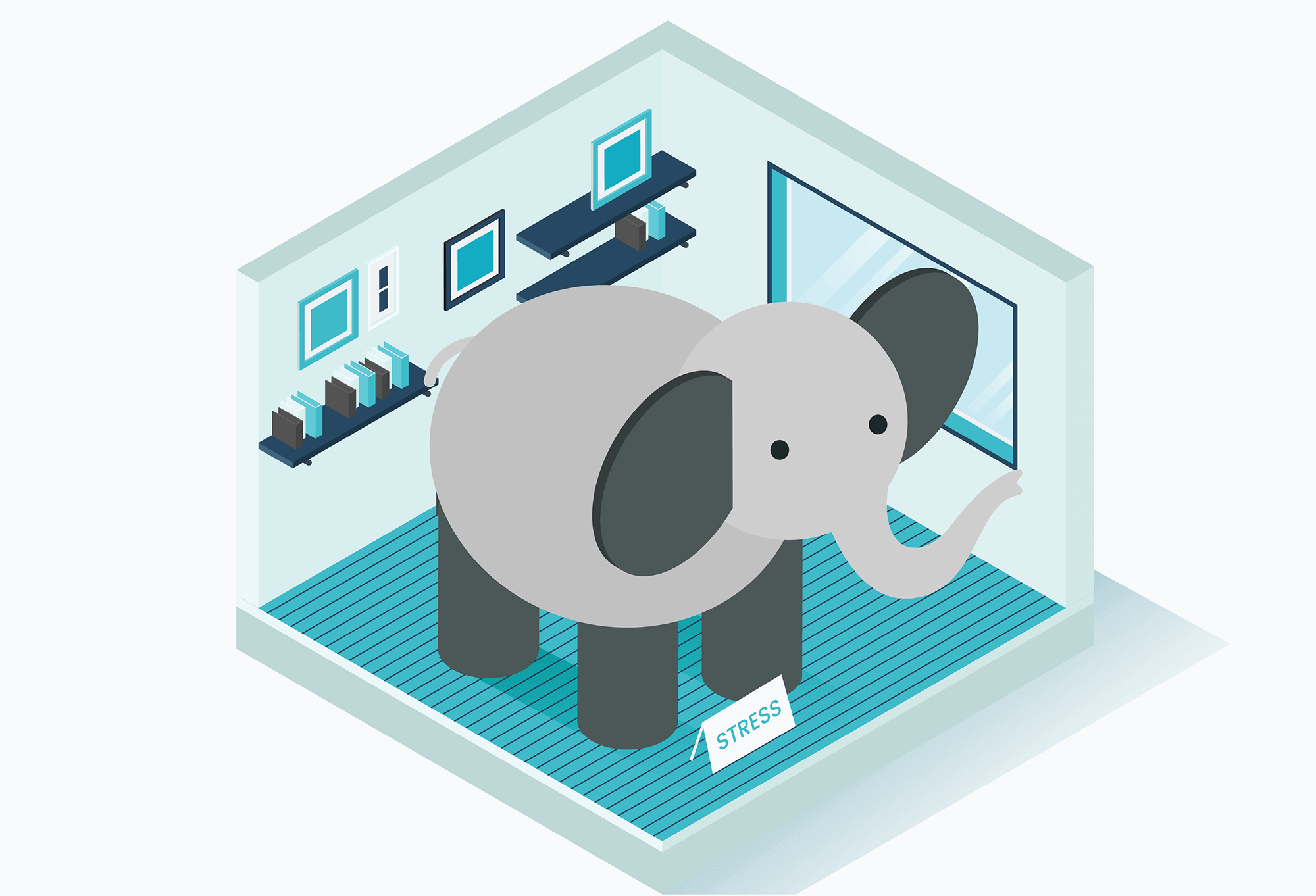
Handling your sales accounts and finances can often feel like somebody else’s business. It can eat into your valuable sales time and cause you hours of frustration.

But wait! There’s a solution at hand. By integrating QuickBooks with your CRM you can simply and effectively manage all of those accounts and finances via one simple process. Problem solved.

Now, we want to share with you how QuickBooks and Teamgate CRM integration can drastically simplify, and change the way you manage your finances. And, as a bonus, give you back the time you’ve been wasting.

But, just what is QuickBooks?

QuickBooks CRM

QuickBooks is an accounting software with an open API (application programming interface) which integrates with your sales CRM. It provides a selection of invaluable accountancy and financial management tools, designed to make your sales team’s job less complicated.

The integration between Teamgate – the award-winning full process Sales CRM software – and QuickBooks gives your salespeople a simple, accounts management system, designed with simplicity in mind.

Simply link your Teamgate account’s deals or contacts to QuickBooks and start to manage all of your accounts and finances from one place. The CRM integration with QuickBooks online really is that simple.

Create new invoices, check current invoice status, set invoice due dates, connect invoices directly to a customer contact card, schedule payment dates, see when invoices have been paid, and much more.

What are the real rewards?

The real job of a salesperson is to sell. And, in the busy, hugely competitive world of sales, a tool which makes a salesperson’s life easier, and more productive, should never be ignored.

With no more confusing spreadsheets or out-of-date software packages to slow you down, the QuickBooks integration brings you to the next level of managing your business finances expertly.

The rewards of QuickBooks integration:

  • Check your invoices directly from your deal’s or contact’s card
  • Create a new invoice in Teamgate CRM and it will automatically sync with your QuickBooks integration software. The QuickBooks online integration does it all for you
  • Connect existing invoices in QuickBooks with a deal or a contact in Teamgate
  • Stop wasting time on data entry by copying company contact details from QuickBooks to Teamgate, and vice versa
  • See instantly when an invoice has been marked paid
  • Easily filter the relevant invoices by status
  • QuickBooks CRM integration offers a great user-experience and sets up in minutes.

Is it easy to get started with QuickBooks?

It couldn’t be easier to integrate your Teamgate and QuickBooks accounts. A couple of really easy steps – we can guide you through the quick process here – and you’re ready to start managing your accounts without the endless need for paperwork.

Let the easy-to-use QuickBooks integration take control of your accounts and finances, while you focus on your sales results.

Plus, don’t forget, it’s totally mobile, which means that you have access to all your accounts, invoices, etc. while on the go.

If you think your business could profit from a QuickBooks integration, get in contact today and sign up for a Free personalised Demo, explaining the full benefits of the Teamgate CRM solution. 

Do you have a CRM that keeps you organised?

The most user-friendly CRM on the market. 14-day free trial.

Start Free Trial

Painless setup, no credit card required
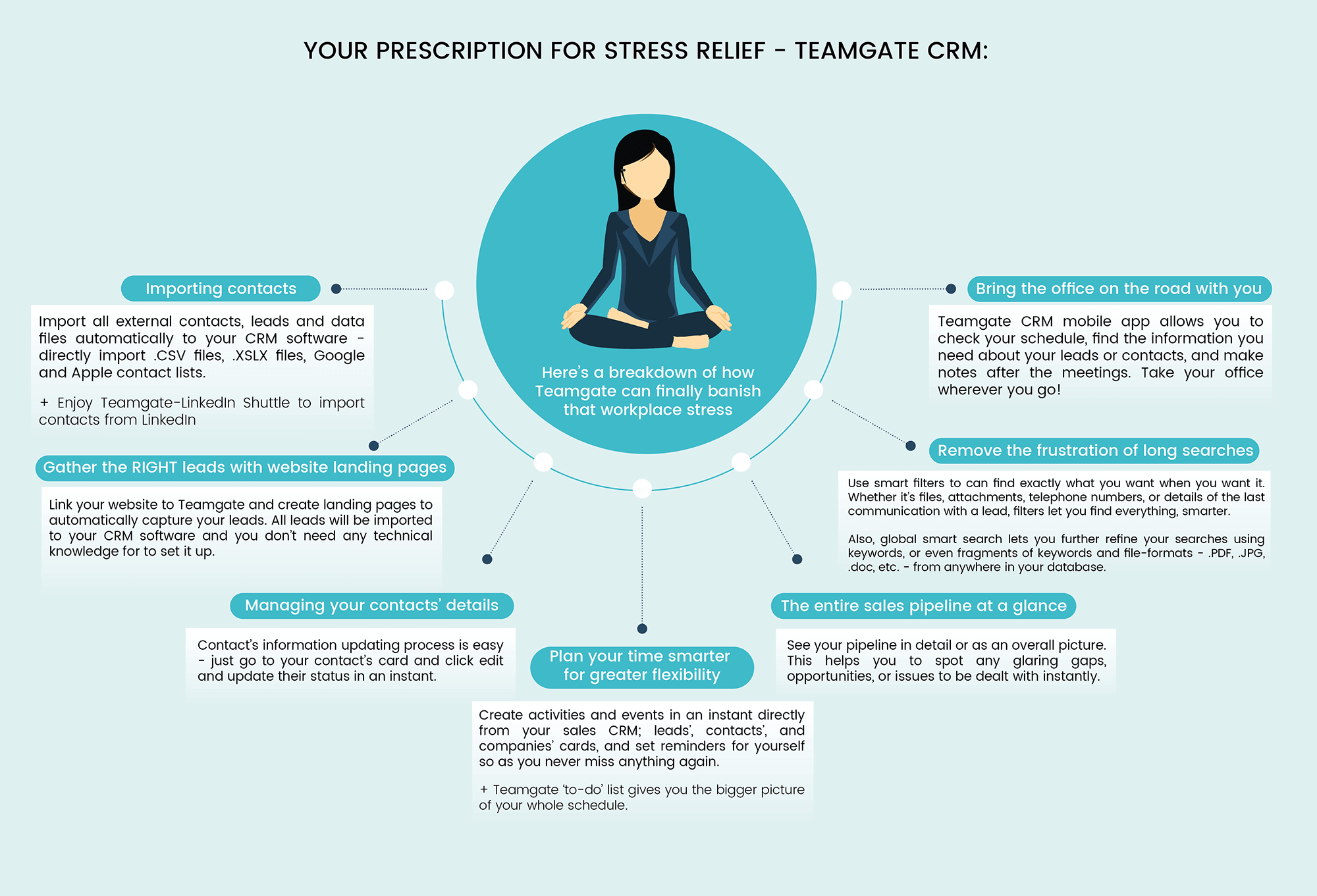
At Teamgate we’ve learned that customer success management is one of the most important functions of our whole sales process. Now, we’d like to share our experience, and success with you.

How focusing on customer success really helped us to build

In case you didn’t know, at Teamgate we design and sell CRM sales software solutions which help salespeople sell faster, and smarter. But that’s just the tip of the iceberg.

Since our humble beginnings, we’ve come to learn some really important lessons, about ourselves, and about our product:

  • Finding the right customer is great
  • Selling to that customer is amazing
  • But, retaining that customer, while building brand loyalty, is beyond words, and that’s where customer success management really shines

The first thing we realised is that the sale is not the end of the journey. Of course, every sales team know that by now, but to learn that lesson for the first time, comes as quite a revelation.

That revelation required a whole change of mindset at Teamgate.
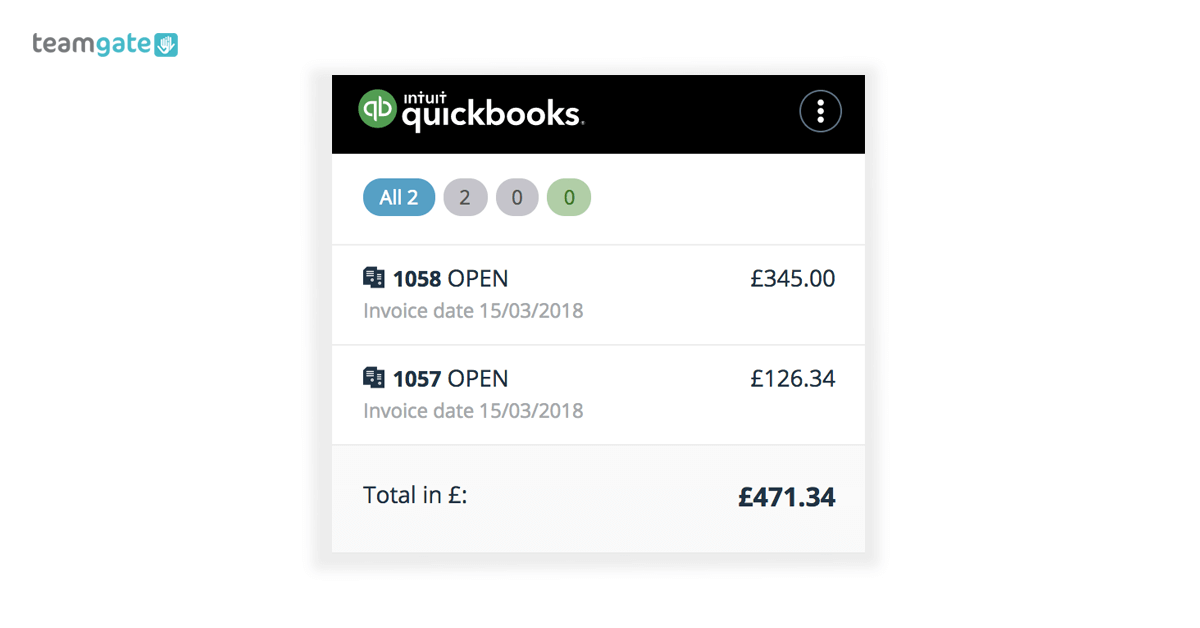
It required a change of focus, from simply selling the product in order to make a profit, to the bigger picture, and the long-term view of the entire customer experience process.
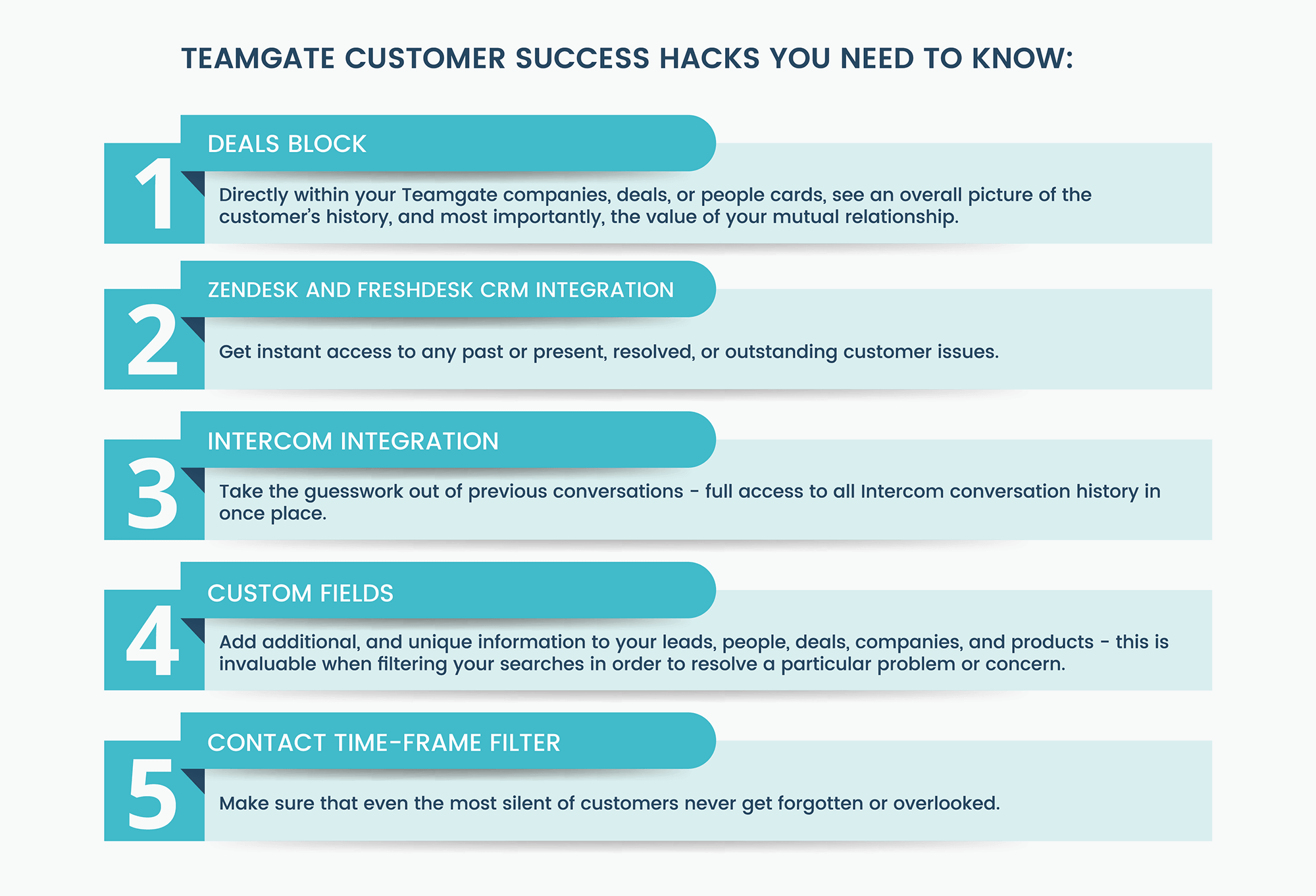
We care about the customer’s experience, and we’ve discovered that most of our customers really appreciate that care. In order to gain that appreciation, we had to begin somewhere.

Teamgate focus on customer experience led us to question our whole process:

  • Were we sourcing the most valuable leads – not just in monetary value, but in forming the right product/customer relationship?
  • Were we really listening to the customer’s needs and concerns?
  • Were we supplying the most relevant tools which they could really benefit from?
  • Were we relaying their concerns to our product development team?
  • Were we there for the customer throughout the whole onboarding process?
  • Did we offer the training and support they needed, and were we there to follow up on any further concerns?
  • Did we offer them the value they could afford, and not the value that we wanted to sell?
  • Was our product as scalable as our customers need
  • If they were using a competitor’s product, why were they doing that? What could we do to change the situation?

With the onset of this customer-centric focus, a new, and rejuvenated Teamgate experience was born.

How did Teamgate’s customer success management focus change?

Now, our customer success managers are equipped with the very same array of tools, which you can use to manage your customers’ experience.

Customer success software

We designed them that way because we listened to what our customers wanted. Because of the attention we paid to our customers’ comments, we can be sure that our Teamgate solutions work.

Teamgate includes a bundle of simple-to-use features which have become firm favourites with customer success managers, right around the globe.

These features proactively help us, and you, to keep your customers engaged, far beyond the sales process itself.

We know that if they work for us, we’re sure that they’ll work for you.

The Teamgate features designed to manage your customer success

Having listened closely to our customers’ needs, Teamgate introduced a host of time-saving features allowing our customer success managers to ensure that customers remain satisfied, engaged, and which continuously offered value, long after the initial deal is done.

Vitally, they help you to reduce your churn rates, increase the opportunity for upselling, and promote continuous customer loyalty, advocacy and customer happiness.

In fact, we care so much about customer happiness, that by means of a focused and consistent approach to measuring customer satisfaction after resolved ticketing issues, Teamgate customer success team raised the satisfaction rate from 95.1% (2015) to 97.2% (2017).

So how did we do that?

Teamgate customer success hacks you need to know:

#1 – Deals block – Directly within your Teamgate companies, deals, or people cards those charged with customer success management can quickly and easily analyse all won, lost, and postponed deals.

This information can then be brought to the table in an effort to enhance the relationship between you and your customer. It will also offer an overall picture of the customer’s history, and most importantly, the value of your mutual relationship.

#2 – Zendesk and Freshdesk CRM integration – Zendesk and Freshdesk come as two of the leading customer support ticketing solutions. They offer you instant access to any past or present, resolved, or outstanding customer issues.

Armed with information on all ticketing issues – reporting bugs, log-in problems etc. – our Teamgate customer success managers can address any issues directly with the customer, assuring them of problems solved, updates, software patches, and recording their concerns.

#3 – Intercom integration – The Intercom and Teamgate integration allows customer success managers full access to all conversation history in one place.

This takes the guesswork out of previous conversations and gives customer success managers a running start when dealing with customer experience issues.

#4 – Custom fields – Custom fields are a means of adding additional, and unique information to your leads, people, deals, companies, and products. This is invaluable when filtering your searches in order to resolve a particular problem or concern.

At Teamgate our customer success managers use the actual value of sales at a particular time, dates which contracts were signed, and the duration of contracts, as some really useful custom fields.

#5 – Contact time-frame filter – Within your CRM sections; leads, companies, people, or deals, Teamgate offers you the oddly named ‘Not Contacted Within’ filter.

This feature lets you select contacts with no ‘live’ activities – to-do’s, calls, or meetings – over a chosen period of time. This is really relevant for customer success managers when making decisions on which course of action to take next. This is almost like a Teamgate secret weapon, making sure that even the most silent of customers never get forgotten or overlooked.

The real value of engaged customer success management

Teamgate’s customer success leader, Gintare Pasaulyte, fully realises the importance of keeping customers engaged. Her experienced outlook on the subject of continuous CRM customer success, is as follows:

We see our customers as invited guests to a party, and we are the hosts. It’s our job every day to make every important aspect of the customer experience a little bit better, by knowing our customers, their personalities, buying habits, and even hobbies in order to increase their satisfaction and loyalty.

Every positive attempt a business makes towards engaging with their customers, is essential for growing revenue, creating prolonged customer loyalty, instilling product advocacy, and maintaining the continued potential for growth.

Customer success management is not just for today, it’s for life

Customer success management is an overall approach to managing the value of your customer, through a variety of positive means, over the complete customer lifetime.

At Teamgate we recommend that you try to think past the sale, the real value comes from winning a customer for life, and, having the right tools to do that is hugely important.

Perhaps you’d like to see for yourself just how Teamgate CRM and customer success software can help you grow your business, long after the sale has been won.

Sign up for a Free Demonstration today, and let us show you how it’s done.

Do you have a CRM that keeps you organised?

The most user-friendly CRM on the market. 14-day free trial.

Start Free Trial

Painless setup, no credit card required